display MERCEDES-BENZ S CLASS 2017 Manual PDF
[x] Cancel search | Manufacturer: MERCEDES-BENZ, Model Year: 2017, Model line: S CLASS, Model: MERCEDES-BENZ S CLASS 2017Pages: 382, PDF Size: 12.12 MB
Page 212 of 382
Important safety notes
G WARNIN G
If you operate information systems and com-
munication equipmen t integrate d in th e vehi-
cle while driving , you will be distracte d from
traffic conditions. You could also lose control
of th e vehicle. Ther e is a ris k of an accident.
Only operate th e equipmen t when th e traffic
situation permits. If you are no t sur e that this
is possible , park th e vehicl e payin g attention
to traffic condition s and operate th e equip-
men t when th e vehicl e is stationary.
You must observ e th e legal requirements for th e
country in whic h you are currentl y driving when
operating th e on-board computer.
G WARNIN G
If th e instrumen t cluste r has faile d or mal-
functioned, you may no t recognize function
restriction s in systems relevan t to safety. The
operating safet y of your vehicl e may be
impaired . Ther e is a ris k of an accident.
Drive on carefully. Hav e th e vehicl e checke d
at a qualified specialist workshop immedi-
ately.
If th e operating safet y of your vehicl e is
impaired , pull ove r as soo n as it is saf e to do so.
Contac t a qualified specialist workshop.
The on-board computer only shows message s or
warning s from certain systems in th e multifunc-
tion display. You should therefor e mak e sur e
your vehicl e is operating safely at all times .
Fo r an overview, see th e instrumen t panel illus-
tration ( Y
page 35).
Hybrid vehicles: mak e sur e that you read th e
separat e Operator's Manual. Otherwise, you
may no t recognize dangers.
Displays and operation
Instrument cluster lighting
The ligh t sensor in th e instrumen t cluste r auto -
matically control s th e brightness of th e multi-
function display. In daylight, th e displays in th e instrumen t cluste r are illuminated. A dimming
function is no t possible in daylight.
The lighting in th e instrumen t cluster, in th e dis-
plays and th e control s in th e vehicl e interior can
be adjusted usin g th e brightness control knob.
The brightness control is locate d between th e
instrumen t cluste r and th e multimedia system
display ( Y
page 36). X
Turn th e brightness control knob clockwise or
counter-clockwise.
If you tur n th e ligh t switch ( Y
page 124) to th e
` , X or X position , th e brightness
will depend upon th e brightness of th e ambi -
en t light.
Speedometer segments The segments in th e speedometer indicat e
whic h spee d range is available. R
Cruis e control activated ( Y
page 169):
The segments ligh t up from th e store d spee d
to th e en d of th e scale.R
DISTRONI C PLU S activated ( Y
page 171):
On e or two segments in th e set spee d range
ligh t up. R
DISTRONI C PLU S detects a vehicl e in fron t
moving mor e slowly than th e store d speed:
The segments between th e spee d of th e vehi-
cle in fron t and th e store d spee d ligh t up.
Tachometer
! Do no t driv e in th e overrevving range, as this
could damag e th e engine.
The red ban d in th e tachometer indicates th e
engine's overrevving range.
The fuel suppl y is interrupted to protect th e
engin e when th e red ban d is reached.
Outside temperature display
You should pay special attention to road condi-
tion s when temperatures are aroun d freezing
point.
Bea r in min d that th e outside temperature dis-
play indicates th e temperature measured and
does no t record th e road temperature.
The outside temperature display is in th e multi-
function display ( Y
page 212).210
Displays and operation
On-board computer and displays
Page 213 of 382
There is a short delay before a change in outside
temperature is shown in the multifunction dis-
play.
Coolant temperature gauge
G WARNING
Opening the hood when the engine is over-
heated or when there is a fire in the engine
compartment could expose you to hot gases
or other service products. There is a risk of
injury.
Let an overheated engine cool down before
opening the hood. If there is a fire in the
engine compartment, keep the hood closed
and contact the fire department.
! A display message is shown if the coolant
temperature is too high.
If the coolant temperature is above 257 ‡
(125 †) do not drive any further. The engine
will otherwise be damaged.
The coolant temperature gauge is in the lower
section of the tachometer ( Y
page 35).
Under normal operating conditions and with the
specified coolant level, the coolant temperature
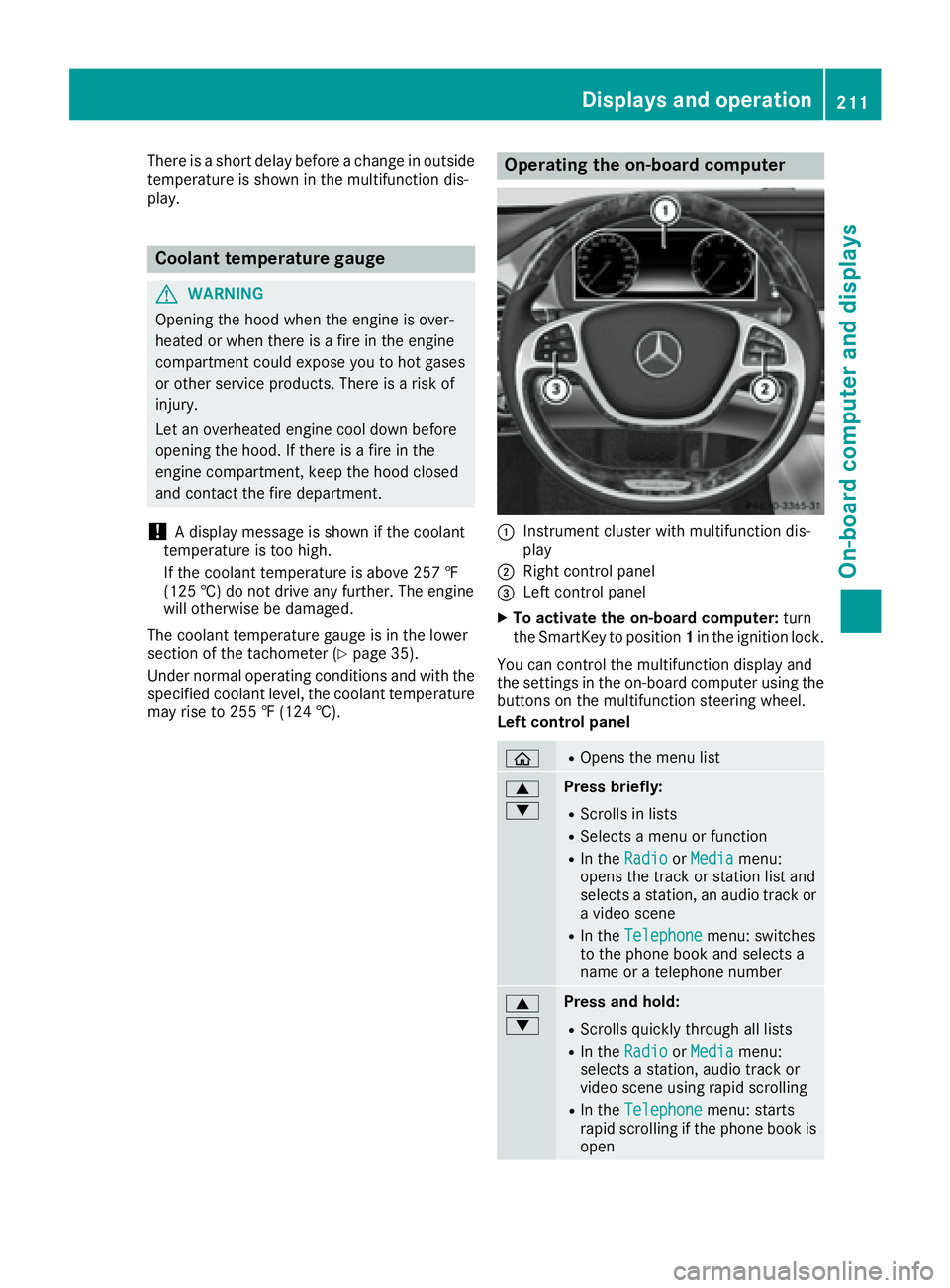
may rise to 255 ‡ (124 †). Operating the on-board computer
C
Instrument cluster with multifunction dis-
play D
Right control panel
Page 215 of 382
driver to see all of the information without hav-
ing to take their eyes off the road.
A requirement for the display of the contents is
that the following functions are available in the
vehicle and are switched on: R
Cruise control R
DISTRONIC PLUS R
Traffic Sign Assist R
Navigation
Important safety notes The Head-up Display is only an aid and is not a
substitute for attentive driving.
Speed limits and overtaking restrictions are not
always correctly displayed. Traffic signs always
have priority over the Traffic Sign Assist display.
The visibility of the Head-up Display is influ-
enced by the following conditions: R
the driver's seat position R
the positioning of the display image R
the general ambient light R
sunglasses with polarization filters R
wet roads R
blocking of sunlight by objects on the display
cover
In the event of extreme sunlight, sections of the
display may fade. This can be reversed by
switching the Head-up Display off and on again.
i Vehicles with the head-up display are equip-
ped with a special windshield. Should repairs
be necessary, have the windshield replaced at
a qualified specialist workshop.
Displays and operation
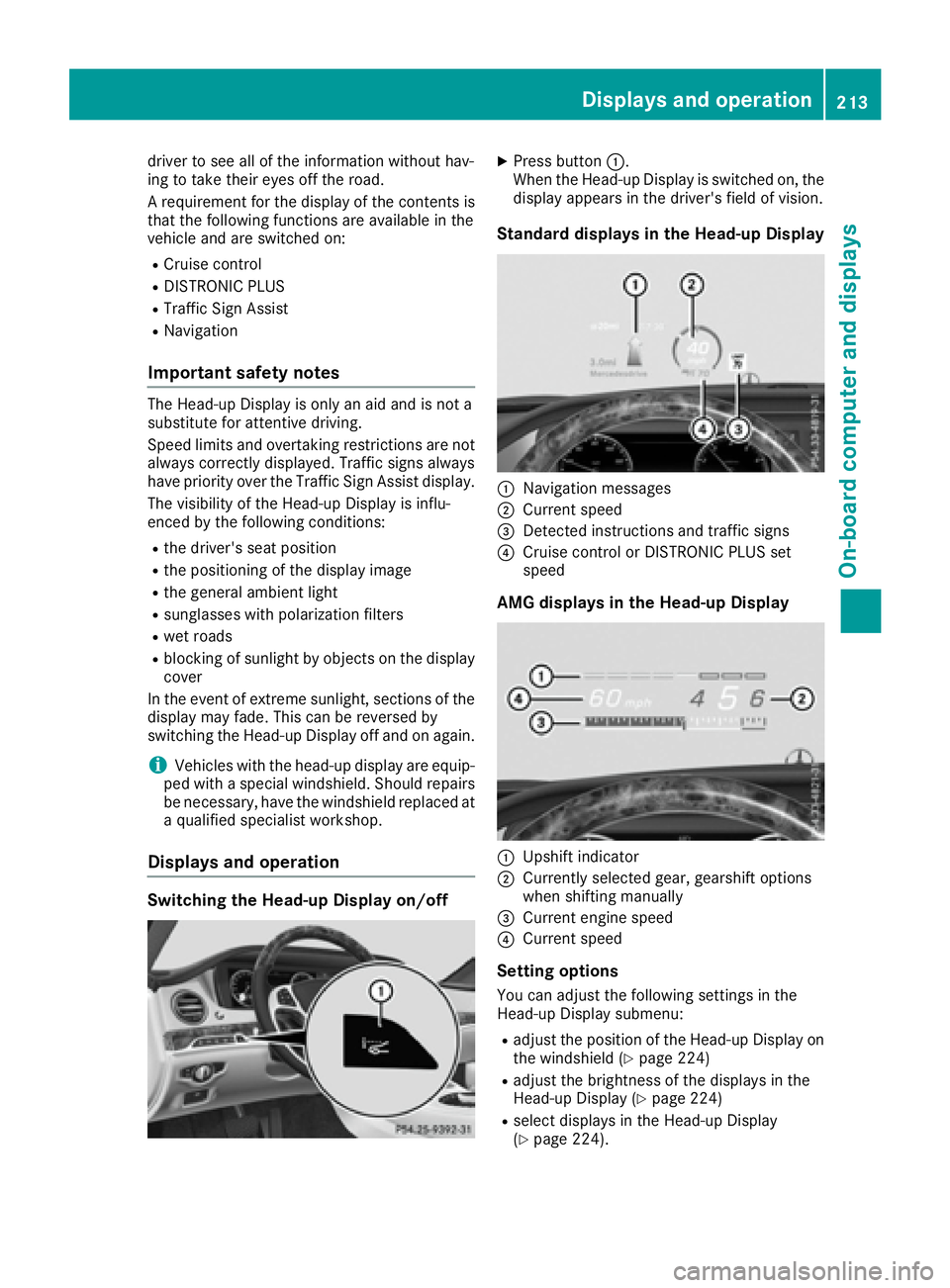
Switching the Head-up Display on/off X
Press button C .
When the Head-up Display is switched on, the
display appears in the driver's field of vision.
Standard displays in the Head-up Display
C
Navigation messages D
Current speed
Page 216 of 382
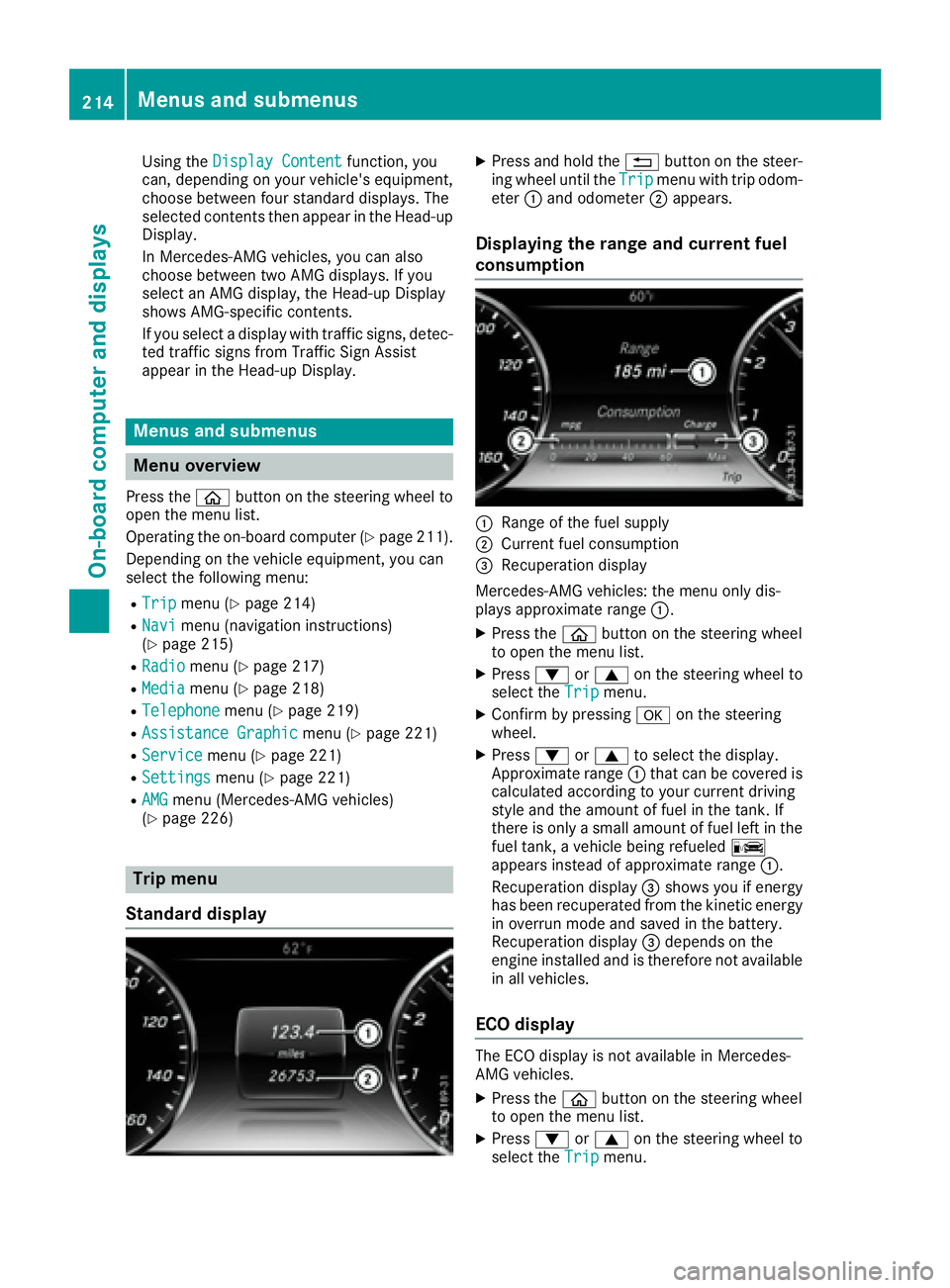
Using the Display Content function, you
can, depending on your vehicle's equipment,
choose between four standard displays. The
selected contents then appear in the Head-up
Display.
In Mercedes-AMG vehicles, you can also
choose between two AMG displays. If you
select an AMG display, the Head-up Display
shows AMG-specific contents.
If you select a display with traffic signs, detec-
ted traffic signs from Traffic Sign Assist
appear in the Head-up Display.
Menus and submenus
Menu overview Press the
Page 217 of 382
X
Confirm by pressing v on the steering
wheel. X
Select ECO Display wit h d or c .
If the ignition remains swit ched off for longer
than four hours, the ECO displ ay will be auto-
matically reset.
For more information on the ECO displ ay, see
( Y
page 165).
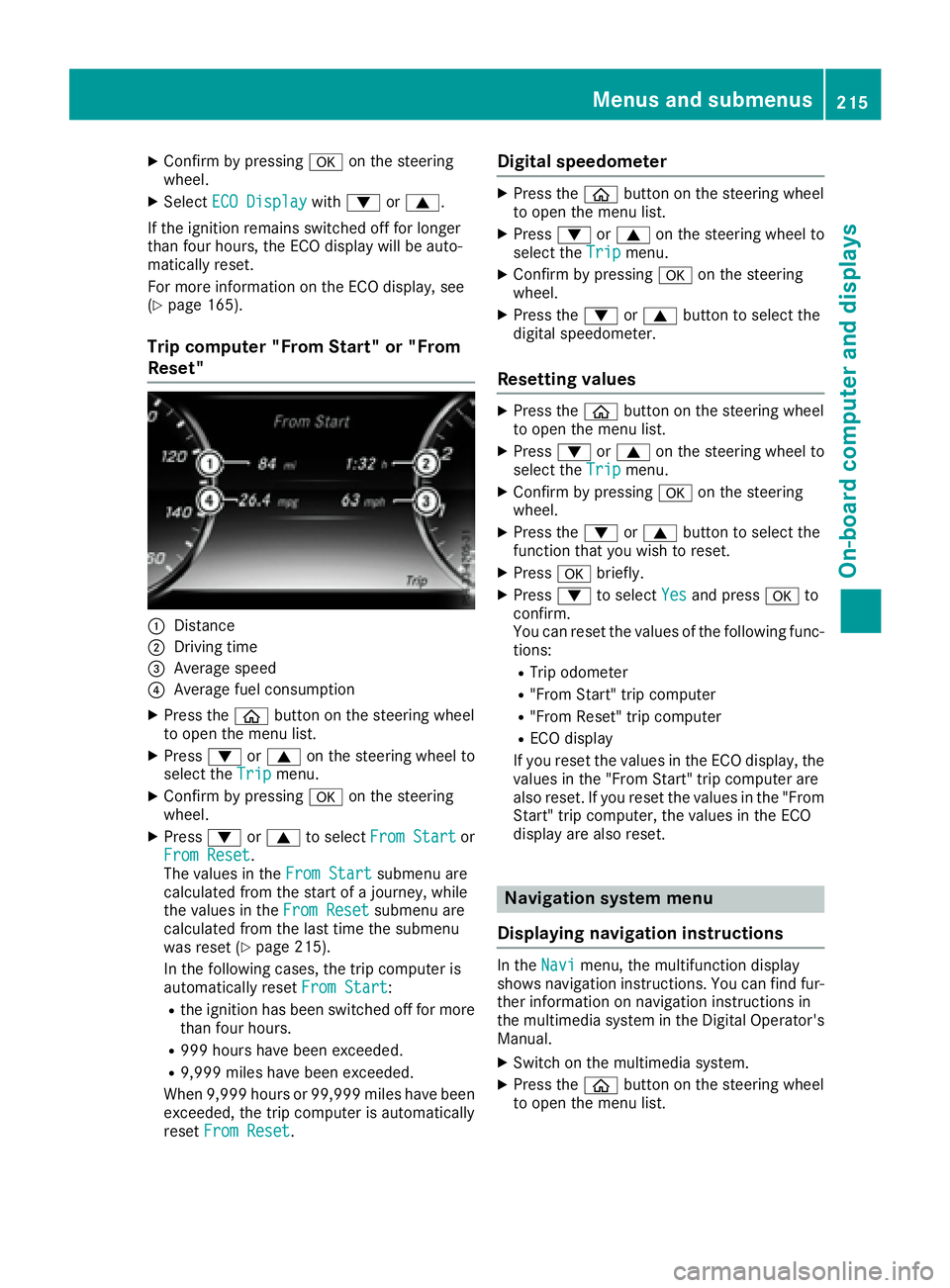
Trip computer "From Start" or "From
Reset"
C
DistanceD
Dr ivin g time
Page 219 of 382
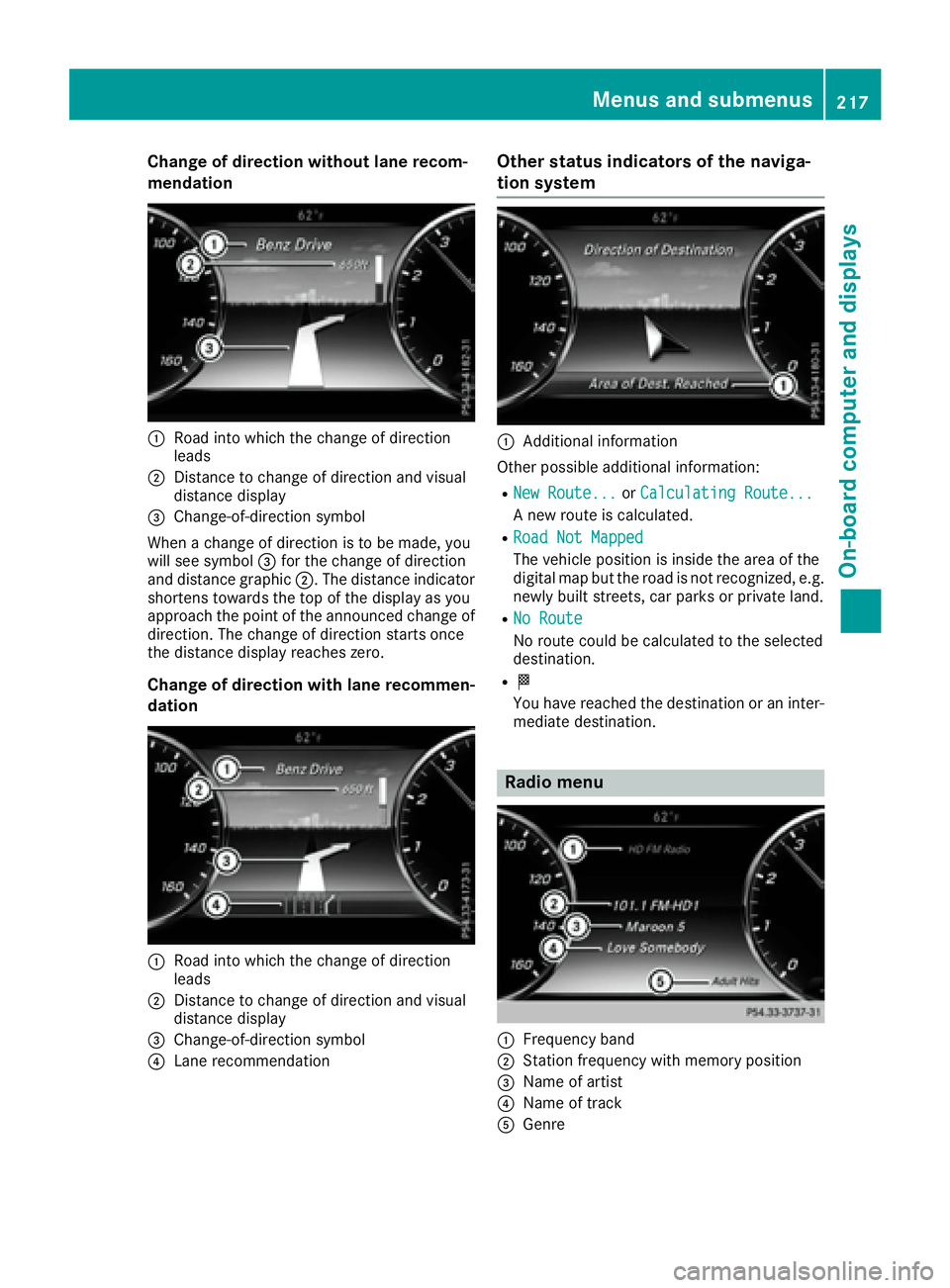
Change of direction without lane recom-
mendation
C
Road into which the change of direction
leadsD
Distance to change of direction and visual
distance display
Page 220 of 382
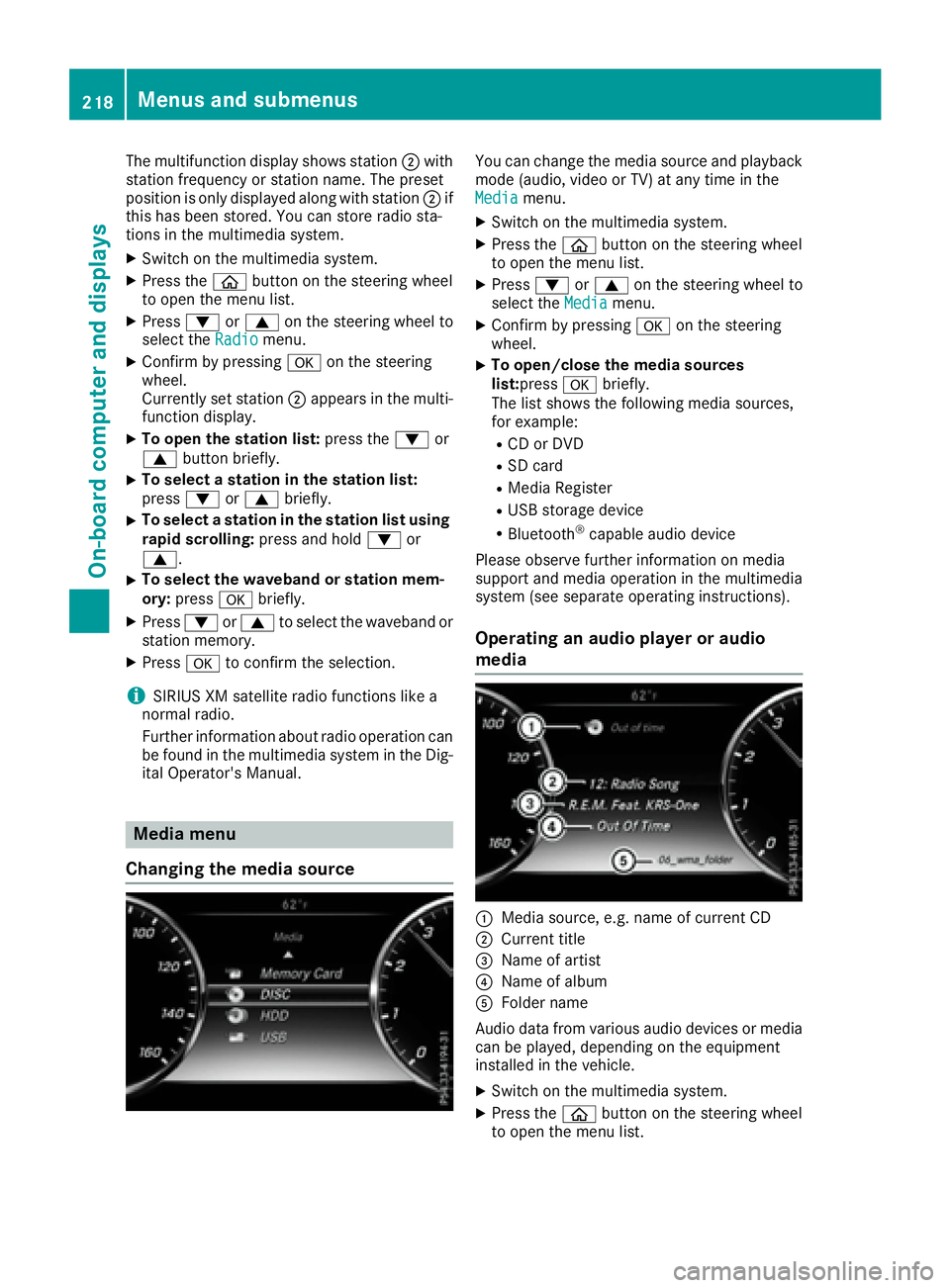
The multifunction display shows station D with
station frequency or station name. The preset
position is only displayed along with station D if
this has been stored. You can store radio sta-
tions in the multimedia system. X
Switch on the multimedia system. X
Press the
Page 221 of 382
X
Press d or c on the steering wheel to
select the Media menu.X
Confirm by pressing v on the steering
wheel. X
To select an audio player or media: press
v briefly.
The list containing the media sources
appears. X
Press d or c to select the correspond-
ing audio player or media. X
Press v to confirm the selection.X
To open the track list: press the d or
c button briefly.X
To select the next or previous track from
the track list: press the d or c button
briefly. X
To select a track from the track list using
rapid scrolling: press and hold d or c
until the desired track is reached.
If you press and hold the button, the speed of
rapid scroll increases after a short time. Not
all audio drives or data carriers support this
function.
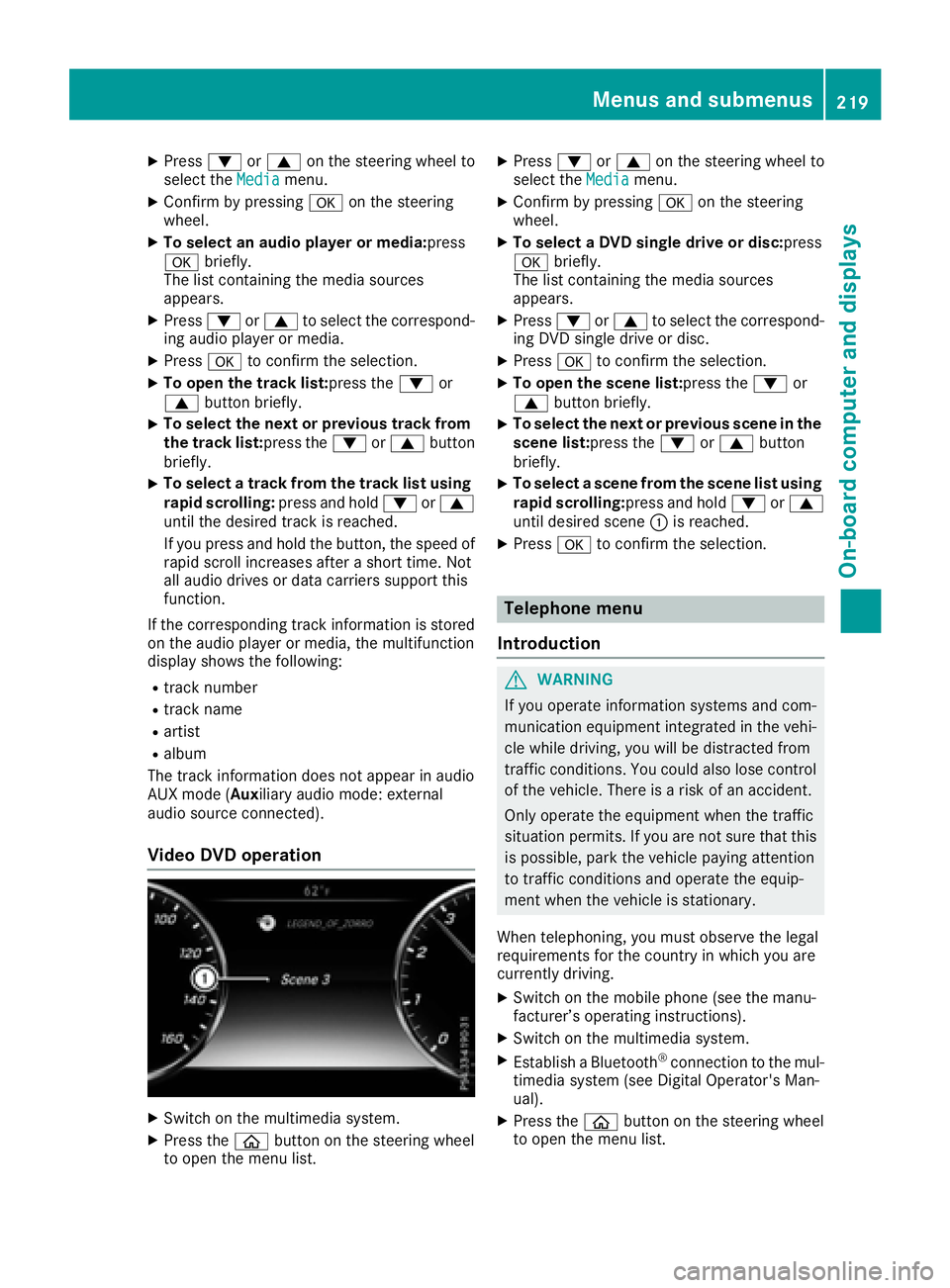
If the corresponding track information is stored
on the audio player or media, the multifunction
display shows the following: R
track number R
track name R
artist R
album
The track information does not appear in audio
AUX mode ( Aux iliary audio mode: external
audio source connected).
Video DVD operation
X
Switch on the multimedia system. X
Press the
Page 222 of 382
X
Press d or c on the steering wheel to
select the Telephone menu.X
Confirm by pressing v on the steering
wheel.
You will see one of the following display mes-
sages in the multifunction display: R
Phone READY or the name of the network
provider: the mobile phone has found a net-
work and is ready to receive. R
Phone No Service : there is no network
available or the mobile phone is searching for
a network.
Accepting a call
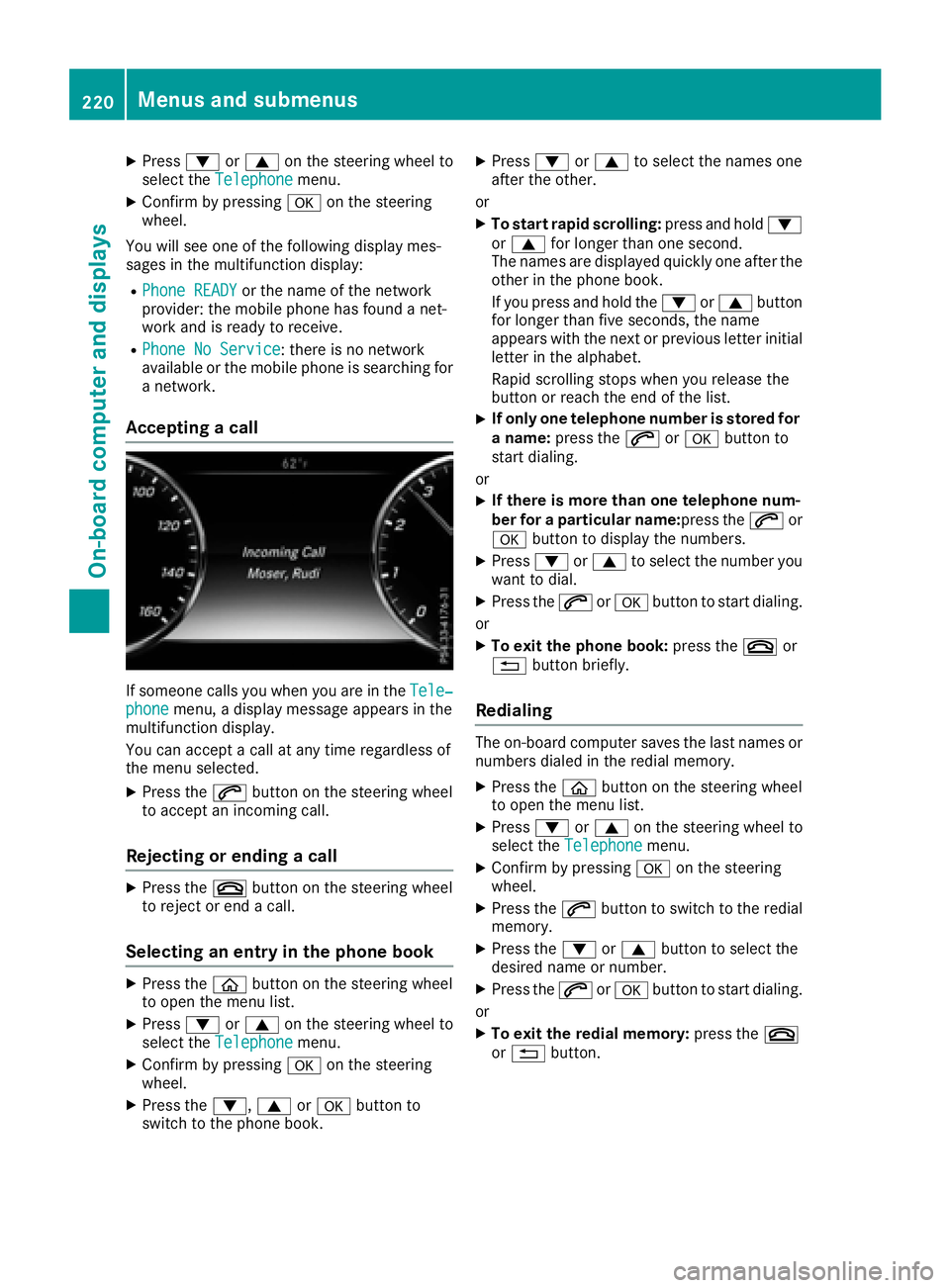
If someone calls you when you are in the Tele‐
phone menu, a display message appears in the
multifunction display.
You can accept a call at any time regardless of
the menu selected. X
Press the a button on the steering wheel
to accept an incoming call.
Rejecting or ending a call X
Press the v button on the steering wheel
to reject or end a call.
Selecting an entry in the phone book X
Press the
Page 226 of 382
Head-up display submenu Selecting other displays
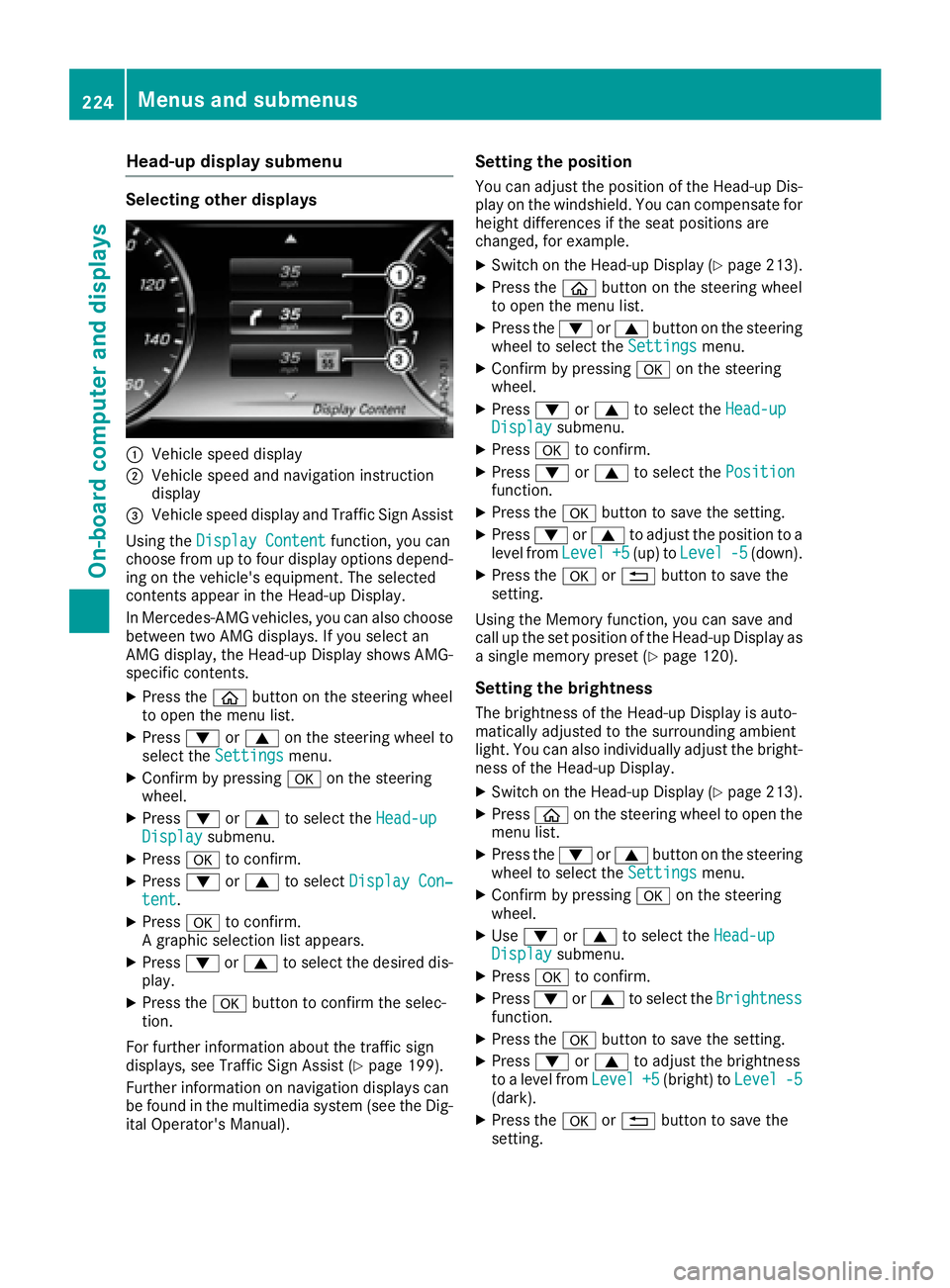
C
Vehicle speed displayD
Vehicle speed and navigation instruction
display