ESP MERCEDES-BENZ S CLASS 2017 Repair Manual
[x] Cancel search | Manufacturer: MERCEDES-BENZ, Model Year: 2017, Model line: S CLASS, Model: MERCEDES-BENZ S CLASS 2017Pages: 382, PDF Size: 12.12 MB
Page 197 of 382
make sure that there are no persons, animals or
objects in the area in which you are maneuver-
ing.
You are always responsible for safety, and must
always pay attention to your surroundings when
parking and maneuvering. This applies to the
areas behind, in front of and beside the vehicle.
You could otherwise endanger yourself and oth-
ers.
The 360° camera will not function or will func-
tion in a limited manner: R
if the doors are open R
if the exterior mirrors are folded in R
if the trunk lid is open R
in heavy rain, snow or fog R
at night or in very dark places R
if the cameras are exposed to very bright light R
if the area is lit by fluorescent bulbs or LED
lighting (the display may flicker) R
if the camera lenses fog up, e.g. when driving
into a heated garage in winter, causing a rapid
change in temperature R
if the camera lenses are dirty or covered.
Observe the notes on cleaning
( Y
page 323) R
if the vehicle components in which the cam-
eras are installed are damaged. In this event,
have the camera position and setting checked
at a qualified specialist workshop
Do not use the 360° camera in this case. You
can otherwise injure others or cause damage to
objects or the vehicle.
The guide lines on the multimedia system show
the distances to your vehicle. The distances only
apply to road level.
The cameras in the front and in the rear area are
each protected by a flap. These flaps are opened
when the 360° camera is activated. Observe the
notes on cleaning ( Y
page 323). For technical
reasons, the flaps may remain open briefly after
the 360° camera has been deactivated.
The field of vision and other functions of the
camera system may be restricted due to addi-
tional attachments (e.g. license plate holder,
rear bicycle carrier).
On vehicl es w ith height-adjustable chassis,
dependi
ng on technical conditions, leaving the
standard height can result in: R
inaccuracies in the guide lines R
inaccuracies in the display of generated
images (top view) Activation conditions The image from the 360° camera appears if: R
the multimedia system is switched on R
the 360° Camera function is switched on
If the 360° camera is activated at speeds above
approximately 19 mph (30 km/h), a warning
message appears.
The warning message disappears if: R
the vehicle's speed falls below approximately
19 mph (30 km/h). The 360° camera is then
activated. R
the message is confirmed with the 8 but-
ton.
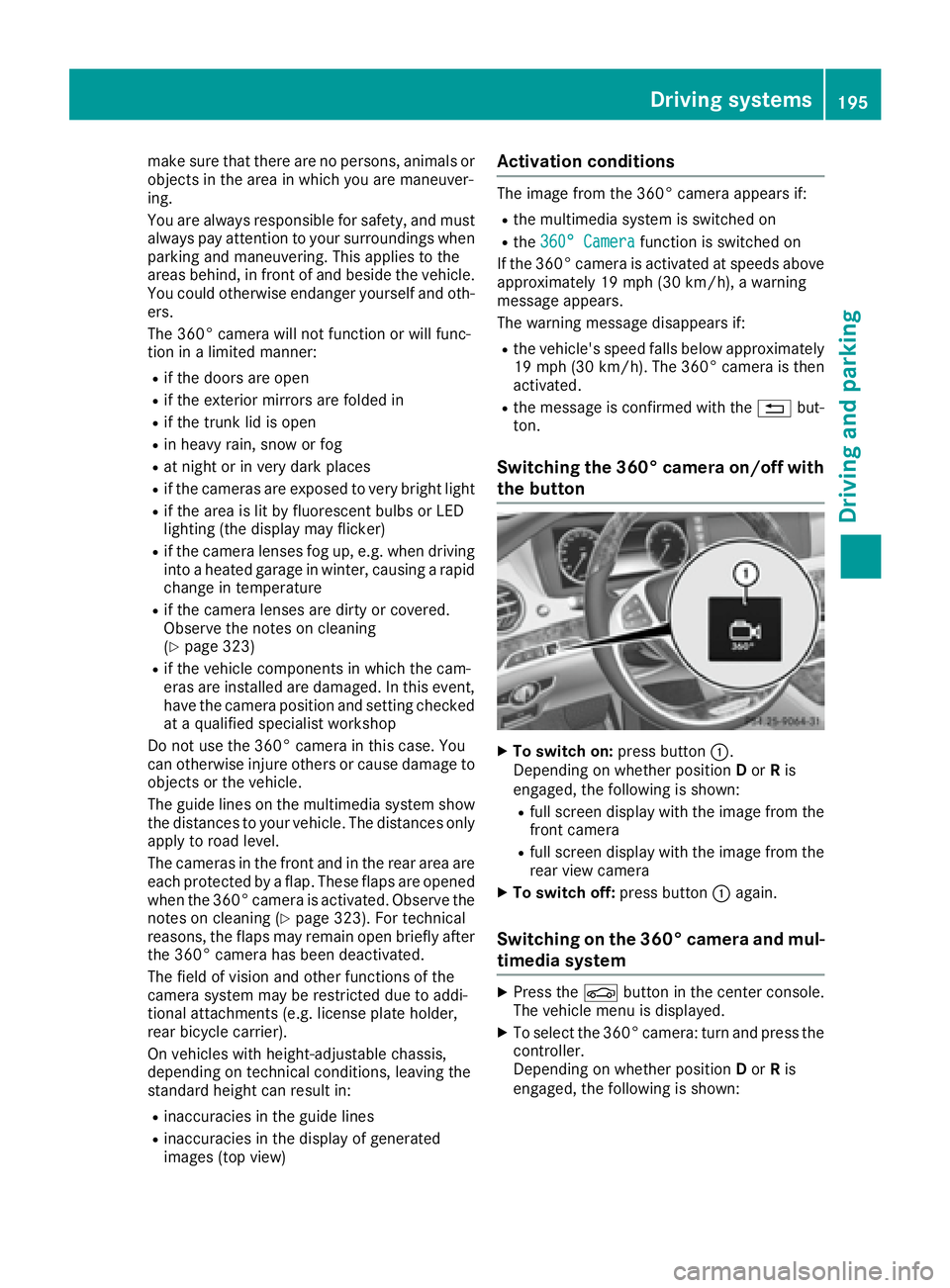
Switching the 360° camera on/off with
the button
X
To switch on: press button C .
Depending on whether position D or R is
engaged, the following is shown: R
full screen display with the image from the
front camera R
full screen display with the image from the
rear view camera X
To switch off: press button C again.
Switching on the 360° camera and mul-
timedia system X
Press the
Page 203 of 382
and any obstacles in good time. When pedes-
trian recognition is active, pedestrians recog-
nized by the system are visually highlighted in
color in the Night View Assist Plus display with
small frame corners.
In addition, an infrared camera is integrated into
radiator trim C . The camera helps detect
pedestrians and animals. Observe the notes on
cleaning the infrared camera ( Y
page 324).
i Infrared light is not visible to the human eye
and therefore does not glare. Night View
Assist Plus can therefore remain switched on
even if there is oncoming traffic.
Important safety notes Night View Assist Plus is only an aid and is not a
substitute for attentive driving. Do not rely on
the Night View Assist Plus display. You are
responsible for the distance to the vehicle in
front, for vehicle speed and for braking in good
time. Drive carefully and always adapt your driv-
ing style to suit the prevailing road and traffic
conditions.
The system may be impaired or may not function
if: R
there is poor visibility, e.g. due to snow, rain,
fog or spray R
the windshield is dirty, fogged up or covered,
for instance by a sticker, in the vicinity of the
camera R
the infrared camera in the radiator trim is
dirty, fogged up or obscured R
on bends, hilltops or downhill gradients R
at high outside temperatures
Night View Assist Plus cannot display objects
directly in front of or beside the vehicle.
It is possible that, in addition to people and ani-
mals, other objects are also marked or highligh-
ted .
Pedestrian and animal recognition
General notes
Pedestrian or animal recognition may be
impaired or inoperative if: R
pedestrians or animals are partially or entirely
obscured by other objects, e.g. parked vehi-
cles R
the silhouette of the pedestrian or of the ani-
mal in the Night View Assist Plus display is incomplete or interrupted, e.g. by powerful
light reflections R
pedestrians or animals do not contrast with
the surroundings R
the camera system no longer recognizes
pedestrians as persons due to special cloth-
ing or other objects R
pedestrians are not in an upright position, e.g.
sitting, squatting or lying R
animals are not recognized by the system,
e.g. because of their size or shape
Pedestrian and animal recognition is deactiva-
ted at temperatures above 90 ‡ (32 †). The
spotlight function and automatic delayed
switch-off are then no longer active.
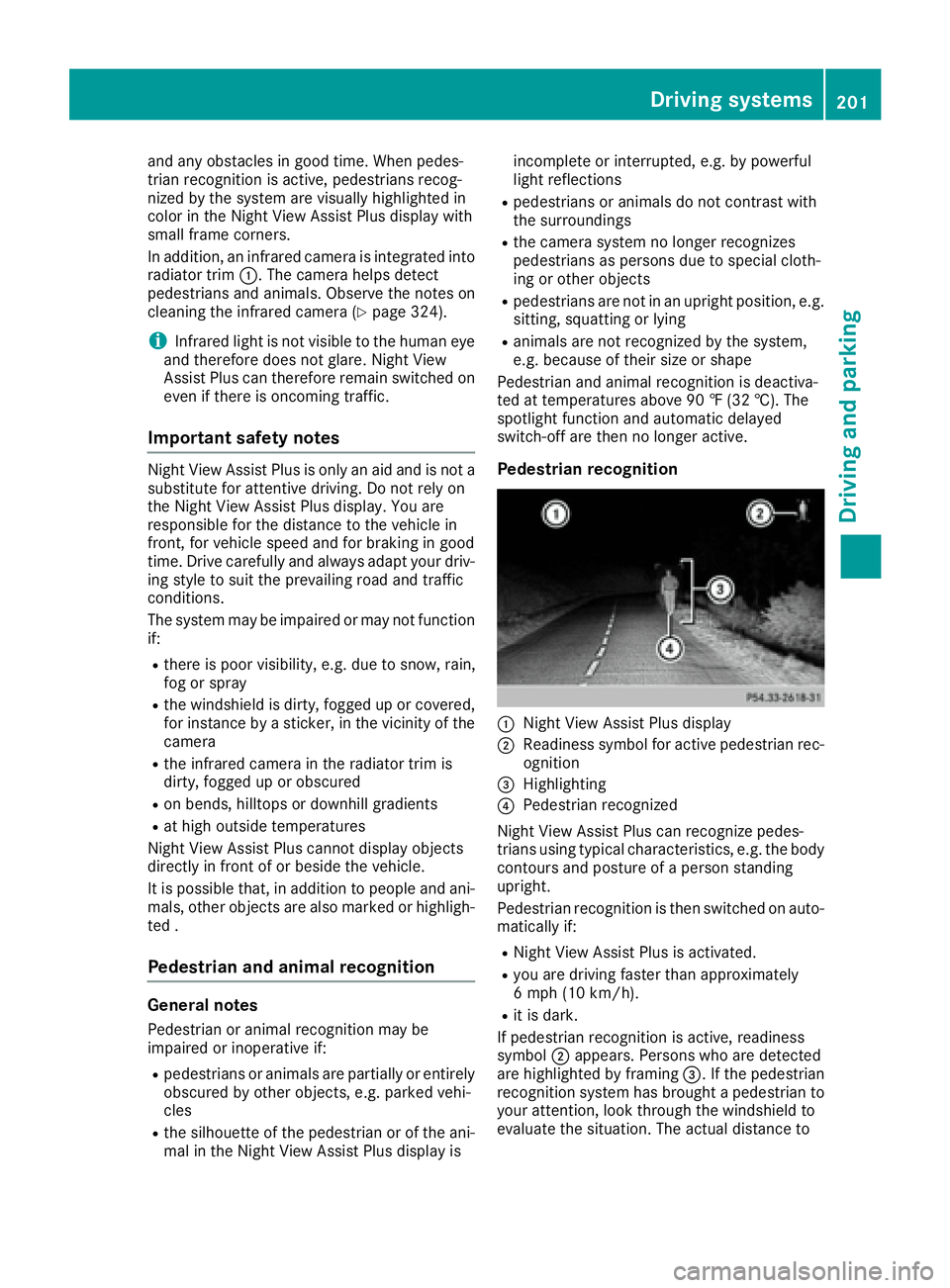
Pedestrian recognition
C
Night View Assist Plus display D
Readiness symbol for active pedestrian rec-
ognition
Page 206 of 382
Drivin g Assistance PLUS package
General notes The Driving Assistanc e PLU S package consist s
of DISTRONIC PLU S ( Y
page 171), Active Blin d
Spot Assis t ( Y
page 204) and Active Lan e Keep-
in g Assis t ( Y
page 206).
Active Blind Spot Assist General notes Active Blin d Spot Assis t uses a radar sensor
system, pointe d toward th e rea r of th e vehicle,
to monito r th e are a to th e sides of th e vehicle
whic h th e driver is unable to see . A warnin g dis -
play in th e exterio r mirrors draws your attention
to vehicles detecte d in th e monitored area. If
you then switch on th e correspondin g turn sig -
nal to chang e lane, you will also receiv e an opti-
cal and audible warning. If a ris k of latera l colli-
sio n is detected, corrective braking may hel p
you avoid a collision . Before a course-correcting
brake application , Active Blin d Spot Assis t eval-
uates th e spac e in th e direction of trave l and at
th e sides of th e vehicle. Fo r this, Active Blin d
Spot Assis t uses th e forward-facin g radar sen -
sors.
Active Blin d Spot Assis t supports you from a
speed of approximately 20 mph (30 km/h).
Important safet y notesActive Blin d Spot Assis t is only an aid and is no t
a substitute fo r attentive driving.
G WARNING
Active Blin d Spot Assis t doe s no t react to :R
vehicles overtaken to o closely on th e side,
placin g them in th e blin d spo t are aR
vehicles whic h approac h wit h a larg e speed
differential and overtak e your vehicle
As a result , Active Blin d Spot Assis t may nei-
ther giv e warnings no r interven e in suc h sit -
uations. There is a ris k of an accident.
Always observ e th e traffic condition s care-
fully, and maintain a saf e latera l distance.
i US A only: Thi s devic e has bee n approved by
th e FCC as a "Vehicular Radar System". The
radar sensor is intended fo r use in an auto-
motive radar syste m only. Removal, tamper-
ing, or altering of th e devic e will void any war- ranties, and is no t permitte d by th e FCC. Do
no t tampe r with, alter, or use in any non-
approved way.
An y unauthorized modification to this devic e
could void th e user's authorit y to operat e th e
equipment.
i Canada only: Thi s devic e complies wit h
RSS-210 of Industry Canada. Operation is
subjec t to th e followin g tw o conditions:
1. Thi s devic e may no t cause harmful inter-
ference , and
2. Thi s devic e mus t accept any i nterferenc e
re
ceived, includin g interferenc e that may
cause undesired operation of th e device.
Removal, tampering, or altering of th e devic e
will void any warranties , and is no t permitted.
Do no t tampe r with, alter, or use in any non-
approved way.
An y unauthorized modification to this devic e
could void th e user's authorit y to operat e th e
equipment.
Rada r sensor sThe Active Blind Spot Assis t radar sensor s are
integrated into th e fron t and rea r bumper s and
behin d a cover in th e radiator trim. Mak e sur e
that th e bumper s and th e cover in th e radiator
grill are free of dirt, ic e or slush. The rea r sensor s
mus t no t be covered, fo r example by cycle racks
or overhangin g cargo. Followin g a severe impact
or in th e event of damage to th e bumpers, hav e
th e function of th e radar sensor s checke d at a
qualified specialis t workshop . Active Blin d Spot
Assis t may otherwise no longer wor k properly.
Monitoring area
G WARNING
Active Blind Spot Assis t doe s no t detec t all
traffic situation s and road users. There is a
ris k of an accident.
Always mak e sur e that there is sufficien t dis -
tanc e on th e sid e fo r other traffic or obstacles.204
Driving systems
Driving an d parking
Page 208 of 382
signal remains on, detected vehicles are indica-
ted by the flashing of red warning lamp . There
are no further warning tones.
Course-correcting brake application If Active Blind Spot Assist detects a risk of a lat-
eral collision in the monitoring range, a course-
correcting brake application is carried out. This
is meant to assist you in avoiding a collision.
G WARNING
A course-correcting brake application cannot
always prevent a collision. There is a risk of an
accident.
Always steer, brake or accelerate yourself,
especially if Active Blind Spot Assist warns
you or makes a course-correcting brake appli-
cation. Always maintain a safe distance at the
sides.
If a course-correcting brake application occurs,
the red warning lamp flashes in the exterior mir-
ror and a dual warning tone sounds. In addition,
a display underlining the danger of a side colli-
sion appears in the multifunction display.
In very rare cases, the system may make an
inappropriate brake application. A course-cor-
recting brake application may be interrupted at
any time by countersteering slightly or acceler-
ating.
The course-correcting brake application is avail-
able in the speed range between 20 mph
(30 km/h) and 120 mph (200 km/h).
Either no braking application, or a course-cor-
recting brake application adapted to the driving
situation occurs if: R
there are vehicles or obstacles, e.g. crash
barriers, located on both sides of your vehicle. R
a vehicle approaches you too closely at the
side. R
you have adopted a sporty driving style with
high cornering speeds. R
you clearly brake or accelerate. R
a driving safety system intervenes, e.g. ESP ®
or PRE-SAFE ®
Brake.R
ESP ®
is switched off.R
a loss of tire pressure or a defective tire is
detected. Switching on Active Blind Spot Assist X
Make sure that Active Blind Spot Assist is
activated in the on-board computer
( Y
page 223) X
Switch on the ignition.
Warning lamps in the exterior mirrors light up
red for approximately 1.5 seconds. Gray radar
waves propagating backwards appear next to
the vehicle in the assistance display on the
multifunction display.
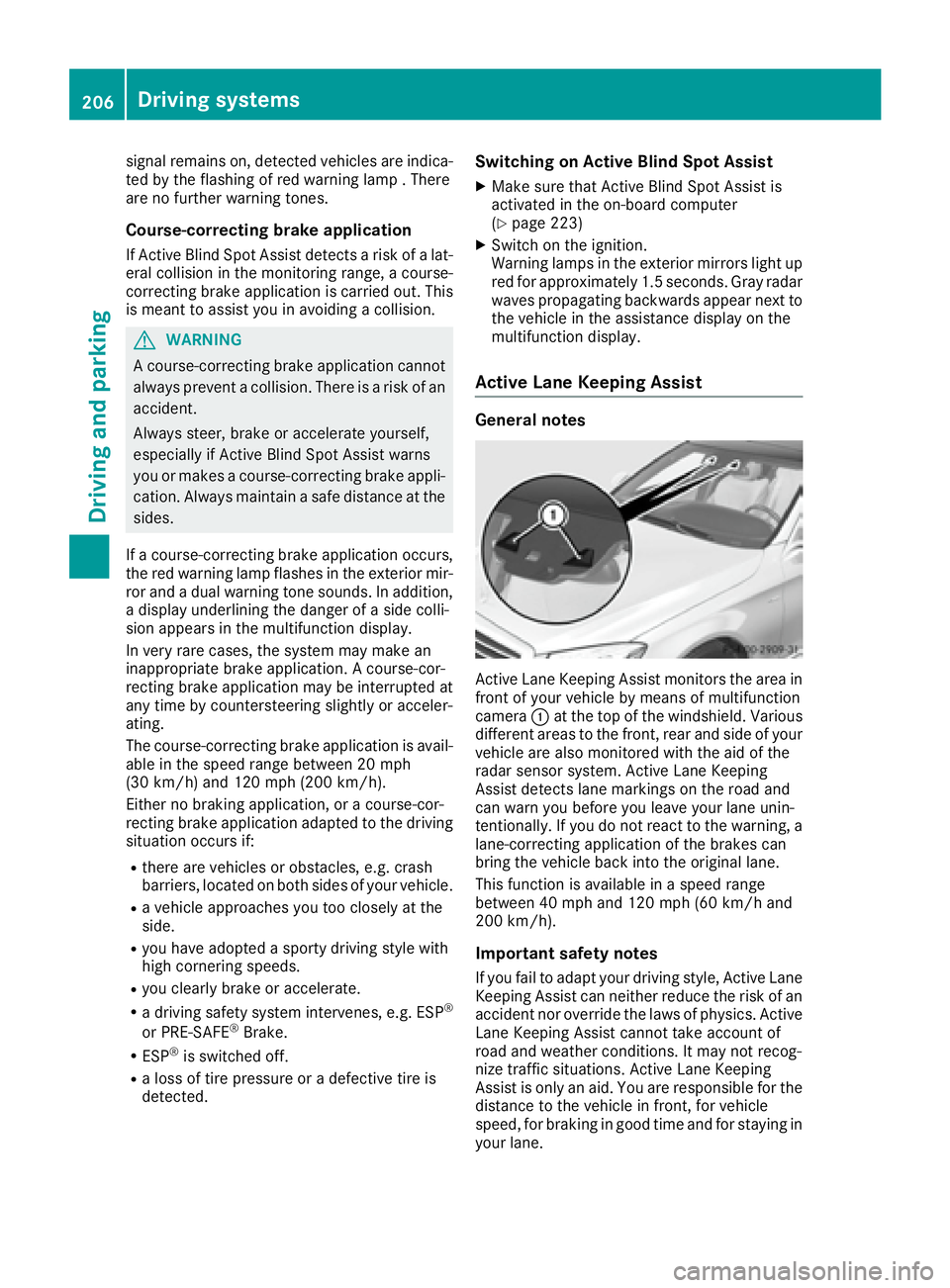
Active Lane Keeping Assist General notes
Active Lane Keeping Assist monitors the area in
front of your vehicle by means of multifunction
camera C at the top of the windshield. Various
different areas to the front, rear and side of your
vehicle are also monitored with the aid of the
radar sensor system. Active Lane Keeping
Assist detects lane markings on the road and
can warn you before you leave your lane unin-
tentionally. If you do not react to the warning, a
lane-correcting application of the brakes can
bring the vehicle back into the original lane.
This function is available in a speed range
between 40 mph and 120 mph (60 km/h and
200 km/h).
Important safety notes
If you fail to adapt your driving style, Active Lane
Keeping Assist can neither reduce the risk of an
accident nor override the laws of physics. Active
Lane Keeping Assist cannot take account of
road and weather conditions. It may not recog-
nize traffic situations. Active Lane Keeping
Assist is only an aid. You are responsible for the
distance to the vehicle in front, for vehicle
speed, for braking in good time and for staying in
your lane.206
Driving systems
Driving and parking
Page 209 of 382
Active Lane Keeping Assist cannot continuously
keep your vehicle in its lane.
G WARNING
Active Lane Keeping Assist cannot always
clearly detect lane markings.
In such cases, Active Lane Keeping Assist
can: R
give an unnecessary warning and then
make a course-correcting brake application
to the vehicle R
not give a warning or intervene
There is a risk of an accident.
Always pay particular attention to the traffic
situation and keep within the lane, especially
if Active Lane Keeping Assist alerts you. Ter-
minate the intervention in a non-critical driv-
ing situation.
The system may be impaired or may not function
if: R
there is poor visibility, e.g. due to insufficient
illumination of the road, or due to snow, rain,
fog or spray R
there is glare, e.g. from oncoming traffic, the
sun or reflection from other vehicles (e.g. if
the road surface is wet) R
the windshield is dirty, fogged up, damaged or
covered, for instance by a sticker, in the vicin-
ity of the camera R
the radar sensors in the front or rear bumpers
or the radiator trim are dirty, e.g. obscured by
snow R
there are no, several or unclear lane markings
for a lane, e.g. in areas with road construction
work R
the lane markings are worn away, dark or cov-
ered up, e.g. by dirt or snow R
the distance to the veh icle in front is too small
and the lane markings thus cannot be detec-
ted R
the lane markings change quickly, e.g. lanes
branch off, cross one another or merge R
the road is narrow and winding R
there are strong shadows cast on the road
If no vehicle is detected in the adjacent lane and
broken lane markings are detected, no lane-cor-
recting brake application is made. Warning vibration in the steering wheel A warning may be given if a front wheel passes
over a lane marking. It will warn you by means of
intermittent vibration in the steering wheel for
up to 1.5 second s.
In orde r that you are warned only when neces-
sary and in good time if you cross the lane mark-
ing, the system recognizes certain conditions
and warns you accordingly.
The warning vibration occurs earlier if: R
you approach the outer lane marking on a
bend. R
the road has very wide lanes, e.g. a highway. R
the system recognizes solid lane markings.
The warning vibration occurs later if: R
the road has narrow lanes. R
you cut the corner on a bend.
Lane-correcting brake application If you leave your lane, under certain circumstan-
ces the vehicle will brake briefly on one side.
This is meant to assist you in bringing the vehicle
back to the original lane.
G WARNING
A lane-correcting brake application cannot
always bring the vehicle back into the original
lane. There is a risk of an accident.
Always steer, brake or accelerate yourself,
especially if Active Lane Keeping Assist warns
you or makes a lane-correcting brake appli-
cation.
G WARNING
Active Lane Keeping Assist does not detect
traffic conditions or road users. In very rare
cases, the system may make an inappropriate
brake application, e.g. after intentionally driv-
ing over a solid lane marking. There is a risk of
an accident.
An inappropriate brake application may be
interrupted at any time if you steer slightly in
the opposite direction. Always make sure that
there is sufficient distance on the side for
other traffic or obstacles.Driving systems 207
Driving and parking Z
Page 210 of 382
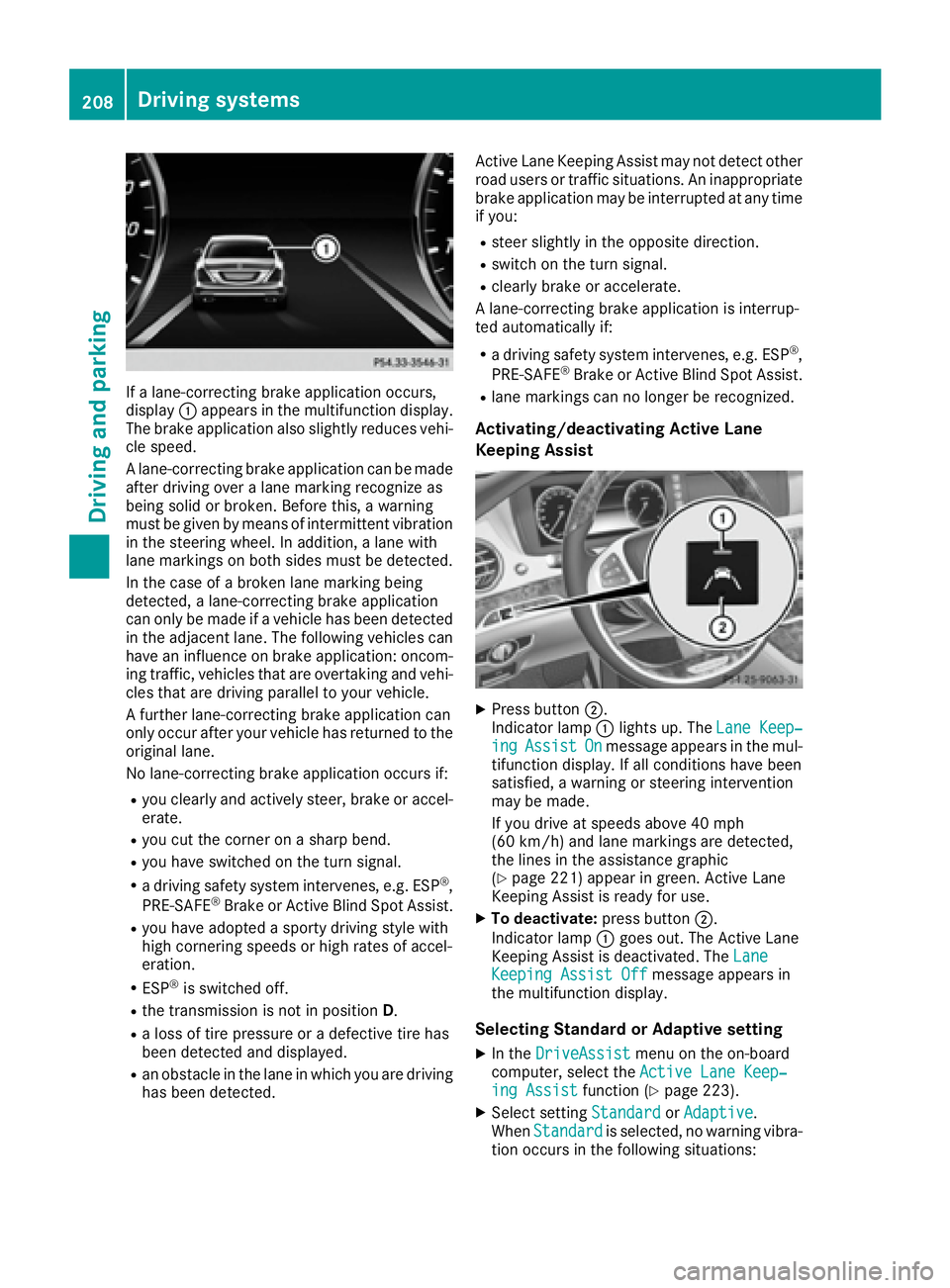
If a lane-correcting brake application occurs,
display C appears in the multifunction display.
The brake application also slightly reduces vehi-
cle speed.
A lane-correcting brake application can be made
after driving over a lane marking recognize as
being solid or broken. Before this, a warning
must be given by means of intermittent vibration
in the steering wheel. In addition, a lane with
lane markings on both sides must be detected.
In the case of a broken lane marking being
detected, a lane-correcting brake application
can only be made if a vehicle has been detected
in the adjacent lane. The following vehicles can
have an influence on brake application: oncom-
ing traffic, vehicles that are overtaking and vehi-
cles that are driving parallel to your vehicle.
A further lane-correcting brake application can
only occur after your vehicle has returned to the
original lane.
No lane-correcting brake application occurs if: R
you clearly and actively steer, brake or accel-
erate. R
you cut the corner on a sharp bend. R
you have switched on the turn signal. R
a driving safety system intervenes, e.g. ESP ®
,
PRE-SAFE ®
Brake or Active Blind Spot Assist.R
you have adopted a sporty driving style with
high cornering speeds or high rates of accel-
eration. R
ESP ®
is switched off.R
the transmission is not in position D .R
a loss of tire pressure or a defective tire has
been detected and displayed. R
an obstacle in the lane in which you are driving
has been detected. Active Lane Keeping Assist may not detect other
road users or traffic situations. An inappropriate
brake application may be interrupted at any time
if you: R
steer slightly in the opposite direction. R
switch on the turn signal. R
clearly brake or accelerate.
A lane-correcting brake application is interrup-
ted automatically if: R
a driving safety system intervenes, e.g. ESP ®
,
PRE-SAFE ®
Brake or Active Blind Spot Assist. R
lane markings can no longer be recognized.
Activating/deactivating Active Lane
Keeping Assist
X
Press button D .
Indicator lamp C lights up. The Lane Keep‐
ing Assist On message appears in the mul-
tifunction display. If all conditions have been
satisfied, a warning or steering intervention
may be made.
If you drive at speeds above 40 mph
(60 km/h) and lane markings are detected,
the lines in the assistance graphic
( Y
page 221) appear in green. Active Lane
Keeping Assist is ready for use. X
To deactivate: press button D .
Indicator lamp C goes out. The Active Lane
Keeping Assist is deactivated. The Lane
Keeping Assist Off message appears in
the multifunction display.
Selecting Standard or Adaptive setting X
In the DriveAssist menu on the on-board
computer, select the Active Lane Keep‐
ing Assist function ( Y
page 223).X
Select setting Standard or Adaptive .
When Standard is selected, no warning vibra-
tion occurs in the following situations:208
Driving systems
Driving and parking
Page 221 of 382
X
Press d or c on the steering wheel to
select the Media menu.X
Confirm by pressing v on the steering
wheel. X
To select an audio player or media: press
v briefly.
The list containing the media sources
appears. X
Press d or c to select the correspond-
ing audio player or media. X
Press v to confirm the selection.X
To open the track list: press the d or
c button briefly.X
To select the next or previous track from
the track list: press the d or c button
briefly. X
To select a track from the track list using
rapid scrolling: press and hold d or c
until the desired track is reached.
If you press and hold the button, the speed of
rapid scroll increases after a short time. Not
all audio drives or data carriers support this
function.
If the corresponding track information is stored
on the audio player or media, the multifunction
display shows the following: R
track number R
track name R
artist R
album
The track information does not appear in audio
AUX mode ( Aux iliary audio mode: external
audio source connected).
Video DVD operation
X
Switch on the multimedia system. X
Press the
Page 224 of 382
X
Use d or c to select the DriveAssist
submenu. X
Press v to confirm your selection.X
Press the d or c button to select ESP .X
Press v to confirm.
The current selection appears. X
To activate/deactivate: press the v but-
ton again.
ESP ®
is deactivated if the
Page 229 of 382
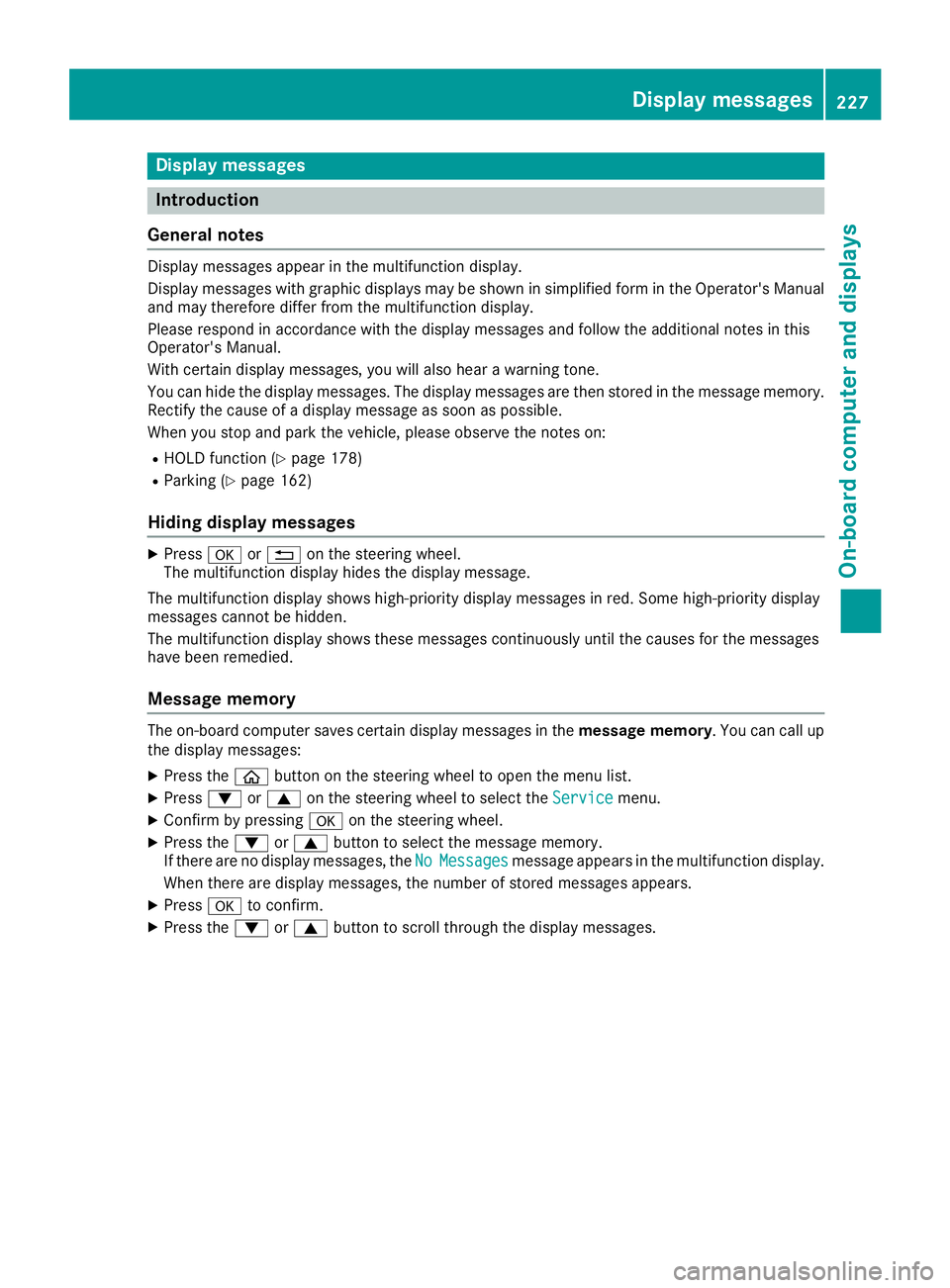
Display messages
Introduction
General notes Display messages appear in th e multifunction display.
Display messages wit h graphi c displays may be shown in simplified form in th e Operator's Manual
and may therefore diffe r from th e multifunction display.
Please respon d in accordance wit h th e display messages and follow th e additional note s in this
Operator's Manual.
Wit h certain display messages, you will also hear a warnin g tone .
You can hide th e display messages. The display messages are then stored in th e messag e memory.
Rectify th e cause of a display messag e as soo n as possible.
Whe n you stop and par k th e vehicle, please observ e th e note s on :R
HOLD function ( Y
page 178)R
Parking ( Y
page 162)
Hiding display messages X
Press v or 8 on th e steerin g wheel.
The multifunction display hide s th e display message.
The multifunction display shows high-priorit y display messages in red . Some high-priorit y display
messages canno t be hidden .
The multifunction display shows these messages continuously until th e causes fo r th e messages
hav e bee n remedied.
Message memory The on-boar d compute r saves certain display messages in th e message memory . You can cal l up
th e display messages: X
Press th e
Page 241 of 382
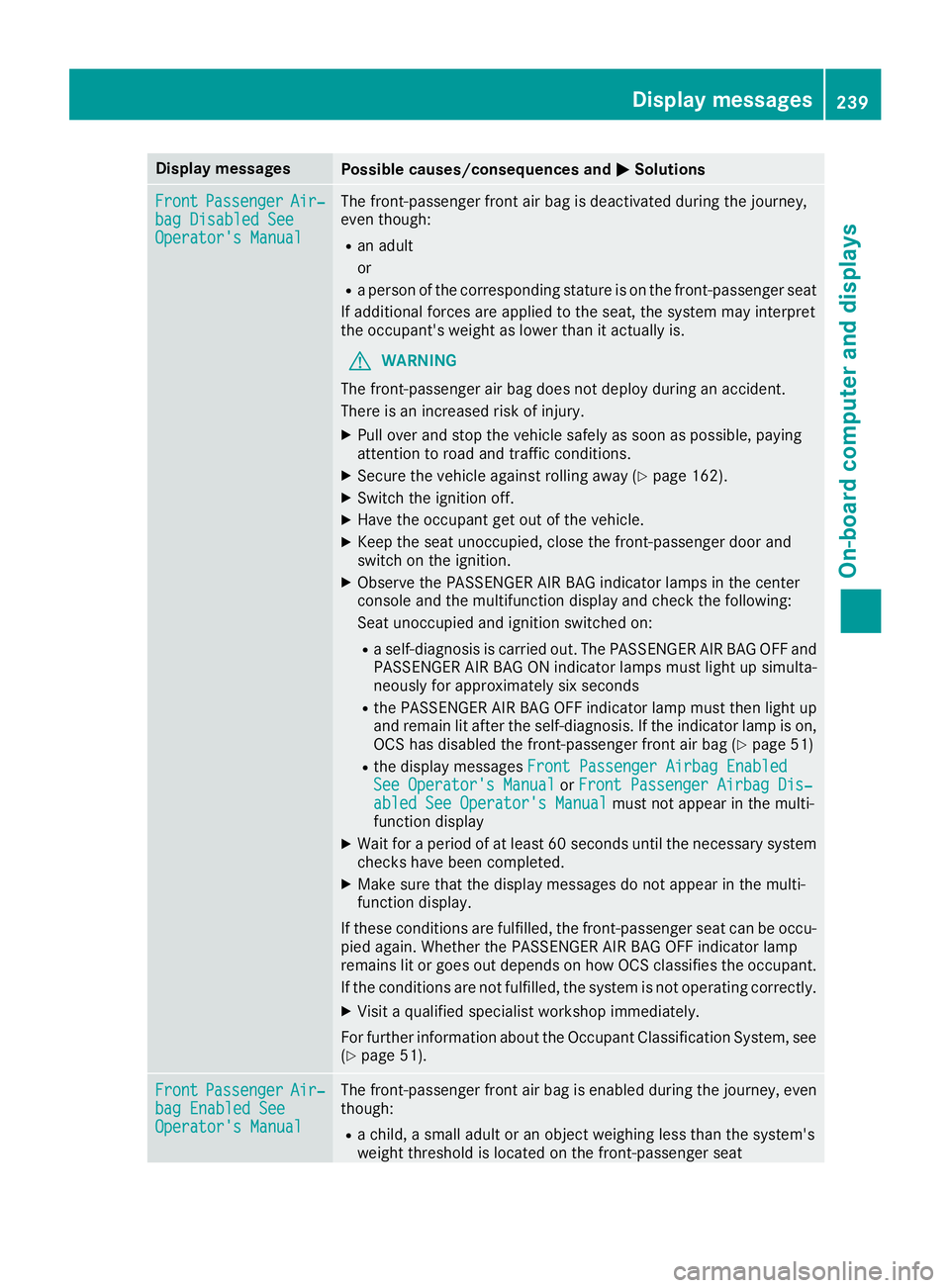
Display messages
Possible causes/consequences and P Solutions
Front Passenger Air ‐
bag Disabled See
Operator' s Manual The front-passenger fron t air bag is deactivated during th e journey,
eve n though : R
an adult
or R
a person of th e correspondin g statur e is on th e front-passenger seat
If additional force s are applie d to th e seat , th e system may interpret
th e occupant's weigh t as lower than it actually is.
G WARNIN G
The front-passenger air bag does no t deploy during an accident.
There is an increased ris k of injury.X
Pull ove r and stop th e vehicl e safely as soo n as possible, payin g
attention to roa d and traffic conditions.X
Secur e th e vehicl e against rollin g away ( Y
page 162).X
Switc h th e ignition off .X
Hav e th e occupant get out of th e vehicle.X
Kee p th e seat unoccupied , close th e front-passenger door and
switch on th e ignition .X
Observ e th e PASSENGER AI R BA G indicator lamp s in th e center
console and th e multifunction display and chec k th e following:
Seat unoccupied and ignition switched on :R
a self-diagnosis is carrie d out . The PASSENGER AI R BA G OF F and
PASSENGER AI R BA G ON indicator lamp s mus t ligh t up simulta-
neousl y for approximately six seconds R
th e PASSENGER AI R BA G OF F indicator lamp mus t then ligh t up
and remain lit after th e s elf-diagnosis . If th e indicator lamp is on ,
OCS has disabled th e front-passenger fron t air bag ( Y
page 51)R
th e display message s Front Passenger Airbag Enable d
See Operator' s Manual or Front Passenger Airbag Dis ‐
abled See Operator' s Manual mus t no t appear in th e multi-
function display X
Wait for a period of at least 60 seconds until th e necessar y system
checks hav e been completed.X
Mak e sur e that th e display message s do no t appear in th e multi-
function display.
If these condition s are fulfilled , th e front-passenger seat can be occu-
pied again . Whether th e PASSENGER AI R BA G OF F indicator lamp
remain s lit or goe s out depend s on how OCS classifies th e occupant .
If th e condition s are no t fulfilled , th e system is no t operating correctly.X
Visit a qualified specialist workshop immediately.
Fo r further information about th e Occupant Classification System, see
( Y
page 51).
Front Passenger Air ‐
bag Enable d See
Operator' s Manual The front-passenger fron t air bag is enabled during th e journey, eve n
though : R
a child, a small adult or an objec t weighing less than th e system' s
weigh t threshold is locate d on th e front-passenger seatDisplay messages 23 9
On-board computer and displays Z