turn signal MERCEDES-BENZ S CLASS 2017 Owners Manual
[x] Cancel search | Manufacturer: MERCEDES-BENZ, Model Year: 2017, Model line: S CLASS, Model: MERCEDES-BENZ S CLASS 2017Pages: 382, PDF Size: 12.12 MB
Page 9 of 382
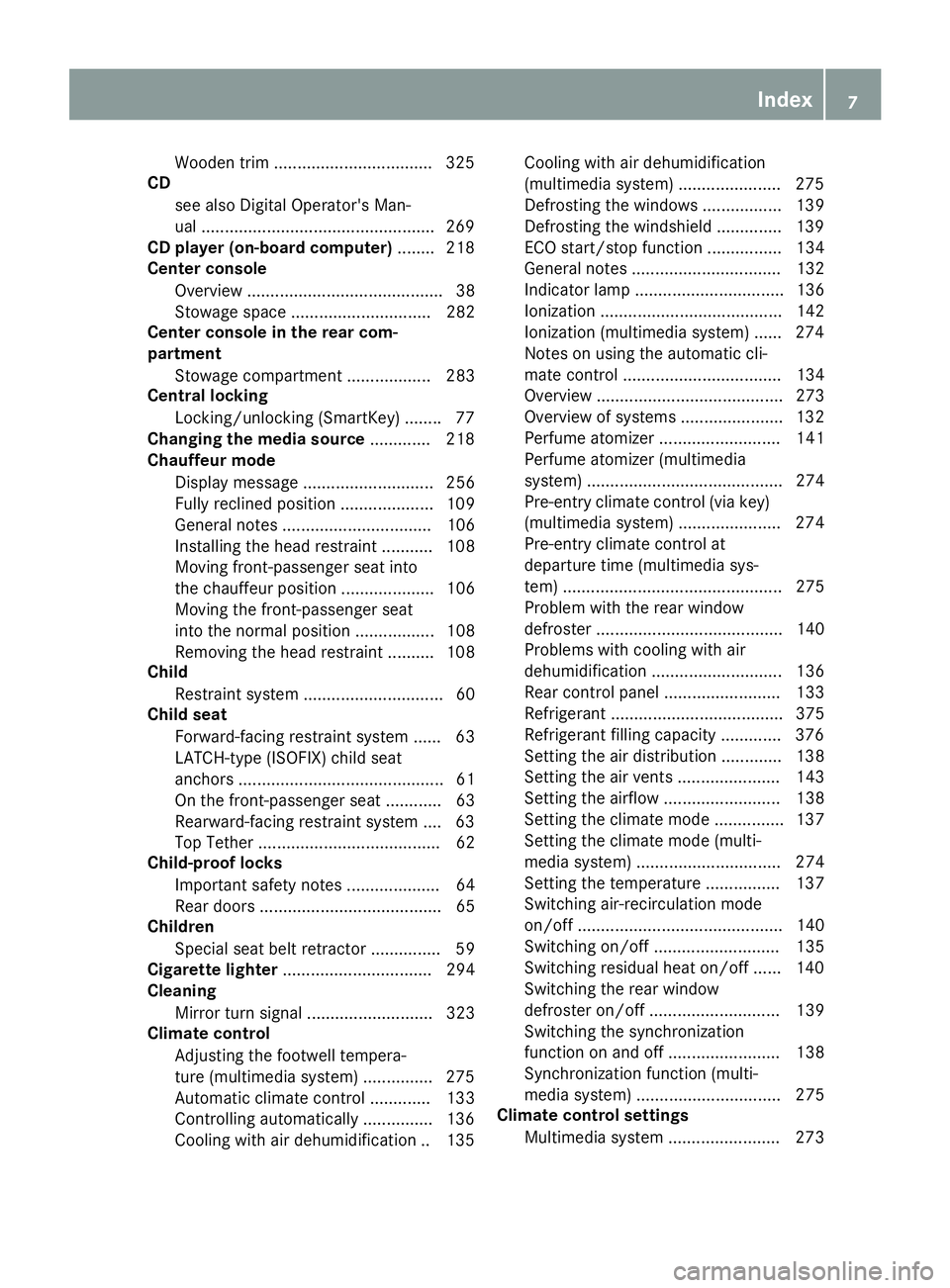
Wooden trim ................................. .3 25
CD
see also Digital Operator's Man-
ual ................................................. .2 69
CD player (on-board computer) ....... .2 18
Center console
Overview .......................................... 38
Stowage space .............................. 282
Center console in the rear com-
partment
Stowage compartment .................. 283
Central locking
Locking/unlocking (SmartKey) ....... .7 7
Changing the media source ............ .2 18
Chauffeur mode
Display message ............................ 256
Fully reclined position .................... 109
General notes ................................ 106
Installing the head restraint ........... 108
Moving front-passenger seat into
the chauffeur position .................... 106
Moving the front-passenger seat
into the normal position ................. 108
Removing the head restraint .......... 108
Child
Restraint system .............................. 60
Child seat
Forward-facing restraint system ...... 63
LATCH-type (ISOFIX) child seat
anchors ............................................ 61
On the front-passenger seat ............ 63
Rearward-facing restraint system .... 63
Top Tether ....................................... 62
Child-proof locks
Important safety notes .................... 64
Rear doors ....................................... 65
Children
Special seat belt retractor ............... 59
Cigarette lighter ................................ 294
Cleaning
Mirror turn signal ........................... 323
Climate control
Adjusting the footwell tempera-
ture (multimedia system) ............... 275
Automatic climate control ............. 133
Controlling automatically ............... 136
Cooling with air dehumidification .. 135 Cooling with air dehumidification
(multimedia system) ...................... 275
Defrosting the window s ................. 139
De frosti ng the windshield .............. 139
ECO start/stop function ................ 134
General notes ................................ 132
Indicator lamp ................................ 136
Ionization ....................................... 142
Ionization (multimedia system) ...... 274
Notes on using the automatic cli-
mate control .................................. 134
Overview ........................................ 273
Overview of systems ...................... 132
Perfume atomizer .......................... 141
Perfume atomizer (multimedia
system) .......................................... 274
Pre-entry climate control (via key)
(multimedia system) ...................... 274
Pre-entry climate control at
departure time (multimedia sys-
tem) ............................................... 275
Problem with the rear window
defroster ........................................ 140
Problems with cooling with air
dehumidification ............................ 136
Rear control panel ......................... 133
Refrigerant ..................................... 375
Refrigerant filling capacity ............. 376
Setting the air distribution ............. 138
Setting the air vents ...................... 143
Setting the airflow ......................... 138
Setting the climate mode ............... 137
Setting the climate mode (multi-
media system) ............................... 274
Setting the temperature ................ 137
Switching air-recirculation mode
on/off ............................................ 140
Switching on/off ........................... 135
Switching residual heat on/off ...... 140
Switching the rear window
defroster on/off ............................ 139
Switching the synchronization
function on and off ........................ 138
Synchronization function (multi-
media system) ............................... 275
Climate control settings
Multimedia system ........................ 273 Index 7
Page 14 of 382

Glove box ........................................... 282
Google™ Local Search
see also Digital Operator's Man-
ual .................................................. 269
HHandbrake
see Parking brake
HANDS-FREE ACCESS ......................... .8 7
Handwriting recognition
Switching text reader function
on/off ............................................ 272
Touchpad ....................................... 272
Hazard warning lamps ...................... 126
Head restraints
Adjusting ....................................... 109
Adjusting (manually) ...................... 110
Adjusting (rear) .............................. 111
EASY ADJUST luxury head
restraint ........................................ .1 10
Luxury ............................................ 110
Supplementary cushion ................. 111
Head-up display
Adjusting the brightness ................ 224
Displays and operating .................. 213
Function/notes ............................ .2 12
Important safety notes .................. 213
Selecting displays .......................... 224
Setting the position ....................... 224
Headlamps
Fogging up ..................................... 127
see Automatic headlamp mode
Heating
see Climate control
High beam flasher ............................ .1 25
High-beam headlamps
Adaptive Highbeam Assist PLUS .... 126
Display message ............................ 241
Switching on/off ........................... 125
Hill start assist .................................. 148
HOLD function
Activating ....................................... 179
Activation conditions ..................... 179
Deactivating ................................... 179
Display message ............................ 249
Function/notes ............................ .1 78
General notes ................................ 178 Home address
see also Digital Operator's Man-
ual ................................................. .2 69
Hood
Closing .......................................... .3 13
Display message ............................ 256
Important safety notes .................. 312
Opening ......................................... 312
Horn ...................................................... 34
HUD
see Head-up display
Hydroplaning ..................................... 168
I Ignition lock
see Key positions
Immobilizer .......................................... 75
Indicator and warning lamps
COLLISION PREVENTION ASSIST
PLUS .............................................. 266
Indicator lamps
see Warning and indicator lamps
Indicators
see Turn signals
Insect protection on the radiator .... 313
Instrument cluster
Overview .......................................... 35
Warning and indicator lamps ........... 35
Instrument cluster lighting .............. 210
Interior lighting
Automatic control .......................... 128
Control .......................................... .1 28
Manual control ............................... 128
Overview ........................................ 127
Reading lamp ................................. 127
iPod ®
see also Digital Operator's Man-
ual ................................................. .2 69
J
Jack
Using ............................................. 364
Jump starting (engine) ..................... .3 3512
Index
Page 15 of 382
K Key positions
Sm artKey ...................................... .1 45
Start/Stop button .......................... 145
KEYLESS-GO
Activating ......................................... 78
Convenience closing feature ............ 92
Deactivation ..................................... 78
Locking ............................................ 78
Start function ................................... 79
Unlocking ......................................... 78
Kickdown
Driving tips ................................... .1 55
Knee bag .............................................. 49
L Lamps
see Warning and indicator lamps
Lane Keeping Assist
see Active Lane Keeping Assist
LATCH-type (ISOFIX) child seat
anchors ................................................ 61
License plate lamp (display mes-
sage) ................................................... 241
Light sensor (display message) ....... 241
Lights
Adaptive Highbeam Assist PLUS .... 126
Automatic headlamp mode ............ 124
Cornering light function ................. 126
Fogged up headlamps .................... 127
General notes ................................ 124
Hazard warning lamps ................... 126
High beam flasher .......................... 125
High-beam headlamps ................... 125
Light switch ................................... 124
Low-beam headlamps .................... 125
Parking lamps ................................ 125
Setting exterior lighting ................. 124
Standing lamps .............................. 125
Switching the daytime running
lamps on/off (on-board com-
puter) ............................................. 225
Switching the spotlight on/off ....... 225
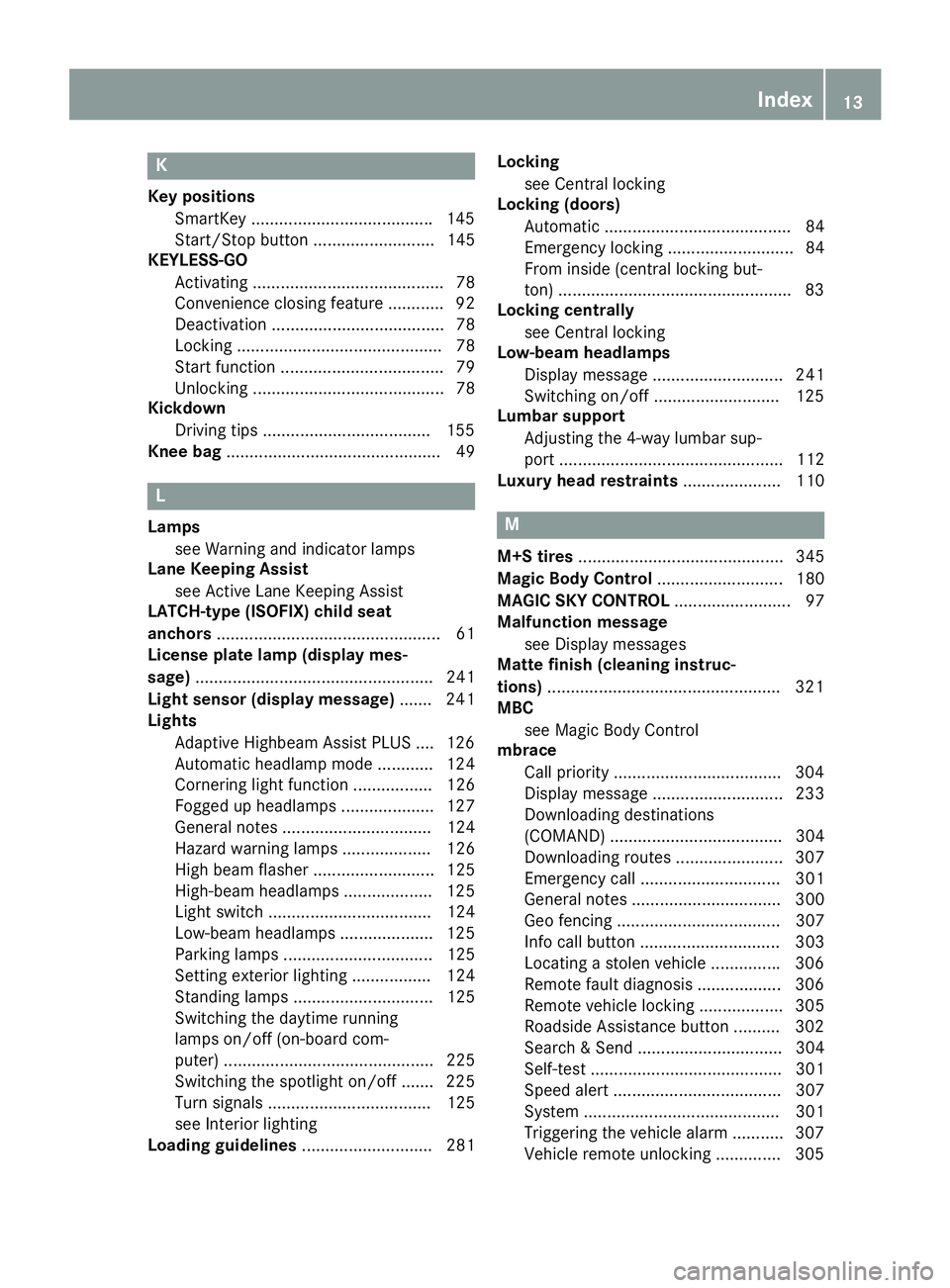
Turn signals ................................... 125
see Interior lighting
Loading guidelines ............................ 281 Locking
see Central locking
Locking (doors)
Automatic ........................................ 84
Emergency locking ........................... 84
From inside (central locking but-
ton) ................................................. .8 3
Locking centrally
see Central locking
Low-beam headlamps
Display message ............................ 241
Switching on/off .......................... .1 25
Lumbar support
Adjusting the 4-way lumbar sup-
port ................................................ 112
Luxury head restraints ..................... 110
M M+S tires ............................................ 345
Magic Body Control ........................... 180
MAGIC SKY CONTROL ......................... 97
Malfunction message
see Display messages
Matte finish (cleaning instruc-
tions) ................................................. .3 21
MBC
see Magic Body Control
mbrace
Call priority ................................... .3 04
Display message ............................ 233
Downloading destinations
(COMAND) ..................................... 304
Downloading routes ....................... 307
Emergency call .............................. 301
General notes ................................ 300
Geo fencing ................................... 307
Info call button .............................. 303
Locating a stolen vehicle .............. .3 06
Remote fault diagnosis .................. 306
Remote vehicle locking .................. 305
Roadside Assistance button .......... 302
Search & Send ............................... 304
Self-test ......................................... 301
Speed alert .................................... 307
System .......................................... 301
Triggering the vehicle alarm ........... 307
Vehicle remote unlocking .............. 305 Index 13
Page 16 of 382
Mechanical key
Function/notes ................................ 79
General notes .................................. 79
Inserting .......................................... 79
Locking vehicle ................................ 84
Removing ........................................ .7 9
Unlocking the driver's door .............. 84
Media Interface
USB port in the armrest of the
center console .............................. .2 83
see Digital Operator's Manual
Memory card (audio) ......................... 218
Memory function
In the rear compartment ................ 121
Seats, steering wheel, exterior
mirrors .......................................... .1 20
Storing settings (rear compart-
ment) ............................................. 121
Mercedes-Benz Intelligent Drive
360°camera .................................. 194
ABS (Anti-lock Brake System) .......... 66
Active Blind Spot Assist ................. 204
Active Lane Keeping Assist ............ 206
Active Parking Assist ..................... 186
ATTENTION ASSIST ........................ 198
BAS (Brake Assist) ........................... 66
BAS PLUS (Brake Assist PLUS)
with Cross-Traffic Assist .................. 67
Crosswind Assist (vehicles with
MAGIC BODY CONTROL) .............. .1 80
Crosswind Assist (vehicles with-
out MAGIC BODY CONTROL) ..... 72, 73
DISTRONIC PLUS ........................... 171
DISTRONIC PLUS with Steering
Assist and Stop&Go Pilot .............. .1 77
ESP ®
(Electronic Stability Pro-
gram) ............................................... 71
General notes ................................ 169
MAGIC BODY CONTROL ................ 180
Night View Assist Plus ................... 200
PARKTRONIC ................................. 184
PRE-SAFE ®
(anticipatory occu-
pant protection) ............................... 57
PRE-SAFE ®
Brake ............................ .7 3
PRE-SAFE ®
PLUS (anticipatory
occupant protection PLUS) .............. 58
Rear view camera .......................... 190 ROAD SURFACE SCAN .................. 181
Traffic Sign A ssist .......................... 199
Message memory (on-board com-
puter) .................................................. 227
Messages
see Display messages
see Warning and indicator lamps
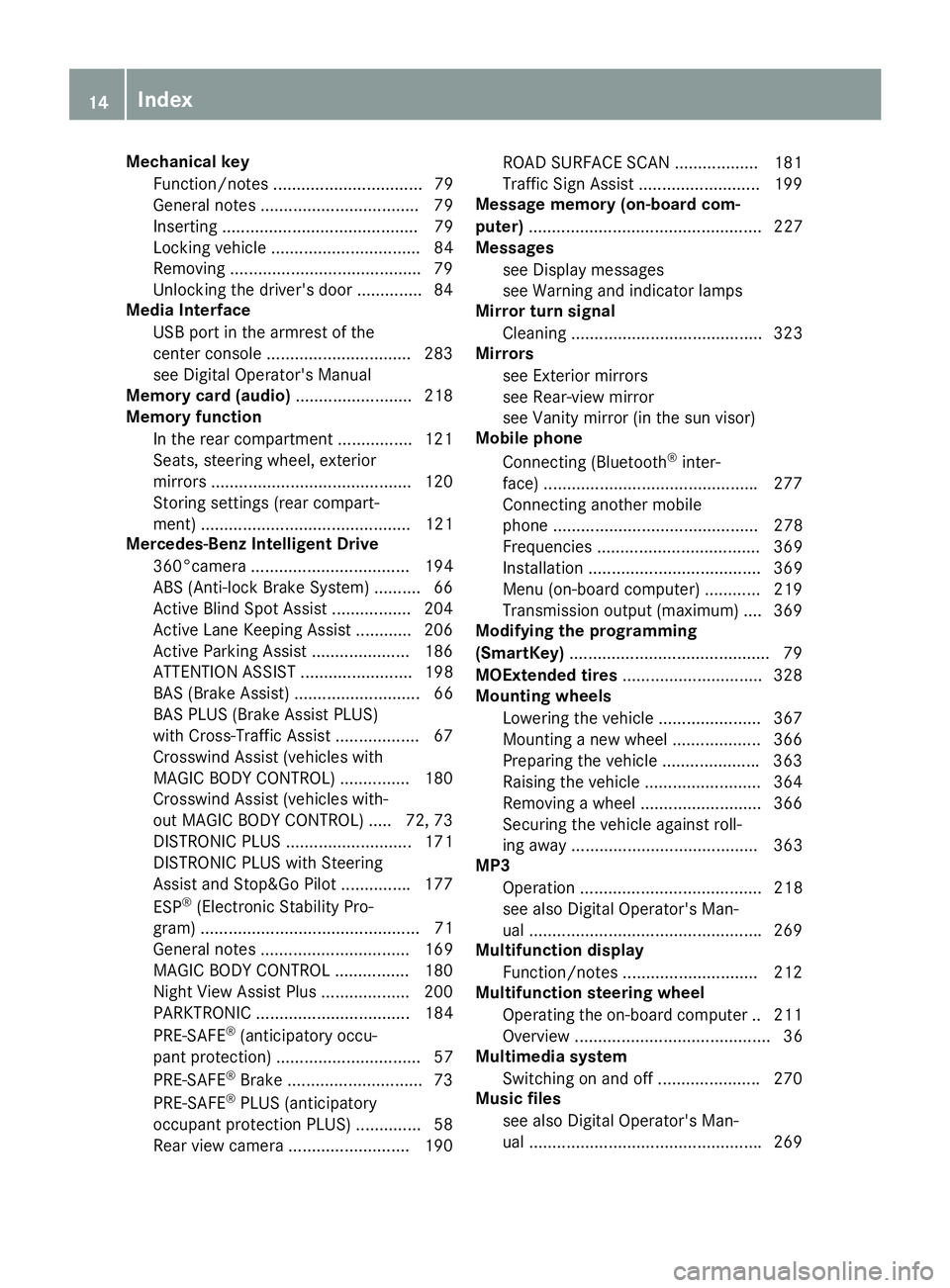
Mirror turn signal
Cleaning ......................................... 323
Mirrors
see Exterior mirrors
see Rear-view mirror
see Vanity mirror (in the sun visor)
Mobile phone
Connecting (Bluetooth ®
inter-
face) ............................................. .2 77
Connecting another mobile
phone ............................................ 278
Frequencies ................................... 369
Installation ..................................... 369
Menu (on-board computer) ............ 219
Transmission output (maximum) .... 369
Modifying the programming
(SmartKey) .......................................... .7 9
MOExtended tires .............................. 328
Mounting wheels
Lowering the vehicle ...................... 367
Mounting a new wheel ................... 366
Preparing the vehicle .................... .3 63
Raising the vehicle ......................... 364
Removing a wheel .......................... 366
Securing the vehicle against roll-
ing away ........................................ 363
MP3
Operation ....................................... 218
see also Digital Operator's Man-
ual ................................................. .2 69
Multifunction display
Function/notes ............................ .2 12
Multifunction steering wheel
Operating the on-board computer .. 211
Overview .......................................... 36
Multimedia system
Switching on and off ..................... .2 70
Music files
see also Digital Operator's Man-
ual ................................................. .2 6914
Index
Page 24 of 382
Traction (definition) ....................... 362
Tread wear .................................... .3 56
Uniform Tire Quality Grading
Standards ...................................... 356
Uniform Tire Quality Grading
Standards (definition) .................... 360
Wear indicator (definition) ............. 362
Wheel and tire combination ........... 367
Wheel rim (definition) .................... 361
see Flat tire
Top Tether ............................................ 62
Touchpad
Changing the station/music
track .............................................. 272
Character suggestions ................... 271
Deleting characters ....................... 272
Entering a space ............................ 272
Entering characters ....................... 271
Gesture control .............................. 271
Handwriting recognition ................ 272
Operating the touchpad ................. 271
Overview ........................................ 271
Quick access for Audio .................. 272
Quick access for telephone ........... 272
Switching ....................................... 271
Switching input line ....................... 272
Tow-starting
Emergency engine starting ............ 340
Important safety notes .................. 338
Towing a trailer
ESP ®
(Electronic Stability Pro-
gram) ............................................... 72
Towing away
Important safety guidelines ........... 338
Installing the towing eye ................ 339
Notes for 4MATIC vehicles ............ 340
Removing the towing eye .............. .3 39
Transporting the vehicle ................ 340
With both axles on the ground ....... 339
Towing eye ......................................... 327
Traffic reports
see also Digital Operator's Man-
ual ................................................. .2 69
Traffic Sign Assist
Activating ....................................... 200
Display message ............................ 249
Function/notes ............................ .1 99
Important safety notes .................. 200 Instrument cluster display ............. 200
Sw i
tching on/off ........................... 222
Transfer case ..................................... 159
Transmission
see Automatic transmission
Transporting the vehicle .................. 340
Trim pieces (cleaning instruc-
tions) ................................................. .3 25
Trip computer (on-board com-
puter) ................................................. .2 15
Trip odometer
Calling up ....................................... 214
Resetting (on-board computer) ...... 215
Trunk
Emergency release .......................... 90
Emergency release button .............. .9 0
Important safety notes .................... 85
Locking separately ........................... 89
Opening/closing (automatically
from inside) ...................................... 89
Opening/closing (automatically
from outside) ................................... 86
Opening/closing (from outside,
HANDS-FREE ACCESS) .................... 87
Opening/closing (manually from
outside) ............................................ 86
Power closing .................................. 84
Trunk lid
Display message ............................ 255
Obstacle recognition ........................ 85
Opening dimensions ...................... 376
Opening/closing .............................. 85
Trunk load (maximum) ...................... 376
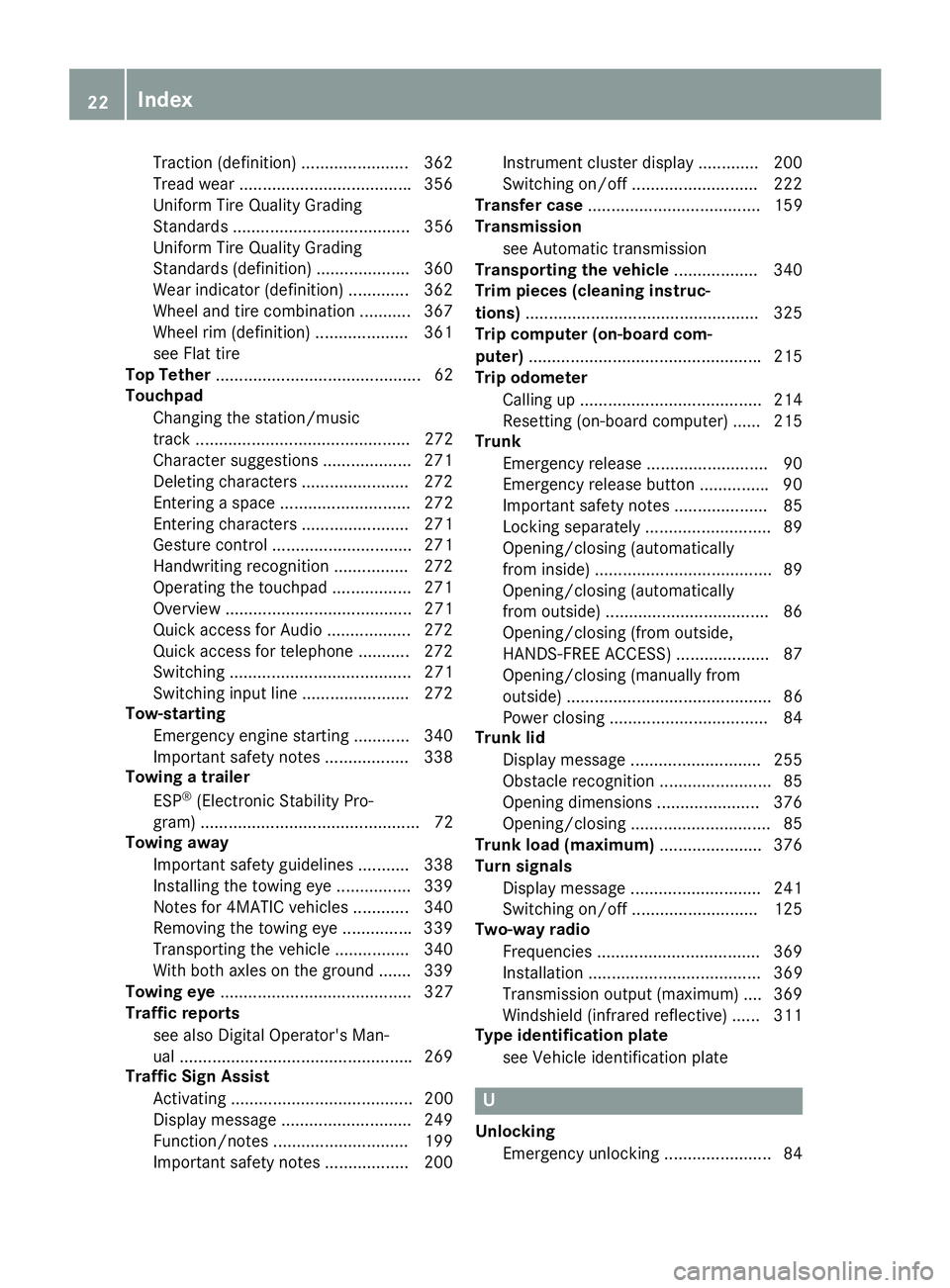
Turn signals
Display message ............................ 241
Switching on/off ........................... 125
Two-way radio
Frequencies ................................... 369
Installation ..................................... 369
Transmission output (maximum) .... 369
Windshield (infrared reflective) ...... 311
Type identification plate
see Vehicle identification plate
U
Unlocking
Emergency unlocking ....................... 8422
Index
Page 127 of 382
When the engine is running and the vehicle is
stationary: if you move the selector lever from a
driving position to P , the daytime running lamps
and low-beam headlamps go out after three
minutes.
When the engine is running, the vehicle is sta-
tionary and in bright ambient light: if you turn the
light switch to the ` position, the daytime
running lamps and parking lamps switch on.
If the engine is running and you turn the light
switch to the X position, the manual settings
take precedence over the daytime running
lamps.
Low-beam headlamps
G WARNING
When the light switch is set to X , the low-
beam headlamps may not be switched on
automatically if there is fog, snow or other
causes of poor visibility due to the weather
conditions such as spray. There is a risk of an
accident.
In such situations, turn the light switch to
X .
Even if the light sensor does not detect that it is
dark, the parking lamps and low-beam head-
lamps switch on when the ignition is switched on
and the light switch is set to the X position.
This is a particularly useful function in the event
of rain and fog. X
To switch on the low-beam headlamps:
turn the SmartKey in the ignition lock to posi-
tion 2 or start the engine.X
Turn the light switch to the X position.
The green X indicator lamp in the instru-
ment cluster lights up.
Parking lamps
! If the battery charge is very low, the parking
lamps or standing lamps are automatically
switched off to enable the next engine start.
Always park your vehicle safely and in a well lit
area, in accordance with the relevant legal
stipulations. Avoid using the ` parking
lamps over a period of several hours. If pos-
sible, switch on the right-hand d or left-
hand c standing lamps. X
To switch on the parking lamps: turn the
light switch to the ` position.
The green ` indicator lamp on the instru-
ment cluster lights up.
Standing lamps Switching on the standing lamps ensures the
corresponding side of the vehicle is illuminated. X
To switch on the standing lamps: turn the
SmartKey to position 0 in the ignition lock or
remove the SmartKey. X
Turn the light switch to the c (left-hand
side of the vehicle) or d (right-hand side of
the vehicle) position.
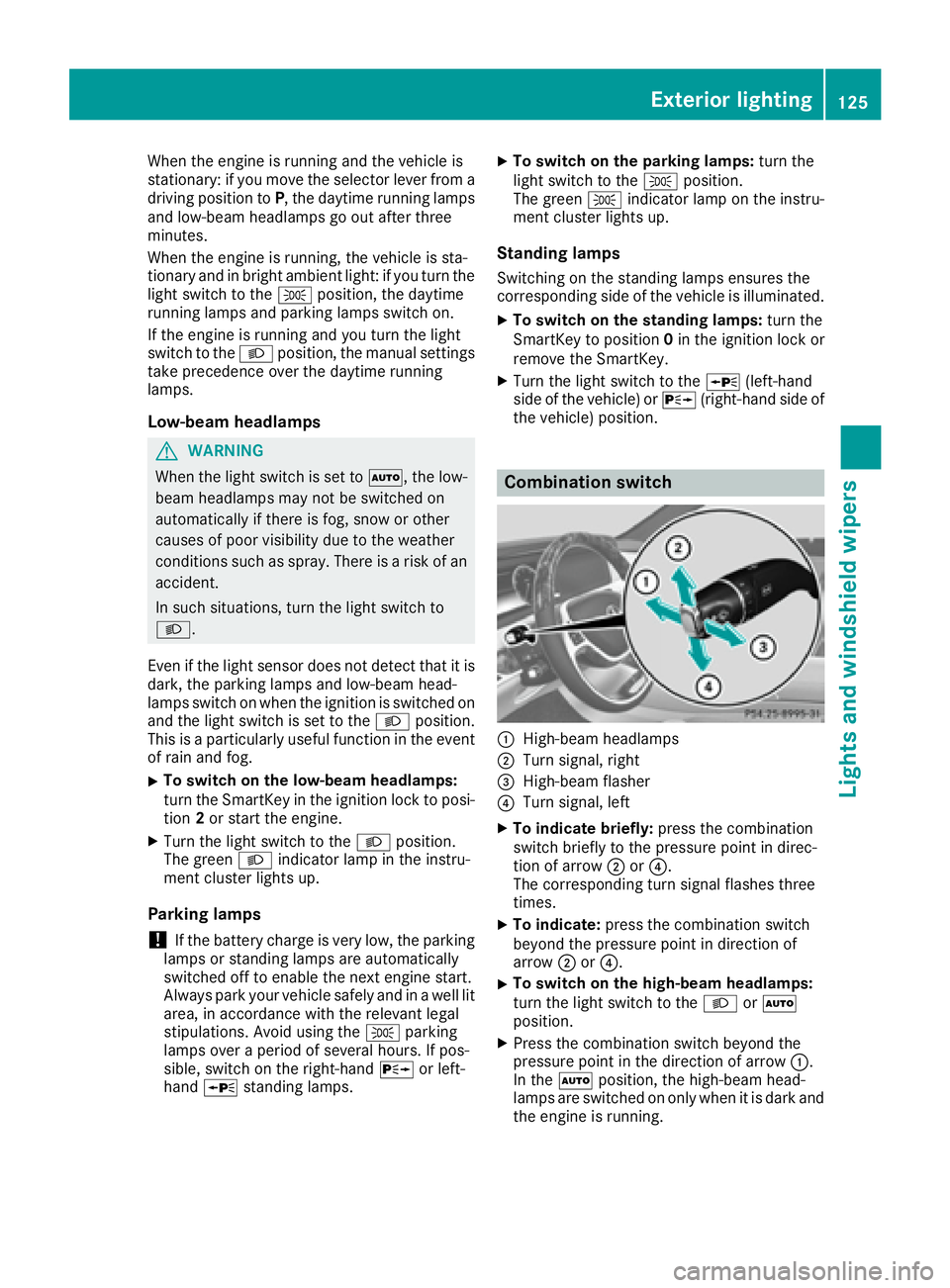
Combination switch
C
High-beam headlamps D
Turn signal, right
Page 176 of 382
gram, the vehicle accelerates more gently. This
setting is recommended in stop-and-start traf-
fic.
Mercedes-AMG vehicles: DISTRONIC PLUS
supports a sporty driving style when you select
the S or M drive program ( Y
page 155). Accel-
eration behind the vehicle in front or to the set
speed is then noticeably more dynamic. When
you select the C drive program, the vehicle
accelerates more gently. This setting is recom-
mended in stop-and-start traffic.
Changing lanes DISTRONIC PLUS aids you when switching to
the overtaking lane, if: R
you are driving faster than 45 mph (70 km/h) R
you switch on the appropriate turn signal R
DISTRONIC PLUS does not detect a danger of
a collision
If these conditions are fulfilled, your vehicle is
accelerated. Acceleration will be interrupted if
changing lanes takes too long or if the distance
between your vehicle and the vehicle in front
becomes too small.
When you change lanes, DISTRONIC PLUS mon-
itors the left lane (on left-hand-drive vehicles) or
the right lane (on right-hand-drive vehicles).
Stopping
G WARNING
When leaving the vehicle, even if it is braked
only by DISTRONIC PLUS, it could roll away if: R
there is a malfunction in the system or in
the voltage supply. R
DISTRONIC PLUS has been deactivated
with the cruise control lever, e.g. by a vehi-
cle occupant or from outside the vehicle. R
the electrical system in the engine com-
partment, the battery or the fuses have
been tampered with. R
the battery is disconnected. R
the accelerator pedal has been depressed,
e.g. by a vehicle occupant.
There is a risk of an accident.
If you wish to exit the vehicle, always turn off
DISTRONIC PLUS and secure the vehicle
against rolling away. For further information on deactivating
DISTRONIC PLUS ( Y
page 176).
If DISTRONIC PLUS detects that the vehicle in
front has stopped, it will cause your vehicle to
brake and come to a halt.
Once your vehicle is stationary, it remains sta-
tionary and you do not need to depress the
brake.
After a time, the electric parking brake secures
the vehicle and relieves the service brake.
Depending on the specified minimum distance,
your vehicle will come to a standstill at a suffi-
cient distance behind the vehicle in front. The
specified minimum distance is set using the
control on the cruise control lever.
When DISTRONIC PLUS is activated, the trans-
mission is shifted automatically to position P if:R
the driver's seat belt is not fastened and the
driver's door is open. R
the engine is switched off, unless it is auto-
matically switched off by the ECO start/stop
function.
The electric parking brake secures the vehicle
automatically if DISTRONIC PLUS is activated
when the vehicle is stationary and: R
a system malfunction occurs. R
the power supply is not sufficient.
If a malfunction occurs, the transmission may
also shift into position P automatically.
Setting a speed X
Push the cruise control lever upwards C for a
higher speed or down D for a lower speed.X
To adjust the set speed in1 mphincre-
ments (1 km/hincrements): briefly push
the cruise control lever up C or down D to
the pressure point.
Every time the cruise control lever is pressed
up C or down D the last speed stored is
increased or reduced. X
To adjust the set speed in5 mphincre-
ments (10 km/hincrements): briefly push
the cruise control lever up C or down D
beyond the pressure point.
Every time the cruise control lever is pressed
up C or down D , the last speed stored is
increased or reduced.
i If you accelerate to overtake, DISTRONIC
PLUS adjusts the vehicle's speed back to the174
Driving systems
Driving and parking
Page 180 of 382
The system is switched to passive and no longer
assists you by performing steering interventions
if: R
you actively change lane R
you switch on the turn signal R
take your hands off the steering wheel or do
not steer for a prolonged period of time
Steering Assist and Stop&Go Pilot are activated
again automatically after a lane change is com-
pleted.
Steering Assist and Stop&Go Pilot do not pro-
vide any support: R
on very sharp corners R
when a loss of tire pressure or a defective tire
has been detected and displayed
Pay attention also to the important safety notes
for DISTRONIC PLUS ( Y
page 171).
The steering interventions are carried out with a
limited steering moment. The system requires
the driver to keep his hands on the steering
wheel and to steer himself.
If you do not steer yourself or if you take your
hands off the steering wheel for a prolonged
period of time, the system will first alert you with
a visual warning. A steering wheel symbol
appears in the multifunction display. If you have
still not started to steer and have not taken hold
of the steering wheel after five seconds at the
latest, a warning tone also sounds to remind you
to take control of the vehicle. Steering Assist
and Stop&Go Pilot are switched to passive.
DISTRONIC PLUS remains active.
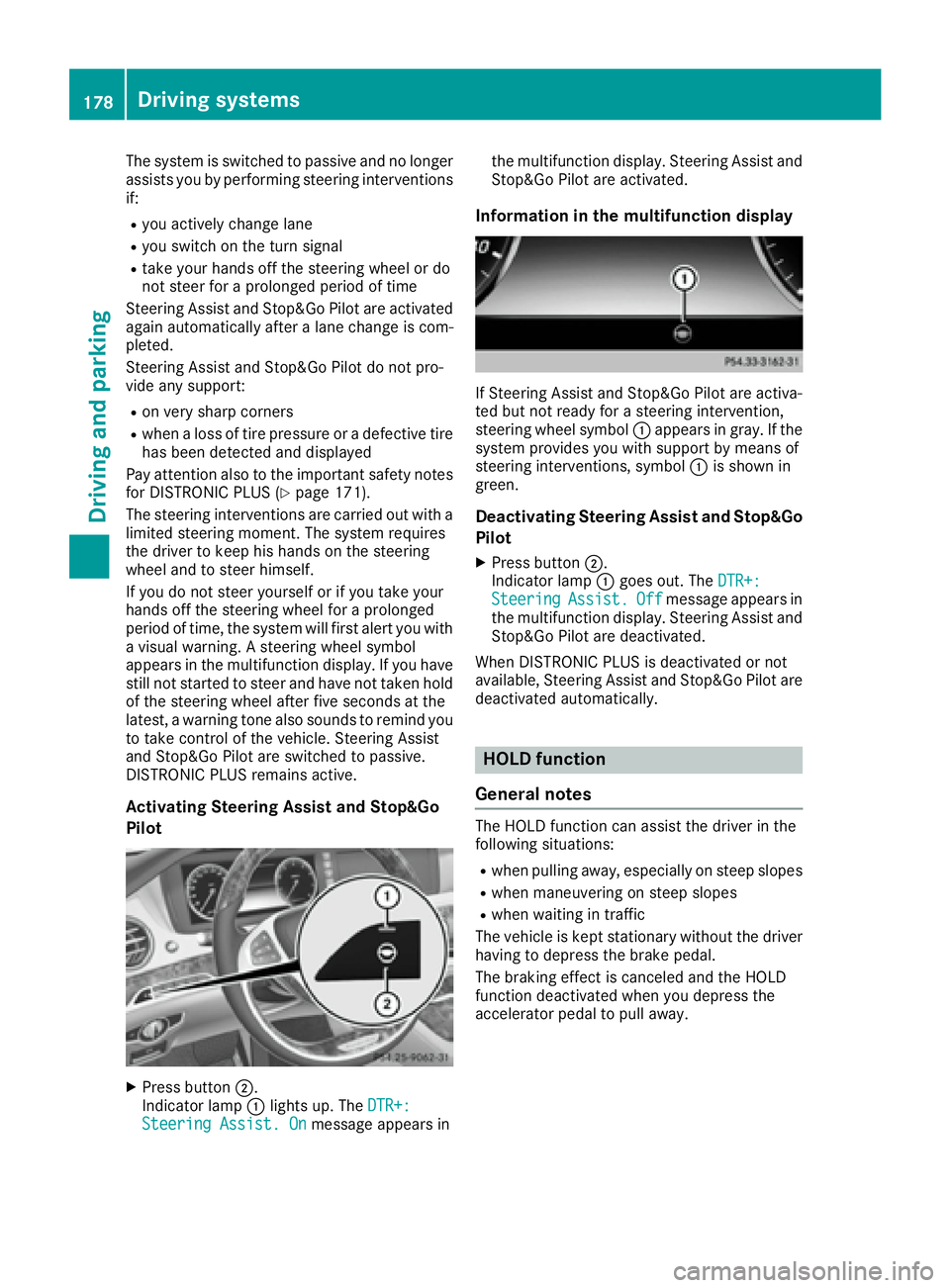
Activating Steering Assist and Stop&Go
Pilot
X
Press button D .
Indicator lamp C lights up. The DTR+:
Steering Assist. On message appears in the multifunction display. Steering Assist and
Stop&Go Pilot are activated.
Information in the multifunction display
If Steering Assist and Stop&Go Pilot are activa-
ted but not ready for a steering intervention,
steering wheel symbol C appears in gray. If the
system provides you with support by means of
steering interventions, symbol C is shown in
green.
Deactivating Steering Assist and Stop&Go
Pilot X
Press button D .
Indicator lamp C goes out. The DTR+:
Steering Assist. Off message appears in
the multifunction display. Steering Assist and
Stop&Go Pilot are deactivated.
When DISTRONIC PLUS is deactivated or not
available, Steering Assist and Stop&Go Pilot are
deactivated automatically.
HOLD function
General notes The HOLD function can assist the driver in the
following situations: R
when pulling away, especially on steep slopes R
when maneuvering on steep slopes R
when waiting in traffic
The vehicle is kept stationary without the driver
having to depress the brake pedal.
The braking effect is canceled and the HOLD
function deactivated when you depress the
accelerator pedal to pull away.178
Driving systems
Driving and parking
Page 190 of 382
Active Parking Assist will only detect parking
spaces: R
parallel or at right angles to the direction of
travel R
that are parallel to the direction of travel and
at least 59 in (1.5 m) wid eR
that are parallel to the direction of travel and
at least 39.5 in (1.0 m) longer than your vehi-
cle R
that are at right angles to the direction of
travel and at least 39.5 in (1.0 m) wider than
your vehicle
i Note that Active Parking Assist cannot
measure the size of a parking space if it is at
right angles to the direction of travel. You will
need to judge whether your vehicle will fit into
the parking space.
When driving at speeds below 19 mph
(30 km/h), you will see the parking symbol as a
status indicator in the instrument cluster. When
a parking space has been detected, an arrow
towards the right or the left also appears. By
default, Active Parking Assist only displays park-
ing spaces on the front-passenger side. Parking
spaces on the driver's side are displayed as
soon as the turn signal on the driver's side is
activated. When parking on the driver's side,
this must remain switched on until you acknowl-
edge the use of Active Parking Assist by press-
ing the v button on the multifunction steer-
ing wheel. The system automatically determines
whether the parking space is parallel or at right
angles to the direction of travel.
A parking space is displayed while you are driv-
ing past it, and until you are approximately 50 ft
(15 m) away from it.
Parking
G WARNING
If you leave the vehicle when it is only being
braked by Active Parking Assist it could roll
away if: R
there is a malfunction in the system or in
the voltage supply. R
the electrical system in the engine com-
partment, the battery or the fuses have
been tampered with. R
the battery is disconnected. R
the accelerator pedal has been depressed,
e.g. by a vehicle occupant.
There is a risk of an accident.
Before leaving the vehicle, always secure it
against rolling away.
i When PARKTRONIC detects obstacles,
Active Parking Assist brakes automatically
during the parking process. You are respon-
sible for braking in good time. X
Stop the vehicle when the parking space sym-
bol shows the desired parking space in the
instrument cluster. X
Shift the transmission to position R .
The Start Park Assist? Yes: OK No: 8
message appears in the multifunction display. X
To cancel the procedure: press the 8
button on the multifunction steering wheel or
pull away.
or X
To park using Active Parking Assist: press
the v button on the multifunction steering
wheel.
The Park Assist Active Accelerate
and Brake Observe Surroundings mes-
sage appears in the multifunction display. X
Let go of the multifunction steering wheel. X
Back up the vehicle, being ready to brake at all
times. When backing up, drive at a speed
below approximately 6 mph (10 km/h). Oth-
erwise Active Parking Assist will be canceled.
Active Parking Assist brakes the vehicle to a
standstill when the vehicle approaches the
rear border of the parking space.
Maneuvering may be required in tight parking
spaces.
The Park Assist Active Select D Observe
Surroundings message appears in the multi-
function display. X
Shift the transmission to position D while the
vehicle is stationary.
Active Parking Assist immediately steers in
the other direction.188
Driving systems
Driving and parking
Page 191 of 382
The Park Assist Active Accelerate
and Brake Observe Surroundings mes-
sage appears in the multifunction display.
i You will achieve the best results by waiting
for the steering procedure to complete before
pulling away. X
Drive forwards and be ready to brake at all
times.
Active Parking Assist brakes the vehicle to a
standstill when the vehicle approaches the
rear border of the parking space.
The Park Assist Active Select R Observe
Surroundings message appears in the multi-
function display.
As soon as the parking procedure is complete,
the Park Assist Switched Off message
appears and a warning tone sounds. The vehicle
is now parked. The vehicle is kept stationary
without the driver having to depress the brake
pedal. The braking effect is canceled when you
depress the accelerator pedal.
Active Parking Assist no longer supports you
with steering interventions and brake applica-
tions. When Active Parking Assist is finished,
you must steer and brake again yourself.
PARKTRONIC is still available.
Parking tips: R
The way your vehicle is positioned in the park-
ing space after parking is dependent on vari-
ous factors. These include the position and
shape of the vehicles parked in front and
behind it and the conditions of the location. It
may be the case that Active Parking Assist
guides you too far into a parking space, or not
far enough into it. In some cases, it may also
lead you across or onto the curb. If necessary,
you should cancel the parking procedure with
Active Parking Assist. R
You can also select preselect transmission
position D . The vehicle redirects and does not
drive as far into the parking space. Should the
transmission change take place too early, the
parking procedure will be canceled. A sensi-
ble parking position can no longer be ach-
ieved from this position. Exiting a parking space In order that Active Parking Assist can support
you when exiting the parking space: R
the border of the parking space must be high
enough at the front and the rear. A curb is too
small, for example. R
the border of the parking space must not be
too wide. Your vehicle can be maneuvered
into a position at a maximum of 45° to the
starting position in the parking space. R
a maneuvering distance of at least 3.3 ft
(1.0 m) must be available.
Active Parking Assist can only assist you with
exiting a parking space if you have parked the
vehicle parallel to the direction of travel using
Active Parking Assist.
i If PARKTRONIC detects obstacles, Active
Parking Assist brakes automatically whilst the
vehicle exits the parking space. You are
responsible for braking in good time. X
Start the engine. X
Release the electric parking brake. X
Switch on the turn signal in the direction you
are pulling away. X
Shift the transmission to position D or R .
The Start Park Assist? Yes: OK No: 8
message appears in the multifunction display. X
To cancel the procedure: press the 8
button on the multifunction steering wheel or
pull away.
or X
To exit a parking space using Active Park-
ing Assist: press the v button on the mul-
tifunction steering wheel.
The Park Assist Active Accelerate
and Brake Observe Surroundings mes-
sage appears in the multifunction display. X
Let go of the multifunction steering wheel. X
Pull away, being ready to brake at all times. Do
not exceed a maximum speed of approx-
imately 6 mph (10 km/h) when exiting a park-
ing space. Otherwise Active Parking Assist
will be canceled. X
Shift the transmission to position D or R as
required or according to the message while
the vehicle is stationary.
Active Parking Assist immediately steers in
the other direction. The Park Assist
Active Accelerate and Brake ObserveDriving systems 189
Driving and parking Z