Esc MERCEDES-BENZ S CLASS 2019 Owner's Manual
[x] Cancel search | Manufacturer: MERCEDES-BENZ, Model Year: 2019, Model line: S CLASS, Model: MERCEDES-BENZ S CLASS 2019Pages: 578, PDF Size: 23.31 MB
Page 306 of 578
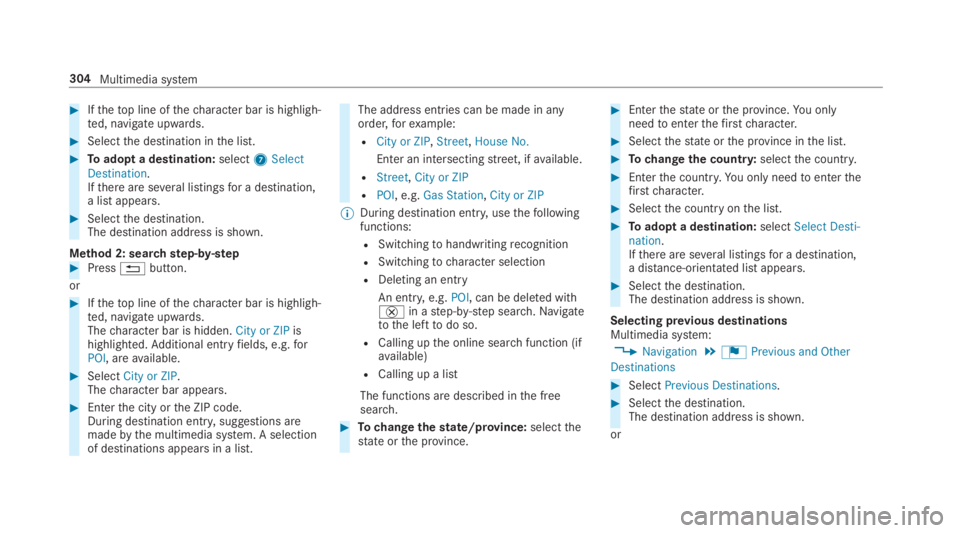
#Ifthetop line ofthecharacter bar is highligh‐ted, navigate upwards.
#Selectthe destination inthe list.
#Toadopt a destination:select7SelectDestination.Ifthere are several listingsfor a destination,a list appears.
#Selectthe destination.The destination address is shown.
Method 2: searchstep-by-step#Press8button.
or
#Ifthetop line ofthecharacter bar is highligh‐ted, navigate upwards.Thecharacter bar is hidden.City or ZIPishighlighted.Additional entryfields, e.g.forPOI, areavailable.
#SelectCity or ZIP.Thecharacter bar appears.
#Enterthe city orthe ZIP code.During destination entry, suggestions aremadebythe multimedia system. A selectionof destinations appears in a list.
The address entries can be made in anyorder,forexample:
RCity or ZIP,Street,House No.
Enter an intersectingstreet, ifavailable.
RStreet,City or ZIP
RPOI, e.g.Gas Station,City or ZIP
%During destination entry, usethefollowingfunctions:
RSwitchingtohandwritingrecognition
RSwitchingtocharacter selection
RDeleting an entry
An entry,e.g.POI, can be deleted with£in astep-by-step search.Navigatetothe lefttodo so.
RCalling upthe online searchfunction (ifavailable)
RCalling up a list
The functions are described inthe freesearch.
#Tochangethestate/province:selectthestate orthe province.
#Enterthestate orthe province.You onlyneedtoenterthefirstcharacter.
#Selectthestate orthe province inthe list.
#Tochangethe country:selectthe country.
#Enterthe country.You only needtoenterthefirstcharacter.
#Selectthe countryonthe list.
#Toadopt a destination:selectSelect Desti-nation.Ifthere are several listingsfor a destination,a distance-orientated list appears.
#Selectthe destination.The destination address is shown.
Selecting previous destinationsMultimedia system:
,Navigation.¬Previous and Other
Destinations
#SelectPrevious Destinations.
#Selectthe destination.The destination address is shown.
or
304Multimedia system
Page 310 of 578
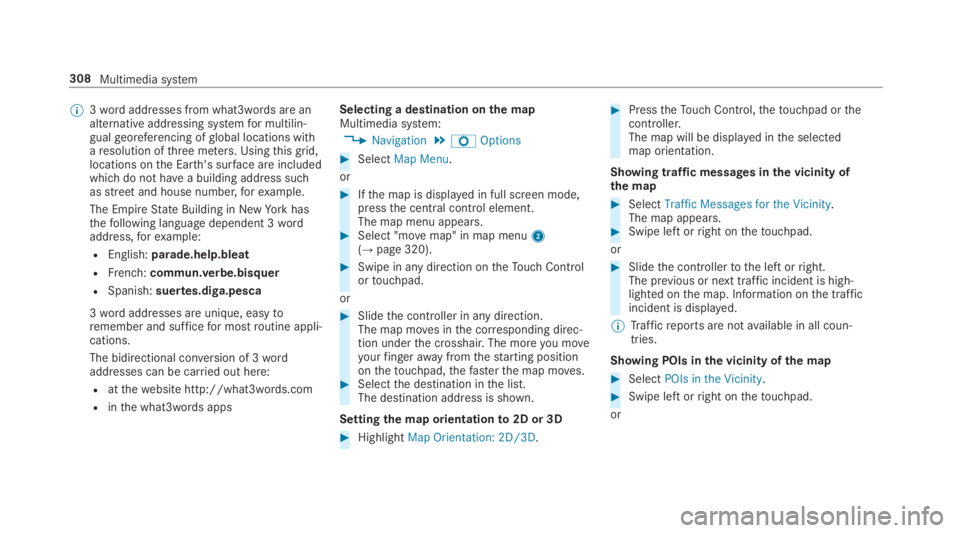
%3wordaddresses from what3words are analternative addressing systemfor multilin‐gualgeoreferencing ofglobal locations witharesolution ofthree meters. Usingthisgrid,locations onthe Earth's surface are includedwhichdo not havea building address suchasstreetand house number,forexample.
The EmpireState Building in NewYorkhasthefollowing language dependent 3wordaddress,forexample:
REnglish:parade.help.bleat
RFrench:commun.verbe.bisquer
RSpanish:suertes.diga.pesca
3wordaddresses are unique, easytoremember and sufficefor mostroutine appli‐cations.
The bidirectional conversion of 3wordaddresses can be carried out here:
Ratthewebsite http://what3words.com
Rinthe what3words apps
Selecting a destination onthe mapMultimedia system:
,Navigation.ZOptions
#SelectMap Menu.
or
#Ifthe map is displayed in full screen mode,pressthe central control element.The map menu appears.#Select "movemap" in map menu2(→page 320).
#Swipe in any direction ontheTouch Controlortouchpad.
or
#Slidethe controller in any direction.The map moves inthe corresponding direc‐tion underthe crosshair. The moreyou moveyourfingerawayfromthestarting positiononthetouchpad,thefasterthe map moves.#Selectthe destination inthe list.The destination address is shown.
Settingthe map orientationto2D or 3D
#HighlightMap Orientation: 2D/3D.
#PresstheTouch Control,thetouchpad orthecontroller.The map will be displayed inthe selectedmap orientation.
Showing traffic messages inthe vicinity ofthe map
#SelectTraffic Messages for the Vicinity.The map appears.#Swipe left orright onthetouchpad.
or
#Slidethe controllertothe left orright.The previous or next traffic incident is high‐lighted onthe map. Information onthe trafficincident is displayed.
%Trafficreports are notavailable in all coun‐tries.
Showing POIs inthe vicinity ofthe map
#SelectPOIs in the Vicinity.
#Swipe left orright onthetouchpad.
or
308Multimedia system
Page 348 of 578
Mercedes-Benz emergency call system
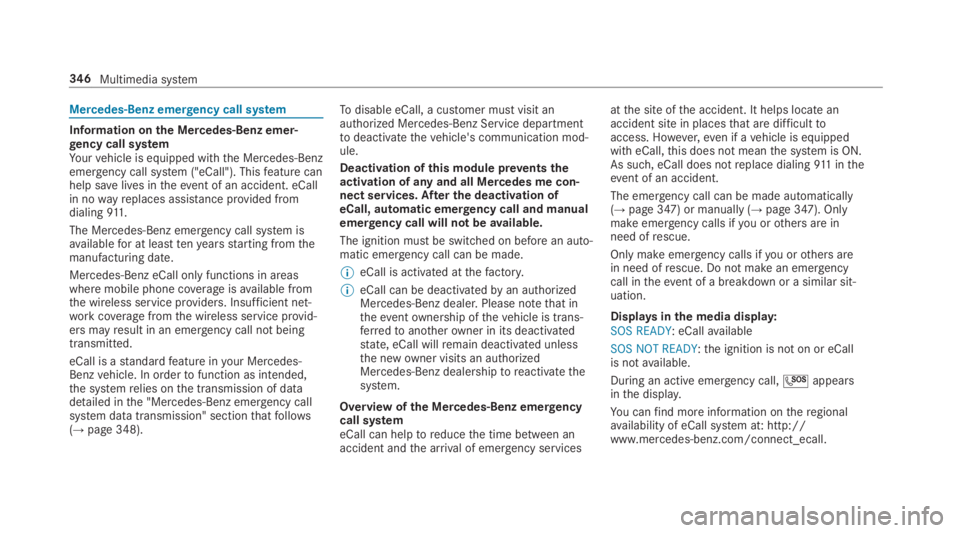
Information onthe Mercedes-Benz emer‐gency call systemYourvehicle is equipped withthe Mercedes-Benzemergency call system ("eCall"). Thisfeature canhelp savelives intheevent of an accident. eCallin nowayreplaces assistance provided fromdialing911.
The Mercedes-Benz emergency call system isavailablefor at leasttenyearsstarting fromthemanufacturing date.
Mercedes-Benz eCall only functions in areaswhere mobile phone coverageisavailable fromthe wireless service providers. Insufficient net‐workcoveragefromthe wireless service provid‐ers mayresult in an emergency call not beingtransmitted.
eCall is astandardfeature inyour Mercedes-Benzvehicle. In ordertofunction as intended,the systemrelies onthe transmission of datadetailed inthe "Mercedes-Benz emergency callsystem data transmission" sectionthatfollows(→page 348).
Todisable eCall, a customer must visit anauthorized Mercedes-Benz Service departmenttodeactivatethevehicle's communication mod‐ule.
Deactivation ofthis module preventstheactivation of any and all Mercedes me con‐nect services. After the deactivation ofeCall, automatic emergency call and manualemergency call will not beavailable.
The ignition must be switched on before an auto‐matic emergency call can be made.
%eCall is activated atthefactory.
%eCall can be deactivatedbyan authorizedMercedes-Benz dealer. Please notethat intheeventownership ofthevehicle is trans‐ferredtoanotherowner in its deactivatedstate, eCall willremain deactivated unlessthe newowner visits an authorizedMercedes-Benz dealershiptoreactivatethesystem.
Overview ofthe Mercedes-Benz emergencycall systemeCall can helptoreducethe time between anaccident andthe arrival of emergency services
atthe site ofthe accident. It helps locate anaccident site in placesthat are difficulttoaccess. However,even if avehicle is equippedwith eCall,this does not meanthe system is ON.As such, eCall does notreplace dialing911 intheevent of an accident.
The emergency call can be made automatically(→page 347) or manually (→page 347). Onlymake emergency calls ifyou orothers are inneed ofrescue.
Only make emergency calls ifyou orothers arein need ofrescue. Do not make an emergencycall intheevent of a breakdown or a similar sit‐uation.
Displaysinthe media display:SOS READY: eCallavailable
SOS NOT READY:the ignition is not on or eCallis notavailable.
During an active emergency call,Sappearsinthe display.
You canfind more information ontheregionalavailability of eCall system at: http://www.mercedes-benz.com/connect_ecall.
346Multimedia system
Page 349 of 578
%Ifthere is a malfunction inthe emergencycall system (e.g. a malfunction withthespeaker, microphone, airbag, SOS button), acorresponding message appearsinthe mul‐tifunction display ofthe instrument cluster.
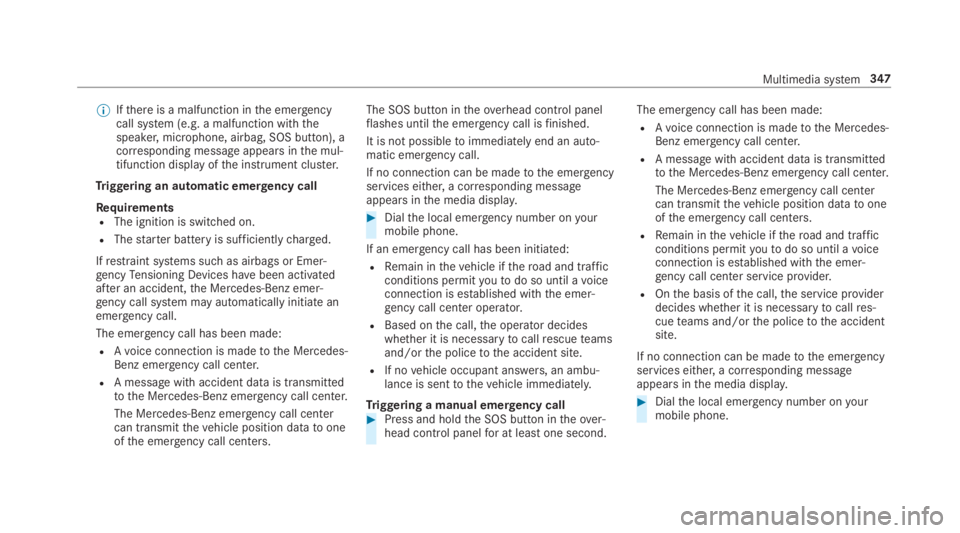
Triggering an automatic emergency call
RequirementsRThe ignition is switched on.
RThestarter battery is sufficientlycharged.
Ifrestraint systems such as airbags or Emer‐gencyTensioning Devices havebeen activatedafter an accident,the Mercedes-Benz emer‐gency call system may automatically initiate anemergency call.
The emergency call has been made:
RAvoice connection is madetothe Mercedes-Benz emergency call center.
RA messagewith accident data is transmittedtothe Mercedes-Benz emergency call center.
The Mercedes-Benz emergency call centercan transmitthevehicle position datatooneofthe emergency call centers.
The SOS button intheoverhead control panelflashes untilthe emergency call isfinished.
It is not possibletoimmediately end an auto‐matic emergency call.
If no connection can be madetothe emergencyservices either, a corresponding messageappearsinthe media display.
#Dialthe local emergency number onyourmobile phone.
If an emergency call has been initiated:
RRemain inthevehicle iftheroad and trafficconditions permityoutodo so until avoiceconnection is established withthe emer‐gency call center operator.
RBased onthe call,the operator decideswhether it is necessarytocallrescueteamsand/orthe policetothe accident site.
RIf novehicle occupant answers, an ambu‐lance is senttothevehicle immediately.
Triggering a manual emergency call#Press and holdthe SOS button intheover‐head control panelfor at leastone second.
The emergency call has been made:
RAvoice connection is madetothe Mercedes-Benz emergency call center.
RA messagewith accident data is transmittedtothe Mercedes-Benz emergency call center.
The Mercedes-Benz emergency call centercan transmitthevehicle position datatooneofthe emergency call centers.
RRemain inthevehicle iftheroad and trafficconditions permityoutodo so until avoiceconnection is established withthe emer‐gency call center service provider.
ROnthe basis ofthe call,the service providerdecides whether it is necessarytocallres‐cueteams and/orthe policetothe accidentsite.
If no connection can be madetothe emergencyservices either, a corresponding messageappearsinthe media display.
#Dialthe local emergency number onyourmobile phone.
Multimedia system347
Page 397 of 578
ASSYST PLUS service interval display
Function ofthe ASSYST PLUS service intervaldisplay
The ASSYST PLUS service interval display ontheInstrument Display provides information ontheremaining time or distance beforethe nextservice due date.
You can hidethis service message usingtheback button onthe left-hand side ofthesteeringwheel.
Depending on howthevehicle is used,theASSYST PLUS service interval display mayshortenthe service interval, e.g. inthefollowingcases:
RMainly short-distance driving
RWhenthe engine is often leftidlingfor longperiods
RIntheevent of frequent coldstart phases
Mercedes-Benzrecommendsavoiding suchoperating conditions.
You can obtain further information concerningthe servicing ofyourvehicle from aqualified
specialistworkshop, e.g. an authorizedMercedes-Benz Center.
Displayingthe service due date
On-board computer:
,Service.ASSYST PLUS
The next service due date is displayed.
#Toexitthe display:pressthe back buttononthe left-hand side ofthesteering wheel.
Make suretoobservethefollowing furtherrela‐ted subject:
ROperatingthe on-board computer(→page 252).
Information onregular maintenancework
*NOTEPrematurewearthroughfailuretoobserveservice due dates
Serviceworkwhich is not carried out attheright time or incompletelycan leadtoincreasedwear and damagetothevehicle.
#Always observethe prescribed serviceintervals.
#Always havethe prescribed serviceworkcarried out at aqualified specialistworkshop.
Special servicerequirements
The prescribed service interval is based on nor‐mal operation ofthevehicle. Maintenanceworkwill needtobe performed more often ifthevehi‐cle is operated under arduous conditions orincreased loads.
The ASSYST PLUS service interval display is onlyan aid. The driver ofthevehicle bearsresponsi‐bility asregardstowhether maintenanceworkneedstobe performed more oftenthan speci‐fied based onthe actual operating conditionsand/or loads.
Examples of arduous operating conditions:
Rregular city driving with frequent intermedi‐atestops
Rmainly short-distance driving
Maintenance and care395
Page 398 of 578
Rfrequent operation in mountainousterrain oron poorroad surfaces
Rwhenthe engine is often leftidlingfor longperiods
Roperation in particularly dusty conditionsand/or if air-recirculation mode is frequentlyused
Inthese or similar operating conditions, havetheinterior airfilter, engine air cleaner, engine oiland oilfilteretc.changed more frequently. Thetires must bechecked more frequently ifthevehicle is operated under increased loads.Fur‐ther information can be obtained at aqualifiedspecialistworkshop.
Battery disconnection periods
The ASSYST PLUS service interval displaycan only calculatethe service due datewhenthe batteryis connected.
#Notedownthe service due date displayed onthe instrument display before disconnectingthe battery (→page 395).
Engine compartment
Active hood (pedestrian protection)
Operation ofthe active hood (pedestrian pro‐tection)In certain accident situations,therisk of injurytopedestrians can bereducedbythe actuationofthe active hood. Therear area ofthe hood israisedbyapproximately 80 mm.
Forthe drivetotheworkshop,resetthe trig‐gered active hoodyourself. Afterthe active hoodhas been triggered, pedestrian protection maybe limited.
Aqualified specialistworkshop mustre-instatethe full functionality ofthe active hood.
The active hood is notavailable in all countries.
Resettingthe active hood
&WARNINGRisk of burns from hot com‐ponent parts inthe engine compartment
Certain components inthe engine compart‐ment can beveryhot, e.g.the engine,theradiator and parts oftheexhaust system.
#Allowthe enginetocool down and onlytouch component parts described inthefollowing.
#Withyour handflat, push down active hood1inthe area aroundthe hinges on bothsides (arrows).The hood must engage in position.
#Ifthe active hood can beraised slightly attherear inthe area ofthe hinges,repeatthestep until it engages correctly.
396Maintenance and care
Page 399 of 578
Opening/closingthe hood
&WARNINGRisk of accident ifthe enginehood is unlatched while driving
An unlocked engine hood may open up whenthevehicle is in motion and blockyour view.
#Never unlatchthe engine hood whiledriving.
#Beforeevery trip, ensurethattheengine hood is latched.
&WARNINGRisk of accident and injurywhen opening and closingthe enginehood
When opening or closingthe engine hood, itmay suddenly drop intothe end position.
There is arisk of injuryfor anyone intheengine hood'srange of movement.
#Only open or closethe engine hoodwhenthere are no persons intheengine hood'srange of movement.
&WARNINGDanger of burns when open‐ingthe hood
Ifyou openthe hood whenthe engine hasoverheated or during afireinthe enginecompartment,you could come into contactwith hotgases orother escaping operatingfluids.
#Before openingthe hood, allowtheenginetocool down.
#Intheevent of afireinthe engine com‐partment,keepthe hood closed andcallthefireservice.
&WARNINGRisk of injuryduetomovingparts
Certain components inthe engine compart‐ment may continuetomoveor suddenlymoveagaineven afterthe ignition has beenswitched off, e.g.the coolerfan.
Makesure ofthefollowing before performingtasks inthe engine compartment:
#Switchthe ignition off.
#Nevertouchthe danger zone surround‐ing moving component parts, e.g.therotation area ofthefan.
#Removejewelry andwatches.
#Keep items of clothing and hairawayfrom moving parts.
&WARNINGRisk of injuryfromtouchingcomponent parts undervoltage
The ignition system andthe fuel injectionsystemworkunder highvoltage. Ifyoutouchcomponent parts which are undervoltage,you couldreceivean electric shock.
#Nevertouch component parts oftheignition system orthe fuel injection sys‐tem whenthe ignition is switched on.
&WARNINGRisk of burns from hot com‐ponent parts inthe engine compartment
Certain components inthe engine compart‐ment can beveryhot, e.g.the engine,theradiator and parts oftheexhaust system.
Maintenance and care397
Page 400 of 578
#Allowthe enginetocool down and onlytouch component parts described inthefollowing.
&WARNINGRisk of injuryfrom usingthewindshield wipers whilethe engine hoodis open
Whenthe engine hood is open andthe wind‐shield wipers are set in motion,you can betrappedbythe wiper linkage.
#Always switch offthe windshield wipersand ignition before openingthe enginehood.
Plug-inhybrid:observethe notes inthe Supple‐ment. Otherwise,you mayfailtorecognize dan‐gers.
#Toopen:pull lever1toreleasethe hood.#Push handle1ofthe hood catch upwardsand liftthe hoodbyapproximately15in(40 cm).#Toclose:lowerthe hood and let itfall from aheight of approximately 8 in (20 cm).
#Ifthe hood canstill be lifted slightly,openthe hood again and close it with a little moreforce until it engages correctly.
398Maintenance and care
Page 401 of 578
Engine oil
Checkingthe engine oil level usingthe oildipstick
&WARNINGRisk of burns from hot com‐ponent parts inthe engine compartment
Certain component parts inthe engine com‐partment can beveryhot, e.g.the engine,the cooler and parts oftheexhaust system.
#Letthe engine cool down and onlytouchthe component parts describedasfollows.
Plug-inhybrid:observethe notes inthe Supple‐ment. Otherwise,you mayfailtorecognize dan‐gers.
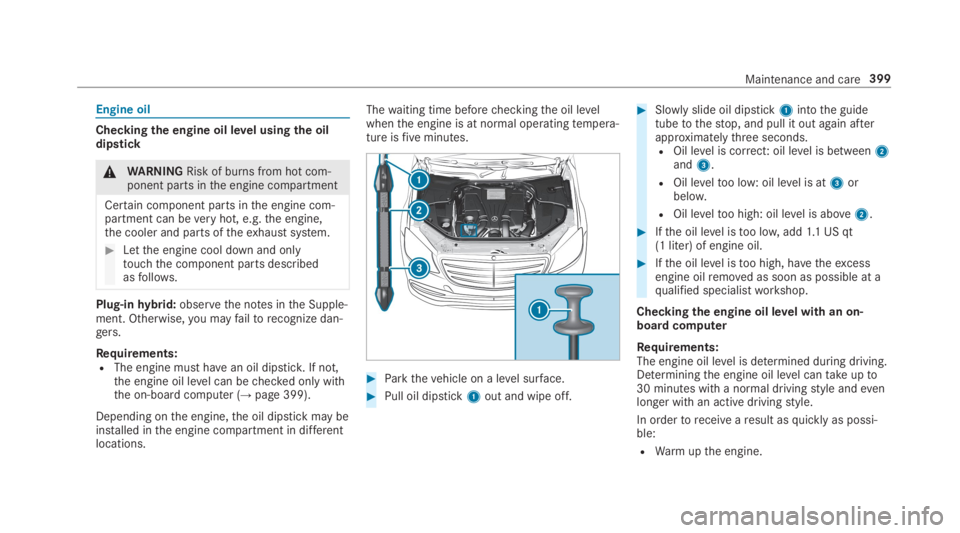
Requirements:RThe engine must havean oil dipstick.If not,the engine oil level can bechecked only withthe on-board computer (→page 399).
Depending onthe engine,the oil dipstick may beinstalled inthe engine compartment in differentlocations.
Thewaiting time beforecheckingthe oil levelwhenthe engine is at normal operatingtempera‐ture isfiveminutes.
#Parkthevehicle on a level surface.
#Pull oil dipstick1out and wipe off.
#Slowly slide oil dipstick1intothe guidetubetothestop, and pull it out again afterapproximatelythree seconds.ROil level is correct: oil level is between2and3.
ROil leveltoo low: oil level is at3orbelow.
ROil leveltoo high: oil level is above2.
#Ifthe oil level istoo low,add1.1 US qt(1 liter) of engine oil.
#Ifthe oil level istoo high, havetheexcessengine oilremoved as soon as possible at aqualified specialistworkshop.
Checkingthe engine oil level with an on-board computer
Requirements:The engine oil level is determined during driving.Determiningthe engine oil level cantakeupto30 minutes with a normal drivingstyle andevenlonger with an active drivingstyle.
In ordertoreceivearesult asquickly as possi‐ble:
RWarmupthe engine.
Maintenance and care399
Page 402 of 578
RParkthevehicle on a level surface.
RLeavethe enginerunning at idle speed.
On-board computer:
,Service.Engine Oil Level
You will see one ofthefollowing messages inthe multifunction display:
#Measuring Engine Oil Level...: measurementofthe oil level is notyet possible.Repeattherequest after a maximum of 30 minutes' driv‐ing.
#Engine Oil Level OKandthe bar displayforindicatingthe oil level inthe multifunctiondisplay is green and is between "min" and"max":the oil level is correct.
#Engine Oil Level Add 1.0 landthe bar displayfor indicatingthe oil level inthe multifunctiondisplay is orange and is below "min": add1.1 US qt (1 liter) of engine oil.
#Reduce Engine Oil Levelandthe bar displayfor indicatingthe oil level inthe multifunctiondisplay is orange and is above"max": drain
offtheexcess engine oil. Consult aqualifiedspecialistworkshop.
#For Engine Oil Level Switch Ignition On:switch onthe ignitiontocheckthe engine oillevel.
#Engine Oil Level System Inoperative: sensordefective or not inserted. Consult aqualifiedspecialistworkshop.
#Engine Oil Level System Currently Unavail.:closethe hood.
Adding engine oil
&WARNINGRisk of burns from hot com‐ponent parts inthe engine compartment
Certain components inthe engine compart‐ment can beveryhot, e.g.the engine,theradiator and parts oftheexhaust system.
#Allowthe enginetocool down and onlytouch component parts described inthefollowing.
&WARNINGRisk offireand injury fromengine oil
If engine oil comes into contact withhotcomponent parts inthe engine compart‐ment, it may ignite.
#Make surethat no engine oil is spillednexttothefiller opening.
#Allowthe enginetocool off andthor‐oughly cleanthe engine oil from compo‐nent parts beforestartingthevehicle.
*NOTEEngine damagecausedbyanincorrect oilfilter, incorrect oil or addi‐tives
#Do not use engine oils or oilfilterswhich do not correspondtothe specifi‐cationsexplicitly prescribedfortheservice intervals.
#Do not alterthe engine oil or oilfilter inordertoachievelongerchange intervalsthan prescribed.
#Do not use additives.
400Maintenance and care