buttons MERCEDES-BENZ S CLASS 2019 Owner's Manual
[x] Cancel search | Manufacturer: MERCEDES-BENZ, Model Year: 2019, Model line: S CLASS, Model: MERCEDES-BENZ S CLASS 2019Pages: 578, PDF Size: 23.31 MB
Page 254 of 578
&WARNINGDanger of burns when open‐ingthe hood
Ifyou openthe hood whenthe engine hasoverheated or during afireinthe enginecompartment,you could come into contactwith hotgases orother escaping operatingfluids.
#Before openingthe hood, allowtheenginetocool down.
#Intheevent of afireinthe engine com‐partment,keepthe hood closed andcallthefireservice.
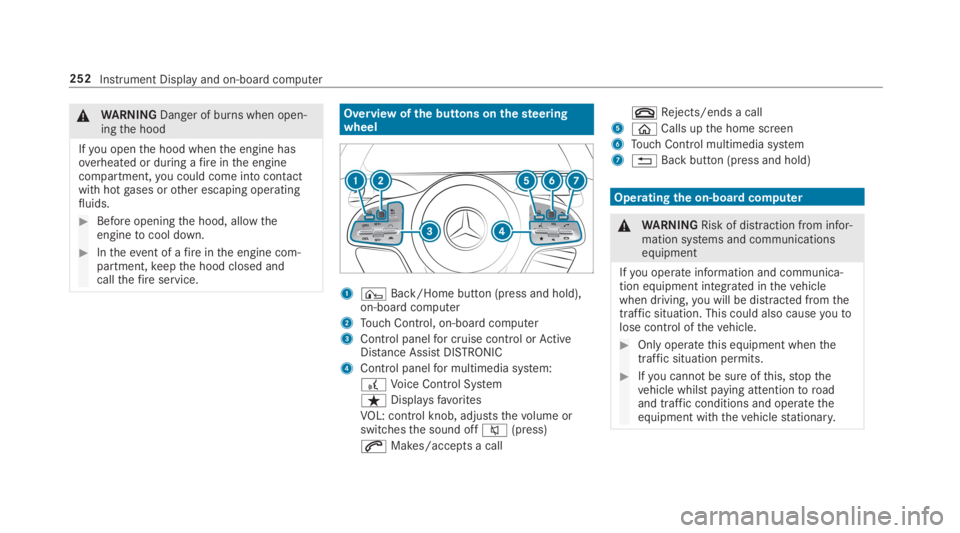
Overview ofthe buttons onthesteeringwheel
1¤Back/Home button (press and hold),on-board computer
2Touch Control, on-board computer
3Control panelfor cruise control orActiveDistance AssistDISTRONIC
4Control panelfor multimedia system:
£Voice Control System
ßDisplaysfavorites
VOL: control knob, adjuststhevolume orswitchesthe sound offc(press)
aMakes/accepts a call
vRejects/ends a call
5
Page 263 of 578
wards onthe left-handTouch Controltoselectthe desiredtelephone number.
#Pressthe left-handTouch Control.Thetelephone number is dialed.
Thefollowing displaysmay appear instead ofthetelephone numbers dialed:
RPlease Wait...:the application isstarting.
When a Bluetooth®connectiontothe mobilephone is not established,the menuforauthorizing and connecting a mobile phone isdisplayed onthe multimedia system(→page 329).
RImporting Contacts...:the contacts fromthemobile phone or from astorage medium arebeing imported.
Accepting/rejecting a callWhenyoureceivea call,theIncoming Call -mes‐sage appears onthe Head-up Display.
#Swipe upwards or downwards onthe left-handTouch Control and selecta(Accept)orv(Reject).
#Pressthe left-handTouch Control.
The call may be accepted/rejected usingtheaorvbuttons onthesteering wheel.
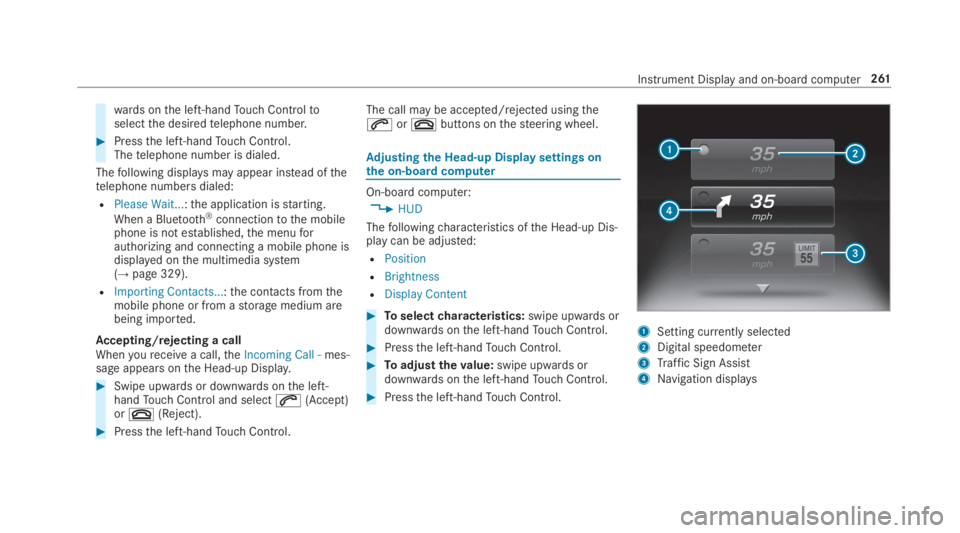
Adjusting the Head-up Displaysettings onthe on-boardcomputer
On-board computer:
,HUD
Thefollowingcharacteristics ofthe Head-up Dis‐play can be adjusted:
RPosition
RBrightness
RDisplay Content
#Toselectcharacteristics:swipe upwards ordownwards onthe left-handTouch Control.
#Pressthe left-handTouch Control.
#Toadjustthevalue:swipe upwards ordownwards onthe left-handTouch Control.
#Pressthe left-handTouch Control.
1Setting currently selected
2Digital speedometer
3Traffic Sign Assist
4Navigation displays
Instrument Display and on-board computer261
Page 538 of 578
1,2, 3 ...
12V batterysee Battery (vehicle)
12V socketsee Socket (12 V)
115 V socketsee Socket (115V)
360° Camera........................................... 228Function .............................................. 228Openingthe camera cover (rear viewcamera) ............................................... 231Selecting a view .................................. 230Settingfavorites ..................................231
A
A/C functionActivating/deactivating (multimediasystem) ................................................16 0Switching on/off (control panel) .........16 0
ABS (Anti-lock Braking System).............192
Accelerationsee Kickdown
Accident and breakdown manage‐mentMercedes me connect .........................345
Acoustic lockingverification signalActivating/deactivating ......................... 63
Activating/deactivating automaticvolume adjustment
Burmester®surround sound system ....376
Active Blind Spot Assist..........................24 3Brake application .................................24 5Function ..............................................24 3Switching on/off .................................24 6System limitations ...............................243
Active Brake AssistFunction/notes ...................................19 6Setting ................................................. 200
Active Distance Assist DISTRONIC........ 203Active EmergencyStop Assist ..............212Active Lane Change Assist...................210Calling up a speed ...............................204Displays inthe Instrument Display .......212Function .............................................. 203Increasing/decreasing speed .............. 204Requirements ...................................... 204
Route-based speed adaptation ............207Steering wheel buttons ....................... 204Storing a speed ................................... 204Switching off/deactivating .................. 204Switching on/activating ......................204System limitations ...............................203
Active EmergencyStop Assist................212
Active hood (pedestrian protection)...... 396Method of operation ............................396Resetting ............................................. 396
Active Lane Change Assist.....................210Activating/deactivating .......................212Function ...............................................210
Active LaneKeeping Assist....................24 6Activating/deactivating .......................248Activating/deactivatingthewarning ....24 9Function ..............................................24 6Settingthe sensitivity ..........................24 9System limitations ...............................246
ActiveParking Assist.............................. 231CrossTraffic Alert ............................... 236DriveAwayAssist................................ 235Exiting a parking space .......................234Function .............................................. 231
536Index
Page 543 of 578
Tow-starting ........................................ 430Towingaway........................................ 426Transportingthevehicle ......................427
Breakdownsee Flat tire
Burmester®high-end 3D surroundsound systemAdjustingthe balance/fader ...............377Adjustingthe sound optimization ........377Adjusting treble, mid-range and basssettings ................................................376Automaticvolume adjustment .............377Calling upthe sound menu ..................376Information ..........................................376Selectingthe sound profile ..................377
Burmester®surround sound system.....375Adjustingthe balance/fader ................376Adjustingthe soundfocus ...................376Adjusting treble, mid-range and basssettings ................................................376Automaticvolume adjustment .............376Calling upthe sound menu ..................375Information ..........................................375
Switchingthe surround sound on/off.............................................................376
ButtonsSteering wheel .................................... 252
C
Call listMaking a call ....................................... 337Overview ............................................. 336
Calling upthe sound menu
Burmester®high-end 3D surroundsound system ......................................376
Burmester®surround sound system ....375
Calls.......................................................... 333Accepting ............................................ 333Activating functions during a call ........ 333Calls withseveral participants .............333Declining ............................................. 333Ending a call ........................................ 333Incoming call during anexisting call .... 334Making ................................................ 333Viatheoverhead control panel(Mercedes me connect) ......................344
Camerasee 360° CameraseeRear view camera
Carkeysee SmartKey
Carwashsee Care
Carwash (care)....................................... 403
Care...........................................................41 0Air-water duct ...................................... 403Automatic carwash ............................. 403Carpet ..................................................41 0Decorativefoil .....................................406Display.................................................41 0EASY-PACK trunk box ...........................410Exterior lighting ................................... 409Headliner .............................................41 0Mattefinish ......................................... 405NightViewAssist................................ 408Paintwork............................................ 405Plastic trim ...........................................41 0Powerwasher ...................................... 404Realwood/trim elements ....................41 0Rear view camera ................................ 409
Index541
Page 546 of 578
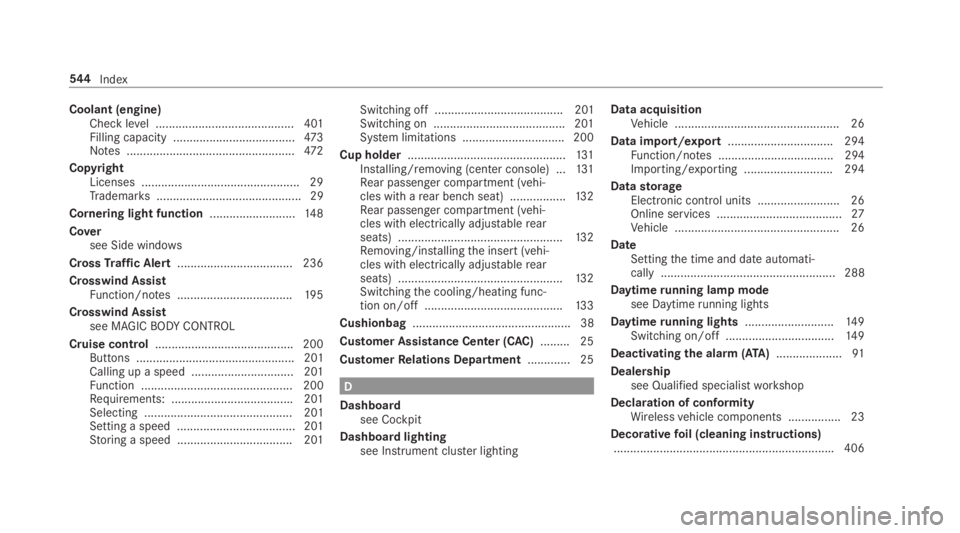
Coolant (engine)Check level .......................................... 401Filling capacity .....................................473Notes ...................................................472
CopyrightLicenses ................................................ 29Trademarks............................................ 29
Cornering light function..........................14 8
Coversee Side windows
CrossTraffic Alert...................................236
Crosswind AssistFunction/notes ...................................19 5
Crosswind Assistsee MAGICBODYCONTROL
Cruise control.......................................... 200Buttons ................................................ 201Calling up a speed ............................... 201Function .............................................. 200Requirements: .....................................201Selecting ............................................. 201Setting a speed .................................... 201Storing a speed ................................... 201
Switching off ....................................... 201Switching on ........................................201System limitations ...............................200
Cup holder................................................131Installing/removing (center console) ...131Rear passenger compartment (vehi‐cles with arear benchseat) .................13 2Rear passenger compartment (vehi‐cles with electrically adjustablerearseats) ..................................................13 2Removing/installingthe insert (vehi‐cles with electrically adjustablerearseats) ..................................................13 2Switchingthe cooling/heating func‐tion on/off ..........................................13 3
Cushionbag................................................ 38
Customer Assistance Center (CAC).........25
CustomerRelations Department.............25
D
Dashboardsee Cockpit
Dashboard lightingsee Instrument cluster lighting
Data acquisitionVehicle .................................................. 26
Data import/export................................ 294Function/notes ................................... 294Importing/exporting ........................... 294
DatastorageElectronic control units .........................26Online services ......................................27Vehicle .................................................. 26
DateSettingthe time and date automati‐cally ..................................................... 288
Daytimerunning lamp modesee Daytimerunning lights
Daytimerunning lights...........................14 9Switching on/off .................................14 9
Deactivatingthe alarm(ATA)....................91
Dealershipsee Qualified specialistworkshop
Declaration of conformityWirelessvehicle components ................23
Decorativefoil (cleaning instructions)...................................................................406
544Index
Page 554 of 578
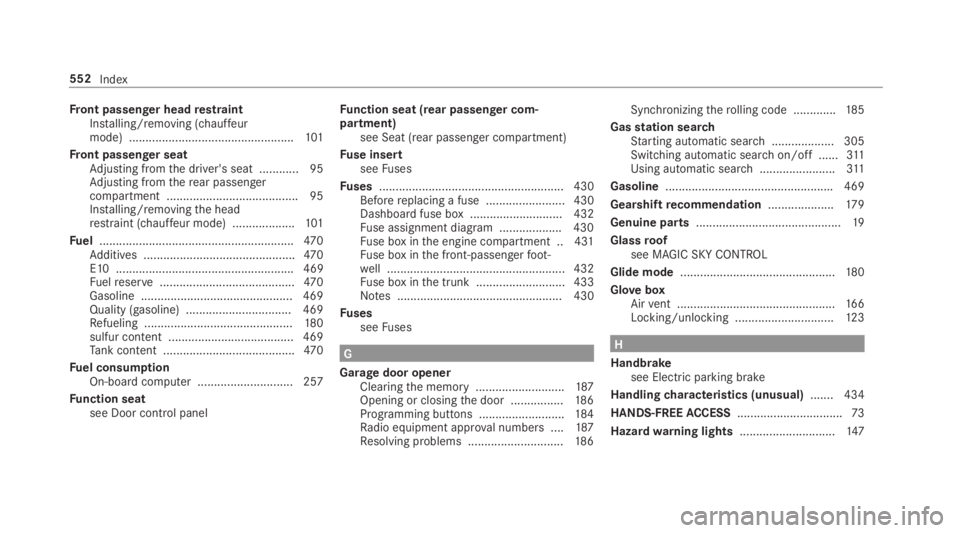
Front passenger headrestraintInstalling/removing (chauffeurmode) ..................................................101
Front passenger seatAdjusting fromthe driver's seat ............ 95Adjusting fromtherear passengercompartment ........................................ 95Installing/removingthe headrestraint (chauffeur mode) ...................101
Fuel...........................................................470Additives ..............................................470E10 ...................................................... 469Fuelreserve.........................................470Gasoline .............................................. 469Quality (gasoline) ................................ 469Refueling .............................................180sulfur content ...................................... 469Tank content ........................................470
Fuel consumptionOn-board computer .............................257
Function seatsee Door control panel
Function seat (rear passenger com‐partment)see Seat (rear passenger compartment)
Fuse insertseeFuses
Fuses........................................................ 430Beforereplacing a fuse ........................ 430Dashboard fuse box ............................ 432Fuse assignment diagram ...................430Fuse box inthe engine compartment .. 431Fuse box inthe front-passengerfoot‐well ...................................................... 432Fuse box inthe trunk ........................... 433Notes .................................................. 430
FusesseeFuses
G
Garage door openerClearingthe memory ...........................187Opening or closingthe door ................186Programming buttons ..........................184Radio equipment approval numbers ....187Resolving problems .............................186
Synchronizingtherolling code .............185
Gasstation searchStarting automatic search................... 305Switching automatic search on/off ......311Using automatic search.......................311
Gasoline...................................................469
Gearshiftrecommendation....................17 9
Genuine parts............................................19
Glassroofsee MAGIC SKYCONTROL
Glide mode...............................................180
GloveboxAirvent ................................................16 6Locking/unlocking ..............................12 3
H
Handbrakesee Electric parking brake
Handlingcharacteristics (unusual)....... 434
HANDS-FREEACCESS................................73
Hazardwarning lights.............................147
552Index
Page 560 of 578
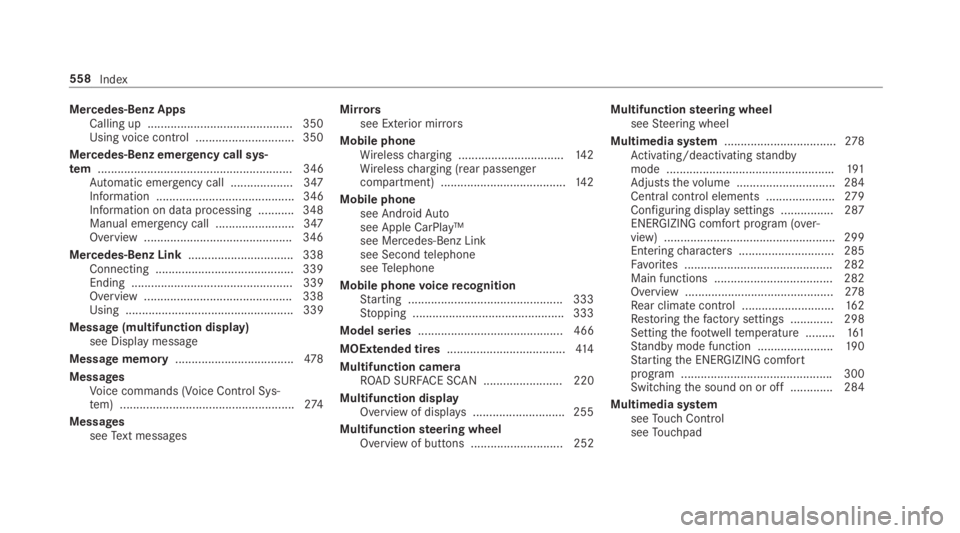
Mercedes-Benz AppsCalling up ............................................ 350Usingvoice control .............................. 350
Mercedes-Benz emergency call sys‐tem........................................................... 346Automatic emergency call ................... 347Information .......................................... 346Information on data processing ...........348Manual emergency call ........................ 347Overview ............................................. 346
Mercedes-Benz Link................................ 338Connecting .......................................... 339Ending ................................................. 339Overview ............................................. 338Using ................................................... 339
Message (multifunction display)see Display message
Message memory....................................478
MessagesVoice commands (Voice Control Sys‐tem) .....................................................274
MessagesseeText messages
Mirrorssee Exterior mirrors
Mobile phoneWirelesscharging ................................14 2Wirelesscharging (rear passengercompartment) ......................................14 2
Mobile phonesee AndroidAutosee Apple CarPlay™see Mercedes-Benz Linksee SecondtelephoneseeTelephone
Mobile phonevoicerecognitionStarting ...............................................333Stopping ..............................................333
Model series............................................ 466
MOExtended tires....................................414
Multifunction cameraROAD SURFACE SCAN ........................ 220
Multifunction displayOverview of displays ............................255
Multifunctionsteering wheelOverview of buttons ............................ 252
Multifunctionsteering wheelseeSteering wheel
Multimedia system..................................278Activating/deactivatingstandbymode ...................................................191Adjuststhevolume .............................. 284Central control elements .....................279Configuring displaysettings ................287ENERGIZING comfort program (over‐view) ....................................................299Enteringcharacters .............................285Favorites ............................................. 282Main functions .................................... 282Overview .............................................278Rear climate control ............................16 2Restoringthefactory settings ............. 298Settingthefootwelltemperature .........161Standby mode function .......................190Startingthe ENERGIZING comfortprogram ..............................................300Switchingthe sound on or off .............284
Multimedia systemseeTouch ControlseeTouchpad
558Index
Page 570 of 578
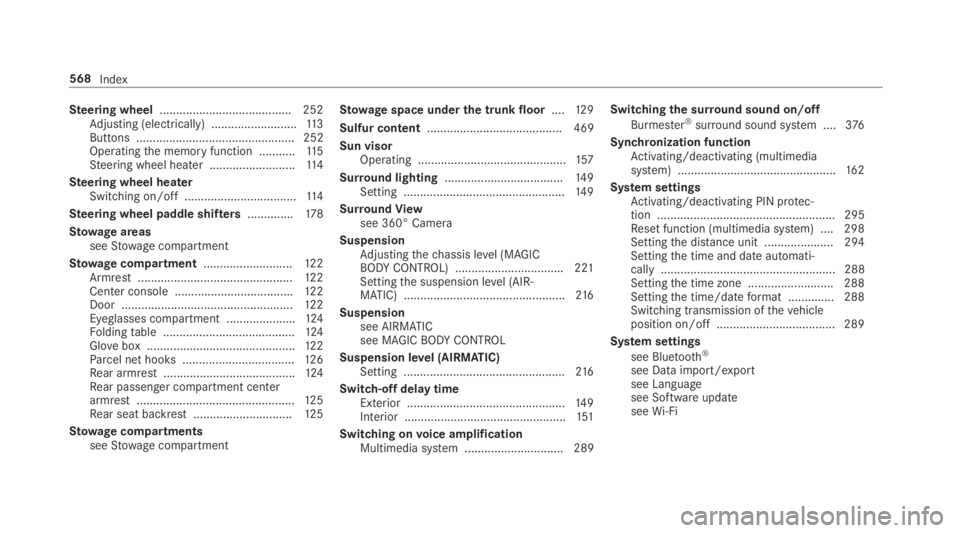
Steering wheel........................................ 252Adjusting (electrically) ..........................11 3Buttons ................................................ 252Operatingthe memory function ...........11 5Steering wheel heater ..........................11 4
Steering wheel heaterSwitching on/off ..................................11 4
Steering wheel paddle shifters..............178
Stowage areasseeStowage compartment
Stowage compartment...........................12 2Armrest ...............................................12 2Center console ....................................122Door ....................................................12 2Eyeglasses compartment .....................124Foldingtable ........................................124Glovebox .............................................122Parcel net hooks ..................................126Rear armrest ........................................124Rear passenger compartment centerarmrest ................................................12 5Rear seat backrest ..............................12 5
Stowage compartmentsseeStowage compartment
Stowage space underthe trunk floor....12 9
Sulfur content......................................... 469
Sun visorOperating .............................................157
Surround lighting....................................14 9Setting .................................................14 9
SurroundViewsee 360° Camera
SuspensionAdjustingthechassis level (MAGICBODYCONTROL) .................................221Settingthe suspension level (AIR‐MATIC) .................................................216
Suspensionsee AIRMATICsee MAGICBODYCONTROL
Suspension level (AIRMATIC)Setting .................................................216
Switch-off delay timeExterior ................................................14 9Interior .................................................151
Switching onvoice amplificationMultimedia system .............................. 289
Switchingthe surround sound on/off
Burmester®surround sound system ....376
Synchronization functionActivating/deactivating (multimediasystem) ................................................16 2
System settingsActivating/deactivating PIN protec‐tion ...................................................... 295Reset function (multimedia system) ....298Settingthe distance unit ..................... 294Settingthe time and date automati‐cally ..................................................... 288Settingthe time zone .......................... 288Settingthe time/dateformat .............. 288Switching transmission ofthevehicleposition on/off .................................... 289
System settings
see Bluetooth®
see Data import/exportsee Languagesee Software updateseeWi-Fi
568Index