phone MERCEDES-BENZ S CLASS 2019 Repair Manual
[x] Cancel search | Manufacturer: MERCEDES-BENZ, Model Year: 2019, Model line: S CLASS, Model: MERCEDES-BENZ S CLASS 2019Pages: 578, PDF Size: 23.31 MB
Page 544 of 578
Seat belts ............................................41 0Seat cover ............................................41 0Sensors............................................... 409Tailpipes .............................................. 409Washingbyhand ................................. 404Wheels/rims ....................................... 409Windows.............................................. 409Wiper blades .......................................409
Carpet (Care)............................................41 0
Champagneglass....................................131
Change of address.....................................21
Change ofownership................................21
Changing a wheelPreparation .........................................458Raisingthevehicle .............................. 459
Changinggears........................................178Manually ..............................................178
Changing hub caps.................................458
Character entryOnthetouchpad .................................286Usingthe controller ............................. 286
ChargingBattery (vehicle) ..................................423
Mobile phone (wireless) .......................141USB port ..............................................138
Chassis level (MAGICBODYCON‐TROL)Setting .................................................221
Chauffeur mode......................................... 99Fullyreclined position ..........................104Information ............................................ 99Installing/removing headrestraint ......101Movingthe front passenger seat intothechauffeur position .........................100Movingthe front passenger seat intothe normal position .............................102
Child safety lockActivating/deactivating (multimediasystem) ............................................... 293Rear door .............................................. 59Rear side windows................................. 60
Child seatAttaching (notes) ................................... 52Basic instructions ..................................47front-passenger seat (notes) ..................57LATCH-type (ISOFIX) (installing) ............ 53Notes onrisks and dangers ...................48
Securing onthe front passenger seat ....58Securing ontherear seat ...................... 56TopTether ..............................................55
ChildrenAvoiding dangers inthevehicle .............48Basic instructions ..................................47Special seat beltretractor ..................... 53
Chock....................................................... 457Storage location ..................................457
Chocksee Chock
CigarettelighterFront center console ...........................13 5Rear passenger compartment .............135
Cleaningsee Care
Climate controlActivating/deactivatingthe A/Cfunction (control panel) .......................160Activating/deactivatingthe A/Cfunction (multimedia system) ..............16 0Activating/deactivatingthe synchro‐nization function (multimedia sys‐tem) .....................................................16 2
542Index
Page 545 of 578
Air distribution settings ........................161Air-recirculation mode .........................162Automatic control (front) .....................160Automatic control (rear passengercompartment) ......................................161Climatestyle function ..........................161Control panelfor 3-zone automaticclimatecontrol ....................................15 9Filling capacityforPAG oil ...................475Front airvents .....................................16 5Glovebox airvent ................................16 6Inserting/removingtheflacon (fra‐grance system) ....................................16 3Ionization .............................................16 3Note....................................................15 9Rear airvents ......................................16 5Rear operating unit ..............................15 9Rear passenger compartmentresid‐ual heat ...............................................16 3Refrigerant ...........................................474Refrigerantfilling capacity ...................475Removing condensation fromthewindows..............................................16 2Residual heat inthe front compart‐ment ....................................................163
Settingrear climate control (multi‐media system) .....................................162Settingthe climatestyle ......................161Settingthe fragrance system ...............16 3Switching on/off (front) ......................16 0Switching on/off (rear passengercompartment) ......................................16 0Ventilatingthevehicle (convenienceopening) ................................................ 79Windshield heater ................................16 4
ClimatestyleFunction ...............................................161Setting .................................................161
Cockpit.........................................................6Overview .................................................6
Coffee cup symbolseeATTENTION ASSIST
COMANDsee Multimedia system
COMANDTouchManaging devices ................................ 292
Combination switch................................14 6
Compass.................................................. 325
Computersee On-board computer
ConnectionstatusDisplaying ............................................ 350Overview .............................................349
ConnectivitySwitching transmission ofthevehicleposition on/off .................................... 289
Contacts................................................... 334Calling up ............................................ 335Deleting ............................................... 336Downloading (from mobile phone) ...... 334Importing ............................................ 335Importing (overview) ...........................335Information .......................................... 334Making a call ....................................... 336Nameformat .......................................335Options ................................................ 336Storing ................................................ 336
ControllerOperating ............................................ 280
Convenience closingfeature.................... 80
Convenience opening................................ 79
Index543
Page 555 of 578
HeadrestraintAttaching/removingthe supplemen‐tarycushion ........................................108EASY ADJUSTluxury headrestraint(front) ..................................................105Front (adjusting mechanically) .............104Front (luxury headrestraint) ................105Rear (extending fromthe front) ...........106Rear (settingthe last position) .............107Rear passenger compartment(adjusting electrically) .........................108Rear passenger compartment(adjusting) ...........................................107Rear passenger compartment (lower‐ing fromthe front) ...............................106Rear passenger compartment (luxuryheadrestraint) .....................................108Rear passenger compartment (set‐ting in position mechanically) ..............109
Head-up Display....................................... 261Adjusting display elements (on-boardcomputer) ............................................ 261Adjustingthe brightness (on-boardcomputer) ............................................ 261Function .............................................. 262
Menu (on-board computer) .................. 261Operatingthe memory function ...........11 5Settingthe position (on-board com‐puter) ................................................... 261Switching on/off ................................. 262
Headliner (care).......................................41 0
Headphones (Rear Seat Entertain‐ment System)Adjustingthevolume ...........................382Overview .............................................. 381Replacing batteries .............................382Selectingtherear display .................... 382Switching on/off .................................382
High beamSwitching on/off .................................14 6
High-beam flasher...................................14 6
High-beam headlampsAdaptive Highbeam Assist ...................148
Hillstart assist........................................214
HOLD function.........................................214Function/notes ....................................214Switching on/off .................................214
HoodFunction (active hood) .........................396Opening/closing ................................. 397Resetting (active hood) ........................ 396
HotspotSetting up (Wi-Fi) ................................. 291
Hydropneumatic suspensionsee MAGICBODYCONTROL
I
Identification plateEngine .................................................466Refrigerant ...........................................474Vehicle ................................................ 466
IgnitionSwitching on (Start/Stop button) ........167
Ignitionkeysee SmartKey
Immobilizer................................................ 90
Indicator lampsseeWarning/indicator lamps
Individual drive programConfiguring ..........................................176
Index553
Page 556 of 578
Selecting ..............................................176
Insiderearview mirrorsee Exterior mirrors
Inspectionsee ASSYSTPLUS
Instrument clustersee Instrument Display
Instrument cluster lighting.................... 255
Instrument Display.................................. 251Adjustingthe lighting .......................... 255Function/notes .................................... 251Instrument cluster ................................... 8Settingthe additionalvaluerange ....... 254Warning/indicator lamps .................... 523
Intelligent Light SystemAdaptive Highbeam Assist ...................148Cornering light function .......................14 8
Interior lighting.......................................150Ambient lighting ..................................15 0Reading light ........................................15 0Setting .................................................15 0Switch-off delaytime ...........................151
Intermediate destinationCalculating aroute with intermediatedestinations ........................................ 306Entering ............................................... 306Modifying ............................................ 306Starting an automaticgasstationsearch................................................. 305Startingthe automatic servicesta‐tion search...........................................312
InternetCalling up aweb page .........................350Closingthe browser ............................352Deleting a bookmark........................... 352Deleting browser data .........................352Managing bookmarks .......................... 352
Internet connectionCommunication module function ........ 349Connectionstatus ...............................349Displayingthe connectionstatus ........ 350Establishing .........................................349Information .......................................... 348Restrictions ......................................... 348
InternetradioCalling up ............................................ 352Deletingstations .................................353
Logging out ......................................... 354Overview ............................................. 353Registering .......................................... 354Savingstations .................................... 353Selecting and connectingtoastation.............................................................353Selectingstream .................................354Setting options .................................... 354Terms of use ........................................354
IonizationActivating/deactivating (multimediasystem) ................................................16 3
iPhone®
see Apple CarPlay™see Mercedes-Benz Link
J
JackStorage location ..................................457
Jump-start connection............................423General notes ...................................... 421
554Index
Page 559 of 578
Massage settingsResetting ..............................................110
Mattefinish (cleaning instructions)...... 405
Maximum loadrating..............................448
Maximum permissible loadCalculationexample ............................444Determining ........................................443
Maximum tire pressure..........................448
MechanicalkeyInserting/removing ...............................64Unlockingthe trunk lid ..........................75
MediaMenu (on-boardcomputer) .................. 260Searching ............................................ 361Starting cinema mode .........................367
Media displayNotes ...................................................278
Media InterfaceActivating ............................................ 362Information .......................................... 361Overview .............................................363
Media modeActivating ............................................ 355
Media playbackOperating (on-board computer) ........... 260
Media searchStarting ................................................ 361
Media sourceSelecting (on-board computer) ............ 260
Memory functionHead-up Display — Calling upstoredsettings ................................................11 5Head-up Display —Storing settings ......11 5Operating .............................................11 5Outside mirrors— Calling upstoredsettings ................................................11 5Outside mirrors—Storing settings .......115Seat — Calling upstored settings .........11 5Seat —Storing settings ........................11 5Steering wheel — Calling up savedsettings ................................................11 5Steering wheel — Saving settings .........11 5
Memory function intherearpassenger compartmentOperatingrear seats ............................11 7Operatingthe front passenger seatandrear seat ........................................11 9
Menu (on-board computer)Assistant display................................. 256Designs ............................................... 254Head-up Display ................................... 261Maintenance ....................................... 256Media .................................................. 260Navigation ........................................... 258Overview ............................................. 252Radio ...................................................259Telephone ............................................ 260Trip ...................................................... 257
Mercedes me connect............................ 344Accident and breakdown manage‐ment .................................................... 345Arranging a service appointment ........ 345Callingthe Mercedes-Benz CustomerCenter ................................................. 344Information .......................................... 343Making a call viatheoverhead con‐trol panel ............................................. 344Service call withthe me button ........... 344Transferred data ..................................345
Mercedes-AMGvehiclesNotes ...................................................167
Index557
Page 560 of 578
Mercedes-Benz AppsCalling up ............................................ 350Usingvoice control .............................. 350
Mercedes-Benz emergency call sys‐tem........................................................... 346Automatic emergency call ................... 347Information .......................................... 346Information on data processing ...........348Manual emergency call ........................ 347Overview ............................................. 346
Mercedes-Benz Link................................ 338Connecting .......................................... 339Ending ................................................. 339Overview ............................................. 338Using ................................................... 339
Message (multifunction display)see Display message
Message memory....................................478
MessagesVoice commands (Voice Control Sys‐tem) .....................................................274
MessagesseeText messages
Mirrorssee Exterior mirrors
Mobile phoneWirelesscharging ................................14 2Wirelesscharging (rear passengercompartment) ......................................14 2
Mobile phonesee AndroidAutosee Apple CarPlay™see Mercedes-Benz Linksee SecondtelephoneseeTelephone
Mobile phonevoicerecognitionStarting ...............................................333Stopping ..............................................333
Model series............................................ 466
MOExtended tires....................................414
Multifunction cameraROAD SURFACE SCAN ........................ 220
Multifunction displayOverview of displays ............................255
Multifunctionsteering wheelOverview of buttons ............................ 252
Multifunctionsteering wheelseeSteering wheel
Multimedia system..................................278Activating/deactivatingstandbymode ...................................................191Adjuststhevolume .............................. 284Central control elements .....................279Configuring displaysettings ................287ENERGIZING comfort program (over‐view) ....................................................299Enteringcharacters .............................285Favorites ............................................. 282Main functions .................................... 282Overview .............................................278Rear climate control ............................16 2Restoringthefactory settings ............. 298Settingthefootwelltemperature .........161Standby mode function .......................190Startingthe ENERGIZING comfortprogram ..............................................300Switchingthe sound on or off .............284
Multimedia systemseeTouch ControlseeTouchpad
558Index
Page 561 of 578
N
NavigationCalling upthe Digital Operator'sManual ................................................ 326Menu (on-board computer) .................. 258Showing/hidingthe menu ...................301Switching on ........................................ 301Updatingthe map data ........................ 324Voice commands (Voice Control Sys‐tem) ..................................................... 267
Navigationsee Destinationsee Destination entrysee MapseeRouteseeRoute guidanceseeTraffic information
Navigation announcementsActivating/deactivating .......................315Adjustingthevolume ...........................315Repeating .............................................316Switching audiofadeout on/off ...........315
Navigation messagesOn-board computer ............................. 258
NearField Communication (NFC).......... 332Connectingthe mobile phonetothemultimedia system .............................. 332Information .......................................... 332
Switching Bluetooth®audio equip‐ment .................................................... 366Switching mobile phones .................... 332Using a mobile phone .......................... 332
NeutralInserting ..............................................178
NFCsee Near Field Communication (NFC)
Night viewsee NightViewAssist
NightViewAssist....................................24 0Automatic activation ............................24 2Care .................................................... 408Function ..............................................24 0Pedestrian detection ............................241Spotlight function ................................24 2Switching on/off .................................24 2
Non-operational timeActivating/deactivatingstandbymode ...................................................191
Standby mode function .......................190
Notes on breaking-in a newvehicle.......170
O
Occupant safetyPets inthevehicle ..................................61
Occupant safetysee AirbagseeAutomatic front passenger frontairbag shutoff
see PRE-SAFE®(anticipatory occu‐pant protection)
see PRE-SAFE®PLUS (anticipatoryoccupant protection plus)seeRestraint systemsee Seat belt
OdometerseeTotal distance
Oilsee Engine oil
On-board computer................................. 252Assistance graphic menu .................... 256Displayingthe service due date ........... 395
Index559
Page 562 of 578
Head-up Display menu .........................261Media menu ........................................260Menu designs ...................................... 254Menuoverview .................................... 252Multifunction display ...........................255Navigation system menu ..................... 258Operating ............................................ 252Radio menu .........................................259Service menu ...................................... 256Telephone menu .................................. 260Trip menu ............................................ 257
On-boarddiagnostics interfacesee Diagnostics connection
Open-source software.............................. 29
Openingthe trunk lid usingyourfootHANDS-FREEACCESS ...........................73
OperatingfluidsAdditives (fuel) .....................................470Brakefluid ...........................................472Coolant (engine) ..................................472Engine oil .............................................470Fuel (gasoline) .....................................469Notes .................................................. 468Refrigerant (air conditioning system) ...474
Windshieldwasherfluid .......................473
Operating safetyDeclaration of conformity (wirelessvehicle components) ............................. 23Information ............................................ 22
Operating systemsee On-board computer
Operator's ManualVehicle equipment ................................. 20
Operator's Manual (digital).......................18
Overhead control panelMaking calls (Mercedes me connect).............................................................344Overview ...............................................10
P
Paint code................................................ 466
Paintwork (cleaning instructions).........405
Panel heatingSetting .................................................112
Panic alarm................................................ 63Activating/deactivating ......................... 63
Panoramic sliding sunroofsee Sliding sunroof
Parcel net hooks......................................12 6
ParkpositionInserting ..............................................178Selecting automatically........................178
Parkingsee Electric parking brake
Parking aidseeParking AssistPARKTRONIC
Parking AssistPARKTRONIC.................. 222Activating ............................................ 225Adjustingwarningtones ...................... 225Function .............................................. 222Side impact protection ........................ 223Switching off ....................................... 225System limitations ...............................222
Parking assistance systemsseeActiveParking Assist
Parking brakesee Electric parking brake
Parkingfor anextended period..............19 0
Parking lights...........................................145
560Index
Page 563 of 578
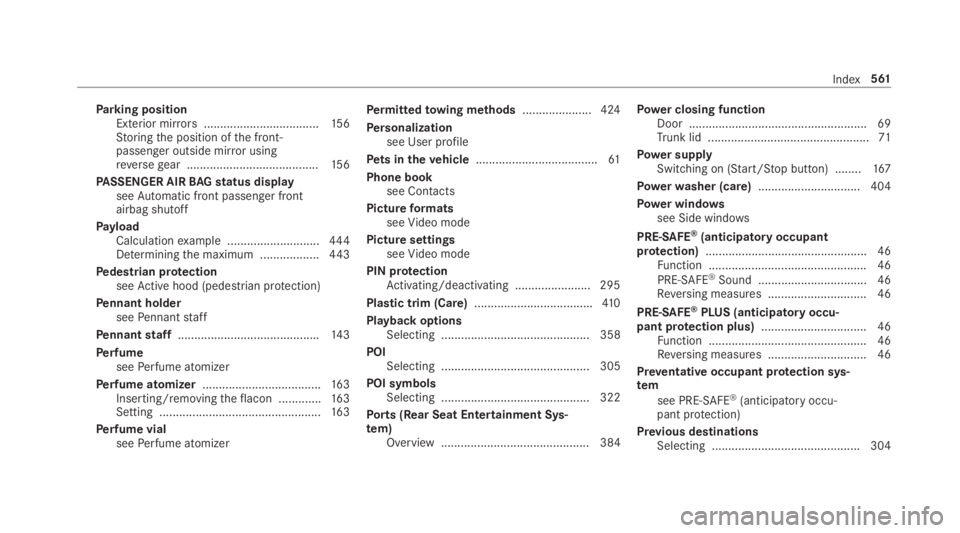
Parking positionExterior mirrors...................................15 6Storingthe position ofthe front-passenger outside mirror usingreversegear ........................................15 6
PASSENGER AIRBAGstatus displayseeAutomatic front passenger frontairbag shutoff
PayloadCalculationexample ............................444Determiningthe maximum ..................443
Pedestrian protectionseeActive hood (pedestrian protection)
Pennant holderseePennantstaff
Pennantstaff...........................................143
PerfumeseePerfume atomizer
Perfume atomizer....................................16 3Inserting/removingtheflacon .............163Setting .................................................16 3
Perfume vialseePerfume atomizer
Permittedtowing methods.....................424
Personalizationsee User profile
Pets in thevehicle.....................................61
Phone booksee Contacts
PictureformatsseeVideo mode
Picture settingsseeVideo mode
PIN protectionActivating/deactivating .......................295
Plastic trim (Care)....................................410
Playback optionsSelecting ............................................. 358
POISelecting ............................................. 305
POI symbolsSelecting ............................................. 322
Ports (Rear Seat Entertainment Sys‐tem)Overview ............................................. 384
Power closing functionDoor ...................................................... 69Trunk lid .................................................71
Power supplySwitching on (Start/Stop button) ........167
Powerwasher (care)...............................404
Power windowssee Side windows
PRE-SAFE®(anticipatory occupantprotection).................................................46Function ................................................ 46
PRE-SAFE®Sound ................................. 46Reversing measures .............................. 46
PRE-SAFE®PLUS (anticipatoryoccu‐pant protection plus)................................ 46Function ................................................ 46Reversing measures .............................. 46
Preventative occupant protection sys‐tem
see PRE-SAFE®(anticipatory occu‐pant protection)
Previous destinationsSelecting .............................................304
Index561
Page 565 of 578
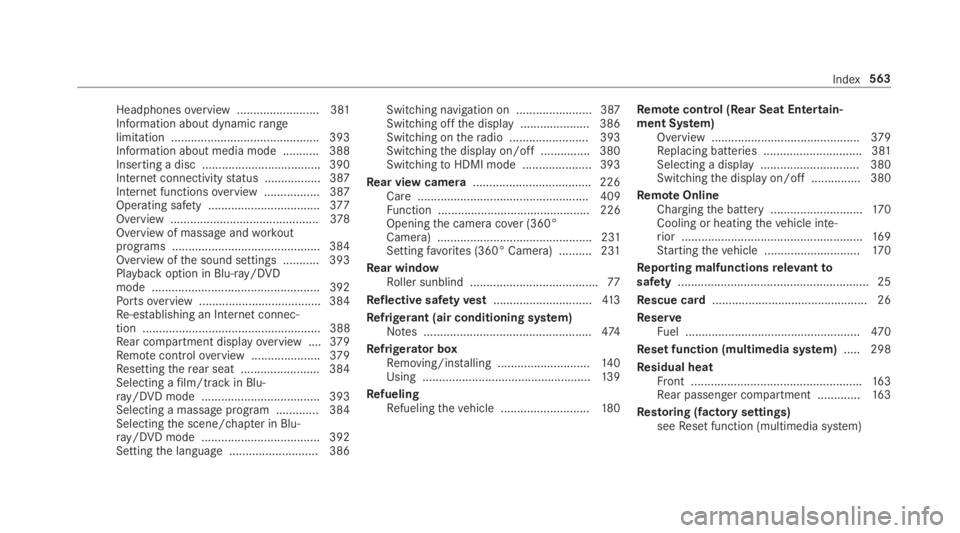
Headphonesoverview .........................381Information about dynamicrangelimitation ............................................. 393Information about media mode ........... 388Inserting a disc .................................... 390Internet connectivitystatus .................387Internet functionsoverview .................387Operating safety ..................................377Overview .............................................378Overview of massage andworkoutprograms ............................................. 384Overview ofthe sound settings ........... 393Playback option in Blu-ray/DVDmode ................................................... 392Portsoverview .....................................384Re-establishing an Internet connec‐tion ...................................................... 388Rear compartment displayoverview ....379Remotecontroloverview .....................379Resettingtherear seat ........................ 384Selecting afilm/trackin Blu-ray/DVD mode .................................... 393Selecting a massage program .............384Selectingthe scene/chapter in Blu-ray/DVD mode .................................... 392Settingthe language ........................... 386
Switching navigation on ....................... 387Switching offthe display ..................... 386Switching ontheradio ........................ 393Switchingthe display on/off ............... 380SwitchingtoHDMI mode ..................... 393
Rear view camera....................................226Care.................................................... 409Function .............................................. 226Openingthe camera cover (360°Camera) ............................................... 231Settingfavorites (360° Camera) ..........231
Rear windowRoller sunblind .......................................77
Reflective safetyvest..............................413
Refrigerant (air conditioning system)Notes ...................................................474
Refrigerator boxRemoving/installing ............................14 0Using ...................................................13 9
RefuelingRefuelingthevehicle ...........................180
Remotecontrol (Rear Seat Entertain‐ment System)Overview .............................................379Replacing batteries .............................. 381Selecting a display .............................. 380Switchingthe display on/off ............... 380
RemoteOnlineChargingthe battery ............................170Cooling or heatingthevehicle inte‐rior .......................................................169Startingthevehicle .............................17 0
Reporting malfunctionsrelevanttosafety.......................................................... 25
Rescue card............................................... 26
ReserveFuel .....................................................470
Reset function (multimedia system).....298
Residual heatFront ....................................................163Rear passenger compartment .............163
Restoring (factory settings)seeReset function (multimedia system)
Index563