phone MERCEDES-BENZ S CLASS 2019 Owner's Manual
[x] Cancel search | Manufacturer: MERCEDES-BENZ, Model Year: 2019, Model line: S CLASS, Model: MERCEDES-BENZ S CLASS 2019Pages: 578, PDF Size: 23.31 MB
Page 272 of 578
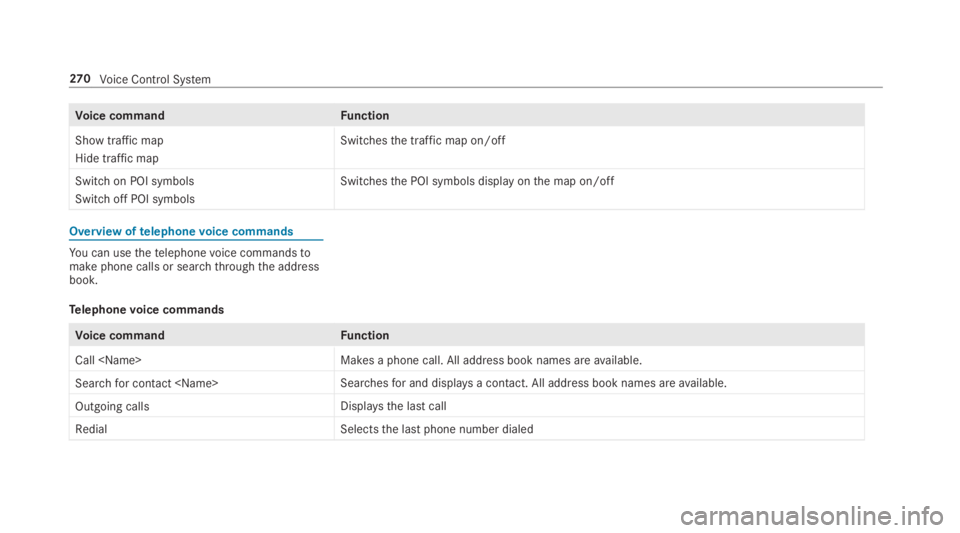
Voice commandFunction
Show traffic map
Hide traffic map
Switchesthe traffic map on/off
Switch on POI symbols
Switch off POI symbols
Switchesthe POI symbols display onthe map on/off
Overview oftelephonevoice commands
You can usethetelephonevoice commandstomake phone calls or searchthroughthe addressbook.
Telephonevoice commands
Voice commandFunction
Call
Search for contact
Outgoing callsDisplays the last call
RedialSelectsthe last phone number dialed
270Voice Control System
Page 287 of 578
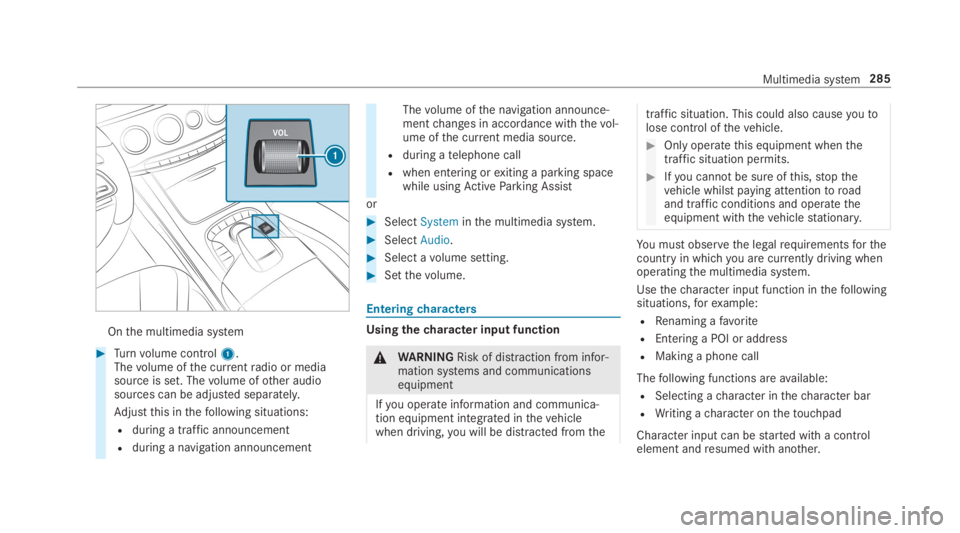
Onthe multimedia system
#Turnvolume control1.Thevolume ofthe currentradio or mediasource is set. Thevolume ofother audiosources can be adjusted separately.
Adjustthis inthefollowing situations:
Rduring a traffic announcement
Rduring a navigation announcement
Thevolume ofthe navigation announce‐mentchanges in accordance withthevol‐ume ofthe current media source.
Rduring atelephone call
Rwhen entering orexiting a parking spacewhile usingActiveParking Assist
or
#SelectSysteminthe multimedia system.
#SelectAudio.
#Select avolume setting.
#Setthevolume.
Enteringcharacters
Usingthecharacter input function
&WARNINGRisk of distraction from infor‐mation systems and communicationsequipment
Ifyou operate information and communica‐tion equipment integrated inthevehiclewhen driving,you will be distracted fromthe
traffic situation. This could also causeyoutolose control ofthevehicle.
#Only operatethis equipment whenthetraffic situation permits.
#Ifyou cannot be sure ofthis,stopthevehicle whilst paying attentiontoroadand traffic conditions and operatetheequipment withthevehiclestationary.
You must observethe legalrequirementsforthecountry in whichyou are currently driving whenoperatingthe multimedia system.
Usethecharacter input function inthefollowingsituations,forexample:
RRenaming afavorite
REntering a POI or address
RMaking a phone call
Thefollowing functions areavailable:
RSelecting acharacter inthecharacter bar
RWriting acharacter onthetouchpad
Character input can bestarted with a controlelement andresumed with another.
Multimedia system285
Page 291 of 578
#Confirmchanges whenexitingthe menu.
The date is set automatically via GPS.
Activating/deactivatingvoice amplificationtotherear passenger compartment
RequirementsMercedes-Maybachvehicles andvehicleswith a long wheelbase only
RYourvehicle is equipped withthe Burmester®
surround sound system orthe Burmester®
high-end 3D surround sound system.
RThe ignition is switched on.
RDoors, side windowsandthe panoramaroofwith power tilt/sliding panel are closed.
Multimedia system:
,System.Audio.Voice Amplification
to Rear
The function supports communication betweenthe driver/front passenger andvehicle occu‐pants intherear passenger compartment. Whenvoice amplificationtorear passenger compart‐
ment is activated,the signals picked upbythemicrophone are amplified and played backoverthe speakers intherear passenger compart‐ment, depending uponvehicle noise levels. Anautomatic adjustment occurs based on speakervolume and ambient noise in ordertoimprovespeech intelligibility and maintainthe natural‐ness of speech.
#Activatesor deactivateSthe function.
Connectivity
Switching transmission ofthevehicle posi‐tion on/offMultimedia system:
,System.öConnectivity
#SelectTransmit Vehicle Pos..
#Activatesor deactivateSthe function.
Bluetooth®
Information about Bluetooth®
Bluetooth®technology is astandardfor short-range wireless data transfer uptoapproximately32.8ft(10 m).
You can use Bluetooth®toconnectyour mobilephonetothe multimedia system and usethefol‐lowing functions,forexample:
Rhands-free system with accesstothefollow‐ing options:
-contacts (→page334)
-call lists (→page 336)
-text messages
RInternet connection
Rlisteningtomusic via Bluetooth®audio(→page 364)
Rtransferring business cards (vCards) intothevehicle
Bluetooth®is aregistered trademark of Blue‐tooth Special Interest Group (SIG) Inc.
Multimedia system289
Page 292 of 578
%Internet connection via Bluetooth®is notavailable in all countries.
Activating/deactivating Bluetooth®
Requirementsfor switching off Bluetooth®:RApple CarPlay™ is not active.
Multimedia system:
,System.öConnectivity
#Activatesor deactivateSBluetooth®.
If AndroidAutois active, a promptappears ask‐
ing whether Bluetooth®should be deactivated.
#SelectYes.
AndroidAutois closed and Bluetooth®isdeactivated.
Wi-Fi
Wi-Fi connectionoverviewYou can useWi-Fitoestablish a connection withaWi-Fi network andtoaccessthe Internet orother network devices.
Thefollowing connection options areavailable:
RWi-Fi connection
TheWi-Fi connectiontoaWi-Fi-capabledevice, e.g.the customer's mobile phone oratablet PC is established.
RMultimedia system as aWi-Fi hotspot
Usingthis function, atablet PC or notebookcan be connected,forexample.
Toestablish a connection,you can usethefol‐lowing methods:
RWPS PIN
The connectiontoa secureWi-Fi network ismade via a PIN.
RWPS PBC
The connectiontoa secureWi-Fi network ismadebypressing a button (push button).
RSecuritykey
The connectiontoa secureWi-Fi network ismade via a securitykey.
Setting upWi-Fi
Requirements:RThe devicetobe connected supports one ofthethree means of connection described(→page 290).
Multimedia system:
,System.öConnectivity
Activating/deactivatingWi-Fi
#SwitchWi-Fionsor offS.IfWi-Fiis deactivatedS, communication viaWi-Fitoall devices is interrupted. This alsomeansthat a connectiontothe HERMEScommunication module cannotbe estab‐lished. Then functions such as dynamicrouteguidance with LiveTraffic Information are notavailable.
Connectingthe multimedia system with adevice viaWi-FiThis function isavailable if a HERMES communi‐cation module is not installed.
290Multimedia system
Page 299 of 578
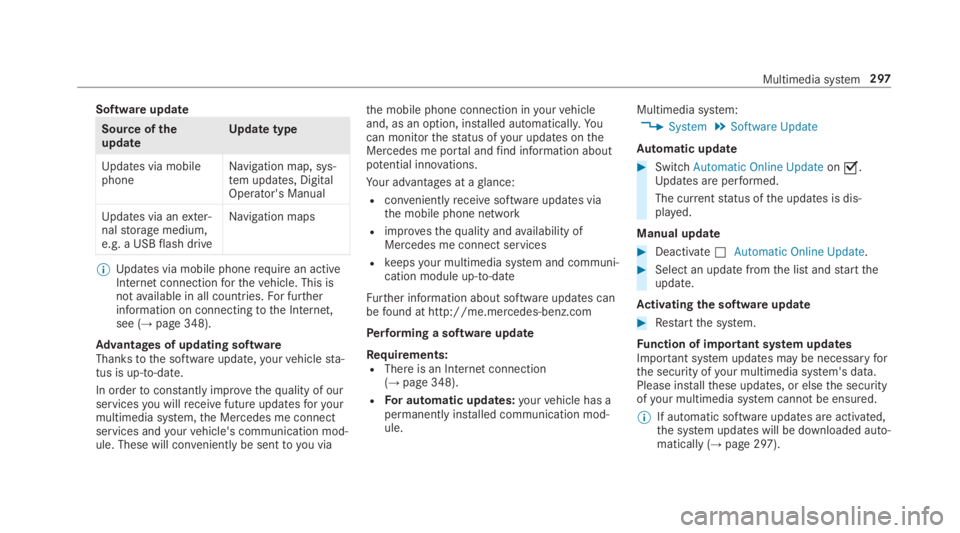
Software update
Source oftheupdateUpdate type
Updates via mobilephoneNavigation map, sys‐tem updates, DigitalOperator's Manual
Updates via anexter‐nalstorage medium,e.g. a USBflash drive
Navigation maps
%Updates via mobile phonerequire an activeInternet connectionforthevehicle. This isnotavailable in all countries.For furtherinformation on connectingtothe Internet,see (→page 348).
Advantages of updating softwareThankstothe software update,yourvehiclesta‐tus is up-to-date.
In ordertoconstantly improvethequality of ourservicesyou willreceivefuture updatesforyourmultimedia system,the Mercedes me connectservices andyourvehicle's communication mod‐ule. These will conveniently be sentto you via
the mobile phone connection inyourvehicleand, as an option, installed automatically.Yo ucan monitorthestatus ofyour updates ontheMercedes me portal andfind information aboutpotential innovations.
Your advantages at aglance:
Rconvenientlyreceivesoftware updates viathe mobile phone network
Rimprovesthequality andavailability ofMercedes me connect services
Rkeepsyour multimedia system and communi‐cation module up-to-date
Further information about software updates canbefound at http://me.mercedes-benz.com
Performing a software update
Requirements:RThere is an Internet connection(→page 348).
RFor automatic updates:yourvehicle has apermanently installed communication mod‐ule.
Multimedia system:
,System.Software Update
Automatic update
#SwitchAutomatic Online Updateons.Updates are performed.
The currentstatus ofthe updates is dis‐played.
Manual update
#DeactivateSAutomatic Online Update.
#Select an update fromthe list andstarttheupdate.
Activating the softwareupdate
#Restartthe system.
Function of important system updatesImportant system updates may be necessaryforthe security ofyour multimedia system's data.Please installthese updates, or elsethe securityofyour multimedia system cannotbe ensured.
%If automatic software updates are activated,the system updates will be downloaded auto‐matically (→page 297).
Multimedia system297
Page 300 of 578
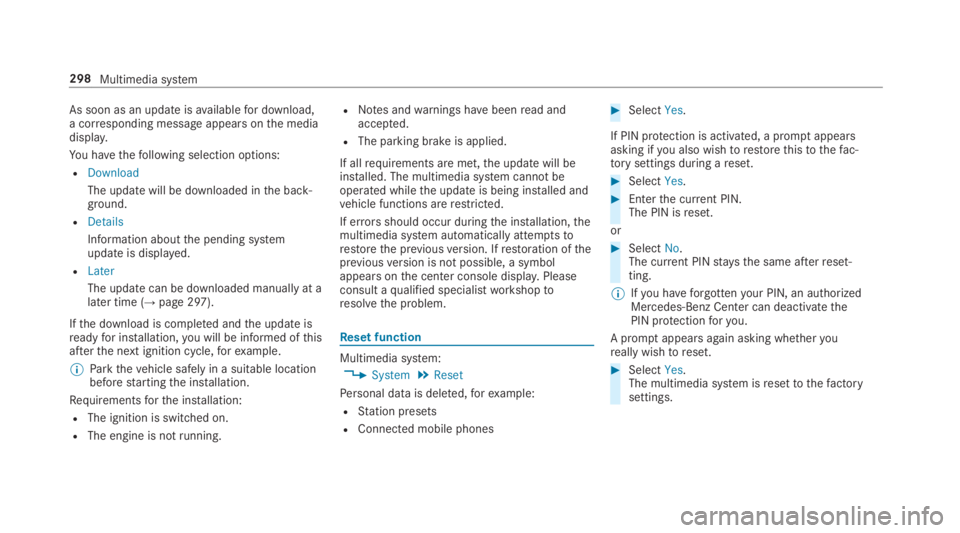
As soon as an updateisavailablefor download,a corresponding message appearsonthe mediadisplay.
You havethefollowing selection options:
RDownload
The update will be downloaded inthe back‐ground.
RDetails
Information aboutthe pending systemupdate is displayed.
RLater
The update can be downloaded manually at alater time (→page 297).
Ifthe download is completed andthe update isreadyfor installation,you will be informed ofthisafterthe next ignition cycle,forexample.
%Parkthevehicle safely in a suitable locationbeforestartingthe installation.
Requirementsforthe installation:
RThe ignition is switched on.
RThe engine is notrunning.
RNotes andwarnings havebeenread andaccepted.
RThe parking brake is applied.
If allrequirements are met,the update will beinstalled. The multimedia system cannotbeoperated whilethe update is being installed andvehicle functions arerestricted.
If errorsshould occur duringthe installation,themultimedia system automatically attemptstorestorethe previousversion. Ifrestoration ofthepreviousversion is not possible, a symbolappears onthe center console display.Pleaseconsult aqualified specialistworkshoptoresolvethe problem.
Reset function
Multimedia system:
,System.Reset
Personal data is deleted,forexample:
RStation presets
RConnected mobile phones
#SelectYes.
If PIN protection is activated, a promptappearsasking ifyou also wishtorestorethistothefac‐torysettings during areset.
#SelectYes.
#Enterthe current PIN.The PIN isreset.
or
#SelectNo.The current PINstaysthe same afterreset‐ting.
%Ifyou haveforgottenyour PIN, an authorizedMercedes-Benz Center can deactivatethePIN protectionforyou.
A promptappears again asking whetheryoureally wishtoreset.
#SelectYes.The multimedia system isresettothefactorysettings.
298Multimedia system
Page 309 of 578
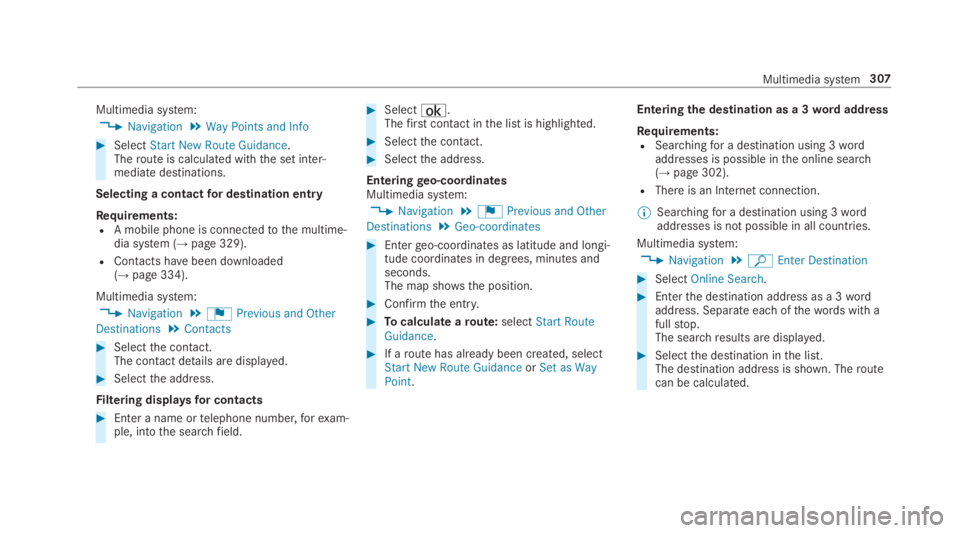
Multimedia system:
,Navigation.Way Points and Info
#SelectStart New Route Guidance.Theroute is calculated withthe set inter‐mediate destinations.
Selecting a contactfor destination entry
Requirements:RA mobile phone is connectedtothe multime‐dia system (→page 329).
RContacts havebeen downloaded(→page 334).
Multimedia system:
,Navigation.¬Previous and Other
Destinations.Contacts
#Selectthe contact.The contact details are displayed.
#Selectthe address.
Filtering displaysfor contacts
#Enter a name ortelephone number,forexam‐ple, intothe searchfield.
#Select¡.Thefirst contact inthe list is highlighted.
#Selectthe contact.
#Selectthe address.
Enteringgeo-coordinatesMultimedia system:
,Navigation.¬Previous and Other
Destinations.Geo-coordinates
#Entergeo-coordinates as latitude and longi‐tude coordinates in degrees, minutes andseconds.The map shows the position.
#Confirmthe entry.
#Tocalculate aroute:selectStart RouteGuidance.
#If aroute has already been created, selectStart New Route GuidanceorSet as WayPoint.
Enteringthe destination as a 3wordaddress
Requirements:RSearchingfor a destination using 3wordaddresses is possible inthe online search(→page 302).
RThere is an Internet connection.
%Searchingfor a destination using 3wordaddresses is not possible in all countries.
Multimedia system:
,Navigation.ªEnter Destination
#SelectOnline Search.
#Enterthe destination address as a 3wordaddress. Separate each ofthewords with afullstop.The searchresults are displayed.
#Selectthe destination inthe list.The destination address is shown. Theroutecan be calculated.
Multimedia system307
Page 317 of 578
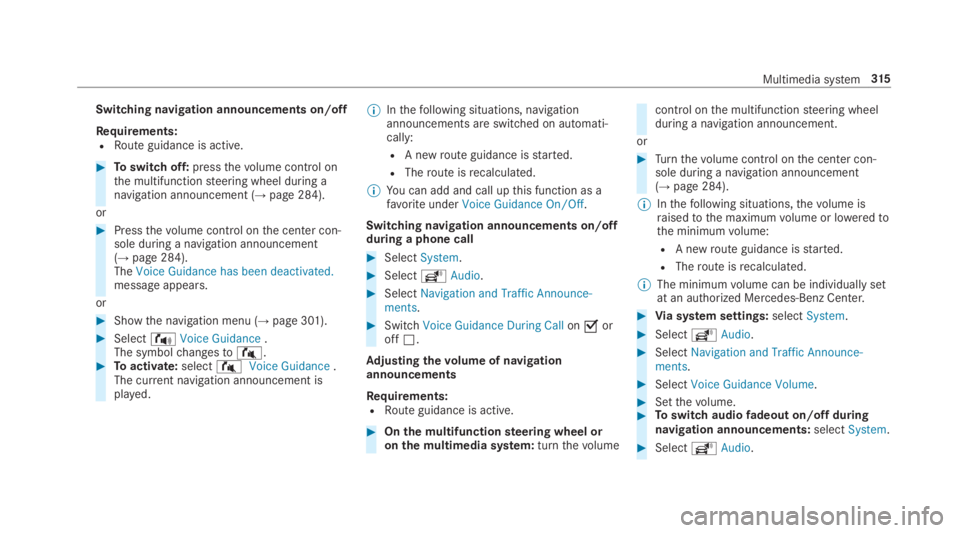
Switching navigation announcements on/off
Requirements:RRoute guidance is active.
#Toswitch off:pressthevolume control onthe multifunctionsteering wheel during anavigation announcement (→page 284).
or
#Pressthevolume control onthe center con‐sole during a navigation announcement(→page 284).TheVoice Guidance has been deactivated.message appears.
or
#Showthe navigation menu (→page 301).
#Select!Voice Guidance.The symbolchangesto#.#Toactivate:select#Voice Guidance.The current navigation announcement isplayed.
%Inthefollowing situations, navigationannouncements are switched on automati‐cally:
RA newroute guidance isstarted.
RTheroute isrecalculated.
%You can add and call upthis function as afavoriteunderVoice Guidance On/Off.
Switching navigation announcements on/offduring a phone call
#SelectSystem.
#SelectõAudio.
#SelectNavigation and Traffic Announce-ments.
#SwitchVoice Guidance During CallonsoroffS.
Adjusting thevolume of navigationannouncements
Requirements:RRoute guidance is active.
#Onthe multifunctionsteering wheel oronthe multimedia system:turnthevolume
control onthe multifunctionsteering wheelduring a navigation announcement.
or
#Turnthevolume control onthe center con‐sole during a navigation announcement(→page 284).
%Inthefollowing situations,thevolume israisedtothe maximumvolume or loweredtothe minimumvolume:
RA newroute guidance isstarted.
RTheroute isrecalculated.
%The minimumvolume can be individually setat an authorized Mercedes-Benz Center.
#Via system settings:selectSystem.
#SelectõAudio.
#SelectNavigation and Traffic Announce-ments.
#SelectVoice Guidance Volume.
#Setthevolume.#Toswitch audiofadeout on/offduringnavigation announcements:selectSystem.
#SelectõAudio.
Multimedia system315
Page 328 of 578
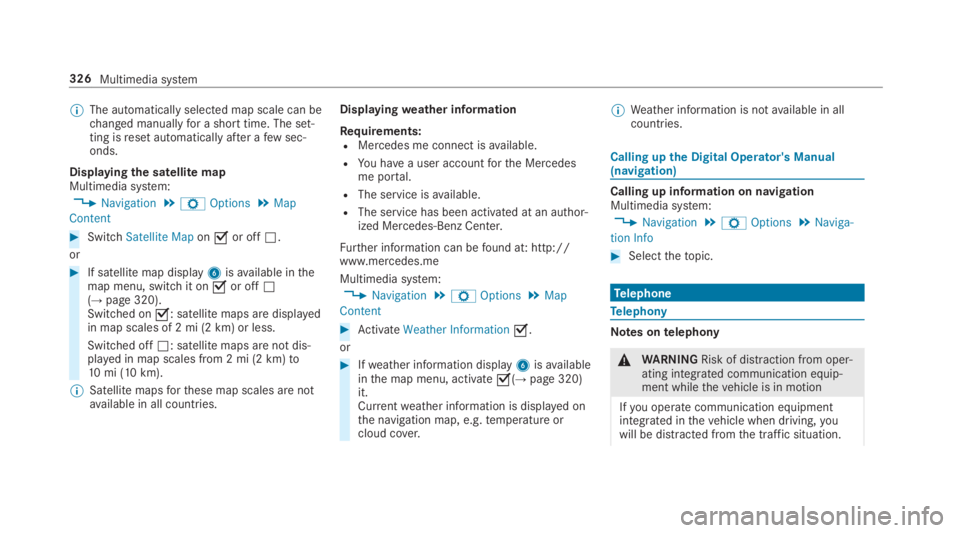
%The automatically selected map scale can bechanged manuallyfor a short time. The set‐ting isreset automatically after afew sec‐onds.
Displayingthe satellite mapMultimedia system:
,Navigation.ZOptions.Map
Content
#SwitchSatellite Maponsor offS.
or
#If satellite map display6isavailable inthemap menu, switch it onsor offS(→page 320).Switched ons: satellite maps are displayedin map scales of 2 mi (2 km) or less.
Switched offS: satellite maps are not dis‐played in map scales from 2 mi (2 km)to10mi (10 km).
%Satellite mapsforthese map scales are notavailable in all countries.
Displayingweather information
Requirements:RMercedes me connect isavailable.
RYou havea user accountforthe Mercedesme portal.
RThe service isavailable.
RThe service has been activated at an author‐ized Mercedes-Benz Center.
Further information can befound at: http://www.mercedes.me
Multimedia system:
,Navigation.ZOptions.Map
Content
#ActivateWeather Informations.
or
#Ifweather information display6isavailableinthe map menu, activates(→page 320)it.Currentweather information is displayed onthe navigation map, e.g.temperature orcloud cover.
%Weather information is notavailable in allcountries.
Calling upthe Digital Operator's Manual(navigation)
Calling up information on navigationMultimedia system:
,Navigation.ZOptions.Naviga-
tion Info
#Selectthetopic.
Telephone
Telephony
Notes ontelephony
&WARNINGRisk of distraction from oper‐ating integrated communication equip‐ment whilethevehicle is in motion
Ifyou operate communication equipmentintegrated inthevehicle when driving,youwill be distracted fromthe traffic situation.
326Multimedia system
Page 330 of 578
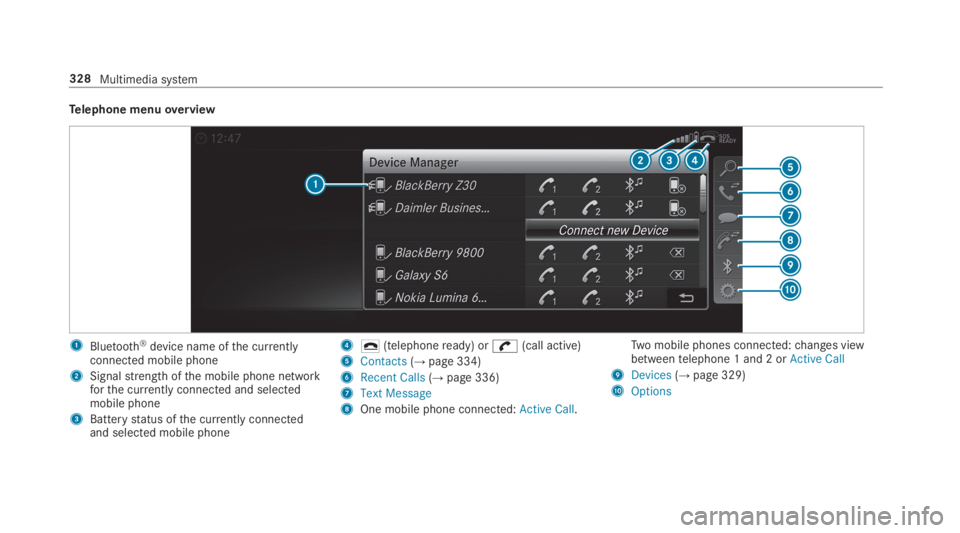
Telephone menuoverview
1Bluetooth®device name ofthe currentlyconnected mobile phone
2Signalstrength ofthe mobile phone networkforthe currently connected and selectedmobile phone
3Batterystatus ofthe currently connectedand selected mobile phone
4q(telephoneready) or