light MERCEDES-BENZ S-CLASS 2020 Owner's Manual
[x] Cancel search | Manufacturer: MERCEDES-BENZ, Model Year: 2020, Model line: S-CLASS, Model: MERCEDES-BENZ S-CLASS 2020Pages: 602, PDF Size: 54.61 MB
Page 306 of 602
#
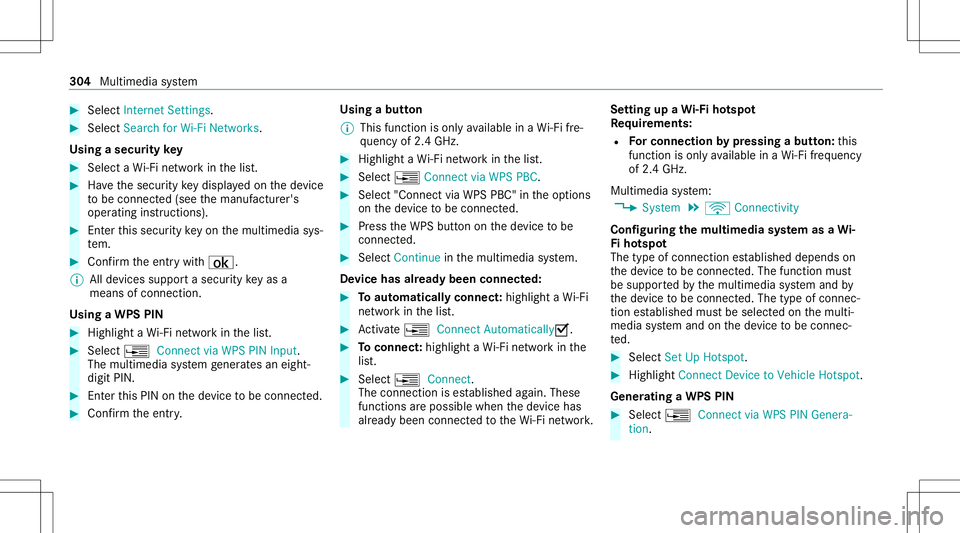
Select Interne tSetting s. #
Select Search forWi-Fi Netw orks.
Usi ngasecurity key #
Select aWi-Finetwo rkinthel ist. #
Have thes ecur itykeyd isplaye do nthe device
to be con nected( see them anuf actur er's
oper ating instruction s). #
Entert his secur itykeyo nthe multimedia sys‐
te m. #
Conf irmt heentr ywith ¡.
% Alldevic es suppor tasecurity keya sa
mean sofcon nect ion.
Usin gaW PSPIN #
Highlig htaW i-Finetwo rkinthel ist. #
Select ¥Connec tviaWPS PINInput.
The multimedia system gener ates an eight-
di gitP IN. #
Enterthis PIN onthed evice tobe con nected. #
Conf irmt heentr y. Using
abutton
% This function isonl yavailable inaW i-Fifre ‐
qu ency of2.4 GHz. #
Highlight aWi-Finetwo rkinthel ist. #
Select ¥Connec tviaWPS PBC. #
Select "Connec tviaWPS PBC" intheo ption s
on thed evice tobe con nected. #
Press theW PSbutt ononthed evice tobe
con nected. #
Select Continueinthem ultimedia system.
De vice hasalready been connect ed: #
Toaut omatic allyc onnect:high light aW i-Fi
ne tworki nt he list. #
Activate¥ Connect Automatica lly0073 . #
Toconnect :high light aWi-Finetwo rkinthe
lis t. #
Selec t¥ Connect.
The connection ises tablished again. These
func tionsarepossible whenthed evice has
alr eady been connect edtotheW i-Finetwo rk. Se
tting upaW i-Fih otspo t
Re quirement s:
R Forc onnectionb ypress ingab utton:th is
func tion isonl yavailable inaW i-Fifre quency
of 2.4 GHz.
Mu ltimed iasystem:
4 System 5
ö Connec tivity
Conf iguringthem ultim edia system asaW i-
Fi ho tspo t
The type ofconnection established depends on
th ed evice tobe con nected. The func tion must
be suppor tedb ythe multimedia system and by
th ed evice tobe con nected. The type ofcon nec‐
tion established mustbes elect edon them ulti‐
media system and onthed evice tobe con nec‐
te d. #
Select SetUpHot spot. #
Highlight ConnectDevic etoV ehicle Hotspot.
Gener atingaWPSPIN #
Select ¥Connec tviaWPS PINGenera-
tion . 30
4
Multimedia system
Page 311 of 602
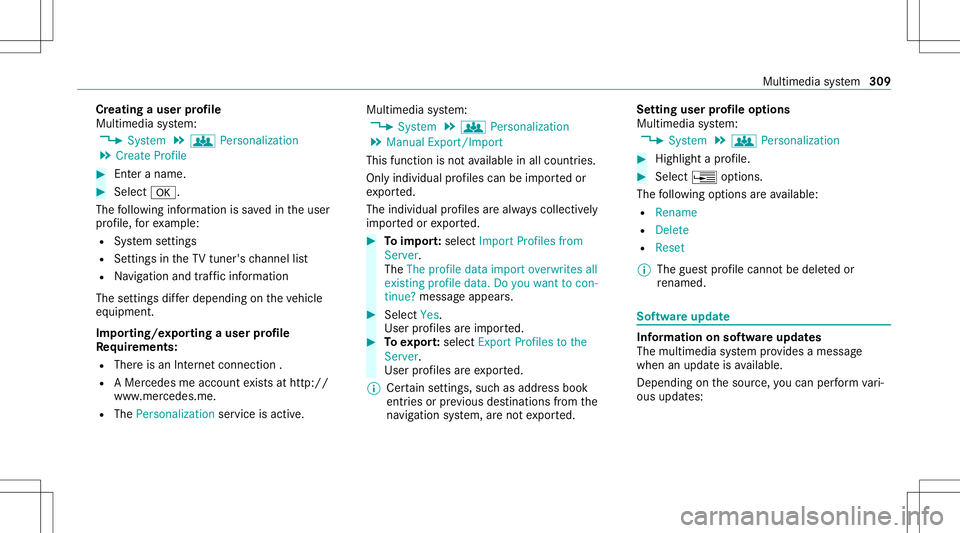
Cr
eat ing auser profile
Mult imedi asystem:
4 System 5
g Person alization
5 Create Profile #
Enteran ame. #
Select 0076.
The follo wing informatio niss aved intheu ser
pr ofile, fore xamp le:
R System settings
R Settings intheT Vtune r'schann ellist
R Navig ation andtraf fici nfor mati on
The settings differ depending onthev ehicle
eq uipment.
Im por ting/e xportingauser profile
Re quirement s:
R Ther eisa nInter ne tc onnec tion .
R AM ercedes meacco untexists at htt p:/ /
www .mercedes.me .
R The Person alization service isactiv e. Multimedia
system:
4 System 5
g Person alization
5 Manual Export/ Import
This function isno ta vailable inall coun tries.
On lyindi vidu alprofiles can beimpor tedo r
ex por ted.
The individual profiles area lway sc ollectiv ely
im por tedo rexpo rted. #
Toimpor t:select Import Profiles from
Server.
The Theprofile dataimport overwrites all
existing profiledata.Doyou want tocon-
tinue? messag eappea rs. #
Select Yes.
Use rprofile sa reimpor ted. #
Toexpor t:select Export Profiles tothe
Server.
User profiles aree xpo rted.
% Certain settings ,suc ha saddr ess book
ent ries orprev ious destination sfromt he
na vig ation system, aren otexpor ted. Se
tting user profile options
Multimedia system:
4 System 5
g Person alization #
Highlight aprofile. #
Select ¥option s.
The follo wing option sareavailable:
R Renam e
R Delete
R Reset
% The gues tprofile can notb ed eletedo r
re nam ed. So
ftwa reupdat e Inf
ormation onsof twareu pdat es
The multimedi asystemp rovide sam essage
when anupdat eisa vailable.
De pen dingo nthe sour ce,youc an per form vari‐
ous updat es: Multimedia
system 309
Page 315 of 602
Pr
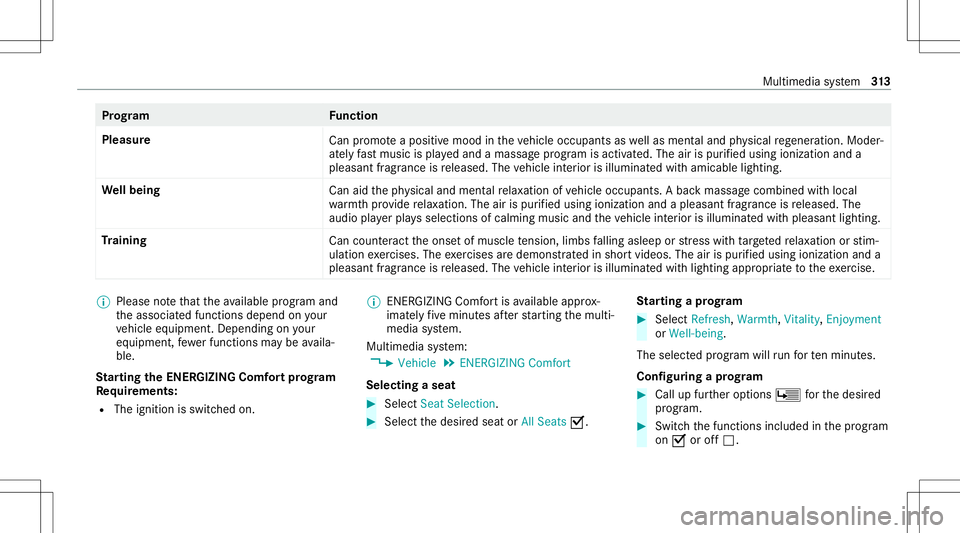
og ramF unction
Ple asur e
Canp romo teap osit ivem oodint he vehicle occupants aswellas men tala nd physical rege ner ation. Mod er‐
at ely fast musi cisp laye da nd am assag eprogram isactiv ated. The airispur ified using ionization anda
pleasant fragr ance isreleased. Thevehicle interior isillu minat edwitha micable lighting.
We llbeing
Canaidthep hysical andment alrelax ation ofvehicle occupants. Abackm assag ecombined withlocal
wa rmthprov ide relax ation .The air ispur ified using ionization andapleasant fragranc eisr eleased. The
audio playerp lays selections ofcalming musicandthev ehicle interior isilluminat edwithp leasa ntlighting.
Tr aini ng
Canc ount eract theo nse tofm uscle tensi on, limbs falling asleep orstre ss wit htarge tedr elax ation orstim‐
ulation exercises. Theexercises ared emon stra tedi ns hor tvideos. Theairispur ified using ionization anda
pleasant fragr ance isreleased. Thevehicle interior isillu minat edwithlighting appropriatet ot he exercise. %
Please note that thea vailable prog rama nd
th ea ssociat edfunc tionsdepend onyour
ve hicle equipment. Depending onyour
eq uipme nt,few erfunc tionsmaybe availa‐
ble.
St arting theE NER GIZIN GComf ortp rogram
Re quirement s:
R The ignit ionisswitc hedon. %
ENE RGIZING Comfortisa vailable approx‐
imat elyf ivem inut esafte rs tartin gt he multi‐
media system.
Multimedia system:
4 Vehicle 5
ENE RGIZING Comfort
Selecting aseat #
Select SeatSelect ion. #
Select thed esir edseat orAll Seats 0073. St
arting aprogram #
Select Refresh,Warmth, Vitality,Enjoyment
or Wel l-bei ng.
The select edprogr am will runf or tenm inutes.
Conf iguringaprogram #
Callup further options Ü fort he desir ed
pr ogr am. #
Switc hthe function sincluded inthep rogram
on 0073 oroff0053. Multimedia
system 31
3
Page 319 of 602
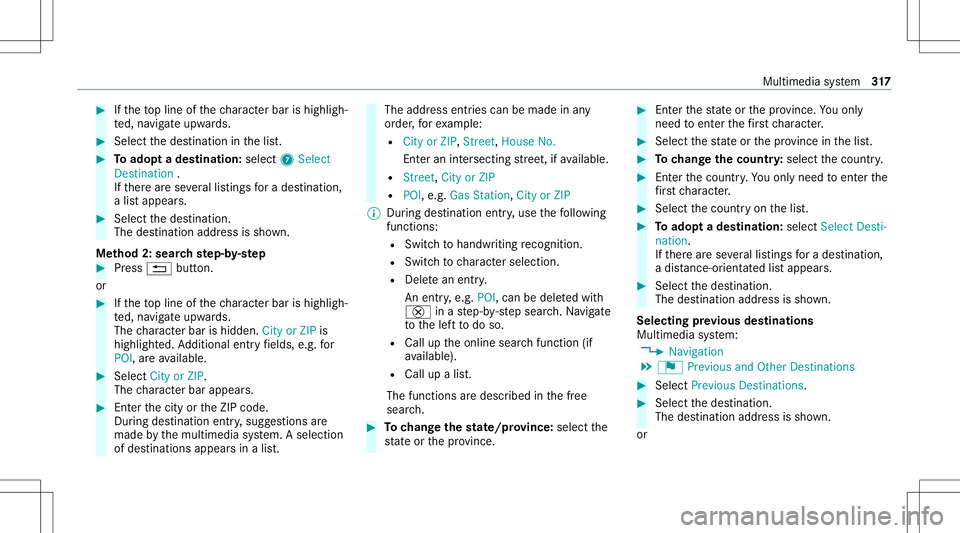
#
Ifth et op line ofthec har acterbar ishighlig h‐
te d, navig ateu pwards. #
Select thed estinat ioninthel ist. #
Toadop tadestinatio n:sele ct7 Select
Destinati on.
If th er ea reseverallistin gs forad estination,
al ista ppear s. #
Select thed estinat ion.
The destinat ionaddr essissho wn.
Me thod 2:sear chstep- by-ste p #
Press 0038 button.
or #
Ifth et op line ofthec har acterbar ishighlig h‐
te d, navig ateu pwards.
The charact erbar ishidde n.City orZIP is
high light ed.Addition alent ryfields, e.g.for
POI,a reavailable. #
Select City orZIP .
The charact erbar appear s. #
Entert he city ortheZ IPcode.
Dur ing destinat ionentry,s ugg estion sare
made bythem ultimedia system. Aselect ion
of des tinat ions appear sinal ist. The
addr essentries can bemade inany
or der ,for exam ple:
R City orZIP ,St reet, HouseNo.
En tera ninter secting stre et,ifa vailable.
R Street, CityorZIP
R POI ,e.g.Gas Statio n,City orZIP
% During destinatio nentry,u se thef ollo wing
function s:
R Switc htoh andwr itingrecogni tion.
R Swi tcht oc har actersele ction.
R Delete an ent ry.
An entr y,e.g. POI,c anbe dele tedw ith
£ inas tep-b y-step sear ch.N avigat e
to thel eftt od oso.
R Call uptheo nline searchfunction (if
av ailable).
R Call upalist.
The function saredesc ribed inthef ree
sear ch. #
Tochang ethe stat e/ prov ince: select the
st at eo rthe prov inc e. #
Entert he stat eo rthe prov inc e.Youo nly
nee dtoe nter thef irst charact er. #
Select thes tate or thep rovince inthel ist. #
Tochang ethe cou ntry:sel ect thec ount ry. #
Enterthec ount ry.Y ou onlyneedt oe nter the
fi rs tc har acter. #
Select thec ount ryon thel ist. #
Toadop tadestinatio n:sele ctSelect Desti-
nation.
If th er ea reseverallistin gs forad estination,
ad ista nce-o rient ated lista ppear s. #
Select thed estinat ion.
The destinat ionaddr essissho wn.
Selecting prev ious destina tions
Multime diasystem:
4 Navigation
5 ¬ Previous andOther Destination s #
Select Previous Destination s. #
Select thed estinat ion.
The destinat ionaddr essissho wn.
or Multimedia
system 317
Page 320 of 602
#
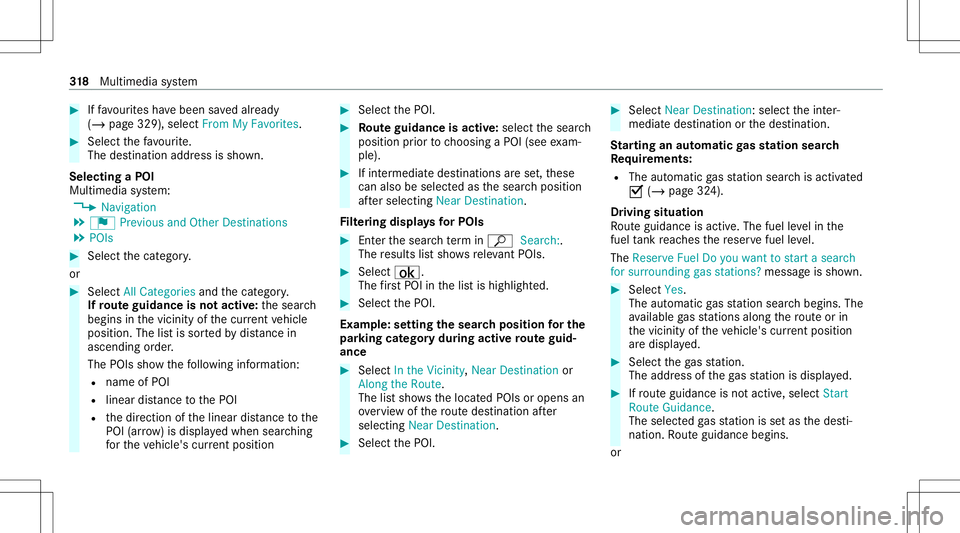
Iffavo urites have been save da lready
(/ page329), select FromMyFavorit es. #
Select thef avo urite.
The destinatio naddr ess issho wn.
Select ingaPOI
Mult imed iasystem:
4 Navigation
5 ¬ Previous andOther Destination s
5 POIs #
Select thec ategor y.
or #
Select AllCategories andthec ategor y.
If ro ut eg uidanc eisn otactiv e:thes ear ch
begins inthev icinit yofthe cur rent vehicle
position. Thelistiss ortedb ydista nce in
as cend ingorde r.
The POIs showthe follo wing informatio n:
R name ofPOI
R linear distance totheP OI
R thed irect ion ofthel inear distance tothe
POI (arrow) isdispla yedw hen searching
fo rt he vehicle's current positio n #
Select theP OI. #
Routeg uidanc eisa ctiv e:sele ctthes ear ch
position prior tochoosing aPOI(see exam‐
ple). #
Ifint ermedi ated estin atio nsares et,t hese
can also beselect edasthes ear chposition
af te rs ele cting NearDestination .
Fi lter ing disp lays forP OIs #
Enterthes ear chterm inª Search:.
The results lists hows releva nt POI s. #
Select ¡.
The firs tP OI inthel isti sh ighlight ed. #
Select theP OI.
Ex am ple: setting thes ear chpos ition fort he
par kingcatego rydur ing activ erout eguid‐
ance #
Select Inthe Vicini ty,Near Destinatio nor
Along theRou te.
The lists hows thel ocat edPOIs oropens an
ove rviewo fthe routed estin atio nafter
selectin gNear Destinat ion. #
Select theP OI. #
Select NearDestination:s electthei nter‐
mediat edestinat ionorthed estinat ion.
St arting anaut omatic gass tat ions ear ch
Re quirement s:
R The automat icga ss tatio ns ear chisact ivat ed
0073 (/ page324).
Dr iving situation
Ro uteg uidan ceisact ive. The fuel leve lint he
fuel tank reac hes ther eser vefuel leve l.
The Reserv eFuel Doyou want tostar tas earc h
for surro undin ggasstat ions ?mess agei ss hown. #
Selec tYes.
The automat icga ss tatio ns ear chbegins. The
av ailable gass tatio ns alon gthe routeo rin
th ev icinit yofthe vehicle's current positio n
ar ed ispl ay ed. #
Select theg asstatio n.
The addr essoftheg asstatio nisd ispla yed. #
Ifro uteg uidan ceisno ta ctive, sele ctStart
Rout eGuidan ce.
The selected gass tation isseta sthe des ti‐
nation. Routeg uidan cebegin s.
or 31
8
Multimedia system
Page 322 of 602
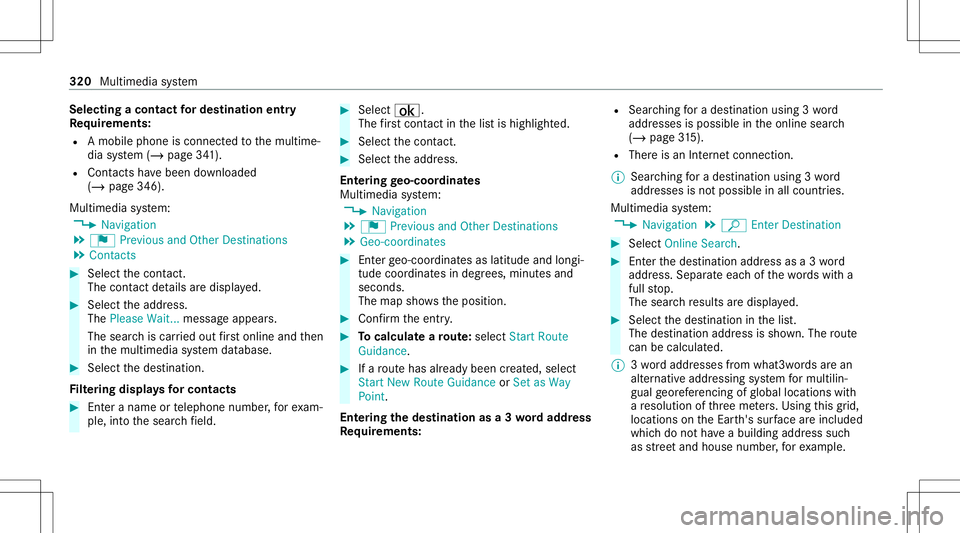
Selec
tingacont act ford estin atio nentry
Re quirement s:
R Am obile phoneisc onnec tedt ot he multime‐
dia system (/ page341).
R Cont acts have been downloaded
(/ page346).
Multimedia system:
4 Navigation
5 ¬ Previous andOther Destination s
5 Contac ts #
Select thec ontact.
The cont actdetails ared ispla yed. #
Select thea ddr ess.
The Please Wait...messag eappear s.
The sear chiscar ried out firs to nline and then
in them ultimedia system database. #
Select thed estinat ion.
Fi lter ing disp lays forc ontacts #
Enteran am eortelephone number,for exam‐
ple, intot he sear chfield. #
Select ¡.
The firs tc ont act inthel isti sh ighlight ed. #
Select thec ontact. #
Sele ctthea ddr ess.
Ent ering geo-coor dinates
Multimedia system:
4 Navigation
5 ¬ Previous andOther Destination s
5 Geo-coor dinates #
Enterg eo-coor dinatesaslatitude andlongi‐
tude coordinat esindegr ees, minut esand
seconds.
The map showsthep osition . #
Conf irmt heentr y. #
Tocalcu latear oute:sel ect StartRoute
Guidance . #
Ifar out ehasalready been creat ed, sele ct
St art New RouteGuidan ceorSet asWay
Poin t.
Ent ering thed estina tion asa3w orda ddr ess
Re quirement s: R
Sear ching forad estination using 3w ord
addr esses ispossible intheo nline search
( / pag e315).
R Therei sa nInter ne tc onnecti on.
% Searching forad estination using 3w ord
addr esses isno tp oss ible inall coun tries.
Mult imed iasystem:
4 Navigation 5
ª Enter Dest ination #
Select Online Search. #
Entert he des tination addressasa3w ord
addr ess. Separ atee acho fthe wordsw itha
full stop.
The sear chresults ared ispla yed. #
Select thed estinat ioninthel ist.
The destinat ionaddr essissho wn. The route
can becalc ulated.
% 3worda ddr esse sfromw hat3words area n
alt ernat ivea ddr essi ngsystem form ultilin‐
gua lgeor efer encin gofglobal locati onswith
ar esolution ofthre em eter s. Using this grid,
locat ionsontheE arth's sur face arei ncl uded
whi chdo noth ave abuildin gaddr ess such
as stre et and house number,for exam ple. 320
Multimed iasystem
Page 323 of 602
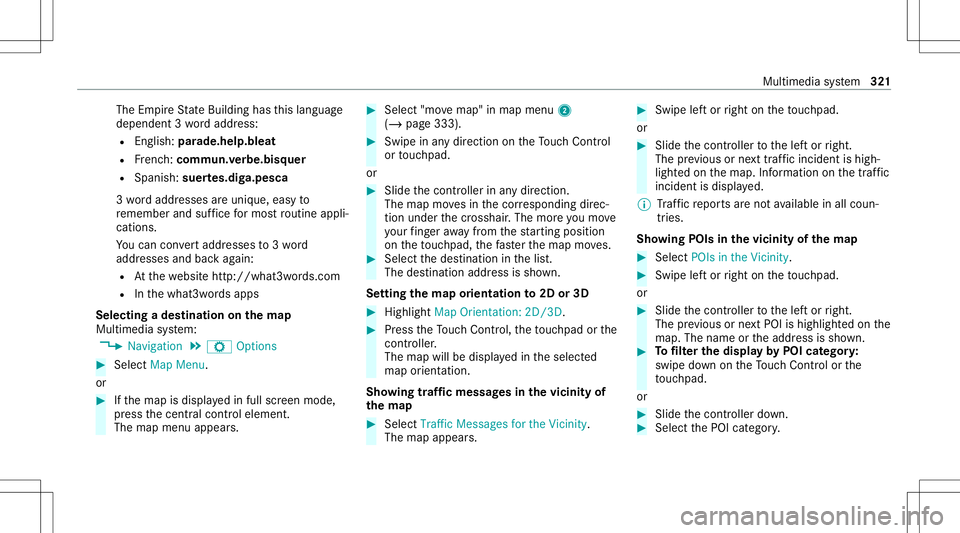
The
EmpireS tateB uild ing has this languag e
depen dent3worda ddr ess:
R English: parade.he lp.bleat
R Frenc h:commu n.verbe.bisq uer
R Spanish: suertes.dig a.pesca
3w orda ddr esse sareuniq ue,easy to
re member andsuffice form ostroutine appli‐
cations.
Yo uc an conve rtaddr esse sto3w ord
addr esses andbackagain:
R Atthew ebsit ehttp:// what3w ords.c om
R Inthew hat3w ords apps
Selecting adestinat iononthem ap
Multi media system:
4 Navigation 5
Z Option s #
Select MapMenu.
or #
Ifth em apisdispla yedi nf ull scr een mode,
pr ess thec ent ralc on trol elemen t.
The map menuappear s. #
Selec t"mo vemap" inmap menu 2
(/ page333) . #
Swipe inanyd irection ontheT ouc hControl
or touc hpad.
or #
Slid ethe contr ollerinanyd irect ion.
The map movesi nt he cor responding direc‐
tion under thec rosshair .The mor eyou mo ve
yo ur fing er aw ay from thes tartin gp osit ion
on thet ouc hpad ,the faster them apmo ves. #
Select thed estinat ioninthel ist.
The destinat ionaddr essissho wn.
Se tting them aporientat ionto2D or3D #
Highlight MapOrient ation: 2D/3D. #
Press theT ouc hControl, thet ouc hpad orthe
contr oller.
The map willbe displ ayed inthes elect ed
map orient ation.
Sho wing traf ficm essag esinthev icinit yof
th em ap #
Sele ctTraf ficMess agesfortheV icinit y.
The map appear s. #
Swipe lefto rright onthet ouc hpad .
or #
Slide thec ontroller tothel efto rright.
The prev ious ornext traf fici nci dent ishig h‐
li ght edon them ap.Information onthet raffic
inc ident isdispla yed.
% Traf ficr epor tsaren otavailable inall coun ‐
tr ies.
Sho wing POIsinthev icinit yofthe map #
Select POIsint he Vic init y. #
Swipe lefto rright onthet ouc hpad .
or #
Slide thec ontroller tothel efto rright.
The prev ious ornext POI ishighligh tedo nthe
map. Thename orthea ddr ess issho wn. #
Tofilt er thed isplayb yP OIcat egor y:
swipe down ontheT ouc hControl or the
to uc hpad.
or #
Slid ethe contr ollerdown. #
Select theP OIcat egor y. Multimedia
system 32
1
Page 328 of 602
Cha
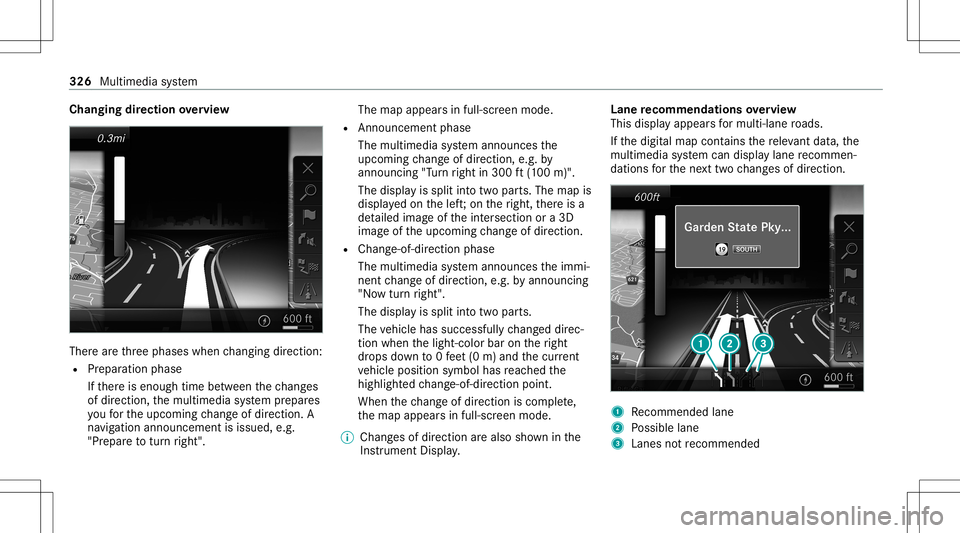
nging direction overvie w Ther
earethre ep hases whenchang ingdirect ion:
R Preparation phase
If th er ei se nough timebetween thec hang es
of dir ection, them ultimedia system prepar es
yo uf or theu pcoming chang eofdirect ion.A
na vig atio nannoun cem entisissue d,e.g .
"Pr epar etot urnr ight". The
map appear sinf ull-scr eenmode.
R Ann ouncemen tphase
The multimedia system announ cesthe
upco mingchang eofdirect ion,e.g.b y
ann oun cing"Turn right in300 ft(100 m)".
The displa yiss plit intot wo parts.The map is
displa yedo nthe left;on ther ight, ther ei sa
de tailed imag eofthe intersection ora3 D
imag eofthe upcoming chang eofdirect ion.
R Chan ge-of-d irecti onpha se
The multimed iasystem announ cesthei mmi‐
nen tchang eofdirect ion,e.g.b ya nnoun cing
"No wturnr ight".
The displa yiss plit intot wo parts.
The vehicle hassuccessfull ychang eddirec‐
tion when thel ight- color baronther ight
dr ops down to0f eet(0m )and thec urrent
ve hicle position symbolhasreac hed the
highlight edchang e-of-dir ect ion poin t.
When thec hang eofdirect ion iscom plete,
th em apappear sinf ull-scr eenmode.
% Chang esofdir ect ion area lso sho wninthe
Ins trument Display. Lane
recomm endationsoverview
This displa yappear sfor multi-lane roads.
If th ed igitalmap contains ther ele vant data,t he
multimedia system can displa ylane recomme n‐
da tions fort he next twoc hang esofdir ection. 1
Recomme ndedlane
2 Possible lane
3 Lanes notrecom mende d 326
Multime diasystem
Page 331 of 602
Ov
ervie wo frout eguidanc efroma noff-road
loc ation toad estinatio n
Of f-road position: thec urrent vehicle position is
locat edwithin thed igitalmap onroads that are
no ta vailable.
When routeg uidan cebegin sthe follo wing dis‐
pla ysappear :
R The Road NotMapped messageiss hown.
R Adirect ion arro ws howing thel inear direc‐
tion totheP OI.
When thev ehicle isbac konar oadknowntothe
multime diasystem, routeg uidan cecontinue sas
no rm al.
Ov ervie wo foff-road status during route
guidanc e
Due toroadw orks ,for exam ple, ther em aybe dif‐
fe re nces betwee nt he dat aonthe digit almap
and thea ctual courseofther oad. Insuc hcases,
th em ultimedia system will temp orarily be
unable tolocat ethe vehicle's current positio no n
th ed igitalmap. Thevehicle isoff-r oad. When
thev ehicle isoff-r oad, thef ollo wing dis‐
pla ysares hown:
R theRoad NotMapped message
R adirect ion arrow showing thel inear direct ion
to theP OI
When thev ehicle isbac konar oadknowntothe
multime diasystem, routeg uidan cecontinue sas
no rm al. Des
tination Sa
ving thec urrent vehicl eposition
Mul timedi asystem:
4 Navigation #
Ifth em apisdispla yedi nf ull scr een mode,
pr ess thec ent ralc on trol elemen t.
The map menuappear s. #
Selec t1 onthem apmenu (/page333).
The current vehicle position issave dt ot he
"Pr evious destination s"memo ry. St
oring am apposit ion
Mult imedia system:
4 Navigation
The map isin full-scr eenmode. #
Press theT ouc hControl, thec ontroller orthe
to uc hpad. #
Select "mo vemap" inmap menu 2
(/ page333) . #
Select aposition onthem ap.
If multiple entries area vailable foram ap
posi tion, alista ppear s. #
Highl ightanentr y. #
Select ¥ Store in"Previ ousD esti na-
tions ".
The map position issave dt ot he "Previous
des tination s"memo ry.
Edit ingthep revious destinations
Multi media system:
4 Navigation
5 ¬ Previous andOther Destination s
5 Previous Destination s #
Highlight oneofthep reviou sdestin ation s. Multim
ediasystem 329
Page 338 of 602
Ov
ervie wo favoiding anarea
Yo uc an def ine areas alon gar outethat you
wo uld liket oa void.
The routec an include anarea that isto be avoi‐
ded inthef ollo wing situations:
R thed estinat ionislocat edinan area that isto
be avo ided
R iffree wa ys arel oc ated within thea reat hat is
to be avoided
Fr ee wa ys area lway st aken into acco untfor
th er out e.
R ther ei sn osensible alternativ erout e
Av oiding anew area
Multi media system:
4 Navigation 5
À Route andPosition
5 Avoid Option s5
Areas #
Select AvoidNewArea. #
Tosear chfora na reav iathe map: select
Usi ngMa p. #
Movethem ap.
or #
Tosear chfora na reau sing anaddr ess:
sel ect Add ressEntry . #
Enterthea ddr ess. #
Select SelectDestination.
The map appear s. #
Todispl ayan area: press theT ouc hControl,
th et ouc hpad orthec ontroller .
Ar ed rectang leap pea rs.T hisd esignat esthe
ar ea that shoul dbeavoided. #
Tochang ethe sizeo fthe area: swipeup or
do wn ontheT ouc hControl or thet ouc hpad .
or #
Slide thec ontroller upordown.
The map scale isenlar gedo rreduced and
ch ang esthes ize ofthea rea. #
Tosetthe area: press theT ouc hControl,
th et ouc hpad orthec ontroller .
The area isent ered intot he list. Changing
anarea
Multimedia system:
4 Navigation 5
À Route andPosition
5 Avoid Option s5
Areas #
Highlight anarea inthel ist. #
Select ¥Edit.
Mo ving thea reao nthe map #
Swi peinanyd irect ion ontheT ouc hControl
or touc hpad.
or #
Slid ethe contr ollerinanyd irect ion.
Changing thes ize ofthea rea #
Tostar t:press theT ouc hControl, thet ouc h‐
pad orthec ontroller . #
Tochang e:swi peup ordown ontheT ouc h
Contr olor thet ouc hpad .
or #
Slide thec ontroller upordown. #
Tosto p:press theT ouc hControl, thet ouc h‐
pad orthec ontroller . 336
Multimedia system