navigation system MERCEDES-BENZ S-CLASS 2020 User Guide
[x] Cancel search | Manufacturer: MERCEDES-BENZ, Model Year: 2020, Model line: S-CLASS, Model: MERCEDES-BENZ S-CLASS 2020Pages: 602, PDF Size: 54.61 MB
Page 324 of 602
%
User Defined allowspersonal POIsymbols to
be select ed(/ page335). Ro
ute Calc
ulating arout e
Re quirement s:
R The destination hasbeen entered.
R The destination addressissho wn. #
Ifro uteg uidan ceisno ta ctive, sele ctStart
Rout eGuidan ce.
The routet ot he des tination iscalculat ed.
The map showsther out e.Ro uteg uidan ce
th en begins.
or #
Ifro uteg uidan ceisact ive, sele ctStart New
Rout eGuidan ceorSet asNex tWayPoin t.
St art New RouteGuidan ce:the select eddes‐
tination addressisseta sa newd estinat ion.
The prev ious destination sand intermediat e
des tination saredele ted. Ro uteg uidan ceto
th en ew des tinat ionbegins. Set
asNext WayPoint :the select eddes tina‐
tion addr essisseta sthe next int ermediat e
des tination. Routeg uidan cebegin s.
Ta king alternativ erout esintoc onside ratio n #
Select analte rn ativ erout e(/pag e324).
Ot her men ufunctions #
Tosave thed estina tion: select¥ Store
in "Prev iousDestination s". #
Todispl ayon them ap:selec t¥ Map. #
Tocall atelephone number: select
¥ Call(ifavailable). #
Tocall upanInterne ta ddress: selec t
¥ www(ifavailable).
Select ingarout etype
Mul timedi asystem:
4 Navigation 5
À Route andPosition #
Select RouteSetting s. #
Select ther out etype.
If ro uteg uidan ceisact ive, then ew routei s
calc ulatedwiththe newr out etype . If
ro uteg uidan ceisno ta ctive, then extrout e
is calculat edwiththe newr out etype .
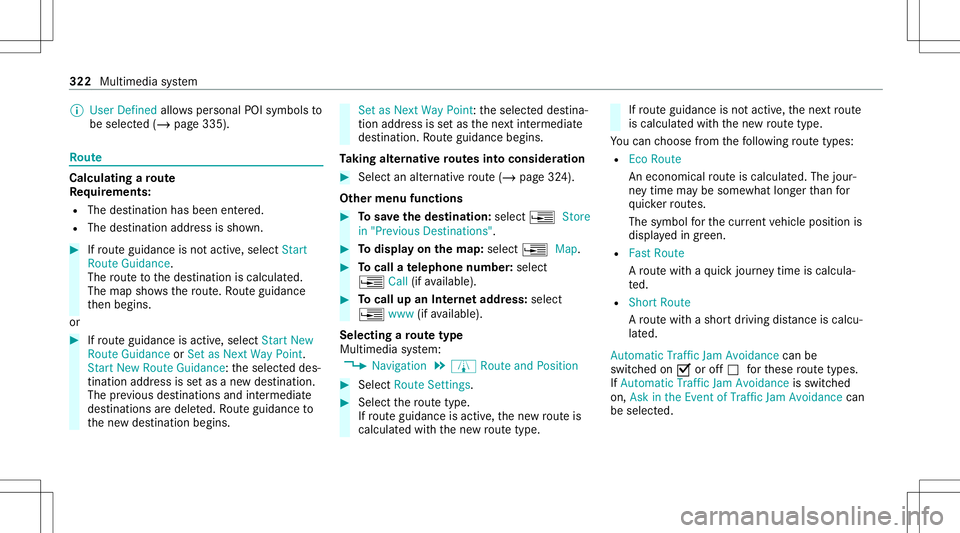
Yo uc an choose from thef ollo wing routet ype s:
R EcoR oute
An eco nomic alroutei sc alc ulat ed. The jour‐
ne yt imem aybe som ewhat long erthan for
qu icke rrout es.
The symbol fort he cur rent vehicle position is
displa yedi ng reen.
R Fast Route
Ar out ew ithaq uickjour neyt imeisc alc ula‐
te d.
R Shor tRoute
Ar out ew ithas hortdriving distance iscal cu‐
la te d.
Auto matic Traffic JamAvoidan cecan be
switc hedon0073 oroff0053 fort hese routet ype s.
If Aut omat icTraf ficJam Avoidan ceisswit ched
on, Ask inthe Even tofTraffic JamAvoidan cecan
be select ed. 322
Multimedia system
Page 325 of 602
The
Automat icTraffic JamAvoidanc eand Askin
the Even tofTraffic JamAvoidanc ese ttings are
no ta vailable ineve rycou ntry.
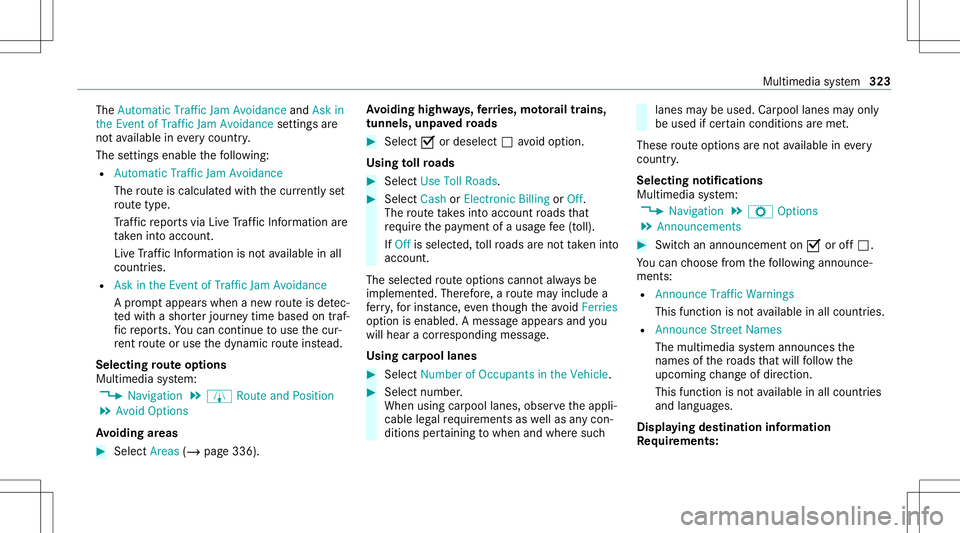
The settings enable thef ollo wing:
R Automat icTraffic JamAvoidance
The routei sc alc ulat edwiththe cur rentl ys et
ro utet ype.
Tr af ficr epor tsvia LiveT raffic Info rm ation are
ta ke ni ntoa cco unt.
Liv eT raffic Info rm ation isno ta vailable inall
coun tries.
R Askint he Event ofTraf ficJam Avoidan ce
Ap romp tappear swhen anew routei sd etec‐
te dw ithas horterj our neyt ime base dontraf‐
fi cr epor ts.Youc an continue touse thec ur‐
re nt routeo ruse thed ynamic routei nstead.
Select ingrout eo ptions
Mul timedi asyst em:
4 Navigation 5
À Route andPosition
5 Avoid Option s
Av oiding areas #
Sele ctAreas (/page336). Av
oiding highways,fer ries, motorailtrains,
tu nnels, unpavedr oad s #
Select 0073 ordeselec t0053 avo idop tion .
Using tollro ads #
Select UseTollRoads. #
Select Cash orElectronic Billing orOff .
The routet akes intoa ccount roads that
re qu iret he payment ofau sag efee (toll).
If Off isselect ed,tollro ads aren ottake ni nto
acco unt.
The select edrouteo ptions can nota lway sb e
im plement ed.Ther efor e, ar out em ayinc lude a
fe rry, fori ns tance, eventhough thea void Fer ries
op tion isenabled. Amessagea ppear sand you
will hear acorresponding message.
Using carpool lanes #
Select Number ofOccupants inthe Vehicle. #
Select number .
When usingcarpool lanes, observethea ppli‐
cable legalrequ iremen tsas wellas anyc on‐
dition spertainin gtow hen andwher esuch lanes
maybeu sed. Carpool lanes mayonly
be used ifcer tain con dition sareme t.
These routeo ptions aren otavailable ineve ry
cou ntry.
Selec tingnotifications
Multimedia system:
4 Navigation 5
Z Option s
5 Announc ement s #
Switc hana nnoun cemen ton0073or off0053.
Yo uc an choose from thef ollo wing announc e‐
ments:
R Announ ceTraffic Warnings
This function isno ta vailable inall coun tries.
R Announc eStreet Name s
The mult imed iasystem announ cesthe
nam esofther oads that will follo wt he
upc omin gchang eofdirect ion.
This function isno ta vailable inall coun tries
and languages.
Displ aying destina tion informa tion
Re quirement s: Multime
diasystem 323
Page 326 of 602
R
Adestin atio nise nter ed.
Multim ediasystem:
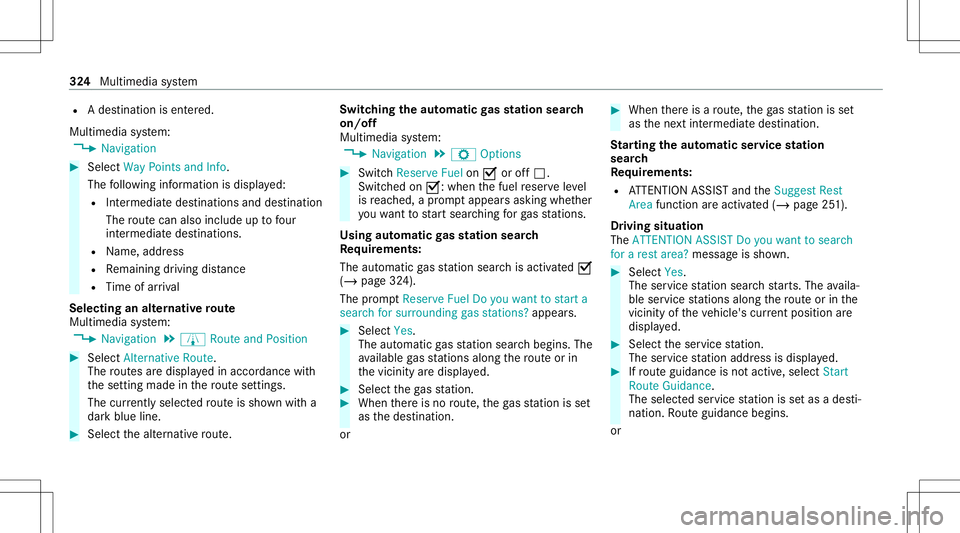
4 Navigation #
Select WayPoint sand Info.
The follo wing informatio nisd ispla yed:
R Intermediat edestin ations anddestination
The routec an also include uptofour
int ermed iated estin atio ns.
R Name, address
R Remaini ngdriving distance
R Time ofarriva l
Selec tinganalternativ erout e
Multi mediasystem:
4 Navigation 5
À Route andPosition #
Select Alternativ eRoute.
The routes ared ispl ayed inaccor dance with
th es etting made inther out esetting s.
The currentl ys elect edroutei ss hown witha
dar kblue line. #
Select thea lter nativ erout e. Switc
hingthea utoma ticgass tat ions ear ch
on/of f
Mult imedia system:
4 Navigation 5
Z Option s #
Switc hReserve Fuelon0073 oroff0053.
Switc hedon0073:w henthef uel reser veleve l
is reac hed, apromp tappear sasking whe ther
yo uw ant tostar ts ear ching forg as statio ns.
Using automatic gass tat ions ear ch
Re quirement s:
The automat icga ss tatio ns ear chisact ivat ed 0073
(/ page324).
The prom ptReser veFue lDoy ou want tostart a
sear chfor surroun dinggasstati ons? appear s. #
Selec tYes.
The automat icga ss tatio ns ear chbegins. The
av ailable gass tatio ns alon gthe routeo rin
th ev icinit yaredispla yed. #
Select theg asstatio n. #
When ther ei sn orout e,theg asstatio niss et
as thed estinat ion.
or #
When ther ei sar oute,theg asstatio niss et
as then extint er mediat edestinat ion.
St arting thea utoma ticser vice station
sear ch
Re quirement s:
R ATTENTION ASSISTa nd theSuggest Rest
Area function area ctiv ated (/ page251).
Dr iving situation
The ATTE NTION ASSIS TDoyou want tosearch
for arest area? messag eiss hown. #
Select Yes.
The service statio nsear chstar ts.T he availa‐
ble services tatio ns alon gthe routeo rint he
vicini tyof thev ehicle's current positio na re
di spl ayed. #
Select thes ervice statio n.
The services tatio na ddr ess isdispla yed. #
Ifro uteg uidan ceisno ta ctive, sele ctStart
Rout eGuidan ce.
The selected ser vices tatio niss etas ad esti‐
nat ion.Rout eguidan cebegin s.
or 32
4
Mult imed iasystem
Page 329 of 602
The
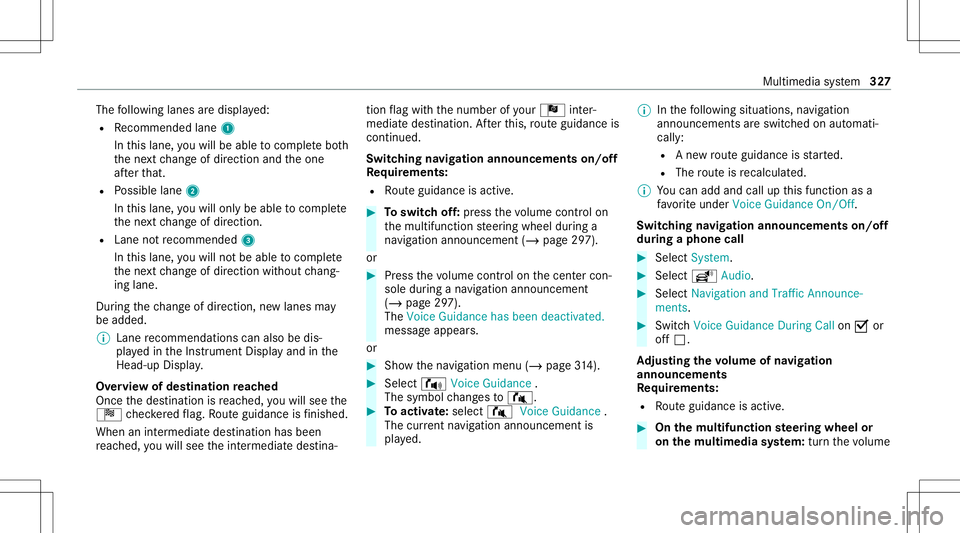
follo wing lanes ared ispla yed:
R Recomme ndedlane 1
In this lane, youw illbe able tocom plet eb oth
th en extc hang eofdirect ion and theo ne
af te rt hat.
R Possible lane2
In this lane, youw illon lybe able tocom plet e
th en extc hang eofdirect ion.
R Lan enotrecomme nded3
In this lane, youw illno tb ea ble tocom plet e
th en extc hang eofdirect ion without chang ‐
ing lane .
Dur ing thec hang eofdirect ion,new lane smay
be added.
% Lanerecom mendatio nscan also bedis‐
pla yedi nt he Instrument Displayand inthe
Hea d-up Display.
Ov ervie wo fdestinat ionreac hed
Once thed estinat ionisreac hed, youw illsee the
Í checkeredf lag. Routeg uidan ceisfinis hed .
Whe naninter med iate des tination hasbeen
re ac hed, youw illsee thei nter mediat edestina‐ tion
flag withthe number ofyour Î inter‐
med iated estin atio n.Aftert his, routeg uidan ceis
co ntinue d.
Swit ching navig ation announ cement son/of f
Re quirement s:
R Routeg uidan ceisact ive. #
Toswitc hoff:pr ess thev olume controlon
th em ultifunc tionsteer ing wheel during a
na vig ation announ cement(/ pag e297).
or #
Press thev olume controlon thec ent ercon ‐
sole during anavigation announ cement
(/ page297).
The Voice Guidance hasbeen deactivat ed.
messag eappear s.
or #
Sho wthe navig ation menu (/page314). #
Select ! VoiceGuidance .
The symbo lchang esto# . #
Toactiv ate: sele ct# VoiceGuida nce .
The current navig ation anno uncement is
pl ay ed. %
Inthef ollo wing situations, navig ation
announc ementsares witc hed onaut omat i‐
call y:
R Anew routeg uidan ceisstar ted.
R The routei sr ecalculat ed.
% Youc an add andcallupthis func tion asa
fa vo rite und erVoic eGuidan ceOn/O ff.
Swit ching navig ation announ cement son/of f
dur ing aphone call #
Selec tSyst em. #
Selec tõ Audio. #
Selec tNavigat ionand Traff icAn noun ce-
men ts. #
Swit chVoice Guidance During Callon 0073 or
of f0053.
Ad jus tingthe volum eofnavigat ion
announ cement s
Re quirement s:
R Routeg uidan ceisact ive. #
On them ultif unct ionsteer ing wheel or
on them ultim edia system: turnthe volume Multim
ediasystem 32
7
Page 330 of 602
contr
olon them ultifunc tionsteer ing wheel
dur ing anavigation announ cement.
or #
Turn thev olume controlon thec ent ercon ‐
sole during anavigation announ cement
(/ page297).
% Inthef ollo wing situations, thev olume is
ra ised tothem aximum volume orlowe redt o
th em inimum volume:
R Anew routeg uidan ceisstar ted.
R The routei sr ecalculat ed.
% The minimum volume canbeindiv iduall yset
at an aut hor ized Mercedes -Benz Cent er. #
Vias ystems ettings: selec tSyst em. #
Sele ctõ Audio. #
Sele ctNavig ation andTrafficAnnoun ce-
men ts. #
Sele ctVoic eGuidanc eVolume . #
Setthe volume. #
Toswitc haudiofadeo uton/o ffdur ing
na vig atio nanno unceme nts: select System . #
Select õAudio. #
Select Nav igation andTraffic Announce -
ments . #
Swi tchAud ioFad eou tDuring Voi ceGuidance
on 0073 oroff0053.
Re peati ngnavig atio nanno unceme nts
Re quirement s:
R Arout ehasalready been creat ed.
R Routeg uidan ceisact ive.
Mult imed iasystem:
4 Navigation #
Select !Voice Guidance . #
Select #Voice Guidance .
The current navig ation anno uncement is
re peat ed.
% Youc an add andcallupthis func tion asa
fa vo rite und erRepeat VoiceGuidan ce.
Cancel ingrout eg uidanc e
Re quirement s:
R Arout ehasalready been creat ed.
R Routeg uidan ceisact ive. Mult
imed iasystem:
4 Navigation #
Select %Cancel RouteGuidance .
Ov ervie wo frout eguidanc etoa no ff-road
des tinatio n
An off-r oad destinatio nisw ithin thed igitalmap.
The map contains noroads that lead tothed es‐
tinat ion.
Yo uc an enterg eo-coor dinatesorathree word
addr essforo ff-road destinations onthem ap.
Ro uteg uidan ceguides youf or as long aspossi‐
ble withn avigation announcements anddisplays
on roads that arek nown tothem ultimedia sys‐
te m.
Shor tlybef orey ou reac ht he lastknown pos ition
on them ap,youw illhear the" Please follo wt he
dir ection arrow "announ cem ent.The displ ay
sho wsadirect ion arrow and thel inear distance
to thed estinat ion. 328
Multimedia system
Page 331 of 602
Ov
ervie wo frout eguidanc efroma noff-road
loc ation toad estinatio n
Of f-road position: thec urrent vehicle position is
locat edwithin thed igitalmap onroads that are
no ta vailable.
When routeg uidan cebegin sthe follo wing dis‐
pla ysappear :
R The Road NotMapped messageiss hown.
R Adirect ion arro ws howing thel inear direc‐
tion totheP OI.
When thev ehicle isbac konar oadknowntothe
multime diasystem, routeg uidan cecontinue sas
no rm al.
Ov ervie wo foff-road status during route
guidanc e
Due toroadw orks ,for exam ple, ther em aybe dif‐
fe re nces betwee nt he dat aonthe digit almap
and thea ctual courseofther oad. Insuc hcases,
th em ultimedia system will temp orarily be
unable tolocat ethe vehicle's current positio no n
th ed igitalmap. Thevehicle isoff-r oad. When
thev ehicle isoff-r oad, thef ollo wing dis‐
pla ysares hown:
R theRoad NotMapped message
R adirect ion arrow showing thel inear direct ion
to theP OI
When thev ehicle isbac konar oadknowntothe
multime diasystem, routeg uidan cecontinue sas
no rm al. Des
tination Sa
ving thec urrent vehicl eposition
Mul timedi asystem:
4 Navigation #
Ifth em apisdispla yedi nf ull scr een mode,
pr ess thec ent ralc on trol elemen t.
The map menuappear s. #
Selec t1 onthem apmenu (/page333).
The current vehicle position issave dt ot he
"Pr evious destination s"memo ry. St
oring am apposit ion
Mult imedia system:
4 Navigation
The map isin full-scr eenmode. #
Press theT ouc hControl, thec ontroller orthe
to uc hpad. #
Select "mo vemap" inmap menu 2
(/ page333) . #
Select aposition onthem ap.
If multiple entries area vailable foram ap
posi tion, alista ppear s. #
Highl ightanentr y. #
Select ¥ Store in"Previ ousD esti na-
tions ".
The map position issave dt ot he "Previous
des tination s"memo ry.
Edit ingthep revious destinations
Multi media system:
4 Navigation
5 ¬ Previous andOther Destination s
5 Previous Destination s #
Highlight oneofthep reviou sdestin ation s. Multim
ediasystem 329
Page 333 of 602
Inf
ormation onthev ehicle's position isregular ly
sent toMer cedes-Ben zAG.Thed atai simmed i‐
at elyr end ered anon ymous byMer cedes-Ben zAG
and forw arded tothet raffic dat aprovide r.Usin g
th is dat a,traf ficr epor tsreleva nt tothev ehicle's
position ares ent tothev ehicle. Thevehicle acts
as as ensor fort he flow oftraf fica nd helpsto
im prov et he qualit yofthe traf ficr epor ts.
If yo ud on otwish totrans mity our vehicle posi‐
tion, youc an have this ser vice deact ivat ed atan
aut hor ized Mercedes -Benz Cent er.
Displa yingsubscr iption informa tion
Re quirement s:
R The vehicle iseq uipped withL iveT raffic
Inf ormat ion.
Mul timedia system:
4 Navigation 5
Z Option s
The subscr iption expir ation dateisa utomatic ally
displa yed:
R one mont hbefor et he expir ation date.
R one week bef oret he expir ation date.
R onthee xpiration date. #
Todispl aymanu ally:select LiveTraffic Sub-
scription Info.
Depending onthes tatus ,one ofthef ollo wing
messag esappear s:
R thep eriod ofvalidity fort he subscr iption
is displa yed.
R thes ubscr iption hasexpir ed.
% The subscr iption canbeextende d:
R atan author ized Mercedes-B enzCent er
R viaanMB Infoc alltotheM ercedes- Benz
Cus tomer Assis tance Center
Di spl aying thet raffic ma p
Re quirement s:
R ForL iveT raffic Info rm ation: thev ehicle is
eq uipped withac ommunication modulefea‐
tur ing anact ivat ed, integrat edSIMc ard.
R When thev ehicle isstar ted, thec omm unica‐
tion module automaticall yestab lishes an
Int erne tc onnec tion .Traffic info rm ation is
mad eavailable shortlya fter wa rds. Mult
imed iasystem:
4 Navigation 5
Z Option s
5 Map Menu #
Alternativ ely:ifth em apisdispla yedi nf ull
scr een mode, press theT ouc hControl, the
contr oller or thet ouc hpad .
The map menu appears. #
Activate0073 º.
The traf ficm apsho wsthef ollo wing information,
fo re xamp le:
R Traf fici nci dents ,for exam ple:
- Roadw orks
- Road bloc ks
- Warning mess ages
The symbols fort raffic incide ntsa redis‐
pl ay ed incolor (onther out e)or gra y(offt he
ro ute).
R Traf ficf lowi nfor matio n:
- Traf ficj am (red line)
- Slow-mo ving traf fic( orang eline)
- Hea vytraf fic( yellow line) Mu
ltimed iasystem 33
1
Page 334 of 602
-
Free-f lowing traffic (gre en line)
R Displa yfor traf ficd elay so nthe routel astin g
at leas tone min ute
R Warning mess ages ymbols :
- Symbo lÔ
- Addition alroad safetyn otes when
appr oaching atraffic incide nt,e .g. the
end ofat raffic jam
If th ev ehicle approaches adang erarea
on ther out e,aw arning mess agei sd is‐
pla yedo nthe map. Awarning mess age
ma yalso beissued (/page332).
Displa yingtraf fici ncid ents
Mult imed iasystem:
4 Navigation 5
Z Option s
5 Map Conten t #
Activate0073 TrafficI nci dents .
Ro adw orks ,road blocks,local area repor ts
(e.g. fog) and warning mess ages ared is‐
pla yed. Ac
tiv atin gfreef lowa ndtraf ficd ispla y #
Activate0073 FreeFlowi ng Tra fficand Traffic
Del ays.
% The traf ficd elay isdispla yedf or thec urrent
ro ute. Traf ficd elay sl asting oneminut eor
long eraret aken into consi deratio n.
Di spl aying details #
Displa ysthet raffic ma p(/pa ge331). #
Movest he map (/page334). #
When atraffic repor tsymbol isunder the
cr oss hair,p ress on thec ent ralc on trol ele‐
men t.
The trafficr epor tdetails ared ispla yed.
or #
Press onthec ent ralc on trol elemen t. #
Selec tInf ormat iononTraff icReport s.
The map showsthet raffic repor tsymbols in
th ev icinit y.
Tr af ficr epor tinfor mation isdispla yedi nt he
st atus line:
R Traf ficr epor tsymbol R
Reason fort he traffic repor t,e.g. traffic
con gestion
R Warning mess age( highligh tedi nr ed) #
Toselect atraffic repor tsymb ol:sel ect
Next orPre vious. #
Press onthec ent ralc on trol elemen t.
The trafficr epor tdetails ared ispla yed.
Issuing hazardw arnin gs
Mul timedia system:
4 Navigation 5
Z Option s
5 Announc ement s #
Activate0073 Annou nceTrafficW arnings .
Wa rning mess ages arei ssued andtailbac ks
whic hpose arisk area nnounced. 332
Multimedia system
Page 336 of 602
%
Com panylogo sdispl ayed on them apare
tra demar ksofther espectiv ecom panies and
used solely fort he pur pose ofindicating the
locat ionsofthese com panies. Theuseof
suc hlogos onthem apdoes notindicat e
appr oval of, suppo rtof or adv ertising by
th ese com panies fort he navig ation system
itself.
Se tting them apscale
Re quirement s:
R The map issho wn.
Multime diasystem:
4 Navigation #
Tozoo min:swi pedown ontheT ouc hCon‐
tr ol.
or #
Turn thec ontroller count er-cloc kwise.
or #
Movetwof ing ersa parton thet ouc hpad . #
Tozoo mo ut:swipeup on theT ouc hControl.
or #
Turn thec ontroller clockwise.
or #
Movetwof ing erst ogether onthet ouc hpad .
% Youc an setthe unit ofmeasur ementofthe
map scale (/page307).
Mo ving them ap
Multi media system:
4 Navigation 5
Z Option s
5 Map Menu #
Alternativ ely,ift he map isdispla yedi nf ull
scr een mode, press thec ent ralc on trol ele‐
men t.
The map menuappear s. #
Selec t"Mo vemap" inmap menu 2
(/ page333) . #
Swipe inanyd irection ontheT ouc hControl
or touc hpad.
or #
Slid ethe contr ollerinanyd irect ion.
The map movesi nt he cor responding direc‐
tion under thec rosshair .The further you
mo veyour fing er aw ay from thes tartin gp osi‐ tio
no nthe touc hpad, thef astert he map
mo ves.
Selec tingthem aporientat ion
Multi media system:
4 Navigation 5
Z Option s
5 Map Menu #
Alternativ ely,ift he map isdispla yedi nf ull
scr een mode, press thec ent ralc on trol ele‐
men t.
The map menuappear s. #
Inmap menu3 ,selec tN, 2D or
3D( /pag e333).
R N:t he2D map viewi sd ispla yeds othat
nor thisalw aysa tthe top.
R 2D:t he2D map viewi sa ligned tothe
dir ect ion oftrav el.
R 3D:t he3D map viewi sa ligned tothe
dir ect ion oftrav el. 33
4
Multimedia system
Page 337 of 602
Selec
tingPOIsymbols
Multimedia system:
4 Navigation 5
Z Option s
5 Map Conten t
POIs include gass tatio ns and hotels whic hcan
be displa yeda ssymbols onthem ap,fore xam‐
ple. NotallPOI sareavailable everywher e. #
Sele ctPOI Symb ols.
The 003Bdo tindic ates thec urrent setting.
Stand arddispl ayss ymbols ofpredef ined cat‐
egor iesonthem ap.
User Definedallo wsyout op ersonall yselect
th es ymbols fort he available categor ies.
Non eswit ches thed ispla yoff. #
Select asetting. #
User Defined:select categor ies.
The POIsymbols ofthes elect edcat egor ies
ar ed ispla yed0073 ornotd ispla yed0053 . Selecting
thed isplayo ftex tinfor mat ionin
th em ap
Multi media system:
4 Navigation 5
Z Option s
5 Text Information #
Select text informati on.
Cu rrent Streetsho wsthes tree ty ou arec ur‐
re ntly drivi ng on attheb otto mo fthe displa y.
When them apismo ved, thef ollo wing infor‐
mation appearsunder thec rosshair :
R Street nam e
R POI nam e
R Area nam e
Ge o-co ordinates displ ayst he follo wing infor‐
matio n:
R Lon gitude andlatitude
R Elevatio n
The elev atio nshown maydeviat ef rom
th ea ctual elevatio n.
R Number ofsat ellites from whic has ignal
can berecei ved When
them apismo ved, this inf ormatio n
does nota ppear .
Climate Controldispla ysthec urrent clima te
contr olsettings.
None switches thed ispla yoff.
Displa yingthen extint ersectin gstree t
Re quirement s:
R Routeg uidan ceisno ta ctive.
Mult imed iasystem:
4 Navigation 5
Z Option s #
Activate0073 NextInter secting Street.
Th en am eofthe next int ersecting stre et will
be displa yeda tthe upper edgeofthe displa y.
Disp laying them apversion
Multime diasystem:
4 Navigation 5
Z Option s #
Select MapVersion . #
Select Details.
% Information aboutnewv ersions ofthed igital
map canbeobt ained from anaut hor ized
Mer cedes- BenzCenter. Multimedia
system 335