headlamp MERCEDES-BENZ S-Class CABRIOLET 2017 A217 Owner's Manual
[x] Cancel search | Manufacturer: MERCEDES-BENZ, Model Year: 2017, Model line: S-Class CABRIOLET, Model: MERCEDES-BENZ S-Class CABRIOLET 2017 A217Pages: 338, PDF Size: 8.14 MB
Page 7 of 338
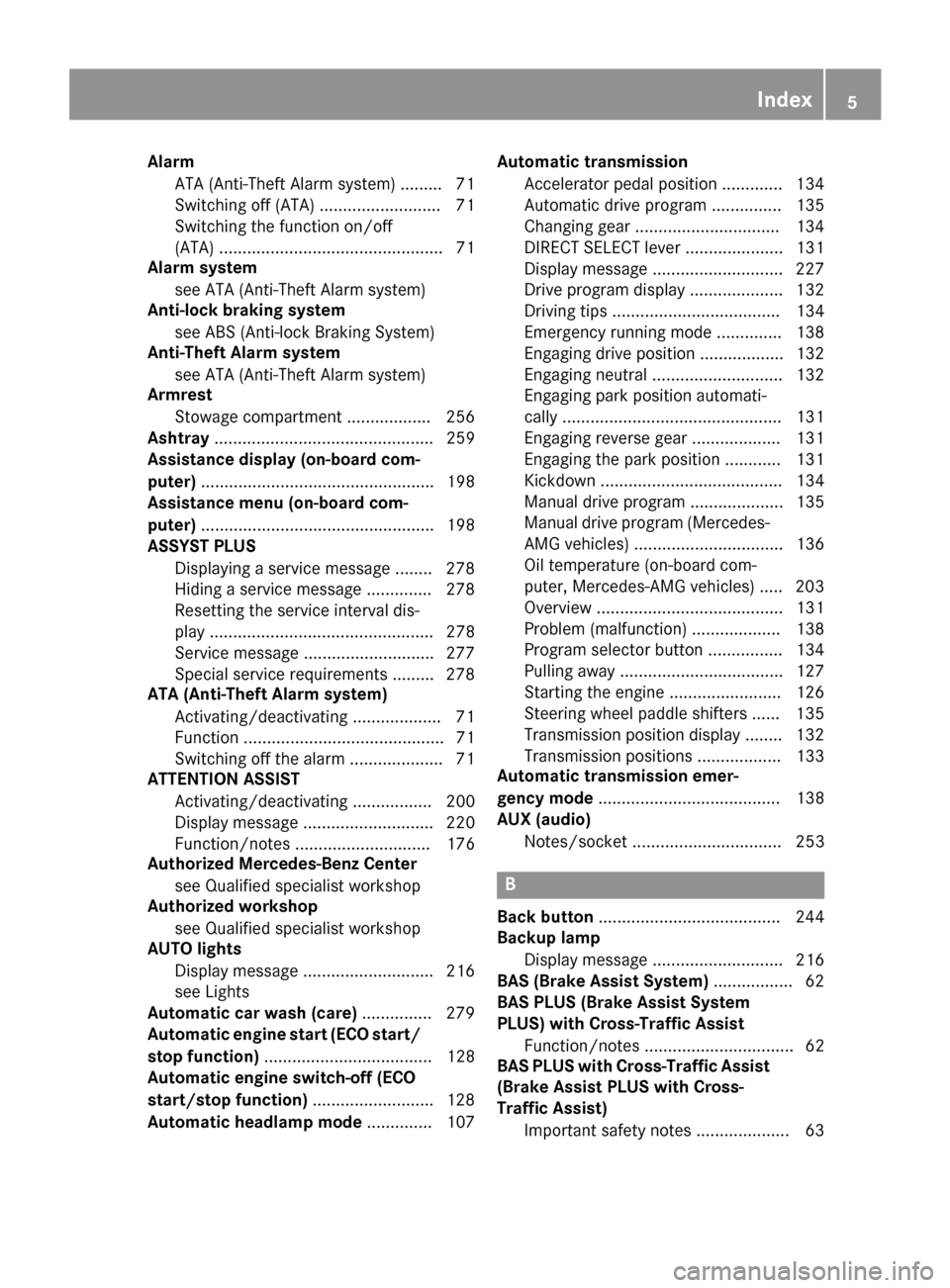
AlarmATA (Anti-Theft Alarm system) ........ .71
Switching off (ATA) .......................... 71
Switching the function on/off
(ATA) ................................................ 71
Alarm system
see ATA (Anti-Theft Alarm system)
Anti-lock braking system
see ABS (Anti-lock Braking System)
Anti-Theft Alarm system
see ATA (Anti-Theft Alarm system)
Armrest
Stowage compartment .................. 256
Ashtray ............................................... 259
Assistance display (on-board com-
puter) .................................................. 198
Assistance menu (on-board com-
puter) .................................................. 198
ASSYST PLUS
Displaying a service message ........ 278
Hiding a service message .............. 278
Resetting the service interval dis-
play ................................................ 278
Service message ............................ 277
Special service requirements ......... 278
ATA (Anti-Theft Alarm system)
Activating/deactivating ................... 71
Function ........................................... 71
Switching off the alarm .................... 71
ATTENTION ASSIST
Activating/deactivating ................. 200
Display message ............................ 220
Function/notes ............................. 176
Authorized Mercedes-Benz Center
see Qualified specialist workshop
Authorized workshop
see Qualified specialist workshop
AUTO lights
Display message ............................ 216
see Lights
Automatic car wash (care) ............... 279
Automatic engine start (ECO start/
stop function) .................................... 128
Automatic engine switch-off (ECO
start/stop function) .......................... 128
Automatic headlamp mode .............. 107Automatic transmission
Accelerator pedal position ............. 134
Automatic drive program ............... 135
Changing gear ............................... 134
DIRECT SELECT lever ..................... 131
Display message ............................ 227
Drive program display .................... 132
Drivi ng ti
ps .................................... 134
Emergency running mode .............. 138
Engaging drive position .................. 132
Engaging neutral ............................ 132
Engaging park position automati-
cally ............................................... 131
Engaging reverse gear ................... 131
Engaging the park position ............ 131
Kickdown ....................................... 134
Manual drive program .................... 135
Manual drive program (Mercedes-
AMG vehicles) ................................ 136
Oil temperature (on-board com-
puter, Mercedes-AMG vehicles) ..... 203
Overview ........................................ 131
Problem (malfunction) ................... 138
Program selector button ................ 134
Pulling away ................................... 127
Starting the engine ........................ 126
Steering wheel paddle shifters ...... 135
Transmission position display ........ 132
Transmission positions .................. 133
Automatic transmission emer-
gency mode ....................................... 138
AUX (audio)
Notes/socket ................................ 253
B
Back button ....................................... 244
Backup lamp
Display message ............................ 216
BAS (Brake Assist System) ................. 62
BAS PLUS (Brake Assist System
PLUS) with Cross-Traffic Assist
Function/notes ................................ 62
BAS PLUS with Cross-Traffic Assist
(Brake Assist PLUS with Cross-
Traffic Assist)
Important safety notes .................... 63
Index5
Page 14 of 338
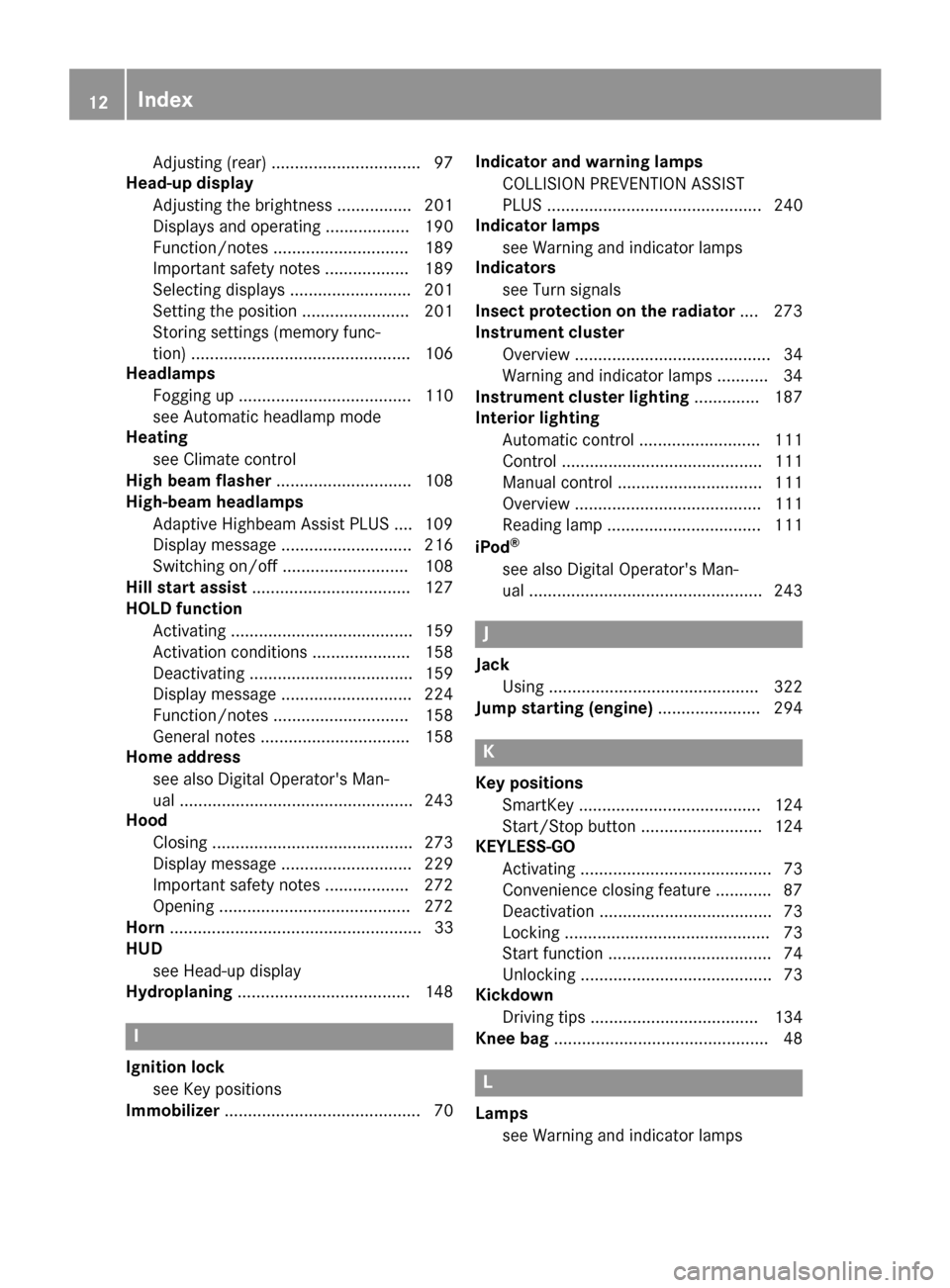
Adjusting (rear) ................................ 97
Head-up display
Adjusting the brightness ................ 201
Displays and operating .................. 190
Function/notes ............................. 189
Important safety notes .................. 189
Selecting displays .......................... 201
Setting the position ....................... 201
Storing settings (memory func-
tion) ............................................... 106
Headlamps
Fogging up ..................................... 110
see Automatic headlamp mode
Heating
see Climate control
High beam flasher ............................. 108
High-beam headlamps
Adaptive Highbeam Assist PLUS .... 109
Display message ............................ 216
Switching on/off ........................... 108
Hill start assist .................................. 127
HOLD function
Activating ....................................... 159
Activation conditions ..................... 158
Deactivating ................................... 159
Display message ............................ 224
Function/notes ............................. 158
General notes ................................ 158
Home address
see also Digital Operator's Man-
ual .................................................. 243
Hood
Closing ........................................... 273
Display message ............................ 229
Important safety notes .................. 272
Opening ......................................... 272
Horn ...................................................... 33
HUD
see Head-up display
Hydroplaning ..................................... 148
I
Ignition lock
see Key positions
Immobilizer .......................................... 70 Indicator and warning lamps
COLLISION PREVENTION ASSIST
PLUS .............................................. 240
Indicator lamps
see Warning and indicator lamps
Indicators
see Turn signals
Insect protection on the radiator .... 273
Instrument cluster
Overview .......................................... 34
Warning and indicator lamps ........... 34
Instrument cluster lighting .............. 187
Interior lighting
Automatic control .......................... 111
Control ........................................... 111
Manual control ............................... 111
Overview ........................................ 111
Reading lamp ................................. 111
iPod
®
see also Digital Operator's Man-
ual .................................................. 243
J
Jack Using ............................................. 322
Jump starting (engine) ...................... 294
K
Key positions
SmartKey ....................................... 124
Start/Stop button .......................... 124
KEYLESS-GO
Activating ......................................... 73
Convenience closing feature ............ 87
Deactivation ..................................... 73
Locking ............................................ 73
Start function ................................... 74
Unlocking ......................................... 73
Kickdown
Driving tips .................................... 134
Knee bag .............................................. 48
L
Lamps
see Warning and indicator lamps
12Index
Page 15 of 338
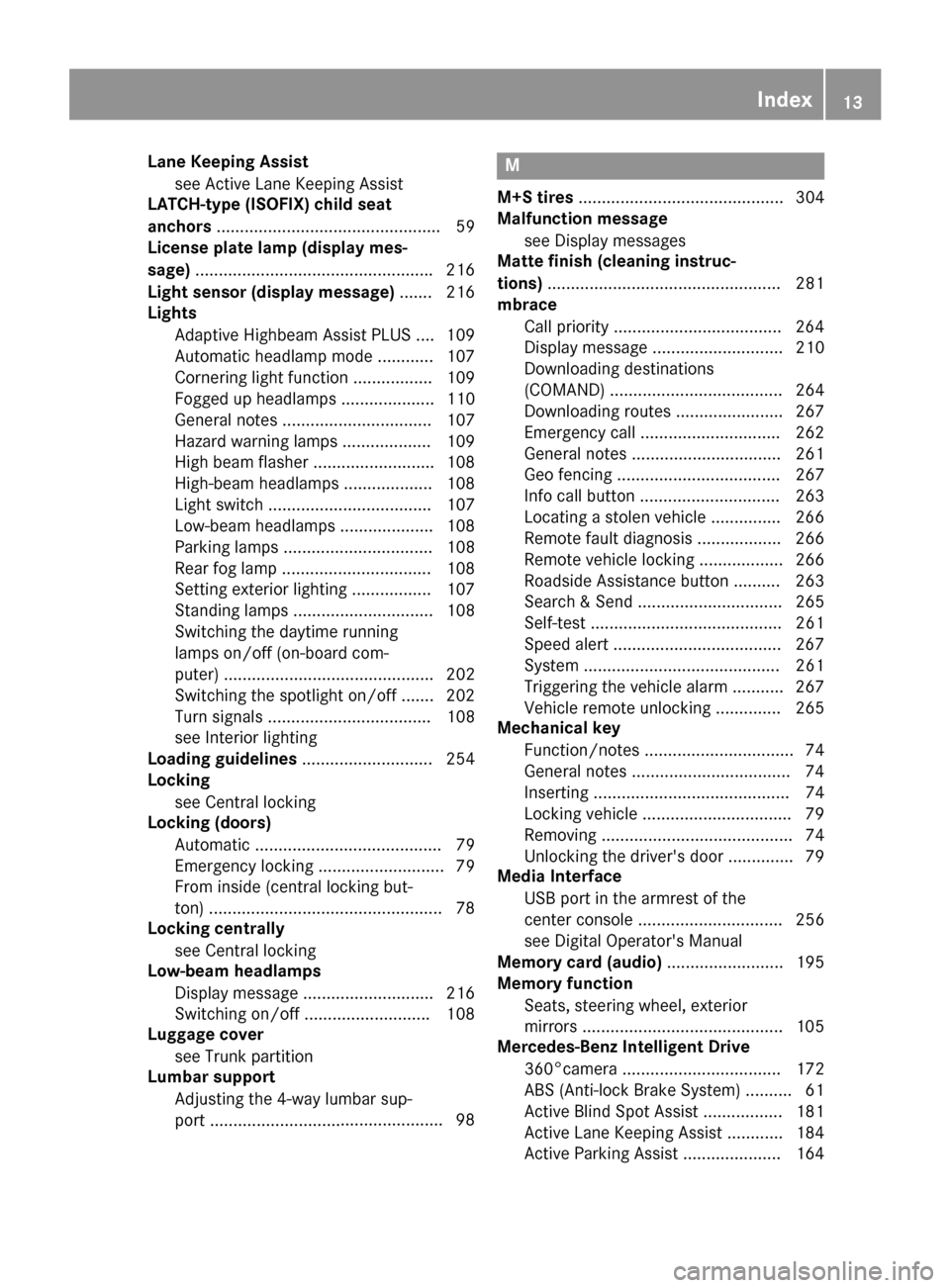
Lane Keeping Assistsee Active Lane Keeping Assist
LATCH-type (ISOFIX) child seat
anchors ................................................ 59
License plate lamp (display mes-
sage) .................................................. .216
Light sensor (display message) ....... 216
Lights
Adaptive Highbeam Assist PLUS .... 109
Automatic headlamp mode ............ 107
Cornering light function ................. 109
Fogged up headlamps .................... 110
General notes ................................ 107
Hazard warning lamps ................... 109
High beam flasher .......................... 108
High-beam headlamps ................... 108
Light switch ................................... 107
Low-beam headlamps .................... 108
Parking lamps ................................ 108
Rear fog lamp ................................ 108
Setting exterior lighting ................. 107
Standing lamps .............................. 108
Switching the daytime running
lamps on/off (on-board com-
puter) ............................................. 202
Switching the spotlight on/off ....... 202
Turn signals ................................... 108
see Interior lighting
Loading guidelines ............................ 254
Locking
see Central locking
Locking (doors)
Automatic ........................................ 79
Emergency locking ........................... 79
From inside (central locking but-
ton) ..................................................7 8
Locking centrally
see Central locking
Low-beam headlamps
Display message ............................ 216
Switching on/off .......................... .108
Luggage cover
see Trunk partition
Lumbar support
Adjusting the 4-way lumbar sup-
port ............................ ......................9
8M
M+S tires............................................ 304
Malfunction message
see Display messages
Matte finish (cleaning instruc-
tions) .................................................. 281
mbrace
Call priority ....................................2 64
Display message ............................ 210
Downloading destinations
(COMAND) ..................................... 264
Downloading routes ....................... 267
Emergency call .............................. 262
General notes ................................ 261
Geo fencing ................................... 267
Info call button .............................. 263
Locating a stolen vehicle ...............2 66
Remote fault diagnosis .................. 266
Remote vehicle locking .................. 266
Roadside Assistance button .......... 263
Search & Send ............................... 265
Self-test ......................................... 261
Speed alert ....................................2 67
System .......................................... 261
Triggering the vehicle alarm ........... 267
Vehicle remote unlocking .............. 265
Mechanical key
Function/notes ................................ 74
General notes .................................. 74
Inserting .......................................... 74
Locking vehicle ................................ 79
Removing ......................................... 74
Unlocking the driver's door .............. 79
Media Interface
USB port in the armrest of the
center console ............................... 256
see Digital Operator's Manual
Memory card (audio) ......................... 195
Memory function
Seats, steering wheel, exterior
mirrors ...........................................1 05
Mercedes-Benz Intelligent Drive
360°camera .................................. 172
ABS (Anti-lock Brake System) .......... 61
Active Blind Spot Assist ................. 181
Active Lane Keeping Assist ............ 184
Active Parking Assist ..................... 164
Index13
Page 36 of 338
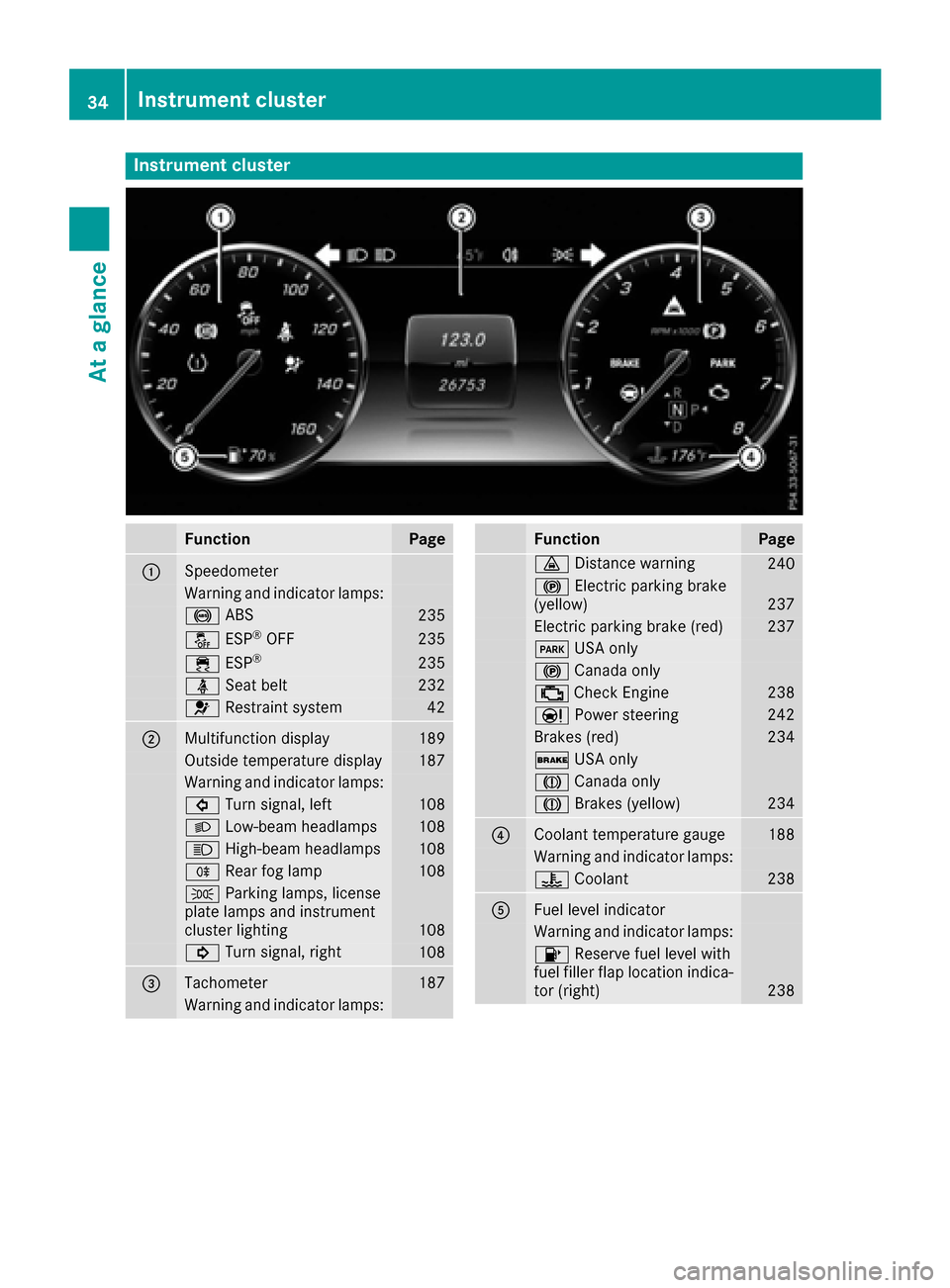
Instrument cluster
FunctionPage
:Speedometer
Warning and indicator lamps:
! ABS235
å ESP®OF F235
÷ ESP®23 5
ü Seat belt232
6 Restrain tsystem42
;Multifunction display18 9
Outside temperature display187
Warning and indicator lamps:
# Turn signal, lef t108
L Low-beam headlamps108
K High-beam headlamps108
R Rear fog lamp108
T Parking lamps, license
plat elamp sand instrumen t
cluste rlighting
10 8
! Turn signal, right108
=Tachometer187
Warning and indicator lamps:
FunctionPag e
· Distanc ewarning24 0
! Electric parking brak e
(yellow)23 7
Electric parking brak e(red)23 7
F USAonly
! Canad aonly
; CheckEngin e238
Ð Powersteering24 2
Brake s(red)23 4
$ USAonly
J Canad aonly
J Brakes(yellow)23 4
?Coolan ttemperature gauge18 8
Warning and indicator lamps:
? Coolan t238
AFue llevel indicator
Warning and indicator lamps:
8 Reserve fuel level wit h
fuel filler flap location indica-
to r(right )
238
34Instrument cluster
At a glance
Page 106 of 338
dow defroster is switched on and the outside
temperature is low.
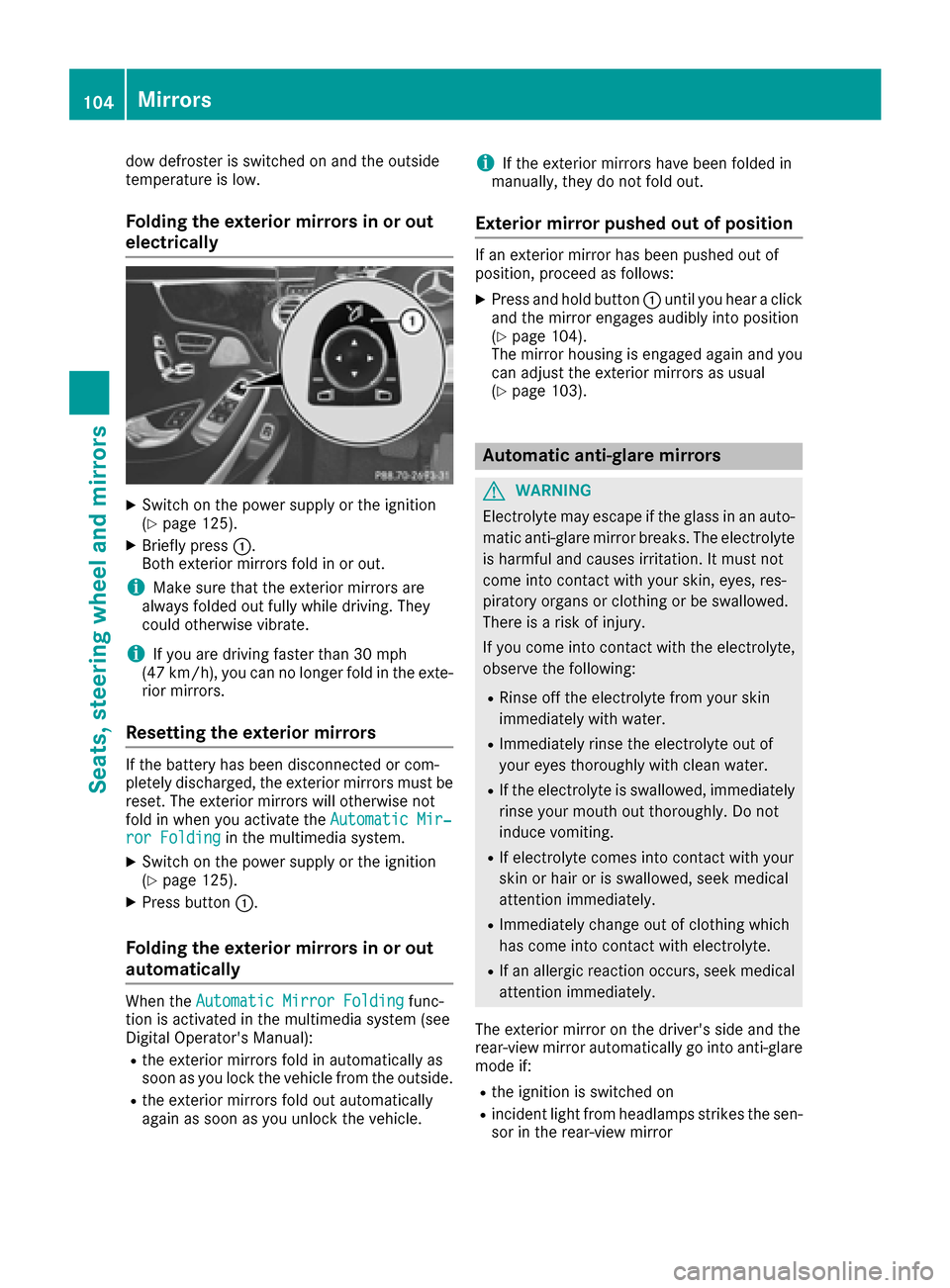
Folding the exterior mirrors in or outelectrically
XSwitch on the power supply or the ignition
(Ypage 125).
XBriefly press :.
Both exterior mirrors fold in or out.
iMake sure that the exterior mirrors are
always folded out fully while driving. They
could otherwise vibrate.
iIf you are driving faster than 30 mph
(47 km/h), you can no longer fold in the exte-
rior mirrors.
Resetting the exterior mirrors
If the battery has been disconnected or com-
pletely discharged, the exterior mirrors must be
reset. The exterior mirrors will otherwise not
fold in when you activate the Automatic Mir‐
ror Foldingin the multimedia system.
XSwitch on the power supply or the ignition
(Ypage 125).
XPress button:.
Folding the exterior mirrors in or out
automatically
When theAutomatic Mirror Foldingfunc-
tion is activated in the multimedia system (see
Digital Operator's Manual):
Rthe exterior mirrors fold in automatically as
soon as you lock the vehicle from the outside.
Rthe exterior mirrors fold out automatically
again as soon as you unlock the vehicle.
iIf the exterior mirrors have been folded in
manually, they do not fold out.
Exterior mirror pushed out of position
If an exterior mirror has been pushed out of
position, proceed as follows:
XPress and hold button :until you hear a click
and the mirror engages audibly into position
(
Ypage 104).
The mirror housing is engaged again and you
can adjust the exterior mirrors as usual
(
Ypage 103).
Automatic anti-glare mirrors
GWARNING
Electrolyte may escape if the glass in an auto-
matic anti-glare mirror breaks. The electrolyte
is harmful and causes irritation. It must not
come into contact with your skin, eyes, res-
piratory organs or clothing or be swallowed.
There is a risk of injury.
If you come into contact with the electrolyte,
observe the following:
RRinse off the electrolyte from your skin
immediately with water.
RImmediately rinse the electrolyte out of
your eyes thoroughly with clean water.
RIf the electrolyte is swallowed, immediately
rinse your mouth out thoroughly. Do not
induce vomiting.
RIf electrolyte comes into contact with your
skin or hair or is swallowed, seek medical
attention immediately.
RImmediately change out of clothing which
has come into contact with electrolyte.
RIf an allergic reaction occurs, seek medical
attention immediately.
The exterior mirror on the driver's side and the
rear-view mirror automatically go into anti-glare
mode if:
Rthe ignition is switched on
Rincident light from headlamps strikes the sen-
sor in the rear-view mirror
104Mirrors
Seats, steering wheel and mirrors
Page 109 of 338
Exterior lighting
General notes
USA only: if you wish to drive during the daytime
without lights, switch off theDaytime Run‐
ning Lightsfunction via the on-board com-
puter (Ypage 202).
Setting the exterior lighting
Setting options
Exterior lighting can be set using:
Rthe light switch (Ypage 107)
Rthe combination switch (Ypage 108)
Rthe on-board computer (Ypage 202)
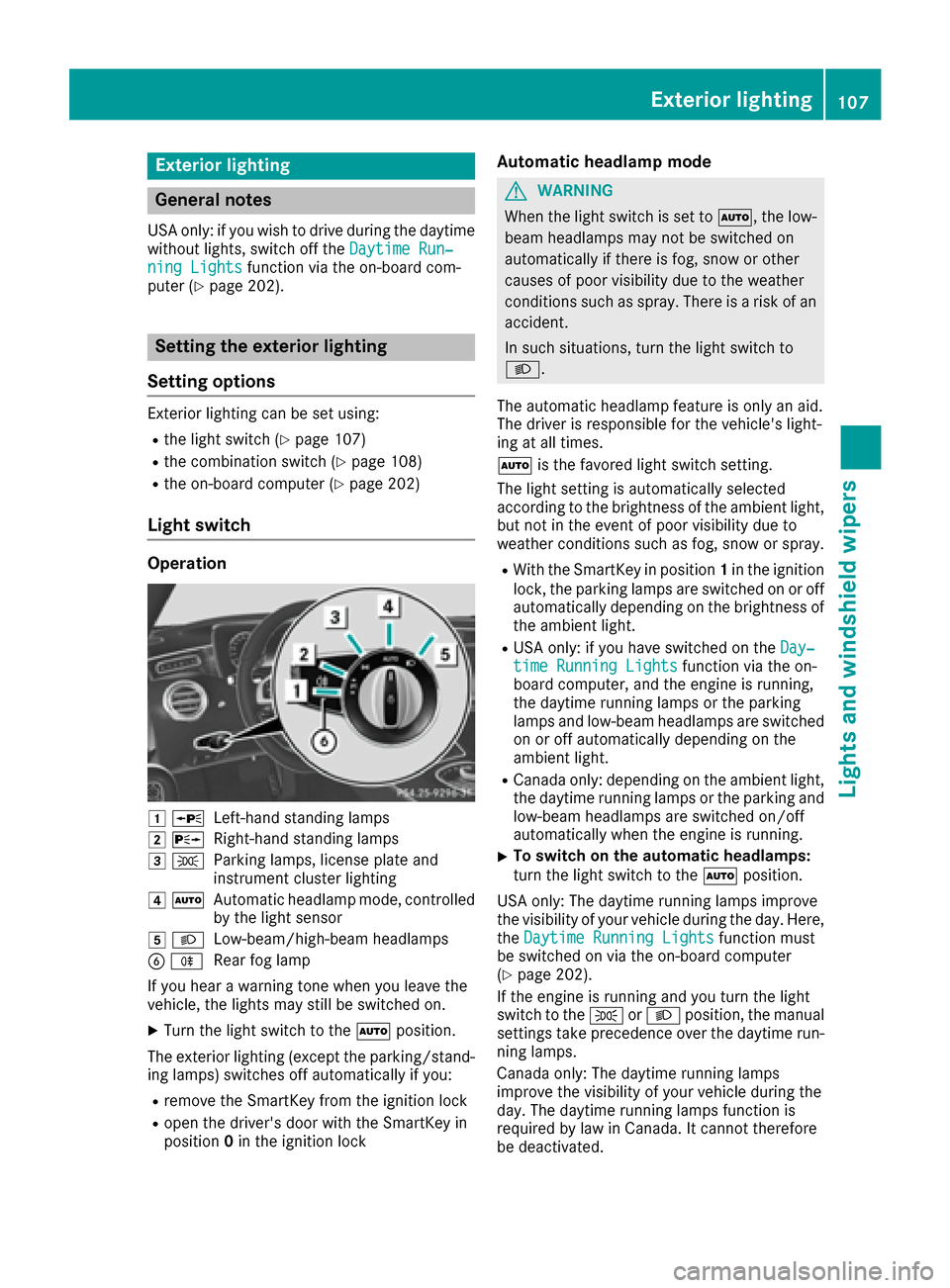
Light switch
Operation
1 WLeft-hand standing lamps
2XRight-hand standing lamps
3TParking lamps, license plate and
instrument cluster lighting
4ÃAutomatic headlamp mode, controlled
by the light sensor
5 LLow-beam/high-beam headlamps
BRRear fog lamp
If you hear a warning tone when you leave the
vehicle, the lights may still be switched on.
XTurn the light switch to the Ãposition.
The exterior lighting (except the parking/stand-
ing lamps) switches off automatically if you:
Rremove the SmartKey from the ignition lock
Ropen the driver's door with the SmartKey in
position 0in the ignition lock
Automatic headlamp mode
GWARNING
When the light switch is set to Ã, the low-
beam headlamps may not be switched on
automatically if there is fog, snow or other
causes of poor visibility due to the weather
conditions such as spray. There is a risk of an
accident.
In such situations, turn the light switch to
L.
The automatic headlamp feature is only an aid.
The driver is responsible for the vehicle's light-
ing at all times.
à is the favored light switch setting.
The light setting is automatically selected
according to the brightness of the ambient light,
but not in the event of poor visibility due to
weather conditions such as fog, snow or spray.
RWith the SmartKey in position 1in the ignition
lock, the parking lamps are switched on or off
automatically depending on the brightness of
the ambient light.
RUSA only: if you have switched on the Day‐time Running Lightsfunction via the on-
board computer, and the engine is running,
the daytime running lamps or the parking
lamps and low-beam headlamps are switched
on or off automatically depending on the
ambient light.
RCanada only: depending on the ambient light,
the daytime running lamps or the parking and
low-beam headlamps are switched on/off
automatically when the engine is running.
XTo switch on the automatic headlamps:
turn the light switch to the Ãposition.
USA only: The daytime running lamps improve
the visibility of your vehicle during the day. Here,
the Daytime Running Lights
function must
be switched on via the on-board computer
(
Ypage 202).
If the engine is running and you turn the light
switch to the TorL position, the manual
settings take precedence over the daytime run-
ning lamps.
Canada only: The daytime running lamps
improve the visibility of your vehicle during the
day. The daytime running lamps function is
required by law in Canada. It cannot therefore
be deactivated.
Exterior lighting107
Lights and windshield wipers
Z
Page 110 of 338
When the engine is running and the vehicle is
stationary: if you move the selector lever from a
driving position toP, the daytime running lamps
and low-beam headlamps go out after three
minutes.
When the engine is running, the vehicle is sta-
tionary and in bright ambient light: if you turn the
light switch to the Tposition, the daytime
running lamps and parking lamps switch on.
If the engine is running and you turn the light
switch to the Lposition, the manual settings
take precedence over the daytime running
lamps.
Low-beam headlamps
GWARNING
When the light switch is set to Ã, the low-
beam headlamps may not be switched on
automatically if there is fog, snow or other
causes of poor visibility due to the weather
conditions such as spray. There is a risk of an
accident.
In such situations, turn the light switch to
L.
Even if the light sensor does not detect that it is
dark, the parking lamps and low-beam head-
lamps switch on when the ignition is switched on and the light switch is set to the Lposition.
This is a particularly useful function in the event
of rain and fog.
XTo switch on the low-beam headlamps:
turn the SmartKey in the ignition lock to posi- tion 2or start the engine.
XTurn the light switch to the Lposition.
The green Lindicator lamp in the instru-
ment cluster lights up.
Rear fog lamp
The rear fog lamp improves visibility of your
vehicle for the traffic behind in the event of thick
fog. You must observe the legal requirements
for the country in which you are currently driving
when operating the rear fog lamp.
XTo switch on the rear fog lamp: turn the
SmartKey in the ignition lock to position 2or
start the engine.
XTurn the light switch to the LorÃ
position.
XPress the Rbutton.
The yellow Rindicator lamp in the instru-
ment cluster lights up.
Parking lamps
!If the battery charge is very low, the parking
lamps or standing lamps are automatically
switched off to enable the next engine start.
Always park your vehicle safely and in a well lit
area, in accordance with the relevant legal
stipulations. Avoid using the Tparking
lamps over a period of several hours. If pos-
sible, switch on the right-hand Xor left-
hand W standing lamps.
XTo switch on the parking lamps: turn the
light switch to the Tposition.
The green Tindicator lamp on the instru-
ment cluster lights up.
Standing lamps
Switching on the standing lamps ensures the
corresponding side of the vehicle is illuminated.
XTo switch on the standing lamps: turn the
Smart Key to position 0in the ignition lock or
remove the SmartKey.
XTurn the light switch to the W(left-hand
side of the vehicle) or X(right-hand side of
the vehicle) position.
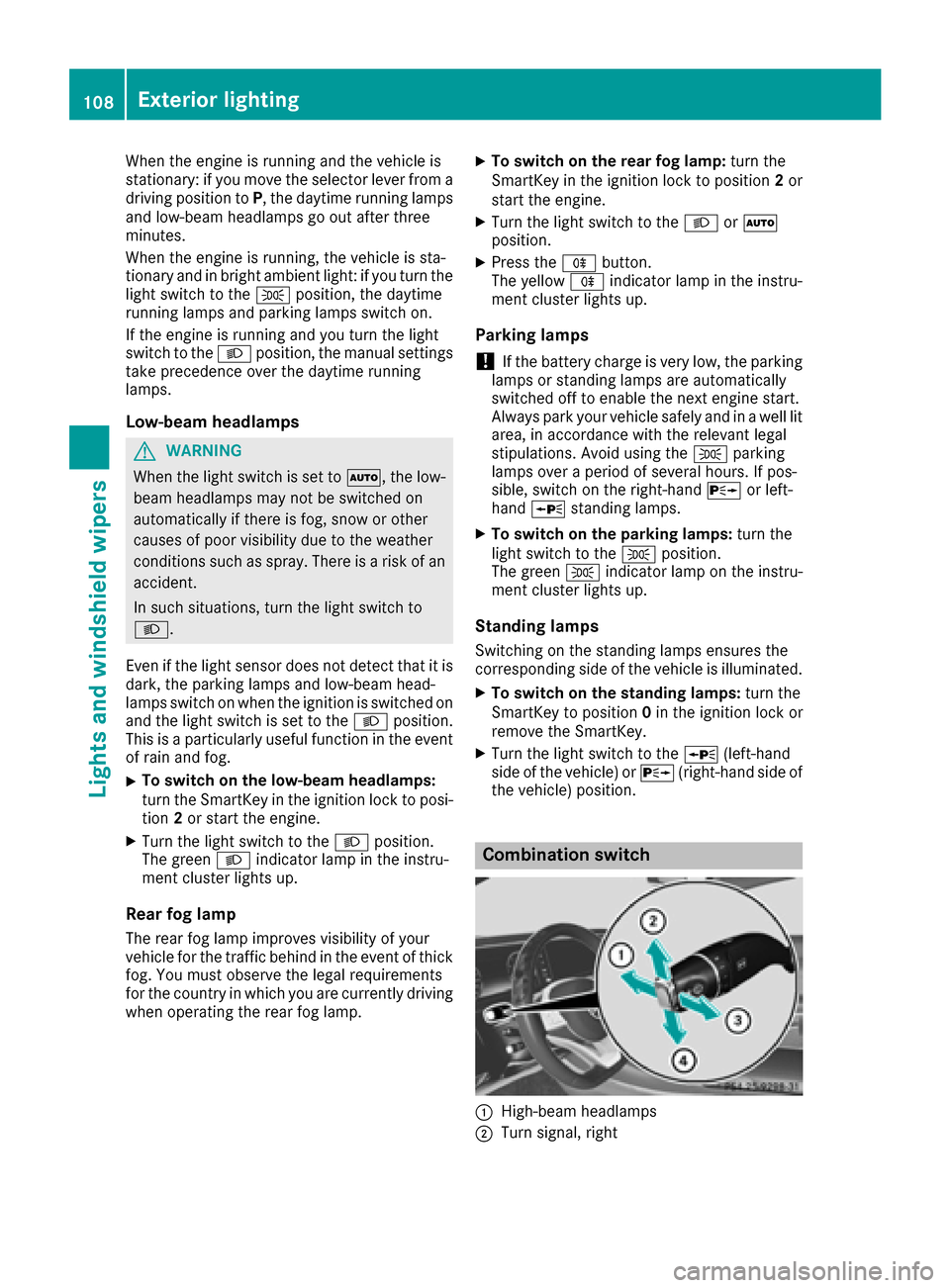
Combination switch
:High-beam headlamps
;Turn signal, right
108Exterior lighting
Lights and windshield wipers
Page 111 of 338
=High-beam flasher
?Turn signal, left
XTo indicate briefly:press the combination
switch briefly to the pressure point in direc-
tion of arrow ;or?.
The corresponding turn signal flashes three
times.
XTo indicate: press the combination switch
beyond the pressure point in direction of
arrow ;or?.
XTo switch on the high-beam headlamps:
turn the light switch to the LorÃ
position.
XPress the combination switch beyond the
pressure point in the direction of arrow :.
In the Ãposition, the high-beam head-
lamps are switched on only when it is dark and
the engine is running.
The blue Kindicator lamp on the instru-
ment cluster lights up when the high-beam
headlamps are switched on.
XTo switch off the high-beam headlamps:
move the combination switch back to its nor-
mal position.
The blue Kindicator lamp on the instru-
ment cluster goes out.
Vehicles with Adaptive Highbeam Assist
Plus:
If Adaptive Highbeam Assist Plus is activated, it
automatically controls activation and deactiva-
tion of the high-beam headlamps (
Ypage 109).
XHigh-beam flasher: pull the combination
switch in the direction of arrow =.
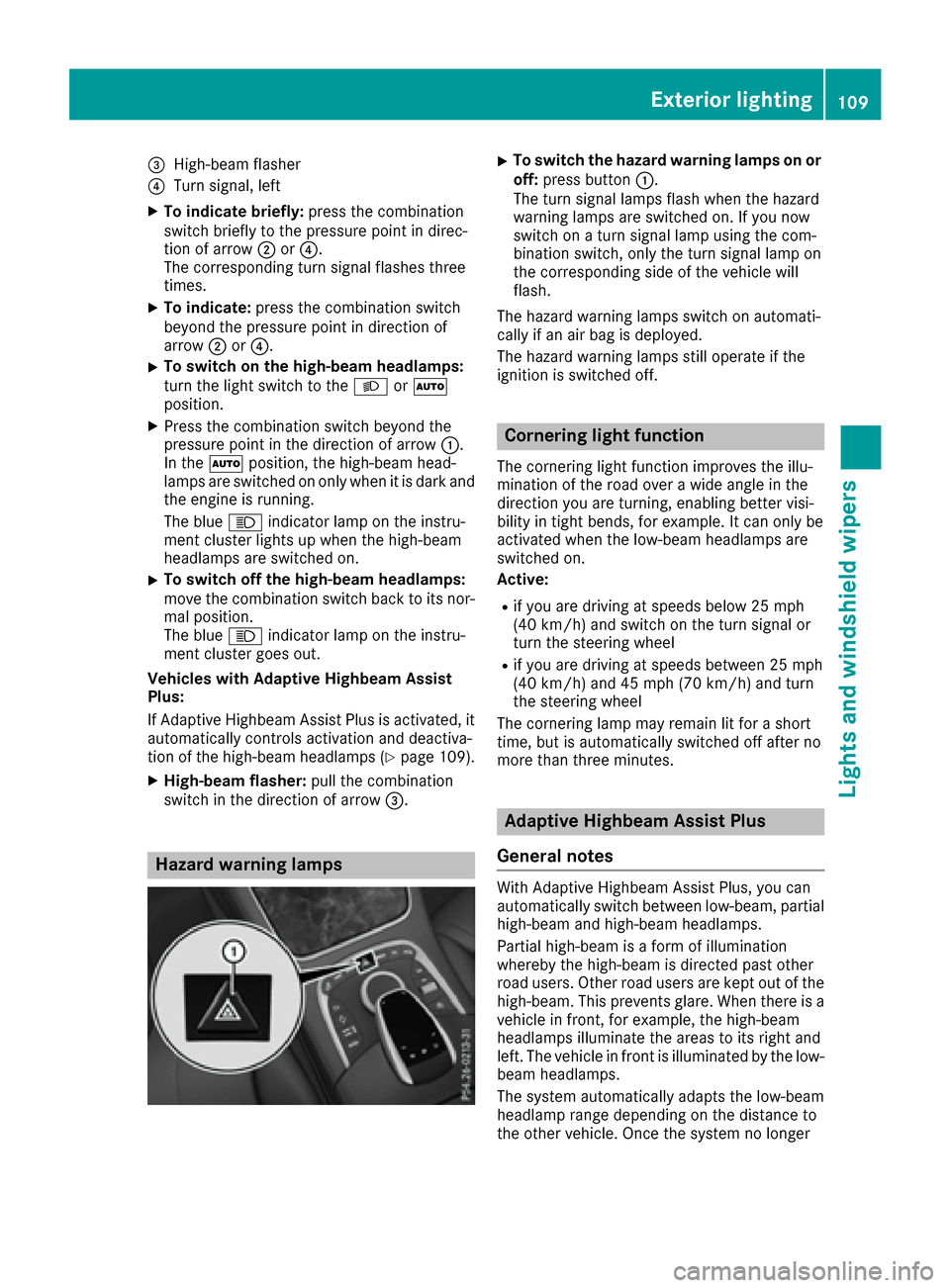
Hazard warning lamps
XTo switch the hazard warning lamps on or
off: press button :.
The turn signal lamps flash when the hazard
warning lamps are switched on. If you now
switch on a turn signal lamp using the com-
bination switch, only the turn signal lamp on
the corresponding side of the vehicle will
flash.
The hazard warning lamps switch on automati-
cally if an air bag is deployed.
The hazard warning lamps still operate if the
ignition is switched off.
Cornering light function
The cornering light function improves the illu-
mination of the road over a wide angle in the
direction you are turning, enabling better visi-
bility in tight bends, for example. It can only be
activated when the low-beam headlamps are
switched on.
Active:
Rif you are driving at speeds below 25 mph
(40 km/h) and switch on the turn signal or
turn the steering wheel
Rif you are driving at speeds between 25 mph
(40 km/h) and 45 mph (70 km/h) and turn
the steering wheel
The cornering lamp may remain lit for a short
time, but is automatically switched off after no
more than three minutes.
Adaptive Highbeam Assist Plus
General notes
With Adaptive Highbeam Assist Plus, you can
automatically switch between low-beam, partial
high-beam and high-beam headlamps.
Partial high-beam is a form of illumination
whereby the high-beam is directed past other
road users. Other road users are kept out of the
high-beam. This prevents glare. When there is a
vehicle in front, for example, the high-beam
headlamps illuminate the areas to its right and
left. The vehicle in front is illuminated by the low-
beam headlamps.
The system automatically adapts the low-beam
headlamp range depending on the distance to
the other vehicle. Once the system no longer
Exterior lighting109
Lights and windshield wipers
Z
Page 112 of 338
detects any other vehicles, it reactivates the
high-beam headlamps.
If the reflected light from the high-beam head-
lamps or partial high-beam headlamps from traf-
fic signs is too strong, the lights are automati-
cally dimmed. Glare for the driver caused by the
reflections is thus avoided.
The system's optical sensor is located behind
the windshield near the overhead control panel.
Important safety notes
GWARNING
Adaptive Highbeam Assist Plus does not react
to road users:
Rwho have no lights, e.g. pedestrians
Rwho have poor lighting, e.g. cyclists
Rwhose lighting is blocked, e.g. by a barrier
In very rare cases, Adaptive Highbeam Assist
Plus may not react to road users who do have
lights, or may recognize them too late. In this,
or in similar situations, the automatic high-
beam headlamps will not be deactivated or
will be activated regardless. There is a risk of
an accident.
Always carefully observe the traffic conditions
and switch off the high-beam headlamps in
good time.
Adaptive Highbeam Assist Plus cannot take into
account road, weather or traffic conditions.
Adaptive Highbeam Assist Plus is only an aid.
You are responsible for adjusting the vehicle's
lighting to the prevailing light, visibility and traf-
fic conditions.
In particular, the detection of obstacles can be
impaired if:
Rthere is poor visibility, e.g. due to fog, heavy
rain or snow
Rthere is dirt on the sensors or anything else
covering the sensors
Switching Adaptive Highbeam Assist
Plus on/off
XTo switch on: turn the light switch to the
à position.
XPress the combination switch forwards
beyond the pressure point (Ypage 108).
The _ indicator lamp on the multifunction
display lights up when it is dark and the light
sensor switches on the low-beam headlamps.
If you are driving at speeds above approx-
imately 16 mph (25 km/h):
The headlamp range is set automatically
depending on the distance between the vehi-
cle and other road users.
If you are driving at speeds above approx-
imately 19 mph (30 km/ h)and no other road
users are detected:
The high-beam headlamps are switched on
automatically. The Kindicator lamp on the
instrument cluster also lights up.
If other road users are detected, the partial
high-beam headlamps are automatically
switched on.
If you are driving at speeds below approx-
imately 16 mph (25 km/h) or the roads are
adequately illuminated:
The partial high-beam or high-beam head-
lamps are switched off automatically. The
K indicator lamp on the instrument cluster
goes out. The _indicator lamp on the
multifunction display remains lit.
XTo switch off: move the combination switch
back to its normal position or move the light
switch to another position.
The _ indicator lamp on the multifunction
display goes out.
Headlamps fogged up on the inside
Certain climatic and physical conditions may
cause moisture to form in the headlamp. This
moisture does not affect the functionality of the
headlamp.
110Exterior lighting
Lights and windshield wipers
Page 113 of 338
Interior lighting
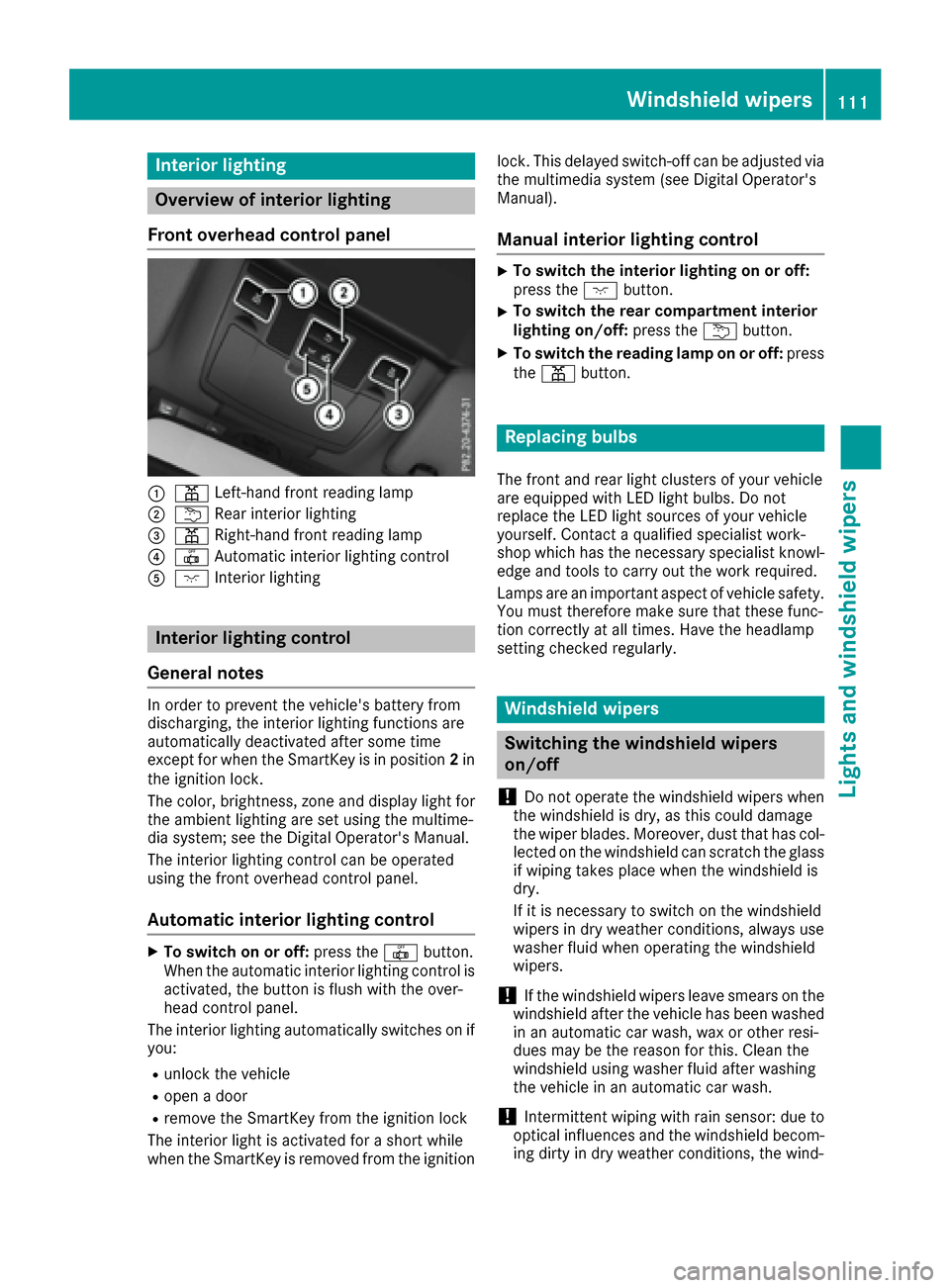
Overview of interior lighting
Front overhead control panel
:p Left-han dfron treading lamp
;u Rear interio rlighting
=p Right-hand fron treading lamp
?| Automatic interio rlighting control
Ac Interio rlighting
Interior lighting control
General notes
In order to preven tth evehicle's battery from
discharging ,th einterio rlighting function sare
automatically deactivated after som etime
except for when th eSmartKey is in position 2in
th eignition lock.
The color ,brightness, zone and display ligh tfor
th eambien tlighting are set usin gth emultime-
dia system; see th eDigital Operator's Manual.
The interio rlighting control can be operate d
usin gth efron toverhead control panel.
Automatic interior lighting control
XTo switch on or off :press th e| button.
When th eautomatic interio rlighting control is
activated, th ebutto nis flus hwit hth eover-
head control panel.
The interio rlighting automatically switches on if
you:
Runlock th evehicl e
Ropenadoor
Rremove th eSmartKey from th eignition loc k
The interio rligh tis activated for ashort while
when th eSmartKey is remove dfrom th eignition lock. This delaye
dswitch-off can be adjusted via
th emultimedia system (see Digital Operator's
Manual).
Manual interior lighting control
XTo switch th einterior lighting on or off :
press th ec button.
XTo switch th erea rcompartmen tinterior
lighting on/off: press theu button.
XTo switch th ereadin glam pon or off :press
th ep button.
Replacing bulbs
The fron tand rear ligh tclusters of your vehicl e
are equipped wit hLE Dligh tbulbs .Do no t
replace th eLE Dligh tsource sof your vehicl e
yourself .Contac t aqualified specialist work-
sho pwhic hhas th enecessar yspecialist knowl-
edge and tools to carry out th ewor krequired.
Lamps are an important aspect of vehicl esafety.
You must therefor emak esur ethat these func-
tion correctl yat all times .Hav eth eheadlamp
setting checke dregularly.
Windshield wipers
Switching the windshield wipers
on/off
!
Do no toperate th ewindshield wiper swhen
th ewindshield is dry, as this could damag e
th ewiper blades. Moreover, dust that has col-
lecte don th ewindshield can scratch th eglass
if wipin gtakes plac ewhen th ewindshield is
dry.
If it is necessar yto switch on th ewindshield
wiper sin dry weather conditions, always use
washe rfluid when operating th ewindshield
wipers.
!If th ewindshield wiper sleav esmears on th e
windshield after th evehicl ehas been washe d
in an automatic car wash, wax or other resi-
dues may be th ereason for this. Clean th e
windshield usin gwashe rfluid after washing
th evehicl ein an automatic car wash.
!Intermittent wipin gwit hrain sensor :due to
optical influence sand th ewindshield becom-
ing dirt yin dry weather conditions, th ewind-
Windshield wipers111
Lights and windshield wipers
Z