key MERCEDES-BENZ S-CLASS CABRIOLET 2017 Owner's Guide
[x] Cancel search | Manufacturer: MERCEDES-BENZ, Model Year: 2017, Model line: S-CLASS CABRIOLET, Model: MERCEDES-BENZ S-CLASS CABRIOLET 2017Pages: 521, PDF Size: 10.48 MB
Page 255 of 521
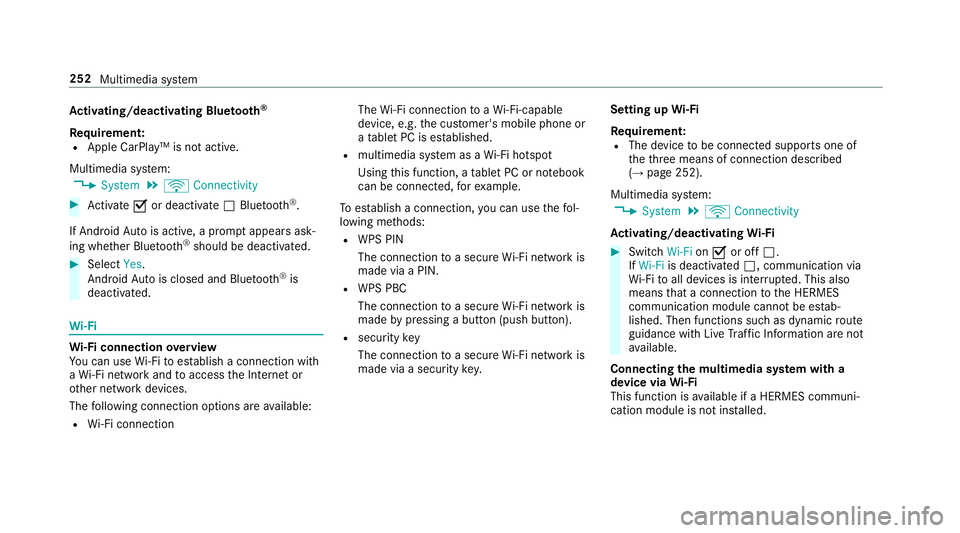
Ac
tivating/deactivatin gBluetooth ®
Requ irement:
R Apple CarPlay™ is no tactive.
Multimedia sy stem:
, System .
ö Connectivity #
Activate Oor deacti vate ª Bluetoo th®
.
If Android Autois active, apromp tappear sask‐
ing whe ther Blue tooth®
should be deactivated. #
Select Yes.
Android Autois closed and Blue tooth®
is
deactivated. Wi
-Fi Wi
-Fic on nectio noverview
Yo uc an use Wi-Fi toestablish aconnection with
aW i-Finetwo rkand toaccess theI nterne tor
ot her networ kdevices.
The following connection option sareavailable:
R Wi-Fi connection The
Wi-Fi connectio ntoaWi-Fi-capable
device ,e.g.t he cus tomer's mobil ephone or
at able tPCise stablished.
R multimedia sy stem as aWi-Fihotspot
Using this function ,atable tPCorn otebook
can be connected, fore xamp le.
To establish aconnection ,you can use thef ol‐
lowing me thods:
R WPS PIN
The connection toas ecur eWi-Finetwo rkis
mad eviaaP IN.
R WPS PBC
The connectio ntoasecureWi-Finetwo rkis
mad ebyp ressing abutton (push button).
R security key
The connection toas ecur eWi-Finetwo rkis
mad eviaas ecu rity key. Setting up
Wi-Fi
Requ irement:
R The device tobe connec teds upports one of
th et hree means of connection described
(→ pag e252).
Multimedia sy stem:
, System .
ö Connectivity
Ac tivating/deactivatin gWi-Fi #
Switch Wi-FionO or off ª.
If Wi-Fi is deacti vatedª,communicatio nvia
Wi -Fi toall devices is inter rupte d. This also
means that ac onnectio ntothe HERMES
communication module canno tbeestab‐
lished. Then function ssuchasd ynamic route
guidance wit hLiveT raffic In form ation ar enot
av ailable.
Connecting them ultimedia sy stem wit ha
device via Wi-Fi
Thi sfunction is available if aHERME Scommuni‐
cation modul eisnotins talled. 252
Multimedia sy stem
Page 256 of 521
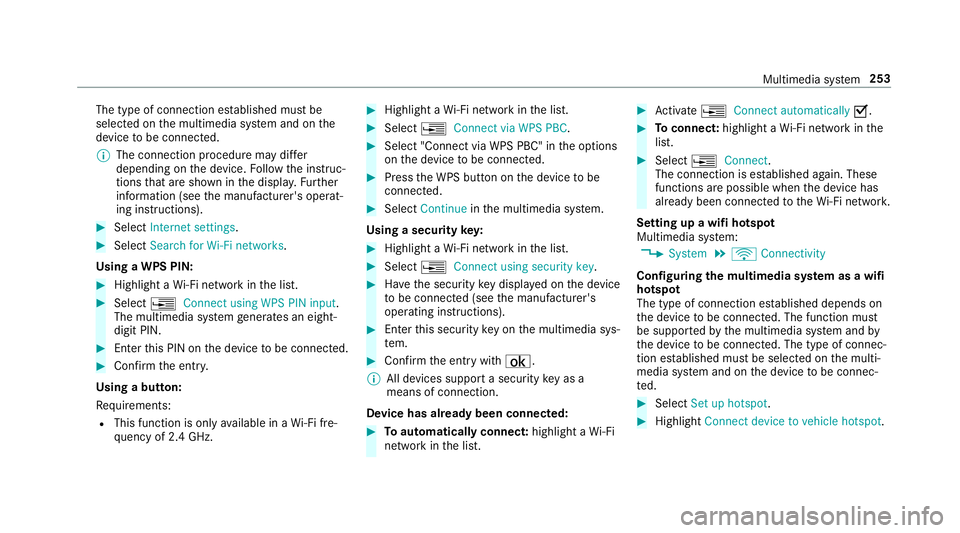
The type of connection es
tablished mus tbe
selected on them ultimedia sy stem and on the
device tobe connec ted.
% The connection procedur emaydiffer
dependin gonthe device. Followt he instruc‐
tions that ar eshown in thed ispla y.Fu rther
information (see them anufacturer's operat‐
ing instructions). #
Select Internet settings . #
Select Search for Wi-Fi networks.
Using aWPS PIN: #
Highlight aWi-Finetwo rkinthel ist. #
Select ¥Connec tusing WPS PIN input.
The multimedia sy stem generates an eight-
digi tPIN. #
Enter this PIN on thed evice tobe connec ted. #
Confir mthe entr y.
Using abutton:
Re quirements:
R This function is onl yavailable in aWi-Fifre‐
qu ency of 2.4 GHz. #
Highlight aWi-Finetwo rkinthel ist. #
Select ¥Connec tvia WPS PBC. #
Select "Connec tvia WPS PBC" in theo ptions
on thed evice tobe connec ted. #
Press theW PS button on thed evice tobe
connec ted. #
Select Continue inthem ultimedia sy stem.
Using asecurity key: #
Highlight aWi-Finetwo rkinthel ist. #
Select ¥Connec tusing securit ykey. #
Have thes ecurity keyd ispla yedont he device
to be connec ted( see them anufacturer's
operating instructions). #
Ente rthis security keyo nthe multimedia sys‐
te m. #
Confir mthe entr ywith¡.
% All devices suppor tasecurity keyasa
mean sofconnection.
Device ha salread ybeen connec ted: #
Toautomaticall yconnect: highlight aWi-Fi
networ kinthe list. #
Activate ¥ Connect automatically O. #
Toconnect: highlightaWi-Finetwo rkinthe
list. #
Select ¥Connect.
The connection is es tablished again. These
function sarepossible when thed evice has
already been connected totheW i-Finetwo rk.
Setting up awifih otspot
Multimedia sy stem:
, System .
ö Connectivity
Configuring them ultimedia sy stem as awifi
hotsp ot
The type of connection es tablished depends on
th ed evice tobe connec ted. The function must
be suppor tedbyt he multimedia sy stem and by
th ed evice tobe connec ted. The type of connec‐
tion es tablished mus tbeselected on them ulti‐
media sy stem and on thed evice tobe connec‐
te d. #
Select Set up hotspot. #
Highlight Connectdevice to vehicle hotspot. Multimedia sy
stem 253
Page 257 of 521
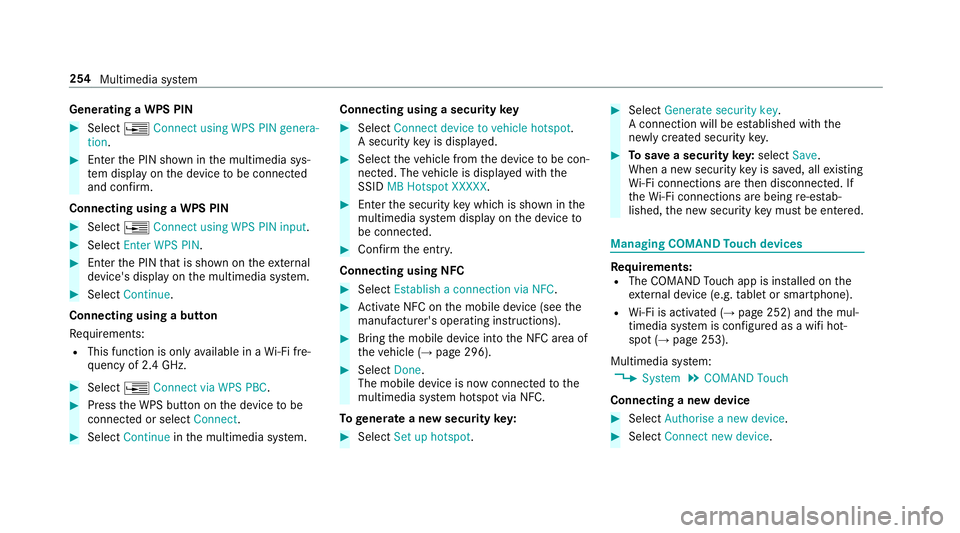
Genera
tingaW PS PIN #
Select ¥Connect using WPS PIN genera-
tion. #
Enter theP IN shown in them ultimedia sys‐
te md ispla yont he device tobe connec ted
and con firm.
Connecting usin gaWPS PIN #
Select ¥Connect usin gWPS PIN input. #
Select Enter WPS PIN. #
Entert he PIN that is shown on thee xternal
device's displa yonthe multimedia sy stem. #
Select Continue.
Connecting using abutton
Re quirements:
R This function is onl yavailable in aWi-Fifre‐
qu ency of 2.4 GHz. #
Select ¥Connec tvia WPS PBC. #
Press theW PS button on thed evice tobe
connec tedors electConnect. #
Select Continue inthem ultimedia sy stem. Connecting using
asecurity key #
Select Connect device to vehicl ehotspot .
As ecu rity keyisd isplayed. #
Select thev ehicle from thed evice tobe con‐
nec ted. The vehicle is displa yedw itht he
SSID MB Hotspot XXXXX. #
Enter thes ecurity keyw hichiss hown in the
multimedia sy stem displa yonthe device to
be connec ted. #
Confir mthe entr y.
Connecting usin gNFC #
Select Establish aconnectio nvia NFC. #
Activat eNFC on them obile device (see the
manufacturer's operating instructions). #
Bring them obile device int othe NFC area of
th ev ehicle (→ page296). #
Select Done.
The mobile device is no wconnected tothe
multimedia sy stem hotspo tvia NFC.
To generat eanewsecurity key: #
Select Set up hotspot . #
Select Generate security key .
Ac onnection will be es tablished wit hthe
newly created security key. #
Tosave asecurity key:select Save.
When anew security keyiss aved, all existing
Wi -Fi connections ar ethen disconnected. If
th eW i-Ficonnections ar ebeing re-es tab‐
lished, then ew security keym ustbee ntered. Managin
gCOMAND Touc hd evices Re
quirements:
R The COMAND Touc ha pp is ins talled on the
ex tern al devic e(e.g. table tors martphone).
R Wi-Fi is acti vated( →pag e252) and them ul‐
timedia sy stem is confi gured asawifih ot‐
spo t(→ pag e253).
Multimedia sy stem:
, System .
COMAND Touch
Connecting anew device #
Select Authorise anew device. #
Select Connec tnew device. 254
Multimedia sy stem
Page 258 of 521
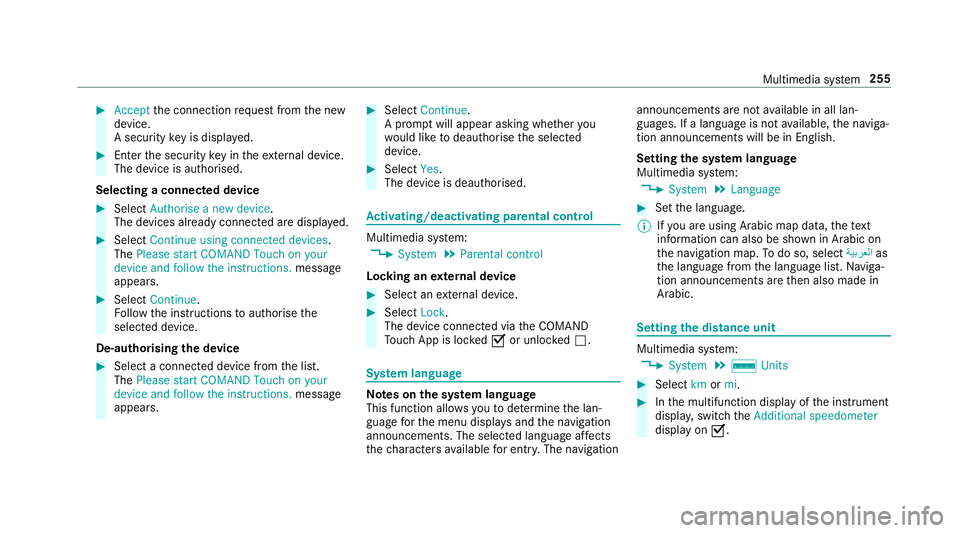
#
Accept thec onnection requ estfromt he new
device.
As ecurity keyisd isplayed. #
Ente rthe security keyint he extern al device.
The devic eisauthorised.
Selecting aconnected device #
Select Authorise anew device.
The devices already connec teda redispla yed. #
Select Continue using connected devices.
The Please start COMAND Touch on your
device and follow the instructions. message
appears. #
Select Continue.
Fo llowt he instructions toauthorise the
selected device.
De-authorising thed evice #
Select aconnec tedd evice from thel ist.
The Please start COMAND Touch on your
device and follow the instructions. message
appears. #
Select Continue.
Ap romp twill appear asking whe ther you
wo uld lik etodeauthorise thes elected
device. #
Select Yes.
The device is deauthorised. Ac
tivating/deactivatin gparenta lcon trol Multimedia sy
stem:
, System .
Parental control
Locking an extern al device #
Select an extern al device. #
Select Lock.
The devic econnec tedv iatheC OMAND
To uc hA ppis loc kedOor unloc kedª. Sy
stem language Note
sont he system language
This function allo wsyoutod etermine thel an‐
guag efor them enu displa ysand then avigation
announcements. The selected languag eaffects
th ec haracter savailable fore ntr y.The navigation announcement
sarenota vailable in all lan‐
guages. If alanguag eisnotavailable, then aviga‐
tion announcements will be in Engl ish.
Setting thes ysteml anguage
Multimedia sy stem:
, System .
Language #
Setthe language.
% Ifyo ua reusin gArabic map data, thet ext
information can also be shown in Arabic on
th en avigation map. Todo so, select ةيبرعلاas
th el anguag efromt he languag elist. Naviga‐
tion announcements ar ethen also made in
Arabic. Setting
thed istance unit Multimedia sy
stem:
, System .
% Units #
Select kmormi. #
Inthem ultifunction displa yofthe instrument
displa y,switc hthe Additional speedometer
displa yonO. Multimedia sy
stem 255
Page 298 of 521
#
Select Reception volume orTransmission
volume. #
Setthe volume.
Fu rther information on ther ecommende drecep‐
tio na nd transmission volume: http://
www.me rcedes-benz.com/connect
Ad justin gthe call and ringtone volume
Multimedia sy stem:
, System .
õ Audio .
Telephone #
Select Speech volume orRington evolume . #
Setthe volume.
St arting/ stopping mobile phon evoice recog‐
nition
Re quirements:
R The mobile phon eisconnec tedtot he multi‐
media sy stem (→ page290).
St arting mobile phone voice recognition #
Press and hold theó button on them ulti‐
function steering wheel form oret han one
second.
Yo uc an use mobile phon evoice recognition. St
opping mobil ephone voice recognition #
Press the8 or~ button on them ulti‐
function steering wheel. Calls
Te
lephone operation
Multimedia sy stem:
, Telephone .
ª Contacts
Making acall #
Select Numerical keypad. #
Ente rthe number. #
Select w.
The call is made.
Ac ceptin gacall #
Select Accept.
Re jectin gacall #
Select Reject.
Endin gacall #
Select =. Ac
tivatin gfunctions durin gacall #
Tosho wall functions, navigat edown.
The following function sareavailable during a
call:
R Endc all
R Mak eadditional call
R Keyboard (showtos endDTMF tones)
R Switch Mute mic onO or off ª.
R Private mode (ana ctive cal linh ands-free
mod eist ransfer redo vertot hetelephone)
% Privat emode is no tavailable forb usiness
te lephon y.
Conductin gcalls wit hseve ralp articipants
Re quirements:
R Ther eisana ctivecall (→ page295).
R Another call is being made.
Switching between calls #
Select call #.
The selected call is active. The other call is
on hold. Multimedia sy
stem 295
Page 328 of 521
Ac
tivating/deactivatin gfull-scree nmode
Multimedia sy stem:
, Media .
à Media sources #
Select adatas torage medium.
Pla yable video files ar eplaye db ack. #
Toactivat efull-screenm ode:select #
Full screen. #
Todeactivat efull-sc reen mode: pressthe
to uchpad.
Changing video settings
Multimedia sy stem:
, Media .
Z Options .
Picture for-
mat
The following pictur eformats ar eavailable:
R Automatic
R 16:9
R 4:3
R Zoom #
Select apictur eformat. Ad
justin gthe brightness manually #
Select Brightness . #
Adjus tthe brightness. Media sear
ch St
arting them edia sear ch
Multimedia sy stem:
, Media .
ª Search
Depending on thec onnected media sources and
fi les, thef ollowing categories ar eliste d:
R Current trac klist
R Keyword search
R Playlists
R Artists
R Albums
R Tracks
R Folder
R Music genres
R Year
R Composers R
Videos
R Podcasts (Apple®
devices)
R Audiobooks (Apple®
devices) #
Select acategor y.
% The categories ar eavailable as soon as the
entir emedia conte nt hasbeenr ead in and
analysed. Media Inter
face Information abou
tthe Media Inter face
Media In terface is auniversal inter face fort he
connection of mobile audioe quipment. The mul‐
timedi asystemh as tw oUSB ports. The USB
ports ar elocated in thes towa ge compartment
unde rthe armrest.
Suppor tedd evices
The Media Inter face allo wsyoutoc onnect the
fo llowing dat astorage media:
R iPod ®
R iPhone ®
R MP3 pla yer Multimedia sy
stem 325
Page 355 of 521
#
Mak esuret hat no windscreen washer
concentrat espills out next tothef iller
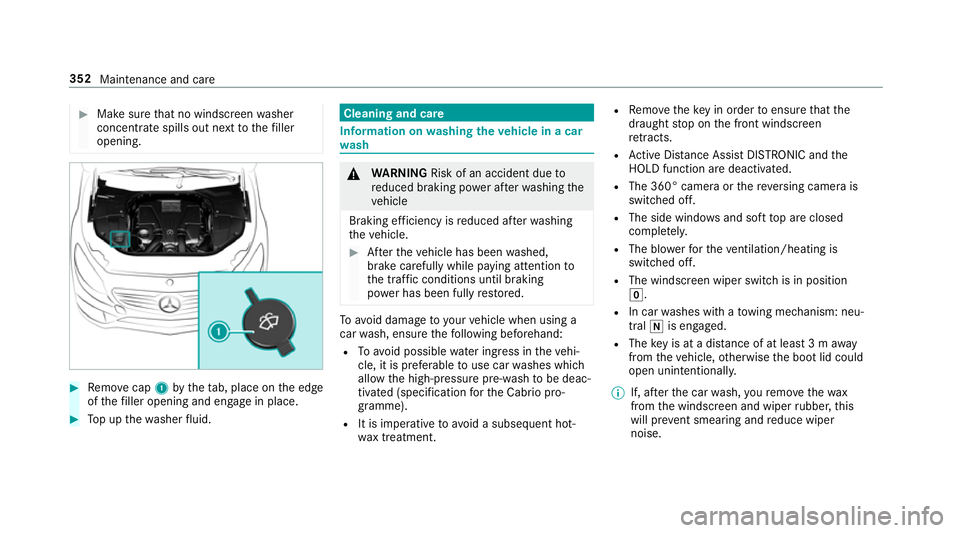
opening. #
Remo vecap 1bythet ab, place on thee dge
of thef iller opening and engag einplace. #
Topupt hewasher fluid. Cleaning and care
Informatio
nonwashingthe vehicl einac ar
wa sh &
WARNING Risk of an accident du eto
re duced braking po werafter wa shing the
ve hicle
Braking ef ficiency is reduced af terw ashing
th ev ehicle. #
Aftert he vehicle has been washed,
brak ecarefully while paying attention to
th et raffic condition suntilbraking
po we rhas been fully restored. To
avo id damag etoyourvehicle when using a
car wash, ensur ethe following beforehand:
R Toavo id possible wateringress in thev ehi‐
cle, it is preferable touse car washes which
allo wthe high-pressur epre-wash tobe deac‐
tivated (specification fort he Cabrio pro‐
gramme).
R It is imperativ etoavoid as ubsequent hot-
wa xtreatment. R
Remo vethek eyin order toensur ethat the
draught stop on thef ront windscreen
re tracts.
R ActiveD ista nce Assi stDISTRONI Candthe
HOLD functio naredeactivated.
R The 360° came raor ther eve rsing camer ais
switched off.
R The side windo wsand sof ttop ar eclosed
comple tely.
R The blo werfor thev entilation/heating is
switche doff.
R The windsc reen wiper switc hisinposition
g.
R In car washes wit hatowing mechanism: neu‐
tral iis engaged.
R The keyisata distance of at leas t3ma way
from thev ehicle, otherwise theb ootlid could
open unintentionally.
% If, af tert he car wash, your emo vethew ax
from thew indscreen and wiper rubber ,this
will pr event smearing and reduce wiper
noise. 352
Maintenanc eand care
Page 451 of 521
Key
Displa
ymessages
Possible causes/consequences and M
MSolutions
 Replace key *T
hekeyn eeds tobe replaced. #
Consult aqualified specialis tworks hop.
Replace key See Owner's
Manual *
Ve hicles with adigital vehicl ekeyinthes ma rtphone: onlyafew or no authorisations remain fors tartin gt he
engine. #
Mak esuret hat theI nterne tconnection is no tlimited bycer tain mobile phon esettings. #
Open theM ercedes me connect weba pp http://www.mercedes.me. and call up the" Digital Car Keyint he
smartphone" service. #
Deactivat ethe service firs ta nd then activat eitagain. #
Ifth ed ispla ymessag estilla ppears, con tact theM ercedes-Benz Cus tomer Assis tance Center (C AC).
 Change key batteries *T
hekeyb atte ry is dischar ged. #
Replace theb atter y. 448
Displaymessa gesa nd warning/indicator lamps
Page 452 of 521
Displa
ymessages
Possible causes/consequences and M
MSolutions
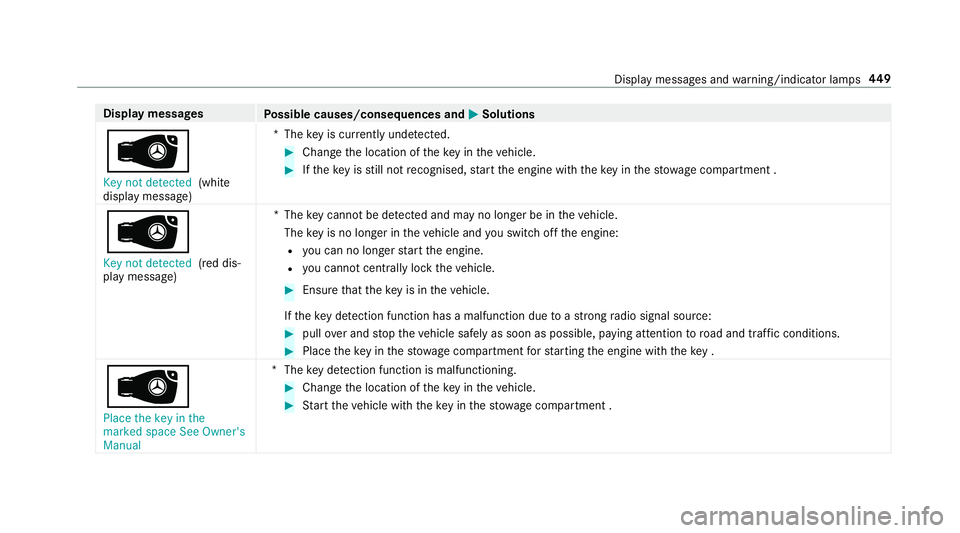
 Key not detected (white
displa ymessage) *T
hekeyisc urrently und etected. #
Chang ethe location of thek eyinthev ehicle. #
Ifth ek eyisstill no trecognised, star tt he engine wit hthe keyint he stow agec ompartment .
 Key no tdetected (red dis‐
pla ym essage) *T
hekeyc anno tbed etected and ma ynolonger be in thev ehicle.
The keyisn olon gerint hevehicle and yous wit ch offt he engine:
R youc an no lon gers tart thee ngine.
R youc anno tcentrally loc kthe vehicle. #
Ensur ethat thek eyis in thev ehicle.
If th ek eydetection function ha samalfunction du etoastrongradio signal source: #
pull overand stop thev ehicle safely as soon as possible, paying attention toroad and traf ficc onditions. #
Place thek eyinthes towa ge compartment fors tartin gt he engine wit hthe key.
 Plac ethe keyint he
marke dspac eSeeOwner's
Manual *T
hekeyd etection function is malfunctioning. #
Chang ethe location of thek eyinthev ehicle. #
Startt he vehicle wit hthe keyint he stow agec ompartment . Displa
ymessages and warning/indicator lamps 449
Page 484 of 521
Batter
y(vehicle)
Charging .............................................. 373
No tes. .................................................. 371
St artin gassis tance .............................. 373
Tr ickle charge r. ................................... .161
Belt see Sea tbelt
Blind Spo tAssist ...................................... 212
Ac tivating/deactivating ...................... .214
Fu nctio n............................................... 212
Sy stem limitations ...............................2 12
Blue tooth ®
Ac tivating/deactivating ...................... .252
Setting up an Interne tconnection ....... .312
Settings ............................................... 251
Switching profil e(DUN/PAN) .............. 313
Blue tooth ®
audio
Ac tivating ............................................ 330
De-authorising (de-regis tering) the
device .................................................. 330
Information .......................................... 327
Overvie w............................................. 328
Searchi ngforat rack ........................... 330 Sear
ching fora nd auth orisingthe
device .................................................. 329
Selecting amusic pla yer. ................... .330
Switching device via NFC .................... 330
Boo tlid
Ac tivating/deactivating theb ootlid
opening limiter ...................................... 78
Closin g................................................... 74
HANDS-FREE ACCES S........................... 76
Locking separa tely ................................ 77
Opening .................................................73
Opening dimensions ............................4 14
Po we rclosing function ........................... 74
Unlocking (emergency key) .................... 78
Boo tseparator
Closing .................................................. 85
Opening ................................................. 85
Brak eAssis tSystem
see BAS(Brak eAssistSystem)
Brak efluid
No tes. .................................................. 413
Brak eforce distribution
EB D( Elect ronic Brak eforce Distribu‐
tion) ..................................................... 167Brakes
ABS (Anti-lo ckBraking Sy stem) ........... 16 4
Ac tiveB rake Assi st.............................. 167
Ad aptiv ebrake light s........................... 172
BA S(Brak eAssistSystem) .................. 16 4
Driving tip s.......................................... 14 3
EBD (Electroni cBrake forc eD istribu‐
tion )..................................................... 167
HOLD functio n.................................... .188
Limi tedb raking ef fect (salt-trea ted
ro ads) .................................................. 14 3
New/replaced brak elinings/brake
discs .................................................... 14 2
Ru nning-in no tes. .................................1 42
Braking assi stance
see BAS(Brak eAssistSystem)
Breakdown Assis tance overview. ............................ .20
To w- startin g......................................... 381
To wing away ........................................ 377
Tr ansportin gthe vehicle ......................3 78
Wheel chang e..................................... .396
Breakdown see Flat tyre Index
481