sensor MERCEDES-BENZ S-CLASS CABRIOLET 2019 Owner's Guide
[x] Cancel search | Manufacturer: MERCEDES-BENZ, Model Year: 2019, Model line: S-CLASS CABRIOLET, Model: MERCEDES-BENZ S-CLASS CABRIOLET 2019Pages: 518, PDF Size: 13.78 MB
Page 204 of 518
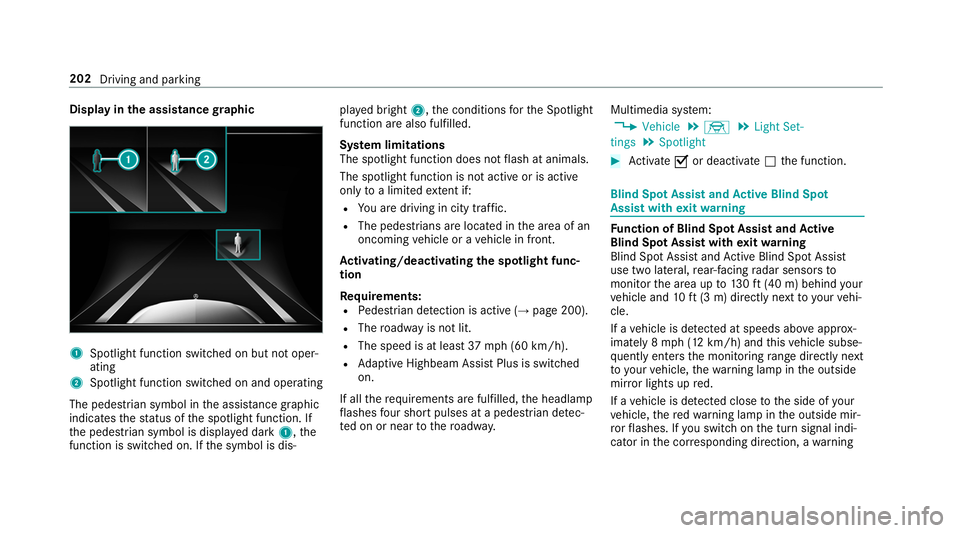
Display in
the assistance graphic 1
Spotlight function switched on but not oper‐
ating
2 Spotlight function switched on and operating
The pedestrian symbol in the assis tance graphic
indica testh est atus of the spotlight function. If
th e pedestrian symbol is displa yed dark 1,the
function is switched on. If the symbol is dis‐ pla
yed bright 2,the conditions forth e Spotlight
function are also fulfilled.
Sy stem limitations
The spotlight function does not flash at animals.
The spotlight function is not active or is active
on lyto a limited extent if:
R You are driving in city traf fic.
R The pedestrians are loca ted in the area of an
oncoming vehicle or a vehicle in front.
Ac tivating/deactivating the spotlight func‐
tion
Re quirements:
R Pedestrian de tection is acti ve (→page 200).
R The roadw ayis not lit.
R The speed is at least 37mph (60 km/h).
R Adaptive Highbeam Assist Plus is swit ched
on.
If all therequ irements are fulfilled, the headlamp
fl ashes four sho rtpulses at a pedestrian de tec‐
te d on or near tothero adw ay. Multimedia sy
stem:
, Vehicle .
÷ .
Light Set-
tings .
Spotlight #
Activate 0073or deacti vate 0053 the function. Blind Spot Assist and
Active Blind Spot
Assi stwith exitwa rning Fu
nction of Blind Spot Assist and Active
Blind Spot Assi stwith exitwa rning
Blind Spot Assist and Active Blind Spot Assi st
use two lateral, rear-facing radar sensors to
monitor the area up to130ft (40 m) behind your
ve hicle and 10ft(3 m) directly next toyour vehi‐
cle.
If a vehicle is de tected at speeds ab ove appr ox‐
imately 8 mph (12 km/h) and this vehicle subse‐
qu ently enters the monitoring range di rectly next
to yo urvehicle, thewa rning lamp in the outside
mir ror lights up red.
If a vehicle is de tected close tothe side of your
ve hicle, there dwa rning lamp in the outside mir‐
ro rflashes. If you swit chon the turn signal indi‐
cator in the cor responding direction, a warning 202
Driving and parking
Page 205 of 518
to
ne sounds once. If the turn signal indicator
re mains switched on, all other de tected vehicles
are indicated only bytheflashing of thered
wa rning lamp.
If yo uove rtake a vehicle quickl y,no warning is
given. &
WARNING Risk of accident despi teBlind
Spot Assi st
Blind Spot Assi stdoes not react tovehicles
approaching and overtaking you at a greatly
di fferent speed.
As a result, Blind Spot Assist cannot warn
drivers in this situation. #
Alw ays pay careful attention tothe traf‐
fi c situation and maintain a safe dis‐
ta nce at the side of theve hicle. Blind Spot Assist and
Active Blind Spot Assi st
are on lyaids. They may failto detect some vehi‐
cles and are no substitute for attentive driving.
Alw ays ensure that there is suf ficient di stance to
th e side forot her road users and obs tacles. Exit
warning
The exitwa rning is an additional function of
Blind Spot Assist and can warnvehicle occu‐
pants about approaching vehicles when leaving
th eve hicle when stationar y. &
WARNING Risk of accident despi teexit
wa rning
The exitwa rning reacts nei ther tostationary
objects nor tovehicles approaching you at a
great lydif fere nt speed.
As a result, theex itwa rning cannot warn
drivers in these situations. #
Alw ays pay particular attention tothe
traf fic situation when opening the doors
and make sure there is suf ficient clear‐
ance. If
th ere is a vehicle in the monitoring range, this
is indicated in the outside mir ror.If a vehicle
occupant opens the door on the side with the
wa rning, a warning tone sounds and thewa rning
lamp in the outside mir rorst arts toflash. This additional function is on
lyavailable when
Blind Spot Assist is activated and up toa maxi‐
mum of thre e minutes af terth e ignition has
been switched off. The exitwa rning is no longer
av ailable once thewa rning lamp in the outside
mir rorflashes thre e times.
The exitwa rning is only an aid and not a substi‐
tute forth e attention of vehicle occupants. The
re sponsibility for opening and closing the doors
and for leaving theve hicle remains with theve hi‐
cle occupants.
Sy stem limitations
Blind Spot Assist and Active Blind Spot Assi st
may be limi ted in thefo llowing situations:
R ifth ere is dirt on the sensors or the sensors
are obscured
R in poor visibility, e.g. due tofog, heavy rain or
snow
R ifth ere are nar row vehicles, e.g. bicycles or
mo torbikes
R ifth ero ad has very wide or nar rowlanes
R ifve hicles are not driving in the middle of
th eir lane Driving and parking
203
Page 206 of 518
Wa
rnings may be issued in er ror when driving
close tocrash ba rriers or similar solid lane bor‐
ders. Alw ays make sure that there is suf ficient
di st ance tothe side forot her traf fic or obs ta‐
cles.
Wa rnings may be inter rupte d when driving along‐
side long vehicles, forex ample truc ks,fo r a pro‐
longed time.
Blind Spot Assist is not operational when reve rse
ge ar is engaged.
The exitwa rning may be limited in thefo llowing
situations:
R When the sensors are co veredby adjacent
ve hicles in nar rowparking spaces.
R When people approach theve hicle.
R Intheev ent of stationary or slowly moving
objects.
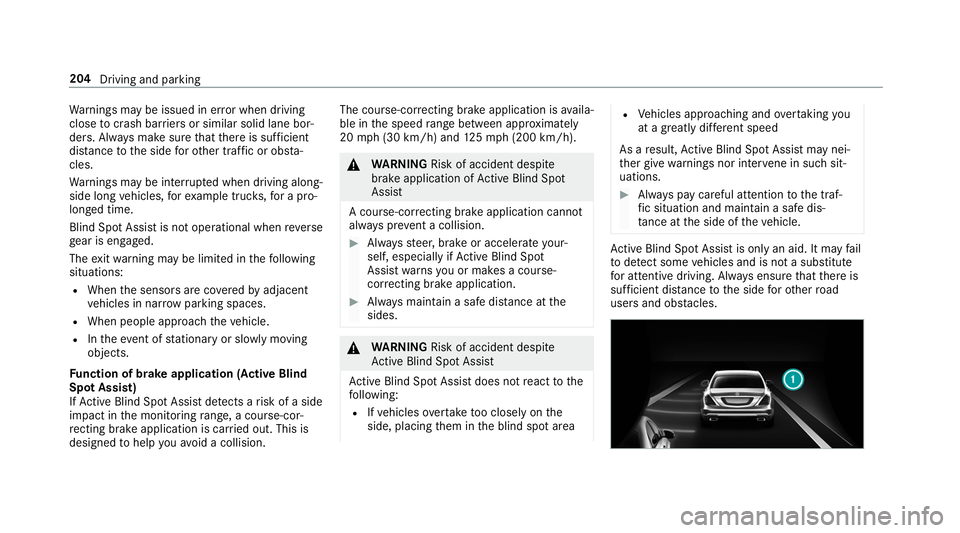
Fu nction of brake application (Active Blind
Spot Assist)
If Ac tive Blind Spot Assi stdetects a risk of a side
impact in the monitoring range, a cou rse-cor‐
re cting brake application is car ried out. This is
designed tohelp youavo id a collision. The course-cor
recting brake application is availa‐
ble in the speed range between appr oximately
20 mph (3 0 km/h) and 125mp h (2 00 km/h). &
WARNING Risk of accident despi te
brake application of Active Blind Spot
Assi st
A cou rse-co rrecting brake application cann ot
alw ays pr event a collision. #
Alw aysst eer, brake or accelera teyour‐
self, especially if Active Blind Spot
Assi stwa rnsyo u or makes a course-
co rrecting brake application. #
Alw ays maintain a safe dis tance at the
sides. &
WARNING Risk of accident despi te
Ac tive Blind Spot Assi st
Ac tive Blind Spot Assi stdoes not react tothe
fo llowing:
R Ifve hicles overtake too closely on the
side, placing them in the blind spot area R
Vehicles approaching and overtaking you
at a greatly di fferent speed
As a result, Active Blind Spot Assi stmay nei‐
th er give warnings nor inter vene in su chsit‐
uations. #
Alw ays pay careful attention tothe traf‐
fi c situation and maintain a safe dis‐
ta nce at the side of theve hicle. Ac
tive Blind Spot Assi stis only an aid. It may fail
to detect some vehicles and is not a substitute
fo r attentive driving. Alw ays ensure that there is
suf ficient di stance tothe side forot her road
users and obs tacles. 204
Driving and pa rking
Page 209 of 518
R
You ha veadop ted a sporty driving style with
high cornering speeds or high rates of accel‐
eration.
R When ESP ®
is deactivated.
R If a loss of tire pressure or a faulty tire has
been de tected and displ ayed.
The sy stem may be impaired or may not function
in thefo llowing situations:
R Ifth ere is poor visibility, e.g. due toinsuf fi‐
cient illumination of thero ad, if there are
highly variable shade conditions or in rain,
sno w,fog or heavy spr ay.
R Ifth ere is glare, e.g. from oncoming traf fic,
th e sun or reflections.
R Ifth e windshield in the area of the multifunc‐
tion camera is dirty, or if the camera is fog‐
ge d up, damaged or co vered.
R Ifth ere are no lane markings, or se veral
unclear lane markings are present for one
lane, e.g. around roadwor ks.
R Ifth e lane markings are worn, dark or cov‐
ered. R
Ifth e dis tance totheve hicle in front is too
short and thus the lane markings cann otbe
de tected.
R Ifth e lane markings change quickl y,e.g.
lanes branch off, cross one ano ther or
mer ge.
R Ifth ero adw ayisvery nar row and winding.
Ve hicles with Driving Assistance pac kageor
Driving Assistance Plus pa ckage: Active Lane
Ke eping Assist uses radar sensors tomonitor
se veral areas around theve hicle. If thera dar
sensors in there ar bumper are dirty or co vered
with sn ow,th e sy stem may be impaired or may
not function. If an obs tacle in the lane in which
yo u are driving has been de tected, no lane-cor‐
re cting brake application occu rs.Ac
tivating/deactivating Active Lane Keeping
Assist (vehicles with Parking Assist
PA RKTRONIC) &
WARNING Risk of accident despi te
Ac tive Lane Keeping Assist warning
A lane-cor recting brake application cannot
al wa ys bring theve hicle back into the origi‐
nal lane. #
Alw aysst eer, brake or accelera teyour‐
self, especially if Active Lane Keeping
Assist warnsyo u or makes a lane-cor‐
re cting brake application. &
WARNING Risk of accident despi teinter‐
ve ntion of Active Lane Keeping Assist
Ac tive Lane Keeping Assist does not de tect
traf fic conditions or road users. In very rare
cases, the sy stem may make an inappropri‐
ate brake application, e.g. af ter intentional ly
driving over a solid lane marking.
The brake application can be inter rupte d at
any time if yousteer slightly in the opposite
direction. Driving and parking
207
Page 278 of 518
%
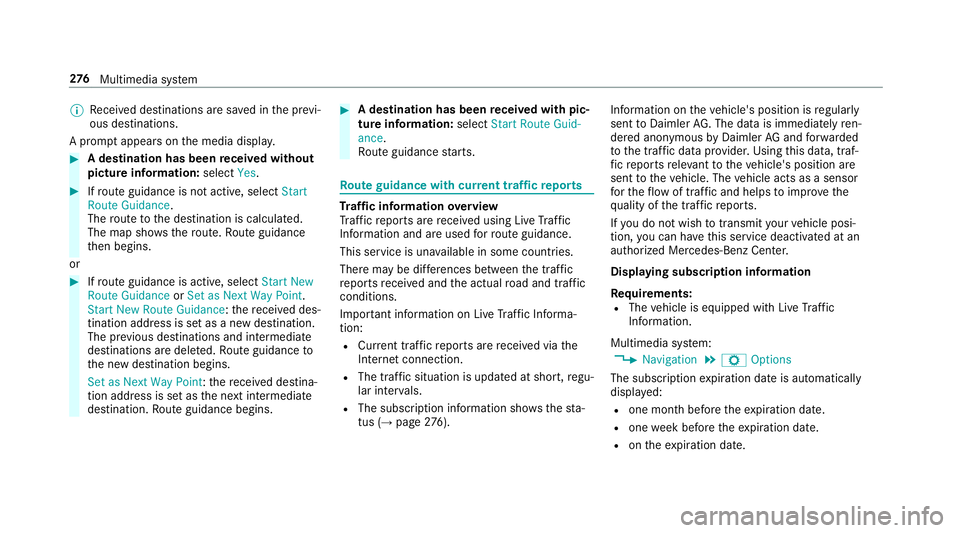
Recei ved destinations are sa ved in the pr evi‐
ous destinations.
A prom ptappears on the media displa y.#
A destination has been received without
picture information: selectYes. #
Ifro ute guidance is not active, select Start
Route Guidance .
The route tothe destination is calculated.
The map sho ws thero ute. Route guidance
th en begins.
or #
Ifro ute guidance is active, select Start New
Route Guidance orSet as Next Way Point.
Start New Route Guidance :th ere cei ved des‐
tination address is set as a new destination.
The pr evious destinations and intermediate
destinations are dele ted. Ro ute guidance to
th e new destination begins.
Set as Next Way Point :th ere cei ved destina‐
tion address is set as the next intermediate
destination. Route guidance begins. #
A destination has been received with pic‐
tu re information: selectStart Route Guid-
ance .
Ro ute guidance starts. Ro
ute guidance with cur rent traf fic re ports Tr
af fic information overview
Tr af fic re ports are recei ved using Live Traf fic
Information and are used forro ute guidance.
This service is una vailable in some countries.
There may be dif fere nces between the traf fic
re ports recei ved and the actual road and traf fic
conditions.
Impor tant information on Live Traf fic Informa‐
tion:
R Current tra ffic reports are recei ved via the
Internet connection.
R The traf fic situation is upda ted at short, regu‐
lar inter vals.
R The subsc ript ion information sho ws thest a‐
tus (→ page276). In
fo rm ation on theve hicle's position is regular ly
sent toDaimler AG. The da tais immediately ren‐
de red anonymous byDaimler AGand forw arded
to the tra ffic data pr ovider. Using this data, traf‐
fi c re ports releva nt totheve hicle's position are
sent totheve hicle. The vehicle acts as a sensor
fo rth eflow of traf fic and helps toimpr ovethe
qu ality of the tra ffic reports.
If yo u do not wish totransmit your vehicle posi‐
tion, you can ha vethis service deactivated at an
authorized Mercedes-Benz Center.
Displaying subscription information
Re quirements:
R The vehicle is equipped with Live Traf fic
Information.
Multimedia sy stem:
, Navigation .
Z Options
The subscription expiration date is automatically
displa yed:
R one month before theex piration date.
R one week before theex piration date.
R ontheex piration date. 276
Multimedia sy stem
Page 342 of 518
Engine oil
Checking
the engine oil le vel with an on-
board computer
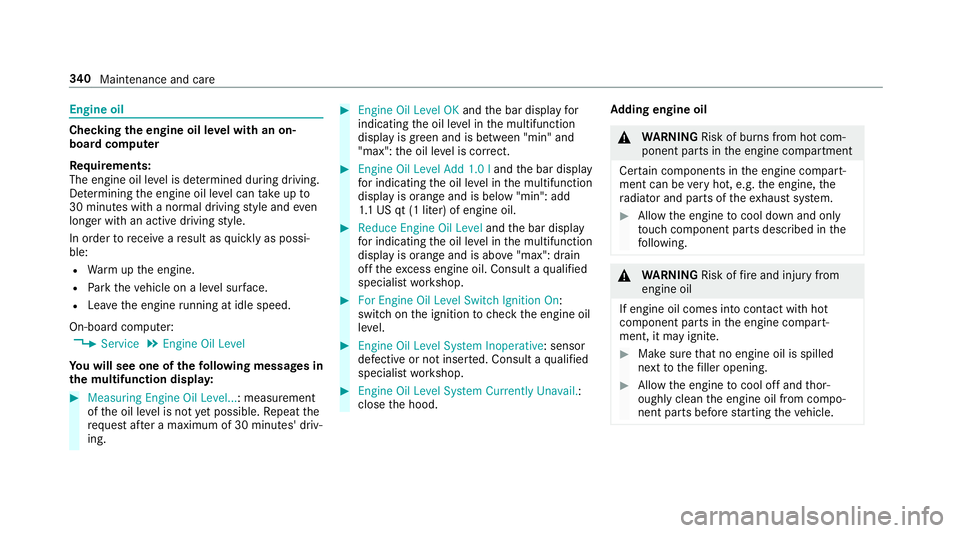
Re quirements:
The engine oil le vel is de term ined during driving.
De term ining the engine oil le vel can take up to
30 minutes with a normal driving style and even
longer with an active driving style.
In order torecei veare sult as quickly as possi‐
ble:
R Warm upthe engine.
R Park theve hicle on a le vel sur face.
R Lea vethe engine running at idle speed.
On-board compu ter:
, Service .
Engine Oil Level
Yo u will see one of thefo llowing messa ges in
th e multifunction displa y:#
Measuring Engine Oil Level...: measurement
of the oil le vel is not yet possible. Repeat the
requ est af ter a maximum of 30 minutes' driv‐
ing. #
Engine Oil Level OK andthe bar display for
indicating the oil le vel in the multifunction
display is green and is between "min" and
"max": the oil le vel is cor rect. #
Engine Oil Level Add 1.0 l andthe bar display
fo r indicating the oil le vel in the multifunction
display is orange and is below "min": add
1. 1 US qt (1 liter) of engine oil. #
Reduce Engine Oil Level andthe bar display
fo r indicating the oil le vel in the multifunction
display is orange and is abo ve"max": drain
off theex cess engine oil. Consult a qualified
specialist workshop. #
For Engine Oil Level Switch Ignition On:
switch on the ignition tocheck the engine oil
le ve l. #
Engine Oil Level System Inoperative: sensor
defective or not inse rted. Consult a qualified
specialist workshop. #
Engine Oil Level System Currently Unavail.:
close the hood. Ad
ding engine oil &
WARNING Risk of bu rns from hot com‐
ponent parts in the engine compartment
Cer tain components in the engine compart‐
ment can be very hot, e.g. the engine, the
ra diator and parts of theex haust sy stem. #
Allow the engine tocool down and only
to uch co mponent parts described in the
fo llowing. &
WARNING Risk offire and injury from
engine oil
If engine oil comes into con tact wi thhot
component parts in the engine compart‐
ment, it may ignite. #
Make sure that no engine oil is spilled
next tothefiller opening. #
Allow the engine tocool off and thor‐
oughly clean the engine oil from compo‐
nent parts before starting theve hicle. 340
Maintenance and care
Page 355 of 518
Obser
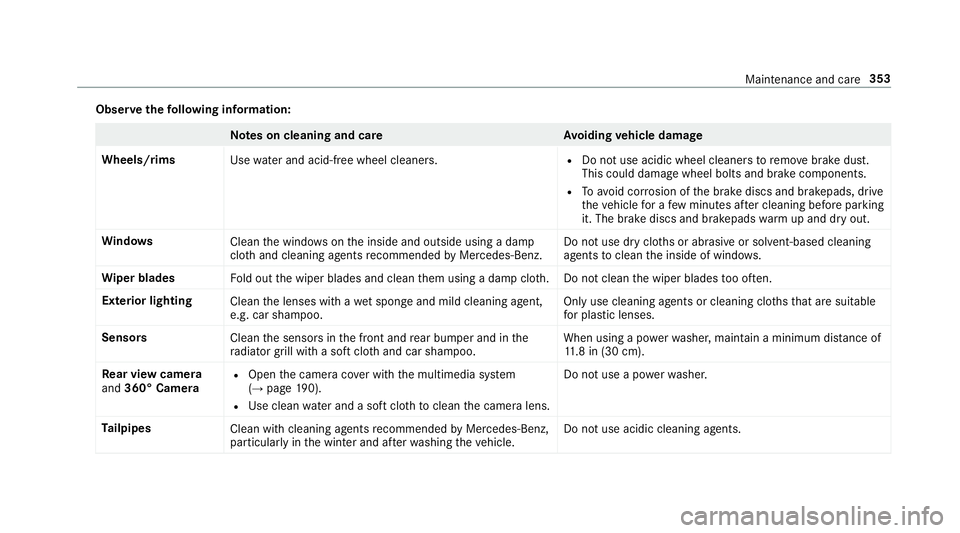
vethefo llowing information: Note
s on cleaning and car eA voiding vehicle damage
Wheels/rims Usewate r and acid-free wheel cleaners. R
Do not use acidic wheel cleaners toremo vebrake dust.
This could damage wheel bolts and brake components.
R Toavoid cor rosion of the brake discs and brakepads, drive
th eve hicle for a few minutes af ter cleaning before parking
it. The brake discs and brakepads warm up and dry out.
Wi ndo ws
Cleanthe windo wsonthe inside and outside using a damp
clo thand cleaning agents recommended byMercedes-Benz. Do not use dry clo
ths or abrasive or sol vent-based cleaning
agents toclean the inside of windo ws.
Wi per blades
Fold out the wiper blades and clean them using a damp clo th.D o not clean the wiper blades too of ten.
Ex terior lighting
Cleanthe lenses with a wet sponge and mild cleaning agent,
e.g. car sha mpoo. Only use cleaning agents or cleaning clo
thsth at are suitable
fo r plast ic lenses.
Sensors Cleanthe sensors in the front and rear bumper and in the
ra diator grill with a soft clo thand car shampoo. When using a po
werwa sher, maintain a minimum dis tance of
11 .8 in (30 cm).
Re ar view camera
and 360° Camera R
Open the camera co ver with the multimedia sy stem
(→ page 190).
R Use clean water and a soft clo thtoclean the camera lens. Do not use a po
werwa sher.
Ta ilpipes
Clean with cleaning agents recommended byMercedes-Benz,
particular lyin the winter and af terwa shing theve hicle. Do not use acidic cleaning agents. Maintenance and care
353
Page 384 of 518
The sy
stem checks the tire pressure and the tire
te mp erature of the tires ins talled on theve hicle
by means of a tire pressu resensor.
New tire pressure sensors, e.g. in winter tires,
are automatically taught-in during thefirs t jour‐
ney they are used.
If th ere is a subs tantial pressure loss or if the
tire temp erature is excessive, you will be warned
in thefo llowing ways:
R via display messa ges (→ page 450)
R viathe0077 warning lamp in the instrument
clus ter (→ page 474)
The tire pressu remonitoring sy stem is only an
aid. It is the driver's responsibility toset the tire
pressure tothere commended cold tire pressure
suitable forth e operating situation. Set the tire
pressure for cold tires using a tire pressu re
ga uge. Notethat the cor rect tire pressure forthe
cur rent operating situation mu stfirs t be taught-
in to the tire pressure monitoring sy stem.
In most cases, the tire pressure monitoring sys‐
te m will auto maticallyupdate the new refere nce
va lues af teryo u ha vechanged the tire pressure.
Yo u can, ho wever,also update there fere nce val‐ ues
byrestarting the tire pressure monitoring
sy stem manually (→ page 383).
Sy stem limitations
The sy stem may be impaired or may not function
in thefo llowing situations:
R Ifth e tire pressure is set incor rectly
R Ifth ere is a sudden pressure loss caused, for
ex ample, byafo re ign object penetrating the
tire
R Ifth ere is a malfunction caused byano ther
ra dio signal source
Make sure toobser vethefo llowing fur ther rela‐
te d subjec t:
R Notes on tire pressure (→ page377)
Che cking the tire pressure with the tire pres‐
sure moni toring sy stem
Requ irements:
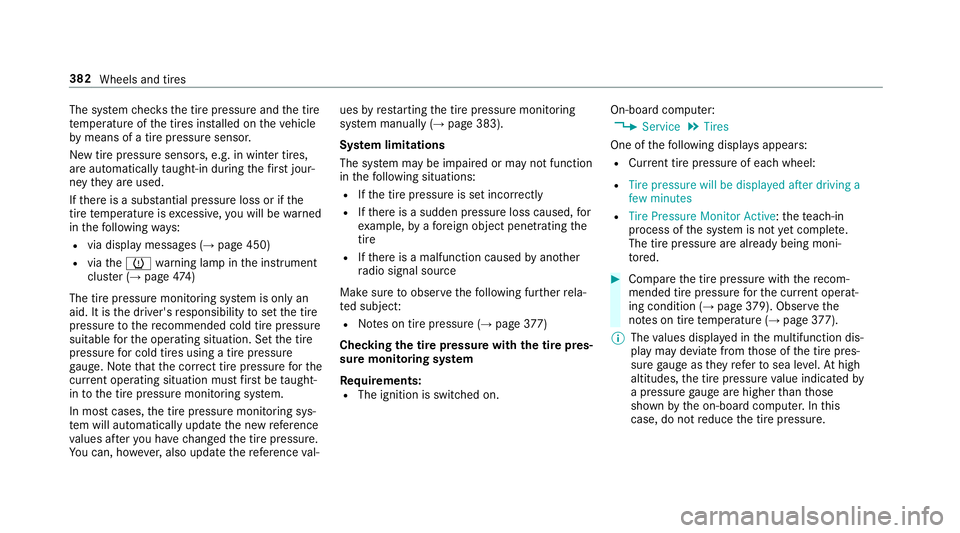
R The ignition is switched on. On-board computer:
, Service .
Tires
One of thefo llowing displa ysappears:
R Cur rent tire pressure of ea chwheel:
R Tire pressure will be displayed after driving a
few minutes
R Tire Pressure Monitor Active: thete ach-in
process of the sy stem is not yet comple te.
The tire pressure are already being moni‐
to re d. #
Compare the tire pressure with there com‐
mended tire pressure forth e cur rent operat‐
ing condition (→ page 379). Obser vethe
no tes on tire temp erature (→ page377).
% The values displa yed in the multifunction dis‐
play may deviate from those of the tire pres‐
sure gauge as they referto sea le vel.At high
altitudes, the tire pressure value indicated by
a pressure gauge are higher than those
shown bythe on-board computer. In this
case, do not reduce the tire pressure. 382
Wheels and tires
Page 400 of 518
Obser
vethefo llowing when selecting, ins talling
and replacing tires:
R Only use tires and wheels of the same type
(summer tires, winter tires, MOEx tended
tires) and the same make.
R Only ins tall wheels of the same size on one
axle (left and right).
It is only permissible toins tall a dif fere nt
wheel size in theeve nt of a flat tire in order
to drive tothe specialist workshop.
R Only ins tall tires of the cor rect size onto the
wheels.
R Vehicles with a tire pressure monitoring
sy stem: All ins talled wheels must be equip‐
ped with functioning sensors forth e tire
pressure monitoring sy stem.
R Attemp eratures below 45 °F (7 °C), use win‐
te r tires or all-season tires mar ked M+S for
all wheels.
Wi nter tires bearing the004D snowflake sym‐
bol in addition tothe M+S marking pr ovide
th e best possible grip in wintry road condi‐
tions. R
For M+S tires, only use tires with the same
tread.
R Obser vethe maximum permissible speed for
th e M+S tires ins talled.
If th is is below theve hicle's maximum speed,
th is must be indicated byan appropriate
label in the driver's field of vision.
R Break in new tires at moderate speeds for
th efirs t 60 miles (100 km).
R Replace the tires af ter six years at the latest,
re ga rdless of wear.
R When replacing with tires that do not fea‐
ture run-flat characteristics: vehicles with
MOExtended tires are not equipped with a
TIREFIT kit at thefa ctor y.Equip theve hicle
with a TIREFIT kit af terre placing with tires
th at do not feature run-flat characteristics,
e.g. winter tires.
Fo r more information on wheels and tires, con‐
tac t a qualified specialist workshop.
Be sure toalso obse rveth efo llowing fur ther
re lated subjects:
R Notes on tire pressure (→ page377) R
Tire and Loading In form ation placard
(→ page 384)
R Tire size designation, load-beari ng capacity,
speed rating and load ind ex (→page 391)
R Tire pressure table (→ page379) Note
s onrotating wheels &
WARNING Risk of inju rythro ugh dif fer‐
ent wheel sizes
Inter changing the front and rear wheels if the
wheels or tires ha vediffere nt dimensions
may se verely impair the driving characteris‐
tics.
The wheel brakes or wheel suspension com‐
ponents may also be damaged. #
Rotate front and rear wheels on lyifthe
wheels and tires are of the same dimen‐
sions. 398
Wheels and tires
Page 417 of 518
&
WARNING ‑ Risk of fire and injury from
windshield washer concentrate
Wi ndshield washer concentrate is highly
fl ammable. It could ignite if it comes into
con tact wi thhot engine component parts or
th eex haust sy stem. #
Make sure that no windshield washer
concentrate spills out next tothefiller
opening. *
NO
TEBlocked spr aynozzles caused by
mixing windshield washer fluids #
Do not mix MB SummerFit and MB Win‐
te rFit with other windshield washer flu‐
ids. Do not use distilled or de-ionized
water asthefill
le ve l sensor may be triggered er roneously.
Re commended windshield washer fluid:
R Abo vefreezing point: e.g. MB SummerFit
R Below freezing point: e.g. MB WinterFit Fo
rth e cor rect mixing ratio, referto the informa‐
tion on the antif reeze conta iner.
Mix thewa sher fluid with the windshield washer
fl uid all year round. Re
frigerant Note
s onrefrigerants
Obser vethe no tes on operating fluids
(→ page 410).
* NO
TEDama gedue toincor rect refriger‐
ant If a non-appr
ovedre frigerant is used, the cli‐
mate control sy stem may be damaged. #
Only use there frigerant R‑134a *
NO
TEDama getothe climate control
sy stem due toincor rect refrigerant com‐
pressor oil #
Only use refrigerant compressor oil that
has been appr ovedby Mercedes-Benz. #
Do not mix the appr ovedre frigerant
compressor oil with a dif fere nt refriger‐
ant compressor oil. Wo
rkon the climate control sy stem may be car‐
ri ed out only byaqu alified specialist workshop.
All applicable regulations, as well as SAEstand‐
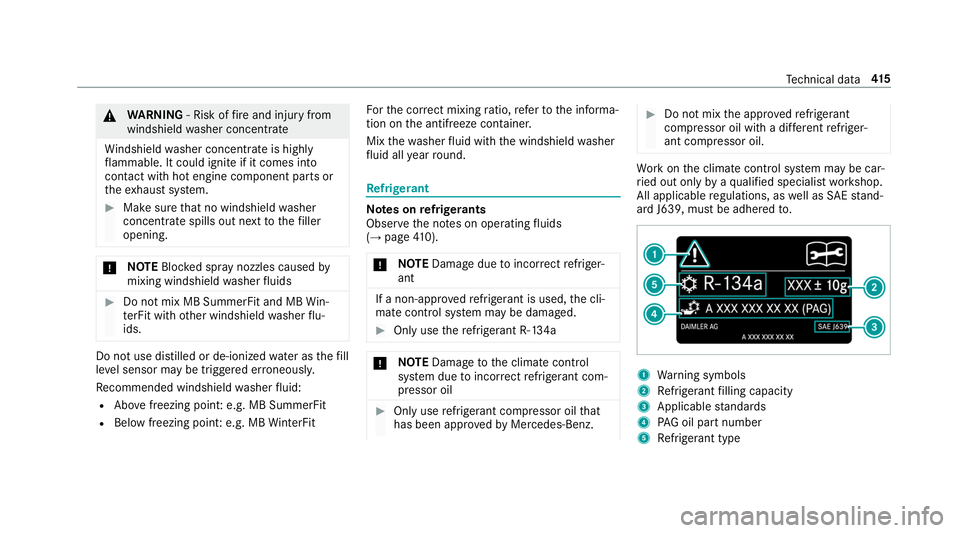
ard J639, must be adhered to. 1
Warning symbols
2 Refrigerant filling capacity
3 Applicable standards
4 PAG oil part number
5 Refrigerant type Te
ch nical da ta415