warning light MERCEDES-BENZ S-CLASS COUPE 2015 Manual PDF
[x] Cancel search | Manufacturer: MERCEDES-BENZ, Model Year: 2015, Model line: S-CLASS COUPE, Model: MERCEDES-BENZ S-CLASS COUPE 2015Pages: 417, PDF Size: 13.42 MB
Page 261 of 417
X
Confirm by pressing aon the steering
wheel.
The multifunction display shows the
DISTRONIC PLUS distance display in the
assistance graphic.
The assistance graphic shows you the sta-
tus of and/or information from other driv-
ing systems or driving safety systems:
R DISTRONIC PLUS (Y page 200)
R Spotlight function of Night View Assist
Plus (Y page 263)
R Distance warning function and autono-
mous braking system of COLLISION PRE-
VENTION ASSIST PLUS (Y page 72)
R PRE-SAFE ®
Brake (Y page 77)
R Active Blind Spot Assist (Y page 236)
R ATTENTION ASSIST (Y page 228)
R Active Lane Keeping Assist
(Y page 239)
X Press :to display the ATTEN-
TION ASSIST assessment. Service menu
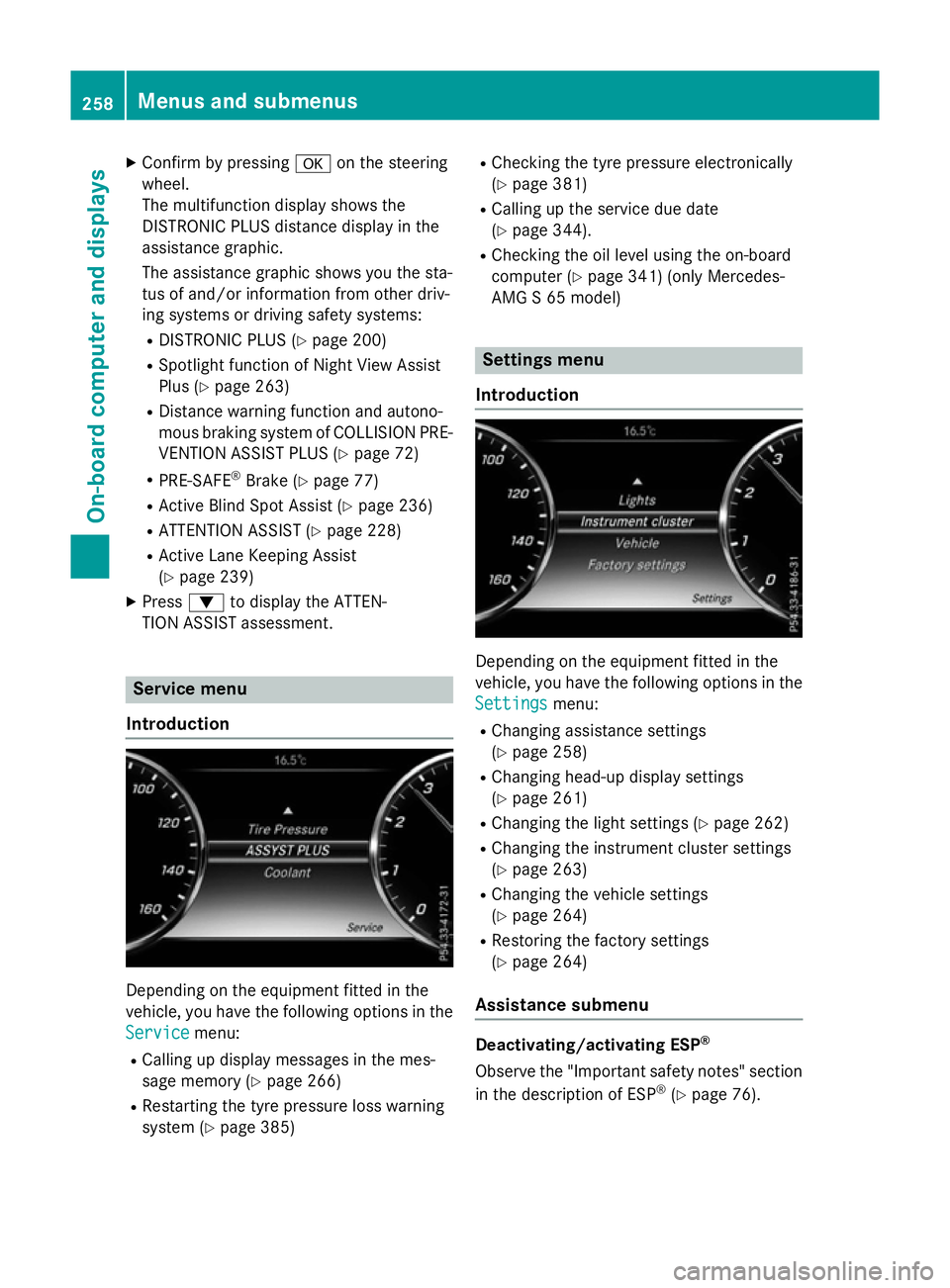
Introduction Depending on the equipment fitted in the
vehicle, you have the following options in the
Service Service menu:
R Calling up display messages in the mes-
sage memory (Y page 266)
R Restarting the tyre pressure loss warning
system (Y page 385) R
Checking the tyre pressure electronically
(Y page 381)
R Calling up the service due date
(Y page 344).
R Checking the oil level using the on-board
computer (Y page 341) (only Mercedes-
AMG S 65 model) Settings menu
Introduction Depending on the equipment fitted in the
vehicle, you have the following options in the
Settings
Settings menu:
R Changing assistance settings
(Y page 258)
R Changing head-up display settings
(Y page 261)
R Changing the light settings (Y page 262)
R Changing the instrument cluster settings
(Y page 263)
R Changing the vehicle settings
(Y page 264)
R Restoring the factory settings
(Y page 264)
Assistance submenu Deactivating/activating ESP
®
Observe the "Important safety notes" section
in the description of ESP ®
(Y page 76). 258
Menus and submenusOn-board computer and displays
Page 262 of 417
G
WARNING
If you deactivate ESP ®
, ESP ®
no longer sta-
bilises the vehicle. There is an increased risk
of skidding and an accident.
Only deactivate ESP ®
in the situations descri-
bed in the following.
It may be best to deactivate ESP ®
in the fol-
lowing situations:
R when using snow chains
R in deep snow
R on sand or gravel
For further information about ESP ®
, see
(Y page 75).
X Start the engine.
X Press òon the steering wheel to open
the menu list.
X Press :or9 on the steering wheel
to select the Settings
Settings menu.
X Confirm by pressing aon the steering
wheel.
X Press :or9 to select the Assis‐ Assis‐
tance
tance submenu.
X Press ato confirm your selection.
X Press the :or9 button to select
ESP
ESP.
X Press ato confirm.
The current selection appears.
X To activate/deactivate: pressa
again.
ESP ®
is deactivated if the åwarning lamp
in the instrument cluster lights up continu-
ously when the engine is running.
If the ÷ warning lamp lights up continu-
ously, ESP ®
is not available due to a malfunc-
tion.
Observe the information on warning lamps
(Y page 307).
Observe the information on display messages
(Y page 267). Automatic activation of Night View Assist
Plus
X Press òon the steering wheel to open
the menu list.
X Press :or9 on the steering wheel
to select the Settings
Settings menu.
X Confirm by pressing aon the steering
wheel.
X Press :or9 to select the Assis‐
Assis‐
tance tance submenu.
X Press ato confirm your selection.
X Press the :or9 button to select
Night View Assist
Night View Assist.
X Press ato confirm.
The current selection appears.
X To activate/deactivate: pressa
again.
If Night View Assist Plus automatic activation
is switched on, the night vision image is auto- matically shown in the multifunction display if
an object is detected.
For further information about Night View
Assist Plus (Y page 234).
Activating/deactivating Traffic Sign
Assist
The Traffic Sign Assist Traffic Sign Assist function allows
you to choose whether traffic signs and mes- sages should be displayed in the lower area of
the speedometer in certain conditions.
X Press òon the steering wheel to open
the menu list.
X Press :or9 on the steering wheel
to select the Settings
Settingsmenu.
X Confirm by pressing aon the steering
wheel.
X Press :or9 to select the Assis‐
Assis‐
tance
tance submenu.
X Press ato confirm your selection.
X Press the :or9 button to select
Traffic Sign Assist
Traffic Sign Assist. Menus and submenus
259On-board computer and displays Z
Page 270 of 417
Safety systems
Display messages
Possible causes/consequences and
M
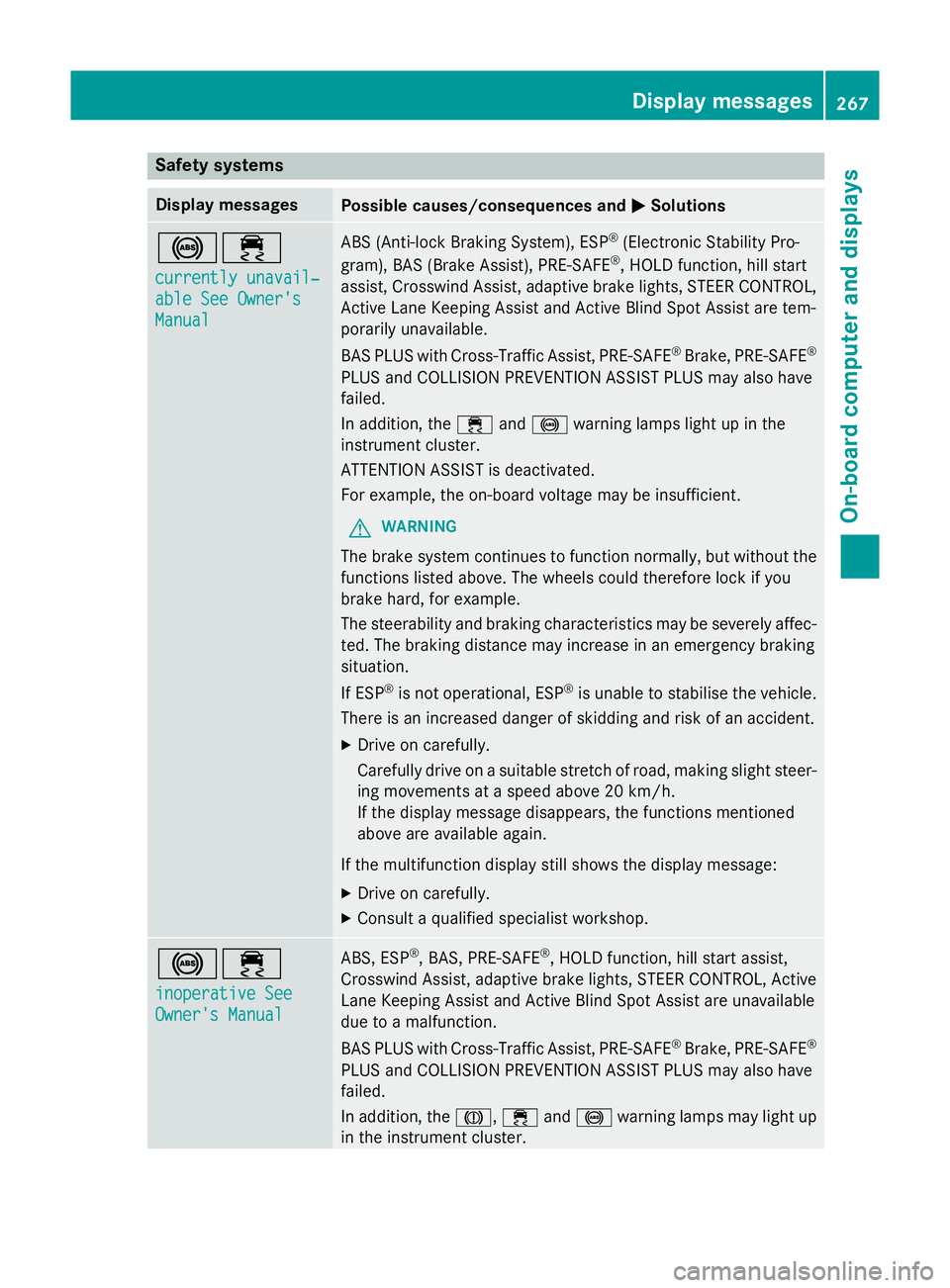
MSolutions !÷
currently unavail‐ currently unavail‐
able See Owner's able See Owner's
Manual Manual ABS (Anti-lock Braking System), ESP
®
(Electronic Stability Pro-
gram), BAS (Brake Assist), PRE‑SAFE ®
, HOLD function, hill start
assist, Crosswind Assist, adaptive brake lights, STEER CONTROL, Active Lane Keeping Assist and Active Blind Spot Assist are tem-
porarily unavailable.
BAS PLUS with Cross-Traffic Assist, PRE‑SAFE ®
Brake, PRE‑ SAFE®
PLUS and COLLISION PREVENTION ASSIST PLUS may also have
failed.
In addition, the ÷and! warning lamps light up in the
instrument cluster.
ATTENTION ASSIST is deactivated.
For example, the on-board voltage may be insufficient.
G WARNING
The brake system continues to function normally, but without the functions listed above. The wheels could therefore lock if you
brake hard, for example.
The steerability and braking characteristics may be severely affec-ted. The braking distance may increase in an emergency braking
situation.
If ESP ®
is not operational, ESP ®
is unable to stabilise the vehicle.
There is an increased danger of skidding and risk of an accident.
X Drive on carefully.
Carefully drive on a suitable stretch of road, making slight steer-
ing movements at a speed above 20 km/h.
If the display message disappears, the functions mentioned
above are available again.
If the multifunction display still shows the display message:
X Drive on carefully.
X Consult a qualified specialist workshop. !÷
inoperative See inoperative See
Owner's Manual Owner's Manual ABS, ESP
®
, BAS, PRE‑SAFE ®
, HOLD function, hill start assist,
Crosswind Assist, adaptive brake lights, STEER CONTROL, Active Lane Keeping Assist and Active Blind Spot Assist are unavailable
due to a malfunction.
BAS PLUS with Cross-Traffic Assist, PRE‑SAFE ®
Brake, PRE‑ SAFE®
PLUS and COLLISION PREVENTION ASSIST PLUS may also have
failed.
In addition, the J,÷and! warning lamps may light up
in the instrument cluster. Display messages
267On-board computer and displays Z
Page 271 of 417
Display messages
Possible causes/consequences and
M
MSolutions ATTENTION ASSIST is deactivated.
G WARNING
The brake system continues to function normally, but without the functions listed above. The wheels could therefore lock if you
brake hard, for example.
The steerability and braking characteristics may be severely affec- ted. The braking distance may increase in an emergency braking
situation.
If ESP ®
is not operational, ESP ®
is unable to stabilise the vehicle.
There is an increased danger of skidding and risk of an accident.
X Drive on carefully.
X Consult a qualified specialist workshop immediately. ÷
inoperative See inoperative See
Owner's Manual Owner's Manual ESP
®
, BAS, PRE ‑SAFE®
, HOLD function, hill start assist, Crosswind
Assist, adaptive brake lights, STEER CONTROL, Active Lane Keep- ing Assist and Active Blind Spot Assist are unavailable due to a
malfunction.
BAS PLUS with Cross-Traffic Assist, PRE ‑SAFE®
Brake, PRE ‑SAFE®
PLUS and COLLISION PREVENTION ASSIST PLUS may also have
failed.
The ÷ warning lamp also lights up in the instrument cluster.
ATTENTION ASSIST is deactivated.
G WARNING
The brake system continues to function normally, but without the functions listed above.
The braking distance may thus increase in an emergency braking
situation.
If ESP ®
is not operational, ESP ®
is unable to stabilise the vehicle.
There is an increased danger of skidding and risk of an accident.
X Drive on carefully.
X Consult a qualified specialist workshop. 268
Display
messagesOn-board computer and displays
Page 272 of 417
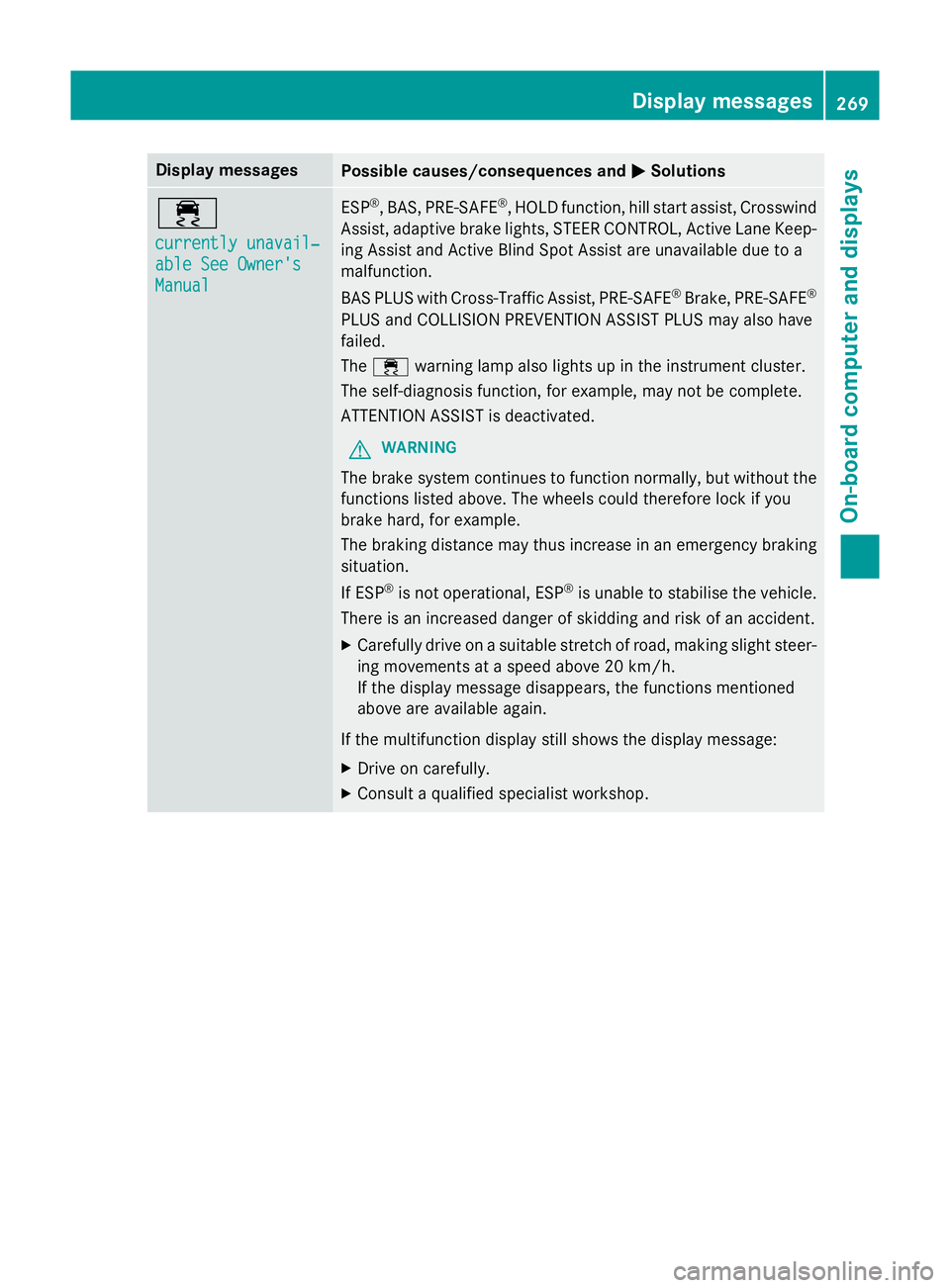
Display messages
Possible causes/consequences and
M
MSolutions ÷
currently unavail‐ currently unavail‐
able See Owner's able See Owner's
Manual Manual ESP
®
, BAS, PRE ‑SAFE®
, HOLD function, hill start assist, Crosswind
Assist, adaptive brake lights, STEER CONTROL, Active Lane Keep- ing Assist and Active Blind Spot Assist are unavailable due to a
malfunction.
BAS PLUS with Cross-Traffic Assist, PRE ‑SAFE®
Brake, PRE ‑SAFE®
PLUS and COLLISION PREVENTION ASSIST PLUS may also have
failed.
The ÷ warning lamp also lights up in the instrument cluster.
The self-diagnosis function, for example, may not be complete.
ATTENTION ASSIST is deactivated.
G WARNING
The brake system continues to function normally, but without the functions listed above. The wheels could therefore lock if you
brake hard, for example.
The braking distance may thus increase in an emergency braking
situation.
If ESP ®
is not operational, ESP ®
is unable to stabilise the vehicle.
There is an increased danger of skidding and risk of an accident.
X Carefully drive on a suitable stretch of road, making slight steer-
ing movements at a speed above 20 km/h.
If the display message disappears, the functions mentioned
above are available again.
If the multifunction display still shows the display message:
X Drive on carefully.
X Consult a qualified specialist workshop. Display
messages
269On-board computer and displays Z
Page 273 of 417
Display messages
Possible causes/consequences and
M
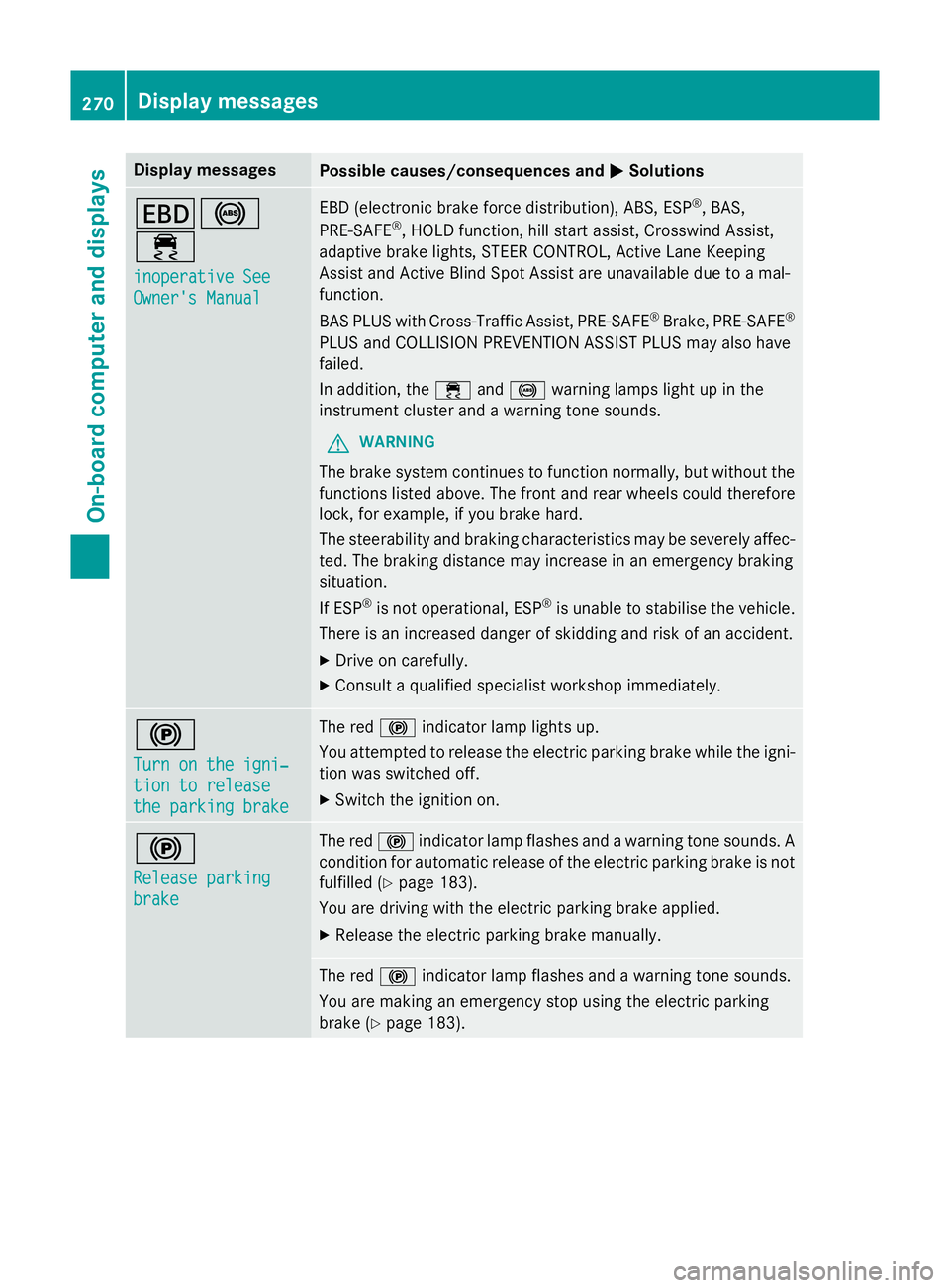
MSolutions T!
÷
inoperative See inoperative See
Owner's Manual Owner's Manual EBD (electronic brake force distribution), ABS, ESP
®
, BAS,
PRE ‑SAFE ®
, HOLD function, hill start assist, Crosswind Assist,
adaptive brake lights, STEER CONTROL, Active Lane Keeping
Assist and Active Blind Spot Assist are unavailable due to a mal-
function.
BAS PLUS with Cross-Traffic Assist, PRE‑ SAFE®
Brake, PRE ‑SAFE®
PLUS and COLLISION PREVENTION ASSIST PLUS may also have
failed.
In addition, the ÷and! warning lamps light up in the
instrument cluster and a warning tone sounds.
G WARNING
The brake system continues to function normally, but without the functions listed above. The front and rear wheels could therefore
lock, for example, if you brake hard.
The steerability and braking characteristics may be severely affec-ted. The braking distance may increase in an emergency braking
situation.
If ESP ®
is not operational, ESP ®
is unable to stabilise the vehicle.
There is an increased danger of skidding and risk of an accident.
X Drive on carefully.
X Consult a qualified specialist workshop immediately. !
Turn on the igni‐ Turn on the igni‐
tion to release tion to release
the parking brake the parking brake The red
!indicator lamp lights up.
You attempted to release the electric parking brake while the igni-
tion was switched off.
X Switch the ignition on. !
Release parking Release parking
brake brake The red
!indicator lamp flashes and a warning tone sounds. A
condition for automatic release of the electric parking brake is not
fulfilled (Y page 183).
You are driving with the electric parking brake applied.
X Release the electric parking brake manually. The red
!indicator lamp flashes and a warning tone sounds.
You are making an emergency stop using the electric parking
brake (Y page 183). 270
Display
messagesOn-board computer and displays
Page 274 of 417
Display messages
Possible causes/consequences and
M
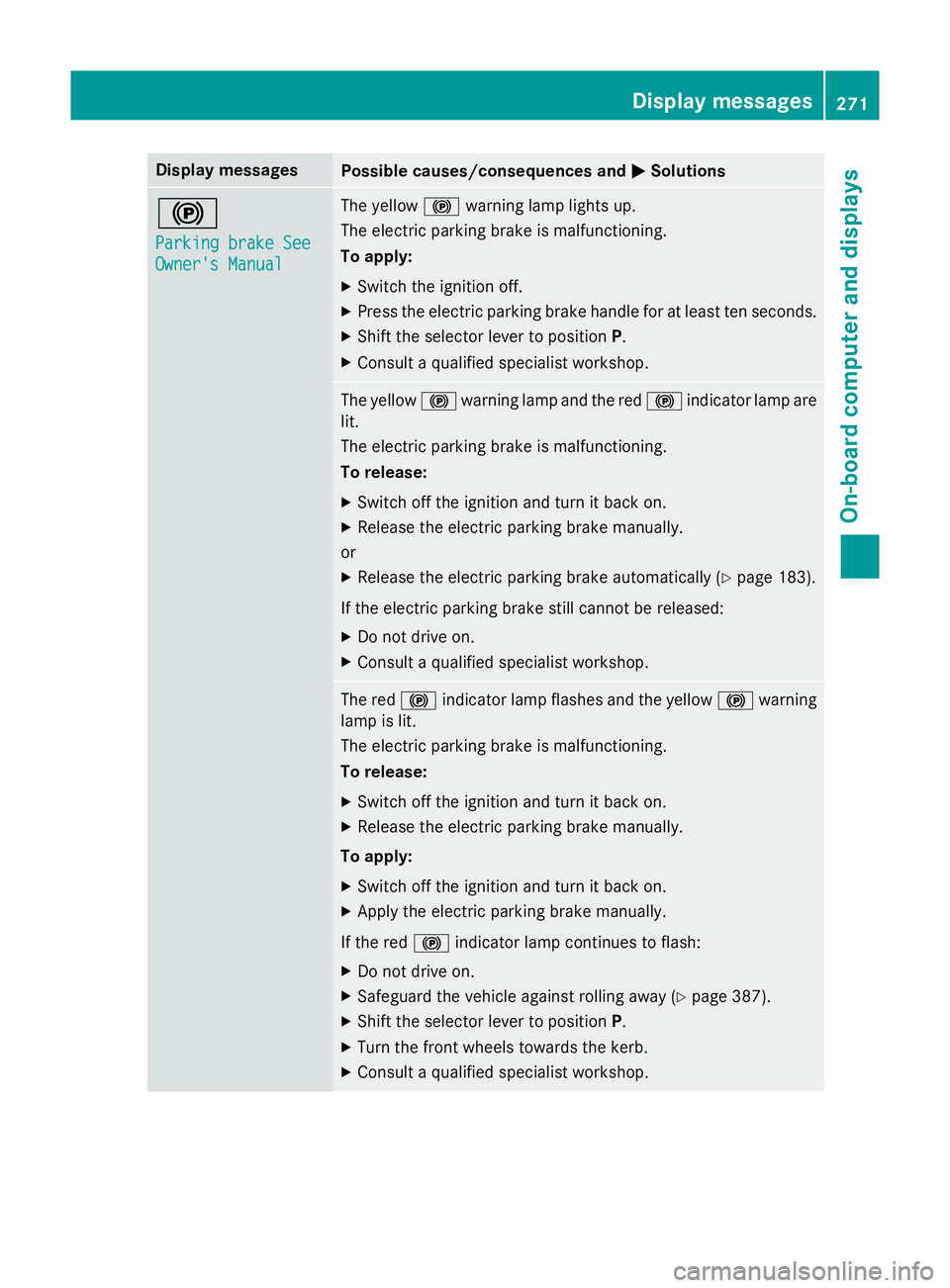
MSolutions !
Parking brake See Parking brake See
Owner's Manual Owner's Manual The yellow
!warning lamp lights up.
The electric parking brake is malfunctioning.
To apply:
X Switch the ignition off.
X Press the electric parking brake handle for at least ten seconds.
X Shift the selector lever to position P.
X Consult a qualified specialist workshop. The yellow
!warning lamp and the red !indicator lamp are
lit.
The electric parking brake is malfunctioning.
To release:
X Switch off the ignition and turn it back on.
X Release the electric parking brake manually.
or X Release the electric parking brake automatically (Y page 183).
If the electric parking brake still cannot be released: X Do not drive on.
X Consult a qualified specialist workshop. The red
!indicator lamp flashes and the yellow !warning
lamp is lit.
The electric parking brake is malfunctioning.
To release:
X Switch off the ignition and turn it back on.
X Release the electric parking brake manually.
To apply:
X Switch off the ignition and turn it back on.
X Apply the electric parking brake manually.
If the red !indicator lamp continues to flash:
X Do not drive on.
X Safeguard the vehicle against rolling away (Y page 387).
X Shift the selector lever to position P.
X Turn the front wheels towards the kerb.
X Consult a qualified specialist workshop. Display
messages
271On-board computer and displays Z
Page 275 of 417
Display messages
Possible causes/consequences and
M
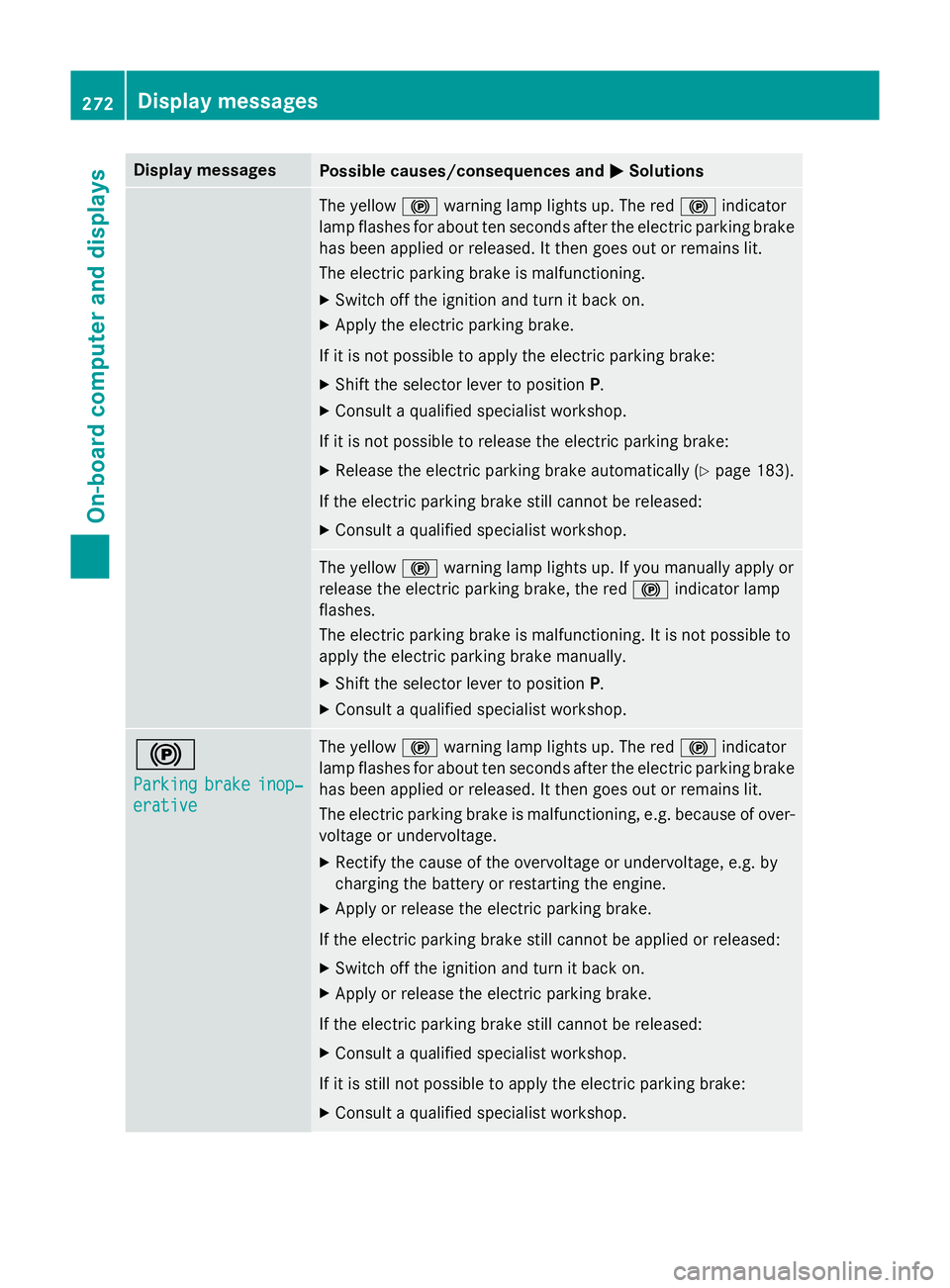
MSolutions The yellow
!warning lamp lights up. The red !indicator
lamp flashes for about ten seconds after the electric parking brake
has been applied or released. It then goes out or remains lit.
The electric parking brake is malfunctioning.
X Switch off the ignition and turn it back on.
X Apply the electric parking brake.
If it is not possible to apply the electric parking brake:
X Shift the selector lever to position P.
X Consult a qualified specialist workshop.
If it is not possible to release the electric parking brake:
X Release the electric parking brake automatically (Y page 183).
If the electric parking brake still cannot be released: X Consult a qualified specialist workshop. The yellow
!warning lamp lights up. If you manually apply or
release the electric parking brake, the red !indicator lamp
flashes.
The electric parking brake is malfunctioning. It is not possible to
apply the electric parking brake manually.
X Shift the selector lever to position P.
X Consult a qualified specialist workshop. !
Parking Parking
brake
brakeinop‐
inop‐
erative
erative The yellow
!warning lamp lights up. The red !indicator
lamp flashes for about ten seconds after the electric parking brake
has been applied or released. It then goes out or remains lit.
The electric parking brake is malfunctioning, e.g. because of over- voltage or undervoltage.
X Rectify the cause of the overvoltage or undervoltage, e.g. by
charging the battery or restarting the engine.
X Apply or release the electric parking brake.
If the electric parking brake still cannot be applied or released: X Switch off the ignition and turn it back on.
X Apply or release the electric parking brake.
If the electric parking brake still cannot be released: X Consult a qualified specialist workshop.
If it is still not possible to apply the electric parking brake: X Consult a qualified specialist workshop. 272
Display
messagesOn-board computer and displays
Page 276 of 417
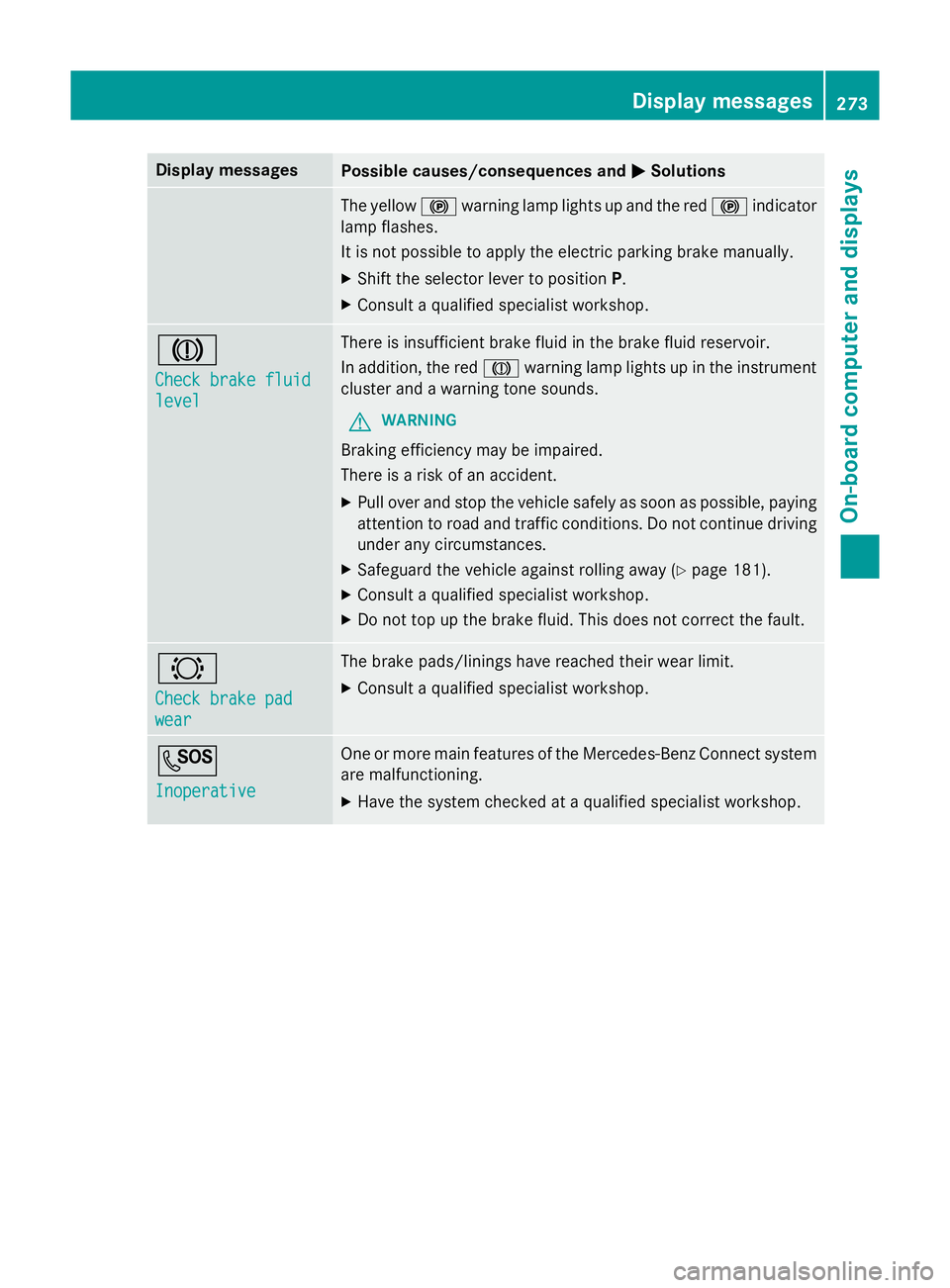
Display messages
Possible causes/consequences and
M
MSolutions The yellow
!warning lamp lights up and the red !indicator
lamp flashes.
It is not possible to apply the electric parking brake manually.
X Shift the selector lever to position P.
X Consult a qualified specialist workshop. J
Check brake fluid Check brake fluid
level level There is insufficient brake fluid in the brake fluid reservoir.
In addition, the red Jwarning lamp lights up in the instrument
cluster and a warning tone sounds.
G WARNING
Braking efficiency may be impaired.
There is a risk of an accident. X Pull over and stop the vehicle safely as soon as possible, paying
attention to road and traffic conditions. Do not continue driving
under any circumstances.
X Safeguard the vehicle against rolling away (Y page 181).
X Consult a qualified specialist workshop.
X Do not top up the brake fluid. This does not correct the fault. #
Check brake pad Check brake pad
wear wear The brake pads/linings have reached their wear limit.
X Consult a qualified specialist workshop. G
Inoperative Inoperative One or more main features of the Mercedes-Benz Connect system
are malfunctioning.
X Have the system checked at a qualified specialist workshop. Display
messages
273On-board computer and displays Z
Page 279 of 417
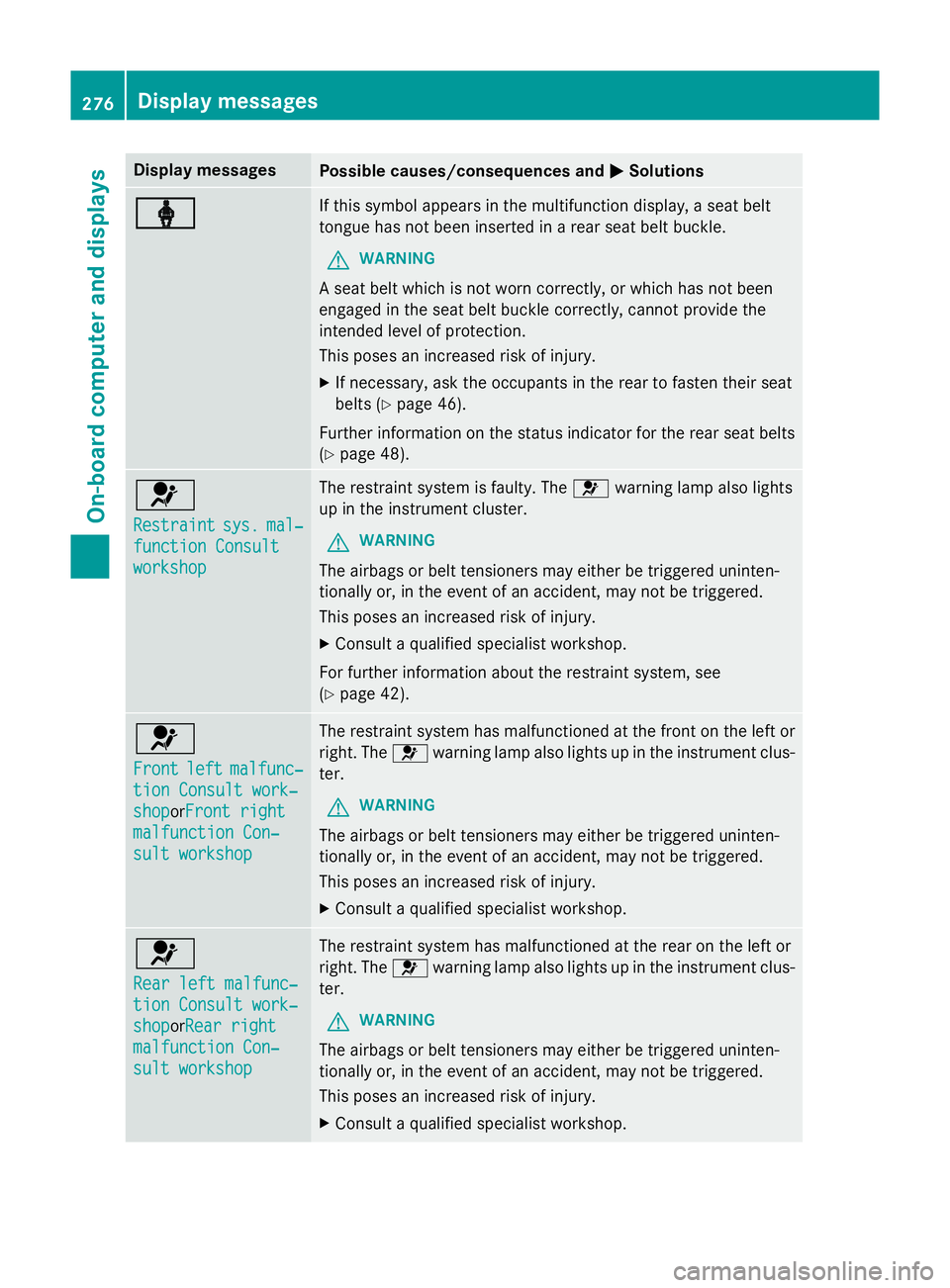
Display messages
Possible causes/consequences and
M
MSolutions ý
ý If this symbol appears in the multifunction display, a seat belt
tongue has not been inserted in a rear seat belt buckle.
G WARNING
A seat belt which is not worn correctly, or which has not been
engaged in the seat belt buckle correctly, cannot provide the
intended level of protection.
This poses an increased risk of injury.
X If necessary, ask the occupants in the rear to fasten their seat
belts (Y page 46).
Further information on the status indicator for the rear seat belts
(Y page 48). 6
Restraint Restraint
sys.
sys.mal‐
mal‐
function Consult
function Consult
workshop workshop The restraint system is faulty. The
6warning lamp also lights
up in the instrument cluster.
G WARNING
The airbags or belt tensioners may either be triggered uninten-
tionally or, in the event of an accident, may not be triggered.
This poses an increased risk of injury. X Consult a qualified specialist workshop.
For further information about the restraint system, see
(Y page 42). 6
Front Front
left
leftmalfunc‐
malfunc‐
tion Consult work‐
tion Consult work‐
shop shopor Front right
Front right
malfunction Con‐
malfunction Con‐
sult workshop sult workshop The restraint system has malfunctioned at the front on the left or
right. The 6warning lamp also lights up in the instrument clus-
ter.
G WARNING
The airbags or belt tensioners may either be triggered uninten-
tionally or, in the event of an accident, may not be triggered.
This poses an increased risk of injury. X Consult a qualified specialist workshop. 6
Rear left malfunc‐ Rear left malfunc‐
tion Consult work‐ tion Consult work‐
shop shopor
Rear right
Rear right
malfunction Con‐
malfunction Con‐
sult workshop sult workshop The restraint system has malfunctioned at the rear on the left or
right. The 6warning lamp also lights up in the instrument clus-
ter.
G WARNING
The airbags or belt tensioners may either be triggered uninten-
tionally or, in the event of an accident, may not be triggered.
This poses an increased risk of injury. X Consult a qualified specialist workshop. 276
Display
messagesOn-board computer and displays