engine MERCEDES-BENZ S-Class COUPE 2016 C217 Manual Online
[x] Cancel search | Manufacturer: MERCEDES-BENZ, Model Year: 2016, Model line: S-Class COUPE, Model: MERCEDES-BENZ S-Class COUPE 2016 C217Pages: 410, PDF Size: 8.62 MB
Page 196 of 410
If a malfunction in the electric parking brake
occurs, then the transmission may also be
shifted into positionPautomatically.
MAGIC BODY CONTROL
General notes
MAGIC BODY CONTROL consists of Active
Body Control (ABC), ROAD SURFACE SCAN,
the CURVE cornering function as well as auto-
matic vehicle stabilization in the event of a
crosswind.
Your vehicle automatically adjusts its ride
height to reduce fuel consumption. The sus-
pension mode is adjusted according to your
selection (SPORT, COMFORT or CURVE), the
road surface conditions and the vehicle load.
A multifunction camera detects bumps in the
road surface before the vehicle drives over
them. This reduces chassis movements.
Important safety notes
GWARNING
When the vehicle is being lowered, people
could become trapped if their limbs are
between the vehicle body and the wheels or
underneath the vehicle. There is a risk of
injury.
Make sure no one is underneath the vehicle or
in the immediate vicinity of the wheel arches
when the vehicle is being lowered.
!The vehicle is lowered when the engine is
switched off. When parking, position your
vehicle so that it does not make contact
with the curb as the vehicle is lowered. Your
vehicle could otherwise be damaged.
Crosswind Assist
The crosswind stabilization operates by
changing wheel loads through distortion of
the ABC spring struts. It reduces impairments
in handling when driving in a straight line and
assists during countersteering. Crosswind Assist is active in the speed range
between 50 mph (80 km/h) and
130 mph (210 km/h) when driving straight
ahead or cornering gently.
Active Body Control ABC
Vehicle level
All vehicles except AMG vehicles:
depend-
ing on the vehicle level that has been set, the
vehicle automatically adjusts its height
dependent on the current speed. The vehicle
is lowered by up to 0.6 in (15 mm) as the
speed increases. As the speed is reduced, the
vehicle is raised up to the set vehicle height.
In the event of poor road surface conditions,
the vehicle automatically raises by up to 0.4 in
(10 mm) and harder damping is selected.
AMG vehicles: depending on the vehicle
level that has been selected, the vehicle auto-
matically adjusts its height dependent on the current speed. The vehicle is lowered by up to
0.4 in (10 mm) below the normal level as thespeed increases. As the speed is reduced, the
vehicle is raised up to the set vehicle height.
Select the "Normal" setting for normal road
conditions and "Raised" for driving with snow
chains or in particularly poor road conditions.
Your selection remains stored even if you
remove the SmartKey from the ignition lock.
The "Raised level" setting is canceled if you:
Rare driving faster than approximately
75 mph (120 km/h).
Rdrive for approximately three minutes at a
speed over 50 mph (80 km/h).
194Driving systems
Driving and parking
Page 197 of 410
While driving, the raised level can only be
selected at speeds of under
75 mph (120 km/h).
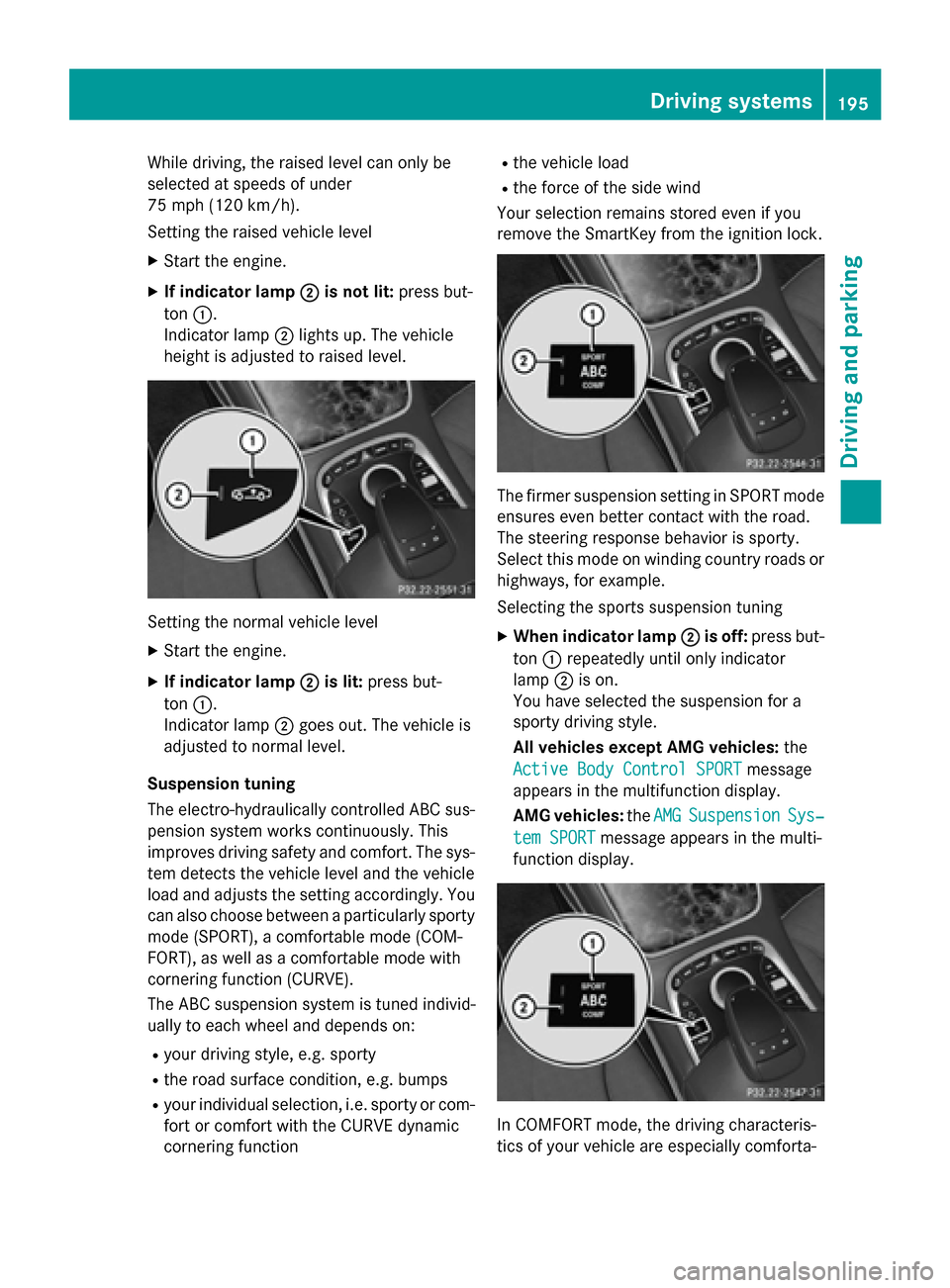
Setting the raised vehicle level
XStart the engine.
XIf indicator lamp ;is not lit:press but-
ton :.
Indicator lamp ;lights up. The vehicle
height is adjusted to raised level.
Setting the normal vehicle level
XStart the engine.
XIf indicator lamp ;is lit:press but-
ton :.
Indicator lamp ;goes out. The vehicle is
adjusted to normal level.
Suspension tuning
The electro-hydraulically controlled ABC sus-
pension system works continuously. This
improves driving safety and comfort. The sys-
tem detects the vehicle level and the vehicle
load and adjusts the setting accordingly. You
can also choose between a particularly sporty
mode (SPORT), a comfortable mode (COM-
FORT), as well as a comfortable mode with
cornering function (CURVE).
The ABC suspension system is tuned individ-
ually to each wheel and depends on:
Ryour driving style, e.g. sporty
Rthe road surface condition, e.g. bumps
Ryour individual selection, i.e. sporty or com-
fort or comfort with the CURVE dynamic
cornering function
Rthe vehicle load
Rthe force of the side wind
Your selection remains stored even if you
remove the SmartKey from the ignition lock.
The firmer suspension setting in SPORT mode
ensures even better contact with the road.
The steering response behavior is sporty.
Select this mode on winding country roads or
highways, for example.
Selecting the sports suspension tuning
XWhen indicator lamp ;is off:press but-
ton :repeatedly until only indicator
lamp ;is on.
You have selected the suspension for a
sporty driving style.
All vehicles except AMG vehicles: the
Active Body Control SPORT
message
appears in the multifunction display.
AMG vehicles: theAMG
SuspensionSys‐
tem SPORTmessage appears in the multi-
function display.
In COMFORT mode, the driving characteris-
tics of your vehicle are especially comforta-
Driving systems195
Driving and parking
Z
Page 199 of 410
Rthe windshield is dirty, fogged up or cov-
ered, for instance by a sticker, in the vicinity
of the camera
Rthe road surface has no texture or is reflec-
tive, e.g. in the case of newly laid asphalt,
concrete slabs or puddles
Rthe distance to the vehicle in front is too
short
Rsections of the route have a very small
radius of curvature
Ryou accelerate hard or brake sharply
AIRMATIC
General notes
AIRMATIC is an air suspension with variable
damping for improved driving comfort. All-
round level control ensures the best possible
suspension and constant ground clearance,
even with a laden vehicle. When you drive
fast, the vehicle is lowered automatically to
improve driving safety and to reduce fuel con-
sumption. There is also the option to manually
adjust the vehicle level. AIRMATIC consists of
level setting, level control and the Adaptive
Damping System ADS PLUS.
Important safety notes
GWARNING
When the vehicle is being lowered, people
could become trapped if their limbs are
between the vehicle body and the wheels or
underneath the vehicle. There is a risk of
injury.
Make sure no one is underneath the vehicle or
in the immediate vicinity of the wheel arches
when the vehicle is being lowered.
Vehicle level
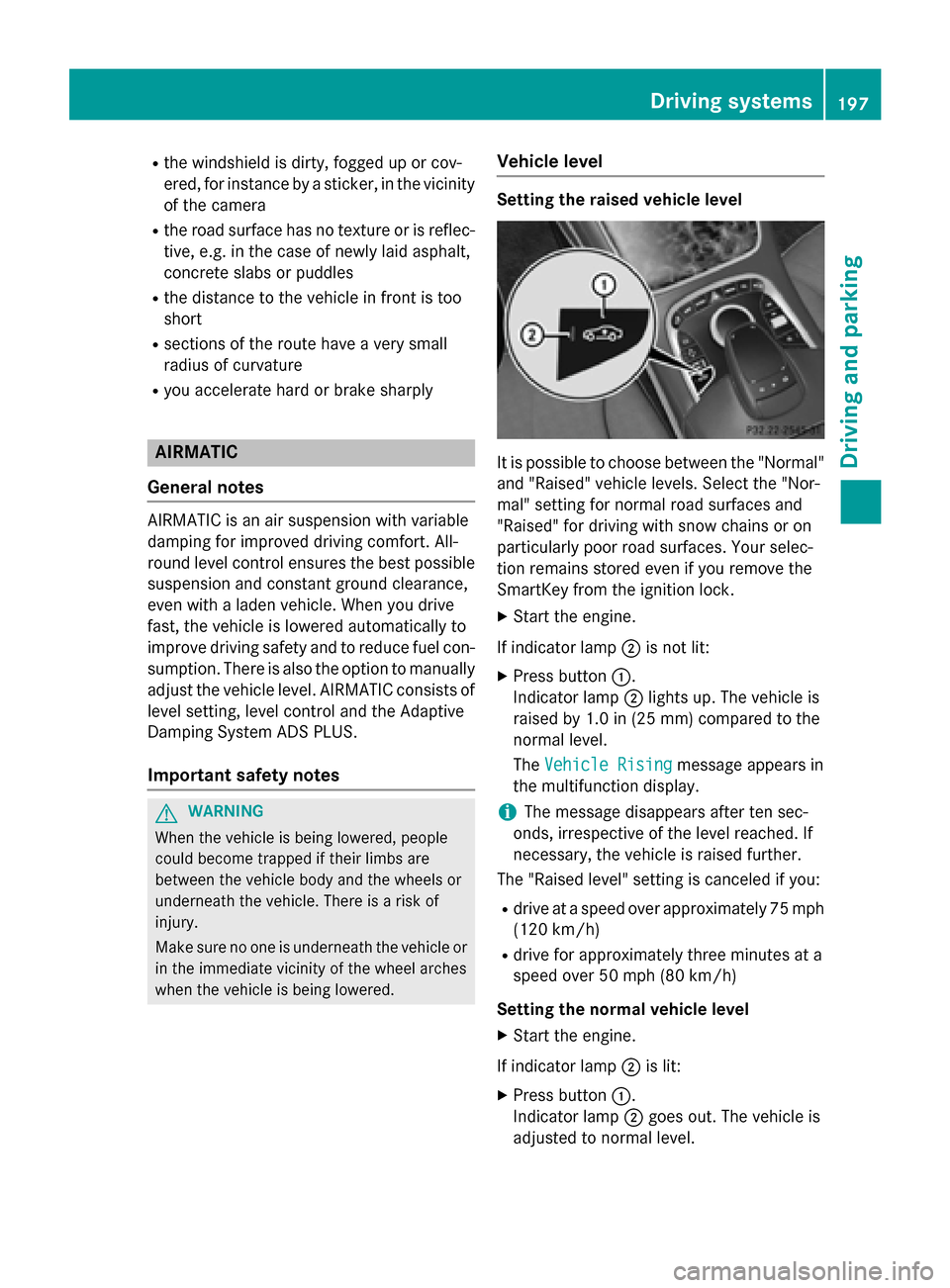
Setting the raised vehicle level
It is possible to choose between the "Normal"
and "Raised" vehicle levels. Select the "Nor-
mal" setting for normal road surfaces and
"Raised" for driving with snow chains or on
particularly poor road surfaces. Your selec-
tion remains stored even if you remove the
SmartKey from the ignition lock.
XStart the engine.
If indicator lamp ;is not lit:
XPress button :.
Indicator lamp ;lights up. The vehicle is
raised by 1.0 in (25 mm) compared to the
normal level.
The Vehicle Rising
message appears in
the multifunction display.
iThe message disappears after ten sec-
onds, irrespective of the level reached. If
necessary, the vehicle is raised further.
The "Raised level" setting is canceled if you:
Rdrive at a speed over approximately 75 mph
(120 km/h)
Rdrive for approximately three minutes at a
speed over 50 mph (80 km/h)
Setting the normal vehicle level
XStart the engine.
If indicator lamp ;is lit:
XPress button :.
Indicator lamp ;goes out. The vehicle is
adjusted to normal level.
Driving system s197
Driving an d parking
Z
Page 203 of 410
mine which warning display is active when the
engine is running.
Transmission
positionWarning display
DFront area activated
R,Nor the vehicle
is rolling back-
wardsRear and front areas
activated
PNo areas activated
One or more segments light up as the vehicle
approaches an obstacle, depending on the
vehicle's distance from the obstacle.
From the:
Rsixth segment onwards, you will hear an
intermittent warning tone for approx-
imately two seconds.
Rseventh segment onwards, you will hear a
warning tone for approximately two sec-
onds. This indicates that you have now
reached the minimum distance.
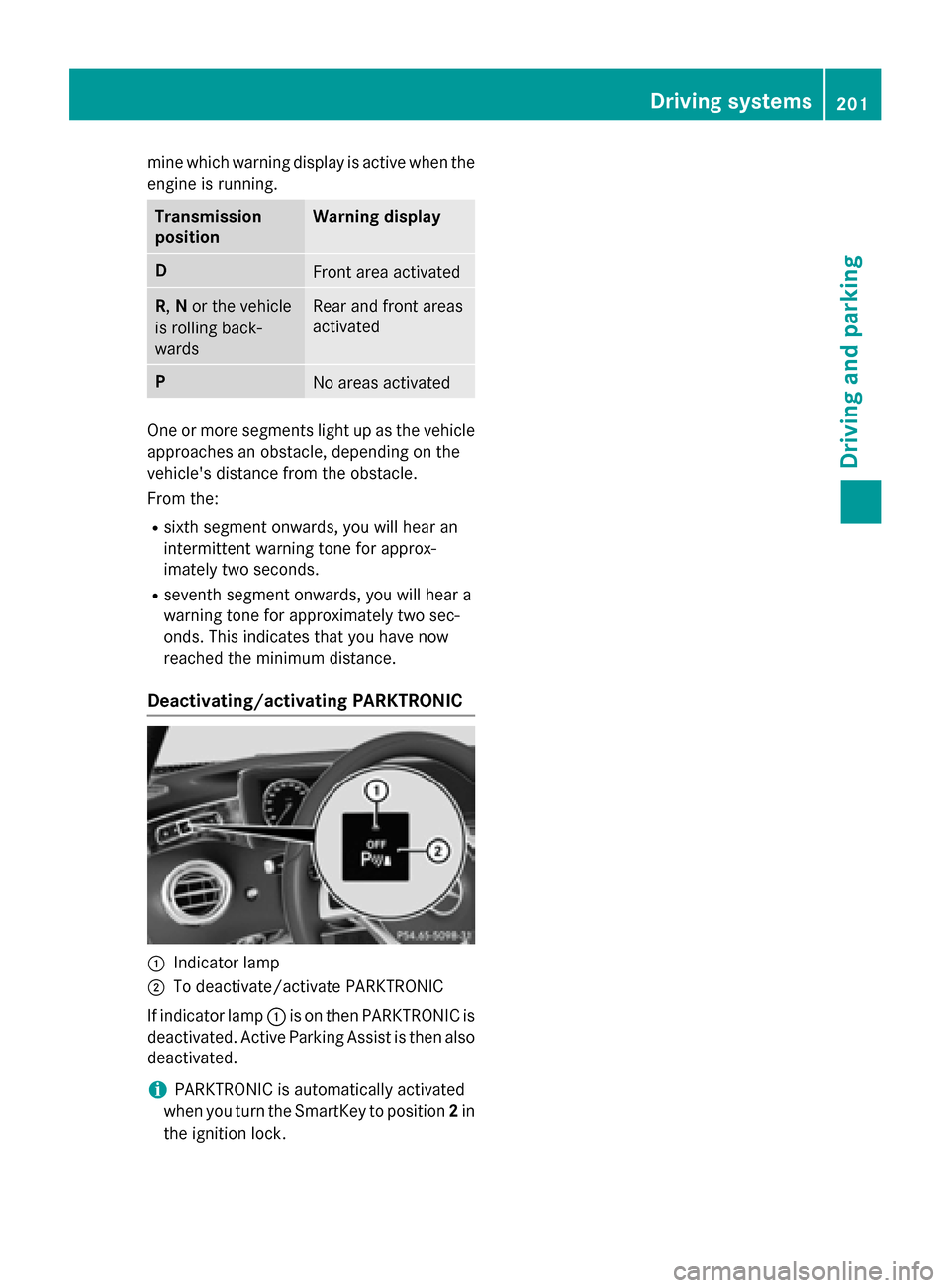
Deactivating/activating PARKTRONIC
:Indicator lamp
;To deactivate/activate PARKTRONIC
If indicator lamp :is on then PARKTRONIC is
deactivated. Active Parking Assist is then also
deactivated.
iPARKTRONIC is automatically activated
when you turn the SmartKey to position 2in
the ignition lock.
Driving systems201
Driving and parking
Z
Page 206 of 410
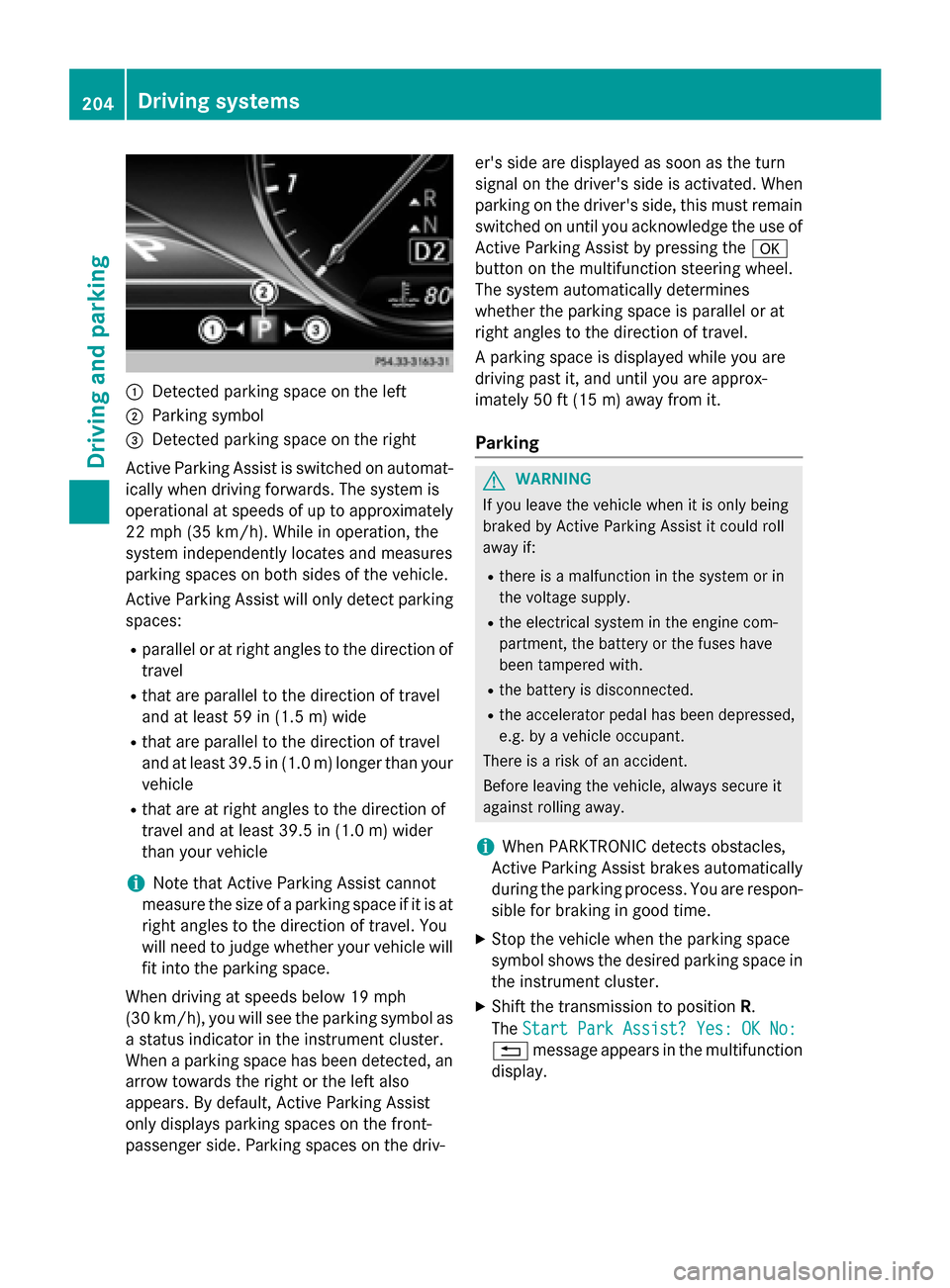
:Detected parking space on the left
;Parking symbol
=Detected parking space on the right
Active Parking Assist is switched on automat-
ically when driving forwards. The system is
operational at speeds of up to approximately
22 mph (35 km/h). While in operation, the
system independently locates and measures
parking spaces on both sides of the vehicle.
Active Parking Assist will only detect parking
spaces:
Rparallel or at right angles to the direction of
travel
Rthat are parallel to the direction of travel
and at least 59 in (1.5 m) wide
Rthat are parallel to the direction of travel
and at least 39.5 in (1.0 m) longer than your
vehicle
Rthat are at right angles to the direction of
travel and at least 39.5 in (1.0 m) wider
than your vehicle
iNote that Active Parking Assist cannot
measure the size of a parking space if it is at
right angles to the direction of travel. You
will need to judge whether your vehicle will
fit into the parking space.
When driving at speeds below 19 mph
(30 km/h), you will see the parking symbol as
a status indicator in the instrument cluster.
When a parking space h
as been detected, an
arrow towards the right or the left also
appears. By default, Active Parking Assist
only displays parking spaces on the front-
passenger side. Parking spaces on the driv- er's side are displayed as soon as the turn
signal on the driver's side is activated. When
parking on the driver's side, this must remain
switched on until you acknowledge the use of
Active Parking Assist by pressing the
a
button on the multifunction steering wheel.
The system automatically determines
whether the parking space is parallel or at
right angles to the direction of travel.
A parking space is displayed while you are
driving past it, and until you are approx-
imately 50 ft (15 m) awayfrom it .
Parking
GWARNING
If you leave the vehicle when it is only being
braked by Active Parking Assist it could roll
away if:
Rthere is a malfunction in the system or in
the voltage supply.
Rthe electrical system in the engine com-
partment, the battery or the fuses have
been tampered with.
Rthe battery is disconnected.
Rthe accelerator pedal has been depressed,
e.g. by a vehicle occupant.
There is a risk of an accident.
Before leaving the vehicle, always secure it
against rolling away.
iWhen PARKTRONIC detects obstacles,
Active Parking Assist brakes automatically
during the parking process. You are respon-
sible for braking in good time.
XStop the vehicle when the parking space
symbol shows the desired parking space in
the instrument cluster.
XShift the transmission to position R.
The Start Park Assist? Yes: OK No:
% message appears in the multifunction
display.
204Driving system s
Driving an d parking
Page 208 of 410
Active Parking Assist can only assist you with
exiting a parking space if you have parked the
vehicle parallel to the direction of travel using
Active Parking Assist.
iIf PARKTRONIC detects obstacles, Active
Parking Assist brakes automatically whilst
the vehicle exits the parking space. You are
responsible for braking in good time.
XStart the engine.
XRelease the electric parking brake.
XSwitch on the turn signal in the direction
you are pulling away.
XShift the transmission to position Dor R.
The Start Park Assist? Yes: OK No:
message appears in the multifunction dis-
play %.
XTo cancel the procedure: press the%
button on the multifunction steering wheel
or pull away.
or
XTo exit a parking space using Active
Parking Assist: press theabutton on
the multifunction steering wheel.
The Park Assist Active Accelerate
andBrakeObserveSurroundingsmes-
sage appears in the multifunction display.
XLet go of the multifunction steering wheel.
XPull away, being ready to brake at all times. Do not exceed a maximum speed of
approximately 6 mph (10 km/h) when exit-
ing a parking space. Otherwise Active Park-
ing Assist will be canceled.
XShift the transmission to position Dor Ras
required or according to the message while
the vehicle is stationary.
Active Parking Assist immediately steers in
the other direction. The Park Assist
Active Accelerate and Brake
ObserveSurroundingsmessage appears
in the multifunction display.
iYou will achieve the best results by wait-
ing for the steering procedure to complete
before pulling away. If you back up after activation, the steering
wheel is moved to the straight-ahead posi-
tion.
XDrive forwards and back up as prompted by
the PARKTRONIC warning displays, several
times if necessary.
Once you have exited the parking space com-
pletely, the steering wheel is moved to the
straight-ahead position. You hear a tone and
the Park Assist Finished
message
appears in the multifunction display. You will
then have to steer and merge into traffic on
your own. PARKTRONIC is still available. You
can take over the steering, before the vehicle
has exited the parking space completely. This
is useful, for example when you recognize
that it is already possible to pull out of the
parking space.
Canceling Active Parking Assist
XStop the movement of the multifunction
steering wheel or steer yourself.
Active Parking Assist will be canceled at
once. The Park Assist Canceled
mes-
sage appears in the multifunction display.
or
XPress the PARKTRONIC button
(
Ypage 201).
PARKTRONIC is switched off and Active
Parking Assist is immediately canceled.
The Park Assist Canceled
message
appears in the multifunction display.
Active Parking Assist is canceled automati-
cally if:
Rthe electric parking brake is engaged
Rtransmission position Pis selected
Rparking using Active Parking Assist is no
longer possible
Ryou are driving faster than 6 mph (10 km/h)
Ra wheel spins, ESP®intervenes or fails. The
÷ warning lamp lights up in the instru-
ment cluster
A warning tone sounds. The parking symbol
disappears and the multifunction display
206Driving systems
Driving an d parking
Page 209 of 410
shows thePark Assist Canceledmes-
sage.
When Active Parking Assist is canceled, you
must steer and brake again yourself.
If a system malfunction occurs, the vehicle is
braked to a standstill. To drive on, depress the
accelerator again.
Rear view camera
General notes
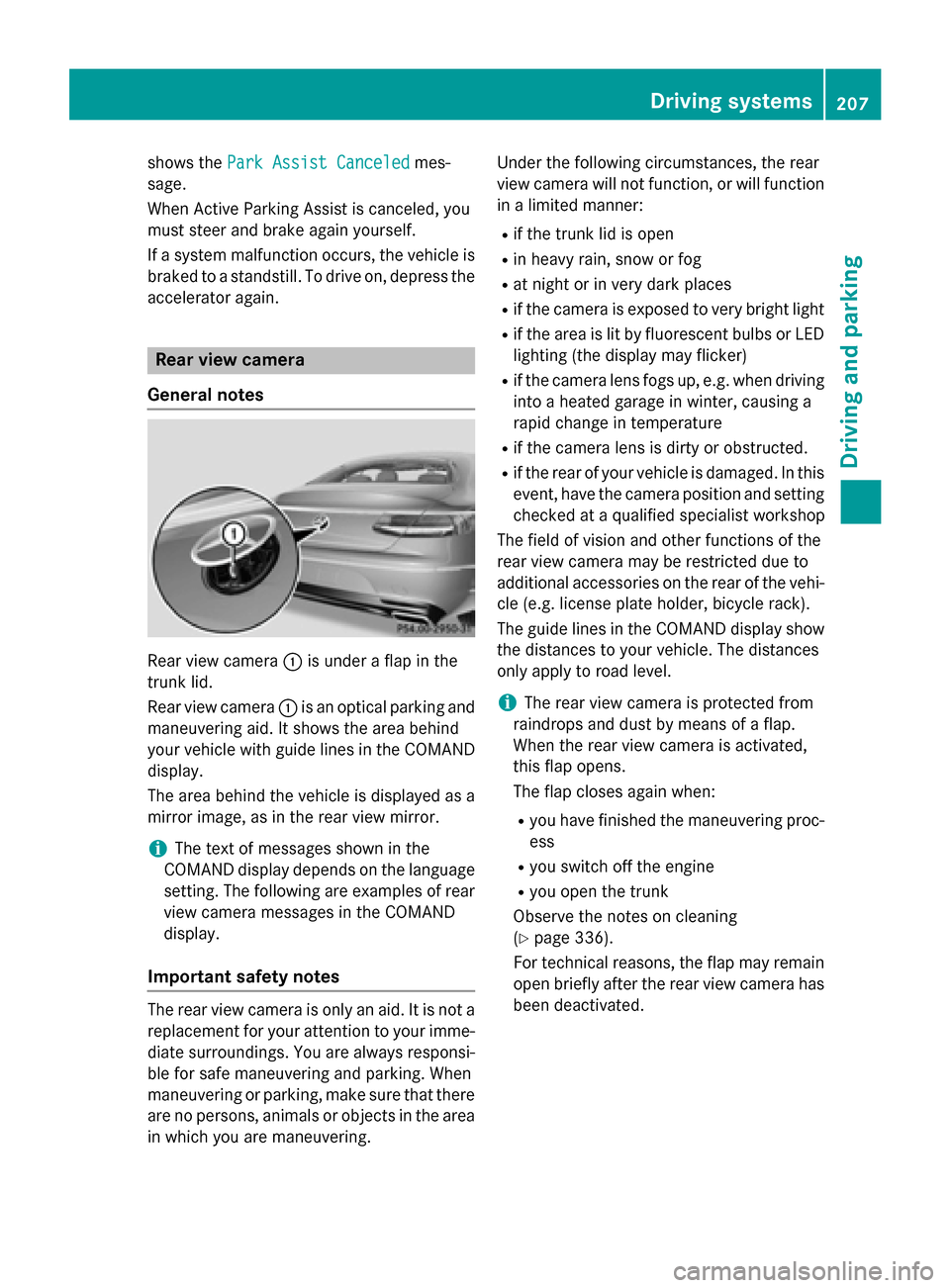
Rear view camera :is under a flap in the
trunk lid.
Rear view camera :is an optical parking and
maneuvering aid. It shows the area behind
your vehicle with guide lines in the COMAND
display.
The area behind the vehicle is displayed as a
mirror image, as in the rear view mirror.
iThe text of messages shown in the
COMAND display depends on the language
setting. The following are examples of rear
view camera messages in the COMAND
display.
Important safety notes
The rear view camera is only an aid. It is not a
replacement for your attention to your imme-
diate surroundings. You are always responsi-
ble for safe maneuvering and parking. When
maneuvering or parking, make sure that there
are no persons, animals or objects in the area in which you are maneuvering. Under the following circumstances, the rear
view camera will not function, or will function
in a limited manner:
Rif the trunk lid is open
Rin heavy rain, snow or fog
Rat night or in very dark places
Rif the camera is exposed to very bright light
Rif the area is lit by fluorescent bulbs or LED
lighting (the display may flicker)
Rif the camera lens fogs up, e.g. when driving
into a heated garage in winter, causing a
rapid change in temperature
Rif the camera lens is dirty or obstructed.
Rif the rear of your vehicle is damaged. In this
event, have the camera position and setting
checked at a qualified specialist workshop
The field of vision and other functions of the
rear view camera may be restricted due to
additional accessories on the rear of the vehi-
cle (e.g. license plate holder, bicycle rack).
The guide lines in the COMAND display show
the distances to your vehicle. The distances
only apply to road level.
iThe rear view camera is protected from
raindrops and dust by means of a flap.
When the rear view camera is activated,
this flap opens.
The flap closes again when:
Ryou have finished the maneuvering proc-
ess
Ryou switch off the engine
Ryou open the trunk
Observe the notes on cleaning
(
Ypage 336).
For technical reasons, the flap may remain
open briefly after the rear view camera has
been deactivated.
Driving systems207
Driving and parking
Z
Page 214 of 410
The 360° camera will not function or will
function in a limited manner:
Rif the doors are open
Rif the exterior mirrors are folded in
Rif the trunk lid is open
Rin heavy rain, snow or fog
Rat night or in very dark places
Rif the cameras are exposed to very bright
light
Rif the area is lit by fluorescent bulbs or LED
lighting (the display may flicker)
Rif the camera lenses fog up, e.g. when driv-
ing into a heated garage in winter, causing
a rapid change in temperature
Rif the camera lenses are dirty or covered.
Observe the notes on cleaning
(
Ypage 336)
Rif the vehicle components in which the
cameras are installed are damaged. In this
event, have the camera position and setting
checked at a qualified specialist workshop.
Do not use the 360° camera in this case. You
can otherwise injure others or cause damage
to objects or the vehicle.
The guide lines in the COMAND display show
the distances to your vehicle. The distances
only apply to road level.
iThe camera in the rear area is protected
from raindrops and dust by means of a flap. This flap opens when the 360° camera is
activated.
The flap closes again when:
Ryou have finished the maneuvering proc-
ess
Ryou switch off the engine
Ryou open the trunk
Observe the notes on cleaning
(
Ypage 336).
For technical reasons, the flap may remain
open briefly after the 360° camera has
been deactivated. On vehicles with height-adjustable chassis,
depending on technical conditions, leaving
the standard height can result in:
Rinaccuracies in the guide lines
Rinaccuracies in the display of generated
images (top view)
Activation conditions
The 360° camera image can be displayed if:
RCOMAND is switched on (see the separate
operating instructions)
Rthe 360° Camerafunction is switched on
iIf the 360° camera is activated at speeds
above approximately 19 mph (30 km/h) , a
warning message appears.
The warning message disappears if:
Rthe vehicle's speed falls below approx-
imately 19 mph (30 km/h). The 360°
camera is then activated.
Rthe message is confirmed with the %
button.
Switching the 360° camera on and off
using the button
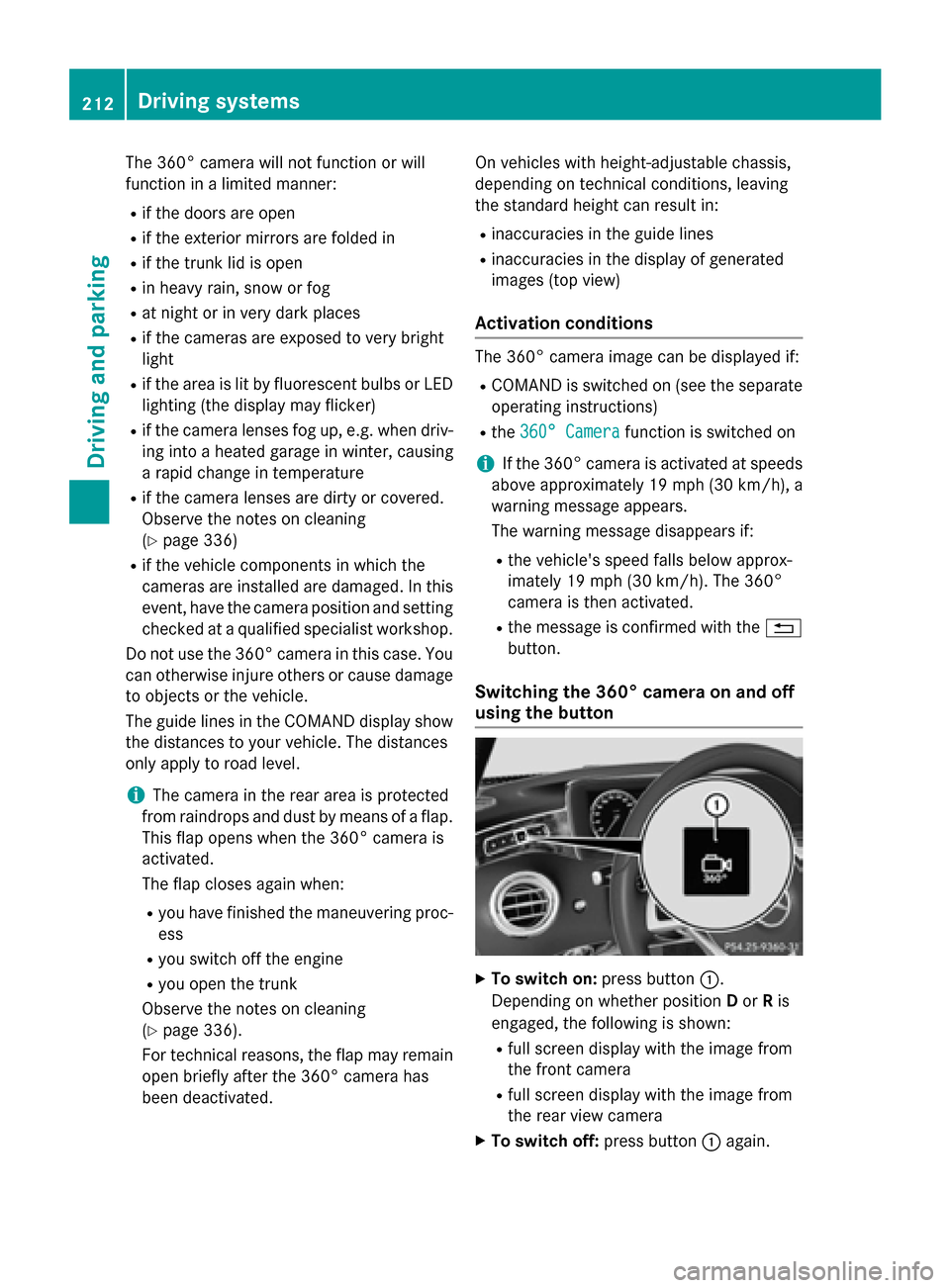
XTo switch on: press button:.
Depending on whether position Dor Ris
engaged, the following is shown:
Rfull screen display with the image from
the front camera
Rfull screen display with the image from
the rear view camera
XTo switch off: press button:again.
212Driving systems
Driving and parking
Page 218 of 410
Important safety notes
ATTENTION ASSIST isonlyan aid to the
driv er.Itmight not always recogniz e fatigue
or increasing inattentiveness in time or fail to
recogniz e them at all. The system is not a
substitute for a well-rested and attentive
driv er.
The functionalit y of ATTENTION AS SIST is
restricted and warnings may bedelayed or
not occur at all:
Rifthe length of the journey isless than
appr oximately 30 minutes
Rifthe road cond ition ispoor, e.g. ifthe sur-
face isuneven or if there are potholes
Rifthere isa strong side wind
Rifyou have adopted a sporty driving style
wit h high cornering speeds or high rates of
acceleration
Rif you are predominantly driving slower
than 37 mph (60 km/h) or faster than
125 mph (200 km/h)
Rif you are driving with the active Steer
Assist of DI STRONIC PLUS
Rifthe time has been set incorrectly
Rin active driving situations, such as when
you change lanes or change your speed
The ATTENTION AS SISTtiredness assess-
ment isdeleted and restarted when continu-
ing the journey, if:
Ryou switch off the engine
Ryou take off your seat belt and open the
driver's door, e.g. for a change of drivers or
to take a break
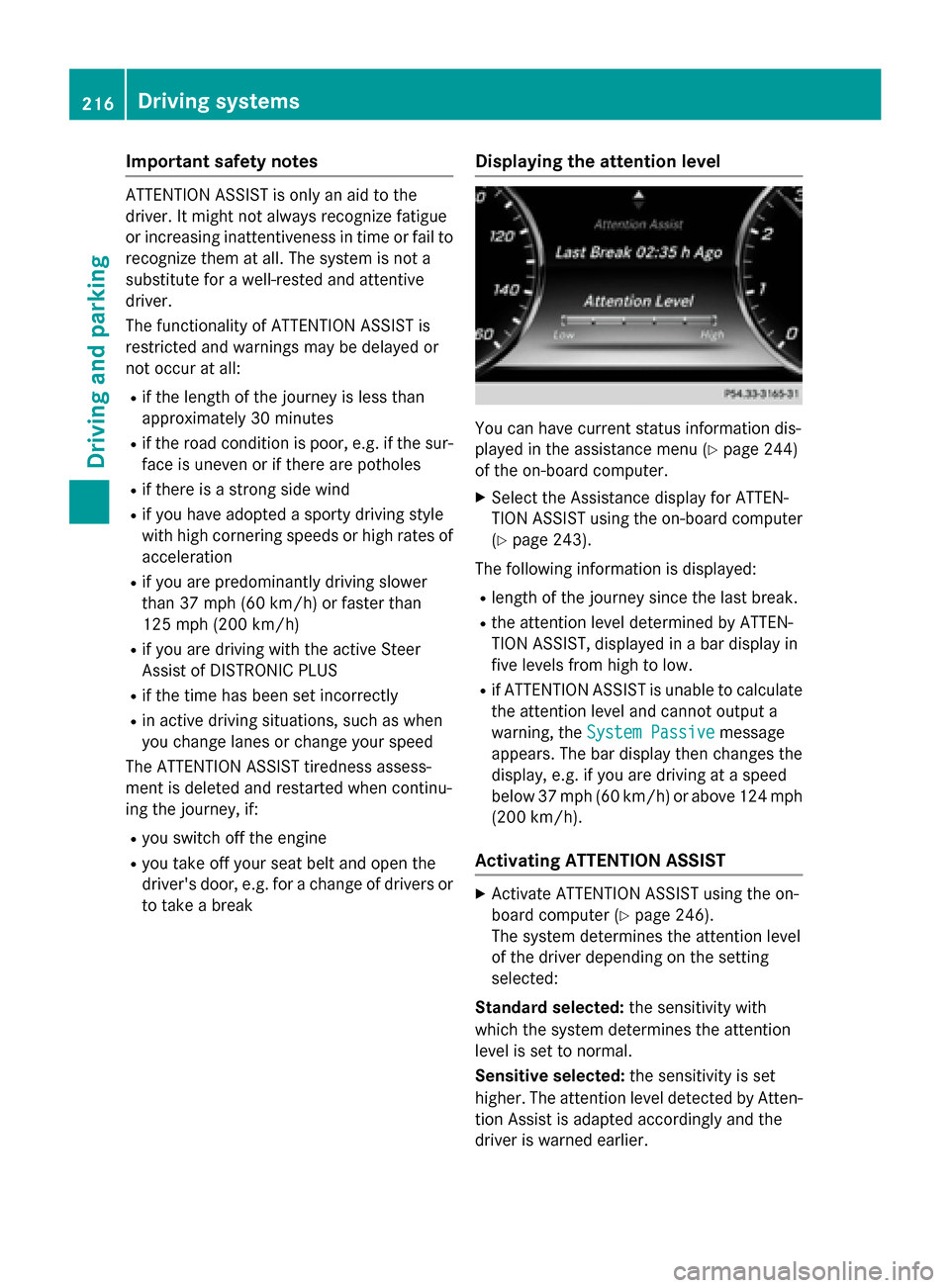
Displaying the attention level
You can have current status information dis-
played inthe assistance menu (
Ypage 244)
of the on-board computer.
XSe lect the Assistance display for ATTEN-
TION AS SISTusing the on-board computer
(
Ypage 243).
The following information is displayed:
Rlength of the journey since the last break.
Rthe attention level determined byATTEN-
TION AS SIST,disp layed ina bar display in
five levels from high to low.
Rif ATTENTION AS SIST isunableto calculate
the attention level and cannot output a
warning, the System Passive
message
appears. The bar display then changes the
display, e.g. ifyou are driving at a speed
below 37 mph (60 km/h)or above 124 mph
(200 km/h) .
Activating ATTENTION ASSIST
XActivateATTENTION ASSIST usin gth eon -
boar dcomputer (
Ypage 246).
The system determine sth eattention level
of th edriver depending on th e setting
selected:
Standar dselected: thesensitivit ywit h
whic hth esystem determine sth eattention
level is set to normal.
Sensit iveselected: thesensitivit yis set
higher. The attention level detecte dby Atten-
tion As sistis adapted accordingly and th e
driver is warned earlier .
216Driving systems
Driving and parking
Page 219 of 410
When ATTENTION ASSIST is deactivated, the
ésymbol appears in the multifunction
display in the assistance graphic display.
When ATTENTION ASSIST has been deactiva-
ted, it is automatically reactivated after the
engine has been stopped. The sensitivity
selected corresponds to the last selection
activated (standard/sensitive).
Warning in the multifunction display
If fatigue or increasing lapses in concentra-
tion are detected, a warning appears in the
multifunction display: Attention Assist:
Take a Break!
In addition to the message shown in the mul-
tifunction display, you will then hear a warn-
ing tone.
XIf necessary, take a break.
XConfirm the message by pressing the a
button on the steering wheel.
On long journeys, take regular breaks in good
time to allow yourself to rest properly. If you
do not take a break and ATTENTION ASSIST
continues to detect increasing lapses in con-
centration, you will be warned again after
15 minutes at the earliest. This will only hap-
pen if ATTENTION ASSIST still detects typical
indicators of fatigue or increasing lapses in
concentration.
If a warning is output in the multifunction dis-
play, COMAND performs a service station
search. You can select a service station and
navigation to this service station will then
begin. This function can be activated and
deactivated in COMAND.
Traffic Sign Assist
General notes
Traffic Sign Assist displays the maximum
speed permitted to the driver in the instru-
ment cluster. The data and general traffic reg-
ulations stored in the navigation system are
used to determine the current speed limit. As Traffic Sign Assist is a map-based system,
traffic signs put up temporarily (e.g. near
roadworks) are not detected.
If a traffic sign that is relevant to your vehicle
is passed, the display of the speed limits is
updated.
Traffic signs with a restriction indicated by an
additional sign (e.g. in wet conditions) are
also shown.
The traffic signs are only displayed with the
restrictions if:
Rthe regulation must be observed with the
restriction, or
RTraffic Sign Assist is unable to determine
whether the restriction applies
If Traffic Sign Assist is unable to determine a maximum permitted speed from any of the
available sources, no speed limit is displayed
in the instrument cluster either.
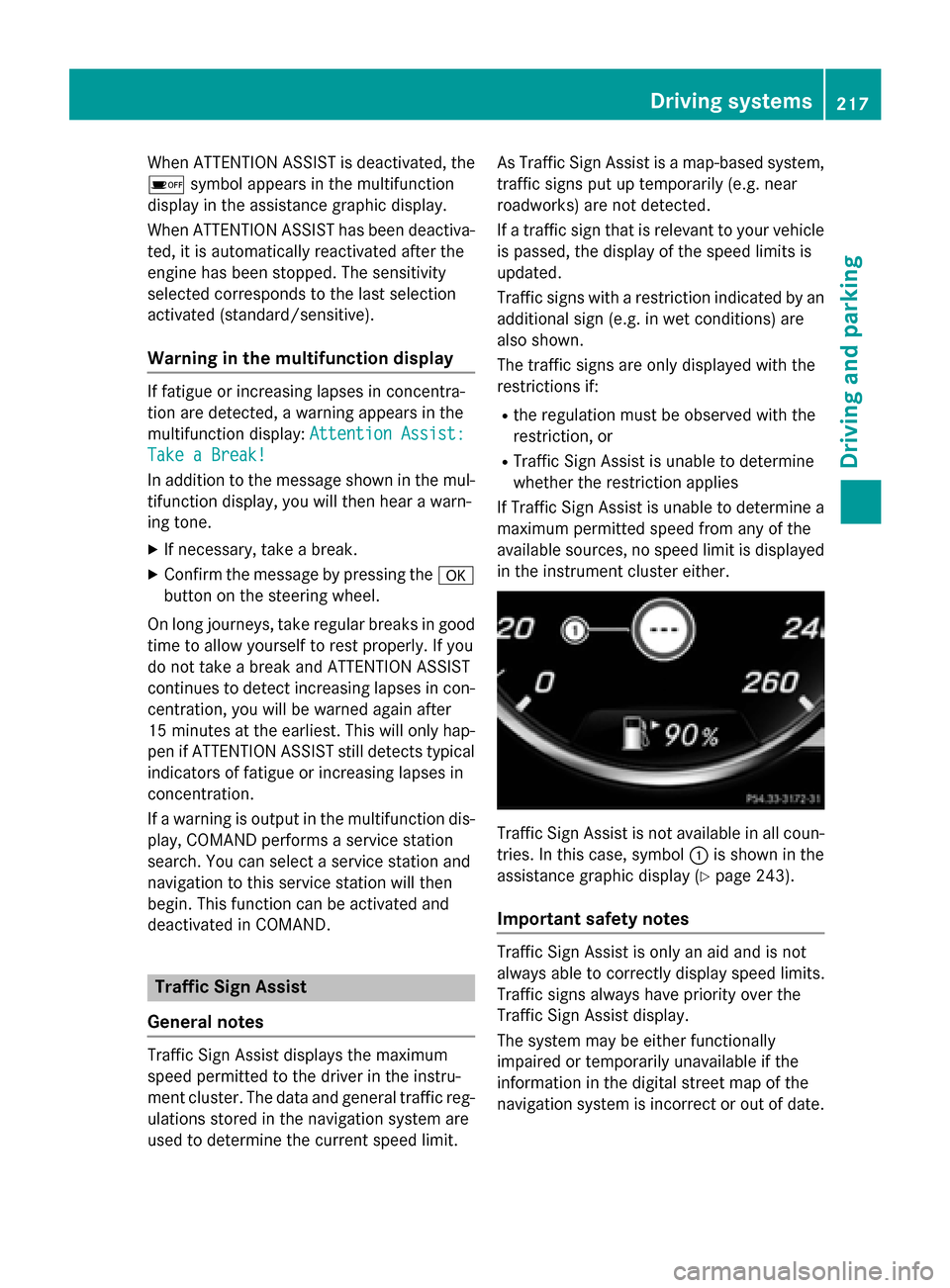
Traffic Sign Assist is not available in all coun-
tries. In this case, symbol :is shown in the
assistance graphic display (
Ypage 243).
Important safety notes
Traffic Sign Assist is only an aid and is not
always able to correctly display speed limits.
Traffic signs always have priority over the
Traffic Sign Assist display.
The system may be either functionally
impaired or temporarily unavailable if the
information in the digital street map of the
navigation system is incorrect or out of date.
Driving systems217
Driving and parking
Z