engine MERCEDES-BENZ S-Class COUPE 2017 C217 User Guide
[x] Cancel search | Manufacturer: MERCEDES-BENZ, Model Year: 2017, Model line: S-Class COUPE, Model: MERCEDES-BENZ S-Class COUPE 2017 C217Pages: 338, PDF Size: 8.16 MB
Page 22 of 338
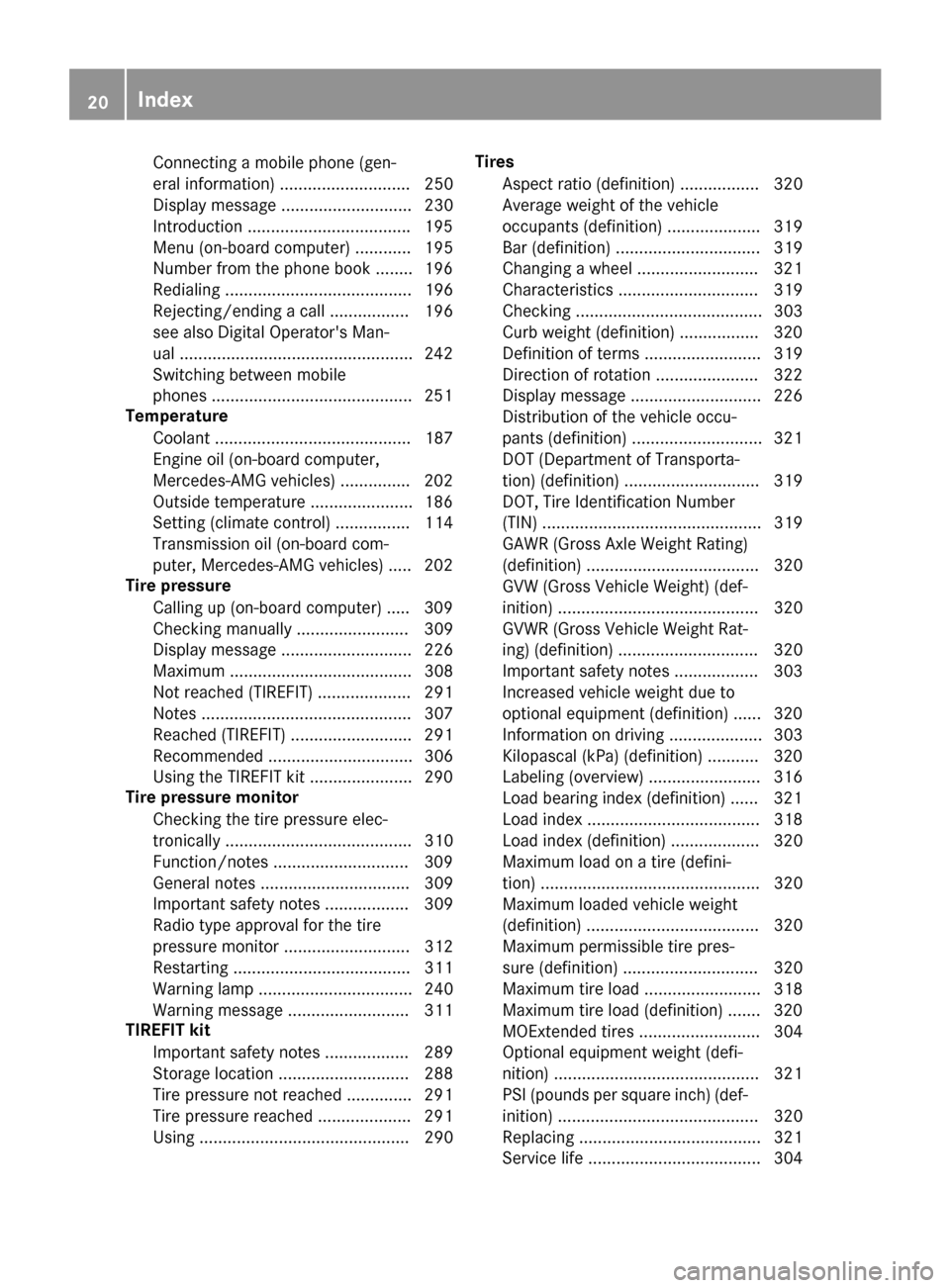
Connecting a mobile phone (gen-
eral information) ............................ 250
Display message ............................ 230
In troduction .................................. .195
Menu (on-board computer) ............ 195
Number from the phone book ........1 96
Redialing ........................................ 196
Rejecting/ending a call ................. 196
see also Digital Operator's Man-
ual ..................................................2 42
Switching between mobile
phones ...........................................2 51
Temperature
Coolant .......................................... 187
Engine oil (on-board computer,
Mercedes-AMG vehicles) ...............2 02
Outside temperature ......................1 86
Setting (climate control) ................ 114
Transmission oil (on-board com-
puter, Mercedes-AMG vehicles) ..... 202
Tire pressure
Calling up (on-board computer) ..... 309
Checking manually ........................ 309
Display message ............................ 226
Maximum ....................................... 308
Not reached (TIREFIT) .................... 291
Notes ............................................. 307
Reached (TIREFIT) .......................... 291
Recommended ............................... 306
Using the TIREFIT kit ......................2 90
Tire pressure monitor
Checking the tire pressure elec-
tronically ........................................ 310
Function/notes .............................3 09
General notes ................................ 309
Important safety notes .................. 309
Radio type approval for the tire
pressure monitor ........................... 312
Restarting ...................................... 311
Warning lamp ................................. 240
Warning message .......................... 311
TIREFIT kit
Important safety notes .................. 289
Storage location ............................ 288
Tire pressu
re not reached .............. 291
Tire pressure reached .................... 291
Using ............................................. 290 Tires
Aspect ratio (definition) ................. 320
Average weight of the vehicle
occupants (definition) .................... 319
Bar (definition) ............................... 319
Changing a wheel .......................... 321
Characteristics .............................. 319
Checking ........................................ 303
Curb weight (definition) ................. 320
Definition of terms ......................... 319
Direction of rotation ...................... 322
Display message ............................ 226
Distribution of the vehicle occu-
pants (definition) ............................ 321
DOT (Department of Transporta-
tion) (definition) ............................. 319
DOT, Tire Identification Number
(TIN) ............................................... 319
GAWR (Gross Axle Weight Rating)
(definition) ..................................... 320
GVW (Gross Vehicle Weight) (def-
inition) ........................................... 320
GVWR (Gross Vehicle Weight Rat-
ing) (definition) .............................. 320
Important safety notes .................. 303
Increased vehicle weight due to
optional equipment (definition) ...... 320
Information on driving .................... 303
Kilopascal (kPa) (definition) ........... 320
Labeling (overview) ........................ 316
Load bearing index (definition) ...... 321
Load index ..................................... 318
Load index (definition) ................... 320
Maximum load on a tire (defini-
tion) ............................................... 320
Maximum loaded vehicle weight
(definition) ..................................... 320
Maximum permissible tire pres-
sure (definition) ............................. 320
Maximum tire load ......................... 318
Maximum tire load (definition) ....... 320
MOExtended tires .......................... 304
Optional equipme nt w
eight (defi-
nition) ............................................ 321
PSI (pounds per square inch) (def-
inition) ........................................... 320
Replacing ....................................... 321
Service life ..................................... 304
20Index
Page 23 of 338
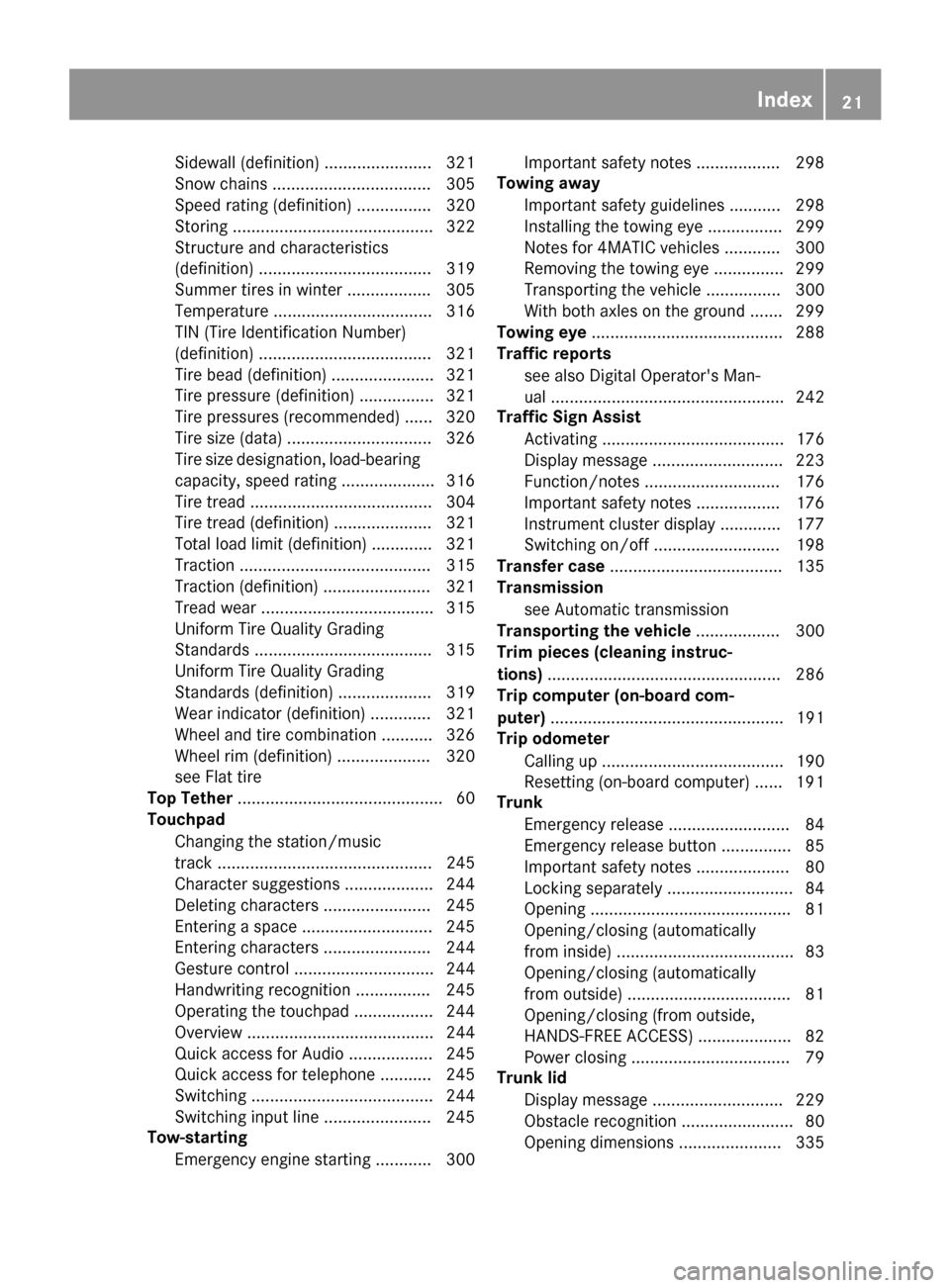
Sidewall (definition) ....................... 321
Snow chains .................................. 305
Speed rating (definition) ................ 320
Storing ........................................... 322
Structure and characteristics
(definition) ..................................... 319
Summer tires in winter .................. 305
Temperature .................................. 316
TIN (Tire Identification Number)
(definition) ..................................... 321
Tire bead (definition) ...................... 321
Tire pressure (definition) ................ 321
Tire pressures (recommended) ...... 320
Tire size (data) ............................... 326
Tire size designation, load-bearing
capacity, speed rating .................... 316
Tire tread ....................................... 304
Tire tread (definition) ..................... 321
Total load limit (definition) ............. 321
Traction ......................................... 315
Traction (definition) ....................... 321
Tread wear ..................................... 315
Uniform Tire Quality Grading
Standards ...................................... 315
Uniform Tire Quality Grading
Standards (definition) .................... 319
Wear indicator (definition) ............. 321
Wheel and tire combination ........... 326
Wheel rim (definition) .................... 320
see Flat tire
Top Tether ............................................ 60
Touchpad
Changing the station/music
track .............................................. 245
Character suggestions ................... 244
Deleting characters ....................... 245
Entering a space ............................ 245
Entering characters ....................... 244
Gesture control .............................. 244
Handwriting recognition ................ 245
Operating the touchpad ................. 244
Overview ........................................ 244
Quick access for Audio .................. 245
Quick access for telephone ........... 245
Switching ....................................... 244
Switching input line ....................... 245
Tow-starting
Emergency engine starting ............ 300 Important safety notes .................. 298
Towing away
Important safety guidelines ........... 298
Installing the towing eye ................ 299
No
tes for 4MATIC vehicles ............ 300
Removing the towing eye ............... 299
Transporting the vehicle ................ 300
With both axles on the ground ....... 299
Towing eye ......................................... 288
Traffic reports
see also Digital Operator's Man-
ual .................................................. 242
Traffic Sign Assist
Activating ....................................... 176
Display message ............................ 223
Function/notes ............................. 176
Important safety notes .................. 176
Instrument cluster display ............. 177
Switching on/off ........................... 198
Transfer case ..................................... 135
Transmission
see Automatic transmission
Transporting the vehicle .................. 300
Trim pieces (cleaning instruc-
tions) .................................................. 286
Trip computer (on-board com-
puter) .................................................. 191
Trip odometer
Calling up ....................................... 190
Resetting (on-board computer) ...... 191
Trunk
Emergency release .......................... 84
Emergency release button ............... 85
Important safety notes .................... 80
Locking separately ........................... 84
Opening ........................................... 81
Opening/closing (automatically
from inside) ...................................... 83
Opening/closing (automatically
from outside) ................................... 81
Opening/closing (from outside,
HANDS-FREE ACCESS) .................... 82
Power closing .................................. 79
Trunk lid
Display message ............................ 229
Obstacle recognition ........................ 80
Opening dimensions ...................... 335
Index21
Page 24 of 338
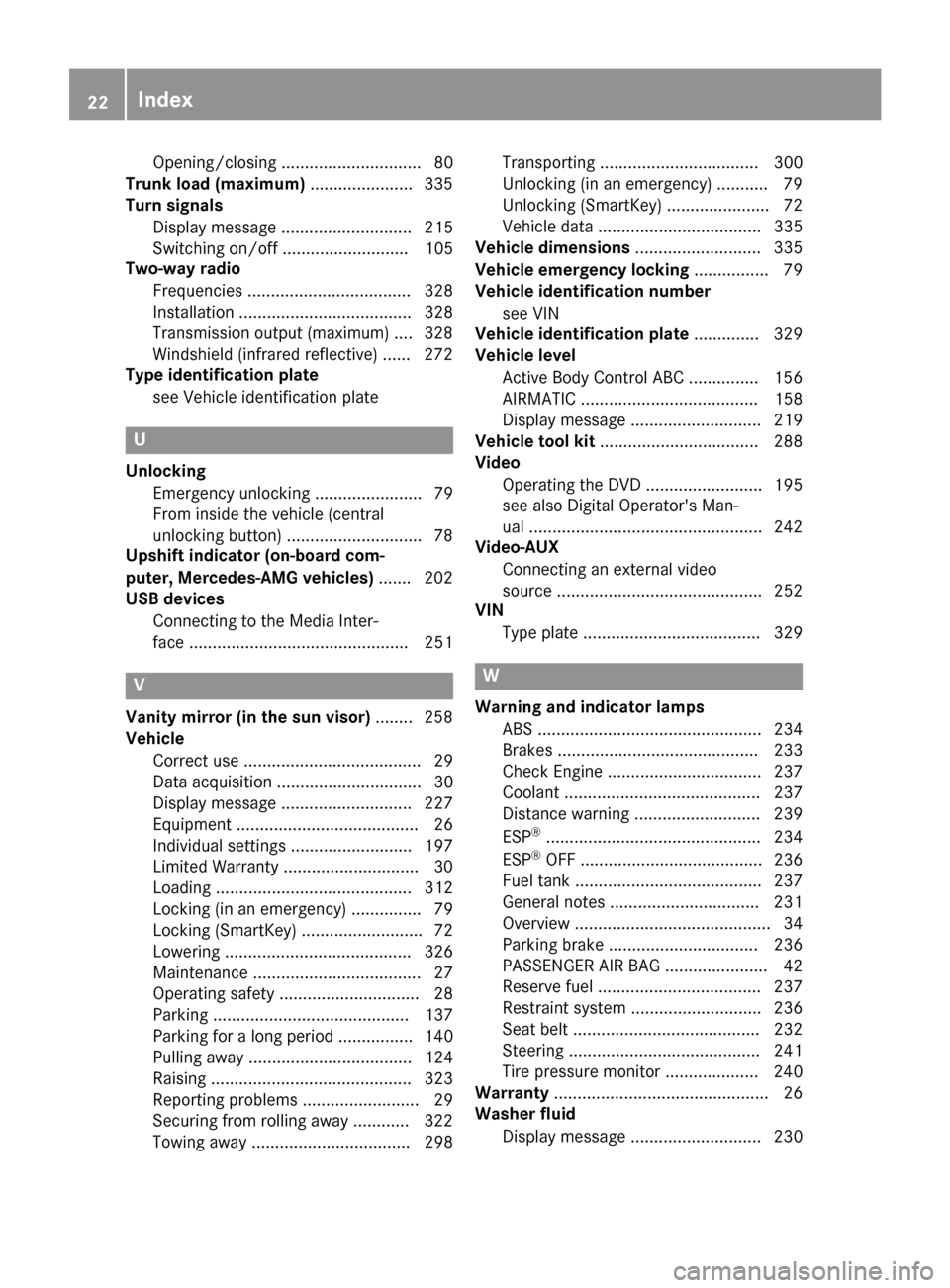
Opening/closing .............................. 80
Trunk load (maximum) ......................335
Turn signals
Display message ............................ 215
Switching on/off ........................... 105
Two-way radio
Frequencies ................................... 328
Installation ..................................... 328
Transmission output (maximum) .... 328
Windshield (infrared reflective) ...... 272
Type identification plate
see Vehicle identification plate
U
UnlockingEmergency unlocking ....................... 79
From inside the vehicle (central
unlocking button) .............................7 8
Upshift indicator (on-board com-
puter, Mercedes-AMG vehicles) .......202
USB devices
Connecting to the Media Inter-
face ............................................... 251
V
Vanity mirror (in the sun visor) ........258
Vehicle
Correct use ...................................... 29
Data acquisition ............................... 30
Display message ............................ 227
Equipment ....................................... 26
Individual settings .......................... 197
Limited Warranty .............................3 0
Loading .......................................... 312
Locking (in an emergency) ............... 79
Locking (SmartKey) .......................... 72
Lowering ........................................ 326
Maintenance .................................... 27
Operating safety .............................. 28
Parking .......................................... 137
Parking for a long period ................ 140
Pulling away ................................... 124
Raising ........................................... 323
Reporting problems ......................... 29
Securing from rolling away ............ 322
Towing away .................................. 298 Transporting .................................. 300
Unlocking (in an emergency) ........... 79
Unlocking (SmartKey) ...................... 72
Vehicle data ................................... 335
Vehicle dimensions ........................... 335
Vehicle emergency locking ................ 79
Vehicle identification number
see VIN
Vehicle identification plate .............. 329
Vehicle level
Active Body Control ABC ............... 156
AIRMATIC ...................................... 158
Display message ............................ 219
Vehicle tool kit .................................. 288
Video
Operating the DVD ......................... 195
see also Digital Operator's Man-
ual .................................................. 242
Video-AUX
Connecting an external video
source ............................................ 252
VIN
Type plate ...................................... 329
W
Warning and indicator lampsABS ................................................ 234
Brakes ........................................... 233
Check Engine ................................. 237
Coolant .......................................... 237
Distance warning ........................... 239
ESP
®.............................................. 234
ESP®OFF ....................................... 236
Fuel tank ........................................ 237
General notes ................................ 231
Overview .......................................... 34
Parking brake ................................ 236
PASSENGER AIR BAG ...................... 42
Reserve fuel ................................... 237
Restraint system ............................ 236
Seat belt ........................................ 232
Steering ......................................... 241
Tire pressure monitor .................... 240
Warranty .............................................. 26
Washer fluid
Display message ............................ 230
22Index
Page 27 of 338
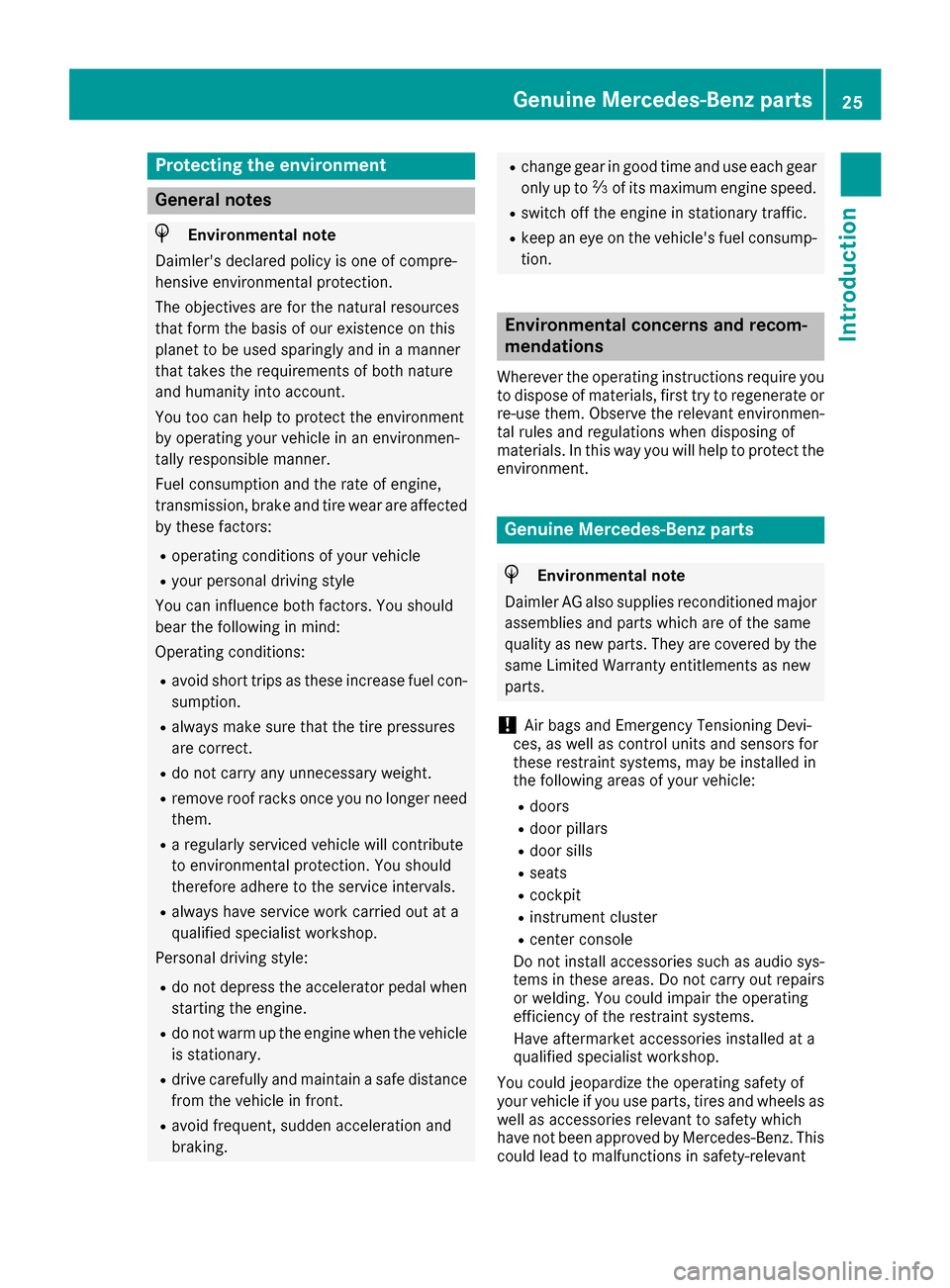
Protecting the environment
General notes
HEnvironmental note
Daimler's declared policy is one of compre-
hensive environmental protection.
The objectives are for the natural resources
that form the basis of our existence on this
planet to be used sparingly and in a manner
that takes the requirements of both nature
and humanity into account.
You too can help to protect the environment
by operating your vehicle in an environmen-
tally responsible manner.
Fuel consumption and the rate of engine,
transmission, brake and tire wear are affected by these factors:
Roperating conditions of your vehicle
Ryour personal driving style
You can influence both factors. You should
bear the following in mind:
Operating conditions:
Ravoid short trips as these increase fuel con-
sumption.
Ralways make sure that the tire pressures
are correct.
Rdo not carry any unnecessary weight.
Rremove roof racks once you no longer need
them.
Ra regularly serviced vehicle will contribute
to environmental protection. You should
therefore adhere to the service intervals.
Ralways have service work carried out at a
qualified specialist workshop.
Personal driving style:
Rdo not depress the accelerator pedal when
starting the engine.
Rdo not warm up the engine when the vehicle
is stationary.
Rdrive carefully and maintain a safe distance
from the vehicle in front.
Ravoid frequent, sudden acceleration and
braking.
Rchange gear in good time and use each gear
only up to 00C3of its maximum engine speed.
Rswitch off the engine in stationary traffic.
Rkeep an eye on the vehicle's fuel consump-
tion.
Environmental concerns and recom-
mendations
Wherever the operating instructions require you
to dispose of materials, first try to regenerate or
re-use them. Observe the relevant environmen-
tal rules and regulations when disposing of
materials. In this way you will help to protect the
environment.
Genuine Mercedes-Benz parts
HEnvironmental note
Daimler AG also supplies reconditioned major
assemblies and parts which are of the same
quality as new parts. They are covered by the
same Limited Warranty entitlements as new
parts.
!Air bags and Emergency Tensioning Devi-
ces, as well as control units and sensors for
these restraint systems, may be installed in
the following areas of your vehicle:
Rdoors
Rdoor pillars
Rdoor sills
Rseats
Rcockpit
Rinstrument cluster
Rcenter console
Do not install accessories such as audio sys-
tems in these areas. Do not carry out repairs or welding. You could impair the operating
efficiency of the restraint systems.
Have aftermarket accessories installed at a
qualified specialist workshop.
You could jeopardize the operating safety of
your vehicle if you use parts, tires and wheels as
well as accessories relevant to safety which
have not been approved by Mercedes-Benz. This
could lead to malfunctions in safety-relevant
Genuine Mercedes-Benz parts25
Introduction
Z
Page 29 of 338
death or serious bodily injury if the vehicle is
driven, that defect or malfunction has been
subject to repair two or more times, and you
have directly notified Mercedes-Benz USA,
LLC in writing of the need for its repair.
(2) the same substantial defect or malfunction of a less serious nature than category (1)
has been subject to repair four or more
times and you have directly notified
Mercedes-Benz in writing of the need for its
repair.
(3) the vehicle is out of service by reason of repair of the same or different substantial
defects or malfunctions for a cumulative
total of more than 30 calendar days.
Please send your written notice to:
Mercedes-Benz USA, LLC
Customer Assistance Center
3 Mercedes Drive
Montvale, NJ 07645-0350
Maintenance
Always bring the Maintenance Booklet with you when taking the vehicle to an authorized
Mercedes-Benz Center. Your customer service
advisor will enter every service into your Main-
tenance Booklet on your behalf.
Roadside Assistance
The Mercedes-Benz Roadside Assistance Pro-
gram offers technical help in the event of a
breakdown. Calls to the toll-free Roadside Assis-
tance Hotline are answered by our agents 24
hours a day, 365 days a year.
1-800-FOR-MERCedes(1-800-367-6372)
(USA)
1-800-387-0100(Canada)
For additional information, refer to the
Mercedes-Benz Roadside Assistance Program
brochure (USA) or the "Roadside Assistance"
section in the Service and Warranty Booklet
(Canada). You will find both in the vehicle docu-
ment wallet.
Change of address or change of own-
ership
In the event of a change of address, please sendus the "Notification of Address Change" in the
Service and Warranty Booklet or simply call the
Mercedes-Benz Customer Assistance Center
(USA) at the hotline number
1-800-FOR-MERCedes (1-800-367-6372) or
Customer Service Center (Canada) at
1-800-387-0100. This will assist us in contact-
ing you in a timely manner should the need arise.
If you sell your Mercedes, please leave all liter-
ature in the vehicle so that it is available to the
next owner.
If you have purchased a used car, please send us
the "Notification of Used Car Purchase" in the
Service and Warranty Booklet or simply call the
Mercedes-Benz Customer Assistance Center
(USA) at the hotline number
1-800-FOR-MERCedes (1-800-367-6372) or
Customer Service (Canada) at 1-800-387-0100.
Vehicle operation outside the USA
and Canada
When you are abroad with your vehicle, observe
the following points:
RService facilities or replacement parts may
not be readily available.
RLead-free fuel for vehicles with a catalytic
converter may not be available. Leaded fuel
can cause damage to the catalytic converter.
RThe fuel may have a considerably lower
octane number. Unsuitable fuel can cause
engine damage.
Some Mercedes-Benz models are available for
delivery in Europe through our European Deliv-
ery Program. For details, consult an authorized
Mercedes-Benz Center or write to one of the
following addresses.
In the USA
Mercedes-Benz USA, LLC
European Delivery Department
One Mercedes Drive
Montvale, NJ 07645-0350
In Canada
Mercedes-Benz Canada, Inc.
European Delivery Department
98 Vanderhoof Avenue
Toronto, Ontario M4G 4C9
Service and vehicle operation27
Introduction
Z
Page 44 of 338
Restraint system warning lamp
The functions of the restraint system are
checked after the ignition is switched on and at
regular intervals while the engine is running.
Therefore, malfunctions can be detected in
good time.
The0075 restraint system warning lamp in the
instrument cluster lights up when the ignition is
switched on. It goes out no later than a few sec-
onds after the vehicle is started. The compo-
nents of the restraint system are in operational
readiness.
A malfunction has occurred if the 0075restraint
system warning lamp:
Rdoes not light up after the ignition is switched
on
Rdoes not go out after a few seconds with the
engine running
Rlights up again while the engine is running
GWARNING
If the restraint system is malfunctioning,
restraint system components may be trig-
gered unintentionally or may not deploy as
intended during an accident. This can affect
for example the Emergency Tensioning
Device or the air bag. This poses an increased
risk of injury or even fatal injury.
Have the restraint system checked and
repaired in a qualified specialist workshop as
soon as possible.
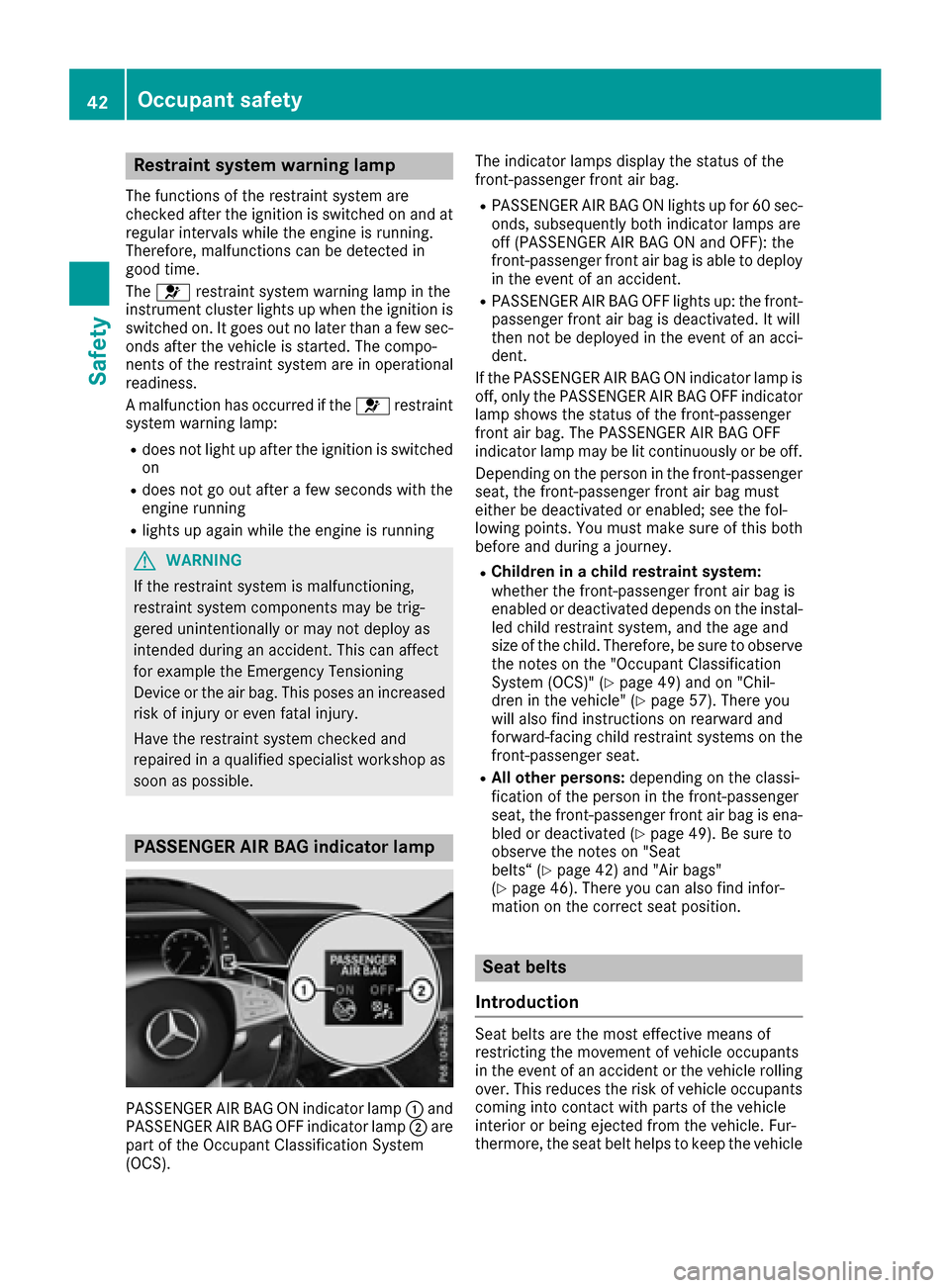
PASSENGER AIR BAG indicator lamp
PASSENGER AIR BAG ON indicator lamp 0043and
PASSENGER AIR BAG OFF indicator lamp 0044are
part of the Occupant Classification System
(OCS). The indicator lamps display the status of the
front-passenger front air bag.
RPASSENGER AIR BAG ON lights up for 60 sec-
onds, subsequently both indicator lamps are
off (PASSENGER AIR BAG ON and OFF): the
front-passenger front air bag is able to deploy
in the event of an accident.
RPASSENGER AIR BAG OFF lights up: the front-
passenger front air bag is deactivated. It will
then not be deployed in the event of an acci-
dent.
If the PASSENGER AIR BAG ON indicator lamp is
off, only the PASSENGER AIR BAG OFF indicator lamp shows the status of the front-passenger
front air bag. The PASSENGER AIR BAG OFF
indicator lamp may be lit continuously or be off.
Depending on the person in the front-passenger
seat, the front-passenger front air bag must
either be deactivated or enabled; see the fol-
lowing points. You must make sure of this both
before and during a journey.
RChildren in a child restraint system:
whether the front-passenger front air bag is
enabled or deactivated depends on the instal-led child restraint system, and the age and
size of the child. Therefore, be sure to observe
the notes on the "Occupant Classification
System (OCS)" (
Ypage 49) and on "Chil-
dren in the vehicle" (Ypage 57). There you
will also find instructions on rearward and
forward-facing child restraint systems on the
front-passenger seat.
RAll other persons: depending on the classi-
fication of the person in the front-passenger
seat, the front-passenger front air bag is ena-
bled or deactivated (
Ypage 49). Be sure to
observe the notes on "Seat
belts“ (
Ypage 42) and "Air bags"
(Ypage 46). There you can also find infor-
mation on the correct seat position.
Seat belts
Introduction
Seat belts are the most effective means of
restricting the movement of vehicle occupants
in the event of an accident or the vehicle rolling over. This reduces the risk of vehicle occupants
coming into contact with parts of the vehicle
interior or being ejected from the vehicle. Fur-
thermore, the seat belt helps to keep the vehicle
42Occupant safety
Safety
Page 48 of 338
XPress the release button in the belt buckle,
hold the belt tongue firmly and guide the belt
back.
Seat belt adjustment
The seat-belt adjustment is an integral part of
the PRE-SAFE®convenience function. This func-
tion adjusts the driver's and front-passenger
seat belt to the upper body of the occupants.
The belt strap is tightened slightly when:
Rthe belt tongue is engaged in the buckle when
the seat-belt extender is retracted and
Rthe ignition is switched on
The seat-belt adjustment will apply a certain
retraction force if any slack is detected between
the vehicle occupant and the seat belt. Do not
hold on to the seat belt tightly while it is adjust- ing.
You can activate and deactivate the seat-belt
adjustment function using the multimedia sys-
tem. Information on activating and deactivating
the seat-belt adjustment function can be found
in the Digital Operator's Manual.
Belt warning for the driver and front
passenger
The 0076 seat belt warning lamp in the instru-
ment cluster is a reminder that all vehicle occu-
pants must wear their seat belts. It may light up
continuously or flash. In addition, there may be
a warning tone.
Regardless of whether the driver's seat belt has
already been fastened, the 0076seat belt warn-
ing lamp lights up for six seconds each time the
engine is started. If, after six seconds, the driver
or front-passenger seat belt has not been fas-
tened and the doors are closed, the 0076seat
belt warning lamp lights up. As soon as the driv- er's and front-passenger seat belts are fastened
or a front door is opened again, the 0076seat
belt warning lamp goes out.
If the driver's seat belt is not fastened after the
engine is started, an additional warning tone will
sound. The warning tone switches off after six
seconds or once the driver's seat belt is fas-
tened.
If the vehicle's speed exceeds 15 mph
(25 km/h) once and the driver's and front-
passenger seat belts are not fastened, a warning tone sounds. A warning tone also sounds with
increasing intensity for 60 seconds or until the driver or front passenger have fastened their
seat belts.
If the driver or front passenger unfasten their
seat belts during the journey, the seat belt warn-
ing is activated again.
Air bags
Introduction
The installation point of an air bag can be rec-
ognized by the AIR BAG symbol.
An air bag complements the correctly fastened
seat belt. It is no substitute for the seat belt. The
air bag provides additional protection in appli-
cable accident situations.
Not all air bags are deployed in an accident. The
different air bag systems function independ-
ently from one another (
Ypage 53).
However, no system available today can com-
pletely eliminate injuries and fatalities.
It is also not possible to rule out a risk of injury
caused by an air bag due to the high speed at
which the air bag must be deployed.
Important safety notes
GWARNING
If you do not sit in the correct seat position,
the air bag cannot protect as intended and
could even cause additional injury when
deployed. This poses an increased risk of
injury or even fatal injury.
To avoid hazardous situations, always make
sure that all of the vehicle's occupants:
Rhave fastened their seat belts correctly,
including pregnant women
Rare sitting correctly and maintain the great-
est possible distance to the air bags
Rfollow the following instructions
Always make sure that there are no objects
between the air bag and the vehicle's occu-
pants.
RAdjust the seats properly before beginning
your journey. Always make sure that the seat
is in an almost upright position. The center of
46Occupant safety
Safety
Page 59 of 338
Automa tic measures after an acci-
dent
Immediately after an accident, th efollowin g
measures are implemented, depending on th e
typ eand severity of th eimpact :
Rthehazard warning lamp sare activated
Rth eemergenc ylighting is activated
Rth evehicl edoor sare unlocke d
Rthefron tside windows are lowered
Rth eelectrically adjustable steering whee lis
raised
Rth eengin eis switched off and th efuel supply
is cut off
Rvehicles wit hmbrace :automatic emergenc y
call
Children in the vehicle
Import ant safety notes
Acciden tstatistics sho wthat children secured
in th erear seat sare safer than children secured
in th efront-passenger seat .Fo rthis reason ,
Mercedes-Benz strongly advises that you instal l
a child restrain tsystem on arear seat .Children
are generally bette rprotected there .
If achild younger than twelve years old and
under 5ft (1.50 m) in height is traveling in th e
vehicle:
Ralways secure th echild in achild restrain t
system suitable for Mercedes-Benz vehicles.
The child restrain tsystem mus tbe appropri-
ate to th eage, weigh tand siz eof th echild
Rbe sur eto observ eth einstruction sand safet y
note sin this section in addition to th echild
restrain tsystem manufacturer' sinstallation
instruction s
Rbe sureto observ eth einstruction sand safet y
note son th e"Occupant classification system
(OCS)" (
Ypage 49)
GWARNIN G
If you leav echildren unsupervised in th evehi-
cle ,they could set it in motion by, for example:
Rrelease th eparking brake.
Rshif tth eautomatic transmission out of th e
parking position P.
Rstart theengine.
In addition ,they may operate vehicl eequip -
men tand become trapped .There is aris kof
an acciden tand injury.
When leaving th evehicle, always tak eth e
SmartKey wit hyou and loc kth evehicle. Never
leav echildren unsupervised in th evehicle.
GWARNIN G
If persons, particularly children are subjecte d
to prolonged exposure to extreme heat or
cold, there is aris kof injury, possibl yeve n
fatal. Never leav echildren unattended in th e
vehicle.
GWARNIN G
If th echild restrain tsystem is subjecte dto
direc tsunlight, part smay get ver yhot .Chil-
dre nmay burn themselves on these parts,
particularly on th emetal part sof th echild
restrain tsystem. There is aris kof injury.
If you leav eth evehicle, taking th echild wit h
you, always ensur ethat th echild restrain t
system is no texposed to direc tsunlight. Pro -
tect it wit h ablanket, for example. If th echild
restrain tsystem has been exposed to direc t
sunlight, let it cool down before securin gth e
child in it .Never leav echildren unattended in
th evehicle.
Always ensur ethat all vehicl eoccupant shav e
their seat belt sfastene dcorrectl yand are sitting
properly. Particular attention mus tbe paid to
children .
Observ eth esafet ynote son th eseat belt
(
Ypage 43 )and the notes on correct use of seat
belts (Ypage 44).
A booster seat may be necessary to achieve
proper seat belt positioning for children over
41 lb s(18 kg) until they reach a height where a
three-point seat belt can be properly fastened
without a booster seat.
Special seat belt retractor
GWARNING
If the seat belt is released while driving, the
child restraint system will no longer be
Children in the vehicle57
Safety
Z
Page 69 of 338
ETS traction control is part of ESP®. On vehicles
with 4MATIC, 4ETS is part of ESP®.
Traction control brakes the drive wheels indi-
vidually if they spin. This enables you to pull
away and accelerate on slippery surfaces, for
example if the road surface is slippery on one
side. In addition, more drive torque is transfer-
red to the wheel or wheels with traction.
Traction control remains active, even if you
deactivate ESP
®.
Important safety notes
GWARNING
If ESP
®is malfunctioning, ESP®is unable to
stabilize the vehicle. Additionally, further driv-
ing safety systems are deactivated. This
increases the risk of skidding and an accident.
Drive on carefully. Have ESP
®checked at a
qualified specialist workshop.
If the 00BB ESP
®OFF warning lamp lights up
continuously, then ESP®is deactivated.
If the 00E5 ESP®warning lamp lights up contin-
uously, ESP®is not available due to a malfunc-
tion.
Observe the information on warning lamps
(
Ypage 234) and display messages which may
be shown in the instrument cluster
(
Ypage 204).
Only use wheels with the recommended tire
sizes. Only then will ESP
®function properly.
Characteristics of ESP®
General information
If the 00E5 ESP warning lamp goes out before
beginning the journey, ESP®is automatically
active.
If ESP
®intervenes, the 00E5ESP®warning lamp
flashes in the instrument cluster.
If ESP
®intervenes:
XDo not deactivate ESP®under any circum-
stances.
XOnly depress the accelerator pedal as far as
necessary when pulling away.
XAdapt your driving style to suit the prevailing
road and weather conditions.
ECO start/stop function
The ECO start/stop function switches the
engine off automatically when the vehicle stops
moving. The engine starts automatically when
the driver wants to pull away again. ESP
®
remains in its previously selected status, e.g. if
ESP®was deactivated before the engine was
automatically switched off.
Deactivating/activating ESP®
Important safety notes
iObserve the "Important safety notes" sec-
tion (Ypage 61).
You can select between the following states of
ESP
®:
RESP®is activated.
RESP®is deactivated.
GWARNING
If you deactivate ESP
®, ESP®no longer sta-
bilizes the vehicle. There is an increased risk
of skidding and an accident.
Only deactivate ESP
®in the situations descri-
bed in the following.
It may be best to deactivate ESP
®in the follow-
ing situations:
Rwhen using snow chains
Rin deep snow
Ron sand or gravel
Spinning the wheels results in a cutting action
which provides better grip.
iActivate ESP®as soon as the situations
described above no longer apply. ESP®will
otherwise not be able to stabilize the vehicle if
the vehicle starts to skid or a wheel starts to
spin.
!Avoid spinning the driven wheels for an
extended period with ESP®deactivated. You
could otherwise damage the drivetrain.
Deactivating/activating ESP®
You can deactivate or activate ESP®via the on-
board computer (Ypage 197).
ESP®deactivated:
The 00BB ESP®OFF warning lamp in the instru-
ment cluster lights up.
Driving safet ysystem s67
Safety
Z
Page 70 of 338
ESP®activated:
The 00BB ESP®OFF warning lamp in the instru-
ment cluster goes out.
Characteristics when ESP®is deactivated
If ESP®is deactivated and one or more wheels
start to spin, the 00E5ESP®warning lamp in the
instrument cluster flashes. In such situations,
ESP
®will not stabilize the vehicle.
If you deactivate ESP®:
RESP®no longer improves driving stability.
REngine torque is no longer limited and the
drive wheels are able to spin.
RTraction control is still activated.
RCOLLISION PREVENTION ASSIST is no longer
available; nor is it activated if you brake firmly
with assistance from ESP
®.
RPRE-SAFE®is no longer available, nor is it
activated if you brake firmly and ESP®inter-
venes.
RPRE-SAFE®Brake is no longer available, it is
also not activated if you brake firmly and ESP®
intervenes.
RESP®still provides support when you brake
firmly.
Crosswind Assist
General information
Vehicles with MAGIC BODY CONTROL: informa-
tion on stabilizing the vehicle in the event of
crosswind (
Ypage 156).
Strong crosswind gusts can impair the ability of
your vehicle to drive straight ahead. The cross-
wind driving assistance function integrated in
ESP
®noticeably reduces these impairments.
ESP®intervenes automatically according to the
direction and intensity of the crosswinds affect-
ing your vehicle.
ESP
®intervenes with stabilizing braking to
assist you in keeping the vehicle in the lane.
Crosswind Assist is active at vehicle speeds
above 50 mph (80 km/h)when driving straight
ahead or cornering gently.
Important safety notes
Crosswind Assist does not work if ESP®is
switched off or deactivated because of a mal-
function.
EBD (electronic brake force distribu-
tion)
General information
EBD monitors and controls the brake pressure
on the rear wheels to improve driving stability
while braking.
Important safety notes
iObserve the "Important safety notes" sec-
tion (Ypage 61).
GWARNING
If EBD is malfunctioning, the rear wheels can
lock, e.g. under full braking. This increases the
risk of skidding and an accident.
You should therefore adapt your driving style
to the different handling characteristics. Have
the brake system checked at a qualified spe-
cialist workshop.
Observe information regarding indicator and
warning lamps (
Ypage 234) as well as display
messages (Ypage 206).
ADAPTIVE BRAKE
ADAPTIVE BRAKE enhances braking safety and
offers increased braking comfort. In addition to
the braking function, ADAPTIVE BRAKE also has
the HOLD function (
Ypage 154) and hill start
assist (Ypage 124).
PRE-SAFE®Brake
General information
PRE-SAFE®Brake can help you to minimize the
risk of a collision with a vehicle ahead or a
pedestrian, and reduce the effects of such a
collision. If PRE-SAFE
®Brake has detected a risk
of collision, you will be warned visually and
acoustically as well as by automatic braking.
iPay attention to the important safety notes
in the "Driving safety systems" section
(
Ypage 61).
PRE ‑SAFE
®Brake is only available in vehicles
with the Driving Assistance Plus package.
68Driving safety systems
Safety