change time MERCEDES-BENZ S-CLASS COUPE 2017 Owner's Manual
[x] Cancel search | Manufacturer: MERCEDES-BENZ, Model Year: 2017, Model line: S-CLASS COUPE, Model: MERCEDES-BENZ S-CLASS COUPE 2017Pages: 533, PDF Size: 10.75 MB
Page 294 of 533
#
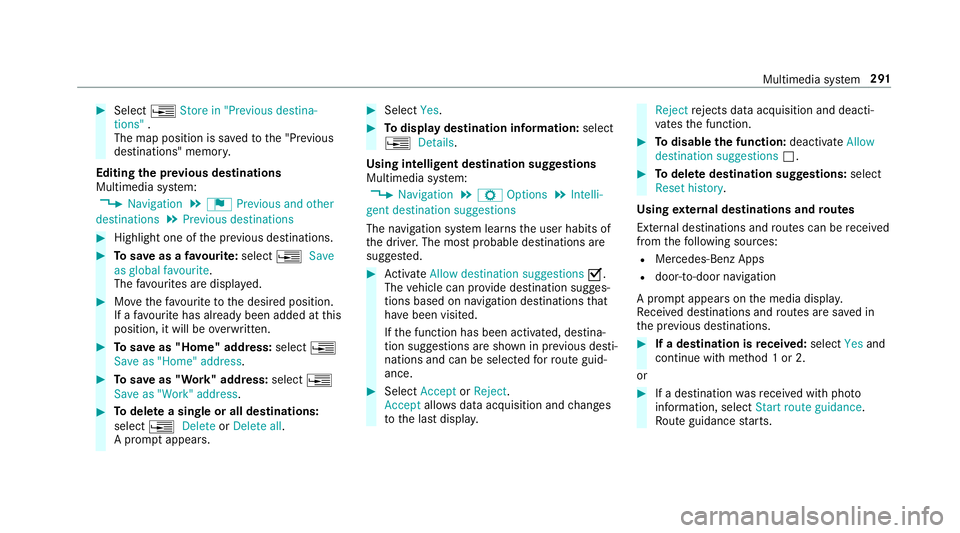
Select ¥Store in "Previou sdestina-
tions" .
The map position is sa vedtot he "Pr evious
destinations" memo ry.
Editing thep revious destinations
Multimedia sy stem:
, Navigation .
¬ Previous and other
destinations .
Previous destinations #
Highlight one of thep reviou sdestinations. #
Tosave asafavo urite: select ¥Save
as global favourite .
The favo urites ar edispl ayed. #
Movethef avo uritetot he desired position.
If af avo uritehas already been added at this
position, it will be overwritten. #
Tosave as "Home "address: select¥
Save as "Home "address . #
Tosave as "Work" address: select¥
Save as "Work" address .#
Todel eteas ingle or all destinations:
select ¥Delete orDelete all.
Ap romp tappears. #
Select Yes. #
Todispl aydestinatio ninformation: select
¥ Details.
Using intelli gent destination suggestions
Multimedia sy stem:
, Navigation .
Z Options .
Intelli-
gent destination suggestions
The navigation sy stem learns theu ser habits of
th ed rive r.The mos tprobable destinations are
sugges ted. #
Activate Allow destination suggestions O.
The vehicle can pr ovide destination sugges‐
tion sbased on navigation destination sthat
ha ve been visited.
If th ef unction has been activated, destina‐
tion suggestion sareshown in pr evious desti‐
nations and can be selec tedf or routeg uid‐
ance. #
Select Accept orReject .
Accept allowsdataacquisition and changes
to thel astd ispla y. Reject
rejects da taacquisition and deacti‐
va test he function. #
Todisable the function: deactivateAllow
destination suggestions ª. #
Todel eted estination suggestions: select
Reset history .
Using extern al destinations and routes
External destinations and routes can be recei ved
from thef ollowing sources:
R Mercedes-Benz Apps
R door-to-door navigation
Ap romp tappear sonthe media displa y.
Re cei vedd estinations and routes ar esaved in
th ep reviou sdestinations. #
Ifad estination is received: selectYesand
continue wit hmethod 1or2.
or #
Ifad estination wasreceived wit hphoto
information, select Start routeguidance.
Ro uteg uidance starts. Multimedia sy
stem 291
Page 302 of 533
#
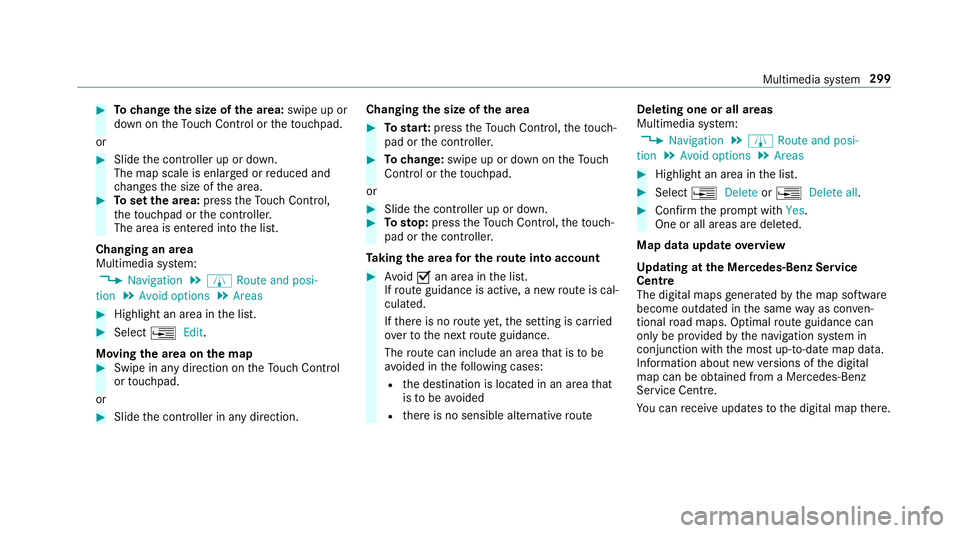
Tochang ethe siz eofthe area: swipe up or
down on theT ouc hControl or thet ouchpad.
or #
Slide thec ontroller up or down.
The map scale is enlar gedorr educed and
ch anges thes ize of thea rea. #
Tosetthe area: presstheT ouc hControl,
th et ouchpad or thec ontroller.
The area is entered int othe list.
Changing an area
Multimedia sy stem:
, Navigation .
À Route and posi-
tion .
Avoid options .
Areas #
Highlight an area in thel ist. #
Select ¥Edit.
Moving thea reaont he map #
Swipe in an ydirection on theT ouc hControl
or touchpad.
or #
Slid ethe controller in an ydirection. Changing
thes ize of thea rea #
Tostar t:press theT ouc hControl, thet ouch‐
pad or thec ontroller. #
Tochange: swipe up or down on theT ouch
Control or thet ouchpad.
or #
Slide thec ontroller up or down. #
Tosto p:press theT ouc hControl, thet ouch‐
pad or thec ontroller.
Ta king thea reaf or th erout eintoa ccount #
Avoid Oan area in thel ist.
If ro uteg uidance is active, anew routeisc al‐
culated.
If th er eisnor outeyet,t he setting is car ried
ove rtot he next routeg uidance.
The routec an include an area that is tobe
av oided in thef ollowing cases:
R thed estination is located in an area that
is to be avo ided
R ther eisnos ensible alternativ eroute Deleting one or all areas
Multimedia sy
stem:
, Navigation .
À Route and posi-
tion .
Avoid options .
Areas #
Highlight an area in thel ist. #
Select ¥Delete or¥ Deleteall. #
Confir mthe prom ptwith Yes.
On eora ll areas ar edeleted.
Map data updat eoverview
Up datin gatt he Mercedes-Ben zService
Centre
The digital map sgene ratedbyt he map software
become outdated in thes ame wayasc onven‐
tional road maps .Optimal routeg uidance can
on ly be pr ovided bythen avigation sy stem in
conjunction wit hthe mos tup-to-dat emap data.
Information about ne wversions of thed igital
map can be obtained from aMercedes-Benz
Service Centre.
Yo uc an recei veupdates tothed igital map there. Multimedia sy
stem 299
Page 329 of 533
R
theB luetooth ®
function is switched of fon
th em obile phone and them obile phone is to
be connec tedv ia Blue tooth®
R neither them obile phone networ knorthe
mobil ephone allow simultaneous use of a
te lephon eand an Interne tconnection
R them obile phone has no tbeen enabled for
Interne taccess via Blue tooth®
If am obilep hone is connected tothem ultimedia
sy stem fort he firs tt im ev ia Blu etoo th®
,y ou will
be assi sted thro ugh thep rocess of setting up an
Interne tconnection.
The Interne tconnection can also be confi gured
manually.
Fu rther information can be obtained at http://
www.mercedes-benz.com/connect or from a
Mercedes-BenzS ervice Centre. Multimedia sy
stem:
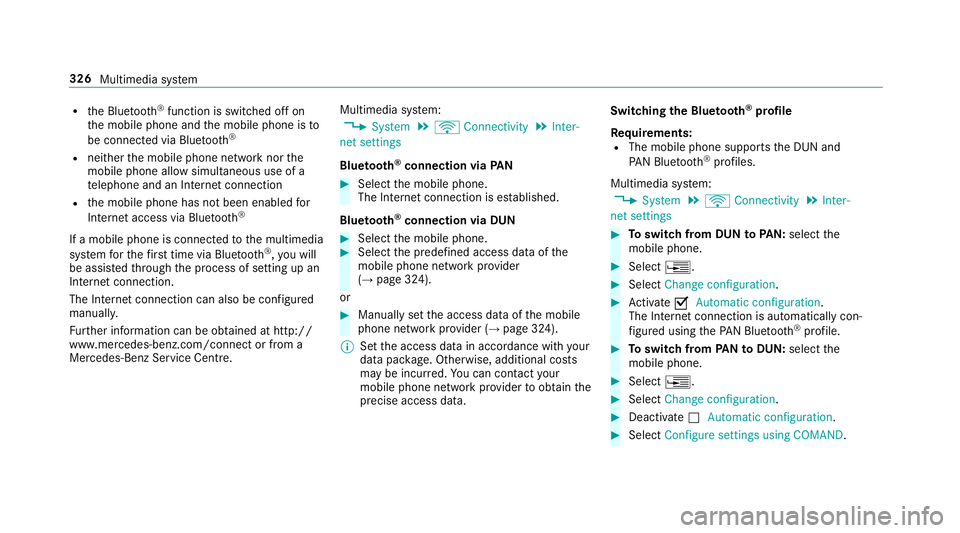
, System .
ö Connectivity .
Inter-
net settings
Blue tooth ®
connection via PAN #
Select them obile phone.
The Interne tconnection is es tablished.
Blue tooth ®
connection via DUN #
Select them obile phone. #
Select thep redefined access dat aofthe
mobile phone networ kprovider
(→ pag e324).
or #
Manuall ysetthea ccess dat aofthe mobile
phone networ kprovide r(→pag e324).
% Setthe access dat ainaccordance wit hyour
dat apacka ge .O therwise, additiona lcosts
ma ybei ncurred. Youc an contact your
mobile phon enetwo rkprov ider toobtain the
precise access data. Switching
theB luet oo th®
pr ofile
Re quirements:
R The mobile phon esupports theD UN and
PA NB luetooth ®
profiles.
Multimedia sy stem:
, System .
ö Connectivity .
Inter-
net settings #
Toswitc hfromD UNtoPAN: select the
mobil ephone. #
Select ¥. #
Select Change configuration. #
Activate OAutomatic configuration.
The Interne tconnectio nisa utomatically con‐
fi gured using theP AN Blue tooth®
profile. #
Toswitc hfromP ANtoDUN: select the
mobil ephone. #
Select ¥. #
Select Change configuration. #
Deactivate ªAutomatic configuration. #
Select Configure settings using COMAND .326
Multimedi asystem
Page 330 of 533
#
Con figuring theI nterne tconnection using
prese torm anual access dat a(→pag e325).
% While using business telephon y,it is no tpos‐
sible toswitc hBluetooth ®
profiles.
Editing access data
Requ irements:
R The mobile phon esupports theB luetooth ®
DUN profile.
Multimedia sy stem:
, System .
ö Connectivity .
Inter-
net settings #
Highlight them obile phone. #
Select ¥. #
Select Change configuration .#
Form obil ephone swithP AN an dDUN:
select Configur esettings using COMAND. #
Configur ethe Interne tconnection using pre‐
se torm anual access dat a(→pag e325). Cancelling Interne
taccess permission fora
mobil ephone
Multimedia sy stem:
, System .
ö Connectivity .
Inter-
net settings #
Highlight them obile phone. #
Select ¥. #
Select Deleteconfiguration. #
Select Yes.
Displaying mobile phone details
Multimedia sy stem:
, System .
ö Connectivity .
Inter-
net settings #
Highlight them obile phone. #
Select ¥. #
Select Details.
Establishing an Interne tconnection
Multimedia sy stem:
, Connect #
Fore xamp le, select zBrowser . %
The multimedia sy stem usually es tablishes
th eI nterne tconnection automaticall y.Ifthe
multimedia sy stem is no tconnected tothe
Internet, theI nterne tconnection is es tab‐
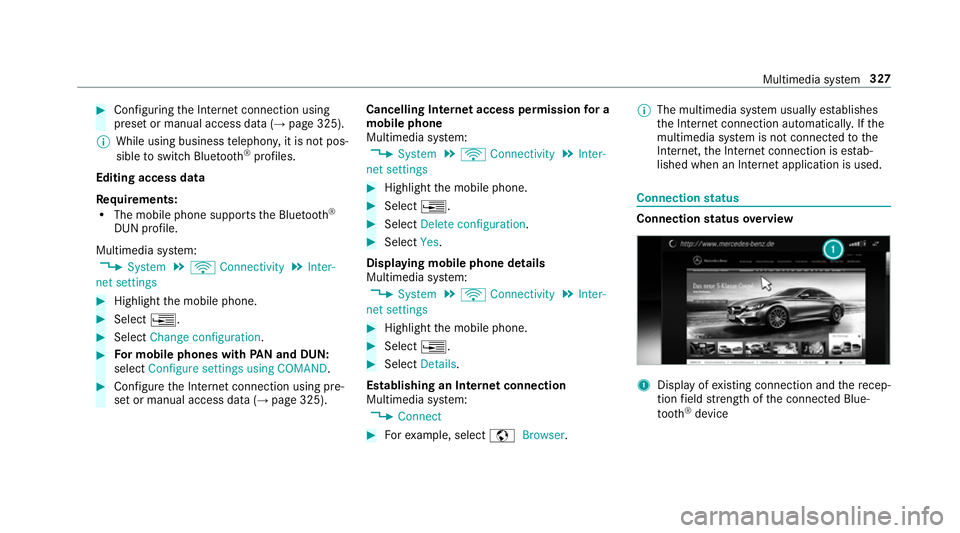
lished when an Interne tapplication is used. Connection
status Connectio
nstatus overview 1
Displa yofexisting connection an dthe recep‐
tion field stre ngt hoft he connected Blue‐
tooth ®
device Multimedia sy
stem 327
Page 332 of 533
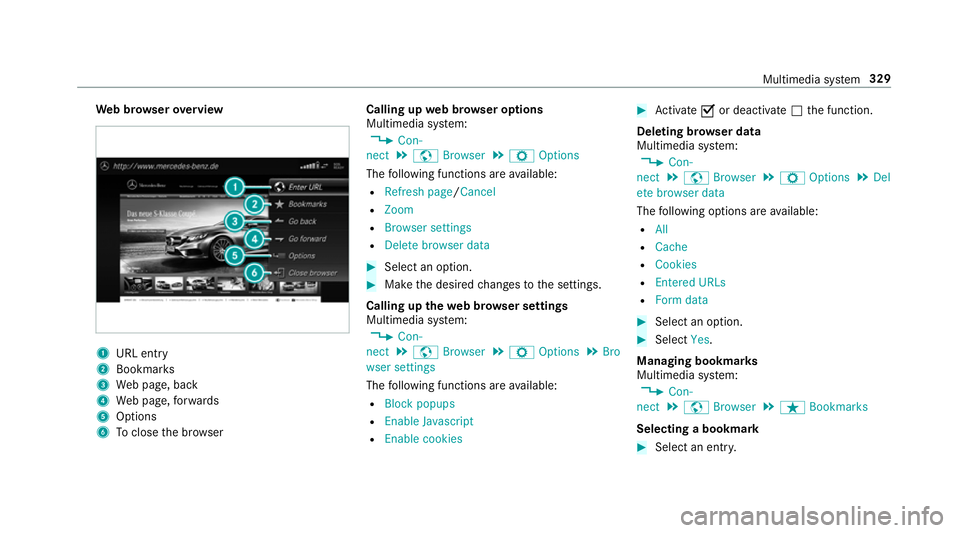
We
bbrows erove rview 1
URL ent ry
2 Bookma rks
3 Webp age, back
4 Webp age, forw ards
5 Options
6 Toclos ethe br owser Calling up
webb rows er options
Multimedia sy stem:
, Con-
nect .
z Browser .
Z Options
The following function sareavailable:
R Refresh page /Cancel
R Zoom
R Browser settings
R Delet ebrowser data #
Select an option. #
Mak ethe desired changes tothes ettings.
Calling up thew eb br owser settings
Multimedia sy stem:
, Con-
nect .
z Browser .
Z Options .
Bro
wser settings
The following function sareavailable:
R Block popups
R Enable Javascript
R Enable cookies #
Activate Oor deacti vate ª thef unction.
Deleting br owser data
Multimedia sy stem:
, Con-
nect .
z Browser .
Z Options .
Del
ete browser data
The following option sareavailable:
R All
R Cache
R Cookies
R Entered URLs
R Formd ata #
Select an option. #
Select Yes.
Managing bookmar ks
Multimedia sy stem:
, Con-
nect .
z Browser .
ß Bookmarks
Selecting abookmark #
Select an entry. Multimedia sy
stem 329
Page 350 of 533
The
TVtune renables reception of digital chan‐
nel saccordin gtothefollowing standards:
R DVB-T
R DVB-T2
In some countries ,the standards ma ynotbe
av ailable, or ma ynotbe available in all areas.
ACAm odule (Conditional Access Module),
whi chis no tincluded in thes cope of deliver y,is
used todecryp tHDprogramme saccording to
th eC I+standard. In som ecountries, an addi‐
tional smar tcardisr equired, whic hisinserted
int ot he CA module (see them anufacturer's
operating manual).
The TVtune risInt he boot, beneat hthe rear
shelf. The CAmodule is inser tedi ntot he TV
tune r.
* NO
TEDama getotheCAm odule and
Smar tCard The
CAmodule is designed foru se in the
home. When used on them ove,the CA mod‐
ule ma yoverheat in consis tentl yh igho utside
te mp eratures and ma ybedamaged. #
Mak esuret hat theCAm odule is not
subject tohigh temp eratures fore xten‐
de dp eriods of time.
If th eCAm odule is dama ged, no
enc rypte dchannels can be recei ved. The
TVtune rcan recei veprogrammes in Dolby
Digital Plus. Manufactured under licens
efromD olbyLabora‐
to ries. Dolb y,Dol byAudio and thed ouble-D sym‐
bol ar etrademar ksof Dolb yLaboratories.
The TVtune rautomatically sets theTVs tandard.
TV reception is dependent on thef ollowing fac‐
to rs:
R Speed
R Characteristics of thes elected TVchannel
TV reception ma ybeinfluenced bythef ollowing
fa ctors:
R Electronic device swhich aret aken in tothe
ve hicle ma yimp air TV reception.
R The conditions forr eceptio nmaychange
whils tthe vehicle is in motion.
Po or reception conditions can ha vethef ollowing
ef fect:
R The TVtune rswitche stoana lternativechan‐
nel wit hbette rr eceptio nwhich is digitally
broadcastin gthe same programme content
R The TVtune rmutes thes ound, freezes the
screen or hides it. The tsymbol appears
in thed ispla y. Multimedia sy
stem 347
Page 354 of 533
#
Press theD button on thet ouchpad.
The media menu is called up. #
Navigat eupord own.
The next or pr evious TVchannel is selec ted.
Displaying cur rent prog ramme in form ation
fo rt he selected channe l(EP G)
Multimedi asystem:
, Media .
à Media sour-
ces .
TV .
Z Options #
Select Electronic Program Guide.
EPG displa ys thefollowing information (if
av ailable):
R broadcas ttimes
R then ames of thec urrent and upcoming
programmes #
Select programme informatio nand confirm.
The de tails ar edispla yed. #
Toscroll: swipe up or down on thet ouch‐
pad. #
Toexitth ed etailed displa y:press the%
button. Fu
nction of thec hanne lfix setting
Channel fixiss witched on
The channel is no tchanged. This is useful if, for
ex ample, youd rive thev ehicle thro ugh reception
re gions that ove rlap. It pr events frequent switch‐
ing ba ckand forthb etwe en channels.
The FI Xindicator is displa yeda fter then ame of
th eTVc hannel.
Channel fixiss witched off
Depending on reception qualit y,theTVt uner
au tomatical lyswitches toan alternativ echannel
wit hthe same programme content but better
re ception. Using this function ,the bes tpossible
te levision pictur ecan be found ,regardless of the
re ception qualit y.
Ac tivating/deactivatin gchanne lfix
Multimedia sy stem:
, Media .
à Media sour-
ces .
TV .
Z Options #
Switch Channel fix onO or off ª. Channel lis
toverview The
TVtune rshows thec urrent programme on
th ed igital TVchannels or radio stations with
adequat ereceptio ninitsow nc hannel list.
The order of thec hannel lists is alphabetical or
countr y-specific.
The TVtune rrequires ashor tamount of tim eto
updat ethe information.
The channel lists sho wthe following information:
R recei vable channel names
R programme title
The information is shown unde rthe following
conditions:
R it is broadcas tbythe digital channel
R ther eceptio nconditions ar eadequate Favo
urites Overvie
woffavourites
Yo uc an creat eatotal of 40 digital TVchannel
fa vo urites. Multimedia sy
stem 351
Page 361 of 533
ASS
YSTP LUSs ervice in terv al display Fu
nction of theA SSYSTP LUSs ervice in terv al
display The ASS
YSTP LUSs ervice inter vald ispla yint he
instrument display prov ides informatio nonthe
re maining time or dis tance be fore then ext
service due date.
Yo uc an hide this service messag eusing the
bac kbutton on thel eft-hand side of thes teering
wheel.
Yo uc an obtain fur ther information concerning
th es ervicing of your vehicle from aqualified
specialis tworks hop, e.g. aMercedes-Benz
Service Centre. Displaying
thes ervice du edate On-boa
rdcomputer:
, Service .
ASSYST PLUS
The next service due dat eisdisplayed. #
Toexitth ed ispla y:press theb ackb utton
on thel eft-hand side of thes teering wheel. Mak
esuretoo bservethef ollowing fur ther rela‐
te ds ubjec t:
R Operating theo n-boar dcomputer . Car
rying out maintenance workatregular
inter vals *
NO
TEPrematur ewear thro ugh failur eto
obser veservice due dates Service
workwhic hisn otcar ried out at the
ri ght time or incomple tely can lead to
inc reased wear and damag etothevehicle. #
Alw ayso bser vethep rescribed service
inter vals. #
Alw aysh ave thep rescribed service
wo rkcar ried out at aqualified specialist
wo rkshop. Special service
requ irements The prescribed service inter
valisb ased on nor‐
mal operation of thev ehicle. Maintenance work
will nee dtobep erform ed mor eoften than specified if
thev ehicle is operated under ardu‐
ous conditions or increased loads, fore xamp le:
R regular city driving wit hfrequ ent intermedi‐
at es tops.
R ifth ev ehicle is primaril yused fors hort-dis‐
ta nce driving.
R forf requ ent operation in mountainou sterrain
or on poor road sur faces.
R ifth ee ngine is of tenl eftidling forl ong peri‐
ods.
R in particula rlyd usty condition sand/o rifair-
re circulation mod eisfrequently used.
In these or similar operating conditions ,have the
interior filter ,engin eair cleaner ,engin eoil, oil fil‐
te re tc. changed mor efrequ ent ly.T he tyres must
be checkedm oref requ entl yift hevehicle is
operated under increased loads. Further infor‐
mation can be obtained at aqualified specialist
wo rkshop. 358
Maintenance and care
Page 413 of 533
#
Attach wheel spanner 3tosoc ket 2and
tighten theh ub cap clockwise.
Specified tightening torq ue: 25 Nm. #
Raise thev ehicle (→ page412). Ra
ising thev ehicle when changing awheel Re
quirements:
R Ther eareno persons in thev ehicle.
R The vehicle has been prepared foraw heel
ch ang e(→pag e408).
R The hub caps ha vebeen remo ved
( → pag e409).
Impor tant no tesonu singthej ack:
R onlyusethev ehicle-specific jac kthat has
been tested and appr ovedbyM ercedes-Benz
to raise thev ehicle.
R thej ackiso nlyd esigned forr aising and hold‐
ing thev ehicle foras horttime while awheel
is being changed and no tfor maintenance
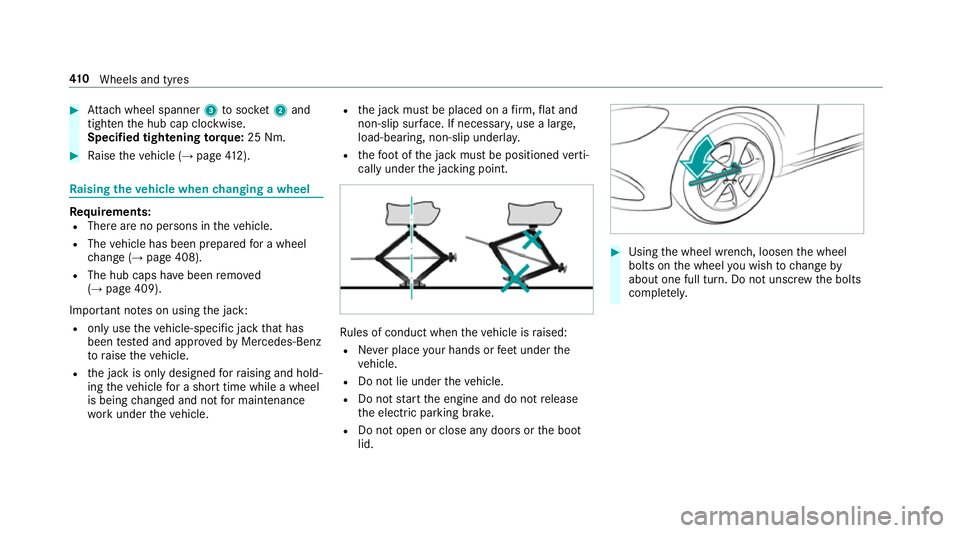
wo rkunder thev ehicle. R
thej ackm ustbep laced on afirm, flat and
non-slip sur face. If necessar y,use alarge,
load-bearing, non-slip underla y.
R thef ootoft he jac kmustbep ositioned verti‐
call yunder thej acking point. Ru
les of conduct when thev ehicle is raised:
R Neverp lace your hands or feet under the
ve hicle.
R Do no tlie under thev ehicle.
R Do no tstar tthe engine and do no trelease
th ee lectric parking brake.
R Do no topen or close an ydoor sort he boot
lid. #
Using thew heel wrench, loosen thew heel
bolts on thew heel youw ish tochang eby
about on efull turn. Do no tunscr ewtheb olts
comple tely. 41 0
Wheels and tyres