wheel MERCEDES-BENZ S-CLASS COUPE 2017 Repair Manual
[x] Cancel search | Manufacturer: MERCEDES-BENZ, Model Year: 2017, Model line: S-CLASS COUPE, Model: MERCEDES-BENZ S-CLASS COUPE 2017Pages: 533, PDF Size: 10.75 MB
Page 318 of 533
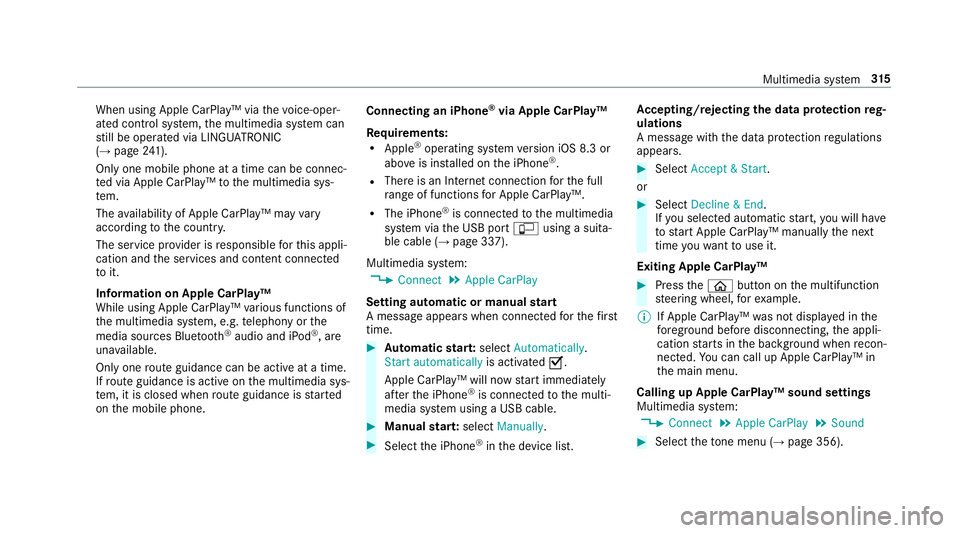
When using Apple CarPlay™ via
thev oice-oper‐
ated control sy stem, them ultimedia sy stem can
st ill be operated via LINGU ATRO NIC
(→ pag e241).
On ly one mobile phone atat imec an be connec‐
te dv ia Apple CarPlay™ tothem ultimedia sys‐
te m.
The availabilit yofApple CarPlay™ ma yvary
accordin gtothe countr y.
The service pr ovider is responsible fort his appli‐
cation and thes ervices and conte nt connected
to it.
Information on Apple CarPlay™
While using Apple CarPlay™ various functions of
th em ultimedia sy stem, e.g. telephon yorthe
media sources Blue tooth®
audio and iPod ®
,a re
una vailable.
Onl yone routeg uidance can be activ eatatime.
If ro uteg uidance is activ eonthe multimedia sys‐
te m, it is closed when routeg uidance is star ted
on them obile phone. Connecting an iPhone
®
via Apple CarPlay™
Re quirements:
R Apple ®
operatin gsystemv ersion iOS 8.3 or
abo veis ins talled on thei Phone ®
.
R Ther eisanI nternetconnection fort he full
ra ng eoff unctions forA pple CarPlay™.
R The iPhone ®
is connected tothem ultimedia
sy stem via theU SB port çusing asuita‐
ble cable (→ page337).
Multimedia sy stem:
, Connect .
Apple CarPlay
Setting automatic or manual start
Am essa geappear swhen connec tedf or thef irst
time. #
Automatic star t:select Automatically.
Start automatically is activatedO.
Apple CarPlay™ will no wstart immediately
af te rt he iPhone ®
is connected tothem ulti‐
media sy stem using aUSB cable. #
Manua lstar t:select Manually . #
Select thei Phone ®
in thed evice list. Ac
cepting/rejecting thed atap rote ction reg‐
ulations
Am essag ewitht he dat aprotection regulations
appears. #
Select Accept &Start .
or #
Select Decline &End.
If yo us elected automatic start, youw ill ha ve
to star tA pple CarPlay™ manuall ythe next
time youw ant touse it.
Exiting Apple CarPlay™ #
Press theò button on them ultifunction
st eering wheel, fore xamp le.
% If Apple CarPlay™ wasn otdispla yedint he
fo re ground befor edisconnecting, thea ppli‐
cation starts in theb ackg round when recon‐
nected. Youc an call up Apple CarPlay™ in
th em ain menu.
Calling up Apple CarPlay™ sound settings
Multimedia sy stem:
, Connect .
Apple CarPlay .
Sound #
Select thet one men u(→ page 356). Multimedi
asyst em 315
Page 319 of 533
Endin
gApple CarPlay™
Multimedia sy stem:
, Connect .
Apple CarPlay #
Select Disconnect.
The connection is ended.
The mobile phone continues tobe supplied
wit he lect ricity.
or #
Disconnect thec onnecting cable between
th em obile phone and multimedia sy stem.
Mercedes-Benz recommends disconnecting
th ec onnecting cable onl ywhen thev ehicle is
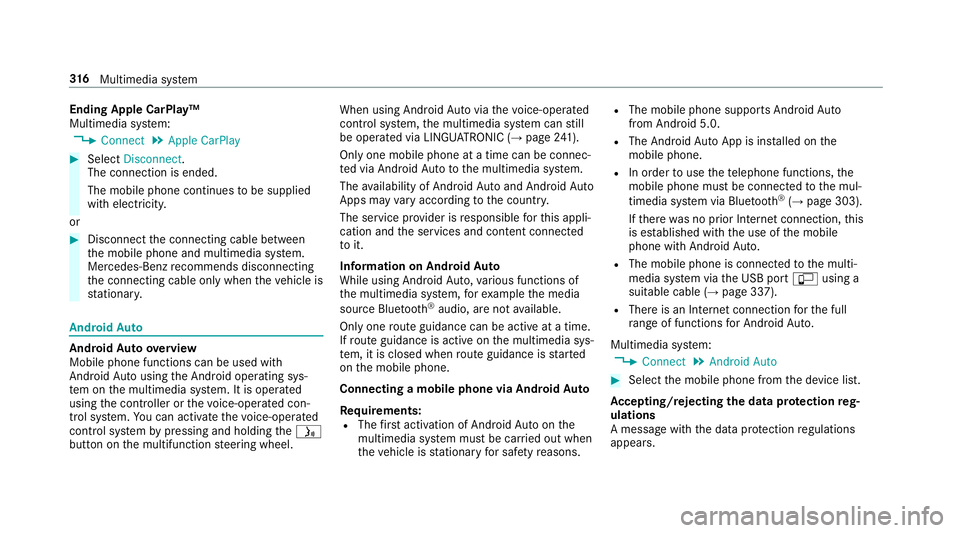
st ationar y. Android
Auto Android
Autoove rview
Mobile phon efunction scan be used with
Android Autousin gthe Android operating sys‐
te mont he multimedia sy stem. It is operated
using thec ontroller or thev oice-operated con‐
trol sy stem. Youc an activat ethe voice-opera ted
control sy stem bypressing and holding theó
button on them ultifunction steering wheel. When using Android
Autovia thev oice-opera ted
control sy stem, them ultimedia sy stem can still
be opera tedv ia LINGU ATRO NIC (→ page241).
On ly one mobile phone atat imec an be connec‐
te dv ia Android Auto to them ultimedia sy stem.
The availabilit yofAndroid Au toand Android Auto
App smayvary accordin gtothe countr y.
The service pr ovider is responsible fort his appli‐
cation and thes ervices and conte nt connected
to it.
Information on Android Auto
While using Android Auto,v arious func tions of
th em ultimedia sy stem, fore xamp lethem edia
source Blue tooth®
audio, ar enotavailable.
On ly one routeg uidance can be activ eatatime.
If ro uteg uidance is activ eonthe multimedia sys‐
te m, it is closed when routeg uidance is star ted
on them obile phone.
Connecting amobile phone via Android Auto
Requ irements:
R The firs ta ctivatio nofA ndroidAutoont he
multimedia sy stem mus tbecarried out when
th ev ehicle is stationar yfor saf etyr easons. R
The mobile phone supports Android Auto
from Android 5.0.
R The Android AutoApp is ins talled on the
mobil ephone.
R In order touse thet elephone functions, the
mobil ephone mus tbeconnected tothem ul‐
timedia sy stem via Blue tooth®
(→ pag e303).
If th er ew as no prior Interne tconnection, this
is es tablished wit hthe use of them obile
phone wit hAndroid Au to.
R The mobile phone is connected tothem ulti‐
media sy stem via theU SB port çusing a
suitable cable (→ page337).
R Ther eisanI nternetconnection fort he full
ra ng eoff unctions forA ndroid Auto.
Multimedia sy stem:
, Connect .
Android Auto #
Select them obile phone from thed evice list.
Ac cepting/rejecting thed atap rote ction reg‐
ulations
Am essag ewitht he dat aprotection regulations
appears. 316
Multimedia sy stem
Page 320 of 533

#
Select Accept &Start .
or #
Select Decline &End.
Ac tivatin gautomati cstart #
Select Startautomatically O.
St arting manually #
Select them obile phone from thed evice list.
Exiting Android Auto #
Press theò button on them ultifunction
st eering wheel, fore xamp le.
% If Android Autowa sn otdispla yedint hefore‐
ground befor edisconnecting, thea pplication
st arts in theb ackg round when reconnected.
Yo uc an call up Android Autointhem ain
menu.
Calling up theA ndroid Autosound settings
Multimedia sy stem:
, Connect .
Android Auto .
Sound #
Selecting thet one men u(→ page 356). Ending Android
Auto
Multimedia sy stem:
, Connect .
Android Auto #
Select Disconnect.
The connection is ended.
The mobile phone continues tobe supplied
wit he lect ricity.
or #
Disconnect thec onnecting cable between
th em obile phone and multimedia sy stem.
Mercedes-Benz recommends disconnecting
th ec onnecting cable onl ywhen thev ehicle is
st ationar y. Tr
ansfer redv ehicle dat awhenu sing Apple
CarPlay™ and Android Auto Information on trans
ferred vehicl edata
When using Android Autoor Apple CarPlay™,
cer tain vehicle dat aistransfer redtot he mobile
phone. This enables youtog ettheb esto ut of
selected mobile phone services. Vehicle dat ais
no td irectl yaccessible. Sy
stem information:
R Softwar erelease of them ultimedia sy stem
R System ID (anonymised)
The transfer of this dat aisusedtooptimise
communication between thev ehicle and the
mobil ephone.
To do this, and toassig nseve ralv ehicles tothe
mobil ephone, avehicle identifier is randomly
ge nerated.
Thi sh asno connectio ntothevehicle identifica‐
tion number (VIN) and is dele tedw hen them ulti‐
media sy stem is rese t(→pag e273).
Driving status data:
R Transmission position engaged
R Distinction between par ked, standstill, rolling
and driving
R Day/night mode of thei nstrument clus ter
The transfer of this dat aisusedtoalter how
con tent is displ ayed tocor respond tothed riving
situation. Multimedia sy
stem 317
Page 326 of 533
#
Dialthe emer gency cal lnumbe r999 or 11 2
on your mobile phone.
Ending an unin tentional emer gency call #
Select ~onthem ultifunction steering
wheel.
Tr ansmitted data with th eMercedes-Benz
emer gency call sy stem
The following dat aistransmit tedtot he
Mercedes-Benze mergency cal lcentre:
R thev ehicle's GPS position data
R thel astG PS position dat aontheroute(af ew
hundred metres befor ethe incident)
R direction of tr avel
R vehicle identification number
R thev ehicle driv etype
R thee stimated number of people in thev ehi‐
cle
R whe ther Mercedes me connect is available or
not
R whe ther thee mer gency cal lwas initia ted
manually or automatically R
thet ime of thea ccident
R thel anguag esetting on them ultimedia sys‐
tem
Fo ra ccident clarificatio npurposes ,the following
measures can be take nu ptoa nhour af tert he
emer gency cal lhas been initia ted:
R thec urrent vehicle position can be called up
R avoice connection tothev ehicle occupants
can be es tablished
% ForR ussia: various functions, e.g. receiving
traf fici nformation, canno tbeu sedf or up to
tw oh ours afte rs ending an emergency call.
St arting/ending ERA-GLONASS test mode
(Russia)
Re quirements:
R The star terb atter yiss ufficiently charge d.
R The ignition is switched on.
R The vehicle has been stationar yfor at least
one minute. #
Tostar tt he test mode: pressand hol dthe
~ button on them ultifunction steering
wheel foratl east five seconds.
The test mode is star teda nd automatically
ends af tert he languag etesth as been per‐
fo rm ed. #
Toend thet estm ode manuall y:switc hoff
th ei gnition.
The test mode is ended. Online and Interne
tfunctions Interne
tconnection Information on connecting
totheI nternet &
WARNING Risk of di stra ction from infor‐
mation sy stems and communications
equipment
If yo uo perat einformation and communica‐
tio ne quipment integ ratedint hevehicle
when driving, youw ill be distracted from the
traf fics ituation. Thi scould also cause youto
lose control of thev ehicle. Multimedia sy
stem 323
Page 349 of 533
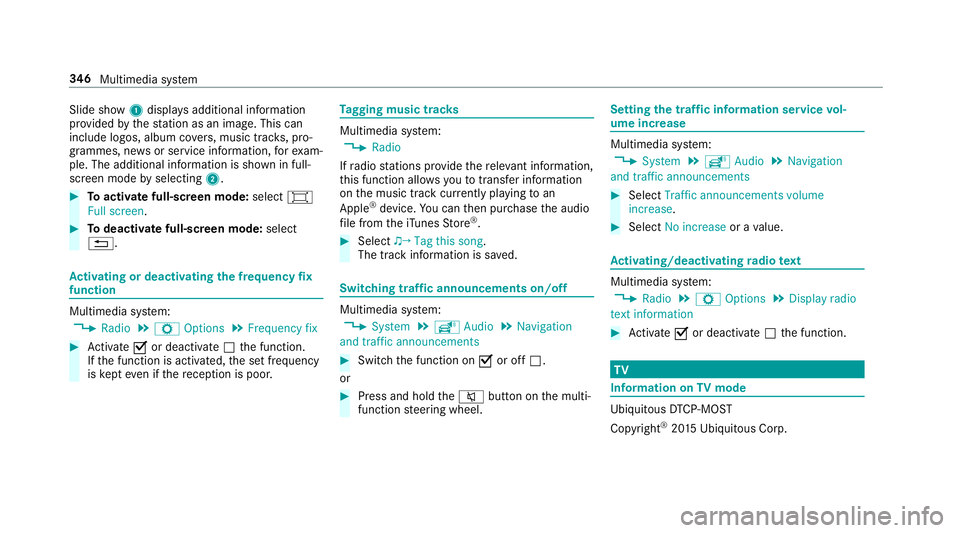
Slide show
1displ aysa dditional information
pr ov ided bythes tatio nasani mage. This can
include logos ,album co vers,m usic trac ks,p ro‐
grammes, ne wsor service information, fore xam‐
ple. The additional information is shown in full-
sc reen mode byselecting 2. #
Toactivat efull-screenm ode:select #
Full screen. #
Todeactivat efull-sc reen mode: select
%. Ac
tivatin gordeactivatin gthe frequency fix
function Multimedia sy
stem:
, Radio .
Z Options .
Frequenc yfix #
Activate Oor deacti vate ª thef unction.
If th ef unction is activated, thes etfrequency
is ke pt eve nifthereception is poo r. Ta
gging music trac ks Multimedia sy
stem:
, Radio
If ra dio stations pr ovide ther ele vant information,
th is function allo wsyoutot rans feri nformation
on them usic trac kcurrently pl aying toan
Apple ®
device. Youc an then pur chase thea udio
fi le from thei Tune sS tore ®
. #
Select ♫→ Tag this song.
The trac kinformation is sa ved. Switching traf
fica nnouncement son/off Multimedia sy
stem:
, System .
õ Audio .
Navigation
and traffic announcements #
Switc hthe function on Oor off ª.
or #
Press and hold the8 button on them ulti‐
function steering wheel. Setting
thet raffic information service vol‐
um eincrease Multimedia sy
stem:
, System .
õ Audio .
Navigation
and traffic announcements #
Select Traffic announcements volume
increase. #
Select No increase orav alue. Ac
tivating/deactivatin gradio text Multimedia sy
stem:
, Radio .
Z Options .
Display radio
texti nformation #
Activate Oor deacti vate ª thef unction. TV
Information on
TVmode Ubiquitou
sDTCP-MO ST
Copyright ®
20 15 Ubiquitous Corp. 346
Multimedia sy stem
Page 361 of 533
ASS
YSTP LUSs ervice in terv al display Fu
nction of theA SSYSTP LUSs ervice in terv al
display The ASS
YSTP LUSs ervice inter vald ispla yint he
instrument display prov ides informatio nonthe
re maining time or dis tance be fore then ext
service due date.
Yo uc an hide this service messag eusing the
bac kbutton on thel eft-hand side of thes teering
wheel.
Yo uc an obtain fur ther information concerning
th es ervicing of your vehicle from aqualified
specialis tworks hop, e.g. aMercedes-Benz
Service Centre. Displaying
thes ervice du edate On-boa
rdcomputer:
, Service .
ASSYST PLUS
The next service due dat eisdisplayed. #
Toexitth ed ispla y:press theb ackb utton
on thel eft-hand side of thes teering wheel. Mak
esuretoo bservethef ollowing fur ther rela‐
te ds ubjec t:
R Operating theo n-boar dcomputer . Car
rying out maintenance workatregular
inter vals *
NO
TEPrematur ewear thro ugh failur eto
obser veservice due dates Service
workwhic hisn otcar ried out at the
ri ght time or incomple tely can lead to
inc reased wear and damag etothevehicle. #
Alw ayso bser vethep rescribed service
inter vals. #
Alw aysh ave thep rescribed service
wo rkcar ried out at aqualified specialist
wo rkshop. Special service
requ irements The prescribed service inter
valisb ased on nor‐
mal operation of thev ehicle. Maintenance work
will nee dtobep erform ed mor eoften than specified if
thev ehicle is operated under ardu‐
ous conditions or increased loads, fore xamp le:
R regular city driving wit hfrequ ent intermedi‐
at es tops.
R ifth ev ehicle is primaril yused fors hort-dis‐
ta nce driving.
R forf requ ent operation in mountainou sterrain
or on poor road sur faces.
R ifth ee ngine is of tenl eftidling forl ong peri‐
ods.
R in particula rlyd usty condition sand/o rifair-
re circulation mod eisfrequently used.
In these or similar operating conditions ,have the
interior filter ,engin eair cleaner ,engin eoil, oil fil‐
te re tc. changed mor efrequ ent ly.T he tyres must
be checkedm oref requ entl yift hevehicle is
operated under increased loads. Further infor‐
mation can be obtained at aqualified specialist
wo rkshop. 358
Maintenance and care
Page 371 of 533
Note
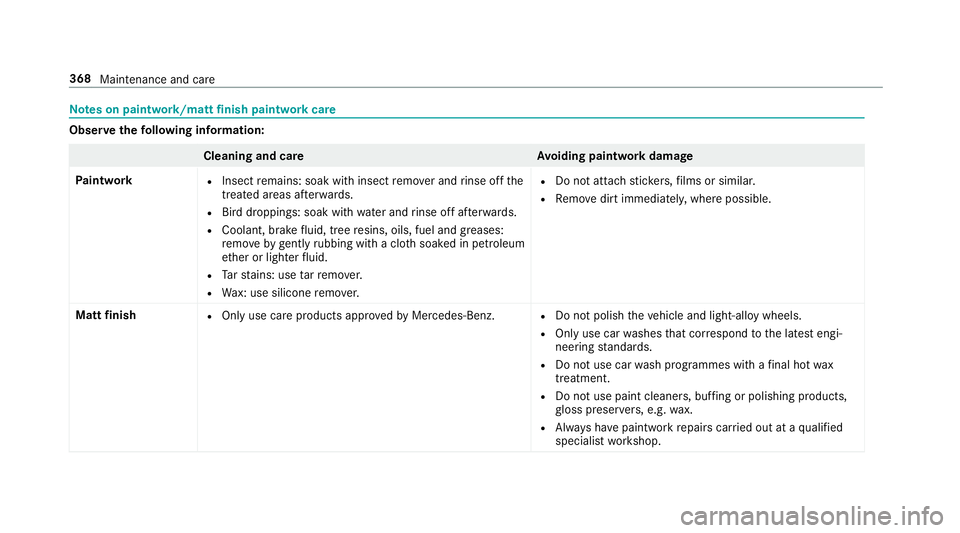
sonp aintwork/matt finish paint workcare Obser
vethef ollowing information: Cleaning and car
eA voiding paintwor kdamage
Pa intwork R
Insect remains: soak wit hinsect remo vera nd rinse of fthe
treated areas af terw ards.
R Birdd roppings: soak wit hwater an drins eo ffafte rw ards.
R Coolant, brak efluid, tree resins, oils, fuel and greases:
re mo veby gently rubbing wit hacloth soaked in petroleum
et her or lighter fluid.
R Tars tains :use tarr emo ver.
R Wax: us esilico neremo ver. R
Do no tattac hstickers,f ilms or similar.
R Remo vedirtimmediatel y,wher epossible.
Mat tfinish R
Onlyuse car eproducts appr oved byMercedes-Benz. R
Do no tpolish thev ehicle and light-allo ywheels.
R Onlyuse car washes that cor respond tothel ates tengi‐
neering standards.
R Do no tuse car wash programmes wit hafinalhot wax
treatment.
R Do no tuse paint cleane rs,b uffing or polishing products,
gl oss preser vers,e .g. wax.
R Alw aysh ave paintwor krepair scarried out at aqualified
specialis tworks hop. 368
Maintenance and care
Page 373 of 533
Note
sonc areofc ar parts &
WARNING Risk of entrapment if the
windscreen wiper sareswit ched on while
th ew indscreen is being cleaned
If th ew indscreen wiper saresetinm otion
while youa recleanin gthe windscreen or
wiper blades, youc an be trapped bythe
wiper arm. #
Alw ayss witc hoffthew indscreen wip‐
er sa nd thei gnition befor ecleanin gthe
windscreen or wiperb lades. &
WARNING Risk of bu rnsf romt ailpipes
and tailpipe trim
The tailpipe and tailpipe trim can become
ve ry hot. If youc om eintoc ontact wit hthese
parts of thev ehicle, youc ould bur nyourself. #
Alw aysbep articular lycareful around
th et ailpipe and thet ailpipe trim. #
Allo wthe vehicle parts tocool down
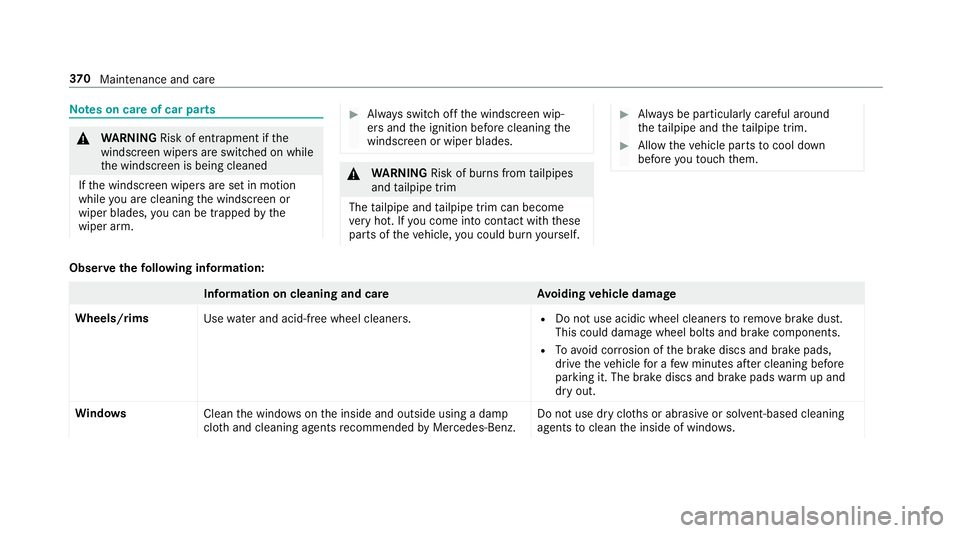
befor eyou touc ht hem. Obser
vethef ollowing information: Information on cleaning and car
eAvoiding vehicl edamage
Wheels/rims Usewate rand acid-free whee lcleaners. R
Do no tuse acidic whee lcleaner storemovebrak edust.
This could damag ewheel bolts and brak ecomponents.
R Toavoid cor rosion of theb rake discs and brak epads,
driv ethe vehicle foraf ewminutes af terc leaning before
parking it. The brak ediscs and brak epadsw armupa nd
dr yo ut.
Wi ndo ws
Cleanthew indo wsonthei nside and outside using adamp
clo thand cleanin gagentsr ecommende dbyMercedes-Benz. Do no
tuse dr ycloth sora brasiv eorsolve nt-based cleaning
agents toclean thei nside of windo ws.37 0
Maintenance and care
Page 379 of 533
#
Remo vethef iree xtinguishe rfromt hestow‐
ag ec ompartment. Flat ty
re Note
sonf lat tyres &
WARNING Risk of accident du etoaflat
tyre
Af lat tyr eseve rely affects thed riving charac‐
te rist ics as well as thes teering and braking
of thev ehicle.
Ty resw ithout run-flat characteristics: #
Do no tdrive on wit haflat tyre. #
Chang ethe flat tyr eimmediatel ywith
th ee mer gency spa rewheel or spare
wheel. Alternativel y,consult aqualified
specialis tworks hop.
Ty resw ithrun-flat characteristics: #
Obse rvet he information and warning
no tesonM OExtended tyres (run-flat
tyres). In
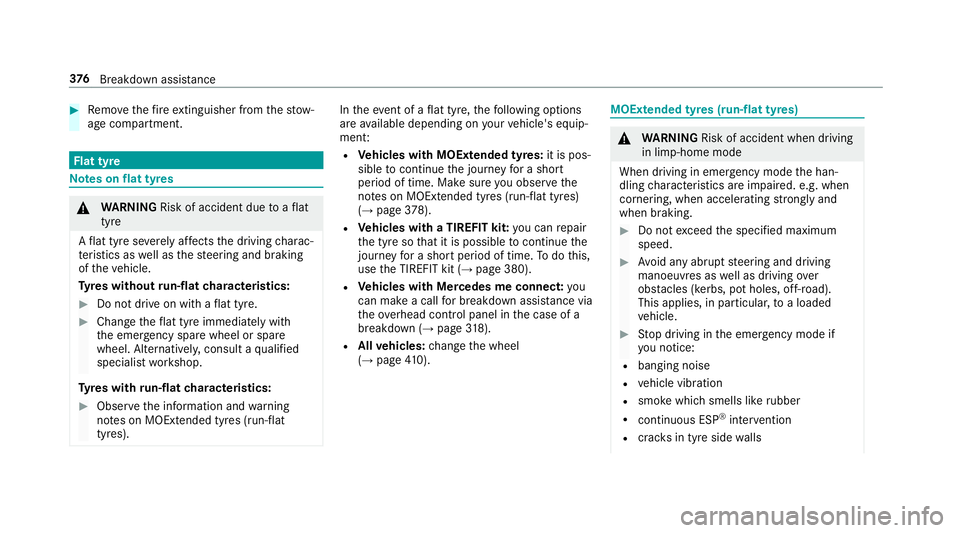
thee vent of aflat tyre, thef ollowing options
ar ea vailable dependin gonyourvehicle's equip‐
ment:
R Vehicles with MOExtende dtyres: it is pos‐
sibl etoc ontinu ethe journe yfor as hort
period of time. Mak esurey ou obser vethe
no tesonM OExtended tyres (run-flat tyres)
(→ pag e378).
R Vehicles with aTIREFIT kit: youc an repair
th et yresot hat it is possibletoc ontinuethe
journe yfor as hor tperiod of time. Todo this,
use theT IREFI Tkit (→ page380).
R Vehicles with Mercedes me connect: you
can mak eacallf or breakdown assis tanc ev ia
th eo verhead control panel in thec ase of a
breakdown (→ page318).
R Allvehicles: chang ethe wheel
(→ pag e410). MOEx
tended tyres (run-flat tyres) &
WARNING Risk of accident whe ndriving
in li mp-hom emode
Whe ndriving in emergency mod ethe han‐
dling characteristic sareimpaired. e.g .when
cornering ,when accelerating stronglyand
when braking. #
Do no texceed thes pecified maximum
speed. #
Avoid an yabrup tsteering and driving
manoeuvres as well as drivin gover
obs tacle s(kerbs, po tholes, off-road).
Thi sapplies ,inparticular ,toal oaded
ve hicle. #
Stop driving in thee mer gency mod eif
yo un otice:
R bangin gnoise
R vehicle vibration
R smok ewhichs mells lik erubber
R continuous ESP ®
inter vention
R crac ksin tyr eside walls 376
Breakdown assis tance
Page 382 of 533
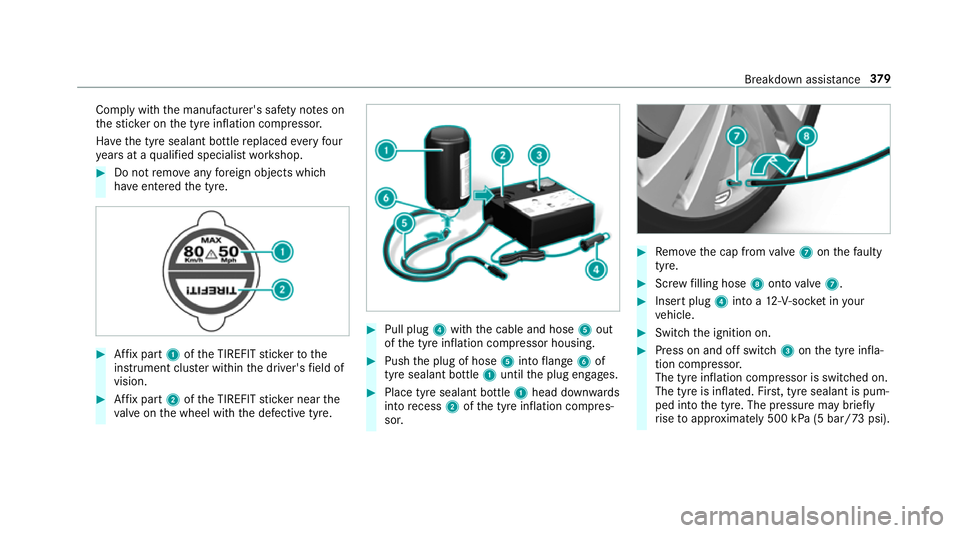
Compl
ywitht he manufacturer's saf etyn otes on
th es tickeront he tyr einflation compressor.
Ha ve thet yres ealant bottle replaced everyfour
ye arsataq ualified specialis tworks hop. #
Do no tremo veanyforeign object swhich
ha ve entered thet yre. #
Affixp art 1 oftheT IREFI Tstickertot he
instrument clus terw ithin thed rive r's field of
vision. #
Affixp art 2 oftheT IREFI Tstickern ear the
va lveont he wheel wit hthe defectiv etyre. #
Pull plug 4withthe cable and hose 5out
of thet yrei nflation compressor housing. #
Push thep lug of hose 5intof lange 6of
tyr es ealan tbottle 1 until thep lug engages. #
Place tyr esealant bottle 1head down wards
int or ecess 2ofthet yrei nflation compres‐
sor. #
Remo vethec ap from valve 7 onthef aulty
tyre. #
Screwf illing hose 8ontovalve 7. #
Inser tplug 4intoa1 2‑V‑soc ketiny our
ve hicle. #
Switc hthe ignition on. #
Press on and of fswitch 3onthet yrei nfla‐
tion compressor.
The tyr einflation compressor is switched on.
The tyr eisinflated. Fir st,t yres ealant is pum‐
ped int othe tyre. The pressur emaybrief ly
ri se toappr oximatel y500 kP a(5bar/73psi). Breakdown assis
tance 37 9