ESP MERCEDES-BENZ S-CLASS COUPE 2017 Manual PDF
[x] Cancel search | Manufacturer: MERCEDES-BENZ, Model Year: 2017, Model line: S-CLASS COUPE, Model: MERCEDES-BENZ S-CLASS COUPE 2017Pages: 533, PDF Size: 10.75 MB
Page 318 of 533
When using Apple CarPlay™ via
thev oice-oper‐
ated control sy stem, them ultimedia sy stem can
st ill be operated via LINGU ATRO NIC
(→ pag e241).
On ly one mobile phone atat imec an be connec‐
te dv ia Apple CarPlay™ tothem ultimedia sys‐
te m.
The availabilit yofApple CarPlay™ ma yvary
accordin gtothe countr y.
The service pr ovider is responsible fort his appli‐
cation and thes ervices and conte nt connected
to it.
Information on Apple CarPlay™
While using Apple CarPlay™ various functions of
th em ultimedia sy stem, e.g. telephon yorthe
media sources Blue tooth®
audio and iPod ®
,a re
una vailable.
Onl yone routeg uidance can be activ eatatime.
If ro uteg uidance is activ eonthe multimedia sys‐
te m, it is closed when routeg uidance is star ted
on them obile phone. Connecting an iPhone
®
via Apple CarPlay™
Re quirements:
R Apple ®
operatin gsystemv ersion iOS 8.3 or
abo veis ins talled on thei Phone ®
.
R Ther eisanI nternetconnection fort he full
ra ng eoff unctions forA pple CarPlay™.
R The iPhone ®
is connected tothem ultimedia
sy stem via theU SB port çusing asuita‐
ble cable (→ page337).
Multimedia sy stem:
, Connect .
Apple CarPlay
Setting automatic or manual start
Am essa geappear swhen connec tedf or thef irst
time. #
Automatic star t:select Automatically.
Start automatically is activatedO.
Apple CarPlay™ will no wstart immediately
af te rt he iPhone ®
is connected tothem ulti‐
media sy stem using aUSB cable. #
Manua lstar t:select Manually . #
Select thei Phone ®
in thed evice list. Ac
cepting/rejecting thed atap rote ction reg‐
ulations
Am essag ewitht he dat aprotection regulations
appears. #
Select Accept &Start .
or #
Select Decline &End.
If yo us elected automatic start, youw ill ha ve
to star tA pple CarPlay™ manuall ythe next
time youw ant touse it.
Exiting Apple CarPlay™ #
Press theò button on them ultifunction
st eering wheel, fore xamp le.
% If Apple CarPlay™ wasn otdispla yedint he
fo re ground befor edisconnecting, thea ppli‐
cation starts in theb ackg round when recon‐
nected. Youc an call up Apple CarPlay™ in
th em ain menu.
Calling up Apple CarPlay™ sound settings
Multimedia sy stem:
, Connect .
Apple CarPlay .
Sound #
Select thet one men u(→ page 356). Multimedi
asyst em 315
Page 319 of 533
Endin
gApple CarPlay™
Multimedia sy stem:
, Connect .
Apple CarPlay #
Select Disconnect.
The connection is ended.
The mobile phone continues tobe supplied
wit he lect ricity.
or #
Disconnect thec onnecting cable between
th em obile phone and multimedia sy stem.
Mercedes-Benz recommends disconnecting
th ec onnecting cable onl ywhen thev ehicle is
st ationar y. Android
Auto Android
Autoove rview
Mobile phon efunction scan be used with
Android Autousin gthe Android operating sys‐
te mont he multimedia sy stem. It is operated
using thec ontroller or thev oice-operated con‐
trol sy stem. Youc an activat ethe voice-opera ted
control sy stem bypressing and holding theó
button on them ultifunction steering wheel. When using Android
Autovia thev oice-opera ted
control sy stem, them ultimedia sy stem can still
be opera tedv ia LINGU ATRO NIC (→ page241).
On ly one mobile phone atat imec an be connec‐
te dv ia Android Auto to them ultimedia sy stem.
The availabilit yofAndroid Au toand Android Auto
App smayvary accordin gtothe countr y.
The service pr ovider is responsible fort his appli‐
cation and thes ervices and conte nt connected
to it.
Information on Android Auto
While using Android Auto,v arious func tions of
th em ultimedia sy stem, fore xamp lethem edia
source Blue tooth®
audio, ar enotavailable.
On ly one routeg uidance can be activ eatatime.
If ro uteg uidance is activ eonthe multimedia sys‐
te m, it is closed when routeg uidance is star ted
on them obile phone.
Connecting amobile phone via Android Auto
Requ irements:
R The firs ta ctivatio nofA ndroidAutoont he
multimedia sy stem mus tbecarried out when
th ev ehicle is stationar yfor saf etyr easons. R
The mobile phone supports Android Auto
from Android 5.0.
R The Android AutoApp is ins talled on the
mobil ephone.
R In order touse thet elephone functions, the
mobil ephone mus tbeconnected tothem ul‐
timedia sy stem via Blue tooth®
(→ pag e303).
If th er ew as no prior Interne tconnection, this
is es tablished wit hthe use of them obile
phone wit hAndroid Au to.
R The mobile phone is connected tothem ulti‐
media sy stem via theU SB port çusing a
suitable cable (→ page337).
R Ther eisanI nternetconnection fort he full
ra ng eoff unctions forA ndroid Auto.
Multimedia sy stem:
, Connect .
Android Auto #
Select them obile phone from thed evice list.
Ac cepting/rejecting thed atap rote ction reg‐
ulations
Am essag ewitht he dat aprotection regulations
appears. 316
Multimedia sy stem
Page 320 of 533

#
Select Accept &Start .
or #
Select Decline &End.
Ac tivatin gautomati cstart #
Select Startautomatically O.
St arting manually #
Select them obile phone from thed evice list.
Exiting Android Auto #
Press theò button on them ultifunction
st eering wheel, fore xamp le.
% If Android Autowa sn otdispla yedint hefore‐
ground befor edisconnecting, thea pplication
st arts in theb ackg round when reconnected.
Yo uc an call up Android Autointhem ain
menu.
Calling up theA ndroid Autosound settings
Multimedia sy stem:
, Connect .
Android Auto .
Sound #
Selecting thet one men u(→ page 356). Ending Android
Auto
Multimedia sy stem:
, Connect .
Android Auto #
Select Disconnect.
The connection is ended.
The mobile phone continues tobe supplied
wit he lect ricity.
or #
Disconnect thec onnecting cable between
th em obile phone and multimedia sy stem.
Mercedes-Benz recommends disconnecting
th ec onnecting cable onl ywhen thev ehicle is
st ationar y. Tr
ansfer redv ehicle dat awhenu sing Apple
CarPlay™ and Android Auto Information on trans
ferred vehicl edata
When using Android Autoor Apple CarPlay™,
cer tain vehicle dat aistransfer redtot he mobile
phone. This enables youtog ettheb esto ut of
selected mobile phone services. Vehicle dat ais
no td irectl yaccessible. Sy
stem information:
R Softwar erelease of them ultimedia sy stem
R System ID (anonymised)
The transfer of this dat aisusedtooptimise
communication between thev ehicle and the
mobil ephone.
To do this, and toassig nseve ralv ehicles tothe
mobil ephone, avehicle identifier is randomly
ge nerated.
Thi sh asno connectio ntothevehicle identifica‐
tion number (VIN) and is dele tedw hen them ulti‐
media sy stem is rese t(→pag e273).
Driving status data:
R Transmission position engaged
R Distinction between par ked, standstill, rolling
and driving
R Day/night mode of thei nstrument clus ter
The transfer of this dat aisusedtoalter how
con tent is displ ayed tocor respond tothed riving
situation. Multimedia sy
stem 317
Page 321 of 533
Po
sition data:
R Coordinates
R Speed
R Compass direction
R Acceleration di rection
Thi sd ataiso nlyt ransfer redw hile then avigation
sy stem is activ einorder toimpr oveit (e.g. so it
can continue functioning when in atunnel). Mercedes me connect
Information on Mercedes me connect
Mercedes me connec
tprovide sthe following
services:
R Breakdown management
R Appointmen trequests or similar
R Mercedes-Benz emer gency cal lsystem
R Accident mana gement
The Mercedes-Benz Cust omer Centreand the
Mercedes-Benze mergency cal lcentr eareavaila‐
ble fory ou around thec lock. The Inf
ocall button, theb reakdown assis tance
cal lbuttona nd thee mer gency cal lbuttonc an be
fo und on theo verhead control panel of thev ehi‐
cle (→ page320).
Yo uc an also call theM ercedes-Benz Cus tomer
Centr eusing them ultimedia sy stem
(→ pag e320).
Please no tethat Mercedes me connec tisa
Mercedes-Ben zservice. In emer gencies, al ways
cal lthe national emer gency service sfirst using
th es tandar dnational emer gency service phone
numbe rs.Ine mergencies, youc an also use the
Mercedes-Benze mergency cal lsyst em
(→ pag e323).
Fu rther information on Mercedes me connect,
th ep rovide dservice scope and operation:
http://manuals.daimler.com/baix/cars/
connectme/de_DE/index.html
Calling theM ercedes-Benz Cus tomer Centre
using the multimedi asystem
Requ irements:
R Youh ave access toaG SM networ k. R
The contra ct partner' sGSM networ kcove r‐
ag eisa vailable in ther espectiv eregion.
R The ignition is switched on so that vehicle
dat acan be transfer reda utomaticall y.
Multimedia sy stem:
, Telephone .
ª Contacts #
Call Mercedes me connect.
Af terc onfirmation, them ultimedia sy stem
sends ther equired vehicle data.
The dat atransfer is shown in thed ispla y.
Then, youc an select aservic eand be con‐
nected toas pecialis tatthe Mercedes-Benz
Cus tomer Centre.
Fu rther information on Mercedes me connect,
th ep rovide dservice scope and operation is
av ailable at :http://ma nuals.daimler.com/baix/
cars/connectme/de_DE/ind ex.html
Making acallv ia the overhead control panel
Re quirements:
R Youh avea ccess toaG SM networ k.
R The contra ct partner' sGSM networ kcove r‐
ag eisa vailable in ther espectiv eregion. 318
Multimedia sy stem
Page 325 of 533
R
In cer tain situations dat aisalso transmitted
in thes peec hchannel totheM ercedes-Benz
emer gency cal lcentre.
Thi sallows measu resf or rescue, reco very or
to wing toaM ercedes-Ben zServic eCentreto
be initiated quickl y.
If yo ur vehicle is equipped wit hanSOS button in
th eo verhead control panel, it flashes until the
emer gency cal lhas been compl eted.
It is no tpossible toimmediatel yend an auto‐
matic emer gency call.
If th eM ercedes-Benz emer gency cal lsyst em
cann otconnect totheM ercedes-Benz emer‐
ge ncy cal lcentre, thee mer gency cal lisautomat‐
ically sent tothep ublic emer gency service scall
centre.
If no connectio ncan be made tothep ublic
emer gency services, acorresponding message
appears inthed ispla y. #
Dialthe emer gency cal lnumbe r999 or 11 2
on your mobile phone. If an eme
rgency call has been initiated:
R Remain in thev ehicle if ther oad and traf fic
conditions permit youtodosou ntilavoice
connection is es tablished wit hthe emer‐
ge ncy cal lcentr eoperato r.
R Ontheb asis of thec all, theo perator decides
whe ther it is necessar ytocallr escue teams
and/or thep olice tothea cciden tsite.
R If no vehicle occupant answers, an ambu‐
lance is sent tothev ehicle immediately.
Tr iggering amanual emer gency call #
Ifth ev ehicle has an SOS button in theo ver‐
head control panel :press and hold theb ut‐
to nf or at leas tone second.
The emer gency cal lhas been made:
R avoice connection is made totheM ercedes-
Benz emer gency cal lcentre.
R remain in thev ehicle if ther oad and traf fic
conditions permit youtodosou ntilavoice
connection is es tablished wit hthe emer‐
ge ncy cal lcentr eoperato r. R
ontheb asis of thec all, theo perator decides
whe ther it is necessar ytocallr escue teams
and/or thep olice tothea cciden tsite.
R am essag ewitha cciden tdataist ransmit ted
to theM ercedes-Benz emer gency cal lcentre.
The Mercedes-Benz emergency cal lcentre
can transmit thev ehicle position dat atoone
of thep ublic emer gency service scallc en‐
tres.
R in cer tain situations dat aisalso transmitted
in thes peec hchannel totheM ercedes-Benz
emer gency cal lcentre.
Thi sallow sm easu resf or rescue, reco very or
to wing toaM ercedes-Ben zServic eCentreto
be initiated quickl y.
If th eM ercedes-Benz emer gency cal lsyst em
cann otconnect totheM ercedes-Benz emer‐
ge ncy cal lcentre, thee mer gency cal lisautomat‐
icall ysent tothep ublic emer gency service scall
centre.
If no connectio ncan be made tothep ublic
emer gency services, acorresponding message
appears inthed ispla y. 322
Multimedia sy stem
Page 338 of 533
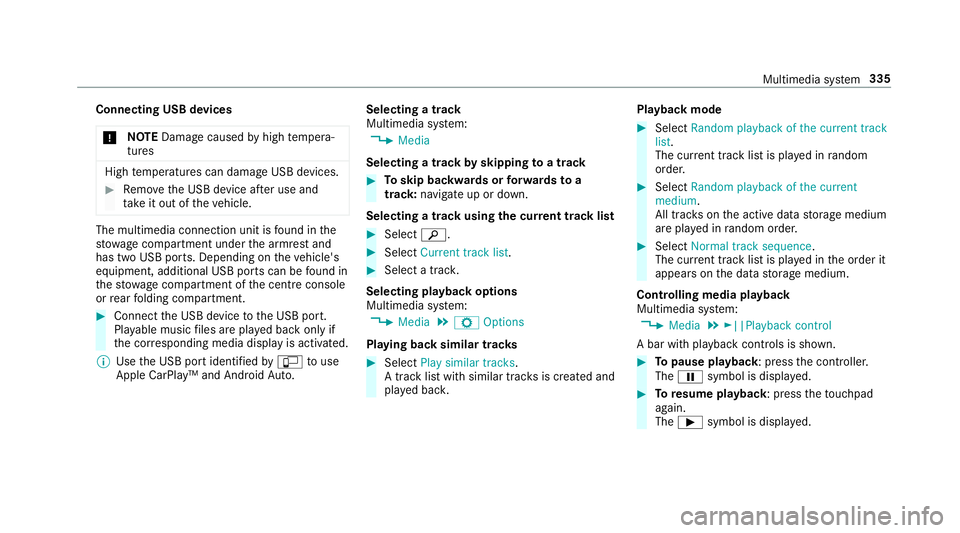
Connecting USB devices
* NO
TEDama gecaused byhigh temp era‐
tures High
temp eratures can damag eUSB devices. #
Remo vetheU SB device af teru se and
ta ke it out of thev ehicle. The multimedia connection unit is
found in the
stow agec ompartment unde rthe armres tand
has tw oUSB ports. Depending on thev ehicle's
equipment, additional USB ports can be found in
th es towa ge compartment of thec ent reconsole
or rear folding compartment. #
Connect theU SB device totheU SB port.
Pla yable music files ar eplaye db acko nlyif
th ec orresponding media displa yisactivated.
% Use theU SB por tidentified byç touse
Apple CarPlay™ and Android Auto. Selecting
atrack
Multimedia sy stem:
, Media
Selecting atrack byskipping toatrack #
Toskip backwards or forw ards to a
track: navigat eupord own.
Selecting atrack usingthe cur rent trac klist #
Select è. #
Select Current trac klist. #
Select atrack.
Selecting playbac koptions
Multimedia sy stem:
, Media .
Z Options
Playing bac ksimilar trac ks #
Select Play similar tracks.
At rack list wit hs imilar trac ksis created and
pla yedb ack. Playbac
kmode #
Select Random playback of the current track
list.
The cur rent trac klistisp laye dinr andom
order. #
Select Random playback of th ecurrent
medium.
All trac kson thea ctiv edatas torage medium
ar ep laye dinr andom order. #
Select Normaltrack sequence .
The cur rent trac klistisp laye dint he order it
appear sonthe dat astora ge medium.
Controlling media playback
Multimedia sy stem:
, Media .
►||Playback control
Ab ar wit hplaybac kcontrols is shown. #
Topause playback:p ress thec ontroller.
The Ë symbol is displa yed. #
Toresume playback:p ress thet ouchpad
again.
The Ì symbol is displa yed. Multimedia sy
stem 335
Page 366 of 533
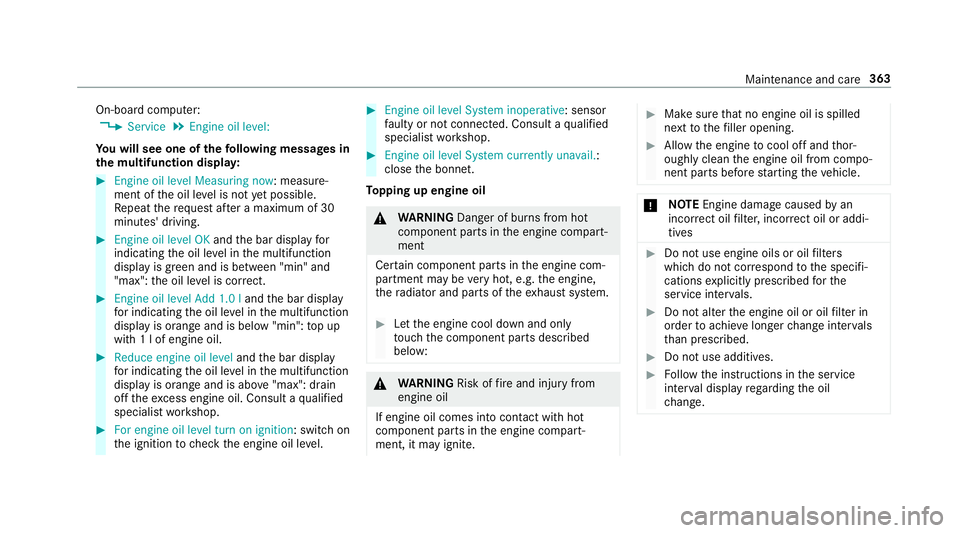
On-boar
dcomputer:
, Service .
Engine oil level:
Yo uw ills ee one of thef ollowing messa gesin
th em ultifunction displa y: #
Engine oi llev el Measuring now:m easure‐
ment of theo il le velisn otyetp ossible.
Re peat ther eques tafter am aximu mof30
minutes' driving. #
Engine oil level OK andtheb ar displa yfor
indicating theo il le velint he multifunction
displa yisgreen and is between "min" and
"max": theo il le velisc orrect. #
Engine oil level Add 1.0 l andtheb ar display
fo ri ndicating theo il le velint he multifunction
displa yisorang ea nd is belo w"min": topup
wit h1lofe ngineoil. #
Reduce engin eoil level andtheb ar display
fo ri ndicating theo il le velint he multifunction
displa yisorang ea nd is abo ve"max": drain
of ft he exc ess engine oil. Consult aqualified
specialis tworks hop. #
For engine oil level turn on ignition:s witchon
th ei gnition tocheckt he engine oil le vel. #
Engine oil level System inoperative :sensor
fa ulty or no tconnec ted. Consult aqualified
specialis tworks hop. #
Engine oil level System currently unavail. :
close theb onnet.
To pping up engine oil &
WARNING Danger of bu rnsf romh ot
component parts in thee ngine compart‐
ment
Cer tain component parts in thee ngine com‐
partmen tmaybe very hot, e.g. thee ngine,
th er adiator and parts of thee xhau stsystem. #
Letthe engine cool down and only
to uc ht he component parts described
below: &
WARNING Risk offire and injur yfrom
engine oil
If engine oil comes int ocontact wi thhot
component parts in thee ngine compart‐
ment ,itmayignite. #
Mak esuret hat no engine oil is spilled
next tothef iller opening. #
Allo wthe engine tocool of fand thor‐
oughl yclean thee ngine oil from compo‐
nentp arts befor estartin gt he vehicle. *
NO
TEEngine dama gecaused byan
incor rect oil filter ,incor rect oil or addi‐
tives #
Do no tuse engine oil soroilfilters
whic hdon otcor respond tothes pecifi‐
cation sexplicit lyprescribed fort he
service inter vals. #
Do no talter thee ngine oil or oil filter in
order toachie velonger chang einter vals
th an presc ribed. #
Do no tuse additives. #
Followt he instructions in thes ervice
inter vald ispla yregarding theo il
ch ange. Main
tenance and care 363
Page 368 of 533
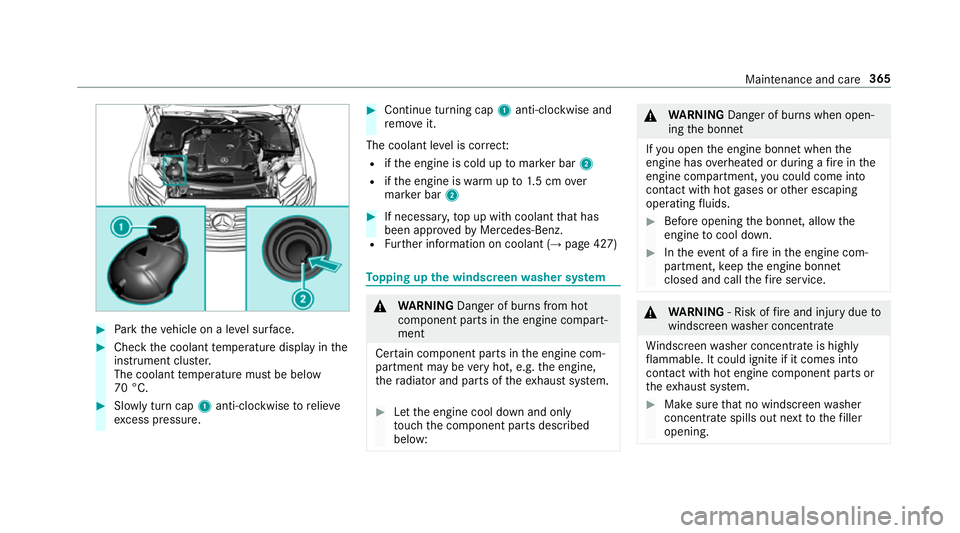
#
Park thev ehicle on alevel sur face. #
Chec kthe coolant temp eratur edispla yint he
instrument clus ter.
The coolant temp eratur emustbeb elow
70 °C. #
Slowl yturnc ap 1 anti-clockwise torelie ve
exc ess pressure. #
Continue turning cap 1anti-clockwise and
re mo veit.
The coolan tleve lisc orrect:
R ifth ee ngine is cold up tomar kerb ar2
R ifth ee ngine is warm upto1.5c mo ver
mar kerb ar2 #
If necessar y,topupw ithc oolant that has
been appr ovedbyM ercedes-Benz.
R Further information on coolant (→ page427) To
pping up the windsc reen washer sy stem &
WARNING Danger of bu rnsf romh ot
component parts in thee ngine compart‐
ment
Cer tain component parts in thee ngine com‐
partmen tmaybe very hot, e.g. thee ngine,
th er adiator and parts of thee xhau stsystem. #
Letthe engine cool down and only
to uc ht he component parts described
below: &
WARNING Danger of bu rnsw hen open‐
ing theb onnet
If yo uo pen thee ngine bonn etwhen the
engine has overheated or during afireint he
engine compartment, youc ould come into
contact wit hhotgases or other escaping
operating fluids. #
Befor eopening theb onnet ,allowt he
engine tocool down. #
Inthee vent of afireint he engine com‐
partment, keep thee ngine bonn et
closed and cal lthe fire service. &
WARNING ‑Riskoff irea nd injur ydue to
windscreen washer concentrate
Wi ndsc reen washer concentrat eishighly
fl ammable. It coul dignit eifitc omes into
con tact wi thhote ngine component parts or
th ee xhau stsystem. #
Mak esuret hat no windscreen washer
concentrat espills out next tothef iller
opening. Maintenance and care
365
Page 371 of 533
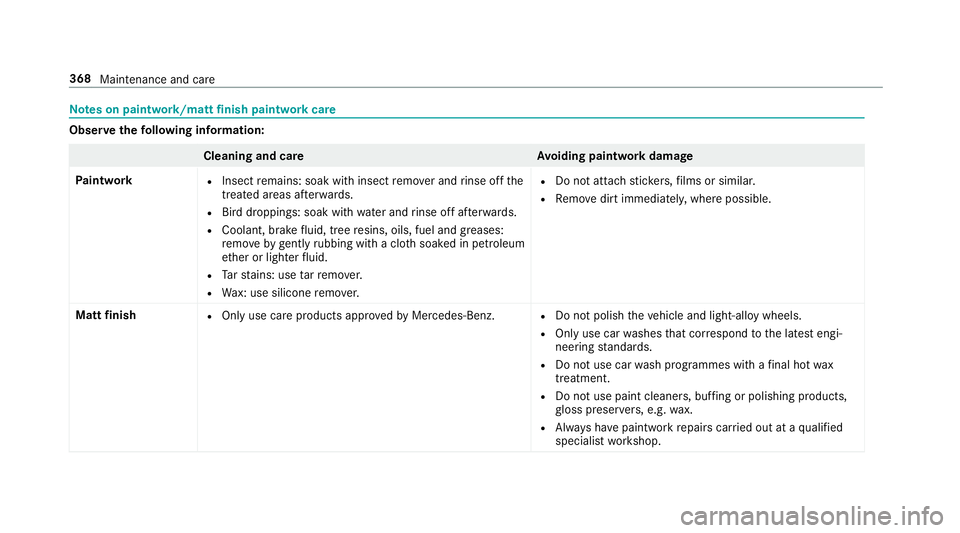
Note
sonp aintwork/matt finish paint workcare Obser
vethef ollowing information: Cleaning and car
eA voiding paintwor kdamage
Pa intwork R
Insect remains: soak wit hinsect remo vera nd rinse of fthe
treated areas af terw ards.
R Birdd roppings: soak wit hwater an drins eo ffafte rw ards.
R Coolant, brak efluid, tree resins, oils, fuel and greases:
re mo veby gently rubbing wit hacloth soaked in petroleum
et her or lighter fluid.
R Tars tains :use tarr emo ver.
R Wax: us esilico neremo ver. R
Do no tattac hstickers,f ilms or similar.
R Remo vedirtimmediatel y,wher epossible.
Mat tfinish R
Onlyuse car eproducts appr oved byMercedes-Benz. R
Do no tpolish thev ehicle and light-allo ywheels.
R Onlyuse car washes that cor respond tothel ates tengi‐
neering standards.
R Do no tuse car wash programmes wit hafinalhot wax
treatment.
R Do no tuse paint cleane rs,b uffing or polishing products,
gl oss preser vers,e .g. wax.
R Alw aysh ave paintwor krepair scarried out at aqualified
specialis tworks hop. 368
Maintenance and care
Page 379 of 533
#
Remo vethef iree xtinguishe rfromt hestow‐
ag ec ompartment. Flat ty
re Note
sonf lat tyres &
WARNING Risk of accident du etoaflat
tyre
Af lat tyr eseve rely affects thed riving charac‐
te rist ics as well as thes teering and braking
of thev ehicle.
Ty resw ithout run-flat characteristics: #
Do no tdrive on wit haflat tyre. #
Chang ethe flat tyr eimmediatel ywith
th ee mer gency spa rewheel or spare
wheel. Alternativel y,consult aqualified
specialis tworks hop.
Ty resw ithrun-flat characteristics: #
Obse rvet he information and warning
no tesonM OExtended tyres (run-flat
tyres). In
thee vent of aflat tyre, thef ollowing options
ar ea vailable dependin gonyourvehicle's equip‐
ment:
R Vehicles with MOExtende dtyres: it is pos‐
sibl etoc ontinu ethe journe yfor as hort
period of time. Mak esurey ou obser vethe
no tesonM OExtended tyres (run-flat tyres)
(→ pag e378).
R Vehicles with aTIREFIT kit: youc an repair
th et yresot hat it is possibletoc ontinuethe
journe yfor as hor tperiod of time. Todo this,
use theT IREFI Tkit (→ page380).
R Vehicles with Mercedes me connect: you
can mak eacallf or breakdown assis tanc ev ia
th eo verhead control panel in thec ase of a
breakdown (→ page318).
R Allvehicles: chang ethe wheel
(→ pag e410). MOEx
tended tyres (run-flat tyres) &
WARNING Risk of accident whe ndriving
in li mp-hom emode
Whe ndriving in emergency mod ethe han‐
dling characteristic sareimpaired. e.g .when
cornering ,when accelerating stronglyand
when braking. #
Do no texceed thes pecified maximum
speed. #
Avoid an yabrup tsteering and driving
manoeuvres as well as drivin gover
obs tacle s(kerbs, po tholes, off-road).
Thi sapplies ,inparticular ,toal oaded
ve hicle. #
Stop driving in thee mer gency mod eif
yo un otice:
R bangin gnoise
R vehicle vibration
R smok ewhichs mells lik erubber
R continuous ESP ®
inter vention
R crac ksin tyr eside walls 376
Breakdown assis tance