bluetooth MERCEDES-BENZ S-Class MAYBACH 2017 W222 Comand Manual
[x] Cancel search | Manufacturer: MERCEDES-BENZ, Model Year: 2017, Model line: S-Class MAYBACH, Model: MERCEDES-BENZ S-Class MAYBACH 2017 W222Pages: 230, PDF Size: 8.27 MB
Page 120 of 230
XTo selectConnect Device: turn and press
the controller.
The device list is displayed.
XTo highlight the desired mobile phone in the
device list: turn the controller.
XTo select G: slide 9the controller.
XTo select Deauthorize: turn and press the
controller.
A prompt appears, asking whether you really
wish to de-authorize this device.
XTo select Yes: turn and press the controller.
The mobile phone is de-authorized.
iBefore re-authorizing the mobile phone, you
should also delete the device name MBBlue‐
toothfrom your mobile phone's Bluetooth®
list.
Displaying connection details
XTo call up the telephone menu: press the
%button.
XTo switch to the menu bar: slide 6the con-
troller.
XTo select Connect Device: turn and press
the controller.
The device list is displayed.
XTo highlight the desired mobile phone: turn
the controller.
XTo select G: slide 9the controller.
XTo select Details: turn and press the con-
troller.
The following information concerning the
selected mobile phone is shown:
RBluetooth®device name
RBluetooth®address
RAvailability status (shown after a new
search)
RAuthorization status
XTo close the detailed display: slide9 the
controller.
Reception and transmission volume
Once the mobile phone has been authorized,
you can optimize the transmission and recep-
tion volume settings. To find out about the best
possible settings for your mobile phone, visit
http://www.mercedes-benz.com/connect. You can also obtain more information by calling.
In the USA, you can get in touch with the
Mercedes-Benz Customer Assistance Center on
1-800-FOR-MERCedes (1-800-367-6372
).
In Canada, you can get in touch with the Cus-
tomer Relations Center on 1-800-387-0100.
XTo call up the telephone menu: press the
% button.
XTo switch to the menu bar: slide 6the con-
troller.
XTo select Connect Device: turn and press
the controller.
XTo highlight the desired mobile phone in the
device list: turn the controller.
XTo select G: slide 9the controller.
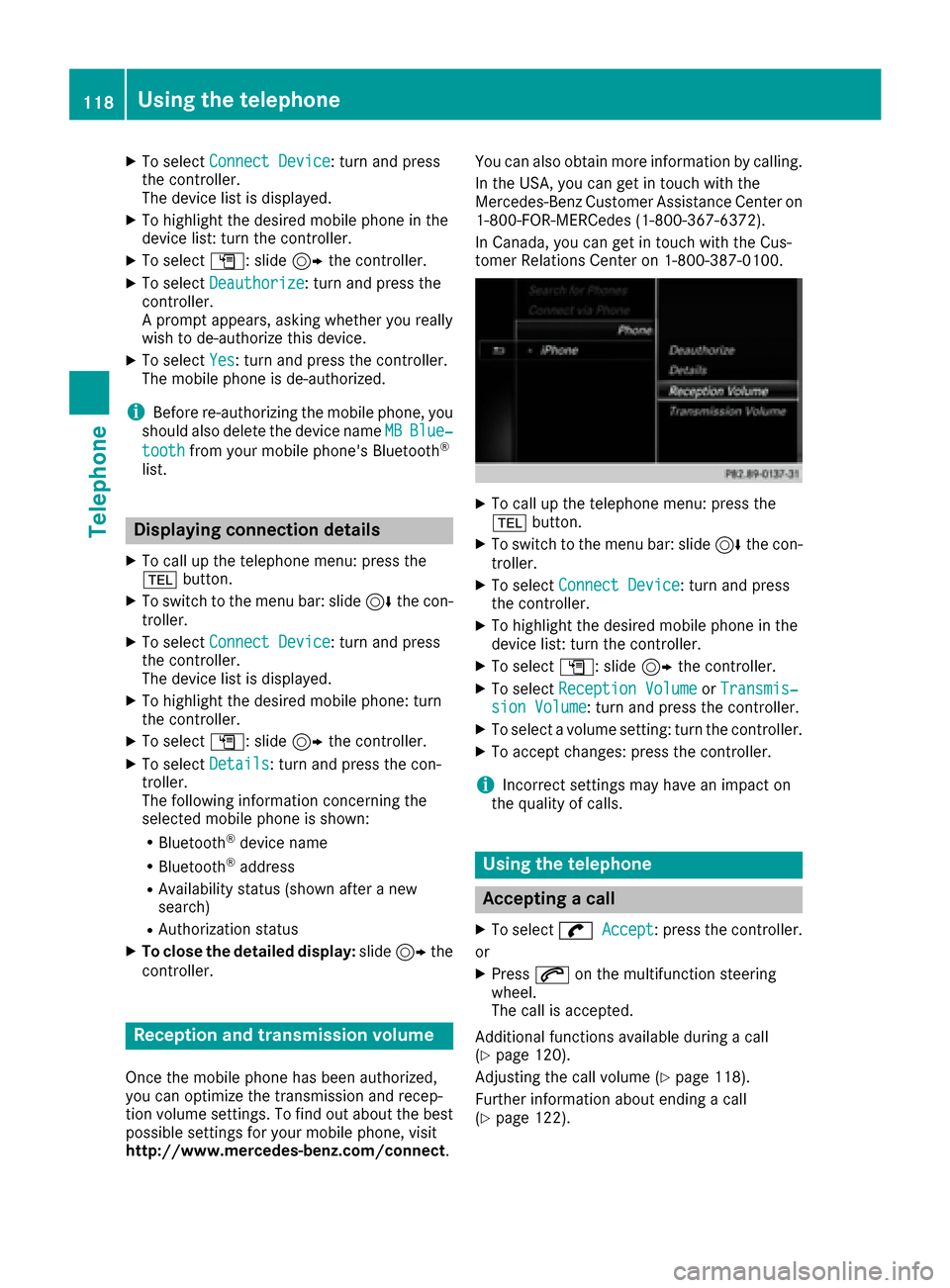
XTo select Reception VolumeorTransmis‐sion Volume: turn and press the controller.
XTo select a volume setting: turn the controller.
XTo accept changes: press the controller.
iIncorrect settings may have an impact on
the quality of calls.
Using the telephone
Accepting a call
XTo select wAccept: press the controller.
or
XPress 6on the multifunction steering
wheel.
The call is accepted.
Additional functions available during a call
(
Ypage 120).
Adjusting the call volume (
Ypage 118).
Further information about ending a call
(
Ypage 122).
118Using the telephone
Telephone
Page 122 of 230
Redial
XTo call up the telephone menu: press the
%button.
XTo select win the telephone menu: turn
and press the controller.
The list of outgoing calls is displayed. The
most recently dialed number is at the top.
XTo select an entry and make a call: turn and
press the controller.
For redialing using the multifunction steering
wheel (see the vehicle Operator's Manual).
Further information about ending a call
(
Ypage 122).
Using call lists
XTo call up the telephone menu: press the
% button.
XTo switch to the menu bar: slide 6the con-
troller.
XTo select Call Lists: turn and press the
controller.
XTo select CallsReceivedorCallsDialed:
turn and press the controller.
The relevant list is displayed.
XTo select an entry and make a call: turn and
press the controller.
Selecting and placing a call using the multifunc- tion steering wheel (see vehicle Operator's Man-
ual)
Further information about ending a call
(
Ypage 122).
Using the phone book
XTo call up the telephone menu: press the
% button.
XTo select Namein the telephone menu: turn
and press the controller.
XSearch for a contact (Ypage 124).
XTo make a call: press the controller.
Selecting and placing a call using the multifunc- tion steering wheel (see vehicle Operator's Man-
ual)
Further information about ending a call
(
Ypage 122).
Using the telephone keypad on the con-
troller
If your vehicle is equipped with a telephone key-
pad, you can use this function.
XTo call up the telephone menu: press the
% button.
XEnter the digits using the telephone keypad.
As soon as one of the buttons on the tele-
phone keypad is touched, the corresponding
button is highlighted in the display.
XTo select win the telephone menu: turn
and press the controller.
The call is made.
Functions available during a call
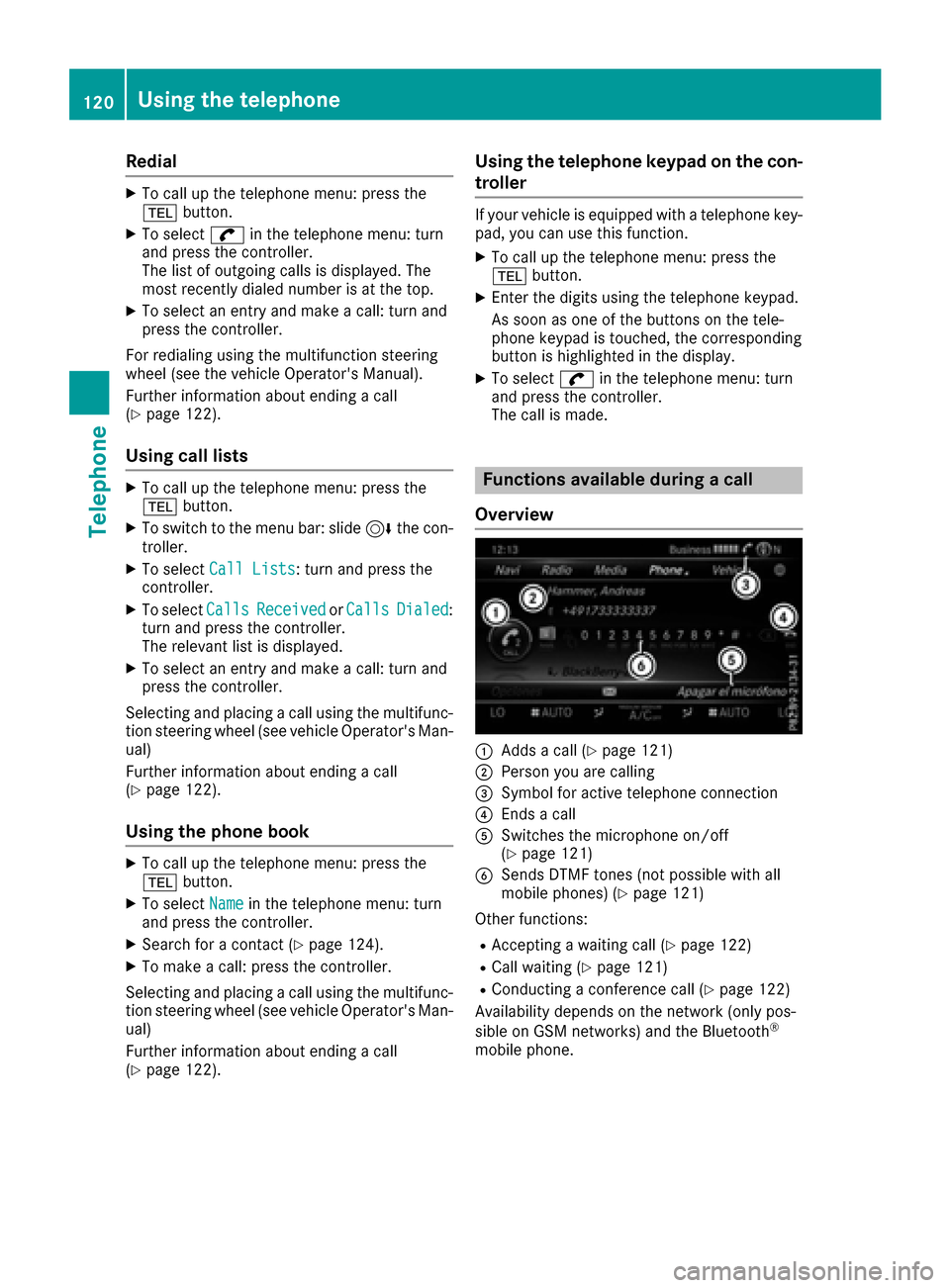
Overview
:Adds a call (Ypage 121)
;Person you are calling
=Symbol for active telephone connection
?Ends a call
ASwitches the microphone on/off
(Ypage 121)
BSends DTMF tones (not possible with all
mobile phones) (Ypage 121)
Other functions:
RAccepting a waiting call (Ypage 122)
RCall waiting (Ypage 121)
RConducting a conference call (Ypage 122)
Availability depends on the network (only pos-
sible on GSM networks) and the Bluetooth
®
mobile phone.
120Using the telephone
Telephone
Page 125 of 230
mation on the voice recognition service; see the
manufacturer's operating instructions.
To start the mobile phone voice recognition:
XConnect the mobile phone to the multimedia
system (Ypage 113).
XPress and hold theóbutton on the multi-
function steering wheel for more than one
second.
You can now use the mobile phone voice rec- ognition.
To end the mobile phone voice recognition:
XPress ñon the multifunction steering
wheel.
The mobile phone voice recognition is stop-
ped.
Phone book
Introduction
The phone book displays the contacts from the
address book which have a phone number.
The phone book of the mobile phone is auto-
matically displayed in the multimedia system
after the connection is established (default set-
ting). You can deactivate automatic calling up
(
Ypage 140).
In the telephone book, you can:
RCreate new contacts (Ypage 125)
RAdd information to contacts (Ypage 125)
RSearch for contacts (Ypage 124)
RStore contacts (Ypage 125)
RDelete contacts (Ypage 126)
Further information on importing contacts
(
Ypage 140).
When you import, save, edit or add contacts,
they will be permanently saved in the multime-
dia system. These contacts will remain available
even when you connect the multimedia system
to a different mobile phone. You can view these contacts even without a mobile phone.
Calling up the phone book
XTo call up the telephone menu: press the
% button.
XTo select Namein the telephone menu: turn
and press the controller.
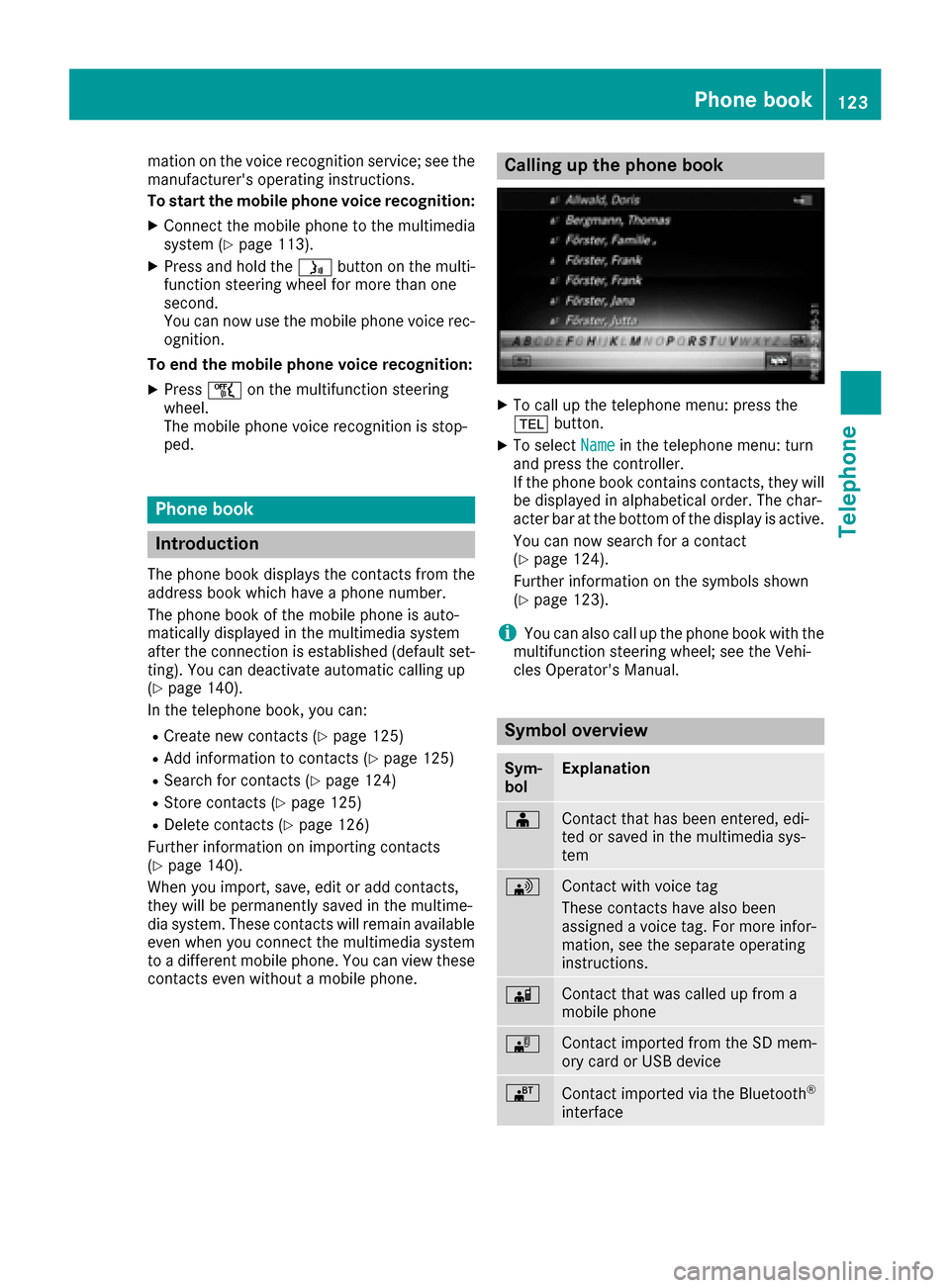
If the phone book contains contacts, they will
be displayed in alphabetical order. The char-
acter bar at the bottom of the display is active.
You can now search for a contact
(
Ypage 124).
Further information on the symbols shown
(
Ypage 123).
iYou can also call up the phone book with the
multifunction steering wheel; see the Vehi-
cles Operator's Manual.
Symbol overview
Sym-
bolExplanation
ÆContact that has been entered, edi-
ted or saved in the multimedia sys-
tem
\Contact with voice tag
These contacts have also been
assigned a voice tag. For more infor-
mation, see the separate operating
instructions.
ÃContact that was called up from a
mobile phone
¯Contact imported from the SD mem-
ory card or USB device
®Contact imported via the Bluetooth®
interface
Phone book123
Telephone
Z
Page 128 of 230
Saving or editing the contact data in the mul-
timedia system does not change the contacts
on the mobile phone. If automatic calling-up
of phone contacts is activated, the multime-
dia system displays the copy ¥with the
changed data.
Deleting a name
You can delete contacts that have been added,
supplemented, saved or imported in the multi-
media system.
If there are one or several phone numbers saved
under the contact, the contact is deleted from
the phone book and the address book.
If there are additional entries under the contact,
such as a navigable destination, only the phone
numbers are deleted. The contact is retained in
the address book with the remaining entries.
XTo highlight a contact in the phone book: turn
the controller.
XTo select G: slide 9the controller.
XTo select Delete Entry: turn and press the
controller.
A prompt appears asking whether the contact
should be deleted.
XTo select Yes: turn and press the controller.
The phone number is deleted.
Closing the phone book
XTo select &from the character bar: turn the
controller and press to confirm.
or
XPress the %button.
Call lists
Introduction
If your mobile phone supports the PBAP Blue-
tooth®profile, the call lists from the mobile
phone are displayed in the multimedia system.
If your mobile phone does not support the PBAP
Bluetooth
®profile, the multimedia system will
attempt to display the mobile phone call lists
using alternative methods. If the mobile phone
call lists cannot be displayed, the multimedia
system generates its own call lists. These are not the same as the call lists in your mobile
phone.
The call lists option is not available unless a
mobile phone is connected to the multimedia
system.
If the contact for an incoming call is not saved in
the address book, you can use the call list to
save the telephone number. You can save this
telephone number as a new contact in the
address book or add it to an existing contact
(
Ypage 127).
iIf you connect a different mobile phone to
the multimedia system, the call lists from the
new mobile phone are displayed.
Opening the call list and selecting an
entry
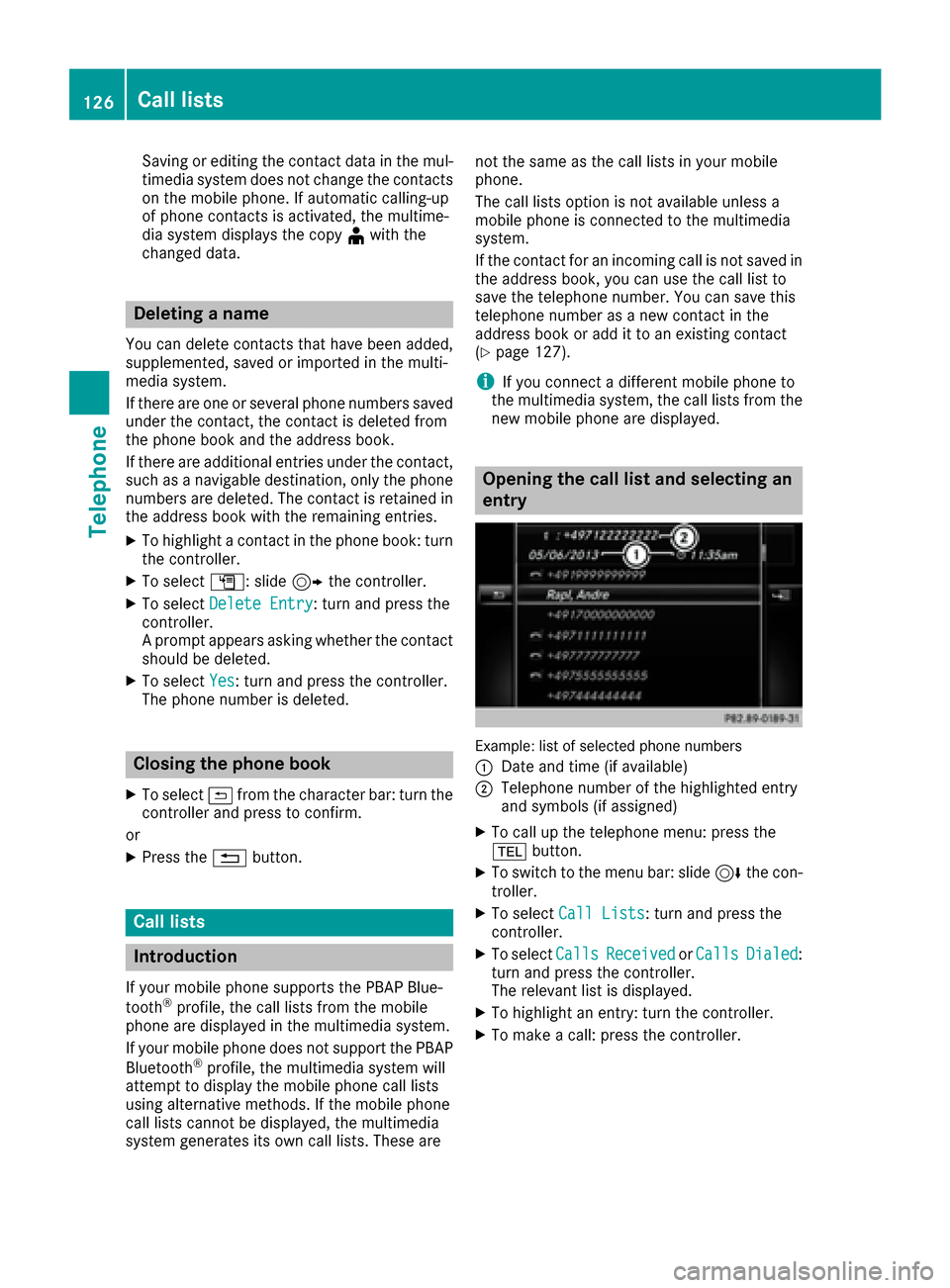
Example: list of selected phone numbers
:
Date and time (if available)
;Telephone number of the highlighted entry
and symbols (if assigned)
XTo call up the telephone menu: press the
% button.
XTo switch to the menu bar: slide 6the con-
troller.
XTo select Call Lists: turn and press the
controller.
XTo select CallsReceivedorCallsDialed:
turn and press the controller.
The relevant list is displayed.
XTo highlight an entry: turn the controller.
XTo make a call: press the controller.
126Call lists
Telephone
Page 130 of 230
XSearch for the desired entry (Ypage 136).
XPress the controller when you have finished
searching.
The telephone number has been saved.
A maximum of five telephone numbers can be
saved for one contact.
If five numbers are already stored for the con-
tact you are searching for, a prompt will appear
asking whether you wish to overwrite one of the
existing numbers.
If you wish to overwrite one of the phone num-
bers:
XTo select Yes: turn and press the controller.
A list of the existing five phone numbers is
displayed.
XTo select the phone number to be overwritten
from the list: turn the controller and press to
confirm.
The entry is overwritten with the new tele-
phone number.
If you do not wish to overwrite any of the phone
numbers:
XTo select No: turn and press the controller.
The process is canceled.
Deleting call lists
Call lists which are generated and managed by
the multimedia system can be deleted in the
multimedia system.
You cannot delete call lists from the multimedia
system which are displayed on a mobile phone
that supports the PBAP Bluetooth
®.
XTo call up the telephone menu: press the
% button.
XTo switch to the menu bar: slide 6the con-
troller.
XTo select Call Lists: turn and press the
controller.
XSelect Delete Call Lists.
A prompt appears asking whether you wish to
delete all call lists.
XTo select Yes: turn and press the controller.
The call lists are deleted.
iIf you delete call lists from the mobile phone
(see the manufacturer's operating instruc-
tions), the multimedia system updates the
call list display the next time it connects.
Speed dial lists
Setting up speed dial
XTo call up the telephone menu: press the
% button.
XTo call up the menu bar: slide 6the con-
troller.
XTo select Call Lists: turn and press the
controller.
XSelect Speed Dial Preset List.
The speed dial list is displayed.
XTo highlight a memory position for the speed
dial: turn the controller.
If you highlight an entry that already exists in the speed dial list, this is overwritten with the
new entry.
XTo select G: slide 9the controller.
XSelect Assign Speed Dial Preset.
The phone book is displayed.
XSearch for a contact (Ypage 124).
XTo select a contact: turn and press the con-
troller.
The phone number has been saved as a speed
dial.
Deleting a speed dial number
Deleting a speed dial preset
XTo call up the telephone menu: press the
% button.
XTo call up the menu bar: slide 6the con-
troller.
XTo select Call Lists: turn and press the
controller.
XSelect Speed Dial Preset List.
The speed dial list is displayed.
XTo highlight the memory position you want to
delete: turn the controller.
XTo select G: slide 9the controller.
XTo select DeleteSpeedDialPreset: turn
and press the controller.
XTo select Yes: turn and press the controller.
The speed dial preset has been deleted.
128Speed dial lists
Telephone
Page 131 of 230
Deleting all speed dial presets
XTo call up the telephonemenu: press the
% button.
XTo call up the menu bar: slide 6thecon-
troller.
XTo select CallLists:turn and press th e
controller.
XSelect Speed Dia lPreset Lis t.
The speed dial list is displayed.
XTo highlight the desired memory position:
turn th econtroller.
XTo select G: slide 9thecontroller.
XTo select Delete All Speed Dia lPre ‐sets:turn and press th econtroller.
XTo select Yes:turn and press th econtroller.
Al l speed dials are deleted.
Messages (text messages and e-
mails)
Requirements
To use the message functions, theconnecte d
mobile phone must support theMA P Bluetooth®
profile. When connecting the mobile phone, you
may have to accept the prompt forth eMA P
Bluetooth
®profile.
With somemobile phones, some settings still
have to be made after connecting to th e multi-
media system (see the manufacturer's operat-
ing instructions). The messages are then dis-
played thenext time you connect to the multi-
media system.
An e-mail account must be set up on the mobile
phone fo rth e e-mail function (see the manufac-
turer’s operating instructions).
To read and write e-mails in the multimedia sys-
tem, th e e-mail account first needs to be con-
figure d(
Ypage 130).
Some mobile phones with theMA P Bluetooth®
profile:
Ronly sho wne wtext messages
Rdo not support the deleting or editing of text
messages
Rdo not support thedraft s folder for text mes-
sages
Rdo not support the sending of text messages
Rdo not support the e-mail function
Rdo not send messages when in a locked sta-
tu s
Not all mobile phones avai lable o
n themarke t
are equally suitable. Further information about
setting sand supporte dfunction s of Bluetooth
®-
capable mobile phones can be found on the
Internet at
http://www.mercedes-benz.com/connect.
You can also obtain more information by calling.
In th e USA, you can get in touch with the
Mercedes-Benz Customer Assistanc e Centeron
1-800-FOR-MERCedes (1-800-367-6372).
In Canada, you can get in touch with the Cus-
tomer Relations Center on 1-800-387-0100.
Function restrictions
Text messages cannot be written while the vehi-
cle is in motion.
General notes
New messages are identified by the /sym-
bol in the display of the multimedia system and
an audible signal. Once you have read all the
messages, the symbol is no longer displayed.
The multimedia system displays the 100 newest
text messages and e-mails.
The ú symbol is displayed when the mobile
phone's message memory is full. The symbol is
no longer displayed if you delete messages.
Settings
Calling up the settings menu for mes-
sages
XTo call up the telephone menu: press the
% button.
XTo switch to the menu bar: slide 6the con-
troller.
XTo select 1: turn and press the controller.
The message menu is displayed.
Messages (text messages and e-mails)129
Telephone
Z
Page 142 of 230
Automatically importing contacts
from the phone
Depending on the mobile phone used, you can
set whether the contacts should be called up
automatically after the mobile phone is connec-
te dto th e multimedia system.
XConnect a mobile phone (Ypage 113).
XCall up the address book (Ypage 136).
XTo show the menu bar: slide 6thecontrol -
ler.
XTo select Options: turnand press th econ-
troller.
XTo select Automaticall yImport Con ‐tacts fromPhone: turn and press th econ-
troller.
You can allow Oor suppress ªthe auto-
matic download.
Saving a contact
Saved contact s are indicated in the phone book
by different symbols (Ypage 123).
XCall up the address book (Ypage 136).
XTo select a contact: turnand press th econ-
troller.
The details for the contact are displayed.
XTo select G: slide 9thecontroller.
XTo select Save: turn and press th econtroller.
The contact has now been saved.
iIf th e saved address book entry containsa
phone number, the entry is also displayed in
th e phone book.
Saving or editing the contact data in the mul-
timedia system does not changeth econtact s
on the mobile phone. If automatic download-
ing of phone contacts is activated, the multi-
media system displays the copy¥with the
changed data. To add additional data, such as additional phone numbers or e-mail
addresses, select this contact. In this way,
you avoid creating additional copies of the
mobile phone entry.
Deleting a name
XCall up the address book (Ypage 136).
XSearc h for a contact (Ypage 136).
XTo select G: slide 9thecontroller.
XTo select Delete Entry: turnand press th e
controller.
XTo select Yes: turnand press th econtroller.
The contact is deleted.
Importing contacts
Informati on and requirements
Contacts can be imported as vCards (vcf files). A
vCard is an electronic business card. A memory
card, USB device or a Bluetooth
®connection
can be used for importing.
iUp to 2000 entries can be imported into the
address book.Amessage notifies you when
th e maximum number is reached. In order to
be able to then import new contacts, you have
to delete existing contact s(
Ypage 140).
SourceRequirements
Memory cardThe SD card is inserted. It
contains importable contact
details.
USB deviceThe USB device is inserted
into theUS B port. It contains
importable contact details.
Bluetooth®
connection
If th e sending of vCards is
supported via Bluetooth®,
vCards can be received on
mobile phones or netbooks,
for example.
Bluetooth
®must be activa-
te d in the multimedia system
and on the respective device;
see th e manufacturer's oper-
ating instructions.
Importing from the memorycard or USB
device
Contacts imported from the memory card or
from aUS B device are identified by the ¯
symbol.
The following conditions must be fulfilled in
order to import vCards:
RvCards (vcf files) may be located in the main
directory or in folders. The multimedia system
140Address book
Telephone
Page 143 of 230
allows for a targeted selection of the corre-
sponding directories.
RvCards must have the file extension "vcf".
iThe multimedia system supports vCards in
versions 2.1 and 3.0.
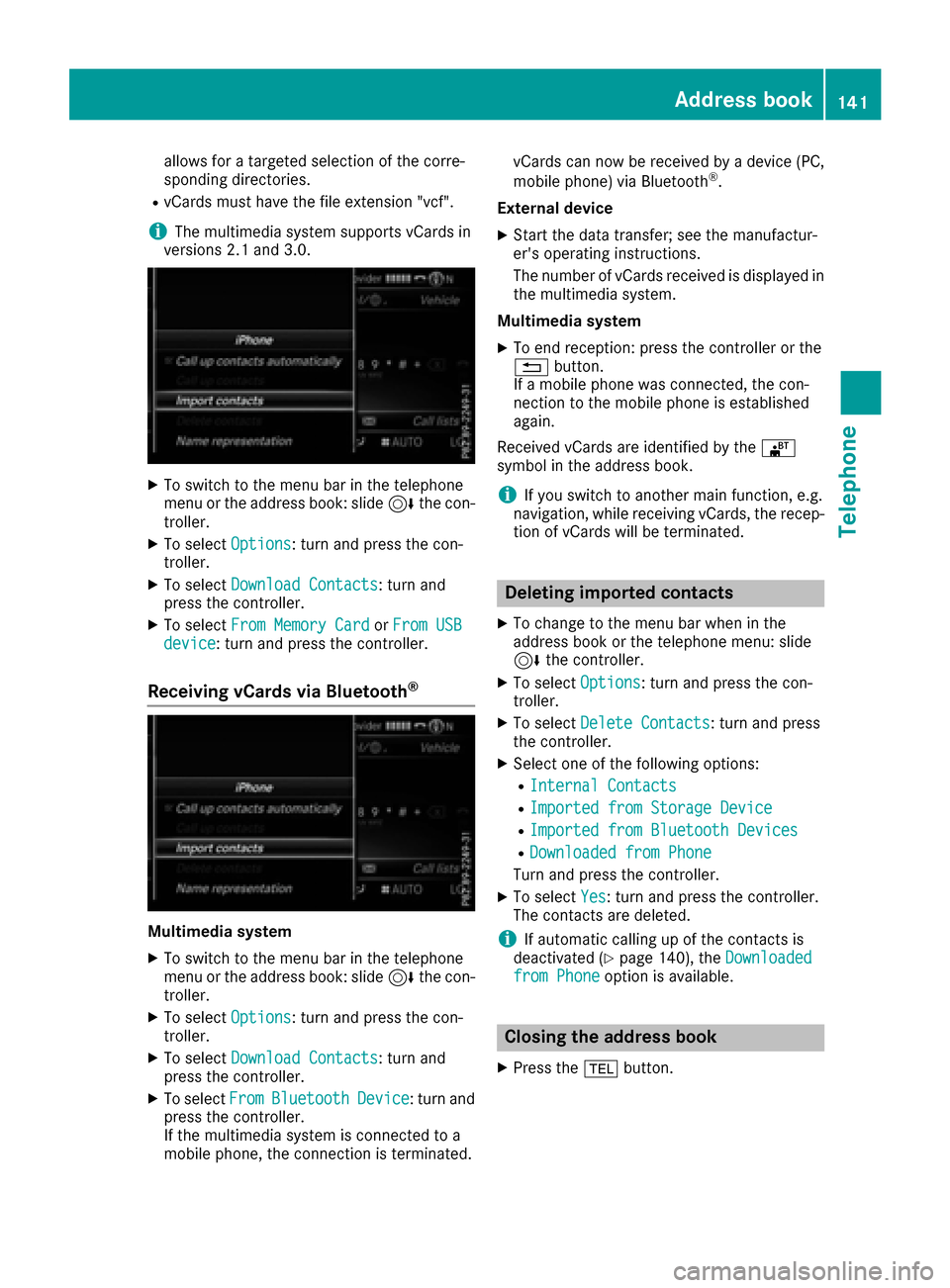
XTo switch to the menu bar in the telephone
menu or the address book: slide 6the con-
troller.
XTo select Options: turn and press the con-
troller.
XTo select Download Contacts: turn and
press the controller.
XTo select From Memory CardorFrom USBdevice: turn and press the controller.
Receiving vCards via Bluetooth®
Multimedia system
XTo switch to the menu bar in the telephone
menu or the address book: slide 6the con-
troller.
XTo select Options: turn and press the con-
troller.
XTo select Download Contacts: turn and
press the controller.
XTo select FromBluetoothDevice: turn and
press the controller.
If the multimedia system is connected to a
mobile phone, the connection is terminated. vCards can now be received by a device (PC,
mobile phone) via Bluetooth
®.
External device
XStart the data transfer; see the manufactur-
er's operating instructions.
The number of vCards received is displayed in the multimedia system.
Multimedia system
XTo end reception: press the controller or the
% button.
If a mobile phone was connected, the con-
nection to the mobile phone is established
again.
Received vCards are identified by the ®
symbol in the address book.
iIf you switch to another main function, e.g.
navigation, while receiving vCards, the recep-
tion of vCards will be terminated.
Deleting imported contacts
XTo change to the menu bar when in the
address book or the telephone menu: slide
6 the controller.
XTo select Options: turn and press the con-
troller.
XTo select Delete Contacts: turn and press
the controller.
XSelect one of the following options:
RInternal Contacts
RImported from Storage Device
RImported from Bluetooth Devices
RDownloaded from Phone
Turn and press the controller.
XTo select Yes: turn and press the controller.
The contacts are deleted.
iIf automatic calling up of the contacts is
deactivated (Ypage 140), the Downloadedfrom Phoneoption is available.
Closing the address book
XPress the%button.
Address book141
Telephone
Z
Page 144 of 230
Your multimediasystem equipment
These operating instructions describe all the
standard and optional equipment of your multi-
media system, as available at the time of going
to press. Country-specifi cdifferences are pos-
sible. Bear in mind that your vehicle may not
feature all functions described here. This also
applies to safety-relevant systems andfunc-
tions.
Read the information on qualified specialist
workshop s in the vehicle Operator's Manual.
Important safety notes
GWARNING
If you operate information systems and com-
munication equipment integrated in the vehi-
cl e while driving, you will be distracted from
traffic conditions. You could also lose control
of th e vehicle. There is a risk of an accident.
Only operate the equipment when the traffic
situation permits. If you are not sure that this
is possible, park the vehicle paying attention
to traffic condition s and operatethe equip-
ment when the vehicle is stationary.
You must observe the legal requirements for the
country in which you are driving when operating
th esystem.
General notes
Connection difficulties while the vehi-
cle is in motion
The connection may be lost if:
Rth e mobile phone network coverage is insuf-
ficient
Rth e vehicle has moved into a mobile phone
cell with no free channels
Rth eSI M card used is not compatible with the
network available
Function restrictions
You will not be able to use the Mercedes-Benz
Apps and Internet connection , or will no longer
be able to use them, or may have to wait before
using them, in th e following situations:
Rif the mobile phone is switched off
Rif your mobile phone has not been enabled for
Internet access
Rif the Bluetooth®function is switched off on
th e multimedia system and the desired phone
is supposed to be connecte d via Bluetooth
®
Rif the Bluetooth®function is switched off on
th e mobile phone and thephone is supposed
to be connecte d via Bluetooth
®
Rif the mobile phone is not connectedvia US B
and thephone is supposed to be connected
via US B
Rif neither the mobile phone network north e
mobile phone allow simultaneous use of a
phone and an Internet connection
Rif the mobile phone has not been enabled for
Internet access via Bluetoot h®and/or USB
The driver is not permitted to call up websites
while driving and use of the Mercedes-Benz
Apps is restricted.
iIt is possible that you may not be able to
receive calls when an Internet co nnection is
active. This depends on the mobile phone and
th e mobile phone network used.
Conditions for access
USA: to use Mercedes-Benz Apps and Internet
access, mbrace must be activated and opera-
tional. Furthermore, mbrace must be activated
fo rMercedes-Benz Apps and Internet access.
Take note of th e connection priorities. An emer-
gency cal lhas th e highest priority. Whenaser-
vice call, e.g. a breakdown service call or the MB
Info Call, is active, an emergency call can still be
initiated. A service call, on the other hand, has
priority over a current Internet connection.
Therefore, you cannot establish an Internet con-
nection duringaservice call.
Canada: a mobile phone must be connected via
Bluetooth
®(Ypage 113) or USB(Ypage 183)
with the multimedia system. Furthermore, you
need a valid mobile service contract withadata
142Conditions for access
Online and Internet functions
Page 145 of 230
option, which is used to calculate the associated
connection costs.
Conditions for a Bluetooth
®connection
RThe mobile phone supports at least one of the
Bluetooth®profiles DUN (Dial-Up Network-
ing) or PAN (Personal AreaNetwork).
The Bluetooth
®profiles DUN and PAN enable
the Internet connection of the mobile phone
to be made available to the system.
Conditions for a USB connection
RThe mobile phone supports at least one of the
USB classes:
-RNDIS (Remote Network DriverInterface
Specification)
-CDC/NCM (Network ControlModel)
-CDC/ECM (Ethernet ControlModel)
-CDC/ACM (Access ControlModel)
The USB classes enable the mobile phone
Internet connection to be made available to
the system.
The terms of use are shown when the system is
used for the first time and then once a year
thereafter. Only read and accept the terms of
use when the vehicle is stationary.
The driver is not permitted to call up websites
while driving and use of the Mercedes-Benz
Apps is restricted.
iThe availability of individual Mercedes-Benz
Apps may vary depending on the country.
Setting up an Internet connection
(Canada)
Procedure and general information
In order to set up a mobile phone for Internet
access, your mobile phone must be connected
to the multimedia system via Bluetooth
®
(Ypage 113) or USB (Ypage 170).
If you are using Internet access for the first time,
you must enable the connected mobile phone
for Internet access (
Ypage 143). If the con-
nected mobile phone supports the Bluetooth®
PAN profile or the USB classes RNDIS,
CDC/NCM or CDC/ECM, you do not need to
make additional settings. The Internet connec-
tion is established. If the connected mobile
phone does not support the named Bluetooth
®
profile or the named USB classes, predefined (
Ypage 144) or manual access data
(Ypage 144) must be set.
While initializing the mobile phone for the Inter-
net connection, access data which is already on
the mobile phone may be overwritten. You
should therefore check the settings on the
mobile phone (see the manufacturer's operating
instructions).
Enabling the mobile phone for Inter-
net access
XTo display the main function bar: slide 5the
controller.
XTo select ®: turn and press the controller.
The menu with the Internet functions is dis-
played.
XTo switch to the menu bar: slide 6the con-
troller.
XTo select Settings: turn and press the con-
troller.
XTo select Configure Internet Settings:
turn and press the controller.
A message is displayed telling you that the
settings for the Internet functions depend on
your mobile phone network provider and your
mobile phone.
If a mobile phone has already been enabled,
the device list is displayed.
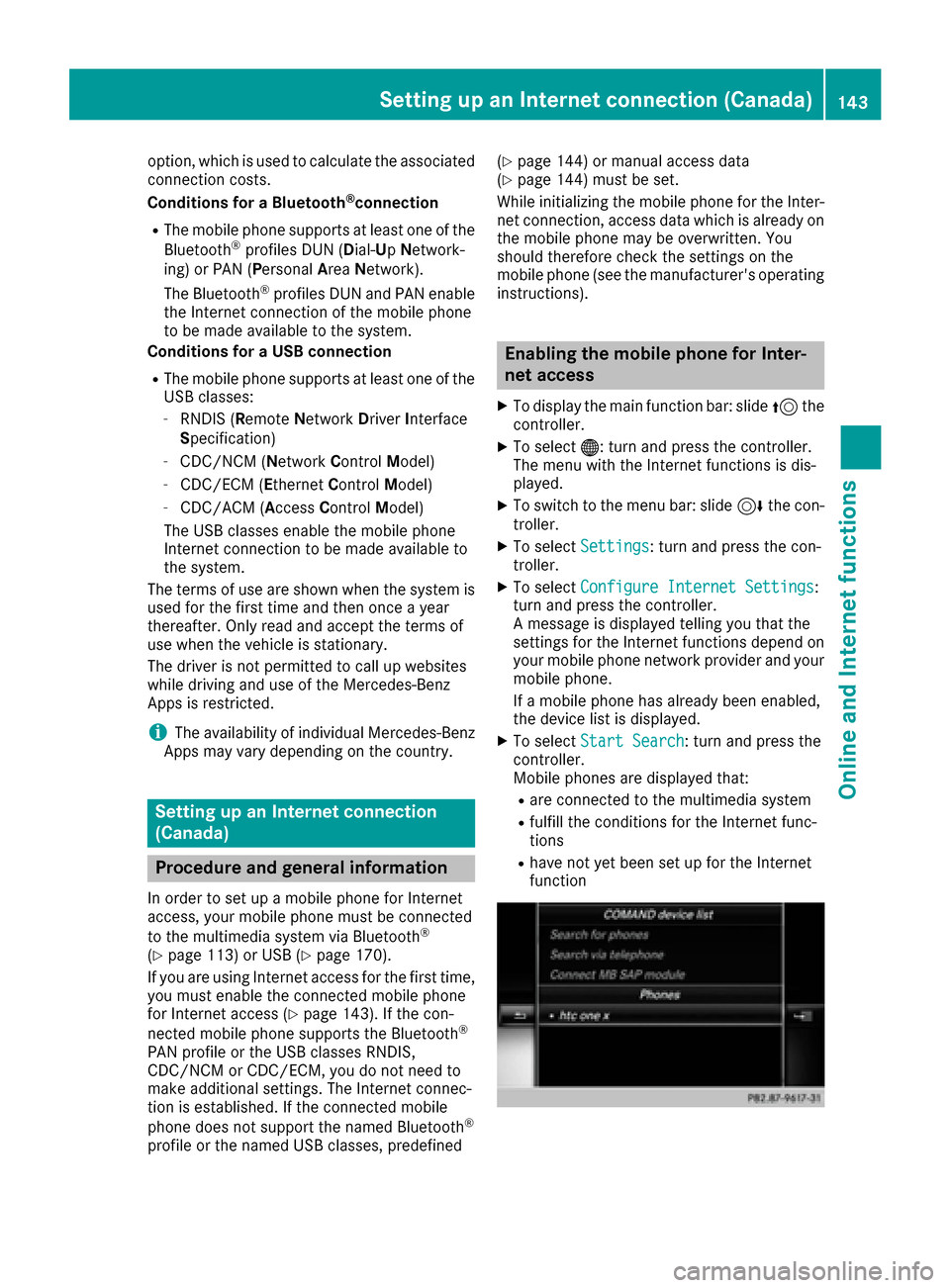
XTo select Start Search: turn and press the
controller.
Mobile phones are displayed that:
Rare connected to the multimedia system
Rfulfill the conditions for the Internet func-
tions
Rhave not yet been set up for the Internet
function
Setting up an Internet connection (Canada)143
Online and Internet functions
Z