display MERCEDES-BENZ S-Class MAYBACH 2017 W222 Comand Manual
[x] Cancel search | Manufacturer: MERCEDES-BENZ, Model Year: 2017, Model line: S-Class MAYBACH, Model: MERCEDES-BENZ S-Class MAYBACH 2017 W222Pages: 230, PDF Size: 8.27 MB
Page 79 of 230
XSelect the destination.
The address entry menu appears, showing the
destination address.
XTo start route calculation:selectStart(Ypage 74).
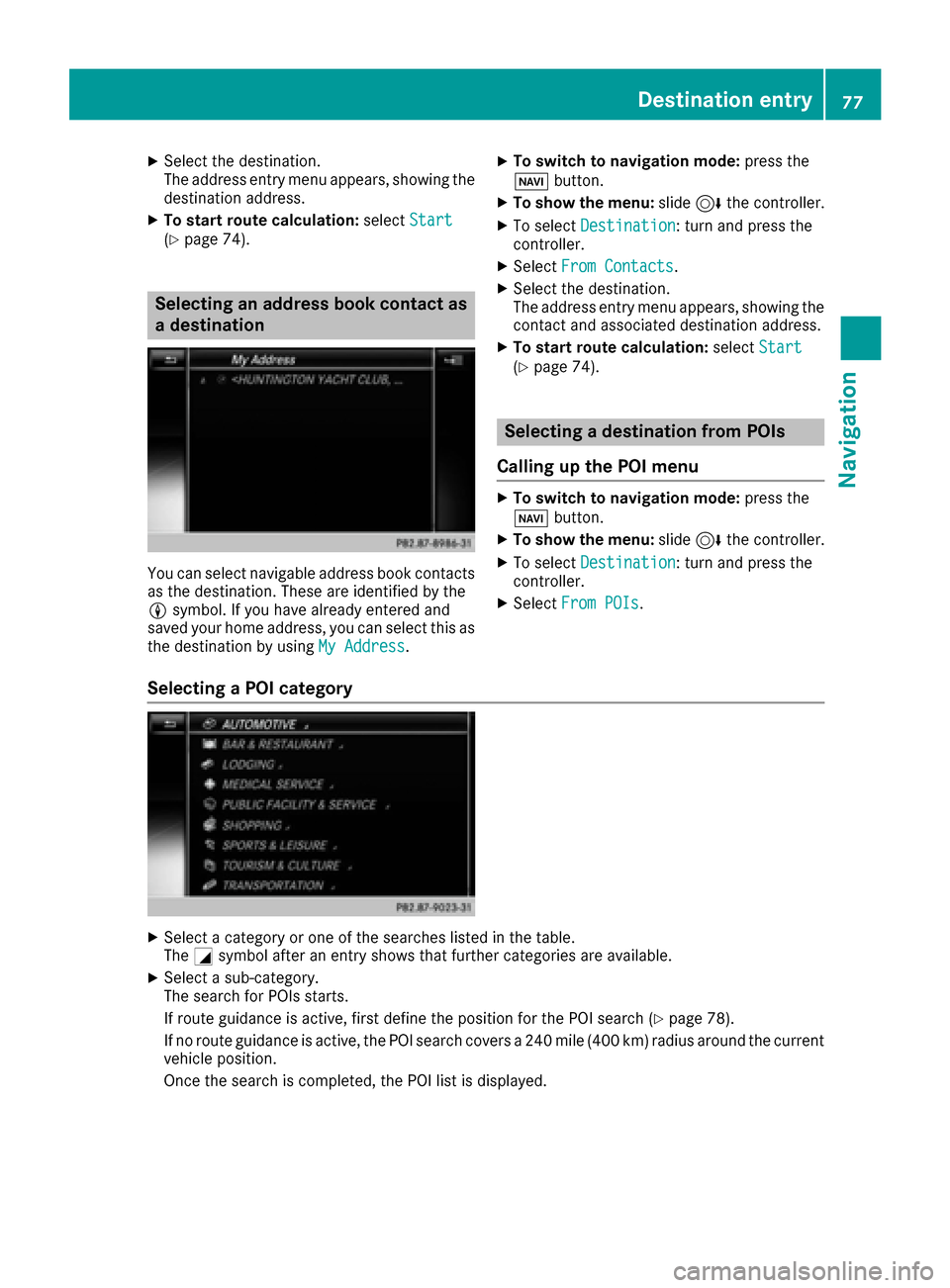
Selecting an address book contact as
a destination
You can select navigable address book contacts
as the destination. These are identified by the
Lsymbol. If you have already entered and
saved your home address, you can select this as
the destination by using My Address
.
XTo switch to navigation mode: press the
Ø button.
XTo show the menu: slide6the controller.
XTo select Destination: turn and press the
controller.
XSelect From Contacts.
XSelect the destination.
The address entry menu appears, showing the
contact and associated destination address.
XTo start route calculation: selectStart(Ypage 74).
Selecting a destination from POIs
Calling up the POI menu
XTo switch to navigation mode: press the
Ø button.
XTo show the menu: slide6the controller.
XTo select Destination: turn and press the
controller.
XSelect From POIs.
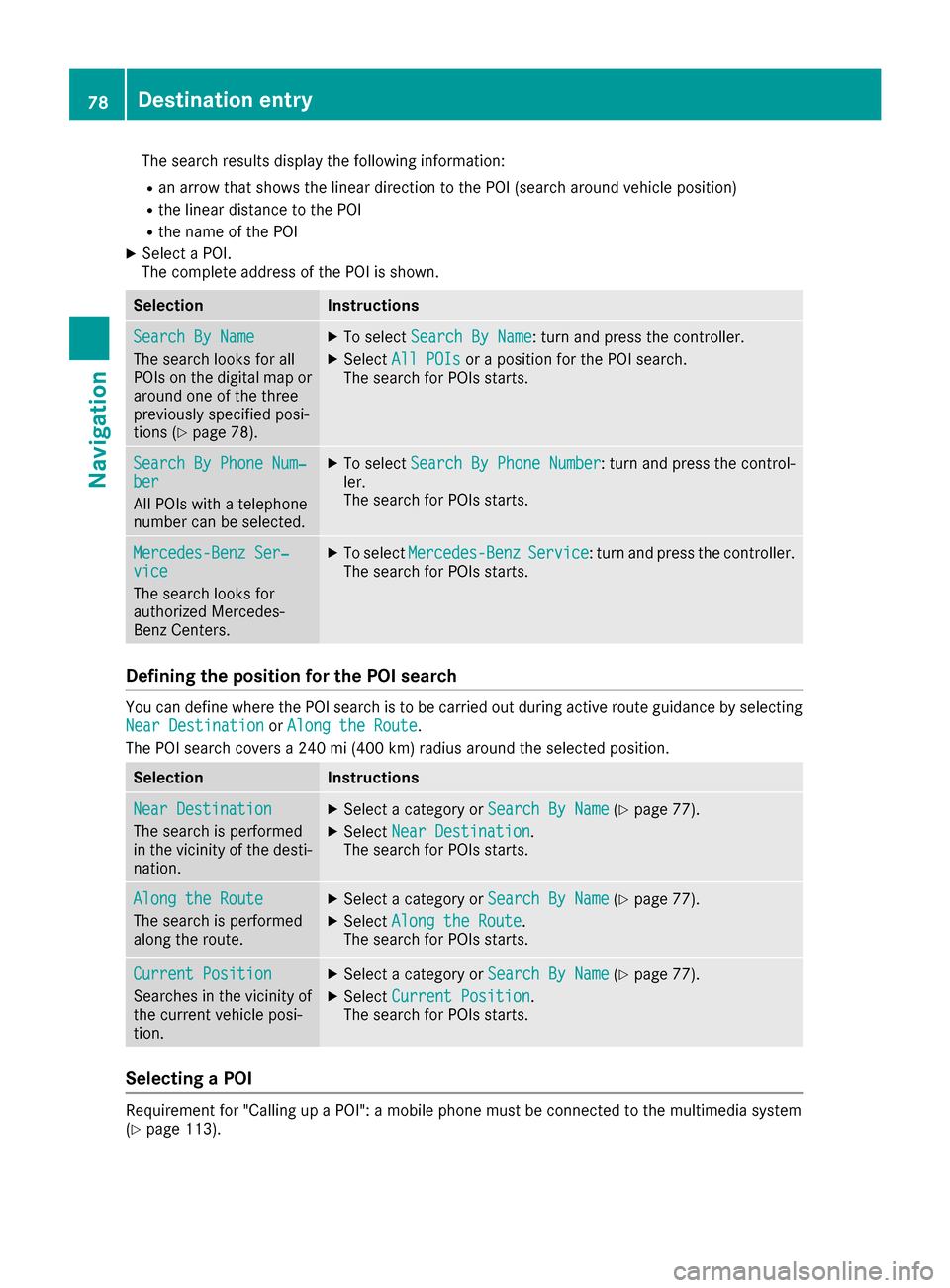
Selecting a POI category
XSelect a category or one of the searches listed in the table.
TheGsymbol after an entry shows that further categories are available.
XSelect a sub-category.
The search for POIs starts.
If route guidance is active, first define the position for the POI search (
Ypage 78).
If no route guidance is active, the POI search covers a 240 mile (400 km) radius around the current
vehicle position.
Once the search is completed, the POI list is displayed.
Destination entry77
Navigation
Z
Page 80 of 230
The search results display the following information:
Ran arrow that shows the linear direction to the POI (search around vehicle position)
Rthe linear distance to the POI
Rthe name of the POI
XSelect a POI.
The complete address of the POI is shown.
SelectionInstructions
Search By Name
The search looks for all
POIs on the digital map or
around one of the three
previously specified posi-
tions (
Ypage 78).
XTo selectSearch By Name: turn and press the controller.
XSelectAll POIsor a position for the POI search.
The search for POIs starts.
Search By Phone Num‐ber
All POIs with a telephone
number can be selected.
XTo select Search By Phone Number: turn and press the control-
ler.
The search for POIs starts.
Mercedes-Benz Ser‐vice
The search looks for
authorized Mercedes-
Benz Centers.
XTo select Mercedes-BenzService: turn and press the controller.
The search for POIs starts.
Defining the position for the POI search
You can define where the POI search is to be carried out during active route guidance by selecting
Near Destinationor Along the Route.
The POI search covers a 240 mi (400 km) radius around the selected position.
SelectionInstructions
Near Destination
The search is performed
in the vicinity of the desti-
nation.
XSelect a category or Search By Name(Ypage 77).
XSelectNear Destination.
The search for POIs starts.
Along the Route
The search is performed
along the route.
XSelect a category or Search By Name(Ypage 77).
XSelectAlong the Route.
The search for POIs starts.
Current Position
Searches in the vicinity of
the current vehicle posi-
tion.
XSelect a category or Search By Name(Ypage 77).
XSelectCurrent Position.
The search for POIs starts.
Selecting a POI
Requirement for "Calling up a POI": a mobile phone must be connected to the multimedia system
(Ypage 113).
78Destination entry
Navigation
Page 82 of 230
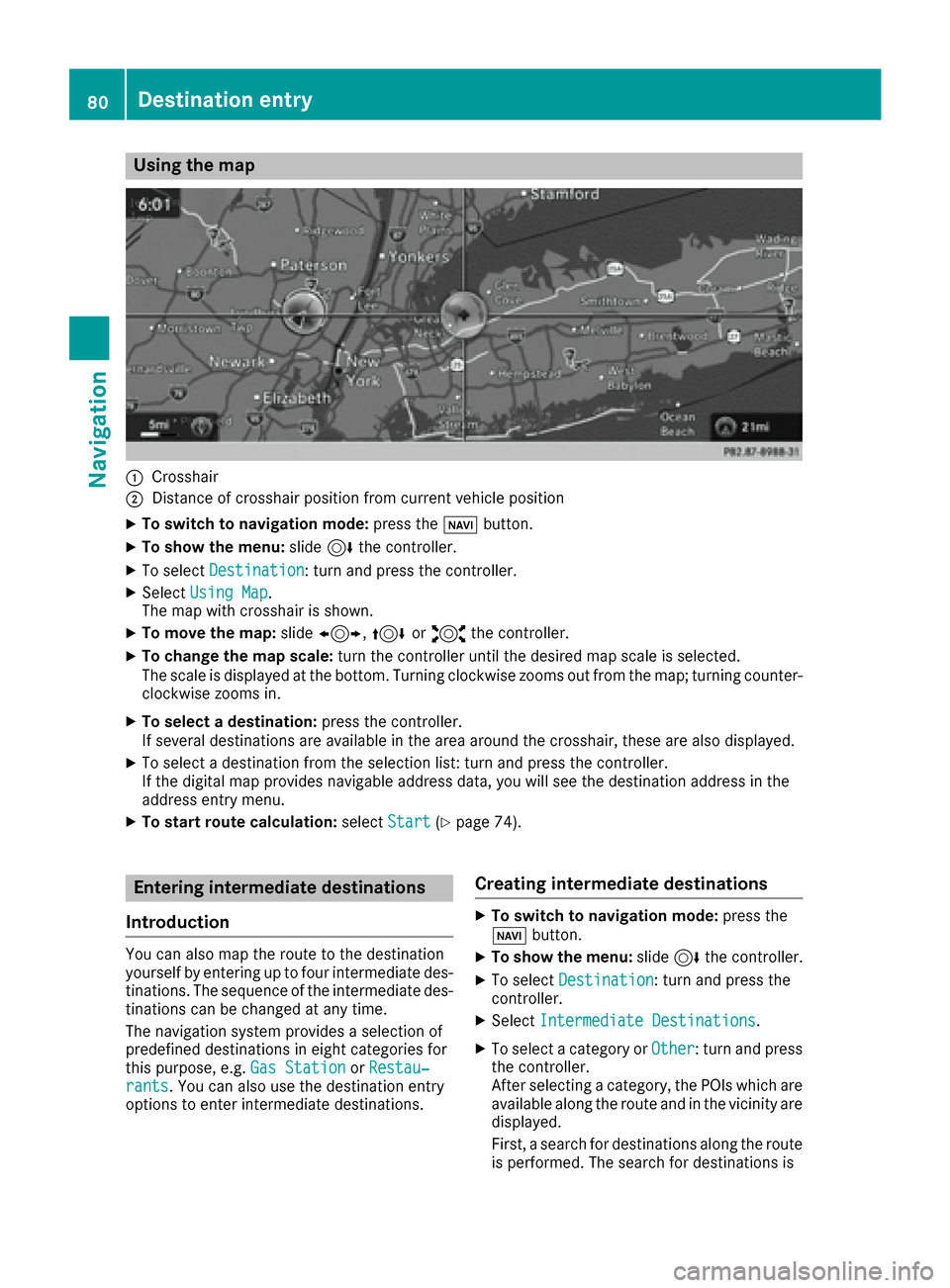
Using the map
:Crosshair
;Distance of crosshair position from current vehicle position
XTo switch to navigation mode:press theßbutton.
XTo show the menu: slide6the controller.
XTo select Destination: turn and press the controller.
XSelectUsing Map.
The map with crosshair is shown.
XTo move the map: slide1, 4or2 the controller.
XTo change the map scale: turn the controller until the desired map scale is selected.
The scale is displayed at the bottom. Turning clockwise zooms out from the map; turning counter-
clockwise zooms in.
XTo select a destination: press the controller.
If several destinations are available in the area around the crosshair, these are also displayed.
XTo select a destination from the selection list: turn and press the controller.
If the digital map provides navigable address data, you will see the destination address in the
address entry menu.
XTo start route calculation: selectStart(Ypage 74).
Entering intermediate destinations
Introduction
You can also map the route to the destination
yourself by entering up to four intermediate des-
tinations. The sequence of the intermediate des-
tinations can be changed at any time.
The navigation system provides a selection of
predefined destinations in eight categories for
this purpose, e.g. Gas Station
orRestau‐rants. You can also use the destination entry
options to enter intermediate destinations.
Creating intermediate destinations
XTo switch to navigation mode: press the
Ø button.
XTo show the menu: slide6the controller.
XTo select Destination: turn and press the
controller.
XSelect Intermediate Destinations.
XTo select a category or Other: turn and press
the controller.
After selecting a category, the POIs which are
available along the route and in the vicinity are displayed.
First, a search for destinations along the route
is performed. The search for destinations is
80Destination entry
Navigation
Page 83 of 230
then initiated in the area around the vehicle
position.
XAfter selectingOther, select one of the des-
tination entry options.
SelectionStep
AddressEntryXEnter a destination by
address (Ypage 72).
KeywordSearchXSelect a destination
using a keyword search
(
Ypage 75).
From Previ‐ous Destina‐tions
XSelect a destination
from the list of last des-
tinations (
Ypage 76).
FromContactsXSelect a contact from
the address book as the
destination (
Ypage 77).
From POIsXSelect a point of interest (Ypage 77).
Using MapXEnter a destination using
the map (Ypage 80).
From MemoryCardXSelect a personal POI
(Ypage 85).
FromMercedes-Benz Apps
XEnter a destination from
Mercedes-Benz Apps
(
Ypage 82).
Using Geo-CoordinatesXEnter a destination using
the geo-coordinates
(
Ypage 83).
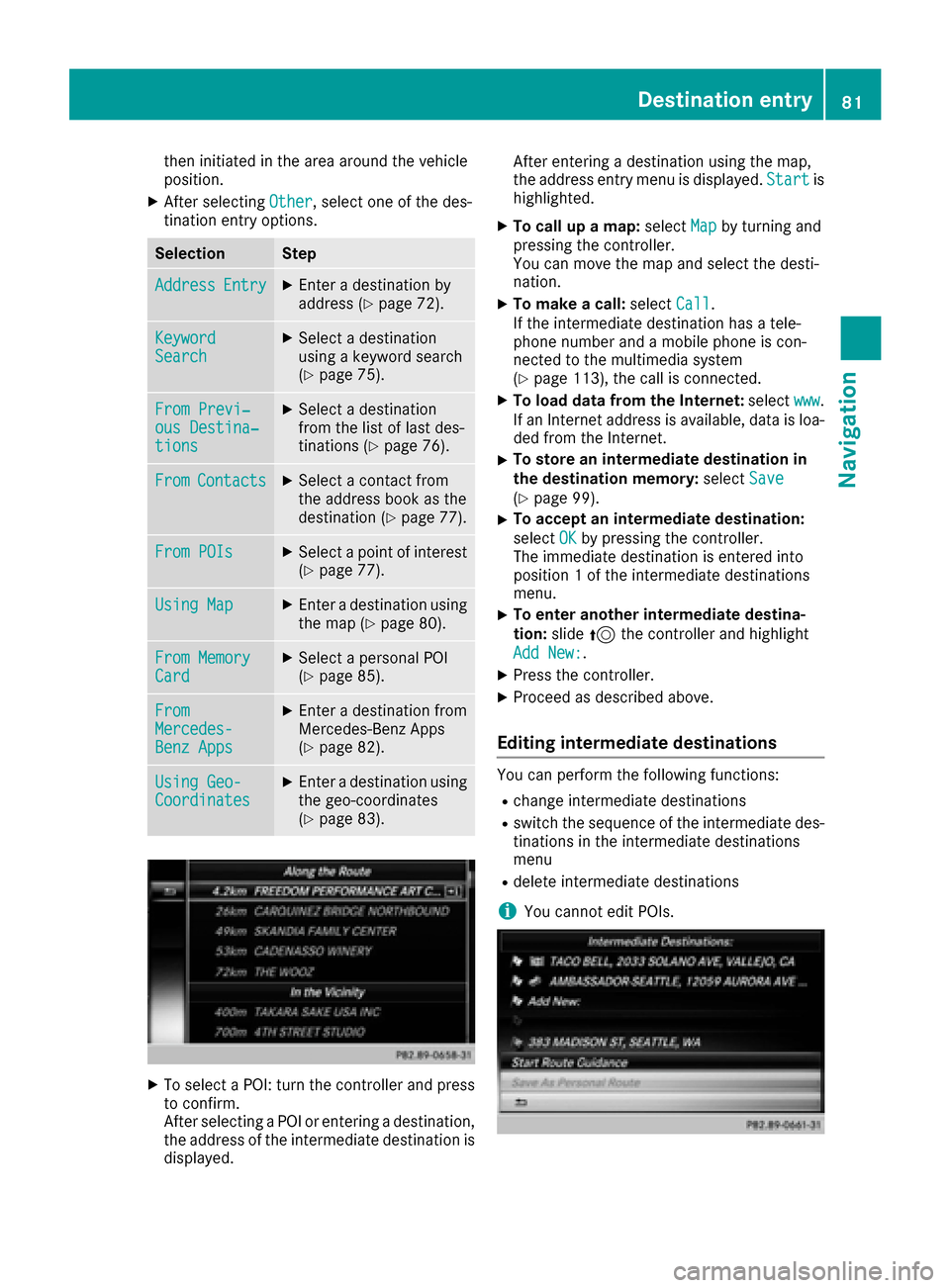
XTo select a POI: turn the controller and pressto confirm.
After selecting a POI or entering a destination,
the address of the intermediate destination is
displayed. After entering a destination using the map,
the address entry menu is displayed.
Start
is
highlighted.
XTo call up a map: selectMapby turning and
pressing the controller.
You can move the map and select the desti-
nation.
XTo make a call: selectCall.
If the intermediate destination has a tele-
phone number and a mobile phone is con-
nected to the multimedia system
(
Ypage 113), the call is connected.
XTo load data from the Internet: selectwww.
If an Internet address is available, data is loa- ded from the Internet.
XTo store an intermediate destination in
the destination memory: selectSave
(Ypage 99).
XTo accept an intermediate destination:
selectOK
by pressing the controller.
The immediate destination is entered into
position 1 of the intermediate destinations
menu.
XTo enter another intermediate destina-
tion: slide5the controller and highlight
Add New:
.
XPress the controller.
XProceed as described above.
Editing intermediate destinations
You can perform the following functions:
Rchange intermediate destinations
Rswitch the sequence of the intermediate des-
tinations in the intermediate destinations
menu
Rdelete intermediate destinations
iYou cannot edit POIs.
Destination entry81
Navigation
Z
Page 84 of 230
XTo select an intermediate destination in the
intermediate destinations menu: turn and
press the controller.
A menu appears.
XTo change an intermediate destination:
selectEdit
in the menu.
XChange the address, e.g. the city and street.
XTo select OK: turn and press the controller.
The intermediate destinations menu appears
and displays the changed intermediate desti-
nation.
You can change the order of the intermediate
destinations entered and the destination. To
change the order, at least one intermediate des- tination and the destination must have been
entered.
XTo change the order: in the menu, select
Move
.
XTurn the controller and move the intermediate
destination or destination to the desired posi-
tion.
XPress the controller.
XTo delete an intermediate destination:
select Delete
in the menu.
Accepting intermediate destinations
for the route
XInsert the SD memory card (Ypage 170).
XTo select Start Route Guidancein the
intermediate destinations menu: press the
controller.
The route is calculated with the entered inter-
mediate destinations.
If an intermediate destination was passed
during route guidance, a green tick mark will
be entered in the intermediate destinations
menu. Once the route has been recalculated,
the intermediate destination is deleted from
the intermediate destinations menu.
Saving as a personal route
You can save a route including intermediate
destinations on the SD card.
Requirements: the SD card has the FAT data
system format (e.g. FAT32).
XInsert the SD memory card (Ypage 170).
XTo select Save As Personal Routein the
intermediate destinations menu: press the
controller.
The route is saved on the SD card under Per‐
sonal Routes.
Searching for a gas station when the
fuel level is low
Requirement: the settingGasonReservemust
be enabled (Ypage 70).
If the fuel tank reserve level is displayed, you will
see the Reserve Fuel Would you like to
start a search for surrounding gasstations?message.
XTo select YesorNo: turn and press the con-
troller.
If you select Yes
: the gas station search
starts. When the search is complete, a list of
the gas stations available along the route or in
the vicinity is displayed.
If you select No
: the search is canceled.
XSelect the gas station.
The address of the gas station is displayed.
XTo selectStart: press the controller.
The selected gas station is entered into posi-
tion 1 of the intermediate destinations menu.
Route guidance begins.
If the intermediate destinations menu already
contains four intermediate destinations, a
prompt will be displayed, asking you whether you wish to enter the gas station into position
1. If you select Yes
, the gas station is trans-
ferred into the list and intermediate destina-
tion 4 is deleted.
Entering a destination from
Mercedes-Benz Apps
Requirement (USA): mbrace is activated for the
Mercedes-Benz Apps (Ypage 142).
Requirement (Canada): a mobile phone is con-
nected to the multimedia system via Bluetooth
®
(Ypage 113) or USB (Ypage 183).
XTo switch to navigation mode: press the
Ø button.
XTo show the menu: slide6the controller.
82Destination entry
Navigation
Page 85 of 230
XTo selectDestination: turn and press the
controller.
XSelect From Mercedes-Benz Apps.
A list shows the available destinations that
have been transmitted to the vehicle up to
this point.
Using geo-coordinates
XTo switch to navigation mode: press the
ß button.
XTo show the menu: slide6the controller.
XTo select Destination: turn and press the
controller.
XSelect Using Geo-Coordinates.
Geo-coordinates are entered in degrees,
minutes and seconds.
Entering the latitude and longitude coordi-
nates
XTo change the value: turn the controller.
XTo move the selection within the line: slide
1 the controller.
XTo move the selection between lines: slide
4the controller.
XTo confirm the value: press the controller.
Saving a destination
XTo select Save: turn and press the controller.
The destination can be saved:
Ra navigable address book contact
Rto the SD card
Ra home address
Starting route calculation
XTo select Start Route Guidance: turn and
press the controller.
Personal POIs and routes
General notes
The use of personal POIs for displaying traffic
surveillance equipment is not permitted in every country. Please observe the country-specific
regulations and always drive at a suitable speed.
Personal POIs are filed in categories:
RNot Classified
Standard entry for personal POIs
RMercedes-Benz Apps
Personal POIs (destinations, routes) that you
have imported via the online functions.
RCategories which you have created yourself,
e.g. on your PC
Personal routes are not categorized.
Settings for personal POIs
Displaying on the map
Requirements: an SD card with personal POIs is
inserted (Ypage 170). The SD card has the FAT
data system format (e.g. FAT32).
All personal POIs of the selected category are
displayed on the map with a corresponding sym-
bol.
If the "Alert when approaching" (
Ypage 84)
function is activated, the symbols are displayed up to a map scale of 2 km.
XTo switch to navigation mode: press the
ß button.
XTo show the menu: slide6the controller.
XTo select Options: turn and press the con-
troller.
XSelect Personal POIs.
XSelectDisplay on the Map.
The menu displays the categories available on
the SD card.
XTo select a category: turn the controller and
press to confirm.
All personal POIs in the selected category are
displayed Oor not displayed ª, depending
on the previous status.
Personal POIs and routes83
Navigation
Z
Page 86 of 230
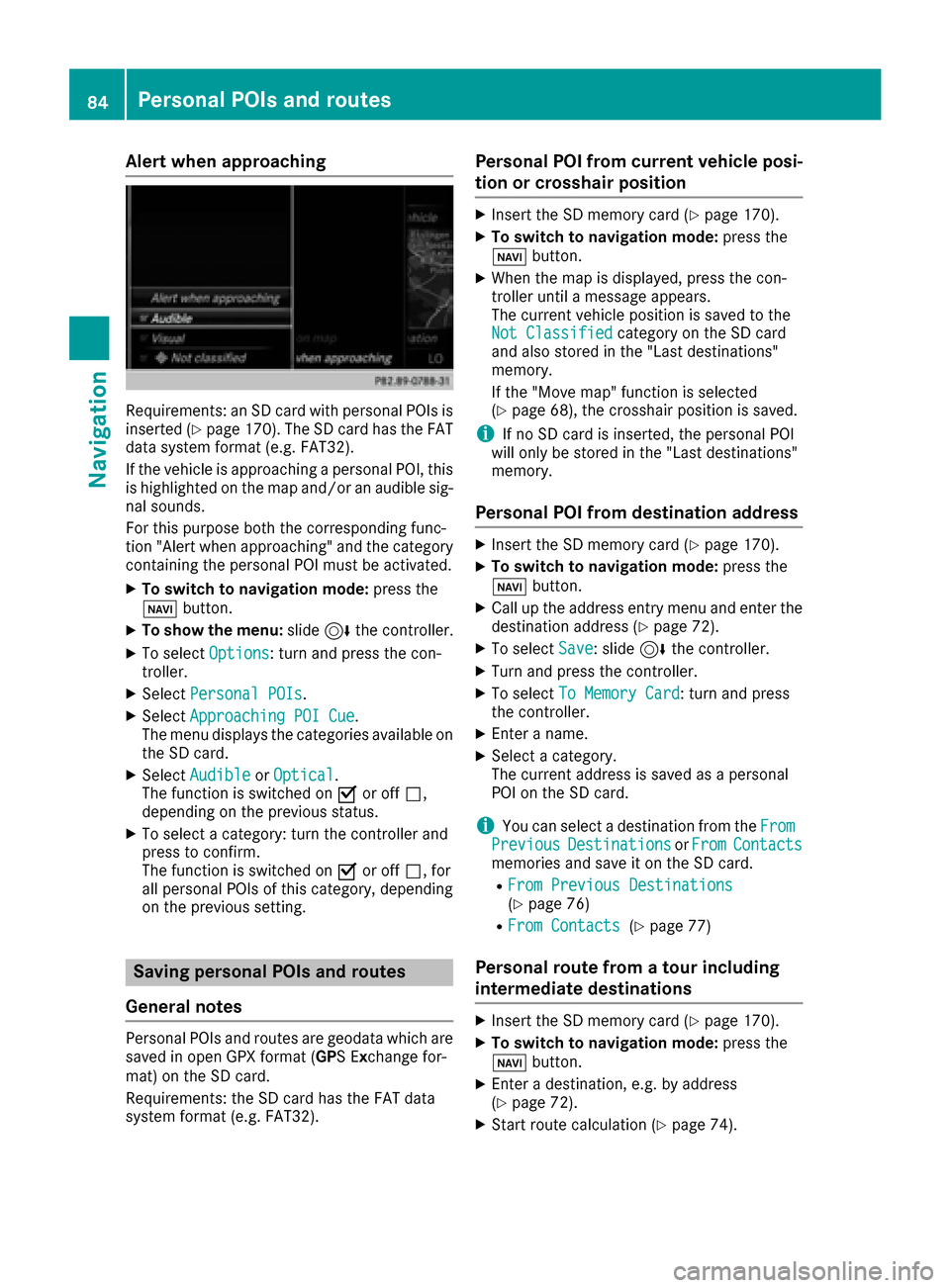
Alert when approaching
Requirements: an SD card with personal POIs is
inserted (Ypage 170). The SD card has theFAT
data system format (e.g. FAT32).
If th e vehicle is approachingapersonal POI, this
is highlighted on the map and/or an audible sig-
nal sounds.
Fo r this purpose both thecorresponding func-
tion "Alert when approaching" and the category
containing the personal POI must be activated.
XTo switch to navigation mode: press the
ß button.
XTo sho wthemenu: slide6thecontroller.
XTo select Options: turnand press th econ-
troller.
XSelect Personal POI s.
XSelectApproaching POI Cue.
The menu displays the categories available on
th e SD card.
XSelect Audibl eorOptica l.
The function is switched on Oor off ª,
depending on the previous status.
XTo select a category: turn the controller and
press to confirm .
The function is switched on Oor off ª, for
all personal POIs of this category, depending
on the previous setting .
Saving personal POIs and routes
Gene ral notes
Personal POIs and routes are geodata which are
saved in open GPX format ( GPSE xchange for-
mat) on the SD card.
Requirements: the SD card has the FAT data
system format (e.g. FAT32).
Personal POI from current vehicle posi-
ti on or crosshair position
XInser tth eSD memory car d(Ypage 170).
XTo switch to navigation mode: press the
ß button.
XWhen the map is displayed, press the con-
troller until a message appears.
The current vehicle position is saved to the
Not Classifie d
category on the SD card
and also stored in the "Last destinations"
memory.
If th e "Move map" function is selected
(
Ypage 68), the crosshair position is saved.
iIf no SD car d is inserted, the personal POI
will only be stored in the "Last destinations"
memory.
Personal POI from destination address
XInser tth eSD memory car d(Ypage 170).
XTo switch to navigation mode: press the
ß button.
XCall up the address entry menu and enter the
destination address (Ypage 72).
XTo select Save: slide 6thecontroller.
XTurn and press th econtroller.
XTo select To Memory Car d: turnand press
th econtroller.
XEnte raname.
XSelectacategory.
The current address is saved as a personal
POI on the SD card.
iYou can select a destination from the FromPreviousDestinationsorFro mContactsmemories and save it on the SD card.
RFromPrevious Destinations(Ypage 76)
RFro mContacts(Ypage 77)
Personal rou te from a tour including
intermediate destinations
XInser tth eSD memory car d(Ypage 170).
XTo switch to navigation mode: press the
ß button.
XEnteradestination, e.g. by address
(Ypage 72).
XStart route calculation (Ypage 74).
84Personal POIs and routes
Navigation
Page 87 of 230
XCreate intermediate destinations (Ypage 80).
XTo selectSave As Personal Routeinthe
intermediate destinations menu: turn and
press the controller.
The route is saved in the "Personal routes"
folder on the SDcard.
Importing personal destinations and
routes via Mercedes-Benz Apps
You can use Mercedes-Benz Apps (e.g. Down-
load POI, Local Search) to import destinations to
the navigation system. These have their own
symbol and are filed in theMercedes-Benz
Appscategory.
You can save the imported destinations and
routes as personal POIs and routes (
Ypage 84).
When importing routes, please note:
RThe Mercedes-Benz Apps may generate a
route based on a different map from the one
used by the multimedia system. Points on the
route may therefore be situated off the digital
roads.
RThe Mercedes-Benz Apps minimiz e the num-
ber of route points offere d.
For th is reason an impo rted route com-
menced in the multimedia system may devi-
ate from the original route from the
Mercedes-Benz Apps.
Selecting and editing personal POIs
and routes
Selecting
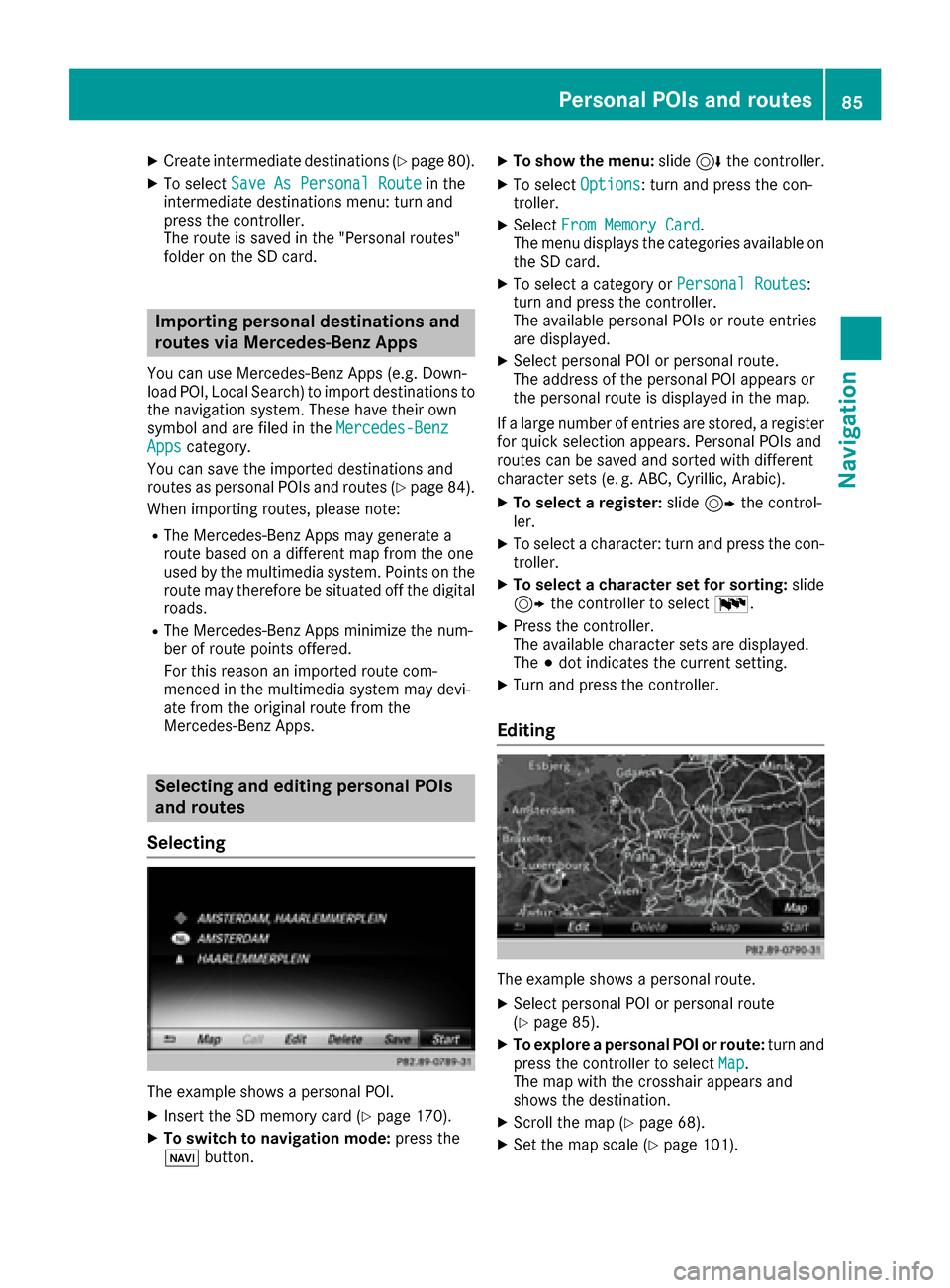
The example shows a personal POI.
XIn sert the SDmemory card (Ypage 170).
XTo switch to navigation mode: press the
ß button.
XTo show the menu: slide6the controller.
XTo select Options: turn and press the con-
troller.
XSelect From Memory Card.
The menu displays the categories available on
the SD card.
XTo select a category or Personal Routes:
turn and press the controller.
The available personal POIs or route entries
are displayed.
XSelect personal POI or personal route.
The address of the personal POI appears or
the personal route is displayed in the map.
If a large number of entries are stored, a register
for quick selection appears. Personal POIs and
routes can be saved and sorted with different
character sets (e. g. ABC, Cyrillic, Arabic).
XTo select a register: slide9 the control-
ler.
XTo select a character: turn and press the con-
troller.
XTo select a chara cter set for sorting: slide
9 the controller to select B.
XPress the controller.
The available character sets are displayed.
The#dot indicates the current setting.
XTurn and press the controller.
Editing
The example shows a personal route.
XSelect personal POI or personal route
(Ypage 85).
XTo explore a personal POI or route: turn and
press the controller to select Map
.
The map with the crosshair appears and
shows the destination.
XSc roll the map (Ypage 68).
XSet the map scale (Ypage 101).
Personal POIs and routes85
Navigation
Z
Page 88 of 230
XTo return to the menu: press the%button.
XTo place a call to the personal POI: select
Call
.
If a mobile phone is connected to the multi-
media system and the telephone number is
available, the call is connected (
Ypage 120).
XTo change the name and symbol: select
Edit
.
XSelect Change NameorEdit Icon.
XTo change name: enter character (Ypage 34).
XTo change symbol: select a symbol.
The symbol is saved.
XTo delete a personal POI or route: select
Delete
.
A prompt will appear.
XSelect YesorNo.
If you select Yes, the personal destination or
personal route is deleted.
XTo select the outward and return route:
select Swap
.
The starting and destination positions of your
personal route, and thus the direction for
route guidance, are switched round. One-way
streets or restricted intersections are taken
into consideration. Therefore, the outward
and return routes may differ from each other.
XTo save a personal POI: selectSave.
XContinue saving (Ypage 99).
XTo start route guidance: selectStart.
Recording the route
General notes
Routes are recorded using the SD card.
Requirements: the SD card has the FAT data
system format (e.g. FAT32).
When recording the route, bear in mind the fol-
lowing:
RIf the SD card is inserted, it must not be
removed during recording.
RIf route recording is started manually, it must
be finished manually before the multimedia
system is switched off (e. g. when the engine
is switched off).
RThe multimedia system minimizes the num-
ber of route points recorded. Therefore when
the recorded route is subsequently com-
menced, it may differ from the route that was
originally recorded.
Starting/finishing route recording
XInsert the SD memory card (Ypage 170).
XTo switch to navigation mode: press the
ß button.
XTo show the menu: slide6the controller.
XTo select Destination: turn and press the
controller.
XSelect From Memory Card.
XSelectStart Route Recording.
The route is recorded and REC appears at the
bottom edge of the screen.
XTo stop recording, select End RouteRecordingfrom the menu.
The route is stored under Personal Routes.
Displaying/editing the recorded route
XInsert the SD memory card (Ypage 170).
XTo switch to navigation mode: press the
ß button.
XTo show the menu: slide6the controller.
XTo select Destination: turn and press the
controller.
XSelect From Memory Card.
XSelectPersonal Routes.
Previously recorded routes are displayed.
XTo select a route: turn and press the control-
ler.
The map appears with a menu. The recorded
route is shown on the map in blue.
XTo start route calculation: selectStart.
XTo change the name and symbol: select
Edit
.
XSelect Change NameorEdit Icon.
XTo change name: enter character (Ypage 34).
XTo change symbol: select a symbol.
The symbol is saved.
Route guidance
General notes
The multimedia system calculates the route to
the destination without taking account of the
following, for example:
Rtraffic lights
Rstop and yield signs
Rparking or stopping restrictions
86Route guidance
Navigation
Page 89 of 230
Rroad narrowing
Rtemporary traffic rules and regulations
The navigation system can give differing driving
recommendations if the actual street/traffic sit-
uation does not correspond with the digital
map's data. For example, if the road layout or
the direction of a one-way street has been
changed.
For this reason, you must always observe road
and traffic rules and regulations during your
journey. Road and traffic rules and regulations
always have priority over system driving recom-
mendations.
Route guidance begins once a route has been
calculated (
Ypage 74).
The navigation system guides you to your des-
tination by means of driving recommendations
in the form of audible navigation announce-
ments and route guidance displays. The route guidance displays can be seen if nav-
igation mode is switched on.
If you do not follow the navigation announce-
ments or if you leave the calculated route, the
navigation system automatically calculates a
new route to the destination.
If the digital map contains the corresponding
information, the following applies:
RDuring route guidance, the navigation system
tries to avoid roads with restricted access.
Those roads, for example, that are closed to
through-traffic.
RRoads that have time restrictions (e.g. closed
on Sundays and public holidays) are consid-
ered for route guidance on days when they are
open. For this purpose, the relevant times
must be correctly stored in the database.
Displays during route guidance
Change of direction
Changes of direction have three phases:
RPreparation phase
RAnnouncement phase
RChange-of-direction phase
Changes in direction are also shown in the multifunction display (see the vehicle Operator's Man-
ual).
Preparation phase: the navigation system prepares you for the upcoming change of direction.
Based on the example display below, the change of direction is announced by the "Prepare to turn
right message", for instance. You see the full-screen map.
Announcement phase: the navigation system announces the imminent change of direction. The
change of direction is announced ahead of time, such as with the announcement "Turn right in
0.5 miles".
The display is now split into two sectors. The map is shown on the left side of the display, and a
detailed image of the intersection or a 3D image of the imminent change of direction is shown on
the right side of the display.
Route guidance87
Navigation
Z