flat tire MERCEDES-BENZ S-CLASS SEDAN 2012 Owners Manual
[x] Cancel search | Manufacturer: MERCEDES-BENZ, Model Year: 2012, Model line: S-CLASS SEDAN, Model: MERCEDES-BENZ S-CLASS SEDAN 2012Pages: 536, PDF Size: 39.39 MB
Page 8 of 536
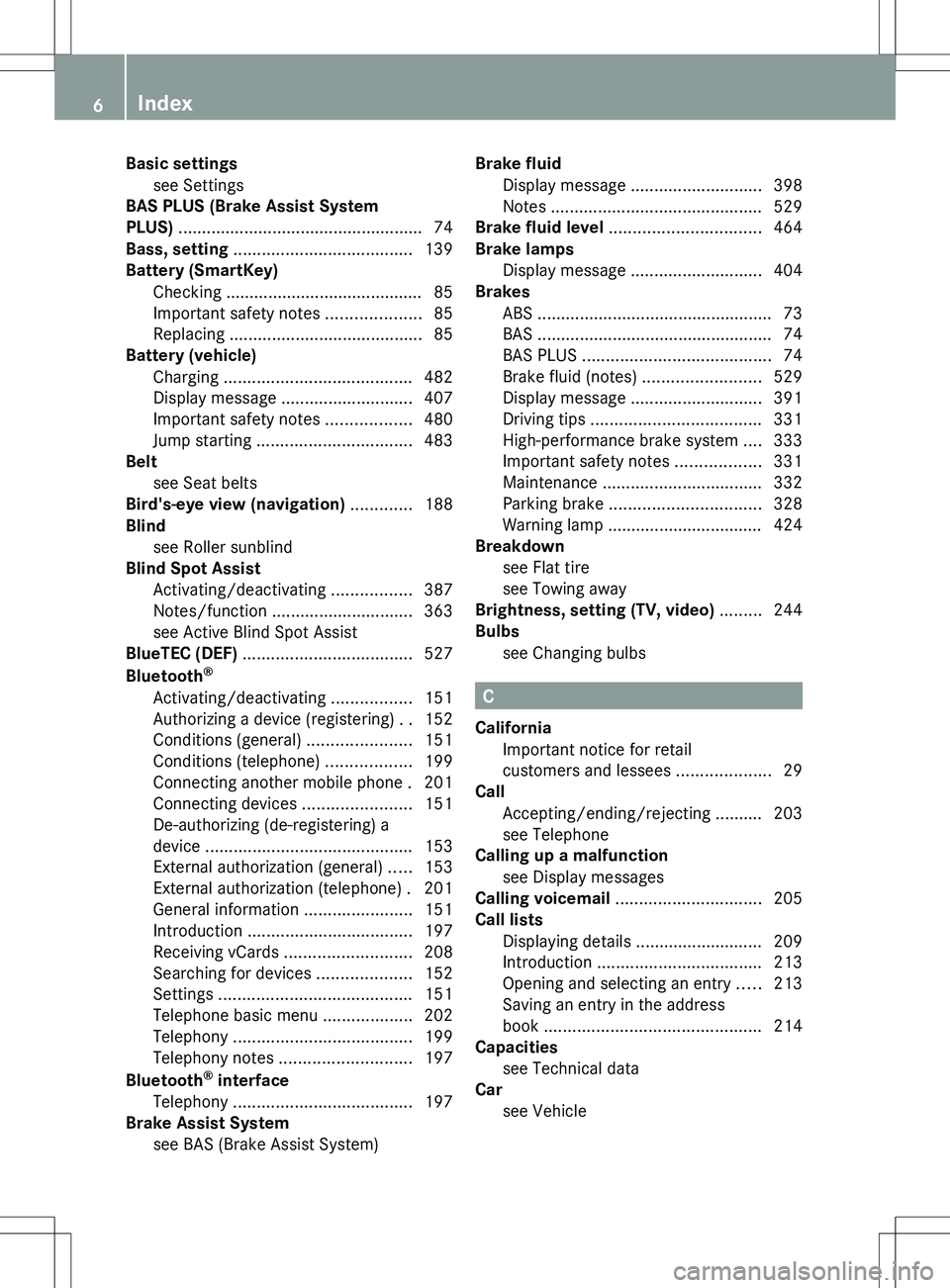
Basic settingssee Settings
BAS PLUS (Brake Assist System
PLUS) .................................................... 74
Bass, setting ...................................... 139
Battery (SmartKey) Checking .......................................... 85
Important safety notes ....................85
Replacing ......................................... 85
Battery (vehicle)
Charging ........................................ 482
Display message ............................ 407
Important safety notes ..................480
Jump starting ................................. 483
Belt
see Seat belts
Bird's-eye view (navigation) ............. 188
Blind see Roller sunblind
Blind Spot Assist
Activating/deactivating .................387
Notes/function .............................. 363
see Active Blind Spot Assist
BlueTEC (DEF) .................................... 527
Bluetooth ®
Activating/deactivating .................151
Authorizing a device (registering) ..152
Conditions (general) ......................151
Conditions (telephone) ..................199
Connecting another mobile phone . 201
Connecting devices .......................151
De-authorizing (de-registering) a
device ............................................ 153
External authorization (general) .....153
External authorization (telephone) . 201
General information .......................151
Introduction ................................... 197
Receiving vCards ........................... 208
Searching for devices ....................152
Settings ......................................... 151
Telephone basic menu ...................202
Telephony ...................................... 199
Telephony notes ............................ 197
Bluetooth ®
interface
Telephony ...................................... 197
Brake Assist System
see BAS (Brake Assist System) Brake fluid
Display message ............................ 398
Notes ............................................. 529
Brake fluid level ................................ 464
Brake lamps Display message ............................ 404
Brakes
ABS .................................................. 73
BAS .................................................. 74
BAS PLUS ........................................ 74
Brake fluid (notes) .........................529
Display message ............................ 391
Driving tips .................................... 331
High-performance brake system ....333
Important safety notes ..................331
Maintenance .................................. 332
Parking brake ................................ 328
Warning lamp ................................. 424
Breakdown
see Flat tire
see Towing away
Brightness, setting (TV, video) ......... 244
Bulbs see Changing bulbs
C
California Important notice for retail
customers and lessees ....................29
Call
Accepting/ending/rejecting .......... 203
see Telephone
Calling up a malfunction
see Display messages
Calling voicemail ............................... 205
Call lists Displaying details ........................... 209
Introduction ................................... 213
Opening and selecting an entry .....213
Saving an entry in the address
book .............................................. 214
Capacities
see Technical data
Car
see Vehicle
6Index
Page 14 of 536
ETS/4ETS (Electronic Traction
System) ................................................ 76
Exhaust check ................................... 331
Exhaust tail pipe (cleaning
instructions) ...................................... 470
Exterior lighting see Exterior lighting
Exterior mirror parking position
Adjusting (COMAND) .....................266
Exterior mirrors
Adjusting ....................................... 116
Dipping (automatic) .......................117
Folding in/out (automatically) .......116
Folding in/out (electrically) ...........116
Out of position (troubleshooting) ...116
Storing settings (memory
function) ........................................ 118
Storing the parking position ..........117
Eyeglasses compartment ................. 435
F
Factory setting (reset function) ....... 154
Fader, setting .................................... 139
Fast forward Audio mode (CD, DVD, MP3) .........230
Rear Seat Entertainment System ...260
Video DVD ..................................... 247
Fast rewind
Audio mode (CD, DVD, MP3) .........230
Rear Seat Entertainment System ...260
Video DVD ..................................... 247
Favorites (COMAND) ......................... 124
Filler cap see Fuel filler flap
First-aid kit ......................................... 474
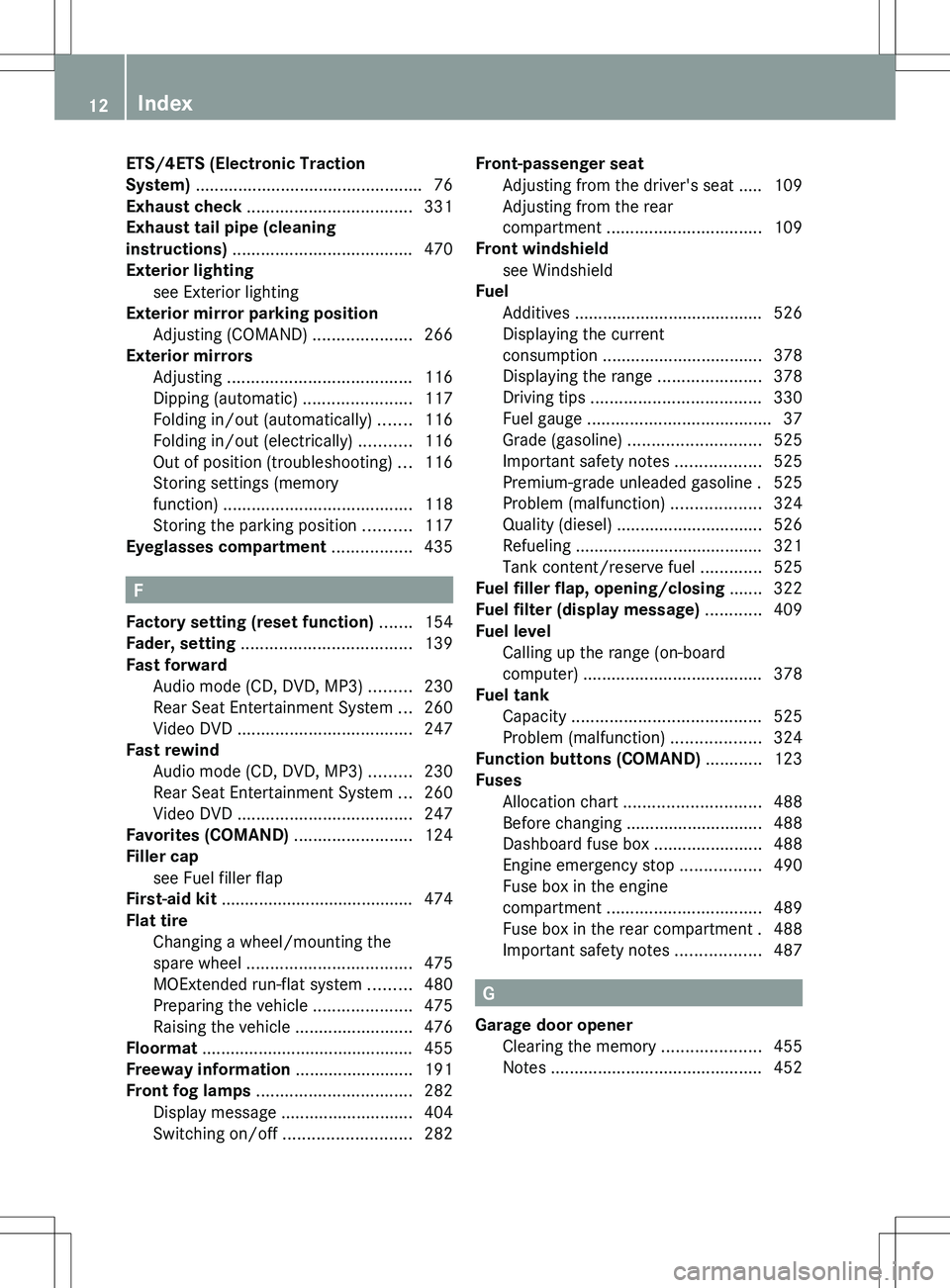
Flat tire Changing a wheel/mounting the
spare wheel ................................... 475
MOExtended run-flat system .........480
Preparing the vehicle .....................475
Raising the vehicle .........................476
Floormat ............................................. 455
Freeway information ......................... 191
Front fog lamps ................................. 282
Display message ............................ 404
Switching on/off ........................... 282
Front-passenger seat
Adjusting from the driver's seat ..... 109
Adjusting from the rear
compartment ................................. 109
Front windshield
see Windshield
Fuel
Additives ........................................ 526
Displaying the current
consumption .................................. 378
Displaying the range ......................378
Driving tips .................................... 330
Fuel gauge ....................................... 37
Grade (gasoline) ............................ 525
Important safety notes ..................525
Premium-grade unleaded gasoline . 525
Problem (malfunction) ...................324
Quality (diesel) ............................... 526
Refueling ........................................ 321
Tank content/reserve fuel .............525
Fuel filler flap, opening/closing ....... 322
Fuel filter (display message) ............ 409
Fuel level Calling up the range (on-board
computer) ...................................... 378
Fuel tank
Capacity ........................................ 525
Problem (malfunction) ...................324
Function buttons (COMAND) ............ 123
Fuses Allocation chart ............................. 488
Before changing ............................. 488
Dashboard fuse box .......................488
Engine emergency stop .................490
Fuse box in the engine
compartment ................................. 489
Fuse box in the rear compartment . 488
Important safety notes ..................487
G
Garage door opener Clearing the memory .....................455
Notes ............................................. 452
12Index
Page 27 of 536
Uniform Tire Quality Grading
Standards (definition) ....................512
Unladen weight (definition) ............513
Wear indicator (definition) .............514
Wheel rim (definition) ....................512
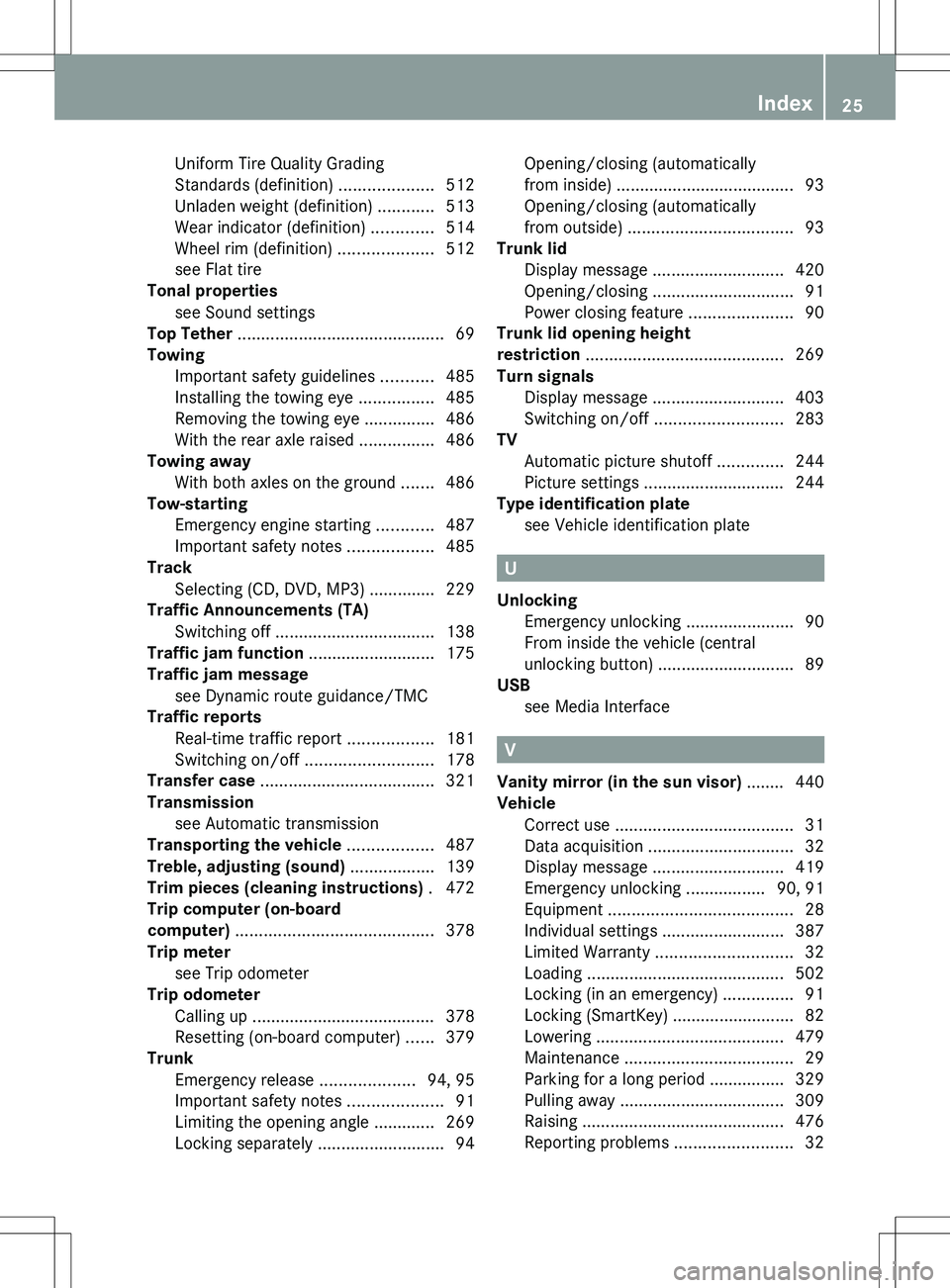
see Flat tire
Tonal properties
see Sound settings
Top Tether ............................................ 69
Towing Important safety guidelines ...........485
Installing the towing eye ................485
Removing the towing eye ...............486
With the rear axle raised ................486
Towing away
With both axles on the ground .......486
Tow-starting
Emergency engine starting ............487
Important safety notes ..................485
Track
Selecting (CD, DVD, MP3) .............. 229
Traffic Announcements (TA)
Switching off .................................. 138
Traffic jam function ........................... 175
Traffic jam message see Dynamic route guidance/TMC
Traffic reports
Real-time traffic report ..................181
Switching on/off ........................... 178
Transfer case ..................................... 321
Transmission see Automatic transmission
Transporting the vehicle .................. 487
Treble, adjusting (sound) .................. 139
Trim pieces (cleaning instructions) . 472
Trip computer (on-board
computer) .......................................... 378
Trip meter see Trip odometer
Trip odometer
Calling up ....................................... 378
Resetting (on-board computer) ......379
Trunk
Emergency release ....................94, 95
Important safety notes ....................91
Limiting the opening angle ............. 269
Locking separately ...........................94Opening/closing (automatically
from inside) ...................................... 93
Opening/closing (automatically
from outside) ................................... 93
Trunk lid
Display message ............................ 420
Opening/closing .............................. 91
Power closing feature ......................90
Trunk lid opening height
restriction .......................................... 269
Turn signals Display message ............................ 403
Switching on/off ........................... 283
TV
Automatic picture shutoff ..............244
Picture settings .............................. 244
Type identification plate
see Vehicle identification plate
U
Unlocking Emergency unlocking .......................90
From inside the vehicle (central
unlocking button) ............................. 89
USB
see Media Interface
V
Vanity mirror (in the sun visor) ........ 440
Vehicle Correct use ...................................... 31
Data acquisition ............................... 32
Display message ............................ 419
Emergency unlocking ................. 90, 91
Equipment ....................................... 28
Individual settings ..........................387
Limited Warranty ............................. 32
Loading .......................................... 502
Locking (in an emergency) ...............91
Locking (SmartKey) .......................... 82
Lowering ........................................ 479
Maintenance .................................... 29
Parking for a long period ................ 329
Pulling away ................................... 309
Raising ........................................... 476
Reporting problems .........................32
Index25
Page 332 of 536
Driving tips
General driving tips
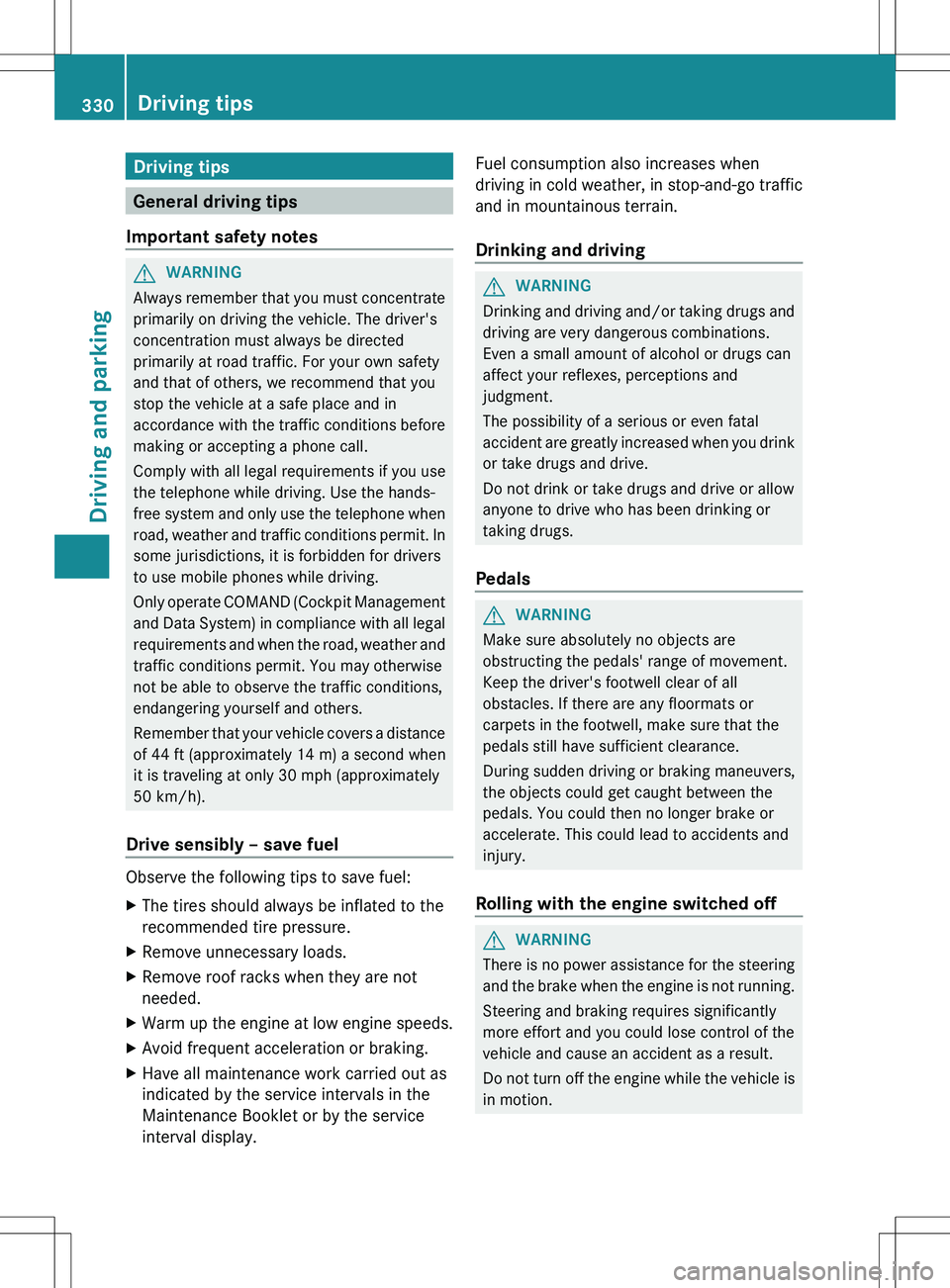
Important safety notes
GWARNING
Always remember that you must concentrate
primarily on driving the vehicle. The driver's
concentration must always be directed
primarily at road traffic. For your own safety
and that of others, we recommend that you
stop the vehicle at a safe place and in
accordance with the traffic conditions before
making or accepting a phone call.
Comply with all legal requirements if you use
the telephone while driving. Use the hands-
free system and only use the telephone when
road, weather and traffic conditions permit. In
some jurisdictions, it is forbidden for drivers
to use mobile phones while driving.
Only operate COMAND (Cockpit Management
and Data System) in compliance with all legal
requirements and when the road, weather and
traffic conditions permit. You may otherwise
not be able to observe the traffic conditions,
endangering yourself and others.
Remember that your vehicle covers a distance
of 44 ft (approximately 14 m) a second when
it is traveling at only 30 mph (approximately
50 km/h).
Drive sensibly – save fuel
Observe the following tips to save fuel:
XThe tires should always be inflated to the
recommended tire pressure.XRemove unnecessary loads.XRemove roof racks when they are not
needed.XWarm up the engine at low engine speeds.XAvoid frequent acceleration or braking.XHave all maintenance work carried out as
indicated by the service intervals in the
Maintenance Booklet or by the service
interval display.Fuel consumption also increases when
driving in cold weather, in stop-and-go traffic
and in mountainous terrain.
Drinking and drivingGWARNING
Drinking and driving and/or taking drugs and
driving are very dangerous combinations.
Even a small amount of alcohol or drugs can
affect your reflexes, perceptions and
judgment.
The possibility of a serious or even fatal
accident are greatly increased when you drink
or take drugs and drive.
Do not drink or take drugs and drive or allow
anyone to drive who has been drinking or
taking drugs.
Pedals
GWARNING
Make sure absolutely no objects are
obstructing the pedals' range of movement.
Keep the driver's footwell clear of all
obstacles. If there are any floormats or
carpets in the footwell, make sure that the
pedals still have sufficient clearance.
During sudden driving or braking maneuvers,
the objects could get caught between the
pedals. You could then no longer brake or
accelerate. This could lead to accidents and
injury.
Rolling with the engine switched off
GWARNING
There is no power assistance for the steering
and the brake when the engine is not running.
Steering and braking requires significantly
more effort and you could lose control of the
vehicle and cause an accident as a result.
Do not turn off the engine while the vehicle is
in motion.
330Driving tipsDriving and parking
Page 356 of 536
GWARNING
Objects located above the height range of
Parking Guidance will not be detected when
the parking space is measured. These objects
are not taken into account when the parking
procedure is calculated, e.g. overhanging
loads, tail sections or loading ramps of goods
vehicles. Under some circumstances, Parking
Guidance might therefore issue steering
instructions too soon. This may lead to a
collision. For this reason, you should avoid
using Parking Guidance in such situations.
GWARNING
Make sure that no persons or animals are in
the maneuvering range. Otherwise, they
could be injured.
! Pay particular attention to low objects or
objects with flat surfaces, such as trailer
drawbars, posts, cross beams and curbs.
These types of objects cannot be detected
by Parking Guidance and may damage the
vehicle.
When PARKTRONIC is deactivated, Parking
Guidance is also unavailable.
Use Parking Guidance for parking spaces:
R that are parallel to the direction of travel
R that are on straight roads, not bends
R that are on the same level as the road, i.e.
not on the pavement, for example. Parking
Guidance may not detect flat curbs
Parking tips:
R on narrow roads, drive past the parking
space as close as possible.
R parking spaces that are littered, overgrown
or partially occupied by trailer drawbars
might be identified incorrectly or not at all.
R snowfall or heavy rain may lead to a parking
space being measured inaccurately.
R pay attention to the PARKTRONIC
( Y page 351) warning messages during the
parking procedure.
R when transporting a load which protrudes
from your vehicle, you must not use Parking
Guidance.
R never use Parking Guidance with snow
chains or an emergency spare wheel
mounted.
R make sure that the tire pressures are
always correct. This has a direct effect on
the steering instructions.
R the way your vehicle is positioned in the
parking space after parking is dependent
on various factors. These include the
position and shape of the vehicles parked
in front and behind it and the conditions of
the location. In some cases, Parking
Guidance may guide you too far or not far
enough into a parking space. In some
cases, it may also lead you across or onto
the curb. If necessary, cancel the parking
procedure with Parking Guidance.
! If unavoidable, you should drive over
obstacles such as curbs slowly and not at
a sharp angle. Otherwise, you may damage
the wheels or tires.
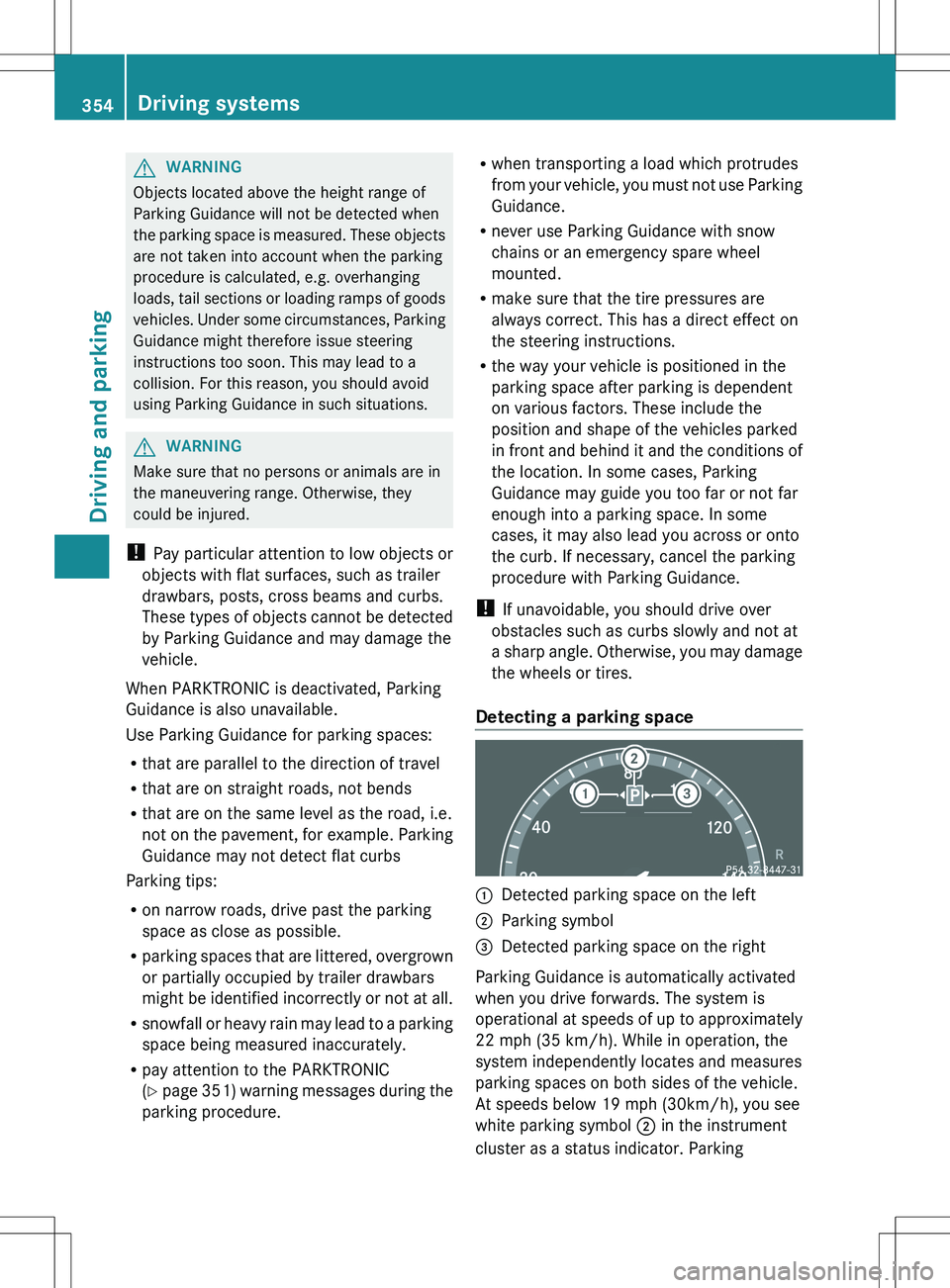
Detecting a parking space:Detected parking space on the left;Parking symbol=Detected parking space on the right
Parking Guidance is automatically activated
when you drive forwards. The system is
operational at speeds of up to approximately
22 mph (35 km/h). While in operation, the
system independently locates and measures
parking spaces on both sides of the vehicle.
At speeds below 19 mph (30km/h), you see
white parking symbol ; in the instrument
cluster as a status indicator. Parking
354Driving systemsDriving and parking
Page 419 of 536
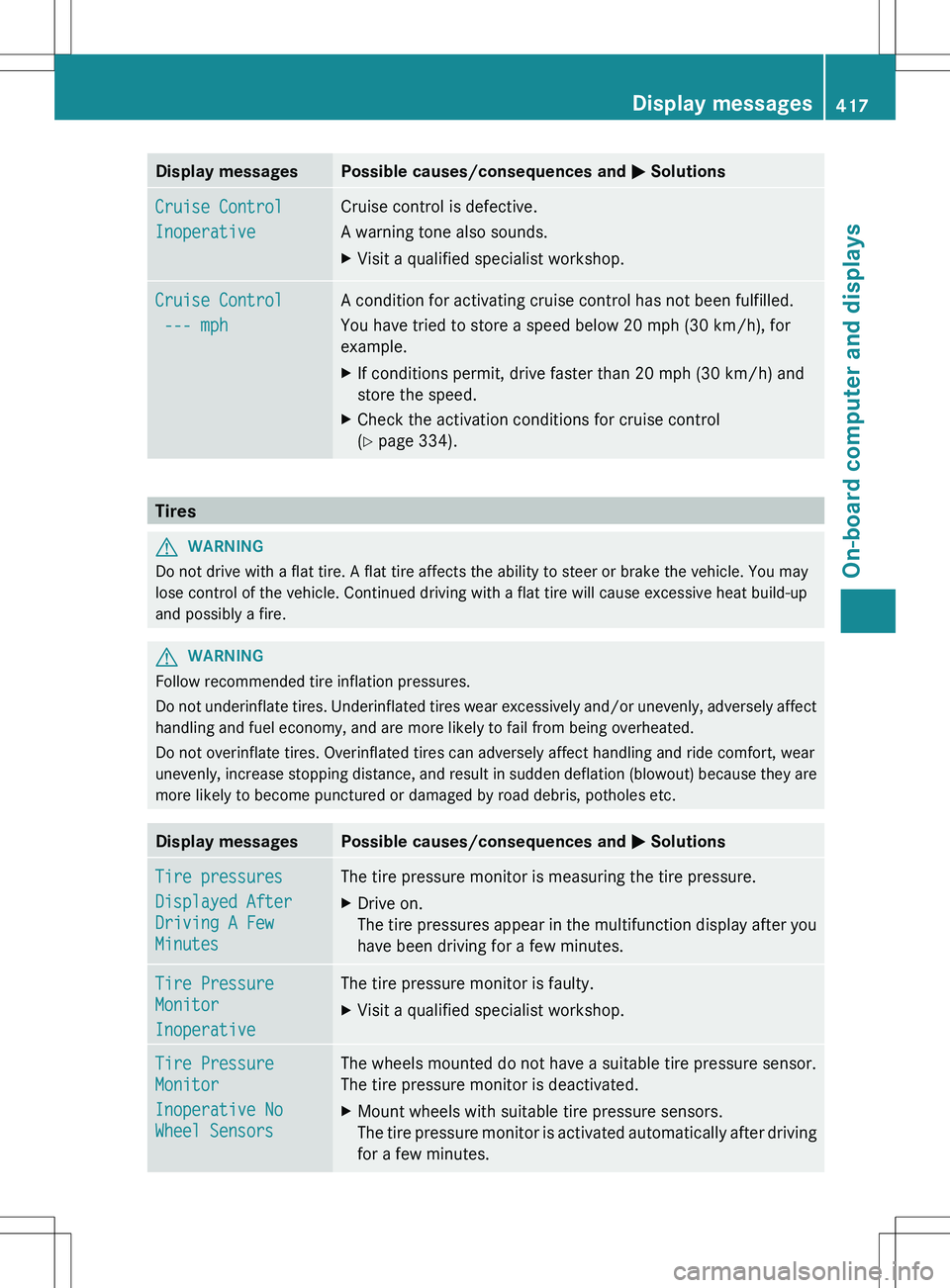
Display messagesPossible causes/consequences and M SolutionsCruise Control
InoperativeCruise control is defective.
A warning tone also sounds.XVisit a qualified specialist workshop.Cruise Control
--- mphA condition for activating cruise control has not been fulfilled.
You have tried to store a speed below 20 mph (30 km/h), for
example.XIf conditions permit, drive faster than 20 mph (30 km/h) and
store the speed.XCheck the activation conditions for cruise control
( Y page 334).
Tires
GWARNING
Do not drive with a flat tire. A flat tire affects the ability to steer or brake the vehicle. You may
lose control of the vehicle. Continued driving with a flat tire will cause excessive heat build-up
and possibly a fire.
GWARNING
Follow recommended tire inflation pressures.
Do not underinflate tires. Underinflated tires wear excessively and/or unevenly, adversely affect
handling and fuel economy, and are more likely to fail from being overheated.
Do not overinflate tires. Overinflated tires can adversely affect handling and ride comfort, wear
unevenly, increase stopping distance, and result in sudden deflation (blowout) because they are
more likely to become punctured or damaged by road debris, potholes etc.
Display messagesPossible causes/consequences and M SolutionsTire pressures
Displayed After
Driving A Few
MinutesThe tire pressure monitor is measuring the tire pressure.XDrive on.
The tire pressures appear in the multifunction display after you
have been driving for a few minutes.Tire Pressure
Monitor
InoperativeThe tire pressure monitor is faulty.XVisit a qualified specialist workshop.Tire Pressure
Monitor
Inoperative No
Wheel SensorsThe wheels mounted do not have a suitable tire pressure sensor.
The tire pressure monitor is deactivated.XMount wheels with suitable tire pressure sensors.
The tire pressure monitor is activated automatically after driving
for a few minutes.Display messages417On-board computer and displaysZ
Page 433 of 536
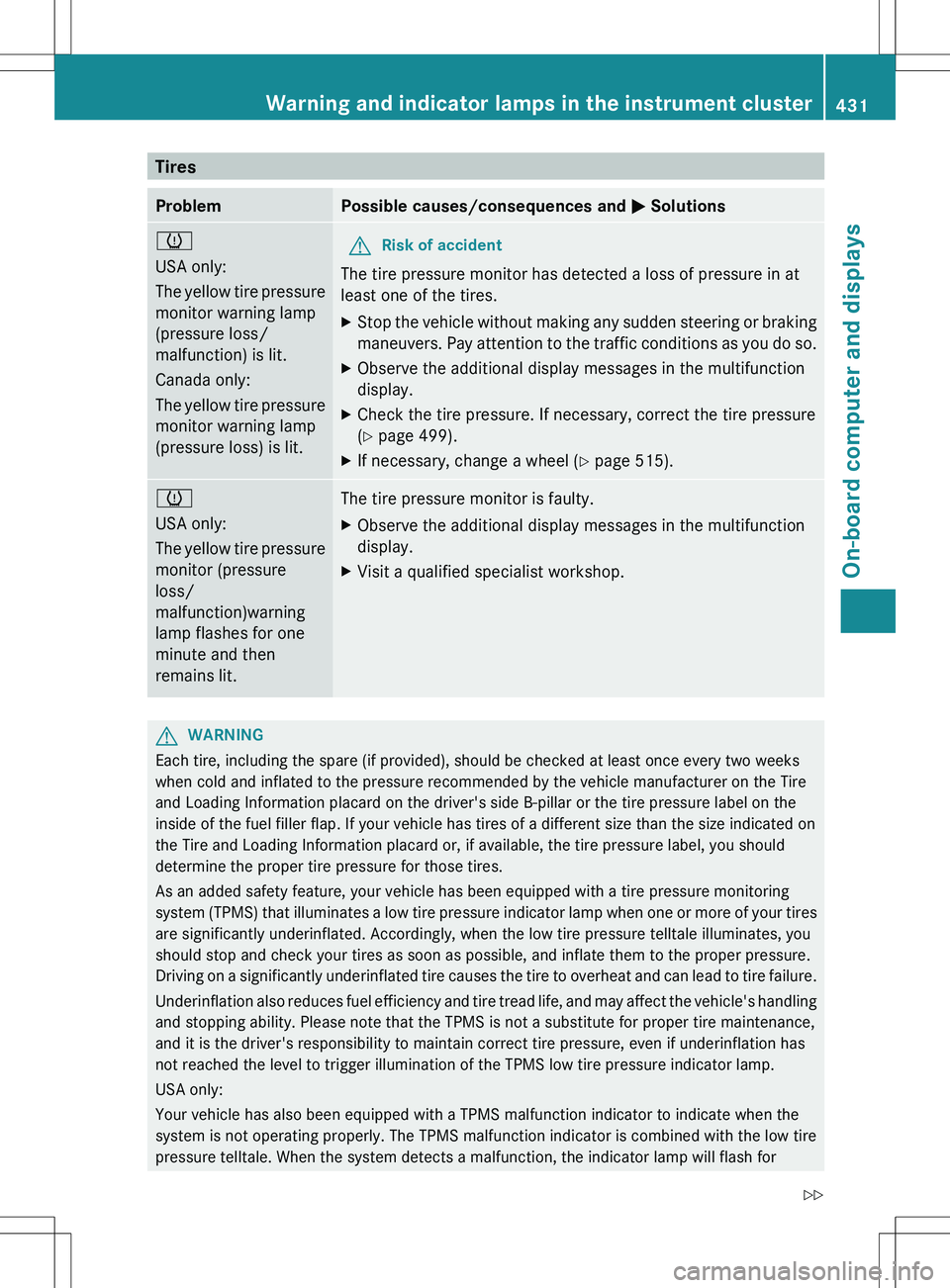
TiresProblemPossible causes/consequences and M Solutionsh
USA only:
The yellow tire pressure
monitor warning lamp
(pressure loss/
malfunction) is lit.
Canada only:
The yellow tire pressure
monitor warning lamp
(pressure loss) is lit.GRisk of accident
The tire pressure monitor has detected a loss of pressure in at
least one of the tires.
XStop the vehicle without making any sudden steering or braking
maneuvers. Pay attention to the traffic conditions as you do so.XObserve the additional display messages in the multifunction
display.XCheck the tire pressure. If necessary, correct the tire pressure
( Y page 499).XIf necessary, change a wheel ( Y page 515).h
USA only:
The yellow tire pressure
monitor (pressure
loss/
malfunction)warning
lamp flashes for one
minute and then
remains lit.The tire pressure monitor is faulty.XObserve the additional display messages in the multifunction
display.XVisit a qualified specialist workshop.GWARNING
Each tire, including the spare (if provided), should be checked at least once every two weeks
when cold and inflated to the pressure recommended by the vehicle manufacturer on the Tire
and Loading Information placard on the driver's side B-pillar or the tire pressure label on the
inside of the fuel filler flap. If your vehicle has tires of a different size than the size indicated on
the Tire and Loading Information placard or, if available, the tire pressure label, you should
determine the proper tire pressure for those tires.
As an added safety feature, your vehicle has been equipped with a tire pressure monitoring
system (TPMS) that illuminates a low tire pressure indicator lamp when one or more of your tires
are significantly underinflated. Accordingly, when the low tire pressure telltale illuminates, you
should stop and check your tires as soon as possible, and inflate them to the proper pressure.
Driving on a significantly underinflated tire causes the tire to overheat and can lead to tire failure.
Underinflation also reduces fuel efficiency and tire tread life, and may affect the vehicle's handling
and stopping ability. Please note that the TPMS is not a substitute for proper tire maintenance,
and it is the driver's responsibility to maintain correct tire pressure, even if underinflation has
not reached the level to trigger illumination of the TPMS low tire pressure indicator lamp.
USA only:
Your vehicle has also been equipped with a TPMS malfunction indicator to indicate when the
system is not operating properly. The TPMS malfunction indicator is combined with the low tire
pressure telltale. When the system detects a malfunction, the indicator lamp will flash for
Warning and indicator lamps in the instrument cluster431On-board computer and displaysZ
Page 475 of 536
Useful information ............................474
Where will I find...? ...........................474
Flat tire .............................................. 475
Battery ............................................... 480
Jump-starting .................................... 483
Towing and tow-starting ..................485
Fuses .................................................. 487473Breakdown assistance
Page 477 of 536
Flat tire
Preparing the vehicle
Your vehicle may be equipped with a
"Minispare" emergency spare wheel or
MOExtended tires (tires with run-flat
properties) ( Y page 480).
i Vehicle preparation is not necessary on
vehicles with MOExtended tires.
XStop the vehicle on solid, non-slippery and
level ground, as far away as possible from
traffic.XSwitch on the hazard warning lamps.XApply the electric parking brake manually
( Y page 328).XBring the front wheels into the straight-
ahead position.XMove the DIRECT SELECT lever to position
P .XSwitch off the engine.XVehicles without KEYLESS-GO: remove
the SmartKey from the ignition lock.XVehicles with KEYLESS-GO: open the
driver's door.
The on-board electronics have status 0,
which is the same as the SmartKey having
been removed.XVehicles with KEYLESS-GO: remove the
Start/Stop button from the ignition lock
( Y page 307).XAll occupants must get out of the vehicle.
Make sure that they are not endangered as
they do so.XMake sure that no one is near the danger
area while a wheel is being changed.
Anyone who is not directly assisting in the
wheel change should, for example, stand
behind the barrier.XGet out of the vehicle. Pay attention to
traffic conditions when doing so.XClose the driver's door.Changing a wheel and mounting the
spare wheel
Preparing the vehicle
When using an emergency spare wheel or a
spare wheel of a different size, you must not
exceed the maximum speed of 50 mph
(80 km/h).
GWARNING
The wheel or tire size as well as the tire type
of the spare wheel or emergency spare wheel
and the wheel to be replaced may differ.
Mounting an emergency spare wheel may
severely impair the driving characteristics.
There is a risk of an accident.
To avoid hazardous situations:
R adapt your driving style accordingly and
drive carefully.
R never install more than one spare wheel or
emergency spare wheel that differs in size.
R only use a spare wheel or emergency spare
wheel of a different size briefly.
R do not switch ESP ®
off.
R have a spare wheel or emergency spare
wheel of a different size replaced at the
nearest qualified specialist workshop.
Observe that the wheel and tire dimensions
as well as the tire type must be correct.
i Vehicles without a spare wheel/
emergency spare wheel are not equipped
with a tire-change tool kit at the factory. For
more information on which tools are
required to perform a wheel change on your
vehicle, e.g. wheel chock, lug wrench or
alignment bolt, consult an authorized
Mercedes-Benz Center.
XPrepare the vehicle as described
( Y page 475).XRemove the following items (depending on
the vehicle's equipment) from the stowage
well under the trunk floor:Flat tire475Breakdown assistanceZ
Page 478 of 536
Rthe emergency spare wheel or spare
wheel
R wheel bolts for the spare wheel/
emergency spare wheel
R the vehicle tool kit
R the folding wheel chock
R the jackXSecure the vehicle to prevent it from rolling
away.
Securing the vehicle to prevent it from
rolling away
If your vehicle is equipped with a wheel chock,
it can be found in the vehicle tool kit
( Y page 474).
The folding wheel chock is an additional
securing measure to prevent the vehicle from
rolling away, for example when changing a
wheel.
XFold both plates upwards :.XFold out lower plate ;.XGuide the lugs on the lower plate fully into
the openings in base plate =.
Securing the vehicle on level ground
XOn level ground: place chocks or other
suitable items under the front and rear of
the wheel that is diagonally opposite the
wheel you wish to change.
Securing the vehicle on slight downhill gradients
XOn downhill gradients: place chocks or
other suitable items in front of the wheels
of the front and rear axle.
Raising the vehicle
GWARNING
If you do not position the jack correctly at the
appropriate jacking point of the vehicle, the
jack could tip over with the vehicle raised.
There is a risk of injury.
Only position the jack at the appropriate
jacking point of the vehicle. The base of the
jack must be positioned vertically, directly
under the jacking point of the vehicle.
476Flat tireBreakdown assistance