park assist MERCEDES-BENZ S-CLASS SEDAN 2012 Owners Manual
[x] Cancel search | Manufacturer: MERCEDES-BENZ, Model Year: 2012, Model line: S-CLASS SEDAN, Model: MERCEDES-BENZ S-CLASS SEDAN 2012Pages: 536, PDF Size: 39.39 MB
Page 5 of 536
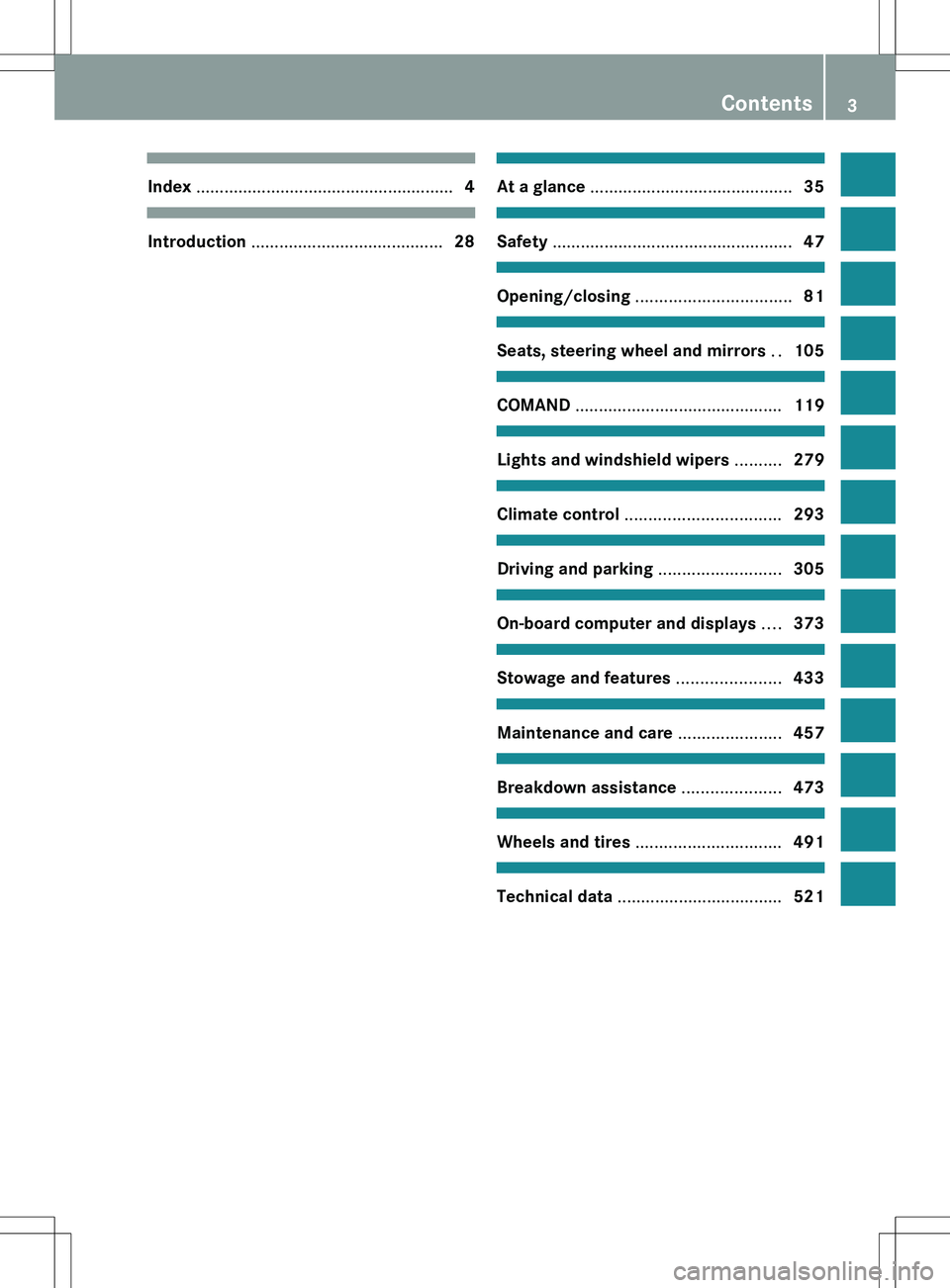
Index ....................................................... 4Introduction ......................................... 28At a glance ........................................... 35Safety ................................................... 47Opening/closing ................................. 81Seats, steering wheel and mirrors ..105COMAND ............................................ 119Lights and windshield wipers ..........279Climate control ................................. 293Driving and parking ..........................305On-board computer and displays ....373Stowage and features ......................433Maintenance and care ......................457Breakdown assistance .....................473Wheels and tires ............................... 491Technical data ................................... 521
Contents3
Page 7 of 536
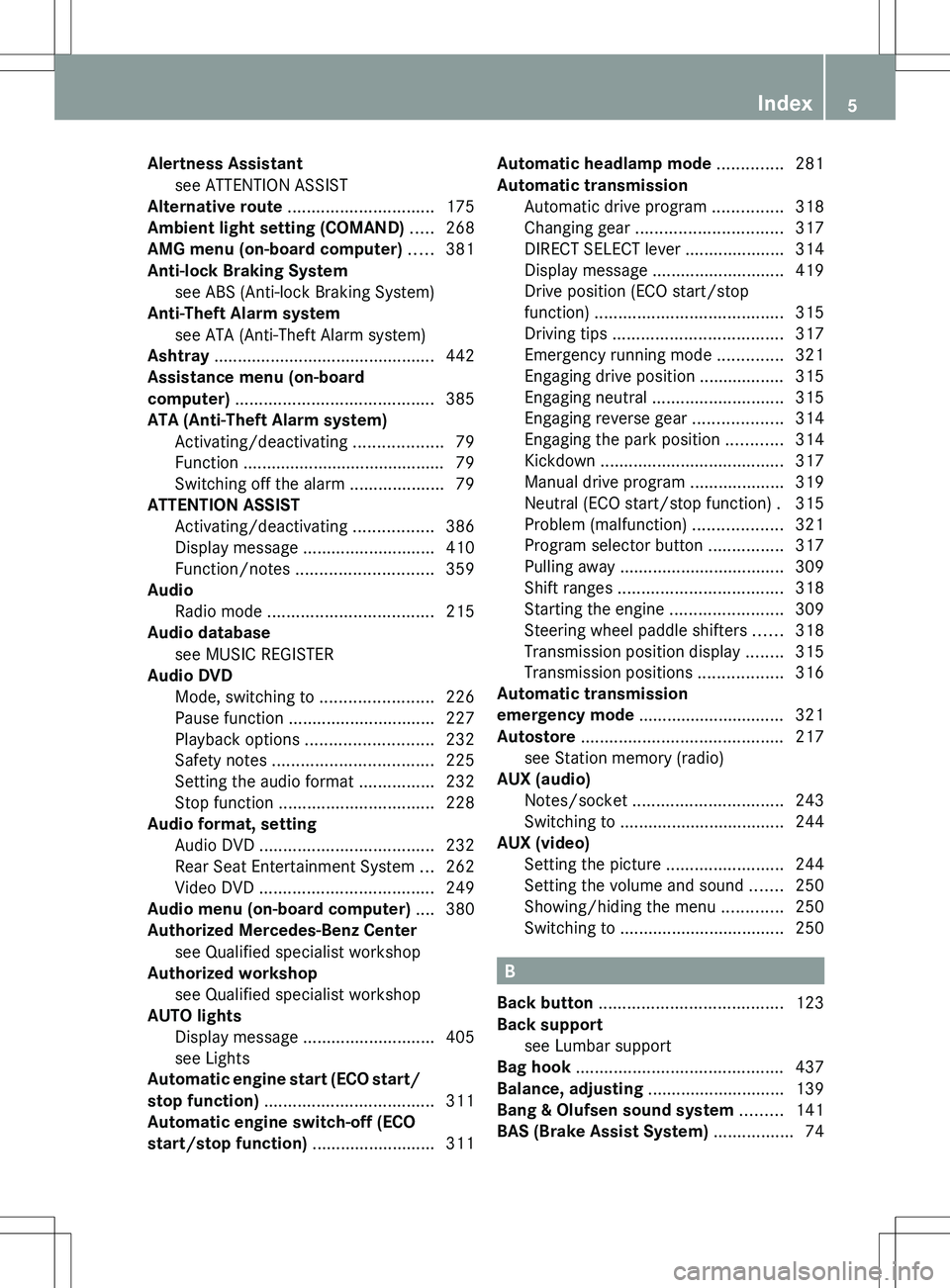
Alertness Assistantsee ATTENTION ASSIST
Alternative route ............................... 175
Ambient light setting (COMAND) ..... 268
AMG menu (on-board computer) ..... 381
Anti-lock Braking System see ABS (Anti-lock Braking System)
Anti-Theft Alarm system
see ATA (Anti-Theft Alarm system)
Ashtray ............................................... 442
Assistance menu (on-board
computer) .......................................... 385
ATA (Anti-Theft Alarm system) Activating/deactivating ...................79
Function ........................................... 79
Switching off the alarm ....................79
ATTENTION ASSIST
Activating/deactivating .................386
Display message ............................ 410
Function/notes ............................. 359
Audio
Radio mode ................................... 215
Audio database
see MUSIC REGISTER
Audio DVD
Mode, switching to ........................226
Pause function ............................... 227
Playback options ........................... 232
Safety notes .................................. 225
Setting the audio format ................232
Stop function ................................. 228
Audio format, setting
Audio DVD ..................................... 232
Rear Seat Entertainment System ...262
Video DVD ..................................... 249
Audio menu (on-board computer) .... 380
Authorized Mercedes-Benz Center see Qualified specialist workshop
Authorized workshop
see Qualified specialist workshop
AUTO lights
Display message ............................ 405
see Lights
Automatic engine start (ECO start/
stop function) .................................... 311
Automatic engine switch-off (ECO
start/stop function) .......................... 311Automatic headlamp mode .............. 281
Automatic transmission Automatic drive program ...............318
Changing gear ............................... 317
DIRECT SELECT lever .....................314
Display message ............................ 419
Drive position (ECO start/stop
function) ........................................ 315
Driving tips .................................... 317
Emergency running mode ..............321
Engaging drive position .................. 315
Engaging neutral ............................ 315
Engaging reverse gear ...................314
Engaging the park position ............314
Kickdown ....................................... 317
Manual drive program ....................319
Neutral (ECO start/stop function) . 315
Problem (malfunction) ...................321
Program selector button ................317
Pulling away ................................... 309
Shift ranges ................................... 318
Starting the engine ........................309
Steering wheel paddle shifters ......318
Transmission position display ........315
Transmission positions ..................316
Automatic transmission
emergency mode ............................... 321
Autostore ........................................... 217
see Station memory (radio)
AUX (audio)
Notes/socket ................................ 243
Switching to ................................... 244
AUX (video)
Setting the picture .........................244
Setting the volume and sound .......250
Showing/hiding the menu .............250
Switching to ................................... 250
B
Back button ....................................... 123
Back support see Lumbar support
Bag hook ............................................ 437
Balance, adjusting ............................. 139
Bang & Olufsen sound system ......... 141
BAS (Brake Assist System) ................. 74
Index5
Page 8 of 536
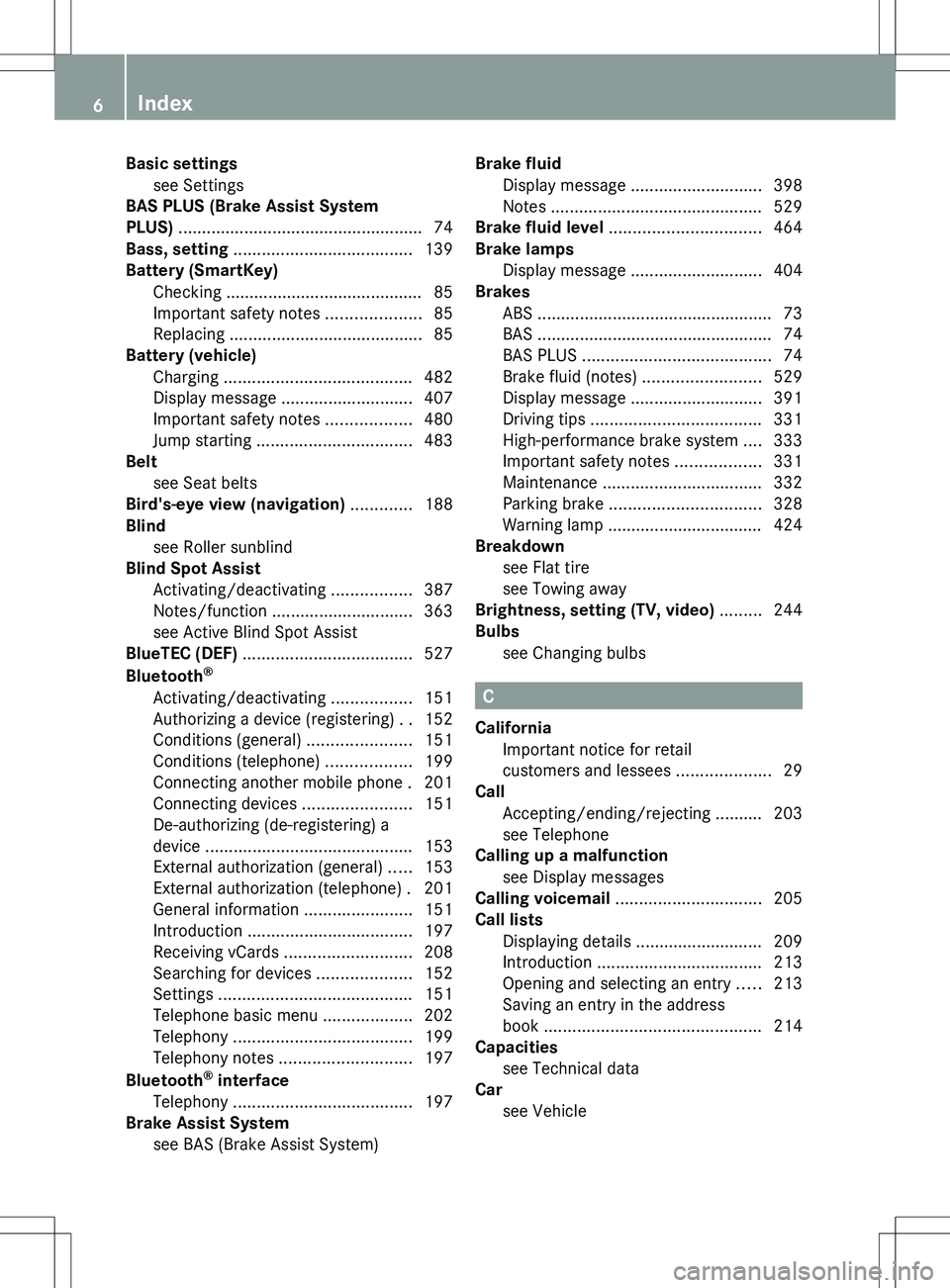
Basic settingssee Settings
BAS PLUS (Brake Assist System
PLUS) .................................................... 74
Bass, setting ...................................... 139
Battery (SmartKey) Checking .......................................... 85
Important safety notes ....................85
Replacing ......................................... 85
Battery (vehicle)
Charging ........................................ 482
Display message ............................ 407
Important safety notes ..................480
Jump starting ................................. 483
Belt
see Seat belts
Bird's-eye view (navigation) ............. 188
Blind see Roller sunblind
Blind Spot Assist
Activating/deactivating .................387
Notes/function .............................. 363
see Active Blind Spot Assist
BlueTEC (DEF) .................................... 527
Bluetooth ®
Activating/deactivating .................151
Authorizing a device (registering) ..152
Conditions (general) ......................151
Conditions (telephone) ..................199
Connecting another mobile phone . 201
Connecting devices .......................151
De-authorizing (de-registering) a
device ............................................ 153
External authorization (general) .....153
External authorization (telephone) . 201
General information .......................151
Introduction ................................... 197
Receiving vCards ........................... 208
Searching for devices ....................152
Settings ......................................... 151
Telephone basic menu ...................202
Telephony ...................................... 199
Telephony notes ............................ 197
Bluetooth ®
interface
Telephony ...................................... 197
Brake Assist System
see BAS (Brake Assist System) Brake fluid
Display message ............................ 398
Notes ............................................. 529
Brake fluid level ................................ 464
Brake lamps Display message ............................ 404
Brakes
ABS .................................................. 73
BAS .................................................. 74
BAS PLUS ........................................ 74
Brake fluid (notes) .........................529
Display message ............................ 391
Driving tips .................................... 331
High-performance brake system ....333
Important safety notes ..................331
Maintenance .................................. 332
Parking brake ................................ 328
Warning lamp ................................. 424
Breakdown
see Flat tire
see Towing away
Brightness, setting (TV, video) ......... 244
Bulbs see Changing bulbs
C
California Important notice for retail
customers and lessees ....................29
Call
Accepting/ending/rejecting .......... 203
see Telephone
Calling up a malfunction
see Display messages
Calling voicemail ............................... 205
Call lists Displaying details ........................... 209
Introduction ................................... 213
Opening and selecting an entry .....213
Saving an entry in the address
book .............................................. 214
Capacities
see Technical data
Car
see Vehicle
6Index
Page 12 of 536
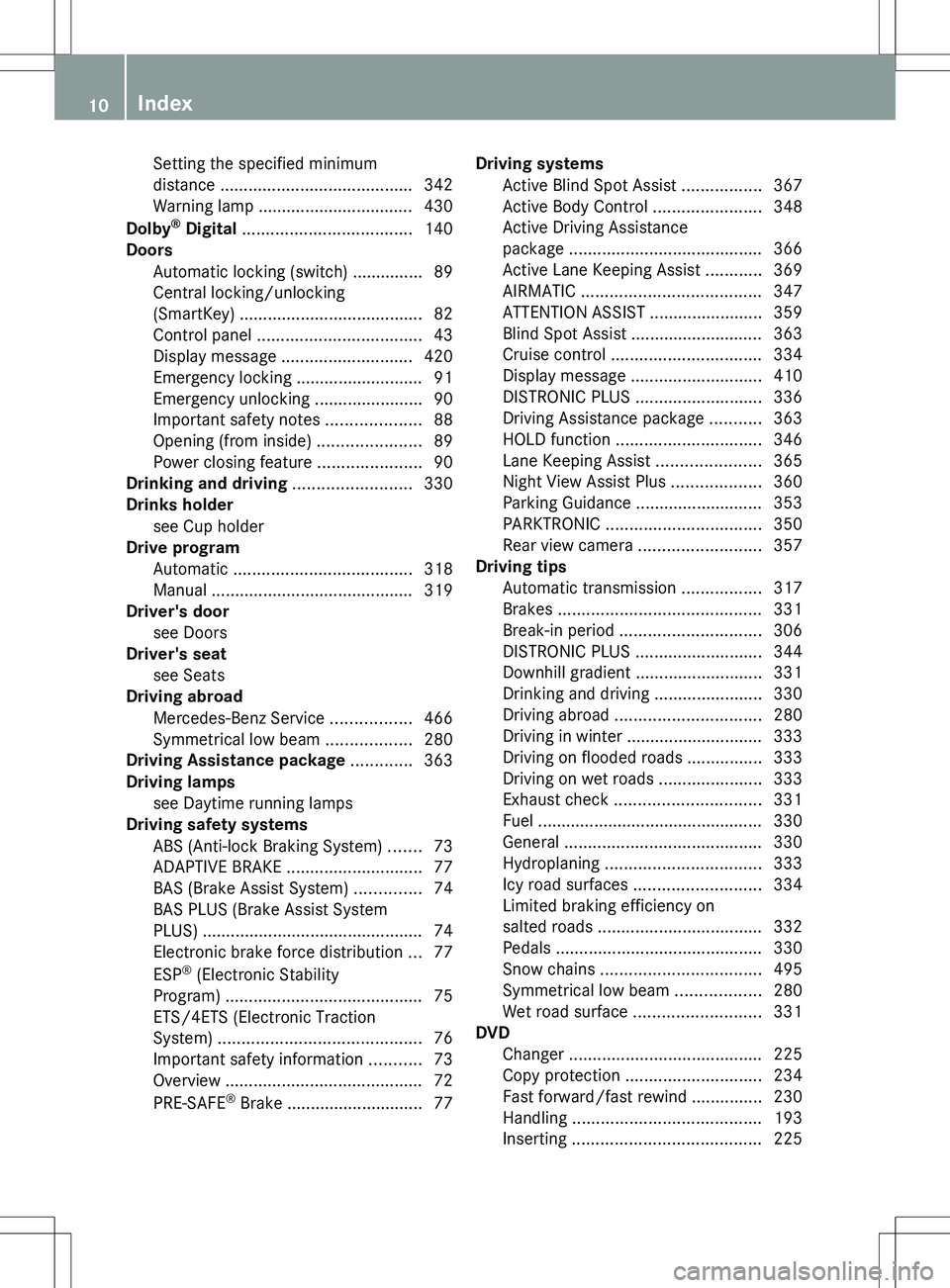
Setting the specified minimum
distance ......................................... 342
Warning lamp ................................. 430
Dolby ®
Digital .................................... 140
Doors Automatic locking (switch) ............... 89
Central locking/unlocking
(SmartKey) ....................................... 82
Control panel ................................... 43
Display message ............................ 420
Emergency locking ........................... 91
Emergency unlocking .......................90
Important safety notes ....................88
Opening (from inside) ......................89
Power closing feature ......................90
Drinking and driving ......................... 330
Drinks holder see Cup holder
Drive program
Automatic ...................................... 318
Manual ........................................... 319
Driver's door
see Doors
Driver's seat
see Seats
Driving abroad
Mercedes-Benz Service .................466
Symmetrical low beam ..................280
Driving Assistance package ............. 363
Driving lamps see Daytime running lamps
Driving safety systems
ABS (Anti-lock Braking System) .......73
ADAPTIVE BRAKE ............................. 77
BAS (Brake Assist System) ..............74
BAS PLUS (Brake Assist System
PLUS) ............................................... 74
Electronic brake force distribution ...77
ESP ®
(Electronic Stability
Program) .......................................... 75
ETS/4ETS (Electronic Traction
System) ........................................... 76
Important safety information ...........73
Overview .......................................... 72
PRE-SAFE ®
Brake ............................. 77Driving systems
Active Blind Spot Assist .................367
Active Body Control .......................348
Active Driving Assistance
package ......................................... 366
Active Lane Keeping Assist ............369
AIRMATIC ...................................... 347
ATTENTION ASSIST ........................359
Blind Spot Assist ............................ 363
Cruise control ................................ 334
Display message ............................ 410
DISTRONIC PLUS ........................... 336
Driving Assistance package ...........363
HOLD function ............................... 346
Lane Keeping Assist ......................365
Night View Assist Plus ...................360
Parking Guidance ........................... 353
PARKTRONIC ................................. 350
Rear view camera .......................... 357
Driving tips
Automatic transmission .................317
Brakes ........................................... 331
Break-in period .............................. 306
DISTRONIC PLUS ........................... 344
Downhill gradient ........................... 331
Drinking and driving .......................330
Driving abroad ............................... 280
Driving in winter ............................. 333
Driving on flooded roads ................333
Driving on wet roads ......................333
Exhaust check ............................... 331
Fuel ................................................ 330
General .......................................... 330
Hydroplaning ................................. 333
Icy road surfaces ........................... 334
Limited braking efficiency on
salted roads ................................... 332
Pedals ............................................ 330
Snow chains .................................. 495
Symmetrical low beam ..................280
Wet road surface ........................... 331
DVD
Changer ......................................... 225
Copy protection ............................. 234
Fast forward/fast rewind ...............230
Handling ........................................ 193
Inserting ........................................ 22510Index
Page 15 of 536
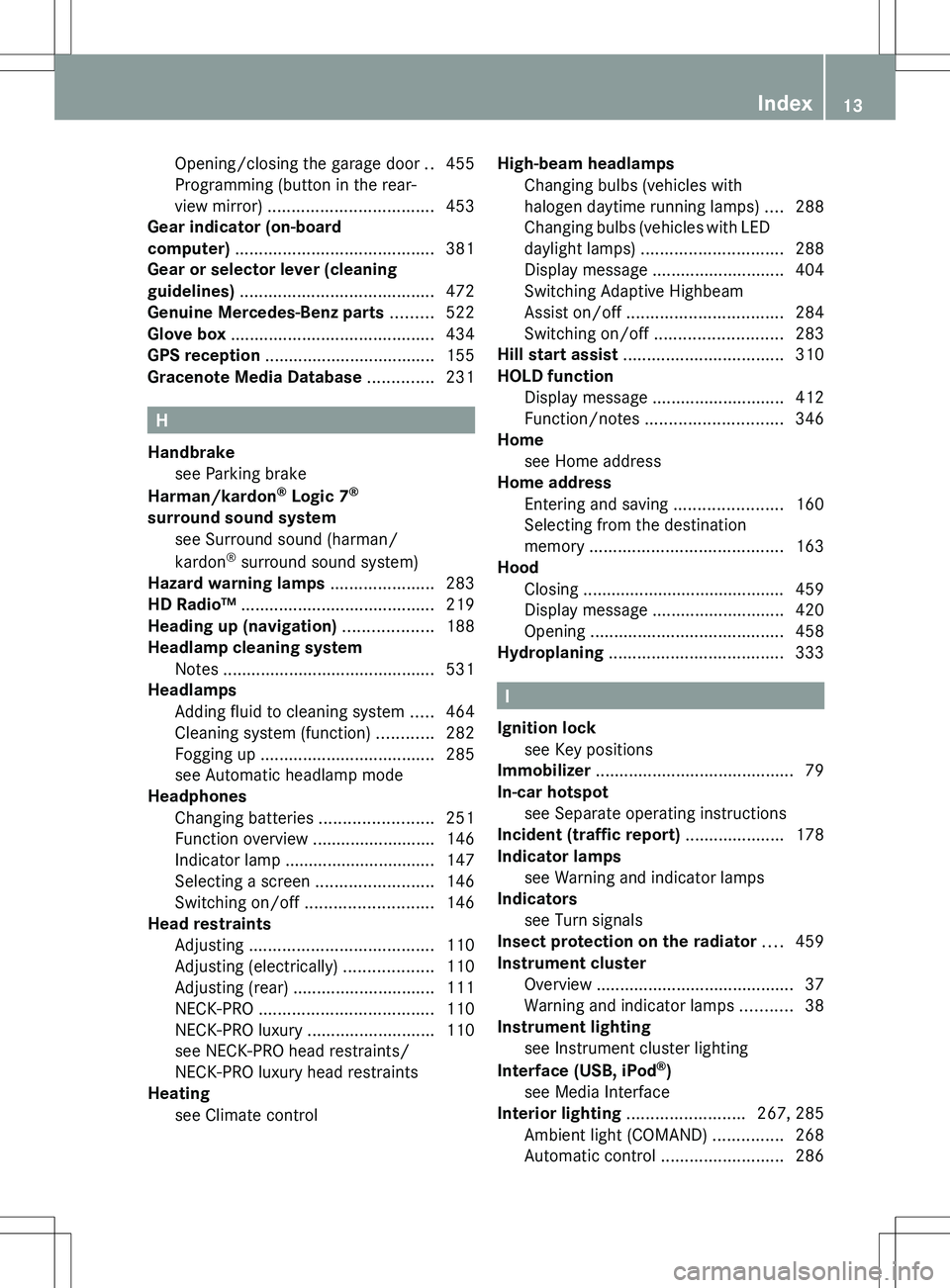
Opening/closing the garage door ..455
Programming (button in the rear-
view mirror) ................................... 453
Gear indicator (on-board
computer) .......................................... 381
Gear or selector lever (cleaning
guidelines) ......................................... 472
Genuine Mercedes-Benz parts ......... 522
Glove box ........................................... 434
GPS reception .................................... 155
Gracenote Media Database .............. 231
H
Handbrake see Parking brake
Harman/kardon ®
Logic 7 ®
surround sound system see Surround sound (harman/
kardon ®
surround sound system)
Hazard warning lamps ...................... 283
HD Radio™ ......................................... 219
Heading up (navigation) ................... 188
Headlamp cleaning system Notes ............................................. 531
Headlamps
Adding fluid to cleaning system .....464
Cleaning system (function) ............282
Fogging up ..................................... 285
see Automatic headlamp mode
Headphones
Changing batteries ........................251
Function overview ..........................146
Indicator lamp ................................ 147
Selecting a screen .........................146
Switching on/off ........................... 146
Head restraints
Adjusting ....................................... 110
Adjusting (electrically) ...................110
Adjusting (rear) .............................. 111
NECK-PRO ..................................... 110
NECK-PRO luxury ........................... 110
see NECK-PRO head restraints/
NECK-PRO luxury head restraints
Heating
see Climate control
High-beam headlamps
Changing bulbs (vehicles with
halogen daytime running lamps) ....288
Changing bulbs (vehicles with LED
daylight lamps) .............................. 288
Display message ............................ 404
Switching Adaptive Highbeam
Assist on/off ................................. 284
Switching on/off ........................... 283
Hill start assist .................................. 310
HOLD function Display message ............................ 412
Function/notes ............................. 346
Home
see Home address
Home address
Entering and saving .......................160
Selecting from the destination
memory ......................................... 163
Hood
Closing ........................................... 459
Display message ............................ 420
Opening ......................................... 458
Hydroplaning ..................................... 333
I
Ignition lock see Key positions
Immobilizer .......................................... 79
In-car hotspot see Separate operating instructions
Incident (traffic report) ..................... 178
Indicator lamps see Warning and indicator lamps
Indicators
see Turn signals
Insect protection on the radiator .... 459
Instrument cluster Overview .......................................... 37
Warning and indicator lamps ...........38
Instrument lighting
see Instrument cluster lighting
Interface (USB, iPod ®
)
see Media Interface
Interior lighting ......................... 267, 285
Ambient light (COMAND) ...............268
Automatic control ..........................286
Index13
Page 38 of 536
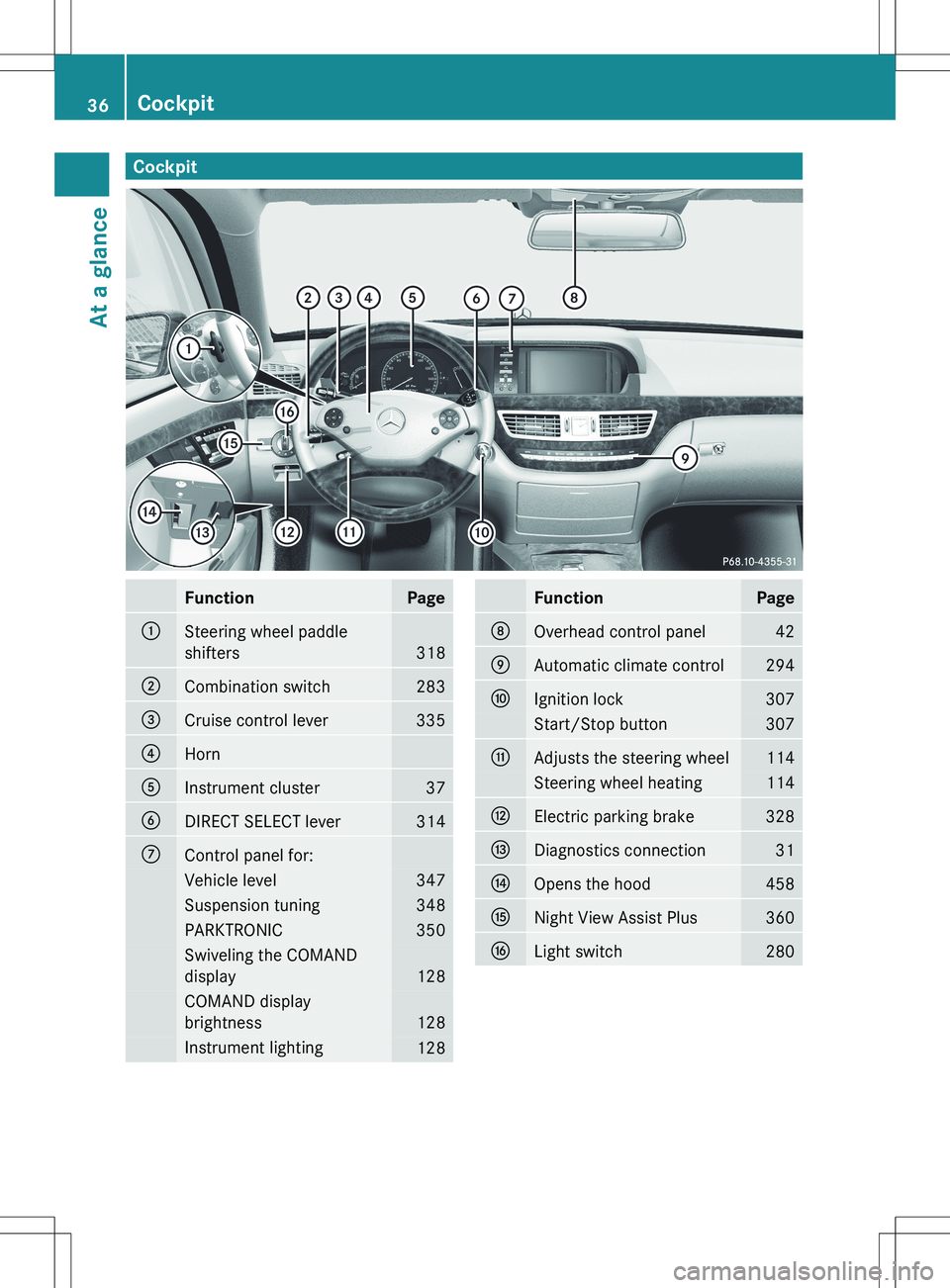
CockpitFunctionPage:Steering wheel paddle
shifters
318
;Combination switch283=Cruise control lever335?HornAInstrument cluster37BDIRECT SELECT lever314CControl panel for:Vehicle level347Suspension tuning348PARKTRONIC350Swiveling the COMAND
display
128
COMAND display
brightness
128
Instrument lighting128FunctionPageDOverhead control panel42EAutomatic climate control294FIgnition lock307Start/Stop button307GAdjusts the steering wheel114Steering wheel heating114HElectric parking brake328IDiagnostics connection31JOpens the hood458KNight View Assist Plus360LLight switch28036CockpitAt a glance
Page 39 of 536
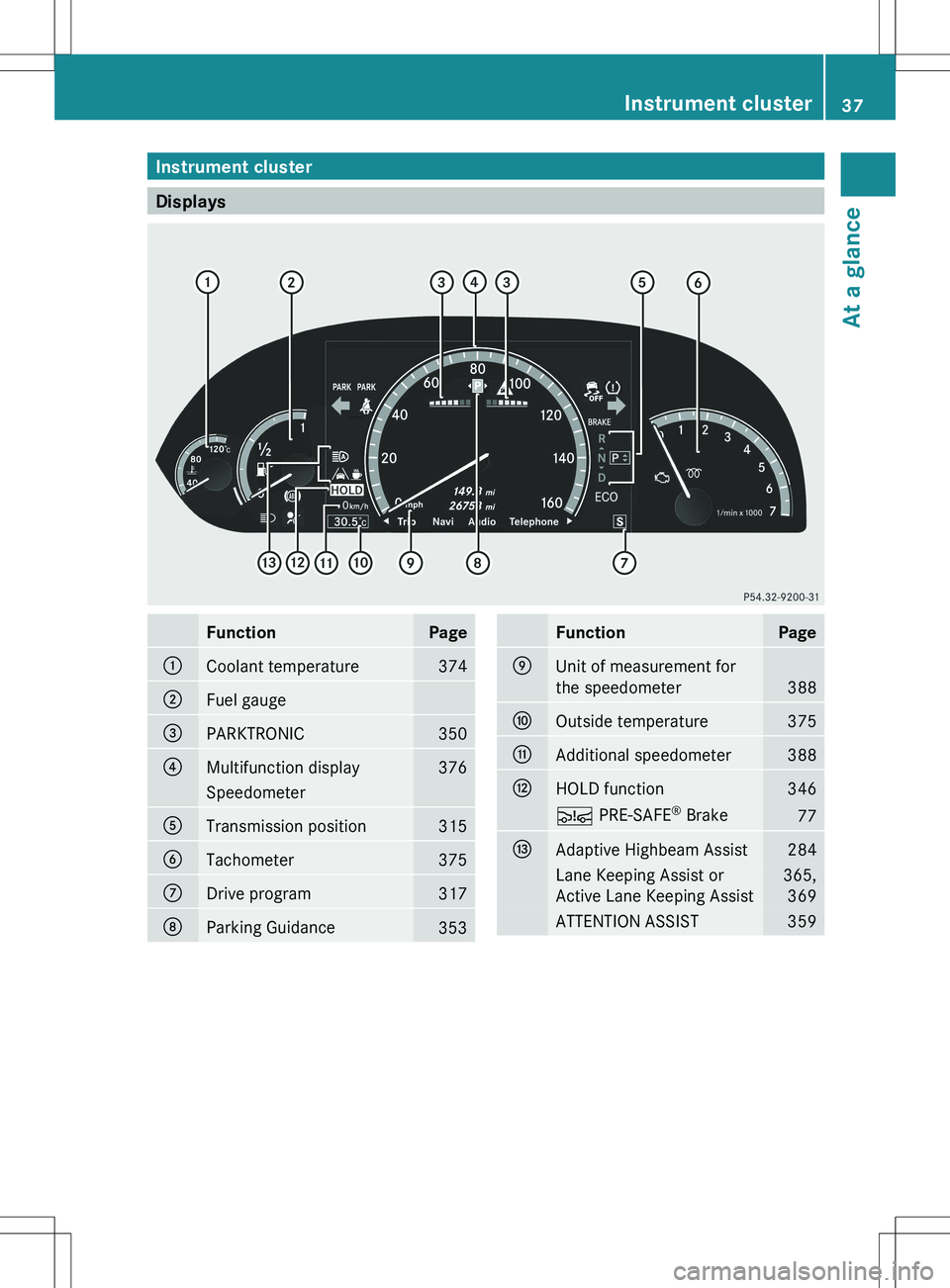
Instrument cluster
Displays
FunctionPage:Coolant temperature374;Fuel gauge=PARKTRONIC350?Multifunction display376SpeedometerATransmission position315BTachometer375CDrive program317DParking Guidance353FunctionPageEUnit of measurement for
the speedometer
388
FOutside temperature375GAdditional speedometer388HHOLD function346Ä PRE-SAFE ®
Brake77IAdaptive Highbeam Assist284Lane Keeping Assist or
Active Lane Keeping Assist365, 369ATTENTION ASSIST359Instrument cluster37At a glance
Page 76 of 536
XIf ABS intervenes: continue to depress the
brake pedal vigorously until the braking
situation is over.XTo make a full brake application:
depress the brake pedal with full force.
The pulsating brake pedal can be an
indication of hazardous road conditions, and
functions as a reminder to take extra care
while driving.
GWARNING
Do not pump the brake pedal. Use firm, steady
brake pedal pressure instead. Pumping the
brake pedal defeats the purpose of the ABS
and significantly reduces braking
effectiveness.
BAS (Brake Assist System)
i Observe the "Important safety notes"
section ( Y page 73).
BAS operates in emergency braking
situations. If you depress the brake pedal
quickly, BAS automatically boosts the braking
force, thus shortening the stopping distance.
XKeep the brake pedal firmly depressed until
the emergency braking situation is over.
ABS prevents the wheels from locking.
The brakes will function as usual once you
release the brake pedal. BAS is deactivated.
GWARNING
If the BAS malfunctions, the brake system still
functions, but without the additional brake
boost available that the BAS would normally
provide in an emergency braking maneuver.
Therefore, the braking distance may increase.
BAS PLUS (Brake Assist System Plus)
BAS PLUS is only available in vehicles
equipped with DISTRONIC PLUS.
i Observe the "Important safety notes"
section ( Y page 73).
BAS PLUS assists you when braking in a
hazardous situation at speeds of over 4 mph
(7 km/h), and uses the radar sensor system
to assess traffic conditions.
i This device has been approved by the FCC
as a "Vehicular Radar System". The radar
sensor is intended for use in an automotive
radar system only. Removing, altering or
tampering with the device will void any
warranties, and is not permitted by the
FCC. Do not tamper with, alter, or use in
any non-approved way.
Any unauthorized modification to this
device could void the user's authority to
operate the equipment.
With the help of the radar sensor system, BAS
PLUS can detect obstacles that are in the
path of your vehicle for an extended period of
time.
BAS PLUS can also react to stationary
obstacles, e.g. stopped or parked vehicles, at
speeds of up to approximately 40 mph
(70 km/h).
Should you approach an obstacle and BAS
PLUS has detected a risk of collision, BAS
PLUS calculates the braking force necessary
to avoid a rear-end collision.
R For speeds above 20 mph (30 km/h) : if
you apply the brakes forcefully, BAS PLUS
automatically increases the braking force
to a level suitable for the traffic conditions.
R For speeds below 20 mph (30 km/h) : if
you apply the brakes, BAS PLUS is
activated. Braking is performed as late as
possible.
If BAS PLUS demands particularly high
braking force, preventative passenger
protection measures (PRE-SAFE ®
) are
activated simultaneously.XKeep the brake pedal depressed until the
emergency braking situation is over.
ABS prevents the wheels from locking.74Driving safety systemsSafety
Page 77 of 536
The brakes will work normally again if:
R you release the brake pedal.
R there is no longer any danger of a rear-end
collision.
R no obstacle is detected in front of your
vehicle.
BAS PLUS is then deactivated.
For BAS PLUS to assist you when driving, the
radar sensor system must be switched on and
operational; see "Radar sensor system" in the
index.GWARNING
BAS PLUS cannot always clearly identify
objects and complex traffic situations. BAS
PLUS cannot intervene in these cases.
There is a risk of an accident. Always pay
careful attention to the traffic situation and be
ready to brake.
In particular, the detection of obstacles can
be impaired if there is:
R dirt on the sensors or anything else
covering the sensors
R snow or heavy rain
R interference by other radar sources
R the possibility of strong radar reflections,
for example in parking garages
R a narrow vehicle traveling in front, e.g. a
motorbike
R a vehicle traveling in front on a different line
GWARNING
BAS PLUS does not react:
R to people or animals
R to oncoming vehicles
R to crossing traffic
R in curves
As a result, BAS PLUS cannot intervene in
critical situations. There is a risk of an
accident. Always pay careful attention to the
traffic situation and be ready to brake.
Following damage to the front end of the
vehicle, have the configuration and operation
of the radar sensors checked at a qualified
specialist workshop. This also applies to
collisions at low speeds where there is no
visible damage to the front of the vehicle.
If BAS PLUS is not available due to a
malfunction in the radar sensor system, the
brake system remains available with full
brake boosting effect and BAS.
ESP ®
(Electronic Stability Program)
Important safety notes
i See the "Important safety notes" section
( Y page 73).
If ESP ®
detects that the vehicle is deviating
from the direction desired by the driver, one
or more wheels are braked to stabilize the
vehicle. If necessary, the engine output is also
modified to keep the vehicle on the desired
course within physical limits. ESP ®
assists
the driver when pulling away on wet or
slippery roads. ESP ®
can also stabilize the
vehicle during braking.
If ESP ®
intervenes, the ÷ ESP®
warning
lamp flashes in the instrument cluster.
GWARNING
Under no circumstances should you
deactivate ESP ®
when the ÷ ESP®
warning lamp in the instrument cluster
flashes. Proceed as follows:
R when driving off, apply as little throttle as
possible.
R while driving, ease up on the accelerator
pedal.
R adapt your speed to suit the prevailing road
and weather conditions.
Failure to observe these guidelines could
cause the vehicle to skid. ESP ®
cannot
prevent accidents resulting from excessive
speed.
! The ignition must be switched off if the
vehicle is being towed with the front or rear
Driving safety systems75SafetyZ
Page 81 of 536
In these cases, PRE-SAFE(R) Brake may:
R give an unnecessary warning and then
brake the vehicle
R neither give a warning nor intervene
There is a risk of an accident. Always pay
particular attention to the traffic situation and
be ready to brake, especially if PRE-SAFE(R)
Brake warns you. Terminate the intervention
in a non-critical driving situation.
In particular, the detection of obstacles can
be impaired if there is:
R dirt on the sensors or anything else
covering the sensors
R snow or heavy rain
R interference by other radar sources
R the possibility of strong radar reflections,
for example in parking garages
R a narrow vehicle traveling in front, e.g. a
motorbike
R a vehicle traveling in front on a different lineGWARNING
PRE-SAFE ®
Brake does not react:
R to people or animals
R to oncoming vehicles
R to crossing traffic
R in curves
As a result, PRE-SAFE ®
Brake cannot
intervene in critical situations. There is a risk
of an accident. Always pay careful attention
to the traffic situation and be ready to brake.
In order to maintain the appropriate distance
to the vehicle in front and thus prevent a
collision, you must apply the brakes yourself.
XTo activate/deactivate: activate or
deactivate PRE-SAFE ®
Brake in the on-
board computer ( Y page 386).
After activation, the Ä symbol is
displayed on the left in the instrument
cluster.
For PRE-SAFE ®
Brake to assist you when
driving, the radar sensor system must be
switched on ( Y page 389) and be
operational.
Following damage to the front end of the
vehicle, have the configuration and operation
of the radar sensors checked at a qualified
specialist workshop. This also applies to
collisions at low speeds where there is no
visible damage to the front of the vehicle.
Theft deterrent locking system
Immobilizer
The immobilizer prevents your vehicle from
being started without the correct SmartKey.
When leaving the vehicle, always take the
SmartKey with you and lock the vehicle. The
engine can be started by anyone with a valid
SmartKey that is left inside the vehicle.
XTo activate with the SmartKey: remove
the SmartKey from the ignition lock.XTo activate with KEYLESS-GO: switch the
ignition off and open the driver's door.XTo deactivate: switch on the ignition.
i
The immobilizer is always deactivated
when you start the engine.
ATA (anti-theft alarm system)
A visual and audible alarm is triggered if the
alarm system is armed and you open:
R a door
R the vehicle with the mechanical key
R the trunk lid
R the hood
The alarm is not switched off, even if you
close the open door that has triggered it, for
example.
Theft deterrent locking system79SafetyZ