navigation MERCEDES-BENZ S-COUPE 2015 User Guide
[x] Cancel search | Manufacturer: MERCEDES-BENZ, Model Year: 2015, Model line: S-COUPE, Model: MERCEDES-BENZ S-COUPE 2015Pages: 286, PDF Size: 29.85 MB
Page 193 of 286
Functions
RHD FM radio/HD AM radio/satellite
radio
Internet radio (called up via communica-
tions functions)
R Media
Media support: audio CD, MP3 CD, DVD
video, 2 x USB, SD card, iPod ®
, Bluetooth ®
audio, 10 GB Media Register on the hard
drive
Music search using all media
R Sound systems
You can select from three sound systems:
Standard sound system
Burmester ®
surround sound system
Burmester high-end 3D surround sound
system for ultimate listening pleasure
R Navigation system
Destination entry using keyword search
Realistic 3D map with textured city models
Navigation functions such as Drive Infor-
mation and Google Maps™
Dynamic route guidance via SIRIUS satel-
lite radio
R Communication
Messaging functions (text messages,
email)
Address book
Internet browser
Mercedes-Benz Apps with Google™ Local
Search, Destination Download, Weather,
Facebook, Google Street View™, Internet
radio, stock prices, news and much more
WiFi interface for the connection of a
smartphone to COMAND Online and the
option of remote control for the front
passenger (SPLITVIEW)
Mercedes-Benz Mobile Website
WiFi hotspot functionality to connect a tab-
let PC or laptop in order to enable access to
the Internet using the customer's mobile
phone
R SIRIUS Weather Weather data as an information chart (cur-
rent forecast, 5-day preview, detailed infor-
mation)
Weather data on the weather map, e.g. rain
radar data, storm characteristics and the
track of tropical cyclones (hurricanes,
typhoons)
R Vehicle functions
Setting the multicontour seat with new
massage program
Climate control functions
Controlling ambient lighting: several color
and brightness level options
360° camera
Rear view camera
R Favorites functions
Fast access to favorites functions using the
favorites button on the touchpad
COMAND operating system191
COMAND
Z
Page 195 of 286
BNavigation button
CRadio button
DMedia button
ETelephone, address book and Internet button
FVehicle and system settings button
GController
Back button
You can use the%button to exit a menu or
to call up the basic display of the current
operating mode.
X To exit the menu: briefly press the%
button.
COMAND changes to the next higher menu
level in the current operating mode.
X To call up the basic display: press the
% button for longer than two seconds.
COMAND changes to the basic display of
the current operating mode.
Controller
The controller in the center console lets you:
R select menu items on the display
R enter characters
R select a destination on the map
R save entries
The controller can be:
R turned
R slid left or right 1
R slid forwards or back 4
R slid diagonally 2
R pressed briefly or pressed and held
Touchpad
As an alternative to the controller, the touch-
pad enables menu items to be selected and
character entry including handwriting recog-
nition, for example.
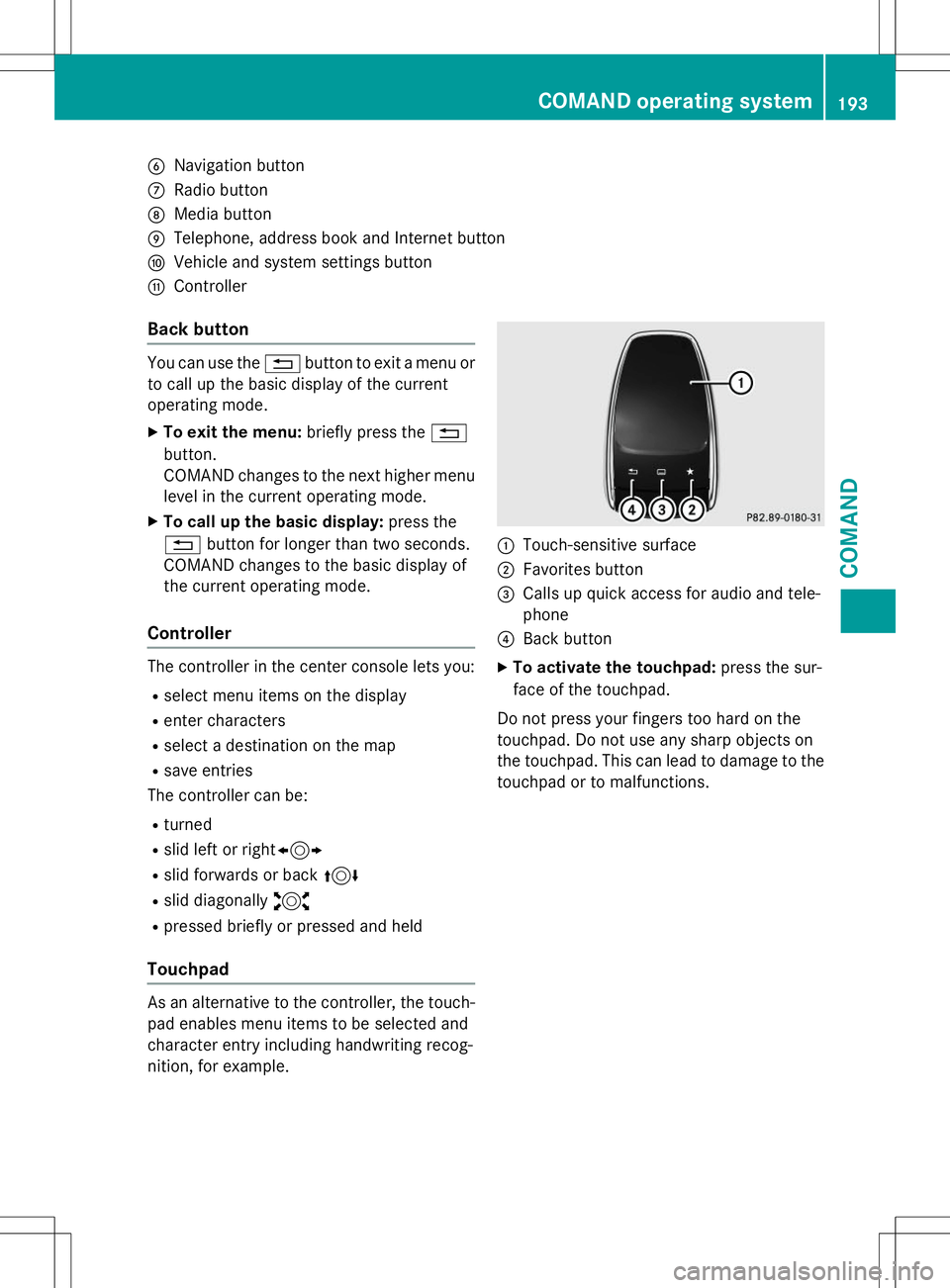
:Touch-sensitive surface
;Favorites button
=Calls up quick access for audio and tele- phone
?Back button
X To activate the touchpad: press the sur-
face of the touchpad.
Do not press your fingers too hard on the
touchpad. Do not use any sharp objects on
the touchpad. This can lead to damage to the touchpad or to malfunctions.
COMAND operating system193
COMAND
Z
Page 204 of 286
If a mobile phone network and GPS receptionare available, the system transfers data to the
Mercedes-Benz Customer Assistance Center, for example:
R current location of the vehicle
R vehicle identification number
The COMAND display indicates that a call is
active. During the call, you can change to the
navigation menu by pressing the NAVI button
on COMAND, for example.
Voice output is not available in this case.
A voice connection is established between
the Mercedes-Benz Customer Assistance
Center and the vehicle occupants.
From the remote malfunction diagnosis, the
Mercedes-Benz Customer Assistance Center
can ascertain the nature of the problem. In
the Digital Operator's Manual, you will find
information on remote malfunction diagno-sis.
The Mercedes-Benz Customer Assistance
Center either sends a qualified Mercedes-
Benz technician or makes arrangements for
your vehicle to be transported to the nearest authorized Mercedes-Benz Center.
You may be charged for services such as
repair work and/or towing.
You can find more information in the separatembrace manual.
The system has not been able to initiate a
Roadside Assistance call, if:
R the indicator lamp for Roadside Assistance
call button Fis flashing continuously.
R no voice connection to the Mercedes-Benz
Customer Assistance Center was estab-
lished.
This can occur if the relevant mobile phone
network is not available, for example. The
Call Failedmessage appears in the
multifunction display. X
To end a call: press the~button on the
multifunction steering wheel.
or
X Press the corresponding COMAND button
for ending a phone call.
MB Info call button
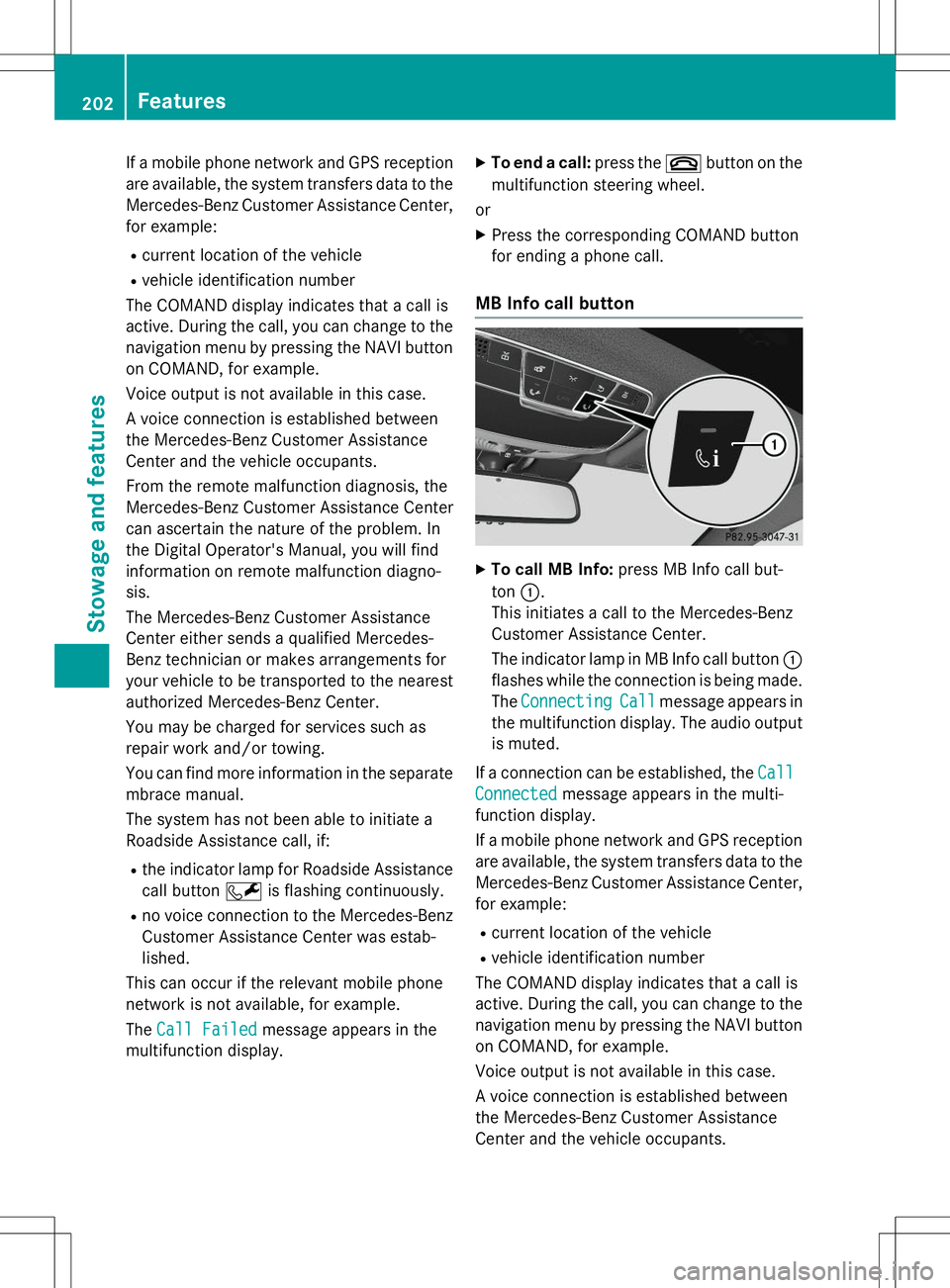
XTo call MB Info: press MB Info call but-
ton :.
This initiates a call to the Mercedes-Benz
Customer Assistance Center.
The indicator lamp in MB Info call button :
flashes while the connection is being made.
The
ConnectingCallmessage appears in
the multifunction display. The audio output
is muted.
If a connection can be established, the
Call
Connectedmessage appears in the multi-
function display.
If a mobile phone network and GPS reception are available, the system transfers data to the
Mercedes-Benz Customer Assistance Center, for example:
R current location of the vehicle
R vehicle identification number
The COMAND display indicates that a call is
active. During the call, you can change to the
navigation menu by pressing the NAVI button on COMAND, for example.
Voice output is not available in this case.
A voice connection is established between
the Mercedes-Benz Customer Assistance
Center and the vehicle occupants.
202Features
Stowage and features