climate settings MERCEDES-BENZ S-COUPE 2015 Owners Manual
[x] Cancel search | Manufacturer: MERCEDES-BENZ, Model Year: 2015, Model line: S-COUPE, Model: MERCEDES-BENZ S-COUPE 2015Pages: 286, PDF Size: 29.85 MB
Page 13 of 286
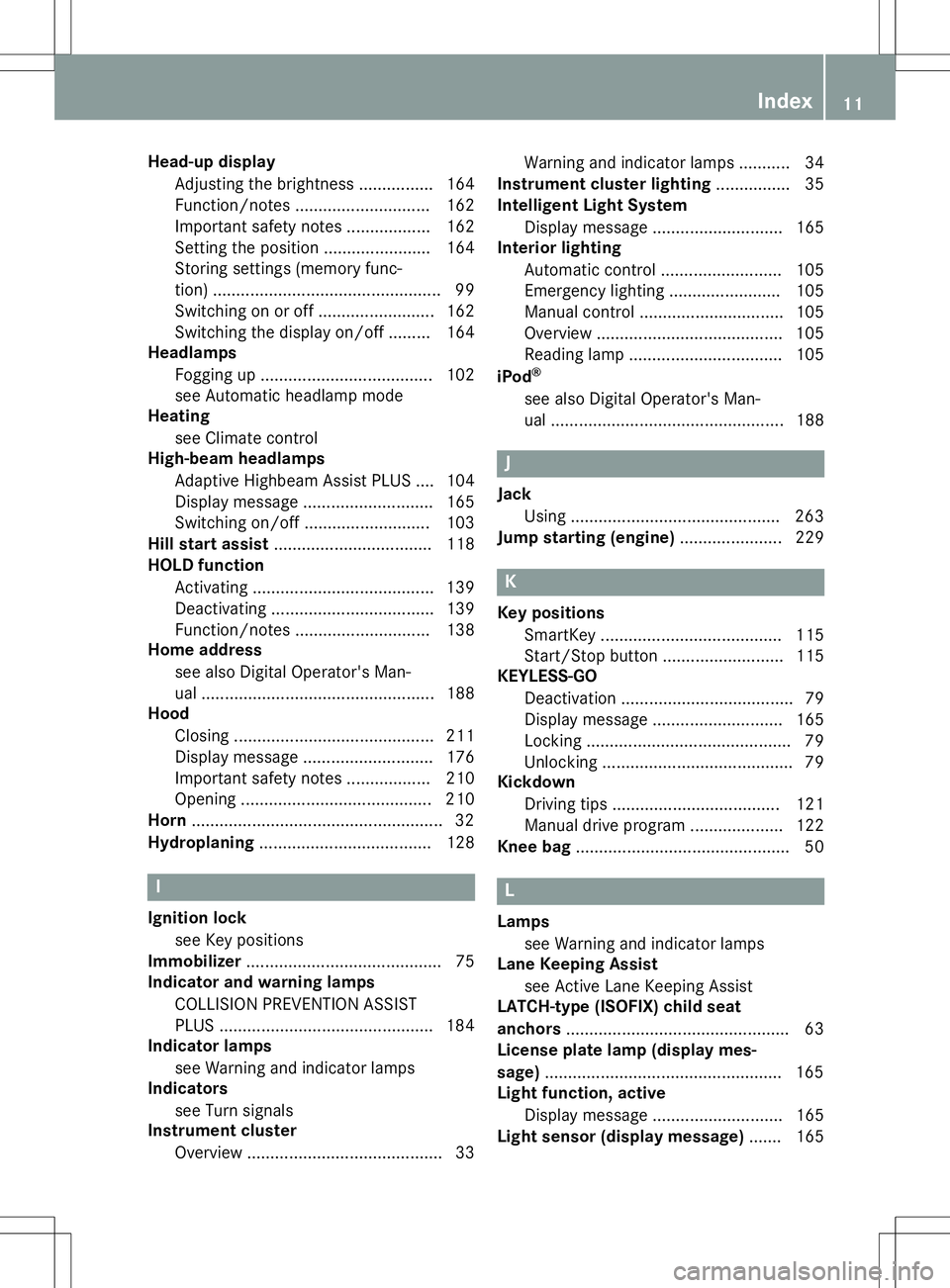
Head-up displayAdjusting the brightness ............... .164
Function/notes ............................ .162
Important safety notes .................. 162
Setting the position ....................... 164
Storing settings (memory func-
tion) ................................................. 99
Switching on or off ......................... 162
Switching the display on/off ......... 164
Headlamps
Fogging up ..................................... 102
see Automatic headlamp mode
Heating
see Climate control
High-beam headlamps
Adaptive Highbeam Assist PLUS .... 104
Display message ............................ 165
Switching on/off ........................... 103
Hill start assist .................................. 118
HOLD function
Activating ....................................... 139
Deactivating ................................... 139
Function/notes ............................ .138
Home address
see also Digital Operator's Man-
ual ................................................. .188
Hood
Closing .......................................... .211
Display message ............................ 176
Important safety notes .................. 210
Opening ......................................... 210
Horn ...................................................... 32
Hydroplaning ..................................... 128
I
Ignition lock
see Key positions
Immobilizer .......................................... 75
Indicator and warning lamps
COLLISION PREVENTION ASSIST
PLUS .............................................. 184
Indicator lamps
see Warning and indicator lamps
Indicators
see Turn signals
Instrument cluster
Overview .......................................... 33 Warning and indicator lamps ........... 34
Instrument cluster lighting ................ 35
Intelligent Light System
Display message ............................ 165
Interior lighting
Automatic control .......................... 105
Emergency lighting ........................ 105
Manual control ............................... 105
Overview ........................................ 105
Reading lamp ................................. 105
iPod ®
see also Digital Operator's Man-
ual ................................................. .188
J
Jack
Using ............................................. 263
Jump starting (engine) ......................229
K
Key positions
SmartKey ....................................... 115
Start/Stop button .......................... 115
KEYLESS-GO
Deactivation ..................................... 79
Display message ............................ 165
Locking ............................................ 79
Unlocking ......................................... 79
Kickdown
Driving tips ................................... .121
Manual drive program .................... 122
Knee bag .............................................. 50
L
Lamps
see Warning and indicator lamps
Lane Keeping Assist
see Active Lane Keeping Assist
LATCH-type (ISOFIX) child seat
anchors ................................................ 63
License plate lamp (display mes-
sage) ................................................... 165
Light function, active
Display message ............................ 165
Light sensor (display message) ....... 165
Index11
Page 112 of 286
Useful information
iThis Operator's Manual describes all
models and all standard and optional equip- ment of your vehicle available at the time of
publication of the Operator's Manual.
Country-specific differences are possible.
Please note that your vehicle may not be
equipped with all features described. This
also applies to safety-related systems and
functions.
iRead the information on qualified special-
ist workshops ( Ypage 27).
Overview of climate control systems
General notes
Observe the settings recommended on the
following pages. The windows could other-
wise fog up.
To prevent the windows from fogging up:
R switch off climate control only briefly
R switch on air-recirculation mode only briefly
R switch on the cooling with air dehumidifi-
cation function
R switch on the defrost windshield function
briefly, if required
Climate control regulates the temperature
and air humidity in the vehicle interior. The air filter cleans the air, thus improving the inte-
rior climate.
The "Cooling with air dehumidification" func-
tion is only available when the engine is run-
ning. Optimum climate control is only ach-
ieved with the side windows and roof closed.
The residual heat function can only be acti-
vated or deactivated if the ignition is switched
off. See the Digital Operator's Manual, key-
word "Residual heat".
iVentilate the vehicle in briefly in warm
weather conditions, e.g. with the "Conve-
nience opening" function, see the Digital
Operator's Manual, keyword "Convenience opening". This will speed up the cooling
process and the desired interior tempera-
ture will be reached more quickly.
iThe integrated filter filters out most par-
ticles of dust and soot and completely fil-
ters out pollen. It also reduces gaseous pol-
lutants and odors. A clogged filter reduces the amount of air supplied to the vehicle
interior. For this reason, you should alwaysobserve the interval for replacing the filter,which is specified in the Maintenance
Booklet. As it depends on environmental
conditions, e.g. heavy air pollution, the
interval may be shorter than stated in the
Maintenance Booklet.
iIt is possible that the blower may be acti-
vated automatically 60 minutes after the
SmartKey has been removed depending on various factors, e.g. the outside tempera-
ture. The vehicle is then ventilated for
30 minutes to dry the climate control sys-
tem.
110Overview of climate control systems
Climate control
Page 113 of 286
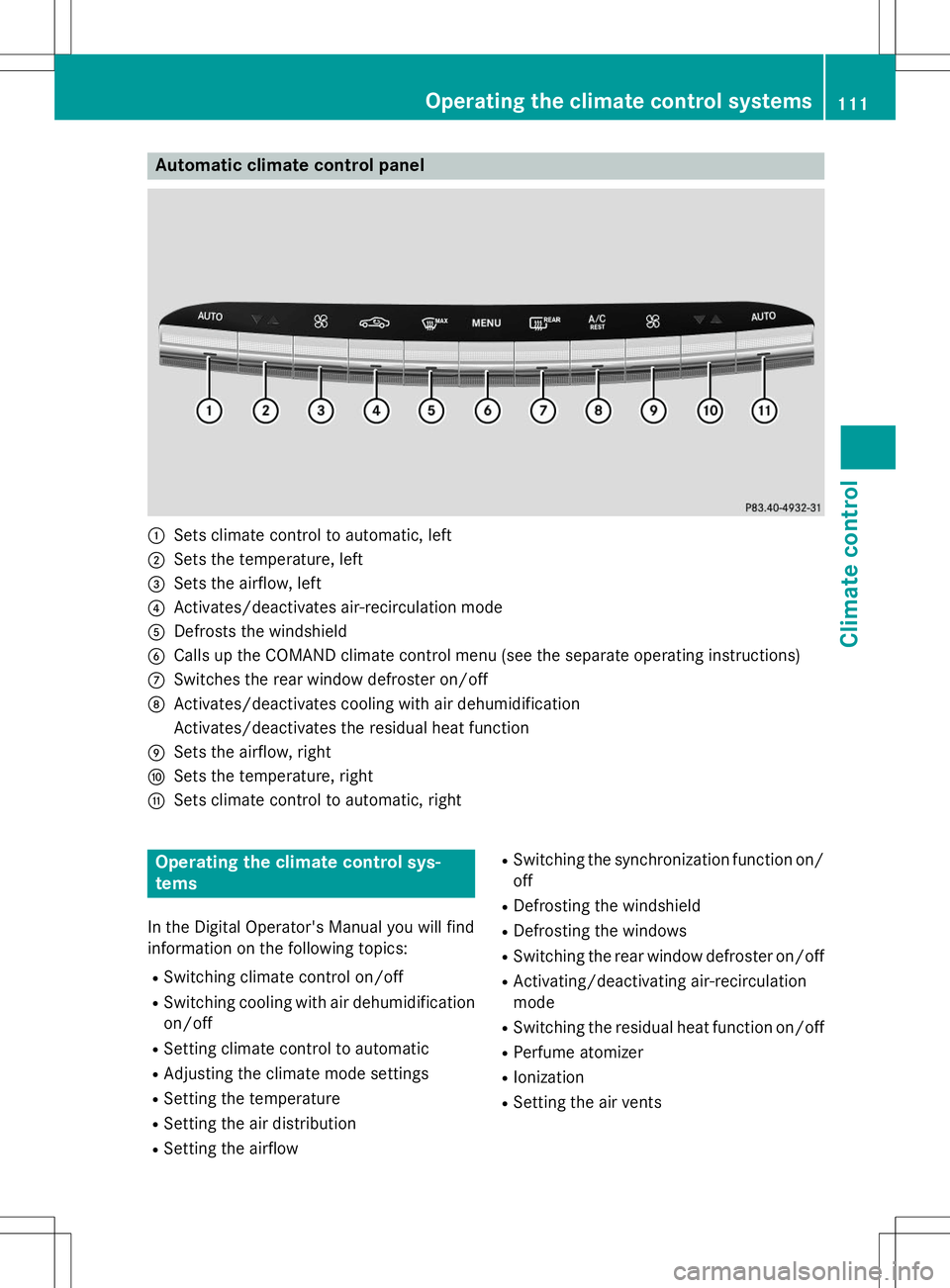
Automatic climate control panel
:Sets climate control to automatic, left
;Sets the temperature, left
=Sets the airflow, left
?Activates/deactivates air-recirculation mode
ADefrosts the windshield
BCalls up the COMAND climate control menu (see the separate operating instructions)
CSwitches the rear window defroster on/off
DActivates/deactivates cooling with air dehumidification
Activates/deactivates the residual heat function
ESets the airflow, right
FSets the temperature, right
GSets climate control to automatic, right
Operating the climate control sys-
tems
In the Digital Operator's Manual you will find
information on the following topics: RSwitching climate control on/off
R Switching cooling with air dehumidification
on/off
R Setting climate control to automatic
R Adjusting the climate mode settings
R Setting the temperature
R Setting the air distribution
R Setting the airflow R
Switching the synchronization function on/
off
R Defrosting the windshield
R Defrosting the windows
R Switching the rear window defroster on/off
R Activating/deactivating air-recirculation
mode
R Switching the residual heat function on/off
R Perfume atomizer
R Ionization
R Setting the air vents
Operating the climate control systems111
Climate cont rol