warning MERCEDES-BENZ S-COUPE 2016 Owners Manual
[x] Cancel search | Manufacturer: MERCEDES-BENZ, Model Year: 2016, Model line: S-COUPE, Model: MERCEDES-BENZ S-COUPE 2016Pages: 410, PDF Size: 8.62 MB
Page 230 of 410
(Ypage 243) are shown in green. Active
Lane Keeping Assist is ready for use.
XTo switch off: press button;.
Indicator lamp :goes out. The Active
Lane Keeping Assist is deactivated. The
Lane Keeping Assist Off
message
appears in the multifunction display.
Selecting Standard or Adaptive setting
XIn the DriveAssistmenu on the on-board
computer, select the Active Lane Keep‐
ing Assistfunction (Ypage 246).
XSelectStandardorAdaptive.
When Standard
is selected, no warning
vibration occurs if:
Ryou switch on the turn signals. In this
event, the warnings are suppressed for a
certain period of time.
Ra driving safety system intervenes, such
as ABS, BAS or ESP®.
When Adaptive
is selected, no warning
vibration occurs if:
Ryou switch on the turn signals. In this
event, the warnings are suppressed for a
certain period of time.
Ra driving safety system intervenes, e.g.
ABS, BAS or ESP®.
Ryou accelerate hard, e.g. kickdown.
Ryou brake hard.
Ryou steer actively, e.g. swerve to avoid an
obstacle or change lanes quickly.
Ryou cut the corner on a sharp bend.
In order that you are warned only when nec-
essary and in good time if you cross the lane
marking, the system recognizes certain con-
ditions and warns you accordingly.
The warning vibration occurs earlier if:
Ryou approach the outer lane marking on a
bend.
Rthe road has very wide lanes, e.g. a high-
way.
Rthe system recognizes solid lane markings. The warning vibration occurs later if:
Rthe road has narrow lanes.
Ryou cut the corner on a bend.
228Driving systems
Driving and parking
Page 231 of 410
Useful information............................230
Important safety notes .....................230
Displays and operation .....................230
Menus and submenus ......................235
Display messages ............................. 251
Warning and indicator lamps in the
instrument cluster ............................285
229
On-board computer and displays
Page 232 of 410
Useful information
i
This Operator's Manual describes all
models and all standard and optional equip-
ment of your vehicle available at the time of
publication of the Operator's Manual.
Country-specific differences are possible.
Please note that your vehicle may not be
equipped with all features described. This
also applies to safety-related systems and
functions.
iRead the information on qualified special-
ist workshops (
Ypage 26).
Important safety notes
GWARNING
If you operate information systems and com-
munication equipment integrated in the vehi-
cle while driving, you will be distracted from
traffic conditions. You could also lose control
of the vehicle. There is a risk of an accident.
Only operate the equipment when the traffic
situation permits. If you are not sure that this
is possible, park the vehicle paying attention
to traffic conditions and operate the equip-
ment when the vehicle is stationary.
You must observe the legal requirements for
the country in which you are currently driving
when operating the on-board computer.
GWARNING
If the instrument cluster has failed or mal-
functioned, you may not recognize function
restrictions in systems relevant to safety. The
operating safety of your vehicle may be
impaired. There is a risk of an accident.
Pull over as soon as it is safe to do so and
consult a qualified specialist workshop.
GWARNING
If the instrument cluster has failed or mal-
functioned, you may not recognize function
restrictions in systems relevant to safety. The
operating safety of your vehicle may be
impaired. There is a risk of an accident.
Drive on carefully. Have the vehicle checked
at a qualified specialist workshop immedi-
ately.
If the operating safety of your vehicle is
impaired, pull over as soon as it is safe to do
so. Contact a qualified specialist workshop.
The on-board computer only shows messages
or warnings from certain systems in the mul-
tifunction display. You should therefore make
sure your vehicle is operating safely at all
times.
For an overview, see the instrument panel
illustration (
Ypage 33).
Displays and operation
Instrument cluster lighting
The light sensor in the instrument cluster
automatically controls the brightness of the
multifunction display. In daylight, the displays in the instrument cluster are illuminated. A
dimming function is not possible in daylight.
The lighting in the instrument cluster, in the
displays and the controls in the vehicle inte-
rior can be adjusted using the brightness con-
trol knob.
The brightness control is located between the
instrument cluster and the COMAND Display
(
Ypage 35).
XTurn the brightness control knob clockwise
or counter-clockwise.
If the light switch (
Ypage 126) is set to
Ã, TorL, the brightness is
dependent upon the brightness of the
ambient light.
Tachometer
!
Do not drive in the overrevving range, as
this could damage the engine.
230Displays and operation
On-board computer and displays
Page 233 of 410
The red band in the tachometer indicates the
engine's overrevving range.
The fuel supply is interrupted to protect the
engine when the red band is reached.
Outside temperature display
You should pay special attention to road con-
ditions when temperatures are around freez-
ing point.
Bear in mind that the outside temperature
display indicates the temperature measured
and does not record the road temperature.
The outside temperature display is in the mul-
tifunction display (
Ypage 232).
There is a short delay before a change in out-
side temperature is shown in the multifunc-
tion display.
Coolant temperature display
GWARNING
Opening the hood when the engine is over-
heated or when there is a fire in the engine
compartment could expose you to hot gases
or other service products. There is a risk of
injury.
Let an overheated engine cool down before
opening the hood. If there is a fire in the
engine compartment, keep the hood closed
and contact the fire department.
!A display message is shown if the coolant
temperature is too high.
If the coolant temperature is above 257 ‡
(125 †) do not drive any further. The
engine will otherwise be damaged.
The coolant temperature gauge is in the lower
section of the tachometer (
Ypage 33).
Under normal operating conditions and with
the specified coolant level, the coolant tem-
perature may rise to 255 ‡ (124 †).
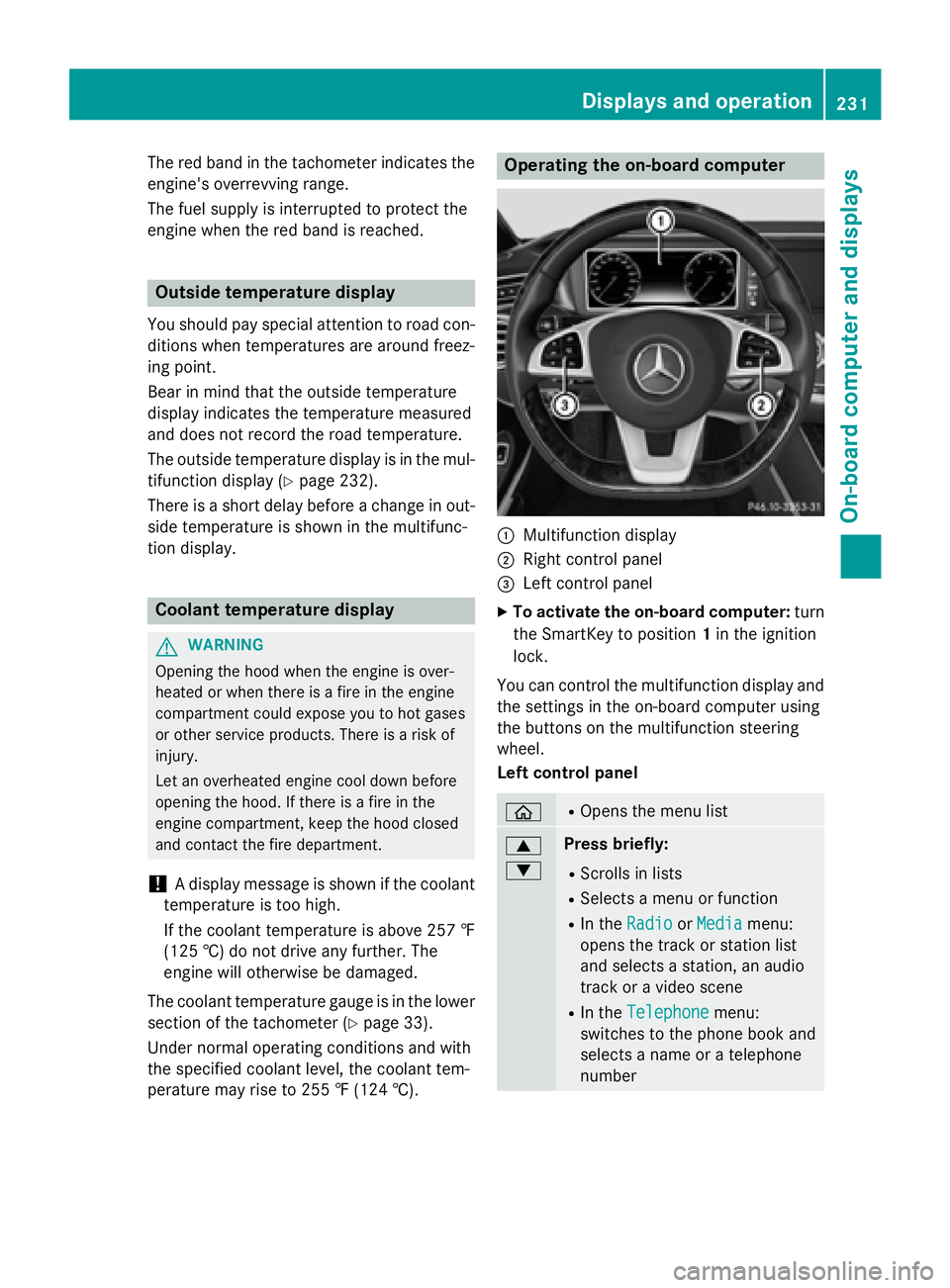
Operating the on-board computer
:Multifunction display
;Right control panel
=Left control panel
XTo activate the on-board computer: turn
the SmartKey to position 1in the ignition
lock.
You can control the multifunction display and
the settings in the on-board computer using
the buttons on the multifunction steering
wheel.
Left control panel
òROpens the menu list
9
:Press briefly:
RScrolls in lists
RSelects a menu or function
RIn the RadioorMediamenu:
opens the track or station list
and selects a station, an audio
track or a video scene
RIn the Telephonemenu:
switches to the phone book and
selects a name or a telephone
number
Displays and operation231
On-board computer and displays
Z
Page 243 of 410
XPressato confirm the selection.
XTo open the track list: press the:or
9 button briefly.
XTo select the next or previous track in
the track list: press the:or9 but-
ton briefly.
XTo select a track from the track list
using rapid scrolling: press and
hold : or9 until the desired track is
reached.
If you press and hold the button, the speed
of rapid scroll increases after a short time.
Not all audio drives or data carriers support
this function.
If the corresponding track information is
stored on the audio drive or audio media, the
multifunction display may display the follow-
ing:
Rtrack number
Rtrack name
Rartist
Ralbum
The track information is not available in audio AUX mode (Auxiliary audio mode: external
audio source connected).
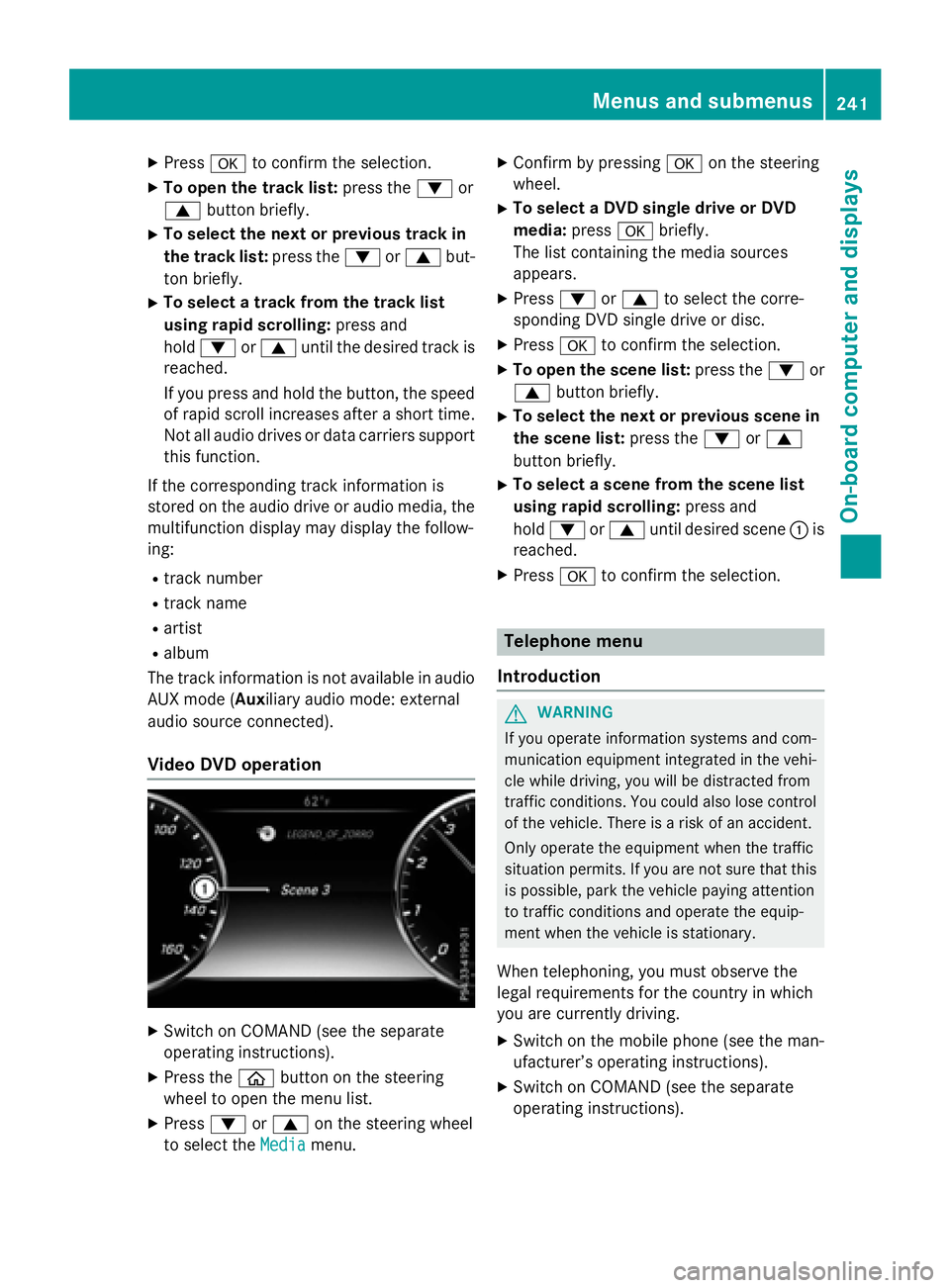
Video DVD operation
XSwitch on COMAND (see the separate
operating instructions).
XPress the òbutton on the steering
wheel to open the menu list.
XPress :or9 on the steering wheel
to select the Media
menu.
XConfirm by pressing aon the steering
wheel.
XTo select a DVD single drive or DVD
media: pressabriefly.
The list containing the media sources
appears.
XPress :or9 to select the corre-
sponding DVD single drive or disc.
XPress ato confirm the selection.
XTo open the scene list: press the:or
9 button briefly.
XTo select the next or previous scene in
the scene list: press the:or9
button briefly.
XTo select a scene from the scene list
using rapid scrolling: press and
hold : or9 until desired scene :is
reached.
XPress ato confirm the selection.
Telephone menu
Introduction
GWARNING
If you operate information systems and com-
munication equipment integrated in the vehi-
cle while driving, you will be distracted from
traffic conditions. You could also lose control
of the vehicle. There is a risk of an accident.
Only operate the equipment when the traffic
situation permits. If you are not sure that this
is possible, park the vehicle paying attention
to traffic conditions and operate the equip-
ment when the vehicle is stationary.
When telephoning, you must observe the
legal requirements for the country in which
you are currently driving.
XSwitch on the mobile phone (see the man-
ufacturer’s operating instructions).
XSwitch on COMAND (see the separate
operating instructions).
Menus and submenus241
On-board computer and displays
Z
Page 245 of 410
Redialing
The on-board computer saves the last namesor numbers dialed in the redial memory.
XPress the òbutton on the steering
wheel to open the menu list.
XPress :or9 on the steering wheel
to select the Telephone
menu.
XConfirm by pressing aon the steering
wheel.
XPress the 6button to switch to the
redial memory.
XPress the :or9 button to select the
desired name or number.
XPress the 6ora button to start dial-
ing.
or
XTo exit the redial memory: press the
~ or% button.
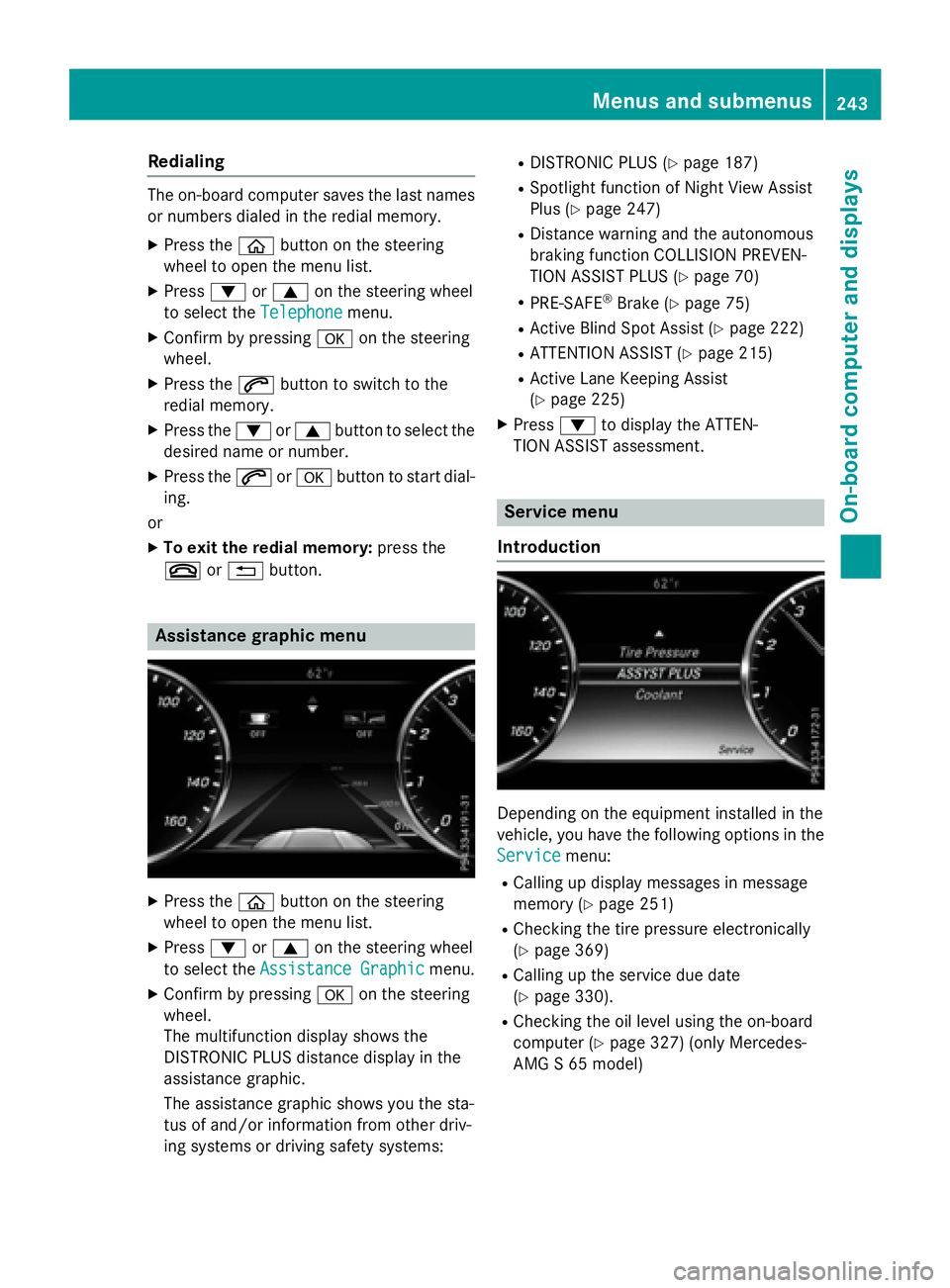
Assistance graphic menu
XPress the òbutton on the steering
wheel to open the menu list.
XPress :or9 on the steering wheel
to select the Assistance Graphic
menu.
XConfirm by pressing aon the steering
wheel.
The multifunction display shows the
DISTRONIC PLUS distance display in the
assistance graphic.
The assistance graphic shows you the sta-
tus of and/or information from other driv-
ing systems or driving safety systems:
RDISTRONIC PLUS (Ypage 187)
RSpotlight function of Night View Assist
Plus (
Ypage 247)
RDistance warning and the autonomous
braking function COLLISION PREVEN-
TION ASSIST PLUS (
Ypage 70)
RPRE-SAFE®Brake (Ypage 75)
RActive Blind Spot Assist (Ypage 222)
RATTENTION ASSIST (Ypage 215)
RActive Lane Keeping Assist
(
Ypage 225)
XPress :to display the ATTEN-
TION ASSIST assessment.
Service menu
Introduction
Depending on the equipment installed in the
vehicle, you have the following options in the
Service
menu:
RCalling up display messages in message
memory (
Ypage 251)
RChecking the tire pressure electronically
(
Ypage 369)
RCalling up the service due date
(
Ypage 330).
RChecking the oil level using the on-board
computer (
Ypage 327) (only Mercedes-
AMG S 65 model)
Menus and submenus243
On-board computer and displays
Z
Page 246 of 410
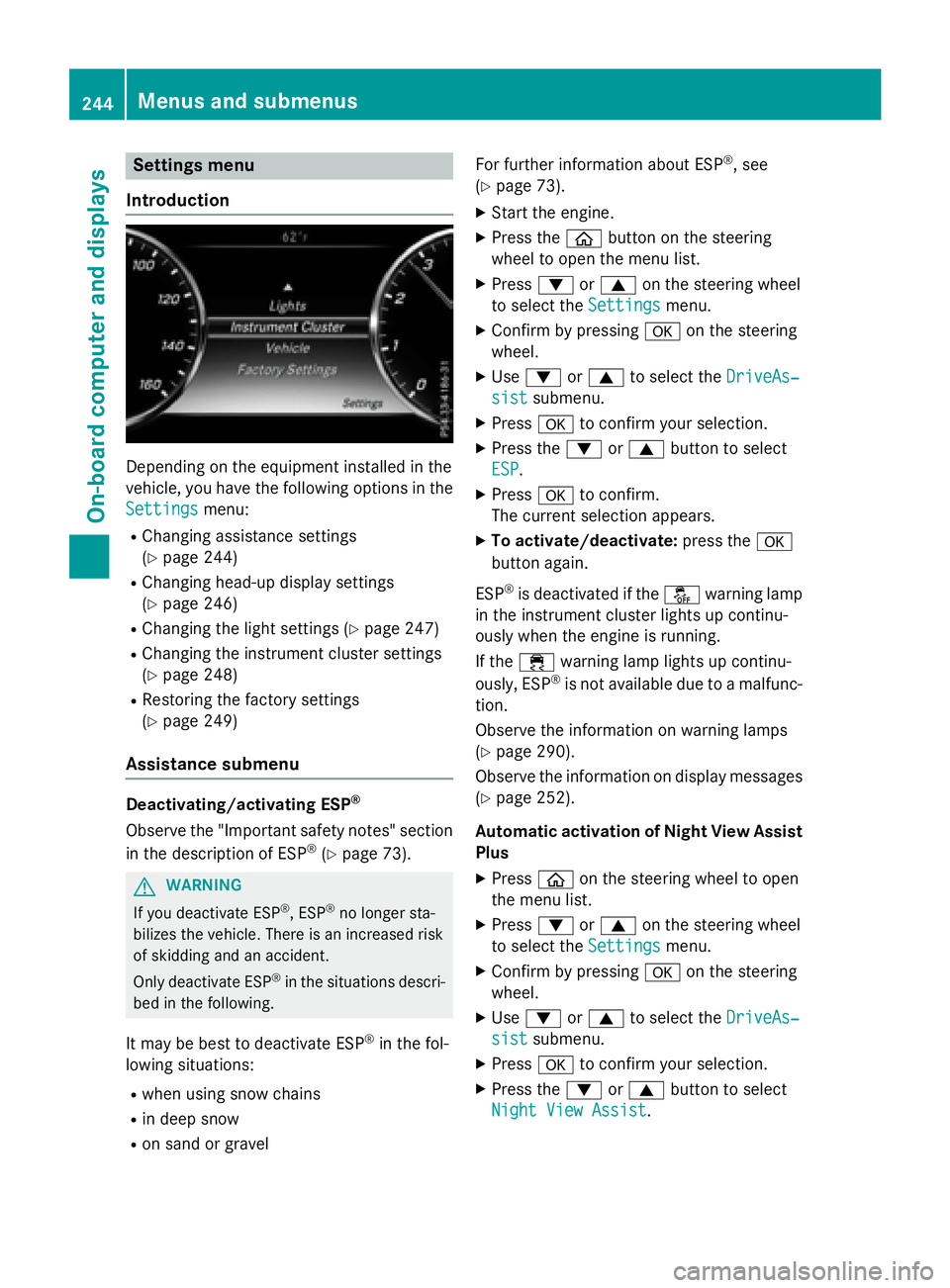
Settings menu
Introduction
Depending on the equipment installed in the
vehicle, you have the following options in the
Settings
menu:
RChanging assistance settings
(
Ypage 244)
RChanging head-up display settings
(
Ypage 246)
RChanging the light settings (Ypage 247)
RChanging the instrument cluster settings
(
Ypage 248)
RRestoring the factory settings
(
Ypage 249)
Assistance submenu
Deactivating/activating ESP®
Observe the "Important safety notes" section
in the description of ESP®(Ypage 73).
GWARNING
If you deactivate ESP
®, ESP®no longer sta-
bilizes the vehicle. There is an increased risk
of skidding and an accident.
Only deactivate ESP
®in the situations descri-
bed in the following.
It may be best to deactivate ESP®in the fol-
lowing situations:
Rwhen using snow chains
Rin deep snow
Ron sand or gravel For further information about ESP
®, see
(
Ypage 73).
XStart the engine.
XPress the òbutton on the steering
wheel to open the menu list.
XPress :or9 on the steering wheel
to select the Settings
menu.
XConfirm by pressing aon the steering
wheel.
XUse : or9 to select the DriveAs‐
sistsubmenu.
XPressato confirm your selection.
XPress the :or9 button to select
ESP
.
XPress ato confirm.
The current selection appears.
XTo activate/deactivate: press thea
button again.
ESP
®is deactivated if the åwarning lamp
in the instrument cluster lights up continu-
ously when the engine is running.
If the ÷ warning lamp lights up continu-
ously, ESP
®is not available due to a malfunc-
tion.
Observe the information on warning lamps
(
Ypage 290).
Observe the information on display messages
(
Ypage 252).
Automatic activation of Night View Assist
Plus
XPress òon the steering wheel to open
the menu list.
XPress :or9 on the steering wheel
to select the Settings
menu.
XConfirm by pressing aon the steering
wheel.
XUse : or9 to select the DriveAs‐
sistsubmenu.
XPressato confirm your selection.
XPress the :or9 button to select
Night View Assist
.
244Menus and submenus
On-board computer and displays
Page 254 of 410
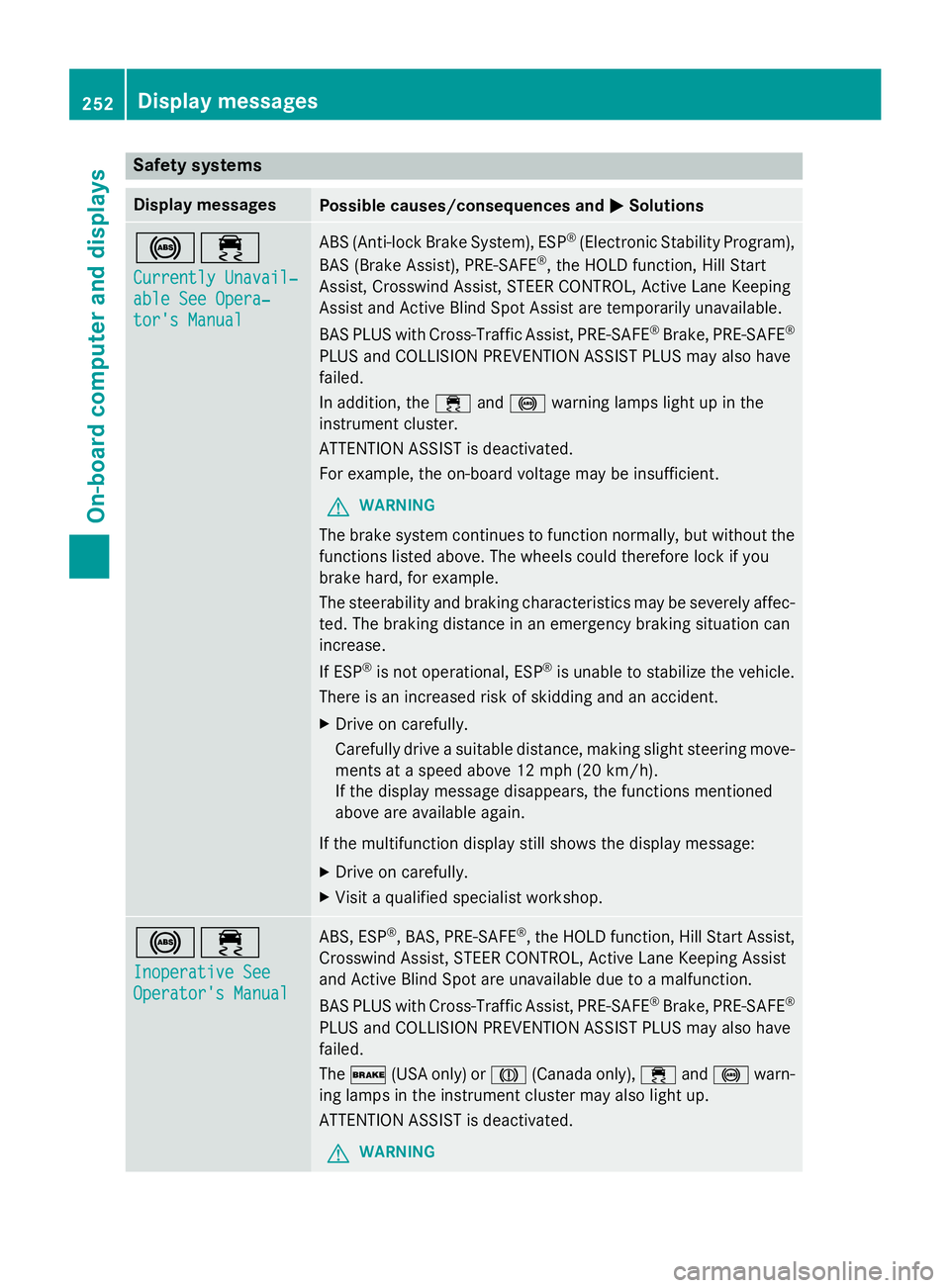
Safety systems
Display messagesPossible causes/consequences andMSolutions
!÷
Currently Unavail‐
able See Opera‐
tor's Manual
ABS (Anti-lock Brake System), ESP®(Electronic Stability Program),
BAS (Brake Assist), PRE‑ SAFE®, the HOLD function, Hill Start
Assist, Crosswind Assist, STEER CONTROL, Active Lane Keeping
Assist and Active Blind Spot Assist are temporarily unavailable.
BAS PLUS with Cross-Traffic Assist, PRE‑ SAFE
®Brake, PRE‑SAFE®
PLUS and COLLISION PREVENTION ASSIST PLUS may also have
failed.
In addition, the ÷and! warning lamps light up in the
instrument cluster.
ATTENTION ASSIST is deactivated.
For example, the on-board voltage may be insufficient.
GWARNING
The brake system continues to function normally, but without the
functions listed above. The wheels could therefore lock if you
brake hard, for example.
The steerability and braking characteristics may be severely affec-
ted. The braking distance in an emergency braking situation can
increase.
If ESP
®is not operational, ESP®is unable to stabilize the vehicle.
There is an increased risk of skidding and an accident.
XDrive on carefully.
Carefully drive a suitable distance, making slight steering move-
ments at a speed above 12 mph (20 km/h).
If the display message disappears, the functions mentioned
above are available again.
If the multifunction display still shows the display message:
XDrive on carefully.
XVisit a qualified specialist workshop.
!÷
Inoperative See
Operator's Manual
ABS, ESP®, BAS, PRE‑SAFE®, the HOLD function, Hill Start Assist,
Crosswind Assist, STEER CONTROL, Active Lane Keeping Assist
and Active Blind Spot are unavailable due to a malfunction.
BAS PLUS with Cross-Traffic Assist, PRE‑SAFE
®Brake, PRE‑SAFE®
PLUS and COLLISION PREVENTION ASSIST PLUS may also have
failed.
The $ (USA only) or J(Canada only), ÷and! warn-
ing lamps in the instrument cluster may also light up.
ATTENTION ASSIST is deactivated.
GWARNING
252Display messages
On-board computer and displays
Page 281 of 410
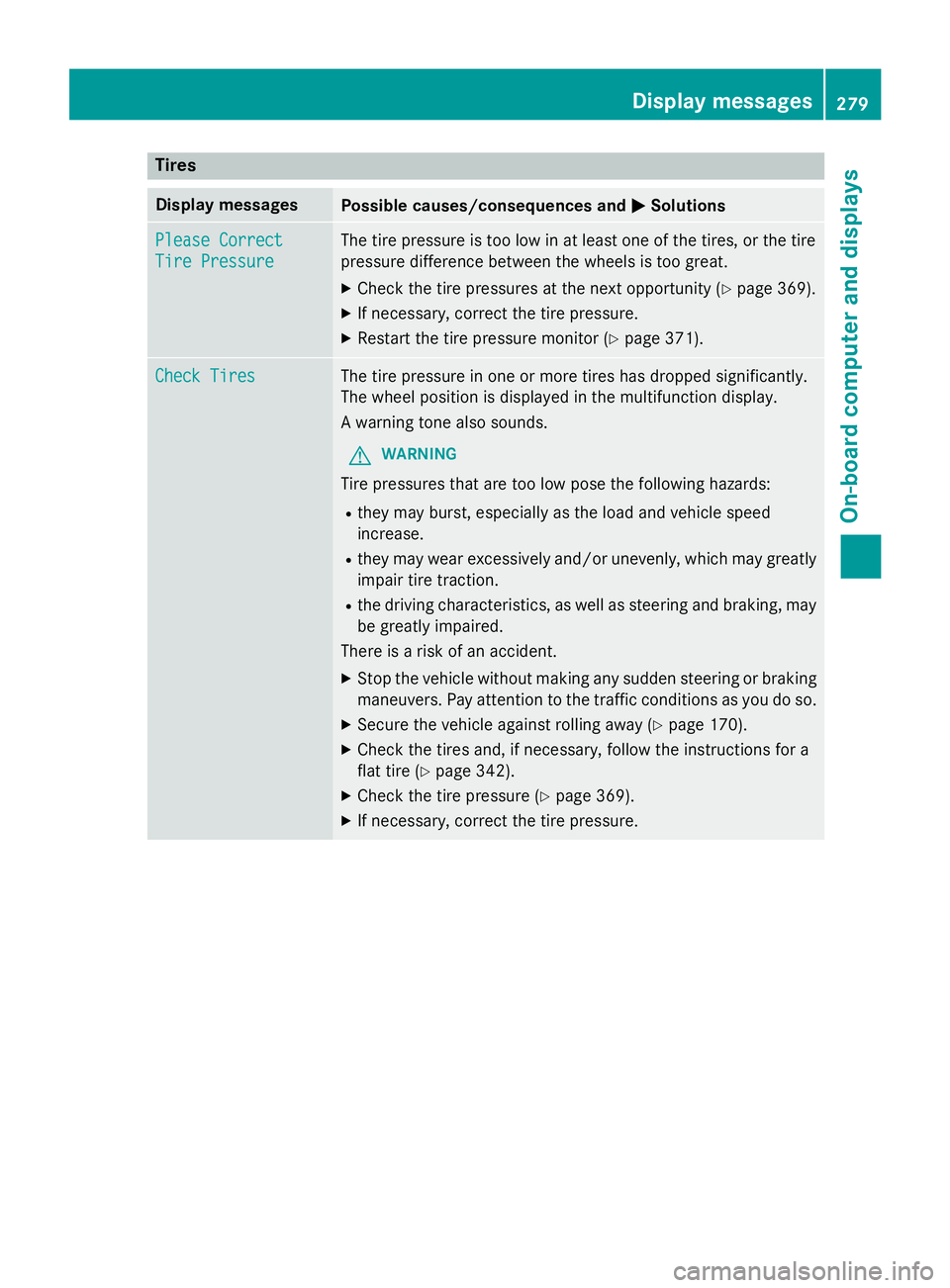
Tires
Display messagesPossible causes/consequences andMSolutions
Please Correct
Tire Pressure
The tire pressure is too low in at least one of the tires, or the tire
pressure difference between the wheels is too great.
XCheck the tire pressures at the next opportunity (Ypage 369).
XIf necessary, correct the tire pressure.
XRestart the tire pressure monitor (Ypage 371).
Check TiresThe tire pressure in one or more tires has dropped significantly.
The wheel position is displayed in the multifunction display.
A warning tone also sounds.
GWARNING
Tire pressures that are too low pose the following hazards:
Rthey may burst, especially as the load and vehicle speed
increase.
Rthey may wear excessively and/or unevenly, which may greatly
impair tire traction.
Rthe driving characteristics, as well as steering and braking, may
be greatly impaired.
There is a risk of an accident.
XStop the vehicle without making any sudden steering or braking
maneuvers. Pay attention to the traffic conditions as you do so.
XSecure the vehicle against rolling away (Ypage 170).
XCheck the tires and, if necessary, follow the instructions for a
flat tire (
Ypage 342).
XCheck the tire pressure (Ypage 369).
XIf necessary, correct the tire pressure.
Displa y messages279
On-board computer and displays
Z
Page 282 of 410
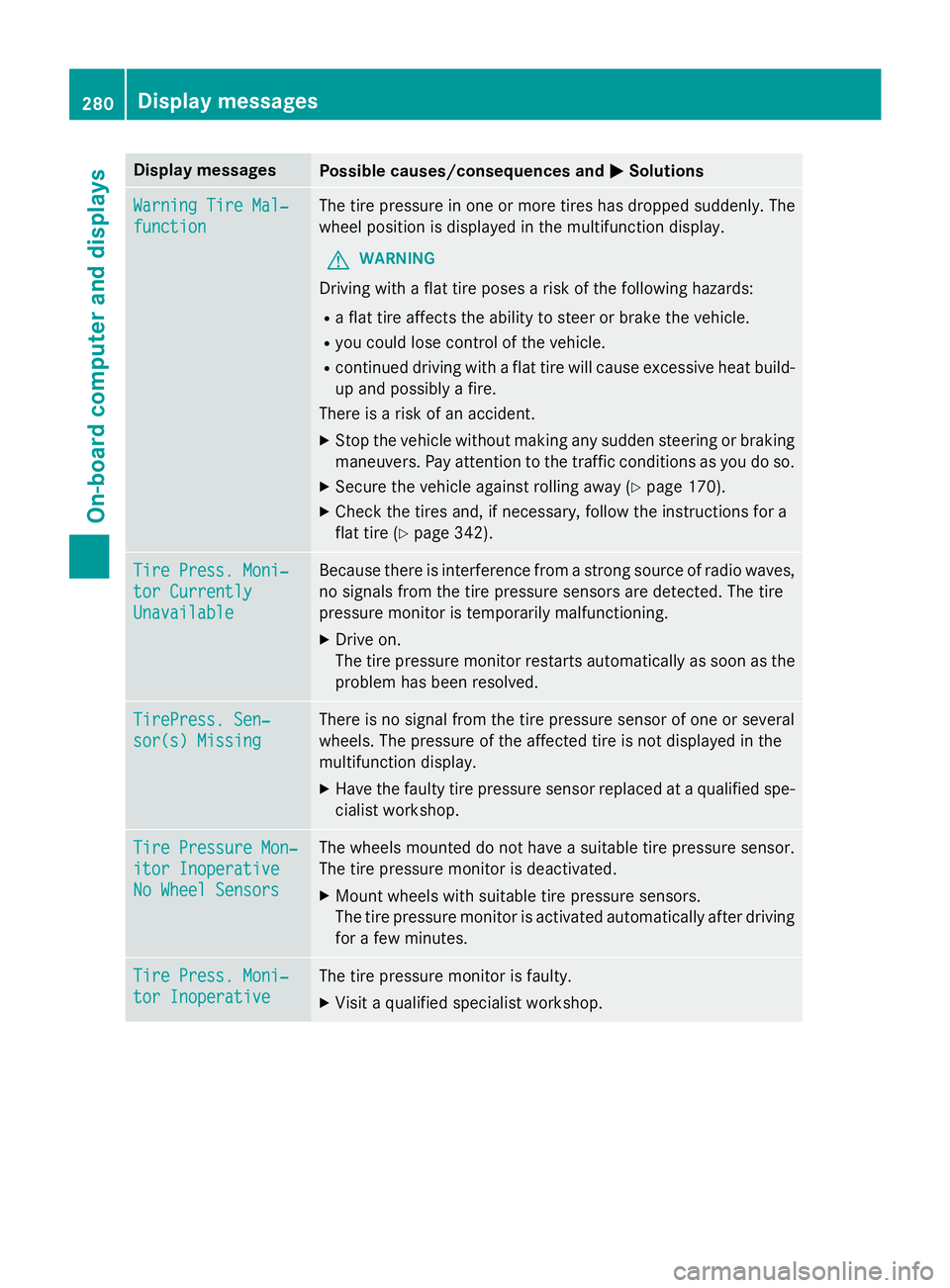
Display messagesPossible causes/consequences andMSolutions
WarningTir eMal ‐
function
The tire pressur ein on eor mor etires has dropped suddenly. The
whee lposition is displayed in th emultifunction display.
GWARNIN G
Drivingwit h a flat tire poses aris kof th efollowing hazards :
Raflat tire affects th eabilit yto steer or brak eth evehicle.
Ryou could los econtrol of th evehicle.
Rcontinued drivin gwit h a flat tire will caus eexcessive heat build-
up and possibl y afire.
There is aris kof an accident.
XStop th evehicl ewithout makin gany sudden steerin gor brakin g
maneuvers .Pay attention to th etraffic condition sas you do so.
XSecur eth evehicl eagainst rollin gaway (Ypage 170).
XCheckth etires and ,if necessary, follow th einstruction sfo r a
flat tire (
Ypage 342).
TirePress. Moni‐
tor Currently
Unavailable
Becaus ethere is interferenc efrom astron gsource of radi owaves,
no signal sfrom th etire pressur esensor sare detected. The tire
pressur emonitor is temporarily malfunctioning.
XDrive on .
The tire pressur emonitor restarts automatically as soo nas th e
problem has been resolved.
TirePress .Sen ‐
sor(s) Missin g
There is no signal from th etire pressur esensor of on eor several
wheels. The pressur eof th eaffecte dtire is no tdisplayed in th e
multifunction display.
XHav eth efault ytire pressur esensor replaced at aqualified spe -
cialist workshop .
TirePressure Mon ‐
itorInoperative
No Wheel Sensor s
The wheels mounted do no thav e a suitable tire pressur esensor .
The tire pressur emonitor is deactivated.
XMoun twheels wit hsuitable tire pressur esensors.
The tire pressur emonitor is activated automatically after drivin g
fo r a few minutes.
Tir ePress. Moni‐
tor Inoperative
The tire pressur emonitor is faulty.
XVisit aqualified specialist workshop .
280Display messages
On-board computer and displays