tow MERCEDES-BENZ SL-Class 2015 R131 Workshop Manual
[x] Cancel search | Manufacturer: MERCEDES-BENZ, Model Year: 2015, Model line: SL-Class, Model: MERCEDES-BENZ SL-Class 2015 R131Pages: 610, PDF Size: 12.21 MB
Page 515 of 610
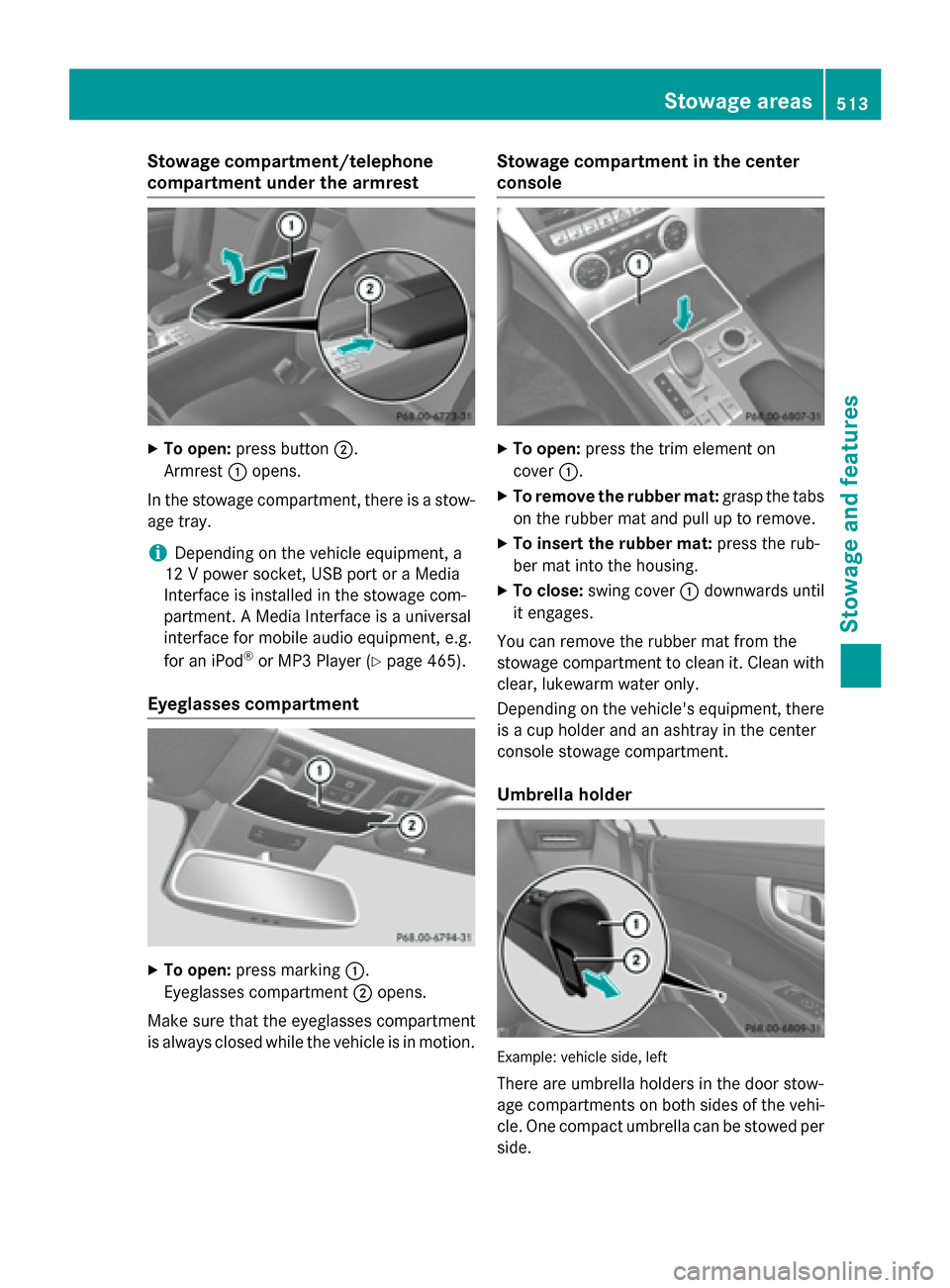
Stowage compartment/telephone
compartment under the armrest
X
To open: press button 0044.
Armrest 0043opens.
In the stowage compartment, there is a stow-
age tray.
i Depending on the vehicle equipment, a
12 V power socket, USB port or a Media
Interface is installed in the stowage com-
partment. A Media Interface is a universal
interface for mobile audio equipment, e.g.
for an iPod ®
or MP3 Player (Y page 465).
Eyeglasses compartment X
To open: press marking 0043.
Eyeglasses compartment 0044opens.
Make sure that the eyeglasses compartment
is always closed while the vehicle is in motion. Stowage compartment in the center
console
X
To open: press the trim element on
cover 0043.
X To remove the rubber mat: grasp the tabs
on the rubber mat and pull up to remove.
X To insert the rubber mat: press the rub-
ber mat into the housing.
X To close: swing cover 0043downwards until
it engages.
You can remove the rubber mat from the
stowage compartment to clean it. Clean with
clear, lukewarm water only.
Depending on the vehicle's equipment, there is a cup holder and an ashtray in the center
console stowage compartment.
Umbrella holder Example: vehicle side, left
There are umbrella holders in the door stow-
age compartments on both sides of the vehi- cle. One compact umbrella can be stowed per
side. Stowage areas
513Stowage and features Z
Page 516 of 610
X
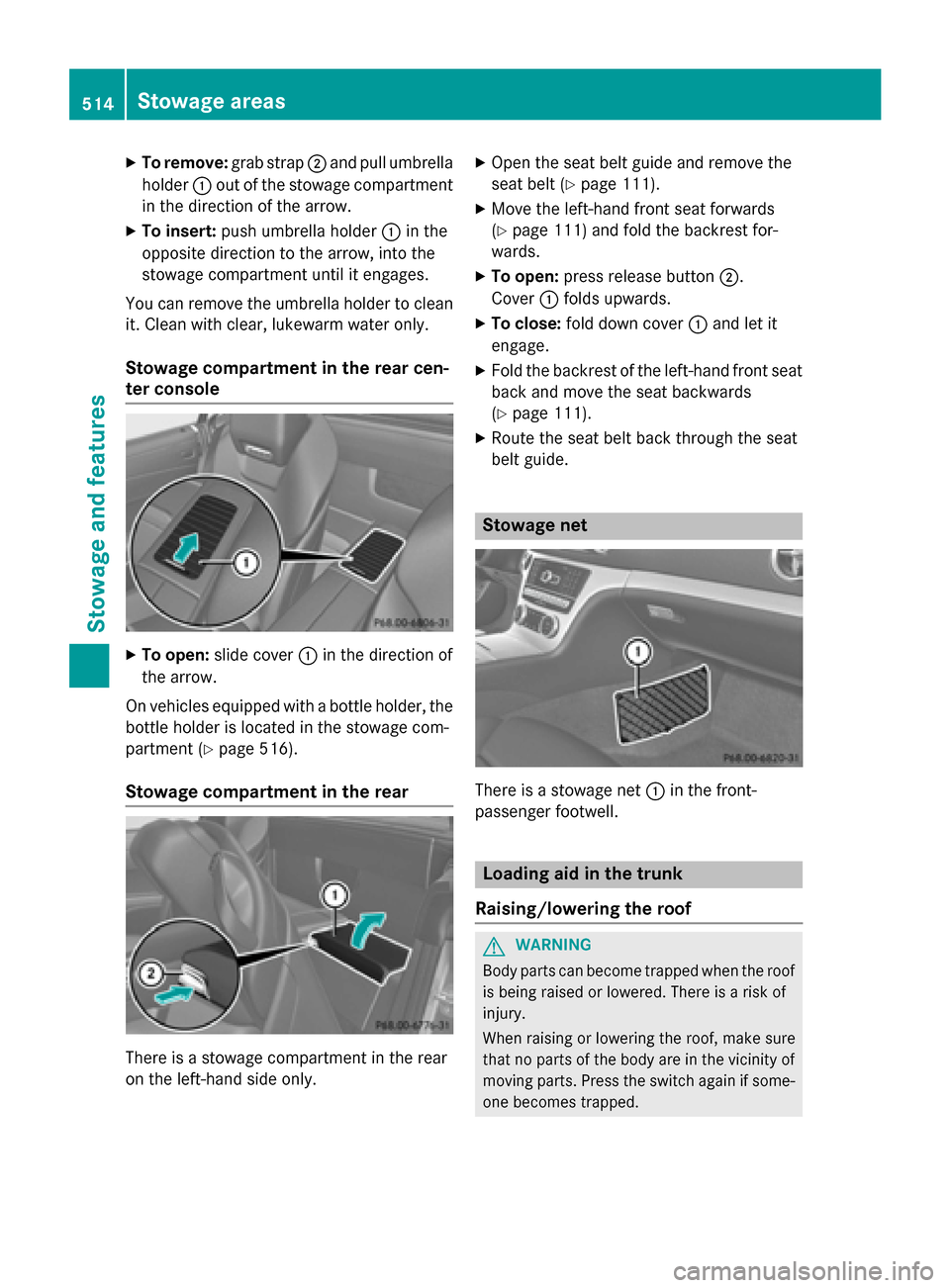
To remove: grab strap0044and pull umbrella
holder 0043out of the stowage compartment
in the direction of the arrow.
X To insert: push umbrella holder 0043in the
opposite direction to the arrow, into the
stowage compartment until it engages.
You can remove the umbrella holder to clean it. Clean with clear, lukewarm water only.
Stowage compartment in the rear cen-
ter console X
To open: slide cover 0043in the direction of
the arrow.
On vehicles equipped with a bottle holder, the
bottle holder is located in the stowage com-
partment (Y page 516).
Stowage compartment in the rear There is a stowage compartment in the rear
on the left-hand side only. X
Open the seat belt guide and remove the
seat belt (Y page 111).
X Move the left-hand front seat forwards
(Y page 111) and fold the backrest for-
wards.
X To open: press release button 0044.
Cover 0043folds upwards.
X To close: fold down cover 0043and let it
engage.
X Fold the backrest of the left-hand front seat
back and move the seat backwards
(Y page 111).
X Route the seat belt back through the seat
belt guide. Stowage net
There is a stowage net
0043in the front-
passenger footwell. Loading aid in the trunk
Raising/lowering the roof G
WARNING
Body parts can become trapped when the roof is being raised or lowered. There is a risk of
injury.
When raising or lowering the roof, make sure
that no parts of the body are in the vicinity of moving parts. Press the switch again if some-
one becomes trapped. 514
Stowage areasSto
wage an d features
Page 517 of 610
!
Only close the trunk once the roof is low-
ered completely. Otherwise, you could
damage the roof.
If you close the trunk lid before the roof is
lowered completely, the loading aid switch lights up and a warning tone sounds. To make it easier to load your luggage, you
can raise the stowed roof after you have
opened the trunk lid.
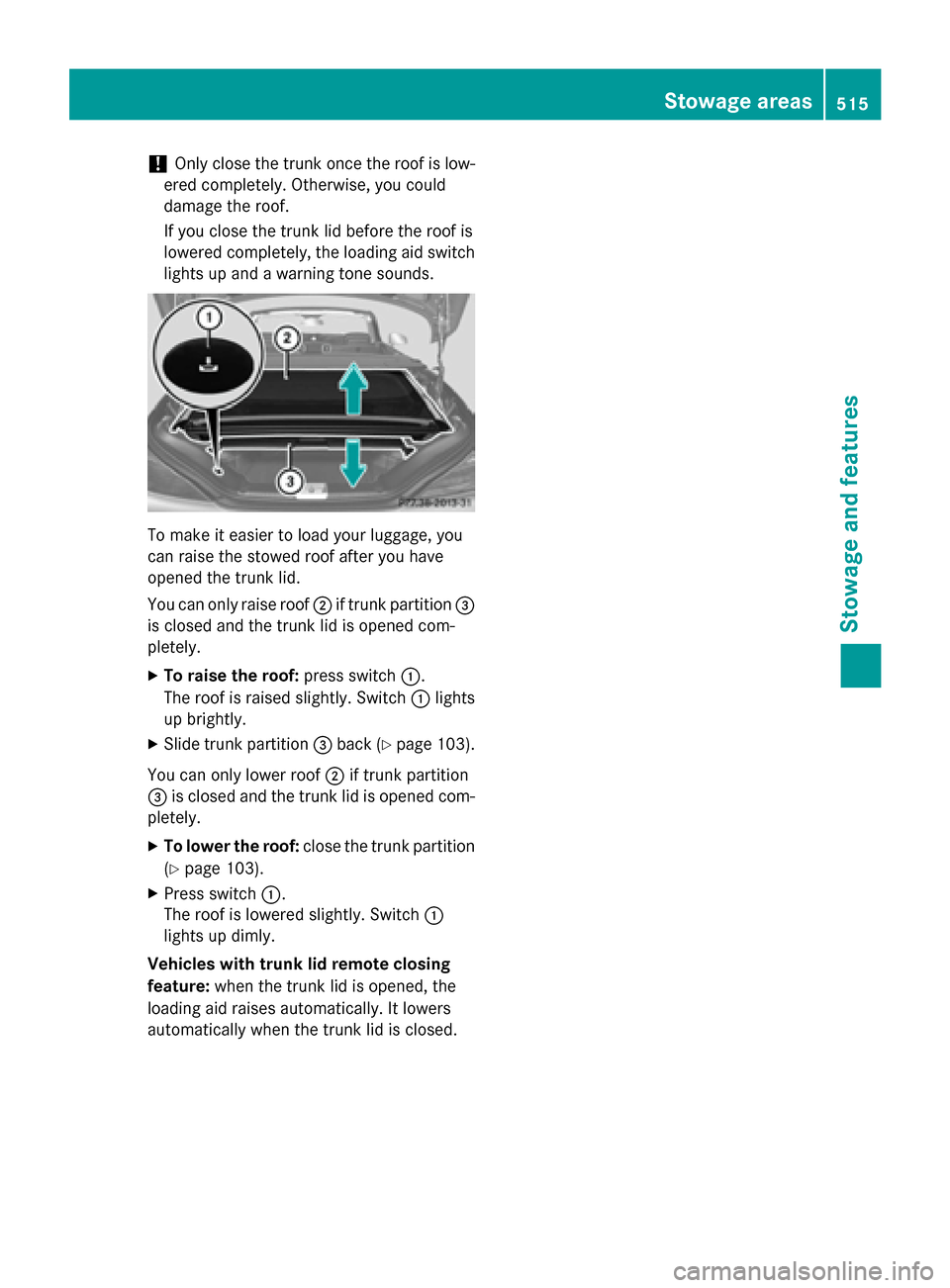
You can only raise roof 0044if trunk partition 0087
is closed and the trunk lid is opened com-
pletely.
X To raise the roof: press switch0043.
The roof is raised slightly. Switch 0043lights
up brightly.
X Slide trunk partition 0087back (Y page 103).
You can only lower roof 0044if trunk partition
0087 is closed and the trunk lid is opened com-
pletely.
X To lower the roof: close the trunk partition
(Y page 103).
X Press switch 0043.
The roof is lowered slightly. Switch 0043
lights up dimly.
Vehicles with trunk lid remote closing
feature: when the trunk lid is opened, the
loading aid raises automatically. It lowers
automatically when the trunk lid is closed. Stowage areas
515Stowage and features Z
Page 518 of 610
Problems with the loading aid
Problem
Possible causes/consequences and
0050
0050Solutions It is no longer possible
to lower the stowed
roof in the trunk using
the loading aid. You cannot close the trunk any more.
X Call a qualified specialist workshop. Stowage well under the trunk floor
X
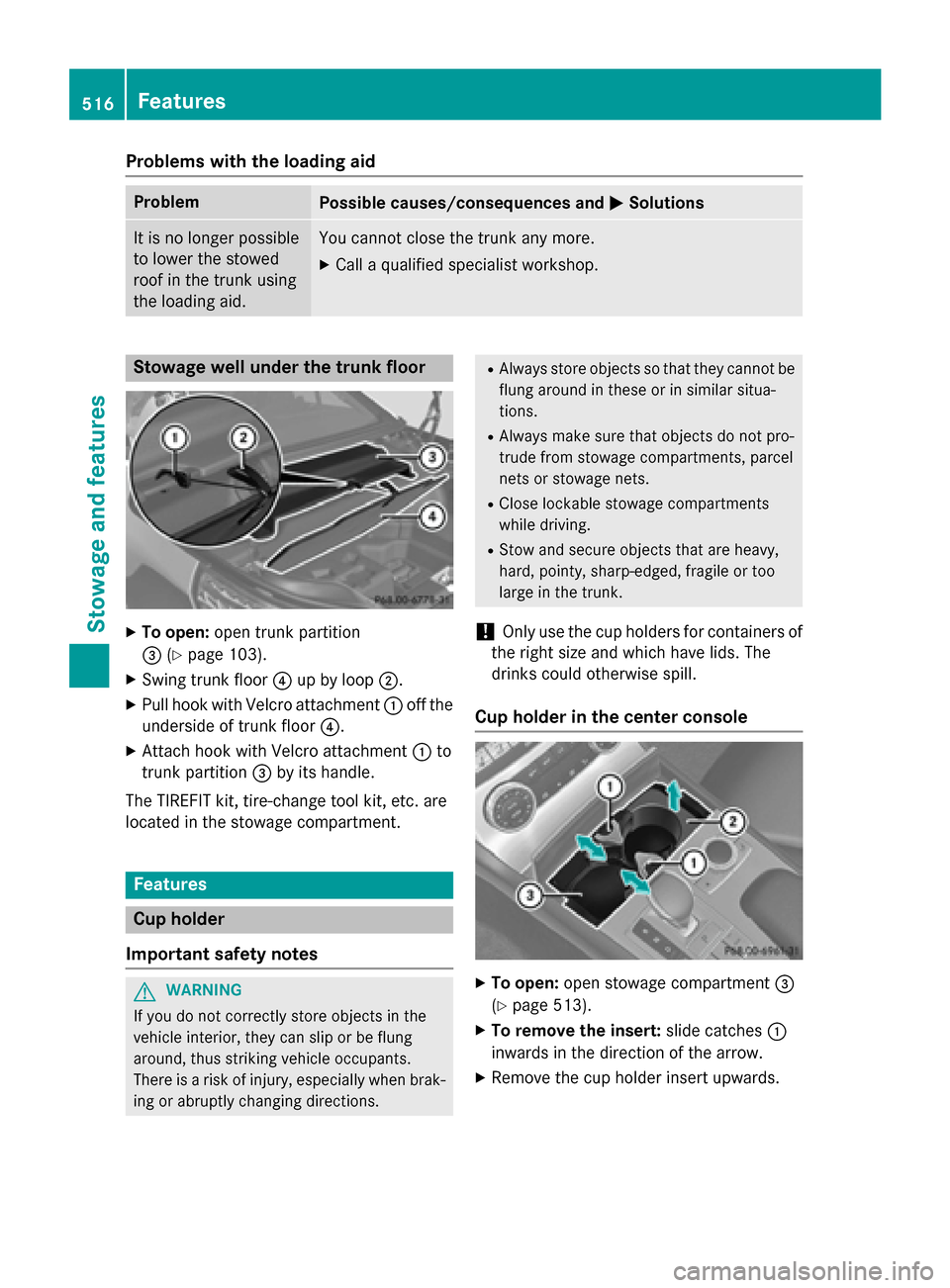
To open: open trunk partition
0087 (Ypage 103).
X Swing trunk floor 0085up by loop 0044.
X Pull hook with Velcro attachment 0043off the
underside of trunk floor 0085.
X Attach hook with Velcro attachment 0043to
trunk partition 0087by its handle.
The TIREFIT kit, tire-change tool kit, etc. are
located in the stowage compartment. Features
Cup holder
Important safety notes G
WARNING
If you do not correctly store objects in the
vehicle interior, they can slip or be flung
around, thus striking vehicle occupants.
There is a risk of injury, especially when brak- ing or abruptly changing directions. R
Always store objects so that they cannot be
flung around in these or in similar situa-
tions.
R Always make sure that objects do not pro-
trude from stowage compartments, parcel
nets or stowage nets.
R Close lockable stowage compartments
while driving.
R Stow and secure objects that are heavy,
hard, pointy, sharp-edged, fragile or too
large in the trunk.
! Only use the cup holders for containers of
the right size and which have lids. The
drinks could otherwise spill.
Cup holder in the center console X
To open: open stowage compartment 0087
(Y page 513).
X To remove the insert: slide catches0043
inwards in the direction of the arrow.
X Remove the cup holder insert upwards. 516
FeaturesStowage and features
Page 519 of 610
X
To re-install the insert: place the insert in
stowage compartment 0087.
X Slide catches 0043outwards in the direction
of the arrow until they engage.
You can remove the cup holder's rubber mat
for cleaning. Clean with clear, lukewarm
water only.
Reducer 0044can be removed. Large and small
containers can then be placed in the cup
holder.
X To remove: grasp reducer 0044and pull
upwards in the direction of the arrow.
X To insert: insert reducer 0044into the cup
holder in the opposite direction of the
arrow and press it down firmly. Bottle holder
Observe the "Important safety notes" in the
"Stowage compartments" section
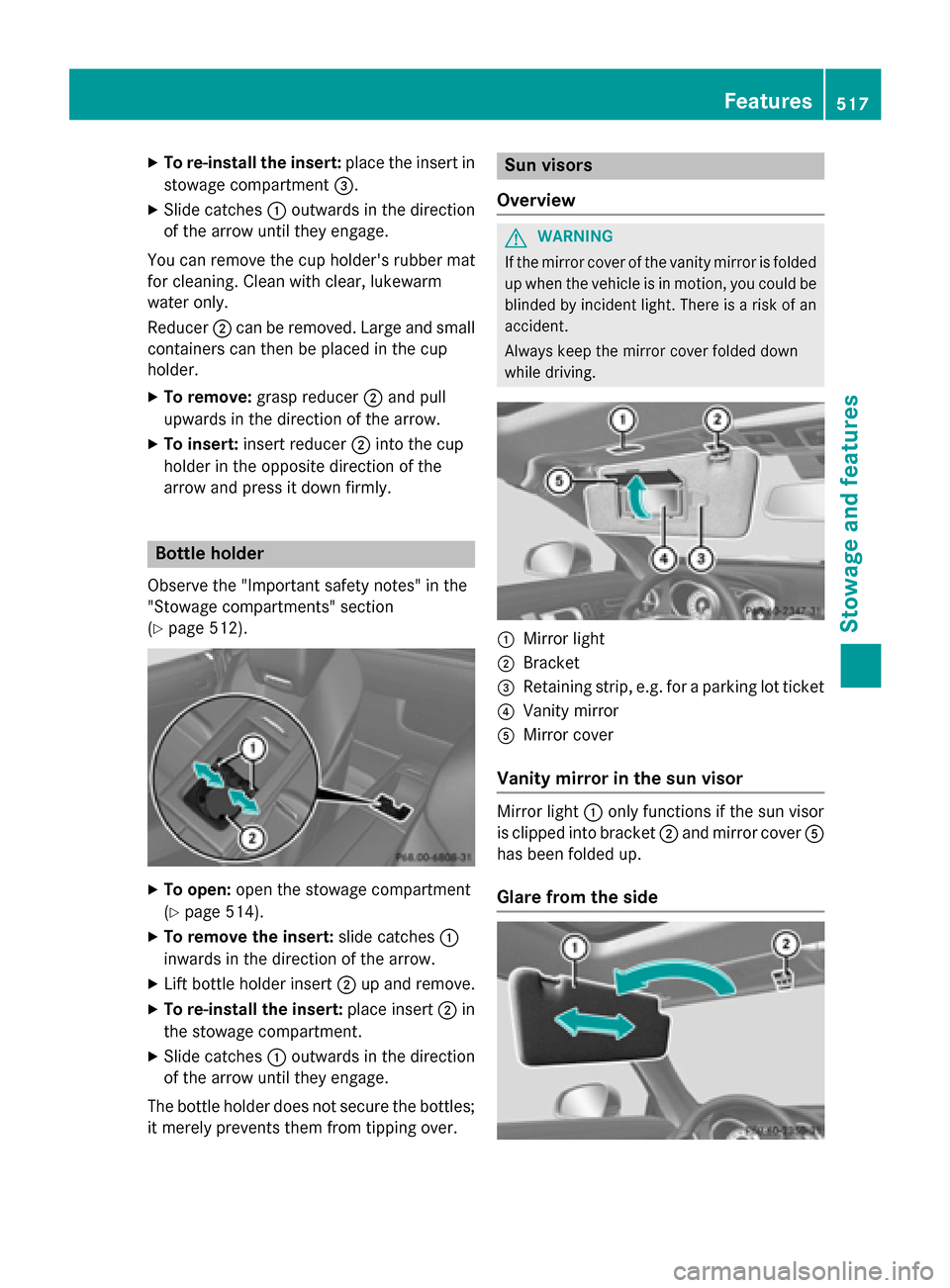
(Y page 512). X
To open: open the stowage compartment
(Y page 514).
X To remove the insert: slide catches0043
inwards in the direction of the arrow.
X Lift bottle holder insert 0044up and remove.
X To re-install the insert: place insert0044in
the stowage compartment.
X Slide catches 0043outwards in the direction
of the arrow until they engage.
The bottle holder does not secure the bottles;
it merely prevents them from tipping over. Sun visors
Overview G
WARNING
If the mirror cover of the vanity mirror is folded up when the vehicle is in motion, you could be
blinded by incident light. There is a risk of an
accident.
Always keep the mirror cover folded down
while driving. 0043
Mirror light
0044 Bracket
0087 Retaining strip, e.g. for a parking lot ticket
0085 Vanity mirror
0083 Mirror cover
Vanity mirror in the sun visor Mirror light
0043only functions if the sun visor
is clipped into bracket 0044and mirror cover 0083
has been folded up.
Glare from the side Features
517Stowage an d features Z
Page 520 of 610
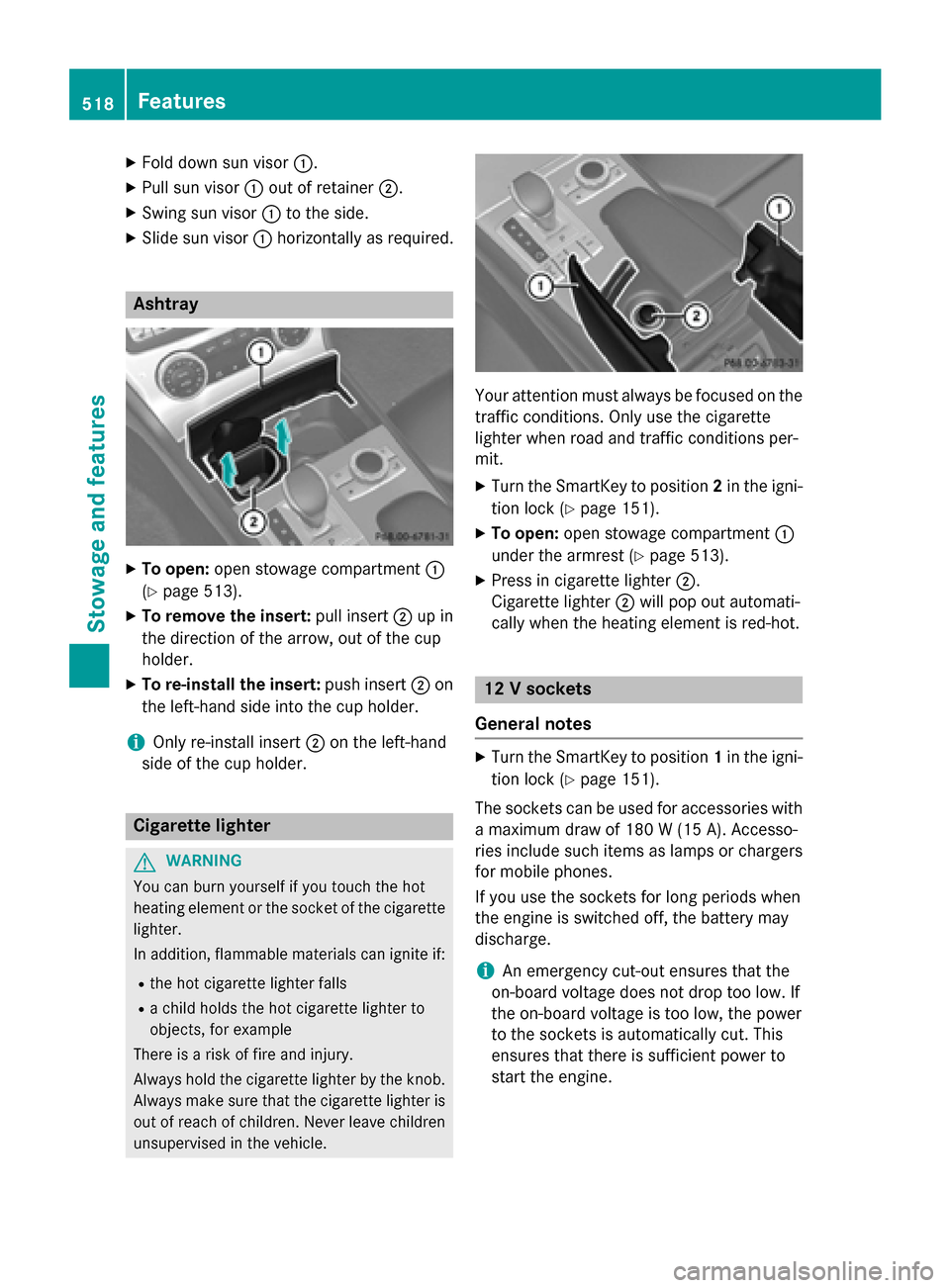
X
Fold down sun visor 0043.
X Pull sun visor 0043out of retainer 0044.
X Swing sun visor 0043to the side.
X Slide sun visor 0043horizontally as required. Ashtray
X
To open: open stowage compartment 0043
(Y page 513).
X To remove the insert: pull insert0044up in
the direction of the arrow, out of the cup
holder.
X To re-install the insert: push insert0044on
the left-hand side into the cup holder.
i Only re-install insert
0044on the left-hand
side of the cup holder. Cigarette lighter
G
WARNING
You can burn yourself if you touch the hot
heating element or the socket of the cigarette lighter.
In addition, flammable materials can ignite if:
R the hot cigarette lighter falls
R a child holds the hot cigarette lighter to
objects, for example
There is a risk of fire and injury.
Always hold the cigarette lighter by the knob.
Always make sure that the cigarette lighter is
out of reach of children. Never leave children unsupervised in the vehicle. Your attention must always be focused on the
traffic conditions. Only use the cigarette
lighter when road and traffic conditions per-
mit.
X Turn the SmartKey to position 2in the igni-
tion lock (Y page 151).
X To open: open stowage compartment 0043
under the armrest (Y page 513).
X Press in cigarette lighter 0044.
Cigarette lighter 0044will pop out automati-
cally when the heating element is red-hot. 12 V sockets
General notes X
Turn the SmartKey to position 1in the igni-
tion lock (Y page 151).
The sockets can be used for accessories with a maximum draw of 180 W(15 A). Accesso-
ries include such items as lamps or chargers
for mobile phones.
If you use the sockets for long periods when
the engine is switched off, the battery may
discharge.
i An emergency cut-out ensures that the
on-board voltage does not drop too low. If
the on-board voltage is too low, the power
to the sockets is automatically cut. This
ensures that there is sufficient power to
start the engine. 518
FeaturesStowage and fea
tures
Page 521 of 610
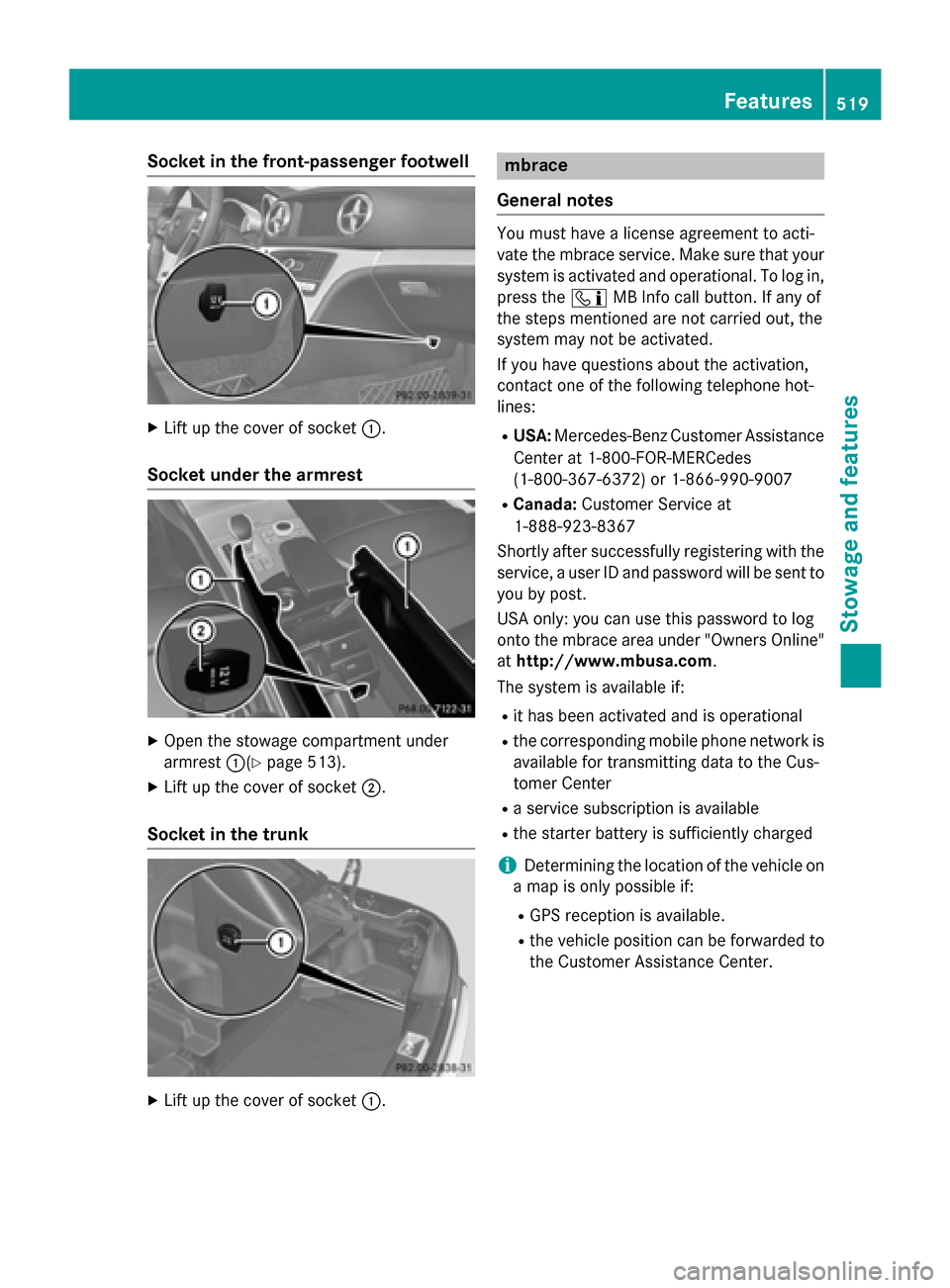
Socket in the front-passenger footwell
X
Lift up the cover of socket 0043.
Socket under the armrest X
Open the stowage compartment under
armrest 0043(Ypage 513).
X Lift up the cover of socket 0044.
Socket in the trunk X
Lift up the cover of socket 0043. mbrace
General notes You must have a license agreement to acti-
vate the mbrace service. Make sure that your
system is activated and operational. To log in,
press the 00D9MB Info call button. If any of
the steps mentioned are not carried out, the
system may not be activated.
If you have questions about the activation,
contact one of the following telephone hot-
lines:
R USA: Mercedes-Benz Customer Assistance
Center at 1-800-FOR-MERCedes
(1-800-367-6372) or 1-866-990-9007
R Canada: Customer Service at
1-888-923-8367
Shortly after successfully registering with the
service, a user ID and password will be sent to you by post.
USA only: you can use this password to log
onto the mbrace area under "Owners Online"
at http://www.mbusa.com.
The system is available if:
R it has been activated and is operational
R the corresponding mobile phone network is
available for transmitting data to the Cus-
tomer Center
R a service subscription is available
R the starter battery is sufficiently charged
i Determining the location of the vehicle on
a map is only possible if:
R GPS reception is available.
R the vehicle position can be forwarded to
the Customer Assistance Center. Features
519Stowage and features Z
Page 523 of 610
General notes
An emergency call is dialed automatically if an
air bag or Emergency Tensioning Device is
triggered.
i You cannot end an automatically trig-
gered emergency call yourself.
An emergency call can also be initiated man-
ually.
As soon as the emergency call has been ini-
tiated, the indicator lamp in the SOS button
flashes. The multifunction display shows the
Connecting Call
Connecting Call message.
The audio output is muted.
Once the connection has been made, the
Call Connected Call Connected message appears in the
multifunction display.
All important information on the emergency is transmitted, for example:
R current location of the vehicle (as deter-
mined by the GPS system)
R vehicle identification number
R information on the severity of the accident
Shortly after the emergency call has been ini- tiated, a voice connection is automatically
established between the Customer Assis-
tance Center and the vehicle occupants.
R If the vehicle occupants respond, the
Mercedes-Benz Customer Assistance Cen-
ter attempts to get more information on the emergency.
R If there is no response from the vehicle
occupants, an ambulance is immediately
sent to the vehicle.
If no voice connection can be established to
the Mercedes-Benz Customer Assistance
Center, the system has been unable to initiate an emergency call.
This can occur, for example, if the relevant
mobile phone network is not available. The
indicator lamp in the SOS button flashes con- tinuously.
The Call Failed
Call Failed message appears in the
multifunction display and must be confirmed. In this case, summon assistance by other
means.
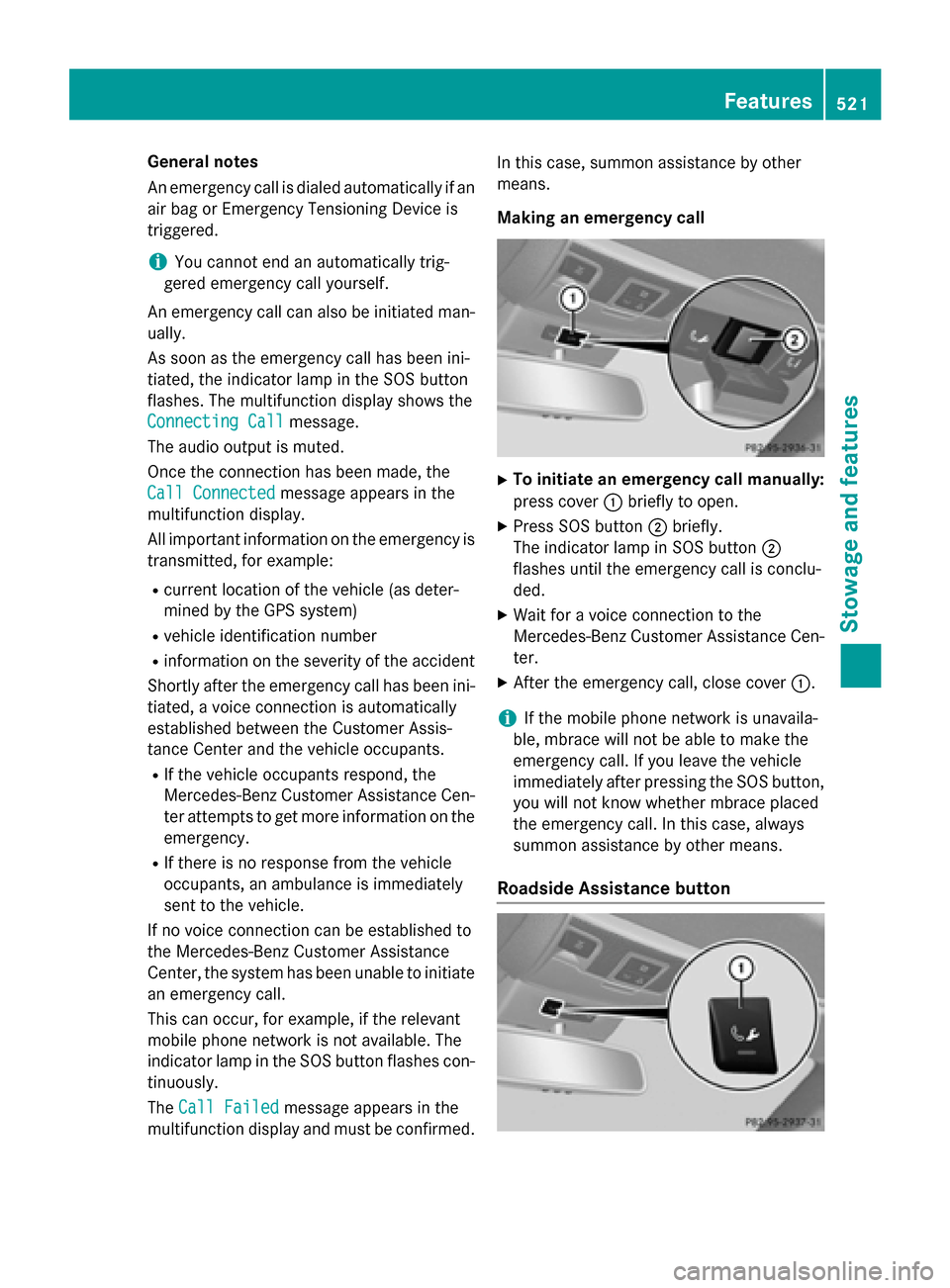
Making an emergency call
X
To initiate an emergency call manually:
press cover 0043briefly to open.
X Press SOS button 0044briefly.
The indicator lamp in SOS button 0044
flashes until the emergency call is conclu-
ded.
X Wait for a voice connection to the
Mercedes-Benz Customer Assistance Cen-
ter.
X After the emergency call, close cover 0043.
i If the mobile phone network is unavaila-
ble, mbrace will not be able to make the
emergency call. If you leave the vehicle
immediately after pressing the SOS button,
you will not know whether mbrace placed
the emergency call. In this case, always
summon assistance by other means.
Roadside Assistance button Features
521Stowage and features Z
Page 524 of 610
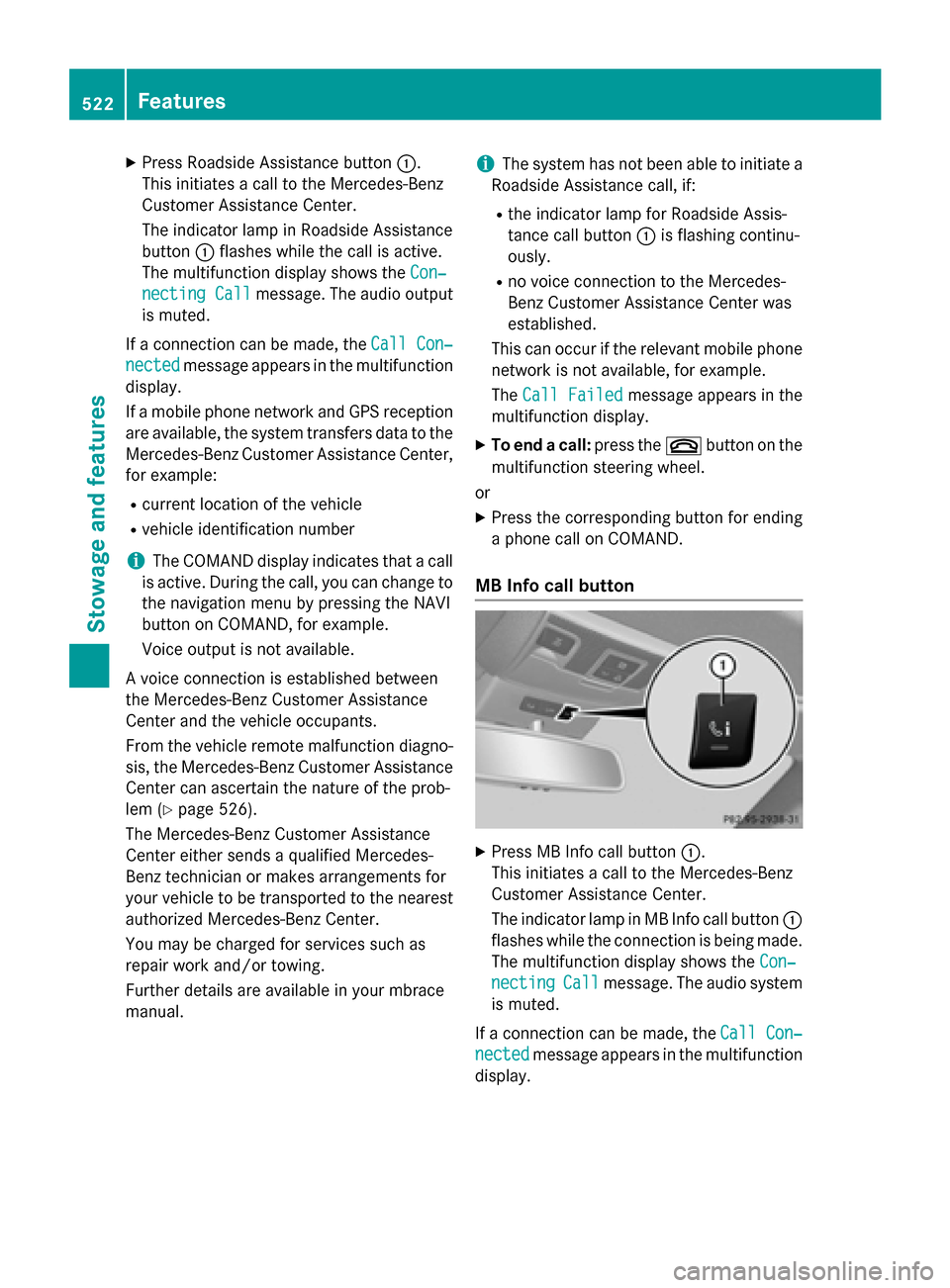
X
Press Roadside Assistance button 0043.
This initiates a call to the Mercedes-Benz
Customer Assistance Center.
The indicator lamp in Roadside Assistance
button 0043flashes while the call is active.
The multifunction display shows the Con‐ Con‐
necting Call
necting Call message. The audio output
is muted.
If a connection can be made, the Call Con‐
Call Con‐
nected
nected message appears in the multifunction
display.
If a mobile phone network and GPS reception are available, the system transfers data to the
Mercedes-Benz Customer Assistance Center, for example:
R current location of the vehicle
R vehicle identification number
i The COMAND display indicates that a call
is active. During the call, you can change to the navigation menu by pressing the NAVI
button on COMAND, for example.
Voice output is not available.
A voice connection is established between
the Mercedes-Benz Customer Assistance
Center and the vehicle occupants.
From the vehicle remote malfunction diagno-
sis, the Mercedes-Benz Customer Assistance Center can ascertain the nature of the prob-
lem (Y page 526).
The Mercedes-Benz Customer Assistance
Center either sends a qualified Mercedes-
Benz technician or makes arrangements for
your vehicle to be transported to the nearest
authorized Mercedes-Benz Center.
You may be charged for services such as
repair work and/or towing.
Further details are available in your mbrace
manual. i
The system has not been able to initiate a
Roadside Assistance call, if:
R the indicator lamp for Roadside Assis-
tance call button 0043is flashing continu-
ously.
R no voice connection to the Mercedes-
Benz Customer Assistance Center was
established.
This can occur if the relevant mobile phone network is not available, for example.
The Call Failed
Call Failed message appears in the
multifunction display.
X To end a call: press the0076button on the
multifunction steering wheel.
or
X Press the corresponding button for ending
a phone call on COMAND.
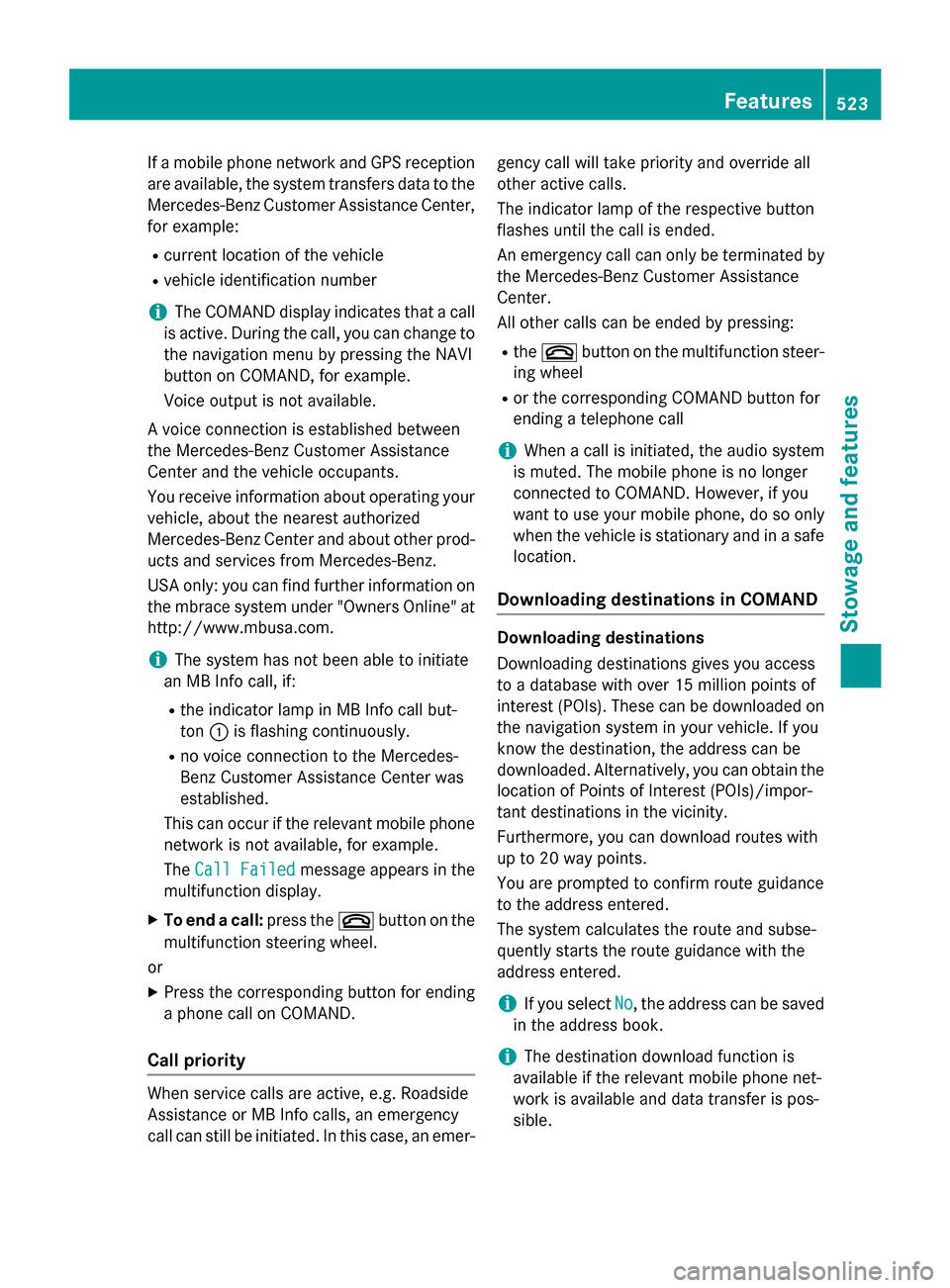
MB Info call button X
Press MB Info call button 0043.
This initiates a call to the Mercedes-Benz
Customer Assistance Center.
The indicator lamp in MB Info call button 0043
flashes while the connection is being made.
The multifunction display shows the Con‐ Con‐
necting
necting Call
Callmessage. The audio system
is muted.
If a connection can be made, the Call Con‐
Call Con‐
nected
nected message appears in the multifunction
display. 522
FeaturesStowage and features
Page 525 of 610
If a mobile phone network and GPS reception
are available, the system transfers data to the
Mercedes-Benz Customer Assistance Center, for example:
R current location of the vehicle
R vehicle identification number
i The COMAND display indicates that a call
is active. During the call, you can change to the navigation menu by pressing the NAVI
button on COMAND, for example.
Voice output is not available.
A voice connection is established between
the Mercedes-Benz Customer Assistance
Center and the vehicle occupants.
You receive information about operating your vehicle, about the nearest authorized
Mercedes-Benz Center and about other prod-
ucts and services from Mercedes-Benz.
USA only: you can find further information on
the mbrace system under "Owners Online" at
http://www.mbusa.com.
i The system has not been able to initiate
an MB Info call, if:
R the indicator lamp in MB Info call but-
ton 0043is flashing continuously.
R no voice connection to the Mercedes-
Benz Customer Assistance Center was
established.
This can occur if the relevant mobile phone network is not available, for example.
The Call Failed Call Failed message appears in the
multifunction display.
X To end a call: press the0076button on the
multifunction steering wheel.
or
X Press the corresponding button for ending
a phone call on COMAND.
Call priority When service calls are active, e.g. Roadside
Assistance or MB Info calls, an emergency
call can still be initiated. In this case, an emer- gency call will take priority and override all
other active calls.
The indicator lamp of the respective button
flashes until the call is ended.
An emergency call can only be terminated by
the Mercedes-Benz Customer Assistance
Center.
All other calls can be ended by pressing:
R the 0076 button on the multifunction steer-
ing wheel
R or the corresponding COMAND button for
ending a telephone call
i When a call is initiated, the audio system
is muted. The mobile phone is no longer
connected to COMAND. However, if you
want to use your mobile phone, do so only
when the vehicle is stationary and in a safe
location.
Downloading destinations in COMAND Downloading destinations
Downloading destinations gives you access
to a database with over 15 million points of
interest (POIs). These can be downloaded on
the navigation system in your vehicle. If you
know the destination, the address can be
downloaded. Alternatively, you can obtain the
location of Points of Interest (POIs)/impor-
tant destinations in the vicinity.
Furthermore, you can download routes with
up to 20 way points.
You are prompted to confirm route guidance
to the address entered.
The system calculates the route and subse-
quently starts the route guidance with the
address entered.
i If you select
No No, the address can be saved
in the address book.
i The destination download function is
available if the relevant mobile phone net-
work is available and data transfer is pos-
sible. Features
523Stowage and features Z