reset MERCEDES-BENZ SL CLASS 2019 User Guide
[x] Cancel search | Manufacturer: MERCEDES-BENZ, Model Year: 2019, Model line: SL CLASS, Model: MERCEDES-BENZ SL CLASS 2019Pages: 330, PDF Size: 16.53 MB
Page 198 of 330
XTo select a preset list or station list:press and briefly hold thecordbut-ton until the preset list or station list in thedesired frequency range is shown.
XTo select a station:briefly presscord.
SIRIUS XM®satellite radio acts like a normalradio.
For more information on radio operation, see"Satellite radio" in the Digital Operator's Man-ual.
Operating an audio player or media
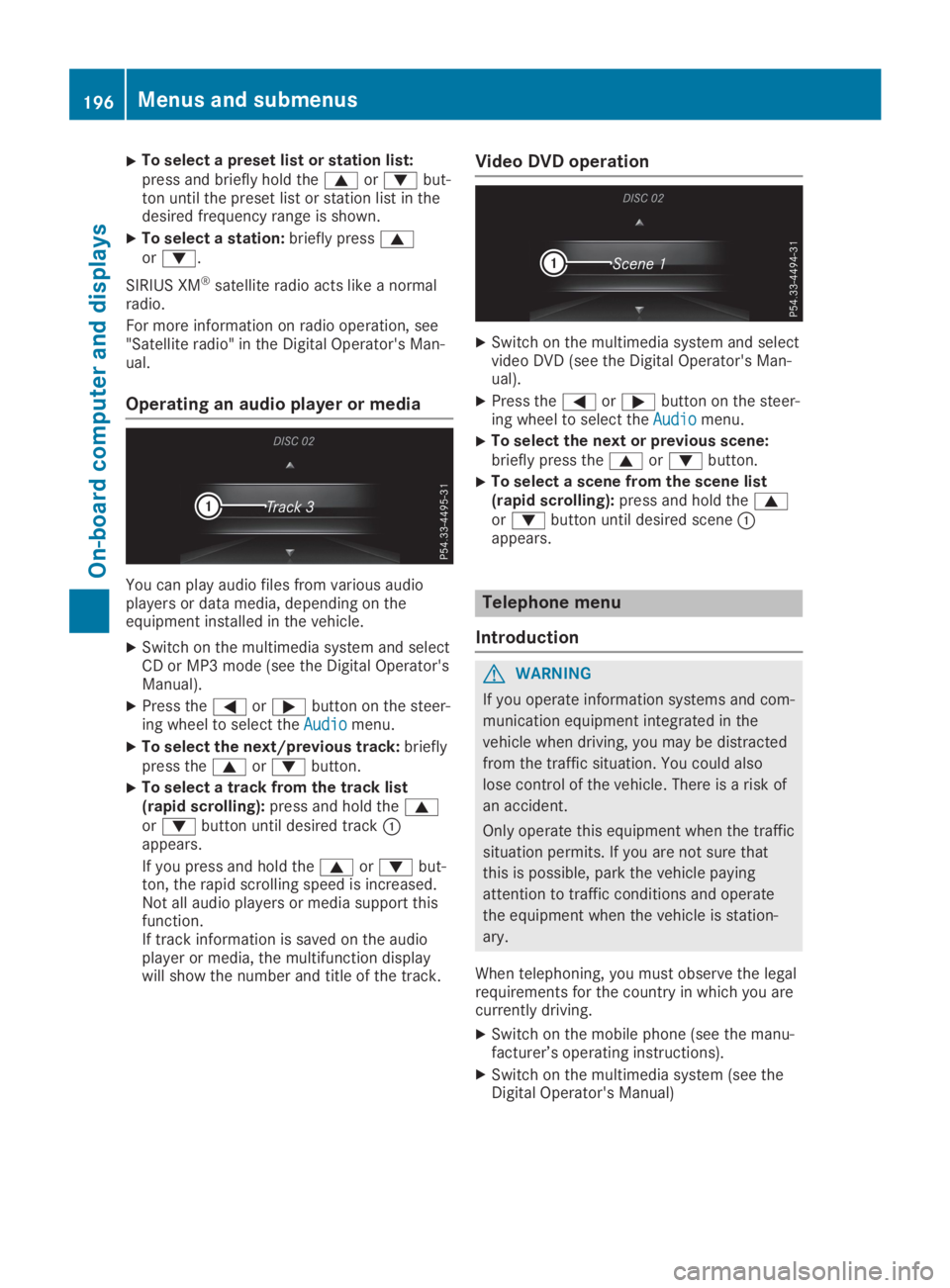
You can play audio files from various audioplayers or data media, depending on theequipment installed in the vehicle.
XSwitch on the multimedia system and selectCD or MP3 mode (see the Digital Operator'sManual).
XPress theYorebutton on the steer-ing wheel to select theAudioAudiomenu.
XTo select the next/previous track:brieflypress thecordbutton.
XTo select a track from the track list(rapid scrolling):press and hold thecordbutton until desired trackCappears.
If you press and hold thecordbut-ton, the rapid scrolling speed is increased.Not all audio players or media support thisfunction.If track information is saved on the audioplayer or media, the multifunction displaywill show the number and title of the track.
Video DVD operation
XSwitch on the multimedia system and selectvideo DVD (see the Digital Operator's Man-ual).
XPress theYorebutton on the steer-ing wheel to select theAudioAudiomenu.
XTo select the next or previous scene:briefly press thecordbutton.
XTo select a scene from the scene list(rapid scrolling):press and hold thecordbutton until desired sceneCappears.
Telephone menu
Introduction
GWARNING
If you operate information systems and com-
munication equipment integrated in the
vehicle when driving, you may be distracted
from the traffic situation. You could also
lose control of the vehicle. There is a risk of
an accident.
Only operate this equipment when the traffic
situation permits. If you are not sure that
this is possible, park the vehicle paying
attention to traffic conditions and operate
the equipment when the vehicle is station-
ary.
When telephoning, you must observe the legalrequirements for the country in which you arecurrently driving.
XSwitch on the mobile phone (see the manu-facturer’s operating instructions).
XSwitch on the multimedia system (see theDigital Operator's Manual)
196Menus and submenus
On-board computer and displays
Page 204 of 330
XPress theYorebutton on the steer-ing wheel to select theSett.Sett.menu.
XPress thedorcbutton to select theConvenienceConveniencesubmenu.
XPressvto confirm.
XUsingdorc, select theEasyEasyEntry/ExitEntry/Exitfunction.If theEasy Entry/ExitEasy Entry/Exitfunction is activa-ted, the multifunction display shows thesteering wheel in orange.
XPress thevbutton to save the setting.
Further information on the EASY-ENTRY/EXITfeature (Ypage 103).
Switching the seat belt adjustment
on/off
XPress theYorebutton on the steer-ing wheel to select theSett.Sett.menu.
XPress thedorcbutton to select theConvenienceConveniencesubmenu.
XPressvto confirm.
XPress thedorcbutton to select theBelt AdjustmentBelt Adjustmentfunction.When theBelt AdjustmentBelt Adjustmentfunction isactivated, the seat belt is displayed inorange in the multifunction display.
XPress thevbutton to save the setting.
For further information on belt adjustment,see (Ypage 44).
Switching the fold-in mirrors when lock-
ing feature on/off
This function is only available when the vehicleis equipped with the electrical fold-in function.
This function is only available in Canada.
When you activate theAuto. Mirror Fold‐Auto. Mirror Fold‐ingingfunction, the exterior mirrors are folded inwhen the vehicle is locked.
If you have switched on theAuto. MirrorAuto. MirrorFoldingFoldingfunction and you fold in the exteriormirrors using the button on the door(Ypage 105), they will not fold out automati-cally. The exterior mirrors can then only be fol-ded out using the button on the door.
XPress theYorebutton on the steer-ing wheel to select theSett.Sett.menu.
XPress thedorcbutton to select theConvenienceConveniencesubmenu.
XPressvto confirm.
XPress thedorcbutton to select theAuto. Mirror FoldingAuto. Mirror Foldingfunction.If theAuto. Mirror FoldingAuto. Mirror Foldingfunction isswitched on, the multifunction displayshows the exterior mirror in orange.
XPress thevbutton to save the setting.
Restoring the factory settings
XPress theYorebutton on the steer-ing wheel to select theSett.Sett.menu.
XPress thedorcbutton to select theFactory SettingFactory Settingsubmenu.
XPressvto confirm.TheReset All Settings?Reset All Settings?functionappears.
XPress thedorcbutton to selectNoNoorYesYes.
XPress thevbutton to confirm the selec-tion.If you have selectedYesYesand confirmed, themultifunction display shows a confirmationmessage.
For safety reasons, theDaytime RunningDaytime RunningLightsLightsfunction in theLightsLightssubmenu isonly reset if the vehicle is stationary.
AMG menu (Mercedes-AMG vehicles)
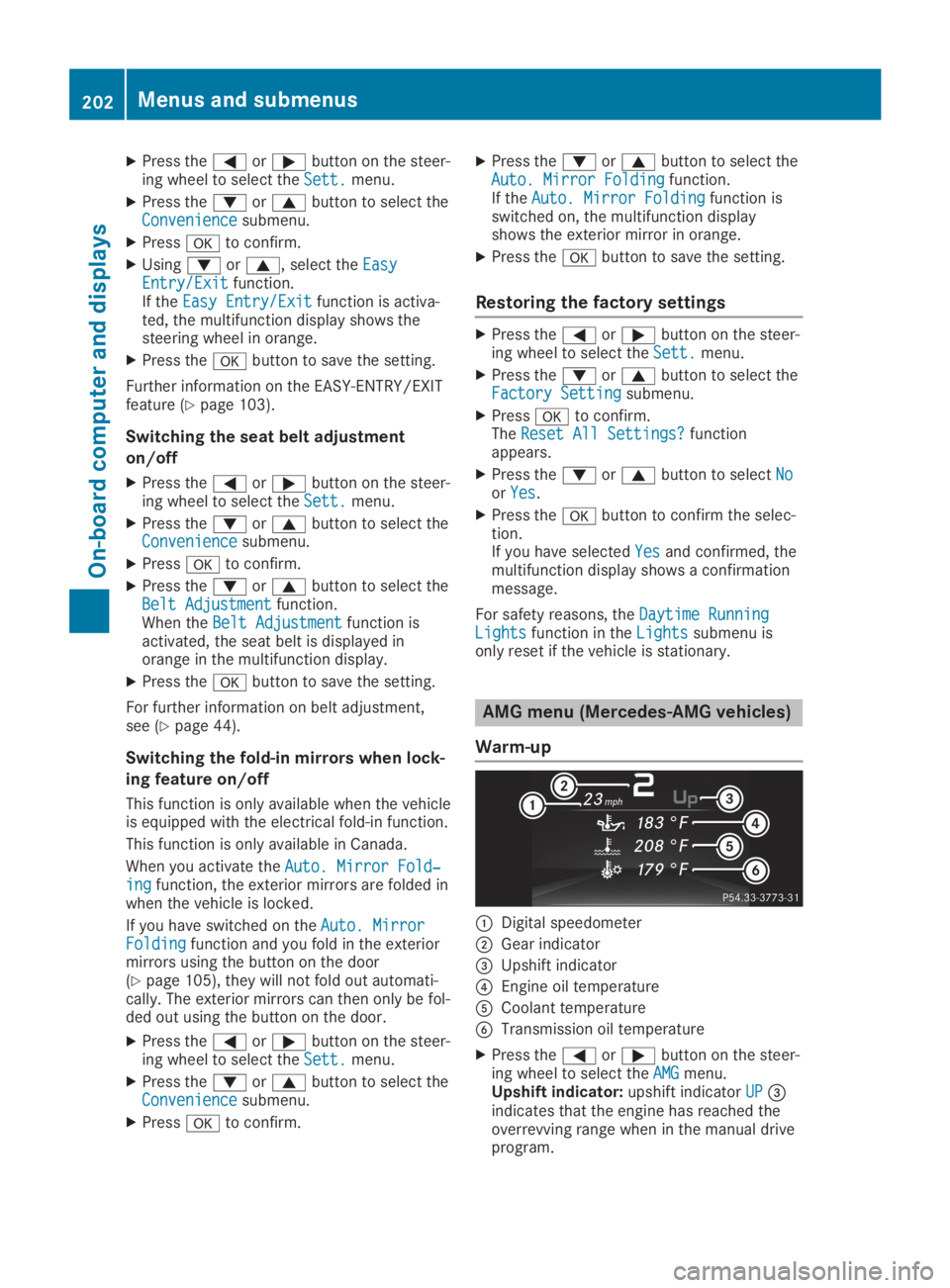
Warm-up
CDigital speedometer
DGear indicator
Page 206 of 330
Stopping the RACE TIMER
XPress the8button on the steeringwheel.
XConfirmYesYeswithv.
The RACE TIMER interrupts timing if you stopthe vehicle and turn the SmartKey to positionGin the ignition lock. If you turn the Smart-Key to position3and then pressvto con-
firmStartStart, timing is continued.
Resetting the current lap
XStop the RACE TIMER.
XPress theYorebutton to selectReset LapReset Lap.
XPressvto reset the lap time to "0".
Deleting all laps
If you switch off the engine, the RACE TIMER isreset to "0" after 30 seconds. All laps aredeleted.
You cannot delete individual stored laps. If youhave stopped 16 laps, the current lap does nothave to be reset.
XReset the current lap.
XPressvto confirmResetReset.Reset Race-Timer?Reset Race-Timer?appears in the multi-function display.
XPress thedbutton to selectYesYesandpress thevbutton to confirm.All laps are deleted.
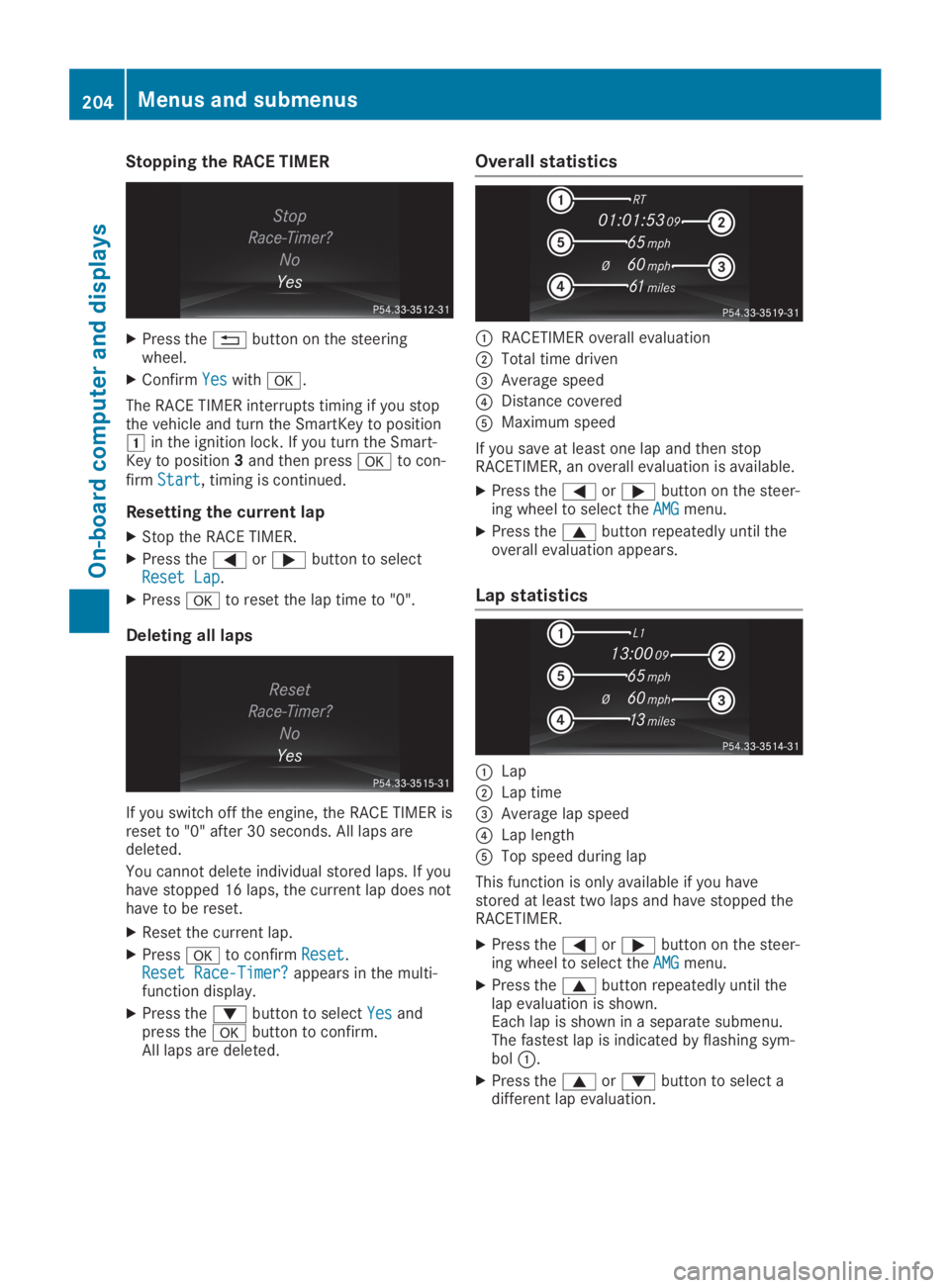
Overall statistics
CRACETIMER overall evaluation
DTotal time driven
Page 272 of 330
Maintaining the time-dependent service sched-ule:
XNote down the service due date displayed inthe multifunction display before disconnect-ing the battery.
or
XAfter reconnecting the battery, subtract thebattery disconnection periods from the ser-vice date shown on the display.
Hiding service displays
XPress thevor8button on the steer-ing wheel.
Showing service displays
XSwitch on the ignition.
XPressYoreon the steering wheelto select theServ.Serv.menu.
XPresscordto select theASSYSTASSYSTPLUSPLUSsubmenu and confirm by pressing thevbutton.The service due date appears in the multi-function display.
Information about Service
Resetting the ASSYST PLUS service
interval display
!If the ASSYST PLUS service interval dis-play has been inadvertently reset, this set-ting can be corrected at a qualified special-ist workshop.
Have service work carried out as describedin the Maintenance Booklet. This may other-wise lead to increased wear and damage tothe major assemblies or the vehicle.
A qualified specialist workshop, e.g. an author-ized Mercedes-Benz Center, will reset theASSYST PLUS service interval display after theservice work has been carried out. You canalso obtain further information on mainte-nance work, for example.
Special service requirements
The specified maintenance interval takes onlythe normal operation of the vehicle intoaccount. Service work will need to be per-formed more often if the vehicle is operatedunder arduous conditions or increased loads.
The ASSYST PLUS service interval display isonly an aid. The driver of the vehicle is respon-sible for whether service work will need to beperformed more frequently than required as aresult of the actual operating conditionsand/or loads.
Examples of arduous operating conditions:
Rregular city driving with frequent intermedi-ate stops
Rthe vehicle is primarily used to travel shortdistances
Rfrequent use in mountainous terrain or onpoor road surfaces
Rthe engine is often left idling for long peri-ods
Rparticularly dusty conditions, or if air-recir-culation mode is frequently used
In these or similar operating conditions, havethe interior filter, air filter, engine oil and oil fil-ter, for example, changed more frequently.Under arduous operating conditions, the tiresmust be checked more often. Further informa-tion can be obtained at a qualified specialistworkshop.
Driving abroad
An extensive Mercedes-Benz Service networkis also available in other countries. You canobtain further information from any authorizedMercedes-Benz Service Center.
Care
Notes on care
HEnvironmental note
Dispose of empty packaging and cleaning
cloths in an environmentally responsible
manner.
!When cleaning your car, do not use:
Rdry, coarse or hard cloths
Rabrasive cleaning agents
270Care
Maintenance and care
Page 286 of 330
!Have the battery regularly checked at aqualified specialist workshop.
Comply with the service intervals in theMaintenance Booklet, or contact a qualifiedspecialist workshop for more information.
!Always have work on batteries carried outat a qualified specialist workshop.
Should it, in exceptional circumstances, beabsolutely necessary to disconnect the 12-volt battery yourself, please observe the fol-lowing:
RSecure the vehicle to prevent it from roll-ing away.
RSwitch off the ignition.
RDisconnect the negative terminal first andthen the positive terminal.
After the work has been done, install thebattery and replace the cover of the positiveterminal clamp firmly.
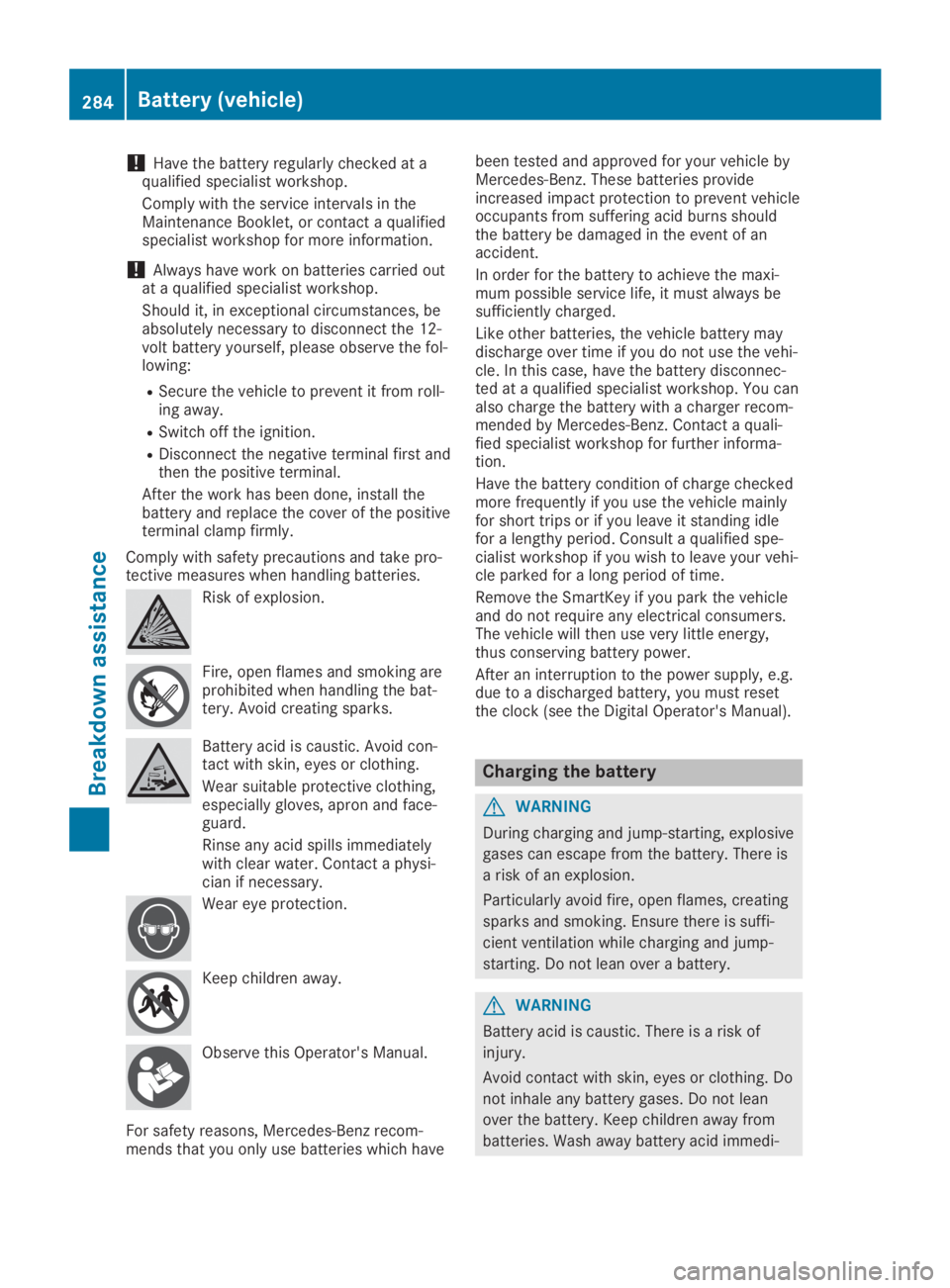
Comply with safety precautions and take pro-tective measures when handling batteries.
Risk of explosion.
Fire, open flames and smoking areprohibited when handling the bat-tery. Avoid creating sparks.
Battery acid is caustic. Avoid con-tact with skin, eyes or clothing.
Wear suitable protective clothing,especially gloves, apron and face-guard.
Rinse any acid spills immediatelywith clear water. Contact a physi-cian if necessary.
Wear eye protection.
Keep children away.
Observe this Operator's Manual.
For safety reasons, Mercedes-Benz recom-mends that you only use batteries which have
been tested and approved for your vehicle byMercedes-Benz. These batteries provideincreased impact protection to prevent vehicleoccupants from suffering acid burns shouldthe battery be damaged in the event of anaccident.
In order for the battery to achieve the maxi-mum possible service life, it must always besufficiently charged.
Like other batteries, the vehicle battery maydischarge over time if you do not use the vehi-cle. In this case, have the battery disconnec-ted at a qualified specialist workshop. You canalso charge the battery with a charger recom-mended by Mercedes-Benz. Contact a quali-fied specialist workshop for further informa-tion.
Have the battery condition of charge checkedmore frequently if you use the vehicle mainlyfor short trips or if you leave it standing idlefor a lengthy period. Consult a qualified spe-cialist workshop if you wish to leave your vehi-cle parked for a long period of time.
Remove the SmartKey if you park the vehicleand do not require any electrical consumers.The vehicle will then use very little energy,thus conserving battery power.
After an interruption to the power supply, e.g.due to a discharged battery, you must resetthe clock (see the Digital Operator's Manual).
Charging the battery
GWARNING
During charging and jump-starting, explosive
gases can escape from the battery. There is
a risk of an explosion.
Particularly avoid fire, open flames, creating
sparks and smoking. Ensure there is suffi-
cient ventilation while charging and jump-
starting. Do not lean over a battery.
GWARNING
Battery acid is caustic. There is a risk of
injury.
Avoid contact with skin, eyes or clothing. Do
not inhale any battery gases. Do not lean
over the battery. Keep children away from
batteries. Wash away battery acid immedi-
284Battery (vehicle)
Breakdown assistance
Page 299 of 330
Tire and Loading Information placard
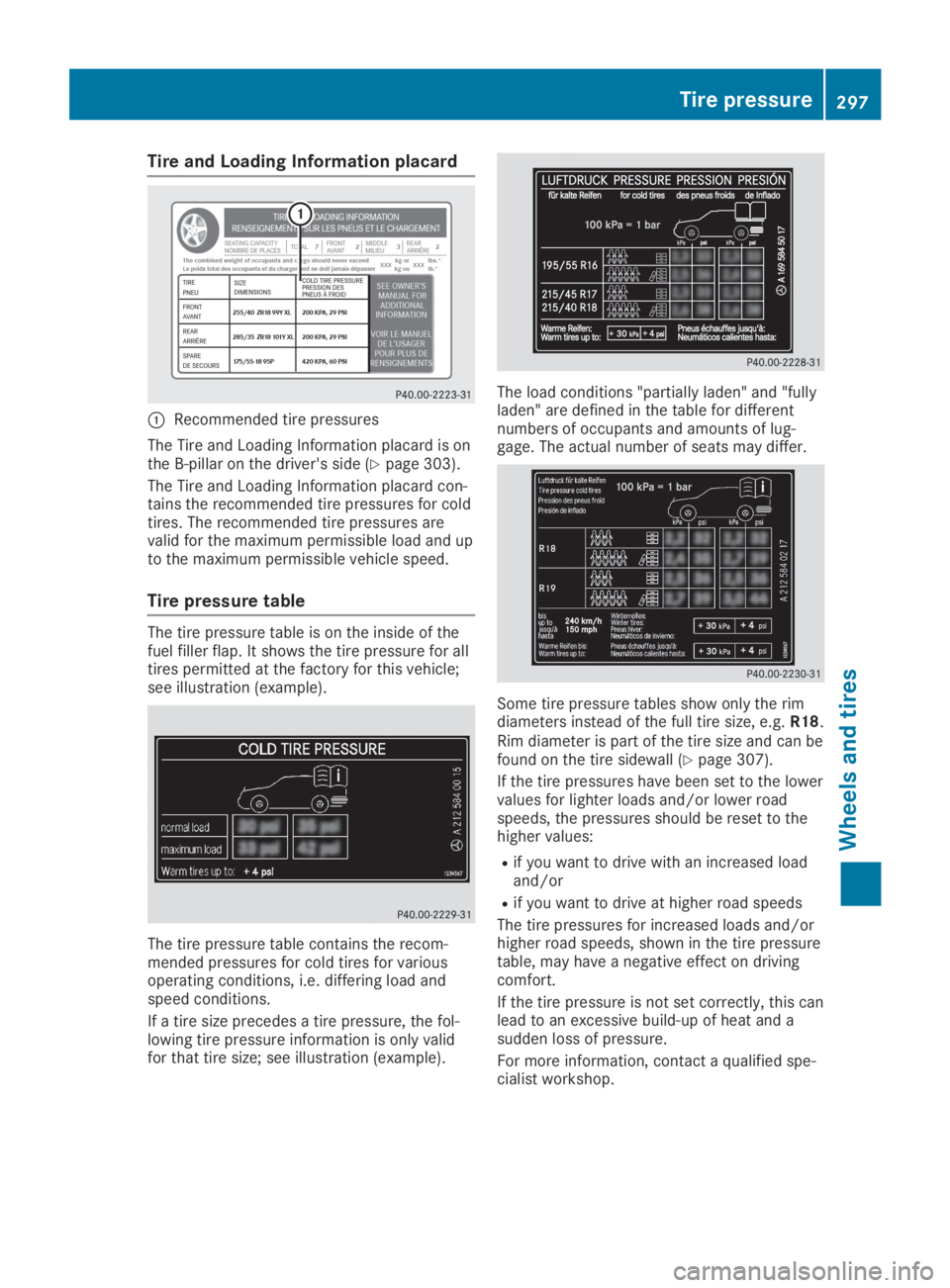
CRecommended tire pressures
The Tire and Loading Information placard is onthe B-pillar on the driver's side (Ypage 303).
The Tire and Loading Information placard con-tains the recommended tire pressures for coldtires. The recommended tire pressures arevalid for the maximum permissible load and upto the maximum permissible vehicle speed.
Tire pressure table
The tire pressure table is on the inside of thefuel filler flap. It shows the tire pressure for alltires permitted at the factory for this vehicle;see illustration (example).
The tire pressure table contains the recom-mended pressures for cold tires for variousoperating conditions, i.e. differing load andspeed conditions.
If a tire size precedes a tire pressure, the fol-lowing tire pressure information is only validfor that tire size; see illustration (example).
The load conditions "partially laden" and "fullyladen" are defined in the table for differentnumbers of occupants and amounts of lug-gage. The actual number of seats may differ.
Some tire pressure tables show only the rimdiameters instead of the full tire size, e.g.R18.Rim diameter is part of the tire size and can befound on the tire sidewall (Ypage 307).
If the tire pressures have been set to the lowervalues for lighter loads and/or lower roadspeeds, the pressures should be reset to thehigher values:
Rif you want to drive with an increased loadand/or
Rif you want to drive at higher road speeds
The tire pressures for increased loads and/orhigher road speeds, shown in the tire pressuretable, may have a negative effect on drivingcomfort.
If the tire pressure is not set correctly, this canlead to an excessive build-up of heat and asudden loss of pressure.
For more information, contact a qualified spe-cialist workshop.
Tire pressure297
Wheels and tires
Z