ignition MERCEDES-BENZ SL-CLASS ROADSTER 2013 User Guide
[x] Cancel search | Manufacturer: MERCEDES-BENZ, Model Year: 2013, Model line: SL-CLASS ROADSTER, Model: MERCEDES-BENZ SL-CLASS ROADSTER 2013Pages: 572, PDF Size: 9.23 MB
Page 61 of 572
BAS PLUS is deactivated and the brakes
function as usual, if:
R
you release the brake pedal.
R there is
no longer any danger of a rear-end
collision.
R no obstacle is detected in front of your
vehicle.
For BAS PLUS to assist you when driving, the
radar sensor system must be switched on and
operational. You will find further information
under the keyword "Radar sensor system”.
If the radar sensor system is malfunctioning,
BAS PLUS will not be available. The brake
system is still available with complete brake
boosting effect and BAS. G
WARNING
BAS PLUS cannot always clearly identify
objects and complex traffic situations. BAS
PLUS cannot intervene in these cases. There
is a risk of an accident.
Always pay careful attention to the traffic
situation and be ready to brake.
In particular, the detection of obstacles can
be impaired if there is:
R dirt on the sensors or anything else
covering the sensors
R snow or heavy rain
R interference by other radar sources
R the possibility of strong radar reflections,
for example in parking garages
R a narrow vehicle traveling in front, e.g. a
motorbike
R a vehicle
traveling in front on a different line
relative to the center of your vehicle G
WARNING
BAS PLUS does not react:
R to people or animals
R to oncoming vehicles
R to crossing traffic
R when cornering As a result, BAS PLUS may not intervene in all
critical situations. There is a risk of an
accident.
Always pay careful attention to the traffic
situation and be ready to brake.
Following damage to the front end of the
vehicle, have
the configuration and operation
of the radar sensors checked at a qualified
specialist workshop. This also applies to
collisions at low speeds where there is no
visible damage to the front of the vehicle.
i This device has been approved by the FCC
as a "Vehicular Radar System". The radar
sensor is intended for use in an automotive
radar system only. Removing, altering or
tampering with the device will void any
warranties, and is not permitted by the
FCC. Do not tamper with, alter, or use the
device in any non-approved way.
Any unauthorized modification to this
device could void the user's authority to
operate the equipment. ESP
®
(Electronic Stability Program)
Important safety notes !
Switch the ignition off when:
R the electric
parking brake is being tested
using a brake dynamometer.
R the vehicle is being towed with the rear
axle raised.
Application of the brakes by ESP ®
may
otherwise destroy the brake system.
ESP ®
is deactivated if the å warning lamp
in the instrument cluster lights up
continuously when the engine is running.
If the ÷ warning lamp and the å
warning lamp are lit continuously, ESP ®
is not
available due to a malfunction.
Observe the information on warning lamps
(Y page 259) and display messages which
may be shown in the instrument cluster
(Y page 224). Driving safety systems
59
Safety Z
Page 67 of 572
permitted. Do not tamper with, alter, or use
the device in any non-approved way.
Any unauthorized modification to this
device could void the user's authority to
operate the equipment.
STEER CONTROL
STEER CONTROL
helps you by transmitting a
noticeable steering force to the steering
wheel in the direction required for vehicle
stabilization.
This steering assistance is provided in
particular if:
R both right wheels or both left wheels are on
a wet or slippery road surface when you
brake
R the vehicle starts to skid
If ESP ®
is malfunctioning, you will not receive
steering support from STEER CONTROL.
Power steering will, however, continue to
function. Theft deterrent locking system
Immobilizer
X To activate with the SmartKey: remove
the SmartKey from the ignition lock.
X To activate with KEYLESS-GO:
switch
the
ignition off and open the driver's door.
X To deactivate: switch on the ignition.
The immobilizer prevents your vehicle from
being started without the correct SmartKey.
When leaving the vehicle, always take the
SmartKey with you and lock the vehicle. The
engine can be started by anyone with a valid
SmartKey that is left inside the vehicle.
i The immobilizer is always deactivated
when you start the engine.
In the event that the engine cannot be
started when the starter battery is fully
charged, the immobilizer may be faulty.
Contact an authorized Mercedes-Benz Center or call 1-800-FOR-MERCedes (in
USA) or 1-800-387-0100
(in Canada). ATA (anti-theft alarm system)
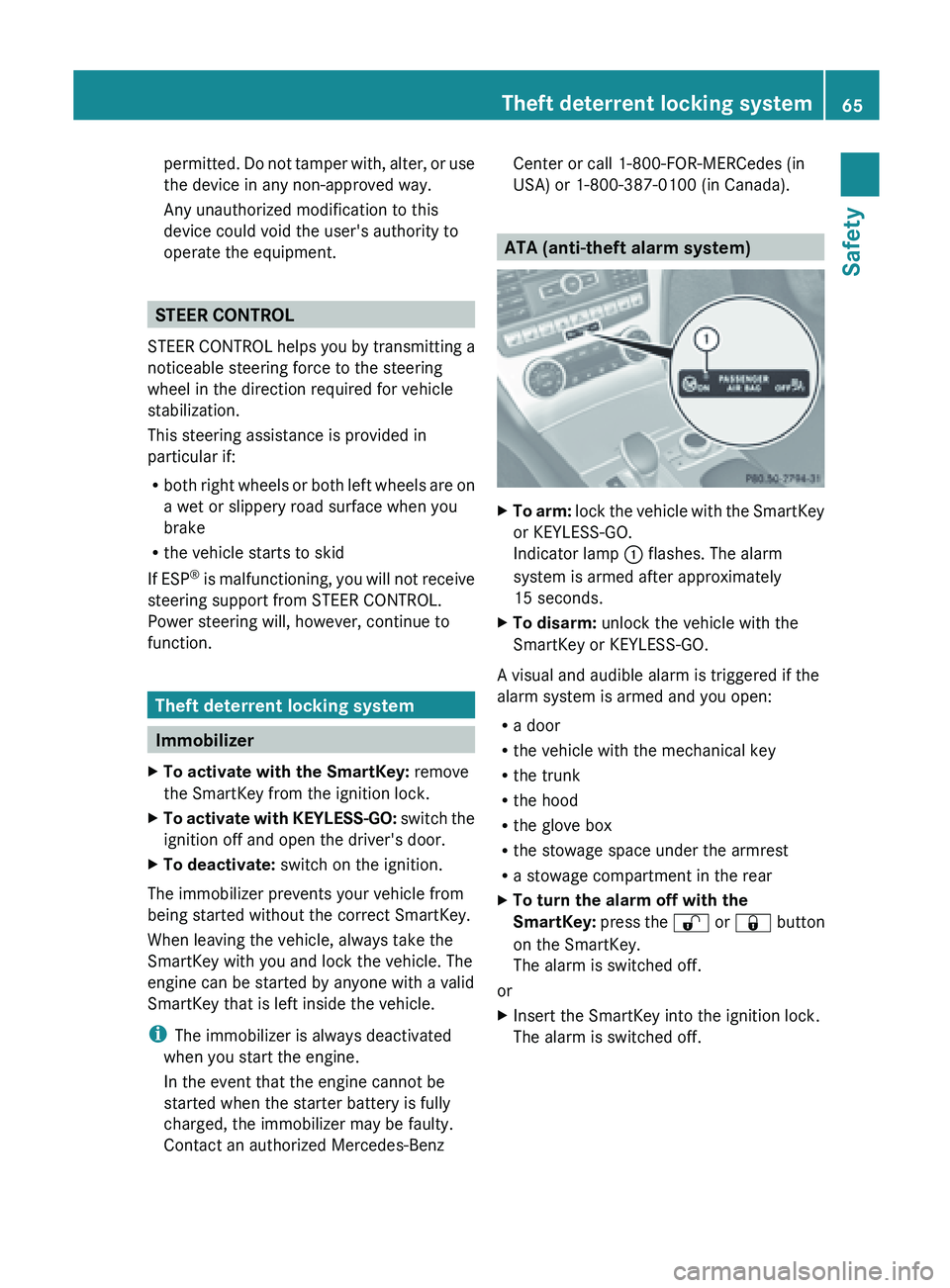
X
To arm: lock the vehicle with the SmartKey
or KEYLESS-GO.
Indicator lamp
: flashes. The alarm
system is armed after approximately
15 seconds.
X To disarm: unlock the vehicle with the
SmartKey or KEYLESS-GO.
A visual and audible alarm is triggered if the
alarm system is armed and you open:
R a door
R the vehicle with the mechanical key
R the trunk
R the hood
R the glove box
R the stowage space under the armrest
R a stowage compartment in the rear
X To turn the alarm off with the
SmartKey: press
the % or & button
on the SmartKey.
The alarm is switched off.
or
X Insert the SmartKey into the ignition lock.
The alarm is switched off. Theft deterrent locking system
65
Safety Z
Page 70 of 572
Useful information
i This Operator's Manual describes all
models and all standard and optional
equipment of your vehicle available at the
time of publication of the Operator's
Manual. Country-specific differences are
possible. Please
note that your vehicle may
not be equipped with all features
described. This also applies to safety-
related systems and functions.
i Read the information on qualified
specialist workshops: ( Y page 31).SmartKey
Important safety notes
G
WARNING
When leaving the vehicle, always remove the
SmartKey from the ignition lock. Always take
the SmartKey with you and lock the vehicle.
Do not leave children unsupervised in the
vehicle, even if they are secured in a child
restraint system,
and do not give them access
to an unlocked vehicle. A child's unsupervised
access to a vehicle could result in an accident
and/or serious personal injury. They could:
R injure themselves on vehicle parts
R be seriously or fatally injured by extreme
heat or cold
R injure themselves or have an accident with
vehicle equipment that may still be in
operation even after the SmartKey has
been removed from the ignition, such as the
seat adjustment, steering wheel
adjustment or memory function.
If children open a door, they could cause
severe or even fatal injury to other persons; if
they get out of the vehicle, they could injure
themselves when doing so or be seriously or
even fatally injured by any passing traffic.
Do not expose the child restraint system to
direct sunlight. The child restraint system's
metal parts, for example, could become very hot, and a child could be burned on these
parts.
G
WARNUNG
If a key ring is too heavy or too large, the
weight acting
on the SmartKey could cause it
to turn in the ignition lock or catch on the
steering wheel. This could cause the engine
to be switched off suddenly. You could lose
control of the vehicle and cause an accident.
Do not attach any heavy or large key rings to
the SmartKey that is inserted in the ignition.
R Do not keep the SmartKey together with:
-electronic devices, e.g. a mobile phone
or another SmartKey
- metallic objects, e.g. coins or metal foil.
This can affect the functionality of the
SmartKey.
Keep the SmartKey away from strong
magnetic fields. Otherwise, the remote
control function could be affected. SmartKey functions
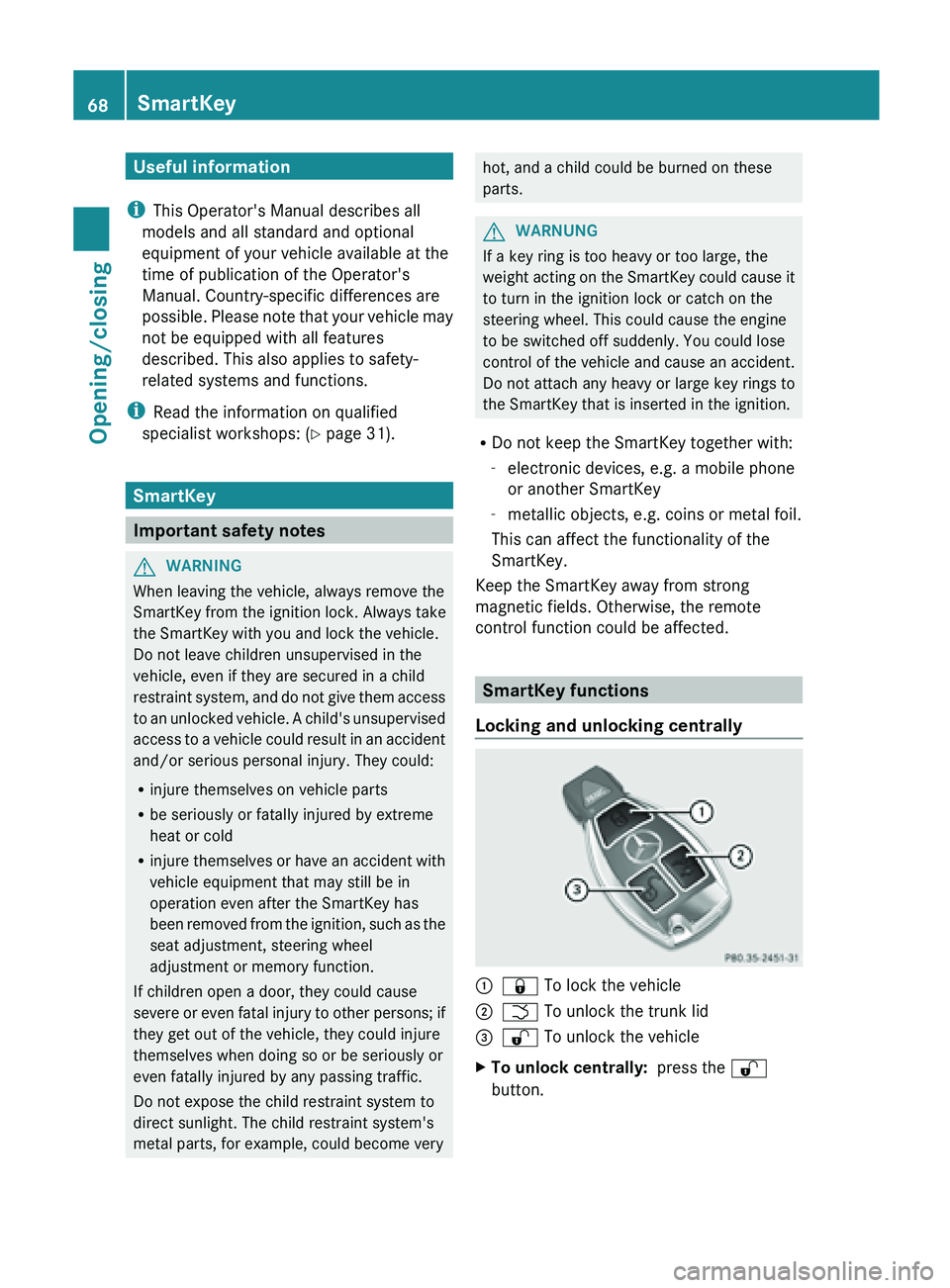
Locking and unlocking centrally :
&
To lock the vehicle
; F To unlock the trunk lid
= % To unlock the vehicle
X To unlock centrally: press the %
button. 68
SmartKey
Opening/closing
Page 72 of 572
Changing the settings of the locking
system
You can change the settings of the locking
system. This
means only the driver's door, the
lockable stowage compartments in the
vehicle interior and the fuel filler flap are
unlocked when the vehicle is unlocked. This
is useful if you frequently travel on your own.
X To change the setting: press and hold
down the % and & buttons
simultaneously for approximately six
seconds until the battery check lamp
flashes twice ( Y page 71).
i If the setting of the locking system is
changed within the signal range of the
vehicle, pressing
the & or % button:
R locks or
R unlocks the vehicle
The SmartKey now functions as follows:
X To unlock the driver's door: press the
% button once.
X To unlock centrally: press the %
button twice.
X To lock centrally: press the & button.
The KEYLESS-GO function is changed as
follows:
X To unlock the driver's door: touch the
inner surface of the door handle on the
driver's door.
X To unlock centrally: touch the inner
surface of
the front-passenger door handle.
X To lock centrally: touch the outer sensor
surface on one of the door handles.
X To restore the factory settings: press
and hold
down the % and & buttons
simultaneously for approximately six
seconds until the battery check lamp
flashes twice ( Y page 71). Mechanical key
General notes If the vehicle can no longer be locked or
unlocked with the SmartKey, use the
mechanical key.
If you use the mechanical key to unlock and
open the driver's door or the trunk lid, the
anti-theft alarm system will be triggered
(
Y page 65).
There are several ways to turn off the alarm:
X To turn the alarm off with the
SmartKey: press
the % or & button
on the SmartKey.
or
X Insert the SmartKey into the ignition lock.
or
X To deactivate the alarm with KEYLESS-
GO: press the Start/Stop button in the
ignition lock. The SmartKey must be in the
vehicle.
or
X Lock or unlock the vehicle using KEYLESS-
GO. The SmartKey must be outside the
vehicle.
If you unlock the vehicle using the mechanical
key, the fuel filler flap will not be unlocked
automatically.
X To unlock the fuel filler flap: insert the
SmartKey into the ignition lock.
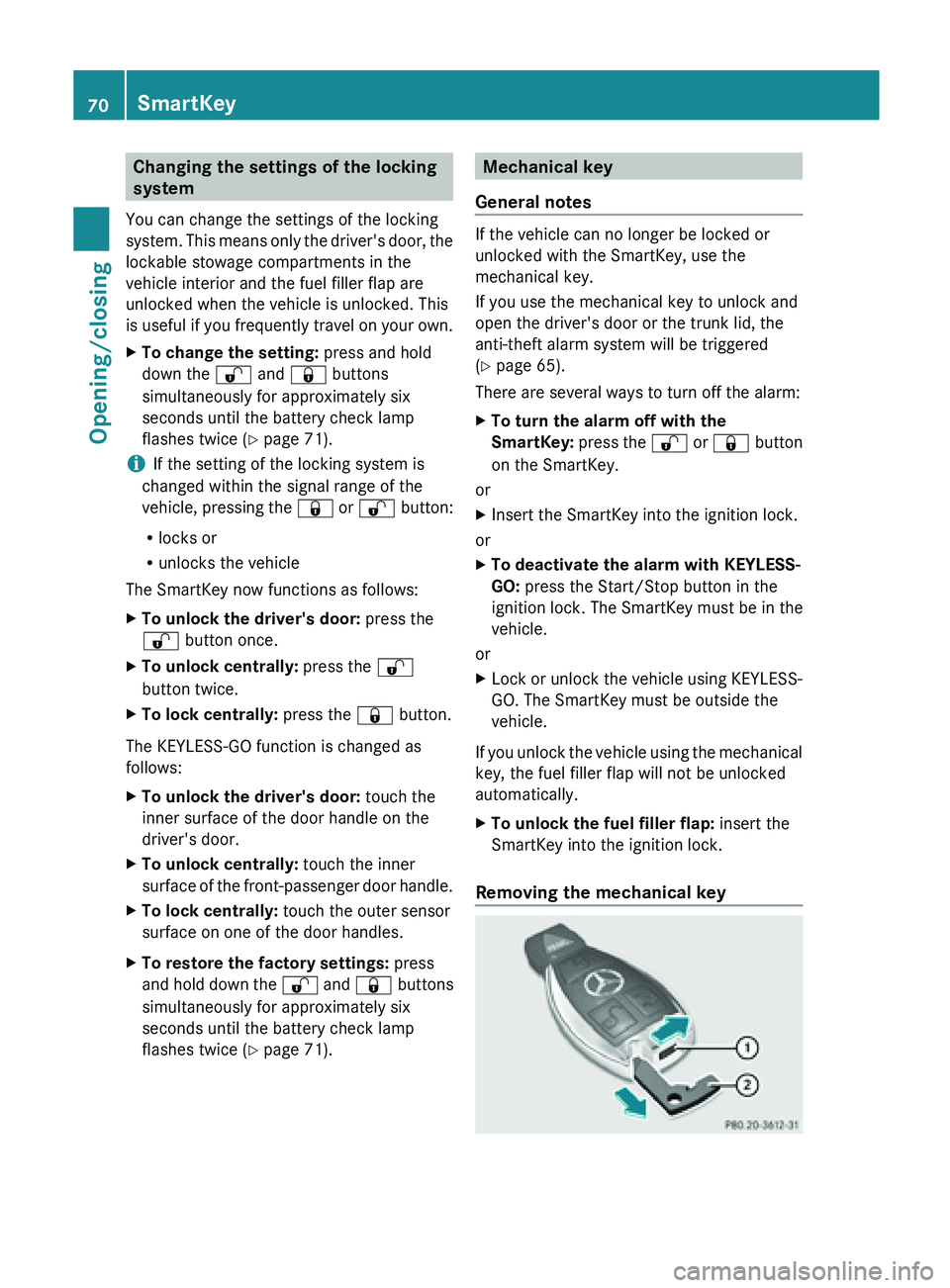
Removing the mechanical key 70
SmartKeyOpening/closing
Page 76 of 572
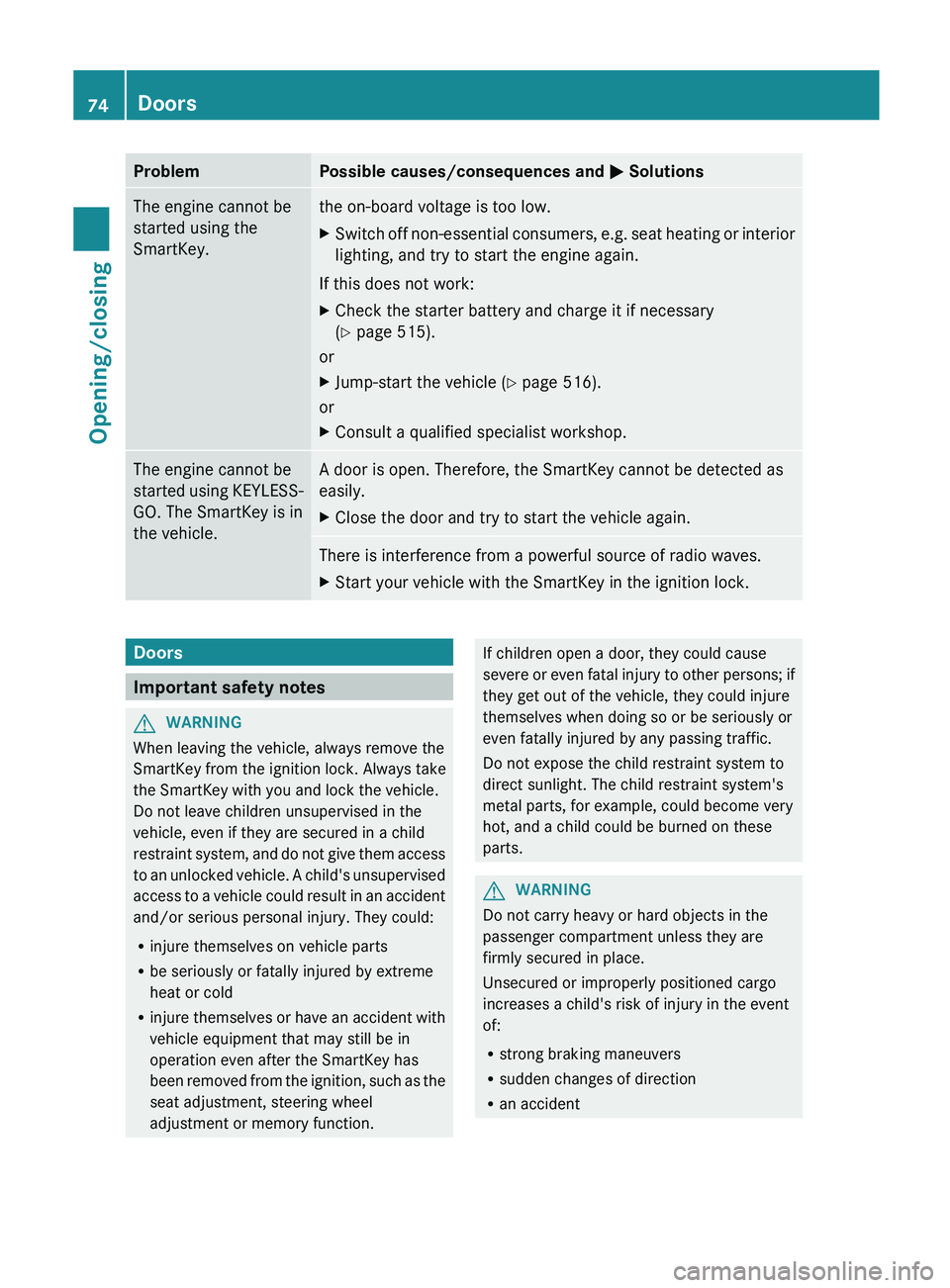
Problem Possible causes/consequences and
M SolutionsThe engine cannot be
started using the
SmartKey. the on-board voltage is too low.
X
Switch off non-essential consumers, e.g. seat heating or interior
lighting, and try to start the engine again.
If this does not work:
X Check the starter battery and charge it if necessary
(Y page 515).
or
X Jump-start the vehicle (Y page 516).
or
X Consult a qualified specialist workshop. The engine cannot be
started
using
KEYLESS-
GO. The SmartKey is in
the vehicle. A door is open. Therefore, the SmartKey cannot be detected as
easily.
X
Close the door and try to start the vehicle again. There is interference from a powerful source of radio waves.
X
Start your vehicle with the SmartKey in the ignition lock. Doors
Important safety notes
G
WARNING
When leaving the vehicle, always remove the
SmartKey from the ignition lock. Always take
the SmartKey with you and lock the vehicle.
Do not leave children unsupervised in the
vehicle, even if they are secured in a child
restraint system,
and do not give them access
to an unlocked vehicle. A child's unsupervised
access to a vehicle could result in an accident
and/or serious personal injury. They could:
R injure themselves on vehicle parts
R be seriously or fatally injured by extreme
heat or cold
R injure themselves or have an accident with
vehicle equipment that may still be in
operation even after the SmartKey has
been removed from the ignition, such as the
seat adjustment, steering wheel
adjustment or memory function. If children open a door, they could cause
severe
or
even fatal injury to other persons; if
they get out of the vehicle, they could injure
themselves when doing so or be seriously or
even fatally injured by any passing traffic.
Do not expose the child restraint system to
direct sunlight. The child restraint system's
metal parts, for example, could become very
hot, and a child could be burned on these
parts. G
WARNING
Do not carry heavy or hard objects in the
passenger compartment unless they are
firmly secured in place.
Unsecured or improperly positioned cargo
increases a child's risk of injury in the event
of:
R strong braking maneuvers
R sudden changes of direction
R an accident74
Doors
Opening/closing
Page 78 of 572
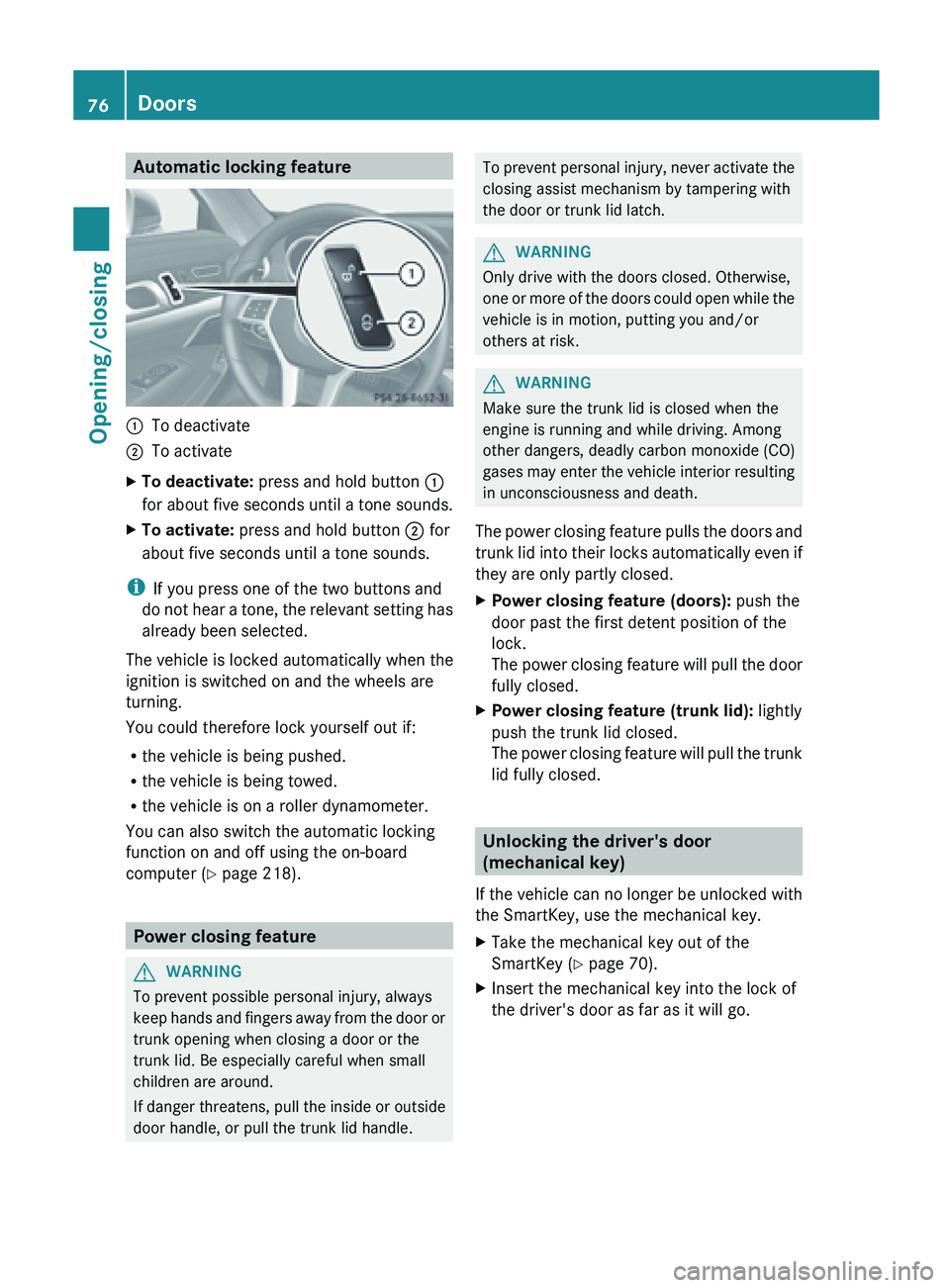
Automatic locking feature
:
To deactivate
; To activate
X To deactivate: press and hold button :
for about
five seconds until a tone sounds.
X To activate: press and hold button ; for
about five seconds until a tone sounds.
i If you press one of the two buttons and
do not
hear a tone, the relevant setting has
already been selected.
The vehicle is locked automatically when the
ignition is switched on and the wheels are
turning.
You could therefore lock yourself out if:
R the vehicle is being pushed.
R the vehicle is being towed.
R the vehicle is on a roller dynamometer.
You can also switch the automatic locking
function on and off using the on-board
computer (Y page 218). Power closing feature
G
WARNING
To prevent possible personal injury, always
keep hands
and fingers away from the door or
trunk opening when closing a door or the
trunk lid. Be especially careful when small
children are around.
If danger threatens, pull the inside or outside
door handle, or pull the trunk lid handle. To
prevent personal injury, never activate the
closing assist mechanism by tampering with
the door or trunk lid latch. G
WARNING
Only drive with the doors closed. Otherwise,
one or
more of the doors could open while the
vehicle is in motion, putting you and/or
others at risk. G
WARNING
Make sure the trunk lid is closed when the
engine is running and while driving. Among
other dangers, deadly carbon monoxide (CO)
gases may
enter the vehicle interior resulting
in unconsciousness and death.
The power closing feature pulls the doors and
trunk lid into their locks automatically even if
they are only partly closed.
X Power closing feature (doors): push the
door past the first detent position of the
lock.
The power
closing feature will pull the door
fully closed.
X Power closing feature (trunk lid): lightly
push the trunk lid closed.
The power
closing feature will pull the trunk
lid fully closed. Unlocking the driver's door
(mechanical key)
If the
vehicle can no longer be unlocked with
the SmartKey, use the mechanical key.
X Take the mechanical key out of the
SmartKey (Y page 70).
X Insert the mechanical key into the lock of
the driver's door as far as it will go.76
Doors
Opening/closing
Page 79 of 572
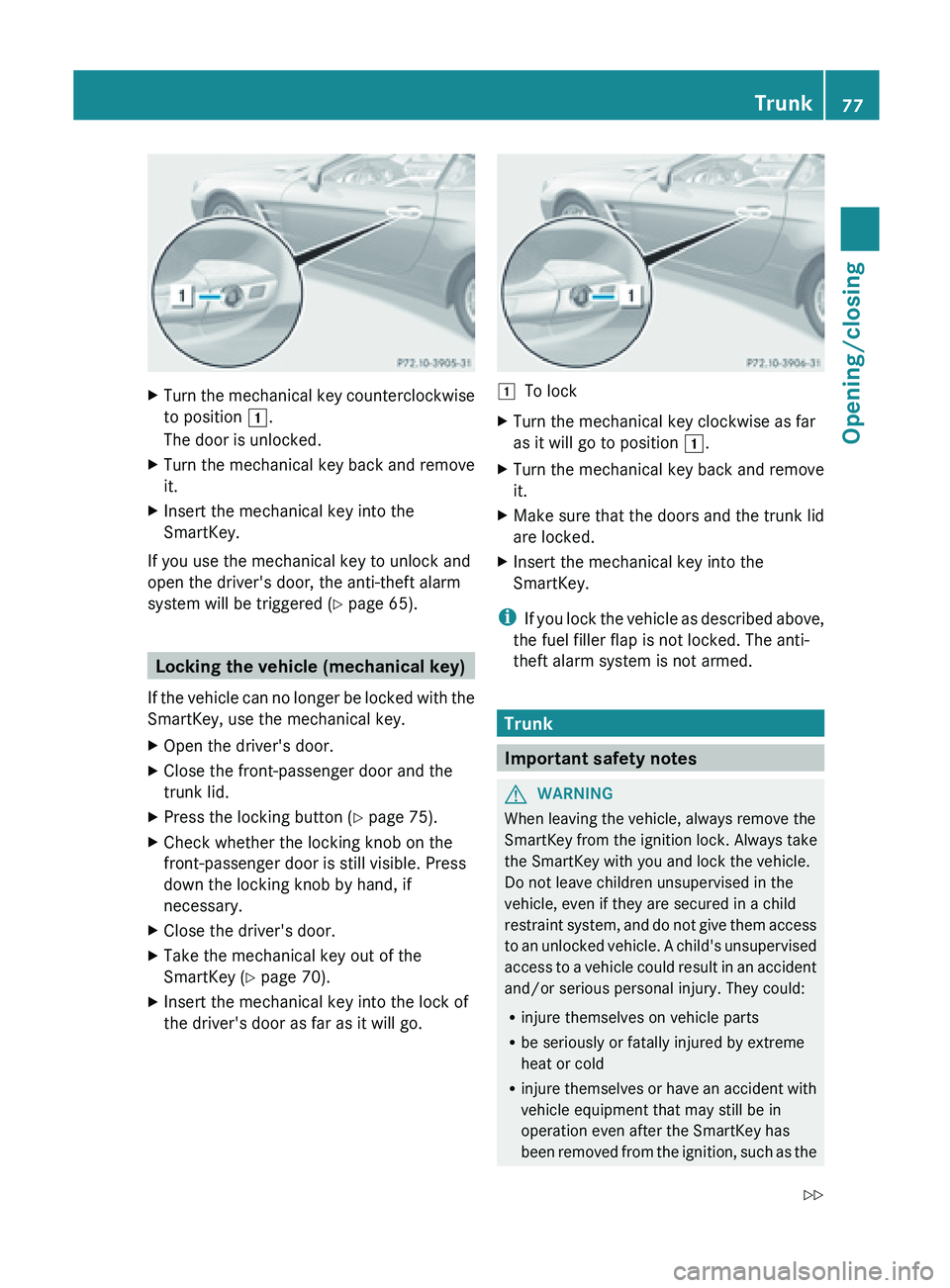
X
Turn the mechanical key counterclockwise
to position 1.
The door is unlocked.
X Turn the mechanical key back and remove
it.
X Insert the mechanical key into the
SmartKey.
If you use the mechanical key to unlock and
open the driver's door, the anti-theft alarm
system will be triggered (Y
page 65).Locking the vehicle (mechanical key)
If the
vehicle can no longer be locked with the
SmartKey, use the mechanical key.
X Open the driver's door.
X Close the front-passenger door and the
trunk lid.
X Press the locking button (Y page 75).
X Check whether the locking knob on the
front-passenger door is still visible. Press
down the locking knob by hand, if
necessary.
X Close the driver's door.
X Take the mechanical key out of the
SmartKey (Y page 70).
X Insert the mechanical key into the lock of
the driver's door as far as it will go. 1
To lock
X Turn the mechanical key clockwise as far
as it will go to position 1.
X Turn the mechanical key back and remove
it.
X Make sure that the doors and the trunk lid
are locked.
X Insert the mechanical key into the
SmartKey.
i If you
lock the vehicle as described above,
the fuel filler flap is not locked. The anti-
theft alarm system is not armed. Trunk
Important safety notes
G
WARNING
When leaving the vehicle, always remove the
SmartKey from the ignition lock. Always take
the SmartKey with you and lock the vehicle.
Do not leave children unsupervised in the
vehicle, even if they are secured in a child
restraint system,
and do not give them access
to an unlocked vehicle. A child's unsupervised
access to a vehicle could result in an accident
and/or serious personal injury. They could:
R injure themselves on vehicle parts
R be seriously or fatally injured by extreme
heat or cold
R injure themselves or have an accident with
vehicle equipment that may still be in
operation even after the SmartKey has
been removed from the ignition, such as the Trunk
77
Opening/closing
Z
Page 82 of 572
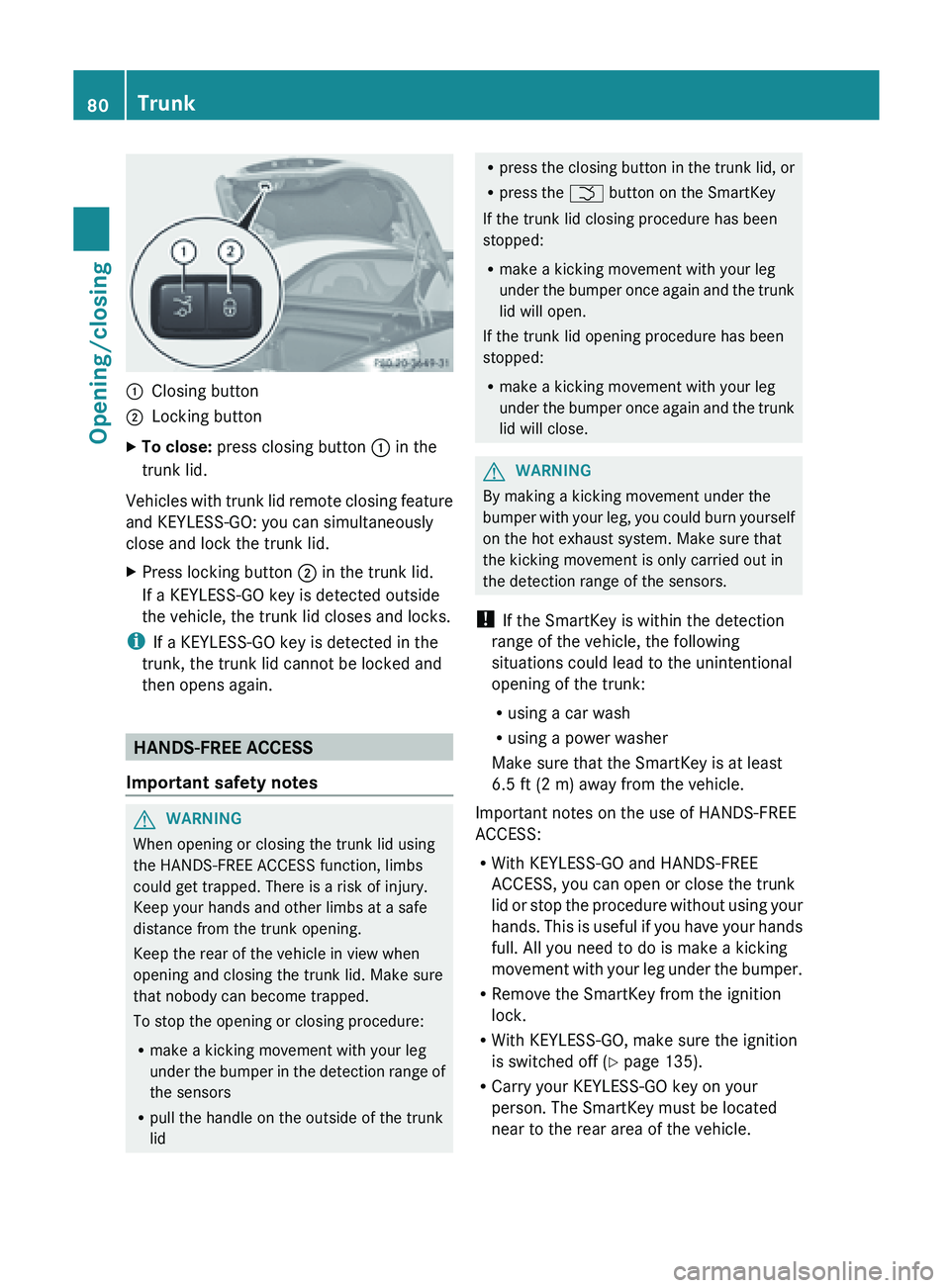
:
Closing button
; Locking button
X To close: press closing button : in the
trunk lid.
Vehicles with trunk lid remote closing feature
and KEYLESS-GO: you can simultaneously
close and lock the trunk lid.
X Press locking button ; in the trunk lid.
If a KEYLESS-GO key is detected outside
the vehicle, the trunk lid closes and locks.
i If a KEYLESS-GO key is detected in the
trunk, the trunk lid cannot be locked and
then opens again. HANDS-FREE ACCESS
Important safety notes G
WARNING
When opening or closing the trunk lid using
the HANDS-FREE ACCESS function, limbs
could get trapped. There is a risk of injury.
Keep your hands and other limbs at a safe
distance from the trunk opening.
Keep the rear of the vehicle in view when
opening and closing the trunk lid. Make sure
that nobody can become trapped.
To stop the opening or closing procedure:
R make a kicking movement with your leg
under the
bumper in the detection range of
the sensors
R pull the handle on the outside of the trunk
lid R
press the
closing button in the trunk lid, or
R press the F button on the SmartKey
If the trunk lid closing procedure has been
stopped:
R make a kicking movement with your leg
under the bumper once again and the trunk
lid will open.
If the trunk lid opening procedure has been
stopped:
R make a kicking movement with your leg
under the bumper once again and the trunk
lid will close. G
WARNING
By making a kicking movement under the
bumper with
your leg, you could burn yourself
on the hot exhaust system. Make sure that
the kicking movement is only carried out in
the detection range of the sensors.
! If the SmartKey is within the detection
range of the vehicle, the following
situations could lead to the unintentional
opening of the trunk:
R using a car wash
R using a power washer
Make sure that the SmartKey is at least
6.5 ft (2 m) away from the vehicle.
Important notes on the use of HANDS-FREE
ACCESS:
R With KEYLESS-GO and HANDS-FREE
ACCESS, you can open or close the trunk
lid or stop the procedure without using your
hands. This is useful if you have your hands
full. All you need to do is make a kicking
movement with your leg under the bumper.
R Remove the SmartKey from the ignition
lock.
R With KEYLESS-GO, make sure the ignition
is switched off ( Y page 135).
R Carry your KEYLESS-GO key on your
person. The SmartKey must be located
near to the rear area of the vehicle.80
Trunk
Opening/closing
Page 86 of 572
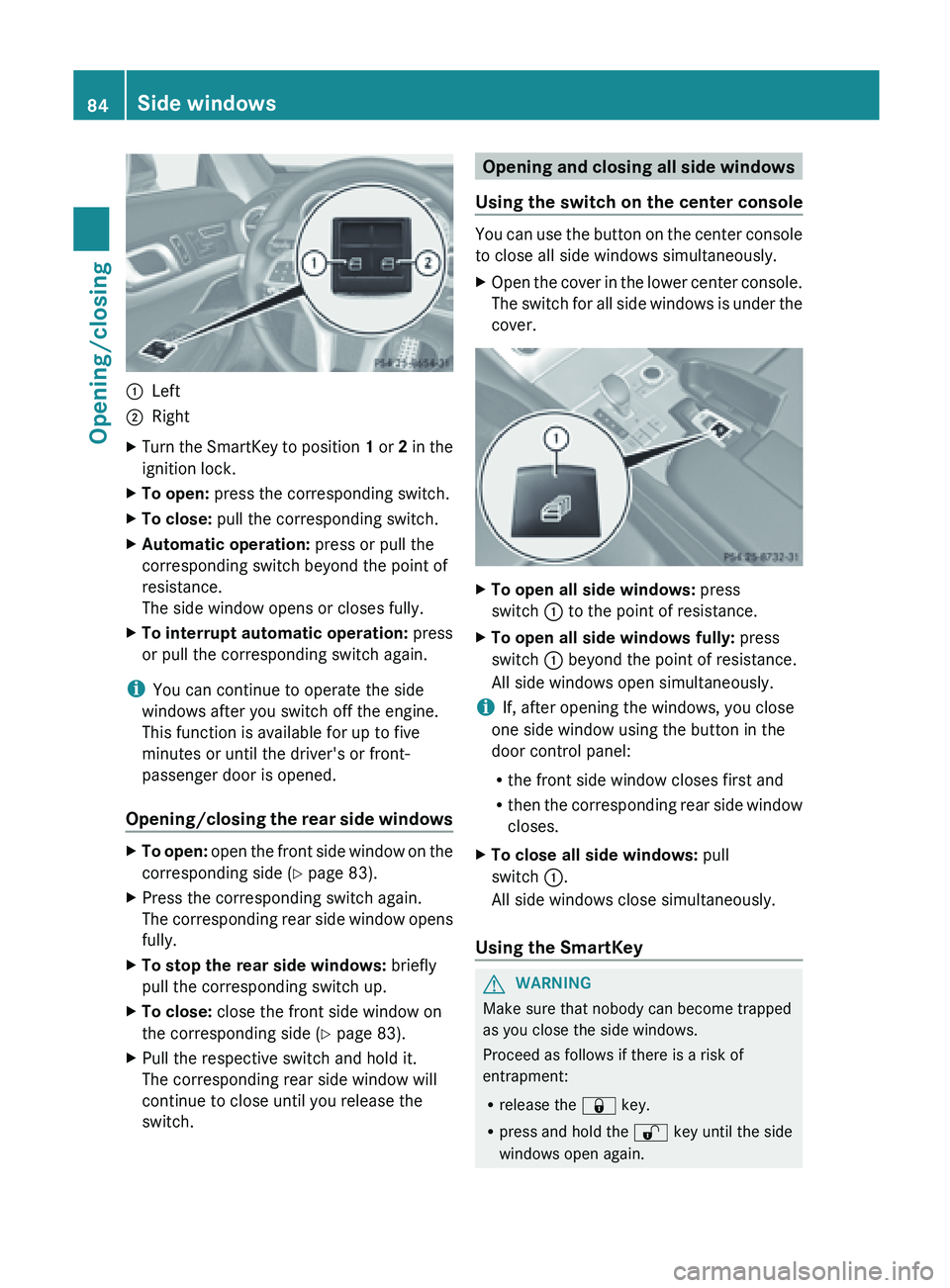
:
Left
; Right
X Turn the SmartKey to position 1 or 2 in the
ignition lock.
X To open: press the corresponding switch.
X To close: pull the corresponding switch.
X Automatic operation: press or pull the
corresponding switch beyond the point of
resistance.
The side window opens or closes fully.
X To interrupt automatic operation: press
or pull the corresponding switch again.
i You can continue to operate the side
windows after you switch off the engine.
This function is available for up to five
minutes or until the driver's or front-
passenger door is opened.
Opening/closing the
rear side windowsX
To open: open the front side window on the
corresponding side ( Y
page 83).
X Press the corresponding switch again.
The corresponding
rear side window opens
fully.
X To stop the rear side windows: briefly
pull the corresponding switch up.
X To close: close the front side window on
the corresponding side (Y page 83).
X Pull the respective switch and hold it.
The corresponding rear side window will
continue to close until you release the
switch. Opening and closing all side windows
Using the switch on the center console You can use the button on the center console
to close all side windows simultaneously.
X
Open the cover in the lower center console.
The switch
for all side windows is under the
cover. X
To open all side windows: press
switch : to the point of resistance.
X To open all side windows fully: press
switch : beyond the point of resistance.
All side windows open simultaneously.
i If, after opening the windows, you close
one side window using the button in the
door control panel:
R the front side window closes first and
R then the
corresponding rear side window
closes.
X To close all side windows: pull
switch :.
All side windows close simultaneously.
Using the SmartKey G
WARNING
Make sure that nobody can become trapped
as you close the side windows.
Proceed as follows if there is a risk of
entrapment:
R release the & key.
R press and hold the % key until the side
windows open again. 84
Side windows
Opening/closing
Page 87 of 572
You can use the key to open or close all side
windows simultaneously.
X
Close the roof ( Y page 87).
X Open the trunk partition ( Y page 89).
X Vehicles without KEYLESS-GO: point the
tip of the SmartKey at the door handle on
the driver's door.
X Vehicles with KEYLESS-GO: the
SmartKey must be within 6 ft (2 m) of the
vehicle.
X To open all side windows: press
the % button on the key until the side
windows are fully opened.
X To interrupt the opening procedure:
release the % button.
X To close all side windows: press the
& button on the key until the side
windows are fully closed.
X To interrupt the closing procedure:
release the & button.
Convenience closing with KEYLESS-GO G
WARNING
When using the convenience closing feature,
make sure
that nobody can become trapped.
Proceed as follows if there is a risk of
entrapment:
R release the locking button on the door
handle.
R pull the door handle immediately and hold
it.
The side windows open.
With KEYLESS-GO you can close all side
windows simultaneously. The KEYLESS-GO
key must be outside the vehicle. All the doors
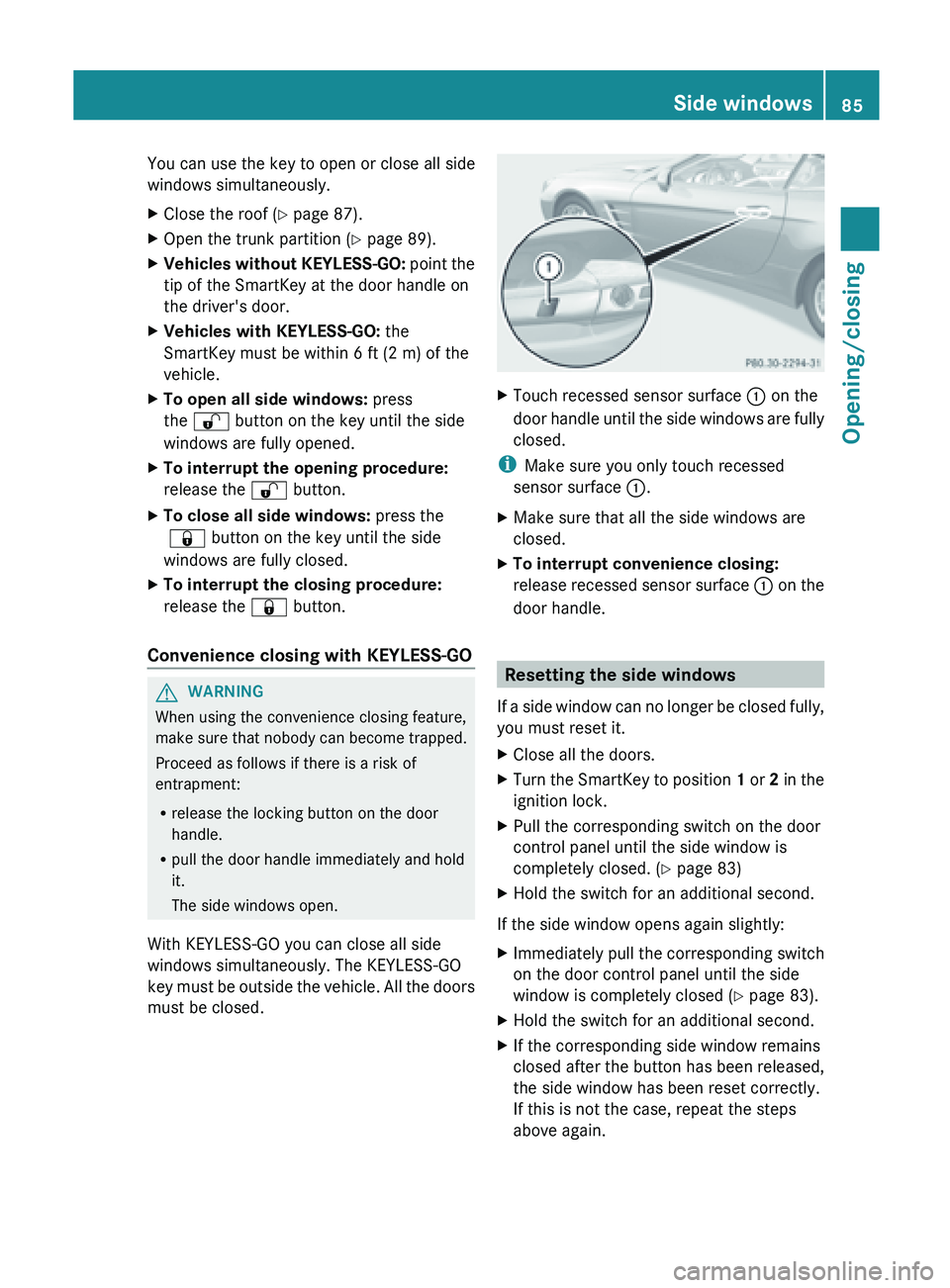
must be closed. X
Touch recessed sensor surface : on the
door handle
until the side windows are fully
closed.
i Make sure you only touch recessed
sensor surface :.
X Make sure that all the side windows are
closed.
X To interrupt convenience closing:
release recessed
sensor surface : on the
door handle. Resetting the side windows
If a
side window can no longer be closed fully,
you must reset it.
X Close all the doors.
X Turn the SmartKey to position 1 or 2
in the
ignition lock.
X Pull the corresponding switch on the door
control panel until the side window is
completely closed. ( Y page 83)
X Hold the switch for an additional second.
If the side window opens again slightly:
X Immediately pull the corresponding switch
on the door control panel until the side
window is completely closed (Y
page 83).
X Hold the switch for an additional second.
X If the corresponding side window remains
closed after the button has been released,
the side window has been reset correctly.
If this is not the case, repeat the steps
above again. Side windows
85
Opening/closing Z