suspension MERCEDES-BENZ SL-CLASS ROADSTER 2013 Owners Manual
[x] Cancel search | Manufacturer: MERCEDES-BENZ, Model Year: 2013, Model line: SL-CLASS ROADSTER, Model: MERCEDES-BENZ SL-CLASS ROADSTER 2013Pages: 572, PDF Size: 9.23 MB
Page 24 of 572
SRS (Supplemental Restraint
System)
Introduction
..................................... 37
Warning lamp ................................. 262
Warning lamp (function) ................... 37
Standing lamps
Display message ............................ 237
Switching on/off ........................... 111
Starting (engine) ................................ 137
Station search ................................... 413
STEER CONTROL .................................. 65
Steering (display message) ..............252
Steering wheel Adjusting (electrically) ...................101
Buttons (on-board computer) ......... 206
Cleaning ......................................... 505
Important safety notes .................. 101
Paddle shifters ............................... 148
Storing settings (memory
function) ........................................ 105
Steering wheel paddle shifters ........148
Stop function Audio DVD ..................................... 426
Video DVD ..................................... 455
Stopwatch (RACETIMER) ................... 220
Storing stations Radio ............................................. 414
Stowage areas ................................... 474
Stowage compartments Armrest (under) ............................. 475
Center console .............................. 475
Cup holders ................................... 478
Display message) ........................... 252
Eyeglasses compartment ............... 475
Glove box ....................................... 474
Important safety information ......... 474
Rear ............................................... 476
Stowage net ................................... 476
Stowage net ....................................... 476
Stowage space Center console (rear) ..................... 476
Umbrella holder ............................. 475
Stowage well beneath the trunk
floor .................................................... 478
Summer tires ..................................... 528
Sun visor ............................................ 479Supplemental Restraint System
see SRS (Supplemental Restraint
System)
Surround lighting (on-board
computer) .......................................... 217
Surround sound ................................. 278
Surround sound (harman/
kardon ®
surround sound system)
Notes ............................................. 278
Switching on/off ........................... 279
Suspension tuning
Active Body Control (AMG
vehicles) ........................................ 182
Active Body Control (except AMG
vehicles) ........................................ 180
SETUP (on-board computer) .......... 220
Switching air-recirculation mode
on/off ................................................. 130
Switching between picture
formats (TV, video) ............................453
Switching between summer time
and standard time ............................. 290
Switching off the alarm (ATA) ............65
Switching the hands-free
microphone on/off ............................ 366
Switching wavebands (radio) ...........413
System settings
Bluetooth ®
..................................... 292
Date ............................................... 289
Language ....................................... 292
Text reader speed ..........................291
Time ............................................... 289
Time zone ...................................... 290
Voice Control System .................... 291 T
Tachometer ........................................ 206
Tail lamps Display message ............................ 236
see Lights
Tank
see Fuel tank
Tank content
Fuel gauge ..................................... 205
Technical data
Capacities ...................................... 560
Notes ............................................. 55822
Index
Page 150 of 572
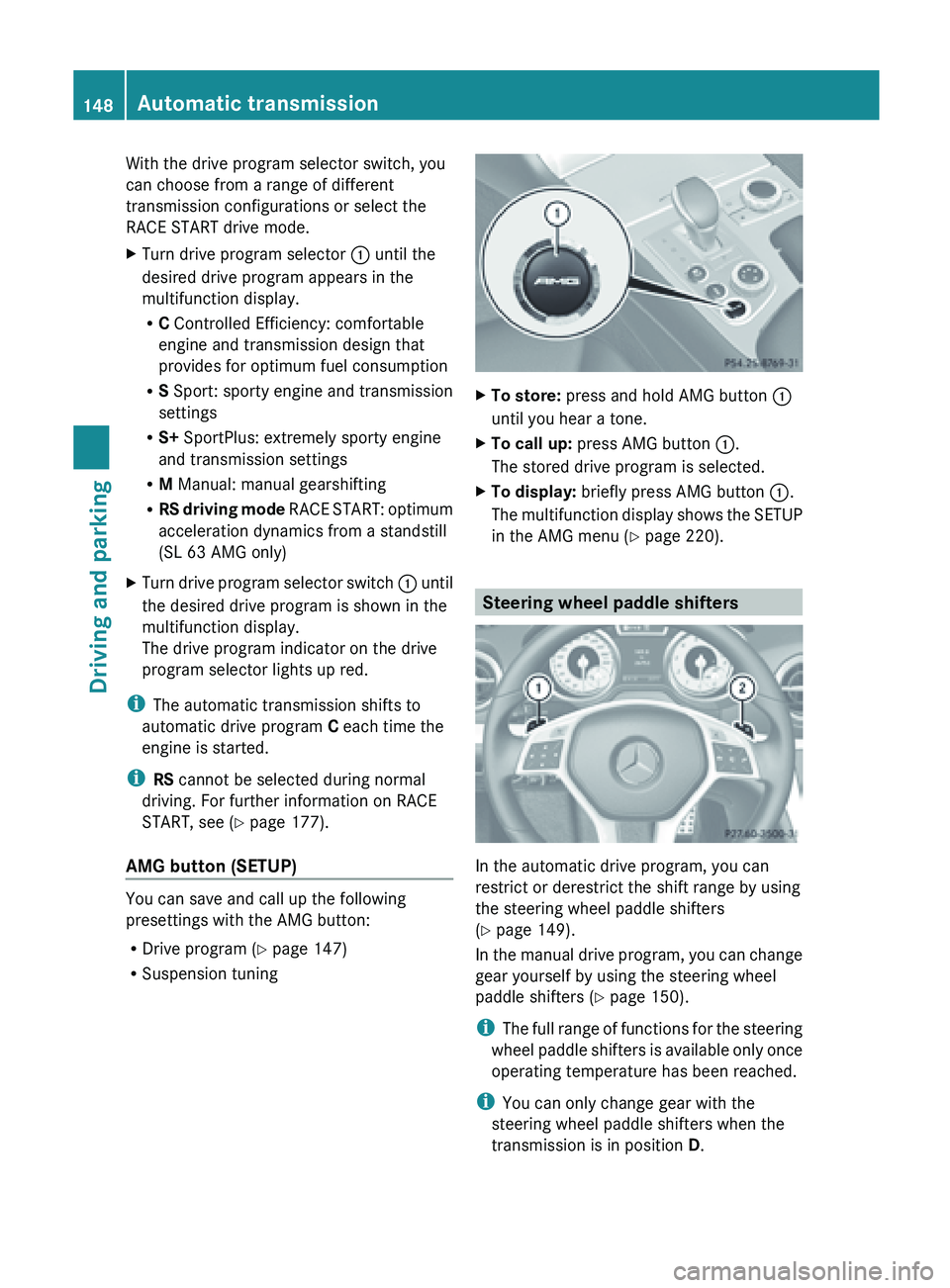
With the drive program selector switch, you
can choose from a range of different
transmission configurations or select the
RACE START drive mode.
X
Turn drive program selector : until the
desired drive program appears in the
multifunction display.
R
C Controlled Efficiency: comfortable
engine and transmission design that
provides for optimum fuel consumption
R S Sport: sporty engine and transmission
settings
R S+ SportPlus: extremely sporty engine
and transmission settings
R M Manual: manual gearshifting
R RS driving
mode RACE START: optimum
acceleration dynamics from a standstill
(SL 63 AMG only)
X Turn drive program selector switch : until
the desired drive program is shown in the
multifunction display.
The drive program indicator on the drive
program selector lights up red.
i The automatic transmission shifts to
automatic drive program C
each time the
engine is started.
i RS cannot be selected during normal
driving. For further information on RACE
START, see ( Y page 177).
AMG button (SETUP) You can save and call up the following
presettings with the AMG button:
R
Drive program (Y page 147)
R Suspension tuning X
To store: press and hold AMG button :
until you hear a tone.
X To call up: press AMG button :.
The stored drive program is selected.
X To display: briefly press AMG button :.
The multifunction
display shows the SETUP
in the AMG menu (Y page 220). Steering wheel paddle shifters
In the automatic drive program, you can
restrict or derestrict the shift range by using
the steering wheel paddle shifters
(Y page 149).
In
the
manual drive program, you can change
gear yourself by using the steering wheel
paddle shifters ( Y page 150).
i The full range of functions for the steering
wheel paddle shifters is available only once
operating temperature has been reached.
i You can only change gear with the
steering wheel paddle shifters when the
transmission is in position D. 148
Automatic transmission
Driving and parking
Page 180 of 572
(Canada: 50 km/h). Drive program S+ is
activated. SPORT handling mode remains
activated.
RACE START is deactivated immediately if
you release the accelerator pedal during
RACE START or if any of the activation
conditions are no longer fulfilled. The
multifunction
display
shows the RACE START
Not Possible See Operator's Manual
message.
i If RACE START is used repeatedly within
a short period of time, it is only available
again after the vehicle has been driven a
certain distance. Adaptive Damping System
General notes The adjustable damping system adapts to the
current driving conditions. The adjustment
depends
on
whether you have selected sport
or comfort mode. Your selection remains
stored even if you remove the SmartKey from
the ignition lock.
Selecting sports tuning X
Make sure that the engine is running or that
it has been switched off by the ECO start/
stop function.
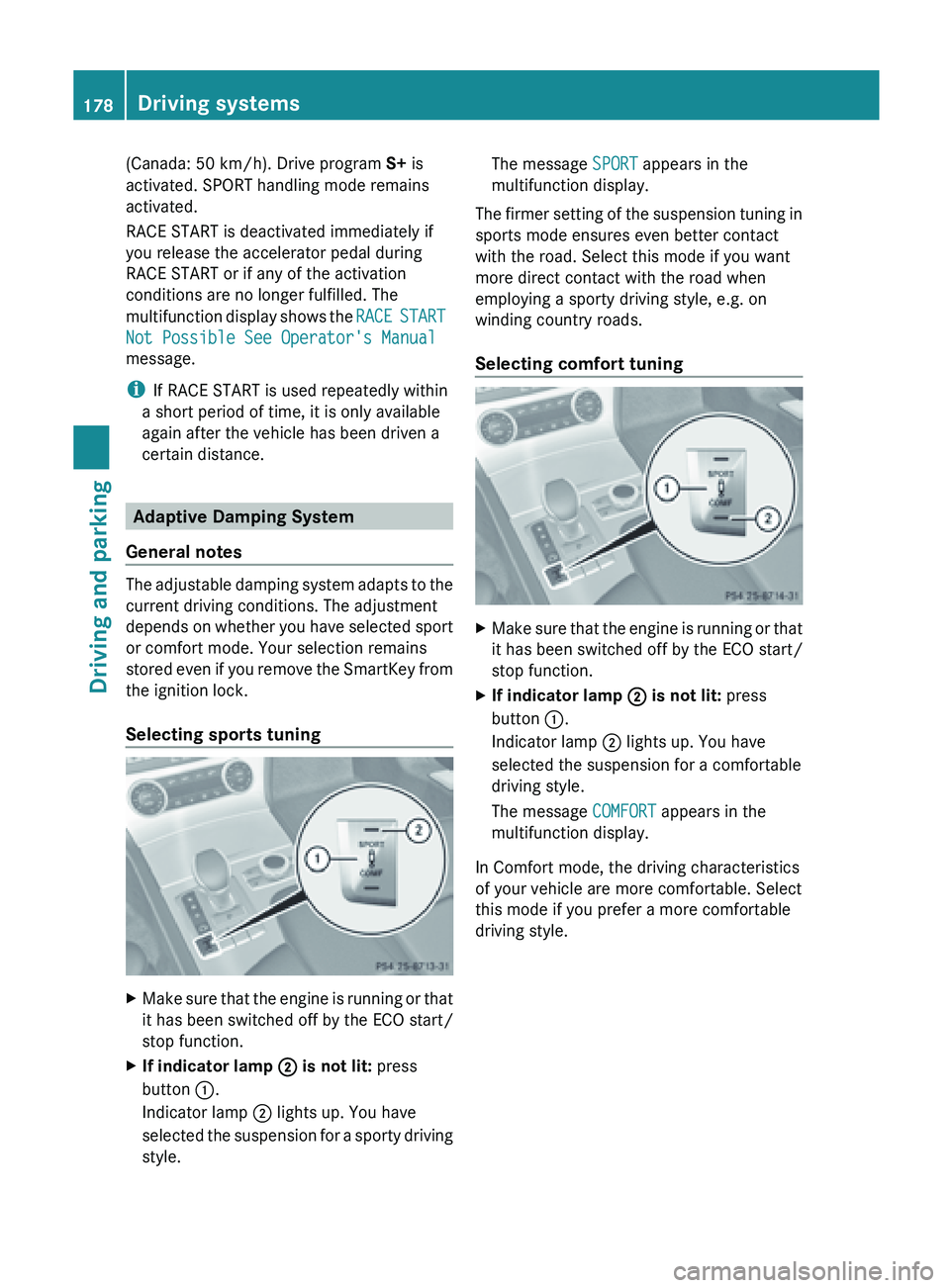
X If indicator lamp ; is not lit: press
button :.
Indicator lamp ; lights up. You have
selected the
suspension for a sporty driving
style. The message
SPORT appears in the
multifunction display.
The firmer setting of the suspension tuning in
sports mode ensures even better contact
with the road. Select this mode if you want
more direct contact with the road when
employing a sporty driving style, e.g. on
winding country roads.
Selecting comfort tuning X
Make sure that the engine is running or that
it has been switched off by the ECO start/
stop function.
X If indicator lamp ; is not lit: press
button :.
Indicator lamp ; lights up. You have
selected the suspension for a comfortable
driving style.
The message COMFORT appears in the
multifunction display.
In Comfort mode, the driving characteristics
of your vehicle are more comfortable. Select
this mode if you prefer a more comfortable
driving style. 178
Driving systems
Driving and parking
Page 181 of 572
Active Body Control (except AMG
vehicles)
Vehicle level Important safety notes
G
WARNING
You can raise and lower the level of the
stationary vehicle using the corresponding
button.
Someone could
become trapped if the vehicle
is raised or lowered.
Therefore, make sure that nobody is in the
vicinity of the wheel housing or under the
vehicle. Otherwise limbs, e.g. hands and feet,
could become trapped.
In order to reduce fuel consumption and
improve the driving dynamics, the vehicle is
lowered as its speed increases. With the
SPORT suspension tuning, it is lowered by up
to 0.5 in (13mm), with COMFORT by up to
0.2 in (5mm). As the speed is reduced, the
vehicle is raised up to the set vehicle height.
Select the "Normal" setting for normal road
surfaces and "Raised" for driving with snow
chains or on particularly poor road surfaces.
Your selection remains stored even if you
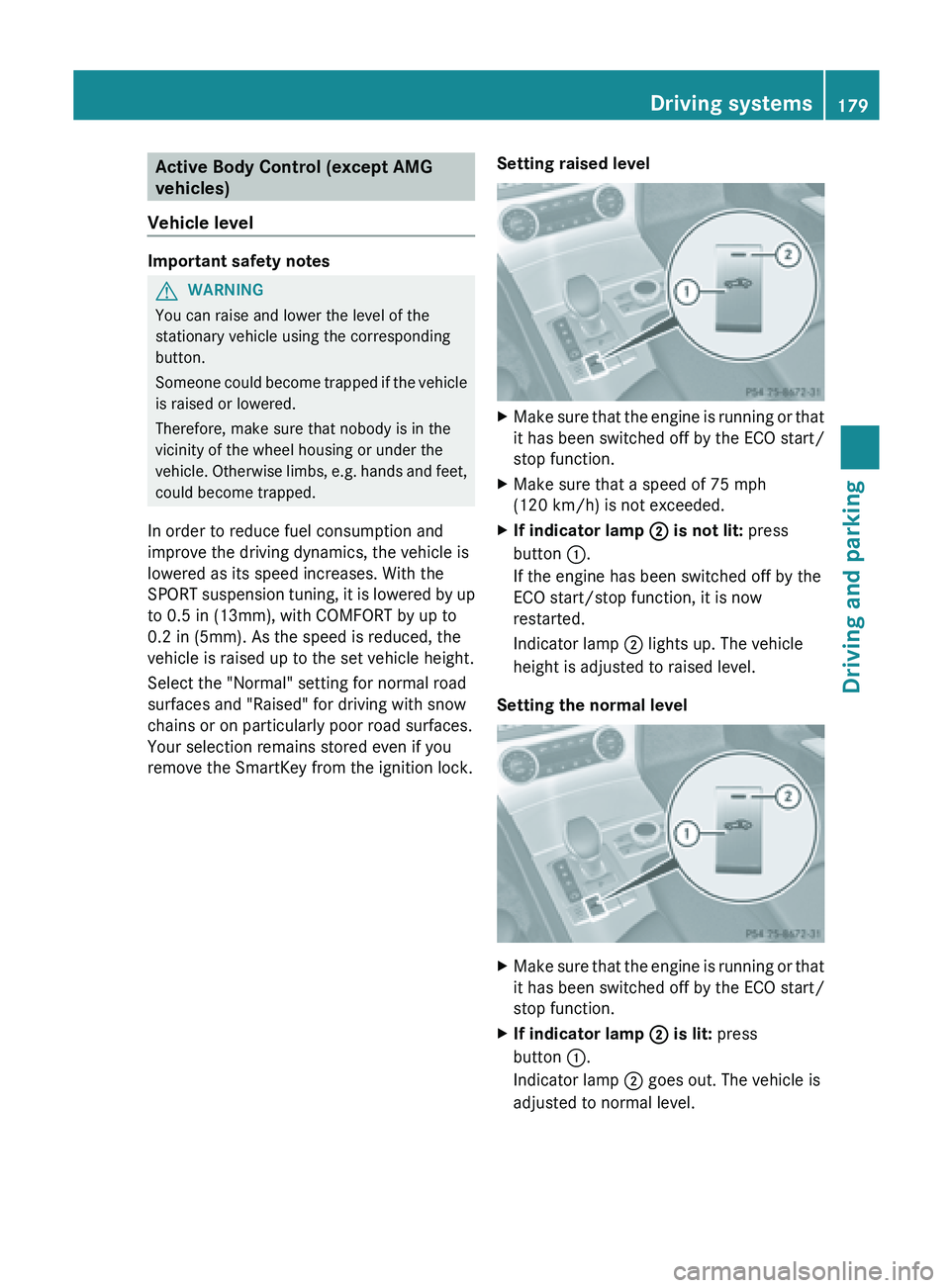
remove the SmartKey from the ignition lock. Setting raised level X
Make
sure that the engine is running or that
it has been switched off by the ECO start/
stop function.
X Make sure that a speed of 75 mph
(120 km/h ) is not exceeded.
X If indicator lamp
; is not lit: press
button :.
If the engine has been switched off by the
ECO start/stop function, it is now
restarted.
Indicator lamp ; lights up. The vehicle
height is adjusted to raised level.
Setting the normal level X
Make
sure that the engine is running or that
it has been switched off by the ECO start/
stop function.
X If indicator lamp ; is lit: press
button :.
Indicator lamp ; goes out. The vehicle is
adjusted to normal level. Driving systems
179
Driving and parking Z
Page 182 of 572
The "Raised level" setting is canceled if you:
R
are driving faster than approximately
75 mph (120 km/h)
R drive for approximately three minutes at a
speed over 50 mph (80km/h)
Suspension tuning General notes
The
electronically
controlled ABC suspension
system features improved driving dynamics
and ride comfort.
The ABC suspension system is tuned
individually to each wheel and depends on:
R the road surface condition, e.g. bumps
R the vehicle load
R your individual selection of the sporty or
comfort button
Your selection remains stored even if you
remove the SmartKey from the ignition lock.
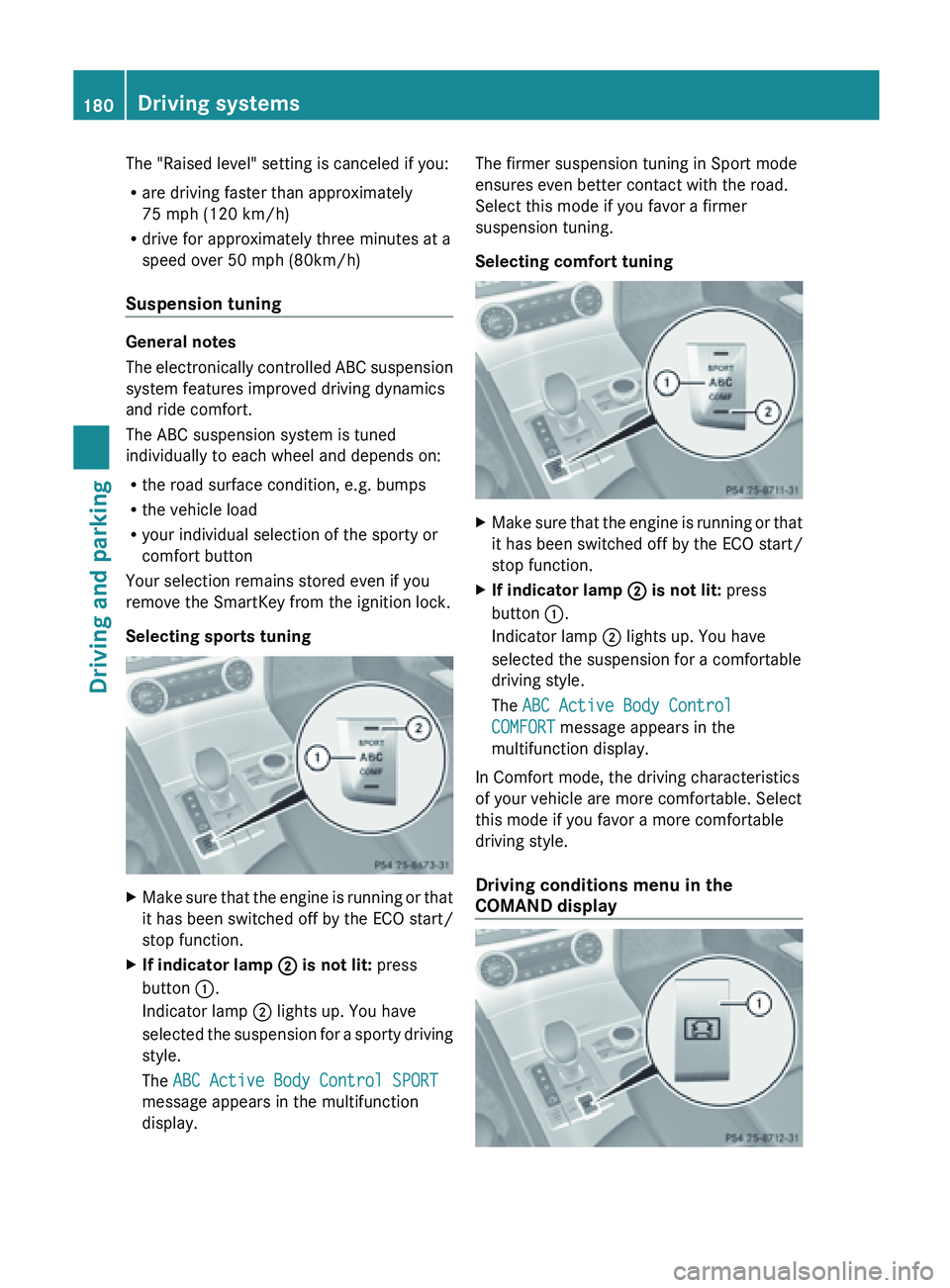
Selecting sports tuning X
Make sure that the engine is running or that
it has been switched off by the ECO start/
stop function.
X If indicator lamp ; is not lit: press
button :.
Indicator lamp ; lights up. You have
selected the
suspension for a sporty driving
style.
The ABC Active Body Control SPORT
message appears in the multifunction
display. The firmer suspension tuning in Sport mode
ensures even better contact with the road.
Select this mode if you favor a firmer
suspension tuning.
Selecting comfort tuning
X
Make sure that the engine is running or that
it has been switched off by the ECO start/
stop function.
X If indicator lamp ; is not lit: press
button :.
Indicator lamp ; lights up. You have
selected the suspension for a comfortable
driving style.
The ABC Active Body Control
COMFORT message appears in the
multifunction display.
In Comfort mode, the driving characteristics
of your vehicle are more comfortable. Select
this mode if you favor a more comfortable
driving style.
Driving conditions menu in the
COMAND display 180
Driving systems
Driving and parking
Page 183 of 572
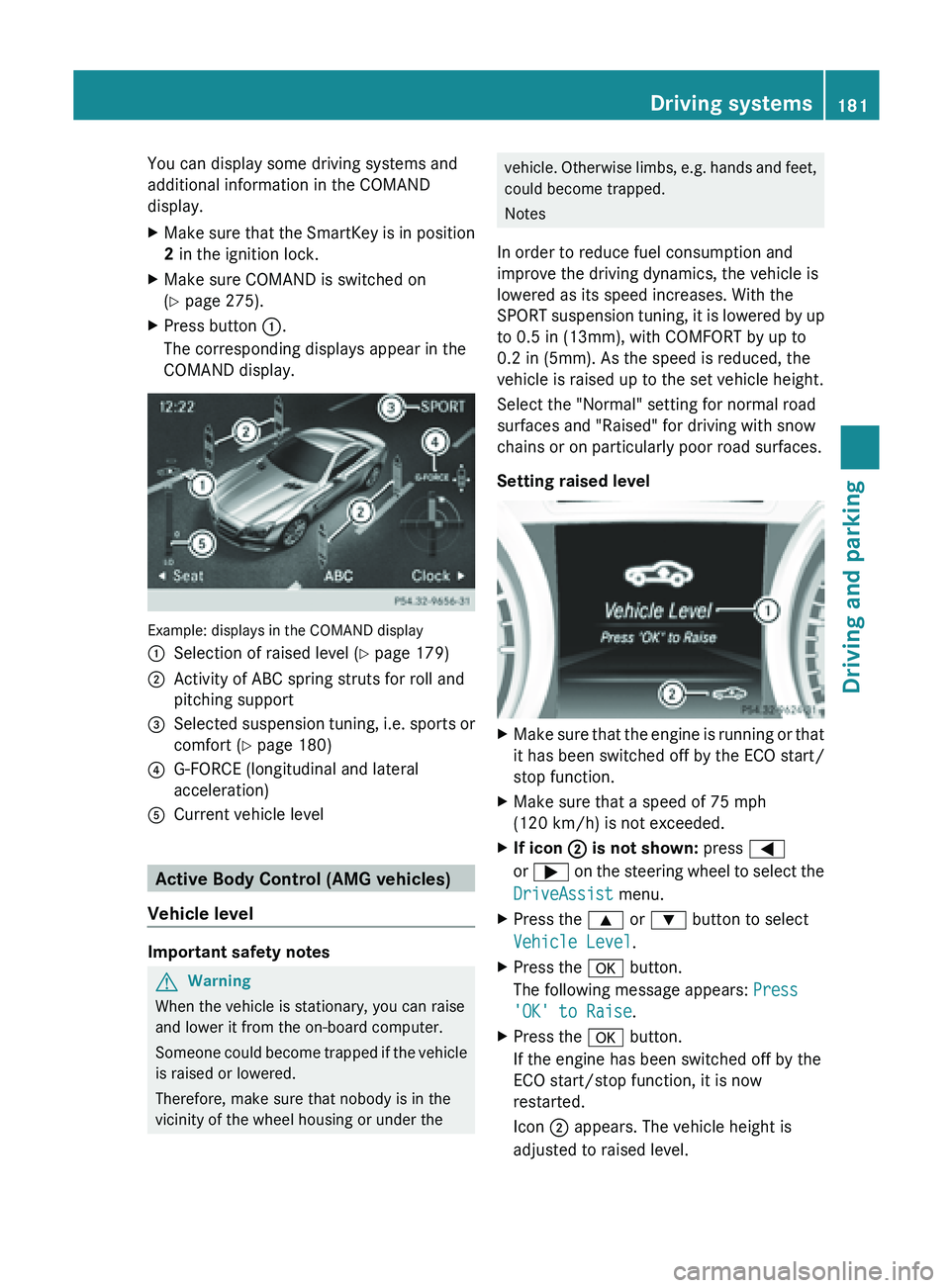
You can display some driving systems and
additional information in the COMAND
display.
X
Make sure that the SmartKey is in position
2 in the ignition lock.
X Make sure COMAND is switched on
(Y page 275).
X Press button :.
The corresponding displays appear in the
COMAND display. Example: displays in the COMAND display
:
Selection of raised level (Y page 179)
; Activity of ABC spring struts for roll and
pitching support
= Selected suspension tuning, i.e. sports or
comfort (
Y page 180)
? G-FORCE (longitudinal and lateral
acceleration)
A Current vehicle level Active Body Control (AMG vehicles)
Vehicle level Important safety notes
G
Warning
When the vehicle is stationary, you can raise
and lower it from the on-board computer.
Someone could
become trapped if the vehicle
is raised or lowered.
Therefore, make sure that nobody is in the
vicinity of the wheel housing or under the vehicle. Otherwise limbs, e.g. hands and feet,
could become trapped.
Notes
In order to reduce fuel consumption and
improve the driving dynamics, the vehicle is
lowered as its speed increases. With the
SPORT suspension
tuning, it is lowered by up
to 0.5 in (13mm), with COMFORT by up to
0.2 in (5mm). As the speed is reduced, the
vehicle is raised up to the set vehicle height.
Select the "Normal" setting for normal road
surfaces and "Raised" for driving with snow
chains or on particularly poor road surfaces.
Setting raised level X
Make sure that the engine is running or that
it has been switched off by the ECO start/
stop function.
X Make sure that a speed of 75 mph
(120 km/h ) is not exceeded.
X If icon ;
is not shown: press =
or ; on
the steering wheel to select the
DriveAssist menu.
X Press the 9 or : button to select
Vehicle Level.
X Press the a button.
The following message appears: Press
'OK' to Raise.
X Press the a button.
If the engine has been switched off by the
ECO start/stop function, it is now
restarted.
Icon ; appears. The vehicle height is
adjusted to raised level. Driving systems
181
Driving and parking Z
Page 184 of 572
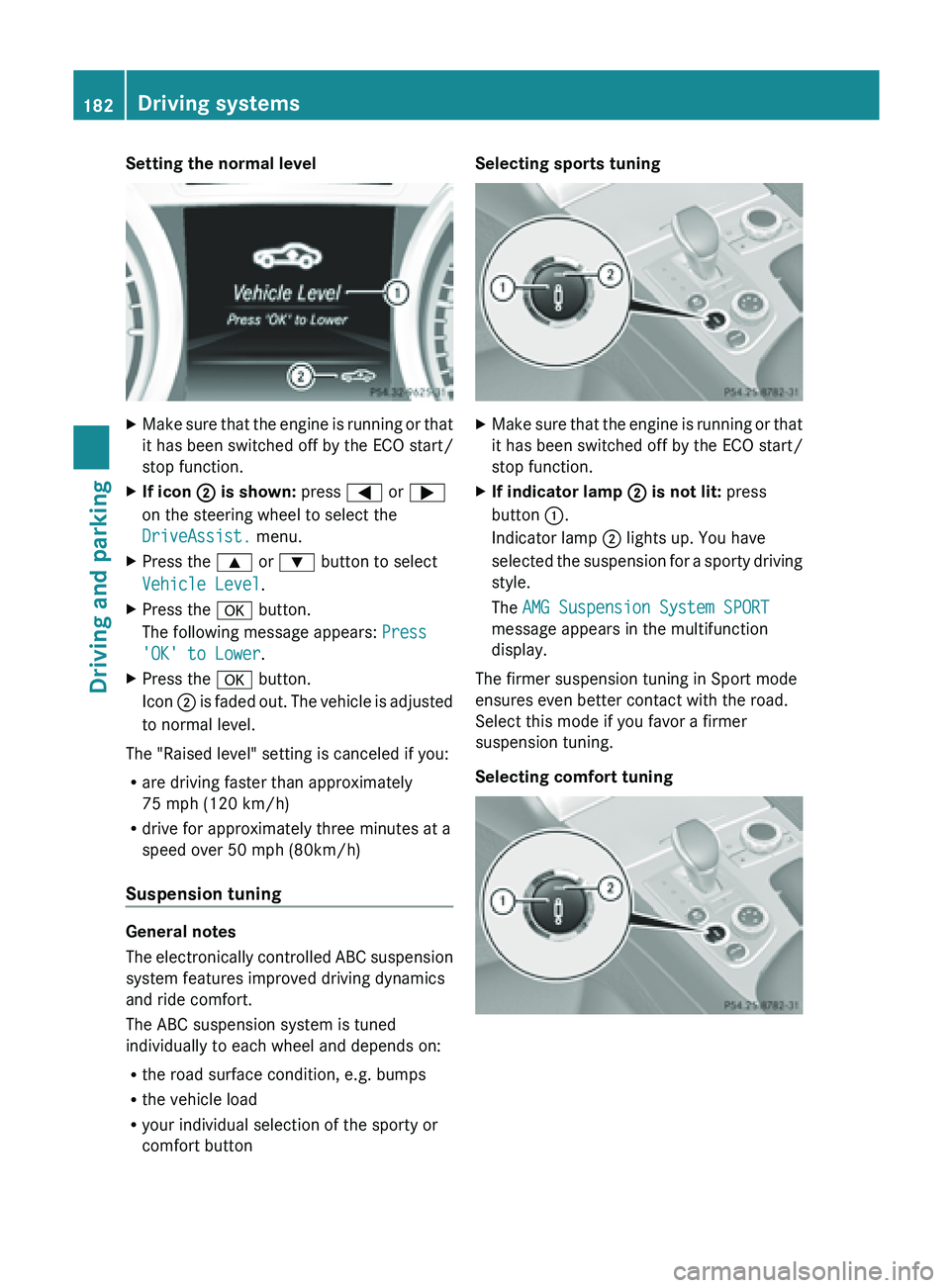
Setting the normal level
X
Make sure that the engine is running or that
it has been switched off by the ECO start/
stop function.
X If icon ; is shown: press = or ;
on the steering wheel to select the
DriveAssist. menu.
X Press the 9 or : button to select
Vehicle Level.
X Press the a button.
The following message appears: Press
'OK' to Lower.
X Press the a button.
Icon ; is
faded out. The vehicle is adjusted
to normal level.
The "Raised level" setting is canceled if you:
R are driving faster than approximately
75 mph (120 km/h)
R drive for approximately three minutes at a
speed over 50 mph (80km/h)
Suspension tuning General notes
The
electronically
controlled ABC suspension
system features improved driving dynamics
and ride comfort.
The ABC suspension system is tuned
individually to each wheel and depends on:
R the road surface condition, e.g. bumps
R the vehicle load
R your individual selection of the sporty or
comfort button Selecting sports tuning
X
Make sure that the engine is running or that
it has been switched off by the ECO start/
stop function.
X If indicator lamp ; is not lit: press
button :.
Indicator lamp ; lights up. You have
selected the
suspension for a sporty driving
style.
The AMG Suspension System SPORT
message appears in the multifunction
display.
The firmer suspension tuning in Sport mode
ensures even better contact with the road.
Select this mode if you favor a firmer
suspension tuning.
Selecting comfort tuning 182
Driving systems
Driving and parking
Page 185 of 572
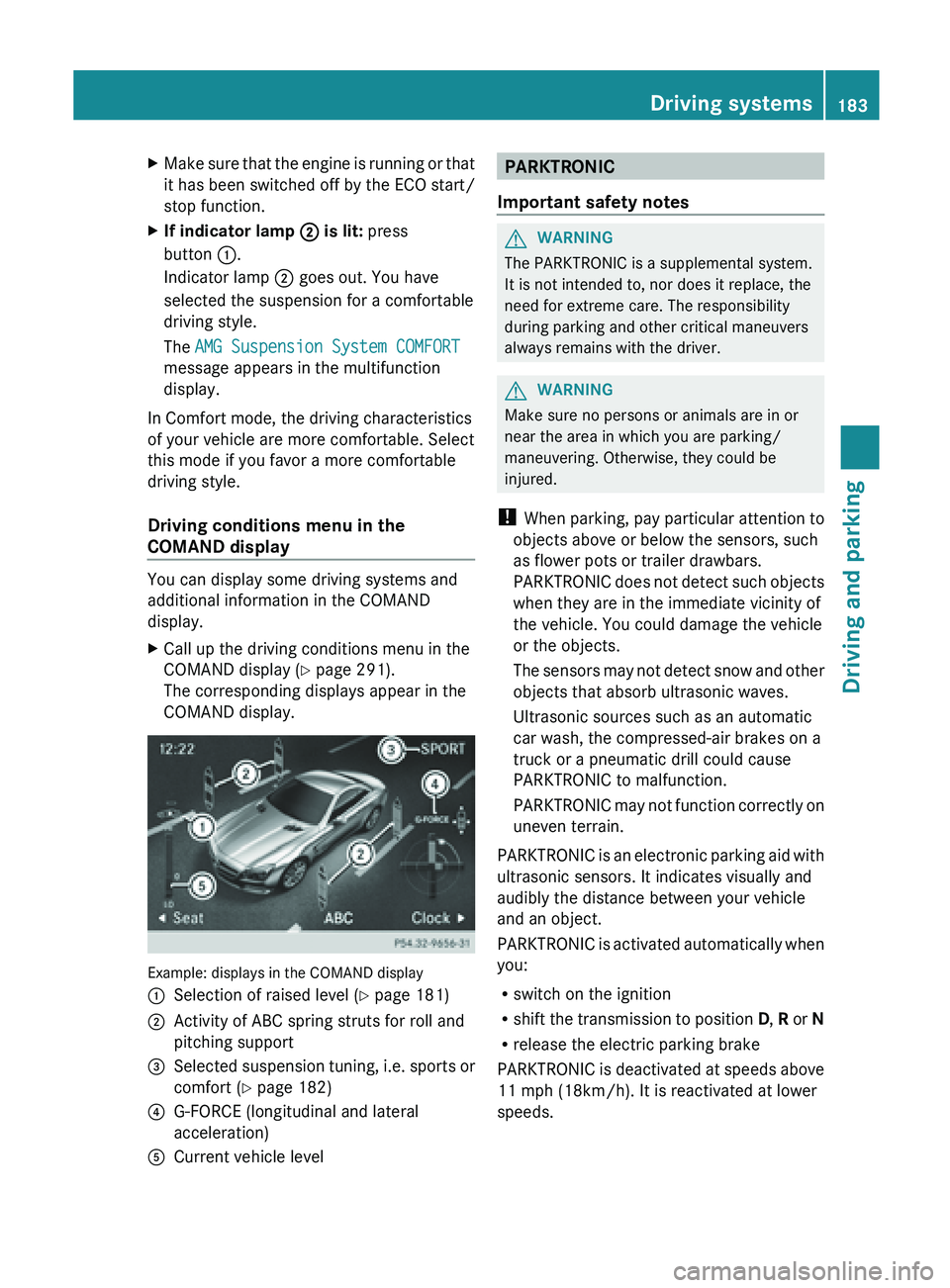
X
Make sure that the engine is running or that
it has been switched off by the ECO start/
stop function.
X If indicator lamp ; is lit: press
button :.
Indicator lamp ; goes out. You have
selected the suspension for a comfortable
driving style.
The AMG Suspension System COMFORT
message appears in the multifunction
display.
In Comfort mode, the driving characteristics
of your vehicle are more comfortable. Select
this mode if you favor a more comfortable
driving style.
Driving conditions menu in the
COMAND display You can display some driving systems and
additional information in the COMAND
display.
X
Call up the driving conditions menu in the
COMAND display (Y
page 291).
The corresponding displays appear in the
COMAND display. Example: displays in the COMAND display
:
Selection of raised level (Y page 181)
; Activity of ABC spring struts for roll and
pitching support
= Selected suspension tuning, i.e. sports or
comfort (
Y page 182)
? G-FORCE (longitudinal and lateral
acceleration)
A Current vehicle level PARKTRONIC
Important safety notes G
WARNING
The PARKTRONIC is a supplemental system.
It is not intended to, nor does it replace, the
need for extreme care. The responsibility
during parking and other critical maneuvers
always remains with the driver. G
WARNING
Make sure no persons or animals are in or
near the area in which you are parking/
maneuvering. Otherwise, they could be
injured.
! When parking,
pay particular attention to
objects above or below the sensors, such
as flower pots or trailer drawbars.
PARKTRONIC does not detect such objects
when they are in the immediate vicinity of
the vehicle. You could damage the vehicle
or the objects.
The sensors may not detect snow and other
objects that absorb ultrasonic waves.
Ultrasonic sources such as an automatic
car wash, the compressed-air brakes on a
truck or a pneumatic drill could cause
PARKTRONIC to malfunction.
PARKTRONIC may not function correctly on
uneven terrain.
PARKTRONIC is an electronic parking aid with
ultrasonic sensors. It indicates visually and
audibly the distance between your vehicle
and an object.
PARKTRONIC is activated automatically when
you:
R switch on the ignition
R shift the transmission to position D, R or N
R release the electric parking brake
PARKTRONIC is deactivated at speeds above
11 mph (18km/h). It is reactivated at lower
speeds. Driving systems
183
Driving and parking Z
Page 222 of 572
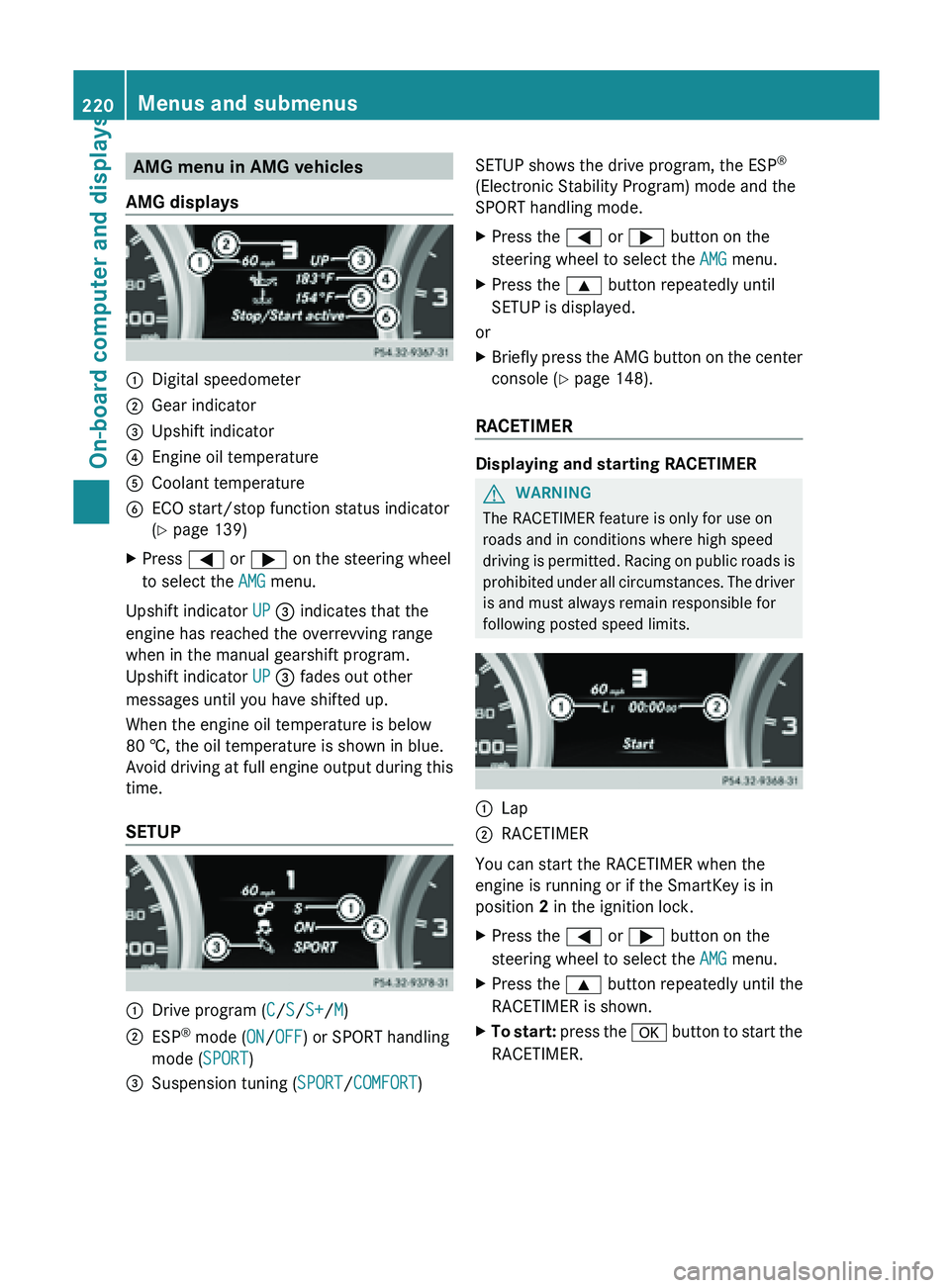
AMG menu in AMG vehicles
AMG displays :
Digital speedometer
; Gear indicator
= Upshift indicator
? Engine oil temperature
A Coolant temperature
B ECO start/stop function status indicator
( Y page 139)
X Press = or ; on the steering wheel
to select the AMG menu.
Upshift indicator UP = indicates that the
engine has reached the overrevving range
when in the manual gearshift program.
Upshift indicator UP = fades out other
messages until you have shifted up.
When the engine oil temperature is below
80 †, the oil temperature is shown in blue.
Avoid driving
at full engine output during this
time.
SETUP :
Drive program (
C/S/S+/M)
; ESP ®
mode ( ON/OFF) or SPORT handling
mode ( SPORT)
= Suspension tuning (SPORT/COMFORT) SETUP shows the drive program, the ESP
®
(Electronic Stability Program) mode and the
SPORT handling mode.
X Press the = or ; button on the
steering wheel to select the AMG menu.
X Press the 9 button repeatedly until
SETUP is displayed.
or
X Briefly press the AMG button on the center
console (Y page 148).
RACETIMER Displaying and starting RACETIMER
G
WARNING
The RACETIMER feature is only for use on
roads and in conditions where high speed
driving is
permitted. Racing on public roads is
prohibited under all circumstances. The driver
is and must always remain responsible for
following posted speed limits. :
Lap
; RACETIMER
You can start the RACETIMER when the
engine is running or if the SmartKey is in
position
2 in the ignition lock.
X Press the = or ; button on the
steering wheel to select the AMG menu.
X Press the 9 button repeatedly until the
RACETIMER is shown.
X To start: press the a
button to start the
RACETIMER. 220
Menus and submenus
On-board computer and displays
Page 243 of 572
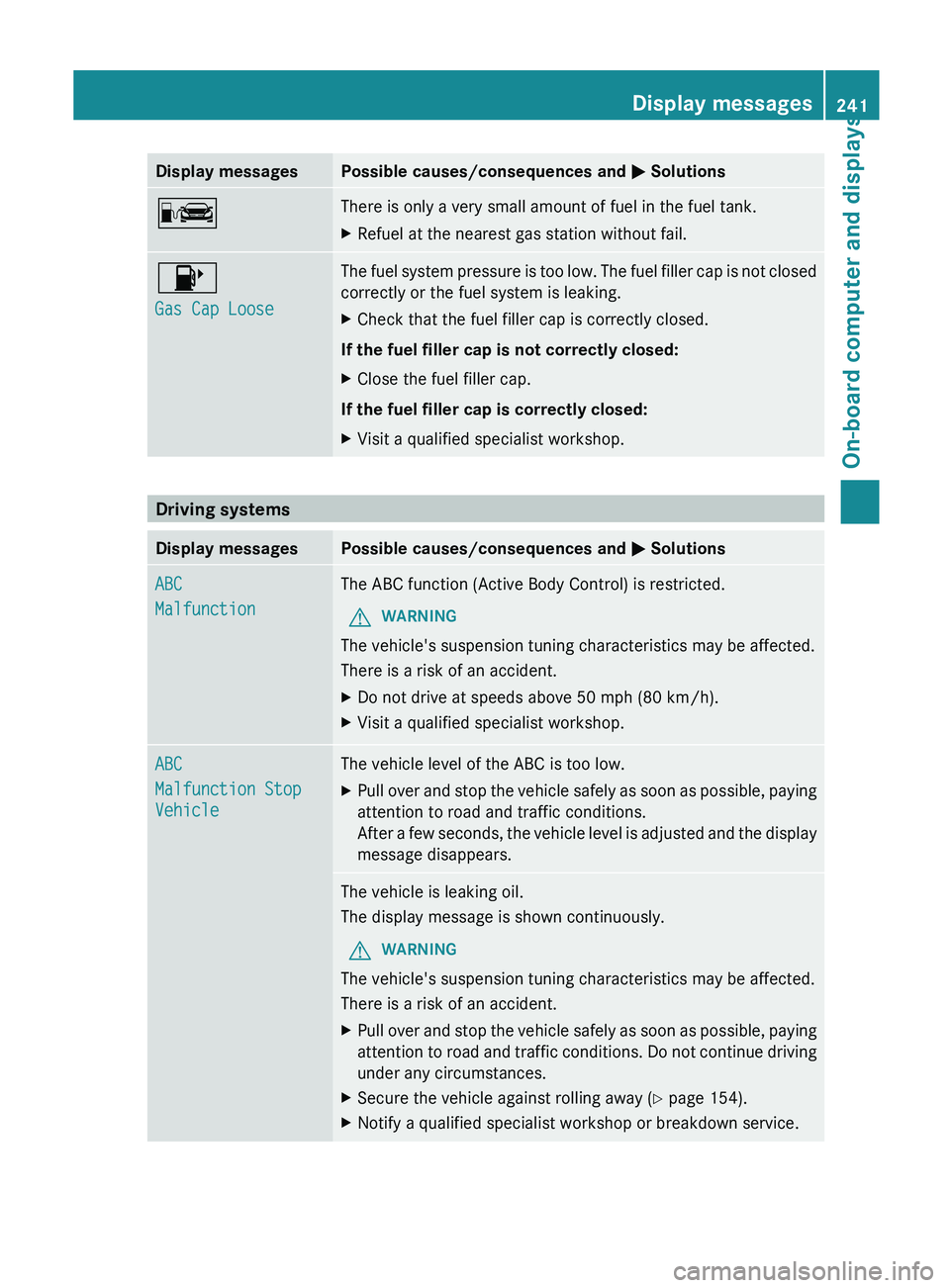
Display messages Possible causes/consequences and
M SolutionsC There is only a very small amount of fuel in the fuel tank.
X
Refuel at the nearest gas station without fail. 8
Gas Cap Loose The fuel system pressure is too low. The fuel filler cap is not closed
correctly or the fuel system is leaking.
X
Check that the fuel filler cap is correctly closed.
If the fuel filler cap is not correctly closed:
X Close the fuel filler cap.
If the fuel filler cap is correctly closed:
X Visit a qualified specialist workshop. Driving systems
Display messages Possible causes/consequences and
M SolutionsABC
Malfunction The ABC function (Active Body Control) is restricted.
G WARNING
The vehicle's suspension tuning characteristics may be affected.
There is a risk of an accident.
X Do not drive at speeds above 50 mph (80 km/h).
X Visit a qualified specialist workshop. ABC
Malfunction Stop
Vehicle The vehicle level of the ABC is too low.
X
Pull over and stop the vehicle safely as soon as possible, paying
attention to road and traffic conditions.
After a
few seconds, the vehicle level is adjusted and the display
message disappears. The vehicle is leaking oil.
The display message is shown continuously.
G WARNING
The vehicle's suspension tuning characteristics may be affected.
There is a risk of an accident.
X Pull over and stop the vehicle safely as soon as possible, paying
attention to
road and traffic conditions. Do not continue driving
under any circumstances.
X Secure the vehicle against rolling away ( Y page 154).
X Notify a qualified specialist workshop or breakdown service. Display messages
241
On-board computer and displays Z