navigation MERCEDES-BENZ SL-CLASS ROADSTER 2013 Service Manual
[x] Cancel search | Manufacturer: MERCEDES-BENZ, Model Year: 2013, Model line: SL-CLASS ROADSTER, Model: MERCEDES-BENZ SL-CLASS ROADSTER 2013Pages: 572, PDF Size: 9.23 MB
Page 309 of 572
COMAND controller and pressing
W to
confirm. X
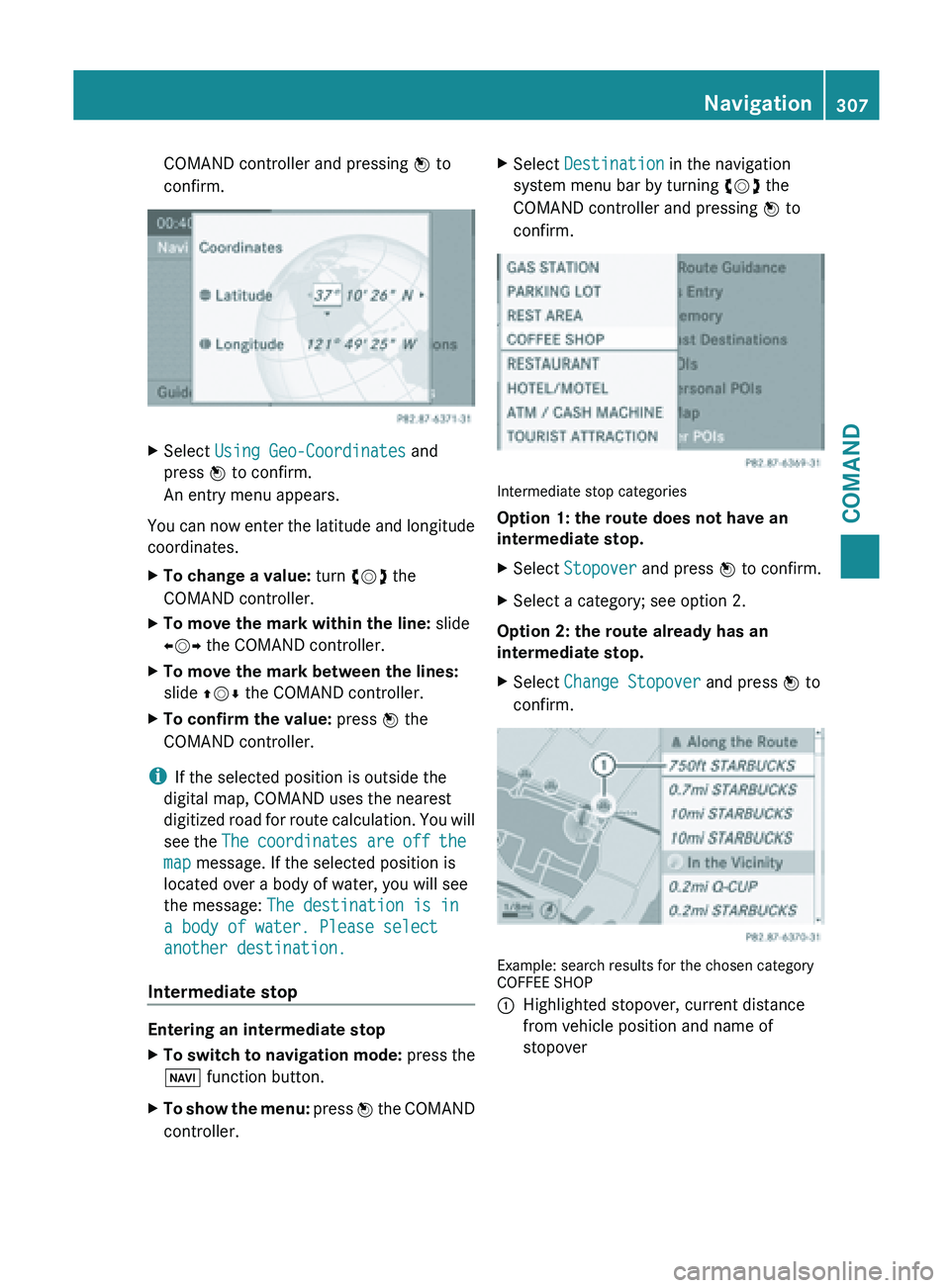
Select Using Geo-Coordinates and
press W to confirm.
An entry menu appears.
You can now enter the latitude and longitude
coordinates.
X To change a value: turn cVd the
COMAND controller.
X To move the mark within the line: slide
XVY the COMAND controller.
X To move the mark between the lines:
slide ZVÆ the COMAND controller.
X To confirm the value: press W the
COMAND controller.
i If the selected position is outside the
digital map, COMAND uses the nearest
digitized road
for route calculation. You will
see the The coordinates are off the
map message. If the selected position is
located over a body of water, you will see
the message: The destination is in
a body of water. Please select
another destination.
Intermediate stop Entering an intermediate stop
X
To switch to navigation mode: press the
Ø function button.
X To show the menu:
press W
the COMAND
controller. X
Select Destination in the navigation
system menu bar by turning cVd the
COMAND controller and pressing W to
confirm. Intermediate stop categories
Option 1: the route does not have an
intermediate stop.
X
Select Stopover and press W to confirm.
X Select a category; see option 2.
Option 2: the route already has an
intermediate stop.
X Select Change Stopover and press W to
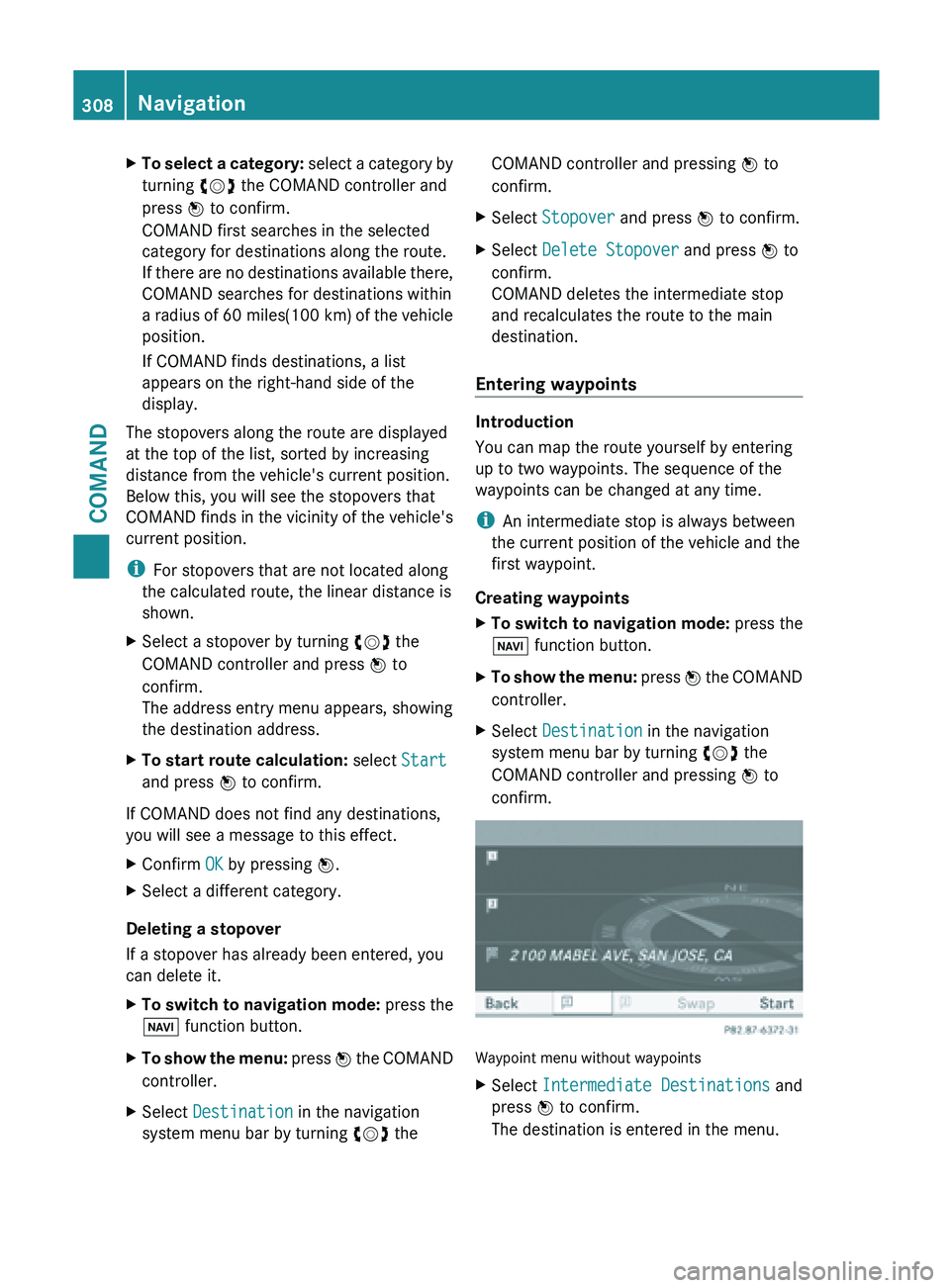
confirm. Example: search results for the chosen category
COFFEE SHOP
:
Highlighted stopover, current distance
from vehicle position and name of
stopover Navigation
307
COMAND Z
Page 310 of 572
X
To select a category: select a category by
turning cVd the COMAND controller and
press W to confirm.
COMAND first searches in the selected
category for destinations along the route.
If there are no destinations available there,
COMAND searches for destinations within
a radius of 60 miles(100 km) of the vehicle
position.
If COMAND finds destinations, a list
appears on the right-hand side of the
display.
The stopovers along the route are displayed
at the top of the list, sorted by increasing
distance from the vehicle's current position.
Below this, you will see the stopovers that
COMAND finds
in the vicinity of the vehicle's
current position.
i For stopovers that are not located along
the calculated route, the linear distance is
shown.
X Select a stopover by turning cVd the
COMAND controller and press W to
confirm.
The address entry menu appears, showing
the destination address.
X To start route calculation: select Start
and press W to confirm.
If COMAND does not find any destinations,
you will see a message to this effect.
X Confirm OK by pressing W.
X Select a different category.
Deleting a stopover
If a stopover has already been entered, you
can delete it.
X To switch to navigation mode: press the
Ø function button.
X To show the menu: press W
the COMAND
controller.
X Select Destination in the navigation
system menu bar by turning cVd theCOMAND controller and pressing
W to
confirm.
X Select Stopover and press W to confirm.
X Select Delete Stopover and press W to
confirm.
COMAND deletes the intermediate stop
and recalculates the route to the main
destination.
Entering waypoints Introduction
You can map the route yourself by entering
up to two waypoints. The sequence of the
waypoints can be changed at any time.
i
An intermediate stop is always between
the current position of the vehicle and the
first waypoint.
Creating waypoints
X To switch to navigation mode: press the
Ø function button.
X To show the menu:
press W
the COMAND
controller.
X Select Destination in the navigation
system menu bar by turning cVd the
COMAND controller and pressing W to
confirm. Waypoint menu without waypoints
X
Select Intermediate Destinations and
press W to confirm.
The destination is entered in the menu. 308
Navigation
COMAND
Page 311 of 572
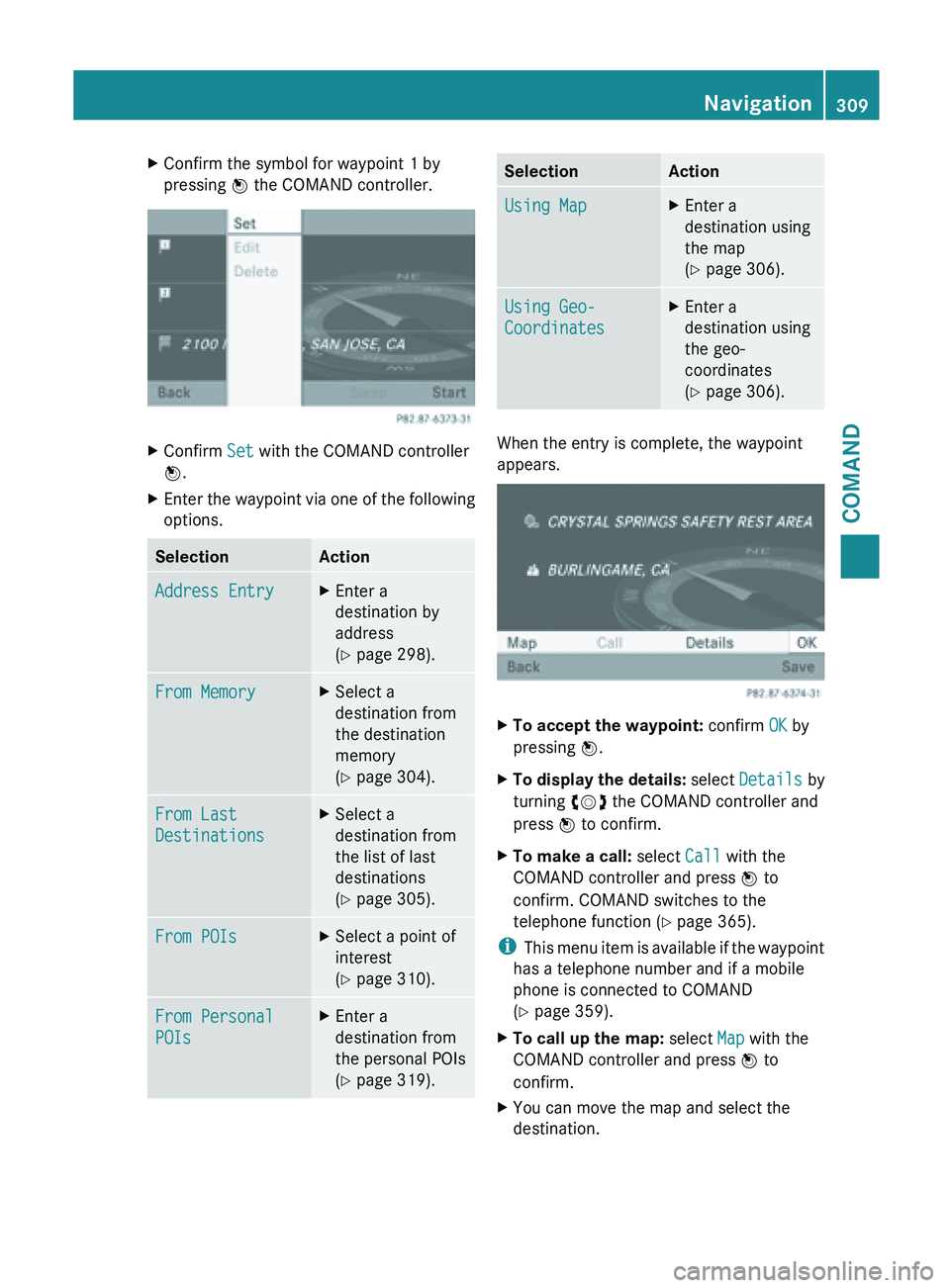
X
Confirm the symbol for waypoint 1 by
pressing W the COMAND controller. X
Confirm Set with the COMAND controller
W.
X Enter the waypoint via one of the following
options. Selection Action
Address Entry X
Enter a
destination by
address
(Y page 298). From Memory X
Select a
destination from
the destination
memory
(Y page 304). From Last
Destinations X
Select a
destination from
the list of last
destinations
(Y page 305). From POIs X
Select a point of
interest
(Y page 310). From Personal
POIs X
Enter a
destination from
the personal POIs
(Y page 319). Selection Action
Using Map X
Enter a
destination using
the map
(Y page 306). Using Geo-
Coordinates X
Enter a
destination using
the geo-
coordinates
(Y page 306). When the entry is complete, the waypoint
appears.
X
To accept the waypoint: confirm OK by
pressing W.
X To display the details: select
Details by
turning cVd the COMAND controller and
press W to confirm.
X To make a call: select Call with the
COMAND controller and press W to
confirm. COMAND switches to the
telephone function ( Y page 365).
i This menu
item is available if the waypoint
has a telephone number and if a mobile
phone is connected to COMAND
(Y page 359).
X To call up the map: select Map with the
COMAND controller and press W to
confirm.
X You can move the map and select the
destination. Navigation
309
COMAND Z
Page 312 of 572
X
To store the waypoint in the destination
memory: select Presets with the
COMAND controller and press W to
confirm.
Once you
have accepted the waypoint, it is
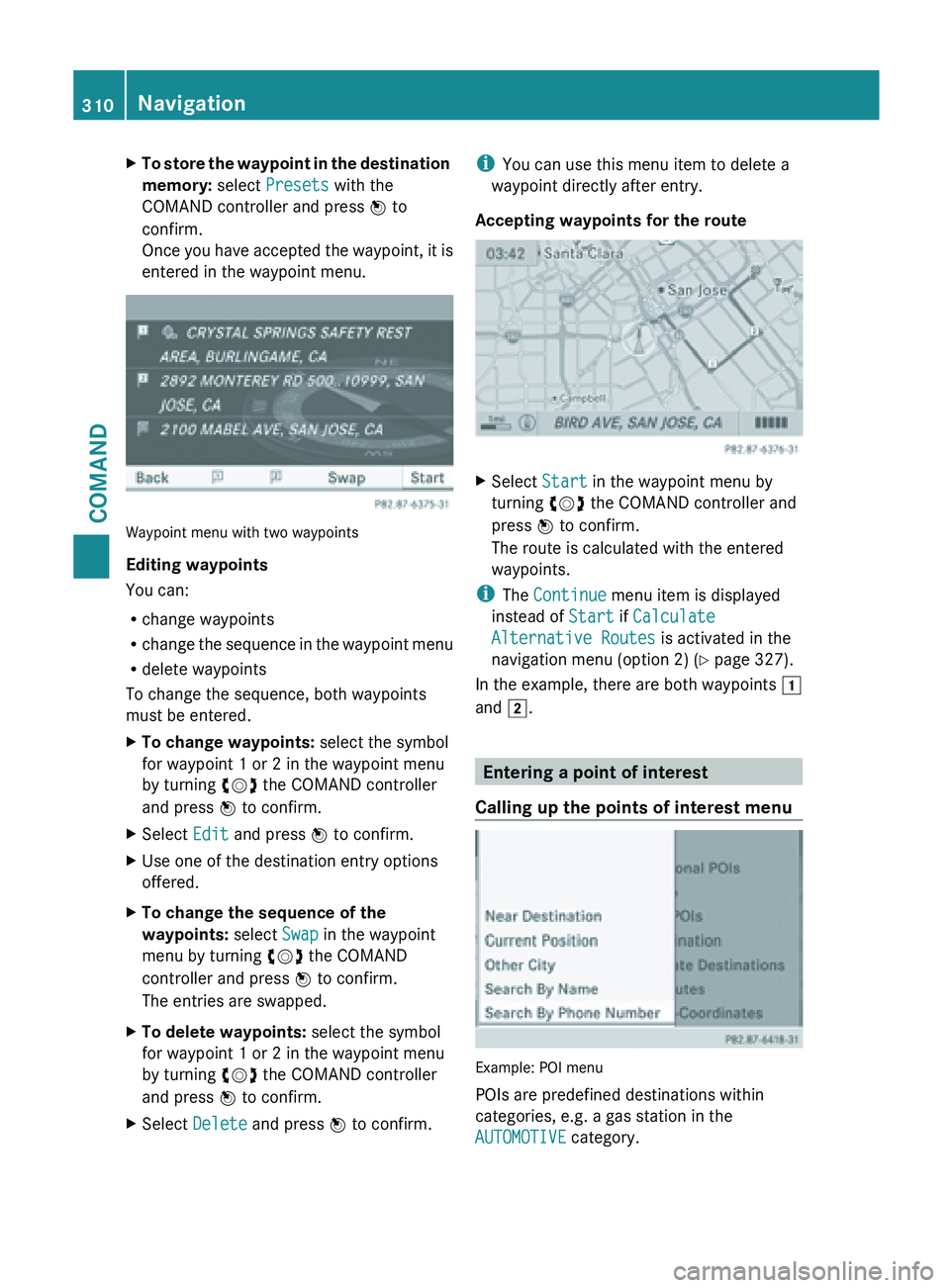
entered in the waypoint menu. Waypoint menu with two waypoints
Editing waypoints
You can:
R
change waypoints
R change the
sequence in the waypoint menu
R delete waypoints
To change the sequence, both waypoints
must be entered.
X To change waypoints: select the symbol
for waypoint 1 or 2 in the waypoint menu
by turning cVd the COMAND controller
and press W to confirm.
X Select Edit and press W to confirm.
X Use one of the destination entry options
offered.
X To change the sequence of the
waypoints: select Swap in the waypoint
menu by turning cVd the COMAND
controller and press W to confirm.
The entries are swapped.
X To delete waypoints: select the symbol
for waypoint 1 or 2 in the waypoint menu
by turning cVd the COMAND controller
and press W to confirm.
X Select Delete and press W to confirm. i
You can use this menu item to delete a
waypoint directly after entry.
Accepting waypoints for the route X
Select Start in the waypoint menu by
turning cVd the COMAND controller and
press W to confirm.
The route is calculated with the entered
waypoints.
i The Continue menu item is displayed
instead of Start if Calculate
Alternative Routes is activated in the
navigation menu (option 2) ( Y page 327).
In the example, there are both waypoints 1
and 2. Entering a point of interest
Calling up the points of interest menu Example: POI menu
POIs are predefined destinations within
categories, e.g. a gas station in the
AUTOMOTIVE category.310
NavigationCOMAND
Page 313 of 572
X
To switch on navigation mode: press the
Ø function button.
X To show the menu:
press W
the COMAND
controller.
X Select Destination in the navigation
system menu bar by turning cVd the
COMAND controller and press W to
confirm.
X Select From POIs
and press W to confirm.
A menu appears.
X Choose one of the options and press W to
confirm.
Further steps are arranged in a table
according to the option selected
(Y page 312). Navigation
311
COMAND Z
Page 314 of 572
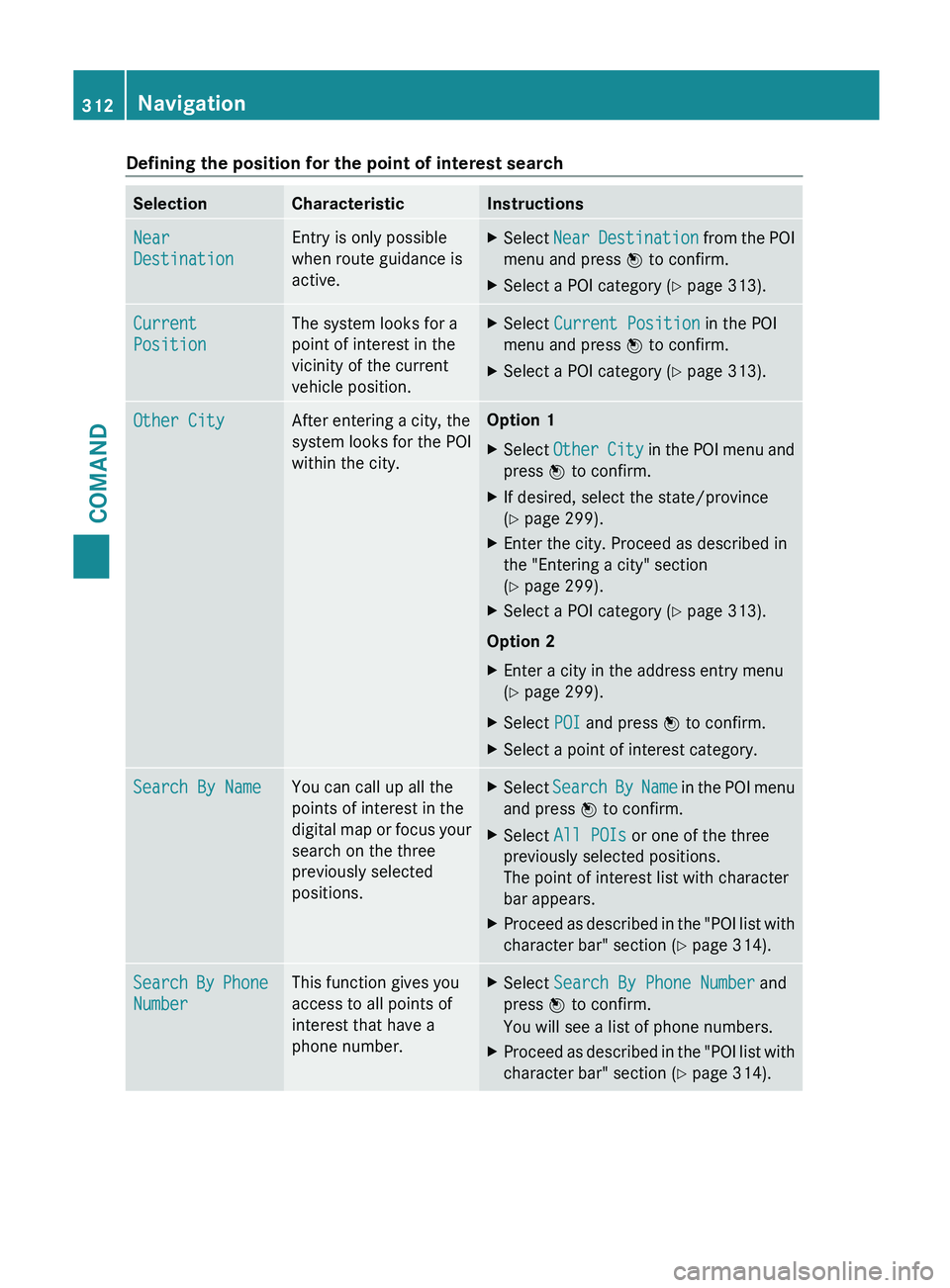
Defining the position for the point of interest search
Selection Characteristic Instructions
Near
Destination Entry is only possible
when route guidance is
active. X
Select Near Destination
from the POI
menu and press W to confirm.
X Select a POI category ( Y page 313).Current
Position The system looks for a
point of interest in the
vicinity of the current
vehicle position. X
Select Current Position in the POI
menu and press W to confirm.
X Select a POI category ( Y page 313).Other City After entering a city, the
system
looks
for the POI
within the city. Option 1
X
Select Other City
in the POI menu and
press W to confirm.
X If desired, select the state/province
(Y page 299).
X Enter the city. Proceed as described in
the "Entering a city" section
(Y page 299).
X Select a POI category ( Y page 313).
Option 2
X Enter a city in the address entry menu
(Y page 299).
X Select POI and press W to confirm.
X Select a point of interest category. Search By Name You can call up all the
points of interest in the
digital
map
or focus your
search on the three
previously selected
positions. X
Select Search By Name in the POI menu
and press W to confirm.
X Select All POIs or one of the three
previously selected positions.
The point of interest list with character
bar appears.
X Proceed as described in the "POI list with
character bar" section (Y page 314). Search By Phone
Number This function gives you
access to all points of
interest that have a
phone number. X
Select Search By Phone Number and
press W to confirm.
You will see a list of phone numbers.
X Proceed as described in the "POI list with
character bar" section (Y page 314).312
Navigation
COMAND
Page 315 of 572
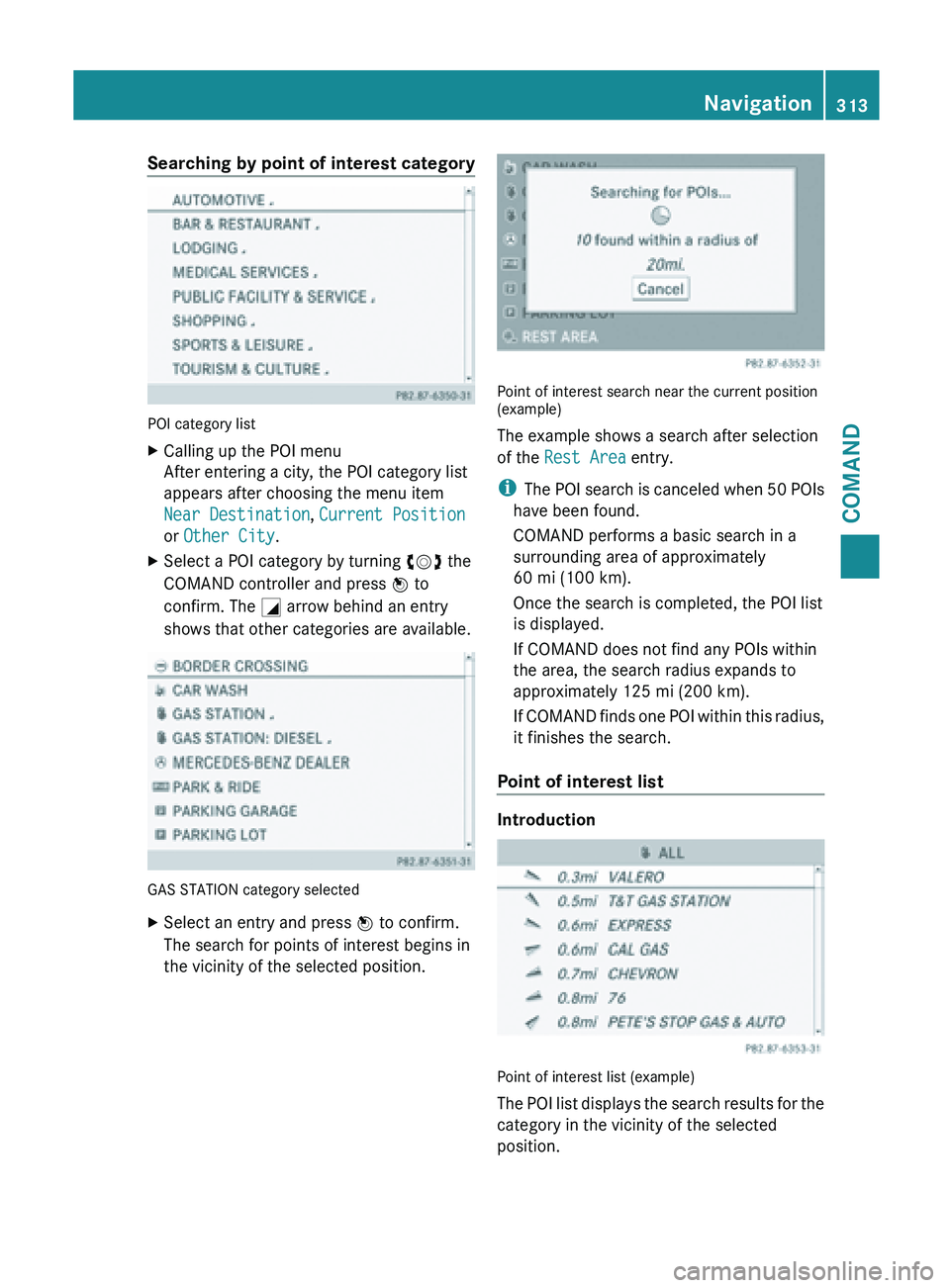
Searching by point of interest category
POI category list
X
Calling up the POI menu
After entering a city, the POI category list
appears after choosing the menu item
Near Destination, Current Position
or Other City.
X Select a POI category by turning cVd the
COMAND controller and press W to
confirm. The G arrow behind an entry
shows that other categories are available. GAS STATION category selected
X
Select an entry and press W to confirm.
The search for points of interest begins in
the vicinity of the selected position. Point of interest search near the current position
(example)
The example shows a search after selection
of the Rest Area entry.
i
The POI
search is canceled when 50 POIs
have been found.
COMAND performs a basic search in a
surrounding area of approximately
60 mi (100 km).
Once the search is completed, the POI list
is displayed.
If COMAND does not find any POIs within
the area, the search radius expands to
approximately 125 mi (200 km).
If COMAND finds one POI within this radius,
it finishes the search.
Point of interest list Introduction
Point of interest list (example)
The
POI
list displays the search results for the
category in the vicinity of the selected
position. Navigation
313
COMAND Z
Page 316 of 572
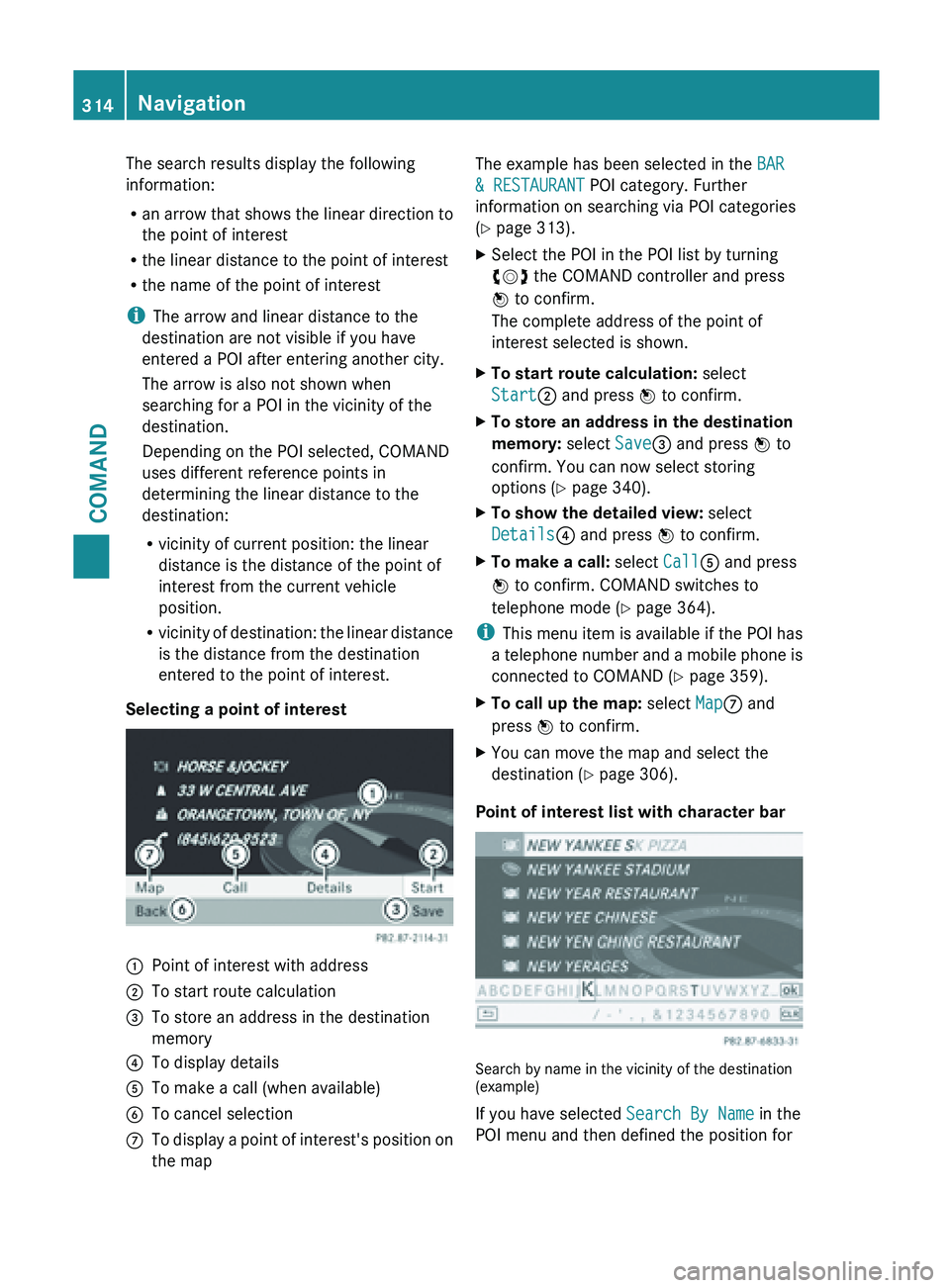
The search results display the following
information:
R
an arrow
that shows the linear direction to
the point of interest
R the linear distance to the point of interest
R the name of the point of interest
i The arrow and linear distance to the
destination are not visible if you have
entered a POI after entering another city.
The arrow is also not shown when
searching for a POI in the vicinity of the
destination.
Depending on the POI selected, COMAND
uses different reference points in
determining the linear distance to the
destination:
R vicinity of current position: the linear
distance is the distance of the point of
interest from the current vehicle
position.
R vicinity of destination: the linear distance
is the distance from the destination
entered to the point of interest.
Selecting a point of interest :
Point of interest with address
; To start route calculation
= To store an address in the destination
memory
? To display details
A To make a call (when available)
B To cancel selection
C To display a point of interest's position on
the map The example has been selected in the
BAR
& RESTAURANT POI category. Further
information on searching via POI categories
(Y page 313).
X Select the POI in the POI list by turning
cVd the COMAND controller and press
W to confirm.
The complete address of the point of
interest selected is shown.
X To start route calculation: select
Start; and press W to confirm.
X To store an address in the destination
memory: select Save= and press W to
confirm. You can now select storing
options (Y page 340).
X To show the detailed view: select
Details? and press W to confirm.
X To make a call: select CallA and press
W to confirm. COMAND switches to
telephone mode ( Y page 364).
i This menu
item is available if the POI has
a telephone number and a mobile phone is
connected to COMAND (Y page 359).
X To call up the map: select MapC and
press W to confirm.
X You can move the map and select the
destination (Y page 306).
Point of interest list with character bar Search by name in the vicinity of the destination
(example)
If you have selected
Search By Name in the
POI menu and then defined the position for 314
Navigation
COMAND
Page 317 of 572
the search, the POI list with character bar
appears
(Y
page 312).
Depending on your selection, you can select
all available points of interest on the digital
map or the points of interest in the vicinity of
the selected position.
X Proceed as described in "Searching for a
phone book entry" (Y page 369).
If COMAND can assign the characters
entered to one entry unambiguously, the
address entry appears automatically.
X To start route calculation: select Start
and press W to confirm.
ZAGAT ®
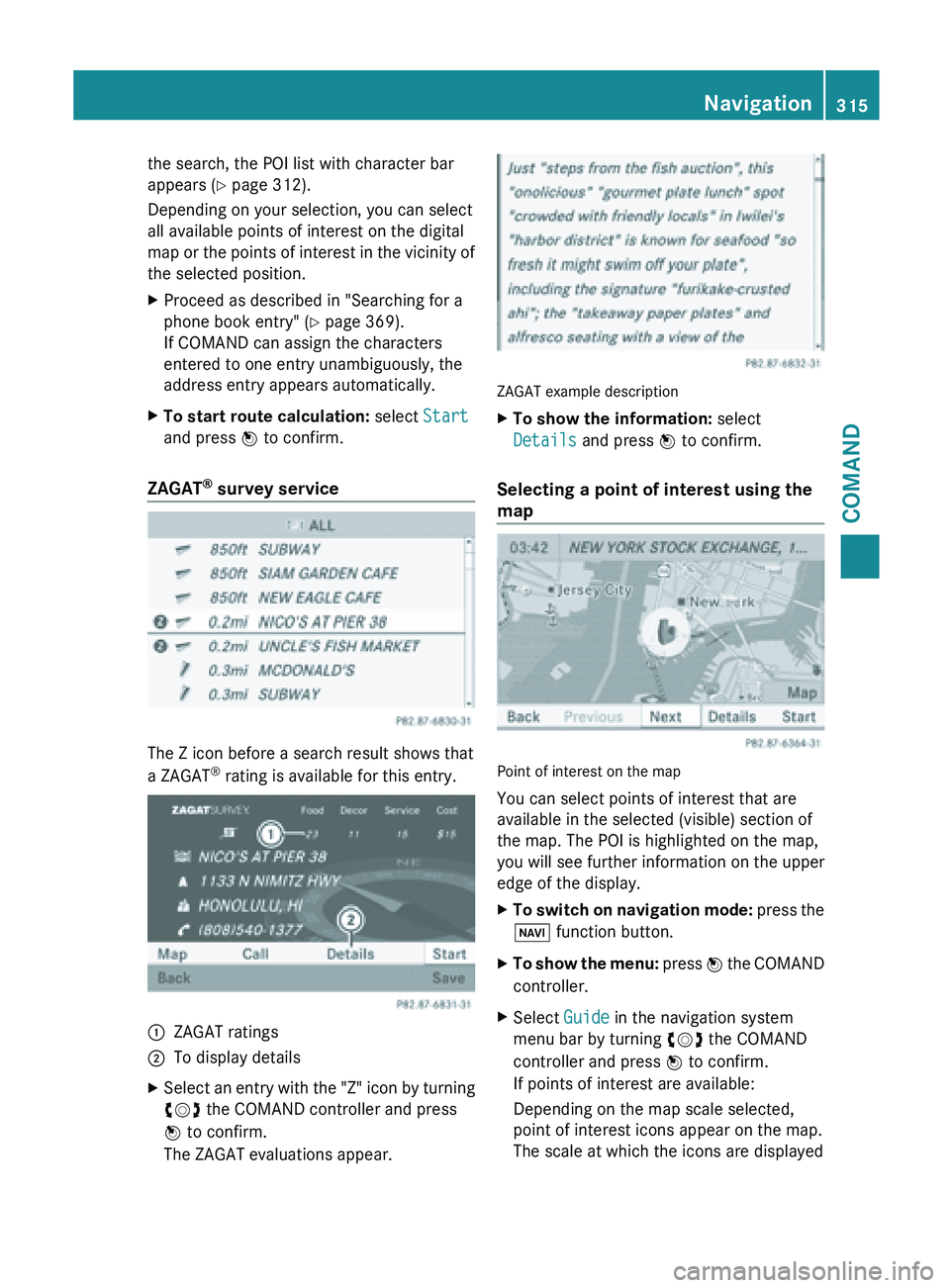
survey service The Z icon before a search result shows that
a ZAGAT
®
rating is available for this entry. :
ZAGAT ratings
; To display details
X Select an entry with the "Z" icon by turning
cVd the COMAND controller and press
W to confirm.
The ZAGAT evaluations appear. ZAGAT example description
X
To show the information: select
Details and press W to confirm.
Selecting a point of interest using the
map Point of interest on the map
You can select points of interest that are
available in the selected (visible) section of
the map. The POI is highlighted on the map,
you will see further information on the upper
edge of the display.
X
To switch on navigation mode: press
the
Ø function button.
X To show the menu: press W
the COMAND
controller.
X Select Guide in the navigation system
menu bar by turning cVd the COMAND
controller and press W to confirm.
If points of interest are available:
Depending on the map scale selected,
point of interest icons appear on the map.
The scale at which the icons are displayed Navigation
315
COMAND Z
Page 318 of 572
on the map varies according to the icon.
You can select the icons that you want
COMAND to display
(
Y page 344).
If no points of interest are available, you will
see a message to this effect.
i You also see this message if you have
selected the No
Symbols menu item under
"Map display" ( Y page 344).
X To confirm the message: press W the
COMAND controller.
X To select a POI: select Next or Previous
and press W to confirm.
X To show details for the selection: select
Details and press W to confirm.
X To change to the map: slide ZV the
COMAND controller.
You can
move the map and select the map
section.
X To start route calculation: select Start
and press W to confirm.
A prompt
appears asking whether the point
of interest should be used as the
destination.
X Select Yes or No and press W to confirm.
If you select Yes, route guidance starts.
If you
select No, you can choose a new point
of interest.
i Continue is displayed instead of Start
when Calculate Alternative
Routes is
activated in the navigation menu
(Y page 327). Personal points of interest
Settings Calling up the "Personal POIs" menu
"Personal POIs" menu
X
To switch on navigation mode: press
the
Ø function button.
X To show the menu:
press W
the COMAND
controller.
X Select Navi in the main function bar by
sliding ZV and
turning cVd the COMAND
controller and press W to confirm.
X Select Personal POIs and press W to
confirm.
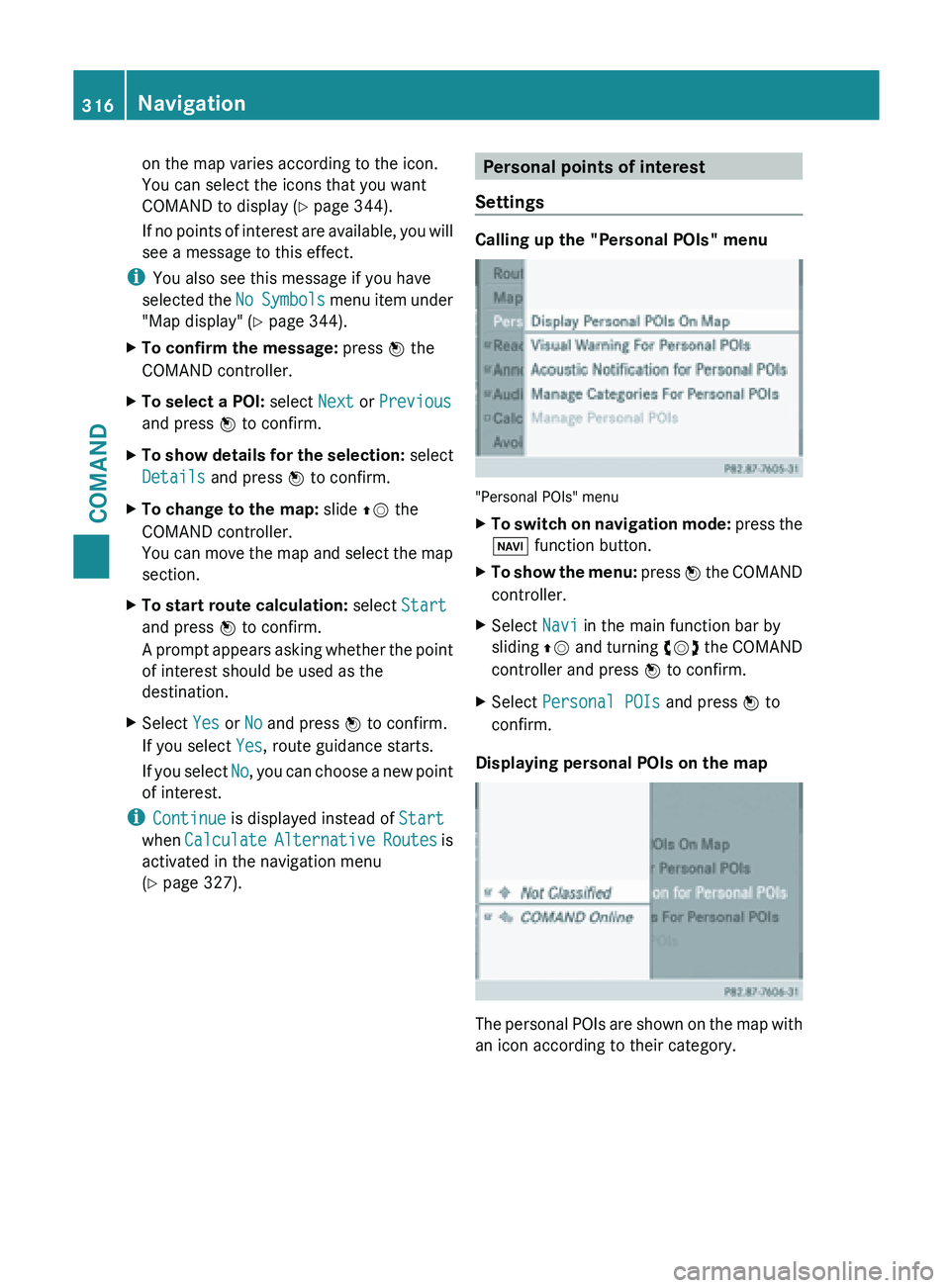
Displaying personal POIs on the map The personal POIs are shown on the map with
an icon according to their category.316
Navigation
COMAND