start stop button MERCEDES-BENZ SL-CLASS ROADSTER 2013 Service Manual
[x] Cancel search | Manufacturer: MERCEDES-BENZ, Model Year: 2013, Model line: SL-CLASS ROADSTER, Model: MERCEDES-BENZ SL-CLASS ROADSTER 2013Pages: 572, PDF Size: 9.23 MB
Page 310 of 572
X
To select a category: select a category by
turning cVd the COMAND controller and
press W to confirm.
COMAND first searches in the selected
category for destinations along the route.
If there are no destinations available there,
COMAND searches for destinations within
a radius of 60 miles(100 km) of the vehicle
position.
If COMAND finds destinations, a list
appears on the right-hand side of the
display.
The stopovers along the route are displayed
at the top of the list, sorted by increasing
distance from the vehicle's current position.
Below this, you will see the stopovers that
COMAND finds
in the vicinity of the vehicle's
current position.
i For stopovers that are not located along
the calculated route, the linear distance is
shown.
X Select a stopover by turning cVd the
COMAND controller and press W to
confirm.
The address entry menu appears, showing
the destination address.
X To start route calculation: select Start
and press W to confirm.
If COMAND does not find any destinations,
you will see a message to this effect.
X Confirm OK by pressing W.
X Select a different category.
Deleting a stopover
If a stopover has already been entered, you
can delete it.
X To switch to navigation mode: press the
Ø function button.
X To show the menu: press W
the COMAND
controller.
X Select Destination in the navigation
system menu bar by turning cVd theCOMAND controller and pressing
W to
confirm.
X Select Stopover and press W to confirm.
X Select Delete Stopover and press W to
confirm.
COMAND deletes the intermediate stop
and recalculates the route to the main
destination.
Entering waypoints Introduction
You can map the route yourself by entering
up to two waypoints. The sequence of the
waypoints can be changed at any time.
i
An intermediate stop is always between
the current position of the vehicle and the
first waypoint.
Creating waypoints
X To switch to navigation mode: press the
Ø function button.
X To show the menu:
press W
the COMAND
controller.
X Select Destination in the navigation
system menu bar by turning cVd the
COMAND controller and pressing W to
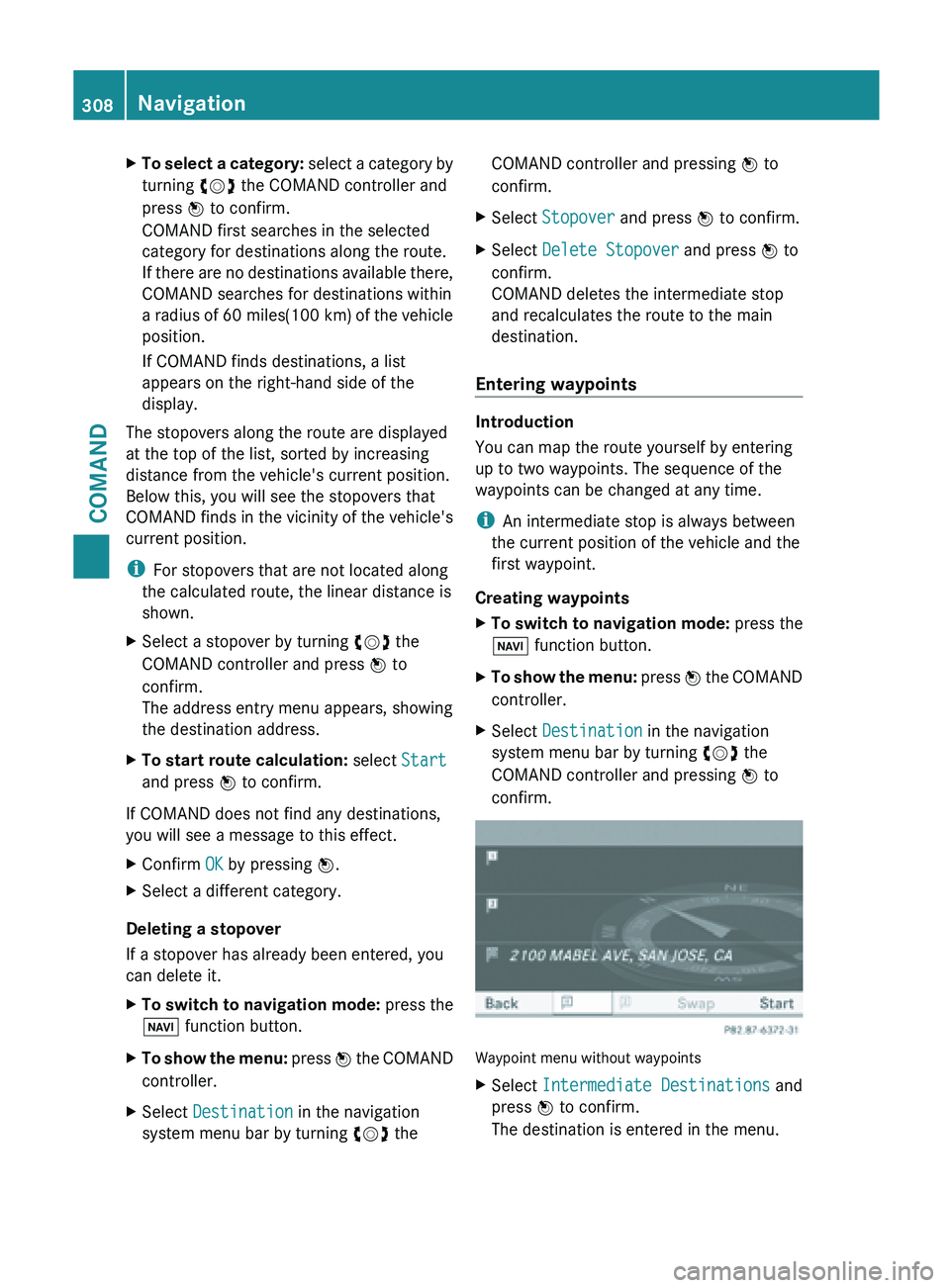
confirm. Waypoint menu without waypoints
X
Select Intermediate Destinations and
press W to confirm.
The destination is entered in the menu. 308
Navigation
COMAND
Page 323 of 572
X
Call up the maps.google.com website and
destination address in the address entry
field.
X Click the corresponding button to send the
destination address to the e-mail address
registered with mbrace.
X Enter the e-mail address you specified
when setting up your mbrace account into
the corresponding
field in the "Send" dialog
window.
X Click "Send".
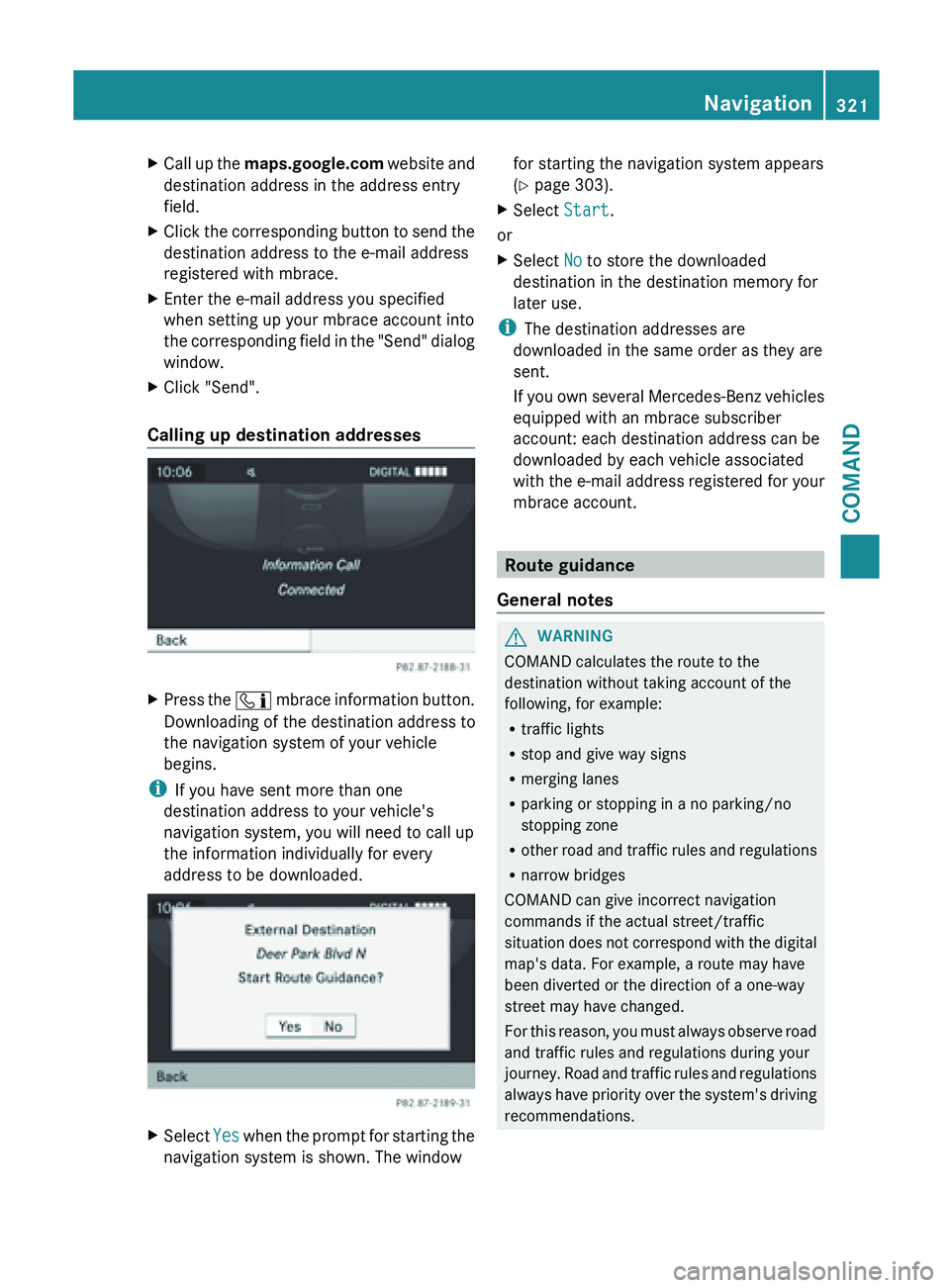
Calling up destination addresses X
Press the ï mbrace
information button.
Downloading of the destination address to
the navigation system of your vehicle
begins.
i If you have sent more than one
destination address to your vehicle's
navigation system, you will need to call up
the information individually for every
address to be downloaded. X
Select Yes when the prompt for starting the
navigation system is shown. The window for starting the navigation system appears
(
Y page 303).
X Select Start.
or
X Select No to store the downloaded
destination in the destination memory for
later use.
i The destination addresses are
downloaded in the same order as they are
sent.
If you
own several Mercedes-Benz vehicles
equipped with an mbrace subscriber
account: each destination address can be
downloaded by each vehicle associated
with the e-mail address registered for your
mbrace account. Route guidance
General notes G
WARNING
COMAND calculates the route to the
destination without taking account of the
following, for example:
R traffic lights
R stop and give way signs
R merging lanes
R parking or stopping in a no parking/no
stopping zone
R other road
and traffic rules and regulations
R narrow bridges
COMAND can give incorrect navigation
commands if the actual street/traffic
situation does not correspond with the digital
map's data. For example, a route may have
been diverted or the direction of a one-way
street may have changed.
For this reason, you must always observe road
and traffic rules and regulations during your
journey. Road and traffic rules and regulations
always have priority over the system's driving
recommendations. Navigation
321
COMAND Z
Page 330 of 572
X
To start route guidance using the
selected alternative route: select Start
and press W to confirm.
COMAND begins route guidance on the
selected alternative route.
Route information Displaying destination information
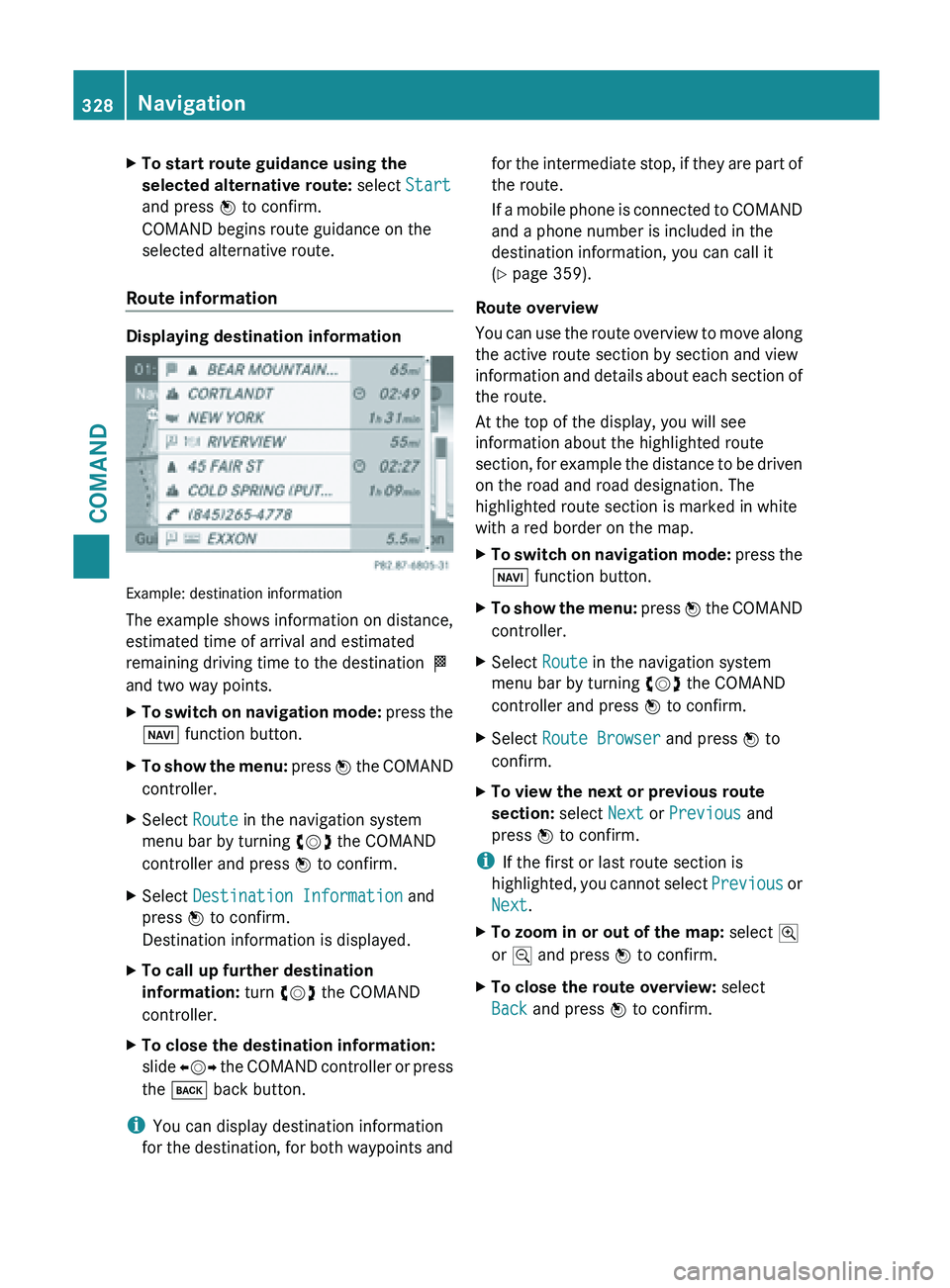
Example: destination information
The example shows information on distance,
estimated time of arrival and estimated
remaining driving time to the destination
O
and two way points.
X To switch on navigation mode: press
the
Ø function button.
X To show the menu:
press W
the COMAND
controller.
X Select Route in the navigation system
menu bar by turning cVd the COMAND
controller and press W to confirm.
X Select Destination Information and
press W to confirm.
Destination information is displayed.
X To call up further destination
information: turn cVd the COMAND
controller.
X To close the destination information:
slide XVY the
COMAND controller or press
the k back button.
i You can display destination information
for the
destination, for both waypoints and for the intermediate stop, if they are part of
the route.
If
a
mobile phone is connected to COMAND
and a phone number is included in the
destination information, you can call it
(Y page 359).
Route overview
You can use the route overview to move along
the active route section by section and view
information and details about each section of
the route.
At the top of the display, you will see
information about the highlighted route
section, for example the distance to be driven
on the road and road designation. The
highlighted route section is marked in white
with a red border on the map.
X To switch on navigation mode: press
the
Ø function button.
X To show the menu:
press W
the COMAND
controller.
X Select Route in the navigation system
menu bar by turning cVd the COMAND
controller and press W to confirm.
X Select Route Browser and press W to
confirm.
X To view the next or previous route
section: select Next or Previous and
press W to confirm.
i If the first or last route section is
highlighted, you
cannot select Previous or
Next.
X To zoom in or out of the map: select N
or M and press W to confirm.
X To close the route overview: select
Back and press W to confirm. 328
Navigation
COMAND
Page 331 of 572
Route demonstration
You can see the route before starting your
journey. This function is only available when
the vehicle is stationary.
X
To switch on navigation mode: press the
Ø function button.
X To show the menu:
press W
the COMAND
controller.
X Select Route in the navigation system
menu bar by turning cVd the COMAND
controller and press W to confirm.
X Select Route Demonstration and press
W to confirm.
The map with the crosshair appears.
X To get to the destination: press W to
confirm the highlighted symbol.
X To stop the route demonstration:
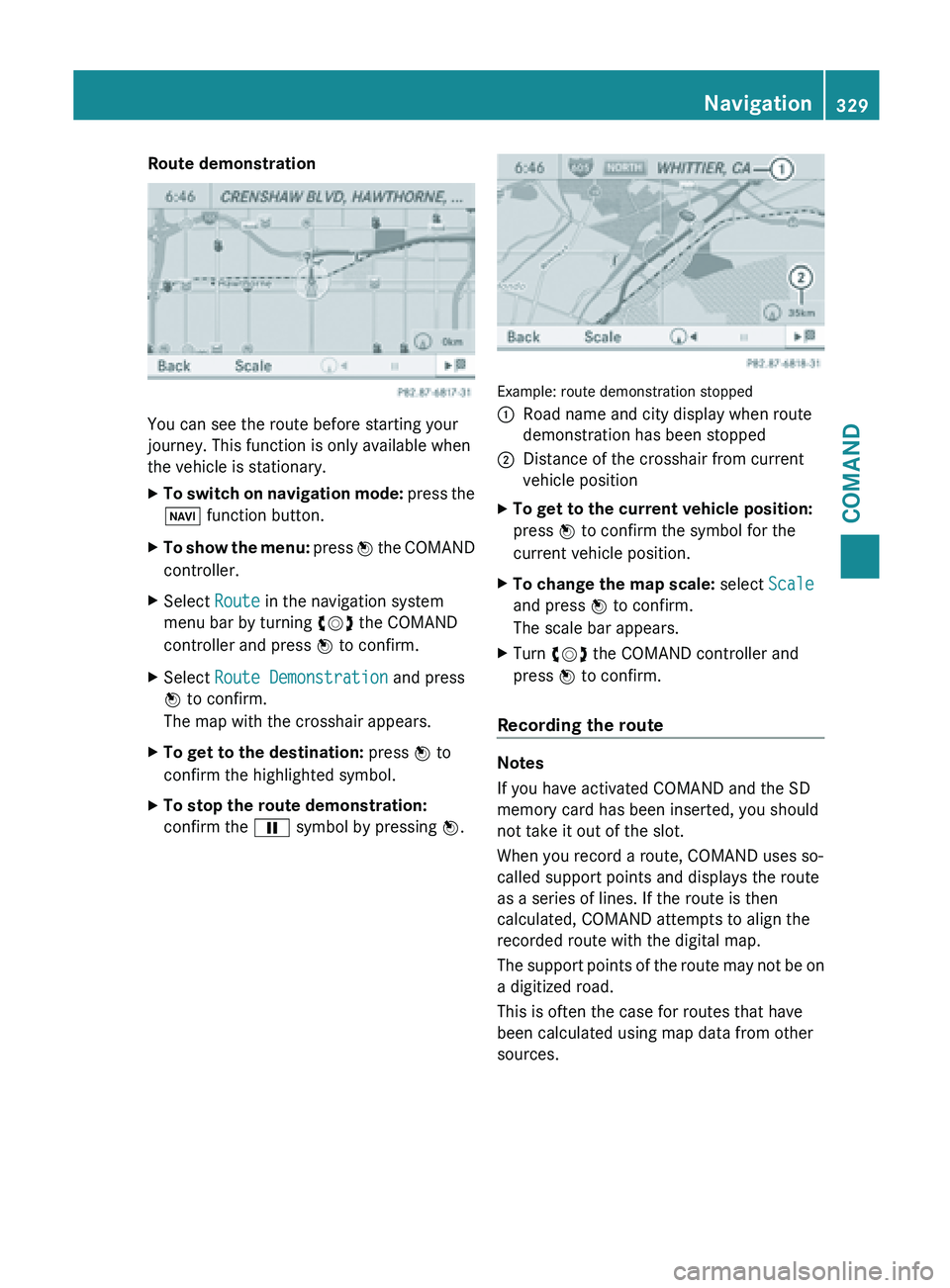
confirm the Ë symbol by pressing W. Example: route demonstration stopped
:
Road name and city display when route
demonstration has been stopped
; Distance of the crosshair from current
vehicle position
X To get to the current vehicle position:
press W to confirm the symbol for the
current vehicle position.
X To change the map scale: select Scale
and press W to confirm.
The scale bar appears.
X Turn cVd the COMAND controller and
press W to confirm.
Recording the route Notes
If you have activated COMAND and the SD
memory card has been inserted, you should
not take it out of the slot.
When you record a route, COMAND uses so-
called support points and displays the route
as a series of lines. If the route is then
calculated, COMAND attempts to align the
recorded route with the digital map.
The
support
points of the route may not be on
a digitized road.
This is often the case for routes that have
been calculated using map data from other
sources. Navigation
329
COMAND Z
Page 332 of 572
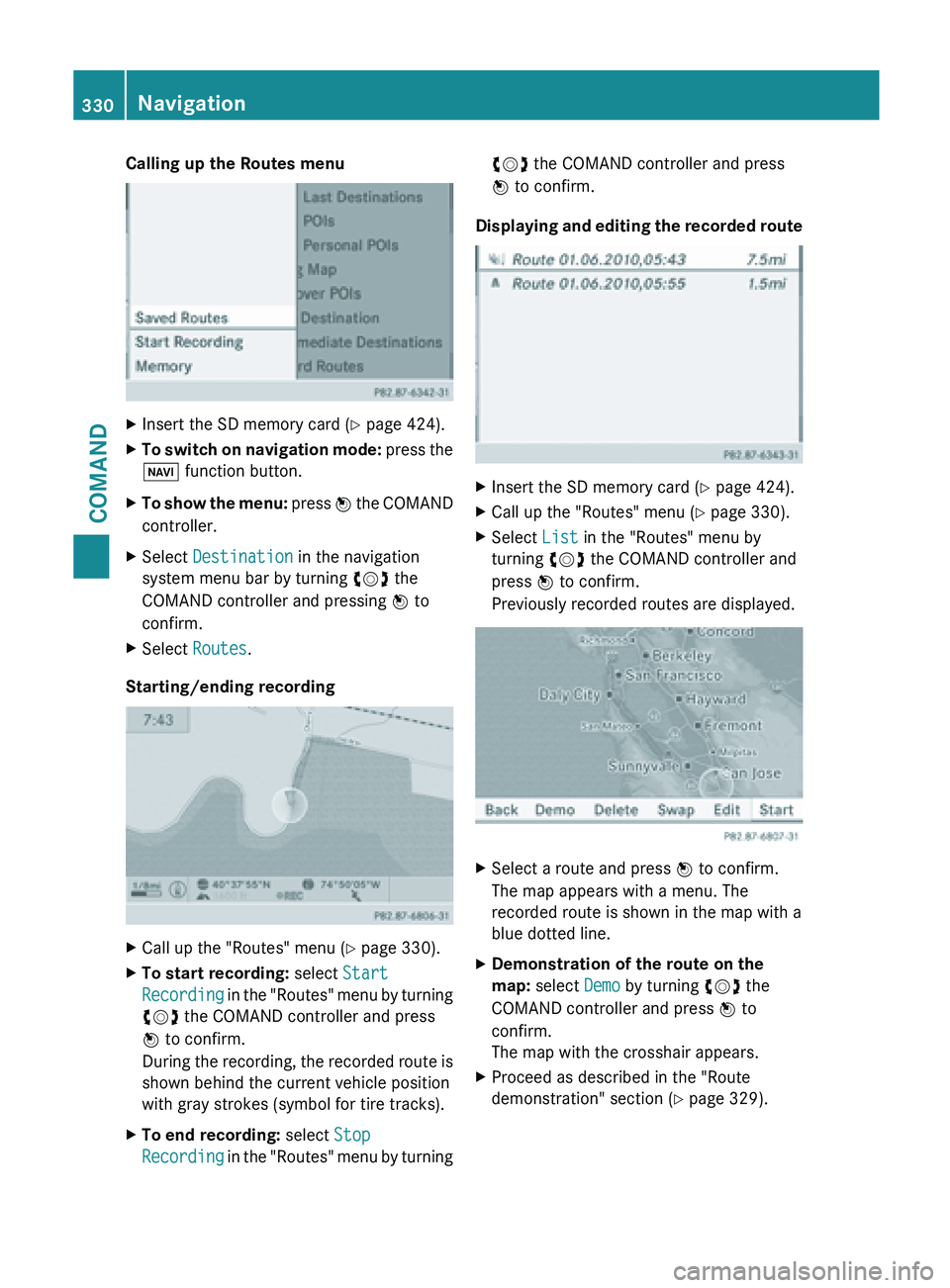
Calling up the Routes menu
X
Insert the SD memory card (Y page 424).
X To switch on navigation mode: press the
Ø function button.
X To show the menu:
press W
the COMAND
controller.
X Select Destination in the navigation
system menu bar by turning cVd the
COMAND controller and pressing W to
confirm.
X Select Routes.
Starting/ending recording X
Call up the "Routes" menu ( Y page 330).
X To start recording: select Start
Recording in
the "Routes" menu by turning
cVd the COMAND controller and press
W to confirm.
During the recording, the recorded route is
shown behind the current vehicle position
with gray strokes (symbol for tire tracks).
X To end recording: select Stop
Recording in
the "Routes" menu by turning cVd the COMAND controller and press
W to confirm.
Displaying and editing the recorded route X
Insert the SD memory card (Y page 424).
X Call up the "Routes" menu ( Y page 330).
X Select List in the "Routes" menu by
turning cVd the COMAND controller and
press W to confirm.
Previously recorded routes are displayed. X
Select a route and press W to confirm.
The map appears with a menu. The
recorded route is shown in the map with a
blue dotted line.
X Demonstration of the route on the
map: select Demo by turning cVd the
COMAND controller and press W to
confirm.
The map with the crosshair appears.
X Proceed as described in the "Route
demonstration" section (
Y page 329).330
Navigation
COMAND
Page 420 of 572
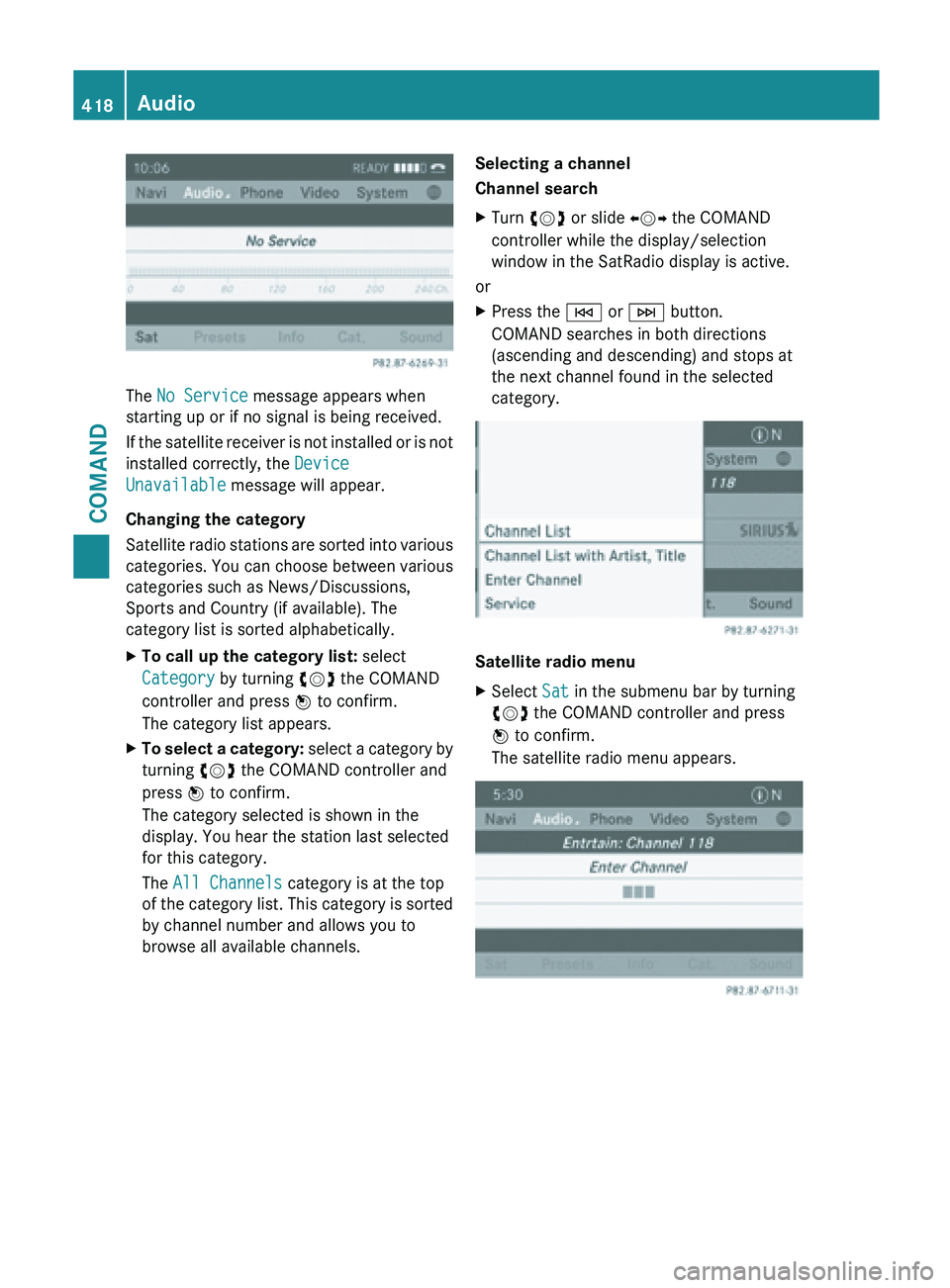
The No Service message appears when
starting up or if no signal is being received.
If
the
satellite receiver is not installed or is not
installed correctly, the Device
Unavailable message will appear.
Changing the category
Satellite radio stations are sorted into various
categories. You can choose between various
categories such as News/Discussions,
Sports and Country (if available). The
category list is sorted alphabetically.
X To call up the category list: select
Category by turning cVd the COMAND
controller and press W to confirm.
The category list appears.
X To select a category: select
a category by
turning cVd the COMAND controller and
press W to confirm.
The category selected is shown in the
display. You hear the station last selected
for this category.
The All Channels category is at the top
of the category list. This category is sorted
by channel number and allows you to
browse all available channels. Selecting a channel
Channel search
X
Turn cVd or slide XVY the COMAND
controller while the display/selection
window in the SatRadio display is active.
or
X Press the E or F button.
COMAND searches in both directions
(ascending and descending) and stops at
the next channel found in the selected
category. Satellite radio menu
X
Select Sat in the submenu bar by turning
cVd the COMAND controller and press
W to confirm.
The satellite radio menu appears. 418
Audio
COMAND
Page 428 of 572
B
Artist (if available)
C MP3 mode menu
Pause function In audio CD/DVD and MP3 mode
X
To pause playback: briefly press the
8 button.
The , symbol appears at the top left in
the status bar.
X To continue playback: briefly press the
8 button again.
The , symbol disappears.
In audio DVD mode only
X To pause playback: switch on audio DVD
mode ( Y page 424).
X Select Ë by sliding VÆ and turning
cVd the COMAND controller and press
W to confirm.
The Ë display changes to Ì.
X To continue playback: select Ì and
press W to confirm.
Playback continues
from the point where it
was interrupted. The Ì display changes
to Ë.
Stop function This function is only available in audio DVD
mode.
X
Switch on audio DVD mode (Y page 424).
X To interrupt playback: select É by
sliding VÆ and
turning cVd the COMAND
controller and press W to confirm.
The Ë display changes to Ì. The
É symbol remains highlighted.
X To continue playback: select Ì and
press W to confirm.
Playback continues
from the point where it
was interrupted. X
To stop playback: while playback is
interrupted, select É again and press
W to confirm.
or
X Select É and confirm by pressing W
twice in rapid succession.
Ì is highlighted.
X To restart playback: select Ì and
press W to confirm.
Playback starts at the beginning of the
DVD.
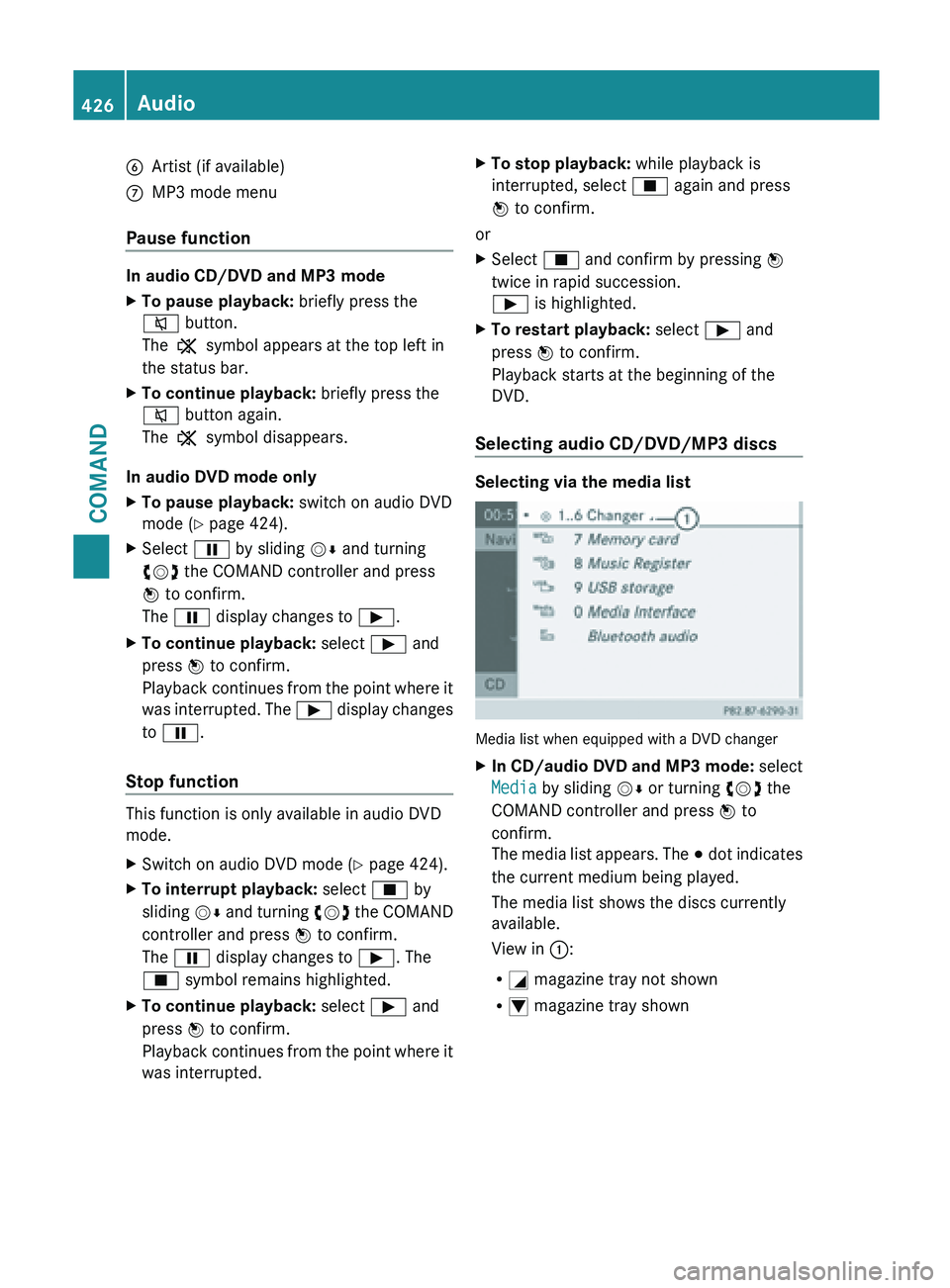
Selecting audio CD/DVD/MP3 discs Selecting via the media list
Media list when equipped with a DVD changer
X
In CD/audio DVD and MP3 mode: select
Media by sliding VÆ or turning cVd the
COMAND controller and press W to
confirm.
The media
list appears. The # dot indicates
the current medium being played.
The media list shows the discs currently
available.
View in ::
R G magazine tray not shown
R I magazine tray shown426
Audio
COMAND
Page 446 of 572
Using the function button
X
Press the h function button one or more
times.
By pressing the function button repeatedly,
you can change the operating mode in the
following order:
R audio CD/DVD/MP3 (disc)
R memory card mode
R MUSIC REGISTER
R USB storage device
R Media Interface or audio AUX mode
R Bluetooth ®
audio mode
Using the media list
X Select Bluetooth Audio in the media list
by turning cVd the COMAND controller
and press W to confirm (
Y page 426).
COMAND activates the connected device.
You will see a message to this effect. The
basic display then appears.
Starting/stopping playback X
To start playback: select Ì by sliding
VÆ and turning cVd the COMAND
controller and press W to confirm.
Playback starts. É is selected.
X To stop playback: select É by turning
cVd the COMAND controller and press
W to confirm.
A message appears. Ì is selected.
X To continue playback: select Ì by
turning cVd the COMAND controller and
press W to confirm.
A message appears. É is selected. Restarting playback after stopping
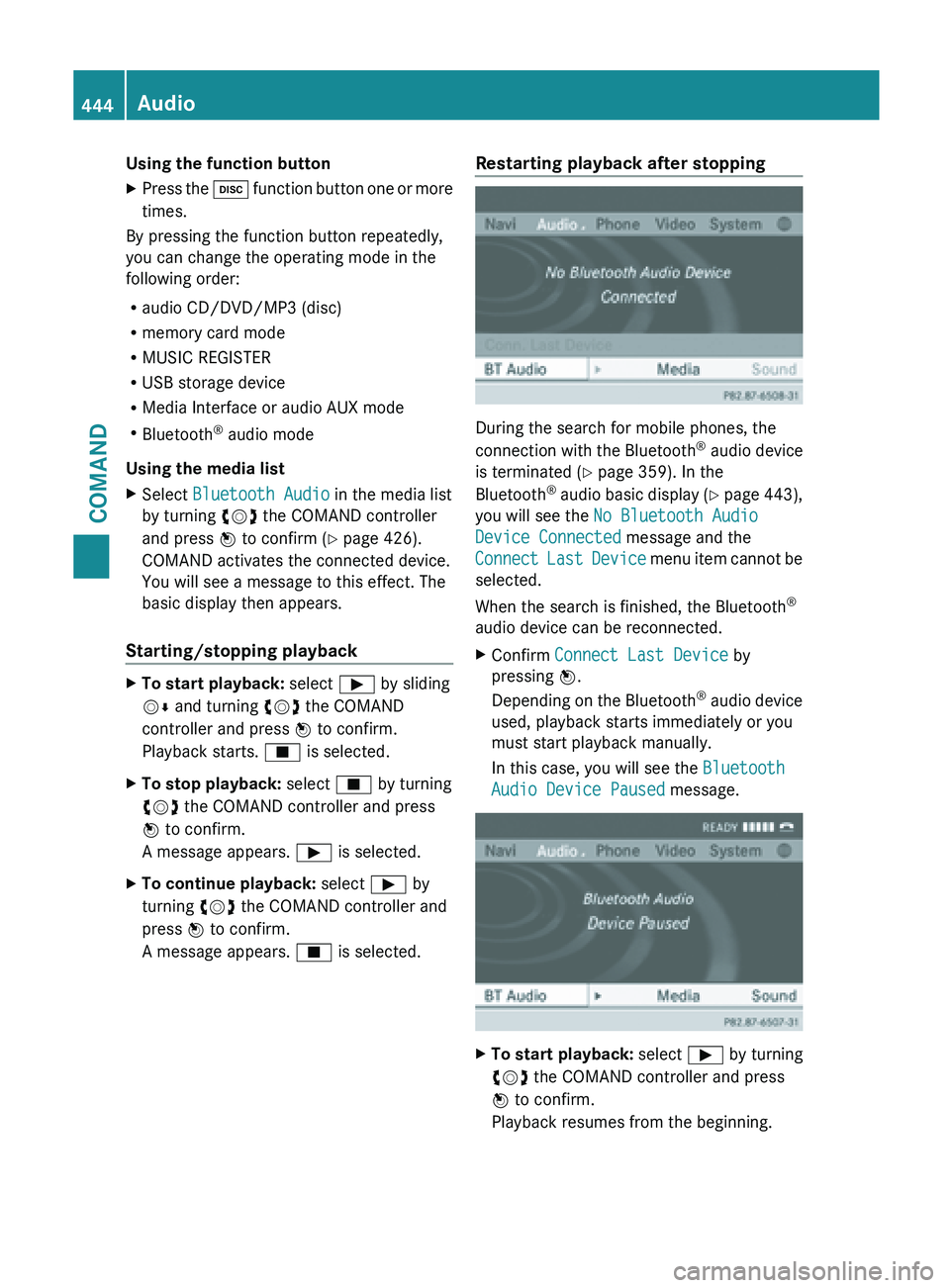
During the search for mobile phones, the
connection
with
the Bluetooth®
audio device
is terminated (Y page 359). In the
Bluetooth ®
audio basic display (Y page 443),
you will see the No Bluetooth Audio
Device Connected message and the
Connect Last Device menu item cannot be
selected.
When the search is finished, the Bluetooth ®
audio device can be reconnected.
X Confirm Connect Last Device by
pressing W.
Depending on
the Bluetooth®
audio device
used, playback starts immediately or you
must start playback manually.
In this case, you will see the Bluetooth
Audio Device Paused message. X
To start playback: select Ì by turning
cVd the COMAND controller and press
W to confirm.
Playback resumes from the beginning. 444
Audio
COMAND
Page 458 of 572
X
To stop playback: while playback is
interrupted, select É again and press
W to confirm.
or
X During playback, confirm É by pressing
W twice in rapid succession.
Ì is selected.
X To restart playback: confirm Ì by
pressing W.
Playback restarts from the beginning.
Pause function X
Show the menu (Y page 455).
X To pause playback: select Ë by
turning cVd the COMAND controller and
press W to confirm.
The Ë display changes to Ì.
X To continue playback: select Ì and
press W to confirm.
The menu is hidden.
Selecting a scene/chapter If the film is divided into scenes or chapters,
you can select them directly while the film is
running,
or
skip forwards step by step. Some
DVDs do not permit this at certain points (e.g.
during the opening credits).
It may also be possible to select the scene/
chapter from within the menu stored on the
DVD.
X To skip forwards or back: in full screen
mode, turn cVd the COMAND controller
or
X Slide XVY the COMAND controller
or
X Press the E or F button on the
control panel.
The navigation
menu (Y page 454) appears
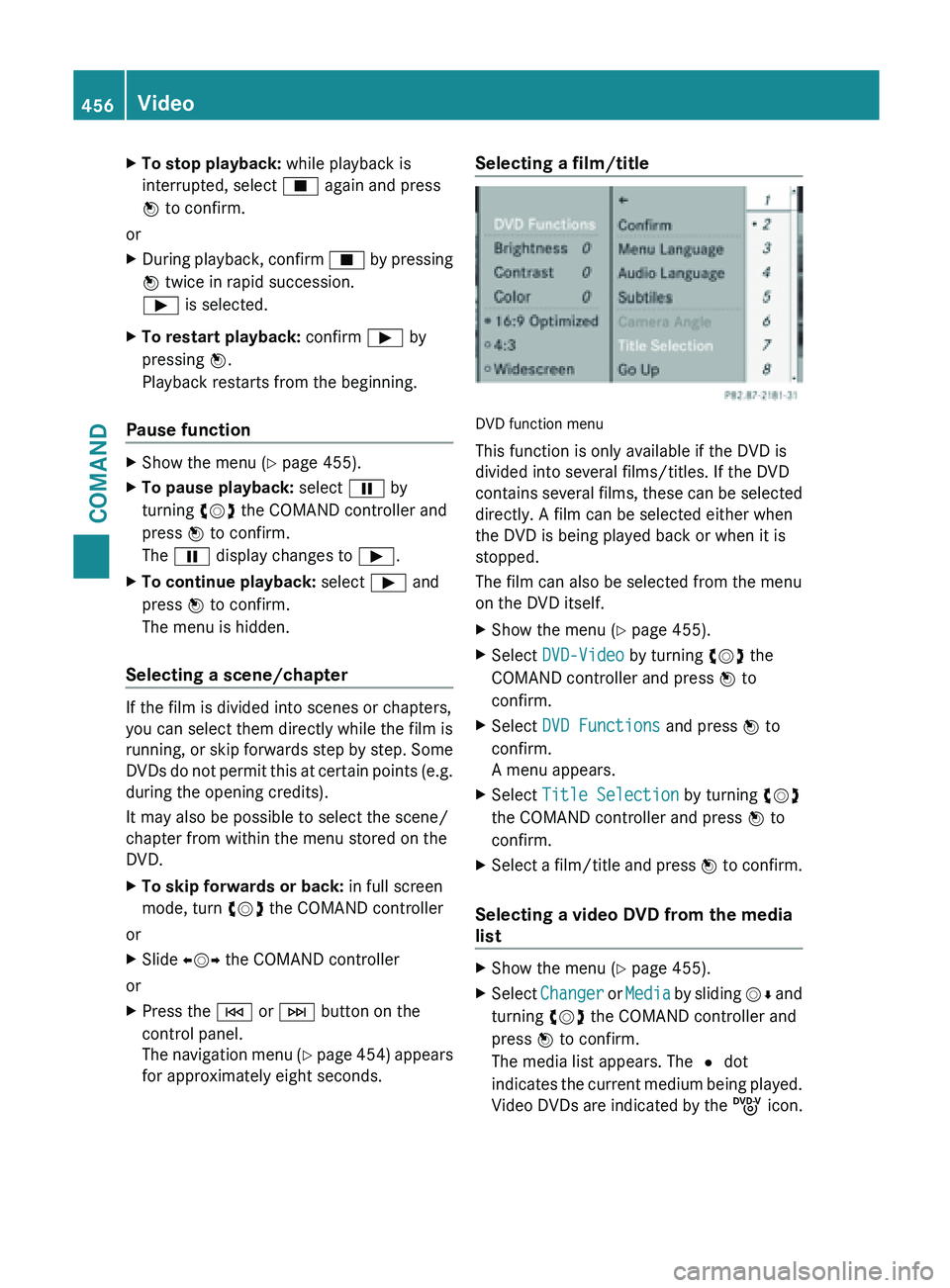
for approximately eight seconds. Selecting a film/title
DVD function menu
This function is only available if the DVD is
divided into several films/titles. If the DVD
contains
several
films, these can be selected
directly. A film can be selected either when
the DVD is being played back or when it is
stopped.
The film can also be selected from the menu
on the DVD itself.
X Show the menu (Y page 455).
X Select DVD-Video by turning cVd the
COMAND controller and press W to
confirm.
X Select DVD Functions and press W to
confirm.
A menu appears.
X Select Title Selection by turning cVd
the COMAND controller and press W to
confirm.
X Select a film/title and press W to
confirm.
Selecting a video DVD from the media
list X
Show the menu (Y page 455).
X Select Changer or
Media
by sliding VÆ and
turning cVd the COMAND controller and
press W to confirm.
The media list appears. The # dot
indicates the current medium being played.
Video DVDs are indicated by the ý icon.456
Video
COMAND
Page 501 of 572
R
using a cloth, slowly turn the cap
approximately Ö turn to relieve excess
pressure. If
you open the cap immediately,
pressurized scalding hot fluid and vapor will
be blown out.
R do not spill antifreeze on hot engine parts.
Antifreeze contains ethylene glycol which
may burn if it comes into contact with hot
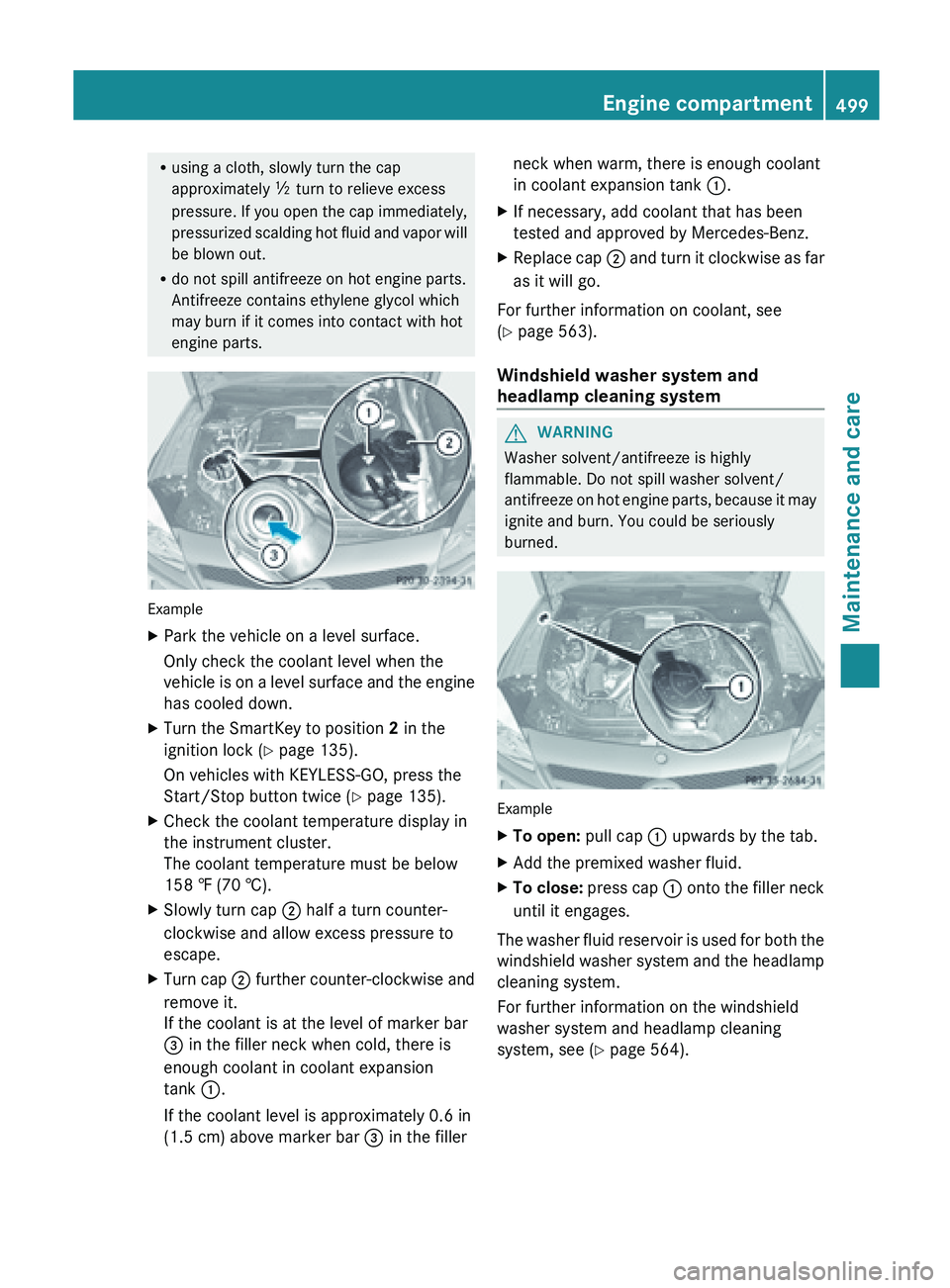
engine parts. Example
X
Park the vehicle on a level surface.
Only check the coolant level when the
vehicle is
on a level surface and the engine
has cooled down.
X Turn the SmartKey to position 2 in the
ignition lock (Y page 135).
On vehicles with KEYLESS-GO, press the
Start/Stop button twice (
Y page 135).
X Check the coolant temperature display in
the instrument cluster.
The coolant temperature must be below
158 ‡ (70 †).
X Slowly turn cap ;
half a turn counter-
clockwise and allow excess pressure to
escape.
X Turn cap ; further
counter-clockwise and
remove it.
If the coolant is at the level of marker bar
= in the filler neck when cold, there is
enough coolant in coolant expansion
tank :.
If the coolant level is approximately 0.6 in
(1.5 cm) above marker bar = in the fillerneck when warm, there is enough coolant
in coolant expansion tank
:.
X If necessary, add coolant that has been
tested and approved by Mercedes-Benz.
X Replace cap ; and
turn it clockwise as far
as it will go.
For further information on coolant, see
(Y page 563).
Windshield washer system and
headlamp cleaning system G
WARNING
Washer solvent/antifreeze is highly
flammable. Do not spill washer solvent/
antifreeze on
hot engine parts, because it may
ignite and burn. You could be seriously
burned. Example
X
To open:
pull cap
: upwards by the tab.
X Add the premixed washer fluid.
X To close:
press cap :
onto the filler neck
until it engages.
The washer fluid reservoir is used for both the
windshield washer
system and the headlamp
cleaning system.
For further information on the windshield
washer system and headlamp cleaning
system, see ( Y page 564). Engine compartment
499
Maintenance and care Z