climate settings MERCEDES-BENZ SL ROADSTER 2012 Owners Manual
[x] Cancel search | Manufacturer: MERCEDES-BENZ, Model Year: 2012, Model line: SL ROADSTER, Model: MERCEDES-BENZ SL ROADSTER 2012Pages: 637, PDF Size: 20.68 MB
Page 11 of 637
Seat cove
r..................................... 573
Sensors ......................................... 571
Steering wheel ............................... 573
Trim pieces .................................... 573
Washing by hand ........................... 569
Wheels ........................................... 570
Windows ........................................ 570
Wiper blades .................................. 571
Wooden trim .................................. 573
Category list (music search) ............ 481
CD
Copy protection ............................. 480
Fast forward/fast rewind ............... 476
General information ....................... 480
Inserting ........................................ 469
Inserting/loading (Rear Seat
Entertainment System) .................. 528
Multisession .................................. 479
Notes on compact discs ................ 480
Pause function ............................... 474
Player/changer operation
(COMAND) ..................................... 469
Removing/ejecting (Rear Seat
Entertainment System) .................. 528
Safety notes .................................. 468
Selecting a media type .................. 474
Selecting a track ............................ 475
Sound settings (balance, bass,
treble) ............................................ 299
Switching to ................................... 472
CD mode
Playback options ........................... 478
CD player/CD changer(on-board
computer) .......................................... 234
CD/DVD ..................................... 469, 470
Ejecting (DVD drive) ....................... 470
Ejecting (DVD single drive) ............ 469
Inserting (DVD changer )................ 469
Inserting (DVD single drive) ........... 469
Central locking
Automatic locking (on-board com-
puter) ............................................. 242
Locking/unlocking (key) .................. 85
Centre console
Lower section .................................. 45
Lower section (AMG vehicles) .......... 46
Upper section .................................. 44 Changing direction
............................ 352
Announcement phase .................... 352
Change of direction phase ............. 352
Preparation phase ......................... 352
Changing the character set .............. 307
Changing the picture format (TV,
video) .................................................. 502
Character ........................................... 305
Changing the character set ............ 305
Changing the languag e.................. 304
Deleting ......................................... 305
Moving the cursor .......................... 305
Switching to letters ........................ 304
Characters ......................................... 305
Entering ......................................... 305
Entering (address book, phone
book) ............................................. 303
Entering (navigation) ...................... 305
Charge maintenance socket ............ 552
Child seat
Automatic recognition ..................... 63
ISOFIX .............................................. 64
On the front-passenger sea t............ 62
Problem (malfunction) ..................... 70
Recommendations ........................... 67
Suitable positions ............................ 65
Children
In the vehicle ................................... 61
Restraint systems ............................ 61
Cigarette lighter ................................ 550
Cleaning
Mirror turn signal ........................... 571
Climate control
Adjusting airflow (AIR FLOW) ......... 144
Controlling automaticall y............... 144
Convenience opening/closing
(air-recirculation mode) ................. 148
Cooling with air dehumidification .. 142
Demisting the windows .................. 147
Demisting the windscreen ............. 146
Important safety notes .................. 140
Indicator lamp ................................ 144
Information on using
THERMOTRONIC automatic cli-
mate control .................................. 141
Overview of systems ...................... 140 8
Index
Page 12 of 637
Problem with the rear window
heating .......................................... 148
Problems with cooling with air
dehumidification ............................1 44
Setting the air distribution ............. 145
Setting the air vents ..................... .150
Setting the airflow ......................... 146
Setting the temperature ................ 145
Switching air-recirculation mode
on/off ............................................ 148
Switching on/off ........................... 142
Switching residual heat on/off ...... 149
Switching the rear window heat-
ing on/off ...................................... 147
Switching the ZONE function on/
off ................................................. .146
THERMOTRONIC (2-zone) auto-
matic climate control ..................... 141
Cockpit
Overview .......................................... 38
see Instrument cluster
Collapsible emergency spare
wheel
see Emergency spare wheel
COMAND control panel ..................... 294
...................................................... 294
COMAND controller ........................... 296
COMAND display ............................... 293
Cleaning ......................................... 572
Cleaning instructions ..................... 293
Driving conditions menu (AMG
vehicles) ........................................ 204
Driving conditions menu (except
AMG vehicles) ................................ 201
Setting .......................................... .310
Switching on/off ........................... 293
COMAND Online ........................ 446, 461
Active multicontour seat ................ 319
Basic functions .............................. 298
Calling up drive status regulator
(ABC) ............................................. 318
Display .......................................... .289
Emergency call system displays .... 432
Examples of operation ................... 296
Importing POIs ............................... 446
Menu overview .............................. 291
Multicontour seat .......................... 319
Seat functions ............................... 318 Settings ......................................... 461
Switching on/off ........................... 298
COMAND Online and Internet
see Online and Internet functions
Combination switch .......................... 129
Compass function .............................381
Connecting a USB device ................. 472
Consumption statistics (on-board
computer) .......................................... 231
Contacts
Deleting ......................................... 418
Importing ....................................... 417
Convenience closing feature ............ 101
Convenience opening feature
see Side windows
Convenience opening/closing (air-
recirculation mode) ........................... 148
Coolant (engine)
Checking the level ......................... 565
Display message ............................ 258
Important safety notes .................. 627
Temperature (on-board com-
puter) ............................................. 244
Temperature gauge ........................ 228
Warning lamp ................................. 281
Cooling
see Climate control
Copy protection (CD/DVD) ...............480
Copyright ............................................. 36
Cornering light function
Display message ............................ 255
Function/notes ............................ .131
Country-specific information (nav-
igation) ............................................... 382
Crash-responsive emergency light-
ing ....................................................... 135
Cruise control
Cruise control lever ....................... 182
Deactivating ................................... 184
Display message ............................ 265
Driving system ............................... 182
Important safety notes .................. 182
LIM indicator lamp ......................... 182
Selecting ........................................ 183
Setting a speed .............................. 184
Storing and maintaining current
speed ............................................. 183 Index
9
Page 25 of 637
Adjusting sound settings ............... 525
Adjusting the brightness ................ 526
Adjusting the colou r...................... 526
Adjusting the contrast ................... 526
AUX mode ...................................... 541
CD/DVD audio and MP3 mode ...... 527
Changing the batteries .................. 523
Changing the picture format .......... 526
Cordless headphone s.................... 522
Multiple users ................................ 525
Operating with the headphones ..... 525
Picture settings .............................. 526
System settings ............................. 526
TV mode ........................................ 531
Using the main loudspeaker .......... 525
Video DVD mode ........................... 535
Rear window heating
Problem (fault) ............................... 148
Switching on/of f........................... 147
Rear-compartment screens .............. 520
Rear-view mirror
Anti-dazzle mode (automatic) ........ 121
Dipping (manual) ........................... 120
Receiving vCards ............................... 418
Redialling (telephone) ....................... 397
Refuelling
Fuel gaug e....................................... 40
Important safety notes .................. 173
Notes for AMG vehicles ................. 624
Refuelling process ......................... 174
see Fuel
Remote control
Button lighting ............................... 521
Programming (garage door
opener) .......................................... 553
Rear Seat Entertainment System ... 520
Replacing bulbs
General notes ................................ 135
Reserve (fuel tank)
see Fuel
Reserve fuel
Display message ............................ 260
Warning lamp ................................. 280
Reset function ................................... 316
Resetting (factory settings) ............. 316
Residual heat (climate control) ........ 149Restraint system
see SRS (Supplemental Restraint
System)
Rev counter ........................................ 229
Reverse gear (selector lever) ........... 163
Reversing camera
Cleaning instructions ..................... 572
Displaying the image ..................... 322
Function/note s............................. 211
Switching on/of f........................... 212
Reversing feature
Side windows ................................... 99
Reversing function
Boot lid ............................................ 94
Reversing lamp (display message) .. 257
Roll bar
Display message ............................ 254
Operation ......................................... 55
Roller sunblind .................................. 109
Roof
Display message ............................ 271
Important safety notes .................. 103
Opening/closing (with key) ........... 105
Opening/closing (with roof
switch) ........................................... 104
Overview ........................................ 103
Problem (malfunction) ................... 110
Relocking ....................................... 105
Roof lining and carpets (cleaning
instructions) ...................................... 574
Roof switch ........................................ 104
Route .................................................. 358
Estimated time of arrival ................ 358
Route (navigation)
Calling up the "Routes" menu ........ 360
Displaying the distance to the des-tination .......................................... 358
Recording ...................................... 360
Route overview .............................. 359
Selecting an alternative route ........ 357
Setting route options (avoiding:
motorways, toll roads, tunnels,
ferries) ........................................... 325
Setting the route type (short
route, fast route, dynamic route or
economic route) ............................ 325
Starting calculation ........................ 329 22
Index
Page 143 of 637
Useful information
i This Owner's Manual describes all mod-
els, series and optional equipment for your
vehicle that were available at the time of
going to press. National variations are pos- sible. Note that your vehicle may not be
equipped with all of the functions descri-
bed. This is also the case for systems and
functions relevant to safety.
i Read the information on qualified special-
ist workshops: (Y page 34). Overview of climate control systems
Important safety notes
Observe the settings recommended on the
following pages. The windows could other-
wise mist up.
To prevent the windows from misting up:
R switch off climate control only briefly
R switch on air-recirculation mode only
briefly
R switch on the cooling with air dehumidifi-
cation function
R switch on the "demist windscreen" function
briefly, if required
Climate control regulates the temperature
and the humidity in the vehicle interior and
filters undesirable substances out of the air.
Climate control is only operational when the
engine is running. Optimum operation is only achieved when the side windows and the roof
are closed.
The residual heat function can only be acti-
vated or deactivated with the ignition
switched off (Y page 149).
i Ventilate the vehicle for a brief period
during warm weather. This will speed up the cooling process, and the desired vehicle
interior temperature will be reached more
quickly. i
An hour after the key has been removed,
it is possible that the residual heat function may be activated automatically in order to
dry the air-conditioning system. The vehicleis then ventilated for 30 minutes to dry the air-conditioning system. 140
Overview of climate control systemsClimate control
Page 145 of 637
when in a tunnel. The windows could oth-
erwise mist up, as no fresh air is drawn into
the vehicle in air-recirculation mode.
R Use the ZONE function to adopt the tem-
perature settings on the driver's side for
the front-passenger side as well. The indi-
cator lamp in the ábutton goes out.
R Use the residual heat function if you want to
heat or ventilate the vehicle interior when
the ignition is switched off. The residual
heat function can only be activated or deac- tivated with the ignition switched off.
R Vehicles with COMAND Online: if you
change the settings of the climate control
system, the climate status display appears for three seconds at the bottom of the
screen in the COMAND display. See also
the separate COMAND Online operating
instructions. You will see the current set-
tings of the various climate control func-
tions.
ECO start/stop function During automatic engine switch-off, the cli-
mate control only operates at a reduced capa- city. If you require full climate control capa-
city, the ECO start/stop function can be
deactivated by pressing the ECO button
(Y page 160). Operating the climate control system
Switching climate control on/off
General notes When the climate control is switched off, the
air supply and air circulation are also
switched off. The windows could mist up.
Therefore, only switch off climate control
briefly.
i Activate climate control primarily using
the à button (Y page 144). Activating/deactivating X
Turn the key to position 2in the ignition
lock (Y page 155).
X To switch on: press theÃbutton on
the control panel for the climate control.
The indicator lamp in the Ãbutton lights
up. Airflow and air distribution are set to
automatic mode.
or
X Press the ^button on the control panel
for the climate control.
The indicator lamp in the ^button goes
out. The previous settings are reactivated.
X To switch off: press the^button.
The indicator lamp in the ^button lights
up. Activating/deactivating the cooling
with air dehumidification function
General notes If you deactivate the "Cooling with air-dehu-
midification" function, the air inside the vehi-
cle will not be cooled. The air inside the vehi-
cle will also not be dehumidified. The win-
dows can mist up more quickly. Therefore,
only switch off cooling with air dehumidifica-
tion for a short period.
The "Cooling with air dehumidification" func-
tion is only available when the engine is run-
ning. The air inside the vehicle is cooled and
dehumidified according to the temperature
selected.
Condensation may drip from the underside of the vehicle when cooling mode is active. Thisis normal and not a sign that there is a mal-
function. 142
Operating the climate control systemClimate control
Page 147 of 637
Problems with the "Cooling with air dehumidification" function
Problem
Possible causes/consequences and
M
MSolutions The indicator lamp in
the
¿ button
flashes three times or
goes out. The cooling
with air dehumidifica-
tion system cannot be
switched on. Cooling with air dehumidification has been deactivated due to a
malfunction.
X Visit a qualified specialist workshop. Setting climate control to automatic
mode
General notes In automatic mode, the set temperature is
maintained automatically at a constant level.
The system automatically regulates the tem-
perature of the dispensed air, the airflow and
the air distribution.
The automatic mode functions optimally
when the "Cooling with air dehumidification"
function is activated. If desired, cooling with
air dehumidification can be deactivated.
If you deactivate the "Cooling with air-dehu-
midification" function, the air inside the vehi-
cle will not be cooled. The air inside the vehi- cle will also not be dehumidified. The win-
dows can mist up more quickly. Therefore,
only switch off cooling with air dehumidifica-
tion for a short period.
Activating/switching X
Turn the key to position 2in the ignition
lock (Y page 155).
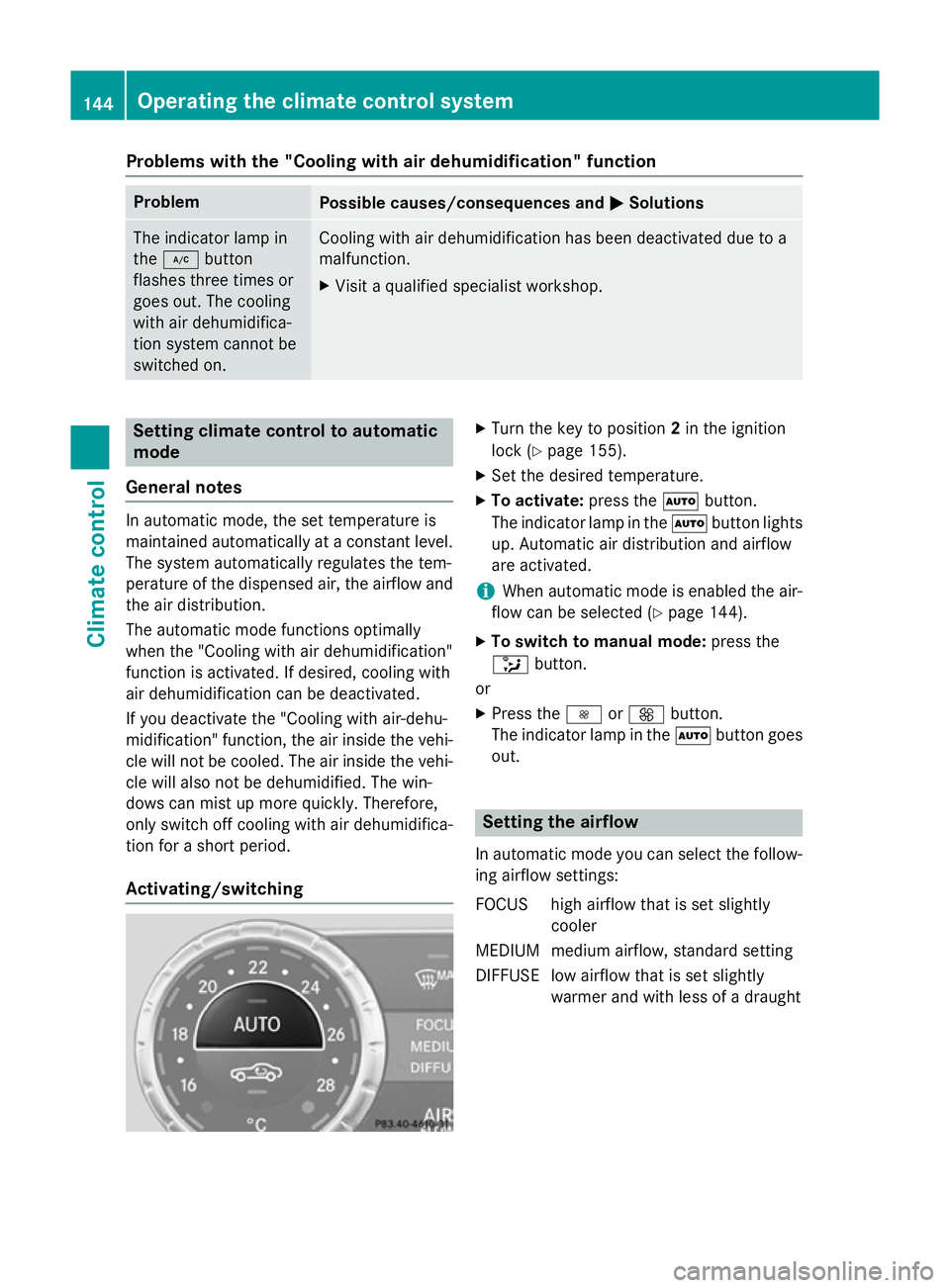
X Set the desired temperature.
X To activate: press theÃbutton.
The indicator lamp in the Ãbutton lights
up. Automatic air distribution and airflow
are activated.
i When automatic mode is enabled the air-
flow can be selected (Y page 144).
X To switch to manual mode: press the
_ button.
or
X Press the IorK button.
The indicator lamp in the Ãbutton goes
out. Setting the airflow
In automatic mode you can select the follow- ing airflow settings:
FOCUS high airflow that is set slightly cooler
MEDIUM medium airflow, standard setting
DIFFUSE low airflow that is set slightly warmer and with less of a draught 144
Operating the climate control systemClimate control
Page 148 of 637
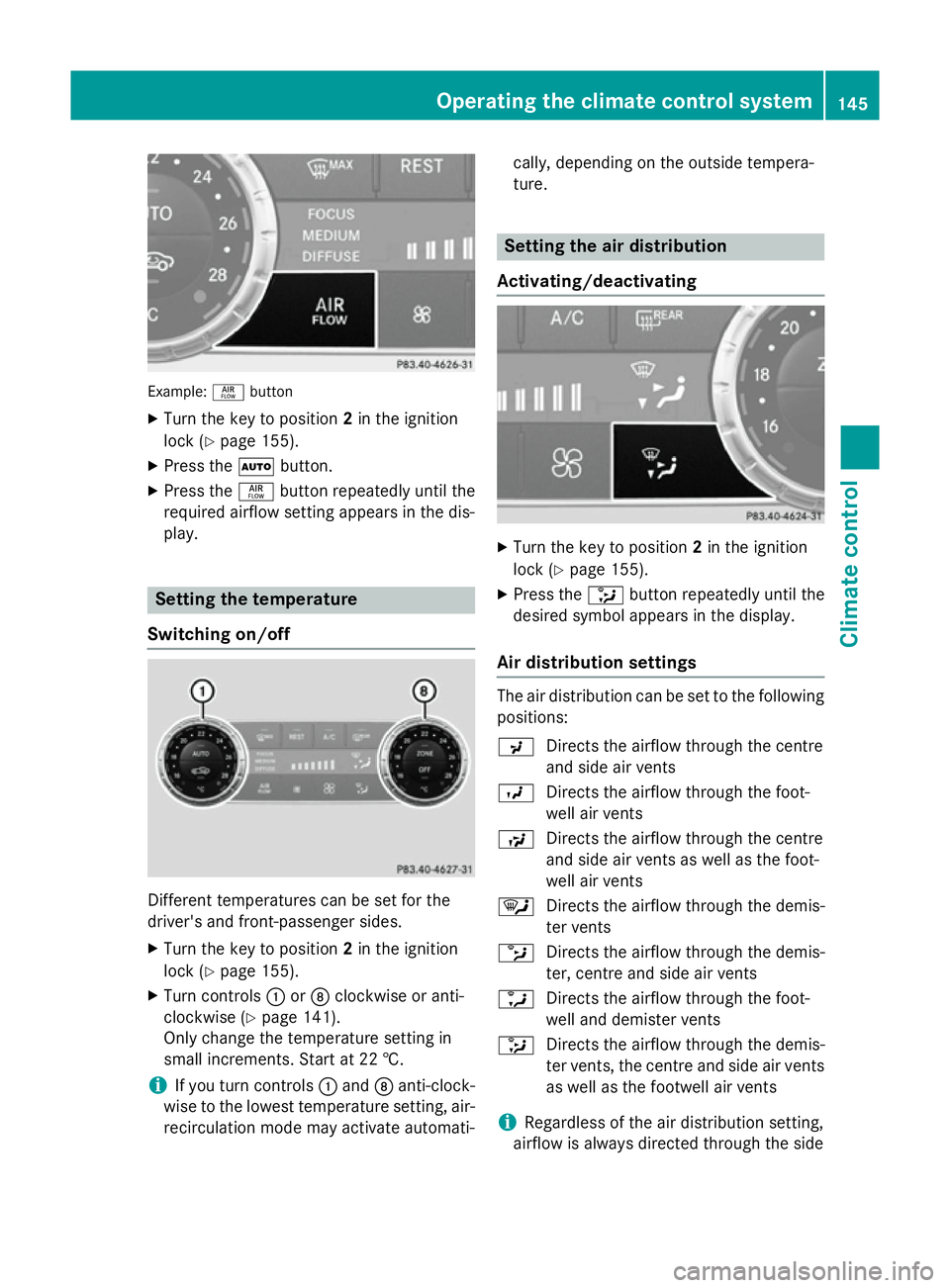
Example:
ñbutton
X Turn the key to position 2in the ignition
lock (Y page 155).
X Press the Ãbutton.
X Press the ñbutton repeatedly until the
required airflow setting appears in the dis-
play. Setting the temperature
Switching on/off Different temperatures can be set for the
driver's and front-passenger sides.
X Turn the key to position 2in the ignition
lock (Y page 155).
X Turn controls :orD clockwise or anti-
clockwise (Y page 141).
Only change the temperature setting in
small increments. Start at 22 †.
i If you turn controls
:and Danti-clock-
wise to the lowest temperature setting, air- recirculation mode may activate automati- cally, depending on the outside tempera-
ture. Setting the air distribution
Activating/deactivating X
Turn the key to position 2in the ignition
lock (Y page 155).
X Press the _button repeatedly until the
desired symbol appears in the display.
Air distribution settings The air distribution can be set to the following
positions:
P Directs the airflow through the centre
and side air vents
O Directs the airflow through the foot-
well air vents
S Directs the airflow through the centre
and side air vents as well as the foot-
well air vents
¯ Directs the airflow through the demis-
ter vents
b Directs the airflow through the demis-
ter, centre and side air vents
a Directs the airflow through the foot-
well and demister vents
_ Directs the airflow through the demis-
ter vents, the centre and side air vents
as well as the footwell air vents
i Regardless of the air distribution setting,
airflow is always directed through the side Operating the climate control system
145Climate control
Page 149 of 637
air vents. The side air vents can only be
closed when the controls on the side air
vents are turned downwards. Setting the airflow
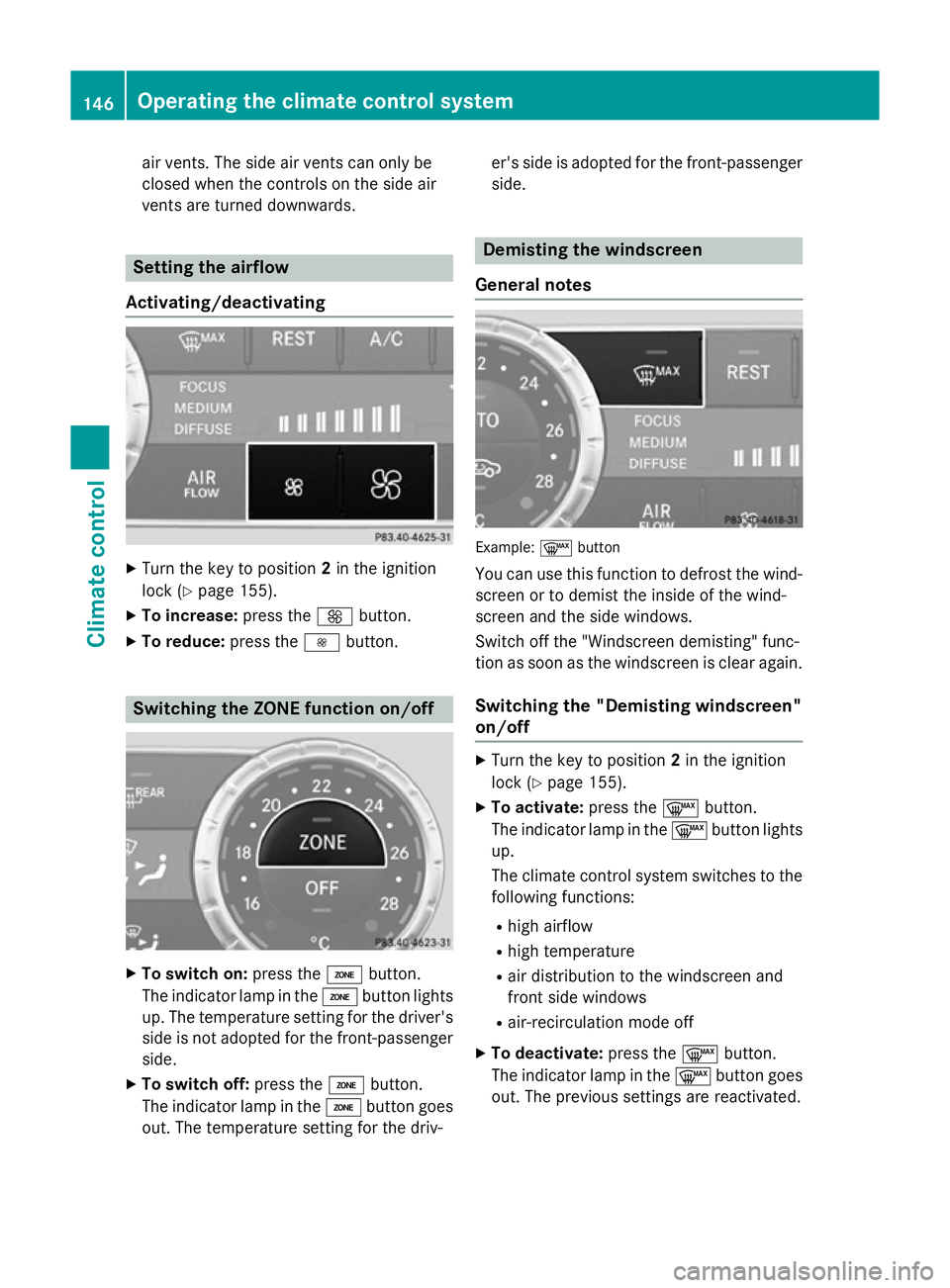
Activating/deactivating X
Turn the key to position 2in the ignition
lock (Y page 155).
X To increase: press theKbutton.
X To reduce: press theIbutton. Switching the ZONE function on/off
X
To switch on: press theábutton.
The indicator lamp in the ábutton lights
up. The temperature setting for the driver's side is not adopted for the front-passengerside.
X To switch off: press theábutton.
The indicator lamp in the ábutton goes
out. The temperature setting for the driv- er's side is adopted for the front-passenger
side. Demisting the windscreen
General notes Example:
¬button
You can use this function to defrost the wind-
screen or to demist the inside of the wind-
screen and the side windows.
Switch off the "Windscreen demisting" func-
tion as soon as the windscreen is clear again.
Switching the "Demisting windscreen"
on/off X
Turn the key to position 2in the ignition
lock (Y page 155).
X To activate: press the¬button.
The indicator lamp in the ¬button lights
up.
The climate control system switches to the
following functions:
R high airflow
R high temperature
R air distribution to the windscreen and
front side windows
R air-recirculation mode off
X To deactivate: press the¬button.
The indicator lamp in the ¬button goes
out. The previous settings are reactivated. 146
Operating the climate control systemClimate control
Page 154 of 637
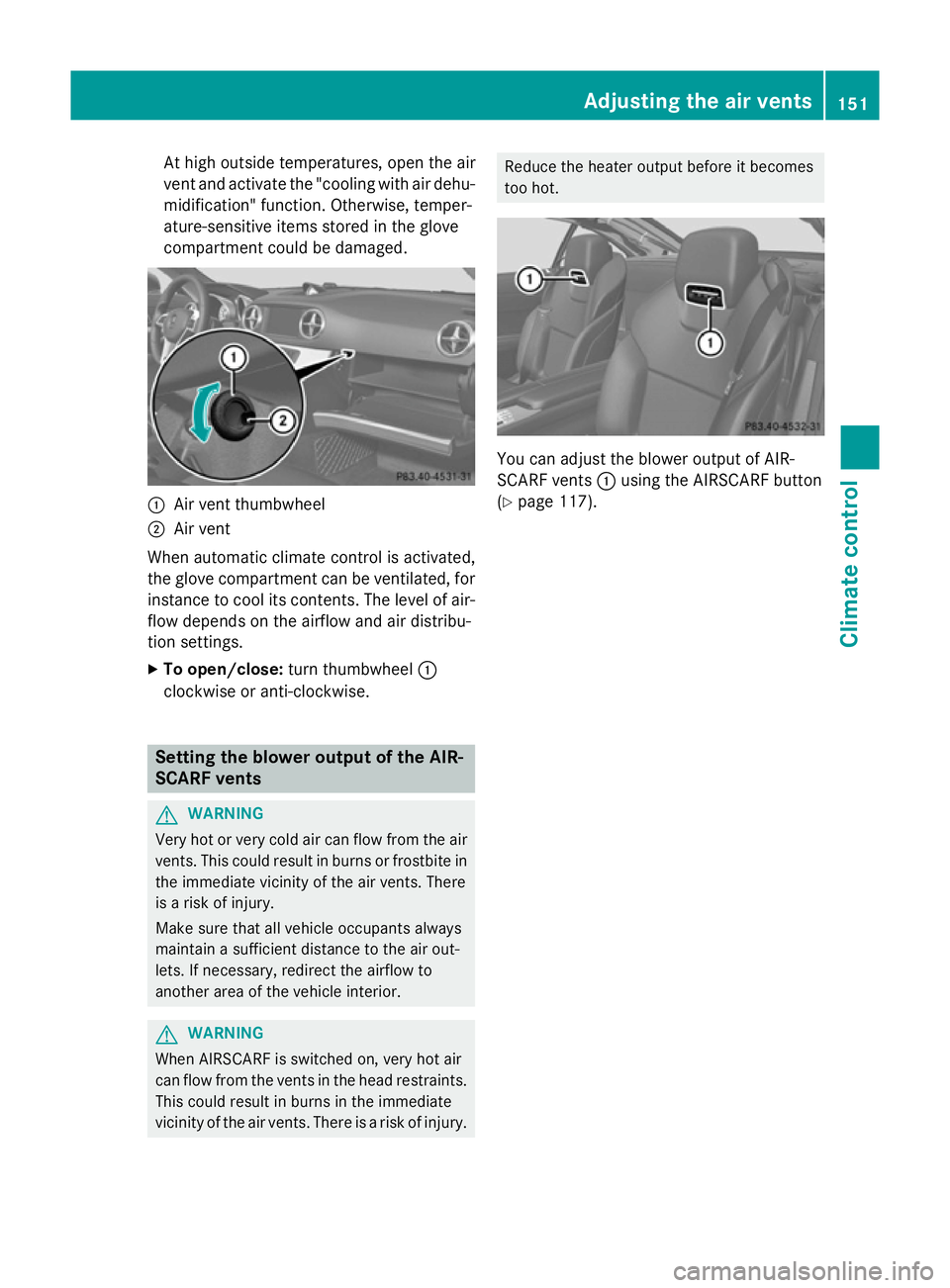
At high outside temperatures, open the air
vent and activate the "cooling with air dehu- midification" function. Otherwise, temper-
ature-sensitive items stored in the glove
compartment could be damaged. :
Air vent thumbwheel
; Air vent
When automatic climate control is activated,
the glove compartment can be ventilated, for
instance to cool its contents. The level of air-
flow depends on the airflow and air distribu-
tion settings.
X To open/close: turn thumbwheel :
clockwise or anti-clockwise. Setting the blower output of the AIR-
SCARF vents G
WARNING
Very hot or very cold air can flow from the air vents. This could result in burns or frostbite in the immediate vicinity of the air vents. There
is a risk of injury.
Make sure that all vehicle occupants always
maintain a sufficient distance to the air out-
lets. If necessary, redirect the airflow to
another area of the vehicle interior. G
WARNING
When AIRSCARF is switched on, very hot air
can flow from the vents in the head restraints. This could result in burns in the immediate
vicinity of the air vents. There is a risk of injury. Reduce the heater output before it becomes
too hot.
You can adjust the blower output of AIR-
SCARF vents
:using the AIRSCARF button
(Y page 117). Adjusting the air vents
151Climate control Z
Page 320 of 637
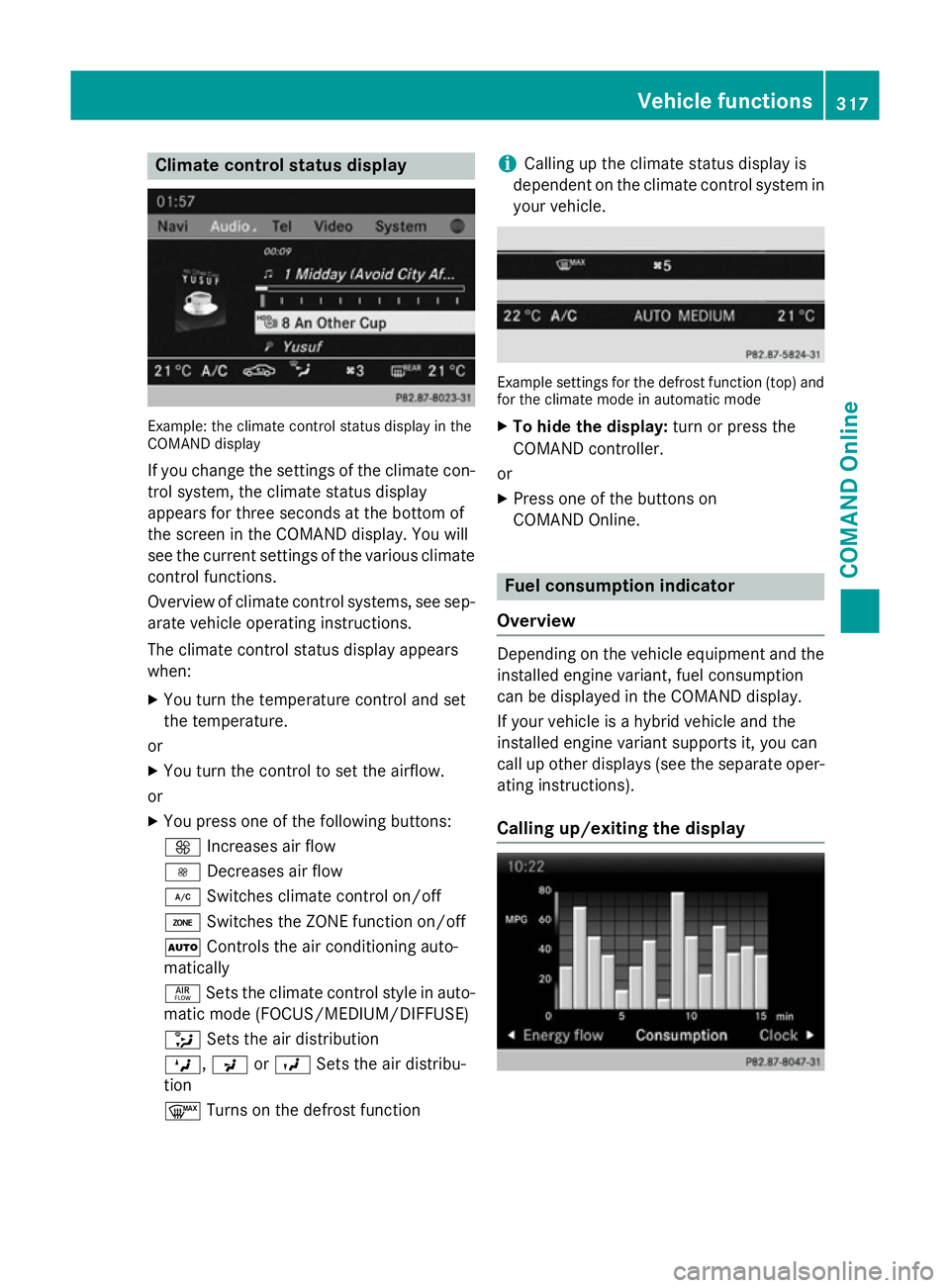
Climate control status display
Example: the climate control status display in the
COMAND display
If you change the settings of the climate con-
trol system, the climate status display
appears for three seconds at the bottom of
the screen in the COMAND display. You will
see the current settings of the various climate control functions.
Overview of climate control systems, see sep- arate vehicle operating instructions.
The climate control status display appears
when:
X You turn the temperature control and set
the temperature.
or
X You turn the control to set the airflow.
or X You press one of the following buttons:
K Increases air flow
I Decreases air flow
¿ Switches climate control on/off
á Switches the ZONE function on/off
à Controls the air conditioning auto-
matically
ñ Sets the climate control style in auto-
matic mode (FOCUS/MEDIUM/DIFFUSE)
_ Sets the air distribution
M, PorO Sets the air distribu-
tion
¬ Turns on the defrost function i
Calling up the climate status display is
dependent on the climate control system in your vehicle. Example settings for the defrost function (top) and
for the climate mode in automatic mode
X To hide the display: turn or press the
COMAND controller.
or
X Press one of the buttons on
COMAND Online. Fuel consumption indicator
Overview Depending on the vehicle equipment and the
installed engine variant, fuel consumption
can be displayed in the COMAND display.
If your vehicle is a hybrid vehicle and the
installed engine variant supports it, you can
call up other displays (see the separate oper-
ating instructions).
Calling up/exiting the display Vehicle functions
317COMAND Online Z