belt MERCEDES-BENZ SL ROADSTER 2018 Owner's Manual
[x] Cancel search | Manufacturer: MERCEDES-BENZ, Model Year: 2018, Model line: SL ROADSTER, Model: MERCEDES-BENZ SL ROADSTER 2018Pages: 322, PDF Size: 5.43 MB
Page 8 of 322
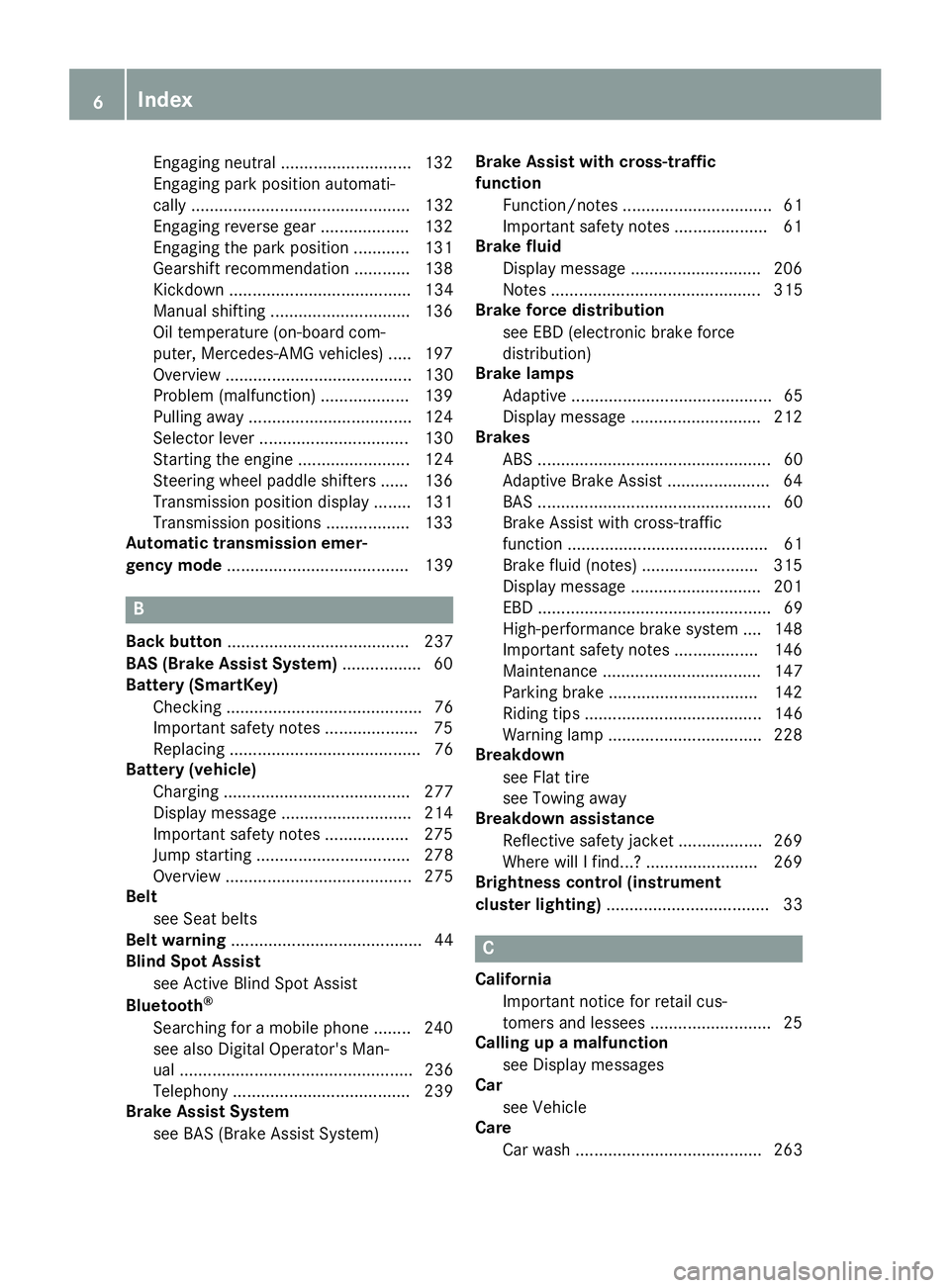
Engaging neutral ............................ 132
Engaging park position automati-
cally ............................................... 132
Engaging reverse gear ................... 132
Engaging the park position ............ 131
Gearshift recommendation ............ 138
Kickdown ....................................... 134
Manual shifting .............................. 136
Oil temperature (on-board com-
puter, Mercedes-AMG vehicles) ..... 197
Overview ........................................ 130
Problem (malfunction) ................... 139
Pulling away ................................... 124
Selector lever ................................ 130
Starting the engine ........................ 124
Steering wheel paddle shifters ...... 136
Transmission position display ........ 131
Transmission positions .................. 133
Automatic transmission emer-
gency mode ....................................... 139
B
Back button ....................................... 237
BAS (Brake Assist System) ................. 60
Battery (SmartKey)
Checking .......................................... 76
Important safety notes .................... 75
Replacing ......................................... 76
Battery (vehicle)
Charging ........................................ 277
Display message ............................ 214
Important safety notes .................. 275
Jump starting ................................. 278
Overview ........................................ 275
Belt
see Seat belts
Belt warning ......................................... 44
Blind Spot Assist
see Active Blind Spot Assist
Bluetooth
®
Searching for a mobile phone ........ 240
see also Digital Operator's Man-
ual .................................................. 236
Telephony ...................................... 239
Brake Assist System
see BAS (Brake Assist System) Brake Assist with cross-traffic
function
Function/notes ................................ 61
Important safety notes .................... 61
Brake fluid
Display message ............................ 206
Notes ............................................. 315
Brake force distribution
see EBD (electronic brake force
distribution)
Brake lamps
Adaptive ........................................... 65
Display message ............................ 212
Brakes
ABS .................................................. 60
Adaptive Brake Assist ...................... 64
BAS .................................................. 60
Brake Assist with cross-traffic
function ........................................... 61
Brake fluid (notes) ......................... 315
Display message ............................ 201
EBD .................................................. 69
High-performance brake system .... 148
Important safety notes .................. 146
Maintenance .................................. 147
Parking brake ................................ 142
Riding tips ...................................... 146
Warning lamp ................................. 228
Breakdown
see Flat tire
see Towing away
Breakdown assistance
Reflective safety jacket .................. 269
Where will I find...? ........................ 269
Brightness control (instrument
cluster lighting) ................................... 33
C
California
Important notice for retail cus-
tomers and lessees .......................... 25
Calling up a malfunction
see Display messages
Car
see Vehicle
Care
Car wash ........................................ 263
6Index
Page 9 of 322
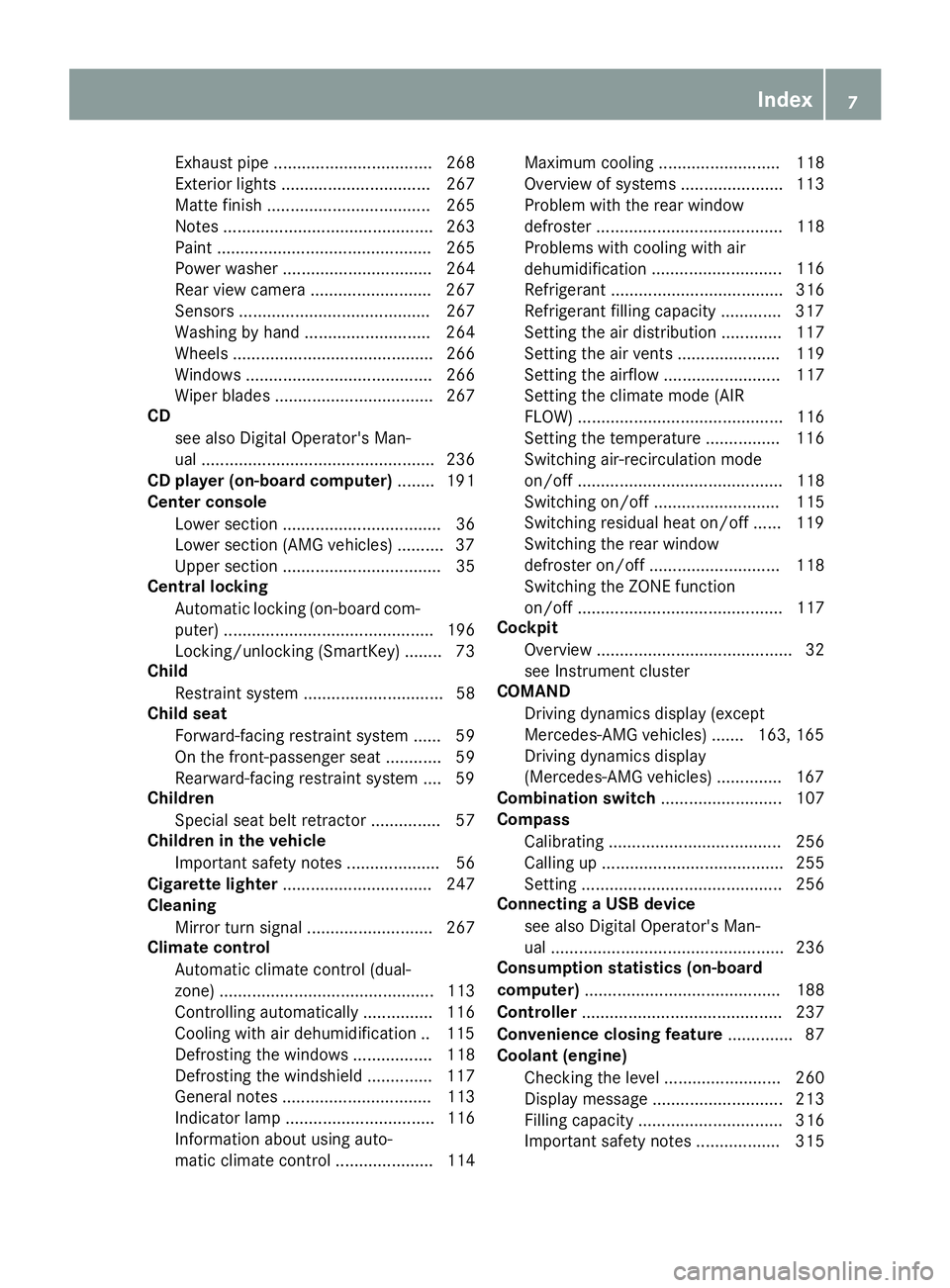
Exhaust pipe .................................. 268
Exterior lights ................................ 267
Matte finish ................................... 265
Notes ............................................. 263
Paint .............................................. 265
Power washer ................................ 264
Rear view camera .......................... 267
Sensors ......................................... 267
Washing by hand ........................... 264
Wheels ........................................... 266
Windows ........................................ 266
Wiper blades .................................. 267
CD
see also Digital Operator's Man-
ual .................................................. 236
CD player (on-board computer) ........ 191
Center console
Lower section .................................. 36
Lower section (AMG vehicles) .......... 37
Upper section .................................. 35
Central locking
Automatic locking (on-board com-
puter) ............................................. 196
Locking/unlocking (SmartKey) ........ 73
Child
Restraint system .............................. 58
Child seat
Forward-facing restraint system ...... 59
On the front-passenger seat ............ 59
Rearward-facing restraint system .... 59
Children
Special seat belt retractor ............... 57
Children in the vehicle
Important safety notes .................... 56
Cigarette lighter ................................ 247
Cleaning
Mirror turn signal ........................... 267
Climate control
Automatic climate control (dual-
zone) .............................................. 113
Controlling automatically ............... 116
Cooling with air dehumidification .. 115
Defrosting the windows ................. 118
Defrosting the windshield .............. 117
General notes ................................ 113
Indicator lamp ................................ 116
Information about using auto-
matic climate control ..................... 114 Maximum cooling .......................... 118
Overview of systems ...................... 113
Problem with the rear window
defroster ........................................ 118
Problems with cooling with air
dehumidification
............................ 116
R
efrigerant ..................................... 316
Refrigerant filling capacity ............. 317
Setting the air distribution ............. 117
Setting the air vents ...................... 119
Setting the airflow ......................... 117
Setting the climate mode (AIR
FLOW) ............................................ 116
Setting the temperature ................ 116
Switching air-recirculation mode
on/off ............................................ 118
Switching on/off ........................... 115
Switching residual heat on/off ...... 119
Switching the rear window
defroster on/off ............................ 118
Switching the ZONE function
on/off ............................................ 117
Cockpit
Overview .......................................... 32
see Instrument cluster
COMAND
Driving dynamics display (except
Mercedes-AMG vehicles) ....... 163, 165
Driving dynamics display
(Mercedes-AMG vehicles) .............. 167
Combination switch .......................... 107
Compass
Calibrating ..................................... 256
Calling up ....................................... 255
Setting ........................................... 256
Connecting a USB device
see also Digital Operator's Man-
ual .................................................. 236
Consumption statistics (on-board
computer) .......................................... 188
Controller ........................................... 237
Convenience closing feature .............. 87
Coolant (engine)
Checking the level ......................... 260
Display message ............................ 213
Filling capacity ............................... 316
Important safety notes .................. 315
Index7
Page 16 of 322
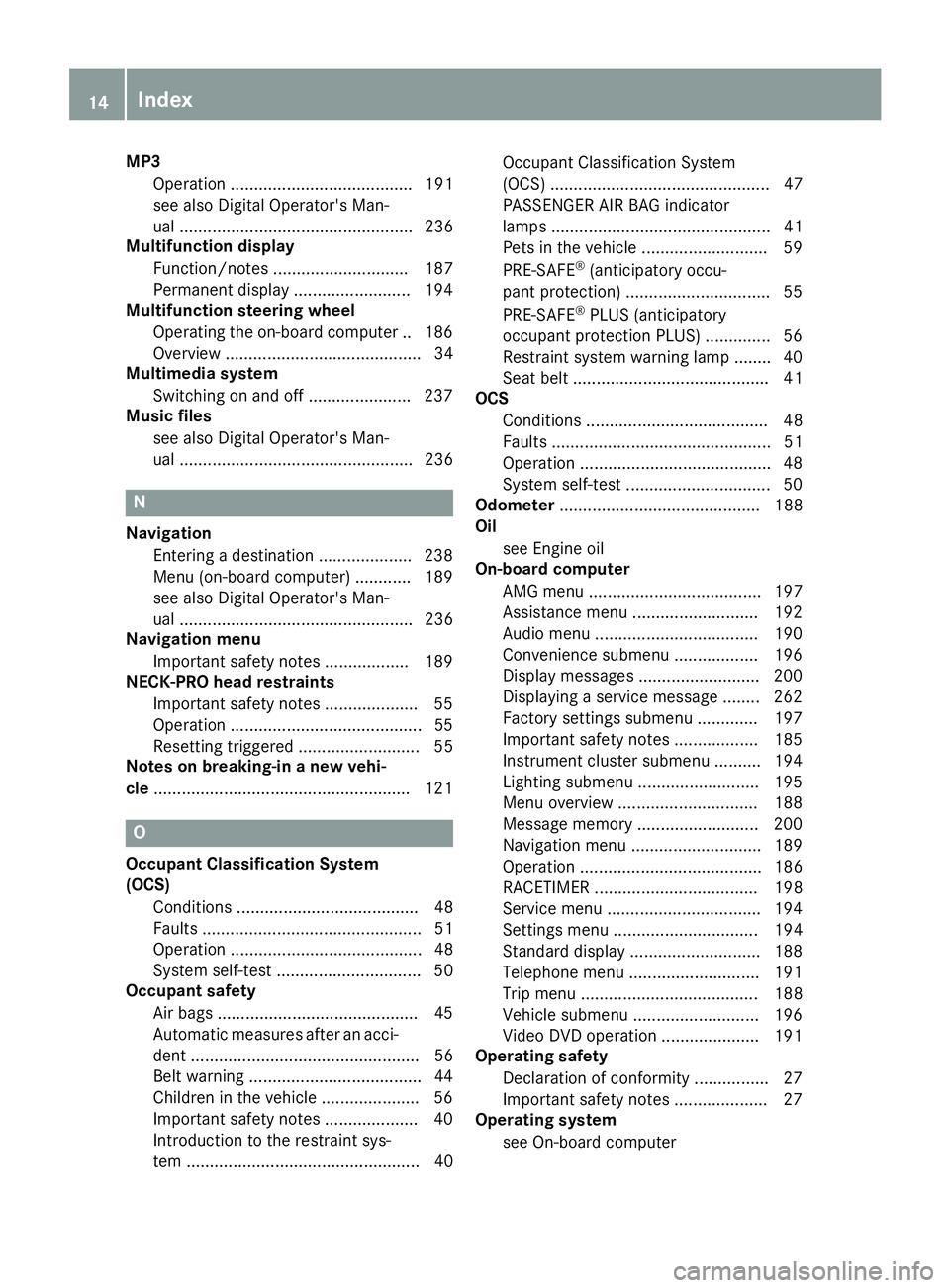
MP3Operation ....................................... 191
see also Digital Operator's Man-
ual .................................................. 236
Multifunction display
Function/notes ............................. 187
Permanent display ......................... 194
Multifunction steering wheel
Operating the on-board computer .. 186
Overview .......................................... 34
Multimedia system
Switching on and off ...................... 237
Music files
see also Digital Operator's Man-
ual .................................................. 236
N
NavigationEntering a destination .................... 238
Menu (on-board computer) ............ 189
see also Digital Operator's Man-
ual .................................................. 236
Navigation menu
Important safety notes .................. 189
NECK-PRO head restraints
Important safety notes .................... 55
Operation .........................................5 5
Resettin gtriggered .......................... 55
Notes on breaking-in anew vehi-
cle ...................................................... .121
O
Occupant Classification System
(OCS)
Conditions ....................................... 48
Faults ............................................... 51
Operation ......................................... 48
System self-test ............................... 50
Occupant safety
Air bags ...........................................4 5
Automatic measures after an acci-
dent ................................................. 56
Belt warning .....................................4 4
Childr eninthe vehicle .................... .56
Important safety notes .................... 40
Introduction to the restraint sys-
tem .................................................. 40 Occupant Classification System
(OCS) ............................................... 47
PASSENGER AIR BAG indicator
lamps ............................................... 41
Pets in the vehicle ........................... 59
PRE-SAFE
®(anticipatory occu-
pant protection) ............................... 55
PRE-SAFE
®PLUS (anticipatory
occupant protection PLUS) .............. 56
Restraint system warning lamp ........ 40
Seat belt .......................................... 41
OCS
Conditions ....................................... 48
Faults ............................................... 51
Operation .........................................4 8
System self-test ............................... 50
Odometer ........................................... 188
Oil
see Engine oil
On-board computer
AMG menu ..................................... 197
Assistance menu ........................... 192
Audio menu ................................... 190
Convenience submenu .................. 196
Display messages .......................... 200
Displaying a service message ........ 262
Factory settings submenu ............. 197
Important safety notes .................. 185
Instrument cluster submenu .......... 194
Lighting submenu .......................... 195
Menu overview .............................. 188
Message memory .......................... 200
Navigation menu ............................ 189
Operation ....................................... 186
RACET
IMER ................................... 198
Service menu ................................. 194
Settings menu ............................... 194
Standard display ............................ 188
Telephone menu ............................ 191
Trip menu ...................................... 188
Vehicle submenu ........................... 196
Video DVD operation ..................... 191
Operating safety
Declaration of conformity ................ 27
Important safety notes .................... 27
Operating system
see On-board computer
14Index
Page 19 of 322
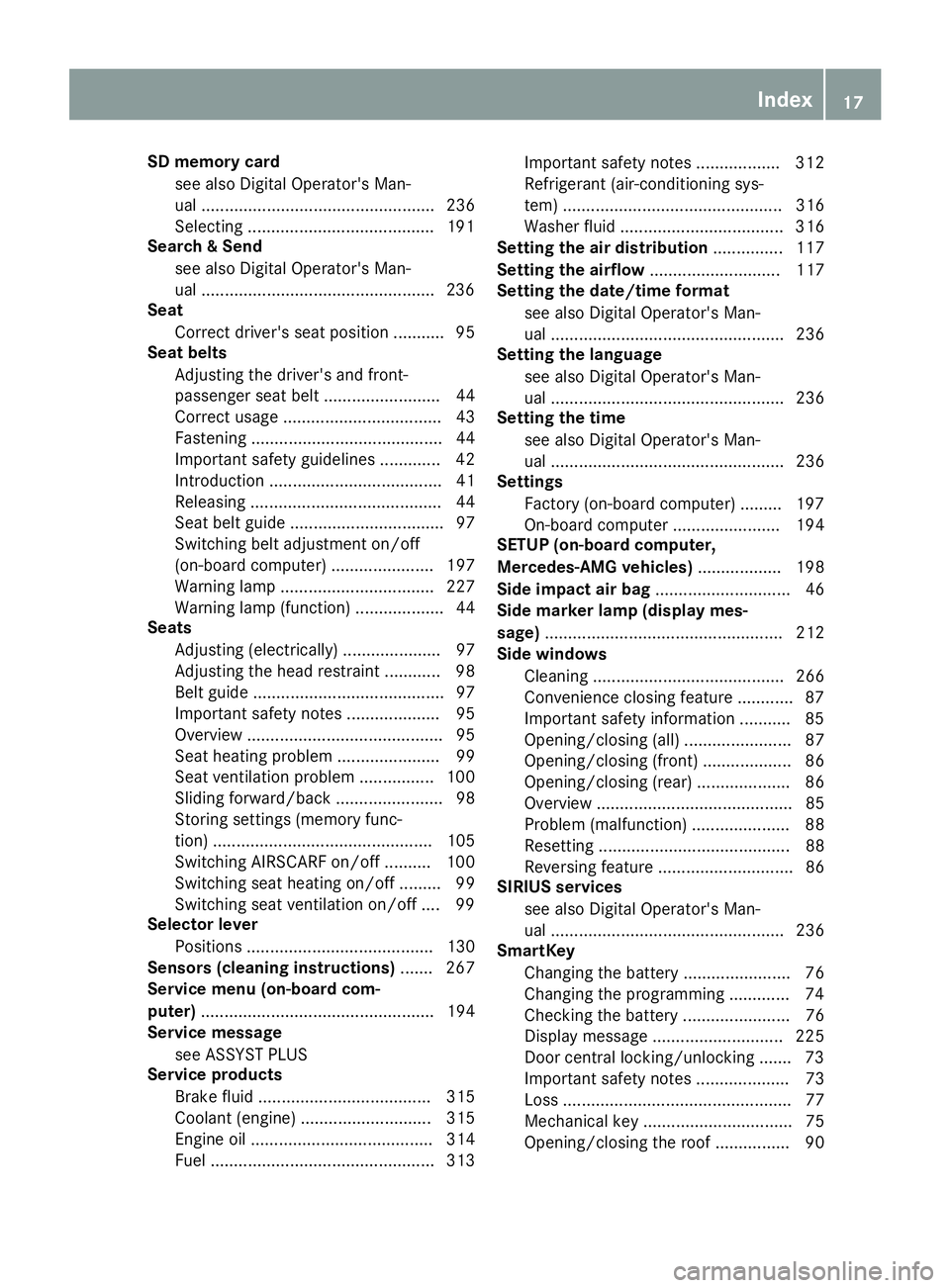
SD memory cardsee also Digital Operator's Man-
ual .................................................. 236
Selecting ........................................1 91
Search & Send
see also Digital Operator's Man-
ual ..................................................2 36
Seat
Correct driver's seat position ........... 95
Seat belts
Adjusting the driver's and front-
passenger seat belt ......................... 44
Correct usage .................................. 43
Fastening ......................................... 44
Important safety guidelines ............. 42
Introduction ..................................... 41
Releasing ......................................... 44
Seat belt guide ................................. 97
Switching belt adjustment on/off
(on-board computer) ...................... 197
Warning lamp ................................. 227
Warning lamp (function) ................... 44
Seats
Adjusting (electrically) ..................... 97
Adjusting the head restraint ............ 98
Belt guide ......................................... 97
Important safety notes .................... 95
Overview .......................................... 95
Seat heating problem ...................... 99
Seat ventilation problem ................ 100
Sliding forward/back ....................... 98
Storing settings (memory func-
tion) ............................................... 105
Switching AIRSCARF on/off .......... 100
Switching seat heating on/off ......... 99
Switching seat ventilation on/off .... 99
Selector lever
Positions ........................................ 130
Sensors (cleaning instructions) ....... 267
Service menu (on-board com-
puter) .................................................. 194
Service message
see ASSYST PLUS
Service products
Brake fluid ..................................... 315
Coolant (engine) ............................ 315
Engine oil ....................................... 314
Fuel ................................................ 313 Important safety notes .................. 312
Refrigerant (air-conditioning sys-
tem) ............................................... 316
Washer fluid ................................... 316
Setting the air distribution ............... 117
Setting the airflow ............................ 117
Se
tting the date/time format
see also Digital Operator's Man-
ual .................................................. 236
Setting the language
see also Digital Operator's Man-
ual .................................................. 236
Setting the time
see also Digital Operator's Man-
ual .................................................. 236
Settings
Factory (on-board computer) ......... 197
On-board computer ....................... 194
SETUP (on-board computer,
Mercedes-AMG vehicles) .................. 198
Side impact air bag ............................. 46
Side marker lamp (display mes-
sage) ................................................... 212
Side windows
Cleaning ......................................... 266
Convenience closing feature ............ 87
Important safety information ........... 85
Opening/closing (all) ....................... 87
Opening/closing (front) ................... 86
Opening/closing (rear) .................... 86
Overview .......................................... 85
Problem (malfunction) ..................... 88
Resetting ......................................... 88
Reversing feature ............................. 86
SIRIUS services
see also Digital Operator's Man-
ual .................................................. 236
SmartKey
Changing the battery ....................... 76
Changing the programming ............. 74
Checking the battery ....................... 76
Display message ............................ 225
Door central locking/unlocking ....... 73
Important safety notes .................... 73
Loss ................................................. 77
Mechanical key ................................ 75
Opening/closing the roof ................ 90
Index17
Page 20 of 322
Overview .......................................... 73
Positions (ignition lock) ................. 122
Problem (malfunction) ..................... 77
Starting the engine ........................ 124
SMS
see also Digital Operator's Man-
ual .................................................. 236
Snow chains ...................................... 287
Sockets
Front-passenger footwell ............... 248
General notes ................................ 247
Trunk ............................................. 248
Sound
Switching on/off ........................... 237
Special seat belt retractor .................. 57
Specialist workshop ............................28
Speed, controlling
see Cruise control
Speedometer
Digital ............................................ 189
In the Instrument cluster ................. 33
Segments ...................................... 185
Selecting the display unit ............... 194
SPORT handling mode
Deactivating/activating
(Mercedes-AMG vehicles) ................6 7
Warning lamp ................................. 231
Standing lamps
Display message ............................2 12
Switching on/off ........................... 107
Start/stop function
see ECO start/stop function
Starting (engine) ................................ 123
STEER CONTROL .................................. 71
Steering
Display message ............................ 224
Steering Assist and Stop&Go Pilot
(DISTRONIC PLUS)
Activating/deactivating ................. 193
Steering assistant STEER CON-
TROL
see STEER CONTROL
Steering Pilot and Stop&Go Pilot
Display message ............................ 220
Steering wheel
Adjusting (electrically) ................... 101
Button overview ............................... 34 Buttons (on-board computer)
......... 186
Important sa
fety notes .................. 100
Storing settings (memory func-
tion) ............................................... 105
Steering wheel paddle shifters ........136
Stopwatch (RACETIMER) ................... 198
Stowage areas ................................... 242
Stowage compartments
Armrest (under) .............................2 42
Center console .............................. 243
Center console (rear) ..................... 243
Cup holders ................................... 245
Eyeglasses compartment ...............2 43
Glove box ....................................... 242
Important safety information ......... 242
Rear ............................................... 244
Stowage net ................................... 244
Stowage net ....................................... 244
Stowage space
Umbrella holder .............................2 43
Stowage well beneath the trunk
floor .................................................... 245
Summer tires ..................................... 287
Sun visor ............................................ 246
Surround lighting (on-board com-
puter) ..................................................1 95
Suspension settings
Active Body Control (ABC) (except
Mercedes-AMG vehicles) ...............1 64
Active Body Control (ABC)
(Mercedes-AMG vehicles) .............. 166
Suspension tuning
SETUP (on-board computer,
Mercedes-AMG vehicles) ...............1 98
Switching air-recirculation mode
on/off ................................................. 118
Switching on media mode
Via the device list .......................... 241
T
Tachometer ........................................ 185
Tail lamps
Display message ............................ 212
see Lights
Tank content
Fuel gauge ....................................... 33
18Index
Page 23 of 322
Turn signalsDisplay message ............................ 212
Switching on/off ........................... 107
Two-way radio
Frequencies ................................... 310
Installation ..................................... 310
Transmission output (maximum) .... 310
Type identification plate
see Vehicle identification plate
U
Umbrella holder ................................. 243
Unlocking
Emergency unlocking ....................... 80
From inside the vehicle (central
unlocking button) ............................. 79
Upshift indicator (on-board com-
puter, Mercedes-AMG vehicles) ....... 197
USB devices
Connecting to the Media Inter-
face ...............................................2 41
V
Vehicle
Correct use ...................................... 28
Data acquisition ............................... 29
Display message ............................ 222
Electronics ..................................... 310
Equipment ....................................... 25
Individual settings .......................... 194
Limited Warranty .............................2 9
Loading .......................................... 295
Locking (in an emergency) ............... 80
Locking (SmartKey) .......................... 73
Lowering ........................................ 308
Maintenance .................................... 26
Parking for a long period ................ 144
Pulling away ................................... 124
Raising ........................................... 305
Reporting problems ......................... 28
Securing from rolling away ............ 305
Tow-starting ................................... 280
Towing away .................................. 280
Transporting .................................. 282
Unlocking (in an emergency) ........... 80
Unlocking (SmartKey) ...................... 73
Vehicle data ................................... 317 Vehicle battery
see Battery (vehicle)
Vehicle data ....................................... 317
Vehicle dimensions ........................... 317
Vehicle emergency locking ................ 80
Vehicle identification number
see VIN
Vehicle identification plate .............. 311
Vehicle level
Active Body Control (ABC) (except
Mercedes-AMG vehicles) ............... 163
Active Body Control (ABC)
(Mercedes-AMG vehicles) .............. 165
Display message ............................ 215
Vehicle tool kit .................................. 270
Video
Operating the DVD ......................... 191
see also Digital Operator's Man-
ual .................................................. 236
VIN
Seat ............................................... 312
Type plate ...................................... 311W
Warning and indicator lampsABS ................................................ 229
Active Brake Assist ........................ 234
Brake Assist ................................... 234
Brakes ........................................... 228
Check Engine ................................. 232
Coolant .......................................... 232
Distance Pilot DISTRONIC ............. 234
Distance warning ........................... 234
ESP
®.............................................. 229
ESP®OFF ....................................... 230
Fuel tank ........................................ 232
General notes ................................ 227
Parking brake ................................ 231
PASSENGER AIR BAG ...................... 41
Reserve fuel ................................... 232
Restraint system ............................ 231
Seat belt ........................................ 227
SPORT handling mode ................... 231
Tire pressure monitor .................... 235
Warning triangle ................................ 269
Warranty .............................................. 25
Index21
Page 32 of 322
The vehicle is read out by employees of the ser-
vice network (including the manufacturer) using
special diagnostic testers. More detailed infor-
mation is obtained from it, if required.
After a malfunction has been rectified, the infor-
mation is deleted from the malfunction memory
or is continually overwritten.
When operating the vehicle, situations are con-
ceivable in which this technical data, in connec-
tion with other information (if necessary, under
consultation with an authorized expert), could
be traced to a person.
Examples include:
Raccident reports
Rdamage to the vehicle
Rwitness statements
Further additional functions that have been con-
tractually agreed upon with the customer allow
certain vehicle data to be conveyed by the vehi- cle as well. The additional functions include, for
example, vehicle location in case of an emer-
gency.
COMAND/mbrace (Canada: TELEAID)
If the vehicle is equipped with COMAND or
mbrace, additional data about the vehicle's
operation, the use of the vehicle in certain sit-
uations, and the location of the vehicle may be
compiled through COMAND or the mbrace sys-
tem.
For additional information please refer to the
COMAND User Manual or the Digital Operator's Manual and/or the mbrace Terms and Condi-
tions.
Event data recorders
This vehicle is equipped with an event data
recorder (EDR). This vehicle is equipped with an
event data recorder (EDR). The main purpose of
an EDR is to record, in certain crash or near
crash-like situations, such as an air bag deploy-
ment or hitting a road obstacle, data that will
assist in understanding how a vehicle's systems
performed. The EDR is designed to record data
related to vehicle dynamics and safety systems
for a short period of time, typically 30 seconds
or less. The EDR in this vehicle is designed to record
such data as:
RHow various systems in your vehicle were
operating
RWhether or not the driver and passenger
safety belts were buckled/fastened
RHow far (if at all) the driver was depressing the
accelerator and/or brake pedal and
RHow fast the vehicle was traveling.
These data can help provide a better under-
standing of the circumstances in which acci-
dents and injuries occur. NOTE: EDR data are
recorded by your vehicle only if a non-trivial
crash situation occurs; no data is recorded by
the EDR under normal driving conditions and no personal data (e.g. name, gender, age and acci-
dent location) are recorded. However, other par-ties, such as law enforcement could combine
EDR data with the type of personally identifying
data routinely acquired during a crash investi-
gation.
Access to the vehicle and/or the EDR is needed
to read data that is recorded by the EDR, and
special equipment is required. In addition to the
vehicle manufacturer, other parties that have
the special equipment, such as law enforce-
ment, can read the information by accessing the
vehicle or the EDR.
EDR data may be used in civil and criminal mat-
ters as a tool in accident reconstruction, acci-
dent claims and vehicle safety. Since the Crash
Data Retrieval CDR tool that is used to extract
data from the EDR is commercially available,
Mercedes-Benz USA, LLC ("MBUSA") expressly
disclaims any and all liability arising from the
extraction of this information by unauthorized
Mercedes-Benz personnel.
MBUSA will not share EDR data with others
without the consent of the vehicle owners or, if
t
he vehicle is leased, without the consent of the
lessee. Exceptions to this representation
include responses to subpoenas by law enforce- ment; by federal, state or local government; in
connection with or arising out of litigation involv-
ing MBUSA or its subsidiaries and affiliates; or,
as required by law.
Warning: The EDR is a component of the
Restraint System Module. Tampering with, alter-
ing, modifying or removing the EDR component
may result in a malfunction of the Restraint Sys-
tem Module and other systems.
State laws or regulations regarding EDRs that
conflict with federal regulation are pre-empted.
30Data stored in the vehicle
Introduction
Page 35 of 322
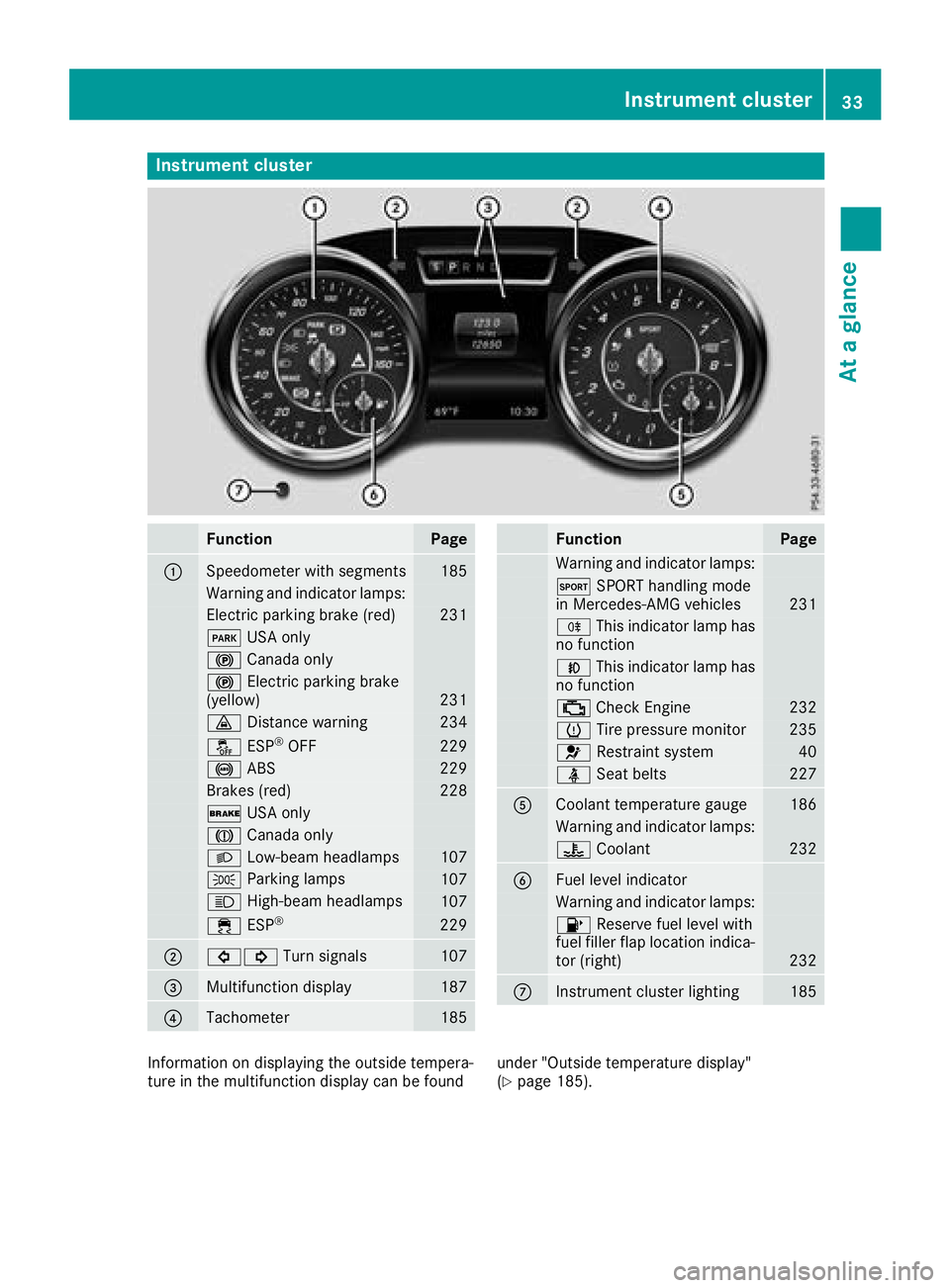
Instrument cluster
FunctionPage
:Speedometer wit hsegments18 5
Warning and indicator lamps:
Electric parking brak e(red)23 1
F USAonly
! Canad aonly
! Electric parking brak e
(yellow)23 1
· Distanc ewarning23 4
å ESP®OF F229
! ABS229
Brake s(red)22 8
$ USAonly
J Canad aonly
L Low-beam headlamps107
T Parking lamp s107
K High-beam headlamps107
÷ ESP®22 9
;#! Turn signals107
=Multifunction display187
?Tachometer185
FunctionPag e
Warning and indicator lamps:
M SPORT handlin gmod e
in Mercedes-AM Gvehicles23 1
R This indicator lamp has
no function
N This indicator lamp has
no function
; CheckEngin e232
h Tirepressur emonitor23 5
6 Restrain tsystem40
ü Seat belt s227
ACoolan ttemperature gauge18 6
Warning and indicator lamps:
? Coolan t232
BFue llevel indicator
Warning and indicator lamps:
8 Reserve fuel level wit h
fuel filler flap location indica-
to r(right )
232
CInstrumen tcluste rlighting18 5
Information on displayin gth eoutside tempera-
tur ein th emultifunction display can be foun dunder "Outside temperature display"
(Ypage 185).
Instrument cluster33
At a glance
Page 42 of 322
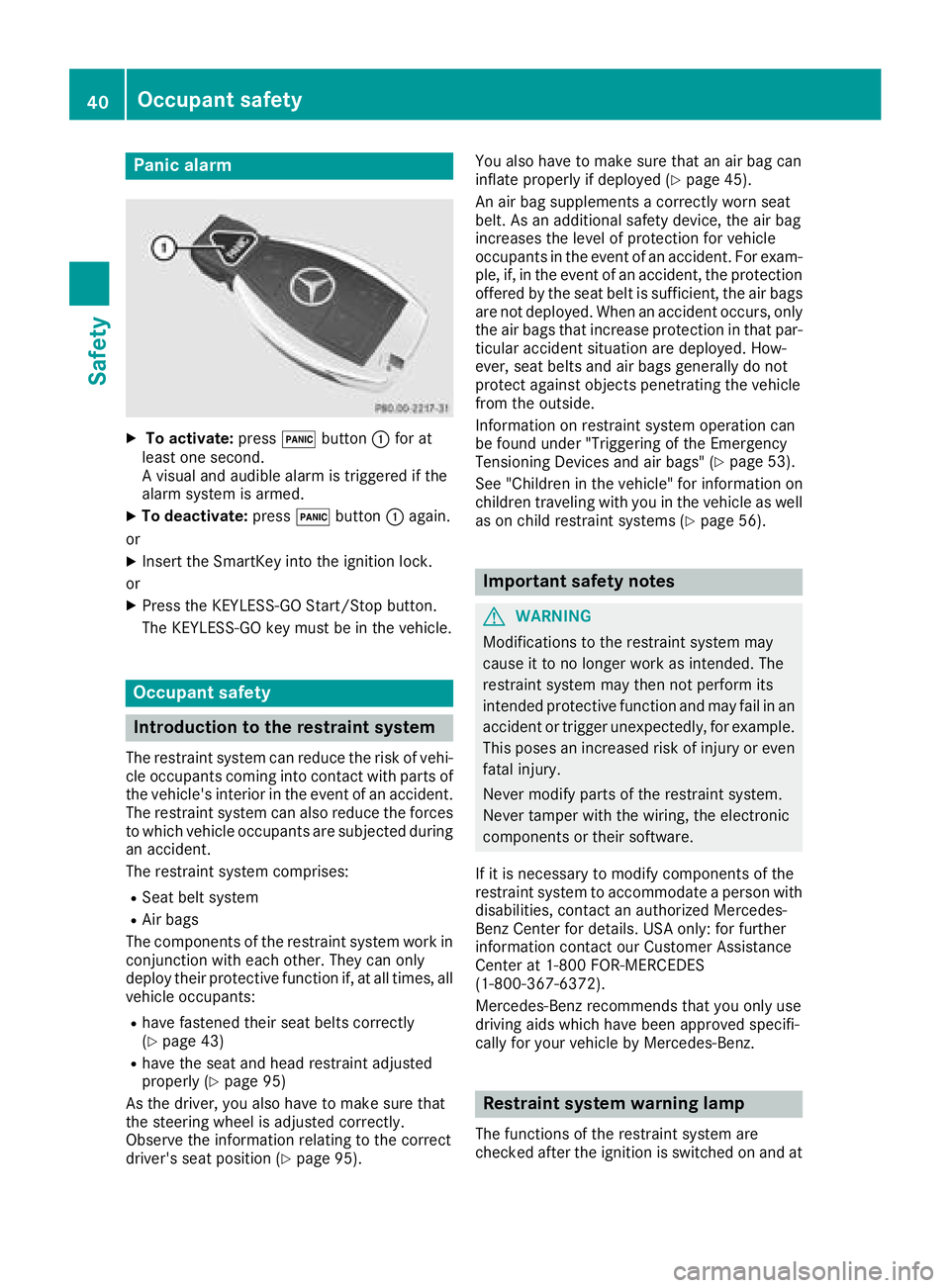
Panic alarm
XTo activate:press!button :for at
least one second.
A visual and audible alarm is triggered if the
alarm system is armed.
XTo deactivate: press!button :again.
or
XInsert the SmartKey into the ignition lock.
or
XPress the KEYLESS-GO Start/Stop button.
The KEYLESS-GO key must be in the vehicle.
Occupant safety
Introduction to the restraint system
The restraint system can reduce the risk of vehi- cle occupants coming into contact with parts of
the vehicle's interior in the event of an accident.
The restraint system can also reduce the forces to which vehicle occupants are subjected during
an accident.
The restraint system comprises:
RSeat belt system
RAir bags
The components of the restraint system work in
conjunction with each other. They can only
deploy their protective function if, at all times, all vehicle occupants:
Rhave fastened their seat belts correctly
(Ypage 43)
Rhave the seat and head restraint adjusted
properly (Ypage 95)
As the driver, you also have to make sure that
the steering wheel is adjusted correctly.
Observe the information relating to the correct
driver's seat position (
Ypage 95). You also have to make sure that an air bag can
inflate properly if deployed (
Ypage 45).
An air bag supplements a correctly worn seat
belt. As an additional safety device, the air bag
increases the level of protection for vehicle
occupants in the event of an accident. For exam-
ple, if, in the event of an accident, the protection
offered by the seat belt is sufficient, the air bags are not deployed. When an accident occurs, only
the air bags that increase protection in that par-ticular accident situation are deployed. How-
ever, seat belts and air bags generally do not
protect against objects penetrating the vehicle
from the outside.
Information on restraint system operation can
be found under "Triggering of the Emergency
Tensioning Devices and air bags" (
Ypage 53).
See "Children in the vehicle" for information on
children traveling with you in the vehicle as well
as on child restraint systems (
Ypage 56).
Important safety notes
GWARNING
Modifications to the restraint system may
cause it to no longer work as intended. The
restraint system may then not perform its
intended protective function and may fail in an
accident or trigger unexpectedly, for example.
This poses an increased risk of injury or even fatal injury.
Never modify parts of the restraint system.
Never tamper with the wiring, the electronic
components or their software.
If it is necessary to modify components of the
restraint system to accommodate a person with
disabilities, contact an authorized Mercedes-
Benz Center for details. USA only: for further
information contact our Customer Assistance
Center at 1-800 FOR-MERCEDES
(1‑800‑367‑6372).
Mercedes-Benz recommends that you only use
driving aids which have been approved specifi-
cally for your vehicle by Mercedes-Benz.
Restraint system warning lamp
The functions of the restraint system are
checked after the ignition is switched on and at
40Occupant safety
Safety
Page 43 of 322
regular intervals while the engine is running.
Therefore, malfunctions can be detected in
good time.
The6 restraint system warning lamp on the
instrument cluster lights up when the ignition is
switched on. It goes out no later than a few sec-
onds after the vehicle is started. The compo-
nents of the restraint system are in operational
readiness.
A malfunction has occurred if the 6restraint
system warning lamp:
Rdoes not light up after the ignition is switched
on
Rdoes not go out after a few seconds with the
engine running
Rlights up again while the engine is running
GWARNING
If the restraint system is malfunctioning,
restraint system components may be trig-
gered unintentionally or may not deploy as
intended during an accident. This can affect
for example the Emergency Tensioning
Device or the air bag. This poses an increased
risk of injury or even fatal injury.
Have the restraint system checked and
repaired in a qualified specialist workshop as
soon as possible.
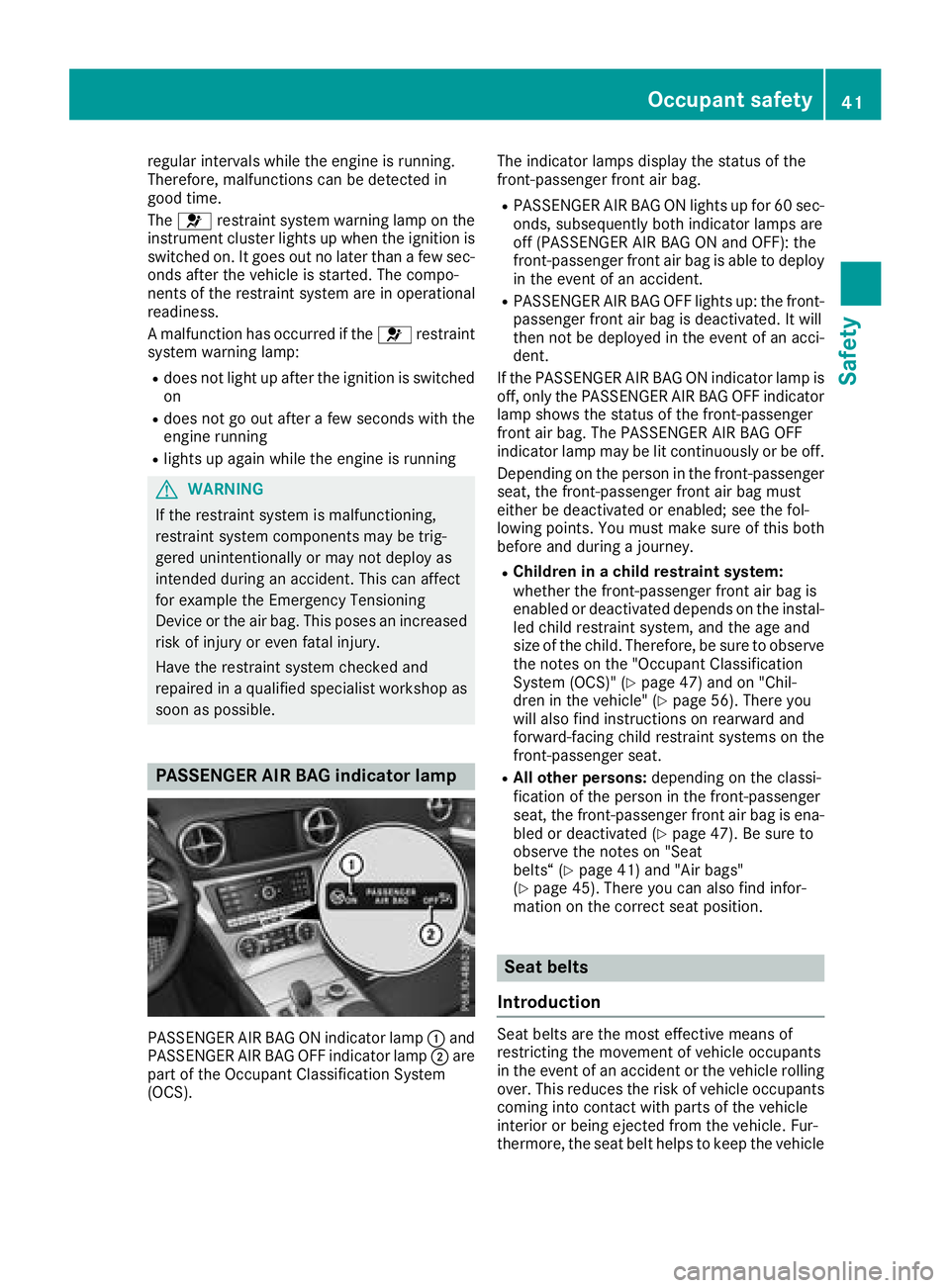
PASSENGER AIR BAG indicator lamp
PASSENGER AIR BAG ON indicator lamp :and
PASSENGER AIR BAG OFF indicator lamp ;are
part of the Occupant Classification System
(OCS). The indicator lamps display the status of the
front-passenger front air bag.
RPASSENGER AIR BAG ON lights up for 60 sec-
onds, subsequently both indicator lamps are
off (PASSENGER AIR BAG ON and OFF): the
front-passenger front air bag is able to deploy
in the event of an accident.
RPASSENGER AIR BAG OFF lights up: the front-
passenger front air bag is deactivated. It will
then not be deployed in the event of an acci-
dent.
If the PASSENGER AIR BAG ON indicator lamp is
off, only the PASSENGER AIR BAG OFF indicator lamp shows the status of the front-passenger
front air bag. The PASSENGER AIR BAG OFF
indicator lamp may be lit continuously or be off.
Depending on the person in the front-passenger
seat, the front-passenger front air bag must
either be deactivated or enabled; see the fol-
lowing points. You must make sure of this both
before and during a journey.
RChildren in a child restraint system:
whether the front-passenger front air bag is
enabled or deactivated depends on the instal-led child restraint system, and the age and
size of the child. Therefore, be sure to observe
the notes on the "Occupant Classification
System (OCS)" (
Ypage 47) and on "Chil-
dren in the vehicle" (Ypage 56). There you
will also find instructions on rearward and
forward-facing child restraint systems on the
front-passenger seat.
RAll other persons: depending on the classi-
fication of the person in the front-passenger
seat, the front-passenger front air bag is ena-
bled or deactivated (
Ypage 47). Be sure to
observe the notes on "Seat
belts“ (
Ypage 41) and "Air bags"
(Ypage 45). There you can also find infor-
mation on the correct seat position.
Seat belts
Introduction
Seat belts are the most effective means of
restricting the movement of vehicle occupants
in the event of an accident or the vehicle rolling over. This reduces the risk of vehicle occupants
coming into contact with parts of the vehicle
interior or being ejected from the vehicle. Fur-
thermore, the seat belt helps to keep the vehicle
Occupant safety41
Safety
Z