check engine MERCEDES-BENZ SL ROADSTER 2018 Owner's Manual
[x] Cancel search | Manufacturer: MERCEDES-BENZ, Model Year: 2018, Model line: SL ROADSTER, Model: MERCEDES-BENZ SL ROADSTER 2018Pages: 322, PDF Size: 5.43 MB
Page 8 of 322
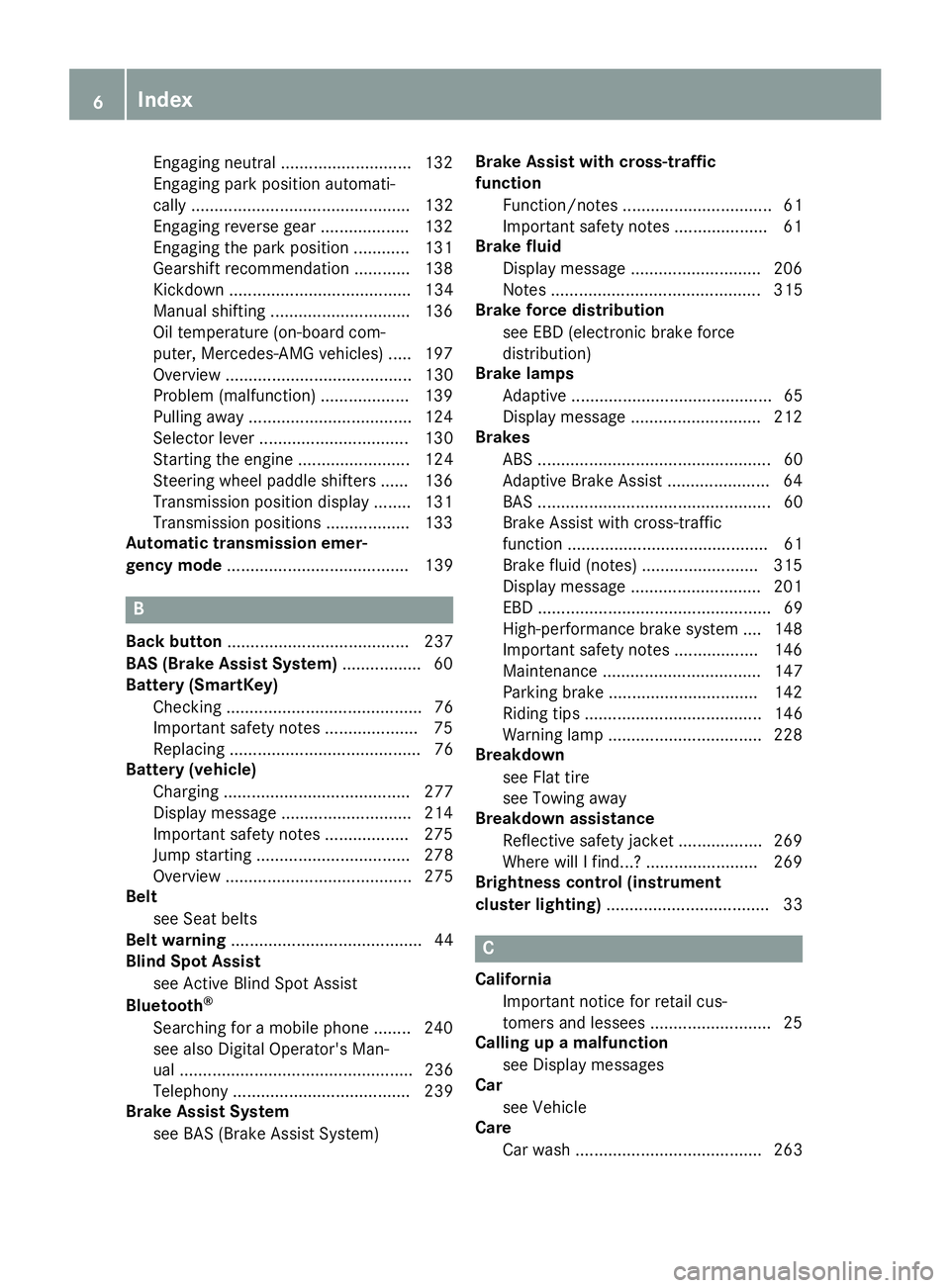
Engaging neutral ............................ 132
Engaging park position automati-
cally ............................................... 132
Engaging reverse gear ................... 132
Engaging the park position ............ 131
Gearshift recommendation ............ 138
Kickdown ....................................... 134
Manual shifting .............................. 136
Oil temperature (on-board com-
puter, Mercedes-AMG vehicles) ..... 197
Overview ........................................ 130
Problem (malfunction) ................... 139
Pulling away ................................... 124
Selector lever ................................ 130
Starting the engine ........................ 124
Steering wheel paddle shifters ...... 136
Transmission position display ........ 131
Transmission positions .................. 133
Automatic transmission emer-
gency mode ....................................... 139
B
Back button ....................................... 237
BAS (Brake Assist System) ................. 60
Battery (SmartKey)
Checking .......................................... 76
Important safety notes .................... 75
Replacing ......................................... 76
Battery (vehicle)
Charging ........................................ 277
Display message ............................ 214
Important safety notes .................. 275
Jump starting ................................. 278
Overview ........................................ 275
Belt
see Seat belts
Belt warning ......................................... 44
Blind Spot Assist
see Active Blind Spot Assist
Bluetooth
®
Searching for a mobile phone ........ 240
see also Digital Operator's Man-
ual .................................................. 236
Telephony ...................................... 239
Brake Assist System
see BAS (Brake Assist System) Brake Assist with cross-traffic
function
Function/notes ................................ 61
Important safety notes .................... 61
Brake fluid
Display message ............................ 206
Notes ............................................. 315
Brake force distribution
see EBD (electronic brake force
distribution)
Brake lamps
Adaptive ........................................... 65
Display message ............................ 212
Brakes
ABS .................................................. 60
Adaptive Brake Assist ...................... 64
BAS .................................................. 60
Brake Assist with cross-traffic
function ........................................... 61
Brake fluid (notes) ......................... 315
Display message ............................ 201
EBD .................................................. 69
High-performance brake system .... 148
Important safety notes .................. 146
Maintenance .................................. 147
Parking brake ................................ 142
Riding tips ...................................... 146
Warning lamp ................................. 228
Breakdown
see Flat tire
see Towing away
Breakdown assistance
Reflective safety jacket .................. 269
Where will I find...? ........................ 269
Brightness control (instrument
cluster lighting) ................................... 33
C
California
Important notice for retail cus-
tomers and lessees .......................... 25
Calling up a malfunction
see Display messages
Car
see Vehicle
Care
Car wash ........................................ 263
6Index
Page 9 of 322
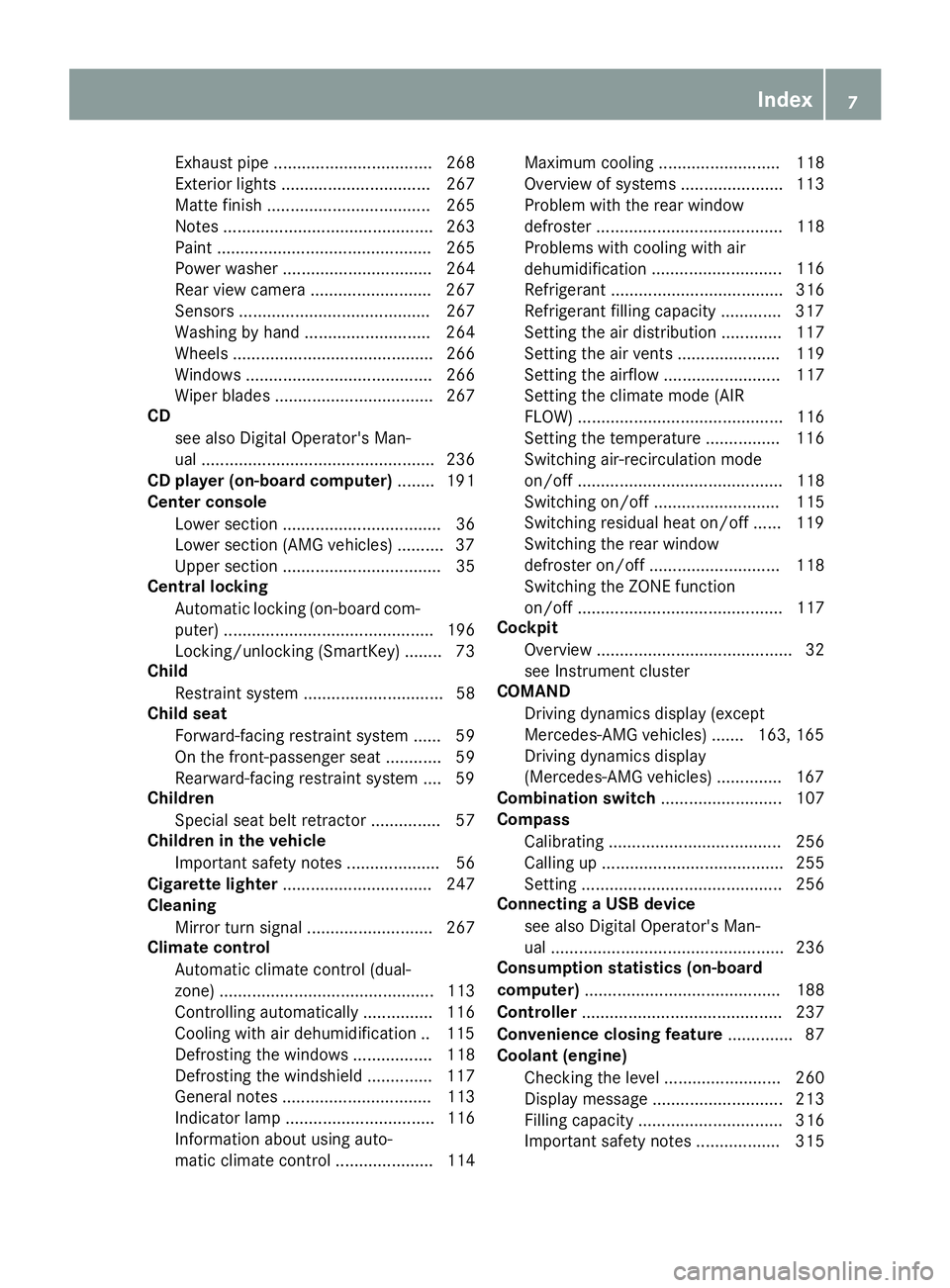
Exhaust pipe .................................. 268
Exterior lights ................................ 267
Matte finish ................................... 265
Notes ............................................. 263
Paint .............................................. 265
Power washer ................................ 264
Rear view camera .......................... 267
Sensors ......................................... 267
Washing by hand ........................... 264
Wheels ........................................... 266
Windows ........................................ 266
Wiper blades .................................. 267
CD
see also Digital Operator's Man-
ual .................................................. 236
CD player (on-board computer) ........ 191
Center console
Lower section .................................. 36
Lower section (AMG vehicles) .......... 37
Upper section .................................. 35
Central locking
Automatic locking (on-board com-
puter) ............................................. 196
Locking/unlocking (SmartKey) ........ 73
Child
Restraint system .............................. 58
Child seat
Forward-facing restraint system ...... 59
On the front-passenger seat ............ 59
Rearward-facing restraint system .... 59
Children
Special seat belt retractor ............... 57
Children in the vehicle
Important safety notes .................... 56
Cigarette lighter ................................ 247
Cleaning
Mirror turn signal ........................... 267
Climate control
Automatic climate control (dual-
zone) .............................................. 113
Controlling automatically ............... 116
Cooling with air dehumidification .. 115
Defrosting the windows ................. 118
Defrosting the windshield .............. 117
General notes ................................ 113
Indicator lamp ................................ 116
Information about using auto-
matic climate control ..................... 114 Maximum cooling .......................... 118
Overview of systems ...................... 113
Problem with the rear window
defroster ........................................ 118
Problems with cooling with air
dehumidification
............................ 116
R
efrigerant ..................................... 316
Refrigerant filling capacity ............. 317
Setting the air distribution ............. 117
Setting the air vents ...................... 119
Setting the airflow ......................... 117
Setting the climate mode (AIR
FLOW) ............................................ 116
Setting the temperature ................ 116
Switching air-recirculation mode
on/off ............................................ 118
Switching on/off ........................... 115
Switching residual heat on/off ...... 119
Switching the rear window
defroster on/off ............................ 118
Switching the ZONE function
on/off ............................................ 117
Cockpit
Overview .......................................... 32
see Instrument cluster
COMAND
Driving dynamics display (except
Mercedes-AMG vehicles) ....... 163, 165
Driving dynamics display
(Mercedes-AMG vehicles) .............. 167
Combination switch .......................... 107
Compass
Calibrating ..................................... 256
Calling up ....................................... 255
Setting ........................................... 256
Connecting a USB device
see also Digital Operator's Man-
ual .................................................. 236
Consumption statistics (on-board
computer) .......................................... 188
Controller ........................................... 237
Convenience closing feature .............. 87
Coolant (engine)
Checking the level ......................... 260
Display message ............................ 213
Filling capacity ............................... 316
Important safety notes .................. 315
Index7
Page 12 of 322
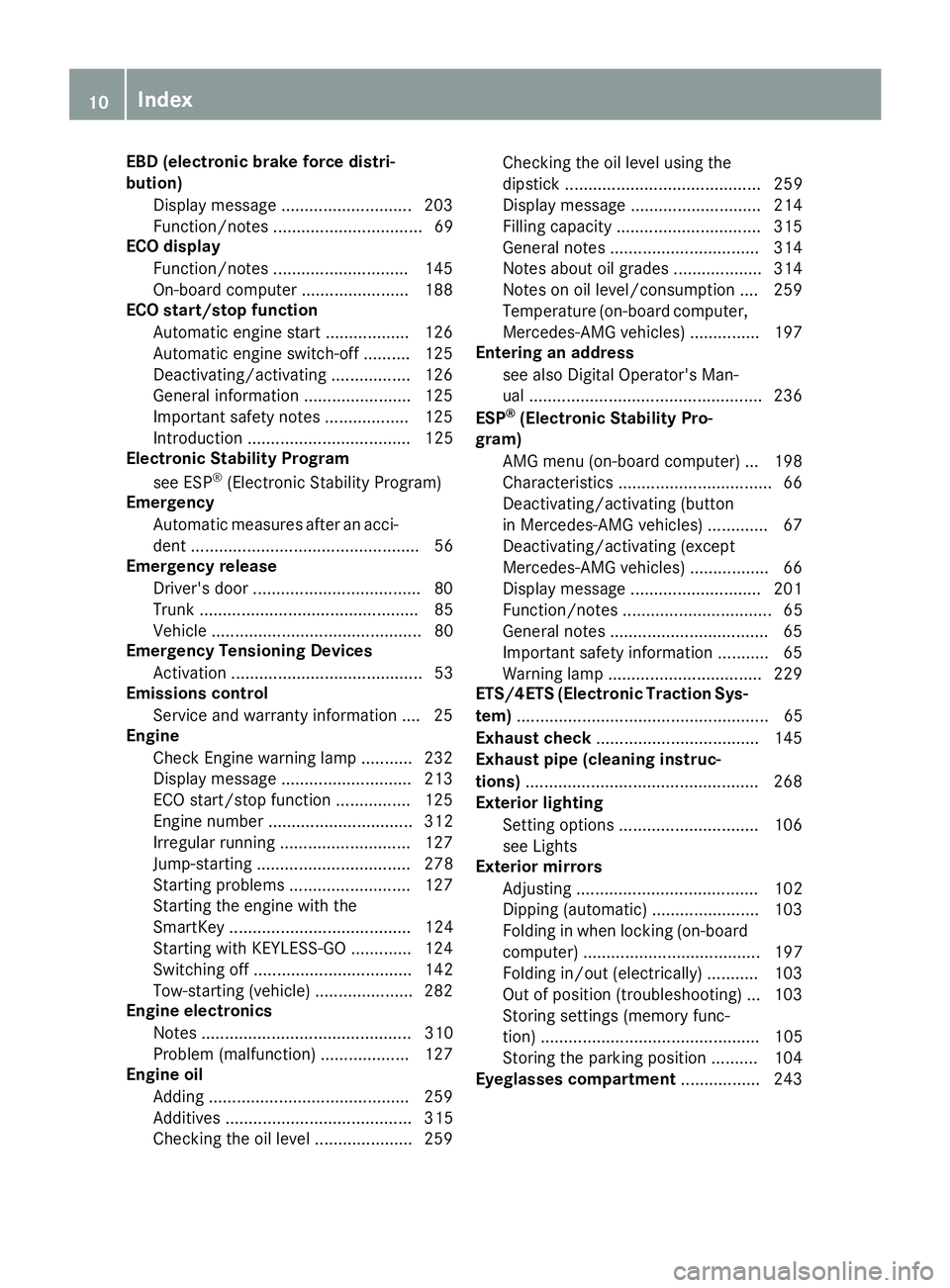
EBD (electronic brake force distri-
bution)Display message ............................ 203
Function/notes ................................ 69
ECO display
Function/notes ............................ .145
On-board computer ....................... 188
ECO start/stop function
Automatic engine start .................. 126
Automatic engine switch-off .......... 125
Deactivating/activating ................. 126
General information ....................... 125
Important safety notes .................. 125
Introduction ................................... 125
Electronic Stability Program
see ESP
®(Electronic Stability Program)
Emergency
Automatic measures after an acci-
dent ................................................. 56
Emergency release
Driver's door ....................................8 0
Trunk ............................................... 85
Vehicle ............................................. 80
Emergency Tensioning Devices
Activation ......................................... 53
Emissions control
Service and warranty information ....2 5
Engine
Check Engine warning lamp .......... .232
Display message ............................ 213
ECO start/stop function ................ 125
Engine number ............................... 312
Irregular running ............................ 127
Jump-starting ................................. 278
Starting problems .......................... 127
Starting the engine with the
SmartKey ....................................... 124
Starting with KEYLESS-GO ............. 124
Switching off .................................. 142
Tow-starting (vehicle) ..................... 282
Engine electronics
Notes ............................................. 310
Problem (malfunction) ................... 127
Engine oil
Adding ...........................................2 59
Additives ........................................ 315
C
hecking the oil level ..................... 259 Checking the oil level using the
dipstick .......................................... 259
Display message ............................ 214
Filling capacity ............................... 315
General notes ................................ 314
Notes about oil grades ................... 314
Notes on oil level/consumption .... 259
Temperature (on-board computer,
Mercedes-AMG vehicles) ...............1
97
Entering an address
see also Digital Operator's Man-
ual ..................................................2 36
ESP
®(Electronic Stability Pro-
gram)
AMG menu (on-board computer) ... 198
Characteristics ................................. 66
Deactivating/activating (button
in Mercedes-AMG vehicles) ............. 67
Deactivating/activating (except
Mercedes‑ AMG vehicles) ................. 66
Display message ............................ 201
Function/notes ................................ 65
General notes .................................. 65
Important safety information ........... 65
Warning lamp ................................. 229
ETS/4ETS (Electronic Traction Sys-
tem) ...................................................... 65
Exhaust check ................................... 145
Exhaust pipe (cleaning instruc-
tions) ..................................................2 68
Exterior lighting
Setting options .............................. 106
see Lights
Exterior mirrors
Adjusting ....................................... 102
Dipping (automatic) ....................... 103
Folding in when locking (on-board
computer) ...................................... 197
Folding in/out (electrically) ........... 103
Out of position (troubleshooting) ... 103
Storing settings (memory func-
tion) ............................................... 105
Storing the parking position .......... 104
Eyeglasses compartment ................. 243
10Index
Page 19 of 322
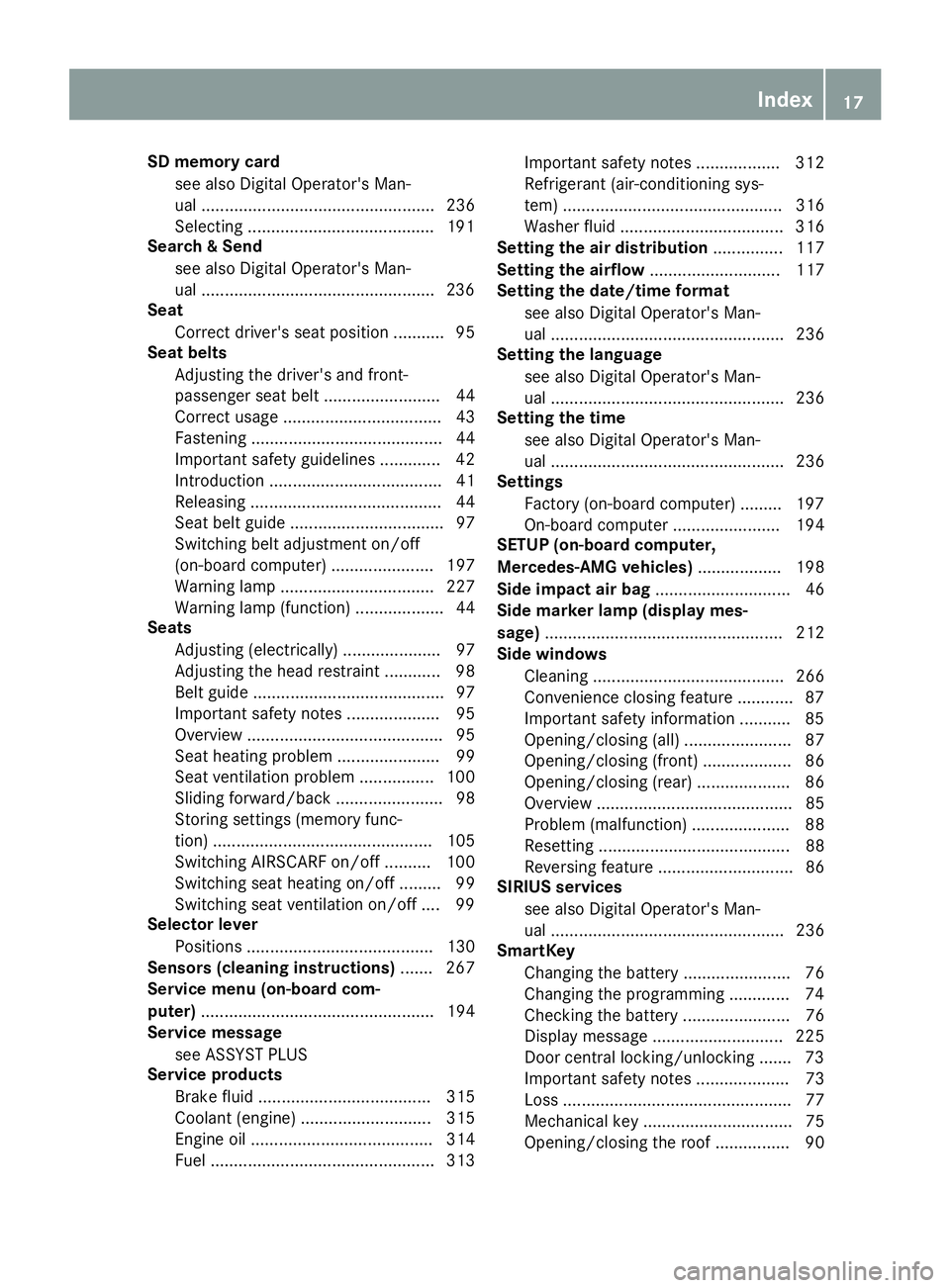
SD memory cardsee also Digital Operator's Man-
ual .................................................. 236
Selecting ........................................1 91
Search & Send
see also Digital Operator's Man-
ual ..................................................2 36
Seat
Correct driver's seat position ........... 95
Seat belts
Adjusting the driver's and front-
passenger seat belt ......................... 44
Correct usage .................................. 43
Fastening ......................................... 44
Important safety guidelines ............. 42
Introduction ..................................... 41
Releasing ......................................... 44
Seat belt guide ................................. 97
Switching belt adjustment on/off
(on-board computer) ...................... 197
Warning lamp ................................. 227
Warning lamp (function) ................... 44
Seats
Adjusting (electrically) ..................... 97
Adjusting the head restraint ............ 98
Belt guide ......................................... 97
Important safety notes .................... 95
Overview .......................................... 95
Seat heating problem ...................... 99
Seat ventilation problem ................ 100
Sliding forward/back ....................... 98
Storing settings (memory func-
tion) ............................................... 105
Switching AIRSCARF on/off .......... 100
Switching seat heating on/off ......... 99
Switching seat ventilation on/off .... 99
Selector lever
Positions ........................................ 130
Sensors (cleaning instructions) ....... 267
Service menu (on-board com-
puter) .................................................. 194
Service message
see ASSYST PLUS
Service products
Brake fluid ..................................... 315
Coolant (engine) ............................ 315
Engine oil ....................................... 314
Fuel ................................................ 313 Important safety notes .................. 312
Refrigerant (air-conditioning sys-
tem) ............................................... 316
Washer fluid ................................... 316
Setting the air distribution ............... 117
Setting the airflow ............................ 117
Se
tting the date/time format
see also Digital Operator's Man-
ual .................................................. 236
Setting the language
see also Digital Operator's Man-
ual .................................................. 236
Setting the time
see also Digital Operator's Man-
ual .................................................. 236
Settings
Factory (on-board computer) ......... 197
On-board computer ....................... 194
SETUP (on-board computer,
Mercedes-AMG vehicles) .................. 198
Side impact air bag ............................. 46
Side marker lamp (display mes-
sage) ................................................... 212
Side windows
Cleaning ......................................... 266
Convenience closing feature ............ 87
Important safety information ........... 85
Opening/closing (all) ....................... 87
Opening/closing (front) ................... 86
Opening/closing (rear) .................... 86
Overview .......................................... 85
Problem (malfunction) ..................... 88
Resetting ......................................... 88
Reversing feature ............................. 86
SIRIUS services
see also Digital Operator's Man-
ual .................................................. 236
SmartKey
Changing the battery ....................... 76
Changing the programming ............. 74
Checking the battery ....................... 76
Display message ............................ 225
Door central locking/unlocking ....... 73
Important safety notes .................... 73
Loss ................................................. 77
Mechanical key ................................ 75
Opening/closing the roof ................ 90
Index17
Page 21 of 322
Technical dataCapacities ...................................... 312
Information .................................... 310
Tires/wheels ................................. 308
Vehicle data ................................... 317
TELEAID
Call priority .................................... 251
Emergency call .............................. 249
General notes ................................ 248
MB info call button ........................2 51
Roadside Assistance button .......... 250
Self-test ......................................... 248
System .......................................... 248
Vehicle Health Check .................... 251
Telephone
Accepting a call (multifunction
steering wheel) .............................. 192
Authorizing a mobile phone (con-
necting) ......................................... 240
Connecting a mobile phone (gen-
eral information) ............................ 239
Display message ............................ 224
Menu (on-board computer) ............ 191
Number from the phone book ........1 92
Redialing ........................................ 192
Rejecting/ending a call ................. 192
see also Digital Operator's Man-
ual ..................................................2 36
Temperature
Coolant .......................................... 186
Coolant (on-board computer,
Mercedes-AMG vehicles) ...............1 97
Engine oil (on-board computer,
Mercedes-AMG vehicles) ...............1 97
Outside temperature ......................1 85
Setting (climate control) ................ 116
Transmission oil (on-board com-
puter, Mercedes-AMG vehicles) ..... 197
Timing (RACETIMER) ......................... 198
Tire pressure
Calling up (on-board computer) ..... 291
Checking manually ........................ 291
Display message ............................ 221
Maximum ....................................... 290
Not reached (TIREFIT) .................... 274
Notes ............................................. 289
Reached (TIREFIT) .......................... 274
Recommended ............................... 288 Tire pressure monitor
Checking the tire pressure elec-
tronically ........................................ 292
Function/notes .............................2 91
Genera
l notes ................................ 291
Important safety notes .................. 291
Radio type approval for the tire
pressure monitor ........................... 294
Restarting ...................................... 293
Warning lamp ................................. 235
Warning message .......................... 293
Tire-change tool kit ........................... 271
TIREFIT kit .......................................... 272
Important safety notes .................. 272
Storage location ............................ 270
Tire pressure not reached .............. 274
Tire pressure reached .................... 274
Tires
Aspect ratio (definition) ................. 303
Average weight of the vehicle
occupants (definition) .................... 302
Bar (definition) ............................... 302
Changing a wheel .......................... 303
Characteristics .............................. 301
Checking ........................................ 285
Curb weight (definition) ................. 303
Definition of terms ......................... 302
Direction of rotation ...................... 304
Display message ............................ 221
Distribution of the vehicle occu-
pants (definition) ............................ 303
DOT (Department of Transporta-
tion) (definition) ............................. 302
DOT, Tire Identification Number
(TIN) ............................................... 301
GAWR (Gross Axle Weight Rating)
(definition) ..................................... 302
GVW (Gross Vehicle Weight) (def-
inition) ........................................... 302
GVWR (Gross Vehicle Weight Rat-
ing) (definition) .............................. 302
Important safety notes .................. 285
Increased vehicle weight due to
optional equipment (definition) ...... 302
Information on driving .................... 285
Kilopascal (kPa) (definition) ........... 302
Labeling (overview) ........................ 298
Load bearing index (definition) ...... 303
Index19
Page 23 of 322
Turn signalsDisplay message ............................ 212
Switching on/off ........................... 107
Two-way radio
Frequencies ................................... 310
Installation ..................................... 310
Transmission output (maximum) .... 310
Type identification plate
see Vehicle identification plate
U
Umbrella holder ................................. 243
Unlocking
Emergency unlocking ....................... 80
From inside the vehicle (central
unlocking button) ............................. 79
Upshift indicator (on-board com-
puter, Mercedes-AMG vehicles) ....... 197
USB devices
Connecting to the Media Inter-
face ...............................................2 41
V
Vehicle
Correct use ...................................... 28
Data acquisition ............................... 29
Display message ............................ 222
Electronics ..................................... 310
Equipment ....................................... 25
Individual settings .......................... 194
Limited Warranty .............................2 9
Loading .......................................... 295
Locking (in an emergency) ............... 80
Locking (SmartKey) .......................... 73
Lowering ........................................ 308
Maintenance .................................... 26
Parking for a long period ................ 144
Pulling away ................................... 124
Raising ........................................... 305
Reporting problems ......................... 28
Securing from rolling away ............ 305
Tow-starting ................................... 280
Towing away .................................. 280
Transporting .................................. 282
Unlocking (in an emergency) ........... 80
Unlocking (SmartKey) ...................... 73
Vehicle data ................................... 317 Vehicle battery
see Battery (vehicle)
Vehicle data ....................................... 317
Vehicle dimensions ........................... 317
Vehicle emergency locking ................ 80
Vehicle identification number
see VIN
Vehicle identification plate .............. 311
Vehicle level
Active Body Control (ABC) (except
Mercedes-AMG vehicles) ............... 163
Active Body Control (ABC)
(Mercedes-AMG vehicles) .............. 165
Display message ............................ 215
Vehicle tool kit .................................. 270
Video
Operating the DVD ......................... 191
see also Digital Operator's Man-
ual .................................................. 236
VIN
Seat ............................................... 312
Type plate ...................................... 311W
Warning and indicator lampsABS ................................................ 229
Active Brake Assist ........................ 234
Brake Assist ................................... 234
Brakes ........................................... 228
Check Engine ................................. 232
Coolant .......................................... 232
Distance Pilot DISTRONIC ............. 234
Distance warning ........................... 234
ESP
®.............................................. 229
ESP®OFF ....................................... 230
Fuel tank ........................................ 232
General notes ................................ 227
Parking brake ................................ 231
PASSENGER AIR BAG ...................... 41
Reserve fuel ................................... 232
Restraint system ............................ 231
Seat belt ........................................ 227
SPORT handling mode ................... 231
Tire pressure monitor .................... 235
Warning triangle ................................ 269
Warranty .............................................. 25
Index21
Page 43 of 322
regular intervals while the engine is running.
Therefore, malfunctions can be detected in
good time.
The6 restraint system warning lamp on the
instrument cluster lights up when the ignition is
switched on. It goes out no later than a few sec-
onds after the vehicle is started. The compo-
nents of the restraint system are in operational
readiness.
A malfunction has occurred if the 6restraint
system warning lamp:
Rdoes not light up after the ignition is switched
on
Rdoes not go out after a few seconds with the
engine running
Rlights up again while the engine is running
GWARNING
If the restraint system is malfunctioning,
restraint system components may be trig-
gered unintentionally or may not deploy as
intended during an accident. This can affect
for example the Emergency Tensioning
Device or the air bag. This poses an increased
risk of injury or even fatal injury.
Have the restraint system checked and
repaired in a qualified specialist workshop as
soon as possible.
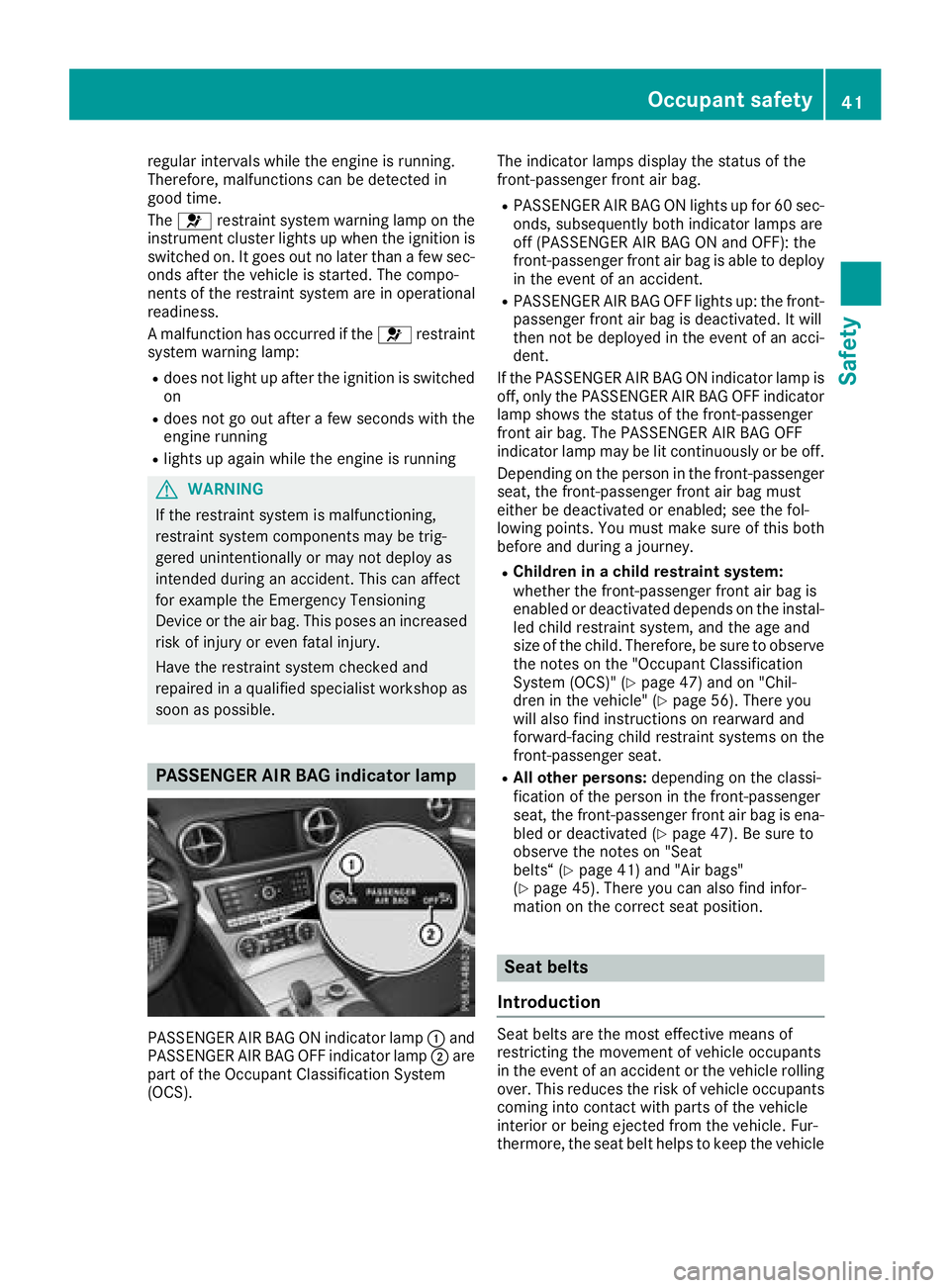
PASSENGER AIR BAG indicator lamp
PASSENGER AIR BAG ON indicator lamp :and
PASSENGER AIR BAG OFF indicator lamp ;are
part of the Occupant Classification System
(OCS). The indicator lamps display the status of the
front-passenger front air bag.
RPASSENGER AIR BAG ON lights up for 60 sec-
onds, subsequently both indicator lamps are
off (PASSENGER AIR BAG ON and OFF): the
front-passenger front air bag is able to deploy
in the event of an accident.
RPASSENGER AIR BAG OFF lights up: the front-
passenger front air bag is deactivated. It will
then not be deployed in the event of an acci-
dent.
If the PASSENGER AIR BAG ON indicator lamp is
off, only the PASSENGER AIR BAG OFF indicator lamp shows the status of the front-passenger
front air bag. The PASSENGER AIR BAG OFF
indicator lamp may be lit continuously or be off.
Depending on the person in the front-passenger
seat, the front-passenger front air bag must
either be deactivated or enabled; see the fol-
lowing points. You must make sure of this both
before and during a journey.
RChildren in a child restraint system:
whether the front-passenger front air bag is
enabled or deactivated depends on the instal-led child restraint system, and the age and
size of the child. Therefore, be sure to observe
the notes on the "Occupant Classification
System (OCS)" (
Ypage 47) and on "Chil-
dren in the vehicle" (Ypage 56). There you
will also find instructions on rearward and
forward-facing child restraint systems on the
front-passenger seat.
RAll other persons: depending on the classi-
fication of the person in the front-passenger
seat, the front-passenger front air bag is ena-
bled or deactivated (
Ypage 47). Be sure to
observe the notes on "Seat
belts“ (
Ypage 41) and "Air bags"
(Ypage 45). There you can also find infor-
mation on the correct seat position.
Seat belts
Introduction
Seat belts are the most effective means of
restricting the movement of vehicle occupants
in the event of an accident or the vehicle rolling over. This reduces the risk of vehicle occupants
coming into contact with parts of the vehicle
interior or being ejected from the vehicle. Fur-
thermore, the seat belt helps to keep the vehicle
Occupant safety41
Safety
Z
Page 62 of 322
RActive Brake Assist with cross-traffic function(Ypage 69)
RSTEER CONTROL (Ypage 71)
Important safety notes
If you fail to adapt your driving style or if you are
inattentive, the driving safety systems can nei-
ther reduce the risk of an accident nor overridethe laws of physics. Driving safety systems are
merely aids designed to assist driving.
You are responsible for maintaining the distance
to the vehicle in front, for vehicle speed, for
braking in good time, and for staying in lane.
Always adapt your driving style to suit the pre-
vailing road and weather conditions and main-
tain a safe distance from the vehicle in front.
Drive carefully.
The driving safety systems described only work
as effectively as possible when there is ade-
quate contact between the tires and the road
surface. Pay particular attention to the informa-
tion regarding tires, recommended minimum
tire tread depths etc. in the "Wheels and tires"
section (
Ypage 285).
In wintry driving conditions, always use winter
tires (M+S tires) and if necessary, snow chains.
Only in this way will the driving safety systems
described in this section work as effectively as
possible.
ABS (Anti-lock Braking System)
General information
ABS regulates brake pressure in such a way that
the wheels do not lock when you brake. This
allows you to continue steering the vehicle when
braking.
The ! ABS warning lamp in the instrument
cluster lights up when the ignition is switched
on. It goes out when the engine is running.
ABS works from a speed of about 5 mph
(8 km/h), regardless of road-surface conditions.
ABS works on slippery surfaces, even when you
only brake gently.
Important safety notes
iObserve the "Important safety notes" sec-
tion (Ypage 60).
GWARNING
If ABS is malfunctioning, the wheels could
lock when braking. The steerability and brak-
ing characteristics would be severely affec-
ted. There is an increased danger of skidding and accidents.
Drive on carefully. Have ABS checked imme-
diately at a qualified specialist workshop.
When ABS is malfunctioning, other systems,
including driving safety systems, will also
become inoperative. Observe the information
on the ABS warning lamp (
Ypage 229 )and dis-
play messages which may be shown in the
instrument cluster (
Ypage 201).
Brakes
XIf ABS intervenes: continue to depress the
brake pedal vigorously until the braking sit-
uation is over.
XTo make a full brake application: depress
the brake pedal with full force.
If ABS intervenes when braking, you will feel a
pulsing in the brake pedal.
The pulsating brake pedal can be an indication
of hazardous road conditions, and functions as a
reminder to take extra care while driving.
BAS (Brake Assist System)
General information
BAS operates in emergency braking situations.
If you depress the brake pedal quickly, BAS
automatically boosts the braking force, thus
shortening the stopping distance.
Important safety notes
iObserve the "Important safety notes" sec-
tion (Ypage 60).
GWARNING
If BAS is malfunctioning, the braking distance
in an emergency braking situation is
increased. There is a risk of an accident.
In an emergency braking situation, depress
the brake pedal with full force. ABS prevents
the wheels from locking.
60Driving safety systems
Safety
Page 67 of 322
As a result, the Adaptive Brake Assist may not
intervene in all critical conditions. There is a
risk of an accident.
Always pay careful attention to the traffic sit-uation and be ready to brake.
Always adapt your speed to suit the prevailing
road and traffic conditions.
Due to the nature of the system, particularly
complicated but non-critical driving conditions
may also cause Brake Assist to intervene.
If adaptive Brake Assist is not available due to a
malfunction in the radar sensor system, the
brake system remains available with full brake
boosting effect and BAS.
Adaptive brake lights
i
Observe the "Important safety notes" sec-
tion (Ypage 60).
If you brake sharply from a speed of more than
50 km/h or if braking is assisted by BAS or
Brake Assist with Cross-Traffic Assist, the brake
lamps flash rapidly. In this way, traffic traveling
behind you is warned in an even more noticeable
manner.
If you brake sharply from a speed of more than
70 km/h to a standstill, the hazard warning
lamps are activated automatically. If the brakes
are applied again, the brake lamps light up con-
tinuously. The hazard warning lamps switch off
automatically if you travel faster than 10 km/h.
You can also switch off the hazard warning
lamps using the hazard warning button
(
Ypage 108).
ESP®(Electronic Stability Program)
General notes
iObserve the "Important safety notes" sec-
tion (Ypage 60).
ESP
®monitors driving stability and traction, i.e.
power transmission between the tires and the
road surface.
If ESP
®detects that the vehicle is deviating from
the direction desired by the driver, one or more
wheels are braked to stabilize the vehicle. The
engine output is also modified to keep the vehi-
cle on the desired course within physical limits. ESP
®assists the driver when pulling away on
wet or slippery roads. ESP®can also stabilize
the vehicle during braking.
ETS (Electronic Traction System)
iObserve the "Important safety notes" sec-
tion (Ypage 60).
ETS traction control is part of ESP
®.
ETS brakes the drive wheels individually if they
spin. This enables you to pull away and acceler-
ate on slippery surfaces, for example if the road
surface is slippery on one side. In addition, more
drive torque is transferred to the wheel or
wheels with traction.
ETS remains active when you deactivate ESP
®.
iMercedes-AMG vehicles: your vehicle may
be equipped with 20-inch tires on the rear
axle. After changing to 19 inch wheels, ETS
may intervene noticeably earlier during the
first few kilometers. After approximately
10 km ETS will function as usual again. Infor-
mation on the dimensions and types of
wheels and tires for your vehicle can be found
in the "Wheel/tire combinations" section
(
Ypage 308).
Important safety notes
GWARNING
If ESP
®is malfunctioning it will not provide
any vehicle stabilization. There is an increased
risk of skidding or of an accident.
Exercise caution when continuing to drive.
Have ESP
®checked at a qualified specialist
workshop.
When towing the vehicle with the rear axle
raised, observe the notes on ESP
®
(Ypage 282).
If the å ESP®OFF warning lamp lights up
continuously, then ESP®is deactivated.
If the ÷ ESP®warning lamp and the å
ESP®OFF warning lamp are lit continuously,
ESP®is not available due to a malfunction.
Observe the information on warning lamps
(
Ypage 229) and display messages which may
be shown in the instrument cluster
(
Ypage 201).
Driving safety systems65
Safety
Z
Page 76 of 322
Locking/unlocking centrally
You can start, lock or unlock the vehicle using
KEYLESS-GO. To do this, you only need carry the
SmartKey with you. You can combine the func-
tions of KEYLESS-GO with those of a conven-
tional SmartKey. Unlock the vehicle by using
KEYLESS-GO, for instance, and lock it using the
&button on the SmartKey.
The driver's door and the door at which the han-
dle is used, must both be closed. The SmartKey
must be outside the vehicle. When locking or
unlocking with KEYLESS-GO, the distance
between the key and the corresponding door
handle must not be greater than 3 ft (1 m).
A check which periodically establishes a radio
connection between the vehicle and the Smart-
Key determines whether a valid SmartKey is in
the vehicle. This occurs, for example:
Rwhen starting the engine
Rwhile driving
Rwhen using HANDS-FREE ACCESS
Rwhen the external door handles are touched
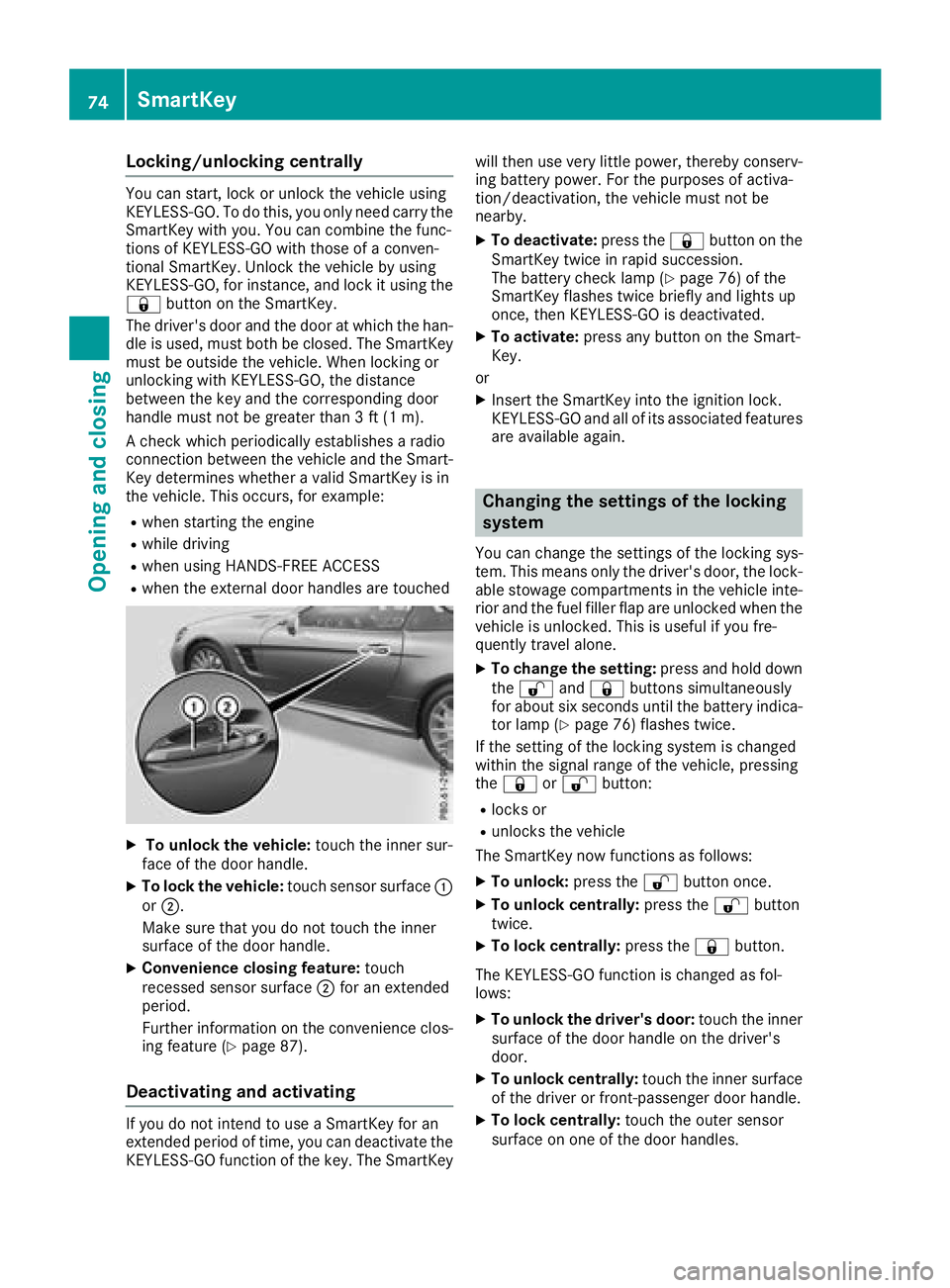
XTo unlock the vehicle: touch the inner sur-
face of the door handle.
XTo lock the vehicle: touch sensor surface :
or ;.
Make sure that you do not touch the inner
surface of the door handle.
XConvenience closing feature: touch
recessed sensor surface ;for an extended
period.
Further information on the convenience clos-
ing feature (
Ypage 87).
Deactivating and activating
If you do not intend to use a SmartKey for an
extended period of time, you can deactivate the
KEYLESS-GO function of the key. The SmartKey will then use very little power, thereby conserv-
ing battery power. For the purposes of activa-
tion/deactivation, the vehicle must not be
nearby.
XTo deactivate: press the&button on the
SmartKey twice in rapid succession.
The battery check lamp (
Ypage 76) of the
SmartKey flashes twice briefly and lights up
once, then KEYLESS-GO is deactivated.
XTo activate: press any button on the Smart-
Key.
or
XInsert the SmartKey into the ignition lock.
KEYLESS-GO and all of its associated features
are available again.
Changing the settings of the locking
system
You can change the settings of the locking sys-
tem. This means only the driver's door, the lock-
able stowage compartments in the vehicle inte-
rior and the fuel filler flap are unlocked when the
vehicle is unlocked. This is useful if you fre-
quently travel alone.
XTo change the setting: press and hold down
the % and& buttons simultaneously
for about six seconds until the battery indica-
tor lamp (
Ypage 76) flashes twice.
If the setting of the locking system is changed
within the signal range of the vehicle, pressing
the & or% button:
Rlocks or
Runlocks the vehicle
The SmartKey now functions as follows:
XTo unlock: press the%button once.
XTo unlock centrally: press the%button
twice.
XTo lock centrally: press the&button.
The KEYLESS-GO function is changed as fol-
lows:
XTo unlock the driver's door: touch the inner
surface of the door handle on the driver's
door.
XTo unlock centrally: touch the inner surface
of the driver or front-passenger door handle.
XTo lock centrally: touch the outer sensor
surface on one of the door handles.
74SmartKey
Opening and closing