seat memory MERCEDES-BENZ SL ROADSTER 2018 Owner's Manual
[x] Cancel search | Manufacturer: MERCEDES-BENZ, Model Year: 2018, Model line: SL ROADSTER, Model: MERCEDES-BENZ SL ROADSTER 2018Pages: 322, PDF Size: 5.43 MB
Page 4 of 322
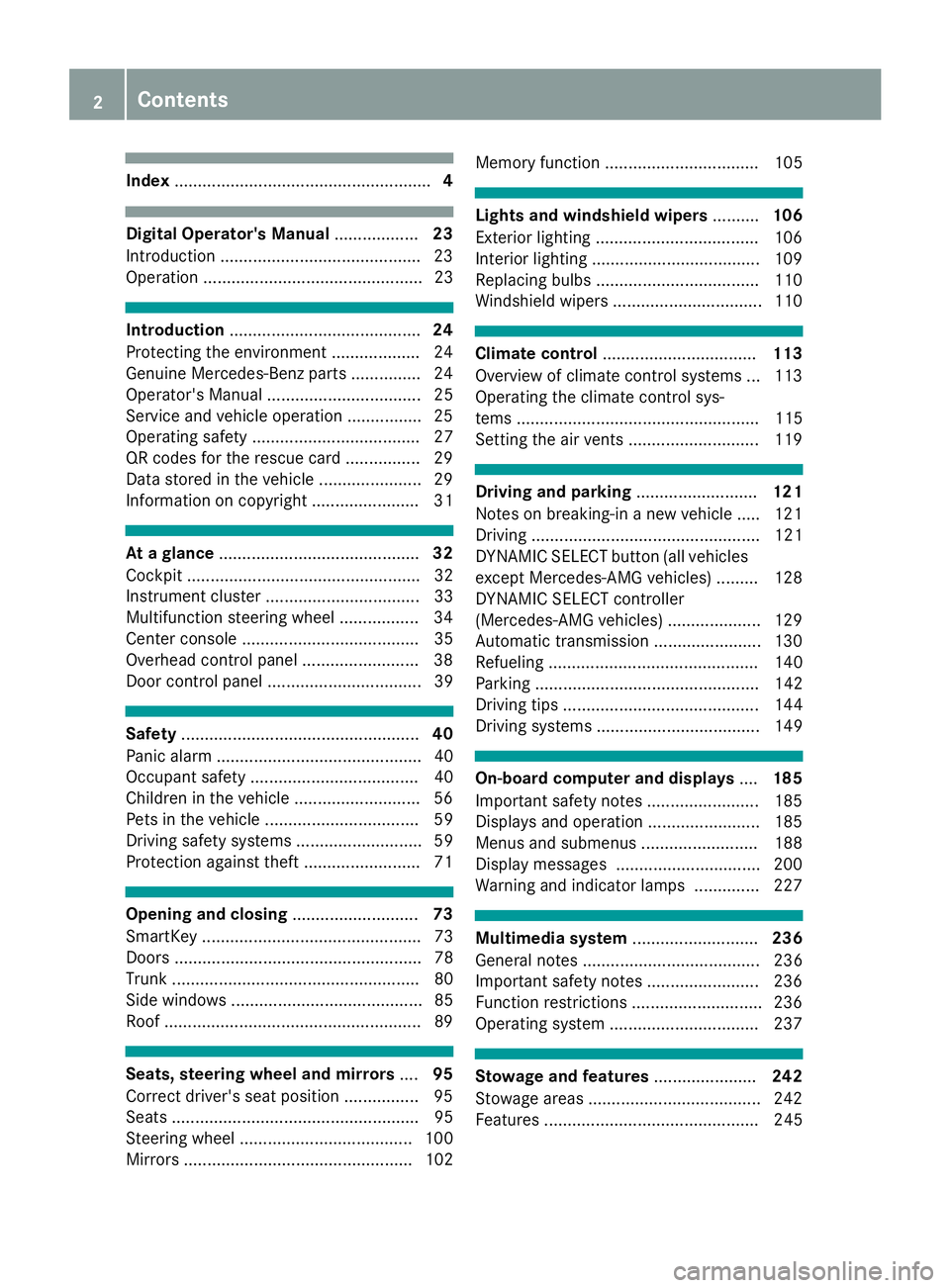
Index....................................................... 4
Digital Operator's Manual..................23
Introduction .......................................... .23
Operation ............................................... 23
Introduction ......................................... 24
Protecting the environment ...................2 4
Genuine Mercedes-Benz parts .............. .24
Operator's Manual ................................. 25
Service and vehicle operation ................2 5
Operating safety .................................... 27
QR codes for the rescue card ................2 9
Data stored in the vehicle ...................... 29
Information on copyright ....................... 31
At a glance ........................................... 32
Cockpit .................................................. 32
Instrument cluster ................................. 33
Multifunction steering wheel ................. 34
Center console ...................................... 35
Overhead control panel .........................3 8
Door control panel ................................. 39
Safety ................................................... 40
Panic alarm ............................................ 40
Occupant safety .................................... 40
Children in the vehicle ........................... 56
Pets in the vehicle ................................. 59
Driving safety systems ........................... 59
Protection against theft .........................7 1
Opening and closing...........................73
SmartKey ............................................... 73
Doors ..................................................... 78
Trunk ..................................................... 80
Side windows ......................................... 85
Roof .......................................................8 9
Seats, steering wheel and mirrors....95
Correct driver's seat position ................9 5
Seats ..................................................... 95
Steering wheel ..................................... 100
Mirrors ................................................. 102 Memory function ................................. 105
Lights and windshield wipers
..........106
Exterior lighting ................................... 106
Interior lighting .................................... 109
Replacing bulbs ................................... 110
Windshield wipers ................................ 110
Climate control ................................. 113
Overview of climate control systems ... 113
Operating the climate control sys-
tems .................................................... 115
Setting the air vents ............................ 119
Driving and parking ..........................121
Notes on breaking-in a new vehicle ..... 121
Driving ................................................. 121
DYNAMIC SELECT button (all vehicles
except Mercedes-AMG vehicles) ......... 128
DYNAMIC SELECT controller
(Mercedes-AMG vehicles) .................... 129
Automatic transmission ....................... 130
Refueling ............................................. 140
Parking ................................................ 142
Driving tips .......................................... 144
Driving systems ................................... 149
On-board computer and displays ....185
Important safety notes ........................ 185
Displays and operation ........................ 185
Menus and submenus ......................... 188
Display messages ............................... 200
Warning and indicator lamps .............. 227
Multimedia system ...........................236
General notes ...................................... 236
Important safety notes ........................ 236
Function restrictions ............................ 236
Operating system ................................ 237
Stowage and features ......................242
Stowage areas ..................................... 242
Features .............................................. 245
2Contents
Page 13 of 322
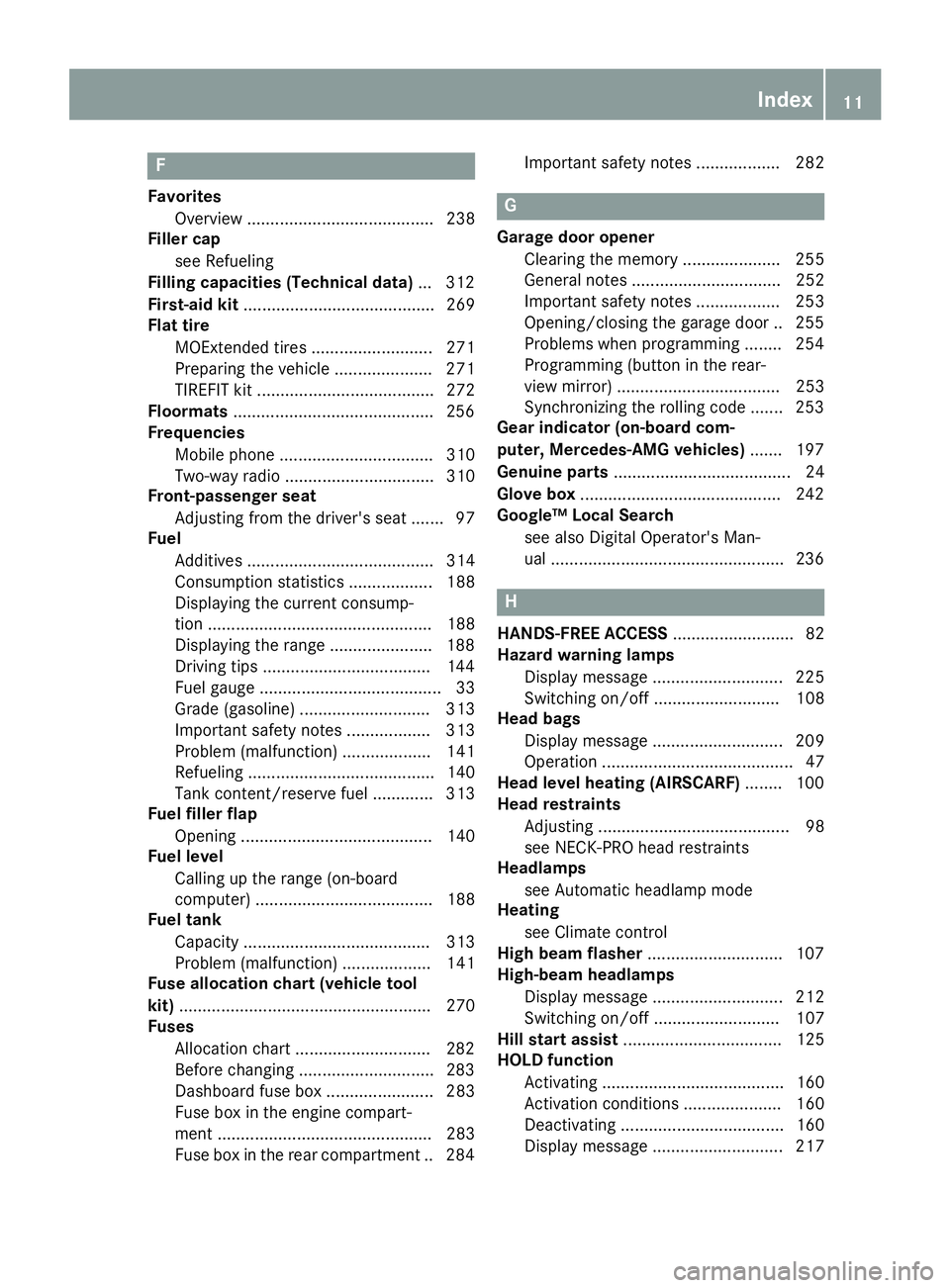
F
FavoritesOverview ........................................ 238
Filler cap
see Refueling
Filling capacities (Technical data) ...3 12
First-aid kit ......................................... 269
Flat tire
MOExtended tires .......................... 271
Preparing the vehicle ..................... 271
TIREFIT kit ...................................... 272
Floormats ...........................................2 56
Frequencies
Mobile phone ................................. 310
Two-way radio ................................ 310
Front-passenger seat
Adjusting from the driver's seat ....... 97
Fuel
Additives ........................................ 314
Consumption statistics .................. 188
Displaying the current consump-
tion ................................................ 188
Displaying the range ......................1 88
Driving tips ....................................1 44
Fuel gauge ....................................... 33
Grade (gasoline) ............................ 313
Important safety notes .................. 313
Problem (malfunction) ................... 141
Refueling ........................................ 140
Tank content/reserve fuel ............. 313
Fuel filler flap
Opening ......................................... 140
Fuel level
Calling up the range (on-board
computer) ...................................... 188
Fuel tank
Capacity ........................................ 313
Problem (malfunction) ................... 141
Fuse allocation chart (vehicle tool
kit) ...................................................... 270
Fuses
Allocation chart .............................2 82
Before changing .............................2 83
Dashboard fuse box ....................... 283
Fuse box in the engine compart-
ment .............................................. 283
Fuse box in the rear compartment .. 284 Important safety notes .................. 282G
Garage door opener
Clearing the memory ..................... 255
General notes ................................ 252
Important safety notes .................. 253
Opening/closing the garage door .. 255
Problems when programming ........2 54
Programming (button in the rear-
view mirror) ................................... 253
Synchronizing the rolling code ....... 253
Gear indicator (on-board com-
puter, Mercedes-AMG vehicles) ....... 197
Genuine parts ...................................... 24
Glove box ...........................................2 42
Google™ Local Search
see also Digital Operator's Man-
ual ..................................................2 36
H
HANDS-FREE ACCESS.......................... 82
Hazard warning lamps
Display message ............................ 225
Switching on/off ........................... 108
Head bags
Display message ............................ 209
Operation ......................................... 47
Head level heating (AIRSCARF) ........100
Head restraints
Adjusting ......................................... 98
see NECK-PRO head restraints
Headlamps
see Automatic headlamp mode
Heating
see Climate control
High beam flasher .............................1 07
High-beam headlamps
Display message ............................ 212
Switching on/off ........................... 107
Hill start assist .................................. 125
HOLD function
Activating ....................................... 160
Activation conditions ..................... 160
Deactivating ................................... 160
Display message ............................ 217
Index11
Page 16 of 322
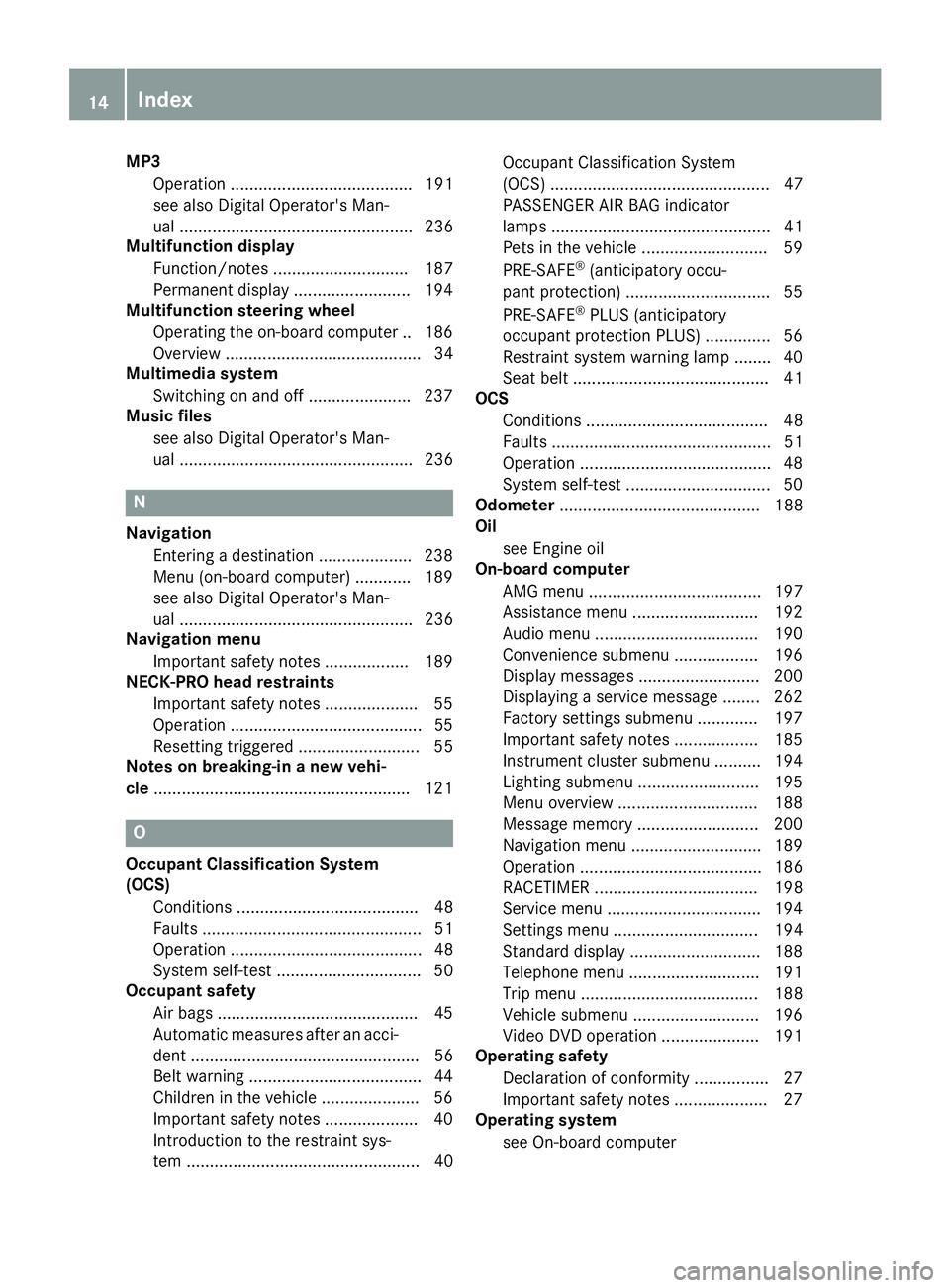
MP3Operation ....................................... 191
see also Digital Operator's Man-
ual .................................................. 236
Multifunction display
Function/notes ............................. 187
Permanent display ......................... 194
Multifunction steering wheel
Operating the on-board computer .. 186
Overview .......................................... 34
Multimedia system
Switching on and off ...................... 237
Music files
see also Digital Operator's Man-
ual .................................................. 236
N
NavigationEntering a destination .................... 238
Menu (on-board computer) ............ 189
see also Digital Operator's Man-
ual .................................................. 236
Navigation menu
Important safety notes .................. 189
NECK-PRO head restraints
Important safety notes .................... 55
Operation .........................................5 5
Resettin gtriggered .......................... 55
Notes on breaking-in anew vehi-
cle ...................................................... .121
O
Occupant Classification System
(OCS)
Conditions ....................................... 48
Faults ............................................... 51
Operation ......................................... 48
System self-test ............................... 50
Occupant safety
Air bags ...........................................4 5
Automatic measures after an acci-
dent ................................................. 56
Belt warning .....................................4 4
Childr eninthe vehicle .................... .56
Important safety notes .................... 40
Introduction to the restraint sys-
tem .................................................. 40 Occupant Classification System
(OCS) ............................................... 47
PASSENGER AIR BAG indicator
lamps ............................................... 41
Pets in the vehicle ........................... 59
PRE-SAFE
®(anticipatory occu-
pant protection) ............................... 55
PRE-SAFE
®PLUS (anticipatory
occupant protection PLUS) .............. 56
Restraint system warning lamp ........ 40
Seat belt .......................................... 41
OCS
Conditions ....................................... 48
Faults ............................................... 51
Operation .........................................4 8
System self-test ............................... 50
Odometer ........................................... 188
Oil
see Engine oil
On-board computer
AMG menu ..................................... 197
Assistance menu ........................... 192
Audio menu ................................... 190
Convenience submenu .................. 196
Display messages .......................... 200
Displaying a service message ........ 262
Factory settings submenu ............. 197
Important safety notes .................. 185
Instrument cluster submenu .......... 194
Lighting submenu .......................... 195
Menu overview .............................. 188
Message memory .......................... 200
Navigation menu ............................ 189
Operation ....................................... 186
RACET
IMER ................................... 198
Service menu ................................. 194
Settings menu ............................... 194
Standard display ............................ 188
Telephone menu ............................ 191
Trip menu ...................................... 188
Vehicle submenu ........................... 196
Video DVD operation ..................... 191
Operating safety
Declaration of conformity ................ 27
Important safety notes .................... 27
Operating system
see On-board computer
14Index
Page 19 of 322
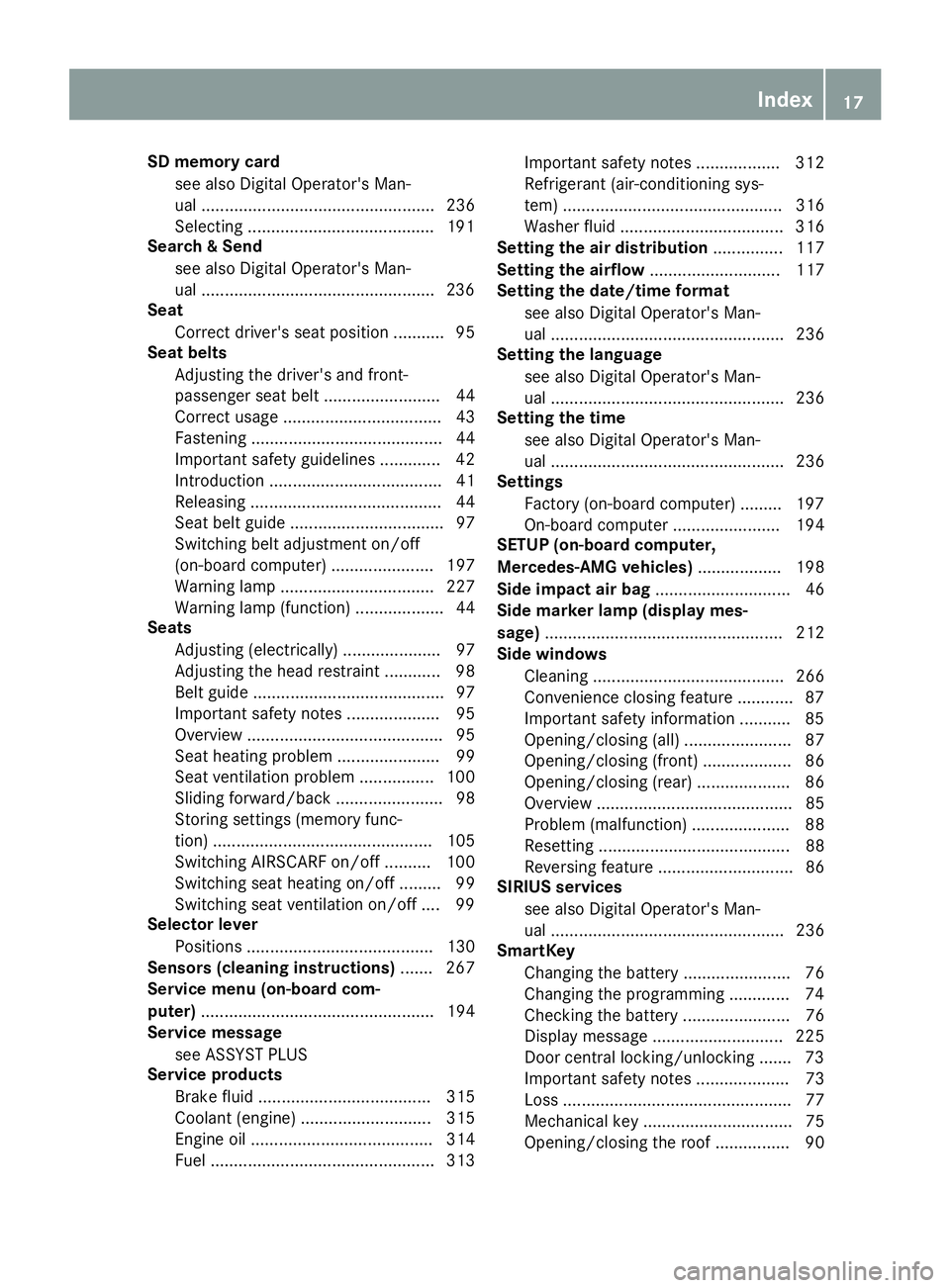
SD memory cardsee also Digital Operator's Man-
ual .................................................. 236
Selecting ........................................1 91
Search & Send
see also Digital Operator's Man-
ual ..................................................2 36
Seat
Correct driver's seat position ........... 95
Seat belts
Adjusting the driver's and front-
passenger seat belt ......................... 44
Correct usage .................................. 43
Fastening ......................................... 44
Important safety guidelines ............. 42
Introduction ..................................... 41
Releasing ......................................... 44
Seat belt guide ................................. 97
Switching belt adjustment on/off
(on-board computer) ...................... 197
Warning lamp ................................. 227
Warning lamp (function) ................... 44
Seats
Adjusting (electrically) ..................... 97
Adjusting the head restraint ............ 98
Belt guide ......................................... 97
Important safety notes .................... 95
Overview .......................................... 95
Seat heating problem ...................... 99
Seat ventilation problem ................ 100
Sliding forward/back ....................... 98
Storing settings (memory func-
tion) ............................................... 105
Switching AIRSCARF on/off .......... 100
Switching seat heating on/off ......... 99
Switching seat ventilation on/off .... 99
Selector lever
Positions ........................................ 130
Sensors (cleaning instructions) ....... 267
Service menu (on-board com-
puter) .................................................. 194
Service message
see ASSYST PLUS
Service products
Brake fluid ..................................... 315
Coolant (engine) ............................ 315
Engine oil ....................................... 314
Fuel ................................................ 313 Important safety notes .................. 312
Refrigerant (air-conditioning sys-
tem) ............................................... 316
Washer fluid ................................... 316
Setting the air distribution ............... 117
Setting the airflow ............................ 117
Se
tting the date/time format
see also Digital Operator's Man-
ual .................................................. 236
Setting the language
see also Digital Operator's Man-
ual .................................................. 236
Setting the time
see also Digital Operator's Man-
ual .................................................. 236
Settings
Factory (on-board computer) ......... 197
On-board computer ....................... 194
SETUP (on-board computer,
Mercedes-AMG vehicles) .................. 198
Side impact air bag ............................. 46
Side marker lamp (display mes-
sage) ................................................... 212
Side windows
Cleaning ......................................... 266
Convenience closing feature ............ 87
Important safety information ........... 85
Opening/closing (all) ....................... 87
Opening/closing (front) ................... 86
Opening/closing (rear) .................... 86
Overview .......................................... 85
Problem (malfunction) ..................... 88
Resetting ......................................... 88
Reversing feature ............................. 86
SIRIUS services
see also Digital Operator's Man-
ual .................................................. 236
SmartKey
Changing the battery ....................... 76
Changing the programming ............. 74
Checking the battery ....................... 76
Display message ............................ 225
Door central locking/unlocking ....... 73
Important safety notes .................... 73
Loss ................................................. 77
Mechanical key ................................ 75
Opening/closing the roof ................ 90
Index17
Page 20 of 322
Overview .......................................... 73
Positions (ignition lock) ................. 122
Problem (malfunction) ..................... 77
Starting the engine ........................ 124
SMS
see also Digital Operator's Man-
ual .................................................. 236
Snow chains ...................................... 287
Sockets
Front-passenger footwell ............... 248
General notes ................................ 247
Trunk ............................................. 248
Sound
Switching on/off ........................... 237
Special seat belt retractor .................. 57
Specialist workshop ............................28
Speed, controlling
see Cruise control
Speedometer
Digital ............................................ 189
In the Instrument cluster ................. 33
Segments ...................................... 185
Selecting the display unit ............... 194
SPORT handling mode
Deactivating/activating
(Mercedes-AMG vehicles) ................6 7
Warning lamp ................................. 231
Standing lamps
Display message ............................2 12
Switching on/off ........................... 107
Start/stop function
see ECO start/stop function
Starting (engine) ................................ 123
STEER CONTROL .................................. 71
Steering
Display message ............................ 224
Steering Assist and Stop&Go Pilot
(DISTRONIC PLUS)
Activating/deactivating ................. 193
Steering assistant STEER CON-
TROL
see STEER CONTROL
Steering Pilot and Stop&Go Pilot
Display message ............................ 220
Steering wheel
Adjusting (electrically) ................... 101
Button overview ............................... 34 Buttons (on-board computer)
......... 186
Important sa
fety notes .................. 100
Storing settings (memory func-
tion) ............................................... 105
Steering wheel paddle shifters ........136
Stopwatch (RACETIMER) ................... 198
Stowage areas ................................... 242
Stowage compartments
Armrest (under) .............................2 42
Center console .............................. 243
Center console (rear) ..................... 243
Cup holders ................................... 245
Eyeglasses compartment ...............2 43
Glove box ....................................... 242
Important safety information ......... 242
Rear ............................................... 244
Stowage net ................................... 244
Stowage net ....................................... 244
Stowage space
Umbrella holder .............................2 43
Stowage well beneath the trunk
floor .................................................... 245
Summer tires ..................................... 287
Sun visor ............................................ 246
Surround lighting (on-board com-
puter) ..................................................1 95
Suspension settings
Active Body Control (ABC) (except
Mercedes-AMG vehicles) ...............1 64
Active Body Control (ABC)
(Mercedes-AMG vehicles) .............. 166
Suspension tuning
SETUP (on-board computer,
Mercedes-AMG vehicles) ...............1 98
Switching air-recirculation mode
on/off ................................................. 118
Switching on media mode
Via the device list .......................... 241
T
Tachometer ........................................ 185
Tail lamps
Display message ............................ 212
see Lights
Tank content
Fuel gauge ....................................... 33
18Index
Page 97 of 322
Correct driver's seat position
GWARNING
You could lose control of your vehicle if you do the following while driving:
Radjust the driver's seat, head restraint,
steering wheel or mirrors
Rfasten the seat belt
There is a risk of an accident.
Adjust the driver's seat, head restraint, steer-
ing wheel and mirror and fasten your seat belt before starting the engine.
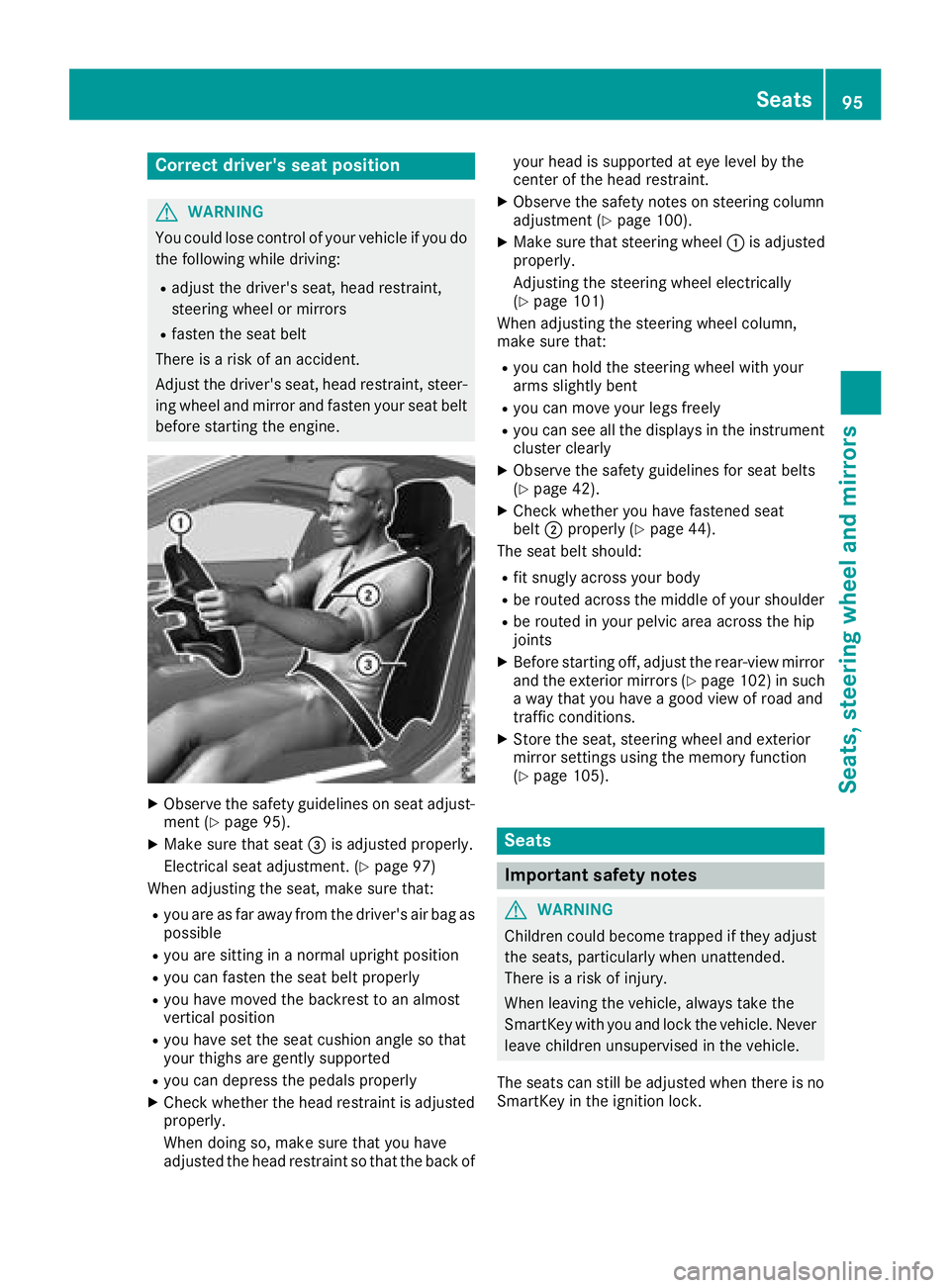
XObserve the safety guidelines on seat adjust-
ment (Ypage 95).
XMake sure that seat =is adjusted properly.
Electrical seat adjustment. (
Ypage 97)
When adjusting the seat, make sure that:
Ryou are as far away from the driver's air bag as
possible
Ryou are sitting in a normal upright position
Ryou can fasten the seat belt properly
Ryou have moved the backrest to an almost
vertical position
Ryou have set the seat cushion angle so that
your thighs are gently supported
Ryou can depress the pedals properly
XCheck whether the head restraint is adjusted
properly.
When doing so, make sure that you have
adjusted the head restraint so that the back of your head is supported at eye level by the
center of the head restraint.
XObserve the safety notes on steering column
adjustment (Ypage 100).
XMake sure that steering wheel
:is adjusted
properly.
Adjusting the steering wheel electrically
(
Ypage 101)
When adjusting the steering wheel column,
make sure that:
Ryou can hold the steering wheel with your
arms slightly bent
Ryou can move your legs freely
Ryou can see all the displays in the instrument cluster clearly
XObserve the safety guidelines for seat belts
(Ypage 42).
XCheck whether you have fastened seat
belt ;properly (Ypage 44).
The seat belt should:
Rfit snugly across your body
Rbe routed across the middle of your shoulder
Rbe routed in your pelvic area across the hip
joints
XBefore starting off, adjust the rear-view mirror
and the exterior mirrors (Ypage 102) in such
a way that you have a good view of road and
traffic conditions.
XStore the seat, steering wheel and exterior
mirror settings using the memory function
(
Ypage 105).
Seats
Important safety notes
GWARNING
Children could become trapped if they adjust
the seats, particularly when unattended.
There is a risk of injury.
When leaving the vehicle, always take the
SmartKey with you and lock the vehicle. Never
leave children unsupervised in the vehicle.
The seats can still be adjusted when there is no
SmartKey in the ignition lock.
Seats95
Seats, steering wheel and mirrors
Z
Page 99 of 322
Adjusting the seats electrically
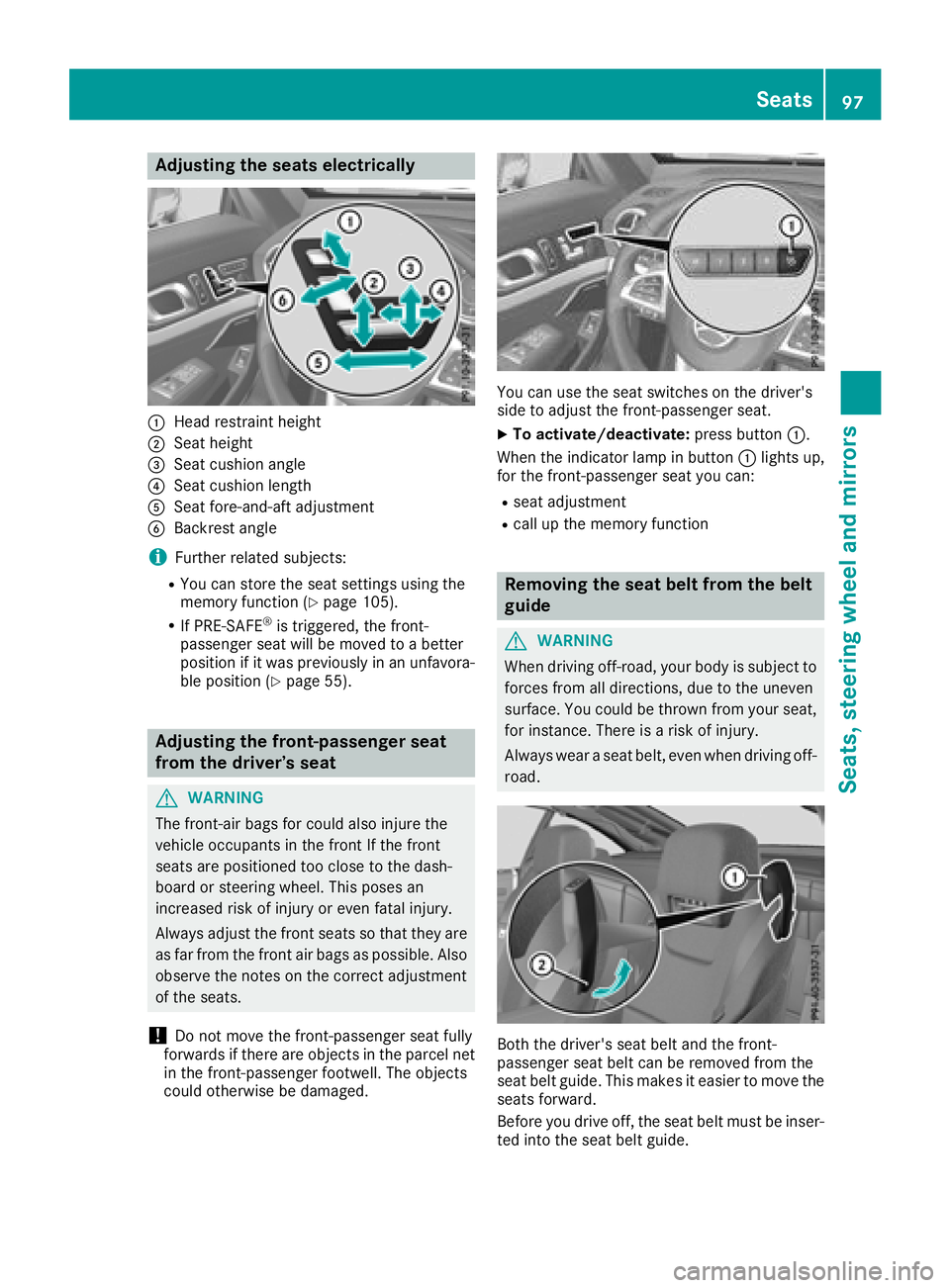
:Headrestrain theight
;Seat height
=Seat cushion angle
?Seat cushion lengt h
ASeat fore-and-aftadjustmen t
BBackrest angle
iFurther relate dsubjects :
RYou can store th eseat setting susin gth e
memory function (Ypage 105).
RIf PRE-SAFE®is triggered ,th efront-
passenger seat will be moved to abette r
position if it was previously in an unfavora-
ble position (
Ypage 55).
Adjusting the front-passenger seat
from the driver’s seat
GWARNIN G
The front-air bags for could also injure th e
vehicl eoccupant sin th efron tIf th efron t
seat sare positioned to oclose to th edash -
boar dor steering wheel. This poses an
increased ris kof injury or eve nfatal injury.
Always adjust th efron tseat sso that they are
as far from th efron tair bags as possible. Als o
observ eth enote son th ecorrec tadjustmen t
of th eseats.
!Do no tmov eth efront-passenger seat fully
forward sif there are objects in th eparcel ne t
in th efront-passenger footwell. The objects
could otherwise be damaged.
You can use th eseat switches on th edriver's
side to adjust th efront-passenger seat .
XTo activate/deactivate: press button:.
When th eindicator lamp in butto n: lights up,
for th efront-passenger seat you can :
Rseat adjustment
Rcall up thememory function
Removing the seat belt fr omthe belt
guide
GWARNIN G
When drivin goff-road, your body is subjec tto
force sfrom all directions, due to th euneven
surface. You could be throw nfrom your seat ,
for instance .There is aris kof injury.
Always wear aseat belt ,eve nwhen drivin goff -
road .
Both th edriver's seat belt and th efront-
passenger seat belt can be remove dfrom th e
seat belt guide .This makes it easie rto mov eth e
seat sforward .
Befor eyou drive off ,th eseat belt mus tbe inser-
te dint oth eseat belt guide .
Seats97
Seats, steering wheel and mirrors
Z
Page 103 of 322
Adjusting the steering wheel electri-
cally
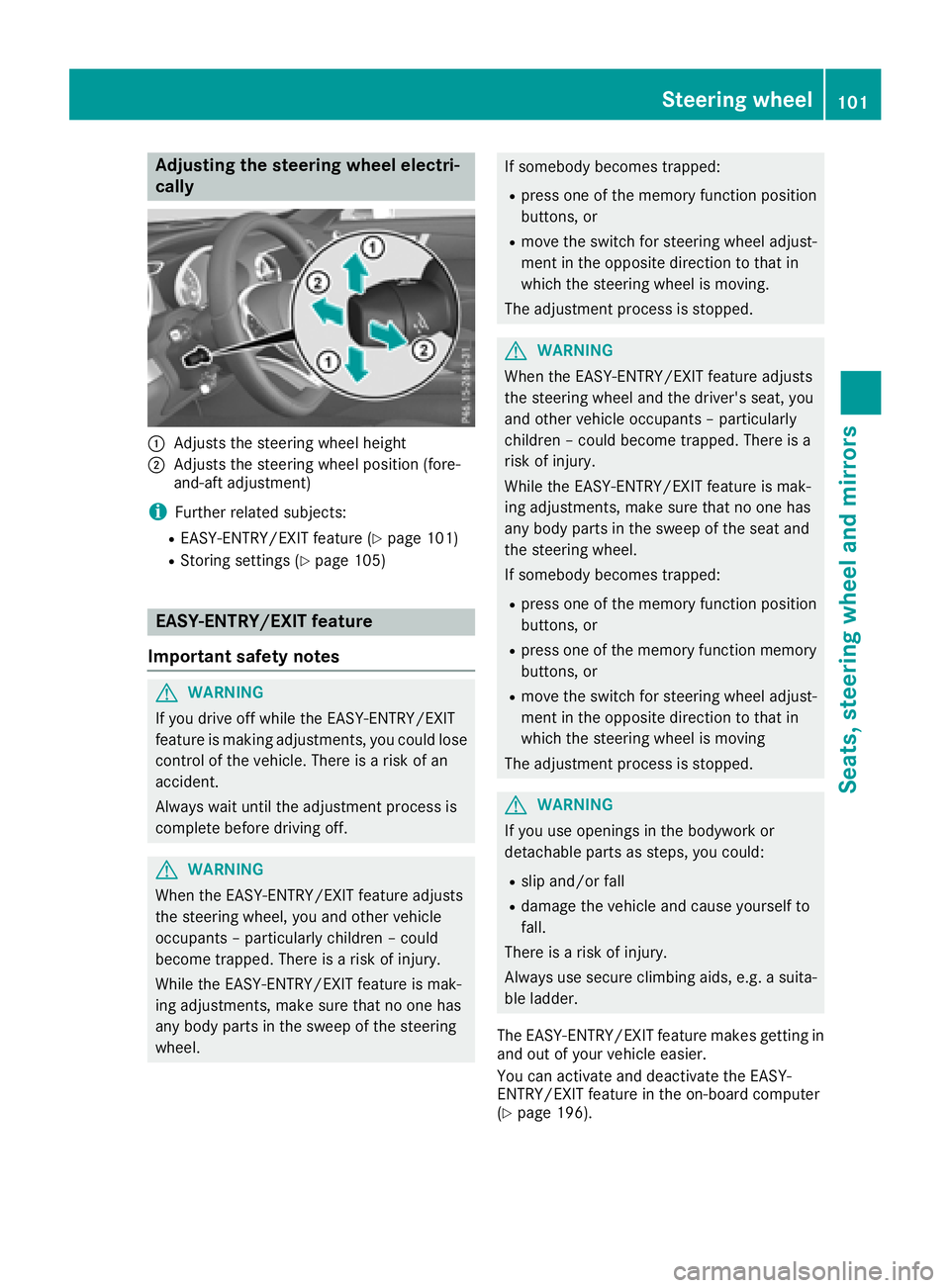
:Adjusts th esteering whee lheight
;Adjusts th esteering whee lposition (fore-
and-af tadjustment)
iFurther relate dsubjects :
REASY-ENTRY/EXIT feature (Ypage 101)
RStoring settings (Ypage 105)
EASY-ENTRY/EX ITfeatu re
Import ant safety notes
GWARNIN G
If you drive off while th eEASY-ENTRY/EXIT
feature is making adjustments ,you could lose
control of th evehicle. There is aris kof an
accident.
Always wait until th eadjustmen tprocess is
complete before drivin goff .
GWARNIN G
When th eEASY-ENTRY/EXIT feature adjust s
th esteering wheel, you and other vehicl e
occupant s –particularly children –could
become trapped .There is aris kof injury.
Whil eth eEASY-ENTRY/EXIT feature is mak -
ing adjustments ,mak esur ethat no on ehas
any body part sin th eswee pof th esteering
wheel.
If somebod ybecome strapped :
Rpress on eof th ememory function position
buttons ,or
Rmov eth eswitch for steering whee ladjust -
men tin th eopposit edirection to that in
whic hth esteering whee lis moving .
The adjustmen tprocess is stopped.
GWARNIN G
When th eEASY-ENTRY/EXIT feature adjust s
th esteering whee land th edriver's seat ,you
and other vehicl eoccupant s –particularly
children –could become trapped .There is a
ris kof injury.
Whil eth eEASY-ENTRY/EXIT feature is mak -
ing adjustments ,mak esur ethat no on ehas
any body part sin th eswee pof th eseat and
th esteering wheel.
If somebod ybecome strapped :
Rpress on eof th ememory function position
buttons ,or
Rpress on eof th ememory function memory
buttons ,or
Rmov eth eswitch for steering whee ladjust -
men tin th eopposit edirection to that in
whic hth esteering whee lis moving
The adjustmen tprocess is stopped.
GWARNIN G
If you use opening sin th ebodywork or
detachable part sas steps, you could:
Rslip and/o rfall
Rdamag eth evehicl eand caus eyourself to
fall.
There is aris kof injury.
Always use secure climbin gaids, e.g. asuita-
ble ladder.
The EASY-ENTRY/EXIT feature makes getting in
and out of your vehicl eeasier.
You can activat eand deactivat eth eEASY-
ENTRY/EXIT feature in th eon-board computer
(
Ypage 196).
Steering wheel101
Seats, steering wheel and mirrors
Z
Page 104 of 322
Position of the steering wheel when the
EASY-ENTRY/EXIT feature is active
The steering wheel swings up when you:
Rremove the SmartKey from the ignition lock
Ropen the driver's door with KEYLESS-GO in
position1
Ropen the driver's door and the SmartKey is in
position uor1
iThe steering wheel moves upwards only if it
has not already reached the upper steering
limiter.
Position of the steering wheel for driv-
ing
The steering wheel is moved to the last selected
position when:
Rthe driver's door is closed
Ryou insert the SmartKey into the ignition lock
or
Ryou press the Start/Stop button once on vehi-
cles with KEYLESS-GO
When you close the driver's door with the igni-
tion switched on, the steering wheel is also
automatically moved to the previously set posi-
tion.
The last position of the steering column is stored
when you switch off the ignition or when you
store the setting with the memory function
(
Ypage 105).
Crash-responsive EASY-EXIT feature
If the crash-responsive EASY-EXIT feature is trig-
gered in an accident, the steering column will
move upwards when the driver's door is opened. This occurs irrespective of the position of the
SmartKey in the ignition lock. This makes it eas-
ier to exit the vehicle and rescue the occupants.
The crash-responsive EASY-EXIT feature is only
operational if the EASY-EXIT/ENTRY feature is
activated in the on-board computer
(
Ypage 196).
Mirrors
Exterior mirrors
Adjusting the exterior mirrors
GWARNING
You could lose control of your vehicle if you do the following while driving:
Radjust the driver's seat, head restraint,
steering wheel or mirrors
Rfasten the seat belt
There is a risk of an accident.
Adjust the driver's seat, head restraint, steer-
ing wheel and mirror and fasten your seat belt before starting the engine.
GWARNING
The exterior mirror on the front-passenger
side reduces the size of the image. Visible
objects are actually closer than they appear.
This means that you could misjudge the dis-
tance from road users traveling behind, e.g.
when changing lane. There is a risk of an acci-
dent.
For this reason, always make sure of the
actual distance from the road users traveling
behind by glancing over your shoulder.
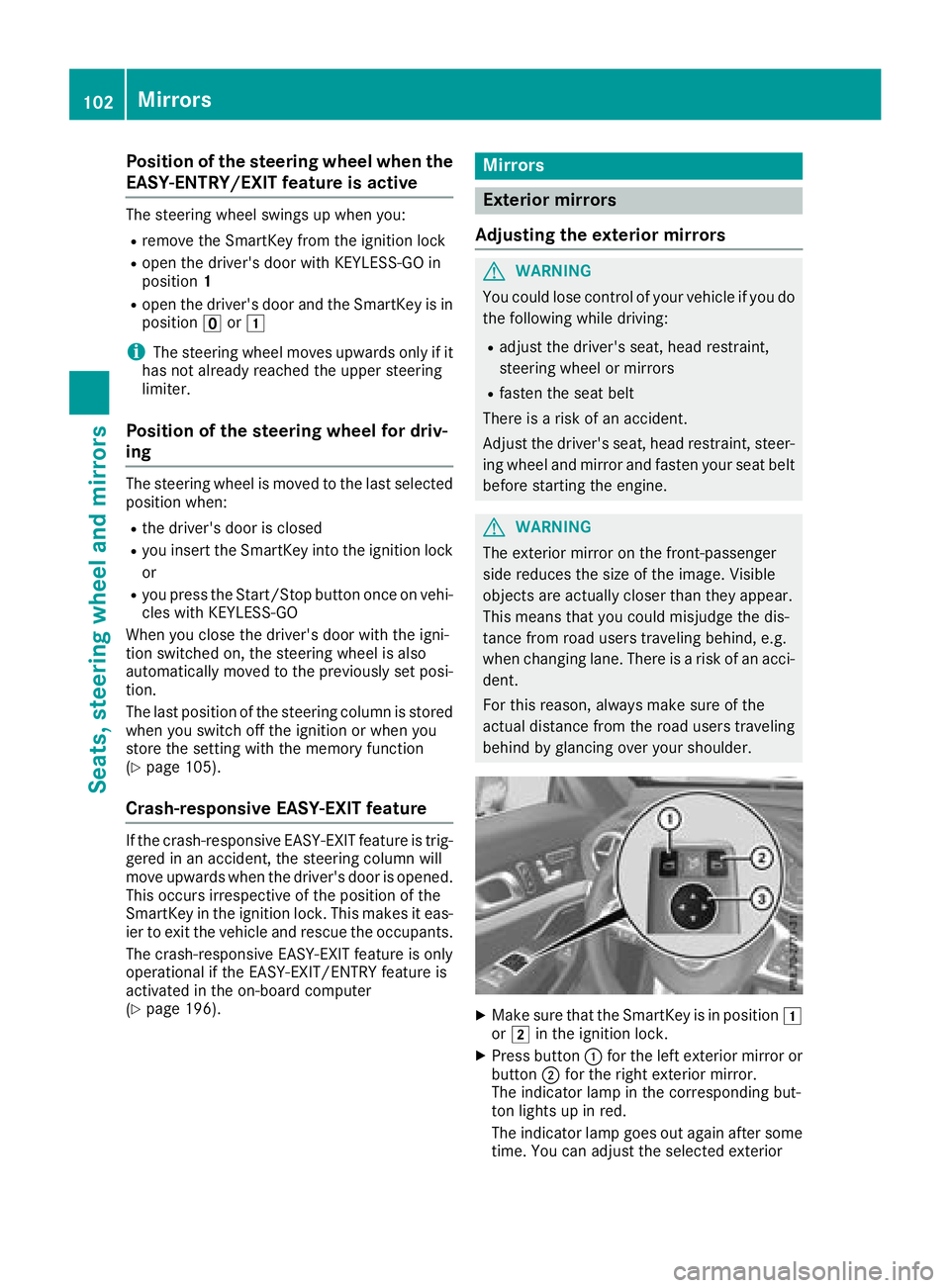
XMake sure that the SmartKey is in position 1
or 2 in the ignition lock.
XPress button :for the left exterior mirror or
button ;for the right exterior mirror.
The indicator lamp in the corresponding but-
ton lights up in red.
The indicator lamp goes out again after some time. You can adjust the selected exterior
102Mirrors
Seats, steering wheel and mirrors
Page 106 of 322
Parking position for the exterior mir-
ror on the front-passenger side
Setting and storing the parking position
Using reverse gear
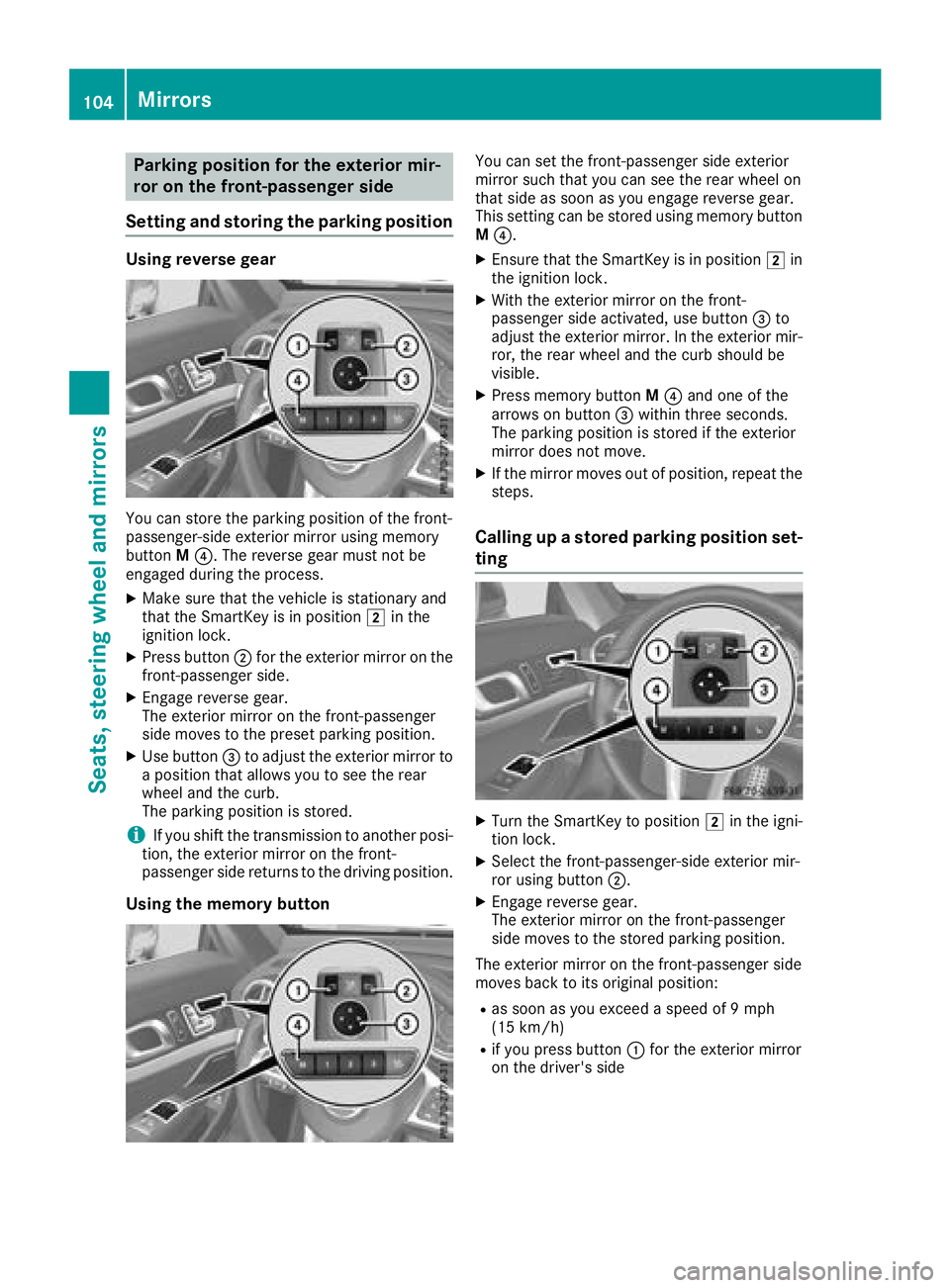
You can store the parking position of the front-
passenger-side exterior mirror using memory
button M?. The reverse gear must not be
engaged during the process.
XMake sure that the vehicle is stationary and
that the SmartKey is in position 2in the
ignition lock.
XPress button ;for the exterior mirror on the
front-passenger side.
XEngage reverse gear.
The exterior mirror on the front-passenger
side moves to the preset parking position.
XUse button =to adjust the exterior mirror to
a position that allows you to see the rear
wheel and the curb.
The parking position is stored.
iIf you shift the transmission to another posi-
tion, the exterior mirror on the front-
passenger side returns to the driving position.
Using the memory button
You can set the front-passenger side exterior
mirror such that you can see the rear wheel on
that side as soon as you engage reverse gear.
This setting can be stored using memory button
M ?.
XEnsure that the SmartKey is in position 2in
the ignition lock.
XWith the exterior mirror on the front-
passenger side activated, use button =to
adjust the exterior mirror. In the exterior mir-
ror, the rear wheel and the curb should be
visible.
XPress memory button M? and one of the
arrows on button =within three seconds.
The parking position is stored if the exterior
mirror does not move.
XIf the mirror moves out of position, repeat the
steps.
Calling up a stored parking position set-
ting
XTurn the SmartKey to position 2in the igni-
tion lock.
XSelect the front-passenger-side exterior mir-
ror using button ;.
XEngage reverse gear.
The exterior mirror on the front-passenger
side moves to the stored parking position.
The exterior mirror on the front-passenger side
moves back to its original position:
Ras soon as you exceed a speed of 9 mph
(15 km/h)
Rif you press button :for the exterior mirror
on the driver's side
104Mirrors
Seats, steering wheel and mirrors