display MERCEDES-BENZ SLC 2017 Service Manual
[x] Cancel search | Manufacturer: MERCEDES-BENZ, Model Year: 2017, Model line: SLC, Model: MERCEDES-BENZ SLC 2017Pages: 294, PDF Size: 9.12 MB
Page 162 of 294
Blind Spot Assist monitors the are aupto10f t
(3.0 m) behind your vehicle and directly nex tt o
your vehicle, as shown in the diagram. For this
purpose, Blind Spot Assist uses radar sensor si n
the rear bumper.
If the lanes are narrow, vehicles driving in the
lane beyond the lane nex ttoy our vehicle may be
indicated, especially if the vehicles are not driv-
ing in the middle of their lane. This may be the
case if ther ea re vehicles driving at the inner
edge of their lanes.
Due to the natur eoft he system:R
warning sm ay be issued in error when driving
close to crash barriers or similar solid lane
borders. R
the warning is canceled when driving for an
extended period nex ttol ong vehicles, such as
trucks.
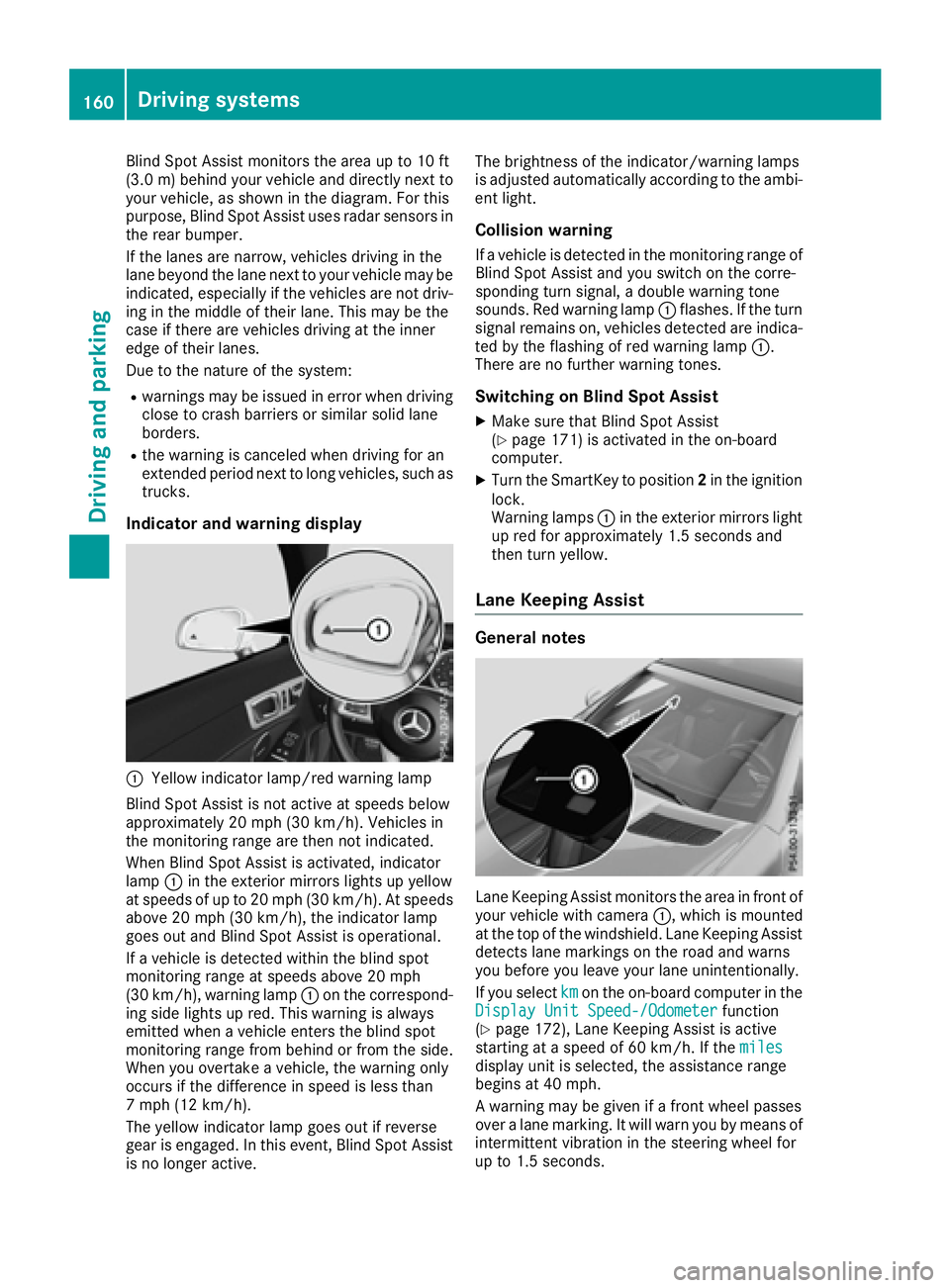
Indicator and warning display
C
Yellow indicator lamp/red warning lamp
Blind Spot Assist is not activ eats peeds below
approximately 20 mph (30 km/h). Vehicles in
the monitoring range are then not indicated.
When Blind Spot Assist is activated, indicator
lamp C in the exterior mirror sl ights up yellow
at speeds of up to 20 mph (3 0k m/ h) .Ats peeds
above 20 mph (30 km/h), the indicator lamp
goe so ut and Blind Spot Assist is operational.
If av ehicl eisd etected within the blind spot
monitoring rang eats peeds above 20 mph
(30 km/h), warning lamp C on the correspond-
ing sid el ig hts up red .T hi sw ar ning is always
emitted when av ehicl ee nter st he blind spot
monitoring rang ef rom behind or from the side.
Whe ny ou overtake av ehicle, the warning only
occurs if the difference in speed is less than
7m ph (12 km/h).
The yellow indicator lamp goe so ut if reverse
gea rise ngaged .Int his event, Blind Spot Assist
is no longer active. The brightness of the indicator/warning lamps
is adjuste da ut omaticall ya ccording to the ambi-
ent light.
Collisio nw arningIf av ehicl eisd etected in the monitoring rang eo f
Blind Spot Assist and yo us witch on the corre-
sponding turn signal ,ad oubl ew ar ning tone
sounds. Re dw ar ning lamp C flashes. If the turn
signal remains on, vehicles detected are indica-
ted by the flashing of red warning lamp C .
There are no further warning tones.
Switchin gonB lind Spo tA ssis tX
Make sure that Blind Spot Assist
( Y
page 171 )i sa ctivate dint he on-board
computer. X
Turn the SmartKey to position 2 in the ignition
lock.
Warning lamps C in the exterio rm irrors light
up red for approximately 1.5 seconds and
then turn yellow.
Lan eK ee ping Assist
General notes
Lane Keeping Assist monitors the are ainf ront of
your vehicl ew it hc amera C ,w hi ch is mounted
at the top of the windshield .L ane Keeping Assist
detects lane markings on the roa da nd warns
yo ub efore yo ul ea ve your lane unintentionally.
If yo us elect km on the on-board compute rint he
Display Unit Speed-/Odometer function
( Y
page 172), Lane Keeping Assist is active
starting at as peed of 60 km/h .Ift he miles
display uni ti ss elected ,t he assistance range
begins at 40 mph.
Aw ar ning may be given if af ront wheel passes
ove ral an em arking. It will warn yo ubym eans of
intermittent vibration in the steering wheel for
up to 1.5 seconds.160
Driving systems
Driving and parking
Page 165 of 294
Important safety notes
G WARNIN G
If you operate information systems and com-
munication equipmen ti ntegrate dint he vehi-
cle while driving ,y ou will be distracte df ro m
traffic conditions. You could also lose control
of th ev ehicle. Ther eisar is kofana ccident.
Only operate th ee quipmen tw hen th et ra ffic
situation permits. If you are no ts ur et ha tt hi s
is possible ,p ark th ev ehicl ep ayin ga ttention
to traffic condition sa nd operate th ee quip-
men tw hen th ev ehicl eiss ta tionary.
You must observ et he legal requirements for th e
country in whic hy ou are currentl yd riving when
operating th eo n-bo ard computer.
G WARNIN G
If th ei nstrumen tc luste rh as faile dorm al-
functioned, you may no tr ecognize function
restriction sins ystems relevan ttos afety. The
operating safet yofy our vehicl em ay be
impaired .T her eisar is kofana ccident.
Drive on carefully. Hav et he vehicl ec hecked
at aq ualified specialist workshop immedi-
ately.
The on-board computer only shows message so r
warning sf ro mc ertai ns ystems in th em ultifunc-
tion display. You should therefor em ak es ur e
your vehicl eiso perating safely at all times .
If th eo perating safet yofy our vehicl ei s
impaired ,p ull ove rass oo nasitiss af etodos o.
Contac taq ualified specialist workshop.
Fo rano verview, see th ei nstrumen tp anel illus-
tration ( Y
page 31).
Display sa nd operation
Instrumen tc luster lighting
The lighting in th ei nstrumen tc luster, in th ed is-
plays and th ec ontrols in th ev ehicl ei nterior can
be adjusted usin gt he brightness control knob.
The brightness control knob is locate dont he
botto ml ef toft he instrumen tc luste r
( Y
page 31). X
Turn th eb rightness control knob clockwise or
counter-clockwise.
If you tur nt he ligh ts witch ( Y
page 93 )t ot he
X , ` or X position ,t he brightness
will depend upon th eb rightness of th ea mbi -
en tl ight.
The ligh ts ensor in th ei nstrumen tc luste r
automatically control st he brightness of th e
multifunction display. In daylight, th ed isplays
in th ei nstrumen tc luste ra re no ti lluminated.
Speedometer with segments The segments in th es peedometer indicat e
whic hs pee dr ange is available. R
Cruis ec ontro la ctivated ( Y
page 138):
The segments ligh tupf ro mt he store ds pee d
to th em aximum speed. R
Distanc eP ilot DISTRONI Cisa ctivated
( Y
page 140):
On eort wo segments in th es et spee dr ange
ligh tu p. R
Distanc eP ilot DISTRONI Cd etects av ehicl ei n
fron tm oving mor es lowly than th es to re d
speed:
The segments between th es pee doft he vehi-
cle in fron ta nd th es to re ds pee dl igh tu p.
Tachometer
! Do no td riv eint he overrevving range, as this
could damag et he engine.
The red ban dint he tachometer indicates th e
engine's overrevving range.
The fuel suppl yisi nterrupted to protect th e
engin ew hen th er ed ban disr eached.
Outsid et emperatur ed isplayYou should pay special attention to road condi-
tion sw hen temperatures are aroun df re ezing
point.
Bea rinm in dt ha tt he outside temperature dis-
play indicates th et em perature measured and
does no tr ecord th er oad temperature.
The outside temperature display is in th em ulti-
function display ( Y
page 165).
Ac ha ng eint he outside temperature is shown in
th em ultifunction display after ad elay.Display sa nd operation 163
On-boar dc omputer and displays Z
Page 166 of 294
Coolan tt emperatur eg auge
G WARNING
Opening th eh ood when th ee ng in eiso ver-
heated or when there is af ir eint he engine
compartmen tc oul de xp ose you to hot gases
or other servic ep roducts. Ther eisar is ko f
injury.
Let an overheate de ng in ec oo ld own before
opening th eh ood .Ift he re is af ir eint he
engin ec ompartment, keep th eh ood closed
and contac tt he fir ed epartment.
! Ad isplay message is shown if th ec oolant
temperatur eist oo high.
If th ec oolant temperatur eiso ve r2 48 ‡
(12 0† ), do no tc ontinue driving .T he engine
will otherwise be damaged.
The coolant temperatur eg age is in th ei nstru-
men tc luste ront he right-han ds ide ( Y
page 31).
The H markin gint he coolant temperatur eg auge
corresponds to ac oolant temperatur eo f
approximately 24 8‡ (12 0† ).
Under normal operatin gc ondition sa nd at the
correc tc oolant level, th ec oolant temperature
gauge may ris etot he H marking. Operatin gt he on-boar dc omputer
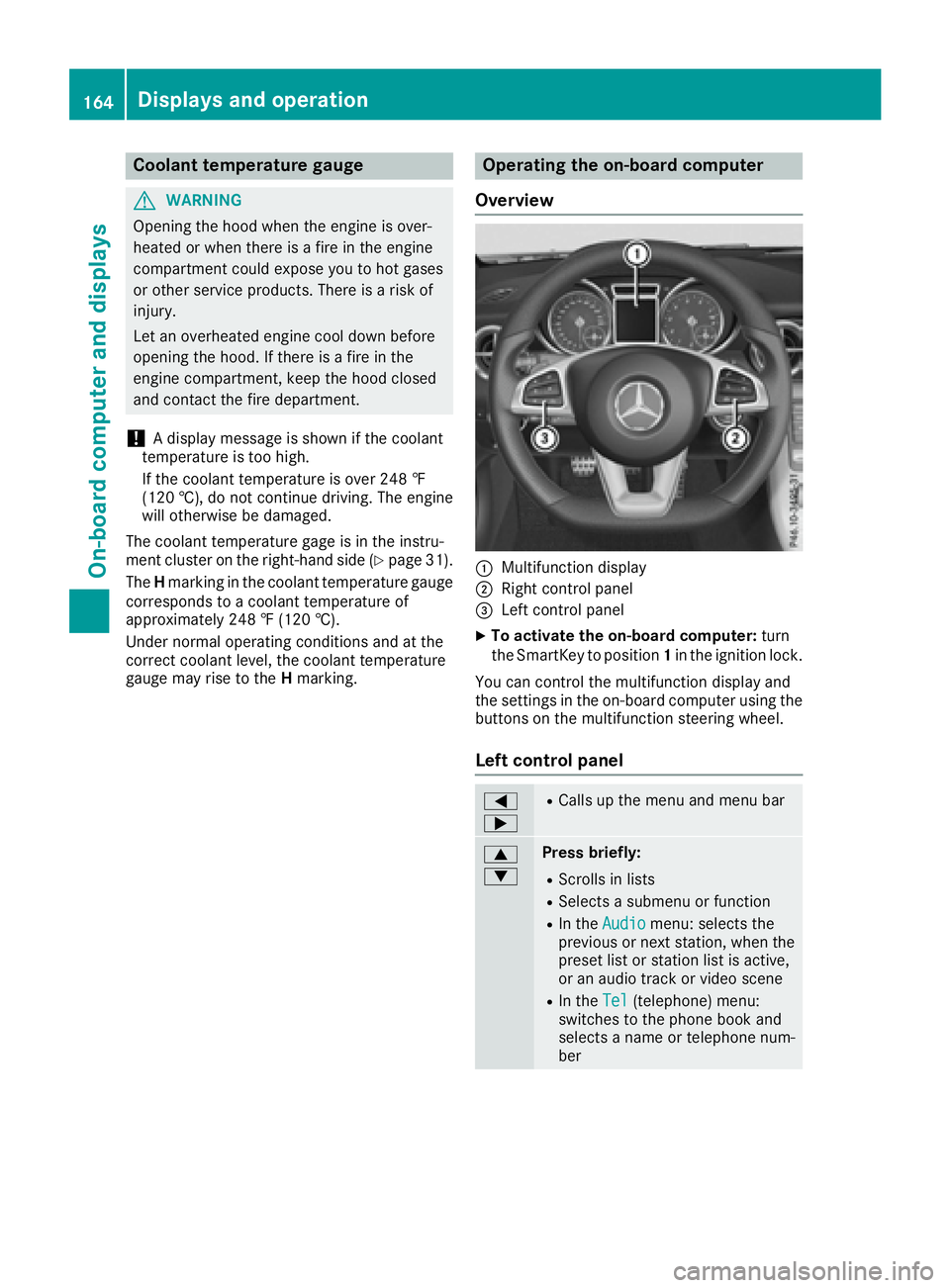
Overview
C
Multifunction display D
Right control panel
Page 167 of 294
c
d Press and hold: R
In the Audio menu: selects ap re-
set list or as tation list in the
desired frequency range, selects
an audio track or video scene using
rapid scrolling R
In the Tel (Telephone) menu:
starts rapid scrolling if the phone
book is open
v R
Confirms the selection or display
message R
In the Tel (Telephone) menu:
switches to the telephone book
and starts dialing the selected
number
8 Press briefly: R
Back R
Switches off voice-operated navi-
gation or the Voice Control System R
Hides display messages or calls up
the last Trip menu function usedR
Exit st he telephone book/redial
memory
8 Press and hold: R
Call supt he standard display in the
Trip menu
Right control panel v R
Rejects or ends ac allR
Exit st he telephone book/redial
memory
a R
Makes or accepts ac allR
Switches to the redial memory
Page 168 of 294
Menus and submenus
Menu overview Using the Y or e button on the steering
wheel, open the menu bar.
Operating the on-board compute r( Y
pag e1 64).
Depending on the vehicl ee quipment, you can
select the following menu: R
Trip menu ( Y
pag e1 66)R
Navi menu (navigatio ni nstructions)
( Y
pag e1 67)R
Audio menu ( Y
pag e1 68)R
Tel menu (telephone) ( Y
pag e1 69)R
DriveAssist menu (assistance)
( Y
pag e1 70)R
Serv menu ( Y
pag e1 72)R
Sett menu (settings) ( Y
pag e1 72)R
AMG menu (Mercedes-Benz SLC 43 AMG)
( Y
pag e1 75)
Trip menu
Standard display X
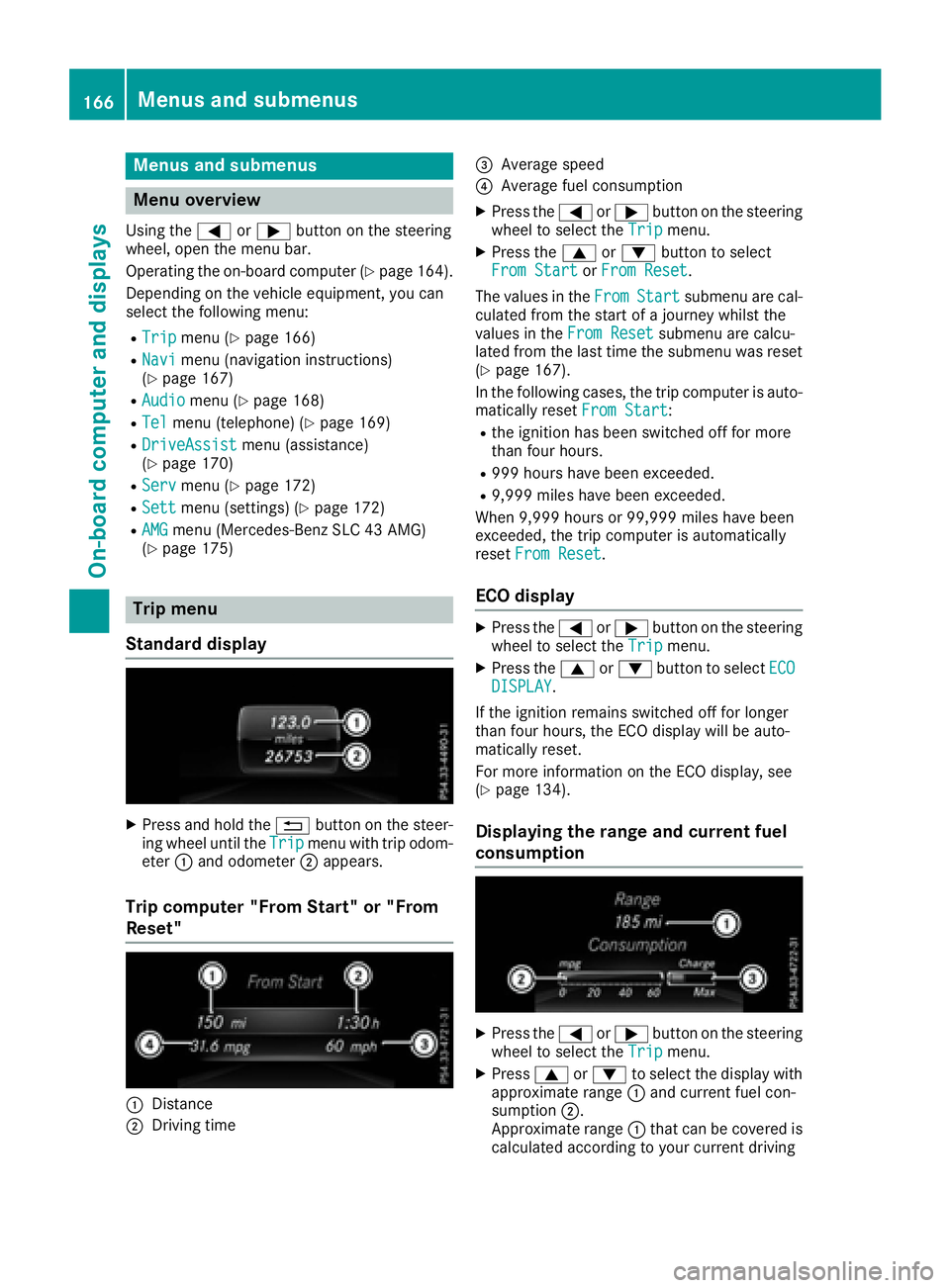
Press and hold the 8 button on the steer-
ing whee lu ntil the Trip menu with trip odom-
eter C and odometer D appears.
Trip computer "From Start" or "From
Reset"
C
Distance
D
Driving time
Page 171 of 294
X
To select ap reset list or station list: press
and briefl yh ol dt he c or d button until
the preset list or statio nl is tint he desired
frequency rang eiss hown.X
To select as tation: briefl yp ress c
or d .
SIRIUS XM satellite radio functions like an ormal
radio.
For more informatio nonr adio operation, see
"Satellite radio "i nt he separate operating
instructions.
Operatin gana udi op layer or audio
media
Audio data from various audi od ev ice sorm edia
can be played ,d epen ding on the equipment
installe dint he vehicle.X
Switch on the multimedia system and select
audi oCDorM P3 mod e( se et he separate
operating instructions). X
Press the Y or e button on the steering
whee ltos elect the Audio menu.X
To select the next/previous track: briefly
press the c or d button.X
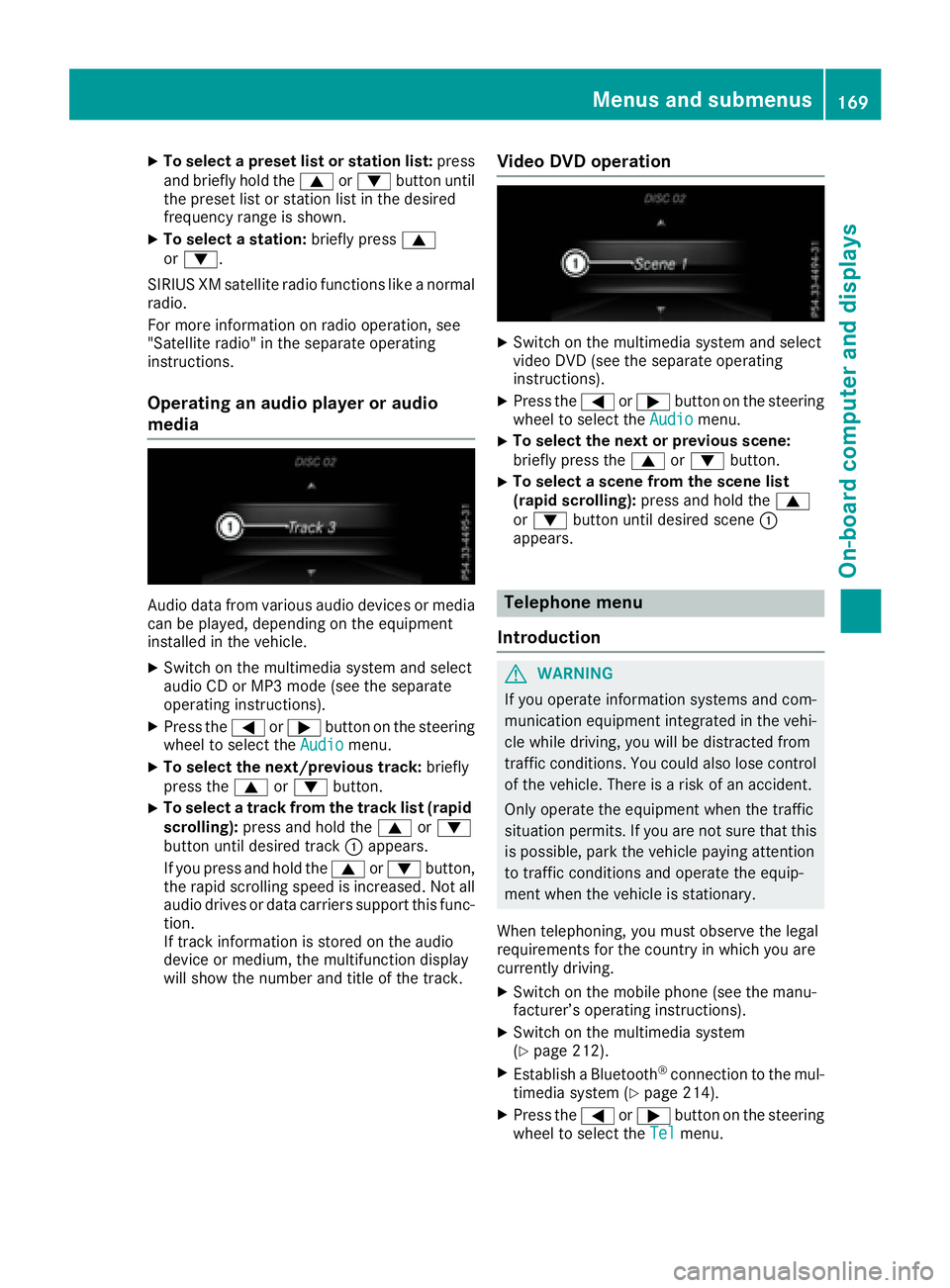
To select at rack from the track list (rapid
scrolling): press and hol dt he c or d
button unti ld esir ed track C appears.
If yo up ress and hol dt he c or d button,
the rapid scrolling speed is increased .N ot all
audi od rives or data carriers support thi sf unc-
tion.
If trac ki nformatio ni ss tored on the audio
device or medium, the multifunctio nd is play
will sho wt he numbe ra nd titl eoft he track. Vide oD VD operation X
Switch on the multimedia system and select
video DVD (se et he separate operating
instructions). X
Press the Y or e button on the steering
whee ltos elect the Audio menu.X
To select the next or previous scene:
briefl yp ress the c or d button.X
To select as cene from the scen el is t
(rapi ds cr olling): press and hol dt he c
or d button unti ld esir ed scene C
appears.
Telephone menu
Introduction
G WARNING
If yo uo pe rate informatio ns ys tem sa nd com-
municatio ne quipment integrated in the vehi-
cle whil ed riving ,y ou will be distracted from
traffic conditions. Yo uc ould also lose control
of the vehicle. There is ar is kofana ccident.
Onl yo pe rate the equipment when the traffic
situatio np er mits. If yo ua re not sure tha tt his
is possible, park the vehicl ep ayin ga ttention
to traffic conditions and operate the equip-
ment when the vehicl eiss tationary.
Whe nt elephoning, yo um us to bs erve the legal
requirements for the country in which yo ua re
currentl yd riving. X
Switch on the mobil ep hone (se et he manu-
facturer’ so pe rating instructions). X
Switch on the multimedia system
( Y
page 212). X
Establis haB luetooth ®
connectio ntot he mul-
timedi as ys tem ( Y
page 214).X
Press the Y or e button on the steering
whee ltos elect the Tel menu.Menus and submenus 169
On-board computer and displays Z
Page 172 of 294
You will see one of the followin gd isplay mes-
sages in the multifunction display: R
Phon eR EADY or the name of the network
provider: the mobile phon eh as foun dan et-
work and is ready to receive. R
Phon eNoS ervice :t here is no network
available or the mobile phon eiss earching for
an etwork.
Accepting ac allIf someone calls you when you are in the Tel
menu, ad isplay messag ea ppears in the multi-
function display.
You can accept ac all at any tim er egardless of
the men us elected.X
Press the a button on the steerin gw heel
to accept an incomin gc all.
Rejecting or ending ac allX
Press the v button on the steerin gw heel
to reject or end ac all.
Selecting an entr yint he phone bookX
Press the Y or e button on the steering
wheel to select the Tel menu.X
Press the c , d or v button to
switc htot he phon eb ook.X
Authoriz ea ccess to the phon eb ook on the
phone. X
Press d or c to select the names one
afte rt he other.
or X
To start rapid scrolling: press and hold
the d or c button for longe rt han one
second.
The names in the phon eb ook are displayed
quickly one afte rt he other.
Rapid scrolling stops when you release the
button or reach the end of the list. X
If only one telephone number is stored for
an ame: press the a or v button to
star td ialing.
or X
If there is mor et ha no ne number for a
particula rn ame: press the a or v
button to display the numbers. X
Press the c or d button to select the
numbe ry ou want to dial. X
Press the a or v button to star td ialing.
or X
To exit th et elephone book: press the v
or 8 button.
Redialing The on-board computer saves the last names or
numbers dialed in the redial memory. X
Press the Y or e button on the steering
wheel to selec tt he Tel menu.X
Press the a button to switc htot he redial
memory. X
Press the c or d button to selec tt he
desired name or number. X
Press the a or v button to star td ialing.
or X
To exit th er edial memory: press the v
or 8 button.
Assistance menu
Introduction Depending on your vehicle's equipment, in the
DriveAssist menu, you have the following
options: R
Displayin gt he assistanc eg raphic
( Y
page 171) R
Activatin gord eactivatin gA ct iv eB rak eA ssist
( Y
page 171) R
Activating/deactivatin gA TTENTIO NA SS IST
( Y
page 171) R
Activating/deactivatin gB lin dS pot Assist
( Y
page 171) R
Activating/deactivatin gL ane Keepin gA ssist
( Y
page 171)170
Menus and submenus
On-board computer and displays
Page 173 of 294
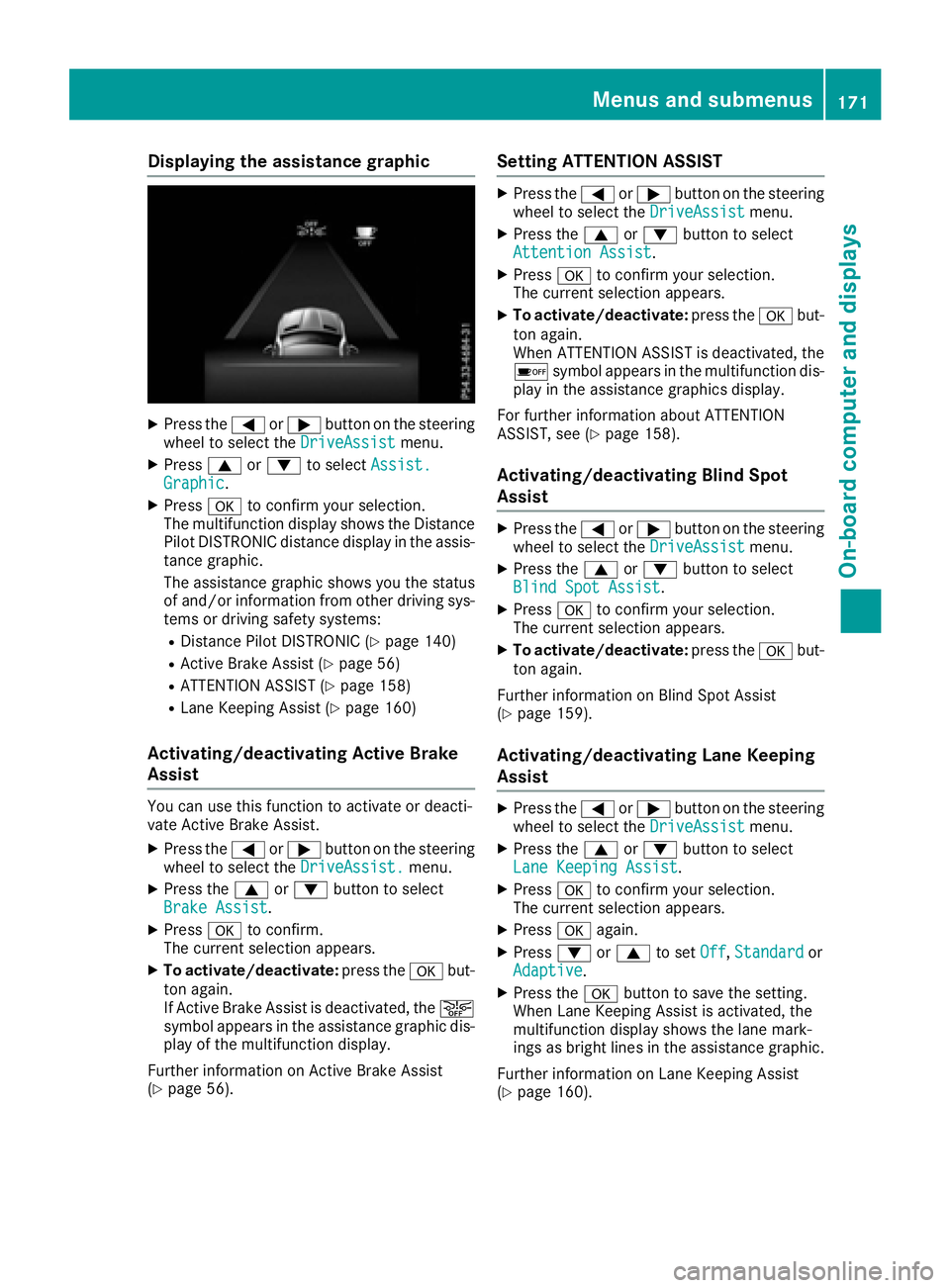
Displaying th ea ss istance graphicX
Press th e Y or e butto nont he steerin g
whee lt os elec tt he DriveAssist menu.X
Press c or d to selec t Assist .
Graphi c .X
Press v to confirm your selection .
The multifunction display shows th eD istance
Pilo tD ISTR ONIC distanc ed isplay in th ea ssis-
tanc eg ra phic.
The assistanc eg ra phi cs hows you th es tatu s
of and/o ri nformati on from other drivin gs ys -
tems or drivin gs afet ys ystems :R
Distanc eP ilo tD ISTR ONIC ( Y
page 140)R
Active Brak eA ss is t( Y
page 56)R
ATTENTION ASSIST ( Y
page 158)R
Lan eK eepin gA ss is t( Y
page 160)
Activating/deactivating Active Brak e
Assist You can use this function to activat eord eacti -
vat eA ctiv eB rake Assist.X
Press th e Y or e butto nont he steerin g
whee lt os elec tt he DriveAssist. menu.X
Press th e c or d butto ntos elec t
Brake Assist .X
Press v to confirm .
The curren ts election appears .X
To activate/deactivate : press th e v but -
to na gain .
If Active Brak eA ss is tisd eactivated, th e
Page 174 of 294
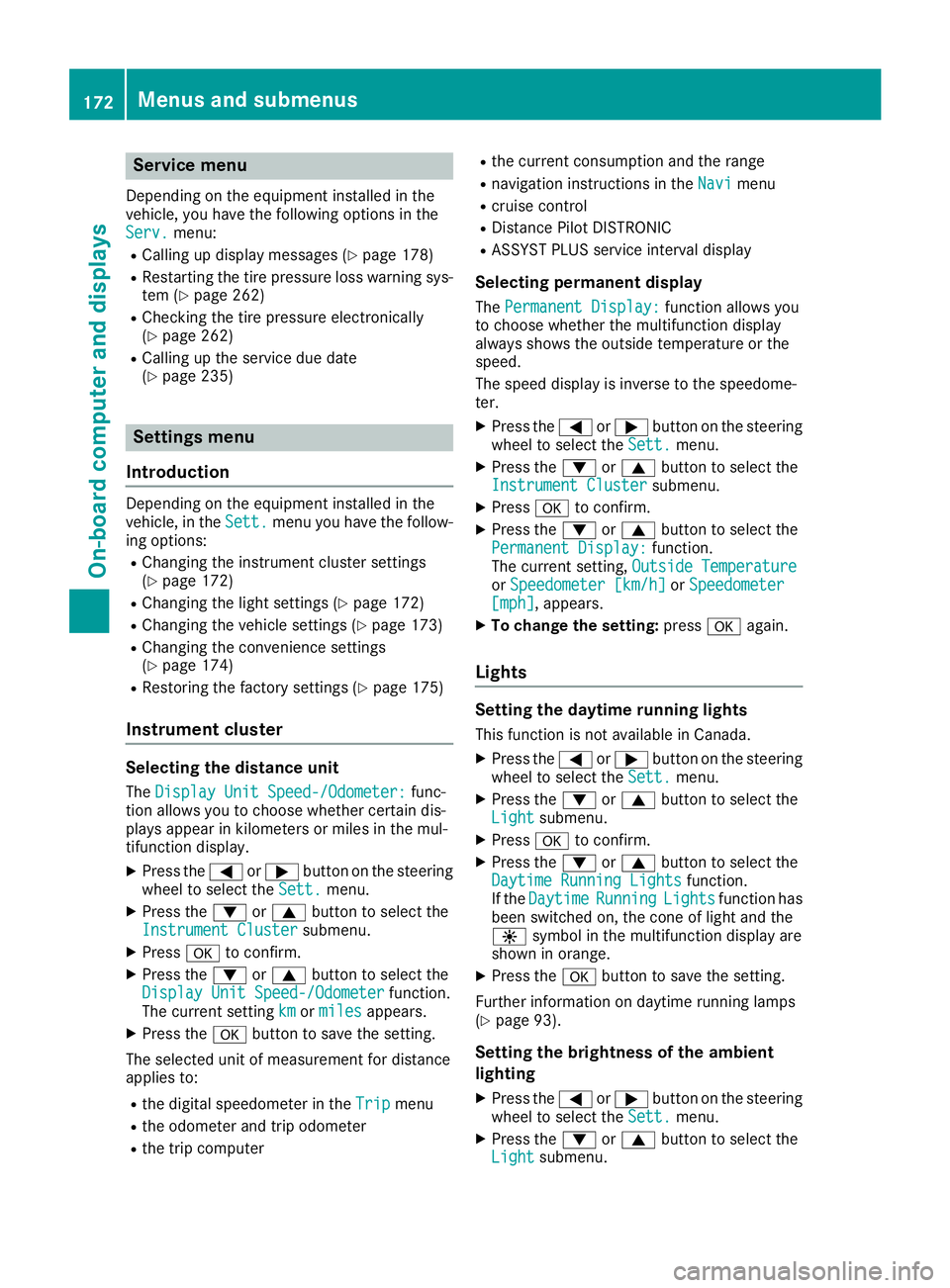
Service menu Depending on the equipment installed in the
vehicle, you have the following options in the
Serv. menu:R
Calling up display messages ( Y
page 178)R
Restarting the tire pressure loss warning sys-
tem ( Y
page 262)R
Checking the tire pressure electronically
( Y
page 262)R
Calling up the service due date
( Y
page 235)
Settings menu
Introduction Depending on the equipment installed in the
vehicle, in the Sett. menu you have the follow-
ing options: R
Changing the instrumen tc luster settings
( Y
page 172)R
Changing the light settings ( Y
page 172)R
Changing the vehicle settings ( Y
page 173)R
Changing the convenience settings
( Y
page 174)R
Restoring the factory settings ( Y
page 175)
Instrument cluster
Selecting the distance unit The Display Unit Speed-/Odometer: func-
tion allow sy ou to choose whether certain dis-
play sa ppear in kilometers or miles in the mul-
tifunction display. X
Press the Y or e button on the steering
wheel to select the Sett. menu.X
Press the d or c button to select the
Instrument Cluster submenu.X
Press v to confirm.X
Press the d or c button to select the
Display Unit Speed-/Odometer function.
The current setting km or miles appears.X
Press the v button to save the setting.
The selected unit of measurement for distance
applie st o:R
the digital speedometer in the Trip menuR
the odometer and trip odometer R
the trip computer R
the current consumption and the range R
navigation instructions in the Navi menuR
cruise control R
Distanc eP ilot DISTRONIC R
ASSYST PLUS service interval display
Selecting permanent display The Permanent Display: function allow sy ou
to choose whether the multifunction display
always shows the outside temperature or the
speed.
The speed display is inverse to the speedome-
ter. X
Press the Y or e button on the steering
wheel to select the Sett. menu.X
Press the d or c button to select the
Instrument Cluster submenu.X
Press v to confirm. X
Press the d or c button to select the
Permanent Display: function.
The current setting, Outside Temperature
or Speedometer [km/h] or Speedometer
[mph] ,a ppears. X
To change the setting: press v again.
Lights
Setting the daytime running lights This function is not available in Canada. X
Press the Y or e button on the steering
wheel to select the Sett. menu.X
Press the d or c button to select the
Light submenu. X
Press v to confirm. X
Press the d or c button to select the
Daytime Running Lights function.
If the Daytime Running Lights function has
been switched on, the cone of light and the
Page 175 of 294
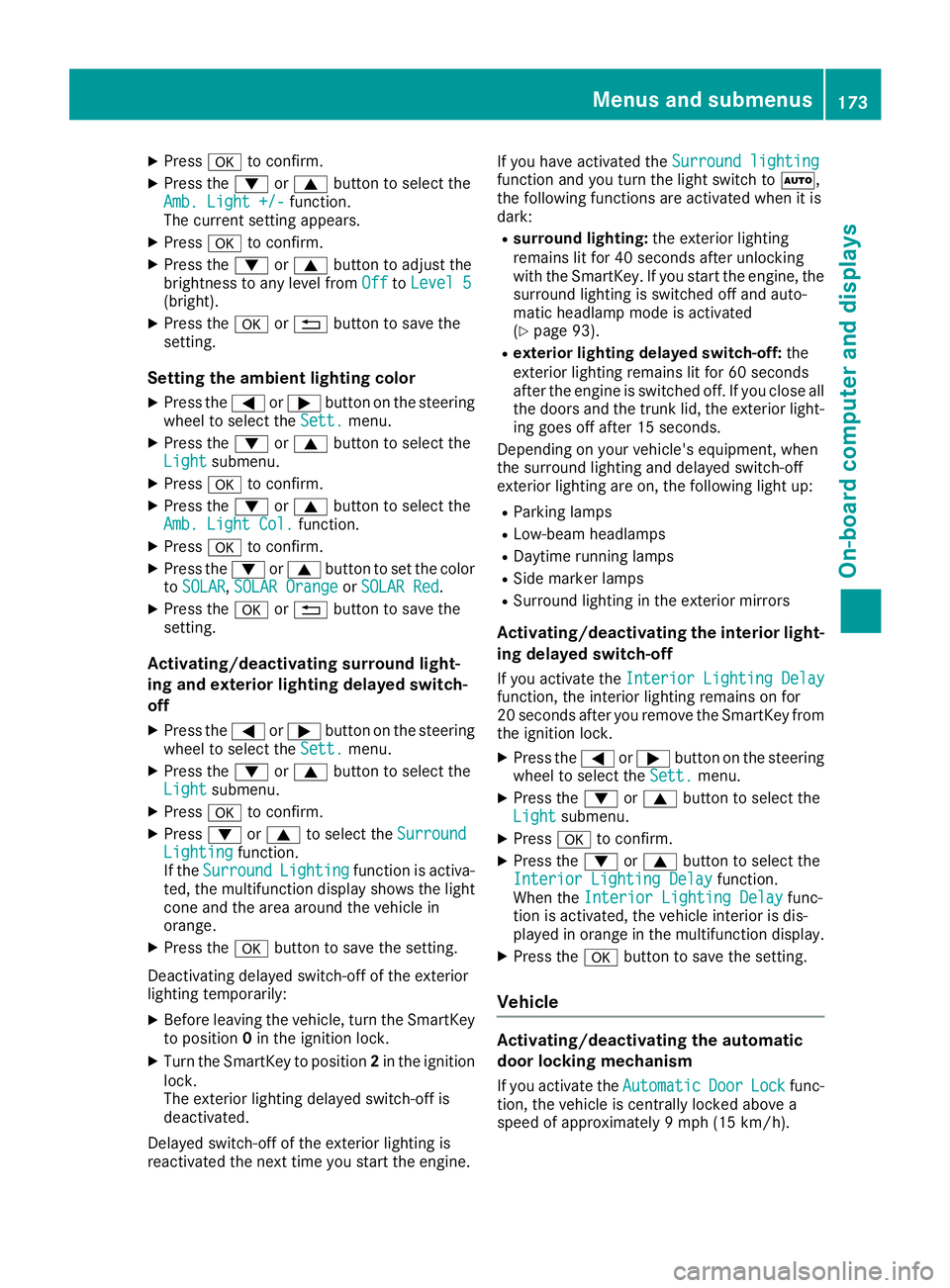
X
Press v to confirm.X
Press the d or c button to select the
Amb. Light +/- function.
The curren ts etting appears.X
Press v to confirm.X
Press the d or c button to adjust the
brightness to any level from Off to Level 5
(bright). X
Press the v or 8 button to save the
setting.
Setting the ambient lighting color X
Press the Y or e button on the steering
wheel to select the Sett. menu.X
Press the d or c button to select the
Light submenu.X
Press v to confirm.X
Press the d or c button to select the
Amb. Light Col. function.X
Press v to confirm.X
Press the d or c button to set the color
to SOLAR , SOLAR Orange or SOLAR Red .X
Press the v or 8 button to save the
setting.
Activating/deactivating surround light-
ing and exterior lighting delayed switch-
off X
Press the Y or e button on the steering
wheel to select the Sett. menu.X
Press the d or c button to select the
Light submenu.X
Press v to confirm.X
Press d or c to select the Surround
Lighting function.
If the Surround Lighting function is activa-
ted, the multifunction display shows the light
cone and the area around the vehicle in
orange. X
Press the v button to save the setting.
Deactivating delayed switch-off of the exterior
lighting temporarily: X
Before leaving the vehicle, turn the SmartKey
to position 0 in the ignition lock.X
Turn the SmartKey to position 2 in the ignition
lock.
The exterior lighting delayed switch-off is
deactivated.
Delayed switch-off of the exterior lighting is
reactivated the next time you start the engine. If you have activated the Surround lighting
function and you turn the light switch to X ,
the following functions are activated when it is
dark: R
surround lighting: the exterior lighting
remains lit for 40 seconds after unlocking
with the SmartKey. If you start the engine, the
surround lighting is switched off and auto-
matic headlamp mode is activated
( Y
page 93). R
exterior lighting delayed switch-off: the
exterior lighting remains lit for 60 seconds
after the engine is switched off. If you close all
the doors and the trunk lid, the exterior light-
ing goes off after 15 seconds.
Dependin gony our vehicle's equipment, when
the surround lighting and delayed switch-off
exterior lighting are on, the following light up: R
Parking lamps R
Low-beam headlamps R
Daytime runnin gl amps R
Side marker lamps R
Surround lighting in the exterior mirrors
Activating/deactivating the interior light-
ing delayed switch-off If you activat et he Interior Lighting Delay
function, the interior lighting remains on for
20 seconds after you remove the SmartKey from
the ignition lock. X
Press the Y or e button on the steering
wheel to select the Sett. menu.X
Press the d or c button to select the
Light submenu. X
Press v to confirm. X
Press the d or c button to select the
Interior Lighting Delay function.
When the Interior Lighting Delay func-
tion is activated, the vehicle interior is dis-
played in orange in the multifunction display. X
Press the v button to save the setting.
Vehicle
Activating/deactivating the automatic
door locking mechanism
If you activat et he Automatic Door Lock func-
tion, the vehicle is centrally locked above a
speed of approximately 9m ph (15 km/h).Menus and submenus 173
On-board computer and displays Z