phone MERCEDES-BENZ SLC 2019 User Guide
[x] Cancel search | Manufacturer: MERCEDES-BENZ, Model Year: 2019, Model line: SLC, Model: MERCEDES-BENZ SLC 2019Pages: 306, PDF Size: 15 MB
Page 165 of 306
ATTENTION ASSIST assesses your level of fati-gue or lapses in concentration by taking thefollowing criteria into account:
Ryour personal driving style, e.g. steeringcharacteristics
Rjourney details, e.g. time of day and lengthof journey
The functionality of ATTENTION ASSIST isrestricted and warnings may be delayed or notoccur at all:
Rif the road condition is poor, e.g. if the sur-face is uneven or if there are potholes
Rif there is a strong side wind
Rif you have adopted a sporty driving stylewith high cornering speeds or high rates ofacceleration
Rif you are predominantly driving slower than50 mph (80 km/h) or faster than 112 mph(180 km/h)
Rif you are currently using COMAND or mak-ing a telephone call with it
Rif the time has been set incorrectly
Rin active driving situations, such as whenyou change lanes or change your speed
ATTENTION ASSIST is only an aid to the driver.It might not always recognize fatigue orincreasing inattentiveness in time or fail torecognize them at all. The system is not a sub-stitute for a well-rested and attentive driver.
Warning and display messages in the
multifunction display
XActivate ATTENTION ASSIST using the on-board computer (Ypage 175).
If ATTENTION ASSIST is active, you will bewarned no sooner than 20 minutes afteryour journey has begun. You then hear anintermittent warning tone twice and theATTENTION ASSIST: Take a Break!ATTENTION ASSIST: Take a Break!mes-sage appears in the multifunction display.
XIf necessary, take a break.
XPress thevor8button to confirmthe message.
On long journeys, take regular breaks in goodtime to allow yourself to rest properly. If youdo not take a break and ATTENTION ASSISTstill detects increasing lapses in concentra-tion, you will be warned again after 15 minutesat the earliest.
ATTENTION ASSIST is reset when you continueyour journey and starts assessing your tired-ness again if:
Ryou switch off the engine
Ryou take off your seat belt and open thedriver's door, e.g. for a change of drivers orto take a break
When ATTENTION ASSIST is deactivated, the
Page 171 of 306
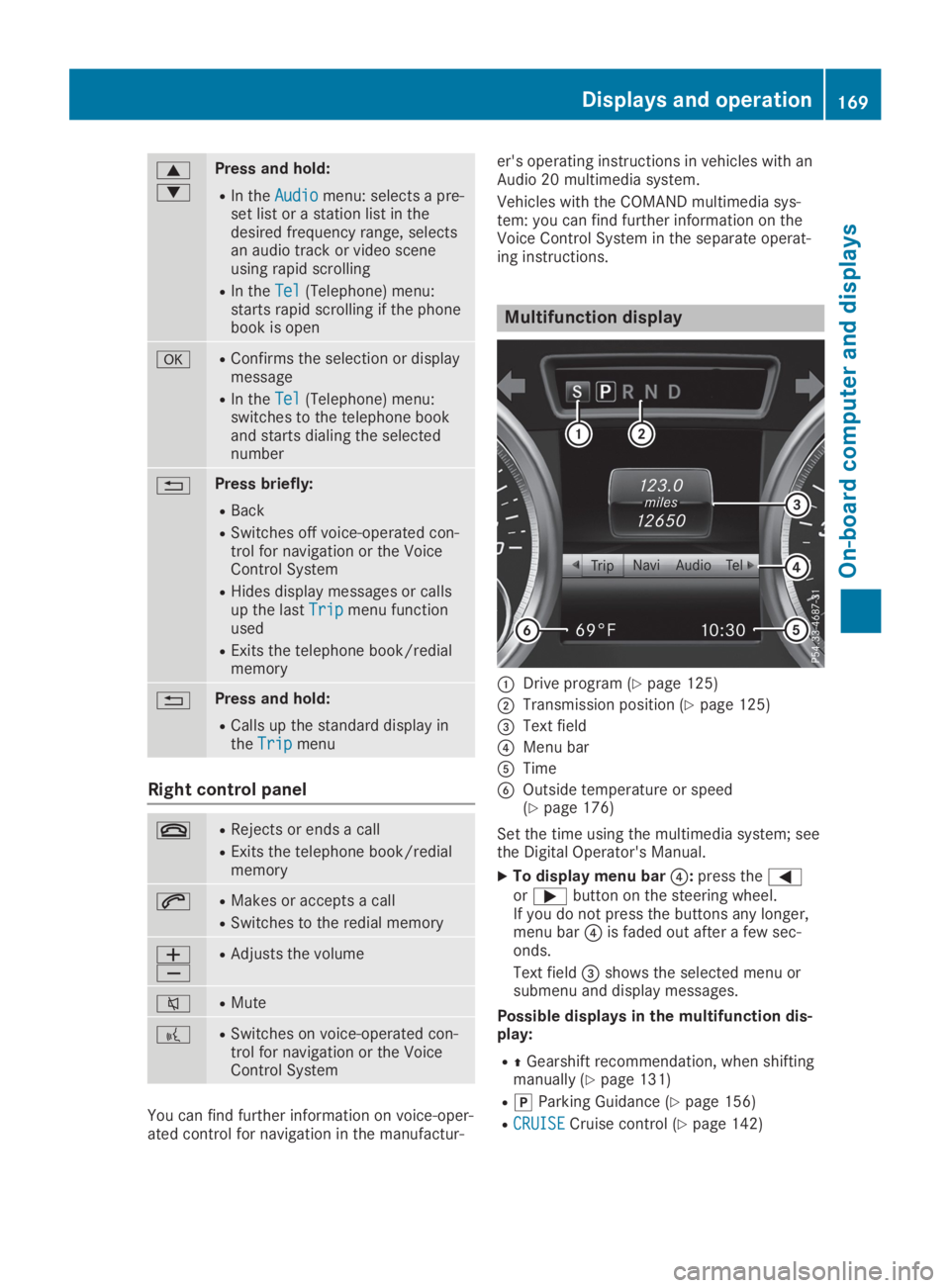
c
d
Press and hold:
RIn theAudioAudiomenu: selects a pre-set list or a station list in thedesired frequency range, selectsan audio track or video sceneusing rapid scrolling
RIn theTelTel(Telephone) menu:starts rapid scrolling if the phonebook is open
vRConfirms the selection or displaymessage
RIn theTelTel(Telephone) menu:switches to the telephone bookand starts dialing the selectednumber
8Press briefly:
RBack
RSwitches off voice-operated con-trol for navigation or the VoiceControl System
RHides display messages or callsup the lastTripTripmenu functionused
RExits the telephone book/redialmemory
8Press and hold:
RCalls up the standard display intheTripTripmenu
Right control panel
vRRejects or ends a call
RExits the telephone book/redialmemory
aRMakes or accepts a call
RSwitches to the redial memory
Page 175 of 306
Audio menu
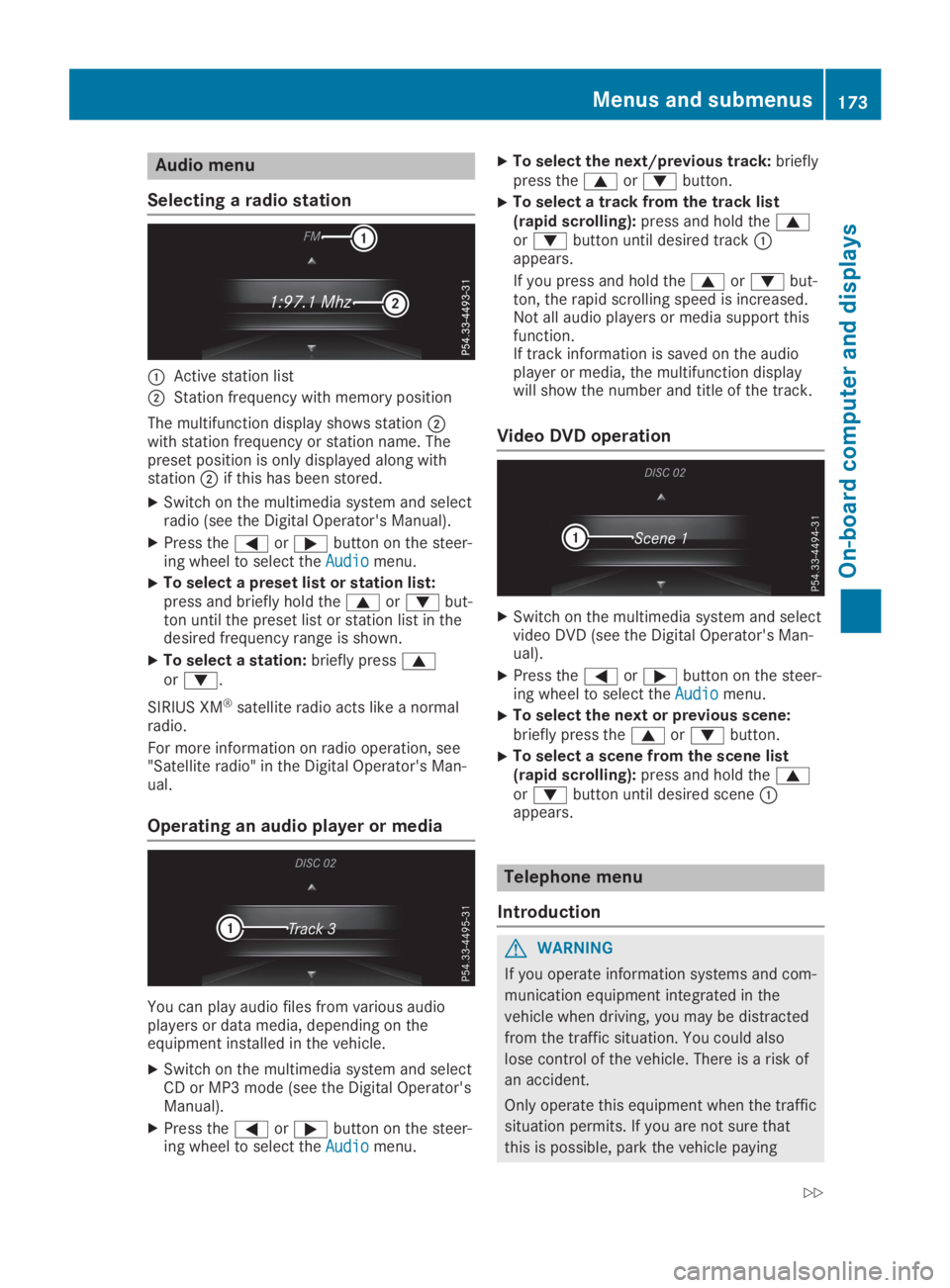
Selecting a radio station
CActive station list
DStation frequency with memory position
The multifunction display shows stationDwith station frequency or station name. Thepreset position is only displayed along withstationDif this has been stored.
XSwitch on the multimedia system and selectradio (see the Digital Operator's Manual).
XPress theYorebutton on the steer-ing wheel to select theAudioAudiomenu.
XTo select a preset list or station list:press and briefly hold thecordbut-ton until the preset list or station list in thedesired frequency range is shown.
XTo select a station:briefly presscord.
SIRIUS XM®satellite radio acts like a normalradio.
For more information on radio operation, see"Satellite radio" in the Digital Operator's Man-ual.
Operating an audio player or media
You can play audio files from various audioplayers or data media, depending on theequipment installed in the vehicle.
XSwitch on the multimedia system and selectCD or MP3 mode (see the Digital Operator'sManual).
XPress theYorebutton on the steer-ing wheel to select theAudioAudiomenu.
XTo select the next/previous track:brieflypress thecordbutton.
XTo select a track from the track list(rapid scrolling):press and hold thecordbutton until desired trackCappears.
If you press and hold thecordbut-ton, the rapid scrolling speed is increased.Not all audio players or media support thisfunction.If track information is saved on the audioplayer or media, the multifunction displaywill show the number and title of the track.
Video DVD operation
XSwitch on the multimedia system and selectvideo DVD (see the Digital Operator's Man-ual).
XPress theYorebutton on the steer-ing wheel to select theAudioAudiomenu.
XTo select the next or previous scene:briefly press thecordbutton.
XTo select a scene from the scene list(rapid scrolling):press and hold thecordbutton until desired sceneCappears.
Telephone menu
Introduction
GWARNING
If you operate information systems and com-
munication equipment integrated in the
vehicle when driving, you may be distracted
from the traffic situation. You could also
lose control of the vehicle. There is a risk of
an accident.
Only operate this equipment when the traffic
situation permits. If you are not sure that
this is possible, park the vehicle paying
Menus and submenus173
On-b oard computer and displays
Z
Page 176 of 306
attention to traffic conditions and operate
the equipment when the vehicle is station-
ary.
When telephoning, you must observe the legalrequirements for the country in which you arecurrently driving.
XSwitch on the mobile phone (see the manu-facturer’s operating instructions).
XSwitch on the multimedia system (see theDigital Operator's Manual)
XEstablish a Bluetooth®connection to themultimedia system (Ypage 221).
XPress theYorebutton on the steer-ing wheel to select theTelTelmenu.
You will see one of the following display mes-sages in the multifunction display:
RPhone READYPhone READYor the name of the networkprovider: the mobile phone has found a net-work and is ready to receive.
RPhone No ServicePhone No Service: there is no networkavailable or the mobile phone is searchingfor a network.
Accepting a call
If someone calls you when you are in theTelTelmenu, a display message appears in the multi-function display.
You can accept a call at any time regardless ofthe menu selected.
XPress theabutton on the steering wheelto accept an incoming call.
Rejecting or ending a call
XPress thevbutton on the steering wheelto reject or end a call.
Selecting an entry in the phone book
XPress theYorebutton on the steer-ing wheel to select theTelTelmenu.
XPress thec,dorvbutton toswitch to the phone book.
XAuthorize access to the phone book on thephone.
XPressdorcto select the names oneafter the other.
or
XTo start rapid scrolling:press and holdthedorcbutton for longer than onesecond.The names in the phone book are displayedquickly one after the other.
Rapid scrolling stops when you release thebutton or reach the end of the list.
XIf only one telephone number is storedfor a name:press theaorvbuttonto start dialing.
or
XIf there is more than one number for aparticular name:press theaorvbutton to display the numbers.
XPress thecordbutton to select thenumber you want to dial.
XPress theaorvbutton to start dial-ing.
or
XTo exit the telephone book:press thevor8button.
Redialing
The on-board computer saves the last namesor numbers dialed in the redial memory.
XPress theYorebutton on the steer-ing wheel to select theTelTelmenu.
XPress theabutton to switch to theredial memory.
XPress thecordbutton to select thedesired name or number.
XPress theaorvbutton to start dial-ing.
or
XTo exit the redial memory:press thevor8button.
Assistance menu
Introduction
Depending on your vehicle's equipment, in theDriveAssistDriveAssistmenu, you have the followingoptions:
174Menus and submenus
On-board computer and displays
Page 222 of 306
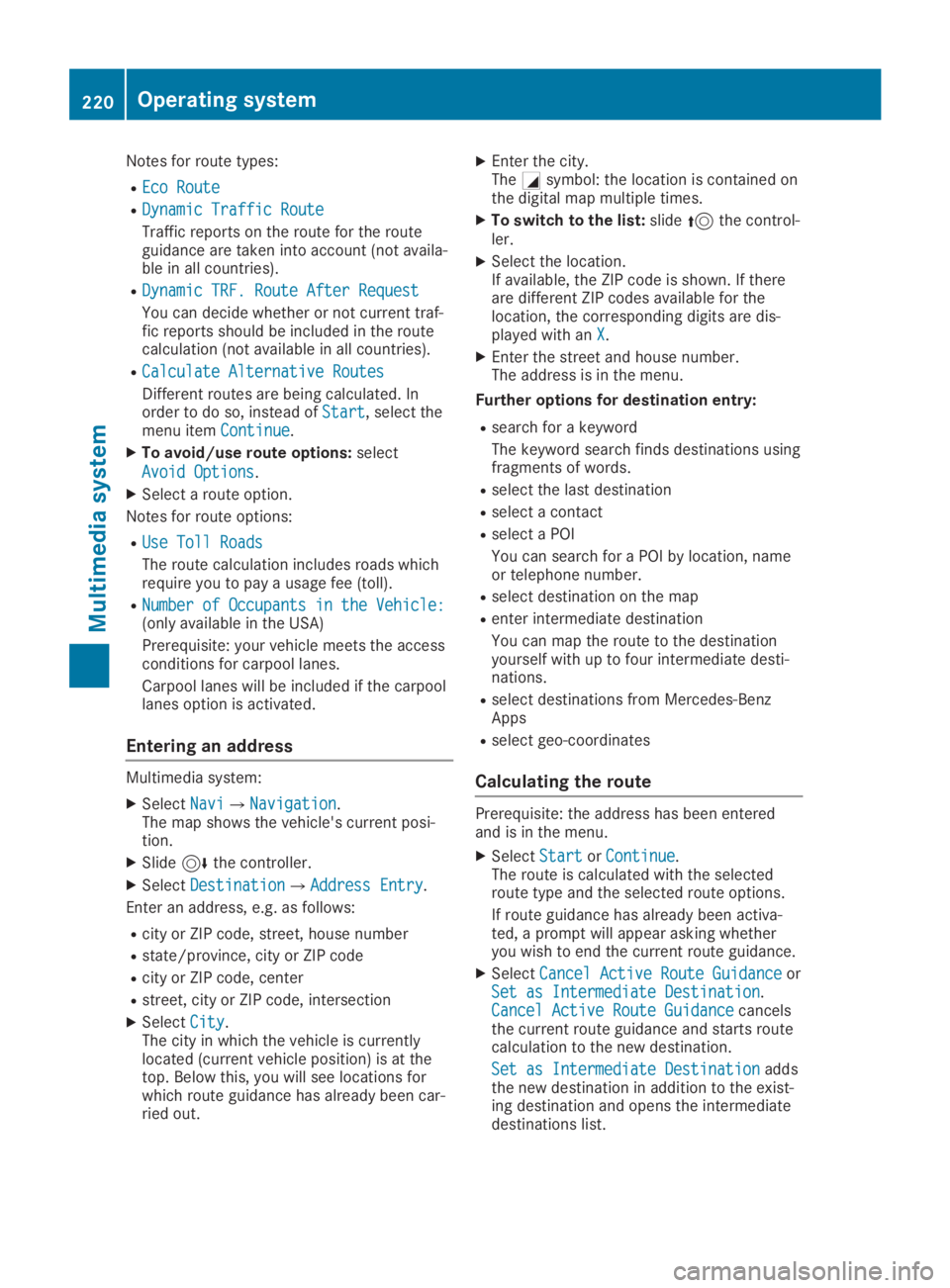
Notes for route types:
REco RouteEco Route
RDynamic Traffic RouteDynamic Traffic Route
Traffic reports on the route for the routeguidance are taken into account (not availa-ble in all countries).
RDynamic TRF. Route After RequestDynamic TRF. Route After Request
You can decide whether or not current traf-fic reports should be included in the routecalculation (not available in all countries).
RCalculate Alternative RoutesCalculate Alternative Routes
Different routes are being calculated. Inorder to do so, instead ofStartStart, select themenu itemContinueContinue.
XTo avoid/use route options:select
Avoid OptionsAvoid Options.
XSelect a route option.
Notes for route options:
RUse Toll RoadsUse Toll Roads
The route calculation includes roads whichrequire you to pay a usage fee (toll).
RNumber of Occupants in the Vehicle:Number of Occupants in the Vehicle:(only available in the USA)
Prerequisite: your vehicle meets the accessconditions for carpool lanes.
Carpool lanes will be included if the carpoollanes option is activated.
Entering an address
Multimedia system:
XSelectNaviNavi{NavigationNavigation.The map shows the vehicle's current posi-tion.
XSlide6the controller.
XSelectDestinationDestination{Address EntryAddress Entry.
Enter an address, e.g. as follows:
Rcity or ZIP code, street, house number
Rstate/province, city or ZIP code
Rcity or ZIP code, center
Rstreet, city or ZIP code, intersection
XSelectCityCity.The city in which the vehicle is currentlylocated (current vehicle position) is at thetop. Below this, you will see locations forwhich route guidance has already been car-ried out.
XEnter the city.TheCsymbol: the location is contained onthe digital map multiple times.
XTo switch to the list:slide5the control-ler.
XSelect the location.If available, the ZIP code is shown. If thereare different ZIP codes available for thelocation, the corresponding digits are dis-played with anXX.
XEnter the street and house number.The address is in the menu.
Further options for destination entry:
Rsearch for a keyword
The keyword search finds destinations usingfragments of words.
Rselect the last destination
Rselect a contact
Rselect a POI
You can search for a POI by location, nameor telephone number.
Rselect destination on the map
Renter intermediate destination
You can map the route to the destinationyourself with up to four intermediate desti-nations.
Rselect destinations from Mercedes-BenzApps
Rselect geo-coordinates
Calculating the route
Prerequisite: the address has been enteredand is in the menu.
XSelectStartStartorContinueContinue.The route is calculated with the selectedroute type and the selected route options.
If route guidance has already been activa-ted, a prompt will appear asking whetheryou wish to end the current route guidance.
XSelectCancel Active Route GuidanceCancel Active Route GuidanceorSet as Intermediate DestinationSet as Intermediate Destination.Cancel Active Route GuidanceCancel Active Route Guidancecancelsthe current route guidance and starts routecalculation to the new destination.
Set as Intermediate DestinationSet as Intermediate Destinationaddsthe new destination in addition to the exist-ing destination and opens the intermediatedestinations list.
220Operating system
Multimedia system
Page 223 of 306
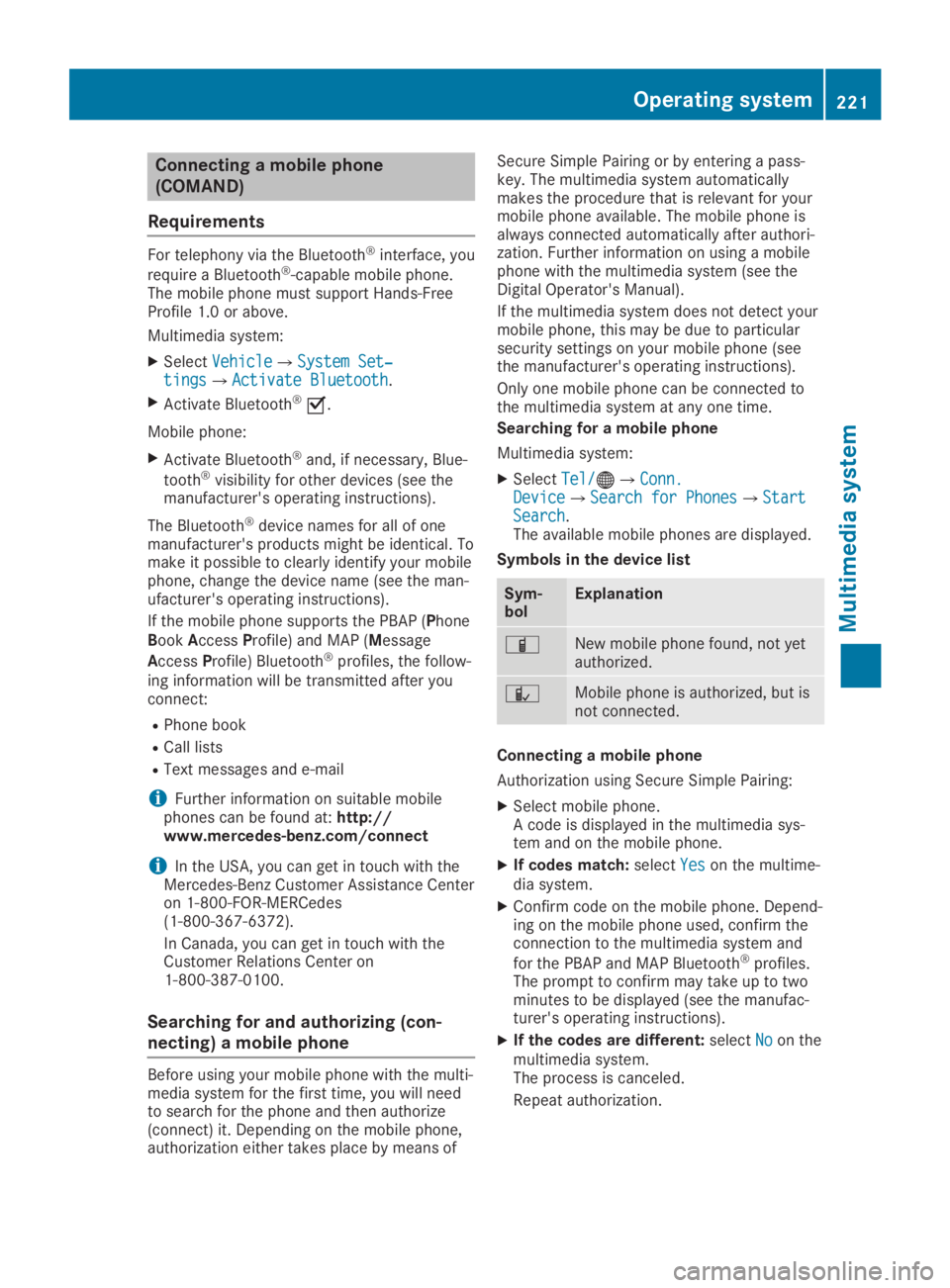
Connecting a mobile phone
(COMAND)
Requirements
For telephony via the Bluetooth®interface, you
require a Bluetooth®-capable mobile phone.The mobile phone must support Hands-FreeProfile 1.0 or above.
Multimedia system:
XSelectVehicleVehicle{System Set‐System Set‐tingstings{Activate BluetoothActivate Bluetooth.
XActivate Bluetooth®s.
Mobile phone:
XActivate Bluetooth®and, if necessary, Blue-
tooth®visibility for other devices (see themanufacturer's operating instructions).
The Bluetooth®device names for all of onemanufacturer's products might be identical. Tomake it possible to clearly identify your mobilephone, change the device name (see the man-ufacturer's operating instructions).
If the mobile phone supports the PBAP (PhoneBookAccessProfile) and MAP (Message
AccessProfile) Bluetooth®profiles, the follow-ing information will be transmitted after youconnect:
RPhone book
RCall lists
RText messages and e-mail
iFurther information on suitable mobilephones can be found at:http://www.mercedes-benz.com/connect
iIn the USA, you can get in touch with theMercedes-Benz Customer Assistance Centeron 1-800-FOR-MERCedes(1-800-367-6372).
In Canada, you can get in touch with theCustomer Relations Center on1-800-387-0100.
Searching for and authorizing (con-
necting) a mobile phone
Before using your mobile phone with the multi-media system for the first time, you will needto search for the phone and then authorize(connect) it. Depending on the mobile phone,authorization either takes place by means of
Secure Simple Pairing or by entering a pass-key. The multimedia system automaticallymakes the procedure that is relevant for yourmobile phone available. The mobile phone isalways connected automatically after authori-zation. Further information on using a mobilephone with the multimedia system (see theDigital Operator's Manual).
If the multimedia system does not detect yourmobile phone, this may be due to particularsecurity settings on your mobile phone (seethe manufacturer's operating instructions).
Only one mobile phone can be connected tothe multimedia system at any one time.
Searching for a mobile phone
Multimedia system:
XSelectTel/Tel/
Page 224 of 306
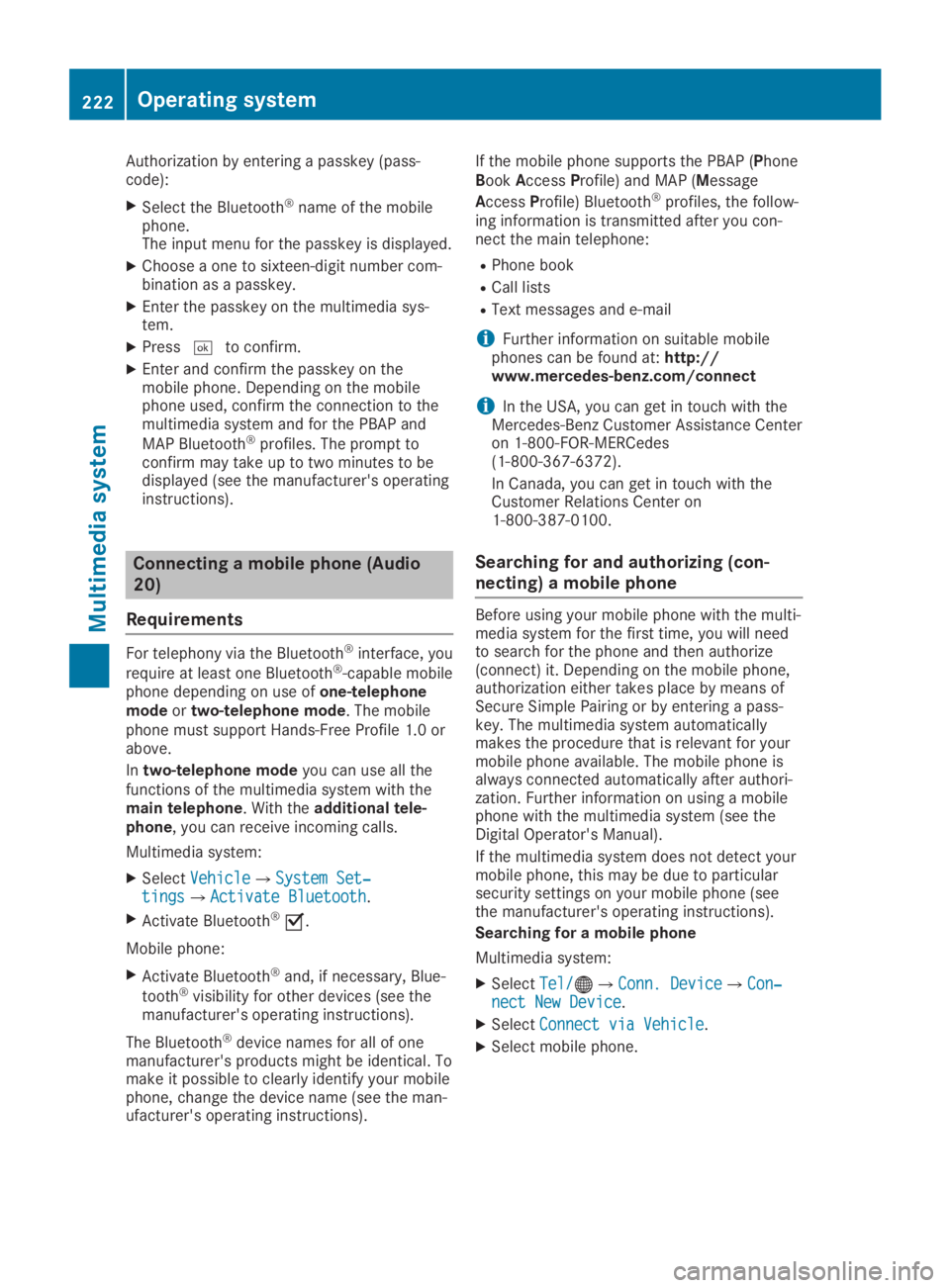
Authorization by entering a passkey (pass-code):
XSelect the Bluetooth®name of the mobilephone.The input menu for the passkey is displayed.
XChoose a one to sixteen-digit number com-bination as a passkey.
XEnter the passkey on the multimedia sys-tem.
XPressTto confirm.
XEnter and confirm the passkey on themobile phone. Depending on the mobilephone used, confirm the connection to themultimedia system and for the PBAP and
MAP Bluetooth®profiles. The prompt toconfirm may take up to two minutes to bedisplayed (see the manufacturer's operatinginstructions).
Connecting a mobile phone (Audio
20)
Requirements
For telephony via the Bluetooth®interface, you
require at least one Bluetooth®-capable mobilephone depending on use ofone-telephonemodeortwo-telephone mode. The mobilephone must support Hands-Free Profile 1.0 orabove.
Intwo-telephone modeyou can use all thefunctions of the multimedia system with themain telephone. With theadditional tele-phone, you can receive incoming calls.
Multimedia system:
XSelectVehicleVehicle{System Set‐System Set‐tingstings{Activate BluetoothActivate Bluetooth.
XActivate Bluetooth®s.
Mobile phone:
XActivate Bluetooth®and, if necessary, Blue-
tooth®visibility for other devices (see themanufacturer's operating instructions).
The Bluetooth®device names for all of onemanufacturer's products might be identical. Tomake it possible to clearly identify your mobilephone, change the device name (see the man-ufacturer's operating instructions).
If the mobile phone supports the PBAP (PhoneBookAccessProfile) and MAP (Message
AccessProfile) Bluetooth®profiles, the follow-ing information is transmitted after you con-nect the main telephone:
RPhone book
RCall lists
RText messages and e-mail
iFurther information on suitable mobilephones can be found at:http://www.mercedes-benz.com/connect
iIn the USA, you can get in touch with theMercedes-Benz Customer Assistance Centeron 1-800-FOR-MERCedes(1-800-367-6372).
In Canada, you can get in touch with theCustomer Relations Center on1-800-387-0100.
Searching for and authorizing (con-
necting) a mobile phone
Before using your mobile phone with the multi-media system for the first time, you will needto search for the phone and then authorize(connect) it. Depending on the mobile phone,authorization either takes place by means ofSecure Simple Pairing or by entering a pass-key. The multimedia system automaticallymakes the procedure that is relevant for yourmobile phone available. The mobile phone isalways connected automatically after authori-zation. Further information on using a mobilephone with the multimedia system (see theDigital Operator's Manual).
If the multimedia system does not detect yourmobile phone, this may be due to particularsecurity settings on your mobile phone (seethe manufacturer's operating instructions).
Searching for a mobile phone
Multimedia system:
XSelectTel/Tel/
Page 225 of 306
Connecting a mobile phone
XOne-telephone mode:selectConnect asConnect as
New Main PhoneNew Main Phone.
XTwo-telephone mode:selectConnect asConnect as
Additional PhoneAdditional Phonewhen a mobile phone isalready connected.
XAuthorization using Secure Simple Pair-ing:
A code is displayed in the multimedia sys-tem and on the mobile phone.
XConfirm code on the mobile phone. Depend-ing on the mobile phone used, confirm theconnection to the multimedia system and
for the PBAP and MAP Bluetooth®profiles.The prompt to confirm may take up to twominutes to be displayed (see the manufac-turer's operating instructions).
XIf the codes are different: selectNoNoon themultimedia system.The process is canceled.
Repeat authorization.
or
XAuthorization by entering a passkey(passcode):enter any one- to sixteen-digitnumber sequence which you have chosenyourself into the passkey input menu.
XPressTto confirm.
XEnter and confirm the passkey on themobile phone. Depending on the mobilephone used, confirm the connection to themultimedia system and for the PBAP and
MAP Bluetooth®profiles. The prompt toconfirm may take up to two minutes to bedisplayed (see the manufacturer's operatinginstructions).
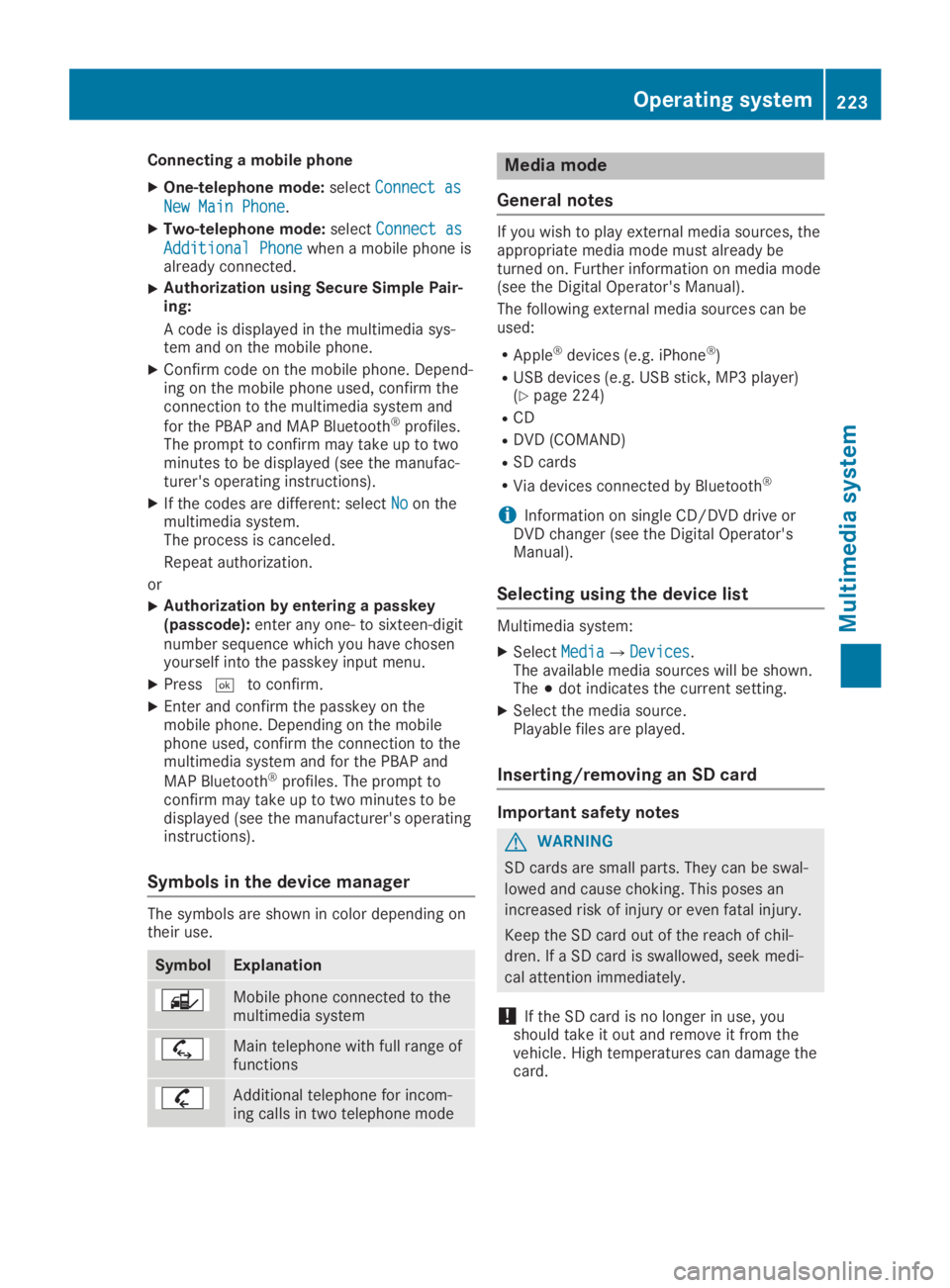
Symbols in the device manager
The symbols are shown in color depending ontheir use.
SymbolExplanation
Mobile phone connected to themultimedia system
Main telephone with full range offunctions
Additional telephone for incom-ing calls in two telephone mode
Media mode
General notes
If you wish to play external media sources, theappropriate media mode must already beturned on. Further information on media mode(see the Digital Operator's Manual).
The following external media sources can beused:
RApple®devices (e.g. iPhone®)
RUSB devices (e.g. USB stick, MP3 player)(Ypage 224)
RCD
RDVD (COMAND)
RSD cards
RVia devices connected by Bluetooth®
iInformation on single CD/DVD drive orDVD changer (see the Digital Operator'sManual).
Selecting using the device list
Multimedia system:
XSelectMediaMedia{DevicesDevices.The available media sources will be shown.The;dot indicates the current setting.
XSelect the media source.Playable files are played.
Inserting/removing an SD card
Important safety notes
GWARNING
SD cards are small parts. They can be swal-
lowed and cause choking. This poses an
increased risk of injury or even fatal injury.
Keep the SD card out of the reach of chil-
dren. If a SD card is swallowed, seek medi-
cal attention immediately.
!If the SD card is no longer in use, youshould take it out and remove it from thevehicle. High temperatures can damage thecard.
Operating system223
Multimedia system
Z
Page 227 of 306
Stowage areas
Stowage spaces
Important safety notes
GWARNING
If objects in the passenger compartment are
stowed incorrectly, they can slide or be
thrown around and hit vehicle occupants. In
addition, cup holders, open stowage spaces
and mobile phone brackets cannot always
retain all objects they contain. There is a
risk of injury, particularly in the event of sud-
den braking or a sudden change in direction.
RAlways stow objects so that they cannot
be thrown around in such situations.
RAlways make sure that objects do not pro-
trude from stowage spaces, parcel nets or
stowage nets.
RClose the lockable stowage spaces before
starting a journey.
RAlways stow and secure heavy, hard, poin-
ted, sharp-edged, fragile or bulky objects
in the trunk.
Glove compartment
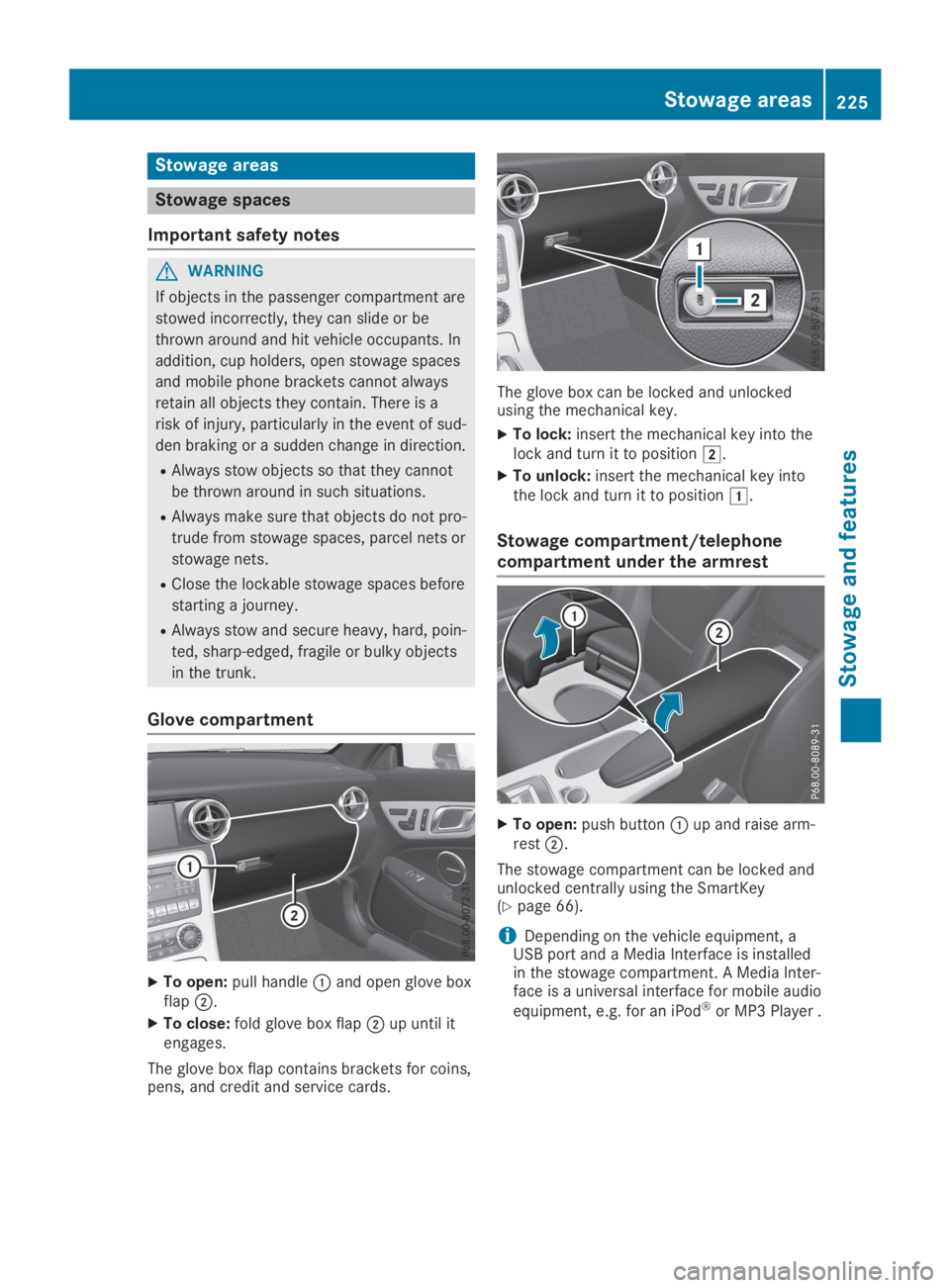
XTo open:pull handleCand open glove boxflapD.
XTo close:fold glove box flapDup until itengages.
The glove box flap contains brackets for coins,pens, and credit and service cards.
The glove box can be locked and unlockedusing the mechanical key.
XTo lock:insert the mechanical key into thelock and turn it to positionH.
XTo unlock:insert the mechanical key intothe lock and turn it to positionG.
Stowage compartment/telephone
compartment under the armrest
XTo open:push buttonCup and raise arm-restD.
The stowage compartment can be locked andunlocked centrally using the SmartKey(Ypage 66).
iDepending on the vehicle equipment, aUSB port and a Media Interface is installedin the stowage compartment. A Media Inter-face is a universal interface for mobile audio
equipment, e.g. for an iPod®or MP3 Player .
Stowage areas225
Stowage and features
Z
Page 234 of 306
Making an emergency call
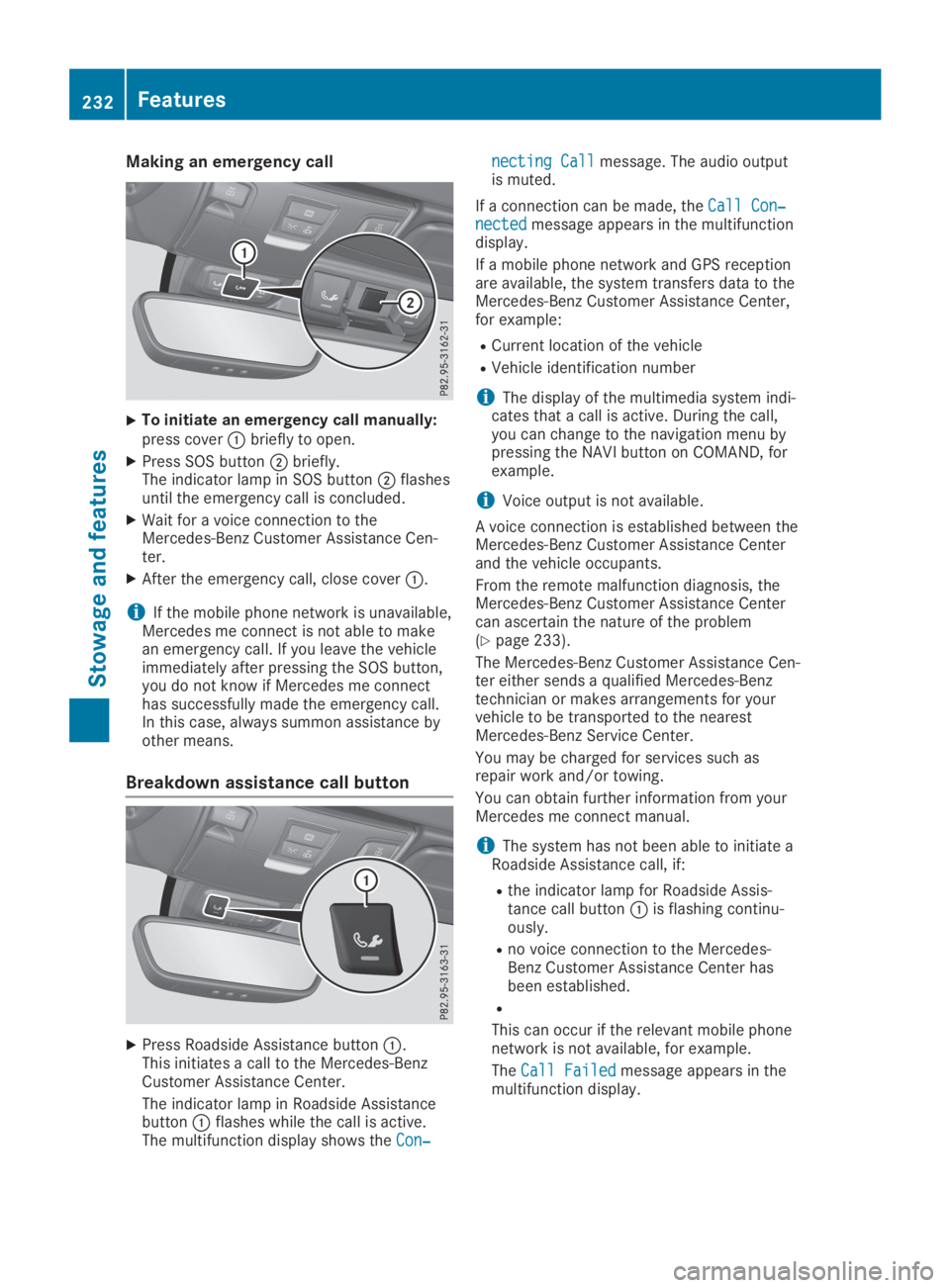
XTo initiate an emergency call manually:press coverCbriefly to open.
XPress SOS buttonDbriefly.The indicator lamp in SOS buttonDflashesuntil the emergency call is concluded.
XWait for a voice connection to theMercedes-Benz Customer Assistance Cen-ter.
XAfter the emergency call, close coverC.
iIf the mobile phone network is unavailable,Mercedes me connect is not able to makean emergency call. If you leave the vehicleimmediately after pressing the SOS button,you do not know if Mercedes me connecthas successfully made the emergency call.In this case, always summon assistance byother means.
Breakdown assistance call button
XPress Roadside Assistance buttonC.This initiates a call to the Mercedes-BenzCustomer Assistance Center.
The indicator lamp in Roadside AssistancebuttonCflashes while the call is active.The multifunction display shows theCon‐Con‐
necting Callnecting Callmessage. The audio outputis muted.
If a connection can be made, theCall Con‐Call Con‐nectednectedmessage appears in the multifunctiondisplay.
If a mobile phone network and GPS receptionare available, the system transfers data to theMercedes-Benz Customer Assistance Center,for example:
RCurrent location of the vehicle
RVehicle identification number
iThe display of the multimedia system indi-cates that a call is active. During the call,you can change to the navigation menu bypressing the NAVI button on COMAND, forexample.
iVoice output is not available.
A voice connection is established between theMercedes-Benz Customer Assistance Centerand the vehicle occupants.
From the remote malfunction diagnosis, theMercedes-Benz Customer Assistance Centercan ascertain the nature of the problem(Ypage 233).
The Mercedes-Benz Customer Assistance Cen-ter either sends a qualified Mercedes-Benztechnician or makes arrangements for yourvehicle to be transported to the nearestMercedes-Benz Service Center.
You may be charged for services such asrepair work and/or towing.
You can obtain further information from yourMercedes me connect manual.
iThe system has not been able to initiate aRoadside Assistance call, if:
Rthe indicator lamp for Roadside Assis-tance call buttonCis flashing continu-ously.
Rno voice connection to the Mercedes-Benz Customer Assistance Center hasbeen established.
R
This can occur if the relevant mobile phonenetwork is not available, for example.
TheCall FailedCall Failedmessage appears in themultifunction display.
232Features
Stowage and features