display MERCEDES-BENZ SLK CLASS 2002 Repair Manual
[x] Cancel search | Manufacturer: MERCEDES-BENZ, Model Year: 2002, Model line: SLK CLASS, Model: MERCEDES-BENZ SLK CLASS 2002Pages: 290, PDF Size: 18.21 MB
Page 75 of 290
72 Instrument cluster
Te ch n i c a l
data Instruments
and controlsOperationDrivingInstrument
cluster displayPractical hints Car care Index
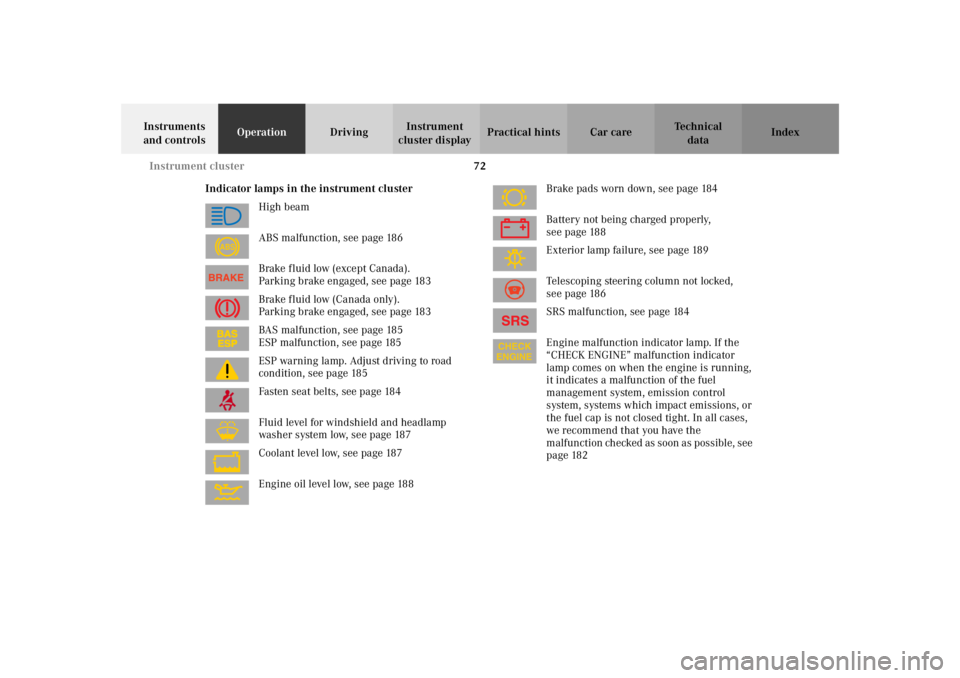
Indicator lamps in the instrument cluster
High beam
ABS malfunction, see page 186
Brake fluid low (except Canada).
Parking brake engaged, see page 183
Brake fluid low (Canada only).
Parking brake engaged, see page 183
BAS malfunction, see page 185
ESP malfunction, see page 185
ESP warning lamp. Adjust driving to road
condition, see page 185
Fasten seat belts, see page 184
Fluid level for windshield and headlamp
washer system low, see page 187
Coolant level low, see page 187
Engine oil level low, see page 188Brake pads worn down, see page 184
Battery not being charged properly,
see page 188
Exterior lamp failure, see page 189
Telescoping steering column not locked,
see page 186
SRS malfunction, see page 184
Engine malfunction indicator lamp. If the
“CHECK ENGINE” malfunction indicator
lamp comes on when the engine is running,
it indicates a malfunction of the fuel
management system, emission control
system, systems which impact emissions, or
the fuel cap is not closed tight. In all cases,
we recommend that you have the
malfunction checked as soon as possible, see
page 182
ABS
Page 76 of 290
73 Instrument cluster
Te ch n i c a l
data Instruments
and controlsOperationDrivingInstrument
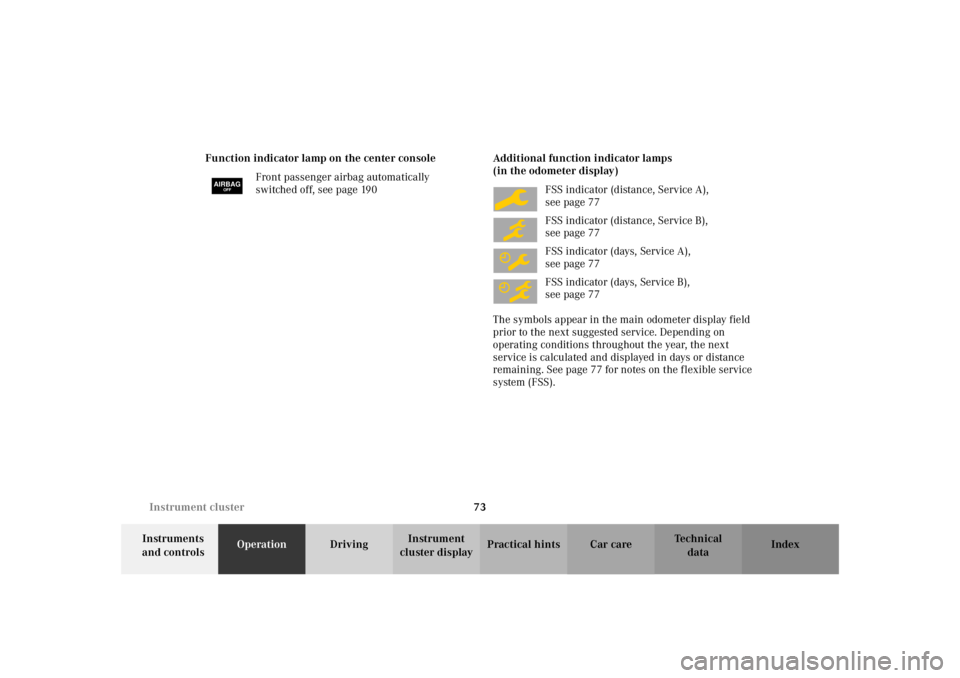
cluster displayPractical hints Car care Index Function indicator lamp on the center console
Front passenger airbag automatically
switched off, see page 190Additional function indicator lamps
(in the odometer display)
FSS indicator (distance, Service A),
see page 77
FSS indicator (distance, Service B),
see page 77
FSS indicator (days, Service A),
see page 77
FSS indicator (days, Service B),
see page 77
The symbols appear in the main odometer display field
prior to the next suggested service. Depending on
operating conditions throughout the year, the next
service is calculated and displayed in days or distance
remaining. See page 77 for notes on the flexible service
system (FSS).
AIRBAGOFF
Page 77 of 290
74 Instrument cluster
Te ch n i c a l
data Instruments
and controlsOperationDrivingInstrument
cluster displayPractical hints Car care Index
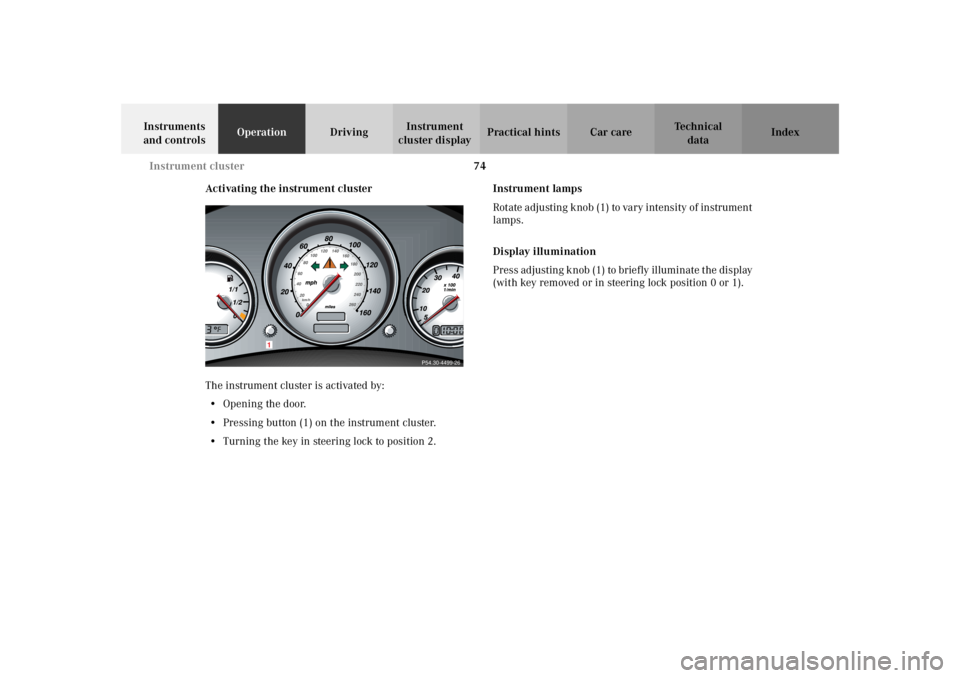
Activating the instrument cluster
The instrument cluster is activated by:
•Opening the door.
•Pressing button (1) on the instrument cluster.
•Turning the key in steering lock to position 2.Instrument lamps
Rotate adjusting knob (1) to vary intensity of instrument
lamps.
Display illumination
Press adjusting knob (1) to briefly illuminate the display
(with key removed or in steering lock position 0 or 1).
P54.30-4499-26
1
Page 78 of 290
75 Instrument cluster
Te ch n i c a l
data Instruments
and controlsOperationDrivingInstrument
cluster displayPractical hints Car care Index Coolant temperature gauge
During severe operating conditions and stop-and-go city
traffic, the coolant temperature may rise close to the red
marking.
The engine should not be operated with the coolant
temperature in the red zone. Doing so may cause
serious engine damage which is not covered by the
Mercedes-Benz Limited Warranty.Outside temperature indicator
The temperature sensor is located in the front bumper
area. Due to its location, the sensor can be affected by
road or engine heat during idling or slow driving. This
means that the accuracy of the displayed temperature
can only be verified by comparison to a thermometer
placed next to the sensor, not by comparison to external
displays (e.g. bank signs etc.).
Adaptation to ambient temperature takes place in steps
and depends on the prevailing driving conditions (stop-
and-go or moderate, constant driving) and amount of
temperature change.
Wa r n i n g !
• Driving when your engine is badly overheated
can cause some fluids which may have leaked
into the engine compartment to catch fire. You
could be seriously burned.• Steam from an overheated engine can cause
serious burns and can occur just by opening
the engine hood. Stay away from the engine if
you see or hear steam coming from it.Turn off the engine, get out of the vehicle and do
not stand near the vehicle until it cools down.
Wa r n i n g !
The outside temperature indicator is not designed
to serve as an Ice-Warning Device and is therefore
unsuitable for that purpose. Indicated
temperatures just above the freezing point do not
guarantee that the road surface is free of ice.
Page 79 of 290
76 Instrument cluster
Te ch n i c a l
data Instruments
and controlsOperationDrivingInstrument
cluster displayPractical hints Car care Index
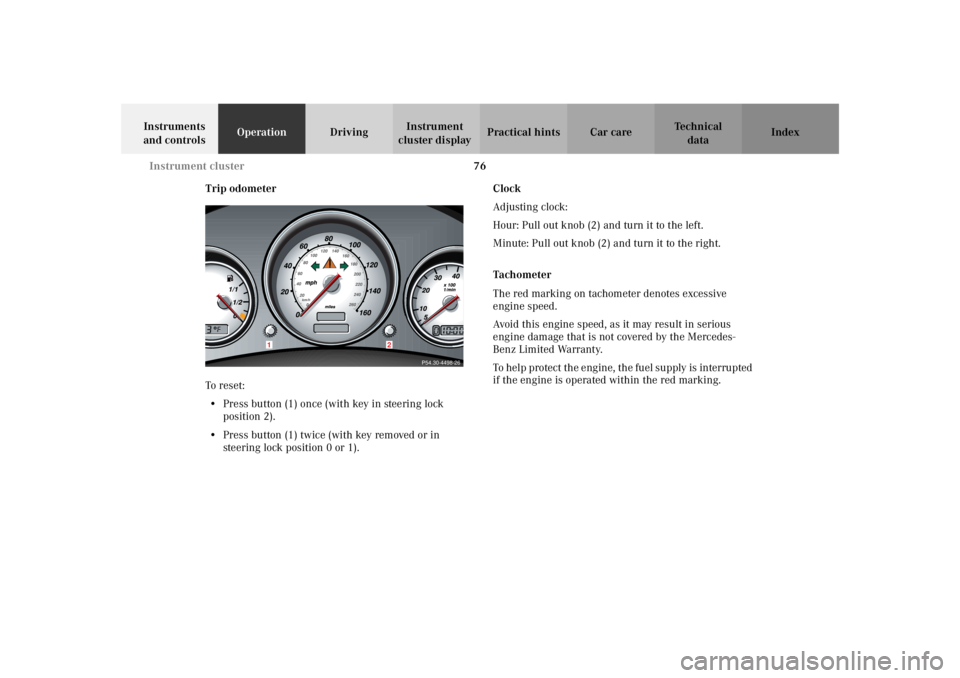
Trip odometer
To r es et :
•Press button (1) once (with key in steering lock
position 2).
•Press button (1) twice (with key removed or in
steering lock position 0 or 1).Clock
Adjusting clock:
Hour: Pull out knob (2) and turn it to the left.
Minute: Pull out knob (2) and turn it to the right.
Tachometer
The red marking on tachometer denotes excessive
engine speed.
Avoid this engine speed, as it may result in serious
engine damage that is not covered by the Mercedes-
Benz Limited Warranty.
To help protect the engine, the fuel supply is interrupted
if the engine is operated within the red marking.
P54.30-4498-26
1
2
Page 80 of 290
77 Flexible service system
Te ch n i c a l
data Instruments
and controlsOperationDrivingInstrument
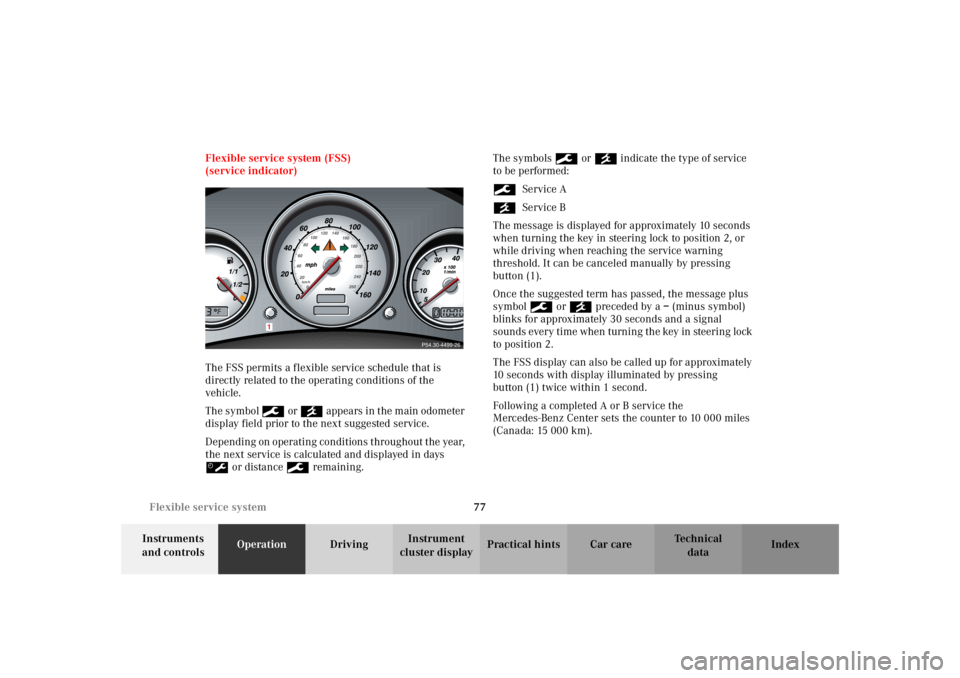
cluster displayPractical hints Car care Index Flexible service system (FSS)
(service indicator)
The FSS permits a flexible service schedule that is
directly related to the operating conditions of the
vehicle.
The symbol 9 or ´ appears in the main odometer
display field prior to the next suggested service.
Depending on operating conditions throughout the year,
the next service is calculated and displayed in days
š or distance 9 remaining.The symbols 9 or ´ indicate the type of service
to be performed:
9Service A
´Service B
The message is displayed for approximately 10 seconds
when turning the key in steering lock to position 2, or
while driving when reaching the service warning
threshold. It can be canceled manually by pressing
button (1).
Once the suggested term has passed, the message plus
symbol 9 or ´ preceded by a – (minus symbol)
blinks for approximately 30 seconds and a signal
sounds every time when turning the key in steering lock
to position 2.
The FSS display can also be called up for approximately
10 seconds with display illuminated by pressing
button (1) twice within 1 second.
Following a completed A or B service the
Mercedes-Benz Center sets the counter to 10 000 miles
(Canada: 15 000 km).
P54.30-4499-26
1
Page 81 of 290
78 Flexible service system
Te ch n i c a l
data Instruments
and controlsOperationDrivingInstrument
cluster displayPractical hints Car care Index
The counter can also be set by any individual. To do so:
1. Turn key in steering lock to position 2.
2. Within 1 second press button (1) twice.
3. The present status for days or distance is displayed.
Within 10 seconds turn key in steering lock to
position 0.
4. Press and hold button (1), while turning key in
steering lock to position 2 again. The present status
for days or distance is displayed once more.
Continue to hold button (1).
After approximately 10 seconds a signal sounds, and
the display shows 10 000 miles
(Canada: 15 000 km) for approximately 10 seconds.
5. Release button (1).
If the FSS counter was inadvertently reset, have a
Mercedes-Benz Center correct it.Note:
When disconnecting vehicle battery for one or more
days at a time, such days will not be counted. Any such
days not counted by FSS can be added by your
Mercedes-Benz Center.
The interval between services is determined by the kind
of vehicle operation. Driving at extreme speeds, and
cold starts combined with short distance driving in
which the engine does not reach normal operating
temperature, reduce the interval between services.
However you choose to set your reference numbers, the
scheduled services as posted in the Service Booklet
must be followed to properly care for your vehicle.
Page 82 of 290
79 Checking engine oil level
Te ch n i c a l
data Instruments
and controlsOperationDrivingInstrument
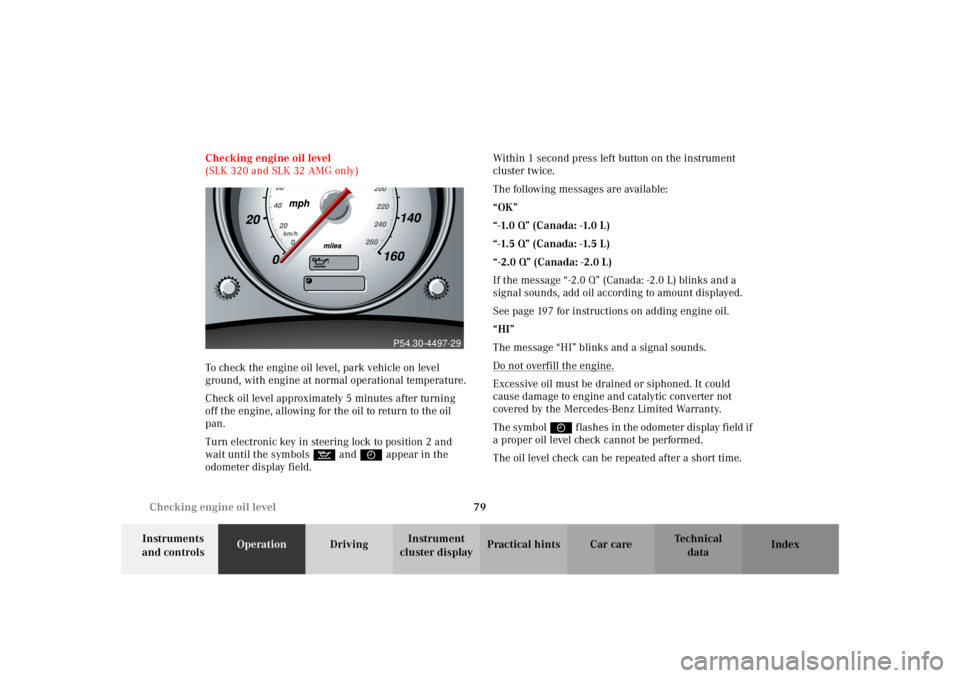
cluster displayPractical hints Car care Index Checking engine oil level
(SLK 320 and SLK 32 AMG only)
To check the engine oil level, park vehicle on level
ground, with engine at normal operational temperature.
Check oil level approximately 5 minutes after turning
off the engine, allowing for the oil to return to the oil
pan.
Turn electronic key in steering lock to position 2 and
wait until the symbols : and I appear in the
odometer display field.Within 1 second press left button on the instrument
cluster twice.
The following messages are available:
“OK”
“-1.0 Q” (Canada: -1.0 L)
“-1.5 Q” (Canada: -1.5 L)
“-2.0 Q” (Canada: -2.0 L)
If the message “-2.0 Q” (Canada: -2.0 L) blinks and a
signal sounds, add oil according to amount displayed.
See page 197 for instructions on adding engine oil.
“HI”
The message “HI” blinks and a signal sounds.
Do not overfill the engine.
Excessive oil must be drained or siphoned. It could
cause damage to engine and catalytic converter not
covered by the Mercedes-Benz Limited Warranty.
The symbol I flashes in the odometer display field if
a proper oil level check cannot be performed.
The oil level check can be repeated after a short time.
P54.30-4497-29
Page 83 of 290
80 Checking engine oil level
Te ch n i c a l
data Instruments
and controlsOperationDrivingInstrument
cluster displayPractical hints Car care Index
Perform the oil level check with the dipstick, if it cannot
be completed via the odometer display field. In this case
we recommend that you have the system checked at a
Mercedes-Benz Center.
Notes:
If the symbols : and I are continuously
illuminated after pressing left button on the instrument
cluster twice and there is no change in the odometer
display field or the low engine oil level warning lamp
comes on, a malfunction has occurred to the system.
Perform the engine oil level check with the dipstick.
If no oil leaks are noted continue to drive to the nearest
Mercedes-Benz Center to have the system checked.Engine oil consumption
Engine oil consumption checks should only be made
after the break-in period. During the break-in period,
higher oil consumption may be noticed and is normal.
Frequent driving at high engine speeds results in
increased consumption.
Page 84 of 290
81 Exterior lamp switch
Te ch n i c a l
data Instruments
and controlsOperationDrivingInstrument
cluster displayPractical hints Car care Index Exterior lamp switch
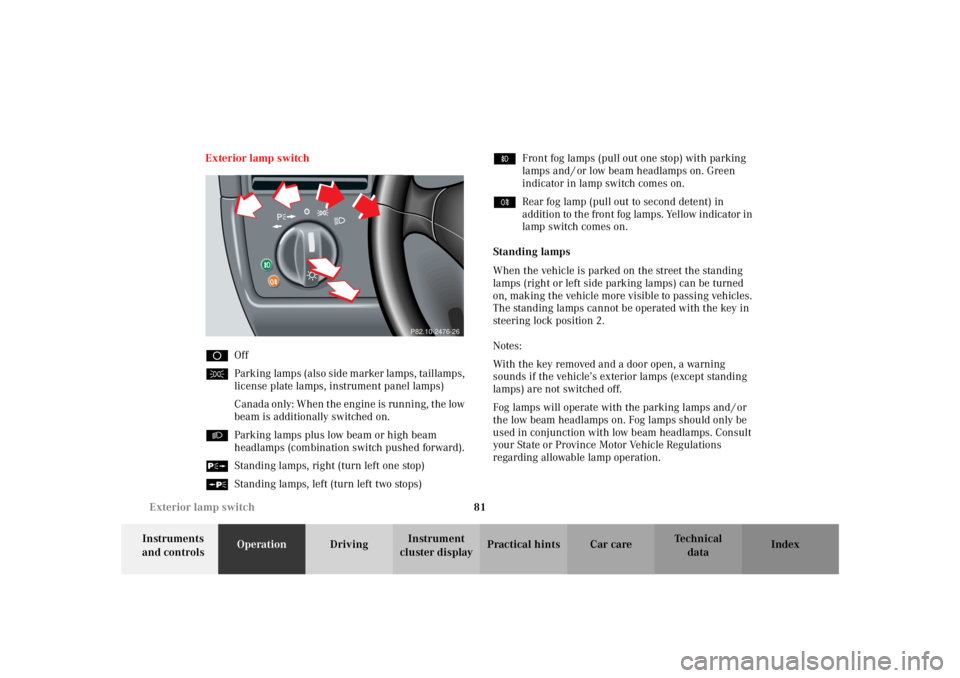
DOff
CParking lamps (also side marker lamps, taillamps,
license plate lamps, instrument panel lamps)
Canada only: When the engine is running, the low
beam is additionally switched on.
BParking lamps plus low beam or high beam
headlamps (combination switch pushed forward).
ˆStanding lamps, right (turn left one stop)
‚Standing lamps, left (turn left two stops)‡Front fog lamps (pull out one stop) with parking
lamps and / or low beam headlamps on. Green
indicator in lamp switch comes on.
†Rear fog lamp (pull out to second detent) in
addition to the front fog lamps. Yellow indicator in
lamp switch comes on.
Standing lamps
When the vehicle is parked on the street the standing
lamps (right or left side parking lamps) can be turned
on, making the vehicle more visible to passing vehicles.
The standing lamps cannot be operated with the key in
steering lock position 2.
Notes:
With the key removed and a door open, a warning
sounds if the vehicle’s exterior lamps (except standing
lamps) are not switched off.
Fog lamps will operate with the parking lamps and / or
the low beam headlamps on. Fog lamps should only be
used in conjunction with low beam headlamps. Consult
your State or Province Motor Vehicle Regulations
regarding allowable lamp operation.
P82.10-2476-26