reset MERCEDES-BENZ SLK-CLASS ROADSTER 2014 Owners Manual
[x] Cancel search | Manufacturer: MERCEDES-BENZ, Model Year: 2014, Model line: SLK-CLASS ROADSTER, Model: MERCEDES-BENZ SLK-CLASS ROADSTER 2014Pages: 356, PDF Size: 48.94 MB
Page 6 of 356
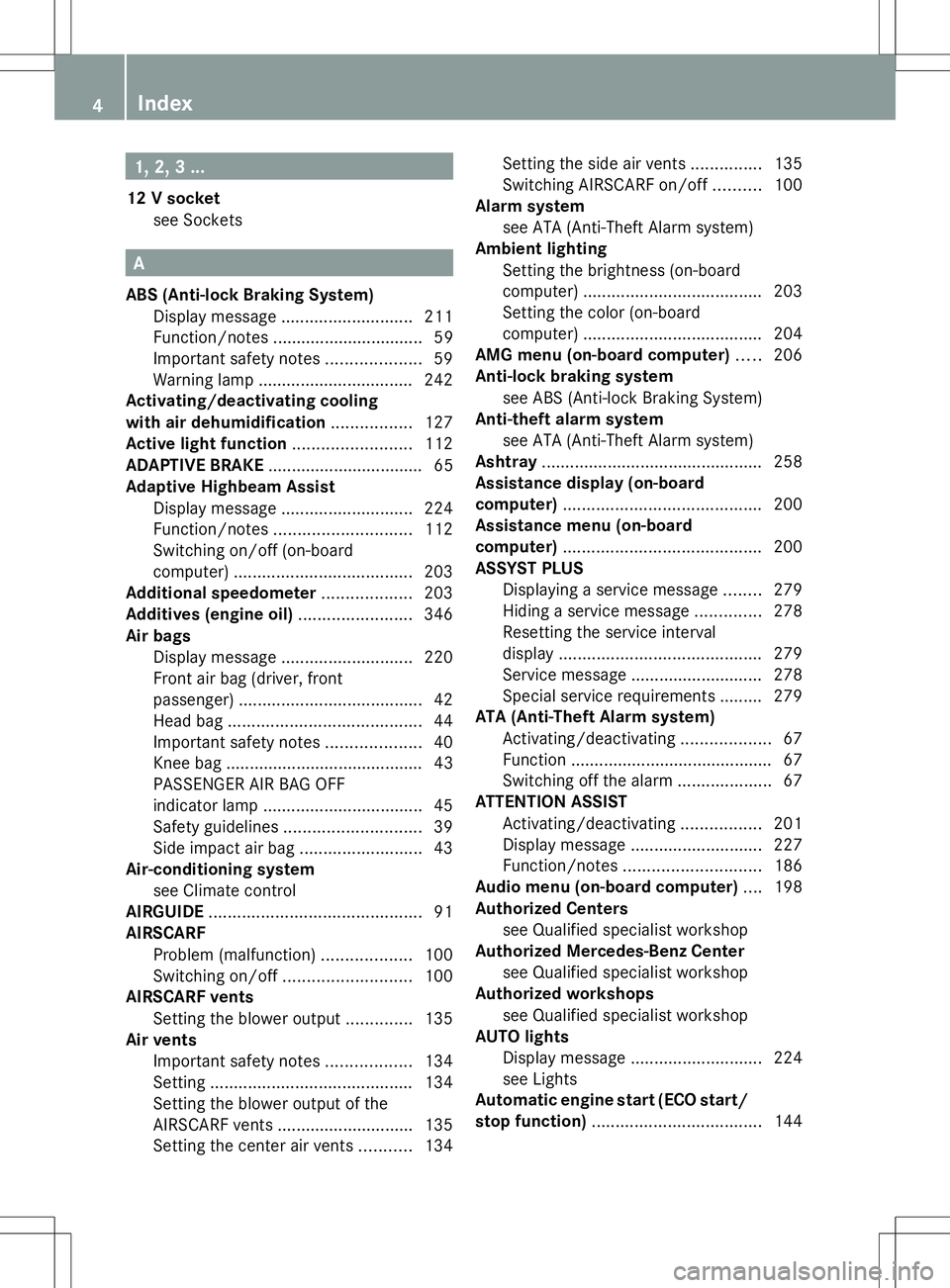
1, 2, 3 ...
12 V socket see Sockets A
ABS (Anti-lock Braking System) Display message ............................ 211
Function/notes ................................ 59
Important safety notes ....................59
Warning lamp ................................. 242
Activating/deactivating cooling
with air dehumidification .................127
Active light function .........................112
ADAPTIVE BRAKE ................................. 65
Adaptive Highbeam Assist Display message ............................ 224
Function/notes ............................. 112
Switching on/off (on-board
computer) ...................................... 203
Additional speedometer ...................203
Additives (engine oil) ........................346
Air bags Display message ............................ 220
Front air bag (driver, front
passenger) ....................................... 42
Head bag ......................................... 44
Important safety notes ....................40
Knee bag .......................................... 43
PASSENGER AIR BAG OFF
indicator lamp .................................. 45
Safety guidelines ............................. 39
Side impact air bag ..........................43
Air-conditioning system
see Climate control
AIRGUIDE ............................................. 91
AIRSCARF Problem (malfunction) ...................100
Switching on/off ........................... 100
AIRSCARF vents
Setting the blower output ..............135
Air vents
Important safety notes ..................134
Setting ........................................... 134
Setting the blower output of the
AIRSCARF vents ............................ .135
Setting the center air vents ...........134 Setting the side air vents
...............135
Switching AIRSCARF on/off ..........100
Alarm system
see ATA (Anti-Theft Alarm system)
Ambient lighting
Setting the brightness (on-board
computer) ...................................... 203
Setting the color (on-board
computer) ...................................... 204
AMG menu (on-board computer) .....206
Anti-lock braking system see ABS (Anti-lock Braking System)
Anti-theft alarm system
see ATA (Anti-Theft Alarm system)
Ashtray ............................................... 258
Assistance display (on-board
computer) .......................................... 200
Assistance menu (on-board
computer) .......................................... 200
ASSYST PLUS Displaying a service message ........279
Hiding a service message ..............278
Resetting the service interval
displa y........................................... 279
Service message ............................ 278
Special service requirements ......... 279
ATA (Anti-Theft Alarm system)
Activating/deactivating ...................67
Function .......................................... .67
Switching off the alarm ....................67
ATTENTION ASSIST
Activating/deactivating .................201
Display message ............................ 227
Function/notes ............................. 186
Audio menu (on-board computer) ....198
Authorized Centers see Qualified specialist workshop
Authorized Mercedes-Benz Center
see Qualified specialist workshop
Authorized workshops
see Qualified specialist workshop
AUTO lights
Display message ............................ 224
see Lights
Automatic engine start (ECO start/
stop function) .................................... 1444
Index
Page 14 of 356
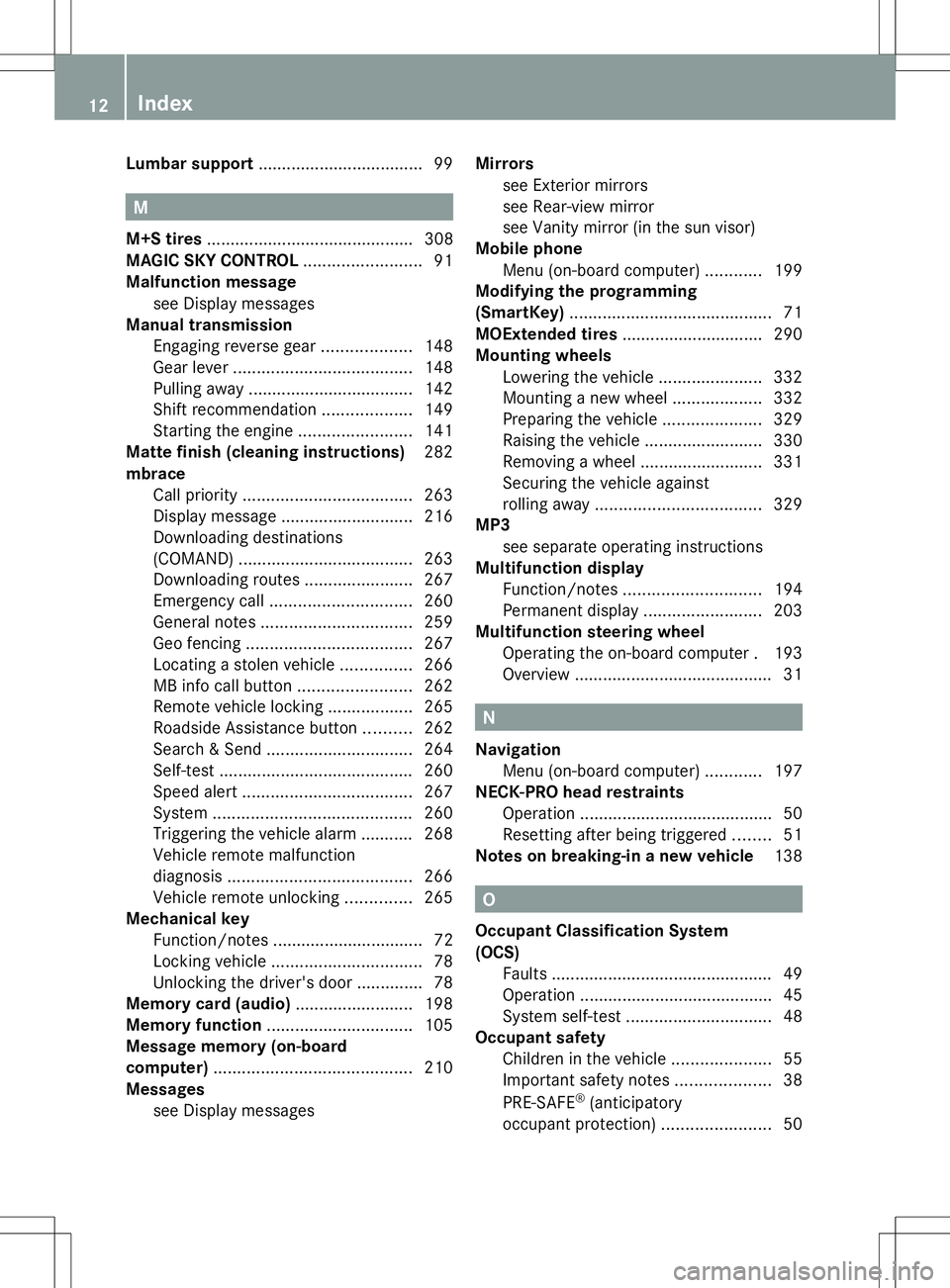
Lumbar support
.................................. .99M
M+S tires ............................................ 308
MAGIC SKY CONTROL .........................91
Malfunction message see Display messages
Manual transmission
Engaging reverse gear ...................148
Gear leve r...................................... 148
Pulling away ................................... 142
Shift recommendatio n................... 149
Starting the engine ........................141
Matte finish (cleaning instructions) 282
mbrace Call priority .................................... 263
Display message ............................ 216
Downloading destinations
(COMAND) ..................................... 263
Downloading routes .......................267
Emergency call .............................. 260
General notes ................................ 259
Geo fencing ................................... 267
Locating a stolen vehicle ...............266
MB info call button ........................262
Remote vehicle locking ..................265
Roadside Assistance button ..........262
Search & Send ............................... 264
Self-test ......................................... 260
Speed alert .................................... 267
System .......................................... 260
Triggering the vehicle alarm ........... 268
Vehicle remote malfunction
diagnosis ....................................... 266
Vehicle remote unlocking ..............265
Mechanical key
Function/notes ................................ 72
Locking vehicle ................................ 78
Unlocking the driver's door ..............78
Memory card (audio) .........................198
Memory function ............................... 105
Message memory (on-board
computer) .......................................... 210
Messages see Display messages Mirrors
see Exterior mirrors
see Rear-view mirror
see Vanity mirror (in the sun visor)
Mobile phone
Menu (on-board computer) ............199
Modifying the programming
(SmartKey) ........................................... 71
MOExtended tires .............................. 290
Mounting wheels Lowering the vehicle ......................332
Mounting a new wheel ...................332
Preparing the vehicle .....................329
Raising the vehicle .........................330
Removing a wheel ..........................331
Securing the vehicle against
rolling away ................................... 329
MP3
see separate operating instructions
Multifunction display
Function/notes ............................. 194
Permanent displa y......................... 203
Multifunction steering wheel
Operating the on-board computer .193
Overview .......................................... 31 N
Navigation Menu (on-board computer) ............197
NECK-PRO head restraints
Operation ........................................ .50
Resetting after being triggered ........51
Notes on breaking-in a new vehicle 138 O
Occupant Classification System
(OCS) Faults ............................................... 49
Operation ........................................ .45
System self-test ............................... 48
Occupant safety
Children in the vehicle .....................55
Important safety notes ....................38
PRE-SAFE ®
(anticipatory
occupant protection) .......................5012
Index
Page 17 of 356
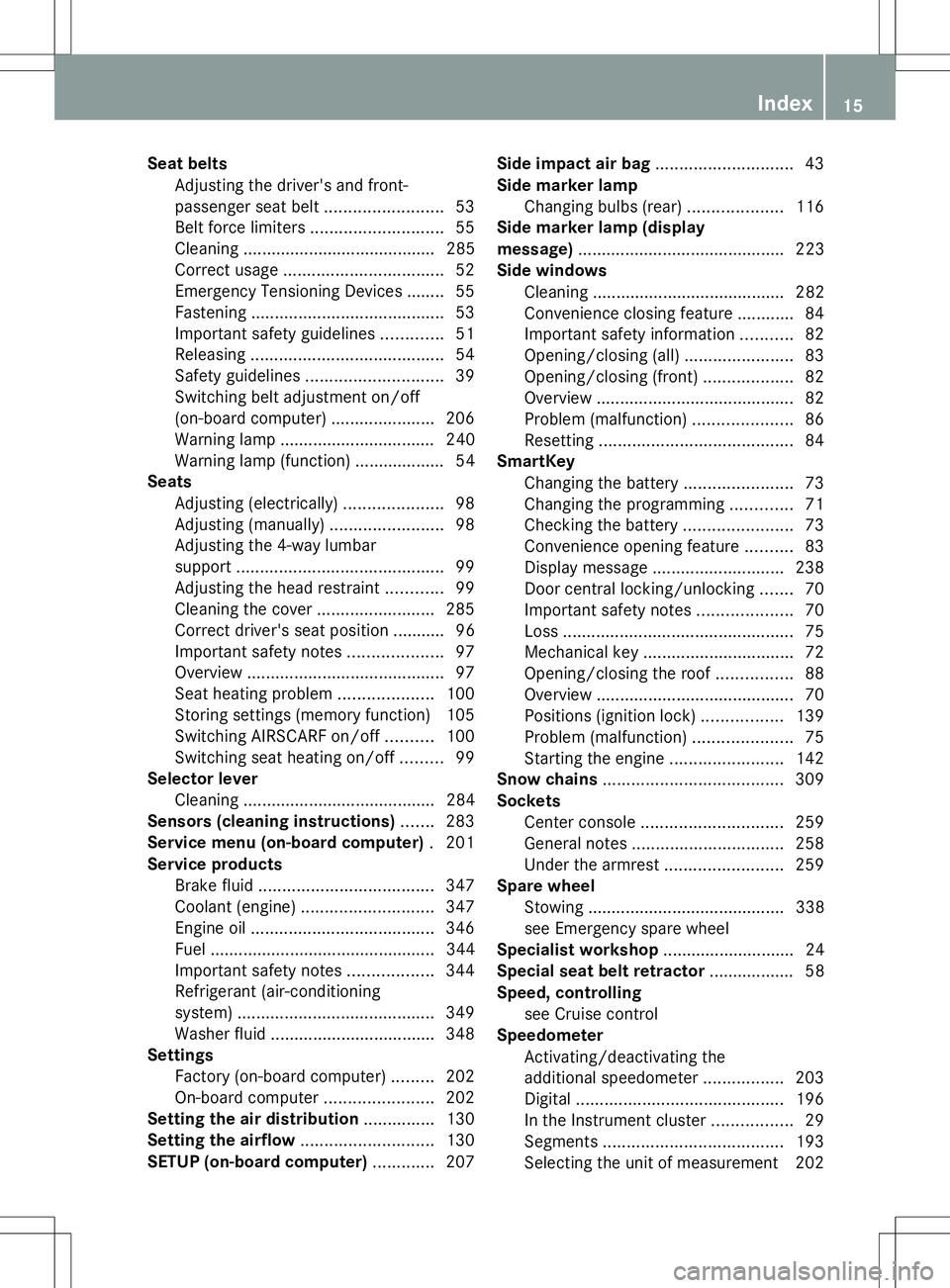
Seat belts
Adjusting the driver's and front-
passenger seat belt .........................53
Belt force limiters ............................ 55
Cleaning ......................................... 285
Correct usage .................................. 52
Emergency Tensioning Devices ....... .55
Fastening ......................................... 53
Important safety guidelines .............51
Releasing ......................................... 54
Safety guidelines ............................. 39
Switching belt adjustment on/off
(on-board computer) ......................206
Warning lamp ................................. 240
Warning lamp (function) ................... 54
Seats
Adjusting (electrically) .....................98
Adjusting (manually). .......................98
Adjusting the 4-way lumbar
support ............................................ 99
Adjusting the head restraint ............99
Cleaning the cover .........................285
Correct driver's seat position ........... 96
Important safety notes ....................97
Overview .......................................... 97
Seat heating problem ....................100
Storing settings (memory function) 105
Switching AIRSCARF on/off ..........100
Switching seat heating on/off .........99
Selector lever
Cleaning ......................................... 284
Sensors (cleaning instructions) .......283
Service menu (on-board computer) .201
Service products Brake fluid ..................................... 347
Coolant (engine) ............................ 347
Engine oil ....................................... 346
Fuel ................................................ 344
Important safety notes ..................344
Refrigerant (air-conditioning
system) .......................................... 349
Washer fluid .................................. .348
Settings
Factory (on-board computer) .........202
On-board computer .......................202
Setting the air distribution ...............130
Setting the airflow ............................130
SETUP (on-board computer) .............207Side impact air bag
.............................43
Side marker lamp Changing bulbs (rear) ....................116
Side marker lamp (display
message) ............................................ 223
Side windows Cleaning ......................................... 282
Convenience closing feature ............84
Important safety information ...........82
Opening/closing (all) .......................83
Opening/closing (front) ...................82
Overview .......................................... 82
Problem (malfunction) .....................86
Resetting ......................................... 84
SmartKey
Changing the battery .......................73
Changing the programming .............71
Checking the battery .......................73
Convenience opening feature ..........83
Display message ............................ 238
Door central locking/unlocking .......70
Important safety notes ....................70
Loss ................................................. 75
Mechanical key ................................ 72
Opening/closing the roof ................88
Overview .......................................... 70
Positions (ignition lock) .................139
Problem (malfunction) .....................75
Starting the engine ........................142
Snow chains ...................................... 309
Sockets Center console .............................. 259
General notes ................................ 258
Under the armrest .........................259
Spare wheel
Stowing .......................................... 338
see Emergency spare wheel
Specialist workshop ............................ 24
Special seat belt retractor .................. 58
Speed, controlling see Cruise control
Speedometer
Activating/deactivating the
additional speedometer .................203
Digital ............................................ 196
In the Instrument cluster .................29
Segments ...................................... 193
Selecting the unit of measurement 202 Index
15
Page 20 of 356
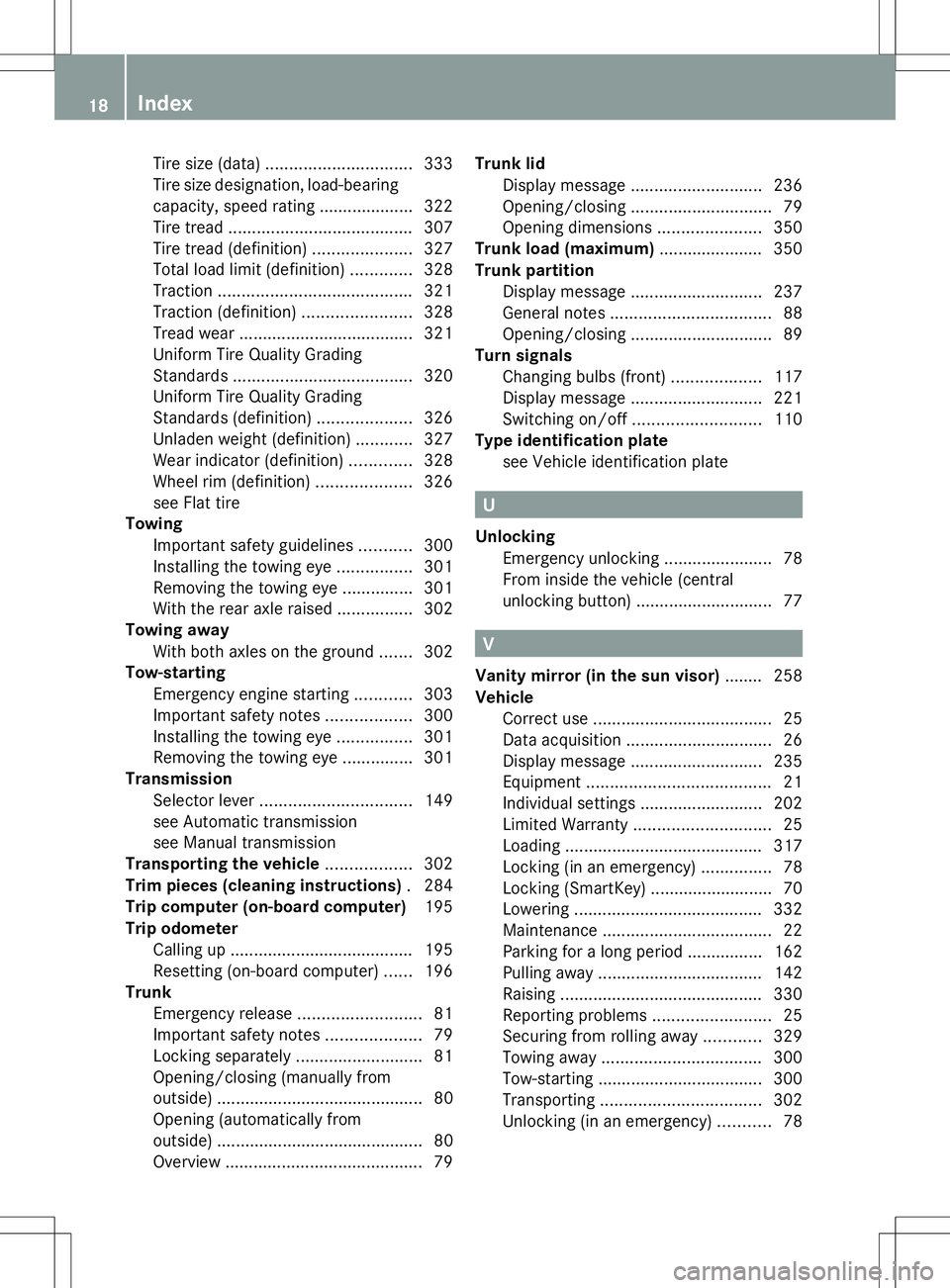
Tire size (data)
............................... 333
Tire size designation, load-bearing
capacity, speed rating .................... 322
Tire tread ....................................... 307
Tire tread (definition) .....................327
Total load limit (definition) .............328
Traction ......................................... 321
Traction (definition) .......................328
Tread wea r..................................... 321
Uniform Tire Quality Grading
Standards ...................................... 320
Uniform Tire Quality Grading
Standards (definition) ....................326
Unladen weight (definition) ............327
Wear indicator (definition) .............328
Wheel rim (definition) ....................326
see Flat tire
Towing
Important safety guidelines ...........300
Installing the towing eye ................301
Removing the towing eye ...............301
With the rear axle raised ................302
Towing away
With both axles on the ground .......302
Tow-starting
Emergency engine starting ............303
Important safety notes ..................300
Installing the towing eye ................301
Removing the towing eye ...............301
Transmission
Selector lever ................................ 149
see Automatic transmission
see Manual transmission
Transporting the vehicle ..................302
Trim pieces (cleaning instructions) .284
Trip computer (on-board computer) 195
Trip odometer Calling up ....................................... 195
Resetting (on-board computer) ......196
Trunk
Emergency release ..........................81
Important safety notes ....................79
Locking separately ...........................81
Opening/closing (manually from
outside) ............................................ 80
Opening (automatically from
outside) ............................................ 80
Overview .......................................... 79Trunk lid
Display message ............................ 236
Opening/closing .............................. 79
Opening dimensions ......................350
Trunk load (maximum) ......................350
Trunk partition Display message ............................ 237
General notes .................................. 88
Opening/closing .............................. 89
Turn signals
Changing bulbs (front) ...................117
Display message ............................ 221
Switching on/off ........................... 110
Type identification plate
see Vehicle identification plate U
Unlocking Emergency unlocking .......................78
From inside the vehicle (central
unlocking button) ............................. 77 V
Vanity mirror (in the sun visor) ........258
Vehicle Correct use ...................................... 25
Data acquisition ............................... 26
Display message ............................ 235
Equipment ....................................... 21
Individual settings ..........................202
Limited Warranty ............................. 25
Loading .......................................... 317
Locking (in an emergency) ...............78
Locking (SmartKey) .......................... 70
Lowering ........................................ 332
Maintenance .................................... 22
Parking for a long period ................ 162
Pulling away ................................... 142
Raising ........................................... 330
Reporting problems .........................25
Securing from rolling away ............329
Towing away .................................. 300
Tow-starting ................................... 300
Transporting .................................. 302
Unlocking (in an emergency) ...........78 18
Index
Page 26 of 356
In situations like this, the body, the
undercarriage, chassis parts, wheels or
tires could be damaged without the
damage being visible. Components
damaged in this way can unexpectedly fail
or, in the case of an accident, no longer
withstand the strain they are designed to.
If the underbody paneling is damaged,
combustible materials such as leaves,
grass or twigs can gather between the
underbody and the underbody paneling. If
these materials come in contact with hot
parts of the exhaust system for an
extended period, they can catch fire.
Have the vehicle checked and repaired
immediately at a qualified specialist
workshop. If on continuing your journey
you notice that driving safety is impaired,
pull over and stop the vehicle immediately,
paying attention to road and traffic
conditions. In such cases, visit a qualified
specialist workshop. Declarations of conformity
Vehicle components which receive
and/or transmit radio waves USA:
"The wireless devices of this vehicle
comply with Part 15 of the FCC Rules.
Operation is subject to the following two
conditions: 1) These devices may not cause
harmful interference, and 2) These devices
must accept any interference received,
including interference that may cause
undesired operation. Changes or
modifications not expressly approved by the
party responsible for compliance could void
the user’s authority to operate the
equipment."
Canada: "The wireless devices of this vehicle
comply with Industry Canada license-exempt
RSS standard(s). Operation is subject to the
following two conditions: (1) These devices
may not cause interference, and (2) These
devices must accept any interference, including interference that may cause
undesired operation of the device." Diagnostics connection
The diagnostics connection is only intended
for the connection of diagnostic equipment at
a qualified specialist workshop. G
WARNING
If you connect equipment to the diagnostics
connection in the vehicle, it may affect the
operation of the vehicle systems. As a result,
the operating safety of the vehicle could be
affected. There is a risk of an accident.
Do not connect any equipment to a
diagnostics connection in the vehicle. G
WARNING
Objects in the driver's footwell can restrict the
pedal travel or obstruct a depressed pedal.
The operating and road safety of the vehicle
is jeopardized. There is a risk of an accident.
Make sure that all objects in the vehicle are
stowed correctly, and that they cannot enter
the driver's footwell. Install the floormats
securely and as specified in order to ensure
sufficient clearance for the pedals. Do not use
loose floormats and do not place floormats on
top of one another.
! If the engine is switched off and
equipment on the diagnostics connection
is used, the starter battery may discharge.
Connecting equipment to the diagnostics
connection can lead to emissions monitoring
information being reset, for example. This
may lead to the vehicle failing to meet the
requirements of the next emissions test
during the main inspection. Qualified specialist workshop
An authorized Mercedes-Benz Center is a
qualified specialist workshop. It has the
necessary specialist knowledge, tools and 24
Introduction
Page 46 of 356
intended protection in the event of an
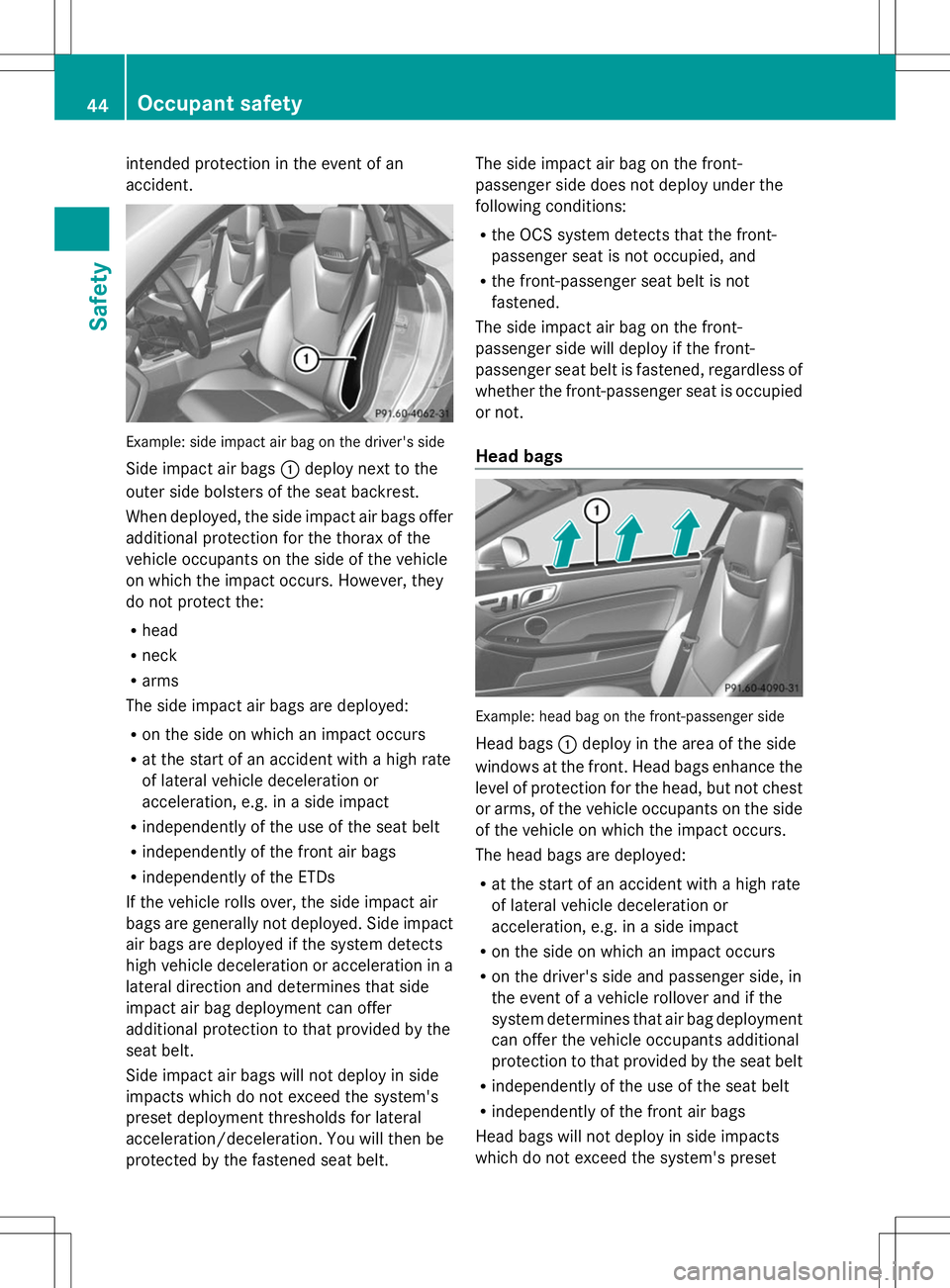
accident. Example: side impact air bag on the driver's side
Side impact air bags :deploy next to the
outer side bolsters of the seat backrest.
When deployed, the side impact air bags offer
additional protection for the thorax of the
vehicle occupants on the side of the vehicle
on which the impact occurs. However, they
do not protect the:
R head
R neck
R arms
The side impact air bags are deployed:
R on the side on which an impact occurs
R at the start of an accident with a high rate
of lateral vehicle deceleration or
acceleration, e.g. in a side impact
R independently of the use of the seat belt
R independently of the front air bags
R independently of the ETDs
If the vehicle rolls over, the side impact air
bags are generally not deployed. Side impact
air bags are deployed if the system detects
high vehicle deceleration or acceleration in a
lateral direction and determines that side
impact air bag deployment can offer
additional protection to that provided by the
seat belt.
Side impact air bags will not deploy in side
impacts which do not exceed the system's
preset deployment thresholds for lateral
acceleration/deceleration. You will then be
protected by the fastened seat belt. The side impact air bag on the front-
passenger side does not deploy under the
following conditions:
R
the OCS system detects that the front-
passenger seat is not occupied, and
R the front-passenger seat belt is not
fastened.
The side impact air bag on the front-
passenger side will deploy if the front-
passenger seat belt is fastened, regardless of
whether the front-passenger seat is occupied
or not.
Head bags Example: head bag on the front-passenger side
Head bags
:deploy in the area of the side
windows at the front. Head bags enhance the
level of protection for the head, but not chest
or arms, of the vehicle occupants on the side
of the vehicle on which the impact occurs.
The head bags are deployed:
R at the start of an accident with a high rate
of lateral vehicle deceleration or
acceleration, e.g. in a side impact
R on the side on which an impact occurs
R on the driver's side and passenger side, in
the event of a vehicle rollover and if the
system determines that air bag deployment
can offer the vehicle occupants additional
protection to that provided by the seat belt
R independently of the use of the seat belt
R independently of the front air bags
Head bags will not deploy in side impacts
which do not exceed the system's preset 44
Occupant safetySafety
Page 52 of 356
PRE-SAFE
®
(anticipatory occupant
protection system)
Introduction i
AMG vehicles do not include the PRE-
SAFE ®
system.
All vehicles (except AMG vehicles): the
PRE-SAFE ®
system is only available in
vehicles with DISTRONIC PLUS.
PRE-SAFE ®
takes preemptive measures to
protect occupants in certain hazardous
situations.
Important safety notes !
Make sure that there are no objects in the
footwell or behind the seats when resetting
the seats. There is a risk that the seats
and/or the objects could be damaged.
Despite your vehicle being equipped with the
PRE-SAFE ®
system, the possibility of
personal injuries occurring as a result of an
accident cannot be eliminated.
Always adapt your driving style to suit the
prevailing road and weather conditions and
maintain a safe distance from the vehicle in
front. Drive carefully.
Function PRE-SAFE
®
intervenes:
R in emergency braking situations, e.g. when
BAS is activated.
R in critical driving situations, e.g. when
physical limits are exceeded and the
vehicle understeers or oversteers severely.
R on vehicles with DISTRONIC PLUS: if
BAS PLUS brakes hard or the radar sensor
system detects an imminent danger of
collision in certain situations. PRE-SAFE
®
takes the following measures
depending on the hazardous situation
detected:
R the seat belts are pre-tensioned.
R if the vehicle skids, the side windows are
closed so that only a small gap remains.
R vehicles with the memory function for
the front-passenger seat: the front-
passenger seat is adjusted if it is in an
unfavorable position.
If the hazardous situation passes without
resulting in an accident, PRE-SAFE ®
slackens
the belt pre-tensioning. All settings made by
PRE-SAFE ®
can then be reversed.
If the seat belts are not released:
X When the vehicle is stationary, move the
backrest or seat back slightly.
The seat belt pre-tensioning is reduced and
the locking mechanism is released.
The seat-belt adjustment is an integral part of
the PRE-SAFE ®
convenience function. More
information about seat-belt adjustment can
be found under "Seat-belt adjustment"
(Y page 53). NECK-PRO head restraints
Important safety notes G
WARNING
Do not secure any objects (e.g. coat hangers)
on the NECK-PRO head restraints. Otherwise,
the NECK-PRO head restraints may not
function properly, or in the event of a rear-end
collision may not be able offer the level of
protection they are designed to provide. G
WARNING
Seat or head restraint covers can cause a
malfunction when the NECK-PRO head
restraints are activated or when the side
impact air bags are deployed, or they can
prevent this completely. The NECK-PRO head
restraints or side impact air bags can 50
Occupant safetySafety
Page 53 of 356
therefore not provide the intended protection.
Do not use any seat or head restraint covers. G
WARNING
For your protection, drive only with properly
positioned head restraints.
Adjust the head restraint so that it is as close
to the head as possible and the center of the
head restraint supports the back of the head
at eye level. This will reduce the potential for
injury to the head and neck in the event of an
accident or similar situation. G
WARNING
For safety reasons, have the NECK-PRO head
restraints checked at a qualified specialist
workshop after a rear-end collision.
The NECK-PRO head restraints reduce the
likelihood of head and chest injuries. The
NECK-PRO head restraints on the driver's and
front-passenger seats are moved forwards
and upwards in the event of a rear-end
collision of a certain severity. This provides
better head support.
If the NECK-PRO head restraints have been
triggered in an accident, reset the NECK-PRO
head restraints on the driver’s and front-
passenger seat (Y page 51). Otherwise, the
additional protection will not be available in
the event of another rear-end collision. You
can recognize when NECK-PRO head
restraints have been triggered by the fact that
they have moved forwards and can no longer
be adjusted.
Resetting triggered NECK-PRO head
restraints G
WARNING
When pushing back the NECK-PRO head
restraint cushion, make sure your fingers do
not become caught between the head
restraint cushion and the cover. Failure to
observe this could result in injuries. X
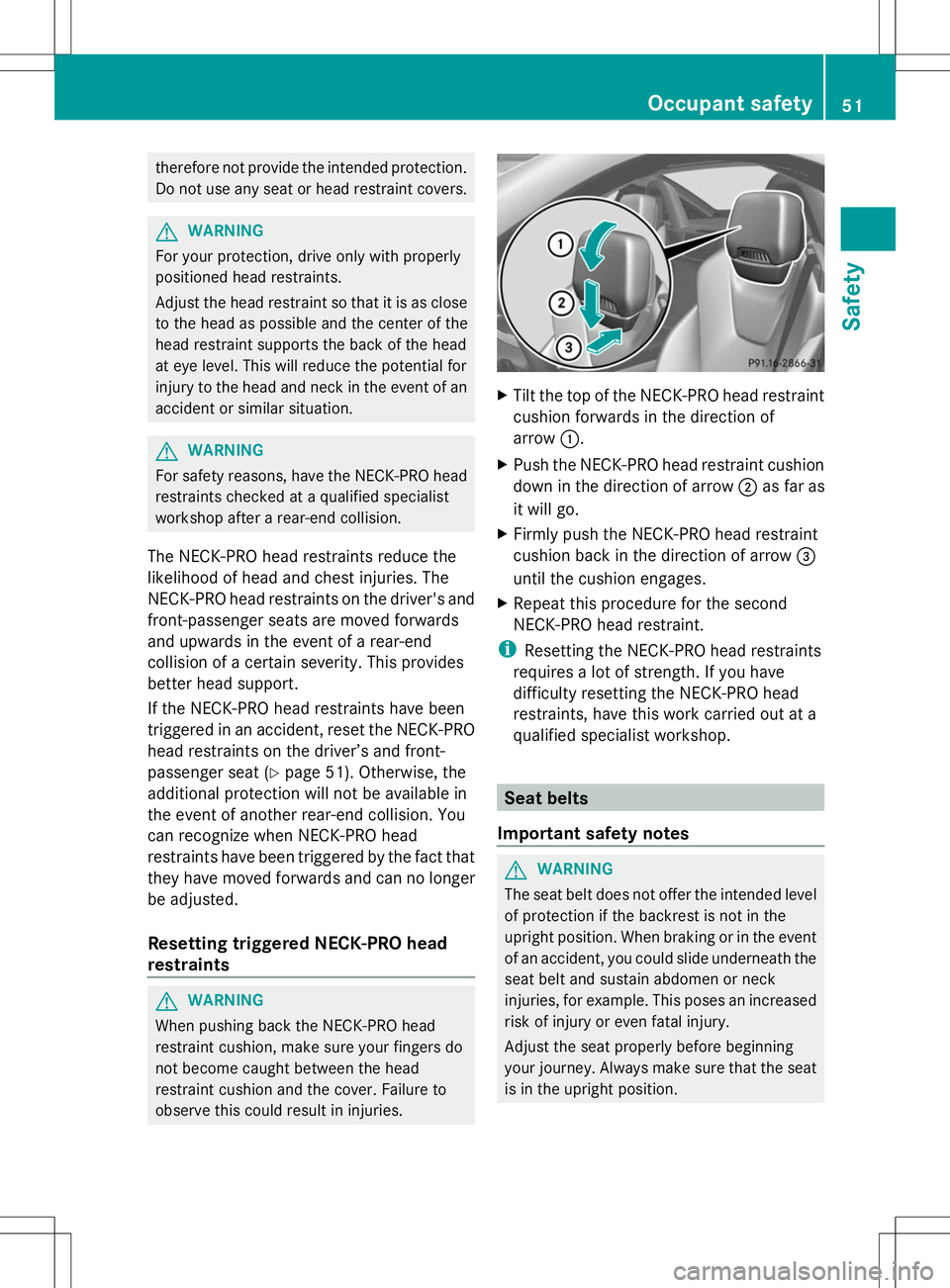
Tilt the top of the NECK-PRO head restraint
cushion forwards in the direction of
arrow :.
X Push the NECK-PRO head restraint cushion
down in the direction of arrow ;as far as
it will go.
X Firmly push the NECK-PRO head restraint
cushion back in the direction of arrow =
until the cushion engages.
X Repeat this procedure for the second
NECK-PRO head restraint.
i Resetting the NECK-PRO head restraints
requires a lot of strength. If you have
difficulty resetting the NECK-PRO head
restraints, have this work carried out at a
qualified specialist workshop. Seat belts
Important safety notes G
WARNING
The seat belt does not offer the intended level
of protection if the backrest is not in the
upright position. When braking or in the event
of an accident, you could slide underneath the
seat belt and sustain abdomen or neck
injuries, for example. This poses an increased
risk of injury or even fatal injury.
Adjust the seat properly before beginning
your journey. Always make sure that the seat
is in the upright position. Occupant safety
51Safety Z
Page 54 of 356
G
WARNING
Seat belts cannot protect as intended, if:
R they are damaged, extremely dirty,
bleached or dyed
R the seat belt buckle is damaged or
extremely dirty
R the Emergency Tensioning Devices or the
belt anchorage has been modified.
Damage caused to seat belts in an accident
may not be visible, e.g. by splinters of glass.
Modified or damaged seat belts can tear or
fail, for example in the event of an accident.
Modified Emergency Tensioning Devices may
be deployed unintentionally or fail to be
deployed when required. There is an
increased risk of injury, possibly even fatal.
Never modify seat belts, Emergency
Tensioning Devices, seat belt anchorages and
inertia reels. Ensure that seat belts are not
damaged or worn and are clean.
Only use seat belts that have been approved
for your vehicle by Mercedes-Benz.
The use of seat belts and infant and child
restraint systems is required by law in:
R all 50 states
R the U.S. territories
R the District of Columbia
R all Canadian provinces
Even where this is not required by law, all
vehicle occupants should correctly fasten
their seat belts before starting the journey.
i See "Children in the vehicle"
(Y page 55) for further information on
infants and children traveling in the vehicle
as well as on child restraint systems.
Proper use of the seat belts G
WARNING
USE SEAT BELTS PROPERLY
R Seat belts can only work when used
properly. Never wear seat belts in any other
way than as described in this section, as that could result in serious injuries in the
event of an accident.
R Each occupant should wear their seat belt
at all times, because seat belts help reduce
the likelihood of and potential severity of
injuries in accidents, including rollovers.
The integrated restraint system includes
SRS (driver front air bag, knee bags, front-
passenger front air bag, side impact air
bags, head air bags), Emergency
Tensioning Devices (ETDs) and seat belt
force limiters. The system is designed to
enhance the protection offered to properly
belted occupants in certain frontal (front air
bags, knee bags and ETDs) and side (side
impact air bags, head air bags and ETDs)
impacts which exceed preset deployment
thresholds.
R Never wear the shoulder belt under your
arm, across your neck or off your shoulder.
In a frontal crash, your body would move
too far forward. That would increase the
chance of head and neck injuries. The seat
belt would also apply too much force to the
ribs or abdomen, which could severely
injure internal organs such as your liver or
spleen.
Adjust the seat belt so that the shoulder
section is located as close as possible to
the middle of the shoulder (it should not
touch the neck).
R Position the lap belt as low as possible on
your hips and not across the abdomen. If
the lap belt is positioned across your
abdomen, it could cause serious injuries in
a crash.
R Never wear seat belts over rigid or
breakable objects in or on your clothing,
such as eyeglasses, pens, keys etc., as
these might cause injuries.
R Make sure the seat belt is always fitted
snugly. Take special care of this when
wearing loose clothing.
R Never use a seat belt for more than one
person at a time. Do not fasten a seat belt 52
Occupant safetySafety
Page 84 of 356
The trunk lid emergency release does not
unlock the trunk lid if the battery is
disconnected or discharged.
Trunk lid emergency release light:
R emergency release button :flashes for
30 minutes after the trunk lid is opened
R emergency release button :flashes for
60 minutes after the trunk lid is closed Side windows
Important safety notes
G
WARNING
While opening the side windows, body parts
could become trapped between the side
window and the door frame as the side
window moves. There is a risk of injury.
Make sure that nobody touches the side
window during the opening procedure. If
somebody becomes trapped, release the
switch or pull the switch to close the side
window again. G
WARNING
While opening the side windows, body parts
in the closing area could become trapped.
There is a risk of injury.
Make sure that no body parts are in close
proximity during the closing procedure. If
somebody becomes trapped, release the
switch or press the switch to open the side
window again. G
WARNING
If children operate the side windows they
could become trapped, particularly if they are
left unsupervised. There is a risk of injury.
When leaving the vehicle, always take the
SmartKey with you and lock the vehicle. Never
leave children unsupervised in the vehicle. Side window reversing feature
The side windows are equipped with an
automatic reversing feature. If a solid object
blocks or restricts a side window during the
closing process, the side window opens again
automatically. However, the automatic
reversing feature is only an aid and does not
relieve you of the responsibility of paying
attention when closing a side window. G
WARNING
The reversing feature does not react:
R to soft, light and thin objects, e.g. small
fingers
R over the last 1/6 in(4 mm) of the closing
movement
R during resetting
R when closing the side window again
manually immediately after automatic
reversing
This means that the reversing feature cannot
prevent someone being trapped in these
situations. There is a risk of injury.
Make sure that no body parts are in close
proximity during the closing procedure. If
someone becomes trapped, press the switch
to open the side window again. Opening and closing the side
windows in the front
The switches for the front side windows are
located on the driver's door. There is also a
switch for the front-passenger side window
on the front-passenger door.
The switches on the driver's door take
precedence. 82
Side windowsOpening and closing