control arm MERCEDES-BENZ SLK230 2000 R170 Owner's Manual
[x] Cancel search | Manufacturer: MERCEDES-BENZ, Model Year: 2000, Model line: SLK230, Model: MERCEDES-BENZ SLK230 2000 R170Pages: 273
Page 4 of 273

1 Contents
IntroductionProduct information .......................... 5
Operator’s manual ............................. 6
Where to find it ................................ 11
Reporting Safety Defects ................ 13Instruments and controlsInstruments and controls ............... 16
Center console .............................. 18
Overhead control panel ............... 19OperationVehicle keys ...................................... 22
Remote control with
folding master key ...................... 22
Start lock-out .................................... 24
General notes on the
central locking system ............... 24
Central locking system ................... 25
Remote control ............................. 25
Panic button .................................. 27
Doors .................................................. 28Central locking switch .................... 30
Automatic central locking ...............31
Emergency unlocking in
case of accident .......................... 32
Trunk ................................................. 33
Emergency release
for trunk lid ................................. 35
Antitheft alarm system ................... 35
Tow-away alarm ............................... 37
Seats .................................................. 38
Seat heater ........................................ 42
Seat belts and integrated
restraint system .......................... 44
Seat belts .......................................... 44
Seat belt nonusage
warning system ............................ 45
BabySmart
TM airbag
deactivation system ................... 50
Self-test BabySmart
TM without
special child
seat installed .................................51
Supplemental restraint
system (SRS) ................................51
Emergency tensioning
retractor (ETR) ............................ 52Airbags .............................................. 52
Safety guidelines for the
seat belt, emergency
tensioning retractor
and airbag .................................... 59
Infant and child
restraint systems ......................... 61
Adjusting telescoping
steering column .......................... 63
Rear view mirrors ............................ 64
Instrument cluster ........................... 68
Flexible service
system (FSS) ................................ 75
Checking engine oil level ............... 77
Engine oil consumption .................. 78
Exterior lamp switch ....................... 79
Headlamp cleaning system ............ 80
Combination switch ........................ 81
Hazard warning flasher
switch ............................................ 83
Climate control ................................. 84
Rear window defroster .................... 88
Audio and telephone,
operation ...................................... 91
Page 20 of 273
17 Instruments and controls
Te ch n ica l
data Instruments
and controlsOperation DrivingInstrument
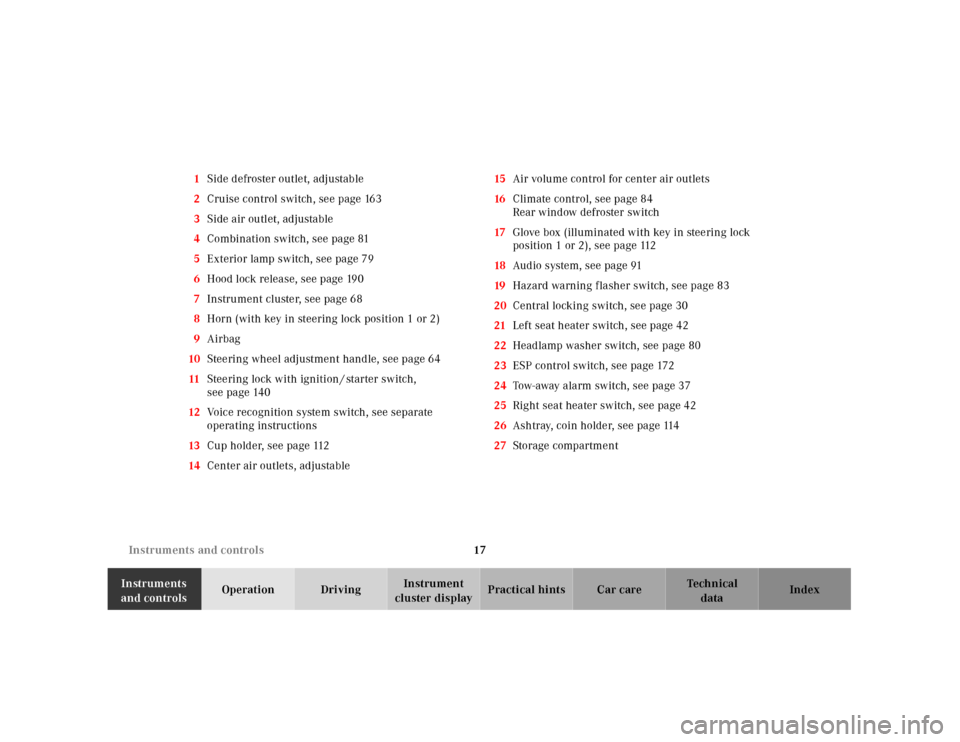
cluster displayPractical hints Car care Index 1Side defroster outlet, adjustable
2Cruise control switch, see page 163
3Side air outlet, adjustable
4Combination switch, see page 81
5Exterior lamp switch, see page 79
6Hood lock release, see page 190
7Instrument cluster, see page 68
8Horn (with key in steering lock position 1 or 2)
9Airbag
10Steering wheel adjustment handle, see page 64
11Steering lock with ignition / starter switch,
see page 140
12Voice recognition system switch, see separate
operating instructions
13Cup holder, see page 112
14Center air outlets, adjustable15Air volume control for center air outlets
16Climate control, see page 84
Rear window defroster switch
17Glove box (illuminated with key in steering lock
position 1 or 2), see page 112
18Audio system, see page 91
19Hazard warning f lasher switch, see page 83
20Central locking switch, see page 30
21Left seat heater switch, see page 42
22Headlamp washer switch, see page 80
23ESP control switch, see page 172
24Tow-away alarm switch, see page 37
25Right seat heater switch, see page 42
26Ashtray, coin holder, see page 114
27Storage compartment
Page 23 of 273
20 Contents - Operation
Te ch n ica l
data Instruments
and controlsOperationDrivingInstrument
cluster displayPractical hints Car care Index
OperationVehicle keys ...................................... 22
Remote control
with folding master key ............. 22
Start lock-out .................................... 24
General notes on
the central locking system ........ 24
Central locking system ................... 25
Remote control ............................. 25
Panic button .................................. 27
Doors .................................................. 28
Central locking switch .................... 30
Automatic central locking .............. 31
Emergency unlocking in case of
accident ........................................ 32
Trunk ................................................. 33Emergency release for trunk lid ... 35
Antitheft alarm system ................... 35
Tow-away alarm ............................... 37
Seats .................................................. 38
Seat heater ........................................ 42
Seat belts and integrated restraint
system .......................................... 44
Seat belts .......................................... 44
Seat belt nonusage
warning system ............................ 45
BabySmart
TM airbag deactivation
system .......................................... 50
Self-test BabySmart
TM without
special child seat installed ..........51
Supplemental restraint system
(SRS) ..............................................51
Emergency tensioning retractor
(ETR) ............................................. 52Airbags .............................................. 52
Safety guidelines for the seat belt,
emergency tensioning retractor
and airbag .................................... 59
Infant and child
restraint systems ......................... 61
Adjusting telescoping steering
column .......................................... 63
Rear view mirrors ............................ 64
Instrument cluster ........................... 68
Flexible service system (FSS) ........ 75
Checking engine
oil level ......................................... 77
Engine oil consumption .................. 78
Exterior lamp switch ....................... 79
Headlamp cleaning system ............ 80
Combination switch ........................ 81
Page 28 of 273
25 Central locking system
Te ch n ica l
data Instruments
and controlsOperationDrivingInstrument
cluster displayPractical hints Car care Index Central locking system
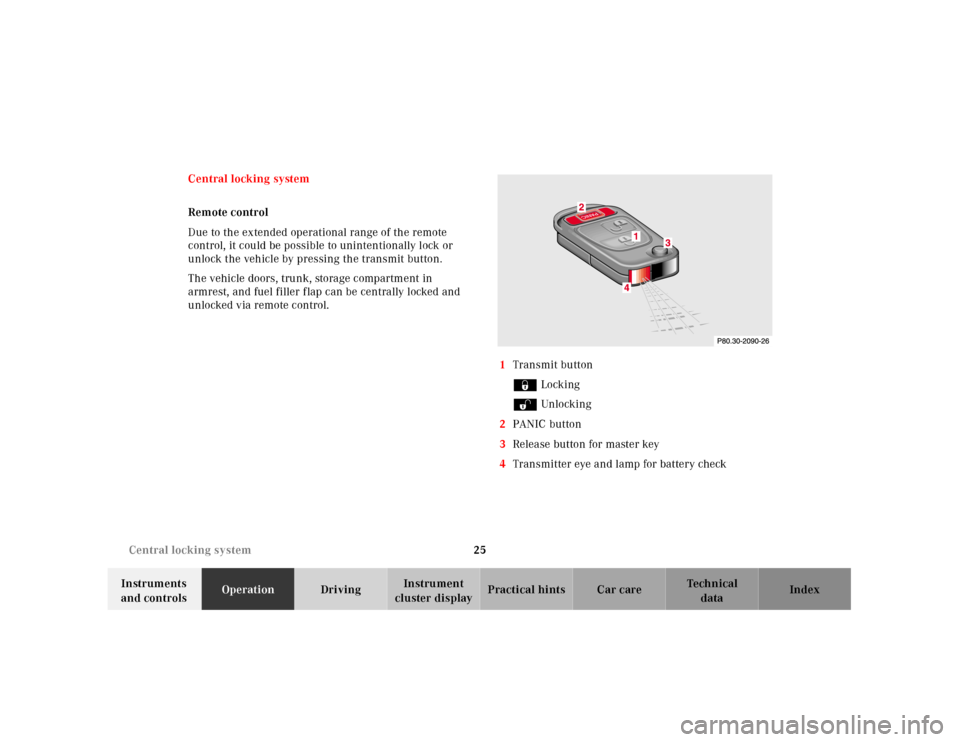
Remote control
Due to the extended operational range of the remote
control, it could be possible to unintentionally lock or
unlock the vehicle by pressing the transmit button.
The vehicle doors, trunk, storage compartment in
armrest, and fuel filler flap can be centrally locked and
unlocked via remote control.
1Transmit button
‹ Locking
ΠUnlocking
2PANIC button
3Release button for master key
4Transmitter eye and lamp for battery check
Page 29 of 273
26 Central locking system
Te ch n ica l
data Instruments
and controlsOperationDrivingInstrument
cluster displayPractical hints Car care Index
Locking and unlocking with remote control
Unlocking:
Press transmit button Œ. All turn signal lamps blink
once to indicate that the vehicle is unlocked.
The remote control can be programmed for two kinds of
unlocking modes (see below):
Selective unlocking mode –
Press transmit button Œ once to unlock driver’s door,
storage compartment in armrest, and fuel filler flap.
Press transmit button Πtwice to unlock both doors,
storage compartment in armrest, fuel filler flap, and
trunk.
Global unlocking mode –
Press transmit button Πonce to unlock both doors,
storage compartment in armrest, fuel filler flap, and
trunk.
Notes:
The presently active unlocking mode (selective or
global) can only be determined by unlocking the vehicle
with the remote control (see below for changing mode).If within 40 seconds of unlocking with the remote
control, neither door is opened, the key is not inserted
in the steering lock, or the central locking switch is not
activated, the vehicle will automatically lock.
Locking:
Press transmit button ‹ once. All turn signal lamps
blink three times to indicate that the vehicle is locked.
If the turn signal lamps do not blink, a door or trunk is
not closed properly.
Note:
If the vehicle cannot be locked or unlocked by pressing
the transmit button, then it may be necessary to change
the batteries in the remote control (if ok, battery check
lamp in transmitter will light briefly when transmitting)
or to synchronize the remote control, see page 224
and 225.
Choosing global or selective mode on remote control
Press and hold transmit buttons ‹ and Œ
simultaneously for five seconds to reprogram the
remote control. Battery check lamp will blink two times
indicating the completed mode change.
Page 30 of 273
27 Central locking system
Te ch n ica l
data Instruments
and controlsOperationDrivingInstrument
cluster displayPractical hints Car care Index Panic button
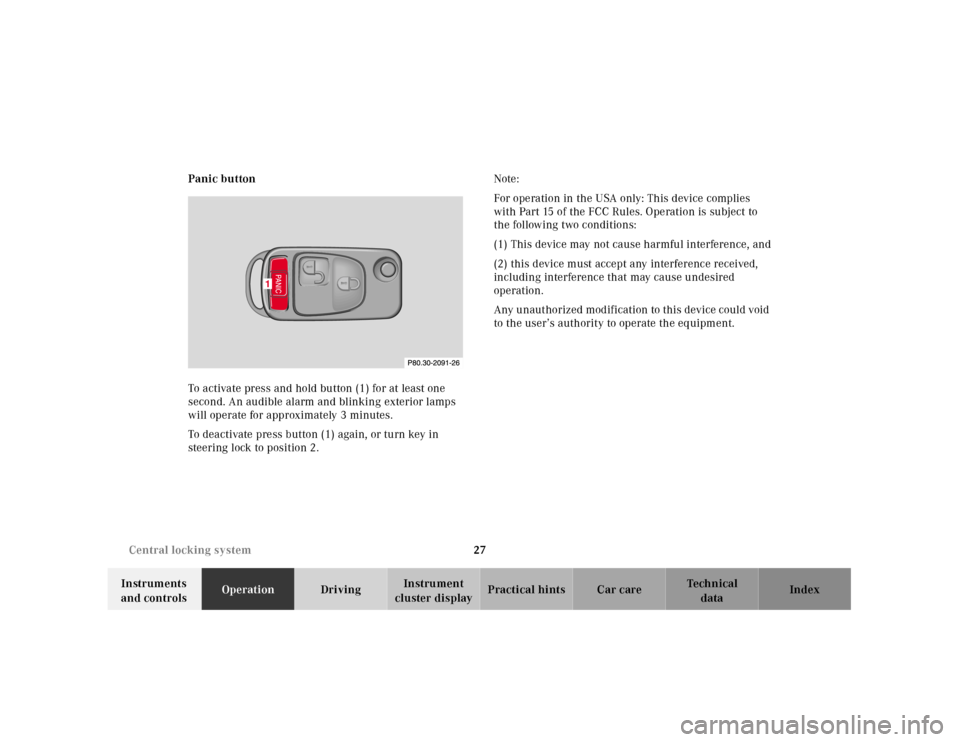
To activate press and hold button (1) for at least one
second. An audible alarm and blinking exterior lamps
will operate for approximately 3 minutes.
To deactivate press button (1) again, or turn key in
steering lock to position 2.Note:
For operation in the USA only: This device complies
with Part 15 of the FCC Rules. Operation is subject to
the following two conditions:
(1) This device may not cause harmful interference, and
(2) this device must accept any interference received,
including interference that may cause undesired
operation.
Any unauthorized modification to this device could void
to the user’s authority to operate the equipment.
1
Page 31 of 273
28 Central locking system
Te ch n ica l
data Instruments
and controlsOperationDrivingInstrument
cluster displayPractical hints Car care Index
Doors
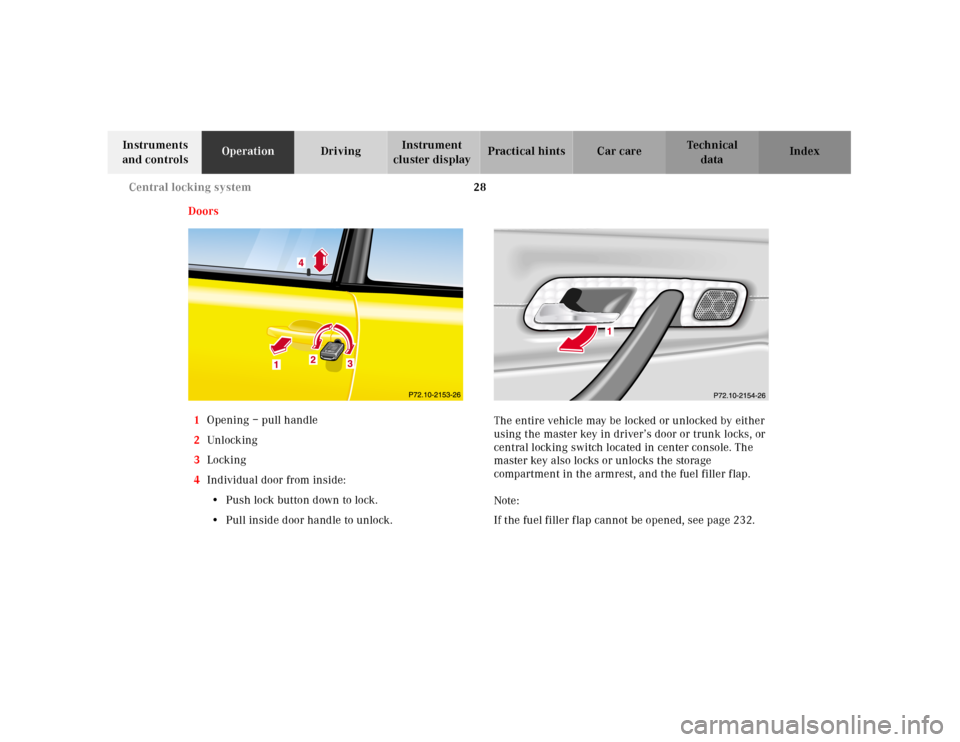
1Opening – pull handle
2Unl ock ing
3Locking
4Individual door from inside:
•Push lock button down to lock.
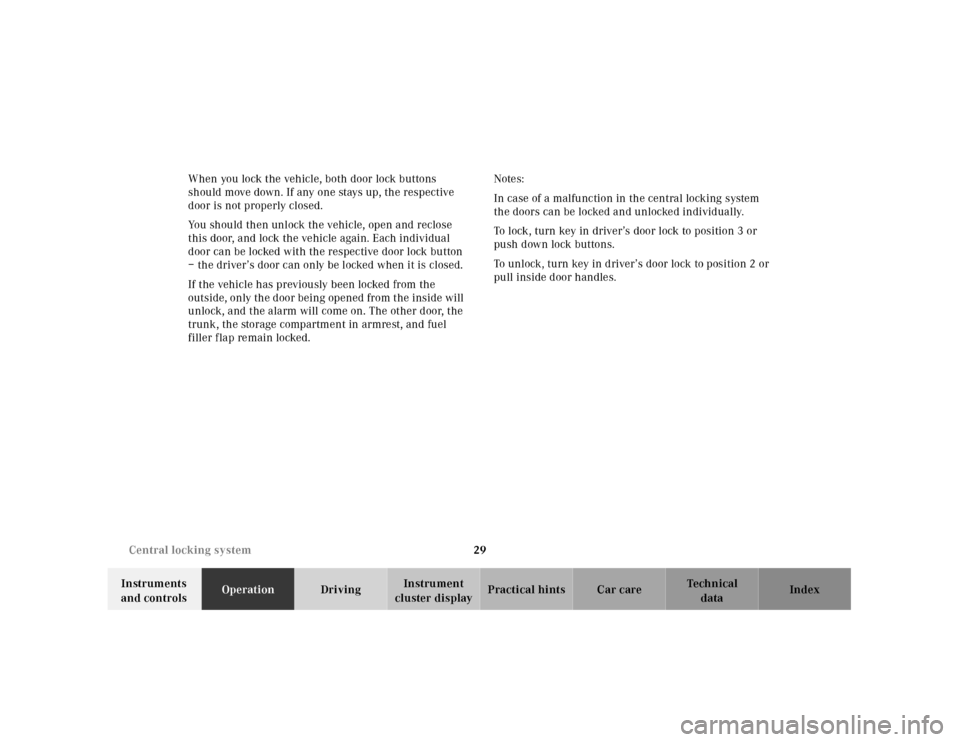
•Pull inside door handle to unlock.The entire vehicle may be locked or unlocked by either
using the master key in driver’s door or trunk locks, or
central locking switch located in center console. The
master key also locks or unlocks the storage
compartment in the armrest, and the fuel filler flap.
Note:
If the fuel filler f lap cannot be opened, see page 232.
Page 32 of 273
29 Central locking system
Te ch n ica l
data Instruments
and controlsOperationDrivingInstrument
cluster displayPractical hints Car care Index When you lock the vehicle, both door lock buttons
should move down. If any one stays up, the respective
door is not properly closed.
You should then unlock the vehicle, open and reclose
this door, and lock the vehicle again. Each individual
door can be locked with the respective door lock button
– the driver’s door can only be locked when it is closed.
If the vehicle has previously been locked from the
outside, only the door being opened from the inside will
unlock, and the alarm will come on. The other door, the
trunk, the storage compartment in armrest, and fuel
filler f lap remain locked.Notes:
In case of a malfunction in the central locking system
the doors can be locked and unlocked individually.
To lock, turn key in driver’s door lock to position 3 or
push down lock buttons.
To unlock, turn key in driver’s door lock to position 2 or
pull inside door handles.
Page 33 of 273
30 Central locking system
Te ch n ica l
data Instruments
and controlsOperationDrivingInstrument
cluster displayPractical hints Car care Index
Central locking switch
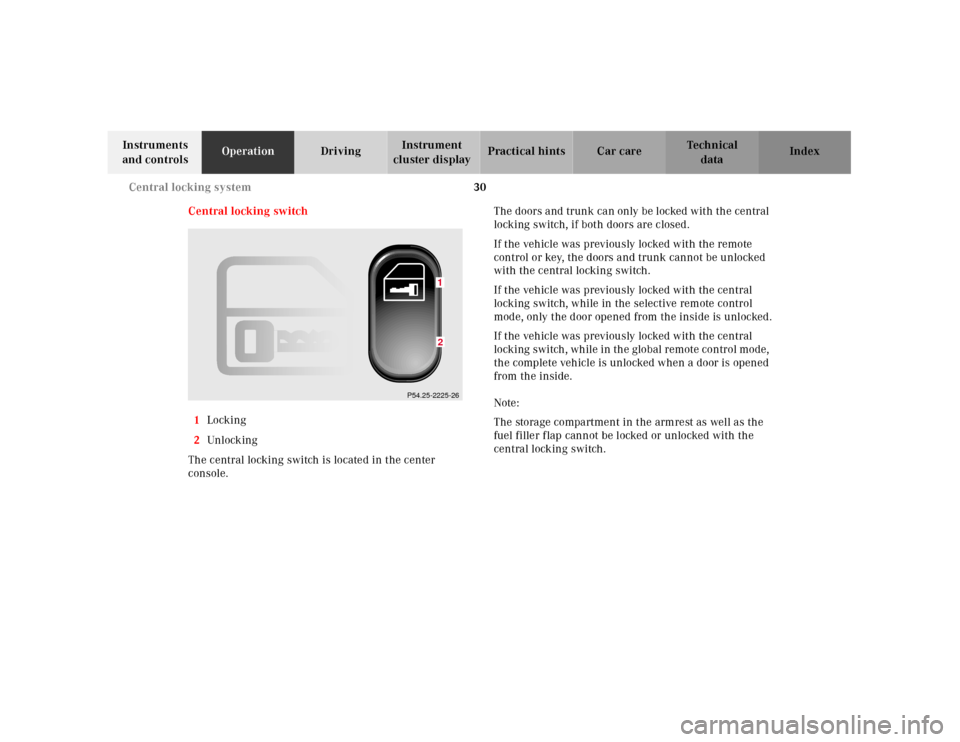
1Locking
2Unl ock ing
The central locking switch is located in the center
console.The doors and trunk can only be locked with the central
locking switch, if both doors are closed.
If the vehicle was previously locked with the remote
control or key, the doors and trunk cannot be unlocked
with the central locking switch.
If the vehicle was previously locked with the central
locking switch, while in the selective remote control
mode, only the door opened from the inside is unlocked.
If the vehicle was previously locked with the central
locking switch , wh il e in th e global remote control mode,
the complete vehicle is unlocked when a door is opened
from the inside.
Note:
The storage compartment in the armrest as well as the
fuel filler f lap cannot be locked or unlocked with the
central locking switch.
P54.25-2225-26
12
Page 34 of 273
31 Central locking system
Te ch n ica l
data Instruments
and controlsOperationDrivingInstrument
cluster displayPractical hints Car care Index Automatic central locking
The central locking switch also operates the automatic
central locking.
Wit h th e automa tic central locking system activated, t he
doors and trunk are locked at vehicle speeds of
approximately 9 mph (15 km / h) or more. The fuel filler
f l ap and th e stora ge compartment in th e arm rest rema in
unlocked.
To a ctiva te:
With key in steering lock position 2 hold upper portion
of switch (1) for a minimum of 5 seconds.
To dea cti vate :
With key in steering lock position 2 hold lower portion
of switch (2) for a minimum of 5 seconds.Notes:
If doors are unlocked with the central locking switch
after activating the automatic central locking, and
neither door is opened, then the doors remain unlocked
even at vehicle speeds of approximately 9 mph
(15 km / h) or more.
If a door is opened from the inside at speeds of
approximately 9 mph (15 km / h) or less with the
automatic central locking activated, the door will again
be automatically locked at speeds of approximately
9 mph (15 km / h) or more.
Important!
When towing the vehicle, or with the vehicle on a
dynamometer test stand, please, note the following:
With the automatic central locking activated and the
key in steering lock position 2, the vehicle doors will
lock if the left front wheel as well as the right rear
wheel spin at vehicle speeds of approximately 9 mph
(15 km / h) or more.
To prevent the vehicle door locks from locking,
deactivate the automatic central locking.