check engine light MERCEDES-BENZ SLS AMG COUPE 2012 Owners Manual
[x] Cancel search | Manufacturer: MERCEDES-BENZ, Model Year: 2012, Model line: SLS AMG COUPE, Model: MERCEDES-BENZ SLS AMG COUPE 2012Pages: 288, PDF Size: 18.46 MB
Page 6 of 288
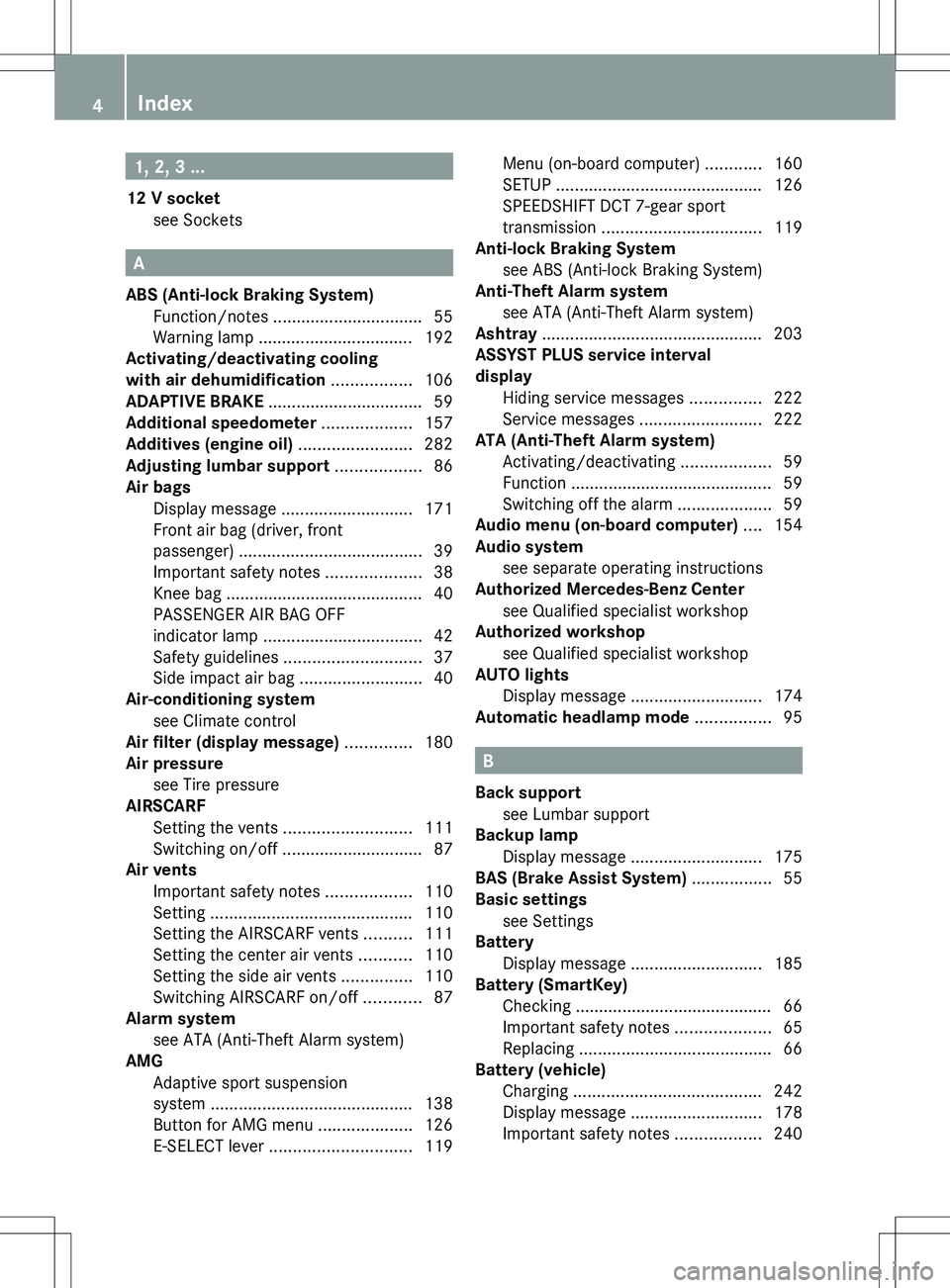
1, 2, 3 ...
12 V socket see Sockets
A
ABS (Anti-lock Braking System) Function/notes ................................ 55
Warning lamp ................................. 192
Activating/deactivating cooling
with air dehumidification ................. 106
ADAPTIVE BRAKE ................................. 59
Additional speedometer ................... 157
Additives (engine oil) ........................ 282
Adjusting lumbar support .................. 86
Air bags Display message ............................ 171
Front air bag (driver, front
passenger) ....................................... 39
Important safety notes ....................38
Knee bag .......................................... 40
PASSENGER AIR BAG OFF
indicator lamp .................................. 42
Safety guidelines ............................. 37
Side impact air bag ..........................40
Air-conditioning system
see Climate control
Air filter (display message) .............. 180
Air pressure see Tire pressure
AIRSCARF
Setting the vents ........................... 111
Switching on/off .............................. 87
Air vents
Important safety notes ..................110
Setting ........................................... 110
Setting the AIRSCARF vents ..........111
Setting the center air vents ...........110
Setting the side air vents ...............110
Switching AIRSCARF on/off ............87
Alarm system
see ATA (Anti-Theft Alarm system)
AMG
Adaptive sport suspension
system ........................................... 138
Button for AMG menu ....................126
E-SELECT lever .............................. 119
Menu (on-board computer) ............160
SETUP ............................................ 126
SPEEDSHIFT DCT 7-gear sport
transmission .................................. 119
Anti-lock Braking System
see ABS (Anti-lock Braking System)
Anti-Theft Alarm system
see ATA (Anti-Theft Alarm system)
Ashtray ............................................... 203
ASSYST PLUS service interval
display Hiding service messages ...............222
Service messages ..........................222
ATA (Anti-Theft Alarm system)
Activating/deactivating ...................59
Function ........................................... 59
Switching off the alarm ....................59
Audio menu (on-board computer) .... 154
Audio system see separate operating instructions
Authorized Mercedes-Benz Center
see Qualified specialist workshop
Authorized workshop
see Qualified specialist workshop
AUTO lights
Display message ............................ 174
Automatic headlamp mode ................ 95
B
Back support see Lumbar support
Backup lamp
Display message ............................ 175
BAS (Brake Assist System) ................. 55
Basic settings see Settings
Battery
Display message ............................ 185
Battery (SmartKey)
Checking .......................................... 66
Important safety notes ....................65
Replacing ......................................... 66
Battery (vehicle)
Charging ........................................ 242
Display message ............................ 178
Important safety notes ..................240
4Index
Page 8 of 288
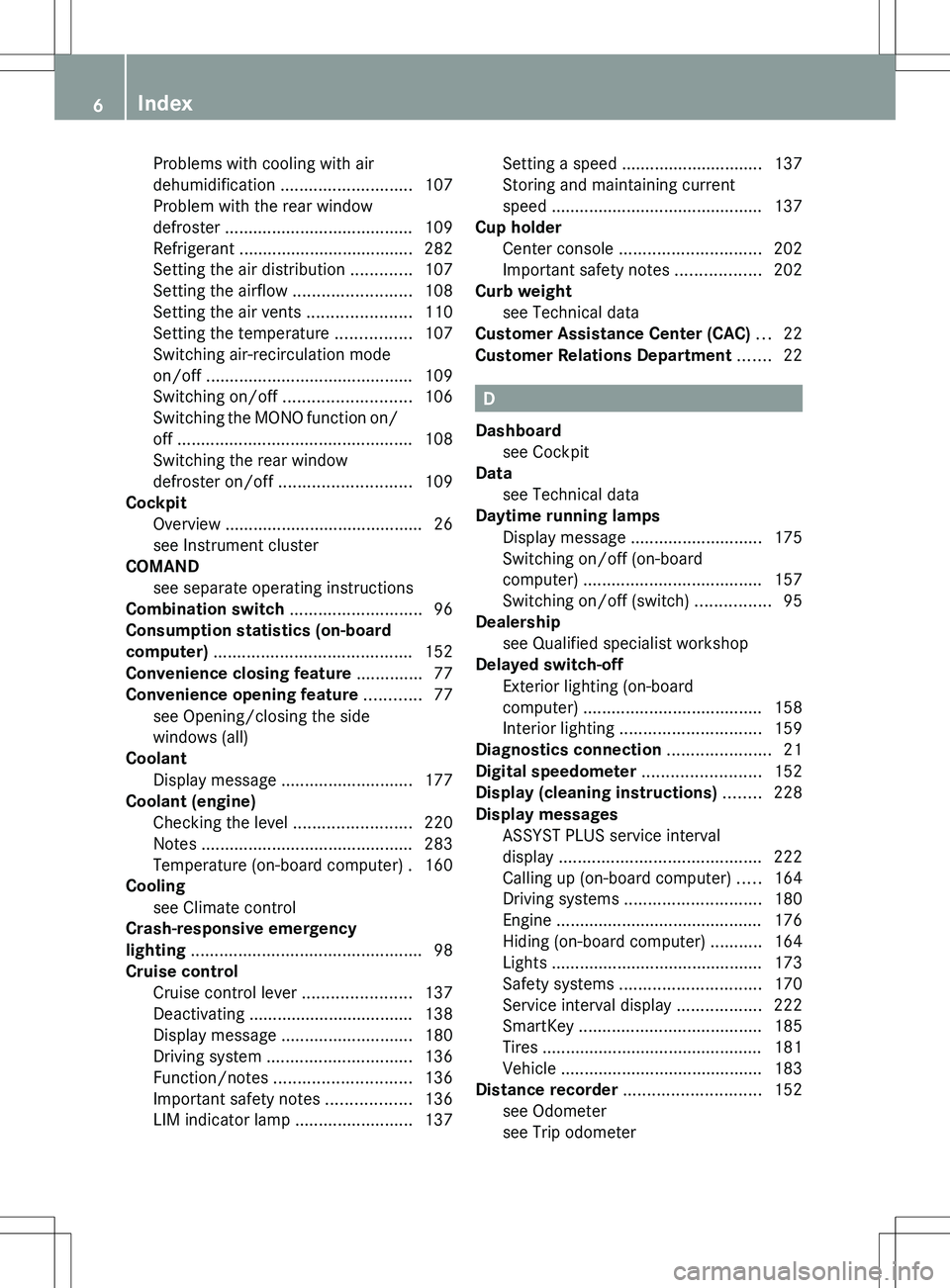
Problems with cooling with air
dehumidification ............................ 107
Problem with the rear window
defroster ........................................ 109
Refrigerant ..................................... 282
Setting the air distribution .............107
Setting the airflow .........................108
Setting the air vents ......................110
Setting the temperature ................107
Switching air-recirculation mode
on/off ............................................ 109
Switching on/off ........................... 106
Switching the MONO function on/
off .................................................. 108
Switching the rear window
defroster on/off ............................ 109
Cockpit
Overview .......................................... 26
see Instrument cluster
COMAND
see separate operating instructions
Combination switch ............................ 96
Consumption statistics (on-board
computer) .......................................... 152
Convenience closing feature .............. 77
Convenience opening feature ............ 77
see Opening/closing the side
windows (all)
Coolant
Display message ............................ 177
Coolant (engine)
Checking the level .........................220
Notes ............................................. 283
Temperature (on-board computer) . 160
Cooling
see Climate control
Crash-responsive emergency
lighting ................................................. 98
Cruise control Cruise control lever .......................137
Deactivating ................................... 138
Display message ............................ 180
Driving system ............................... 136
Function/notes ............................. 136
Important safety notes ..................136
LIM indicator lamp .........................137Setting a speed .............................. 137
Storing and maintaining current
speed ............................................. 137
Cup holder
Center console .............................. 202
Important safety notes ..................202
Curb weight
see Technical data
Customer Assistance Center (CAC) ... 22
Customer Relations Department ....... 22
D
Dashboard see Cockpit
Data
see Technical data
Daytime running lamps
Display message ............................ 175
Switching on/off (on-board
computer) ...................................... 157
Switching on/off (switch) ................95
Dealership
see Qualified specialist workshop
Delayed switch-off
Exterior lighting (on-board
computer) ...................................... 158
Interior lighting .............................. 159
Diagnostics connection ...................... 21
Digital speedometer ......................... 152
Display (cleaning instructions) ........ 228
Display messages ASSYST PLUS service interval
display ........................................... 222
Calling up (on-board computer) .....164
Driving systems ............................. 180
Engine ............................................ 176
Hiding (on-board computer) ...........164
Lights ............................................. 173
Safety systems .............................. 170
Service interval display ..................222
SmartKey ....................................... 185
Tires ............................................... 181
Vehicle ........................................... 183
Distance recorder ............................. 152
see Odometer
see Trip odometer
6Index
Page 10 of 288
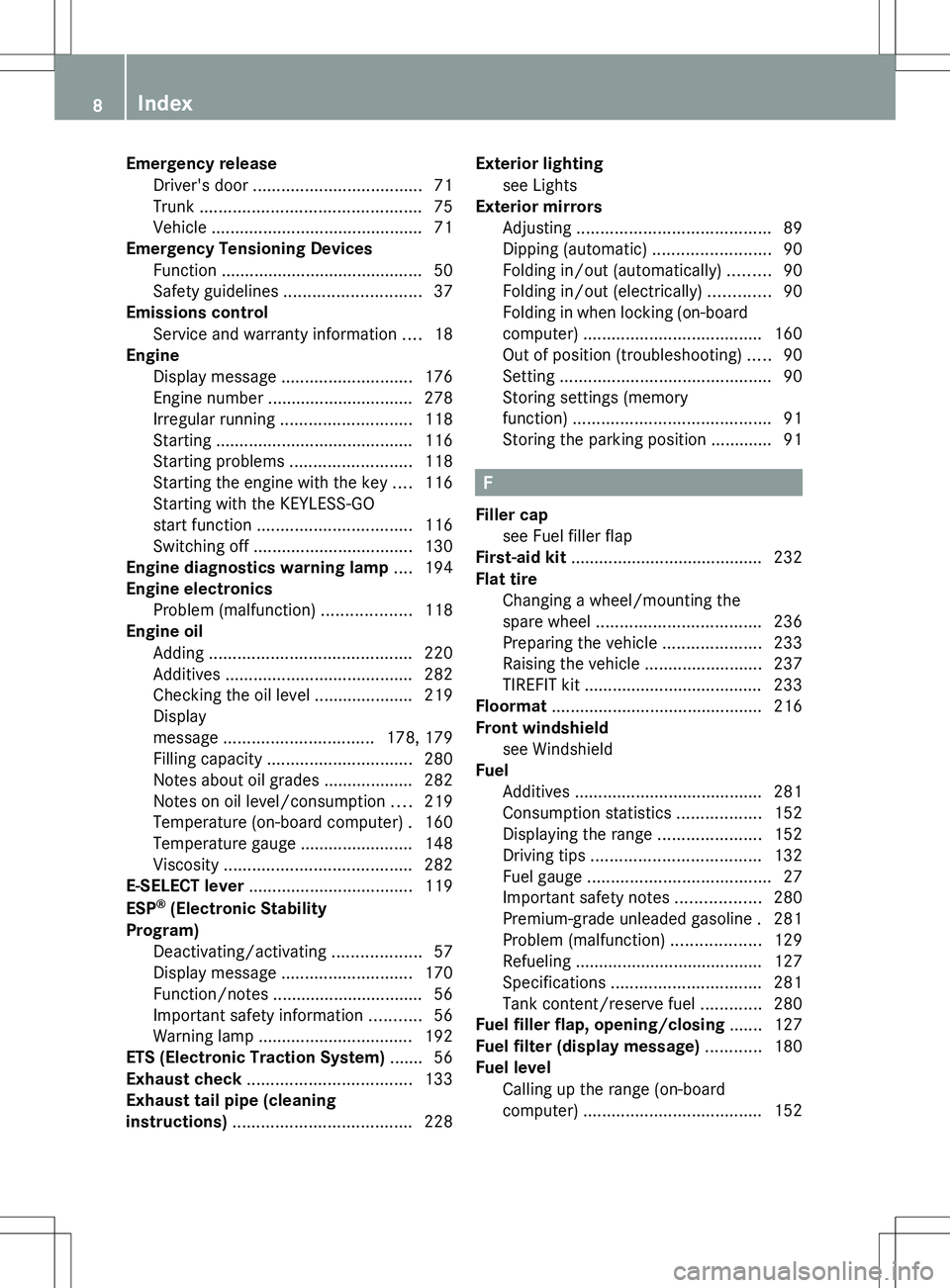
Emergency releaseDriver's door .................................... 71
Trunk ............................................... 75
Vehicle ............................................. 71
Emergency Tensioning Devices
Function ........................................... 50
Safety guidelines ............................. 37
Emissions control
Service and warranty information ....18
Engine
Display message ............................ 176
Engine number ............................... 278
Irregular running ............................ 118
Starting .......................................... 116
Starting problems ..........................118
Starting the engine with the key ....116
Starting with the KEYLESS-GO
start function ................................. 116
Switching off .................................. 130
Engine diagnostics warning lamp .... 194
Engine electronics Problem (malfunction) ...................118
Engine oil
Adding ........................................... 220
Additives ........................................ 282
Checking the oil level ..................... 219
Display
message ................................ 178, 179
Filling capacity ............................... 280
Notes about oil grades ................... 282
Notes on oil level/consumption ....219
Temperature (on-board computer) . 160
Temperature gauge ........................ 148
Viscosity ........................................ 282
E-SELECT lever ................................... 119
ESP ®
(Electronic Stability
Program) Deactivating/activating ...................57
Display message ............................ 170
Function/notes ................................ 56
Important safety information ...........56
Warning lamp ................................. 192
ETS (Electronic Traction System) ....... 56
Exhaust check ................................... 133
Exhaust tail pipe (cleaning
instructions) ...................................... 228Exterior lighting
see Lights
Exterior mirrors
Adjusting ......................................... 89
Dipping (automatic) .........................90
Folding in/out (automatically) .........90
Folding in/out (electrically) .............90
Folding in when locking (on-board
computer) ...................................... 160
Out of position (troubleshooting) .....90
Setting ............................................. 90
Storing settings (memory
function) .......................................... 91
Storing the parking position ............. 91
F
Filler cap see Fuel filler flap
First-aid kit ......................................... 232
Flat tire Changing a wheel/mounting the
spare wheel ................................... 236
Preparing the vehicle .....................233
Raising the vehicle .........................237
TIREFIT kit ...................................... 233
Floormat ............................................. 216
Front windshield see Windshield
Fuel
Additives ........................................ 281
Consumption statistics ..................152
Displaying the range ......................152
Driving tips .................................... 132
Fuel gauge ....................................... 27
Important safety notes ..................280
Premium-grade unleaded gasoline . 281
Problem (malfunction) ...................129
Refueling ........................................ 127
Specifications ................................ 281
Tank content/reserve fuel .............280
Fuel filler flap, opening/closing ....... 127
Fuel filter (display message) ............ 180
Fuel level Calling up the range (on-board
computer) ...................................... 152
8Index
Page 16 of 288
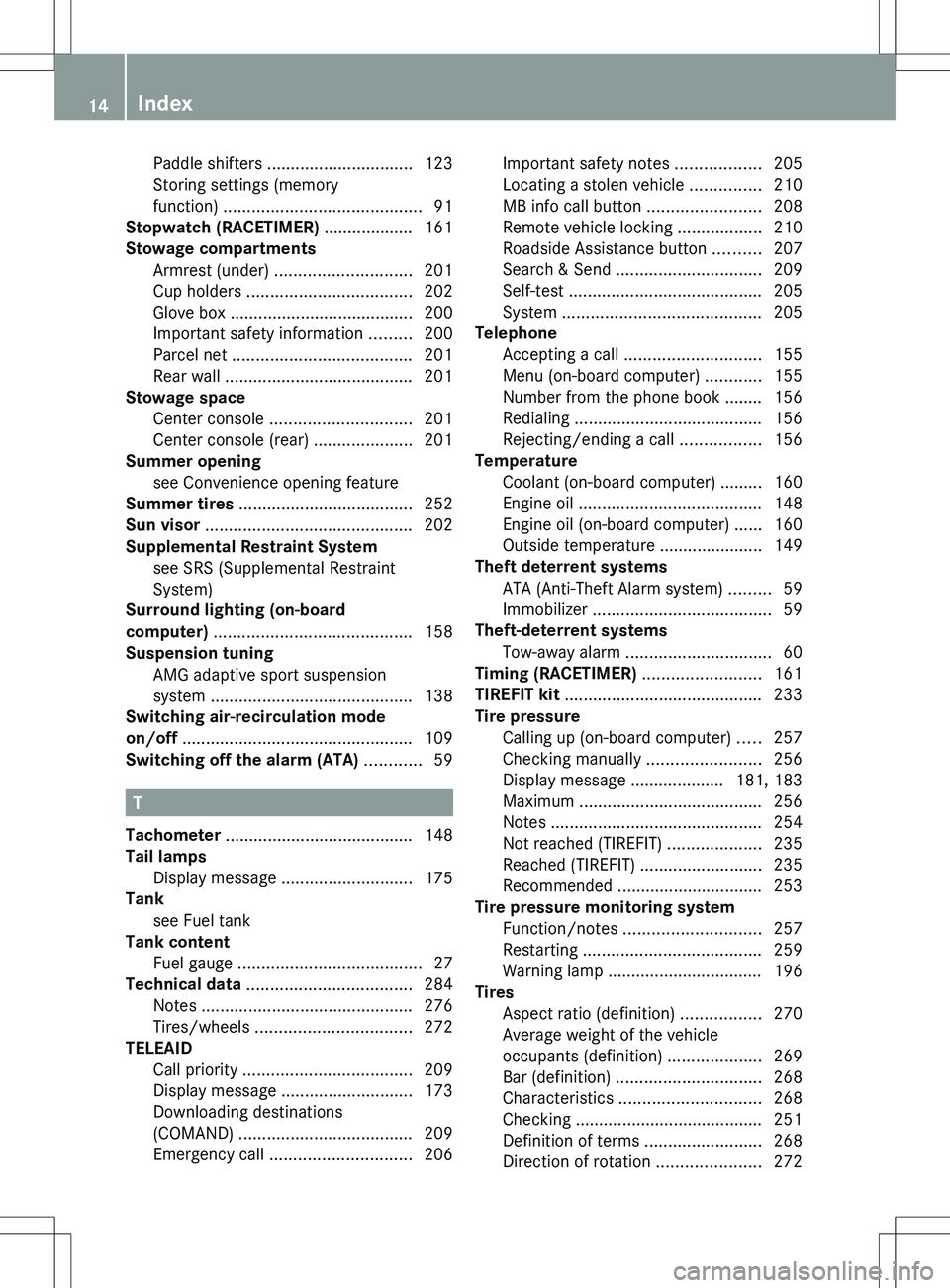
Paddle shifters ............................... 123
Storing settings (memory
function) .......................................... 91
Stopwatch (RACETIMER) ................... 161
Stowage compartments Armrest (under) ............................. 201
Cup holders ................................... 202
Glove box ....................................... 200
Important safety information .........200
Parcel net ...................................... 201
Rear wall ........................................ 201
Stowage space
Center console .............................. 201
Center console (rear) .....................201
Summer opening
see Convenience opening feature
Summer tires ..................................... 252
Sun visor ............................................ 202
Supplemental Restraint System see SRS (Supplemental Restraint
System)
Surround lighting (on-board
computer) .......................................... 158
Suspension tuning AMG adaptive sport suspension
system ........................................... 138
Switching air-recirculation mode
on/off ................................................. 109
Switching off the alarm (ATA) ............ 59
T
Tachometer ........................................ 148
Tail lamps Display message ............................ 175
Tank
see Fuel tank
Tank content
Fuel gauge ....................................... 27
Technical data ................................... 284
Notes ............................................. 276
Tires/wheels ................................. 272
TELEAID
Call priority .................................... 209
Display message ............................ 173
Downloading destinations
(COMAND) ..................................... 209
Emergency call .............................. 206
Important safety notes ..................205
Locating a stolen vehicle ...............210
MB info call button ........................208
Remote vehicle locking ..................210
Roadside Assistance button ..........207
Search & Send ............................... 209
Self-test ......................................... 205
System .......................................... 205
Telephone
Accepting a call ............................. 155
Menu (on-board computer) ............155
Number from the phone book ........ 156
Redialing ........................................ 156
Rejecting/ending a call .................156
Temperature
Coolant (on-board computer) ......... 160
Engine oil ....................................... 148
Engine oil (on-board computer) ...... 160
Outside temperature ...................... 149
Theft deterrent systems
ATA (Anti-Theft Alarm system) .........59
Immobilizer ...................................... 59
Theft-deterrent systems
Tow-away alarm ............................... 60
Timing (RACETIMER) ......................... 161
TIREFIT kit .......................................... 233
Tire pressure Calling up (on-board computer) .....257
Checking manually ........................256
Display message .................... 181, 183
Maximum ....................................... 256
Notes ............................................. 254
Not reached (TIREFIT) ....................235
Reached (TIREFIT) ..........................235
Recommended ............................... 253
Tire pressure monitoring system
Function/notes ............................. 257
Restarting ...................................... 259
Warning lamp ................................. 196
Tires
Aspect ratio (definition) .................270
Average weight of the vehicle
occupants (definition) ....................269
Bar (definition) ............................... 268
Characteristics .............................. 268
Checking ........................................ 251
Definition of terms .........................268
Direction of rotation ......................27214Index
Page 38 of 288
Useful information
i This Operator's Manual describes all
models and all standard and optional
equipment of your vehicle available at the
time of publication of the Operator's
Manual. Country-specific differences are
possible. Please note that your vehicle may
not be equipped with all features
described. This also applies to safety-
related systems and functions.
i Please read the information on qualified
specialist workshops ( Y page 21).
Occupant safety
Introduction
In this section, you will learn the most
important facts about the restraint system
components of the vehicle.
The restraint system consists of:
R seat belts
R child restraint systems
Additional protection is provided by:
R SRS (Supplemental Restraint System)
R air bag system components with:
- PASSENGER AIR BAG OFF indicator lamp
- front-passenger seat with Occupant
Classification System (OCS)
The different air bag systems work
independently of each other. The protective
functions of the system work in conjunction
with each other. Not all air bags are deployed
in an accident.
GWARNING
Modifications to or work improperly
conducted on restraint system components
or their wiring, as well as tampering with
interconnected electronic systems, can lead
to the restraint systems no longer functioning
as intended.
Air bags or Emergency Tensioning Devices
(ETDs), for example, could deploy
inadvertently or fail to deploy in accidents
although the deceleration threshold for air
bag deployment is exceeded. Therefore,
never modify the restraint systems. Do not
tamper with electronic components or their
software.
i See "Children in the vehicle"
( Y page 51) for more information on
infants and children traveling with you in
the vehicle and restraints for infants and
children.
SRS (Supplemental Restraint System)
Introduction
SRS reduces the risk of occupants coming
into contact with the vehicle's interior in the
event of an accident. It can also reduce the
effect of the forces to which occupants are
subjected during an accident.
SRS consists of:
R 6 SRS warning lamp
R air bags
R air bag control unit (with crash sensors)
R Emergency Tensioning Devices
R seat belt force limiters
SRS warning lamp
SRS functions are checked regularly when
you switch on the ignition and when the
engine is running. Therefore, malfunctions
can be detected in good time.
The 6 SRS warning lamp in the instrument
cluster lights up when the ignition is switched
on. It goes out no later than a few seconds
after the engine is started.
36Occupant safetySafety
Page 39 of 288
GWARNING
The SRS self-check has detected a
malfunction if the 6 SRS indicator lamp:
R does not light up at all
R does not go out after approximately four
seconds after the engine is started
R comes on after the engine was started or
while driving.
For your safety, Mercedes-Benz strongly
recommends that you have the system
checked as soon as possible at an authorized
Mercedes-Benz Center. SRS may otherwise
fail to activate when it is needed in the event
of an accident, which could lead to serious or
fatal injuries. SRS might also be activated
unexpectedly and unnecessarily, which could
also result in injury.
In addition, work carried out improperly on
SRS may render SRS inoperative or cause
unintended air bag deployment. Work on the
SRS system should only be carried out by
qualified specialist personnel. Consult an
authorized Mercedes-Benz Center.
If it is necessary to modify an air bag system
to accommodate a person with disabilities,
contact an authorized Mercedes-Benz Center
for details. USA only: for further information
contact our Customer Assistance center at
1-800-FOR-MERCedes (1-800-367-6372).
Safety guidelines for seat belts,
Emergency Tensioning Devices (ETDs)
and air bags
GWARNING
R Damaged seat belts or seat belts that have
been subjected to stress in an accident
must be replaced. Their anchoring points
must also be checked. Only use seat belts
installed or supplied by an authorized
Mercedes-Benz Center.
R Air bags and pyrotechnic Emergency
Tensioning Devices (ETDs) contain
perchlorate material, which may require
special handling and regard for the
environment. Check your national disposal
guidelines. California residents, see
www.dtsc.ca.gov/HazardousWaste/
Perchlorate/index.cfm .
R Air bags and ETDs are designed to function
on a one-time-only basis. An air bag or ETD
that has deployed must be replaced.
R Do not pass seat belts over sharp edges.
They could tear.
R Do not make any modification that could
change the effectiveness of the seat belts.
R Do not bleach or dye seat belts as this may
severely weaken them. In a crash they may
not be able to provide adequate protection.
R No modifications of any kind may be made
to any components or wiring of the SRS.
R Do not change or remove any component
or part of the SRS.
R Do not install additional trim material, seat
covers, badges, etc. over the steering
wheel hub, front-passenger front air bag
cover, outer sides of the seat backrests,
door trim panels, or door frame trims.
R Do not install additional electrical/
electronic equipment on or near SRS
components and wiring.
R Keep area between air bags and occupants
free of objects (e.g. packages, purses,
umbrellas, etc.).
R Air bag system components will be hot after
an air bag has inflated. Do not touch them.
R Never place your feet on the instrument
panel, dashboard, or on the seat. Always
keep both feet on the floor in front of the
seat.
R Improper repair work on the SRS creates a
risk of rendering the SRS inoperative or
causing unintended air bag deployment.
Work on the SRS must therefore only be
performed by qualified technicians.
Contact an authorized Mercedes-Benz
Center.
R For your protection and the protection of
others, when scrapping the air bag unit or
ETD, our safety instructions must beOccupant safety37SafetyZ
Page 70 of 288
ProblemPossible causes/consequences and M SolutionsThe engine cannot be
started using the
SmartKey.The on-board voltage is too low.XSwitch off non-essential consumers, such as seat heating or
interior lighting, and try to start the engine again.XRemove the SmartKey and reinsert it into the ignition lock.XStart the engine within 30 seconds of inserting the SmartKey
into the ignition lock.XRepeat if necessary.
If this does not work:
XCheck the starter battery and charge it if necessary
( Y page 240).
or
XJump-start the vehicle ( Y page 243).
or
XConsult a qualified specialist workshop.The SmartKey cannot
be turned in the ignition
lock.The SmartKey has been in position 0 for a considerable time.XRemove the SmartKey and reinsert it into the ignition lock.XCheck the starter battery and charge it if necessary
( Y page 240).XStart the engine.The on-board voltage is too low.XSwitch off nonessential consumers, such as seat heating or
interior lighting, and try to turn the SmartKey again.
If this does not work:
XCheck the starter battery and charge it if necessary
( Y page 240).
or
XJump-start the vehicle ( Y page 243).
or
XConsult a qualified specialist workshop.68SmartKeyOpening/closing
Page 99 of 288
The hazard warning lamps are deactivated
automatically if the vehicle returns to a speed
of over 6 mph (10 km/h) after a full
application of the brakes.
i The hazard warning lamps still operate if
the ignition is switched off.
Headlamp cleaning system
The headlamps are cleaned automatically if
the "Wipe with washer fluid" function is
operated ten times while the lights are on and
the engine is running ( Y page 99). When you
switch off the ignition, the automatic
headlamp cleaning system is reset and
counting is resumed from 0.
Headlamps fogged up on the inside
The headlamps may fog up on the inside if
there is high atmospheric humidity.
XDrive with the headlamps switched on.
The level of moisture diminishes,
depending on the length of the journey and
the weather conditions (humidity and
temperature).
If the level of moisture does not diminish:
XHave the headlamps checked at a qualified
specialist workshop.Interior lighting
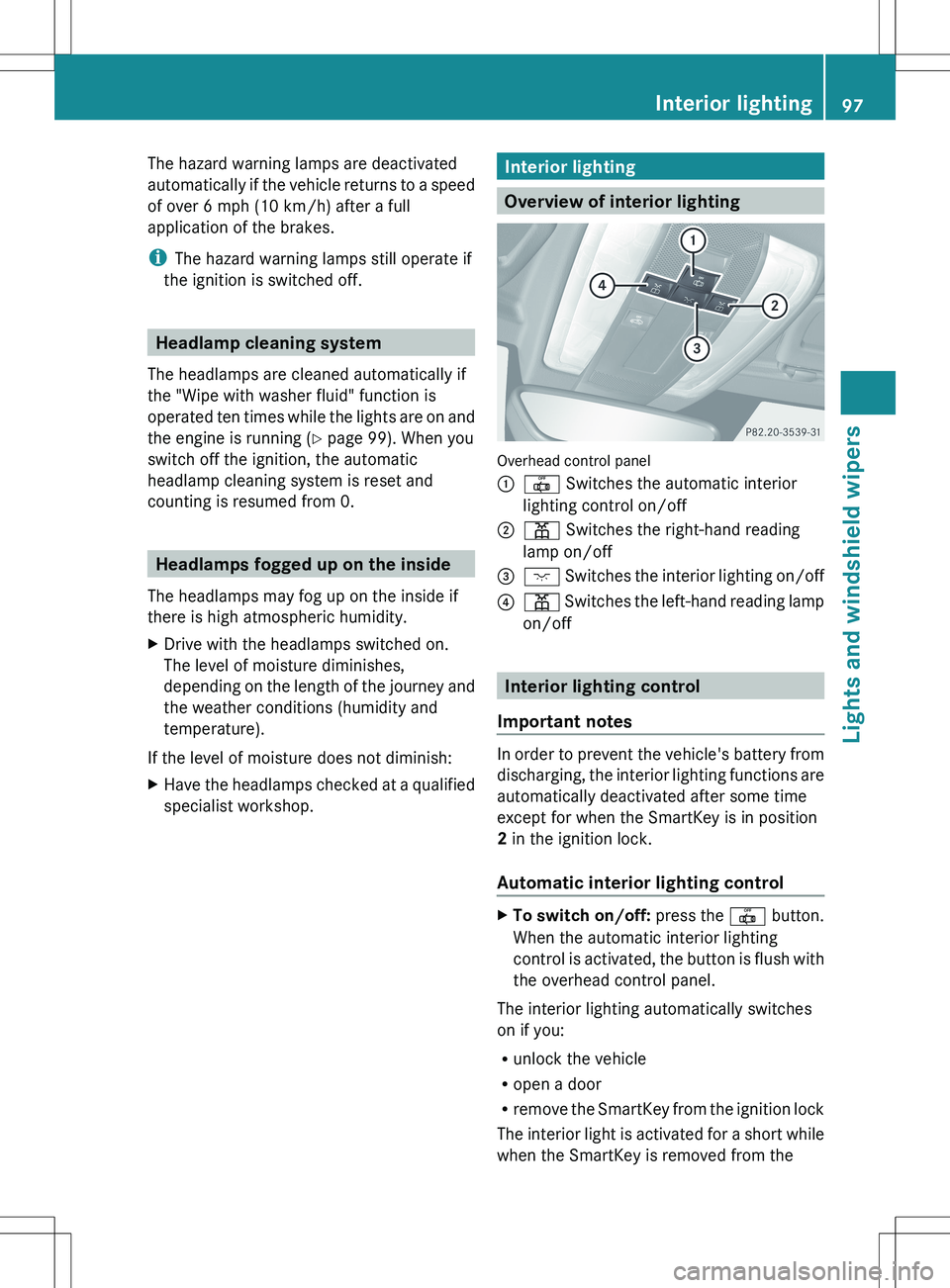
Overview of interior lighting
Overhead control panel
:| Switches the automatic interior
lighting control on/off;p Switches the right-hand reading
lamp on/off=c Switches the interior lighting on/off?p Switches the left-hand reading lamp
on/off
Interior lighting control
Important notes
In order to prevent the vehicle's battery from
discharging, the interior lighting functions are
automatically deactivated after some time
except for when the SmartKey is in position
2 in the ignition lock.
Automatic interior lighting control
XTo switch on/off: press the | button.
When the automatic interior lighting
control is activated, the button is flush with
the overhead control panel.
The interior lighting automatically switches
on if you:
R unlock the vehicle
R open a door
R remove the SmartKey from the ignition lock
The interior light is activated for a short while
when the SmartKey is removed from the
Interior lighting97Lights and windshield wipersZ
Page 100 of 288
ignition lock. You can activate this delayed
switch-off using the on-board computer
( Y page 159).
Manual interior lighting controlXTo switch the interior lighting on/off:
press the c button.XTo switch the reading lamps on/off:
press the p button.
Crash-responsive emergency lighting
The interior lighting is activated automatically
if the vehicle is involved in an accident.
XTo switch off the crash-responsive
emergency lighting: press the hazard
warning lamp button.
or
XLock and then unlock the vehicle using the
key.
Replacing bulbs
Important safety notes
Xenon bulbs
If your vehicle is equipped with Xenon bulbs,
you can recognize this by the following: the
cone of light from the Xenon bulbs moves
from the top to the bottom and back again
when you start the engine. For this to be
observed, the lights must be switched on
before starting the engine.
GDANGER
Xenon bulbs carry a high voltage. You could
get an electric shock and be seriously or even
fatally injured if you touch the electric
contacts on Xenon bulbs. Therefore, never
remove the cover from Xenon bulbs.
Do not change Xenon bulbs yourself, but have
them replaced at a qualified specialist
workshop which has the necessary specialist
knowledge and tools to carry out the work
required.
Mercedes-Benz recommends that you use an
authorized Mercedes-Benz Center for this
purpose. In particular, work relevant to safety
or on safety-related systems must be carried
out at a qualified specialist workshop.
Bulbs and lamps are an important aspect of
vehicle safety. You must therefore make sure
that these function correctly at all times.
Have the headlamp setting checked regularly.
Other bulbs
There are bulbs other than the Xenon bulbs
that you cannot replace. Replace only the
bulbs listed ( Y page 99). Have the bulbs that
you cannot replace yourself changed at a
qualified specialist workshop.
Mercedes-Benz recommends that you use an
authorized Mercedes-Benz Center for this
purpose. In particular, work relevant to safety
or on safety-related systems must be carried
out at a qualified specialist workshop.
If you require assistance changing bulbs,
consult a qualified specialist workshop.
Do not touch the glass tube of new bulbs with
your bare hands. Even minor contamination
can burn into the glass surface and reduce
the service life of the bulbs. Always use a lint-
free cloth or only touch the base of the bulb
when installing.
Only use bulbs of the correct type.
If the new bulb still does not light up, consult
a qualified specialist workshop.
Bulbs and lamps are an important aspect of
vehicle safety. You must therefore make sure
that these function correctly at all times.
Have the headlamp setting checked regularly.
GWARNING
Bulbs and lamps can be very hot. You should
therefore allow them to cool down before you
change them. Otherwise, you could be burned
if you touch them.
98Replacing bulbsLights and windshield wipers
Page 103 of 288
XWhen the wiper arms have reached a
vertical position, press the Start/Stop
button.XFold the wiper arm away from the
windshield until it engages.XSet the wiper blade at right angles to the
wiper arm.
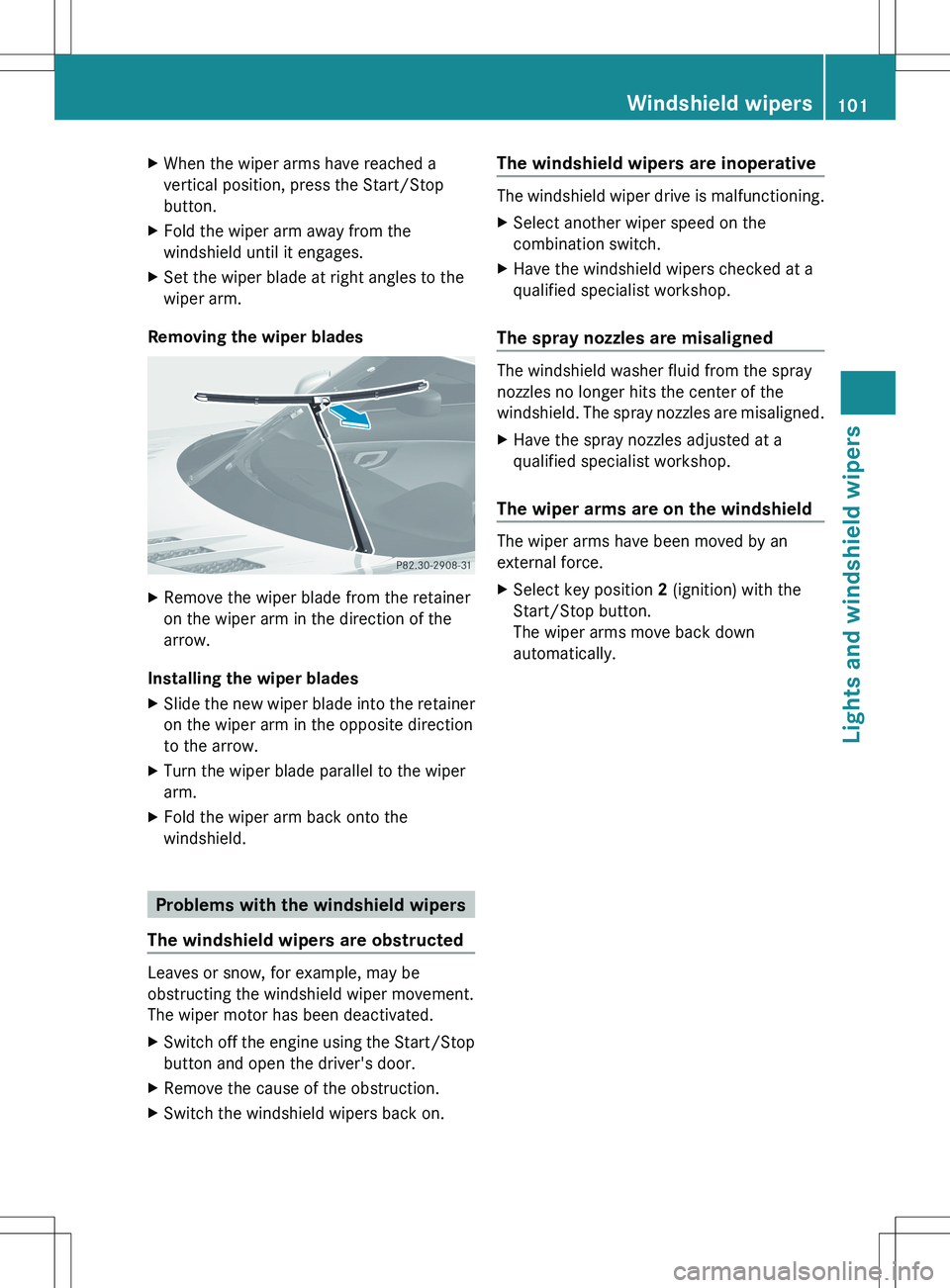
Removing the wiper blades
XRemove the wiper blade from the retainer
on the wiper arm in the direction of the
arrow.
Installing the wiper blades
XSlide the new wiper blade into the retainer
on the wiper arm in the opposite direction
to the arrow.XTurn the wiper blade parallel to the wiper
arm.XFold the wiper arm back onto the
windshield.
Problems with the windshield wipers
The windshield wipers are obstructed
Leaves or snow, for example, may be
obstructing the windshield wiper movement.
The wiper motor has been deactivated.
XSwitch off the engine using the Start/Stop
button and open the driver's door.XRemove the cause of the obstruction.XSwitch the windshield wipers back on.The windshield wipers are inoperative
The windshield wiper drive is malfunctioning.
XSelect another wiper speed on the
combination switch.XHave the windshield wipers checked at a
qualified specialist workshop.
The spray nozzles are misaligned
The windshield washer fluid from the spray
nozzles no longer hits the center of the
windshield. The spray nozzles are misaligned.
XHave the spray nozzles adjusted at a
qualified specialist workshop.
The wiper arms are on the windshield
The wiper arms have been moved by an
external force.
XSelect key position 2 (ignition) with the
Start/Stop button.
The wiper arms move back down
automatically.Windshield wipers101Lights and windshield wipersZ