display MERCEDES-BENZ SPRINTER 2015 MY15 Audio Manual
[x] Cancel search | Manufacturer: MERCEDES-BENZ, Model Year: 2015, Model line: SPRINTER, Model: MERCEDES-BENZ SPRINTER 2015Pages: 54, PDF Size: 1.14 MB
Page 26 of 54
Reconnecting an audio device
Audio 15 connects automatically to a Blue-
tooth ®
audio device in the following cases:
R both previously connected mobile phones
were used as audio devices
R the mobile phones establishes the connec-
tion automatically
i Audio 15 does not connect automatically
to an audio device that does not have a
telephone function, even if this was the last
Bluetooth ®
device connected.
X To reconnect an audio device without a
telephone function : select the Bluetooth ®
audio function.
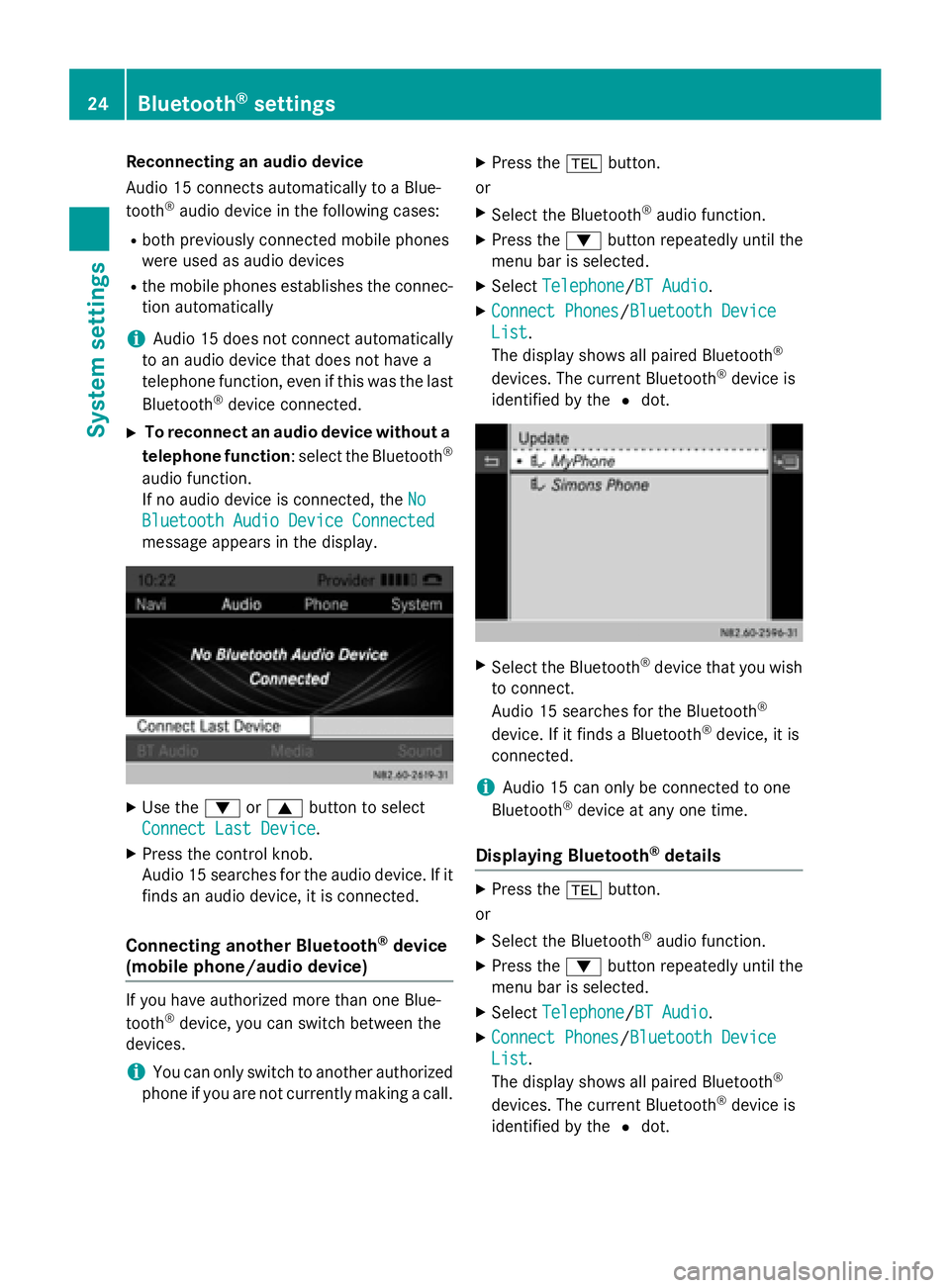
If no audio device is connected, the No
No
Bluetooth Audio Device Connected Bluetooth Audio Device Connected
message appears in the display. X
Use the 0064or0063 button to select
Connect Last Device
Connect Last Device.
X Press the control knob.
Audio 15 searches for the audio device. If it
finds an audio device, it is connected.
Connecting another Bluetooth ®
device
(mobile phone/audio device) If you have authorized more than one Blue-
tooth ®
device, you can switch between the
devices.
i You can only switch to another authorized
phone if you are not currently making a call. X
Press the 002Bbutton.
or
X Select the Bluetooth ®
audio function.
X Press the 0064button repeatedly until the
menu bar is selected.
X Select Telephone
Telephone/BT Audio BT Audio.
X Connect Phones Connect Phones/Bluetooth Device Bluetooth Device
List
List .
The display shows all paired Bluetooth ®
devices. The current Bluetooth ®
device is
identified by the 0036dot. X
Select the Bluetooth ®
device that you wish
to connect.
Audio 15 searches for the Bluetooth ®
device. If it finds a Bluetooth ®
device, it is
connected.
i Audio 15 can only be connected to one
Bluetooth ®
device at any one time.
Displaying Bluetooth ®
details X
Press the 002Bbutton.
or
X Select the Bluetooth ®
audio function.
X Press the 0064button repeatedly until the
menu bar is selected.
X Select Telephone Telephone/BT Audio BT Audio.
X Connect Phones Connect Phones/Bluetooth Device Bluetooth Device
List List .
The display shows all paired Bluetooth ®
devices. The current Bluetooth ®
device is
identified by the 0036dot. 24
Bluetooth ®
settingsSystem settings
Page 27 of 54
X
Select the Bluetooth ®
device whose details
you wish to see.
X Use the 0065button to select the icon next
to the entry. X
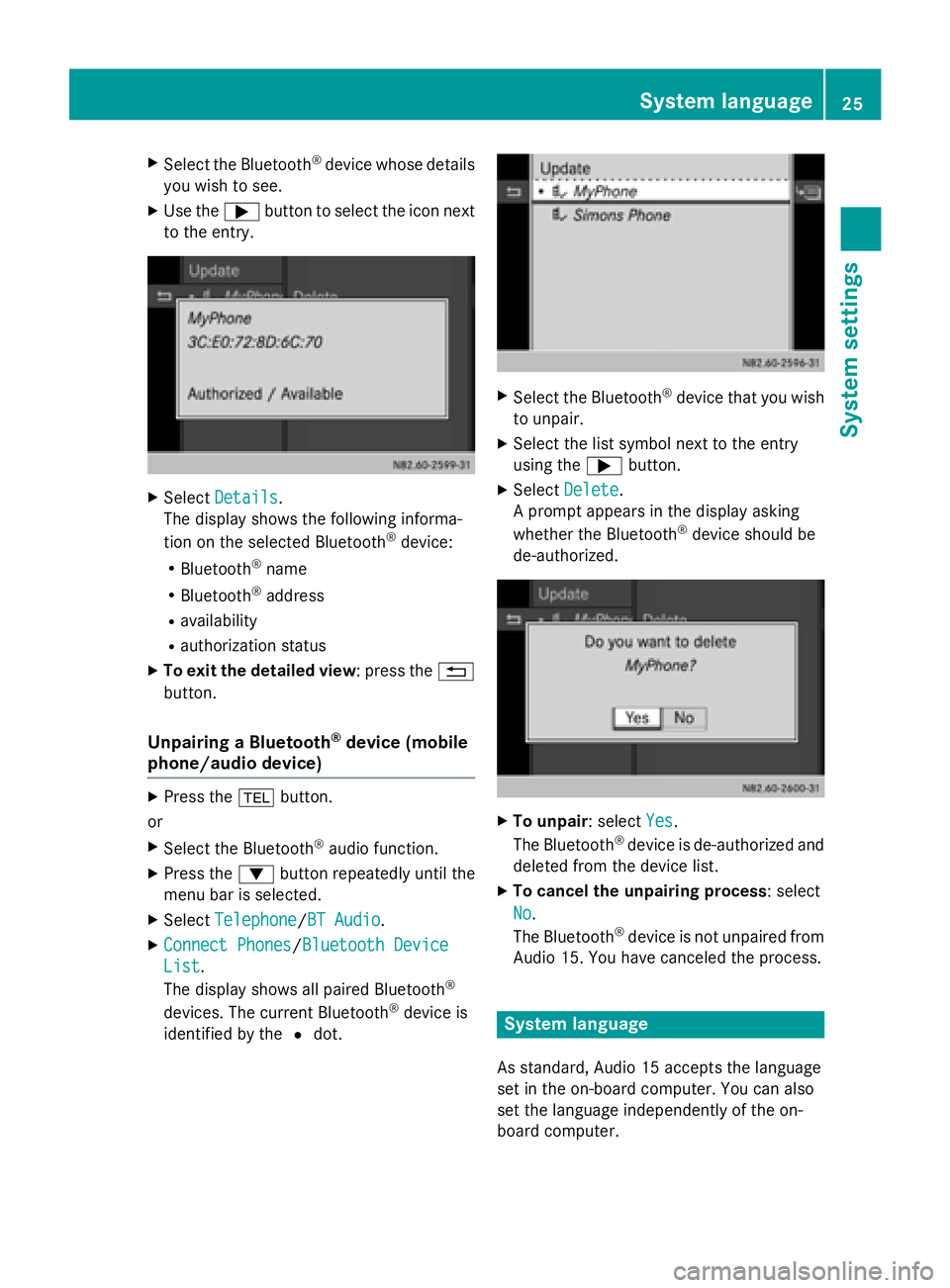
Select Details
Details.
The display shows the following informa-
tion on the selected Bluetooth ®
device:
R Bluetooth ®
name
R Bluetooth ®
address
R availability
R authorization status
X To exit the detailed view : press the0038
button.
Unpairing a Bluetooth ®
device (mobile
phone/audio device) X
Press the 002Bbutton.
or X Select the Bluetooth ®
audio function.
X Press the 0064button repeatedly until the
menu bar is selected.
X Select Telephone Telephone /BT AudioBT Audio.
X Connect Phones
Connect Phones /Bluetooth DeviceBluetooth Device
List
List.
The display shows all paired Bluetooth ®
devices. The current Bluetooth ®
device is
identified by the 0036dot. X
Select the Bluetooth ®
device that you wish
to unpair.
X Select the list symbol next to the entry
using the 0065button.
X Select Delete Delete .
A prompt appears in the display asking
whether the Bluetooth ®
device should be
de-authorized. X
To unpair: select Yes Yes.
The Bluetooth ®
device is de-authorized and
deleted from the device list.
X To cancel the unpairing process: select
No No.
The Bluetooth ®
device is not unpaired from
Audio 15. You have canceled the process. System language
As standard, Audio 15 accepts the language
set in the on-board computer. You can also
set the language independently of the on-
board computer. System language
25System settings
Page 28 of 54
i
You must set the language of the naviga-
tion system separately.
X Press the 003Bbutton.
X Select Settings
Settings .
X Select Language
Language .
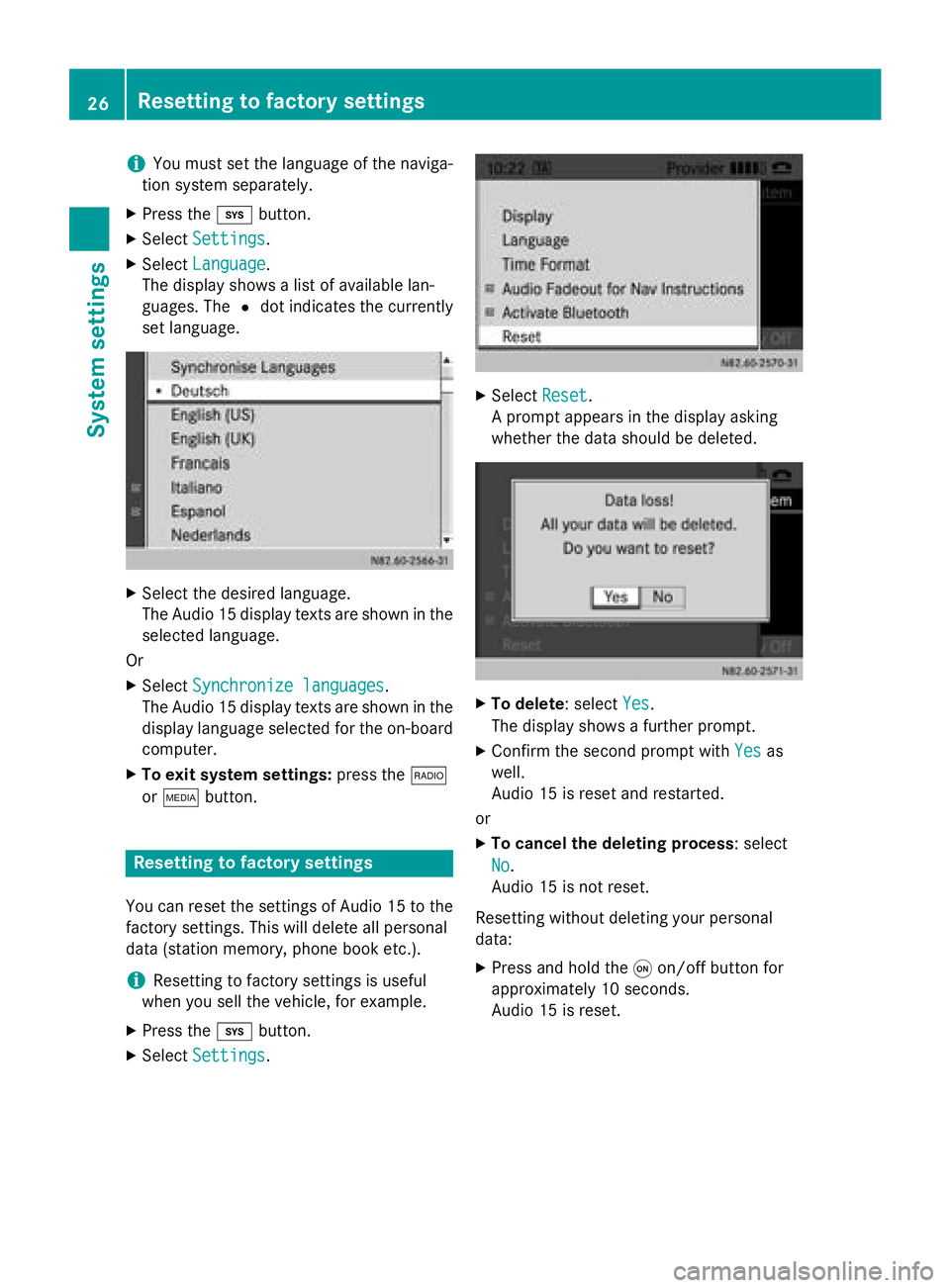
The display shows a list of available lan-
guages. The 0036dot indicates the currently
set language. X
Select the desired language.
The Audio 15 display texts are shown in the
selected language.
Or X Select Synchronize languages Synchronize languages.
The Audio 15 display texts are shown in the display language selected for the on-board
computer.
X To exit system settings: press the002A
or 00FD button. Resetting to factory settings
You can reset the settings of Audio 15 to the
factory settings. This will delete all personal
data (station memory, phone book etc.).
i Resetting to factory settings is useful
when you sell the vehicle, for example.
X Press the 003Bbutton.
X Select Settings
Settings . X
Select Reset
Reset.
A prompt appears in the display asking
whether the data should be deleted. X
To delete: select Yes Yes.
The display shows a further prompt.
X Confirm the second prompt with Yes
Yesas
well.
Audio 15 is reset and restarted.
or
X To cancel the deleting process : select
No No.
Audio 15 is not reset.
Resetting without deleting your personal
data:
X Press and hold the 0043on/off button for
approximately 10 seconds.
Audio 15 is reset. 26
Resetting to factory settingsSystem settings
Page 30 of 54
Important safety notes
G
WARNING
If you operate information systems and com-
munication equipment integrated in the vehi- cle while driving, you will be distracted from
traffic conditions. You could also lose control of the vehicle. There is a risk of an accident.
Only operate the equipment when the traffic
situation permits. If you are not sure that this
is possible, park the vehicle paying attention
to traffic conditions and operate the equip-
ment when the vehicle is stationary.
Observe the legal requirements of the coun-
try in which you are currently driving.
The navigation system calculates the route to
the destination without taking account of the following, for example:
R traffic lights
R stop and give way signs
R parking or stopping restrictions
R road narrowing
R other road and traffic rules and regulations
The navigation system may provide incorrect
navigation announcements if the surround-
ings do not correspond to the data on the
digital map. For example, a route may have
been diverted or the direction of a one-way
street may have changed.
For this reason, you must always observe
road and traffic rules and regulations during
your journey. Road and traffic rules and reg-
ulations always have priority over the sys-
tem's driving recommendations. Becker
®
MAP PILOT navigation mod-
ule
With the Becker ®
MAP PILOT navigation mod-
ule, you can upgrade Audio 15 to a fully-
fledged navigation system.
Further information can be found under
http://www.beckermappilot.com. GPS (Global Positioning System)
Position finding and route guidance take
place using GPS ( GlobalPositioning System).
For this purpose, the navigation module has
an integrated GPS receiver that receives the
satellite signals and determines your geo-
graphical location.
i Without GPS reception, route guidance is
not possible. Preparing navigation
Inserting the navigation module
i Switch off the ignition before removing or
inserting the navigation module.
X Open the glove box.
X Insert the navigation module into the
device holder.
The battery built into the navigation module
starts charging when the vehicle ignition is
switched on.
X Remove the catch on the front side of the
device holder.
This way, the navigation module is secured,
as well as protected against theft.
X Close the glove box. Switching on the navigation system
X Press the 00CBbutton.
or
X Press the 0063button repeatedly until the
main menu bar is selected.
X Select Navi Navi.
The display shows the main menu of the
navigation system.
i If the battery was completely discharged,
it takes up to 1 minute before the naviga-
tion system is ready. 28
Preparing navigationNavigation system
Page 32 of 54
General notes
Important safety notes
G
WARNING
If you operate mobile communication equip-
ment while driving, you will be distracted from traffic conditions. You could also lose controlof the vehicle. There is a risk of an accident.
Only operate this equipment when the vehicle is stationary.
Observe the legal requirements of the coun-
try in which you are currently driving. Call disconnection while the vehicle is
in motion
A call may be disconnected if: R there is insufficient GSM network coverage
in certain areas.
R you move from one GSM or UMTS trans-
mitter/receiver area (GSM/UMTS cell) into
another and no channels are free.
R you use a SIM card which is not compatible
with the network available.
R you are using a mobile phone with "Twin-
card" and the mobile phone with the sec-
ond SIM card is already logged into the net- work. "911" emergency call
Making emergency calls without entering a
PIN is only possible using the mobile phone.
The 911 emergency call number is a public
service. Any misuse is punishable by law. Using the telephone
Conditions
The following requirements must be met in
order to make calls using Audio 15: R
The Bluetooth ®
function of Audio 15 is acti-
vated (Y page 21).
R The Bluetooth ®
function of the mobile
phone is activated.
R The mobile phone is paired and connected
to Audio 15 (Y page 21). Selecting the telephone function
X Press the 002Bbutton.
or
X Press the 0061button.
or
X Press the 0063button repeatedly until the
main menu bar is selected
X Select Tel Tel.
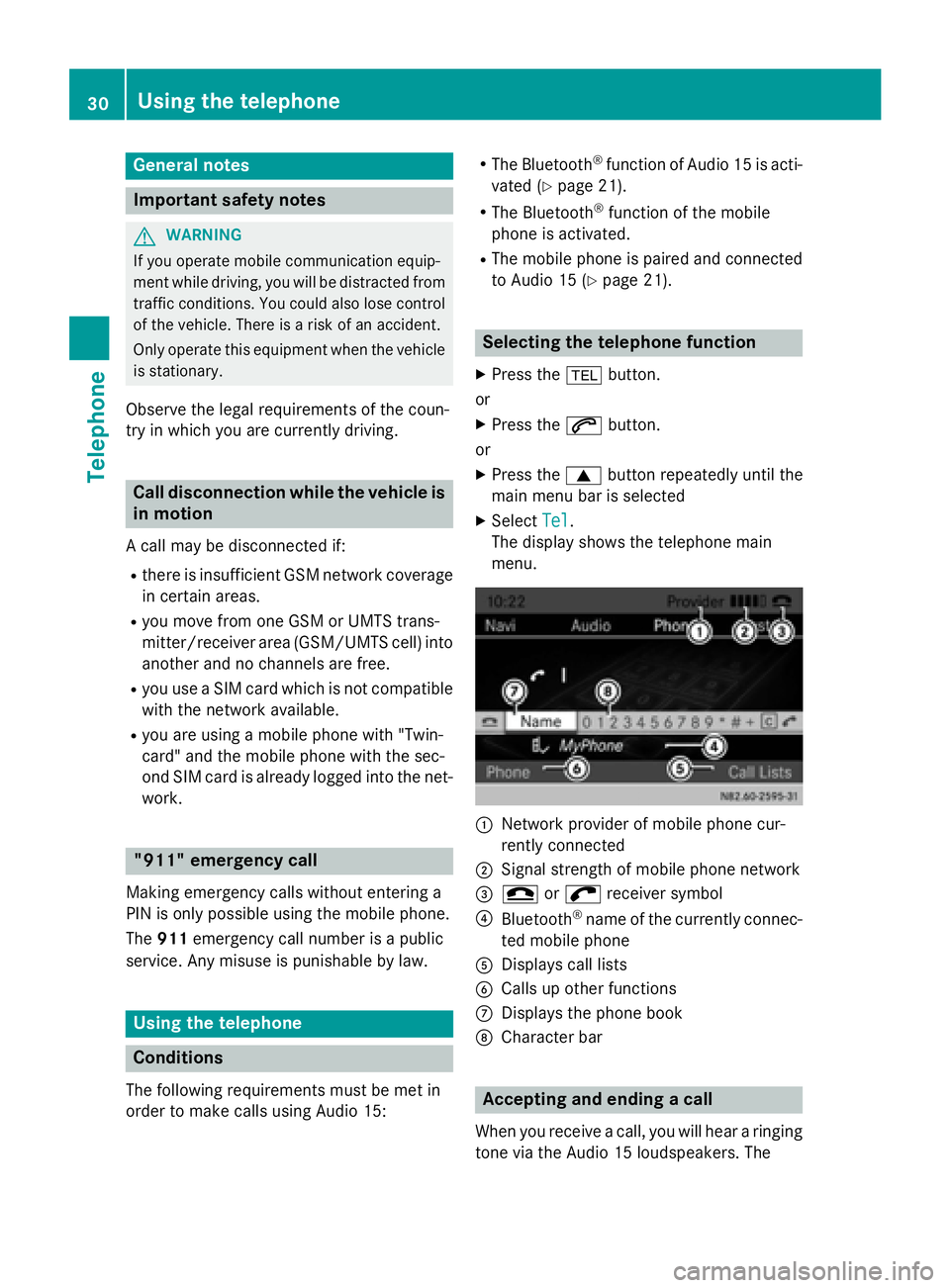
The display shows the telephone main
menu. 0043
Network provider of mobile phone cur-
rently connected
0044 Signal strength of mobile phone network
0087 005A or0066 receiver symbol
0085 Bluetooth ®
name of the currently connec-
ted mobile phone
0083 Displays call lists
0084 Calls up other functions
006B Displays the phone book
006C Character bar Accepting and ending a call
When you receive a call, you will hear a ringing
tone via the Audio 15 loudspeakers. The 30
Using the telephoneTelephone
Page 33 of 54
phone number of the caller is shown in the
display, if it is not withheld.
i If the mobile phone supports it, the ring-
tone of the mobile phone is played to signal
an incoming call. Otherwise, you will hear
the ringtone specified by Audio 15.
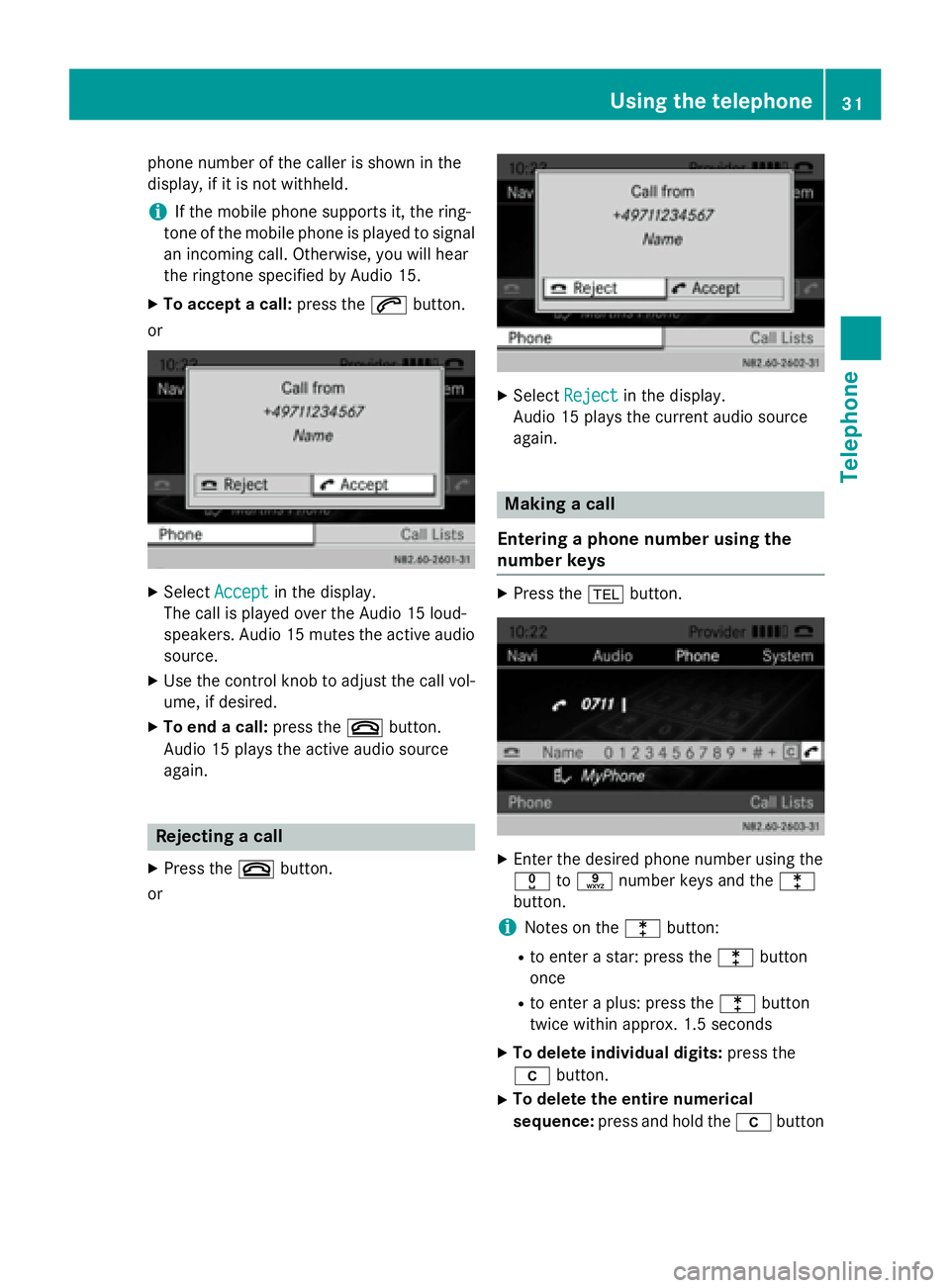
X To accept a call: press the0061button.
or X
Select Accept Accept in the display.
The call is played over the Audio 15 loud-
speakers. Audio 15 mutes the active audio source.
X Use the control knob to adjust the call vol-
ume, if desired.
X To end a call: press the0076button.
Audio 15 plays the active audio source
again. Rejecting a call
X Press the 0076button.
or X
Select Reject Reject in the display.
Audio 15 plays the current audio source
again. Making a call
Entering a phone number using the
number keys X
Press the 002Bbutton. X
Enter the desired phone number using the
004A to0089 number keys and the 003E
button.
i Notes on the 003Ebutton:
R to enter a star: press the 003Ebutton
once
R to enter a plus: press the 003Ebutton
twice within approx. 1.5 seconds
X To delete individual digits: press the
00DD button.
X To delete the entire numerical
sequence: press and hold the 00DDbutton Using the telephone
31Telephone Z
Page 34 of 54
until the entire numerical sequence is
deleted.
or
X Press the 0076button.
X To complete an entry and make a call:
press the 0061button.
This initiates dialing.
Entering a phone number using the con-
trol knob You can also enter a phone number via the
display using the control knob.
X Press the 002Bbutton.
The entry line is selected.
X Select and confirm the digits of the phone
number with the control knob.
X To delete individual digits: select0065.
X To delete the entire numerical
sequence: select0065repeatedly until the
entire numerical sequence is deleted.
or
X Select 005A.
X To finish the entry and make a call:
select 0066.
This initiates dialing.
Calling a contact from the telephone
book It is also possible to call contacts from your
telephone book (Y
page 35).
Redialing X
Press the 002Bbutton.
X Press the 0061button.
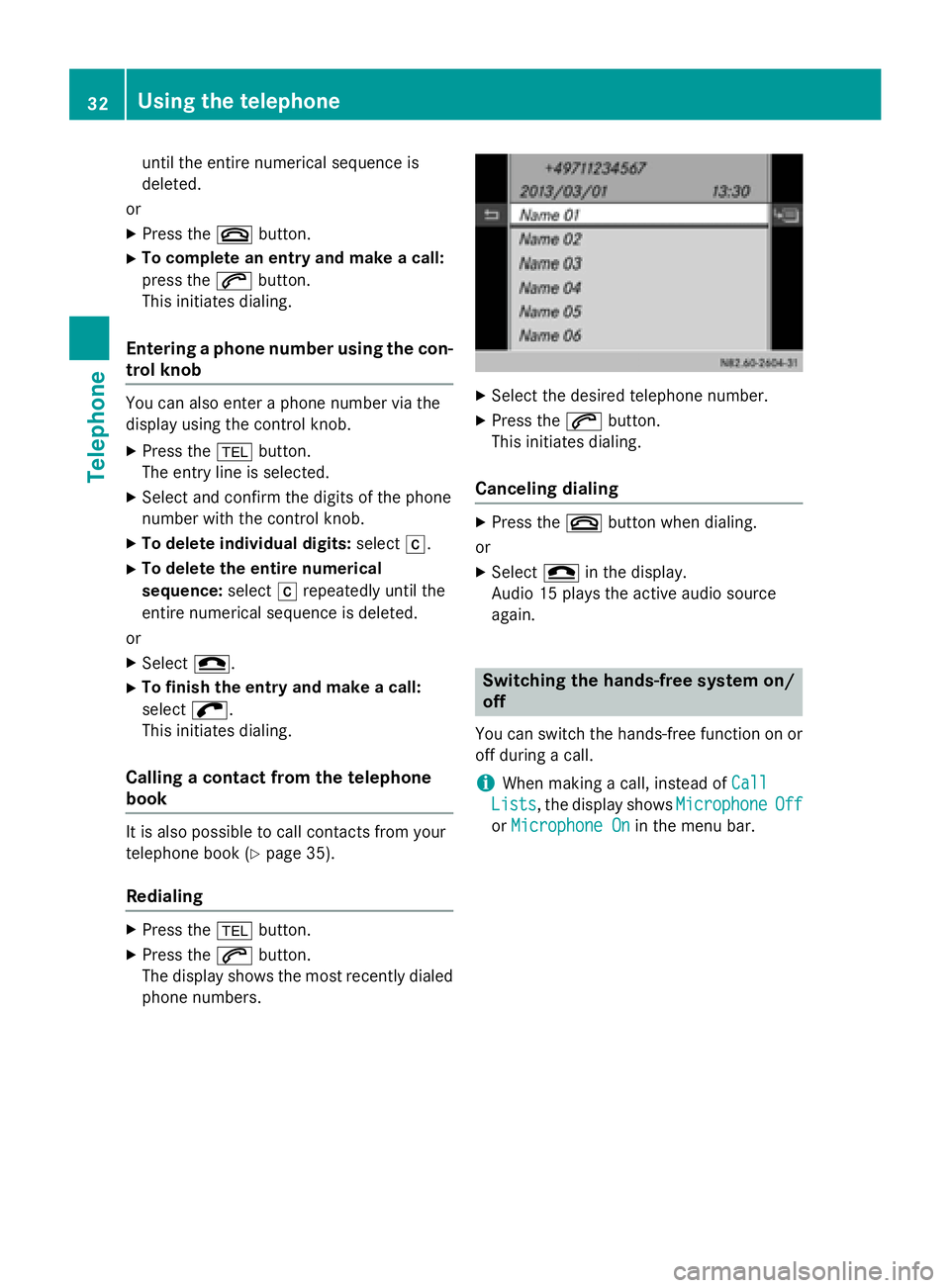
The display shows the most recently dialed phone numbers. X
Select the desired telephone number.
X Press the 0061button.
This initiates dialing.
Canceling dialing X
Press the 0076button when dialing.
or X Select 005Ain the display.
Audio 15 plays the active audio source
again. Switching the hands-free system on/
off
You can switch the hands-free function on or off during a call.
i When making a call, instead of
Call Call
Lists
Lists, the display shows Microphone
MicrophoneOff
Off
or Microphone On
Microphone On in the menu bar.32
Using the telephoneTelephone
Page 35 of 54
X
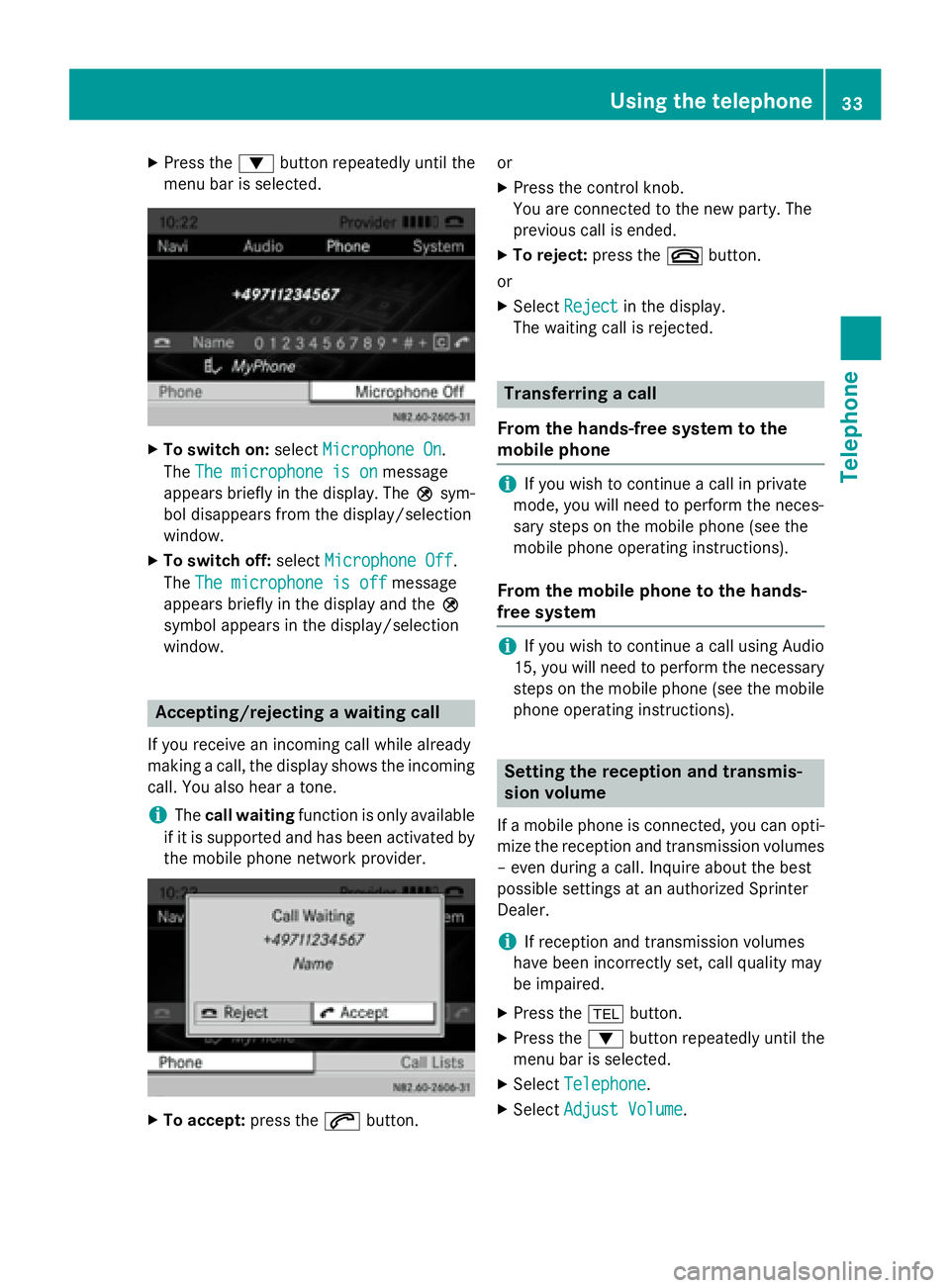
Press the 0064button repeatedly until the
menu bar is selected. X
To switch on: selectMicrophone On
Microphone On.
The The microphone is on
The microphone is on message
appears briefly in the display. The 004Dsym-
bol disappears from the display/selection
window.
X To switch off: selectMicrophone Off
Microphone Off.
The The microphone is off
The microphone is off message
appears briefly in the display and the 004D
symbol appears in the display/selection
window. Accepting/rejecting a waiting call
If you receive an incoming call while already
making a call, the display shows the incoming call. You also hear a tone.
i The
call waiting function is only available
if it is supported and has been activated by
the mobile phone network provider. X
To accept: press the0061button. or
X Press the control knob.
You are connected to the new party. The
previous call is ended.
X To reject: press the0076button.
or X Select Reject Reject in the display.
The waiting call is rejected. Transferring a call
From the hands-free system to the
mobile phone i
If you wish to continue a call in private
mode, you will need to perform the neces-
sary steps on the mobile phone (see the
mobile phone operating instructions).
From the mobile phone to the hands-
free system i
If you wish to continue a call using Audio
15, you will need to perform the necessary
steps on the mobile phone (see the mobile phone operating instructions). Setting the reception and transmis-
sion volume
If a mobile phone is connected, you can opti-
mize the reception and transmission volumes – even during a call. Inquire about the best
possible settings at an authorized Sprinter
Dealer.
i If reception and transmission volumes
have been incorrectly set, call quality may
be impaired.
X Press the 002Bbutton.
X Press the 0064button repeatedly until the
menu bar is selected.
X Select Telephone Telephone .
X Select Adjust Volume
Adjust Volume. Using the telephone
33Telephone Z
Page 36 of 54
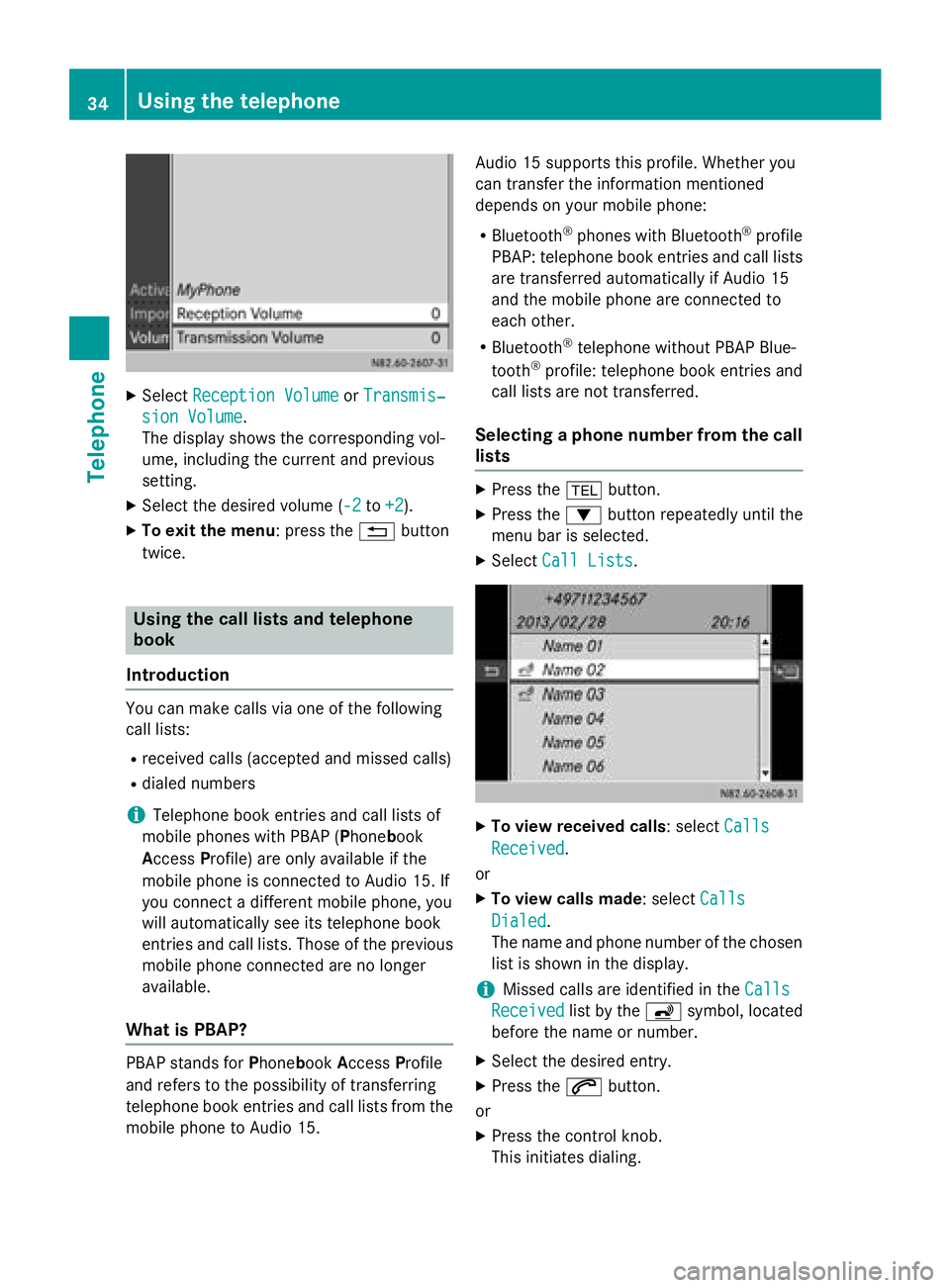
X
Select Reception Volume
Reception Volume orTransmis‐
Transmis‐
sion Volume
sion Volume .
The display shows the corresponding vol-
ume, including the current and previous
setting.
X Select the desired volume (-2 -2to+2
+2).
X To exit the menu: press the 0038button
twice. Using the call lists and telephone
book
Introduction You can make calls via one of the following
call lists:
R received calls (accepted and missed calls)
R dialed numbers
i Telephone book entries and call lists of
mobile phones with PBAP (Phone book
Access Profile) are only available if the
mobile phone is connected to Audio 15. If
you connect a different mobile phone, you
will automatically see its telephone book
entries and call lists. Those of the previous
mobile phone connected are no longer
available.
What is PBAP? PBAP stands for
PhonebookAccess Profile
and refers to the possibility of transferring
telephone book entries and call lists from the mobile phone to Audio 15. Audio 15 supports this profile. Whether you
can transfer the information mentioned
depends on your mobile phone:
R Bluetooth ®
phones with Bluetooth ®
profile
PBAP: telephone book entries and call lists
are transferred automatically if Audio 15
and the mobile phone are connected to
each other.
R Bluetooth ®
telephone without PBAP Blue-
tooth ®
profile: telephone book entries and
call lists are not transferred.
Selecting a phone number from the call
lists X
Press the 002Bbutton.
X Press the 0064button repeatedly until the
menu bar is selected.
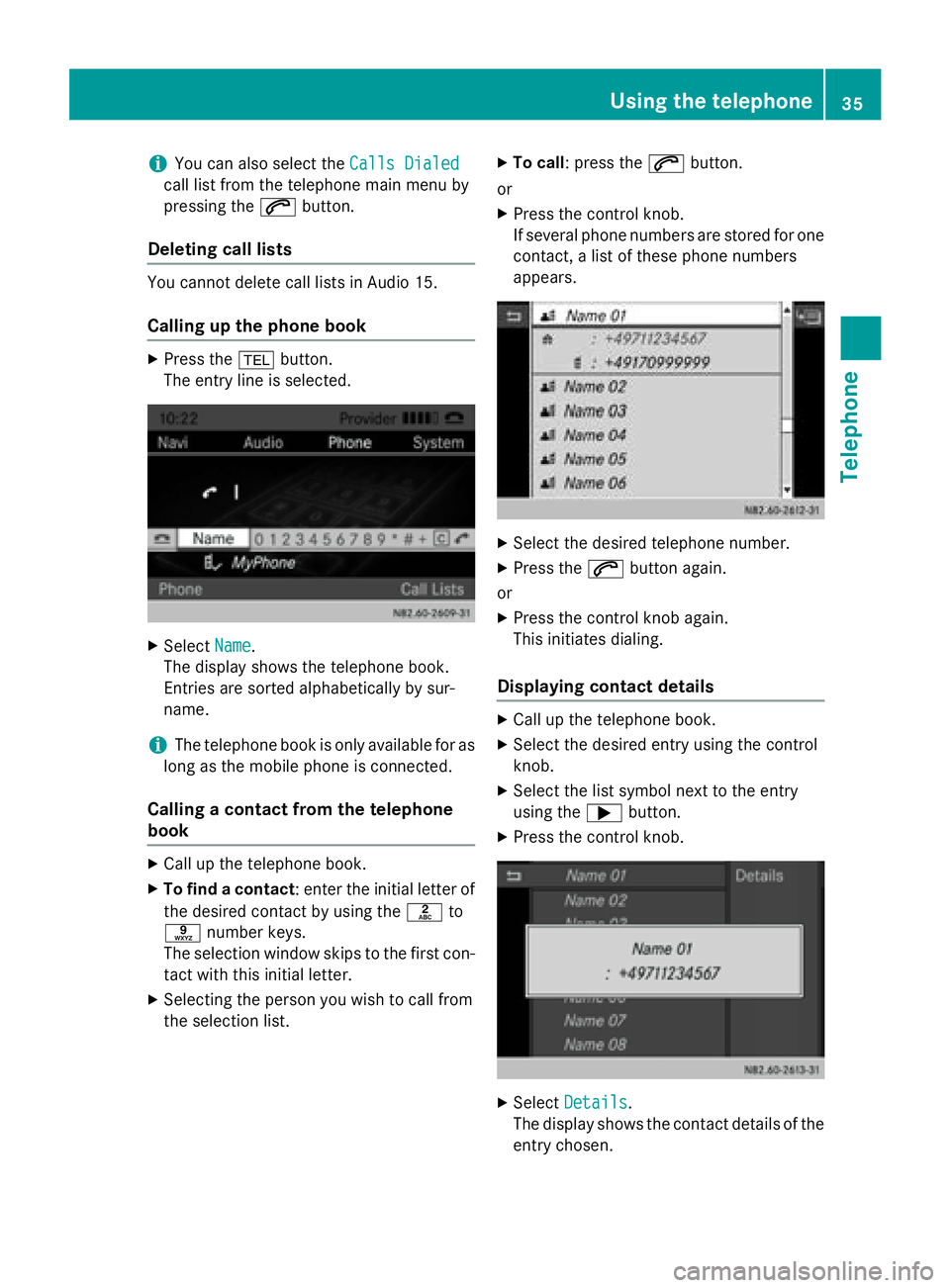
X Select Call Lists
Call Lists. X
To view received calls: select Calls Calls
Received
Received.
or X To view calls made: select Calls
Calls
Dialed
Dialed .
The name and phone number of the chosen list is shown in the display.
i Missed calls are identified in the
Calls
Calls
Received
Received list by the00D1symbol, located
before the name or number.
X Select the desired entry.
X Press the 0061button.
or
X Press the control knob.
This initiates dialing. 34
Using the telephoneTelephone
Page 37 of 54
i
You can also select the
Calls Dialed
Calls Dialed
call list from the telephone main menu by
pressing the 0061button.
Deleting call lists You cannot delete call lists in Audio 15.
Calling up the phone book X
Press the 002Bbutton.
The entry line is selected. X
Select Name Name.
The display shows the telephone book.
Entries are sorted alphabetically by sur-
name.
i The telephone book is only available for as
long as the mobile phone is connected.
Calling a contact from the telephone
book X
Call up the telephone book.
X To find a contact : enter the initial letter of
the desired contact by using the 0082to
0089 number keys.
The selection window skips to the first con-
tact with this initial letter.
X Selecting the person you wish to call from
the selection list. X
To call: press the 0061button.
or X Press the control knob.
If several phone numbers are stored for one
contact, a list of these phone numbers
appears. X
Select the desired telephone number.
X Press the 0061button again.
or
X Press the control knob again.
This initiates dialing.
Displaying contact details X
Call up the telephone book.
X Select the desired entry using the control
knob.
X Select the list symbol next to the entry
using the 0065button.
X Press the control knob. X
Select Details Details.
The display shows the contact details of the entry chosen. Using the telephone
35Telephone Z