display MERCEDES-BENZ SPRINTER 2017 MY17 Operator’s Manual
[x] Cancel search | Manufacturer: MERCEDES-BENZ, Model Year: 2017, Model line: SPRINTER, Model: MERCEDES-BENZ SPRINTER 2017Pages: 286, PDF Size: 4.36 MB
Page 199 of 286
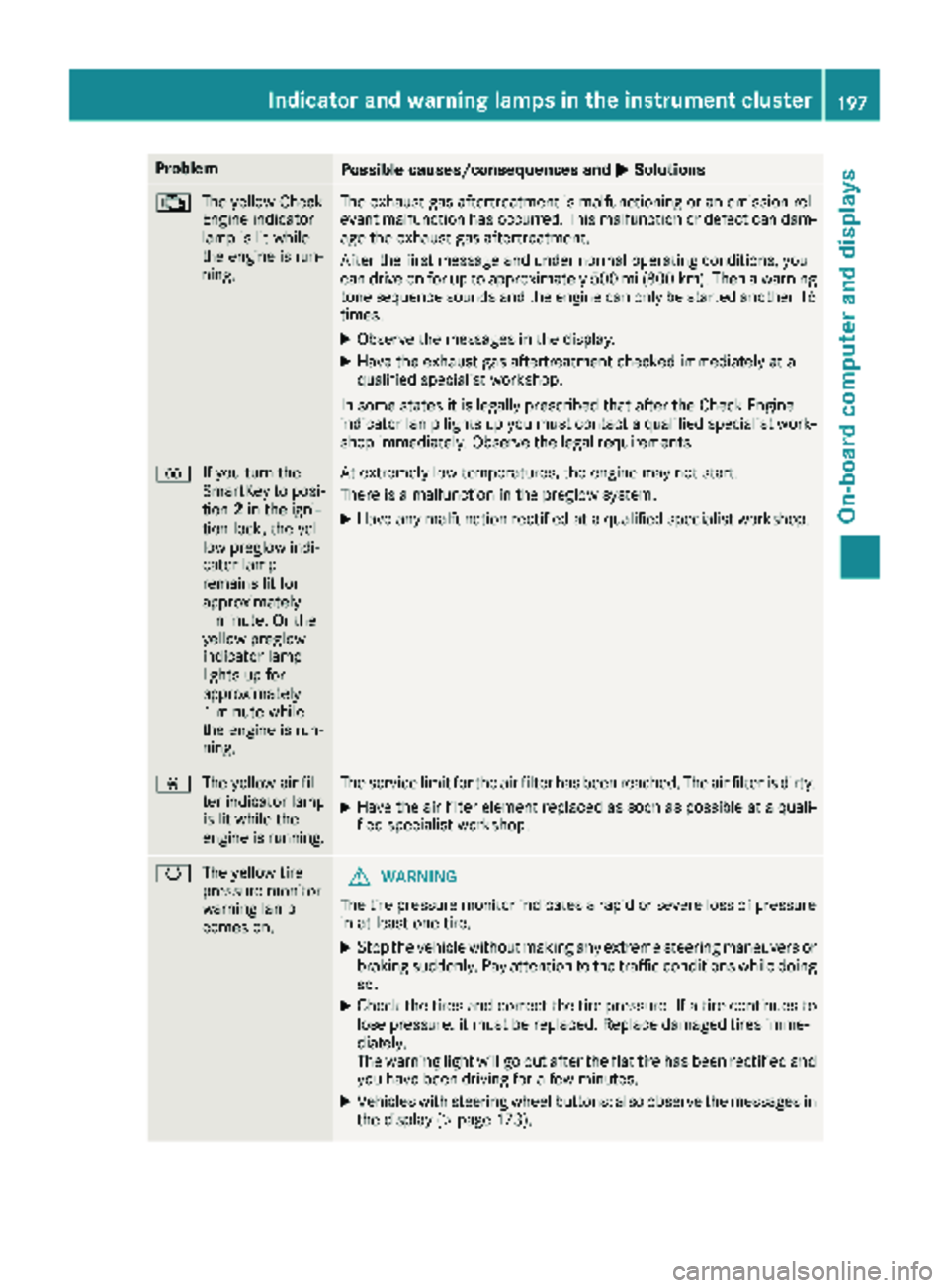
ProblemPossible causes/consequences andMSolutions
;
The yellow Check
Engine indicator
lamp is lit while
the engine is run-
ning.The exhaust gas aftertreatment is malfunctioning or an emission rel-
evant malfunction has occurred. This malfunction or defect can dam-
age the exhaust gas aftertreatment.
After the first message and under normal operating conditions, you
can drive on for up to approximately 500 mi (800 km). Then a warning
tone sequence sounds and the engine can only be started another 16
times.
XObserve the messages in the display.
XHave the exhaust gas aftertreatment checked immediately at a
qualified specialist workshop.
In some states it is legally prescribed that after the Check Engine
indicator lamp lights up you must contact a qualified specialist work-
shop immediately. Observe the legal requirements.
% If you turn the
SmartKey to posi-
tion2in the igni-
tion lock, the yel-
low preglow indi-
cator lamp
remains lit for
approximately
1 minute. Or the
yellow preglow
indicator lamp
lights up for
approximately
1 minute while
the engine is run-
ning.At extremely low temperatures, the engine may not start.
There is a malfunction in the preglow system.
XHave any malfunction rectified at a qualified specialist workshop.
È The yellow air fil-
ter indicator lamp
is lit while the
engine is running.The service limit for the air filter has been reached. The air filter is dirty.
XHave the air filter element replaced as soon as possible at a quali-
fied specialist workshop.
hThe yellow tire
pressure monitor
warning lamp
comes on.GWARNING
The tire pressure monitor indicates a rapid or severe loss of pressure
in at least one tire.
XStop the vehicle without making any extreme steering maneuvers or
braking suddenly. Pay attention to the traffic conditions while doing
so.
XCheck the tires and correct the tire pressure. If a tire continues to
lose pressure, it must be replaced. Replace damaged tires imme-
diately.
The warning light will go out after the flat tire has been rectified and
you have been driving for a few minutes.
XVehicles with steering wheel buttons: also observe the messages in the display (Ypage 173).
Indicator and warning lamps in the instrument cluster197
On-board computer and displays
Z
Page 200 of 286
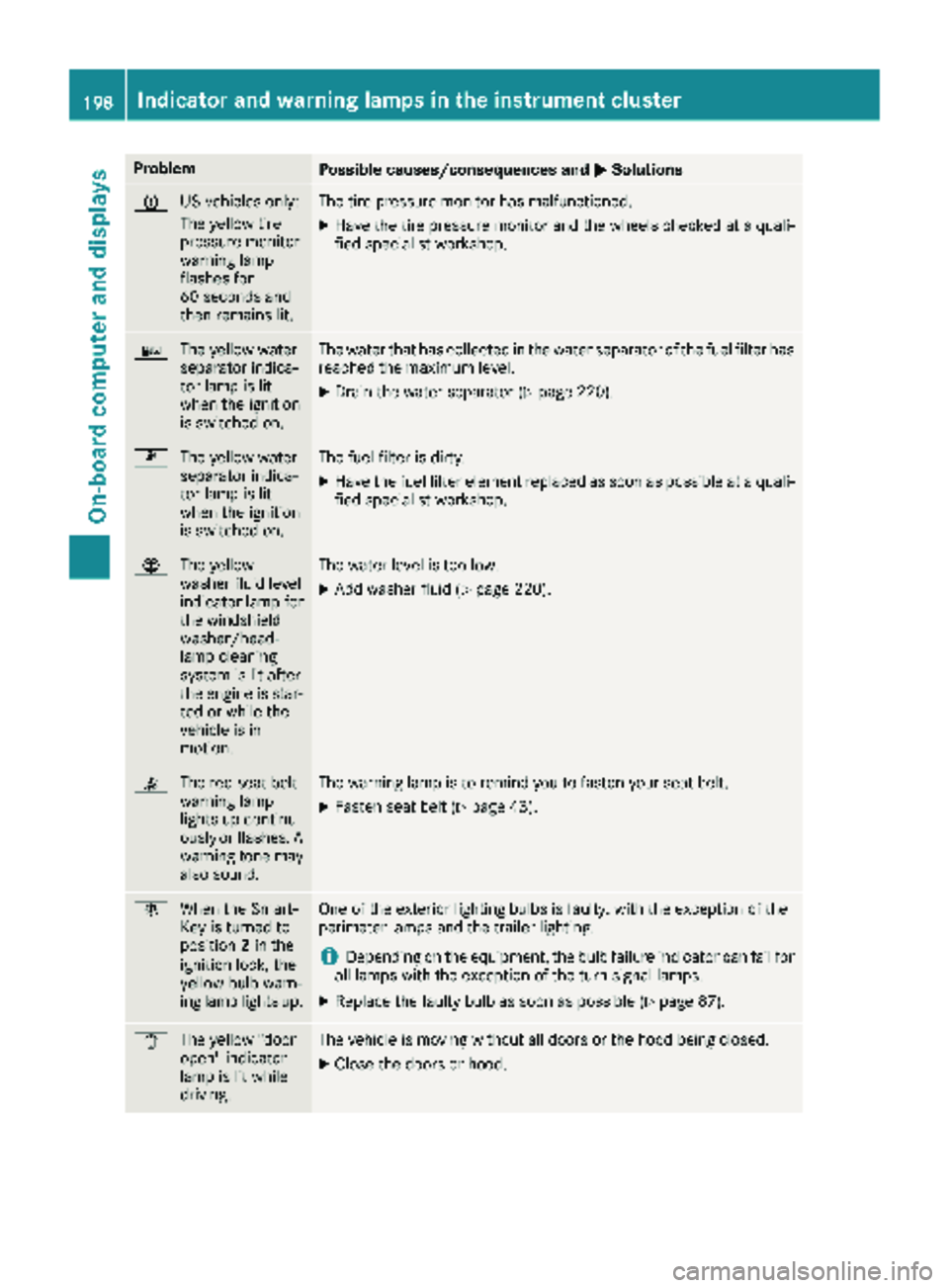
ProblemPossible causes/consequences andMSolutions
h
US vehicles only:
The yellow tire
pressure monitor
warning lamp
flashes for
60 seconds and
then remains lit.The tire pressure monitor has malfunctioned.
XHave the tire pressure monitor and the wheels checked at a quali-
fied specialist workshop.
:
The yellow water
separator indica-
tor lamp is lit
when the ignition
is switched on.The water that has collected in the water separator of the fuel filter has
reached the maximum level.
XDrain the water separator (Ypage 220).
m
The yellow water
separator indica-
tor lamp is lit
when the ignition
is switched on.The fuel filter is dirty.
XHave the fuel filter element replaced as soon as possible at a quali-
fied specialist workshop.
¦The yellow
washer fluid level
indicator lamp for
the windshield
washer/head-
lamp cleaning
system is lit after
the engine is star-
ted or while the
vehicle is in
motion.The water level is too low.
XAdd washer fluid (Ypage 220).
7The red seat belt
warning lamp
lights up continu-
ously or flashes. A
warning tone may
also sound.The warning lamp is to remind you to fasten your seat belt.
XFasten seat belt (Ypage 43).
bWhen the Smart-
Key is turned to
position 2in the
ignition lock, the
yellow bulb warn-
ing lamp lights up.One of the exterior lighting bulbs is faulty, with the exception of the
perimeter lamps and the trailer lighting.
iDepending on the equipment, the bulb failure indicator can fail for
all lamps with the exception of the turn signal lamps.
XReplace the faulty bulb as soon as possible (Ypage 87).
1 The yellow "door
open" indicator
lamp is lit while
driving.The vehicle is moving without all doors or the hood being closed.
XClose the doors or hood.
198Indicator and warning lamps in the instrument cluster
On-board computer and displays
Page 201 of 286
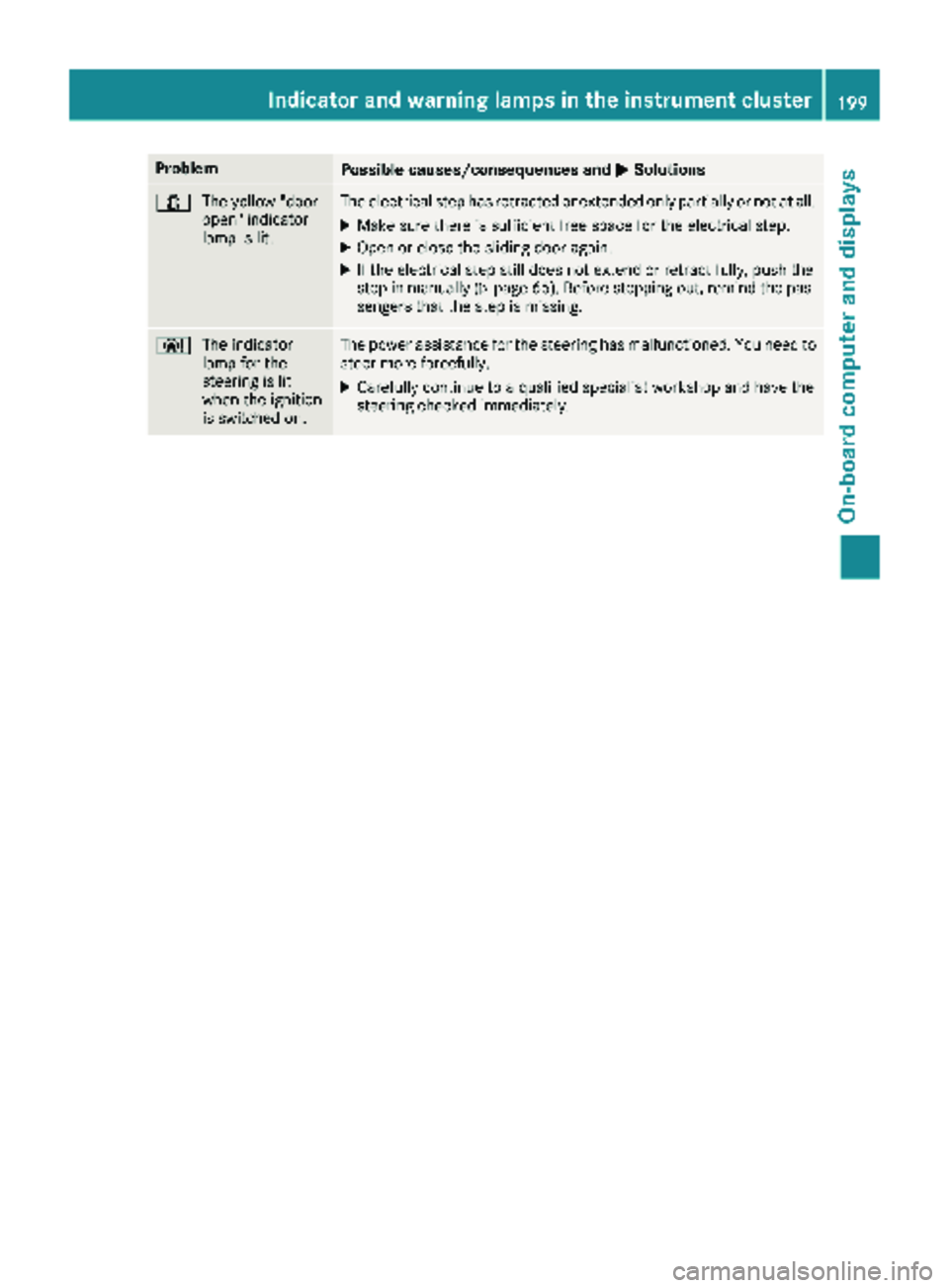
ProblemPossible causes/consequences andMSolutions
1
The yellow "door
open" indicator
lamp is lit.The electrical step has retracted or extended only partially or not at all.
XMake sure there is sufficient free space for the electrical step.
XOpen or close the sliding door again.
XIf the electrical step still does not extend or retract fully, push the
step in manually (Ypage 66). Before stepping out, remind the pas-
sengers that the step is missing.
Ð The indicator
lamp for the
steering is lit
when the ignition
is switched on.The power assistance for the steering has malfunctioned. You need to
steer more forcefully.
XCarefully continue to a qualified specialist workshop and have the
steering checked immediately.
Indicator and warning lamps in the instrument cluster199
On-board computer and displays
Z
Page 209 of 286
bracket and in the separate operating instruc-
tions for the mobile phone pre-installation.
iThe mobile phone battery is charged
depending on the condition of charge and the
position of the key in the ignition lock. The
mobile phone display indicates the charging
process.
Additional communications equip-
ment
Important safety notes
GWARNING
If you operate mobile communication equip-
ment while driving, you will be distracted from traffic conditions. You could also lose control
of the vehicle. There is a risk of an accident.
Only operate this equipment when the vehicle
is stationary.
You must observe the legal requirements for the
country in which you are currently driving when
operating mobile communication equipment.
Please remember, a navigation system does not
supply information on the load-bearing capacity of bridges or the overhead clearance of under-
passes. The driver remains responsible for
safety at all times.
You and others can suffer health-related dam-
age through electromagnetic radiation. By using
an exterior antenna, a possible health risk
caused by electromagnetic fields, as discussed
in scientific circles, is taken into account. Only
have the exterior antenna installed by a qualified
specialist workshop.
You will find information on installing electrical
or electronic equipment in the “Vehicle elec-
tronics” section (
Ypage 271).
Installation for PND mobile navigation
devices
You can secure a personal navigation device
(Personal Navigation Device PND) using a com-
mercially available adapter.
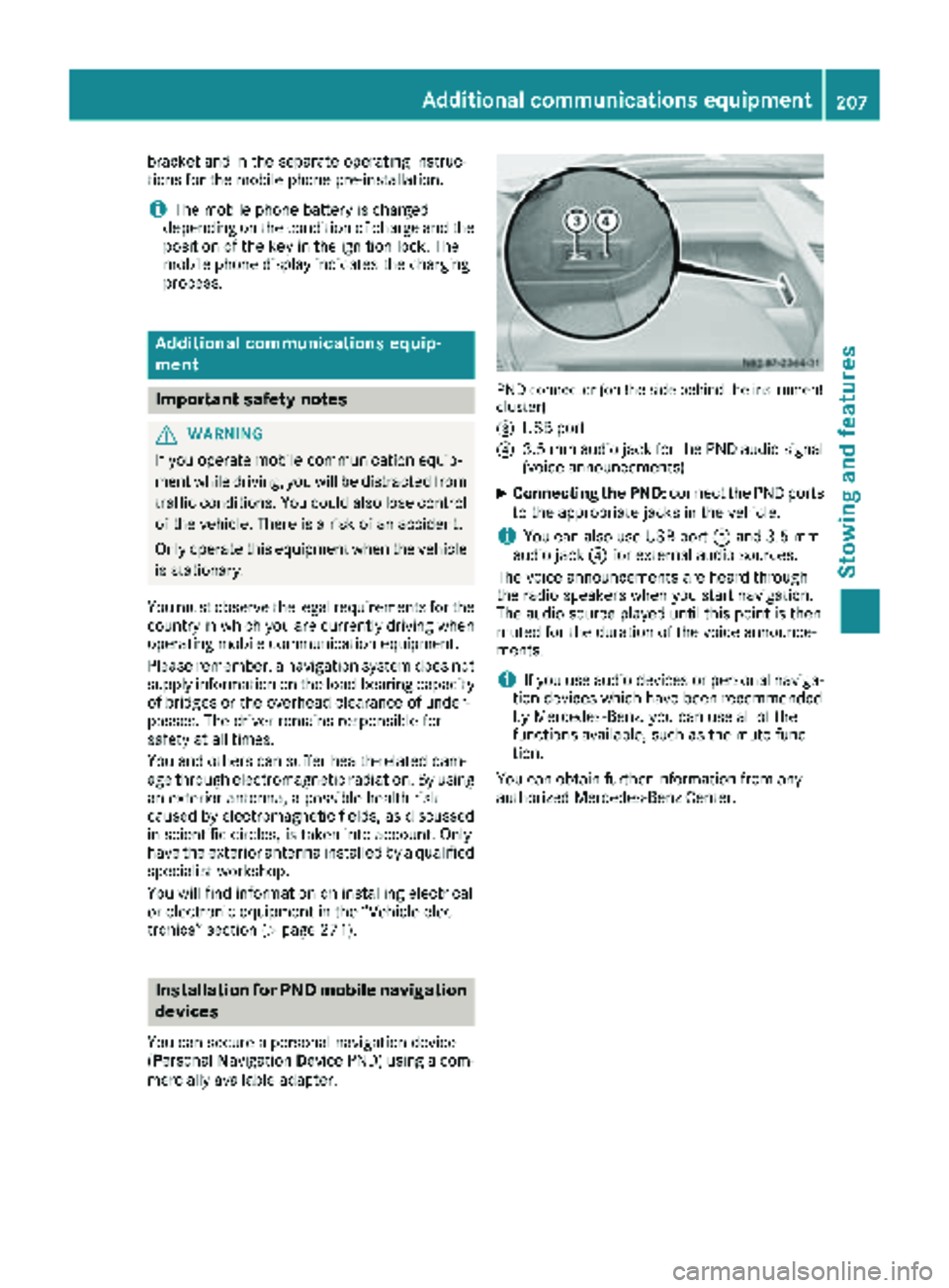
PND connector (on the side behind the instrument
cluster)
=
USB port
?3.5 mm audio jack for the PND audio signal
(voice announcements)
XConnecting the PND: connect the PND ports
to the appropriate jacks in the vehicle.
iYou can also use USB port =and 3.5 mm
audio jack ?for external audio sources.
The voice announcements are heard through
the radio speakers when you start navigation.
The audio source played until this point is then
muted for the duration of the voice announce-
ments.
iIf you use audio devices or personal naviga-
tion devices which have been recommended
by Mercedes-Benz, you can use all of the
functions available, such as the mute func-
tion.
You can obtain further information from any
authorized Mercedes-Benz Center.
Additional communications equipment207
Stowing and features
Z
Page 218 of 286
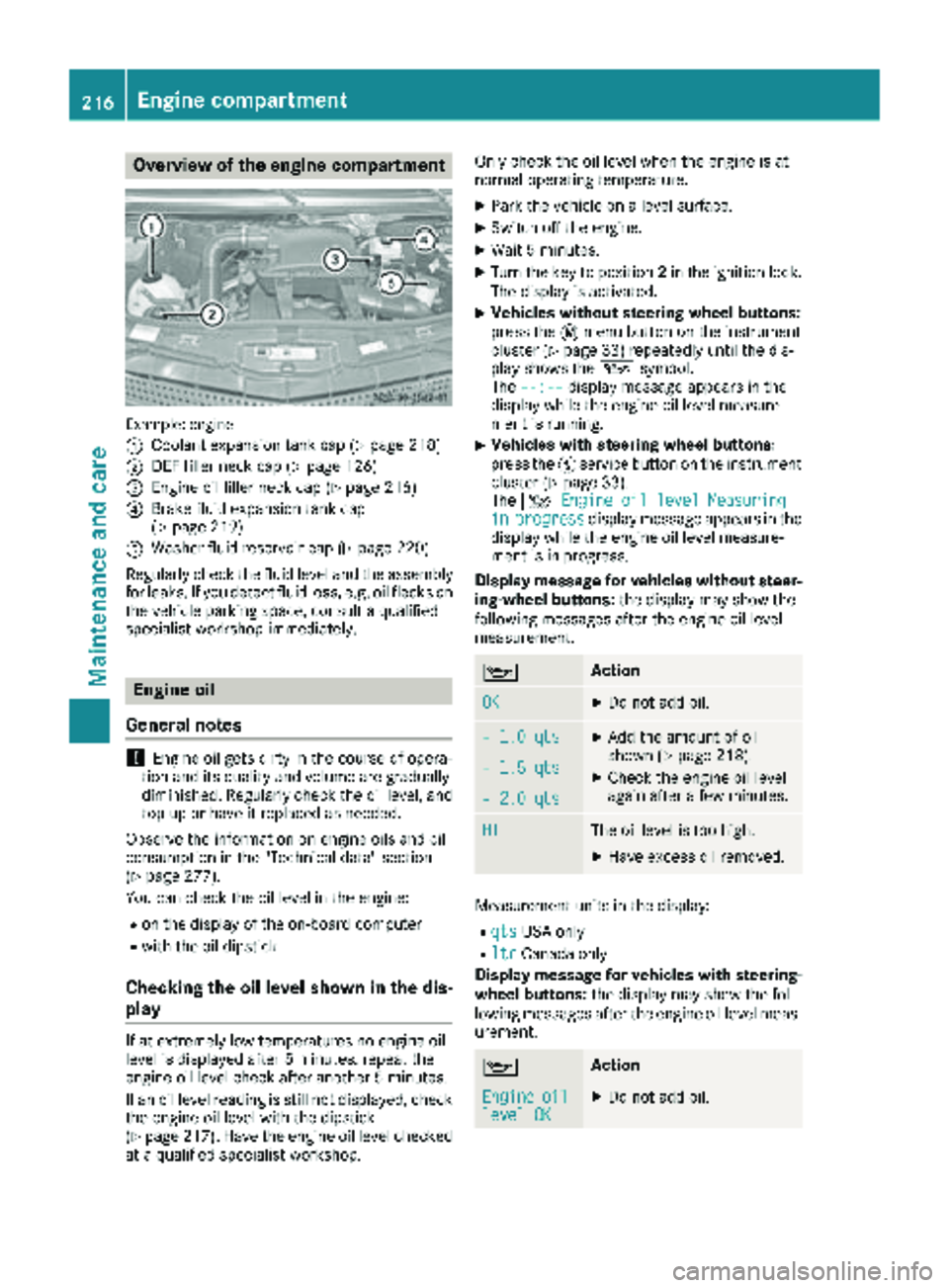
Overview of the engine compartment
Example: engine
:
Coolant expansion tank cap (Ypage 218)
;DEF filler neck cap (Ypage 126)
=Engine oil filler neck cap (Ypage 216)
?Brake fluid expansion tank cap
(Ypage 219)
AWasher fluid reservoir cap (Ypage 220)
Regularly check the fluid level and the assembly
for leaks. If you detect fluid loss, e.g. oil flecks on
the vehicle parking space, consult a qualified
specialist workshop immediately.
Engine oil
General notes
!Engine oil gets dirty in the course of opera-
tion and its quality and volume are gradually
diminished. Regularly check the oil level, and
top up or have it replaced as needed.
Observe the information on engine oils and oil
consumption in the "Technical data" section
(
Ypage 277).
You can check the oil level in the engine:
Ron the display of the on-board computer
Rwith the oil dipstick
Checking the oil level shown in the dis-
play
If at extremely low temperatures no engine oil
level is displayed after 5 minutes, repeat the
engine oil level check after another 5 minutes.
If an oil level reading is still not displayed, check
the engine oil level with the dipstick
(
Ypage 217). Have the engine oil level checked
at a qualified specialist workshop. Only check the oil level when the engine is at
normal operating temperature.
XPark the vehicle on a level surface.
XSwitch off the engine.
XWait 5 minutes.
XTurn the key to position
2in the ignition lock.
The display is activated.
XVehicles without steering wheel buttons:
press the 4menu button on the instrument
cluster (
Ypage 33) repeatedly until the dis-
play shows the 1symbol.
The --:--
display message appears in the
display while the engine oil level measure-
ment is running.
XVehicles with steering wheel buttons:
press the Ëservice button on the instrument
cluster (
Ypage 33).
The 4 Engine oil level Measuring
inprogressdisplay message appears in the
display while the engine oil level measure-
ment is in progress.
Display message for vehicles without steer-
ing-wheel buttons: the display may show the
following messages after the engine oil level
measurement.
1Action
OKXDo not add oil.
– 1.0 qtsXAdd the amount of oil
shown (Ypage 218).
XCheck the engine oil level
again after a few minutes.– 1.5 qts
– 2.0 qts
HIThe oil level is too high.
XHave excess oil removed.
Measurement units in the display:
RqtsUSA only
RltrCanada only
Display message for vehicles with steering- wheel buttons: the display may show the fol-
lowing messages after the engine oil level meas-
urement.
1Action
Engineoillevel OKXDo not add oil.
216Engine compartment
Maintenance and care
Page 219 of 286
EngineoilAdd1.0 quart
XAdd the amount of oil
shown (Ypage 218).
XCheck the engine oil level
again after a few minutes.
EngineoilAdd1.5quarts
EngineoilAdd2.0quarts
EngineoillevelReduceoillevel
The oil level is too high.
XHave excess oil removed.
Eng. oillev. Turnignitionon forlevel
XTurn the key to position2in
the ignition lock.
Observewait.period
XRepeat the engine oil
measurement after about
5 minutes if the engine is at
normal operating tempera-
ture.
XRepeat the engine oil
measurement after about
30 minutes if the engine is
not at normal operating
temperature.
Engineoillevel Notwhen eng.running
XSwitch off the engine when it is at normal operating
temperature and wait
approximately 5 minutes
before measuring the
engine oil level.
Measurement units in the display:
RqtsUSA only
RltrCanada only
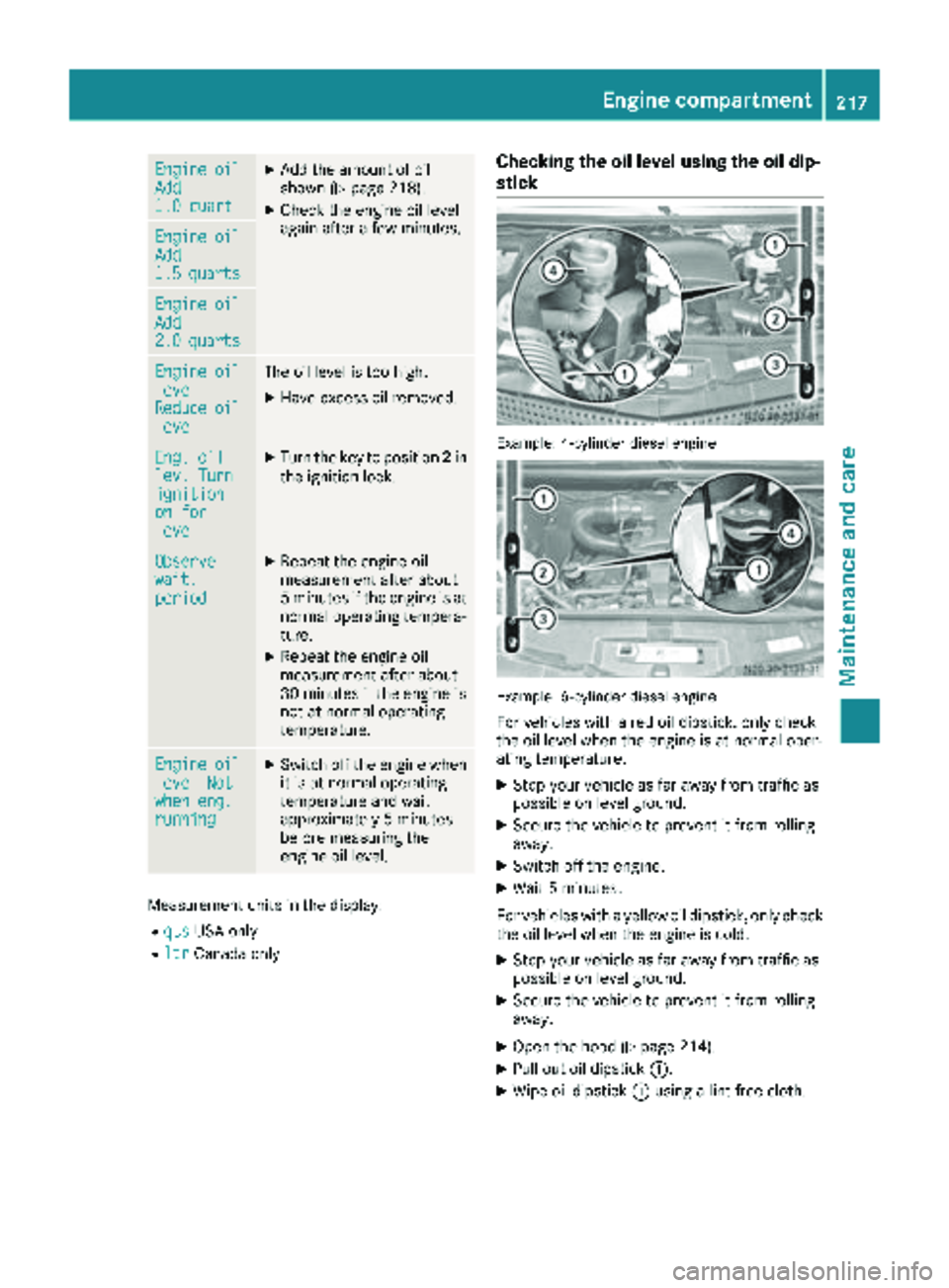
Checking the oil level using the oil dip-
stick
Example: 4-cylinder diesel engine
Example: 6-cylinder diesel engine
For vehicles with a red oil dipstick, only check
the oil level when the engine is at normal oper-
ating temperature:
XStop your vehicle as far away from traffic as
possible on level ground.
XSecure the vehicle to prevent it from rolling
away.
XSwitch off the engine.
XWait 5 minutes.
For vehicles with a yellow oil dipstick, only check
the oil level when the engine is cold.
XStop your vehicle as far away from traffic as
possible on level ground.
XSecure the vehicle to prevent it from rolling
away.
XOpen the hood (Ypage 214).
XPull out oil dipstick :.
XWipe oil dipstick:using a lint-free cloth.
Engine compartment217
Maintenance and care
Z
Page 220 of 286
XInsert oil dipstick:back into the guide tube
as far as it will go and remove it again.
If the level is between minimum mark =and
maximum mark ;, the oil level is correct.
XIf the oil level has dropped to or below mini-
mum mark=, open cap ?and add engine oil
(
Ypage 218).
The difference in quantity between marks ;
and =is approximately 2 qt (2 l).
XInsert the oil dipstick into the guide tube as far
as it will go.
XClose the hood (Ypage 215).
OM651 4-cylinder diesel engine:
At outside temperatures between 32 ‡ (–0 †)
and 86 ‡ (30 †), the oil level can be checked
when the engine is cold.
Measuring the engine oil when the engine is cold
is less precise than measuring when the engine
is at normal operating temperature.
When the appropriate warning is shown in the
display
XAdd engine oil (Ypage 218)
or
XHave engine oil siphoned off.
Adding engine oil
GWARNING
If engine oil comes into contact with hot com- ponents in the engine compartment, it may
ignite. There is a risk of fire and injury.
Make sure that engine oil is not spilled next to
the filler neck. Let the engine cool down and
thoroughly clean the engine oil off the com-
ponents before starting the engine.
!The alternator is located below the engine
oil filler neck. If engine oil spills onto the alter-
nator, there is a danger of alternator damage.
Be very careful when adding engine oil.
HEnvironmental note
When adding oil, take care not to spill any. If
oil enters the soil or waterways, it is harmful to
the environment.
!Do not add too much oil. adding too much
engine oil can result in damage to the engine
or to the catalytic converter. Have excess
engine oil siphoned off.
!Do not use any additives in the engine oil.
This could damage the engine.
XOpen the hood (Ypage 214).
XUnscrew and remove cap ?.
XAdd engine oil.
XReplace cap?on the filler neck and tighten.
When doing so, make sure that the cap
engages correctly.
XCheck the oil level with the oil dipstick
(Ypage 217) or on the display (Ypage 216).
XClose the hood.
Coolant
GWARNING
The engine cooling system is pressurized, par-
ticularly when the engine is warm. When
opening the cap, you could be scalded by hot
coolant spraying out. There is a risk of injury.
Let the engine cool down before opening the
cap. Wear eye and hand protection when
opening the cap. Open the cap slowly half a
turn to allow pressure to escape.
Only check the coolant level and/or fill the cool-
ant if the vehicle is on a level surface and the
engine has cooled down. The coolant tempera-
ture must be below 122 ‡ (50 †).
!Check the engine cooling and heating sys-
tem regularly for leaks.
If a large quantity of coolant is lost, have the
cause traced and rectified at a qualified spe-
cialist workshop.
GWARNING
If antifreeze comes into contact with hot com- ponents in the engine compartment, it may
ignite. There is a risk of fire and injury.
Let the engine cool down before you add anti-
freeze. Make sure that antifreeze is not spilled
next to the filler neck. Thoroughly clean the
antifreeze from components before starting
the engine.
!Take care not to spill any coolant on painted
surfaces. You could otherwise damage the
paintwork.
218Engine compartment
Maintenance and care
Page 224 of 286
responsible manner. Comply with the instruc-
tions for use of the care products.
Do not run the engine for longer than neces-
sary when the vehicle is stationary.
Before having maintenance and repairs per-
formed, it is essential to read the materials rela-
ted to the maintenance and repairs:
Rthe applicable sections of the technical doc-
umentation, e.g. the Operator's Manual and
workshop information.
Rregulations such as industrial safety regula-
tions and accident prevention regulations.
While working under the vehicle, you must
secure the vehicle on jack stands with sufficient load capacity.
Never use the jack as a substitute. The vehicle's
jack is intended only to raise the vehicle for a
short time when changing a wheel. It is not
suited for performing maintenance work under
the vehicle.
Please also refer to the notes about qualified
specialist workshops (
Ypage 27).
The scope and regularity of the inspection and
maintenance work primarily depend on the
often diverse operating conditions. Specialist
knowledge beyond the scope of this Operator's
Manual is required when carrying out testing
and maintenance work. This work should only be
carried out by trained staff.
The vehicle Maintenance Booklet describes the scope and frequency of maintenance work and
contains additional notes on the New Vehicle
Limited Warranty and on service products.
Maintenance services must be carried out in
accordance with the provisions and recommen-
dations in the Maintenance Booklet. Not doing
so could void the warranty claim and lead to
refusal of goodwill gestures after the manufac-
turer has submitted a damage report.
iObserve the notes on genuine Sprinter parts
(Ypage 29).
Service interval display
General notes
A service that is due is displayed in the service
interval display about 1 month in advance. A
message is then displayed while the vehicle is in motion or when the ignition is switched on.
iThe service interval display does not provide
information about the engine oil level. The
service interval display should therefore not
be confused with the 5engine oil level
display.
The service due date is displayed in days or
miles (kilometers), depending on the total dis-
tance driven.
The symbols or letters on the service display
show the type of service that is due.
¯ orA
for a minor service
° orB
for a major service
Service due date display
Vehicles with steering wheel buttons: the
following messages may be displayed.
R¯ Service A due in ... days
R¯Service A due in ... mi(km)
R¯Service A Carry out now
Vehicles without steering wheel buttons:
the following messages may be displayed.
R¯for service A
R°for Service B
Additionally, you will see the remaining distance
in miles (mi
) or kilometers (km) or the remaining
time in days (d).
Service due date has been exceeded
Vehicles with steering wheel buttons: if you
have missed the service due date, one of the
following messages appears in the display and
warning tone also sounds.
R¯ Service A overdue by ... days
R¯Service A overdue by ... km(km)
Vehicles without steering wheel buttons: if
you have missed the service due date, the ¯
or ° symbol for the service flashes for
10 seconds after the ignition is switched on. A
minus sign also appears in front of the service
due date.
Calling up the service due date
XTurn the key to position 2in the ignition lock.
The display is activated.
222Maintenance
Maintenance and care
Page 225 of 286
Vehicles without steering wheel buttons
XPress the4menu button on the instrument
cluster repeatedly until the ¯or°
symbol for the service appears in the display.
Additionally, you will see the remaining dis-
tance in miles ( mi
) or kilometers ( km) or the
remaining time in days ( d).
Vehicles with steering wheel buttons
XPress the VorU button on the steering
wheel until the standard display (Ypage 164)
appears in the display.
XPress the &or* button on the steering
wheel repeatedly until the service message
appears in the display, for example:
R¯ Service A in ... days
R¯Service A in ... mi(km)
Battery
Important safety notes
Work on the battery, e.g. removing or installing,
requires specialist knowledge and the use of
special tools. Therefore, always have work on
the battery carried out at a qualified specialist
workshop.
GWARNING
Work carried out incorrectly on the battery
can lead, for example, to a short circuit and
thus damage the vehicle electronics. This can
lead to function restrictions applying to
safety-relevant systems, e.g the lighting sys-
tem, the ABS (anti-lock braking system) or the
ESP
®(Electronic Stability Program). The oper-
ating safety of your vehicle may be restricted.
You could lose control of the vehicle, for
example:
Rwhen braking
Rin the event of abrupt steering maneuvers
and/or when the vehicle's speed is not
adapted to the road conditions
There is a risk of an accident.
In the event of a short circuit or a similar inci-
dent, contact a qualified specialist workshop
immediately. Do not drive any further. You
should have all work involving the battery car- ried out at a qualified specialist workshop.
Further information can be found under "ABS"
(
Ypage 53) and under "ESP®" (Ypage 55).
GWARNING
Electrostatic build-up can lead to the creation of sparks, which could ignite the highly explo-
sive gases of a battery. There is a risk of an
explosion.
Before handling the battery, touch the vehicle
body to remove any existing electrostatic
build-up.
The flammable gas mix is produced when the
battery is charged or when the vehicle is jump-
started.
Always make sure that neither you nor the bat-
tery are electro statically charged. Electrostatic
charging results, for example, from:
Rwearing synthetic clothing
Rfriction between clothing and the seat
Rdragging or pushing the battery across carpet
flooring or any other synthetic materials
Rrubbing the battery with cloths or towels.
Comply with the following safety precautions
and take protective measures when handling
batteries.
Risk of explosion. Explosive oxyhy-
drogen is produced when batteries
are being charged. Only charge bat-
teries in well-ventilated areas.
Fire, open flames and smoking are
therefore prohibited when working
on the battery. Avoid creating
sparks.
Battery acid is caustic. Avoid con-
tact with the skin, eyes or clothing.
Wear acid-proof protective gloves. If
skin or clothes are splashed with
acid, neutralize the splashes imme-
diately with soapy water or an acid
neutralizer, and then clean the affec-
ted areas with water. Consult a doc- tor if necessary.
Wear eye protection. When mixing
water and acid, the liquid can splash
into your eyes. Rinse acid splashes
to the eyes immediately with clean
Battery223
Maintenance and care
Z
Page 235 of 286
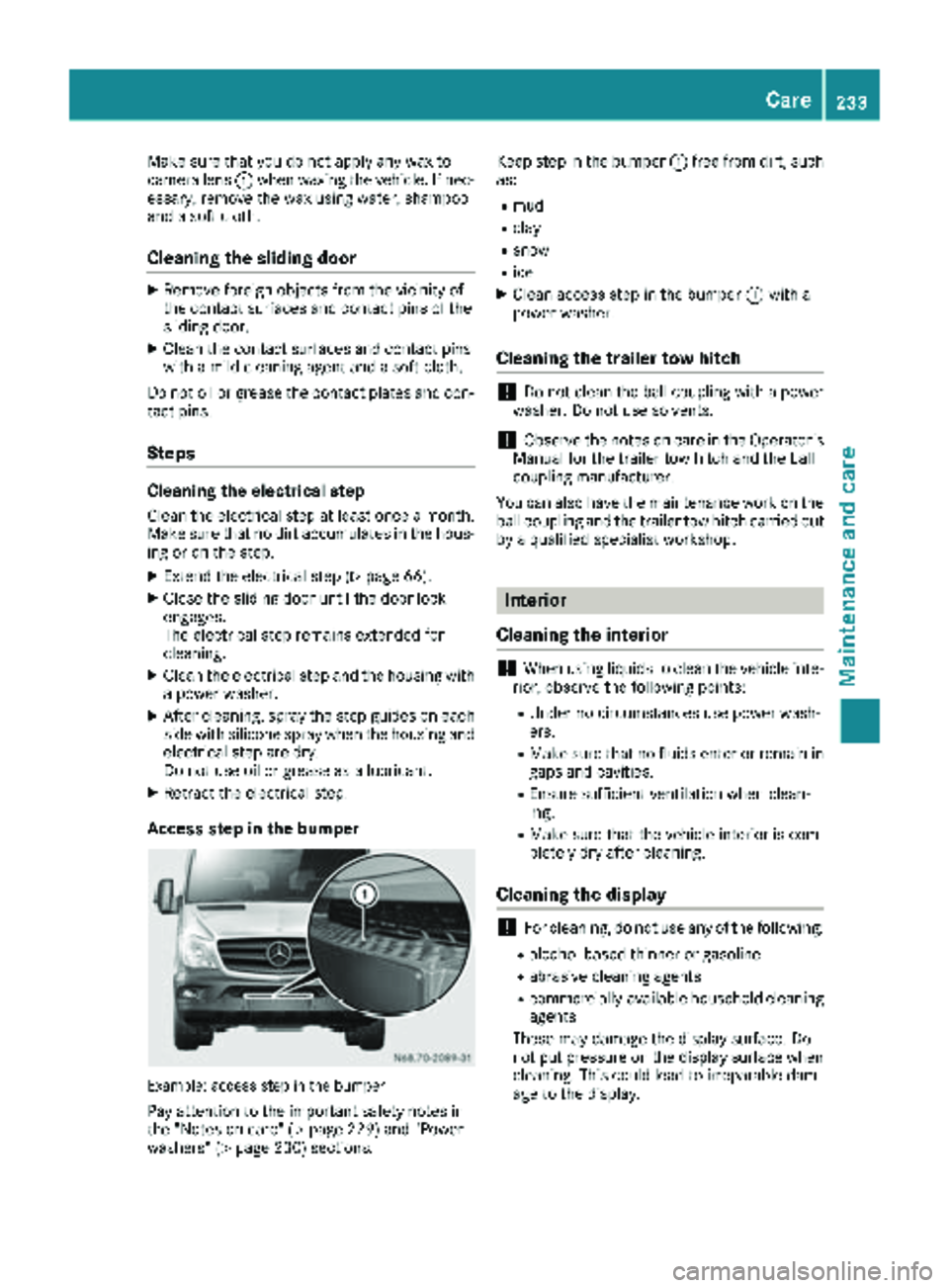
Make sure that you do not apply any wax to
camera lens:when waxing the vehicle. If nec-
essary, remove the wax using water, shampoo
and a soft cloth.
Cleaning the sliding door
XRemove foreign objects from the vicinity of
the contact surfaces and contact pins of the
sliding door.
XClean the contact surfaces and contact pins
with a mild cleaning agent and a soft cloth.
Do not oil or grease the contact plates and con-
tact pins.
Steps
Cleaning the electrical step
Clean the electrical step at least once a month.
Make sure that no dirt accumulates in the hous-
ing or on the step.
XExtend the electrical step (Ypage 66).
XClose the sliding door until the door lock
engages.
The electrical step remains extended for
cleaning.
XClean the electrical step and the housing with
a power washer.
XAfter cleaning, spray the step guides on each
side with silicone spray when the housing and
electrical step are dry.
Do not use oil or grease as a lubricant.
XRetract the electrical step.
Access step in the bumper
Example: access step in the bumper
Pay attention to the important safety notes in
the "Notes on care" (Ypage 229) and "Power
washers" (Ypage 230) sections. Keep step in the bumper
:free from dirt, such
as:
Rmud
Rclay
Rsnow
Rice
XClean access step in the bumper :with a
power washer.
Cleaning the trailer tow hitch
!Do not clean the ball coupling with a power
washer. Do not use solvents.
!Observe the notes on care in the Operator's
Manual for the trailer tow hitch and the ball
coupling manufacturer.
You can also have the maintenance work on the
ball coupling and the trailer tow hitch carried out
by a qualified specialist workshop.
Interior
Cleaning the interior
!When using liquids to clean the vehicle inte-
rior, observe the following points:
RUnder no circumstances use power wash-
ers.
RMake sure that no fluids enter or remain in
gaps and cavities.
REnsure sufficient ventilation when clean-
ing.
RMake sure that the vehicle interior is com-
pletely dry after cleaning.
Cleaning the display
!For cleaning, do not use any of the following:
Ralcohol-based thinner or gasoline
Rabrasive cleaning agents
Rcommercially-available household cleaning
agents
These may damage the display surface. Do
not put pressure on the display surface when cleaning. This could lead to irreparable dam-
age to the display.
Care233
Maintenance and care
Z