towing MERCEDES-BENZ SPRINTER 2017 MY17 Operator’s Manual
[x] Cancel search | Manufacturer: MERCEDES-BENZ, Model Year: 2017, Model line: SPRINTER, Model: MERCEDES-BENZ SPRINTER 2017Pages: 286, PDF Size: 4.36 MB
Page 159 of 286
Loading a trailer
!Utilize the maximum permissible nose-
weight as fully as possible. Do not allow the
weight to fall below the minimum permissible
noseweight, otherwise the trailer may come
loose.
RThe load must be distributed over the vehicle
and the trailer so as not to exceed either the
maximum permissible values for the gross
vehicle weight rating (GVWR) and gross trailer weight (GTW), the gross combination weight
rating (GCWR), nor the maximum permissible
gross axle weight rating (GAWR) and trailer
drawbar noseweight rating of your vehicle.
RAdd the drawbar noseweight on the ball cou-
pling (TWR) to the rear axle load. This will pre-
vent you from exceeding the permissible
gross axle weight (GAWR).
RAdd the drawbar noseweight on the ball cou-
pling (TWR) to the vehicle payload. This will
ensure that you do not exceed the permissi-
ble gross vehicle weight rating (GVWR).
Checking the vehicle and trailer weight
RMake sure the weights of the towing vehicle
and the trailer comply with the maximum per-missible values. Have the vehicle/trailer com-
bination weighed on a calibrated weigh-
bridge. The vehicle/trailer combination con-
sists of the towing vehicle including the driver,
passengers and load, as well as the loaded
trailer.
RCheck the maximum permissible gross axle
weight rating of the front and rear axles
(GAWR), the gross trailer weight (GTW), the
gross combination weight rating (GCWR) and
the noseweight of the trailer drawbar (TWR).
Trailer power supply
!
Incorrect wiring of the connector plug could,
under certain circumstances, cause malfunc-
tions in the vehicle's other electronic sys-
tems. We therefore recommend having the
connector plug wired at a qualified specialist
workshop.
!You can connect accessories with a maxi-
mum power consumption of 240 W to the
permanent power supply. You must not charge a trailer battery using the
power supply.
Your vehicle may be equipped with various elec-
trical installations for trailer towing. Depending
on your trailer, you may need an adapter to con-
nect the electrical system of the trailer with that
of the vehicle.
The trailer socket of your vehicle is equipped at
the factory with a permanent power supply.
The permanent power supply is on the trailer
socket pin assignment 4.
Note that the permanent power supply of the
trailer is not switched off when the on-board
voltage is low. This can completely discharge
the starter battery of your vehicle.
Further information on the electrical equipment
currently installed on your vehicle and on instal-
ling trailer electrics can be obtained at any quali-
fied specialist workshop.
Towing a trailer157
Driving and parking
Z
Page 194 of 286
ProblemPossible causes/consequences andMSolutions
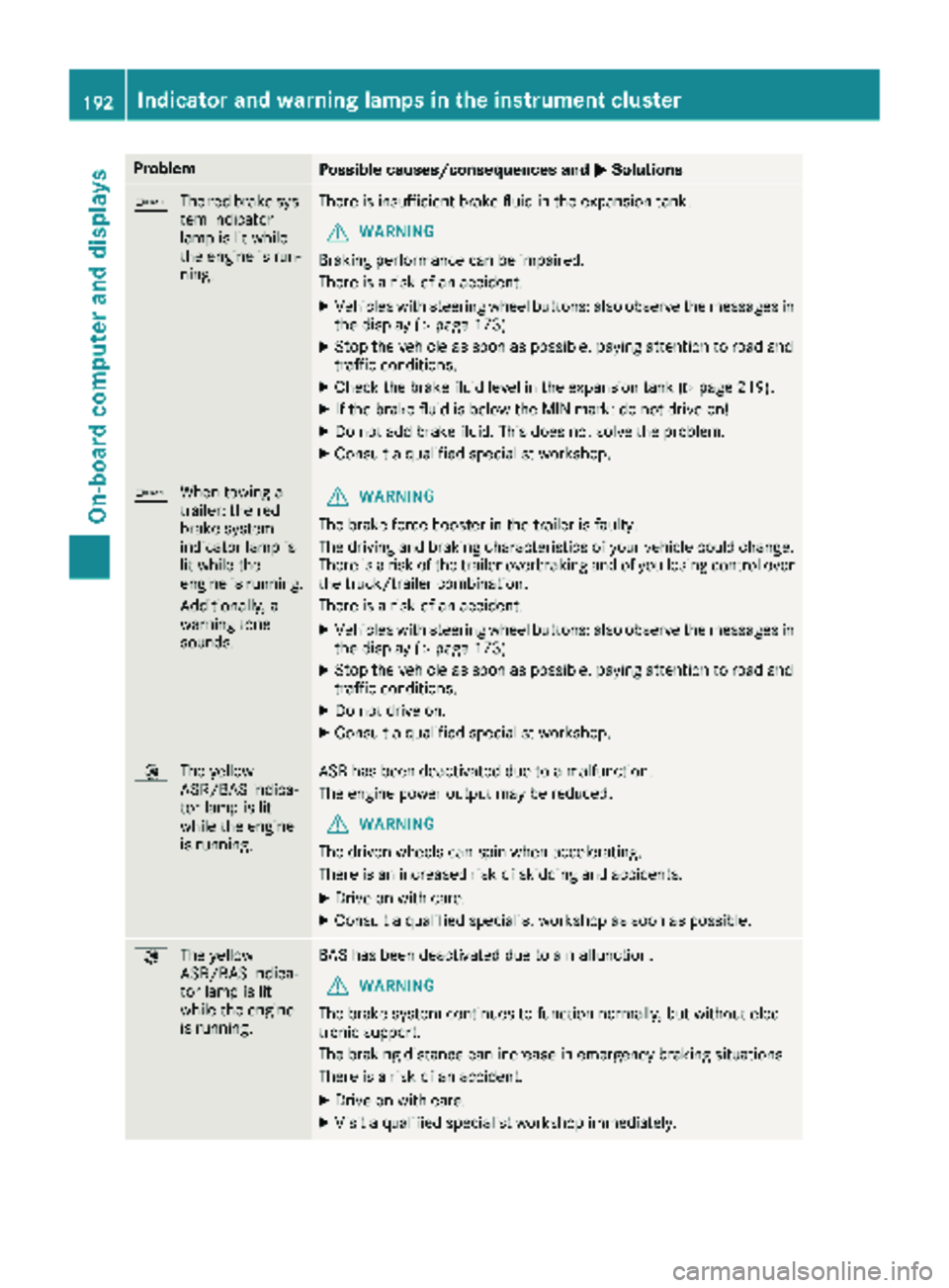
b
The red brake sys-
tem indicator
lamp is lit while
the engine is run-
ning.There is insufficient brake fluid in the expansion tank.
GWARNING
Braking performance can be impaired.
There is a risk of an accident.
XVehicles with steering wheel buttons: also observe the messages in
the display (Ypage 173).
XStop the vehicle as soon as possible, paying attention to road and
traffic conditions.
XCheck the brake fluid level in the expansion tank (Ypage 219).
XIf the brake fluid is below the MIN mark: do not drive on!
XDo not add brake fluid. This does not solve the problem.
XConsult a qualified specialist workshop.
b When towing a
trailer: the red
brake system
indicator lamp is
lit while the
engine is running.
Additionally, a
warning tone
sounds.GWARNING
The brake force booster in the trailer is faulty.
The driving and braking characteristics of your vehicle could change.
There is a risk of the trailer overbraking and of you losing control over
the truck/trailer combination.
There is a risk of an accident.
XVehicles with steering wheel buttons: also observe the messages in
the display (Ypage 173).
XStop the vehicle as soon as possible, paying attention to road and
traffic conditions.
XDo not drive on.
XConsult a qualified specialist workshop.
: The yellow
ASR/BAS indica-
tor lamp is lit
while the engine
is running.ASR has been deactivated due to a malfunction.
The engine power output may be reduced.
GWARNING
The driven wheels can spin when accelerating.
There is an increased risk of skidding and accidents.
XDrive on with care.
XConsult a qualified specialist workshop as soon as possible.
: The yellow
ASR/BAS indica-
tor lamp is lit
while the engine
is running.BAS has been deactivated due to a malfunction.
GWARNING
The brake system continues to function normally, but without elec-
tronic support.
The braking distance can increase in emergency braking situations.
There is a risk of an accident.
XDrive on with care.
XVisit a qualified specialist workshop immediately.
192Indicator and warning lamps in the instrument cluster
On-board computer and displays
Page 202 of 286
Useful information
This Operator's Manual describes all models as
well as standard and optional equipment of your
vehicle that were available at the time of going
to print. Country-specific variations are possi-
ble. Note that your vehicle may not be equipped
with all of the described functions. This also
applies to systems and functions relevant to
safety.
Read the information on qualified specialist
workshops (
Ypage 27).
Stowage spaces and stowage com-
partments
Important safety notes
GWARNING
If objects in the passenger compartment are
stowed incorrectly, they can slide or be
thrown around and hit vehicle occupants. In
addition, cupholders, open stowage spaces
and mobile phone brackets cannot always
retain all objects they contain. There is a risk of injury, particularly in the event of sudden
braking or a sudden change in direction.
RAlways stow objects so that they cannot be
thrown around in such situations.
RAlways make sure that objects do not pro-
trude from stowage spaces, parcel nets or
stowage nets.
RClose the lockable stowage spaces before
starting a journey.
RAlways stow and secure heavy, hard, poin-
ted, sharp-edged, fragile or bulky objects in
the trunk.
In addition, observe the information in the
"Loading guidelines" section (
Ypage 208).
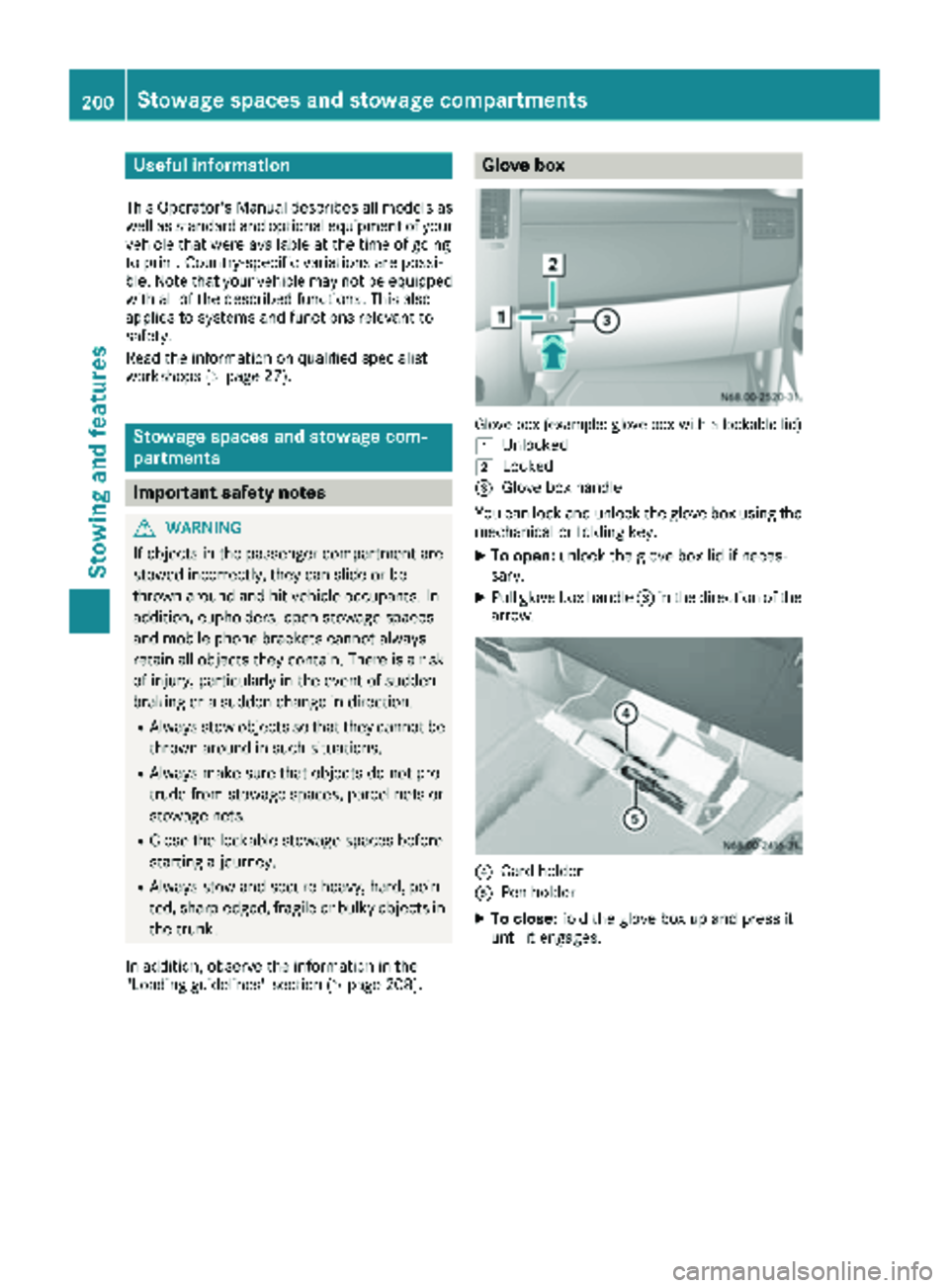
Glove box
Glove box (example: glove box with a lockable lid)
1
Unlocked
2Locked
=Glove box handle
You can lock and unlock the glove box using the mechanical or folding key.
XTo open: unlock the glove box lid if neces-
sary.
XPull glove box handle =in the direction of the
arrow.
?Card holder
APen holder
XTo close: fold the glove box up and press it
until it engages.
200Stowage spaces and stowage compartments
Stowing and features
Page 203 of 286
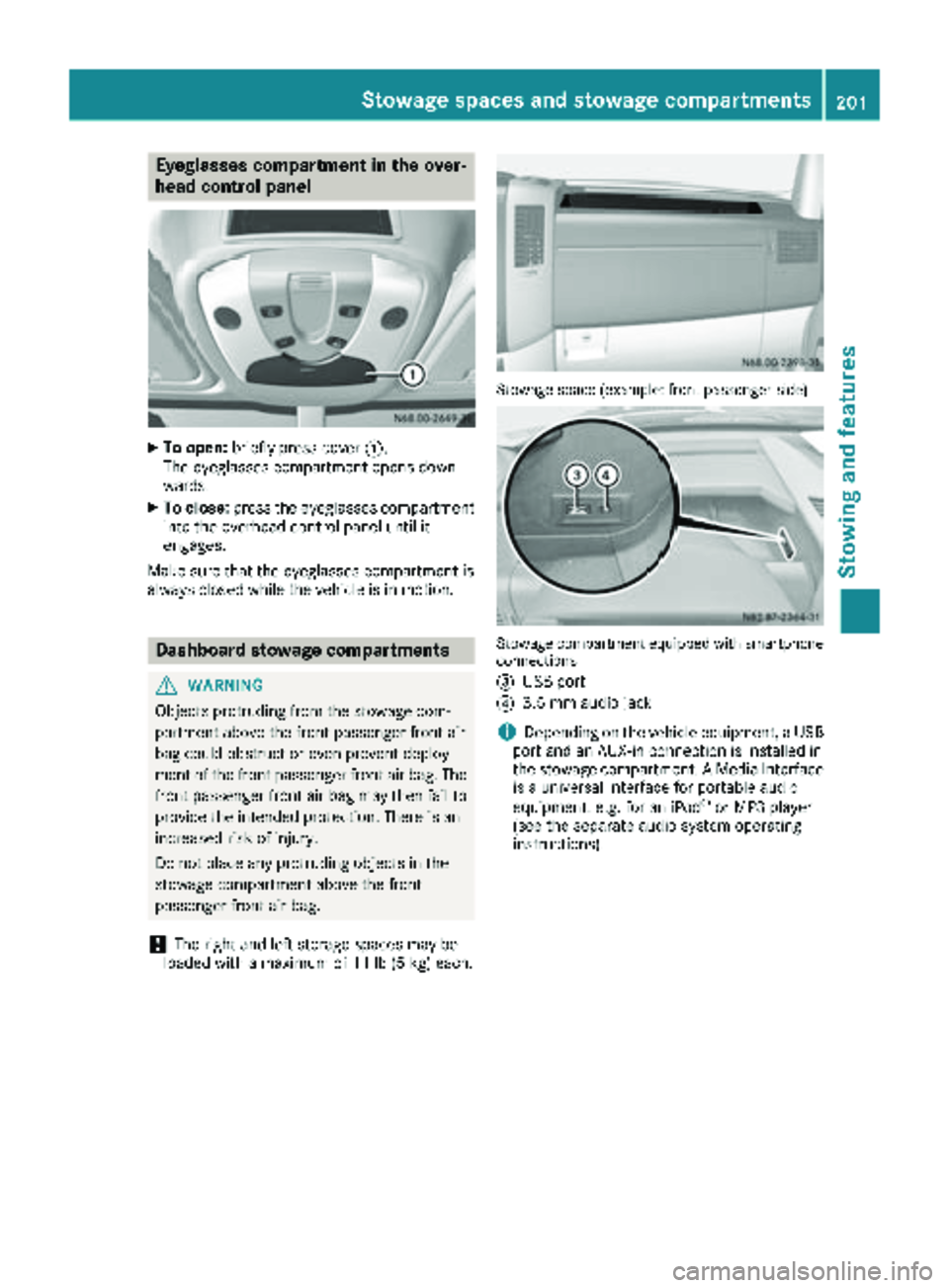
Eyeglasses compartment in the over-
head control panel
XTo open:briefly press cover :.
The eyeglasses compartment opens down-
wards.
XTo close: press the eyeglasses compartment
into the overhead control panel until it
engages.
Make sure that the eyeglasses compartment is
always closed while the vehicle is in motion.
Dashboard stowage compartments
GWARNING
Objects protruding from the stowage com-
partment above the front passenger front air
bag could obstruct or even prevent deploy-
ment of the front passenger front air bag. The front passenger front air bag may then fail to
provide the intended protection. There is an
increased risk of injury.
Do not place any protruding objects in the
stowage compartment above the front
passenger front air bag.
!The right and left storage spaces may be
loaded with a maximum of 11 lb (5 kg) each.
Stowage space (example: front passenger side)
Stowage compartment equipped withsmartphone
connections
=
USB port
?3.5 mm audio jack
iDepending on the vehicle equipment, a USB
port and an AUX-in connection is installed in
the stowage compartment. A Media Interface
is a universal interface for portable audio
equipment, e.g. for an iPod
®or MP3 player
(see the separate audio system operating
instructions).
Stowage spaces and stowage compartments201
Stowing and features
Z
Page 204 of 286
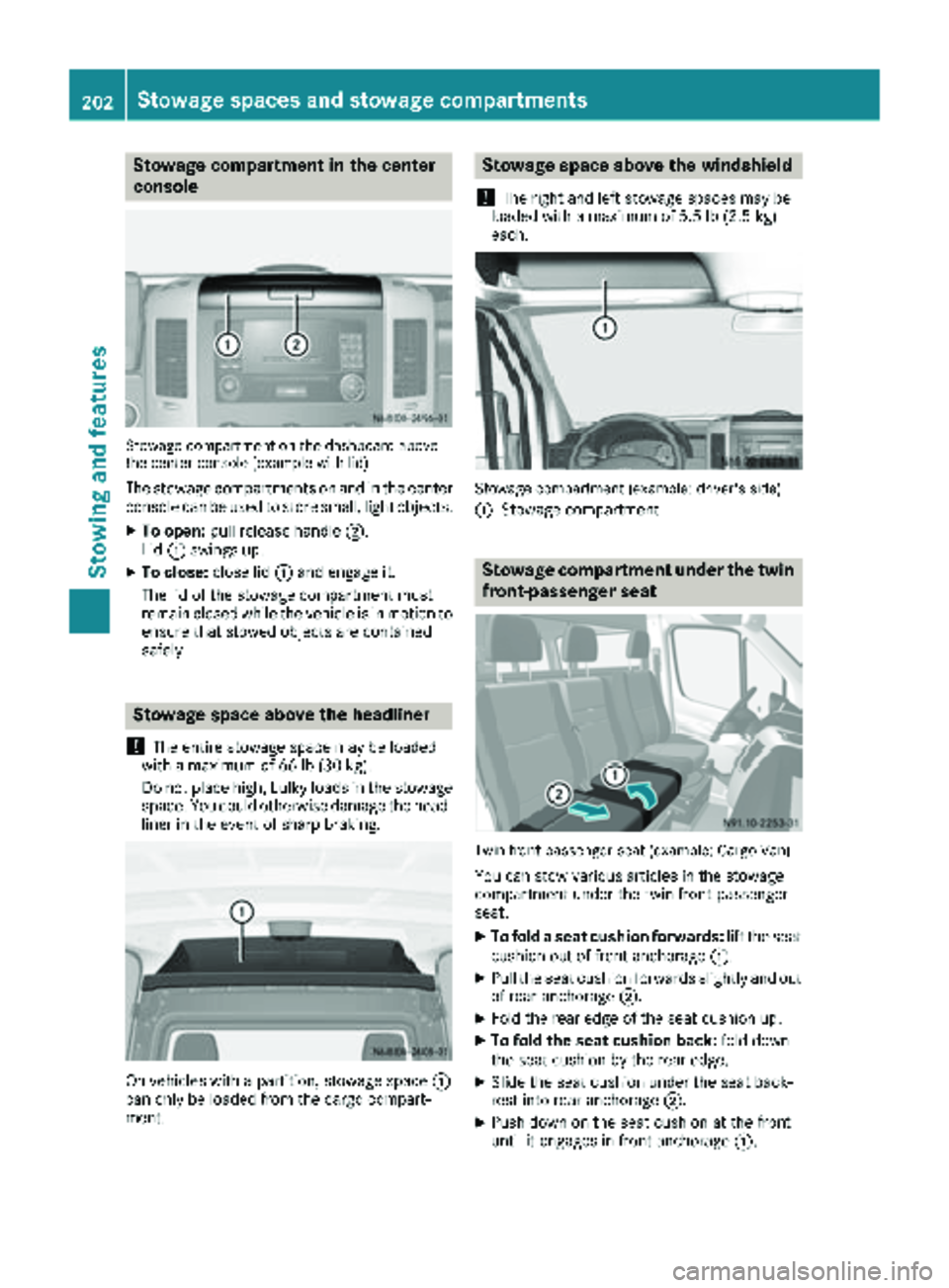
Stowage compartment in the center
console
Stowage compartment on the dashboard above
the center console (example with lid)
The stowage compartments on and in the center
console can be used to store small, light objects.
XTo open:pull release handle ;.
Lid :swings up.
XTo close: close lid:and engage it.
The lid of the stowage compartment must
remain closed while the vehicle is in motion to
ensure that stowed objects are contained
safely.
Stowage space above the headliner
!
The entire stowage space may be loaded
with a maximum of 66 lb (30 kg).
Do not place high, bulky loads in the stowage
space. You could otherwise damage the head-
liner in the event of sharp braking.
On vehicles with a partition, stowage space :
can only be loaded from the cargo compart-
ment.
Stowage space above the windshield
!
The right and left stowage spaces may be
loaded with a maximum of 5.5 lb (2.5 kg)
each.
Stowage compartment (example: driver's side)
:
Stowage compartment
Stowage compartment under the twin
front-passenger seat
Twin front-passenger seat (example: Cargo Van)
You can stow various articles in the stowage
compartment under the twin front-passenger
seat.
XTo fold a seat cushion forwards: lift the seat
cushion out of front anchorage :.
XPull the seat cushion forwards slightly and out
of rear anchorage ;.
XFold the rear edge of the seat cushion up.
XTo fold the seat cushion back: fold down
the seat cushion by the rear edge.
XSlide the seat cushion under the seat back-
rest into rear anchorage ;.
XPush down on the seat cushion at the front
until it engages in front anchorage :.
202Stowage spaces and stowage compartments
Stowing and features
Page 205 of 286
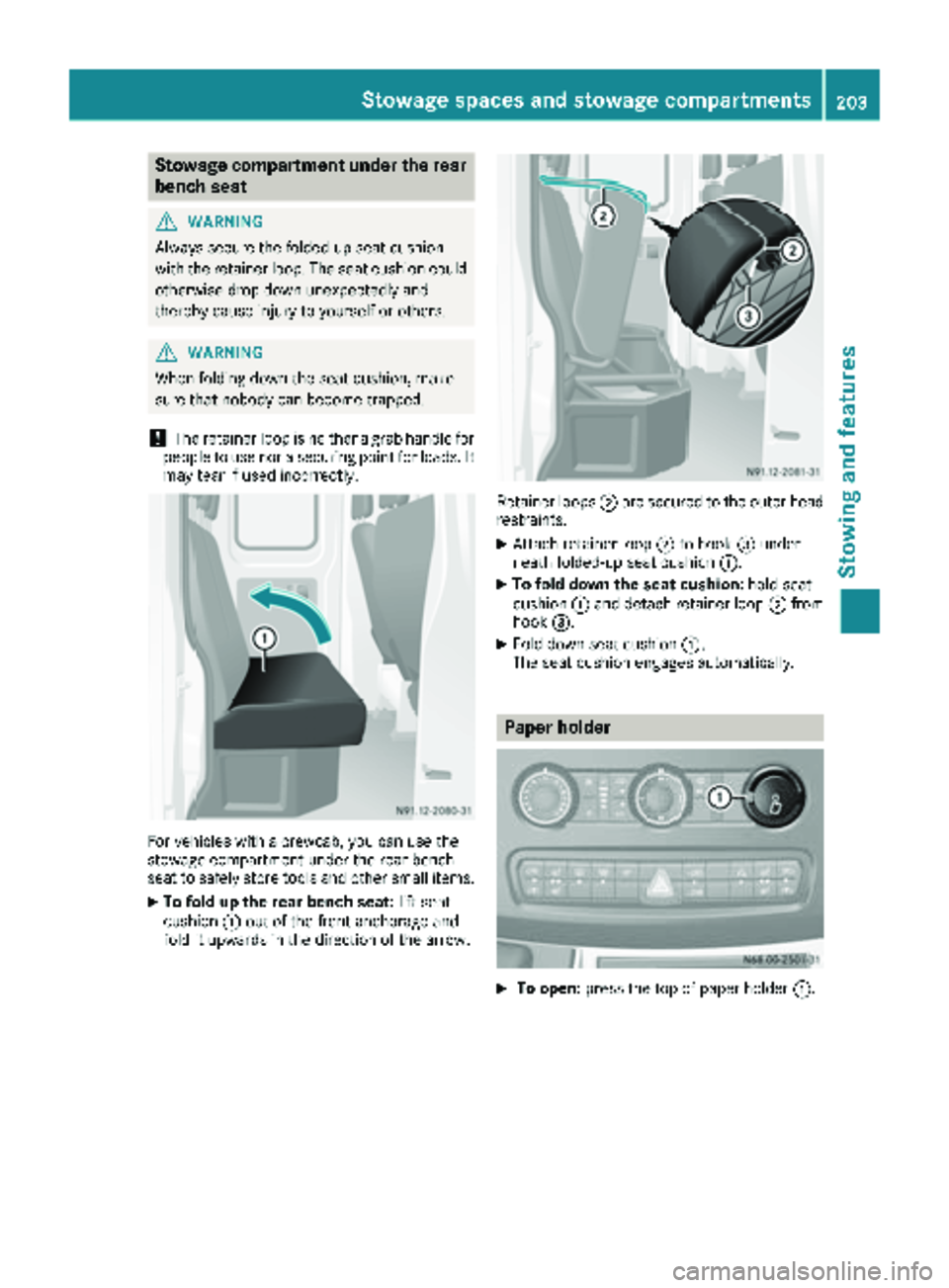
Stowage compartment under the rear
bench seat
GWARNING
Always secure the folded-up seat cushion
with the retainer loop. The seat cushion could
otherwise drop down unexpectedly and
thereby cause injury to yourself or others.
GWARNING
When folding down the seat cushion, make
sure that nobody can become trapped.
!The retainer loop is neither a grab handle for
people to use nor a securing point for loads. It
may tear if used incorrectly.
For vehicles with a crewcab, you can use the
stowage compartment under the rear bench
seat to safely store tools and other small items.
XTo fold up the rear bench seat: lift seat
cushion :out of the front anchorage and
fold it upwards in the direction of the arrow.
Retainer loops ;are secured to the outer head
restraints.
XAttach retainer loop ;to hook =under-
neath folded-up seat cushion :.
XTo fold down the seat cushion: hold seat
cushion :and detach retainer loop ;from
hook =.
XFold down seat cushion :.
The seat cushion engages automatically.
Paper holder
XTo open: press the top of paper holder :.
Stowage spaces and stowage compartments203
Stowing and features
Z
Page 206 of 286
Cup holder
Important safety notes
GWARNING
The cup holder cannot hold a container secure
whilst traveling. If you use a cup holder whilst
traveling, the container may be flung around
and liquid may be spilled. The vehicle occu-
pants may come into contact with the liquid
and if it is hot, they may be scalded. You may
be distracted from the traffic conditions and
you could lose control of the vehicle. There is a risk of an accident and injury.
Only use the cup holder when the vehicle is
stationary. Only use the cup holder for con-
tainers of the right size. Always close the con-
tainer, particularly if the liquid is hot.
!Do not use the cup holder recesses as ash-
trays. This could damage the cup holders.
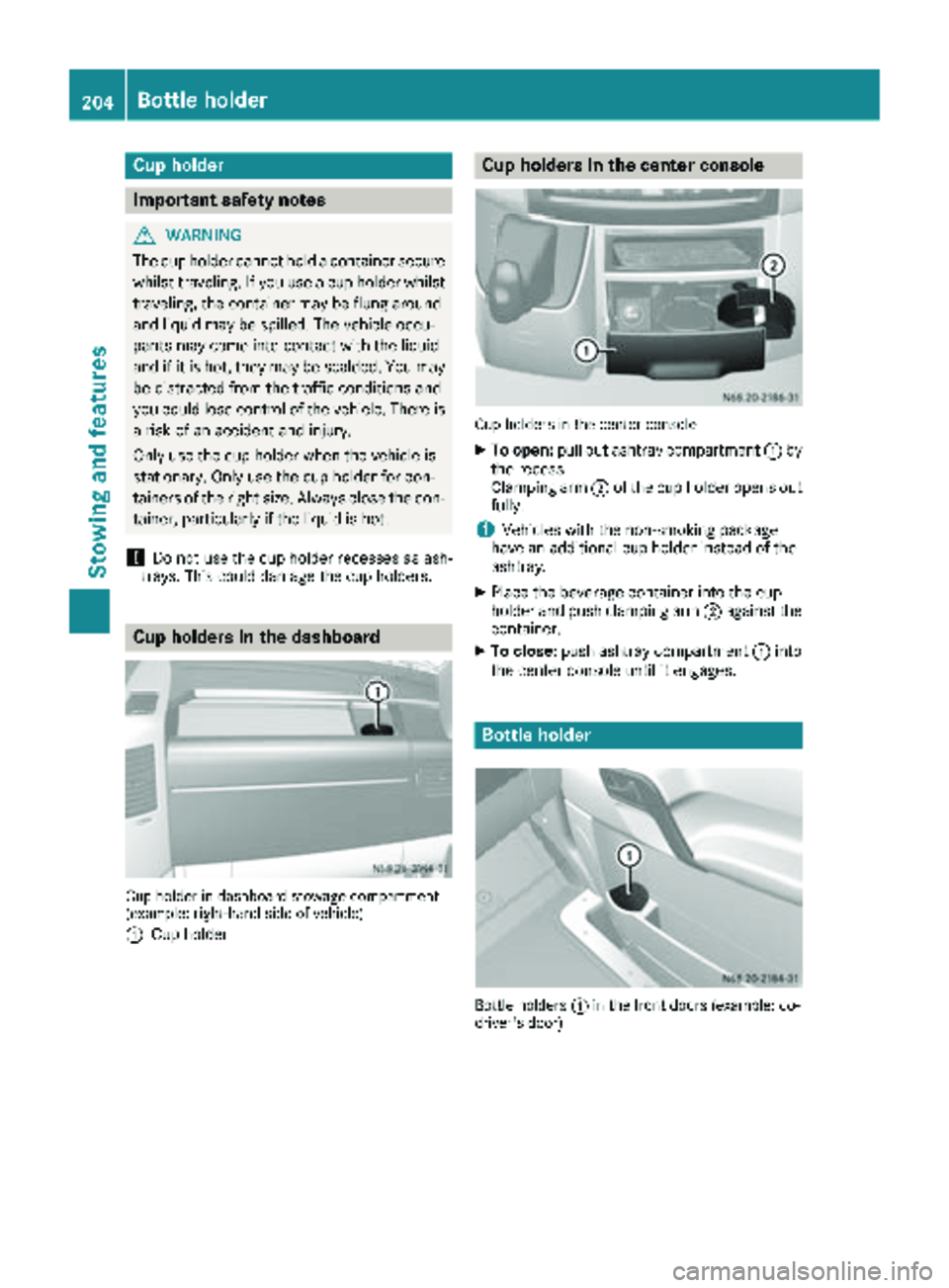
Cup holders in the dashboard
Cup holder in dashboar dstowage compartmen t
(example :right-han dside of vehicle )
:
Cup holder
Cup holders in the center console
Cup holders in th ecente rconsole
XTo open: pull out ashtray compartment :by
the recess.
Clamping arm ;of the cup holder opens out
fully.
iVehicles with the non-smoking package
have an additional cup holder instead of the
ashtray.
XPlace the beverage container into the cup
holder and push clamping arm ;against the
container.
XTo close: push ashtray compartment :into
the center console until it engages.
Bottle holder
Bottle holders :in th efron tdoor s(example :co-
driver' sdoor )
204Bottle holder
Stowing and features
Page 207 of 286
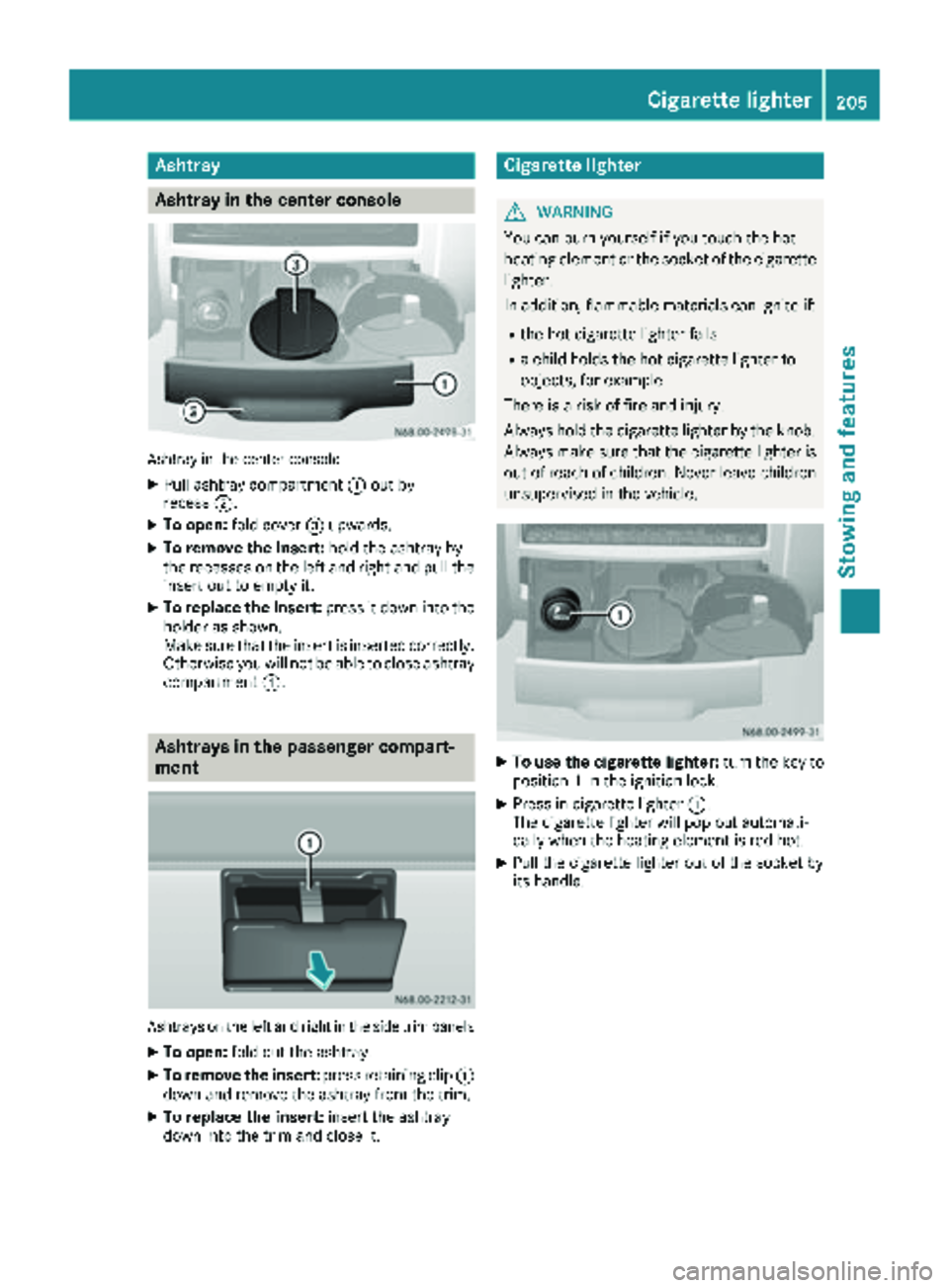
Ashtray
Asht ray in the center console
Ashtray in th ecenter console
XPull ashtray compartmen t: out by
recess ;.
XTo open :fol dcover =upwards.
XTo remove th einsert: hold theashtray by
th erecesses on th elef tand right and pull th e
insert out to empty it .
XTo replace theinsert: press it down int oth e
holder as shown.
Mak esur ethat th einsert is inserted correctly.
Otherwise you will no tbe able to close ashtray
compartmen t:.
Asht rays in the passenger compa rt-
ment
Ashtrays on th elef tand right in th eside trim panels
XTo open :fol dout th eashtray.
XTo remove th einsert: press retaining cli p:
down and remove th eashtray from th etrim.
XTo replace th einsert: insert th eashtray
down int oth etrim and close it .
Cigarette lighter
GWARNING
You can burn yourself if you touch th ehot
heating elemen tor th esocke tof th ecigarette
lighter.
In addition ,flammabl ematerials can ignit eif:
Rth ehot cigarette lighte rfalls
Ra child hold sth ehot cigarette lighte rto
objects ,for exampl e
There is aris kof fir eand injury.
Always hold th ecigarette lighte rby th eknob.
Always mak esur ethat th ecigarette lighte ris
out of reac hof children .Never leav echildren
unsupervised in th evehicle.
XTo use th ecigarette lighter :tur nth eke yto
position 1in th eignition lock.
XPress in cigarette lighte r:.
The cigarette lighte rwill pop out automati-
call ywhen th eheating elemen tis red-hot .
XPull thecigarette lighte rout of th esocke tby
it s handle.
Cigarette lighter205
Stowing and features
Z
Page 208 of 286
12 V socket
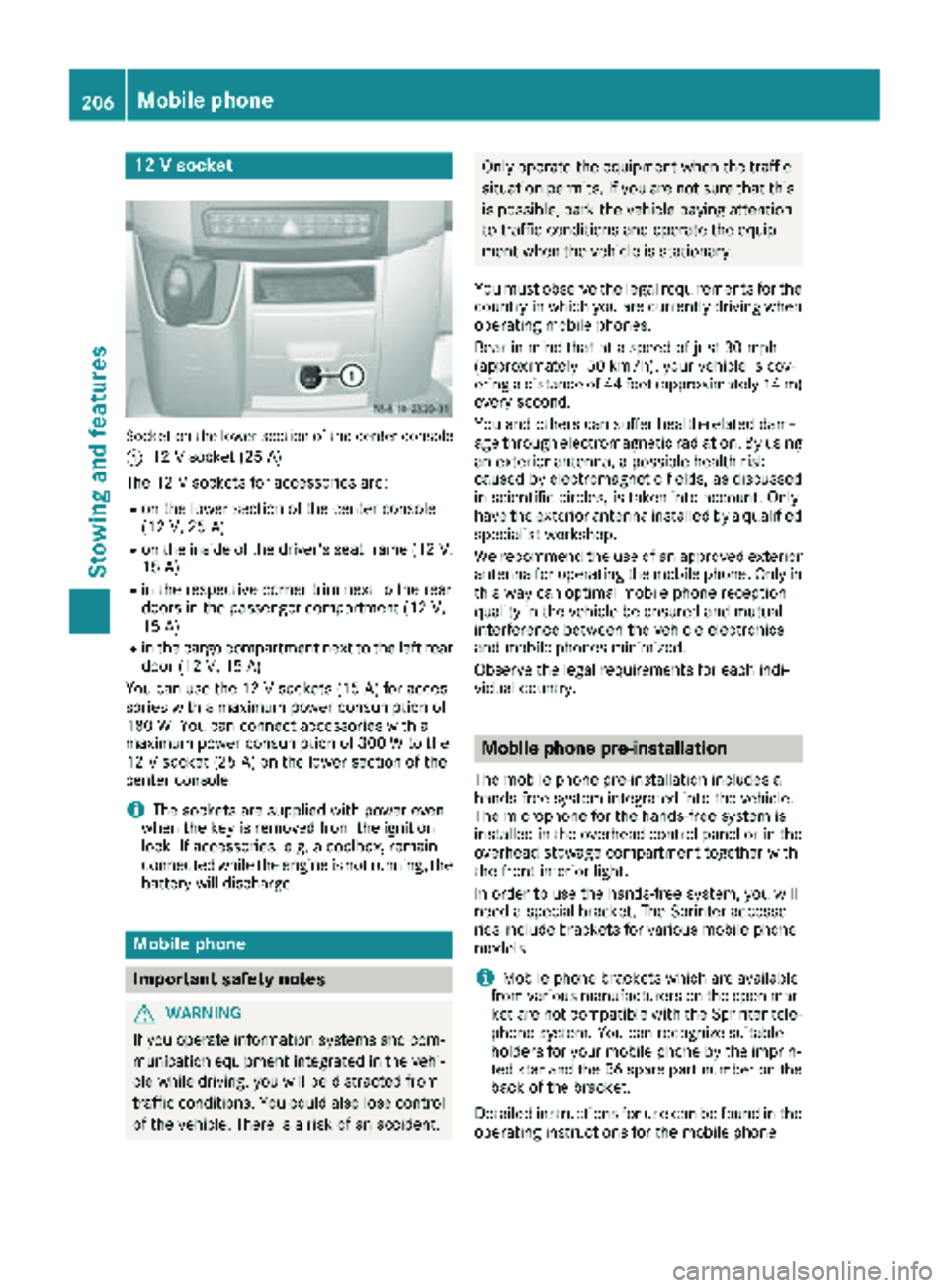
Socket on the lower section of the center console
:
12 V socket (25 A)
The 12 V sockets for accessories are:
Ron the lower section of the center console
(12 V, 25 A)
Ron the inside of the driver's seat frame (12V,
15 A)
Rin the respective corner trim next to the rear
doors in the passenger compartment (12 V,
15 A)
Rin the cargo compartment next to the left rear door (12 V,15 A)
You can use the 12 V sockets (15 A) for acces-
sories with a maximum power consumption of
180 W. You can connect accessories with a
maximum power consumption of 300 W to the
12 V socket (25 A) on the lower section of the
center console.
iThe sockets are supplied with power even
when the key is removed from the ignition
lock. If accessories, e.g. a coolbox, remain
connected while the engine is not running, the
battery will discharge.
Mobile phone
Important safety notes
GWARNING
If you operate information systems and com-
munication equipment integrated in the vehi-
cle while driving, you will be distracted from
traffic conditions. You could also lose control
of the vehicle. There is a risk of an accident.
Only operate the equipment when the traffic
situation permits. If you are not sure that this is possible, park the vehicle paying attention
to traffic conditions and operate the equip-
ment when the vehicle is stationary.
You must observe the legal requirements for the
country in which you are currently driving when
operating mobile phones.
Bear in mind that at a speed of just 30 mph
(approximately 50 km/h), your vehicle is cov-
ering a distance of 44 feet (approximately 14 m)
every second.
You and others can suffer health-related dam-
age through electromagnetic radiation. By using
an exterior antenna, a possible health risk
caused by electromagnetic fields, as discussed
in scientific circles, is taken into account. Only
have the exterior antenna installed by a qualified
specialist workshop.
We recommend the use of an approved exterior
antenna for operating the mobile phone. Only in
this way can optimal mobile phone reception
quality in the vehicle be ensured and mutual
interference between the vehicle electronics
and mobile phones minimized.
Observe the legal requirements for each indi-
vidual country.
Mobile phone pre-installation
The mobile phone pre-installation includes a
hands-free system integrated into the vehicle.
The microphone for the hands-free system is
installed in the overhead control panel or in the
overhead stowage compartment together with
the front interior light.
In order to use the hands-free system, you will
need a special bracket. The Sprinter accesso-
ries include brackets for various mobile phone
models.
iMobile phone brackets which are available
from various manufacturers on the open mar- ket are not compatible with the Sprinter tele-
phone system. You can recognize suitable
holders for your mobile phone by the imprin-
ted star and the B6 spare part number on the back of the bracket.
Detailed instructions for use can be found in the
operating instructions for the mobile phone
206Mobile phone
Stowing and features
Page 209 of 286
bracket and in the separate operating instruc-
tions for the mobile phone pre-installation.
iThe mobile phone battery is charged
depending on the condition of charge and the
position of the key in the ignition lock. The
mobile phone display indicates the charging
process.
Additional communications equip-
ment
Important safety notes
GWARNING
If you operate mobile communication equip-
ment while driving, you will be distracted from traffic conditions. You could also lose control
of the vehicle. There is a risk of an accident.
Only operate this equipment when the vehicle
is stationary.
You must observe the legal requirements for the
country in which you are currently driving when
operating mobile communication equipment.
Please remember, a navigation system does not
supply information on the load-bearing capacity of bridges or the overhead clearance of under-
passes. The driver remains responsible for
safety at all times.
You and others can suffer health-related dam-
age through electromagnetic radiation. By using
an exterior antenna, a possible health risk
caused by electromagnetic fields, as discussed
in scientific circles, is taken into account. Only
have the exterior antenna installed by a qualified
specialist workshop.
You will find information on installing electrical
or electronic equipment in the “Vehicle elec-
tronics” section (
Ypage 271).
Installation for PND mobile navigation
devices
You can secure a personal navigation device
(Personal Navigation Device PND) using a com-
mercially available adapter.
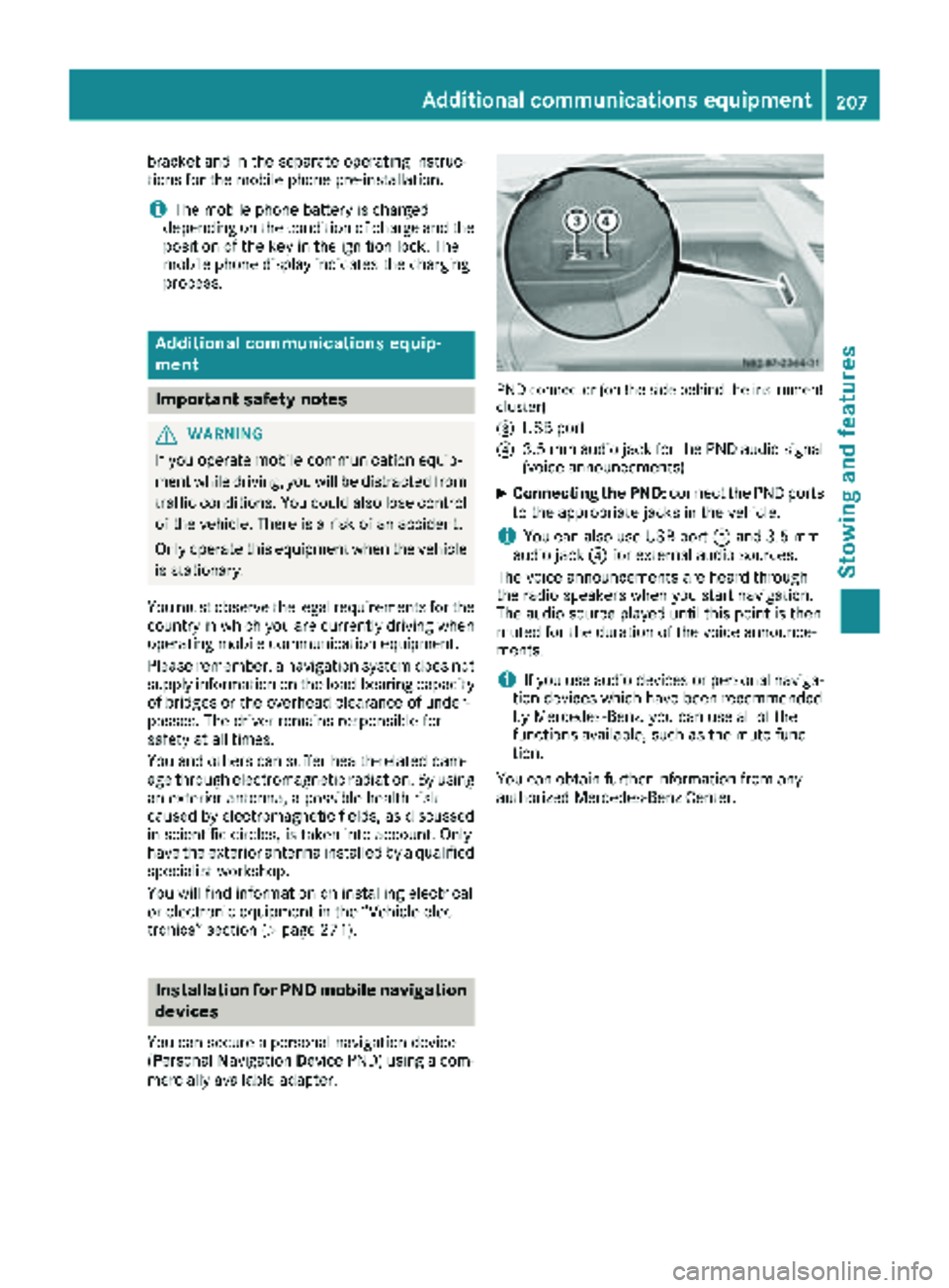
PND connector (on the side behind the instrument
cluster)
=
USB port
?3.5 mm audio jack for the PND audio signal
(voice announcements)
XConnecting the PND: connect the PND ports
to the appropriate jacks in the vehicle.
iYou can also use USB port =and 3.5 mm
audio jack ?for external audio sources.
The voice announcements are heard through
the radio speakers when you start navigation.
The audio source played until this point is then
muted for the duration of the voice announce-
ments.
iIf you use audio devices or personal naviga-
tion devices which have been recommended
by Mercedes-Benz, you can use all of the
functions available, such as the mute func-
tion.
You can obtain further information from any
authorized Mercedes-Benz Center.
Additional communications equipment207
Stowing and features
Z