brake light MERCEDES-BENZ SPRINTER 2018 MY18 Operator’s Manual
[x] Cancel search | Manufacturer: MERCEDES-BENZ, Model Year: 2018, Model line: SPRINTER, Model: MERCEDES-BENZ SPRINTER 2018Pages: 294, PDF Size: 4.36 MB
Page 149 of 294
remain either on the ground or be fully raised.
Observe the instructions for towing the vehi-
cle with all wheels in full contact with the
ground.
!A function or performance test should only
be carried out on a two-axle dynamometer.
Before you operate the vehicle on such a
dynamometer, please consult a qualified
workshop. You could otherwise damage the
drive train or the brake system.
If you fail to adapt your driving style or if you are
inattentive, the all-wheel drive system can nei-
ther reduce the risk of an accident nor override
the laws of physics. The all-wheel drive system
cannot take road, weather and traffic conditions
into account. The all-wheel drive system is only
an aid. You are responsible for the distance to
the vehicle in front, for vehicle speed and for
braking in good time.
4ETS ensures permanent drive for all four
wheels, and together with ESP
®it improves the
vehicle's traction.
If a driven wheel spins due to lack of traction:
RWhen pulling away, make use of the traction
control integrated in ESP®. Depress the
accelerator pedal as far as necessary.
RWhile driving, slowly take your foot off the
accelerator pedal
In wintry driving conditions, always use winter
tires (M+S tires) and if necessary, snow chains
(
Ypage 251). This is the only way to get the full
benefit from the all-wheel drive system.
For information on "Driving off-road", see
(
Ypage 137).
Engaging all-wheel drive
Conditions for engaging/disengaging
All-wheel drive can only be engaged or disen-
gaged if:
Rthe engine is running
Rthe vehicle is stationary
If it is not possible to engage all-wheel-drive:
Rmove the selector lever to position N
Rrelease the brake pedal
Rpress the;button
Rmove the selector lever from Nto Dor R
Engaging/disengaging all-wheel drive
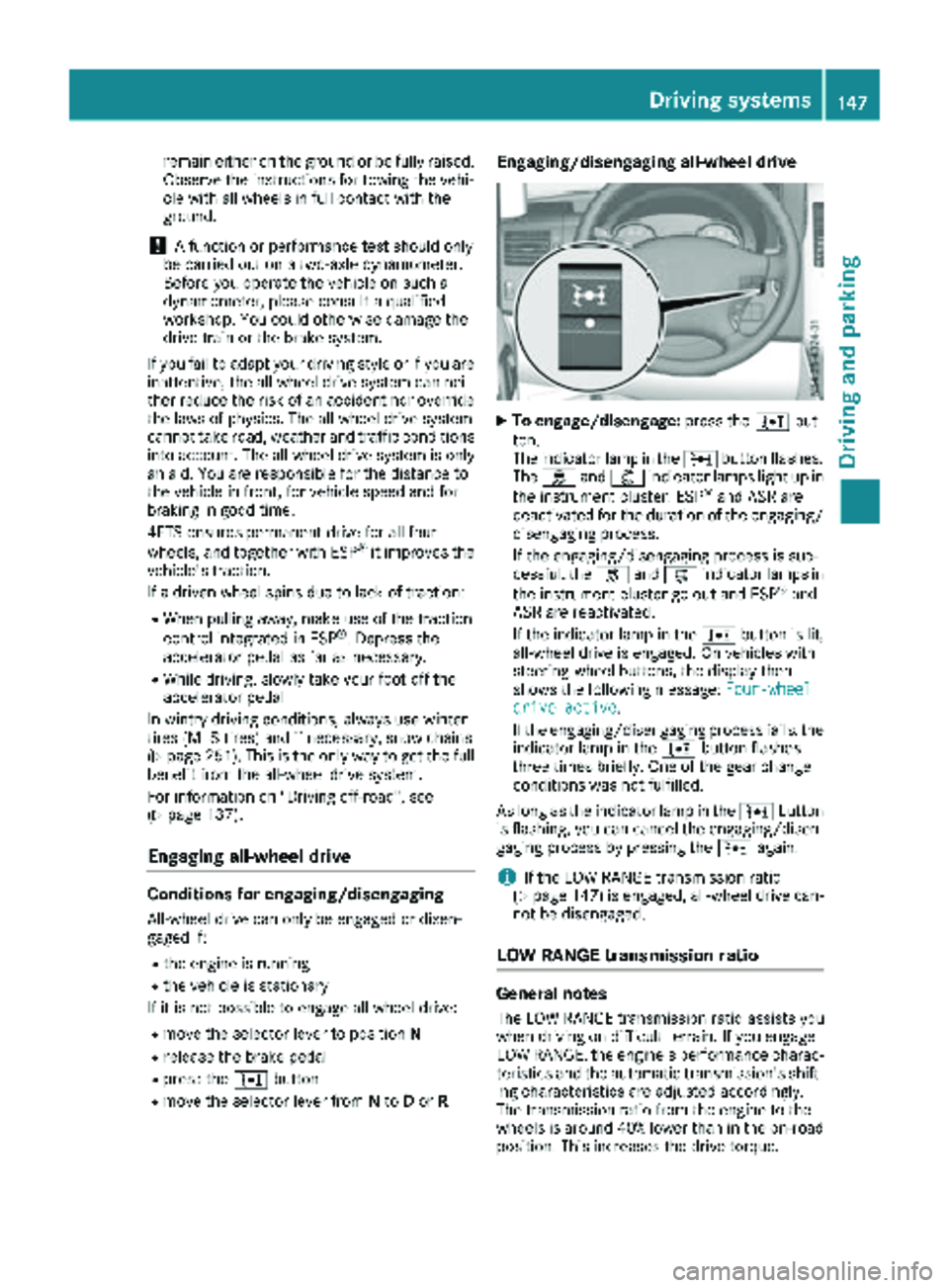
XTo engage/disengage: press the;but-
ton.
The indicator lamp in the ;button flashes.
The h and: indicator lamps light up in
the instrument cluster. ESP
®and ASR are
deactivated for the duration of the engaging/ disengaging process.
If the engaging/disengaging process is suc-
cessful, the hand: indicator lamps in
the instrument cluster go out and ESP
®and
ASR are reactivated.
If the indicator lamp in the ;button is lit,
all-wheel drive is engaged. On vehicles with
steering-wheel buttons, the display then
shows the following message: Four-wheel
drive active.
If the engaging/disengaging process fails, the indicator lamp in the ;button flashes
three times briefly. One of the gear change
conditions was not fulfilled.
As long as the indicator lamp in the ;button
is flashing, you can cancel the engaging/disen-
gaging process by pressing the ;again.
iIf the LOW RANGE transmission ratio
(Ypage 147) is engaged, all-wheel drive can-
not be disengaged.
LOW RANGE transmission ratio
General notes
The LOW RANGE transmission ratio assists you
when driving on difficult terrain. If you engage
LOW RANGE, the engine's performance charac-
teristics and the automatic transmission's shift-
ing characteristics are adjusted accordingly.
The transmission ratio from the engine to the
wheels is around 40% lower than in the on-road position. This increases the drive torque.
Driving systems147
Driving and parking
Z
Page 150 of 294
Conditions for engaging/disengaging
LOW RANGE can only be engaged or disengaged
if:
Rthe engine is running
Rthe vehicle is stationary
Rthe brake pedal is depressed
Rthe selector lever of the automatic transmis-
sion is in positionPor N
Rall-wheel drive is engaged
Engaging and disengaging LOW RANGE
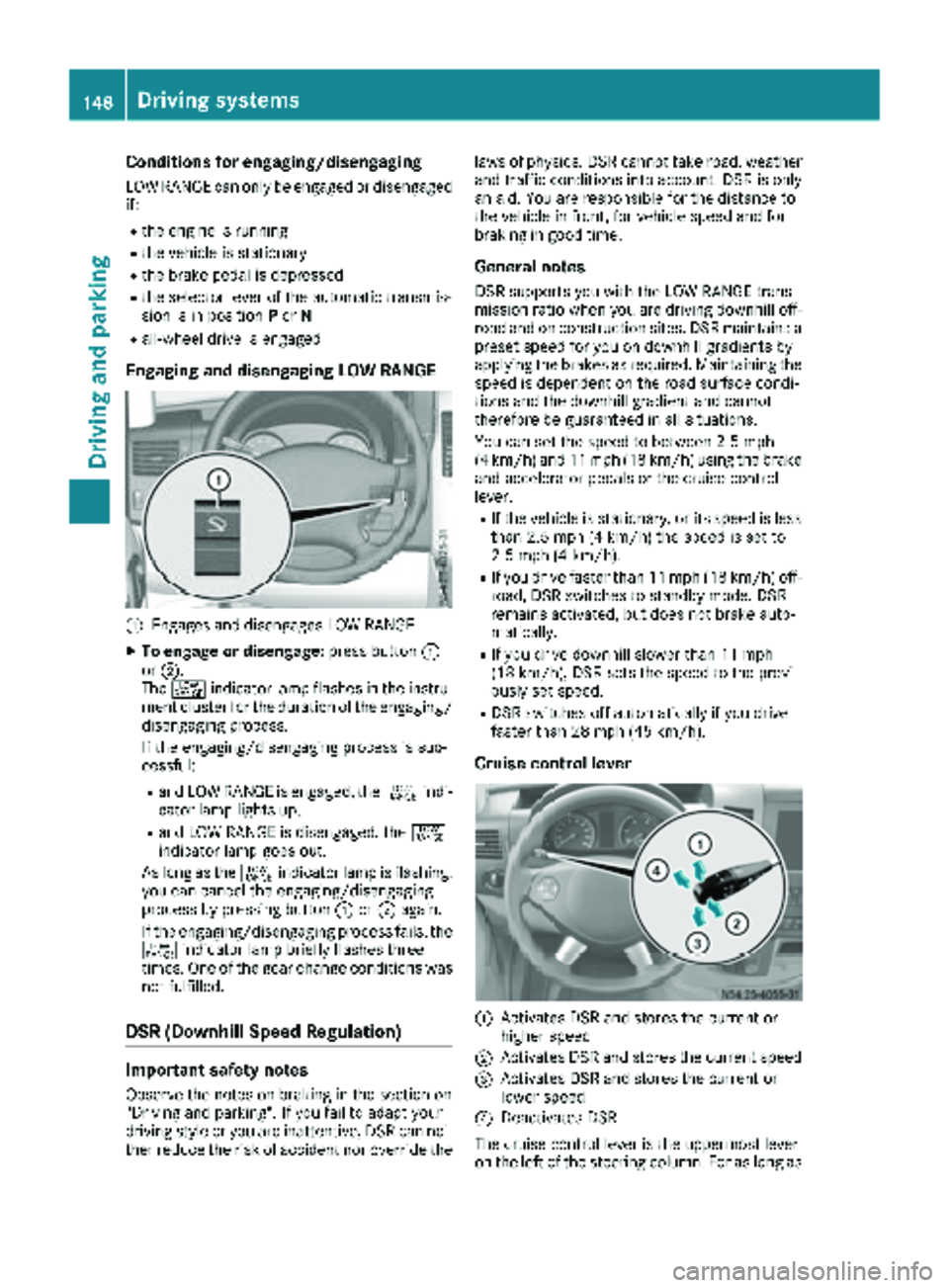
:Engages and disengages LOW RANGE
XTo engage or disengage: press button:
or ;.
The + indicator lamp flashes in the instru-
ment cluster for the duration of the engaging/
disengaging process.
If the engaging/disengaging process is suc-
cessful:
Rand LOW RANGE is engaged, the +indi-
cator lamp lights up.
Rand LOW RANGE is disengaged, the +
indicator lamp goes out.
As long as the +indicator lamp is flashing,
you can cancel the engaging/disengaging
process by pressing button :or; again.
If the engaging/disengaging process fails, the + indicator lamp briefly flashes three
times. One of the gear change conditions was
not fulfilled.
DSR (Downhill Speed Regulation)
Important safety notes
Observe the notes on braking in the section on
"Driving and parking". If you fail to adapt your
driving style or you are inattentive, DSR can nei-
ther reduce the risk of accident nor override the laws of physics. DSR cannot take road, weather
and traffic conditions into account. DSR is only
an aid. You are responsible for the distance to
the vehicle in front, for vehicle speed and for
braking in good time.
General notes
DSR supports you with the LOW RANGE trans-
mission ratio when you are driving downhill off-
road and on construction sites. DSR maintains a
preset speed for you on downhill gradients by
applying the brakes as required. Maintaining the
speed is dependent on the road surface condi-
tions and the downhill gradient and cannot
therefore be guaranteed in all situations.
You can set the speed to between 2.5 mph
(4 km/h) and 11 mph (18 km/h) using the brake
and accelerator pedals or the cruise control
lever.
RIf the vehicle is stationary, or its speed is less
than 2.5 mph (4 km/h) the speed is set to
2.5 mph (4 km/h).
RIf you drive faster than 11 mph (18 km/h) off-
road, DSR switches to standby mode. DSR
remains activated, but does not brake auto-
matically.
RIf you drive downhill slower than 11 mph
(18 km/h), DSR sets the speed to the previ-
ously set speed.
RDSR switches off automatically if you drive
faster than 28 mph (45 km/h).
Cruise control lever
:Activates DSR and stores the current or
higher speed
;Activates DSR and stores the current speed
=Activates DSR and stores the current or
lower speed
?Deactivates DSR
The cruise control lever is the uppermost lever
on the left of the steering column. For as long as
148Driving systems
Driving and parking
Page 151 of 294
the LOW RANGE transmission ratio is engaged,
only use the cruise control lever to operate DSR.
When the LOW RANGE transmission ratio is dis-
engaged, use cruise control.
Activation conditions
In order to activate DSR, both activation condi-
tions must be fulfilled:
RThe LOW RANGE transmission ratio is
engaged. The+indicator lamp in the
instrument cluster lights up.
RThe vehicle is stationary or you are not driving faster than 11 mph (18 km/h).
Activating DSR
You can activate DSR when the vehicle is sta-
tionary or moving.
XBrake or accelerate the vehicle to the
required speed between 2.5 mph (4 km/h)
and 11 mph (18 km/h).
XBriefly push the cruise control lever up :or
down =.
or
XBriefly pull the cruise control lever towards
you ;.
XRelease the brake or accelerator pedal.
The current speed is stored. When the vehicle
is stationary, the speed is stored at 2.5
(4 km/h). DSR maintains the stored speed on
the downhill gradient and brakes automati-
cally.
When DSR is activated and the vehicle pulls
away, accelerates or brakes, the speed set cor-
responds to the speed at which the accelerator
or brake pedal is released. Thi s i
s only the case
if you are not driving faster than 11 mph
(18 km/h).
DSR status indicator in the on-board com-
puter
Vehicles with steering wheel buttons
LOW RANGE is engaged
RThe DSRmessage is displayed in the status
area of the on-board computer.
RDSR can be activated.
DSR is activated
RThe DSRmessage and the set speed are dis-
played in the status area of the on-board com-
puter. DSR is activated but is not intervening
RYou are driving at between 11 mph (18 km/h)
and 28 mph (45 km/h).
RThe
DSRmessage is displayed in the status
area of the on-board computer. Also, the
speed 11 mph (18 km/h) flashes.
DSR is activated but is not intervening
RYou are driving faster than 28 mph (45 km/h).
RThe DSRmessage is displayed in the status
area of the on-board computer. Also, the ---
message is displayed for 5 seconds.
DSR is activated but is not intervening
RThe DSR---message is displayed in the sta-
tus area of the on-board computer.
There is a malfunction in the Electronic Brak-
ing System (EBS). Visit a qualified specialist
workshop.
Vehicles without steering wheel buttons
LOW RANGE is engaged:
RThe DSRsymbol is displayed in the on-board
computer.
RDSR can be activated.
DSR is activated
RThe DSRsymbol and the set speed are dis-
played in the on-board computer.
DSR is activated but is not intervening
RYou are driving at between 11 mph (18 km/h)
and 28 mph (45 km/h).
RThe DSRsymbol is displayed in the on-board
computer. Also, the speed 11 mph (18 km/h)
flashes.
DSR is activated but is not intervening
RYou are driving faster than 28 mph (45 km/h).
RThe DSRsymbol is displayed in the on-board
computer. Also, the ---message is displayed
for 5 seconds.
DSR is activated but is not intervening
RThe DSRsymbol is displayed in the on-board
computer. Also, the ---message is perma-
nently displayed.
There is a malfunction in the Electronic Brak-
ing System (EBS). Visit a qualified specialist
workshop.
Setting the speed whilst driving downhill
You can set the speed to between 2.5 mph
(4 km/h) and 11 mph (18 km/h) using the brake
Driving system s149
Driving an d parking
Z
Page 155 of 294
Problems with PARKTRONIC
ProblemPossible causes/consequences andMSolutions
Only the red segments in
the PARKTRONIC warn-
ing displays are lit.
In addition, a warning
tone sounds for approx.
two seconds
PARKTRONIC is deacti-
vated after approx-
imately 20 seconds.
The indicator lamp of the
f button lights up
and the red segments in
the PARKTRONIC warn-
ing display go out.PARKTRONIC has malfunctioned and has switched itself off.
XIf problems persist, have PARKTRONIC checked at a qualified spe- cialist workshop.
The PARKTRONIC warn-
ing displays implausible
distances.
For example, all the seg-
ments may be lit even
though there is no obsta-
cle present.The PARKTRONIC sensors are dirty or iced up.
XClean the PARKTRONIC sensors (Ypage 237).
XTurn the key to position 2in the ignition lock.
The license plate or other parts attached near the sensors may not be
secured correctly.
XCheck the license plate and attachment parts near the sensors for
correct seating.
An external radio or ultrasonic source may be causing interference.
XCheck PARKTRONIC functions in a different location.
Rear view camera
Important safety notes
The rear view camera is only an aid. It cannot
replace your own awareness of the immediate
surroundings. You are responsible for safe
maneuvering, parking and pulling away. When
maneuvering, parking and pulling away, make
sure that there are no persons, animals or
objects in the maneuvering area.
The rear view camera is a visual parking aid.
Information on operation can be found in the
separate Audio 15 supplement.
The camera is in the middle of the roof above the
high-mounted brake lamp (
Ypage 237).
You can find information on cleaning the camera
in the "Maintenance and care" section
(
Ypage 237).
Working mode
ADR (working speed governor)
General notes
When activated, ADR automatically increases
the engine speed to a preset speed or a speed
you have set.
iAfter a cold start, the idling speed of the
engine is increased automatically. If the pre-
set working speed is lower than the increased idling speed, the working speed is only
reached once the engine has completed the
warm-up phase.
It is only possible to activate ADR with the
vehicle stationary and the parking brake
applied.
The selector lever of the automatic transmis-
sion must be in position P.
Working mode153
Driving and parking
Z
Page 156 of 294
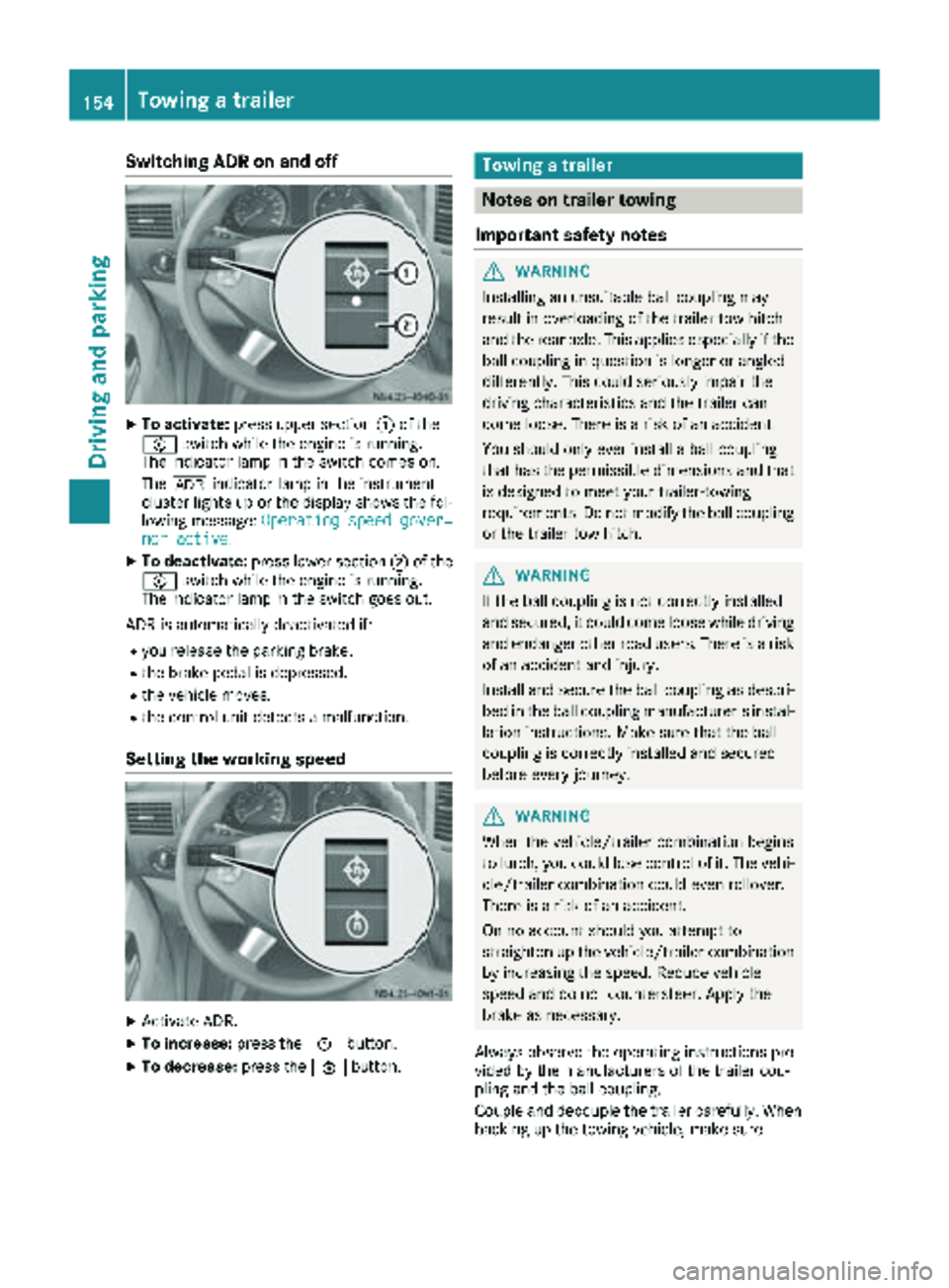
Switching ADR on and off
XTo activate:press upper section :of the
E switch while the engine is running.
The indicator lamp in the switch comes on.
The K indicator lamp in the instrument
cluster lights up or the display shows the fol-
lowing message: Operating speed gover‐
nor active.
XTo deactivate:press lower section ;of the
E switch while the engine is running.
The indicator lamp in the switch goes out.
ADR is automatically deactivated if:
Ryou release the parking brake.
Rthe brake pedal is depressed.
Rthe vehicle moves.
Rthe control unit detects a malfunction.
Setting the working speed
XActivate ADR.
XTo increase: press theEbutton.
XTo decrease: press theFbutton.
Towing a trailer
Notes on trailer towing
Important safety notes
GWARNING
Installing an unsuitable ball coupling may
result in overloading of the trailer tow hitch
and the rear axle. This applies especially if the ball coupling in question is longer or angled
differently. This could seriously impair the
driving characteristics and the trailer can
come loose. There is a risk of an accident.
You should only ever install a ball coupling
that has the permissible dimensions and that
is designed to meet your trailer-towing
requirements. Do not modify the ball coupling
or the trailer tow hitch.
GWARNING
If the ball coupling is not correctly installed
and secured, it could come loose while driving and endanger other road users. There is a risk
of an accident and injury.
Install and secure the ball coupling as descri-
bed in the ball coupling manufacturer's instal-
lation instructions. Make sure that the ball
coupling is correctly installed and secured
before every journey.
GWARNING
When the vehicle/trailer combination begins
to lurch, you could lose control of it. The vehi- cle/trailer combination could even rollover.
There is a risk of an accident.
On no account should you attempt to
straighten up the vehicle/trailer combination
by increasing the speed. Reduce vehicle
speed and do not countersteer. Apply the
brake as necessary.
Always observe the operating instructions pro-
vided by the manufacturers of the trailer cou-
pling and the ball coupling.
Couple and decouple the trailer carefully. When backing up the towing vehicle, make sure
154Towing a trailer
Driving and parking
Page 159 of 294
ing to. Information is available from the police
and local authorities.
Observe the following when towing a trailer:
RPractice driving around bends, stopping and
backing up at a place where there is no traffic.This enables you to gain experience and get
used to the new handling characteristics.
RBefore driving, check:
-that the trailer tow hitch and ball coupling
are secure
-that the safety switch for a braked trailer is
functioning properly
-that the safety chains are secure and not
damaged
-that the electrical connections are secure
-that the lights are working
-that the wheels are in good order and the
tire pressure is correct
RAdjust the exterior mirrors to provide an
unobstructed view of the rear section of the
trailer.
RIf the trailer is equipped with an individual
braking system, check before each journey
whether the brakes are functioning correctly.
RIf the trailer has electronically controlled
brakes, pull the vehicle/trailer combination
away carefully. Brake manually using the
brake controller and check that the brakes
are working.
RSecure the load on the trailer according to the
applicable specifications and current stand-
ards on securing loads (
Ypage 215).
RWhen driving with a trailer, check at regular
intervals that the load is secured and that the
brakes and lights are working.
RBear in mind that the handling will be less
stable when towing a trailer than when driving
without one. Avoid sudden steering move-
ments.
RThe vehicle/trailer combination is heavier,
accelerates more slowly and has a decreased
gradient climbing capability and a long er
brak
ing distance.
It is more susceptible to crosswinds and
requires cautious steering.
RIf possible, do not brake suddenly, but rather
moderately at first so that the trailer can acti-
vate its brakes. Then increase the force on the
brake pedal.
RIf the automatic transmission repeatedly
shifts between gears when driving on inclines, restrict the shift range. Select shift range
4,3,
2 or 1.
Driving in a low gear and at a low speed
reduces the risk of damaging the engine.
RWhen driving on a downhill gradient, shift to a
low gear and take advantage of the engine's
braking effect.
Avoid continuous brake application as this
may overheat the vehicle brakes and, if instal-
led, the trailer brakes.
RIf the coolant temperature increases dramat-
ically while the air-conditioning system is
switched on, switch off the air-conditioning
system.
Coolant heat can also be dissipated by
switching the airflow and the temperature of
the heater/air conditioning to the maximum
level. Open the windows if necessary.
RWhen overtaking, pay particular attention to
the extended length of your vehicle/trailer
combination.
Due to the length of your vehicle/trailer com-
bination you need an additional distance
before you can return to your original lane.
Uncoupling a trailer
GWARNING
If you uncouple a trailer with the overrun
brake engaged, you could trap your hand
between the vehicle and the trailer drawbar.
There is a risk of injury.
Do not uncouple a trailer if the overrun brake
is engaged.
!Do not disconnect a trailer with an engaged
overrun brake. Otherwise, your vehicle could
be damaged by the rebounding of the overrun
brake.
XMake sure the selector lever of the automatic
transmission is in position P.
XApply the parking brake of the vehicle.
XClose all doors.
XApply the parking brake of the trailer.
XIn addition, secure the trailer against rolling
away with a wheel chock or similar object.
XRemove the trailer cable and safety chains
and decouple the trailer.
Towing a trailer157
Driving and parking
Z
Page 187 of 294
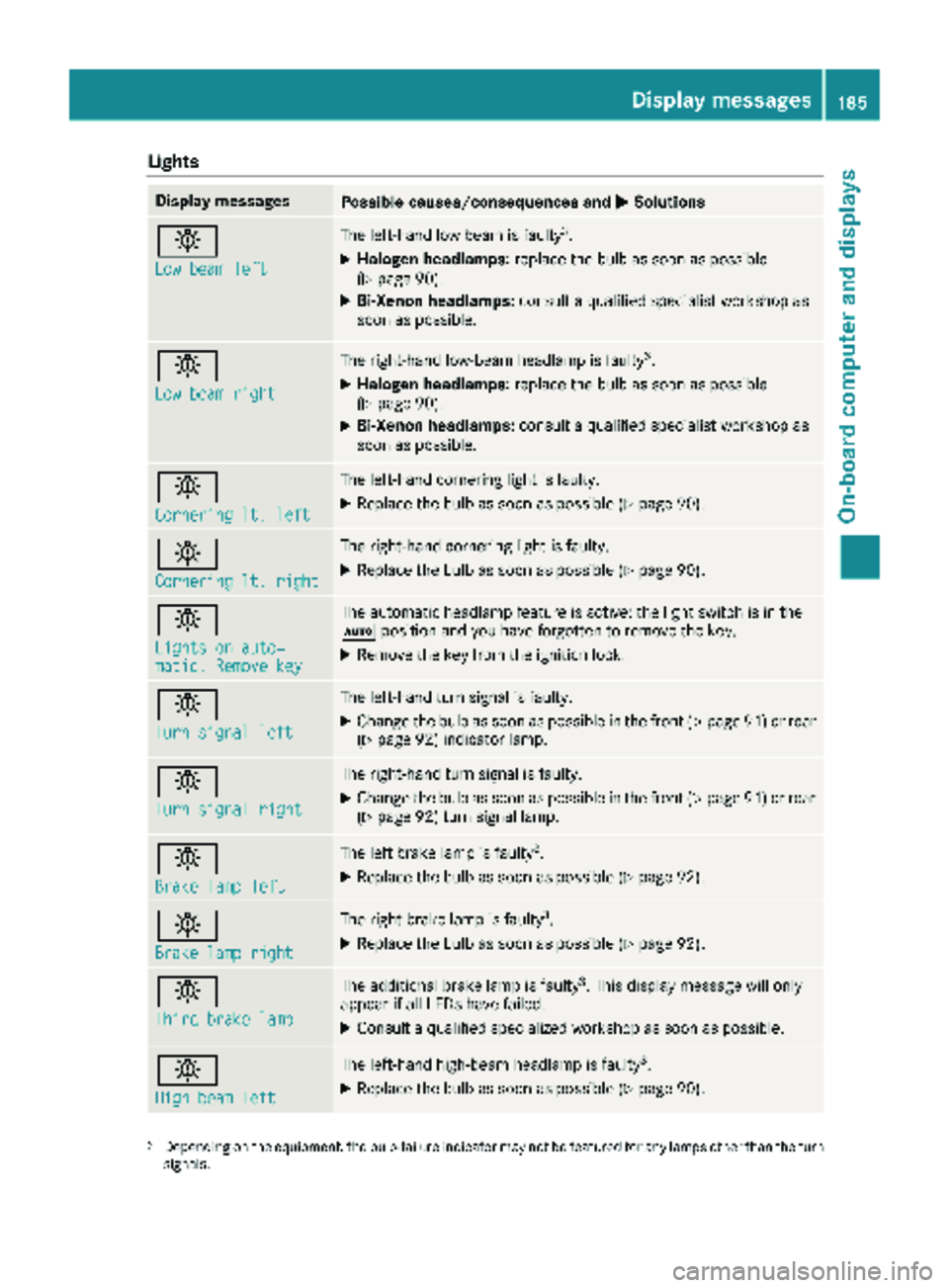
Lights
Display messagesPossible causes/consequences andMSolutions
b
Low beam left
The left-hand low beam is faulty3.
XHalogen headlamps:replace the bulb as soon as possible
(Ypage 90).
XBi-Xenon headlamps: consult a qualified specialist workshop as
soon as possible.
b
Low beam right
The right-hand low-beam headlamp is faulty3.
XHalogen headlamps: replace the bulb as soon as possible
(Ypage 90).
XBi-Xenon headlamps: consult a qualified specialist workshop as
soon as possible.
b
Cornering lt. left
The left-hand cornering light is faulty.
XReplace the bulb as soon as possible (Ypage 90).
b
Cornering lt. right
The right-hand cornering light is faulty.
XReplace the bulb as soon as possible (Ypage 90).
b
Lights on auto‐matic. Remove key
The automatic headlamp feature is active: the light switch is in the
à position and you have forgotten to remove the key.
XRemove the key from the ignition lock.
b
Turn signal left
The left-hand turn signal is faulty.
XChange the bulb as soon as possible in the front (Ypage 91) or rear
(Ypage 92) indicator lamp.
b
Turn signal right
The right-hand turn signal is faulty.
XChange the bulb as soon as possible in the front (Ypage 91) or rear
(Ypage 92) turn signal lamp.
b
Brake lamp left
The left brake lamp is faulty3.
XReplace the bulb as soon as possible (Ypage 92).
b
Brake lamp right
The right brake lamp is faulty3.
XReplace the bulb as soon as possible (Ypage 92).
b
Third brake lamp
The additional brake lamp is faulty3. This display message will only
appear if all LEDs have failed.
XConsult a qualified specialized workshop as soon as possible.
b
High beam left
The left-hand high-beam headlamp is faulty3.
XReplace the bulb as soon as possible (Ypage 90).
3Depending on the equipment, the bulb-failure indicator may not befeatured for any lamps other than the turn
signals.
Display messages185
On-board computer and displays
Z
Page 201 of 294
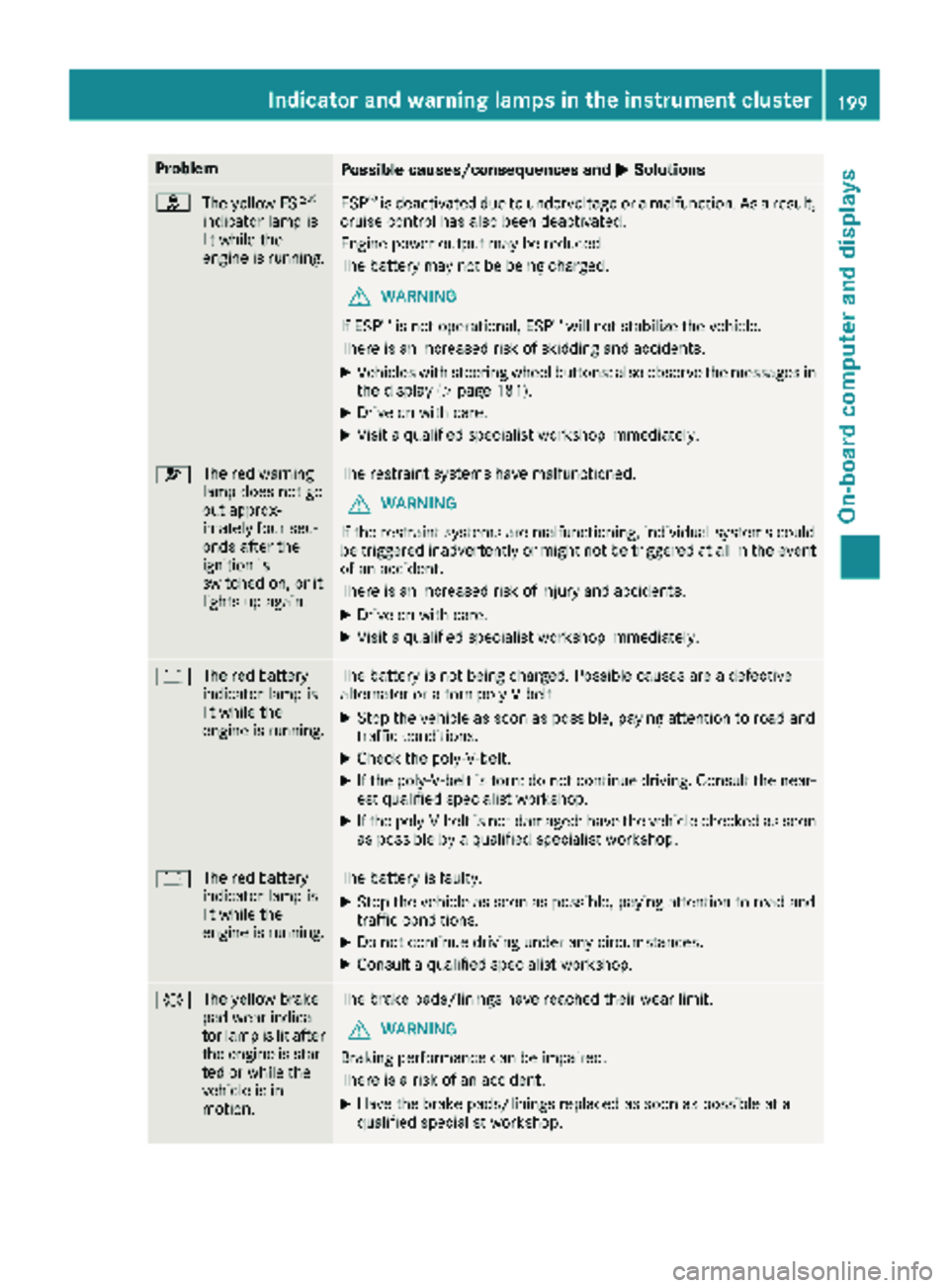
ProblemPossible causes/consequences andMSolutions
h
The yellow ESP®
indicator lamp is
lit while the
engine is running.ESP®is deactivated due to undervoltage or a malfunction. As a result,
cruise control has also been deactivated.
Engine power output may be reduced.
The battery may not be being charged.
GWARNING
If ESP
®is not operational, ESP®will not stabilize the vehicle.
There is an increased risk of skidding and accidents.
XVehicles with steering wheel buttons: also observe the messages in the display (Ypage 181).
XDrive on with care.
XVisit a qualified specialist workshop immediately.
6 The red warning
lamp does not go
out approx-
imately four sec-
onds after the
ignition is
switched on, or it
lights up again.The restraint systems have malfunctioned.
GWARNING
If the restraint systems are malfunctioning, individual systems could
be triggered inadvertently or might not be triggered at all in the event
of an accident.
There is an increased risk of injury and accidents.
XDrive on with care.
XVisit a qualified specialist workshop immediately.
# The red battery
indicator lamp is
lit while the
engine is running.The battery is not being charged. Possible causes are a defective
alternator or a torn poly-V-belt.
XStop the vehicle as soon as possible, paying attention to road and
traffic conditions.
XCheck the poly-V-belt.
XIf the poly-V-belt is torn: do not continue driving. Consult the near-
est qualified specialist workshop.
XIf the poly-V-belt is not damaged: have the vehicle checked as soon
as possible by a qualified specialist workshop.
#The red battery
indicator lamp is
lit while the
engine is running.The battery is faulty.
XStop the vehicle as soon as possible, paying attention to road and
traffic conditions.
XDo not continue driving under any circumstances.
XConsult a qualified specialist workshop.
#The yellow brake
pad wear indica-
tor lamp is lit after
the engine is star-
ted or while the
vehicle is in
motion.The brake pads/linings have reached their wear limit.
GWARNING
Braking performance can be impaired.
There is a risk of an accident.
XHave the brake pads/linings replaced as soon as possible at a
qualified specialist workshop.
Indicator and warning lamps in the instrument cluster199
On-board computer and displays
Z
Page 227 of 294
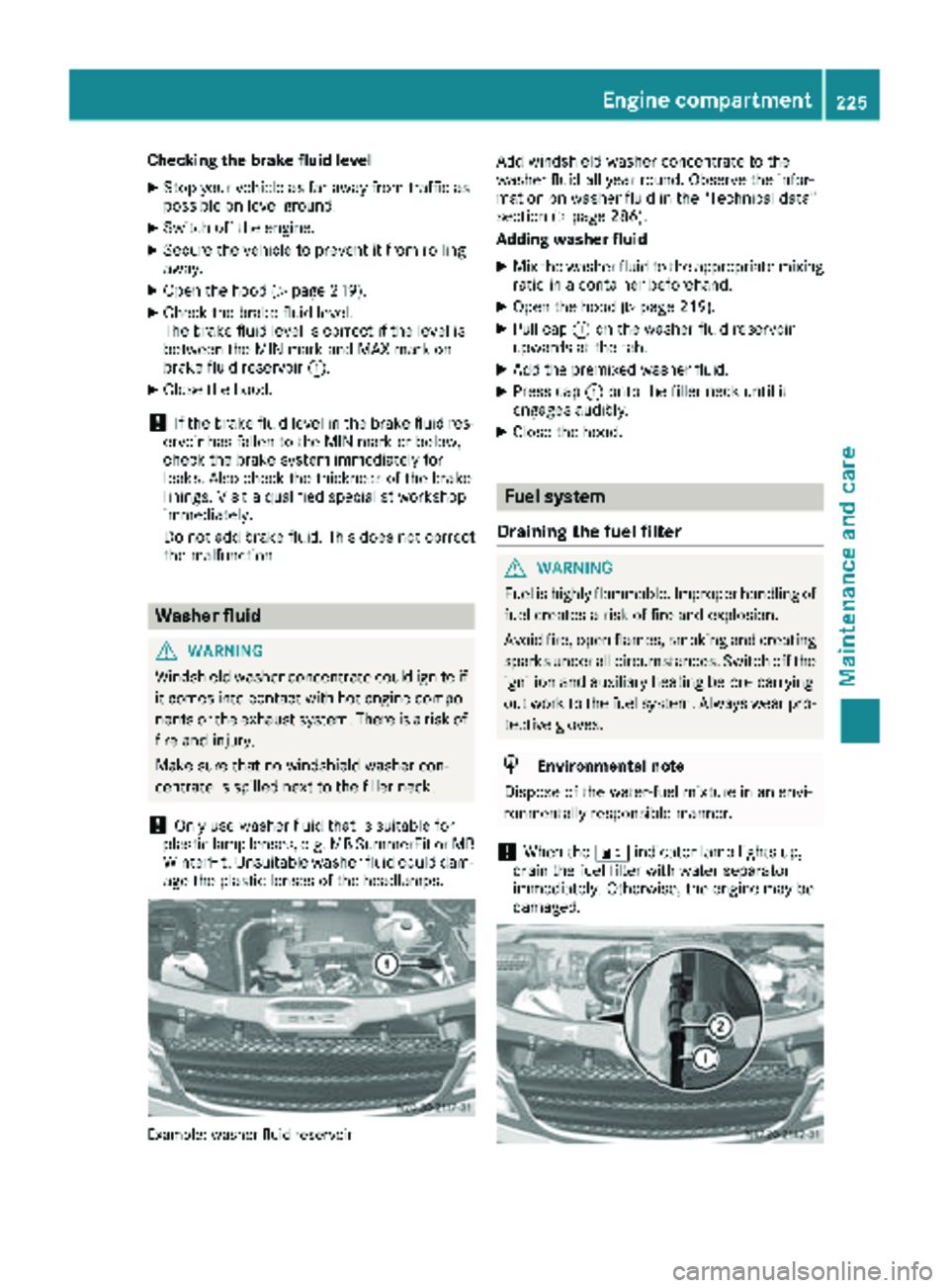
Checking the brake fluid level
XStop your vehicle as far away from traffic as
possible on level ground.
XSwitch off the engine.
XSecure the vehicle to prevent it from rolling
away.
XOpen the hood (Ypage 219).
XCheck the brake fluid level.
The brake fluid level is correct if the level is
between the MIN mark and MAX mark on
brake fluid reservoir:.
XClose the hood.
!If the brake fluid level in the brake fluid res-
ervoir has fallen to the MIN mark or below,
check the brake system immediately for
leaks. Also check the thickness of the brake
linings. Visit a qualified specialist workshop
immediately.
Do not add brake fluid. This does not correct
the malfunction.
Washer fluid
GWARNING
Windshield washer concentrate could ignite if it comes into contact with hot engine compo-
nents or the exhaust system. There is a risk of
fire and injury.
Make sure that no windshield washer con-
centrate is spilled next to the filler neck.
!Only use washer fluid that is suitable for
plastic lamp lenses, e.g. MB SummerFit or MB WinterFit. Unsuitable washer fluid could dam-
age the plastic lenses of the headlamps.
Example: washer fluid reservoir
Add windshield washer concentrate to the
washer fluid all year round. Observe the infor-
mation on washer fluid in the "Technical data"
section (
Ypage 286).
Adding washer fluid
XMix the washer fluid to the appropriate mixing ratio in a container beforehand.
XOpen the hood (Ypage 219).
XPull cap :on the washer fluid reservoir
upwards at the tab.
XAdd the premixed washer fluid.
XPress cap :onto the filler neck until it
engages audibly.
XClose the hood.
Fuel system
Draining the fuel filter
GWARNING
Fuel is highly flammable. Improper handling of
fuel creates a risk of fire and explosion.
Avoid fire, open flames, smoking and creating
sparks under all circumstances. Switch off the
ignition and auxiliary heating before carrying
out work to the fuel system. Always wear pro-
tective gloves.
HEnvironmental note
Dispose of the water-fuel mixture in an envi-
ronmentally responsible manner.
!When the :indicator lamp lights up,
drain the fuel filter with water separator
immediately. Otherwise, the engine may be
damaged.
Engine compartment225
Maintenance and care
Z
Page 236 of 294
!Do not use cleaning agents containing fuel.
Cleaning agents containing fuel corrode the
battery housing.
!If dirt gets into the battery cell, battery self-
discharge will increase and the battery may
be damaged.
The following points on battery care must be
observed:
XRegularly check the battery terminals and the
fastening of the negative cable to the chassis
to ensure that they are firmly seated.
XAlways keep the battery terminals and battery
surfaces clean and dry.
XLightly grease the undersides of the battery
terminals with acid-resistant grease.
XOnly clean the battery casing with a commer-
cially available cleaning product.
Care
Notes on care
GWARNING
If you use openings in the bodywork or
detachable parts as steps, you could:
Rslip and/or fall
Rdamage the vehicle and cause yourself to
fall.
There is a risk of injury.
Always use secure climbing aids, e.g. a suita-
ble ladder.
!For cleaning your vehicle, do not use any of
the following:
Rdry, rough or hard cloths
Rabrasive cleaning agents
Rsolvents
Rcleaning agents containing solvents
Do not scrub.
Do not touch the surfaces or protective films
with hard objects, e.g. a ring or ice scraper.
You could otherwise scratch or damage the
surfaces and protective film.
!Do not park your vehicle for a long period of
time directly after cleaning, particularly after
cleaning the wheel rim with wheel cleaner.
Wheel cleaner can lead to the increased cor- rosion of the brake discs and pads. Therefore,
drive for a few minutes after cleaning. By
heating up the brakes, the brake discs and
pads dry. The vehicle can then be parked for a
long period of time.
HEnvironmental note
Only clean your vehicle at specially designed
wash bays. Dispose of empty containers and
used cleaning products in an environmentally
responsible manner.
HEnvironmental note
Dispose of empty packaging and cleaning
cloths in an environmentally responsible man-
ner.
Regular care of your vehicle is a condition for
retaining the quality in the long term.
Use care products and cleaning agents recom-
mended and approved for Sprinter vehicles.
Washing the vehicle and cleaning the
paintwork
Automatic car wash
GWARNING
Braking efficiency is reduced after washing
the vehicle. There is a risk of an accident.
After the vehicle has been washed, brake
carefully while paying attention to the traffic
conditions until full braking power is restored.
!Never clean your vehicle in a Touchless
Automatic Car Wash as these use special
cleaning agents. These cleaning agents can
damage the paintwork or plastic parts.
!Make sure that the automatic car wash is
suitable for the size of the vehicle.
Before washing the vehicle in an automatic
car wash, fold in the exterior mirrors and
remove any additional antennas. Otherwise,
the exterior mirror, antenna or the vehicle
itself could be damaged.
Make sure that the exterior mirrors are fully
folded out again and that any additional
antennas are re-installed when you leave the
automatic car wash.
234Care
Maintenance and care