door lock MERCEDES-BENZ SPRINTER 2018 MY18 Operator’s Manual
[x] Cancel search | Manufacturer: MERCEDES-BENZ, Model Year: 2018, Model line: SPRINTER, Model: MERCEDES-BENZ SPRINTER 2018Pages: 294, PDF Size: 4.36 MB
Page 173 of 294
You will see the following message in the dis-
play:Setting only possible at stand‐
still.
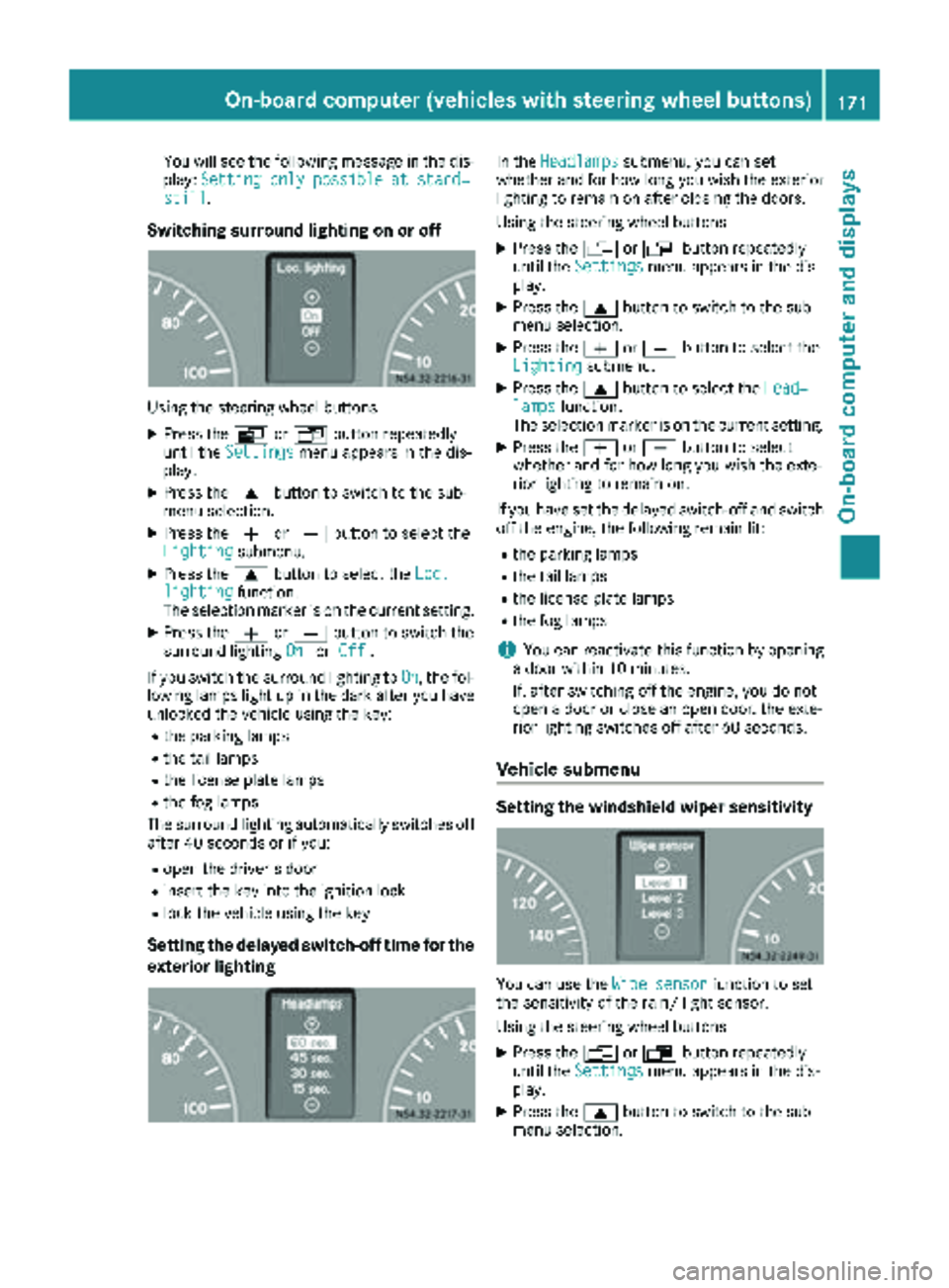
Switching surround lighting on or off
Using the steering wheel buttons
XPress the VorU button repeatedly
until the Settingsmenu appears in the dis-
play.
XPress the 9button to switch to the sub-
menu selection.
XPress the WorX button to select the
Lightingsubmenu.
XPress the 9button to select the Loc.lightingfunction.
The selection marker is on the current setting.
XPress the WorX button to switch the
surround lighting OnorOff.
If you switch the surround lighting to On
, the fol-
lowing lamps light up in the dark after you have
unlocked the vehicle using the key:
Rthe parking lamps
Rthe tail lamps
Rthe license plate lamps
Rthe fog lamps
The surround lighting automatically switches off
after 40 seconds or if you:
Ropen the driver's door
Rinsert the key into the ignition lock
Rlock the vehicle using the key
Setting the delayed switch-off time for the
exterior lighting
In the Headlampssubmenu, you can set
whether and for how long you wish the exterior
lighting to remain on after closing the doors.
Using the steering wheel buttons
XPress the VorU button repeatedly
until the Settingsmenu appears in the dis-
play.
XPress the 9button to switch to the sub-
menu selection.
XPress the WorX button to select the
Lightingsubmenu.
XPress the 9button to select the Head‐lampsfunction.
The selection marker is on the current setting.
XPress the WorX button to select
whether and for how long you wish the exte-
rior lighting to remain on.
If you have set the delayed switch-off and switch
off the engine, the following remain lit:
Rthe parking lamps
Rthe tail lamps
Rthe license plate lamps
Rthe fog lamps
iYou can reactivate this function by opening
a door within 10 minutes.
If, after switching off the engine, you do not
open a door or close an open door, the exte-
rior lighting switches off after 60 seconds.
Vehicle submenu
Setting the windshield wiper sensitivity
You can use the Wipe sensorfunction to set
the sensitivity of the rain/ light sensor.
Using the steering wheel buttons
XPress the VorU button repeatedly
until the Settingsmenu appears in the dis-
play.
XPress the 9button to switch to the sub-
menu selection.
On-board computer (vehicles with steering wheel buttons)171
On-board computer and displays
Z
Page 205 of 294
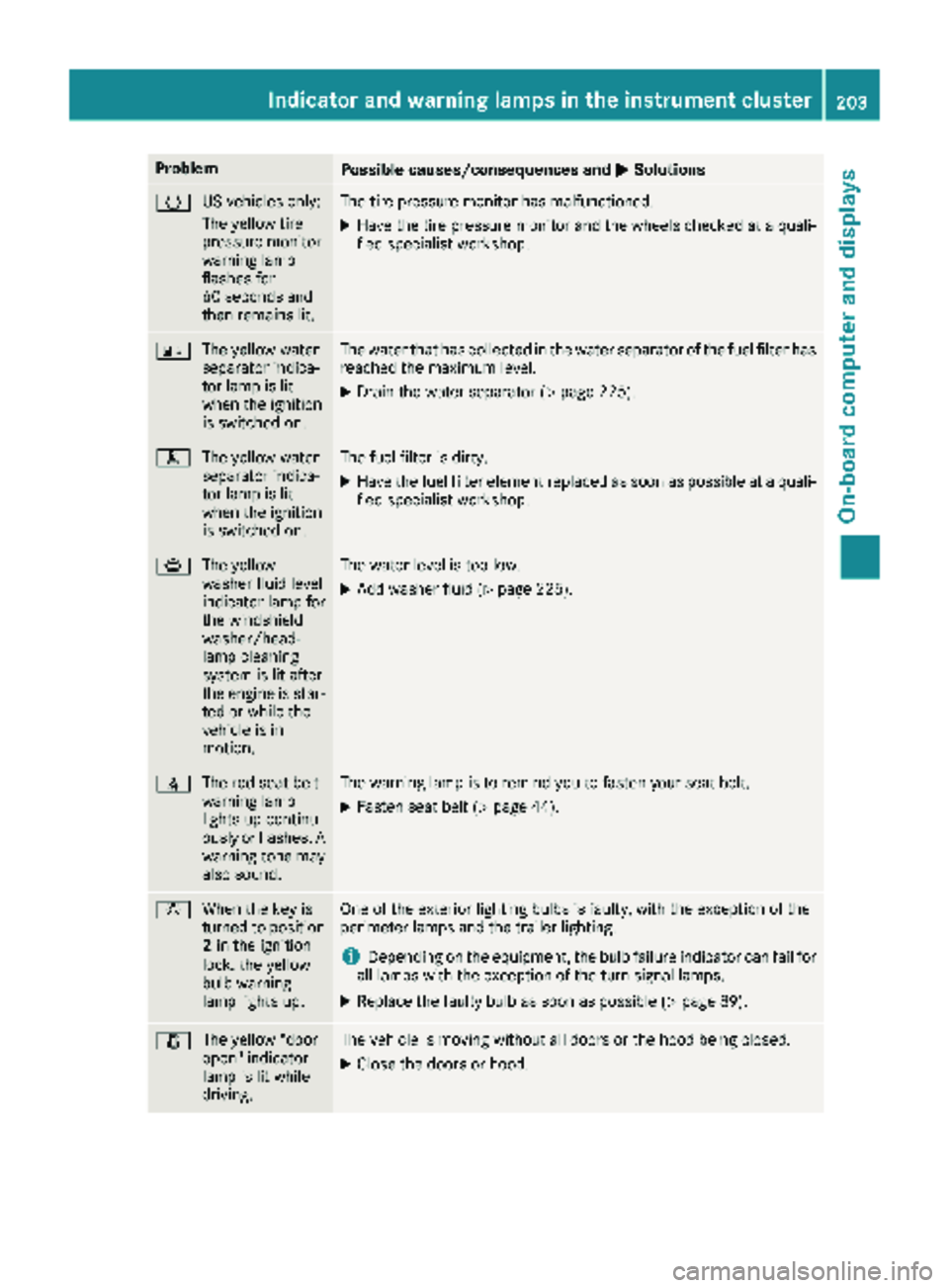
ProblemPossible causes/consequences andMSolutions
h
US vehicles only:
The yellow tire
pressure monitor
warning lamp
flashes for
60 seconds and
then remains lit.The tire pressure monitor has malfunctioned.
XHave the tire pressure monitor and the wheels checked at a quali-
fied specialist workshop.
:
The yellow water
separator indica-
tor lamp is lit
when the ignition
is switched on.The water that has collected in the water separator of the fuel filter has
reached the maximum level.
XDrain the water separator (Ypage 225).
m
The yellow water
separator indica-
tor lamp is lit
when the ignition
is switched on.The fuel filter is dirty.
XHave the fuel filter element replaced as soon as possible at a quali-
fied specialist workshop.
¦The yellow
washer fluid level
indicator lamp for
the windshield
washer/head-
lamp cleaning
system is lit after
the engine is star-
ted or while the
vehicle is in
motion.The water level is too low.
XAdd washer fluid (Ypage 225).
7The red seat belt
warning lamp
lights up continu-
ously or flashes. A
warning tone may
also sound.The warning lamp is to remind you to fasten your seat belt.
XFasten seat belt (Ypage 44).
bWhen the key is
turned to position
2in the ignition
lock, the yellow
bulb warning
lamp lights up.One of the exterior lighting bulbs is faulty, with the exception of the
perimeter lamps and the trailer lighting.
iDepending on the equipment, the bulb failure indicator can fail for
all lamps with the exception of the turn signal lamps.
XReplace the faulty bulb as soon as possible (Ypage 89).
1 The yellow "door
open" indicator
lamp is lit while
driving.The vehicle is moving without all doors or the hood being closed.
XClose the doors or hood.
Indicator and warning lamps in the instrument cluster203
On-board computer and displays
Z
Page 213 of 294
12-V socket
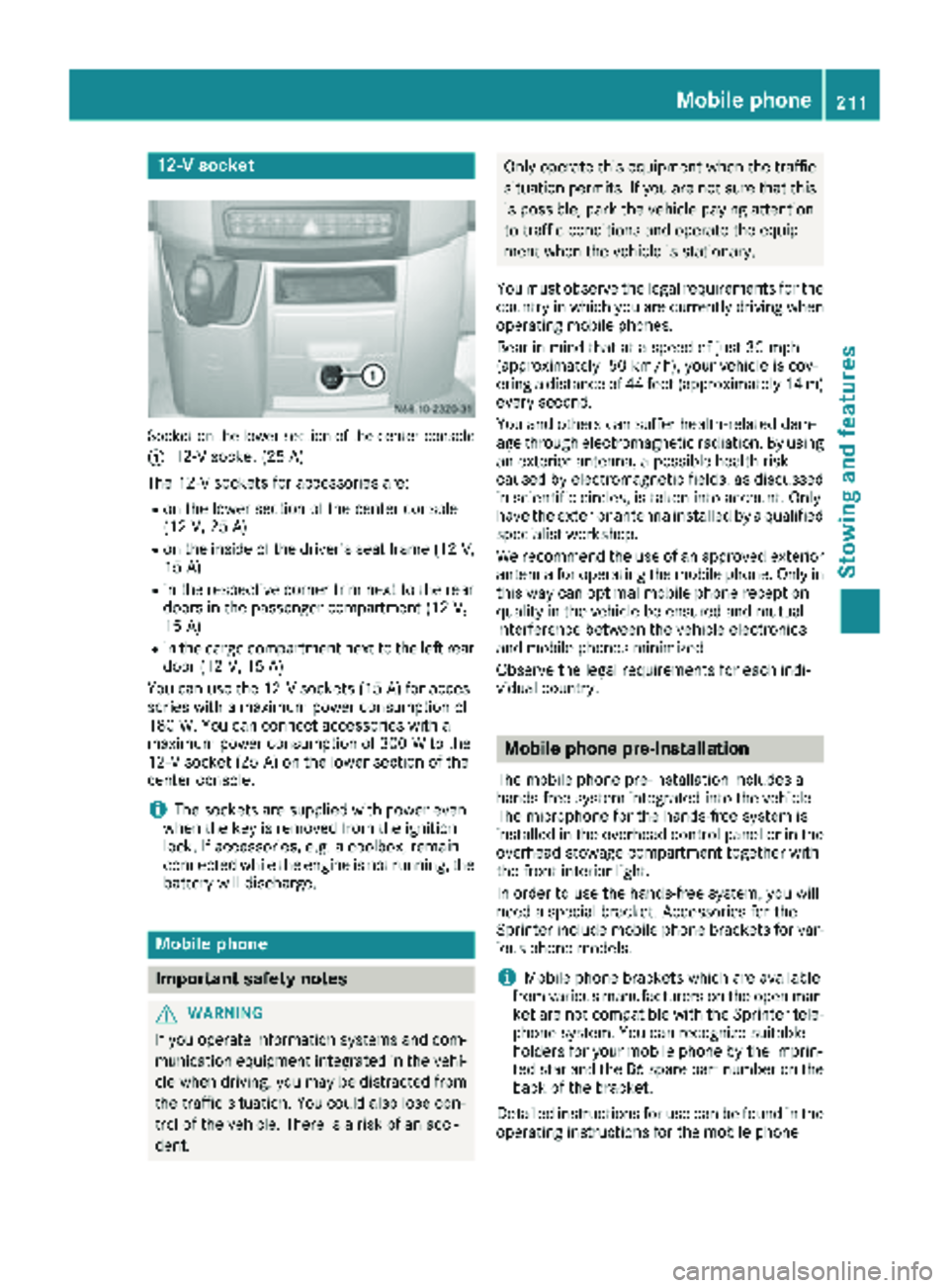
Socket on the lower section of the center console
:
12-V socket (25 A)
The 12-V sockets for accessories are:
Ron the lower section of the center console
(12 V, 25 A)
Ron the inside of the driver's seat frame (12V,
15 A)
Rin the respective corner trim next to the rear
doors in the passenger compartment (12 V,
15 A)
Rin the cargo compartment next to the left rear
door (12 V, 15 A)
You can use the 12-V sockets (15 A) for acces-
sories with a maximum power consumption of
180 W. You can connect accessories with a
maximum power consumption of 300 W to the
12-V socket (25 A) on the lower section of the
center console.
iThe sockets are supplied with power even
when the key is removed from the ignition
lock. If accessories, e.g. a coolbox, remain
connected while the engine is not running, the
battery will discharge.
Mobile phone
Important safety notes
GWARNING
If you operate information systems and com-
munication equipment integrated in the vehi-
cle when driving, you may be distracted from
the traffic situation. You could also lose con-
trol of the vehicle. There is a risk of an acci-
dent.
Only operate this equipment when the traffic
situation permits. If you are not sure that this is possible, park the vehicle paying attention
to traffic conditions and operate the equip-
ment when the vehicle is stationary.
You must observe the legal requirements for the
country in which you are currently driving when
operating mobile phones.
Bear in mind that at a speed of just 30 mph
(approximately 50 km/h), your vehicle is cov-
ering a distance of 44 feet (approximately 14 m)
every second.
You and others can suffer health-related dam-
age through electromagnetic radiation. By using
an exterior antenna, a possible health risk
caused by electromagnetic fields, as discussed
in scientific circles, is taken into account. Only
have the exterior antenna installed by a qualified
specialist workshop.
We recommend the use of an approved exterior
antenna for operating the mobile phone. Only in
this way can optimal mobile phone reception
quality in the vehicle be ensured and mutual
interference between the vehicle electronics
and mobile phones minimized.
Observe the legal requirements for each indi-
vidual country.
Mobile phone pre-installation
The mobile phone pre-installation includes a
hands-free system integrated into the vehicle.
The microphone for the hands-free system is
installed in the overhead control panel or in the
overhead stowage compartment together with
the front interior light.
In order to use the hands-free system, you will
need a special bracket. Accessories for the
Sprinter include mobile phone brackets for var-
ious phone models.
iMobile phone brackets which are available
from various manufacturers on the open mar- ket are not compatible with the Sprinter tele-
phone system. You can recognize suitable
holders for your mobile phone by the imprin-
ted star and the B6 spare part number on the
back of the bracket.
Detailed instructions for use can be found in the
operating instructions for the mobile phone
Mobile phone211
Stowing and features
Z
Page 232 of 294
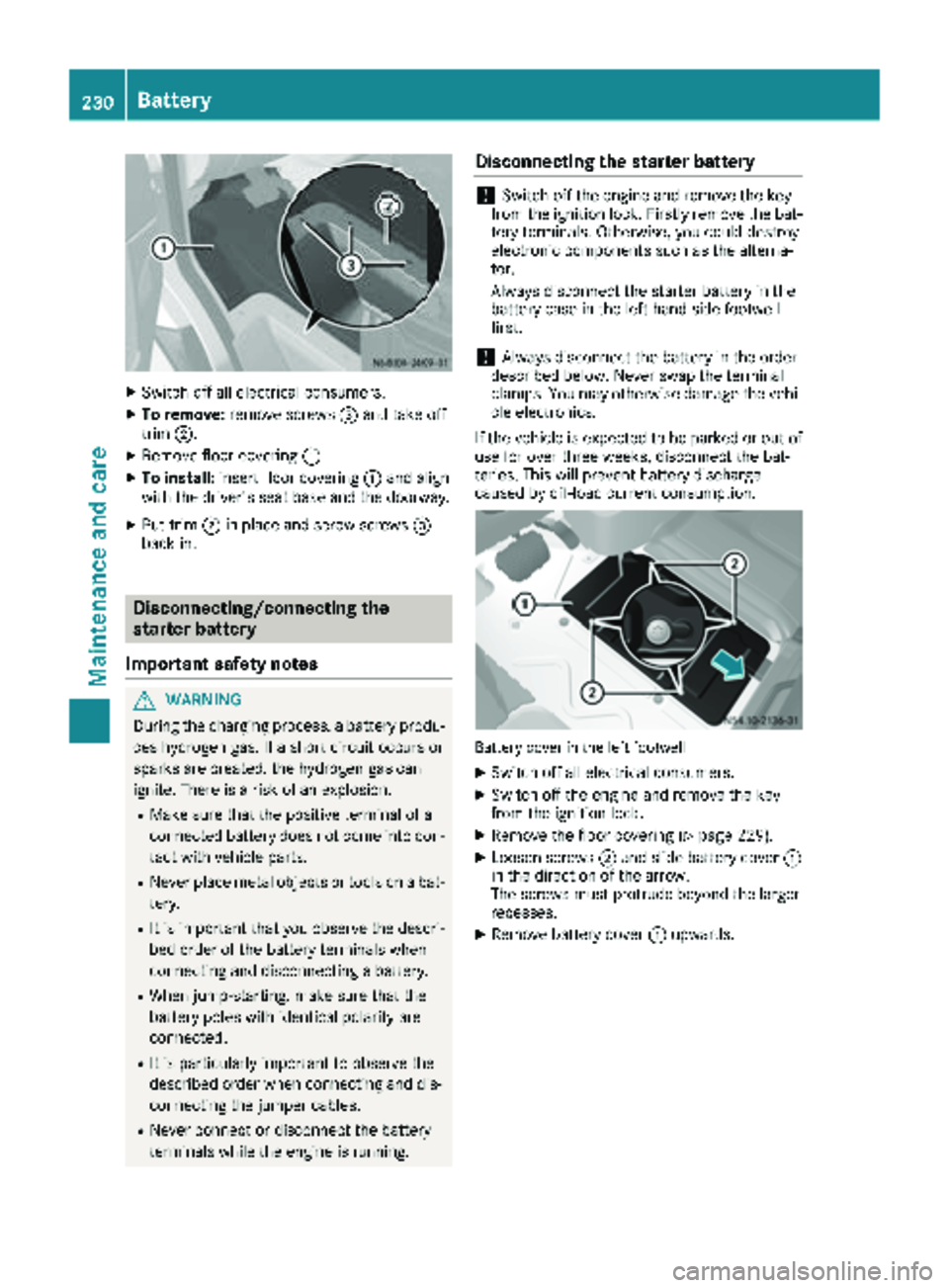
XSwitch off all electrical consumers.
XTo remove:remove screws =and take off
trim ;.
XRemove floor covering :.
XTo install:insert floor covering :and align
with the driver's seat base and the doorway.
XPut trim ;in place and screw screws =
back in.
Disconnecting/connecting the
starter battery
Important safety notes
GWARNING
During the charging process, a battery produ-
ces hydrogen gas. If a short circuit occurs or
sparks are created, the hydrogen gas can
ignite. There is a risk of an explosion.
RMake sure that the positive terminal of a
connected battery does not come into con- tact with vehicle parts.
RNever place metal objects or tools on a bat-
tery.
RIt is important that you observe the descri-
bed order of the battery terminals when
connecting and disconnecting a battery.
RWhen jump-starting, make sure that the
battery poles with identical polarity are
connected.
RIt is particularly important to observe the
described order when connecting and dis-
connecting the jumper cables.
RNever connect or disconnect the battery
terminals while the engine is running.
Disconnecting the starter battery
!Switch off the engine and remove the key
from the ignition lock. Firstly remove the bat-
tery terminals. Otherwise, you could destroy
electronic components such as the alterna-
tor.
Always disconnect the starter battery in the
battery case in the left-hand side footwell
first.
!Always disconnect the battery in the order
described below. Never swap the terminal
clamps. You may otherwise damage the vehi- cle electronics.
If the vehicle is expected to be parked or out of
use for over three weeks, disconnect the bat-
teries. This will prevent battery discharge
caused by off-load current consumption.
Battery cover in the left footwell
XSwitch off all electrical consumers.
XSwitch off the engine and remove the key
from the ignition lock.
XRemove the floor covering (Ypage 229).
XLoosen screws ;and slide battery cover :
in the direction of the arrow.
The screws must protrude beyond the larger
recesses.
XRemove battery cover :upwards.
230Battery
Maintenance and care
Page 240 of 294
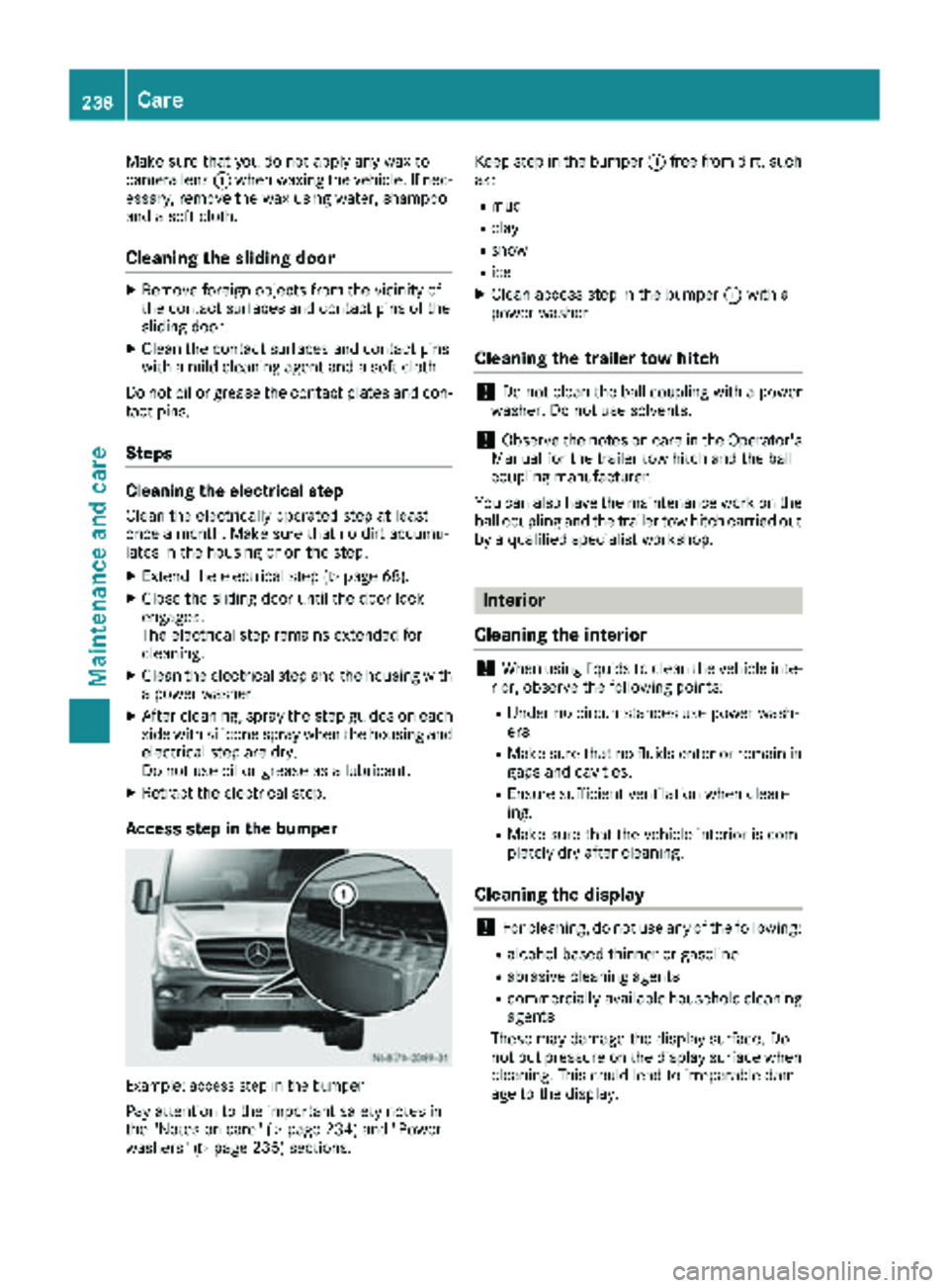
Make sure that you do not apply any wax to
camera lens:when waxing the vehicle. If nec-
essary, remove the wax using water, shampoo
and a soft cloth.
Cleaning the sliding door
XRemove foreign objects from the vicinity of
the contact surfaces and contact pins of the
sliding door.
XClean the contact surfaces and contact pins
with a mild cleaning agent and a soft cloth.
Do not oil or grease the contact plates and con-
tact pins.
Steps
Cleaning the electrical step
Clean the electrically operated step at least
once a month. Make sure that no dirt accumu-
lates in the housing or on the step.
XExtend the electrical step (Ypage 68).
XClose the sliding door until the door lock
engages.
The electrical step remains extended for
cleaning.
XClean the electrical step and the housing with
a power washer.
XAfter cleaning, spray the step guides on each
side with silicone spray when the housing and electrical step are dry.
Do not use oil or grease as a lubricant.
XRetract the electrical step.
Access step in the bumper
Example: access step in the bumper
Pay attention to the important safety notes in
the "Notes on care" (Ypage 234) and "Power
washers" (Ypage 235) sections. Keep step in the bumper
:free from dirt, such
as:
Rmud
Rclay
Rsnow
Rice
XClean access step in the bumper :with a
power washer.
Cleaning the trailer tow hitch
!Do not clean the ball coupling with a power
washer. Do not use solvents.
!Observe the notes on care in the Operator's
Manual for the trailer tow hitch and the ball
coupling manufacturer.
You can also have the maintenance work on the
ball coupling and the trailer tow hitch carried out
by a qualified specialist workshop.
Interior
Cleaning the interior
!When using liquids to clean the vehicle inte-
rior, observe the following points:
RUnder no circumstances use power wash-
ers.
RMake sure that no fluids enter or remain in
gaps and cavities.
REnsure sufficient ventilation when clean-
ing.
RMake sure that the vehicle interior is com-
pletely dry after cleaning.
Cleaning the display
!For cleaning, do not use any of the following:
Ralcohol-based thinner or gasoline
Rabrasive cleaning agents
Rcommercially-available household cleaning
agents
These may damage the display surface. Do
not put pressure on the display surface when cleaning. This could lead to irreparable dam-
age to the display.
238Care
Maintenance and care
Page 271 of 294
Observe the following when raising the vehicle:
RWhen raising the vehicle, only use the jack
which Mercedes-Benz has specifically
approved for your vehicle.
RThe vehicle's jack is intended only to raise the
vehicle for a short time when changing a
wheel. It is not suited for performing mainte-
nance work under the vehicle.
RAvoid changing the wheel on uphill and down-
hill slopes.
RBefore raising the vehicle, secure it from roll-
ing away by applying the parking brake and
inserting wheel chocks. Never disengage the
parking brake while the vehicle is raised.
RThe jack must be placed on a firm, flat and
non-slip surface. On a loose surface, a large,
load-bearing underlay must be used. On a
slippery surface, a non-slip underlay must be
used, e.g. rubber mats.
RMake sure that the distance between the
underside of the tires and the ground does not
exceed 1.2 in(3 cm).
RNever place your hands or feet under the
raised vehicle.
RNever lie under the raised vehicle.
RNever start the engine when the vehicle is
raised.
RNever open or close a door when the vehicle
is raised.
RMake sure that no persons are present in the
vehicle when the vehicle is raised.
!Only use the jack pump lever middle rod and
the rod with the largest diameter as a lug
wrench extension. Only slide the middle rod
as far as it will go onto the lug wrench. The
rods may otherwise bend and be distorted to
such an extent that they can no longer be
used as a pump lever for the jack.
!Do not place the jack on the leaf spring or
the differential case.
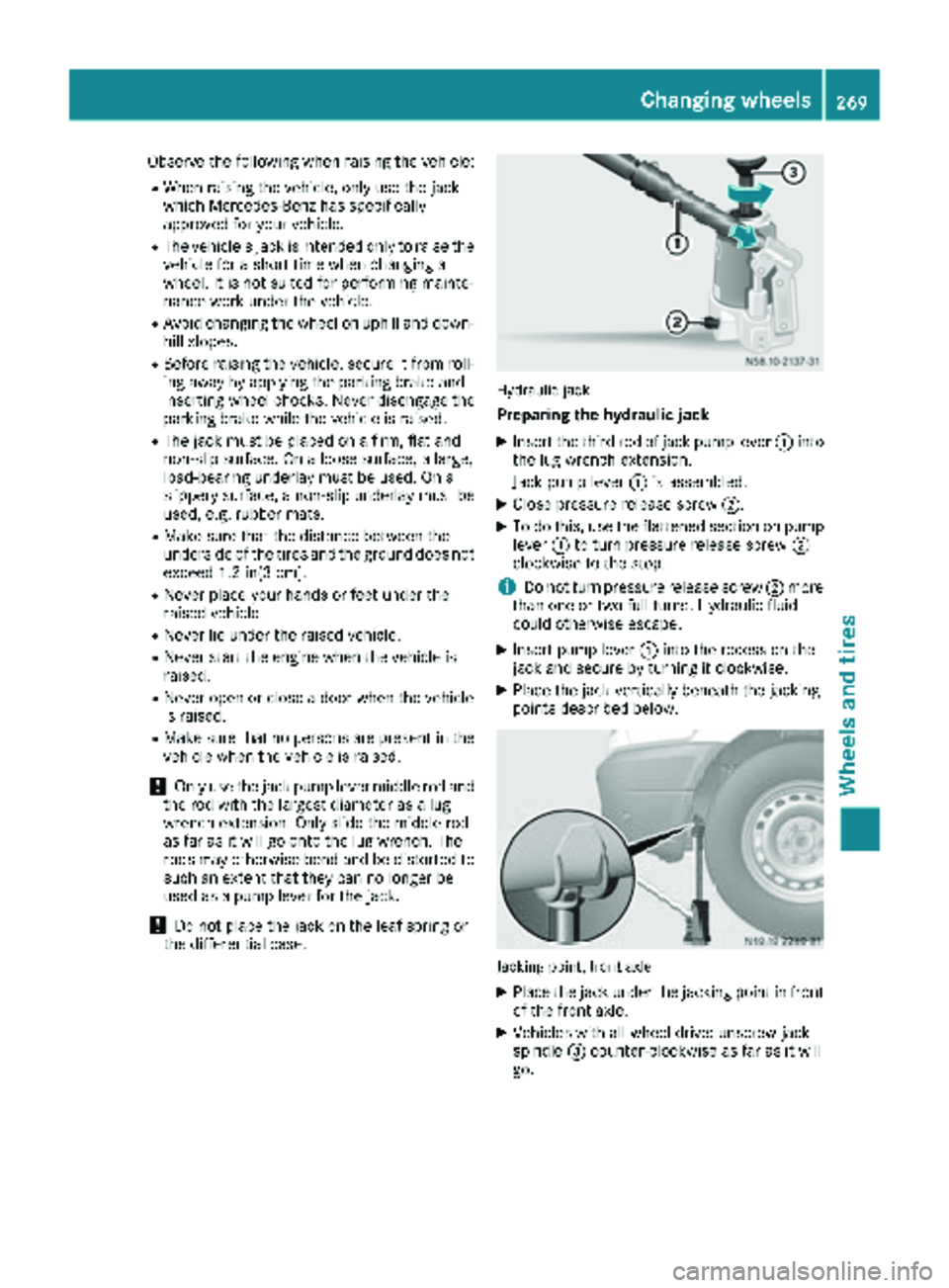
Hydraulic jack
Preparing the hydraulic jack
XInsert the third rod of jack pump lever :into
the lug wrench extension.
Jack pump lever :is assembled.
XClose pressure release screw ;.
XTo do this, use the flattened section on pump
lever:to turn pressure release screw ;
clockwise to the stop.
iDo not turn pressure release screw ;more
than one or two full turns. Hydraulic fluid
could otherwise escape.
XInsert pump lever :into the recess on the
jack and secure by turning it clockwise.
XPlace the jack vertically beneath the jacking
points described below.
Jacking point, front axle
XPlace the jack under the jacking point in front of the front axle.
XVehicles with all-wheel drive: unscrew jack
spindle =counter-clockwise as far as it will
go.
Changing wheels269
Wheels and tires
Z
Page 276 of 294
iIf you have mounted a spare wheel, the tire
pressure monitor (Ypage 254) will not func-
tion for this wheel. The spare wheel is not
equipped with a sensor for monitoring tire
pressure.
Removing and installing the spare
wheel
Cargo Van/Passenger Van
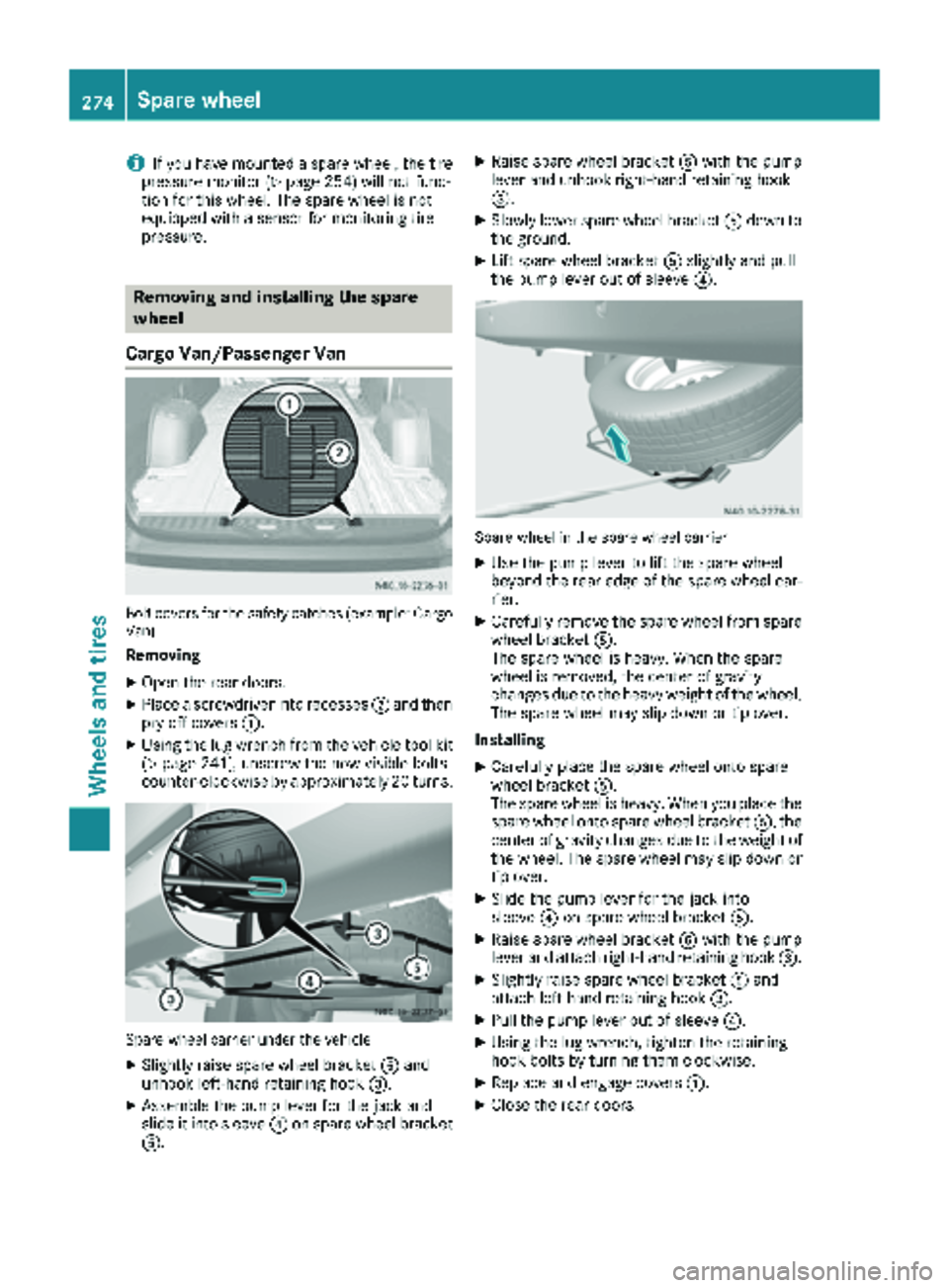
Bolt covers for the safety catches (example: Cargo
Van)
Removing
XOpen the rear doors.
XPlace a screwdriver into recesses ;and then
pry off covers :.
XUsing the lug wrench from the vehicle tool kit
(Ypage 241), unscrew the now visible bolts
counter-clockwise by approximately 20 turns.
Spare wheel carrier under the vehicle
XSlightly raise spare wheel bracket Aand
unhook left-hand retaining hook =.
XAssemble the pump lever for the jack and
slide it into sleeve?on spare wheel bracket
A.
XRaise spare wheel bracket Awith the pump
lever and unhook right-hand retaining hook
=.
XSlowly lower spare wheel bracket Adown to
the ground.
XLift spare wheel bracket Aslightly and pull
the pump lever out of sleeve ?.
Spare wheel in the spare wheel carrier
XUse the pump lever to lift the spare wheel
beyond the rear edge of the spare wheel car-
rier.
XCarefully remove the spare wheel from spare
wheel bracket A.
The spare wheel is heavy. When the spare
wheel is removed, the center of gravity
changes due to the heavy weight of the wheel.
The spare wheel may slip down or tip over.
Installing
XCarefully place the spare wheel onto spare
wheel bracket A.
The spare wheel is heavy. When you place the
spare wheel onto spare wheel bracket A, the
center of gravity changes due to the weight of
the wheel. The spare wheel may slip down or
tip over.
XSlide the pump lever for the jack into
sleeve ?on spare wheel bracket A.
XRaise spare wheel bracket Awith the pump
lever and attach right-hand retaining hook =.
XSlightly raise spare wheel bracketAand
attach left-hand retaining hook =.
XPull the pump lever out of sleeve ?.
XUsing the lug wrench, tighten the retaining
hook bolts by turning them clockwise.
XReplace and engage covers:.
XClose the rear doors.
274Spare wheel
Wheels and tires