radio Mercury Mariner Hybrid 2007 s User Guide
[x] Cancel search | Manufacturer: MERCURY, Model Year: 2007, Model line: Mariner Hybrid, Model: Mercury Mariner Hybrid 2007Pages: 336, PDF Size: 2.89 MB
Page 30 of 336

Don’t:
•Expose discs to direct sunlight or heat sources for extended periods
of time.
•Clean using a circular motion.
CD units are designed to play commercially pressed 4.75 in (12
cm) audio compact discs only. Due to technical incompatibility,
certain recordable and re-recordable compact discs may not
function correctly when used in Ford CD players. Irregular
shaped CDs, CDs with a scratch protection film attached, and CDs
with homemade paper (adhesive) labels should not be inserted
into the CD player. The label may peel and cause the CD to
become jammed. It is recommended that homemade CDs be
identified with permanent felt tip marker rather than adhesive
labels. Ballpoint pens may damage CDs. Please contact your
authorized dealer for further information.
Audio system warranty and service
Refer to theWarranty Guidefor audio system warranty information. If
service is necessary, see your dealer or qualified technician.
Accessory delay
With accessory delay, the window switches, moon roof (if equipped) and
audio system may be used for up to ten minutes after the ignition switch
is turned off or until either front door is opened.
VEHICLE NAVIGATION RADIO (VNR IF EQUIPPED)
Your vehicle may be equipped with a
Vehicle Navigation Radio (VNR)
which allows you to listen to the
radio, play CDs and also navigate
the vehicle using navigation CDs.
Your Vehicle Navigation Radio is equipped with many different features
and controls. The labeled controls on the front face of the system are
known as hard keys. The five blank controls located under the MENU
control are called soft keys. (Refer toSystem Overview.) These controls
2007 Mariner Hybrid(mhv)
Owners Guide (post-2002-fmt)
USA(fus)
Entertainment Systems
30
Page 33 of 336

2.Eject:Press this control to eject
an audio CD or a navigation CD.
3.Navigation (NAV):Press the
NAV control to access the navigation
system menu.
4.MAP:The MAP control works in
all modes. Press to show current
location.
5.BACK:This control works only in
Navigation mode. Press to return to
the previous screen.
6.ENTER:Use this control when
viewing a menu in the navigation
system. Press the control up or
down, left or right to highlight an
item in the display. Press the center
of the control to make your selection.
7.Memory presets:The memory
presets store favorite AM/FM
stations and allow you to access
various discs when in CD DJ mode. Press and hold a preset control until
PRESET SAVED appears in the display.
8.Current location:Press for
information on your current
location.
9.HOME:When the home location
is empty, pressing and holding this
key will store the vehicle’s current
location as home. Pressing the home
key after the home location has been set will calculate a route to that set
home location.
10.SEEK:Use these controls to
find the previous/next (
/)
listenable radio station or advancing
tracks in CD mode.
2007 Mariner Hybrid(mhv)
Owners Guide (post-2002-fmt)
USA(fus)
Entertainment Systems
33
Page 35 of 336

17.MENU:The MENU control
works in both the audio and
navigation mode. Press to access
various menus in both modes.
18.Soft keys:Press the correct
soft key to make selections with the
navigation system.
Quick start – how to get going
To play a radio station:
1. Ensure that the ignition and the Vehicle Navigation Radio (VNR)
system are ON.
2. Press the AM/FM control to select
the desired frequency band.
3. Press the SEEK control to locate
a station.
To play a CD in the VNR:
1. Ensure that the ignition and the
VNR system are ON.
2. Insert a CD into the single slot of
the VNR and the CD will
automatically begin play. If a CD is already loaded into the system, press
the CD control.
To play a CD in the CD DJ:
1. Ensure that the ignition and the
VNR system are ON.
2. Insert CD(s) into the CD DJ
magazine. Insert magazine into CD
DJ. If the CD DJ magazine is already loaded, press the CD control to
toggle through CD and CD DJ.
2007 Mariner Hybrid(mhv)
Owners Guide (post-2002-fmt)
USA(fus)
Entertainment Systems
35
Page 39 of 336

The vehicle is being powered by the
engine, not the electric motors. This
occurs at higher speeds.
The vehicle is either at rest, or is
sharing very little power between
the Hybrid parts. This can occur at
higher speeds if the vehicle is not
speeding up or slowing down.
The vehicle is driving in electric
mode. (Power is coming from the
electric motors and not the engine).
Fuel economy screen
Your Vehicle Navigation Radio is
equipped with a fuel economy
screen. To view, press the fuel icon
control. This screen displays three pieces of information:
2007 Mariner Hybrid(mhv)
Owners Guide (post-2002-fmt)
USA(fus)
Entertainment Systems
39
Page 40 of 336
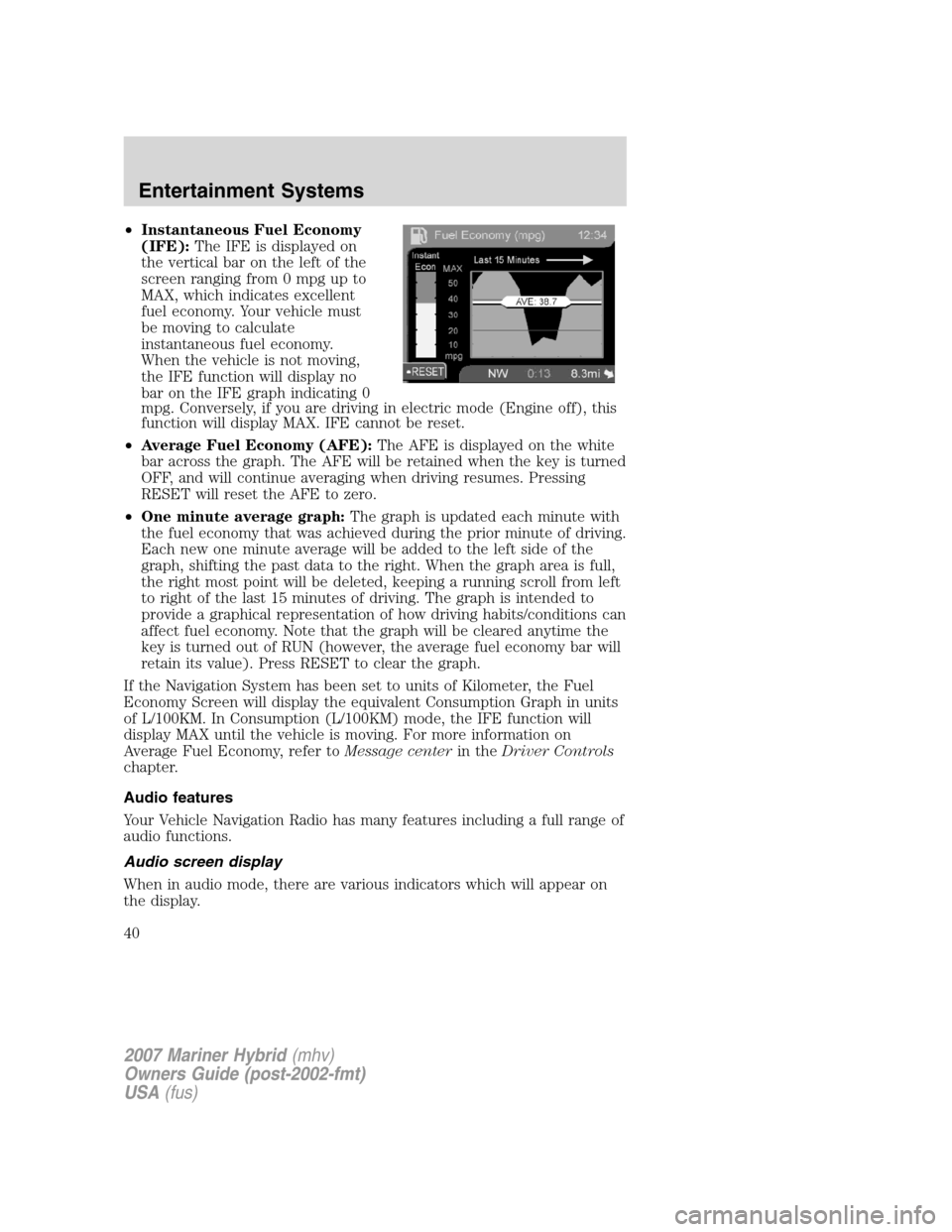
•Instantaneous Fuel Economy
(IFE):The IFE is displayed on
the vertical bar on the left of the
screen ranging from 0 mpg up to
MAX, which indicates excellent
fuel economy. Your vehicle must
be moving to calculate
instantaneous fuel economy.
When the vehicle is not moving,
the IFE function will display no
bar on the IFE graph indicating 0
mpg. Conversely, if you are driving in electric mode (Engine off), this
function will display MAX. IFE cannot be reset.
•Average Fuel Economy (AFE):The AFE is displayed on the white
bar across the graph. The AFE will be retained when the key is turned
OFF, and will continue averaging when driving resumes. Pressing
RESET will reset the AFE to zero.
•One minute average graph:The graph is updated each minute with
the fuel economy that was achieved during the prior minute of driving.
Each new one minute average will be added to the left side of the
graph, shifting the past data to the right. When the graph area is full,
the right most point will be deleted, keeping a running scroll from left
to right of the last 15 minutes of driving. The graph is intended to
provide a graphical representation of how driving habits/conditions can
affect fuel economy. Note that the graph will be cleared anytime the
key is turned out of RUN (however, the average fuel economy bar will
retain its value). Press RESET to clear the graph.
If the Navigation System has been set to units of Kilometer, the Fuel
Economy Screen will display the equivalent Consumption Graph in units
of L/100KM. In Consumption (L/100KM) mode, the IFE function will
display MAX until the vehicle is moving. For more information on
Average Fuel Economy, refer toMessage centerin theDriver Controls
chapter.
Audio features
Your Vehicle Navigation Radio has many features including a full range of
audio functions.
Audio screen display
When in audio mode, there are various indicators which will appear on
the display.
2007 Mariner Hybrid(mhv)
Owners Guide (post-2002-fmt)
USA(fus)
Entertainment Systems
40
Page 41 of 336
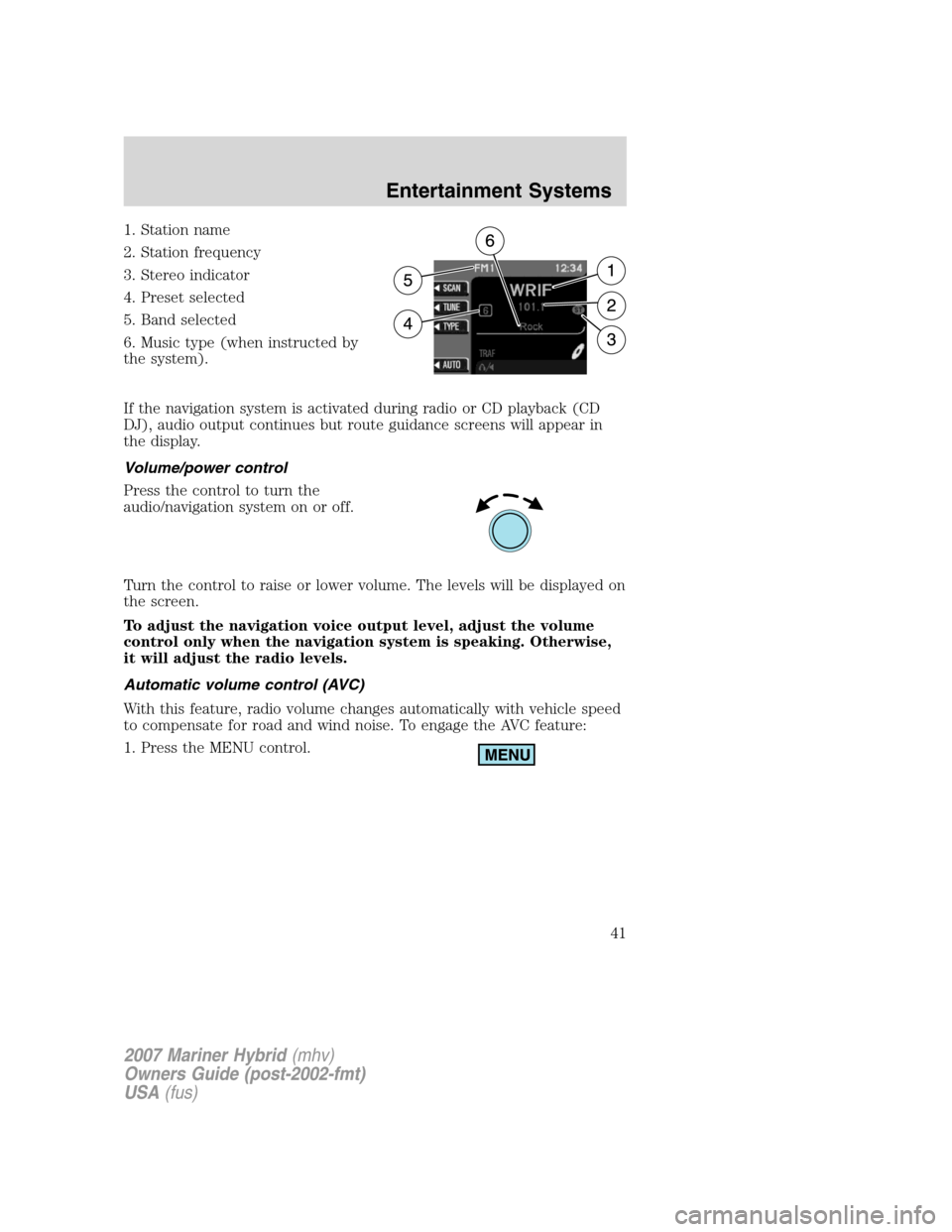
1. Station name
2. Station frequency
3. Stereo indicator
4. Preset selected
5. Band selected
6. Music type (when instructed by
the system).
If the navigation system is activated during radio or CD playback (CD
DJ), audio output continues but route guidance screens will appear in
the display.
Volume/power control
Press the control to turn the
audio/navigation system on or off.
Turn the control to raise or lower volume. The levels will be displayed on
the screen.
To adjust the navigation voice output level, adjust the volume
control only when the navigation system is speaking. Otherwise,
it will adjust the radio levels.
Automatic volume control (AVC)
With this feature, radio volume changes automatically with vehicle speed
to compensate for road and wind noise. To engage the AVC feature:
1. Press the MENU control.
2007 Mariner Hybrid(mhv)
Owners Guide (post-2002-fmt)
USA(fus)
Entertainment Systems
41
Page 42 of 336
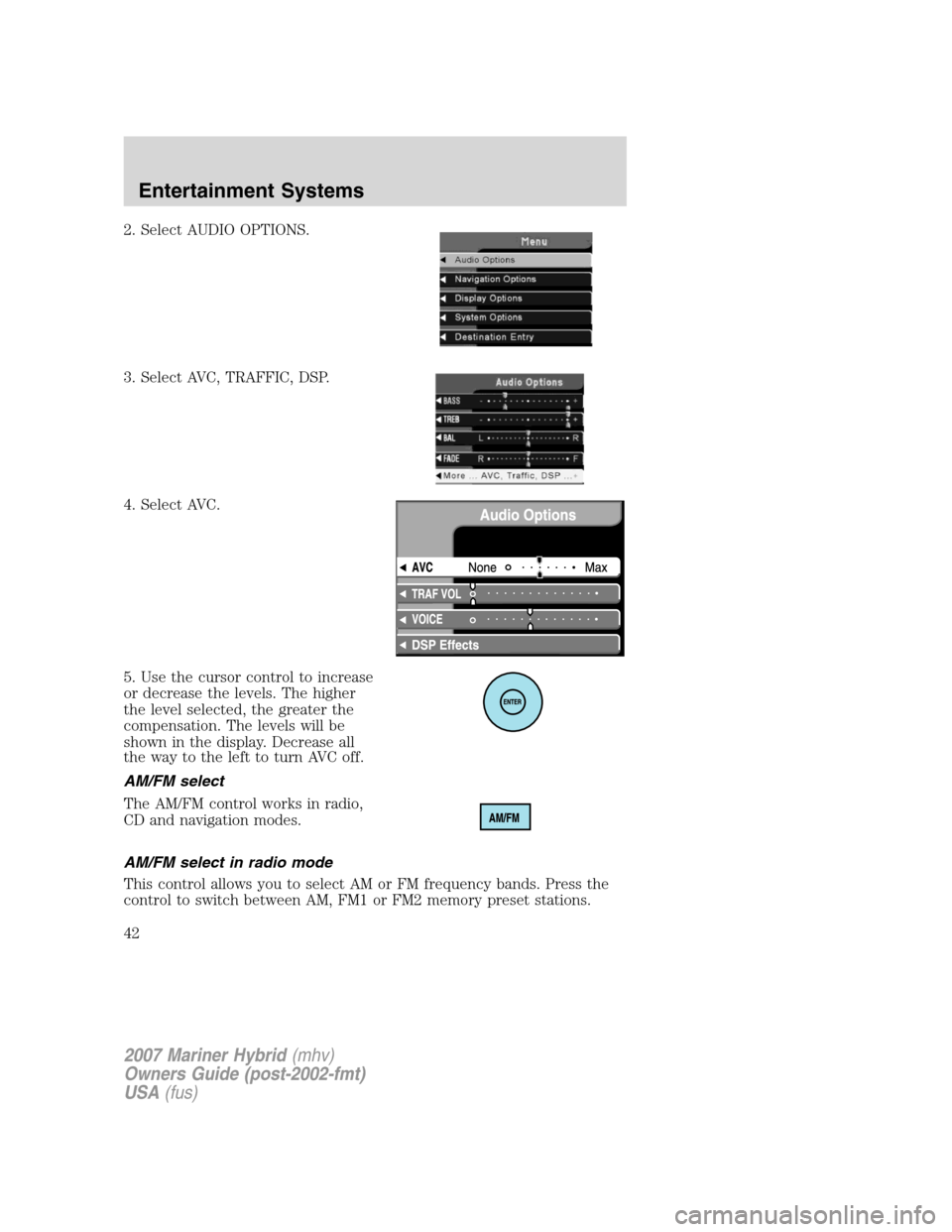
2. Select AUDIO OPTIONS.
3. Select AVC, TRAFFIC, DSP.
4. Select AVC.
5. Use the cursor control to increase
or decrease the levels. The higher
the level selected, the greater the
compensation. The levels will be
shown in the display. Decrease all
the way to the left to turn AVC off.
AM/FM select
The AM/FM control works in radio,
CD and navigation modes.
AM/FM select in radio mode
This control allows you to select AM or FM frequency bands. Press the
control to switch between AM, FM1 or FM2 memory preset stations.
2007 Mariner Hybrid(mhv)
Owners Guide (post-2002-fmt)
USA(fus)
Entertainment Systems
42
Page 43 of 336
AM/FM select in CD mode
Press to stop CD play and begin radio play.
Radio reception factors:
•Distance/strength.The further an FM signal travels, the weaker it is.
The listenable range of the average FM station is approximately 40 km
(24 miles). This range can be affected by “signal modulation.” Signal
modulation is a process radio stations use to increase their
strength/volume relative to other stations.
•Terrain.Hills, mountains and tall buildings between your vehicle’s
antenna and the radio station signal can cause FM reception problems.
Static can be caused on AM stations by power lines, electric fences,
traffic lights and thunderstorms. Moving away from an interfering
structure (out of its “shadow”) returns your reception to normal.
•Station overload.Weak signals are sometimes captured by stronger
signals when you pass a broadcast tower. A stronger signal may
temporarily overtake a weaker signal and play while the weak station
frequency is displayed.
AM/FM select in navigation mode
Press once when in navigation mode to return to the audio screen (while
the navigation function continues to work in the background). Press
again to enter AM/FM mode where you are able to make frequency band
adjustments.
CD select
To begin CD play (if a CD is already
loaded), press the CD control. The
first track of the disc will begin
playing. After that, CD play will
begin where it stopped last. Press the CD control again to toggle
between CD and CD DJ modes.
If a navigation CD is in the head unit and you press CD, the system will
automatically search for an audio CD in the CD DJ and begin play if it is
present.
2007 Mariner Hybrid(mhv)
Owners Guide (post-2002-fmt)
USA(fus)
Entertainment Systems
43
Page 45 of 336

You can then select the following
signal modes:
•NEWS — “voice-only” type of
sound with a limited audio band
•JAZZ CLUB — jazz club with
clearly reflected sounds
•HALL — rectangular concert hall
capacity of about 2,000
•CHURCH — church with a high vault
•STADIUM — outdoor stadium with a capacity of about 30,000
This system has three “occupancy modes” of listening:
•DRIVER— Optimizes audio playback for the drivers seat position.
•ALL — Optimizes audio playback to be similar for ALL seating
positions.
•REAR — Optimizes the audio playback for rear seat passengers.
Rewind/fast forward
Press the
andcontrols
to fast forward or rewind a CD
track.
Seek function
The SEEK control works in all
modes.
Seek in radio mode
•Press
to find the next listenable station down the frequency band.
•Press
to find the next listenable station up the frequency band.
Seek in CD or CD DJ mode
•Press
to seek to the previous track of the current disc. If a
selection has been playing for three seconds or more and you
press
, the CD changer will replay that selection from the
beginning.
2007 Mariner Hybrid(mhv)
Owners Guide (post-2002-fmt)
USA(fus)
Entertainment Systems
45
Page 46 of 336
•Pressto seek forward to the next track of the current disc. After
the last track has been completed, the first track of the current disc
will automatically replay.
Seek in navigation mode
•Press
orto access the next audio station if in radio mode, and
next track if in CD mode.
Radio station memory preset
The radio is equipped with six station memory preset controls. These
controls can be used to select up to six preset AM stations and twelve
FM stations (six in FM1 and six in FM2).
The presets will also allow you to access CDs which are loaded in the CD
DJ. When in CD mode, simply press the preset number which
corresponds to the desired disc.
Setting memory preset stations
1. Select the frequency band with the AM/FM select control.
2. Select a station. Refer toTune adjustorSeek functionfor more
information on selecting a station.
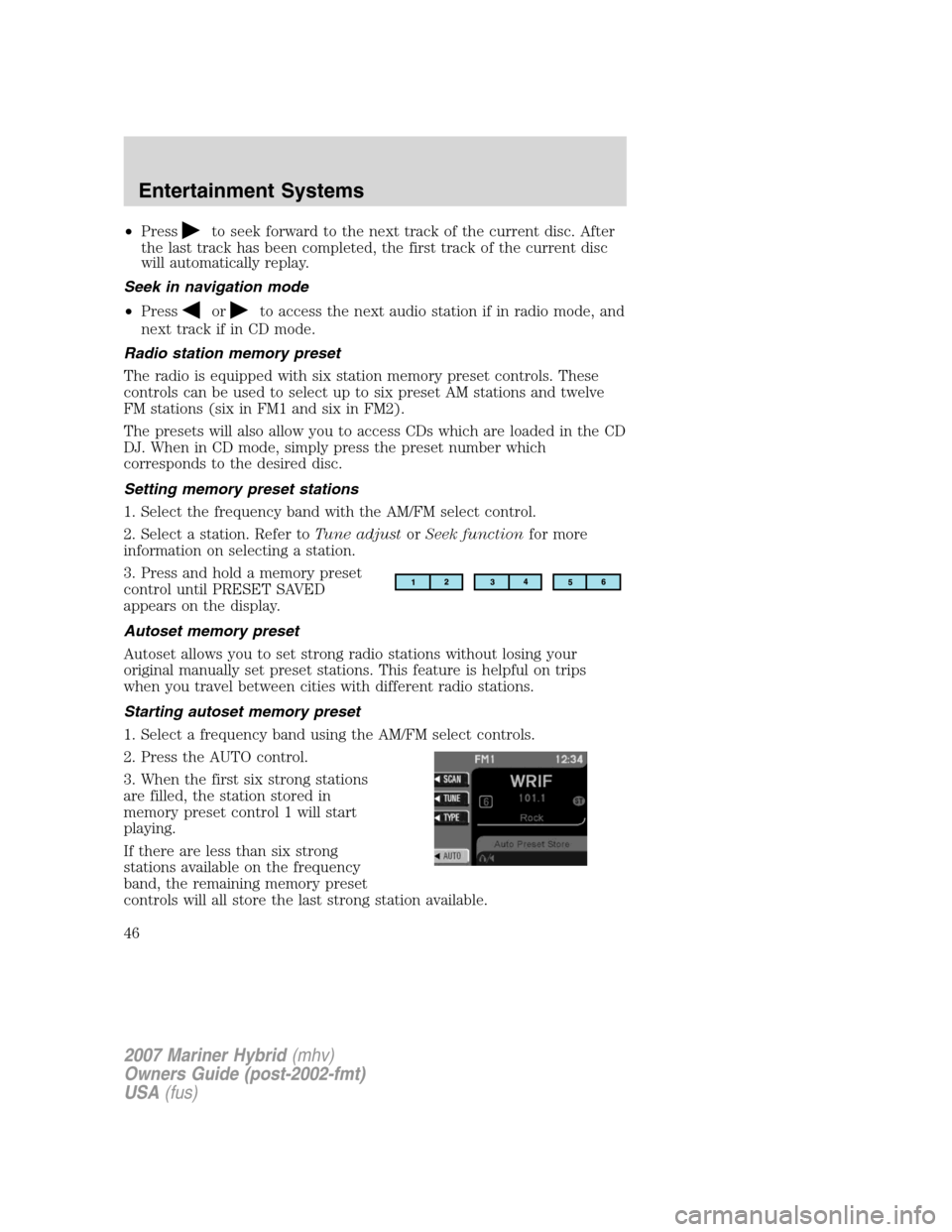
3. Press and hold a memory preset
control until PRESET SAVED
appears on the display.
Autoset memory preset
Autoset allows you to set strong radio stations without losing your
original manually set preset stations. This feature is helpful on trips
when you travel between cities with different radio stations.
Starting autoset memory preset
1. Select a frequency band using the AM/FM select controls.
2. Press the AUTO control.
3. When the first six strong stations
are filled, the station stored in
memory preset control 1 will start
playing.
If there are less than six strong
stations available on the frequency
band, the remaining memory preset
controls will all store the last strong station available.
2007 Mariner Hybrid(mhv)
Owners Guide (post-2002-fmt)
USA(fus)
Entertainment Systems
46