brake Mercury Milan 2006 Owner's Manuals
[x] Cancel search | Manufacturer: MERCURY, Model Year: 2006, Model line: Milan, Model: Mercury Milan 2006Pages: 256, PDF Size: 2.45 MB
Page 2 of 256
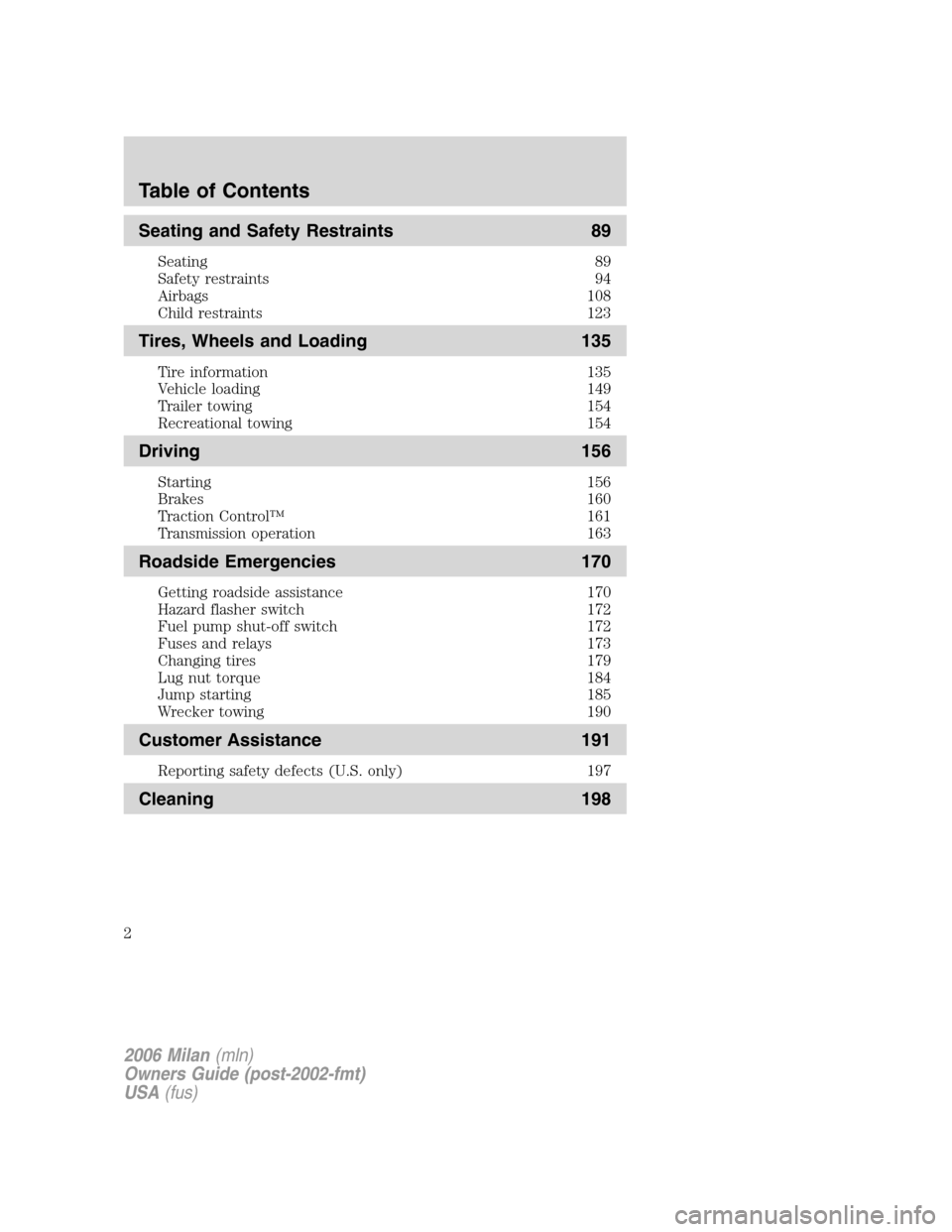
Seating and Safety Restraints 89
Seating 89
Safety restraints 94
Airbags 108
Child restraints 123
Tires, Wheels and Loading 135
Tire information 135
Vehicle loading 149
Trailer towing 154
Recreational towing 154
Driving 156
Starting 156
Brakes 160
Traction Control™ 161
Transmission operation 163
Roadside Emergencies 170
Getting roadside assistance 170
Hazard flasher switch 172
Fuel pump shut-off switch 172
Fuses and relays 173
Changing tires 179
Lug nut torque 184
Jump starting 185
Wrecker towing 190
Customer Assistance 191
Reporting safety defects (U.S. only) 197
Cleaning 198
Table of Contents
2
2006 Milan(mln)
Owners Guide (post-2002-fmt)
USA(fus)
Page 6 of 256
SPECIAL NOTICES
New Vehicle Limited Warranty
For a detailed description of what is covered and what is not covered by
your vehicle’s New Vehicle Limited Warranty, refer to theWarranty
Guidethat is provided to you along with yourOwner’s Guide.
Special instructions
For your added safety, your vehicle is fitted with sophisticated electronic
controls.
Please read the sectionSupplemental restraint system (SRS)
in theSeating and Safety Restraintschapter. Failure to follow
the specific warnings and instructions could result in personal injury.
Front seat mounted rear-facing child or infant seats should
NEVERbe placed in front of an active passenger airbag.
Service Data Recording
Service data recorders in your vehicle are capable of collecting and
storing diagnostic information about your vehicle. This potentially
includes information about the performance or status of various systems
and modules in the vehicle, such as engine, throttle, steering or brake
systems. In order to properly diagnose and service your vehicle, Ford
Motor Company, Ford of Canada, and service and repair facilities may
access vehicle diagnostic information through a direct connection to your
vehicle when diagnosing or servicing your vehicle.
Event Data Recording
Other modules in your vehicle — event data recorders — are capable of
collecting and storing data during a crash or near crash event. The
recorded information may assist in the investigation of such an event.
The modules may record information about both the vehicle and the
occupants, potentially including information such as:
•how various systems in your vehicle were operating;
•whether or not the driver and passenger seatbelts were buckled;
•how far (if at all) the driver was depressing the accelerator and/or the
brake pedal;
2006 Milan(mln)
Owners Guide (post-2002-fmt)
USA(fus)
Introduction
6
Page 8 of 256
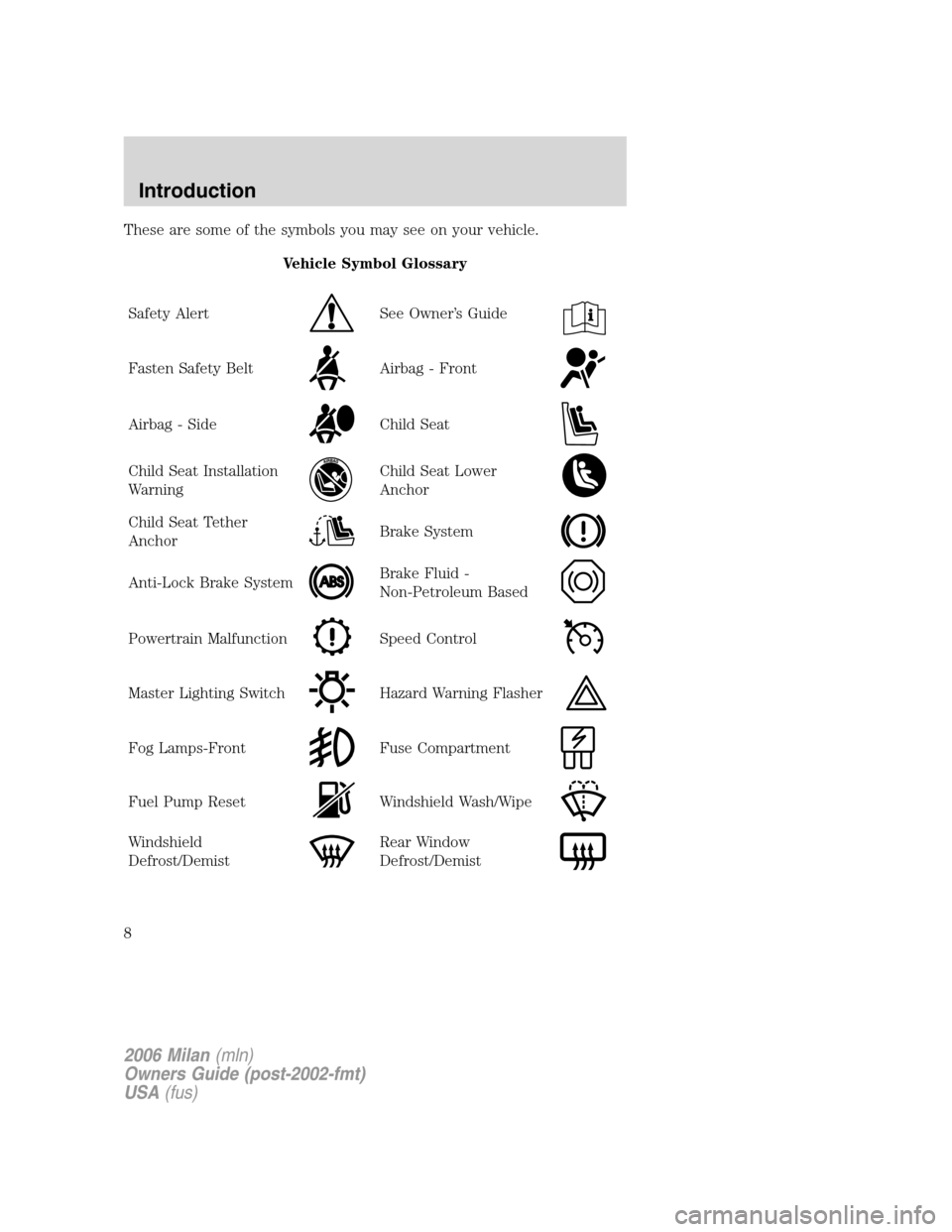
These are some of the symbols you may see on your vehicle.
Vehicle Symbol Glossary
Safety Alert
See Owner’s Guide
Fasten Safety BeltAirbag - Front
Airbag - SideChild Seat
Child Seat Installation
WarningChild Seat Lower
Anchor
Child Seat Tether
AnchorBrake System
Anti-Lock Brake SystemBrake Fluid -
Non-Petroleum Based
Powertrain MalfunctionSpeed Control
Master Lighting SwitchHazard Warning Flasher
Fog Lamps-FrontFuse Compartment
Fuel Pump ResetWindshield Wash/Wipe
Windshield
Defrost/DemistRear Window
Defrost/Demist
2006 Milan(mln)
Owners Guide (post-2002-fmt)
USA(fus)
Introduction
8
Page 11 of 256
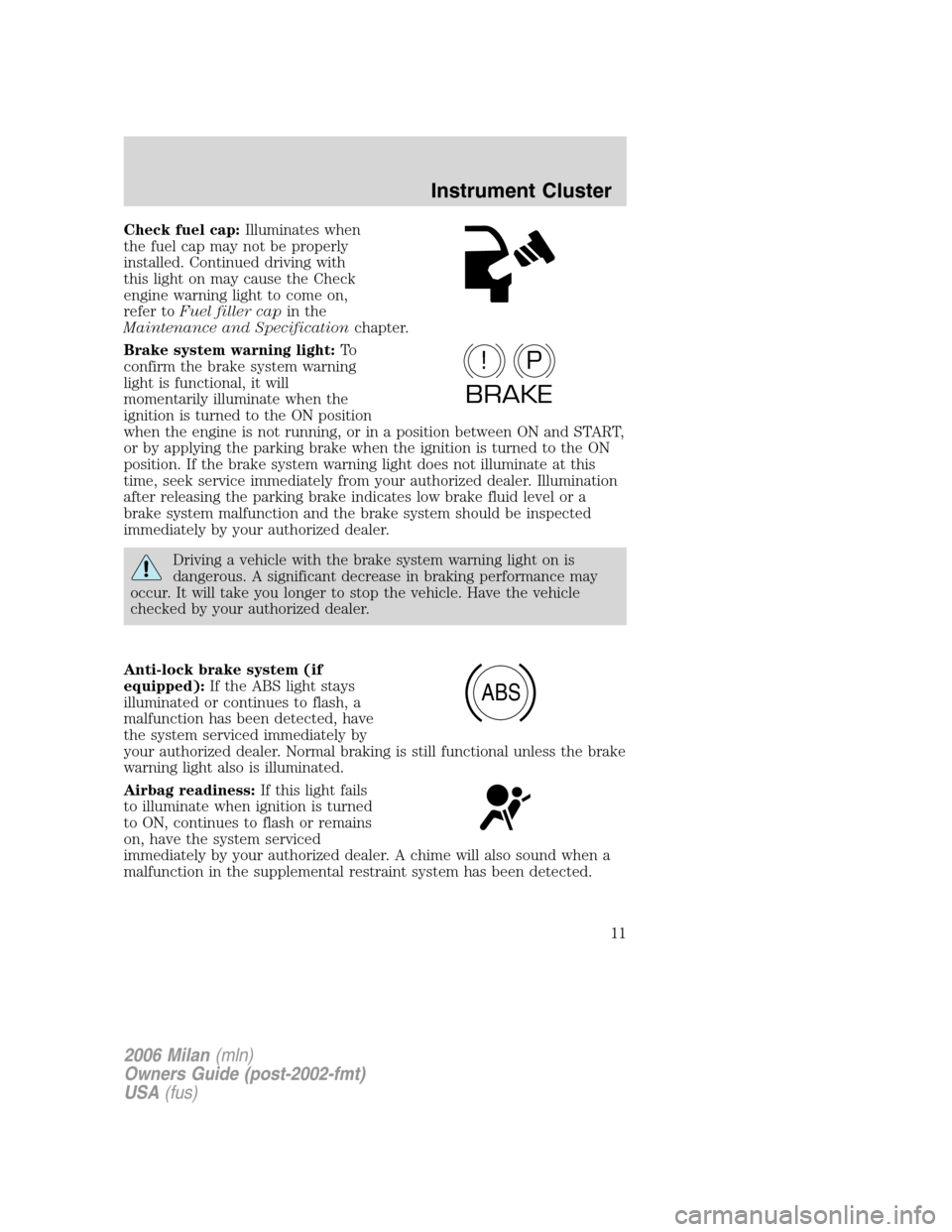
Check fuel cap:Illuminates when
the fuel cap may not be properly
installed. Continued driving with
this light on may cause the Check
engine warning light to come on,
refer toFuel filler capin the
Maintenance and Specificationchapter.
Brake system warning light:To
confirm the brake system warning
light is functional, it will
momentarily illuminate when the
ignition is turned to the ON position
when the engine is not running, or in a position between ON and START,
or by applying the parking brake when the ignition is turned to the ON
position. If the brake system warning light does not illuminate at this
time, seek service immediately from your authorized dealer. Illumination
after releasing the parking brake indicates low brake fluid level or a
brake system malfunction and the brake system should be inspected
immediately by your authorized dealer.
Driving a vehicle with the brake system warning light on is
dangerous. A significant decrease in braking performance may
occur. It will take you longer to stop the vehicle. Have the vehicle
checked by your authorized dealer.
Anti-lock brake system (if
equipped):If the ABS light stays
illuminated or continues to flash, a
malfunction has been detected, have
the system serviced immediately by
your authorized dealer. Normal braking is still functional unless the brake
warning light also is illuminated.
Airbag readiness:If this light fails
to illuminate when ignition is turned
to ON, continues to flash or remains
on, have the system serviced
immediately by your authorized dealer. A chime will also sound when a
malfunction in the supplemental restraint system has been detected.
P!
BRAKE
ABS
2006 Milan(mln)
Owners Guide (post-2002-fmt)
USA(fus)
Instrument Cluster
11
Page 13 of 256
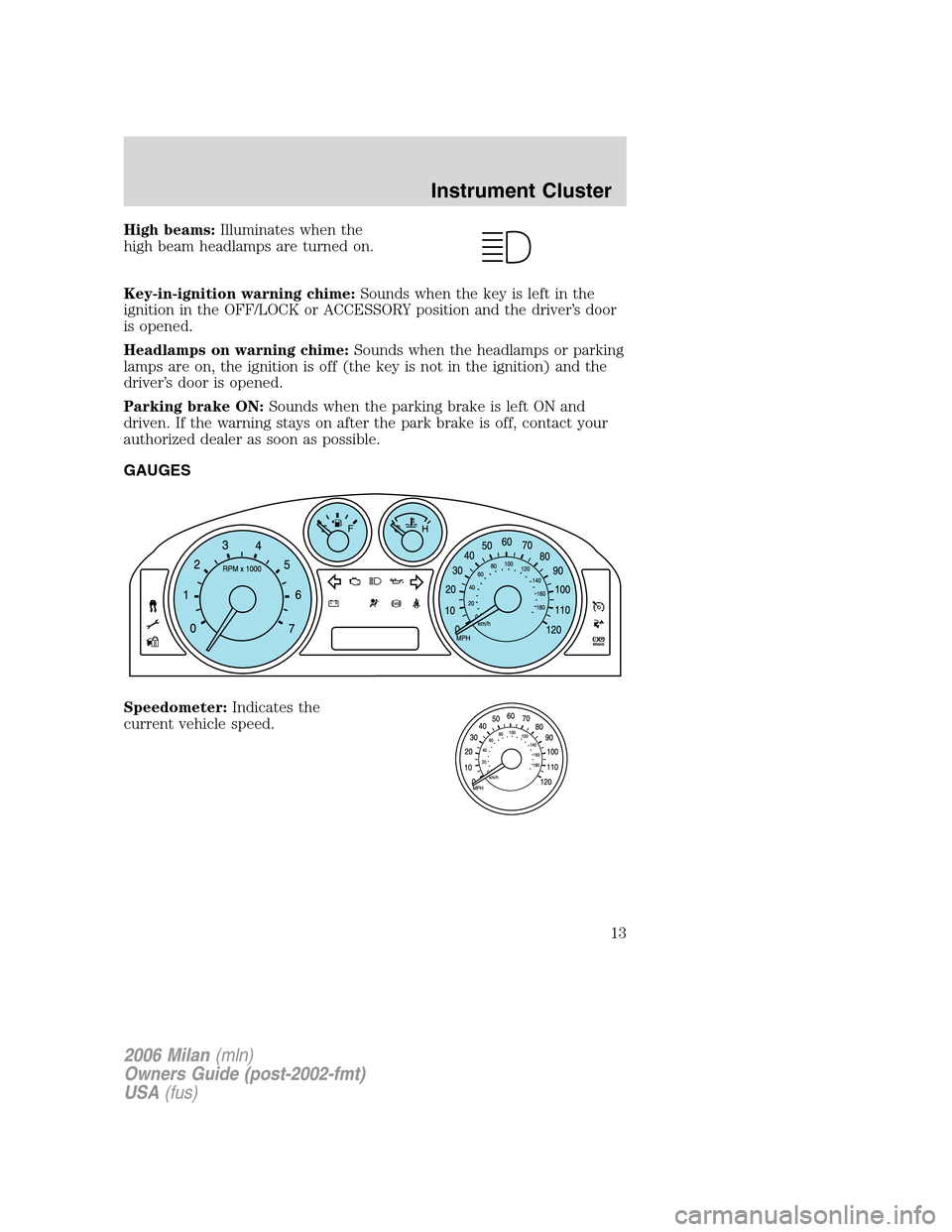
High beams:Illuminates when the
high beam headlamps are turned on.
Key-in-ignition warning chime:Sounds when the key is left in the
ignition in the OFF/LOCK or ACCESSORY position and the driver’s door
is opened.
Headlamps on warning chime:Sounds when the headlamps or parking
lamps are on, the ignition is off (the key is not in the ignition) and the
driver’s door is opened.
Parking brake ON:Sounds when the parking brake is left ON and
driven. If the warning stays on after the park brake is off, contact your
authorized dealer as soon as possible.
GAUGES
Speedometer:Indicates the
current vehicle speed.
2006 Milan(mln)
Owners Guide (post-2002-fmt)
USA(fus)
Instrument Cluster
13
Page 39 of 256
Using the right bulbs
Replacement bulbs are specified in the chart below. Headlamp bulbs
must be marked with an authorized “D.O.T.” for North America and an
“E” for Europe to ensure lamp performance, light brightness and pattern
and safe visibility. The correct bulbs will not damage the lamp assembly
or void the lamp assembly warranty and will provide quality bulb burn
time.
Function Number of bulbs Trade number
Headlamp high beam 2 H7
Headlamp low beam 2 H11LL
Front park/turn signal lamp 2 3457NAK (amber)
Front sidemarker lamp 2 168
*Rear sidemarker lamp N/A SNAP LED 70
*Stop/tail lamp N/A LED
Rear turn signal lamp 2 3157 A (amber)
Backup lamp 2 921
License plate lamp 2 168
High-mount brake lamp 1 921
Foglamp (if equipped) 2 H11
Map lamp 2 12V6W
Dome/reading lamp 6 578
Visor vanity lamp - Slide on
Rail system (SOR)237
Puddle lamp (if equipped) 2 W5W
Glove box lamp 1 194
Luggage compartment lamp 1 578
All replacement bulbs are clear in color except where noted.
To replace all instrument panel lights - see your authorized dealer.
*To replace these lamps - see your authorized dealer.
Replacing headlamp bulbs
Highbeam bulb replacement
1. Make sure headlamp switch is in the OFF position, then open the
hood.
2. Reach over the front bolster.
2006 Milan(mln)
Owners Guide (post-2002-fmt)
USA(fus)
Lights
39
Page 47 of 256
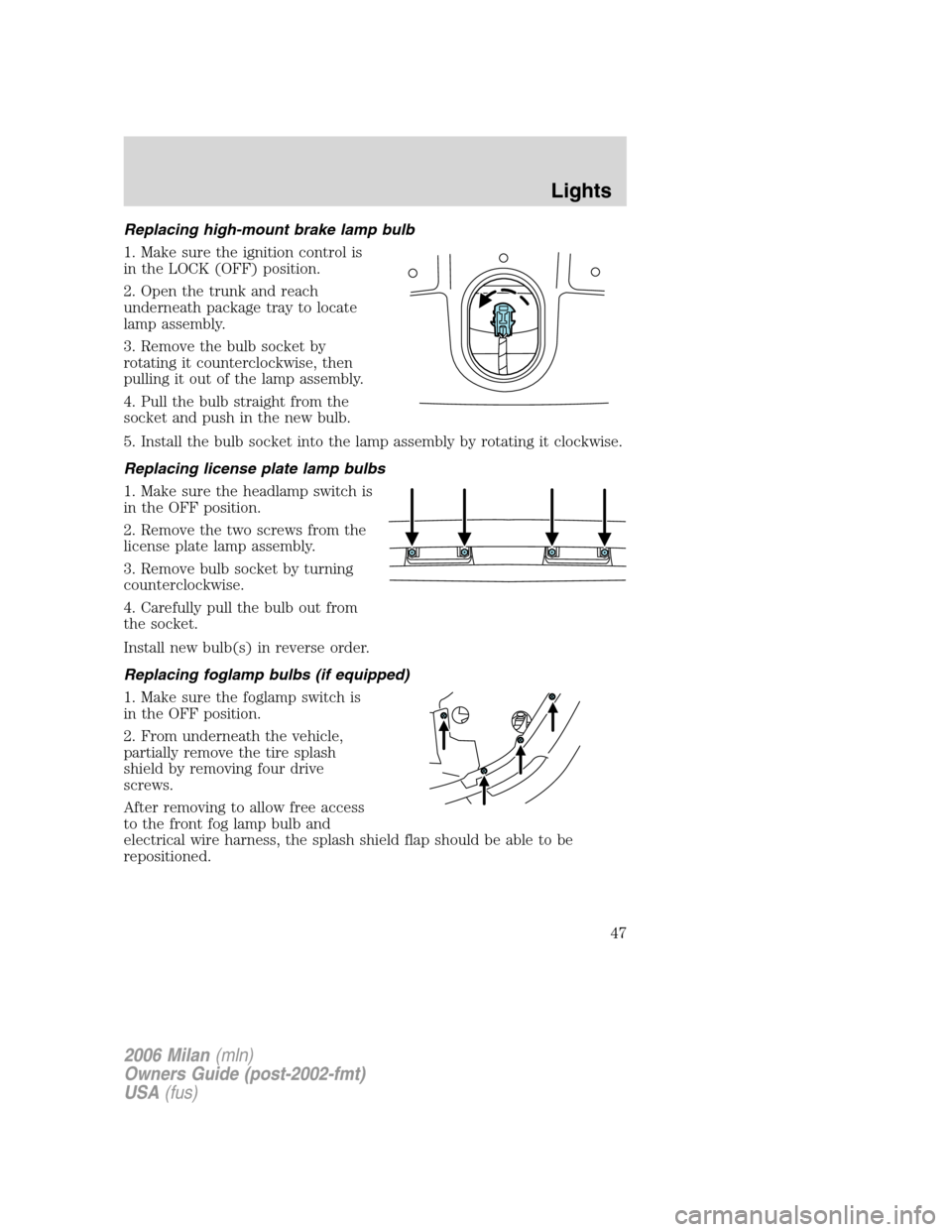
Replacing high-mount brake lamp bulb
1. Make sure the ignition control is
in the LOCK (OFF) position.
2. Open the trunk and reach
underneath package tray to locate
lamp assembly.
3. Remove the bulb socket by
rotating it counterclockwise, then
pulling it out of the lamp assembly.
4. Pull the bulb straight from the
socket and push in the new bulb.
5. Install the bulb socket into the lamp assembly by rotating it clockwise.
Replacing license plate lamp bulbs
1. Make sure the headlamp switch is
in the OFF position.
2. Remove the two screws from the
license plate lamp assembly.
3. Remove bulb socket by turning
counterclockwise.
4. Carefully pull the bulb out from
the socket.
Install new bulb(s) in reverse order.
Replacing foglamp bulbs (if equipped)
1. Make sure the foglamp switch is
in the OFF position.
2. From underneath the vehicle,
partially remove the tire splash
shield by removing four drive
screws.
After removing to allow free access
to the front fog lamp bulb and
electrical wire harness, the splash shield flap should be able to be
repositioned.
2006 Milan(mln)
Owners Guide (post-2002-fmt)
USA(fus)
Lights
47
Page 56 of 256
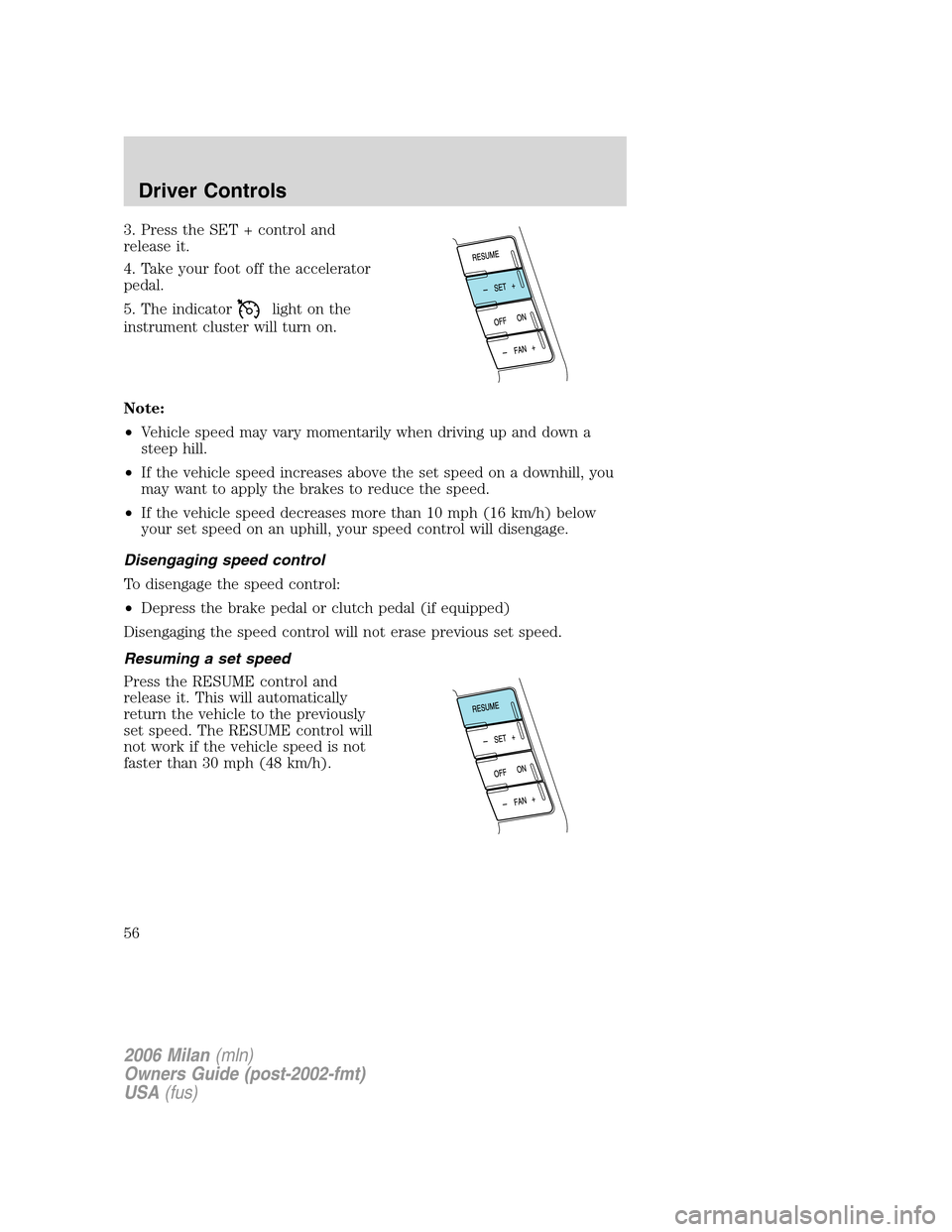
3. Press the SET + control and
release it.
4. Take your foot off the accelerator
pedal.
5. The indicator
light on the
instrument cluster will turn on.
Note:
•Vehicle speed may vary momentarily when driving up and down a
steep hill.
•If the vehicle speed increases above the set speed on a downhill, you
may want to apply the brakes to reduce the speed.
•If the vehicle speed decreases more than 10 mph (16 km/h) below
your set speed on an uphill, your speed control will disengage.
Disengaging speed control
To disengage the speed control:
•Depress the brake pedal or clutch pedal (if equipped)
Disengaging the speed control will not erase previous set speed.
Resuming a set speed
Press the RESUME control and
release it. This will automatically
return the vehicle to the previously
set speed. The RESUME control will
not work if the vehicle speed is not
faster than 30 mph (48 km/h).
2006 Milan(mln)
Owners Guide (post-2002-fmt)
USA(fus)
Driver Controls
56
Page 57 of 256

Increasing speed while using speed control
There are two ways to set a higher
speed:
•Press and hold the SET + control
until you get to the desired
speed, then release the control.
You can also use the SET +
control to operate the Tap-Up
function. Press and release this
control to increase the vehicle set
speed in small amounts by 1 mph
(1.6 km/h).
•Use the accelerator pedal to get to the desired speed. When the
vehicle reaches that speed press and release the SET + control.
Reducing speed while using speed control
There are two ways to reduce a set
speed:
•Press and hold the SET - control
until you get to the desired
speed, then release the control.
You can also use the SET -
control to operate the Tap-Down
function. Press and release this
control to decrease the vehicle
set speed in small amounts by 1
mph (1.6 km/h).
•Depress the brake pedal until the desired vehicle speed is reached and
press the SET control.
2006 Milan(mln)
Owners Guide (post-2002-fmt)
USA(fus)
Driver Controls
57
Page 65 of 256
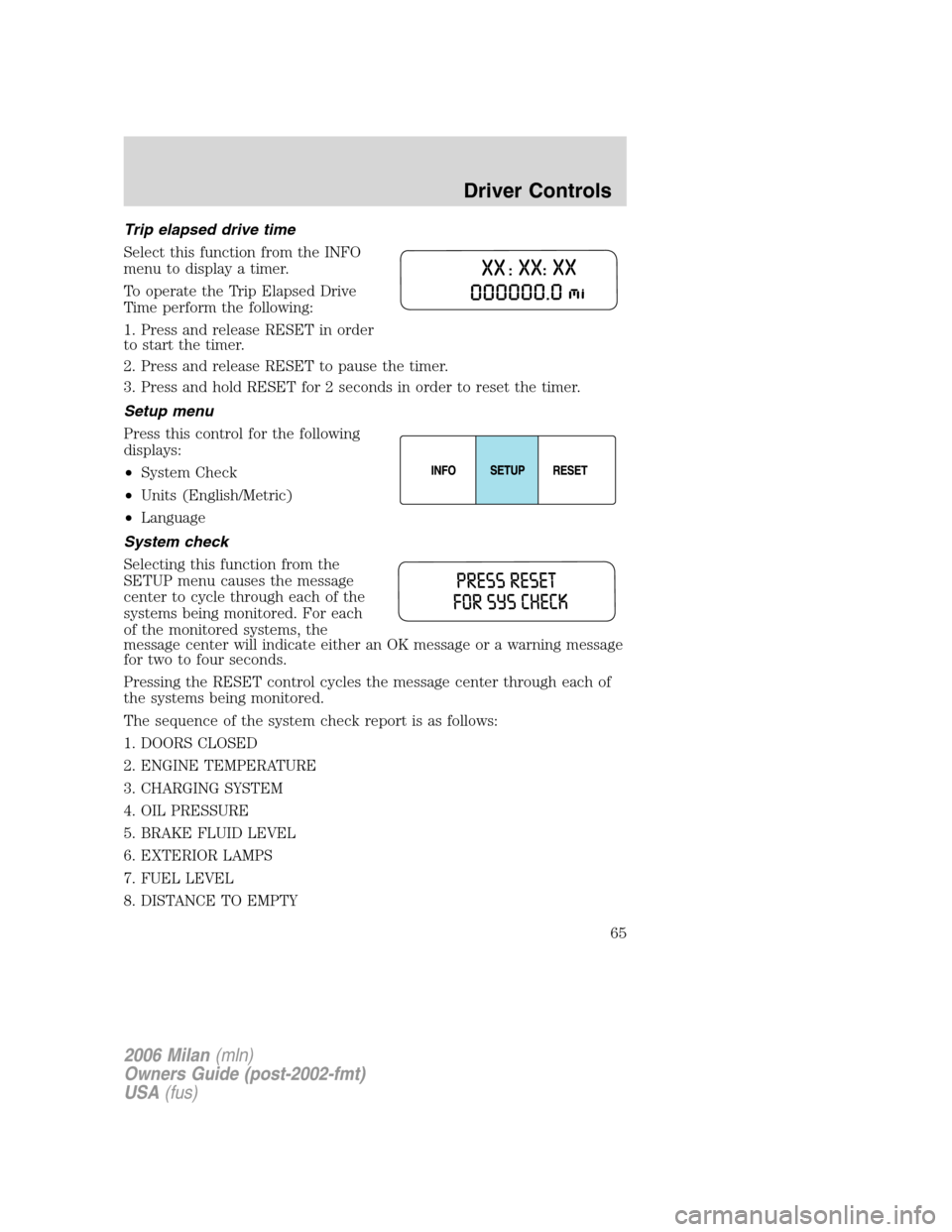
Trip elapsed drive time
Select this function from the INFO
menu to display a timer.
To operate the Trip Elapsed Drive
Time perform the following:
1. Press and release RESET in order
to start the timer.
2. Press and release RESET to pause the timer.
3. Press and hold RESET for 2 seconds in order to reset the timer.
Setup menu
Press this control for the following
displays:
•System Check
•Units (English/Metric)
•Language
System check
Selecting this function from the
SETUP menu causes the message
center to cycle through each of the
systems being monitored. For each
of the monitored systems, the
message center will indicate either an OK message or a warning message
for two to four seconds.
Pressing the RESET control cycles the message center through each of
the systems being monitored.
The sequence of the system check report is as follows:
1. DOORS CLOSED
2. ENGINE TEMPERATURE
3. CHARGING SYSTEM
4. OIL PRESSURE
5. BRAKE FLUID LEVEL
6. EXTERIOR LAMPS
7. FUEL LEVEL
8. DISTANCE TO EMPTY
2006 Milan(mln)
Owners Guide (post-2002-fmt)
USA(fus)
Driver Controls
65