transmission Mercury Mountaineer 1998 Owner's Manuals
[x] Cancel search | Manufacturer: MERCURY, Model Year: 1998, Model line: Mountaineer, Model: Mercury Mountaineer 1998Pages: 216, PDF Size: 1.72 MB
Page 11 of 216

O/D off (if equipped)
Illuminates when the transmission
control switch has been pushed.
When the light is on, the
transmission does not shift into
overdrive. If the light does not
come on when the transmission
control switch is depressed or if
the light flashes when you are
driving, have your vehicle serviced.
Speed control
This light comes on when either
the SET/ACCEL or RESUME
controls are pressed. It turns off
when the speed control OFF
control is pressed, the brake is
applied or the ignition is turned to
the OFF position.
Safety belt warning chime
Chimes to remind you to fasten
your safety belts.
For information on the safety belt
warning chime, refer to the
Seating and safety restraints
chapter.
Supplemental restraint system
(SRS) warning chime
For information on the SRS
warning chime, refer to the
Seating and safety restraints
chapter.
O/D
OFF
SPEED
CONT
Instrumentation
11
Page 102 of 216

there is sufficient space, will
enable you to avoid obstacles
and bring the vehicle to a
controlled stop.
²We recommend that you
familiarize yourself with this
braking technique. However,
avoid taking any unnecessary
risks.
Parking brake
Apply the parking brake whenever
the vehicle is parked. To set the
parking brake, press the parking
brake pedal down until the pedal
stops.
The BRAKE warning lamp in the
instrument cluster illuminates and
remains illuminated (when the
ignition is turned ON) until the
parking brake is released.
Always set the parking
brake fully and make sure
that the gearshift is securely
latched in P (Park) (automatic
transmission) or in 1 (First)
(manual transmission).
The parking brake is not designed
to stop a moving vehicle. However,
if the normal brakes fail, the
parking brake can be used to stop
!
BRAKE
Driving
102
Page 104 of 216
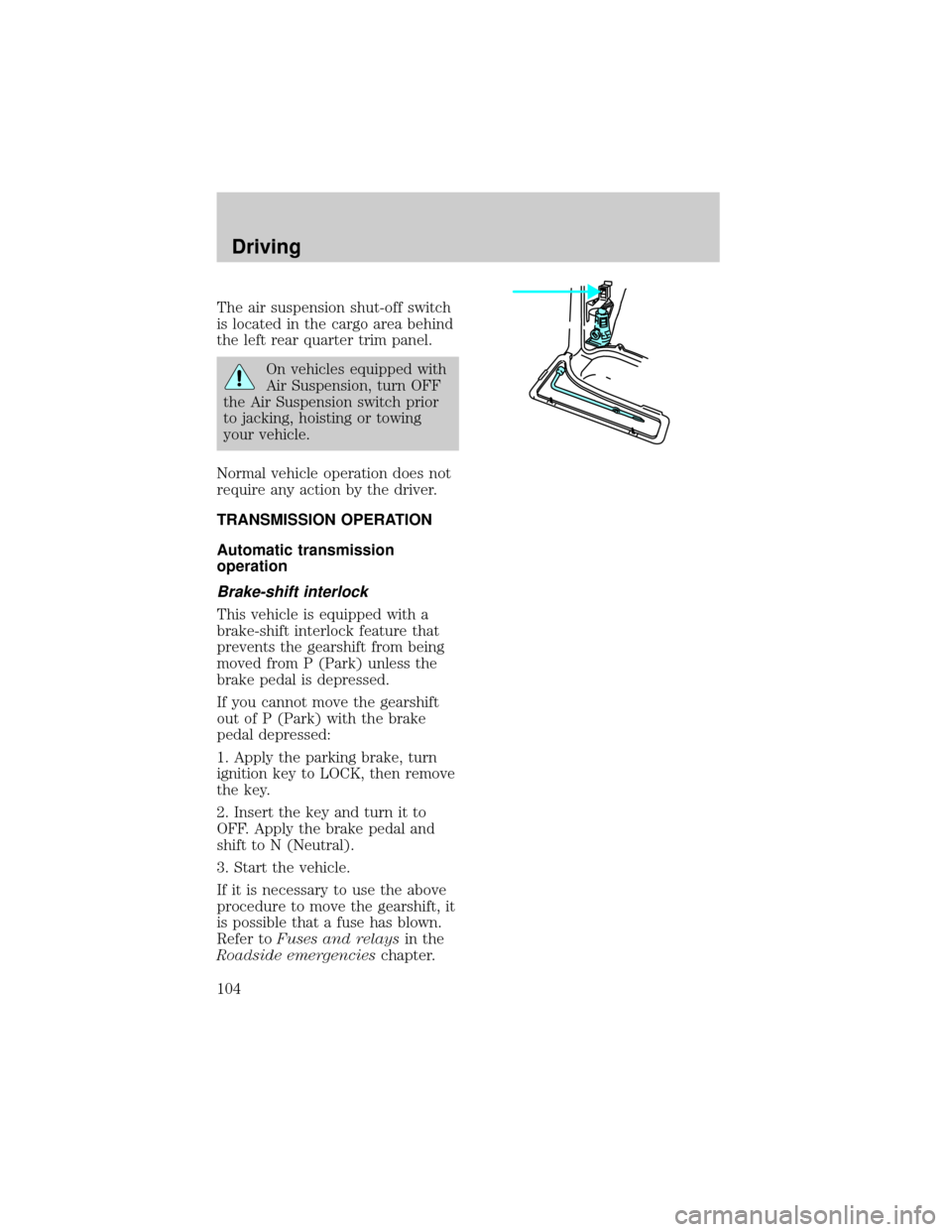
The air suspension shut-off switch
is located in the cargo area behind
the left rear quarter trim panel.
On vehicles equipped with
Air Suspension, turn OFF
the Air Suspension switch prior
to jacking, hoisting or towing
your vehicle.
Normal vehicle operation does not
require any action by the driver.
TRANSMISSION OPERATION
Automatic transmission
operation
Brake-shift interlock
This vehicle is equipped with a
brake-shift interlock feature that
prevents the gearshift from being
moved from P (Park) unless the
brake pedal is depressed.
If you cannot move the gearshift
out of P (Park) with the brake
pedal depressed:
1. Apply the parking brake, turn
ignition key to LOCK, then remove
the key.
2. Insert the key and turn it to
OFF. Apply the brake pedal and
shift to N (Neutral).
3. Start the vehicle.
If it is necessary to use the above
procedure to move the gearshift, it
is possible that a fuse has blown.
Refer toFuses and relaysin the
Roadside emergencieschapter.
Driving
104
Page 105 of 216

Do not drive your vehicle
until you verify that the
brakelamps are working.
If your vehicle gets stuck in mud
or snow it may be rocked out by
shifting from forward and reverse
gears in a steady pattern. Press
lightly on the accelerator in each
gear.
Do not rock the vehicle for
more than a few minutes. The
transmission and tires may be
damaged or the engine may
overheat.
Always set the parking
brake fully and make sure
the gearshift is latched in P
(Park). Turn off the ignition
whenever you leave your vehicle.
Driving with a 4±speed
automatic transmission
(5.0L engines only)
Understanding gearshift
positions
Pull the gearshift lever towards
you and downward to move the
automatic gearshift.
Hold the brake pedal down
while you move the
gearshift lever from position to
position. If you do not hold the
brake pedal down, your vehicle
may move unexpectedly and
injure someone.
Driving
105
Page 106 of 216

P (Park)
Always come to a complete stop
before shifting into P (Park). Make
sure the gearshift is securely
latched in P (Park).
R (Reverse)
With the gearshift in R (Reverse),
the vehicle will move backward.
Always come to a complete stop
before shifting into and out of R
(Reverse).
N (Neutral)
With the gearshift in N (Neutral),
the vehicle can be started and is
free to roll. Hold the brake pedal
down while in this gear.
(Overdrive)
The normal driving position for the
best fuel economy. Transmission
operates in gears one through four.
(Overdrive) can be deactivated
by pressing the transmission
control switch on the end of the
gearshift lever.
The transmission control indicator
light (TCIL) will illuminate on the
instrument cluster.
Drive± Not shown on the display.
Activate by pressing theO/D
ON/OFF
O/ D
OFF
Driving
106
Page 107 of 216

transmission control switch on the
end of the gearshift lever with the
gearshift in the
position. The
TCIL will illuminate on the
instrument cluster. Transmission
operates in gears one through
three.
(Drive) provides more
engine braking than
(Overdrive) and is useful when:
²driving with a heavy load
²towing a trailer up or down
steep hills
²additional engine braking is
desired. If towing a trailer, refer
toDriving while you towin
theTowing a trailerchapter.
To return to
(Overdrive) mode,
press the transmission control
switch. The TCIL will no longer be
illuminated.
Each time the vehicle is started,
the transmission will automatically
return to normal overdrive mode.
Every time the vehicle is shut off
and restarted, you must press the
transmission control switch to
cancel overdrive operation if
driving in overdrive is not desired.
2 (Second)
Use 2 (Second) to start-up on
slippery roads or to provide
additional engine braking on
downgrades.
Driving
107
Page 108 of 216

1 (First)
Use 1 (Low) to provide maximum
engine braking on steep
downgrades. Upshifts can be made
by shifting to 2 (Second) or to
(Overdrive). Selecting 1 (Low)
at higher speeds causes the
transmission to shift to a lower
gear, and will shift to 1 (Low) after
vehicle decelerates to the proper
speed.
Driving with a 5±speed
automatic transmission
(4.0L engines only)
Understanding gearshift
positions
Hold the brake pedal down
while you move the
gearshift lever from position to
position. If you do not hold the
brake pedal down, your vehicle
may move unexpectedly and
injure someone.
Pull the gearshift lever towards
you and downward to move the
automatic gearshift.
P (Park)
Always come to a complete stop
before shifting into or out of P
(Park). Make sure the gearshift is
securely latched in P (Park).
Driving
108
Page 109 of 216

R (Reverse)
With the gearshift in R (Reverse),
the vehicle will move backward.
Always come to a complete stop
before shifting into and out of R
(Reverse).
N (Neutral)
With the gearshift in N (Neutral),
the vehicle can be started and is
free to roll. Hold the brake pedal
down while in this gear.
(Overdrive)
The normal driving position for the
best fuel economy. Transmission
operates in gears one through five.
(Overdrive) can be deactivated
by pressing the transmission
control switch on the end of the
gearshift lever.
The transmission control indicator
light (TCIL) will illuminate on the
instrument cluster.
Drive± Not shown on the display.
Activate by pressing the
transmission control switch on the
end of the gearshift lever with the
gearshift in the
position. The
TCIL will illuminate on the
instrument cluster. Transmission
operates in gears one through four.
(Drive) provides more engine
O/D
ON/OFF
O/ D
OFF
Driving
109
Page 110 of 216

braking than(Overdrive) and is
useful whenever driving conditions
(i.e., city traffic, hilly terrain, etc.)
cause the transmission to
excessively shift between
(Overdrive) and(Drive).
Also deactivate
(Overdrive)
when:
²driving with a heavy load
²towing a trailer up or down
steep hills
²additional engine braking is
desired.
To return to
(Overdrive) mode,
press the transmission control
switch. The TCIL will no longer be
illuminated.
Each time the vehicle is started,
the transmission will automatically
return to normal overdrive mode.
2 (Second)
Use 2 (Second) to start-up on
slippery roads or to provide
additional engine braking on
downgrades. Transmission operates
in third gear.
1 (First)
Use 1 (First) to provide maximum
engine braking on steep
downgrades. Upshifts can be made
by shifting to 2 (Second) or to
(Overdrive). Selecting 1 (Low)
at higher speeds causes the
transmission to shift to a lower
gear and will shift to 1 (First) after
Driving
110
Page 113 of 216

Utility and four-wheel
drive vehicles arenot
designed for cornering at speeds
as high as passenger cars any
more than low-slung sports cars
are designed to perform
satisfactorily under off-road
conditions. Avoid sharp turns or
abrupt maneuvers in these
vehicles.
Using the Control-Trac system
Shifting between 4WD AUTO
and 4WD HIGH
When you move the control to
4WD HIGH, the indicator light will
illuminate in the instrument
cluster. When you move the
control to 4WD AUTO, the
indicator light will turn off.
Either shift can be done at a stop
or while driving at any speed.
Shifting from 4WD AUTO or
4WD HIGH to 4WD LOW
1. Bring the vehicle to a stop.
2. Depress the brake.
3. Place the gearshift in N
(Neutral) (automatic transmission)
or depress the clutch (manual
transmission).
4. Move the 4WD control to the
4WD LOW position.
HIGH
LOW AUTO
HIGH
LOW AUTO
Driving
113