seats Mercury Mountaineer 2004 Owner's Manuals
[x] Cancel search | Manufacturer: MERCURY, Model Year: 2004, Model line: Mountaineer, Model: Mercury Mountaineer 2004Pages: 280, PDF Size: 5.38 MB
Page 6 of 280
Special instructions
For your added safety, your vehicle is fitted with sophisticated electronic
controls.
Please read the sectionSupplemental restraint system (SRS)
in theSeating and Safety Restraintschapter. Failure to follow
the specific warnings and instructions could result in personal injury.
Front seat mounted rear-facing child or infant seats should
NEVERbe placed in front of an active passenger air bag.
Service Data Recording
Service data recorders in your vehicle are capable of collecting and
storing diagnostic information about your vehicle. This potentially
includes information about the performance or status of various systems
and modules in the vehicle, such as engine, throttle, steering or brake
systems. In order to properly diagnose and service your vehicle, Ford
Motor Company, Ford of Canada, and service and repair facilities may
access vehicle diagnostic information through a direct connection to your
vehicle when diagnosing or servicing your vehicle.
Event Data Recording
Other modules in your vehicle — event data recorders — are capable of
collecting and storing data during a crash or near crash event. The
recorded information may assist in the investigation of such an event.
The modules may record information about both the vehicle and the
occupants, potentially including information such as:
•how various systems in your vehicle were operating;
•whether or not the driver and passenger seatbelts were buckled;
•how far (if at all) the driver was depressing the accelerator and/or the
brake pedal;
•how fast the vehicle was traveling; and
•where the driver was positioning the steering wheel.
To access this information, special equipment must be directly connected
to the recording modules. Ford Motor Company and Ford of Canada do
not access event data recorder information without obtaining consent,
unless pursuant to court order or where required by law enforcement,
other government authorities or other third parties acting with lawful
2004 Mountaineer(mnt)
Owners Guide (post-2002-fmt)
USA English(fus)
Introduction
6
Page 22 of 280
Occupancy:Press DSP again to change the occupancy mode to optimize
sound for ALL SEATS, DRIVERS SEAT or REAR SEATS. Press SEL to
scroll through settings.
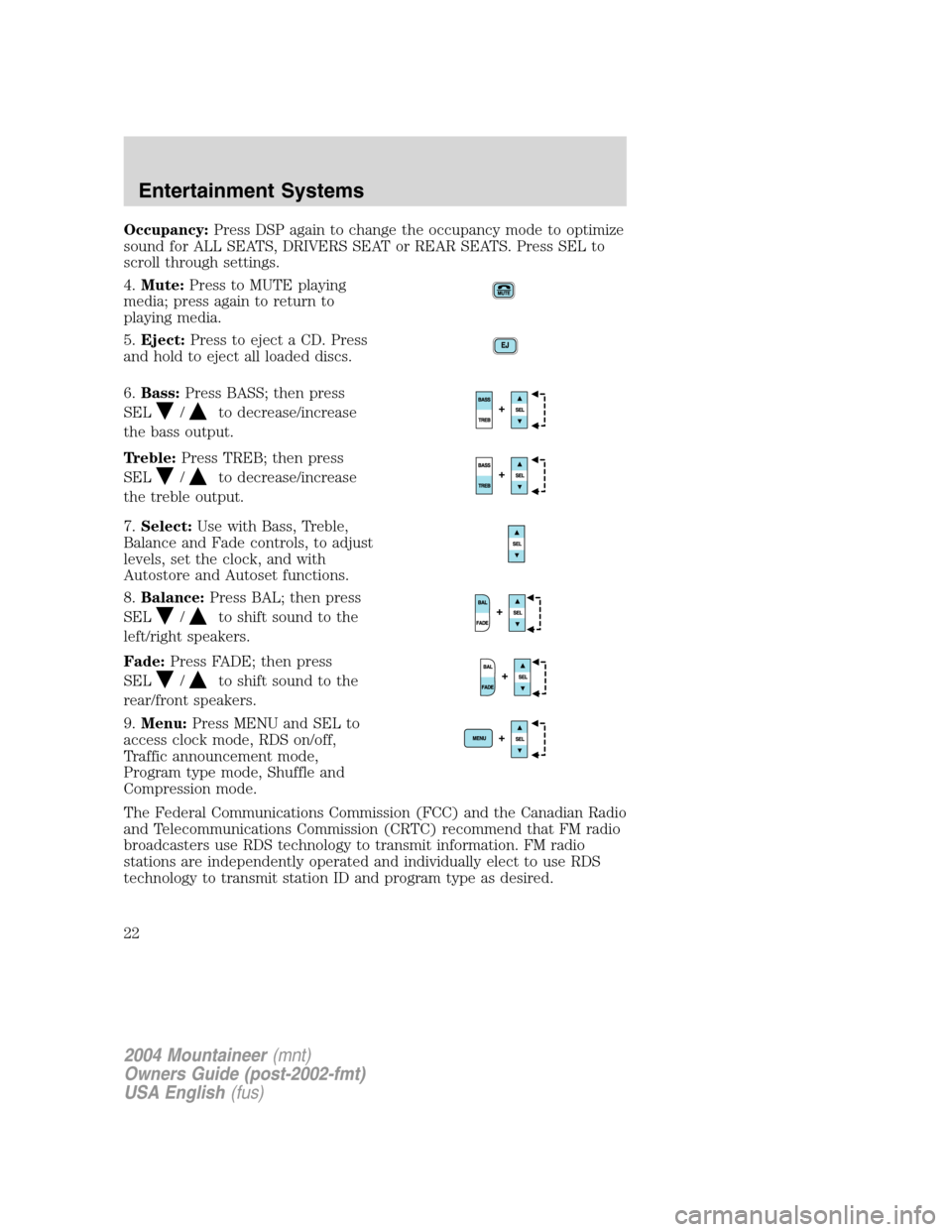
4.Mute:Press to MUTE playing
media; press again to return to
playing media.
5.Eject:Press to eject a CD. Press
and hold to eject all loaded discs.
6.Bass:Press BASS; then press
SEL
/to decrease/increase
the bass output.
Treble:Press TREB; then press
SEL
/to decrease/increase
the treble output.
7.Select:Use with Bass, Treble,
Balance and Fade controls, to adjust
levels, set the clock, and with
Autostore and Autoset functions.
8.Balance:Press BAL; then press
SEL
/to shift sound to the
left/right speakers.
Fade:Press FADE; then press
SEL
/to shift sound to the
rear/front speakers.
9.Menu:Press MENU and SEL to
access clock mode, RDS on/off,
Traffic announcement mode,
Program type mode, Shuffle and
Compression mode.
The Federal Communications Commission (FCC) and the Canadian Radio
and Telecommunications Commission (CRTC) recommend that FM radio
broadcasters use RDS technology to transmit information. FM radio
stations are independently operated and individually elect to use RDS
technology to transmit station ID and program type as desired.
2004 Mountaineer(mnt)
Owners Guide (post-2002-fmt)
USA English(fus)
Entertainment Systems
22
Page 27 of 280
MANUAL HEATING AND AIR CONDITIONING SYSTEM
(IF EQUIPPED)
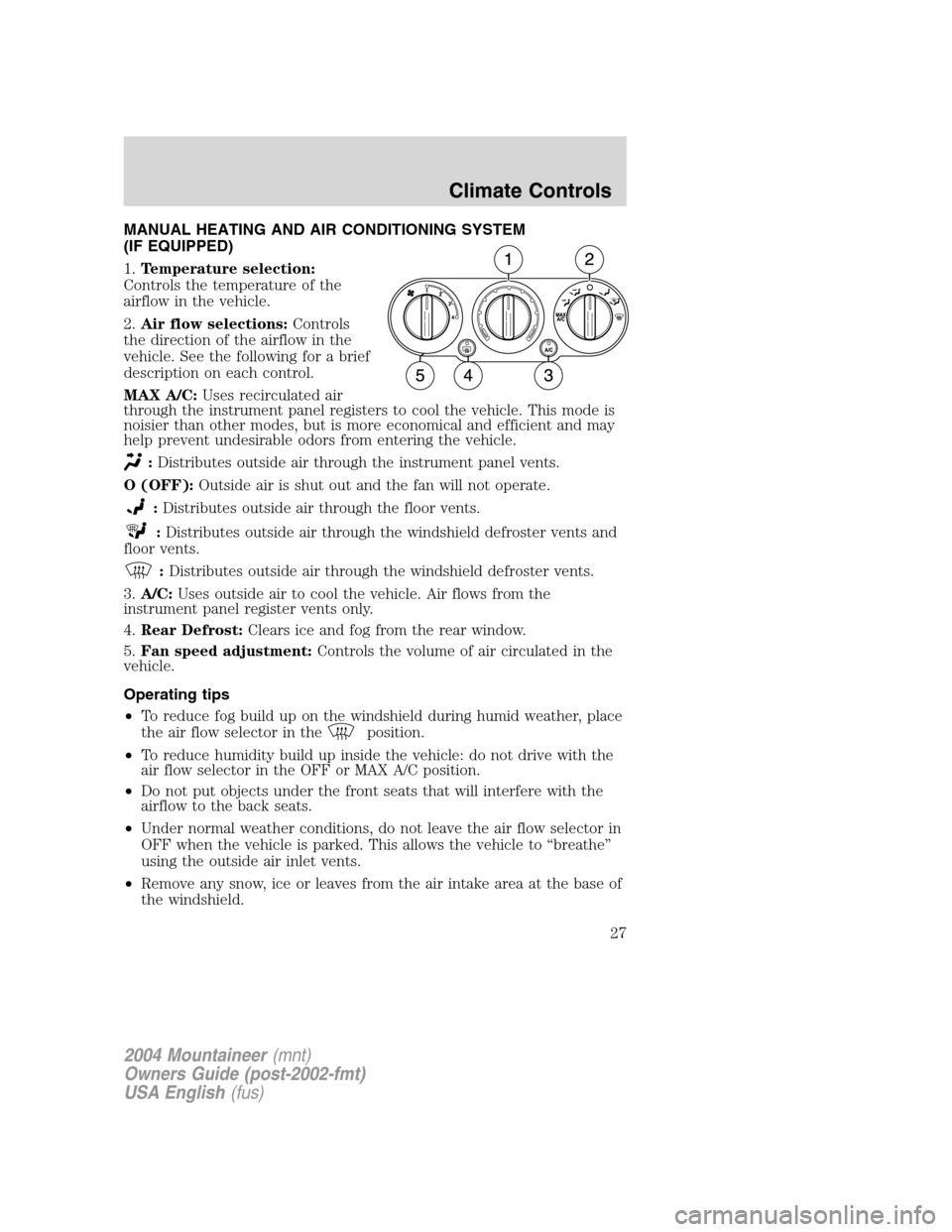
1.Temperature selection:
Controls the temperature of the
airflow in the vehicle.
2.Air flow selections:Controls
the direction of the airflow in the
vehicle. See the following for a brief
description on each control.
MAX A/C:Uses recirculated air
through the instrument panel registers to cool the vehicle. This mode is
noisier than other modes, but is more economical and efficient and may
help prevent undesirable odors from entering the vehicle.
:Distributes outside air through the instrument panel vents.
O (OFF):Outside air is shut out and the fan will not operate.
:Distributes outside air through the floor vents.
:Distributes outside air through the windshield defroster vents and
floor vents.
:Distributes outside air through the windshield defroster vents.
3.A/C:Uses outside air to cool the vehicle. Air flows from the
instrument panel register vents only.
4.Rear Defrost:Clears ice and fog from the rear window.
5.Fan speed adjustment:Controls the volume of air circulated in the
vehicle.
Operating tips
•To reduce fog build up on the windshield during humid weather, place
the air flow selector in the
position.
•To reduce humidity build up inside the vehicle: do not drive with the
air flow selector in the OFF or MAX A/C position.
•Do not put objects under the front seats that will interfere with the
airflow to the back seats.
•Under normal weather conditions, do not leave the air flow selector in
OFF when the vehicle is parked. This allows the vehicle to “breathe”
using the outside air inlet vents.
•Remove any snow, ice or leaves from the air intake area at the base of
the windshield.
2004 Mountaineer(mnt)
Owners Guide (post-2002-fmt)
USA English(fus)
Climate Controls
Climate Controls
27
Page 30 of 280
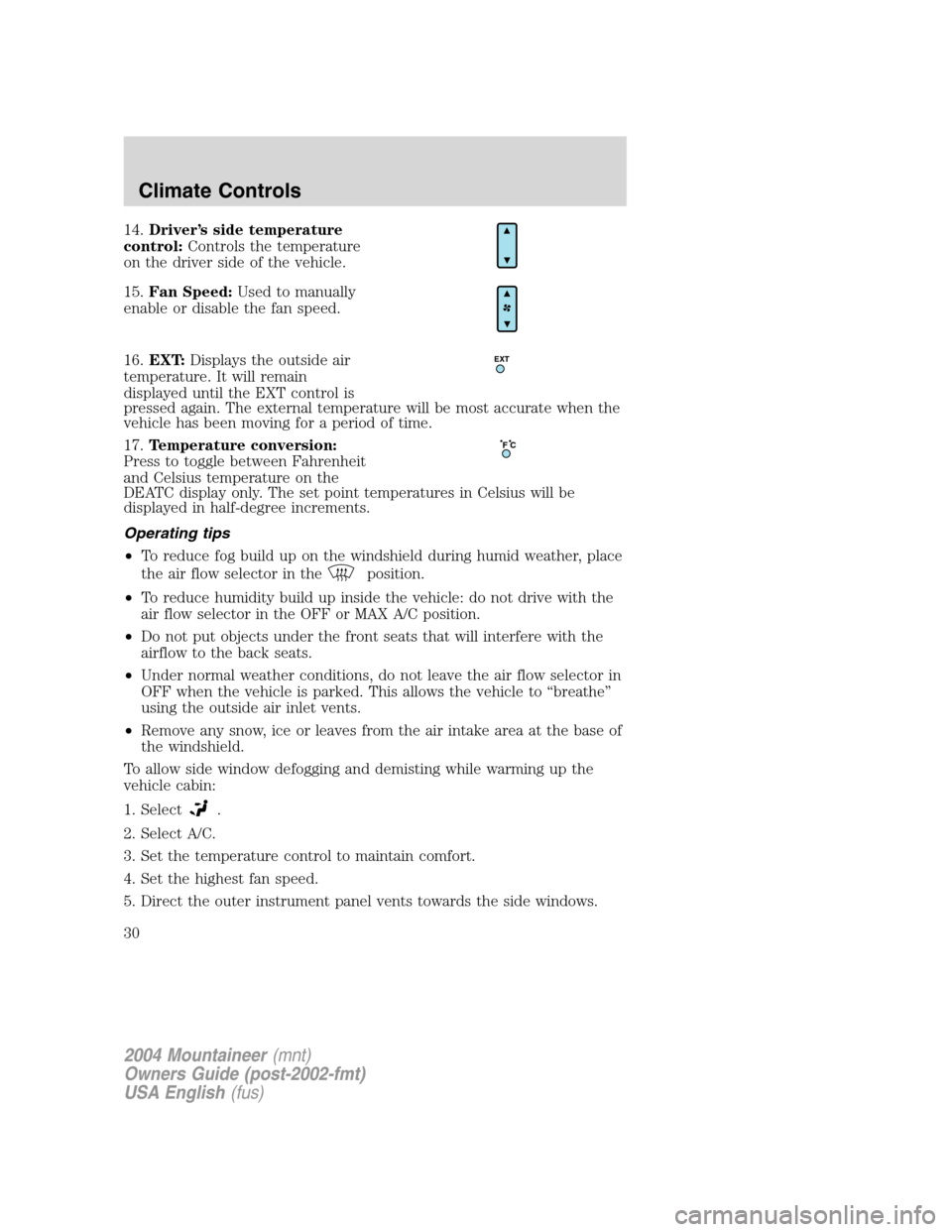
14.Driver’s side temperature
control:Controls the temperature
on the driver side of the vehicle.
15.Fan Speed:Used to manually
enable or disable the fan speed.
16.EXT:Displays the outside air
temperature. It will remain
displayed until the EXT control is
pressed again. The external temperature will be most accurate when the
vehicle has been moving for a period of time.
17.Temperature conversion:
Press to toggle between Fahrenheit
and Celsius temperature on the
DEATC display only. The set point temperatures in Celsius will be
displayed in half-degree increments.
Operating tips
•To reduce fog build up on the windshield during humid weather, place
the air flow selector in the
position.
•To reduce humidity build up inside the vehicle: do not drive with the
air flow selector in the OFF or MAX A/C position.
•Do not put objects under the front seats that will interfere with the
airflow to the back seats.
•Under normal weather conditions, do not leave the air flow selector in
OFF when the vehicle is parked. This allows the vehicle to “breathe”
using the outside air inlet vents.
•Remove any snow, ice or leaves from the air intake area at the base of
the windshield.
To allow side window defogging and demisting while warming up the
vehicle cabin:
1. Select
.
2. Select A/C.
3. Set the temperature control to maintain comfort.
4. Set the highest fan speed.
5. Direct the outer instrument panel vents towards the side windows.
EXT
F C
2004 Mountaineer(mnt)
Owners Guide (post-2002-fmt)
USA English(fus)
Climate Controls
30
Page 48 of 280
Type B
AUXILIARY POWER POINT
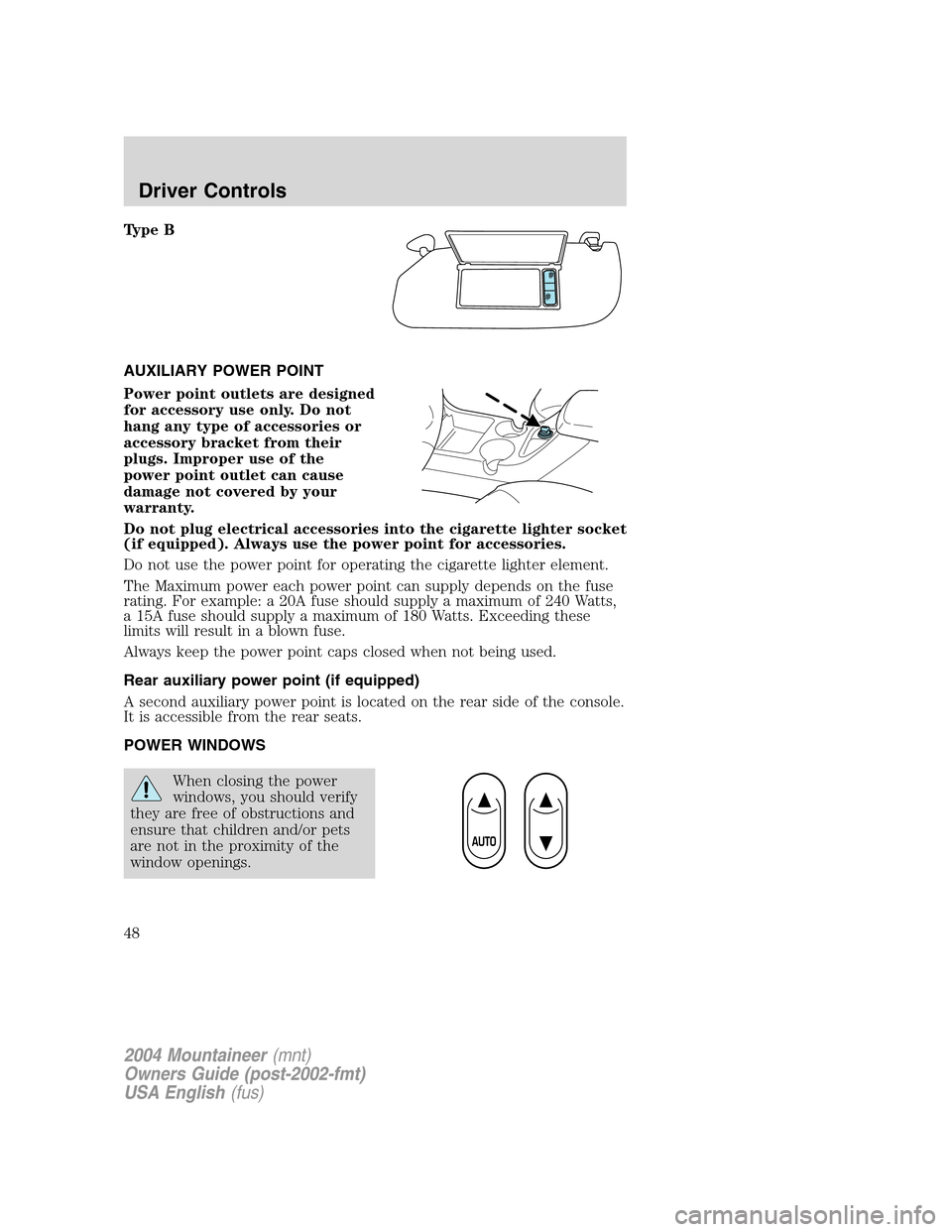
Power point outlets are designed
for accessory use only. Do not
hang any type of accessories or
accessory bracket from their
plugs. Improper use of the
power point outlet can cause
damage not covered by your
warranty.
Do not plug electrical accessories into the cigarette lighter socket
(if equipped). Always use the power point for accessories.
Do not use the power point for operating the cigarette lighter element.
The Maximum power each power point can supply depends on the fuse
rating. For example: a 20A fuse should supply a maximum of 240 Watts,
a 15A fuse should supply a maximum of 180 Watts. Exceeding these
limits will result in a blown fuse.
Always keep the power point caps closed when not being used.
Rear auxiliary power point (if equipped)
A second auxiliary power point is located on the rear side of the console.
It is accessible from the rear seats.
POWER WINDOWS
When closing the power
windows, you should verify
they are free of obstructions and
ensure that children and/or pets
are not in the proximity of the
window openings.
2004 Mountaineer(mnt)
Owners Guide (post-2002-fmt)
USA English(fus)
Driver Controls
48
Page 82 of 280
2. Pressand release again within three seconds to confirm that all the
doors are closed and locked.Note:The doors will lock again, the horn
will chirp and the lamps flash once.
Opening the liftgate window
Press
to unlatch the liftgate window.
Sounding a panic alarm
Press
to activate the alarm. The horn will sound for a maximum of
30 seconds and the parklamps will flash for a maximum of 3 minutes.
Press again or turn the ignition to the 3 (ON) position to deactivate, or
wait for the alarm to timeout in 3 minutes.
Note:The panic alarm will only operate when the ignition is in the 1
(OFF/LOCK) or 2 (ACCESSORY) position.
Memory seats/adjustable pedals/easy entry-exit feature
(if equipped)
The remote entry system can also control the memory seat /adjustable
pedals/easy entry-exit feature.
Press
to automatically move the seat and adjustable pedals to the
desired memory position (the seat position corresponds to the
transmitter being used).
Activating the memory seat feature
To activate this feature:
1. Position the seat and adjustable pedals to the position desired.
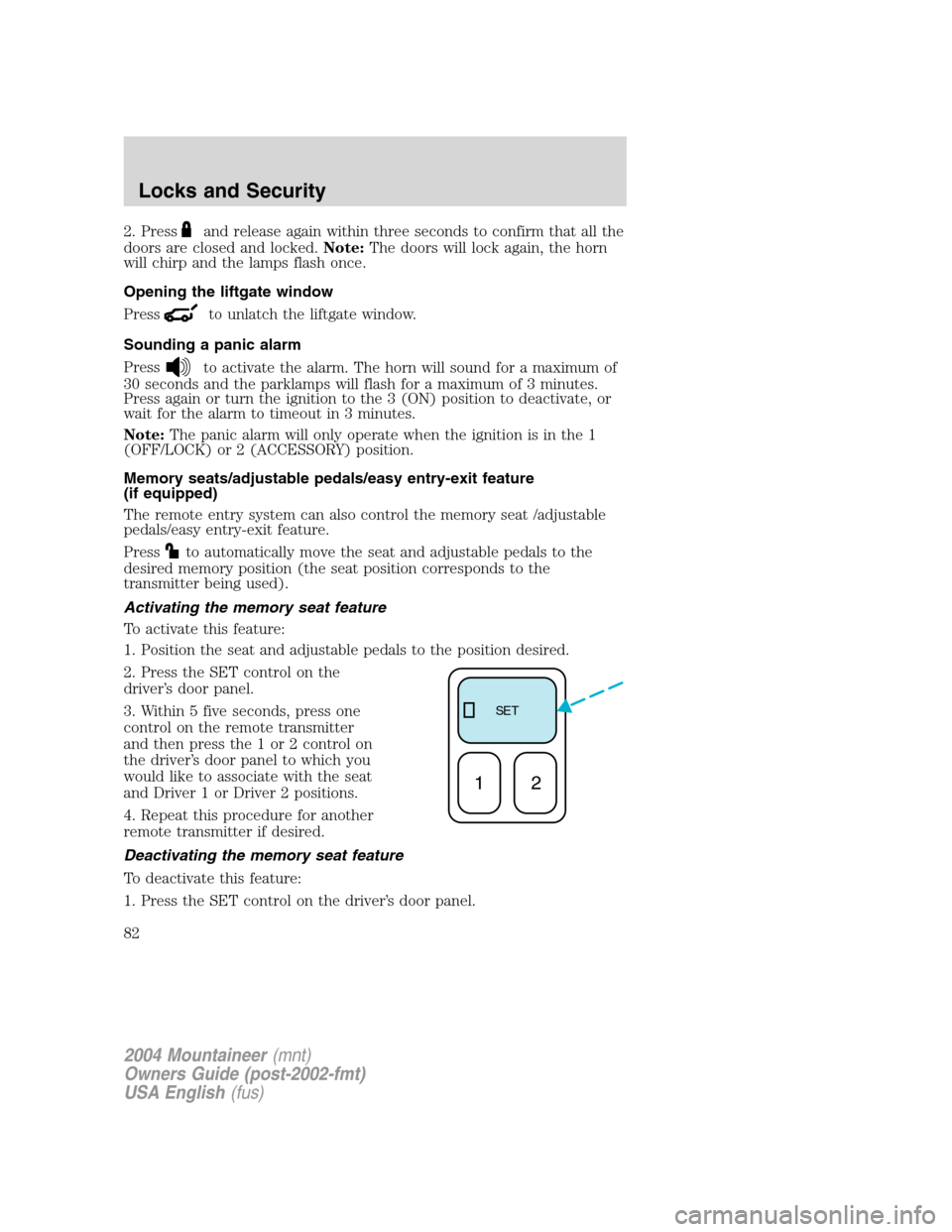
2. Press the SET control on the
driver’s door panel.
3. Within 5 five seconds, press one
control on the remote transmitter
and then press the 1 or 2 control on
the driver’s door panel to which you
would like to associate with the seat
and Driver 1 or Driver 2 positions.
4. Repeat this procedure for another
remote transmitter if desired.
Deactivating the memory seat feature
To deactivate this feature:
1. Press the SET control on the driver’s door panel.
SE T
12
2004 Mountaineer(mnt)
Owners Guide (post-2002-fmt)
USA English(fus)
Locks and Security
82
Page 92 of 280

SEATING
Notes:
Reclining the seatback can cause an occupant to slide under the
seat’s safety belt, resulting in severe personal injuries in the
event of a collision.
Do not pile cargo higher than the seatbacks to reduce the risk of
injury in a collision or sudden stop.
Adjustable head restraints
Head restraints help to limit head motion in the event of a rear collision.
The seats in your vehicle may have adjustable head restraints. Adjust
your head restraint so that it is located directly or as close as possible
behind your head.
The head restraints can be moved
up and down.
2004 Mountaineer(mnt)
Owners Guide (post-2002-fmt)
USA English(fus)
Seating and Safety Restraints
Seating and Safety Restraints
92
Page 96 of 280
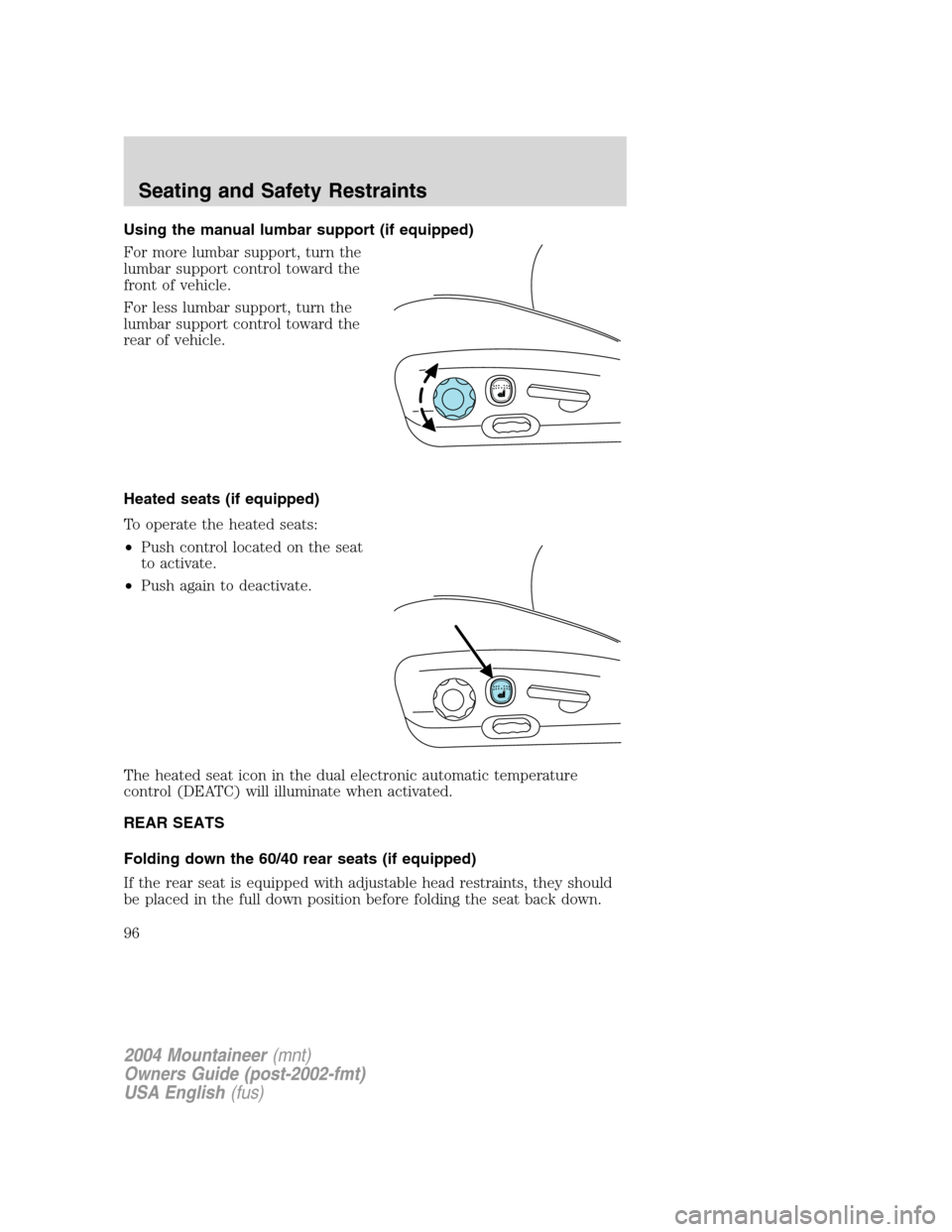
Using the manual lumbar support (if equipped)
For more lumbar support, turn the
lumbar support control toward the
front of vehicle.
For less lumbar support, turn the
lumbar support control toward the
rear of vehicle.
Heated seats (if equipped)
To operate the heated seats:
•Push control located on the seat
to activate.
•Push again to deactivate.
The heated seat icon in the dual electronic automatic temperature
control (DEATC) will illuminate when activated.
REAR SEATS
Folding down the 60/40 rear seats (if equipped)
If the rear seat is equipped with adjustable head restraints, they should
be placed in the full down position before folding the seat back down.
2004 Mountaineer(mnt)
Owners Guide (post-2002-fmt)
USA English(fus)
Seating and Safety Restraints
96
Page 97 of 280
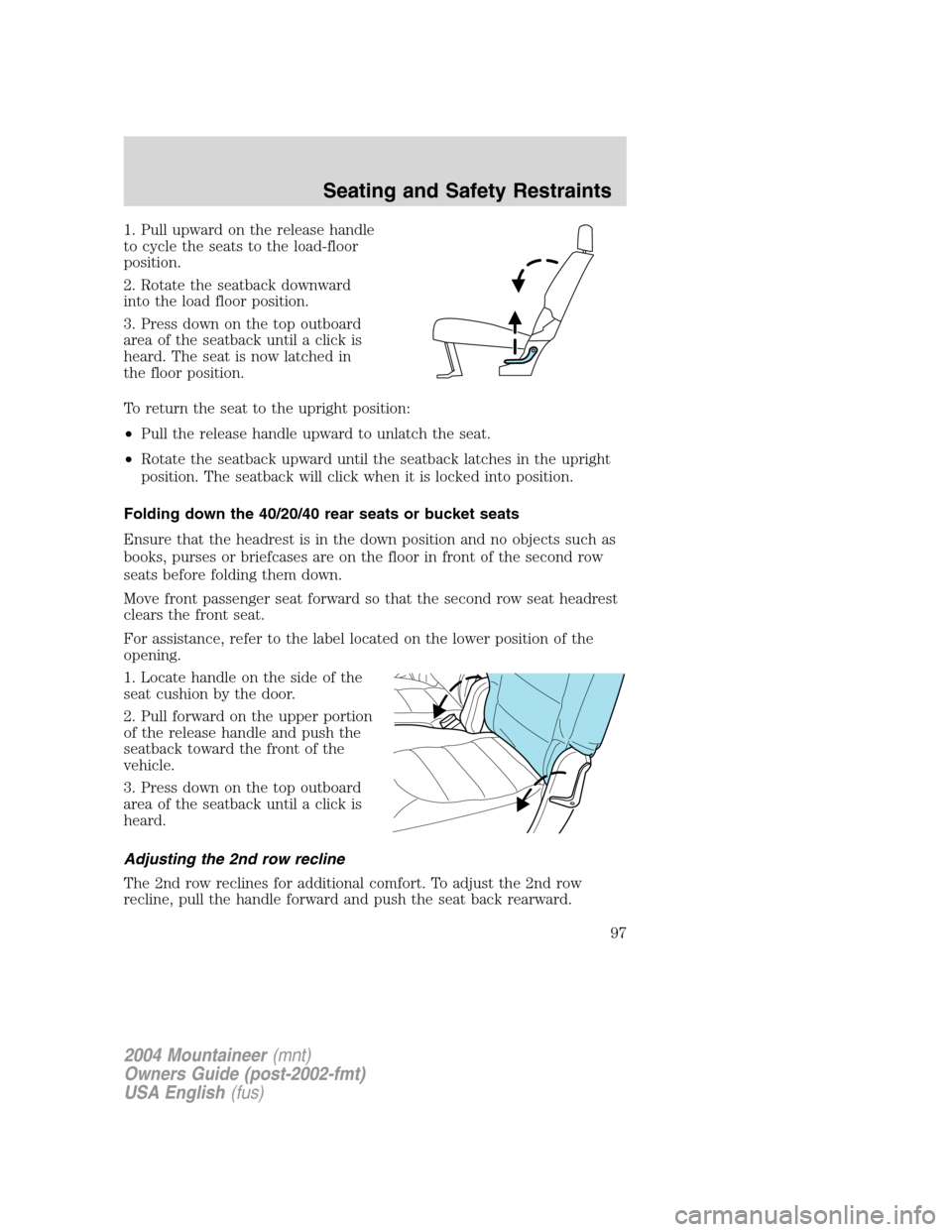
1. Pull upward on the release handle
to cycle the seats to the load-floor
position.
2. Rotate the seatback downward
into the load floor position.
3. Press down on the top outboard
area of the seatback until a click is
heard. The seat is now latched in
the floor position.
To return the seat to the upright position:
•Pull the release handle upward to unlatch the seat.
•Rotate the seatback upward until the seatback latches in the upright
position. The seatback will click when it is locked into position.
Folding down the 40/20/40 rear seats or bucket seats
Ensure that the headrest is in the down position and no objects such as
books, purses or briefcases are on the floor in front of the second row
seats before folding them down.
Move front passenger seat forward so that the second row seat headrest
clears the front seat.
For assistance, refer to the label located on the lower position of the
opening.
1. Locate handle on the side of the
seat cushion by the door.
2. Pull forward on the upper portion
of the release handle and push the
seatback toward the front of the
vehicle.
3. Press down on the top outboard
area of the seatback until a click is
heard.
Adjusting the 2nd row recline
The 2nd row reclines for additional comfort. To adjust the 2nd row
recline, pull the handle forward and push the seat back rearward.
2004 Mountaineer(mnt)
Owners Guide (post-2002-fmt)
USA English(fus)
Seating and Safety Restraints
97
Page 98 of 280
Reclining the seatback can cause an occupant to slide under the
seat’s safety belt, resulting in severe personal injuries in the
event of a collision.
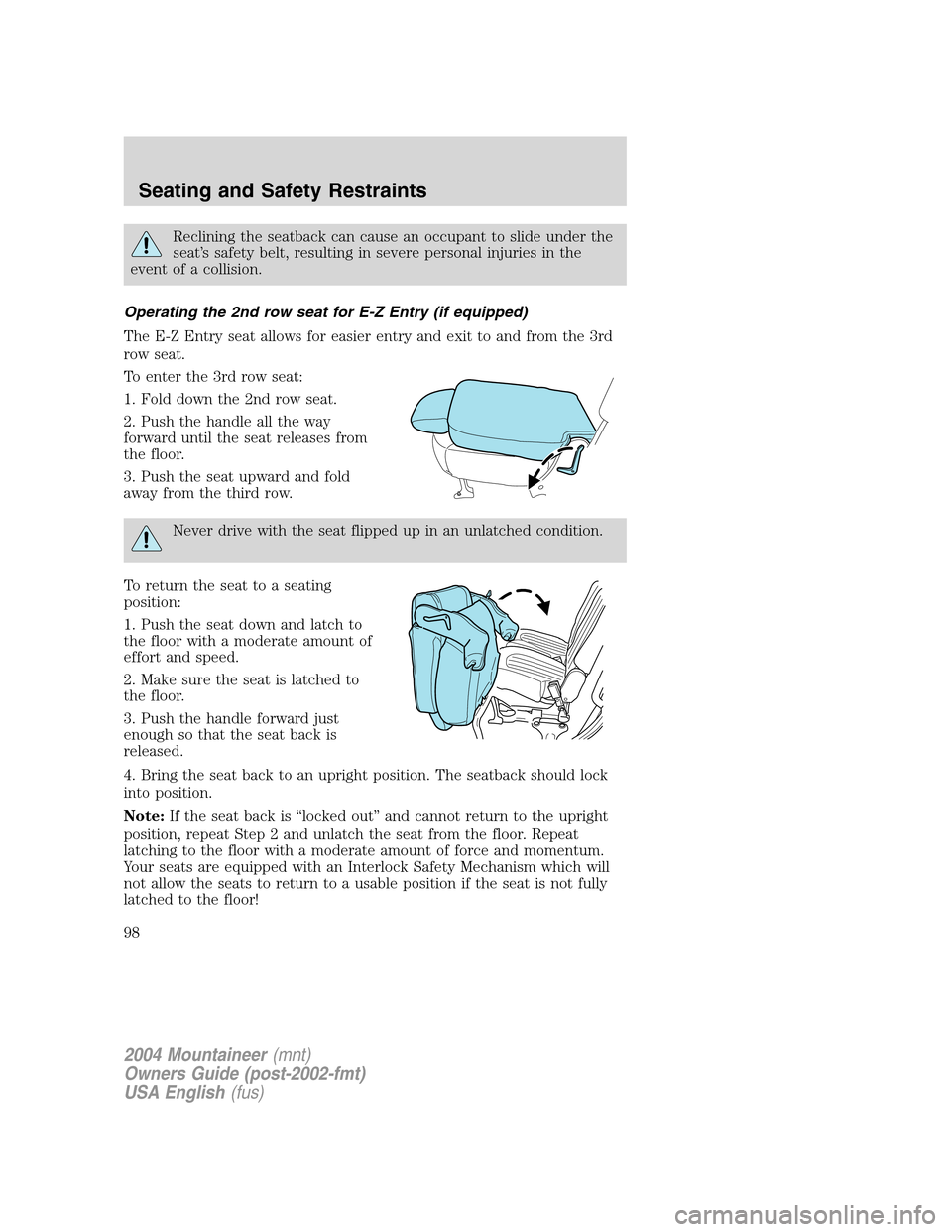
Operating the 2nd row seat for E-Z Entry (if equipped)
The E-Z Entry seat allows for easier entry and exit to and from the 3rd
row seat.
To enter the 3rd row seat:
1. Fold down the 2nd row seat.
2. Push the handle all the way
forward until the seat releases from
the floor.
3. Push the seat upward and fold
away from the third row.
Never drive with the seat flipped up in an unlatched condition.
To return the seat to a seating
position:
1. Push the seat down and latch to
the floor with a moderate amount of
effort and speed.
2. Make sure the seat is latched to
the floor.
3. Push the handle forward just
enough so that the seat back is
released.
4. Bring the seat back to an upright position. The seatback should lock
into position.
Note:If the seat back is “locked out” and cannot return to the upright
position, repeat Step 2 and unlatch the seat from the floor. Repeat
latching to the floor with a moderate amount of force and momentum.
Your seats are equipped with an Interlock Safety Mechanism which will
not allow the seats to return to a usable position if the seat is not fully
latched to the floor!
2004 Mountaineer(mnt)
Owners Guide (post-2002-fmt)
USA English(fus)
Seating and Safety Restraints
98